Category: Gaming

Game Empress’s main gaming hub — featuring news, opinions, industry analysis, and coverage of the games and developers shaping the medium today.

  • Poppy Playtime Chapter 3 Patch 1: Nightmares Evolved! New Content & Fixes Are Here

    Poppy Playtime Chapter 3 Patch 1: Nightmares Evolved! New Content & Fixes Are Here

    Poppy Playtime Chapter 3 has been an exciting ride for horror game fans, and the latest Patch 1 seeks to improve the experience even more. This update, which was released on February 9, 2024, includes various adjustments and upgrades to make the game more immersive and interesting for players.

    Poppy Playtime Chapter 3 Patch 1

    Major Gameplay Changes

    Localization

    • Added a Dynamic Subtitle System
    • Reverb added to final Poppy’s dialogue
    • Changed subtitles to match dialogue in Spanish, Korean, Japanese and Portuguese

    Minor Gameplay Changes

    • Added audio to movable platforms
    • Added lights in the Gas Production Zone
    • Added Sticker Decals
    • Extended the range of which the audio coming from radios can be heard
    • Added lights to help guide the player throughout the game
    • Adjusted Hand Magnet to be bigger for the lever at the end of School
    • Added two handprint decals to each giant block in Playhouse
    • Added a light to the elevator button in Final Encounter
    • Added lights to certain vents in the Counselors’ Office
    • TAB inventory popups will now appear for all pickups
    • Removed handprint decals that were causing confusion in School
    • Added new posters in Home Sweet Home
    • Added new photos in Home Sweet Home
    • Added Audio Trigger when Entering the Cave Level
    • Added a Grab Handle above the Jump Pad in Home Sweet Home
    • Made CatNap purring more audible in Dream 1
    • Updated the credits
    • Updated the launcher
    • Adjusted the timing in an animation for Poppy after the Hour of Joy tape finishes
    • Adjusted the timing of the hatch at the end of the game
    • Added Audio Effects to Poppy’s final speech
    • Added Game Version info to the Main Menu
    • Added an Ollie call after completing the Final Encounter that was previously missing
    • Refined physics system to make it hard to fly using physics objects

    Bugs Fixes

    • Fixed an issue where players could not hear piston audio correctly
    • Fixed an issue where gas would not be visible in certain parts of Counselors’ Office
    • Fixed an issue where players can swap hands in Dream 2
    • Fixed an issue where Catnap would Teleport at the end of the Final Encounter
    • Fixed an issue where notes were breaking in School
    • Fixed an issue that caused Smiling Critters to get stuck in spawning tubes
    • Fixed offset doors in Home Sweet Home
    • Fixed an issue where the Teacher would get stuck on chairs
    • Fixed an issue where the doors to School would be open after completing Playhouse
    • Fixed an issue where players could pause while in the loading screens
    • Fixed an issue where players could pause while in the death loading screens
    • Fixed an issue that caused Kissy to T-Pose while on the elevator
    • Fixed an issue that caused doors that were unblocked to act as if they were blocked in School
    • Removed duplicate Dog Days at the end of the Dog Day Chase
    • Fixed an issue that allowed players to crouch while in Dream 2
    • Fixed an issue that allowed players to get stuck under the elevator in Cave Bridge
    • Fixed an issue where the incorrect lock state UI was shown in the final Dome State after getting the Blue Battery
    • Fixed an issue that caused power cords to stay lit even when they had no power in Playhouse
    • Made it harder for players to clip out of the cable car in Intro Tunnels
    • Fixed an issue that reset audio settings
    • Fixed an issue that caused the key in Stella’s Office to disappear in Counselor’s Office when on low FPS
    • Fixed an issue that allowed the door before the final room of the Teacher chase to be opened with only one power reciever
    • Fixed an issue that didn’t kill players when they were crushed by a piston
    • Fixed an issue where a wire was not connected to anything in Intro Tunnels
    • Fixed an issue where when playing in Spanish the words would go outside of the text box
    • Fixed an issue that caused Nightmare Huggy’s Arm to flicker
    • Fixed an issue that caused incorrect pathing for the Teacher
    • Fixed an issue where a door wasn’t blocked properly in School
    • Added missing characters in Japenese
    • Removed Debug Text in Final Encounter
    • Fixed an issue that allowed a checkpoint to be skipped in Cave Bridge
    • Fixed an issue that allowed a checkpoint to be skipped in the Dome
    • Fixed an issue that caused the Blue Battery to be floating in Gas Production Zone
    • Fixed an issue that caused gas to not appear correctly in Gas Production Zone
    • Removed the green battery upon returning to Gas Production Zone after the Final Encounter
    • Fixed an issue that caused music to be missing from Dream 2

    Known Issues

    • We are aware of the Language setting saying “Text Language.” This setting still changes the language of the audio in the game. We will fix this in an update as soon as possible.

  • Is One Piece Pirate Warriors 4 Crossplay? Set Sail For Answers

    Is One Piece Pirate Warriors 4 Crossplay? Set Sail For Answers

    One Piece Pirate Warriors 4 crossplay is something that many players are interested in, and because the game is available on multiple platforms, gamers want to know if One Piece Pirate Warriors 4 crossplay exists. So read this article to learn everything you need to know about One Piece Pirate Warriors 4 Crossplay.

    One Piece: Pirate Warriors 4 is a Microsoft Windows, PlayStation 4, Xbox One, and Nintendo Switch action-adventure game created by Omega Force and released by Bandai Namco Entertainment.

    It’s the fourth installment in the Pirate Warriors video game series, based on the One Piece anime series. It is a follow-up to One Piece: Pirate Warriors 3 (2015). It was officially launched on March 27, 2020. Because the game is accessible on numerous platforms, many people want to know if it supports Crossplay. Scroll down to learn more!

    Is One Piece Pirate Warriors 4 Crossplay?

    Is One Piece Pirate Warriors 4 Crossplay?
    Is One Piece Pirate Warriors 4 Crossplay?

    Crossplay is a feature that is gaining popularity in modern games. Crossplay is now a feature expected in all multiplayer games as gaming shifts to an online competitive environment.

    One Piece Pirate Warriors is an action-adventure game with multiplayer capabilities. Unfortunately, the game does not support crossplay. Continue reading to learn more about this.

    Is One Piece Pirate Warriors 4 Cross Platform?

    One Piece is a story-driven game that concludes. As a result, it provides little opportunity for competitive play. Cross-platform games frequently have a lot of PvP action.

    So this game lacks that; the developers did not include a cross-platform functionality. However, the game still includes co-op options, allowing you to play with others.

    One Piece Pirate Warriors 4 Gameplay

    The gameplay is similar to that of previous installments. The game features an original plot that reimagines the Wano arc from One Piece. The four new multiplayer modes are Giant Boss Battle, Total Bounty Battle, Timed Defense Battle, and Territory Battle.

    This story is based on the unfinished Wano arc, with Cavendish and Bartolomeo assisting the trapped Straw Hat crew in escaping their prisons. As the conflict between Big Mom and Kaido heats up, a new foe emerges Blackbeard and his crew.

    After conquering Big Mom, Blackbeard, and Kaido’s underlings, players confront one final encounter with Kaido, who changes into a dragon after defeating Big Mom, Blackbeard, and Kaido’s crew. Luffy must ultimately defeat Kaido and end Wano’s suffering caused by Kaido.

    You might also be interested in the following games, Crossplay: Evil West Crossplay and Nobody Saves The World Crossplay We appreciate your interest in our website! Make Gameempress.com your go-to site for gaming information.

  • Baldurs Gate 3 Patch Early Notes: Sneak Peek At What’s Coming!

    Baldurs Gate 3 Patch Early Notes: Sneak Peek At What’s Coming!

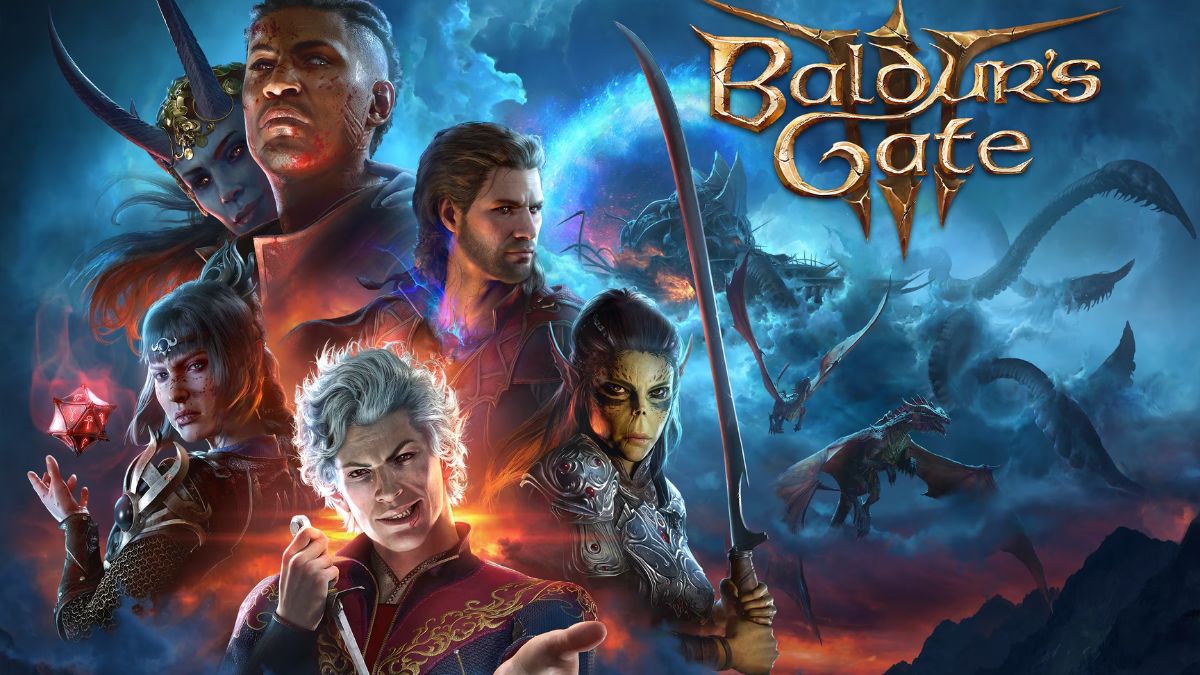
    Baldur’s Gate 3 will get a new update soon. Patch 6 is scheduled to be published during the week of February 12. This is the game’s first big patch of 2024, following some lesser hotfixes, and the first since the enormous Patch 5, which brought the epilogue, Honour Mode, and more.

    While the statement lacked information, Larian indicated that this would be a “hefty” upgrade. Here’s all we know about Baldur’s Gate 3 Patch 6 thus far.

    Baldurs Gate 3 Patch Early Notes

    The most notable change mentioned for Baldur’s Gate 3 Patch 6 thus far is better kiss animations.

    Larian, who is releasing the same week as Valentine’s Day, has promised “improvements to locking lips with your romantic partner.” The announcement also includes a new animation depicting a touching moment between Astarion and Halsin that culminates in a sweet forehead kiss.

    Beyond that, Larian has said that Patch 6 will include new camp idle animations, Legendary Actions in Honour Mode, and bug fixes.

    Several foes, mostly large bosses, have Legendary Actions when you fight them in Honour Mode, making fighting much more difficult. Which foes will gain new powers and what they will remain to be known, but anticipate Honour Mode runs to become even more punitive following the upgrade.

    That is all we know about Baldur’s Gate 3 Patch 6 so far. We will update this page once the fix is released next week!

  • Skull And Bones Sets Sail: Open Beta Now Available!

    Skull And Bones Sets Sail: Open Beta Now Available!

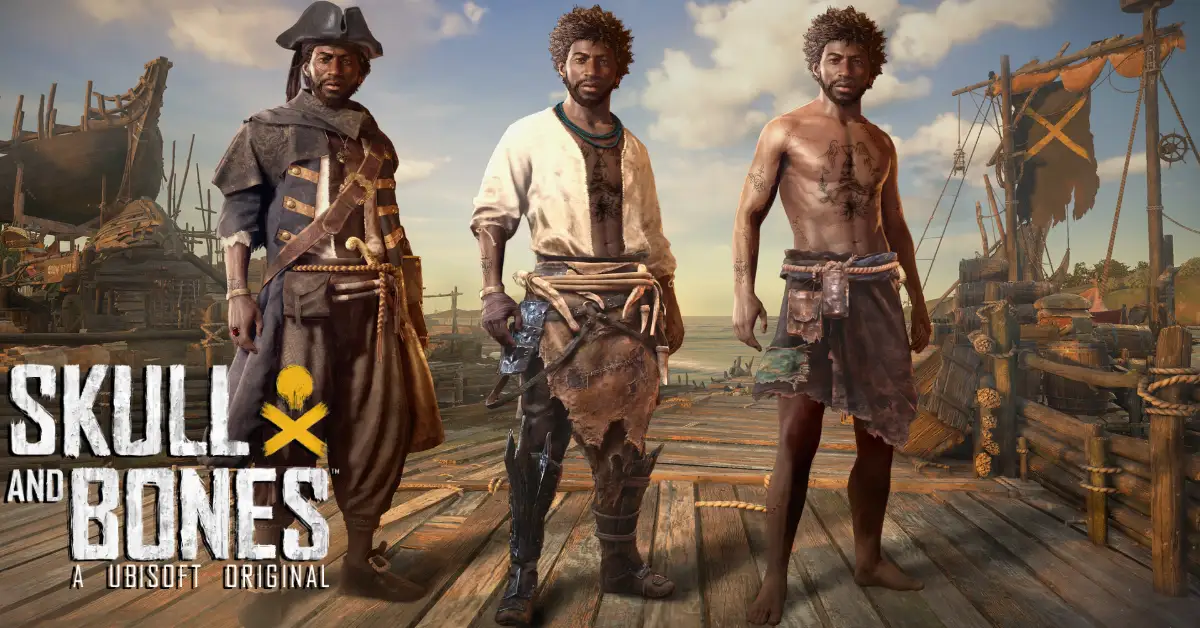
    Ubisoft has started an open beta for their multiplayer open-world pirate boat game, continuing their big farce of claiming to plan the release of Skull And Bones. The free beta will continue until Sunday night, following which Ubisoft will most likely delay the game for another seventeen years while revamping it entirely.

    Skull And Bones Closed Beta
    Skull And Bones Closed Beta

    When you buy your great-grandniece Skull And Bones for her 17th birthday, you may tell her you were there for the fabled open beta of ’24.

    The open beta pootles around a variety of waters, including the Red Isle beginning zone, the East Indies, Coast Africa, and the Open Sea. It allows you to begin by ranking up with the game’s core campaign contracts, then go on to side contracts and bounties and rumble with world events.

    It does include cross-platform multiplayer and advancement, which is excellent because you’ll be able to play with friends.

    Simply put, your progress will be carried over to the entire game. During the open beta, Ubisoft is also giving away rewards like ship cosmetics and a lemur pet for reaching certain Infamy ranks.

    The open beta for PC is available through Ubisoft Connect and the Epic Games Store. No, no Steam. It’s also available on the PlayStation 5 and Xbox One XS. For those of us in the UK, the open beta will expire after midnight on Monday, at 12:59 am.

    For more information, check out Ubisoft’s open beta site and their developer blog.

    Ubisoft is still stating that Skull And Bones will be released in full on February 16th, some seven years after initially unveiling the game, and you have to appreciate their dedication to the project. See you in 2074. I can’t wait to see how gorgeous the video game water will be by then.

  • Yu-Gi-Oh! Battles Of Legend Chapter 1: A Collector’s Set For Fans Of The Legendary Cards

    Yu-Gi-Oh! Battles Of Legend Chapter 1: A Collector’s Set For Fans Of The Legendary Cards

    Yu-Gi-Oh! Battles of Legend: Chapter 1 is set in the Yu-Gi-Oh! Trading Card Game (TCG) brings back many of the most popular cards from the Battles of Legend series, as well as related cards from other past releases.

    The set is a collector’s set that contains 37 Secret Rares, 6 Ultra Rares, 30 Commons, and one of six collectible dice featuring iconic monsters. The set is expected to be released on February 23, 2024, for the North American, European, and Oceanic regions.

    In this article, we will tell you what to expect from the Yu-Gi-Oh! Battles of Legend: Chapter 1 set, what are some of the highlights and features of the set, and how to get the most out of the set?

     What to Expect From the Yu-Gi-Oh! Battles of Legend: Chapter 1 Set?

    The Yu-Gi-Oh! Battles of Legend: Chapter 1 set is a set that celebrates the legacy and the legend of some of the most powerful and iconic cards in the history of the game.

    The set includes cards from the four previous Battles of Legend sets: Light’s Revenge, Relentless Revenge, Hero’s Revenge, and Armageddon, as well as related cards from other past releases, such as Duelist Saga, Duel Power, Duel Overload, and Ghosts From the Past.

    The set also includes some new cards that have never been released before in the TCG, such as “Number 39: Utopia” (Astral glyphs version), “Chaos Emperor, the Dragon of Armageddon”, and “Number 90: Galaxy-Eyes Photon Lord”.

    The set contains a total of 73 cards, which are divided into three rarities: Secret Rare, Ultra Rare, and Common. The Secret Rares are the most sought-after cards in the set, as they feature some of the most powerful and popular cards in the game, such as “Minerva, the Exalted Lightsworn”, “Cyber Dragon Infinity”, “Borrelsword Dragon”, and “Invocation”.

    The Ultra Rares are also very valuable, as they feature some of the most useful and versatile cards in the game, such as “Ash Blossom & Joyous Spring”, “Called by the Grave”, “Crossout Designator”, and “Forbidden Droplet”.

    The Commons are the most common cards in the set. However, they are still instrumental and relevant, as they include some of the best support cards for various archetypes and strategies, such as “Vision HERO Faris”, “Sky Striker Mecha – Hornet Drones”, “Artifact Sanctum”, and “Foolish Burial Goods”.

    The set also includes one of six collectible dice, which are based on the “Cyber Dragon”, “Judgment Dragon”, “Elemental HERO Stratos”, or three other monsters. The dice are a fun and unique addition to the set and can be used for various purposes, such as rolling for the first turn, deciding the outcome of a coin toss, or keeping track of the life points.

    Yu-Gi-Oh! Battles of Legend Chapter 1: Highlights and Features

    The Yu-Gi-Oh! Battles of Legend: Chapter 1 set is a set that offers a lot of value and variety for the fans of the game. The set has many highlights and features that make it appealing and exciting, such as:

    • The set includes some of the most legendary and iconic cards in the game, such as “Number 39: Utopia”, “Chaos Emperor Dragon – Envoy of the End”, “Dark Magician Girl”, and “Blue-Eyes White Dragon”.
    • The set also includes some of the most powerful and competitive cards in the game, such as “Impermanence”, “Evenly Matched”, “Pot of Extravagance”, and “Dark Ruler No More”.
    • The set also includes some of the most fan-favorite and nostalgic cards in the game, such as “Dark Armed Dragon”, “Black Luster Soldier – Envoy of the Beginning”, “Elemental HERO Neos”, and “Red-Eyes Black Dragon”.
    • The set also includes some of the most unique and creative cards in the game, such as “Number F0: Utopic Future Dragon”, “Topologic Zeroboros”, “Time Thief Redoer”, and “Appliance Laundry Dragon”.
    • The set also includes some of the most rare and exclusive cards in the game, such as “Number 93: Utopia Kaiser”, “Number 106: Giant Hand”, “Number 75: Bamboozling Gossip Shadow”, and “Number 29: Mannequin Cat”.
    • The set also includes some of the newest and exciting cards in the game, such as “Number 39: Utopia” (Astral glyphs version), “Chaos Emperor, the Dragon of Armageddon”, “Number 90: Galaxy-Eyes Photon Lord”, and “Number 97: Draglubion”.

    This is everything you need to know about Yu-Gi-Oh! Battles Of Legend Chapter 1. Additionally, you can check our guide on MapleStory Inner Ability Guide and Harvest Moon 64 Guide. Stay connected with GameEmpress.com to get the latest news and guides about the gaming world.

  • Is Suicide Squad Crossplay? Uniting Heroes Across Platforms For Epic Battles

    Is Suicide Squad Crossplay? Uniting Heroes Across Platforms For Epic Battles

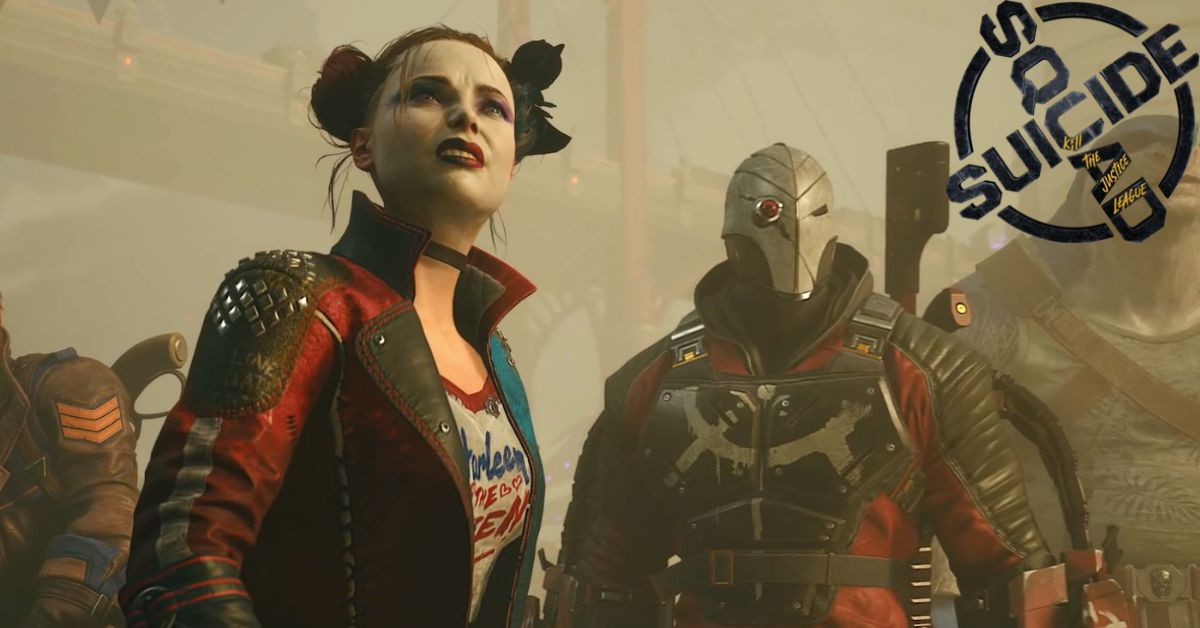
    Rocksteady Studios is set to release Suicide Squad: Kill the Justice League in early 2024, following years of anticipation. This publication has been welcomed with equal parts skepticism and excitement, as the continuation of the Arkhamverse is sacrosanct.

    With a new location, set of gameplay, and a story that is otherwise unfamiliar to those who have played the Batman: Arkham games, it’s not surprising that those looking into Suicide Squad: Kil the Justice League may be a little perplexed, and require a few answers to comfortably proceed into this new fight of DC Comics entertainment in video game format.

    Is Suicide Squad Crossplay?

    Suicide Squad: Kill the Justice League Game Delayed
    Suicide Squad: Kill the Justice League Game Delayed

    Suicide Squad: Kil the Justice League offers full crossplay across all platforms. Suicide Squad Kill the Justice League crossplay is shockingly simple, allowing you to set up multiplayer and cross-platform battles with pals as quickly as you write their names.

    There are a few caveats with progress and such, so let’s look at how to enable crossplay in Suicide Squad Kill the Justice League and invite friends.

    How to Use the Suicide Squad Kill the Justice League Crossplay?

    Finding and inviting people to join you is simple if you already know them from the platform you’re playing on. If that’s the case, they’ll just appear on the Friends tab under Social in the main menu while they’re online.

    I’ve played matches in which various Suicide Squad Kill the Justice League characters appeared. However, one of the copies was a bot, so it’s unclear how the two games combined squads.

    Assuming they are online and in-game, you can simply select their name and welcome them to your squad.

    If you wish to add a buddy who plays on a different platform, follow these steps to enable crossplay in Suicide Squad Kill the Justice League:

    • Navigate to Social in the menu, then Friends.
    • Use the Invite option located at the bottom of the screen.
    • Enter your friend’s name for the platform they are playing on.
    • If they are in-game on another platform, they will appear in the list with a shield icon next to their name.
    • After selecting them, you’ll be able to add them as a buddy and invite them to your squad.

    After you’ve located a friend and invited them to play, you’ll receive a warning about switching your session to a multiplayer server. If you lose your progress in the middle of a quest, you must retry it, but any character progression up to that point will be saved.

    When it comes to crossplay progression in Suicide Squad Kill the Justice League, you will keep any rewards or character progress you earn while playing with friends, but not story progression.

    So, if you accomplish a mission ahead of you by joining someone else’s more advanced game, you’ll still have to complete it when you return to your own game.

  • Is Helldivers 2 On Xbox? Gear Up, Or Get Left Behind!

    Is Helldivers 2 On Xbox? Gear Up, Or Get Left Behind!

    While Xbox console owners have enjoyed a plethora of new releases in recent months, Helldivers 2 may be one game they must forgo totally. The latest co-op shooter from Arrowhead Game Studio will be released worldwide on February 8, 2024, at 9 a.m. UK time.

    While the sequel to the 2015 release will be available for PlayStation consoles and PC at the same time, those using Microsoft gaming systems will be out of luck.

    Arrowhead developed Helldivers 2, however it was published and licensed under PlayStation’s intellectual property list. Naturally, this makes Xbox consoles a competing entity, therefore the game will not be offered on either the older-gen or current-gen Xbox platforms.

    In reality, this was made evident when the first trailer debuted. The initial Helldivers release, which can be played on both PlayStation consoles and PC, received the same approach.

    Is Helldivers 2 on Xbox?

    Certain games are developed by a PlayStation company and released on Xbox systems. The best example of such a game is MLB The Show 23, which is compatible with both generations of Xbox platforms.

    MLB The Show 24 will follow suit and be accessible on the Nintendo Switch as well. This is only feasible with MLB. MLB publishes the Show directly. PlayStation owns the publication rights and licensing for Helldivers 2, hence it will have restricted availability on platforms.

    Will Helldivers 2 be added to the Xbox Game Pass?

    The Xbox Game Pass subscription, unlike the consoles, caters to a broader ecosystem. After all, it includes titles that are only available for PCs. The new co-op shooter will also be released on PC simultaneously.

    However, it will not be accessible at launch on the Xbox Game Pass. Given the partnership between Xbox and PlayStation, Helldivers 2 is unlikely to appear on the Game Pass in the future.

    In truth, the game is unlikely to be offered on the PS Plus membership at this time. While PlayStation updated its membership service earlier in 2022, day-one releases are still not included.

    Unlike the Xbox Game Pass, the Helldivers sequel is likely to finally make its way to the PS Plus subscription. First-party PlayStation titles are normally added after some time to ensure that they are available to all active customers.

  • Is Skull And Bones Multiplayer? Your Pirate Crew Awaits!

    Is Skull And Bones Multiplayer? Your Pirate Crew Awaits!

    Skull & Bones is finally available later this month, following years of delays and significant alterations to the game’s fundamental emphasis.

    From what we’ve seen so far, Skull & Bones appears to be relatively conventional open-world Ubisoft fare. You start as a shipwrecked pirate and work your way up to become a pirate legend.

    There are objectives to complete, hubs to explore, and plenty of ship customization options. What is evident is that the game’s scope and vision have shifted dramatically since its initial reveal.

    Is Skull And Bones Multiplayer?

    Sailing the high seas in Skull & Bones is simply more entertaining with a bunch of friends, whether through standard online multiplayer or cross-play. Skull & Bones contains both solo and multiplayer modes, but Ubisoft has stated that the new pirate title is intended to be a multiplayer-first game.

    While you can play multiplayer with players on your server, you can also invite friends to your lobby, regardless of which system they use.

    Skull & Bones supports full cross-play as well as cross-saves, allowing you to access your saves from any machine on which you own the game.

    The way cross-play and multiplayer operate in Skull & Bones is a little perplexing, so read the instructions below for a comprehensive rundown of the features.

    How Crossplay Works in Skull & Bones?

    To use it, first activate crossplay in Skull and Bones. This is accomplished by taking the following steps:

    • Open Skull & Bones and go to Settings.
    • Go to the Accessibility tab under Settings.
    • Scroll down until you reach the Cross-Play section.
    • Set cross-play to “On” by ticking the box, then leave the Settings.

    Once you’ve enabled crossplay, you can start adding friends from any platform to your lobby. The server you play on will also be packed with gamers from other platforms.

    How to add and invite friends in Skull and Bones?

    With cross-play enabled, you can now ask any other player to join you on the open seas. However, getting people into your lobby can be a bit difficult because there are several approaches to take.

    To begin, navigate to the “Social” tab in-game (Y on PC/Xbox, Triangle on PS5) and begin inviting gamers who are already on your friend’s list. This will primarily consist of players from the same platform as you. In the Social tab, select the “World” tab to view all of the players you’ve recently met on a server.

    You can select the name of a person to add here, and if they accept your request, you can invite them to join your game. You may also view all of your outstanding requests under the “Requests” area of the Social menu.

    If you wish to add a player who does not use the same platform as you, you must do so through their Ubisoft account. You’ll need a Ubisoft account to add and accept friend requests.

    There is currently no method to search for a player’s username in Skull and Bones, thus using Ubisoft Connect (either the app or the website) is the only option to add players who aren’t already on your friends’ list or server. So, if you want to add a friend who is on PS5 while you are on PC, you must both create a Ubisoft account, add each other, and then invite them to your lobby once they are on your friend list.

    If you want to allow anyone to join your lobby at any time, go to the Social menu and update your Privacy Options. On the “Group and Friends” page, you can change your privacy settings to “Open,” “Friends Only,” or “Invite Only.”

    If you want any player on your server to join your game, set this to Open. However, leaving it set to the other two settings assures that only friends can join your lobby.

    Speaking of which, Skull & Bones presently only allows for three lobbies to form. This implies you can have two other players in your party at the same time. In terms of servers, a maximum of 20 players can be on one at any given time.

    Once you’ve created your lobby, you can enter Skull and Bones with your complete party and sail the seas together. You can split up and do solo objectives or play the game together.

  • Poppy Playtime Chapter 3 Plushies: How To Collect And Enjoy The Smiling Critters?

    Poppy Playtime Chapter 3 Plushies: How To Collect And Enjoy The Smiling Critters?

    Poppy Playtime Chapter 3 is the latest installment of the horror game series that takes you to the abandoned factory of Playtime Co., a company that used to produce the most popular toys in the world.

    One of the features that you can enjoy in Poppy Playtime Chapter 3 is the plushies, which are adorable stuffed animals inspired by the Smiling Critters, the iconic mascots of Playtime Co. The plushies are hidden throughout the fun fair area, and you can collect them and interact with them in the game.

    The plushies are also available as real-life merchandise, which you can buy from the official store or from Amazon. In this article, we will tell you how to collect and enjoy the plushies in Poppy Playtime Chapter 3.

    Poppy Playtime Chapter 3 Plushies

    The plushies are one of the secrets that you can find and collect in Poppy Playtime Chapter 3. There are six plushies in total, each representing one of the Smiling Critters: CatNap, DogDay, PickyPiggy, Bobby BearHug, Bubba Bubbaphant, and CraftyCorn. Youtooz plans to launch Chapter 3 plushies, the most notable of which are CatNap, DogDay, CraftyCorn!

    The plushies are not required to complete the game, but they can unlock a special achievement and a bonus scene. Here are the locations of the six plushies in Poppy Playtime Chapter 3:

    • CatNap: You can find the CatNap plushie on a shelf inside the fortune teller’s tent, next to a crystal ball and a tarot card. You need to use the foam gun to shoot at the shelf and make the plushie fall down. Then, you can pick it up and add it to your inventory.
    • DogDay: You can find the DogDay plushie on a bench near the entrance of the fun fair, next to a popcorn machine and a tape. You need to use the foam gun to shoot at the bench and make the plushie slide down. Then, you can pick it up and add it to your inventory.
    • PickyPiggy: You can find the PickyPiggy plushie on a table inside the clown’s tent, next to a balloon and a horn. You need to use the foam gun to shoot at the table and make the plushie bounce up. Then, you can catch it in mid-air and add it to your inventory.
    • Bobby BearHug: You can find the Bobby BearHug plushie on a hook inside the haunted house attraction, next to a skull and a candle. You need to use the foam gun to shoot at the hook and make the plushie dropdown. Then, you can pick it up and add it to your inventory.
    • Bubba Bubbaphant: You can find the Bubba Bubbaphant plushie on a shelf inside the music hall attraction, next to a record player and a microphone. You need to use the foam gun to shoot at the shelf and make the plushie fall down. Then, you can pick it up and add it to your inventory.
    • CraftyCorn: You can find the CraftyCorn plushie on a shelf inside the top room of the fun fair, next to a monkey and a note. You need to use the foam gun to shoot at the shelf and make the plushie fall down. Then, you can pick it up and add it to your inventory.

    How to Enjoy the Plushies in Poppy Playtime Chapter 3?

    Once you have collected all six plushies, you can enjoy them in different ways in the game. Here are some of the things you can do with the plushies in Poppy Playtime Chapter 3:

    • You can interact with the plushies by tapping on them in your inventory. The plushies will make cute noises and movements and sometimes say funny or creepy things. You can also see their names and descriptions in your inventory.
    • You can place the plushies in different locations in the game, such as on the benches, tables, shelves, or floors. The plushies will stay where you put them and sometimes react to the environment or the events in the game. You can also pick them up again if you want to move them or take them with you.
    • You can unlock a special achievement called “Smiling Critters” by collecting all six plushies in the game. You will also trigger a bonus scene, where you will see the Smiling Critters singing and dancing on a stage. The Smiling Critters will thank you for collecting their plushies, and invite you to join them in the next chapter. However, as the Smiling Critters finish their song, you will hear a loud roar and see Huggy Wuggy, the giant blue monster, breaking into the music hall. The scene will end with a cliffhanger, leaving you wondering what will happen next.

    How to Enjoy the Plushies Outside the Game?

    If you love the plushies in Poppy Playtime Chapter 3, you can also enjoy them outside the game, as real-life merchandise. You can buy the plushies from the official store or Amazon, and have them delivered to your home.

    The plushies are made of high-quality materials and are soft, cuddly, and adorable. The plushies are also available in different sizes, from small to large, and have different prices, depending on the size and the seller. The plushies are a great way to show your love and support for the game and to have a fun and cozy companion.

    Conclusion

    The plushies are one of the hidden secrets that you can find and collect in Poppy Playtime Chapter 3. The plushies are adorable stuffed animals inspired by the Smiling Critters, the iconic mascots of Playtime Co.

    The plushies are not required to complete the game, but they can unlock a special achievement and a bonus scene. You can also interact with the plushies and place them in different locations in the game.

    The plushies are also available as real-life merchandise, which you can buy from the official store or Amazon. In this article, we have told you how to collect and enjoy the plushies in Poppy Playtime Chapter 3, and what to expect from them.

  • Survive The Fall PS5 Release Date: When Will The Co-op Survival Game Come To PlayStation 5?

    Survive The Fall PS5 Release Date: When Will The Co-op Survival Game Come To PlayStation 5?

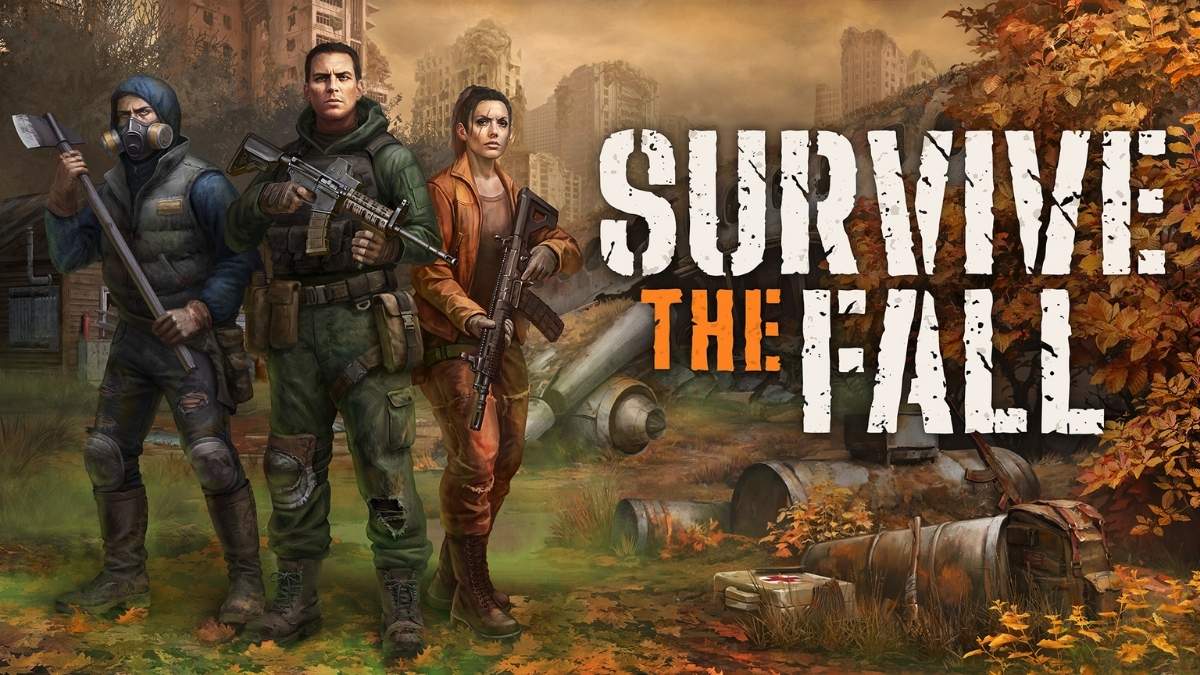
    Survive the Fall is a co-op survival game that challenges you and your friends to scavenge, craft, build, and fight in a post-apocalyptic world. The game is developed by Angry Bulls Studio and is currently in Early Access on Steam. The game has received positive feedback from players who praised its gameplay, graphics, and atmosphere.

    Survive the Fall is set in a near future where a meteorite strike has caused a global catastrophe. You play as one of the survivors who have to explore the ruined cities, gather resources, craft weapons and tools, build shelters and vehicles, and fend off the hostile creatures and factions.

    You can play the game solo or with up to four players online, and experience the dynamic and procedurally generated world.

    Many PlayStation fans are wondering when they will be able to play Survive the Fall on their PS5 consoles. Is Survive the Fall coming to PS5? When is the Survive the Fall PS5 release date? In this article, we will answer these questions and provide you with the latest information about the Survive the Fall PS5 release date.

    Is Survive the Fall Coming to PS5?

    Survive The Fall PS5 Release Date
    Survive The Fall PS5 Release Date

    Yes, Survive the Fall is coming to PS5. The developers have confirmed that they are working on bringing the game to PS5, as well as other platforms, such as Xbox Series X|S and Nintendo Switch.

    However, they have not announced any specific details or dates for the console versions yet. They have stated that they will focus on the PC version first, and then work on the console versions later.

    When is the Survive the Fall PS5 Release Date?

    There is no official Survive the Fall PS5 release date yet. The developers have not revealed when they plan to release the game on PS5, or how long it will take to port the game to the console. However, based on some clues and estimates, we can make some predictions and assumptions about the Survive the Fall PS5 release date.

    • According to the information on Steam, the game is expected to stay in Early Access for about a year. This means that the game will likely launch its full version on PC sometime in 2022.
    • According to the game’s official website, the developers are aiming to release the game on all platforms simultaneously, or as closely as possible. This means that the game will likely launch on PS5 around the same time as the PC full version, or shortly after.
    • Based on these clues, we can estimate that the Survive the Fall PS5 release date will be sometime in 2022, or early 2023 at the latest. However, this is not a confirmed or official date, and it may change depending on the development progress and any potential delays or issues.

    What to Expect from Survive the Fall on PS5?

    Survive the Fall on PS5 will offer a thrilling and immersive co-op survival experience, with stunning graphics, sound, and performance. The game will take advantage of the PS5’s features and capabilities, such as:

    • 4K resolution, 60 FPS, and ray tracing, which will enhance the game’s visuals and realism.
    • 3D audio, which will create a more immersive and atmospheric sound environment.
      DualSense controller, which will provide haptic feedback and adaptive triggers, which will make the game more responsive and interactive.
      SSD storage, which will reduce the loading times and improve the game’s performance.
    • Cross-play and cross-progression, which will allow you to play the game with your friends and keep your progress regardless of the platform, as long as you use the same account.

    Conclusion

    Survive the Fall is a co-op survival game that will challenge you and your friends to survive in a post-apocalyptic world. The game is currently in Early Access on PC, and is coming to PS5, as well as other platforms, in the future.

    The Survive the Fall PS5 release date is not confirmed yet, but we can estimate that it will be sometime in 2022, or early 2023 at the latest. The game will offer a stunning and immersive co-op survival experience, with enhanced graphics, sound, and performance on the PS5.

    If you want to read more articles about other games, check out Madden 2025 Release Date and Apex Season 20 Release Date. We appreciate your interest in our site! Make Gameempress.com your go-to source for gaming knowledge.

  • Helldivers 2 PC Requirements: Can Your PC Run The Co-op Shooter?

    Helldivers 2 PC Requirements: Can Your PC Run The Co-op Shooter?

    Helldivers 2 is the sequel to the acclaimed co-op shooter Helldivers, which was released in 2015 for PS4, PS3, PS Vita, and PC. The game was developed by Arrowhead Game Studios and published by PlayStation.

    Helldivers 2 will take you to the war-torn galaxy of Super Earth, where you will join the elite unit of Helldivers, who are tasked with defending the planet from the alien threats of the Cyborgs, the Bugs, and the Illuminates.

    You will be able to play the game solo or with up to three other players online, and experience the thrill of the procedurally generated missions, the friendly fire, and the permadeath.

    The game will also support cross-play and cross-progression between PC and PS5, meaning that you can play with your friends and keep your progress regardless of the platform.

    But before you enlist in the Helldivers, you need to make sure that your PC can run the game smoothly and without any issues. Helldivers 2 is a demanding game that requires a powerful PC to meet the minimum or recommended requirements.

    Helldivers 2 PC Requirements

    helldivers 2 crossplay
    helldivers 2 crossplay

    According to the game’s Steam page, these are the minimum and recommended PC requirements for Helldivers 2:

    Minimum PC Requirements

    • Requires a 64-bit processor and operating system
    • OS: Windows 10 x64
    • CPU: Intel Core i7-4790K (2.8 GHz 6 Core) / AMD Ryzen 5 1500X (3.8 GHz 4 Core) or equivalent
    • Memory: 8 GB RAM
    • Graphics: AMD Radeon RX 5700 (req. 6GB VRAM) / NVIDIA GeForce GTX 1080 (req. 6GB VRAM)
    • DirectX: Version 12
    • Storage: 100 GB available space
    • Sound Card: Windows Compatible Audio Device
    • Additional Notes: Playing on minimum requirements should enable play on Low/Medium quality settings in FullHD (1080p) in stable 30 FPS.

    Recommended PC Requirements

    • Requires a 64-bit processor and operating system
    • OS: Windows 11 x64
    • CPU: Intel Core i7-9700K (3.7 GHz 6 Core) / AMD Ryzen 7 3700X (3.8 GHz 6 Core) or equivalent
    • Memory: 16 GB RAM
    • Graphics: NVIDIA GeForce RTX 2080 (req. 6GB VRAM) / AMD Radeon RX 6700 XT (req. 6GB VRAM)
    • DirectX: Version 12
    • Storage: 100 GB available space
    • Sound Card: Windows Compatible Audio Device
    • Additional Notes: Playing on recommended requirements should enable play on Medium-quality settings in 60 FPS or High-quality settings in 30 FPS, in FullHD (or 4k using DLSS or similar technology).

    How to Optimize Your PC Performance for Helldivers 2?

    If your PC meets the Helldivers 2 PC requirements, but you still want to optimize your PC performance for the game, there are some tips you can follow:

    • Update your drivers: Make sure your drivers are up to date, especially your graphics card driver. You can use the official websites of your graphics card manufacturer, such as NVIDIA or AMD, to download and install the latest drivers for your graphics card.
    • Adjust your game settings: You can tweak your game settings to find the best balance between graphics quality and performance. You can lower some settings, such as resolution, anti-aliasing, shadows, textures, and effects, to improve your frame rate and reduce lag. You can also use the preset options, such as low, medium, high, or ultra, to quickly change your game settings.
    • Close unnecessary programs: You can close any programs that are running in the background and consuming your CPU, memory, or disk resources. You can use the Task Manager to see what programs are using your system resources, and end any tasks that are not needed for the game.
    • Use a game booster: You can also use game booster software, such as Razer Cortex, to optimize your PC performance for the game. A game booster can automatically close unnecessary programs, clear your RAM, and boost your FPS.

    Conclusion

    Helldivers 2 is an exciting and fun game that you can play on PC and PS5, solo or with your friends. The game will offer a thrilling and immersive experience, with stunning graphics, sound, and gameplay.

    However, the game will also require a powerful PC to run smoothly and without any issues. In this article, We have given you some tips on how to optimize your PC performance for the game.

    This is everything you need to know about Helldivers 2 PC Requirements. Additionally, you can check our guide on Star Wars Squadrons PC Requirement and F1 23 PC Requirement. Stay connected with GameEmpress.com to get the latest news and guides about the gaming world.

  • LEGO Fortnite 28.20 Update: Bricktastic Adventures Await!

    LEGO Fortnite 28.20 Update: Bricktastic Adventures Await!

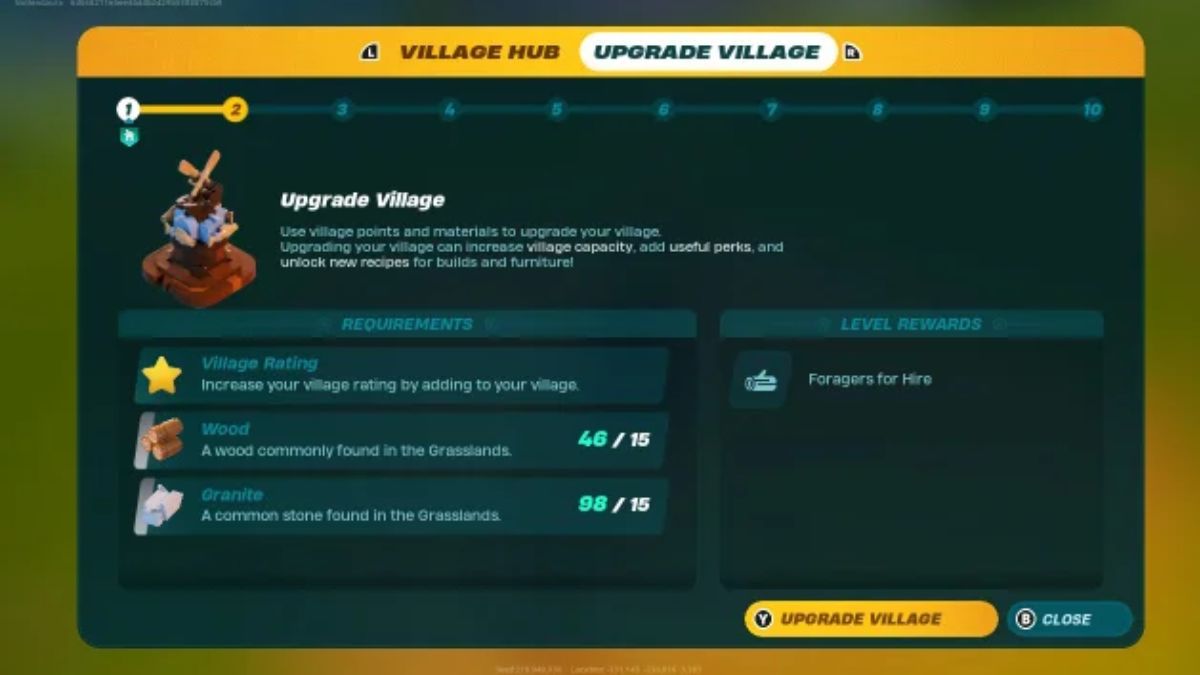
    With Fortnite’s trailblazing LEGO Fortnite mode now more than two months old, users have repeatedly requested new content.

    The survival-crafting game received its first big update, v28.10. This significantly improves the gameplay, particularly for constructing, as well as fixing many problems and introducing Launch Pads as a new constructing Part Toy to play with.

    Epic Games has released version 28.20 on February 7, 2024. It offered a slew of changes, the most notable of which was the addition of the Hunting Dagger weapon.

    However, players have already discovered several other modifications that were not mentioned in the official patch notes. A player has now summarized these, so here’s what you need to know.

    LEGO Fortnite 28.20 Update

    Blenderwolf, a LEGO Fortnite player, posted about their finding on the game’s subreddit with the headline “List of undocumented changes in v28.20 on February 7.” They also said that all of these changes were only available in the Survival edition of the game.

    List of undocumented changes in v28.20 on February 7
    byu/blenderwolf inLEGOfortnite

    Here are all of the missing adjustments and additions from the 28.20 LEGO Fortnite patch notes:

    Enemies

    • Skeletons
      • Skeletons in the caves found in Dry Valley and Frostland biomes now drop Brightcore
      • Rough Copper, Iron, Ruby, Amber and even Obsidian have been reported as being rare drops

    Items

    • Fridge – has been added as a Chest Building Part you can build (previously only available in Sandbox)
    • Poo – has had a visual change that makes it shine and easier to spot

    Weapons

    • Rare Copper Sword – craft the weapon for 8 Copper Bars instead of 12
    • Epic Iron Sword – craft the weapon for 8 Iron Bars instead of 12
    • Rare Copper Shield – craft the shield for 10 Copper Bars instead of 15
    • Epic Iron Shield – craft the shield for 15 Iron Bars instead of 25

    UI

    • Auto-run – you will now automatially keep running when using the map or inventory, just as you would when using auto-run in the main Battle Royale mode
    • Stamina – regeneration timers now give you a rating using roman numerals (I, II, III, IV, V). These will indicate how quickly your stamina will regenerate.
    • Crafting Benches – sorted by type and then rarity as before, but is instead sorted highest-to-lowest
    • Companions – will appear on the map with an icon and the direction they are facing.

    You might also be interested in the following game, patch notes: World Of Warcraft Patch 10.2.5 and The Finals 1.5 Patch Notes Release. We appreciate your interest in our website! Make Gameempress.com your go-to site for gaming information.

  • Palworld Steam Patch v0.1.4.1: Your Pals Just Got More Polished!

    Palworld Steam Patch v0.1.4.1: Your Pals Just Got More Polished!

    Pocketpair, the creator of Palworld, has issued another patch for the all-conquering ‘Pokémon with firearms’ survival game, this time updating it to v0.1.4.1 on Steam.

    The patch for the Steam version of the game, which is now available, includes several big changes, solves various base-related issues, and further addresses cheating and exploits.

    Notably, the patch resolves an issue from the previous version that affected save data, which remained broken. Now, the saved data should load successfully.

    Other fixes include a repair for an issue that caused some weapons equipped by other players to disappear when a player detonated a grenade in multiplayer, as well as a fix for an issue that allowed capture chance to not improve despite the game claiming it did.

    And, as always, there’s a humorous update in the patch notes: a fix for an issue in which if a Pal was manually assigned to a breeding farm and went to sleep, it would not wake up indefinitely. Bleak!

    The Xbox patch, v0.1.1.4, is also available now. There is a difference between the Xbox and Steam versions of Palworld, not least because the Xbox version lacks dedicated servers, limiting the amount of players who may play together.

    Microsoft has stated that it will work directly with Pocketpair to provide the resources required to keep the monster survival game’s momentum rolling, including support for dedicated servers.

    Palworld has been a huge success, with over 19 million players across all platforms since its release on January 19. It’s the most popular game on Steam and the largest third-party launch in Game Pass history, with over seven million players and a daily peak of just under three million. Palworld has sold 12 million copies through Steam alone.

    Palworld Steam Patch v0.1.4.1

    Major Fixes

    • Fixed an issue where the game would always crash and save data would be corrupted when the total number of Pals captured by the guild reached approximately 7000.
    • In the previous patch, save data that had already been in this state (for servers, the server’s world data) remained in a broken state that made it impossible to load, but after applying this patch it will be resolved and will load properly.
    • Fixed an issue where some weapons equipped by other players would disappear when a player used a grenade in multiplayer.
    • Fixed an issue where, although the displayed capture probability increased when the capture power was strengthened with Lifmunk Effigies, the capture probability did not actually increase at all due to an internal processing bug.

    Base related

    • Fixed an issue where if a Pal that was manually assigned to a breeding farm went to sleep, it would not wake up forever.
    • Fixed an issue where no wood would drop when Pal at the base felled a tree.

    Others

    • Implemented countermeasures against some cheats and exploits.

    You might also be interested in the following game, patch notes: World Of Warcraft Patch 10.2.5 and The Finals 1.5 Patch Notes Release. We appreciate your interest in our website! Make Gameempress.com your go-to site for gaming information.

  • Counter Strike 2 February 6 Patch Notes: Arms Race Returns, Bullets Remastered!

    Counter Strike 2 February 6 Patch Notes: Arms Race Returns, Bullets Remastered!

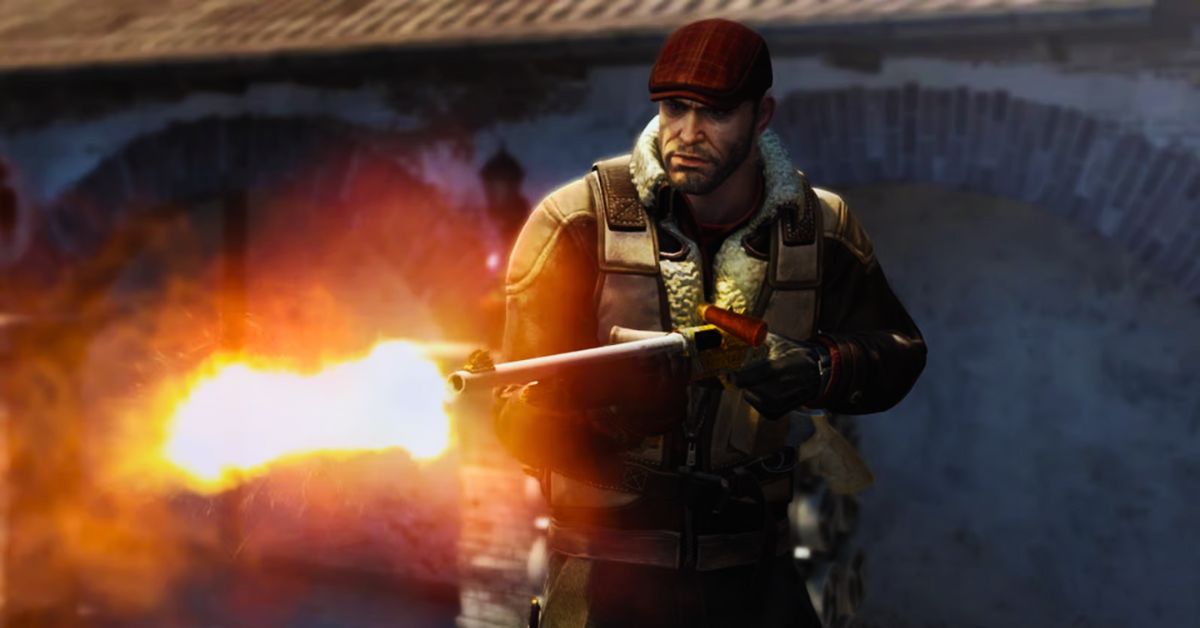
    Many CS2 gamers had grown concerned over the last month as Valve paused their regular updates to the game, with many worrying the game would become stale as the developers fell silent.

    However, it appears Valve has heeded gamers’ worries and has now released a big update for CS2.

    It’s a doozy, with previously leaked Zeus skins and the Kukri knife finally arriving, as well as a new weapon case to commemorate the release of CS2 and a big change to stickers that now allows players to adjust the placement for the first time.

    Aside from the massive cosmetic changes, we also get the reintroduction of Arms Race and some new Agent animations for the post-game screen.

    So here’s everything you need to know about Counter-Strike 2’s February 8 patch notes.

    Counter Strike 2 February 6 Patch Notes

    Arms Race

    • Added Arms Race to available game modes
    • Added maps “Baggage” and “Shoots”

    Weapon Finishes

    • Introducing the Kilowatt Case, featuring 17 community-designed weapon finishes, and the Kukri Knife with original finishes as a rare special item
    • Various bug fixes and tweaks

    Stickers

    • The Ambush Sticker Capsule is now available for purchase
    • Added support for flexible sticker placement. Stickers can now be placed at user-specified positions and rotation when applied to weapons
    • All weapons now support up to five stickers
    • Added a zoom feature during sticker placement to allow for higher precision sticker application
    • Various bug fixes and tweaks

    Music Kits

    • The NIGHTMODE Music Kit Box is now available for purchase in standard and StatTrak versions

    Zeus

    • Made Zeus reusable in all game modes, after a 30 second recharge delay
    • Added support for applying stickers and name tags to the Zeus
    • Adjusted the Zeus first person model position
    • Added Zeus kill icon to kill cards and post round damage report

    Smoke

    • Smokes now cast shadows
    • Smoke rendering and animation have been improved

    Gameplay

    • Added a “Refund All” button to the buy menu
    • Added a setting to disable first person bullet tracers
    • Silencers can now always be reattached regardless of whether detaching them is enabled or not
    • Player pings are no longer blocked by invisible geometry
    • Various adjustments to sub-tick shooting
    • Fixed several cases where players could silently drop down vertical surfaces
    • Improved smoothness of sliding along surfaces
    • Fixed an issue where collisions between players were jittery
    • To ensure loadouts are correct at the beginning of matches, loadout changes are no longer allowed while searching for Premier, Competitive, or Wingman

    Sound

    • Added the option to select an audio input device for VOIP from the audio settings menu
    • Added the option to change your microphone threshold (the minimum loudness before we start transmitting audio) from the audio options menu, as well as metering for your current mic loudness
    • Added the option to listen to your own microphone from the audio settings menu to hear how you sound
    • Replaced the M249 fire sound effect
    • Replaced the Zeus charging, charge not available, and charge ready states sound effects
    • Further reduced occlusion effects
    • Minor mix adjustments
    • Fixed an issue where some player-centric sounds were being perceived as originating from slightly behind the player

    Networking

    • Reduced peeker’s advantage in many cases
    • The amount of peeker’s advantage in the steady state is reduced by 16ms
    • Also reduced the frequency of situations that lead to very large peeker’s advantage due to excessive command queue depth
    • Added cl_ticktiming console command that prints a report breaking down the various sources of latency
    • Added an option to buffer server updates and user commands by one or more packets. This can be used to smooth over stuttering due to packet loss, at the expense of increased latency

    UI

    • Added support for separate main menu and item inspect background map settings
    • Added “Baggage” and “Warehouse” as options for the main menu and item inspect background maps
    • In-game team-only chat will now be prefixed with the team (e.g., “[T]” or “[CT]”)
    • Added ‘XP Overload’ status which is awarded to players who have earned all of their normal XP during the week (11,166 XP) and reached reduced XP gain. XP Overload status is attached to players’ names in scoreboard, main menu, death notices, etc. XP Overload status is awarded for a minimum of one week. Additional tiers of XP Overload status can be unlocked by earning all of the normal XP over multiple consecutive weeks
    • Agents with unique end-of-match cheer animations now have unique defeat animations as well. You can disable playing defeat animations for the local player in settings
    • Added more accolades to end-of-match

    Misc

    • Adjusted the range of CS Ratings allowed to party together in Premier matchmaking
    • Fixed a case where high-DPI mice would result in jittery mouse movement
    • Added Minor improvements to animations during demo playback
    • Disabled rich presence update when running Steam Client in tournament mode

    MAPS

    Inferno

    • Fixed various gaps and adjusted grenade collision to make grenade bounces more predictable
    • Adjusted texture blending to improve player visibility

    Ancient

    • Adjusted grenade collision on bombsite B ground to make grenade bounces more predictable

    Anubis

    • Fixed holes in world at Lower Tunnel
    • Fixed collision on all pillars so players can no longer pixel boost
    • Fixed collision so utility does not fall out of world on top of structure at T Start
    • Fixed missing collision on steps at Street which would allow dropped weapons to fall out of world
    • Improved vis at CT spawn
    • Fixed invisible boost ledge at Bombsite B
    • Fixed various gaps in the world
    • Fixed missing collision on stair geo at CT spawn that allowed weapons/bomb to fall out of world
    • Fixed missing collision at Fountain that allowed weapons/bomb to fall out of world
    • Fixed some doors not generating bullet decals
    • Fixed vis issue at Street

    Overpass

    • Fixed some collision that was causing unpredictable player movement

    Mirage

    • Added collision to prevent bomb becoming unreachable
    • Adjusted some collision to prevent a ledge/pixel walk
    • Fixed player getting stuck when strafing on Middle Ramp by simplifying geo of floor and wall
    • Removed a clip brush from Apartments to improve flash lineups

    Nuke

    • Built some collision to prevent bomb from getting stuck behind barrels
    • Fixed some disappearing mesh
    • Fixed dynamic shadow clipping on characters at Vending
    • Improved clipping in vents
    • Fixed bombsite water to have better reflections on low settings
    • Fixed vis issue at t-spawn
    • Fixed collision on ramp in Bombsite B
    • Fixed holes in world

    Vertigo

    • Fixed holes in world and other minor geometry bugs

    Italy

    • Adjusted some collision to prevent players getting stuck in apartment

    Office

    • Fixed a case where players could jump on a wall
    • Fixed a case where players could get stuck if they crouched

    You might also be interested in the following game, patch notes: World Of Warcraft Patch 10.2.5 and The Finals 1.5 Patch Notes Release. We appreciate your interest in our website! Make Gameempress.com your go-to site for gaming information.

  • Tombstone Glitch MW3: Insider Tips To Navigate The Anomaly

    Tombstone Glitch MW3: Insider Tips To Navigate The Anomaly

    The new Tombstone Duplication glitch in MW3 Zombies enables players to duplicate several rare artifacts. It may be used to create an infinite amount of rare items, including Ray Guns, Weapon Upgrade Tools of Legendary Rarity, Refined Aetherium Crystal, Legendary Aether Tools, and others.

    To reproduce such overpowering things in MW3 Zombies, follow the thorough step-by-step instructions provided below. Players should be aware, however, that this is a game glitch that will be addressed in an upcoming hotfix.

    Tombstone Glitch MW3

    First and foremost, get your hands on some Tombstone soda. This glitch must work. To obtain this item, perform either of the following steps:

    • Craft the Tombstone Soda and add it to your stash.
    • Go to the Soda machine dispenser and purchase it for 2,000 Essence.

    After you’ve successfully collected the soda, sip it. Now, start the process of replicating items with this glitch:

    • First and foremost, check that you do not have a Self Revive kit.
    • After drinking the soda, use a Molotov or grenade to knock yourself down.
    • Hold down the relevant button prompt to Give Up, then exit the game from the menu.
    • Launch another match in MW3 Zombies and look for your Tombstone Stash on the map.
    • Continue to interact with it until you have recovered all of your stuff.
    • Go to an exfil location and exfiltrate. When the “Successful Exfil” screen appears, force-quit the game. This may be accomplished by pressing Alt+F4 on your PC. Simply exit your consoles.
    • Launch the game again and go to the Gear tab. Remove every item from your stash.
    • Enter another game of MW3 Zombies to find your Tombstone Stash.
    • When you find the Tombstone, you will notice that all of your stuff has been replaced in it.

    After following these procedures, you will notice that all of the things in your stash, rare or not, have been successfully replicated. This procedure can be repeated several times to obtain several copies of rare items in Modern Warfare 3 Zombies.

    Before repeating this operation, be sure that certain things are in order.

    • Always make sure you don’t have the Self Revive kit equipped.
    • You must have chugged Tombstone soda.
    • If you have any previously planted Tombstones on the map, please careful to destroy them before placing another one.

    If you have completed all of the conditions, you may attempt this glitch as many times as you choose.

  • Silent Hill 2 Remake PC Requirements: Can Your PC Handle The Horror?

    Silent Hill 2 Remake PC Requirements: Can Your PC Handle The Horror?

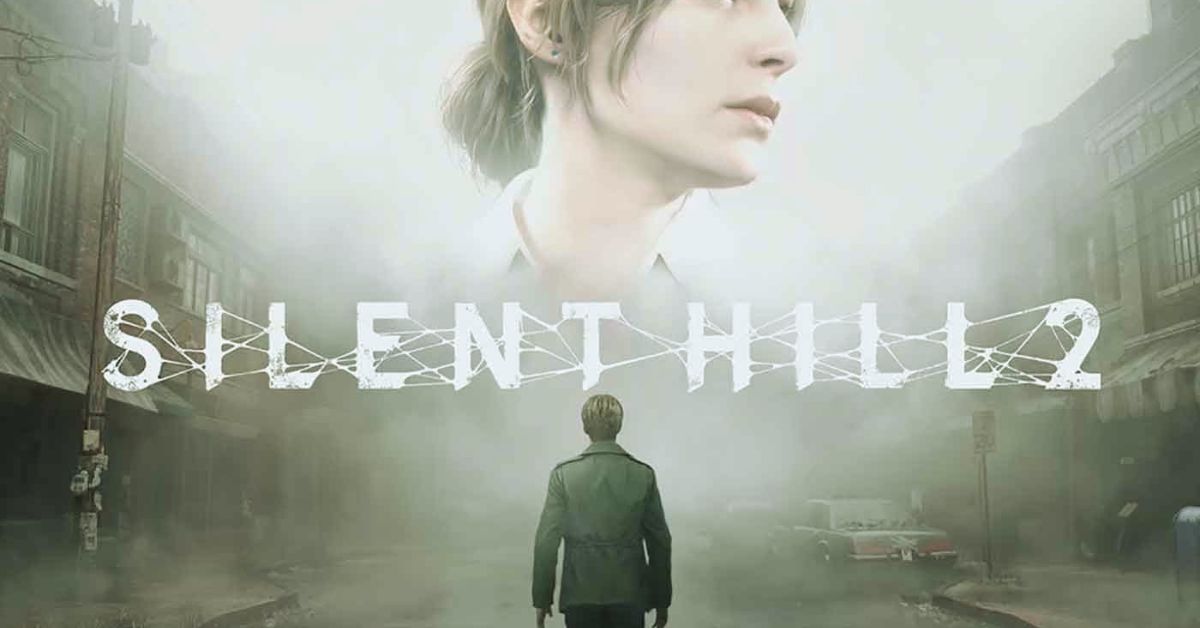
    Silent Hill 2 Remake is the upcoming remake of the classic horror game Silent Hill 2, which was released in 2001 for PS2, Xbox, and PC. The game is developed by Bloober Team, the studio behind The Medium and Layers of Fear, and published by Konami.

    Silent Hill 2 Remake will take you back to the foggy and haunted town of Silent Hill, where you will play James Sunderland, a man who receives a letter from his deceased wife, Mary, asking him to meet her there.

    There, you will face your own fears, nightmares, and secrets, as well as encounter various enemies and puzzles. The game will also have multiple endings, depending on your choices and actions.

    But before you embark on this terrifying journey, you need to make sure that your PC can run the game smoothly and without any issues. Silent Hill 2 Remake is a demanding game that requires a powerful PC to meet the minimum or recommended requirements.

    In this article, we will tell you what are the Silent Hill 2 Remake PC requirements, and how to check if your PC meets them.

    Silent Hill 2 Remake PC Requirements

    Silent Hills 2 Remake Release Date
    Silent Hills 2 Remake Release Date

    According to the game’s Steam page, these are the minimum and recommended PC requirements for Silent Hill 2 Remake:

    Minimum PC Requirements

    • Requires a 64-bit processor and operating system
    • OS: Windows 10 x64
    • CPU: Intel Core i5-8400 (2.8 GHz 6 Core) / AMD Ryzen 3 3300X (3.8 GHz 4 Core) or equivalent
    • Memory: 12 GB RAM
    • Graphics: AMD Radeon RX 5700 (req. 6GB VRAM) / NVIDIA GeForce GTX 1080 (req. 6GB VRAM)
    • DirectX: Version 12
    • Storage: 50 GB available space
    • Sound Card: Windows Compatible Audio Device
    • Additional Notes: Playing on minimum requirements should enable play on Low/Medium quality settings in FullHD (1080p) in stable 30 FPS.

    Recommended PC Requirements

    • Requires a 64-bit processor and operating system
    • OS: Windows 11 x64
    • CPU: Intel Core i7-8700K (3.7 GHz 6 Core) / AMD Ryzen 5 3600X (3.8 GHz 6 Core) or equivalent
    • Memory: 16 GB RAM
    • Graphics: NVIDIA GeForce RTX 2080 (req. 6GB VRAM) / AMD Radeon RX 6700 XT (req. 6GB VRAM)
    • DirectX: Version 12
    • Storage: 50 GB available space
    • Sound Card: Windows Compatible Audio Device
    • Additional Notes: Playing on recommended requirements should enable play on Medium-quality settings in 60 FPS or High-quality settings in 30 FPS, in FullHD (or 4k using DLSS or similar technology).

    How to Optimize Your PC Performance for Silent Hill 2 Remake?

    If your PC meets the Silent Hill 2 Remake PC requirements, but you still want to optimize your PC performance for the game, there are some tips you can follow:

    • Update your drivers: Make sure your drivers are up to date, especially your graphics card driver. You can use the official websites of your graphics card manufacturer, such as NVIDIA or AMD, to download and install the latest drivers for your graphics card.
    • Adjust your game settings: You can tweak your game settings to find the best balance between graphics quality and performance. You can lower some settings, such as resolution, anti-aliasing, shadows, textures, and effects, to improve your frame rate and reduce lag. You can also use the preset options, such as low, medium, high, or ultra, to quickly change your game settings.
    • Close unnecessary programs: You can close any programs that are running in the background and consuming your CPU, memory, or disk resources. You can use the Task Manager to see what programs are using your system resources, and end any tasks that are not needed for the game.
    • Use a game booster: You can also use game booster software, such as Razer Cortex, to optimize your PC performance for the game. A game booster can automatically close unnecessary programs, clear your RAM, and boost your FPS.

    Conclusion

    Silent Hill 2 Remake is a highly anticipated game that will bring back the horror and nostalgia of the original game. The game will offer a stunning and immersive experience, with realistic graphics, sound, and gameplay.

    However, the game will also require a powerful PC to run smoothly and without any issues. In this article, we have told you what are the Silent Hill 2 Remake PC requirements, and how to check if your PC meets them.

    This is everything you need to know about Silent Hill 2 Remake PC Requirements. Additionally, you can check our guide on Just Cause 4 PC Requirement and Dirt 5 PC Requirement. Stay connected with GameEmpress.com to get the latest news and guides about the gaming world.