Category: Gaming

Game Empress’s main gaming hub — featuring news, opinions, industry analysis, and coverage of the games and developers shaping the medium today.

  • How To Play Poppy Playtime Chapter 3? A Complete Guide

    How To Play Poppy Playtime Chapter 3? A Complete Guide

    Poppy Playtime Chapter 3, also known as Deep Sleep, is the final chapter of the popular horror game series developed by Mob Entertainment. The chapter was released on January 30, 2024, and it concludes the story of the mysterious toy factory and its creepy dolls.

    In this guide, we will show you how to play Poppy Playtime Chapter 3, including tips, tricks, and walkthroughs for the puzzles, enemies, and secrets.

    Poppy Playtime Chapter 3

    Poppy Playtime Chapter 3 is the third and last installment of the Poppy Playtime series, a single-player horror game that combines puzzle-solving, exploration, and stealth. The game features a unique mechanic called the GrabPack, a backpack with two artificial hands attached via a steel wire.

    Poppy playtime chapter 3 ps5 release date
    Poppy playtime chapter 3 ps5 release date

    You can use the GrabPack to interact with objects, hack electrical circuits, and grab things from afar. You will need to use the GrabPack wisely to avoid the deadly toys that roam the factory, such as Huggy Wuggy, a giant blue creature that can chase you down and rip you apart.

    Poppy Playtime Chapter 3 takes place in a decrepit orphanage known as Playcare, which sits beneath the once magical toy factory. You must make your way through this haunted place, solving new puzzles and avoiding the nightmares that lurk within the dark. Answers lie between the blood-stained bedsheets and screaming echoes…

    If you can survive. This is Poppy Playtime’s biggest and most terrifying chapter yet. More lies ahead than you might expect… New monsters await, and they’re much more than just simple toys.

    How to Start Poppy Playtime Chapter 3?

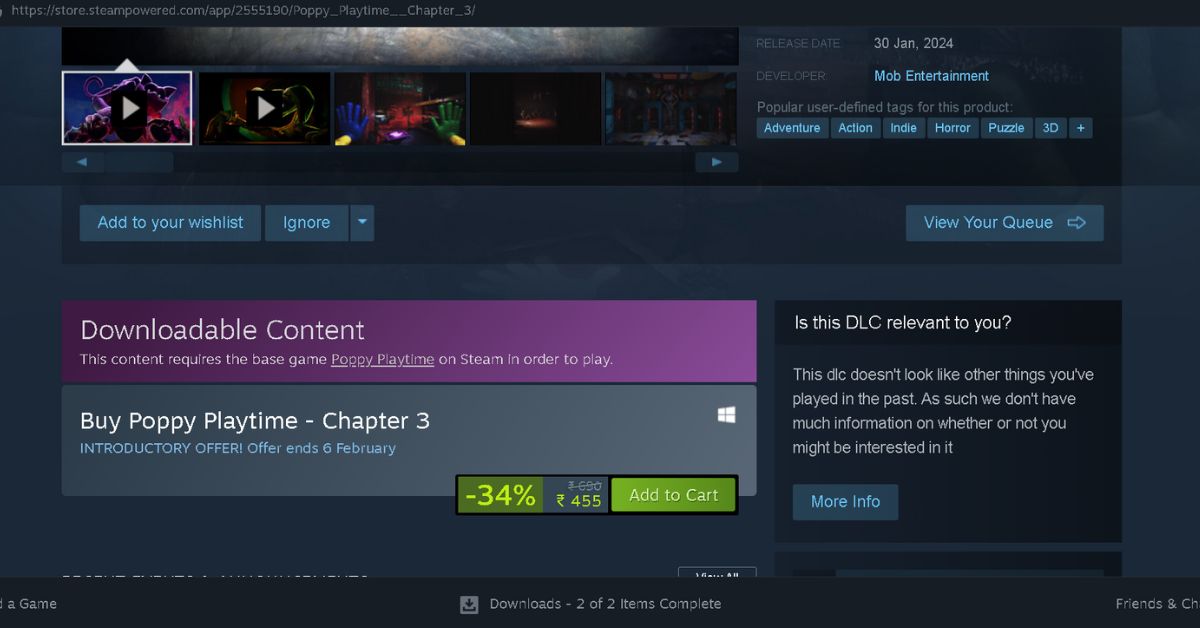
    To start Poppy Playtime Chapter 3, you need to have the base game Poppy Playtime installed on your PC. You can buy the game on Steam for $19.99. Poppy Playtime Chapter 3 is a downloadable content (DLC) that requires the base game to play.
    Poppy Playtime Chapter 3 Deep Sleep
    Poppy Playtime Chapter 3 Deep Sleep

    You can buy the DLC on Steam for $9.89 (34% off until February 6, 2024). Once you have both the game and the DLC, you can launch the game and select Chapter 3 from the main menu.

    How to Play Poppy Playtime Chapter 3?

    Poppy Playtime Chapter 3 is a horror puzzle game that requires you to use your wits, skills, and GrabPack to survive. The game has a first-person perspective and uses the following controls:

    • W, A, S, D: Move
    • Mouse: Look around
    • Left mouse button: Use left hand
    • Right mouse button: Use the right hand
    • E: Interact
    • F: Flashlight
    • G: Gas mask
    • Shift: Run
    • Space: Jump
    • C: Crouch
    • Esc: Pause

    The game has three main objectives:

    • Find the truth behind Playtime Co. and its founder, Arthur Mobley.
    • Escape from the orphanage and the toys that want to kill you.
    • Save Poppy, the doll that started it all.

    To achieve these objectives, you will need to solve various puzzles, explore different areas, and avoid or fight the enemies. The game has several items that can help you along the way, such as batteries, tapes, keys, and notes.

    You can also find secrets and Easter eggs that reveal more about the game’s lore and references.

    How to Solve the Puzzles in Poppy Playtime Chapter 3?

    Poppy Playtime Chapter 3 has many puzzles that test your logic, memory, and creativity. Some of the puzzles are mandatory to progress the story, while others are optional and reward you with extra items or secrets. Here are some of the puzzles and their solutions in Poppy Playtime Chapter 3:

    • The Elevator Puzzle: At the beginning of the game, you will find yourself in an elevator that is stuck between floors. To get out, you need to use your GrabPack to pull the lever on the ceiling and open the hatch. Then, you need to use your GrabPack to swing across the gap and reach the other side of the elevator shaft. Be careful not to fall or touch the electrified wires.
    • The Piano Puzzle: In the music room, you will find a piano with a note on it. The note has a sequence of numbers that correspond to the keys on the piano. To play the piano, you need to use your GrabPack to press the keys in the correct order. The sequence is: 3, 5, 6, 5, 3, 2, 1, 2, 3, 3, 3. If you play the sequence correctly, a secret door will open behind the piano, leading to a hidden room with a tape and a battery.
    • The Chess Puzzle: In the library, you will find a chess board with a note on it. The note has a riddle that hints at the correct chess move to make. The riddle is: “The king is in check, but he can still win. He must sacrifice his queen to save his skin. Move her to the right, and then to the top. Then watch as the enemy pieces drop.” To solve the puzzle, you need to use your GrabPack to move the white queen to the right and then to the top, capturing the black rook. Then, the black pieces will disappear and a secret door will open behind the chess board, leading to a hidden room with a key and a note.
    • The Clock Puzzle: In the clock tower, you will find a giant clock with four hands and four buttons. The buttons have symbols that match the symbols on the hands. To solve the puzzle, you need to use your GrabPack to press the buttons in the correct order. The order is star, moon, sun, and heart. If you press the buttons correctly, the clock will open and reveal a secret passage to the next area.
  • Fortnite Augments Chapter 5: Game-Changing Perks You Need To Master

    Fortnite Augments Chapter 5: Game-Changing Perks You Need To Master

    A Fortnite leaker revealed additional augments for future Chapter 5 updates, including a storm upgrade, an elimination upgrade, an item gift, and a passive health boost. Augments are a gameplay concept added in Fortnite Chapter 4 that grants players various bonuses as the match advances.

    Chapter 5 made substantial adjustments to the popular battle royale, including reducing movement rates. Although this modification was not well welcomed initially, Fortnite implemented further alterations to mitigate the new changes, such as slowing down the game’s storm rings.

    As the season proceeds, it appears that Fortnite will receive new gameplay aspects, such as a series of intriguing new augments.

    Fortnite leaker iFireMonkey revealed on Twitter that Chapter 5 will introduce at least four new augments to the game. These are Bars in Storm (150 bars when in the storm), Crashpad Grant (a crashpad), Elimination Slap (the user obtains a slap effect after each elimination), and Hide N’ Heal.

    Users who commented on the tweet were particularly excited about the new Hide N’ Heal augment, which will provide users with a considerable advantage by reducing the need to prioritize healing and shield goods in their inventory. However, the actual speed at which Hide N’ Heal users regenerate health and shields is unknown, and it might be very slow.

    Players can select an augment every two and a half minutes and accumulate up to four augments by the end of a match. Each augment provides a distinct edge that players may base their play style on for that particular match, resulting in an entertaining way to enjoy Fortnite.

    Following the huge success of Fortnite’s previous season, Season OG, the famous battle royale has carried over into Chapter 5. Many fans appreciate the game’s new geography, as well as the numerous new game features and goodies.

    Rumors have circulated about the potential introduction of a Fortnite guitar controller for the game’s new rhythm mode. Following the release of the robust LEGO Fortnite earlier this month, Epic Games appears to be set on expanding Fortnite’s reach in a variety of methods.

    Although the new title may be opened from within the standard Fortnite player, it is nearly a completely separate game, with its unique terrain, buildable LEGO blocks, mining, and much more.

  • Elden Ring Steam Updates: Brace Yourself, Tarnished, New Lands To Conquer!

    Elden Ring Steam Updates: Brace Yourself, Tarnished, New Lands To Conquer!

    According to an update on the Elden Ring SteamDB page, the impending Shadow of the Erdtree DLC appears to be in the Quality Assessment stage.

    A long line of Changelist updates mentions “qa-release”, “qa-debug”, “dev-debug”, and other descriptive titles. Some altered depots even mention “pd-1,” which could indicate a playable demo.

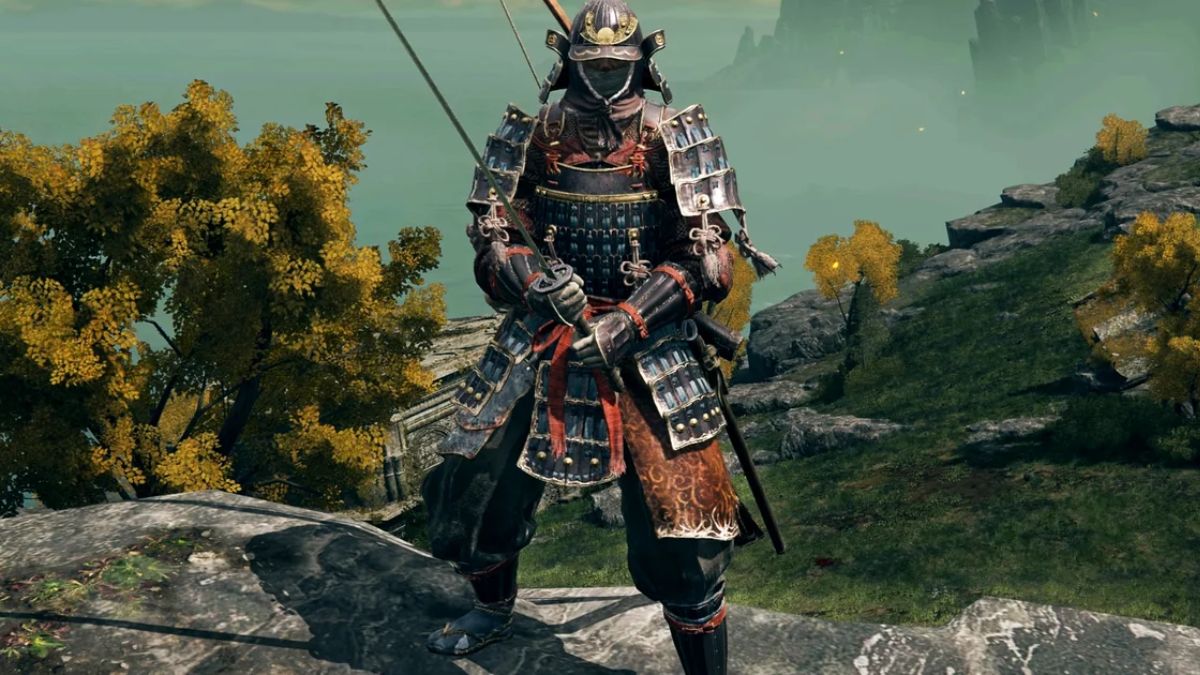
    Samurai Armor Elden Ring (1)
    Samurai Armor Elden Ring (1)

    These adjustments were only made hours ago, according to the update history. This lends credence to ongoing suspicions that a major disclosure or release is imminent.

    Earlier this month, a new Elden Ring DLC bundle was found in its files. This also referred to Shadow of the Erdtree, although the devs have not verified anything.

    The Shadow of the Erdtree was initially announced in February 2023. Rumors say that something significant is planned for Elden Ring’s launch anniversary.

    Elden Ring was initially released on February 25th, 2022. So, another anniversary party is planned for this year.

    The Shadow of the Erdtree DLC would be an ideal gift for loyal fans. However, it may not be released on the game’s anniversary. It could just be a release date announcement.

    After all, people pointed out that the makers did not reveal the DLC at The Game Awards 2023.

    It makes more sense to generate anticipation for big DLC rather than depending on a shadow drop. So, the Elden Ring DLC could be released later this year.

    However, in December 2023, rumors circulated online about a collaboration between Elden Ring and Thrustmaster.

    These leaks stated that Elden Ring-themed Thrustmaster controllers would “sync with the new Shadow of the Erdtree expansion” to commemorate the occasion. The information describing these controllers was quickly taken down.

    Elden Ring gained much acclaim for its novel features and commemoration of earlier games.

  • GTA 6 System Requirements: Can Your PC Run The Next Grand Theft Auto Game?

    GTA 6 System Requirements: Can Your PC Run The Next Grand Theft Auto Game?

    GTA 6 is the highly anticipated sequel to the popular GTA 5, which was released in 2013. GTA 6 is expected to be a massive open-world game that will feature a new setting, new characters, new gameplay mechanics, and new graphics.

    However, GTA 6 is also expected to be a very demanding game that will require a powerful PC to run smoothly. In this article, we will tell you the GTA 6 system requirements for PC, based on the latest rumors, leaks, and predictions.

    Rumored GTA 6 System Requirements

    As of now, Rockstar Games has not officially announced GTA 6, let alone its system requirements. However, there have been many rumors, leaks, and predictions about the game, including its possible release date, setting, story, and features.

    When Will GTA 6 Come Out
    When Will GTA 6 Come Out

    Based on these sources, we can make some educated guesses about the GTA 6 system requirements for PCs.

    The game will also have a dynamic weather system, a branching storyline, and a female protagonist. The game will also use Unreal Engine 5, which is the latest and most advanced game engine from Epic Games.

    We can assume that GTA 6 will be a very graphically intensive game that will require a lot of processing power, memory, and storage space. Therefore, we can expect the GTA 6 system requirements to be significantly higher than GTA 5, which already had high requirements for its time.

    To give you an idea, here are the GTA 5 system requirements for PCs:

    Minimum System Requirements

    • OS: Windows 8.1 64 Bit, Windows 8 64 Bit, Windows 7 64 Bit Service Pack 1
    • Processor: Intel Core 2 Quad CPU Q6600 @ 2.40GHz (4 CPUs) / AMD Phenom 9850 Quad-Core Processor (4 CPUs) @ 2.5GHz
    • Memory: 4GB
    • Video Card: NVIDIA 9800 GT 1GB / AMD HD 4870 1GB (DX 10, 10.1, 11)
    • Sound Card: 100% DirectX 10 compatible
    • HDD Space: 72GB

    Recommended System Requirements

    • OS: Windows 8.1 64 Bit, Windows 8 64 Bit, Windows 7 64 Bit Service Pack 1
    • Processor: Intel Core i5 3470 @ 3.2GHz (4 CPUs) / AMD X8 FX-8350 @ 4GHz (8 CPUs)
    • Memory: 8GB
    • Video Card: NVIDIA GTX 660 2GB / AMD HD 7870 2GB
    • Sound Card: 100% DirectX 10 compatible
    • HDD Space: 72GB

    Now, here are our predicted GTA 6 system requirements for PC, based on the rumored features and the Unreal Engine 5 requirements:

    Minimum System Requirements

    • OS: Windows 10 64 Bit
    • Processor: Intel Core i5-12400T or AMD Ryzen 5 5600G
    • Memory: 12GB
    • Video Card: NVIDIA GeForce GTX 1660 or AMD Radeon RX 5500 XT
    • Sound Card: 100% DirectX 12 compatible
    • HDD Space: 150GB SSD

    Recommended System Requirements

    • OS: Windows 10 64 Bit
    • Processor: Intel Core i7-11700K or AMD Ryzen 7 5800X
    • Memory: 16GB
    • Video Card: NVIDIA GeForce RTX 3070 or AMD Radeon RX 6800 XT
    • Sound Card: 100% DirectX 12 compatible
    • HDD Space: 150GB SSD

    These are our estimated GTA 6 system requirements for PC, and they are subject to change depending on the official announcement from Rockstar Games.

    However, we can see that GTA 6 will likely require a very powerful PC to run at high settings and resolutions, especially if it supports ray tracing and other advanced graphical features.

    How to Check Your PC Specs and Compare Them with GTA 6 System Requirements?

    If you want to check your PC specs and compare them with the GTA 6 system requirements, you can use various tools and methods, such as:

    1. Using the Windows System Information: You can access the Windows System Information by typing “msinfo32” in the search bar and pressing Enter. This will open a window that shows your system summary, including your OS, processor, memory, and other details. You can also click on the Components category to see more information about your video card, sound card, and other components.
    2. Using the DirectX Diagnostic Tool: You can access the DirectX Diagnostic Tool by typing “dxdiag” in the search bar and pressing Enter. This will open a window that shows your system information, including your OS, processor, memory, and DirectX version. You can also click on the Display tab to see more information about your video card, such as the name, manufacturer, driver, and memory.
    3. Using a Benchmark Tool: You can use a benchmark tool, such as PCGameBenchmark, to test your PC performance and compare it with the GTA 6 system requirements. You can either download the tool and run it on your PC, or enter your system details manually on the website. The tool will then show you how well your PC can run GTA 6, and what settings and resolution you can expect.

    How to Optimize Your PC Performance for GTA 6?

    If your PC does not meet the GTA 6 system requirements, or if you want to improve your PC performance and gaming experience, here are some tips that you can try:

    • Update Your Drivers: Make sure that your drivers, especially your video card driver, are up to date. You can use the official websites of NVIDIA or AMD to download the latest drivers for your video card. Updating your drivers can improve your PC stability and performance, as well as fix some bugs and issues.
    • Adjust Your Graphics Settings: You can tweak your graphics settings in the game’s options menu, or the NVIDIA Control Panel or AMD Radeon Software. You can lower some settings, such as shadows, textures, anti-aliasing, or resolution, to increase your FPS and reduce your GPU load. You can also enable some settings, such as v-sync, adaptive resolution, or dynamic resolution, to improve your image quality and prevent screen tearing.
    • Close Unnecessary Programs: You can close some programs that are running in the background, such as browsers, antivirus, or other applications, to free up some RAM and CPU resources. You can use the Task Manager to monitor your PC performance and end some processes that are consuming a lot of memory or CPU power. Closing unnecessary programs can reduce your PC lag and stuttering, as well as prevent overheating and crashes.
    • Upgrade Your Hardware: If none of the above tips work, or if you want to enjoy GTA 6 at its full potential, you may need to upgrade your hardware, such as your CPU, GPU, RAM, or SSD. Upgrading your hardware can significantly boost your PC performance and gaming experience, as well as extend your PC lifespan. However, upgrading your hardware can also be costly and complicated, so you should do some research and planning before you decide to do so.

    Conclusion

    GTA 6 is the highly anticipated sequel to the popular GTA 5, which is expected to be a massive open-world game that will feature a new setting, new characters, new gameplay mechanics, and new graphics.

    However, GTA 6 is also expected to be a very demanding game that will require a powerful PC to run smoothly. In this article, we have told you the GTA 6 system requirements for PCs, based on the latest rumors, leaks, and predictions.

    We have also told you how to check your PC specs and compare them with the GTA 6 system requirements, and how to optimize your PC performance for GTA 6. We hope that this article has been helpful and informative and that you are ready to play GTA 6 when it comes out.

  • Poppy Playtime Chapter 4 Release Date: When Does Huggy Wuggy Return?

    Poppy Playtime Chapter 4 Release Date: When Does Huggy Wuggy Return?

    Poppy Playtime, Chapter 4. Following the conclusion of Chapter 3: Deep Sleep, PP fans all across the world have been saying these four phrases. We can’t wait to see what the fourth installment has in store for us, even if it’s probably going to be more than a year away at this point.

    The third installment of the popular horror game has given us a hint as to what may be in store, so while solid details are out of the question, we may speculate and toss some hypotheses out there.

    Here’s all we know so far about Poppy Playtime Chapter 4.

    Poppy Playtime Chapter 4 Release Date

    is chapter 1 free in poppy playtime (1)

    We don’t yet know when the Poppy Playtime Chapter will be released, but given that Deep Sleep was launched on January 30, 2024, it’s safe to conclude that we’ll be waiting a long time for a Chapter 4 release window, much alone a concrete date. But we can make an educated guess.

    A Fly in Web was released on May 5, 2022, therefore there was a 20-month gap between it and the most recent chapter. Based on this, Chapter 4 will most likely be released in the latter half of 2025 or early in 2026.

    Given how much larger Chapter 3 is than Chapter 2, the next installment is more likely to come in 2026, assuming the pattern of growing chapter size continues.

    Is there a Poppy Playtime Chapter 4 trailer?

    It’s too early to expect a Poppy Playtime Chapter 4 trailer, but if one does appear, you can be sure we’ll study it – the Chapter 3 teasers disclosed numerous mysteries and hints.

    Poppy Playtime Chapter 4’s Story

    We don’t know what the next installment will bring, but we believe we can make some plausible conclusions about what happens after the Chapter 3 credits roll.

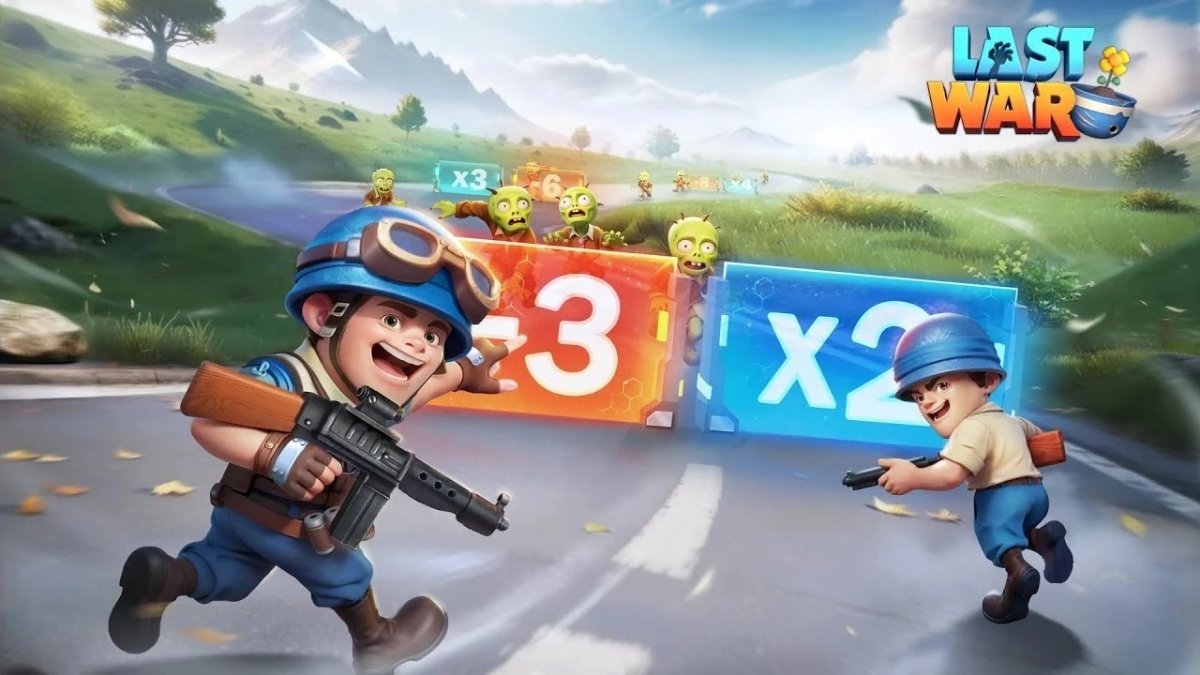
  • Last War Survival Game Heroes: A Guide To The Best Characters In The Zombie Apocalypse

    Last War Survival Game Heroes: A Guide To The Best Characters In The Zombie Apocalypse

    Last War Survival Game is a zombie survival game that puts you in the role of a leader of a group of survivors in a post-apocalyptic world. You will have to scavenge for resources, build a shelter, and fight against hordes of zombies and other enemies.

    You will also have to recruit and manage a team of heroes, each with their own skills, abilities, and personalities. In this article, we will provide a guide to the best heroes in Last War Survival Game, and how to use them effectively.

    Last War Survival Game Heroes

    Heroes are the characters that you can use in combat and exploration in the Last War Survival Game. There are several heroes in the game, each with their own faction, role, and rarity. The factions are Tank, Assault, and Support, and they determine the hero’s strengths and weaknesses.

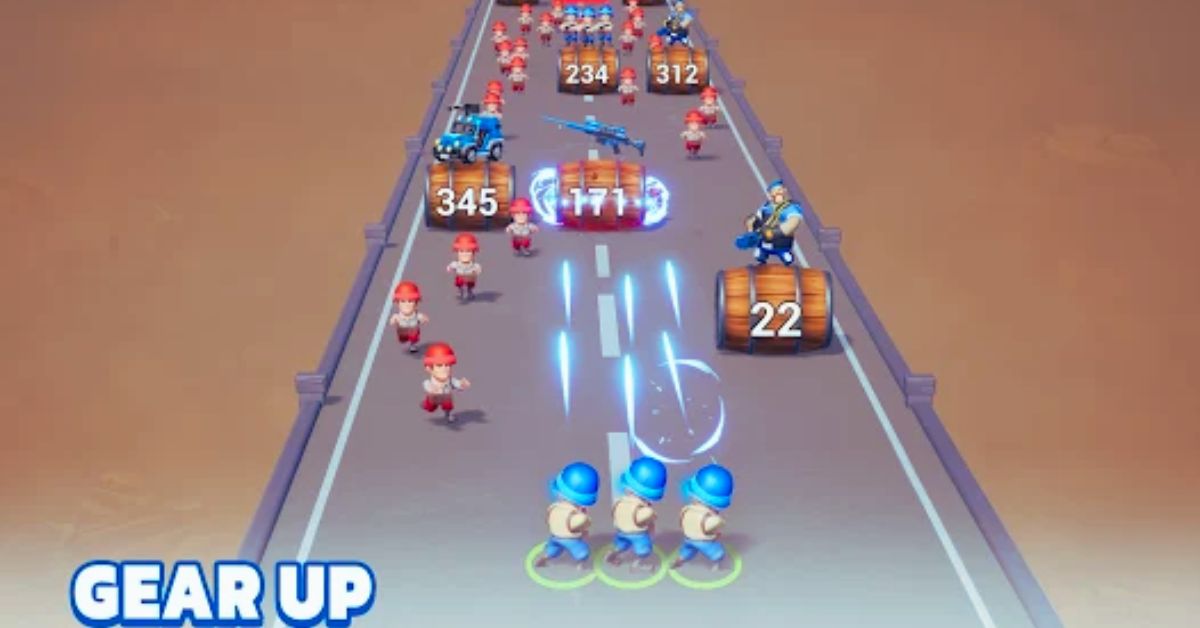
    Last War Survival Game Guide (1)

    The roles are Attack, Defense, and Heal, and they determine the hero’s main function in combat. The rarity is Common, Rare, Epic, and Legendary, and it determines the hero’s stats and potential.

    Heroes have four skills that they can use in combat: a basic attack, an active skill, a passive skill, and a leader skill. The basic attack is the hero’s default action, and it can deal damage, heal, or apply effects.

    The active skill is the hero’s special ability, and it can be activated by spending energy. The passive skill is the hero’s innate trait, and it can provide bonuses or effects to the hero or the team. The leader skill is the hero’s unique talent, and it can only be used by the hero who is assigned as the leader of the team.

    Heroes can also be equipped with various items, such as weapons, armor, accessories, and relics, to improve their stats and performance. Items can be found, crafted, or upgraded in the game. Items can also have different qualities, such as Normal, Advanced, Rare, Epic, and Legendary, and they can have different effects and attributes.

    How to Get Heroes in the Last War Survival Game?

    There are several ways to get heroes in Last War Survival Game, such as:

    • Completing missions and quests: You can get heroes as rewards for completing certain missions and quests in the game. Some missions and quests will give you specific heroes, while others will give you hero shards, which can be used to summon heroes.
    • Summoning heroes: You can summon heroes using hero shards, hero tickets, or diamonds. Hero shards can be obtained from missions, quests, events, or shops. Hero tickets can be obtained from missions, quests, events, or shops. Diamonds are the premium currency of the game, and they can be obtained from missions, quests, events, or purchases. You can summon heroes from the hero portal, which has different categories, such as normal, elite, and legendary. The higher the category, the higher the chance of getting rare or powerful heroes.
    • Trading heroes: You can trade heroes with other players using the trading system. You can offer or request heroes, items, or resources, and negotiate with other players. Trading can help you get the heroes that you want or need, or get rid of the heroes that you don’t want or need.

    Who are the Best Heroes in the Last War Survival Game?

    The best heroes in the Last War Survival Game are the ones that suit your playstyle, strategy, and preference. However, some heroes are generally considered to be more useful, versatile, or powerful than others, based on their skills, stats, and rarity. Here are some of the best heroes in Last War Survival Game, according to our tier list:

    • S Tier: Kimberly, Murphy, Marshall, Venom, Richard, Elsa
    • A Tier: Farhad, Monica, Violet, Mason, Maxwell, Blaz, Cage
    • B Tier: Sarah, Kane, Gump, Ambert, Loki

    Here are some brief explanations of why these heroes are ranked as they are:

    • Kimberly: Kimberly is the best hero in the game, as she has the highest attack stat, and can deal massive damage to any type of enemy with her tank. She also has skills that can heal herself, increase her energy, and attack multiple enemies at once.
    • Murphy: Murphy is a great tank hero, as he can absorb a lot of damage for his team, and reduce the damage taken by front-row units. He also has skills that can boost his own HP, attack, and defense, and stun enemies.
    • Marshall: Marshall is a great support hero, as he can buff his team’s attack and critical rate, and debuff the enemy’s defense and dodge rate. He also has skills that can deal damage, heal, and revive allies.
    • Venom: Venom is a great attack hero, as he can deal high damage and apply poison effects to enemies. He also has skills that can increase his own attack and critical rate, and reduce the enemy’s HP and defense.
    • Richard: Richard is a great defense hero, as he can protect his team from damage and effects, and reflect damage back to enemies. He also has skills that can increase his own defense and HP, and heal allies.
    • Elsa: Elsa is a great healing hero, as she can heal her team and remove negative effects. She also has skills that can deal damage apply freeze effects to enemies, and increase her own energy and defense.

    How to Use Heroes in the Last War Survival Game?

    To use heroes in Last War Survival Game, you will need to:

    • Build your team: You can build your team of up to five heroes, and assign one of them as the leader. You should choose your heroes based on their faction, role, and skills, and try to create a balanced and synergistic team. You should also consider the enemy’s faction, role, and skills, and try to counter them. You can also change your team according to the mission, mode, or situation.
    • Equip your heroes: You can equip your heroes with various items, such as weapons, armor, accessories, and relics, to improve their stats and performance. You should choose your items based on your hero’s faction, role, and skills, and try to enhance their strengths and cover their weaknesses. You should also consider the enemy’s faction, role, and skills, and try to counter them. You can also change your items according to the mission, mode, or situation.
    • Upgrade your heroes: You can upgrade your heroes by increasing their level, rank, and star. You can increase their level by using experience potions, which can be obtained from missions, quests, events, or shops. You can increase their rank by using rank-up materials, which can be obtained from missions, quests, events, or shops. You can increase their star by using hero shards, which can be obtained from missions, quests, events, shops, or summoning. Upgrading your heroes will increase their stats and unlock new skills.
    • Use your skills: You can use your skills in combat by spending energy, which can be obtained by attacking, being attacked, or using items. You should use your skills wisely, and try to activate them at the right time and target. You should also use your leadership skills, which can only be used by the hero who is assigned as the leader of the team. You should use your leadership skill strategically, and try to benefit your team and hinder the enemy.

    Conclusion

    Last War Survival Game is a zombie survival game that requires you to recruit and manage a team of heroes, each with their own skills, abilities, and personalities. You can get heroes from various sources, such as missions, quests, events, shops, summoning, or trading. You can also equip, upgrade, and use your heroes in combat and exploration.

    You should choose your heroes based on their faction, role, and skills, and try to create a balanced and synergistic team. You should also consider the enemy’s faction, role, and skills, and try to counter them.

    You should also use your skills wisely, and try to activate them at the right time and target. Last War Survival Game is a game that will appeal to fans of zombie survival, strategy, and RPG games, and will offer a fun and immersive experience on PC.

    If you are interested in knowing more articles related to other Game guides, you can check Mega Glalie Raid Guide and Dragonflight Alchemy Guide. We appreciate your interest in our website! Make Gameempress.com your go-to site for gaming information.

  • Grey Zone Warfare System Requirements: Can Your PC Run The Tactical FPS?

    Grey Zone Warfare System Requirements: Can Your PC Run The Tactical FPS?

    Grey Zone Warfare is a tactical first-person shooter that simulates realistic combat scenarios in a near-future setting. The game is developed by MADFINGER Games, the studio behind Dead Trigger, Shadowgun, and Unkilled. The game is currently in early access on PC and is expected to launch in 2024.

    The game features a single-player campaign, a co-op mode, and a multiplayer mode, where players can join a private military company and engage in various missions and operations. The game also boasts of high-fidelity graphics, realistic physics, and dynamic weather. But can your PC run Grey Zone Warfare?

    In this article, we will tell you the minimum and recommended system requirements for the game, as well as some tips on how to optimize your PC performance.

    Grey Zone Warfare System Requirements

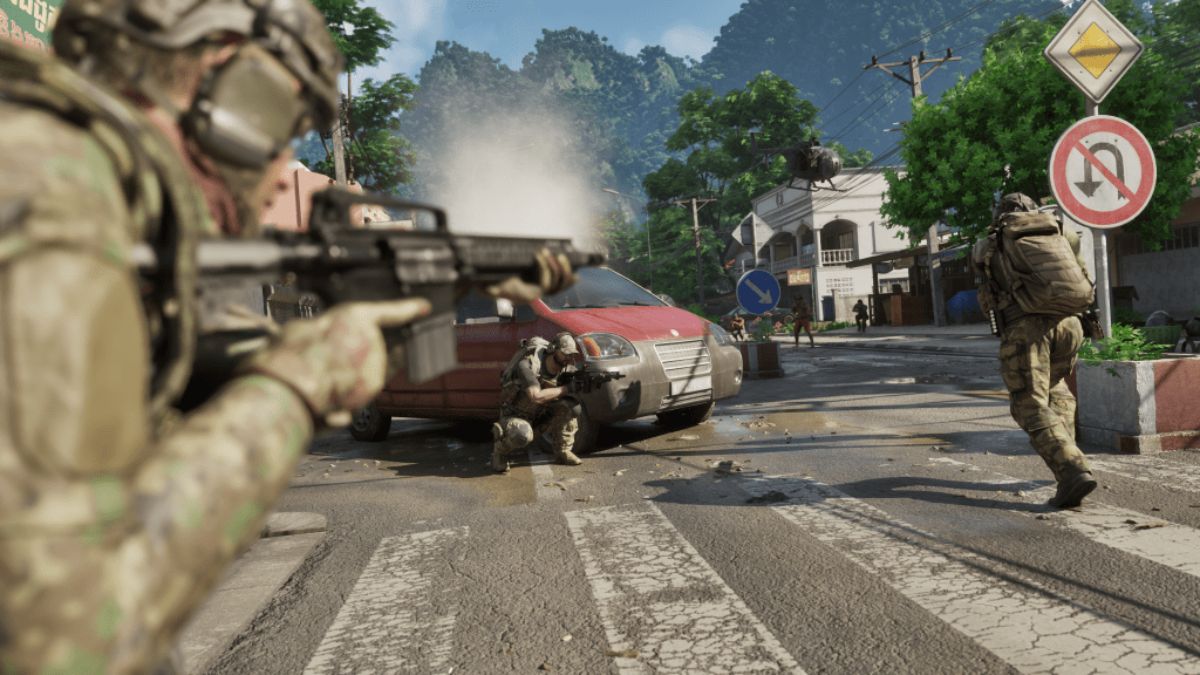
    Grey Zone Warfare PS5
    Grey Zone Warfare PS5

    The minimum system requirements for Grey Zone Warfare are the following:

    • OS: Windows 10 (64-bit)
    • Processor: Intel Core i5-12400T or AMD Ryzen 5 5600G
    • Memory: 8 GB RAM
    • Graphics: Nvidia GeForce GTX 1650 or AMD Radeon RX 5500 XT
    • DirectX: Version 12
    • Storage: 40 GB available space

    These are the minimum system requirements that you need to run the game at low settings and 1080p resolution. If your PC meets these requirements, you should be able to play the game with a stable framerate of at least 30 FPS.

    The recommended system requirements for Grey Zone Warfare are the following:

    • OS: Windows 10 (64-bit)
    • Processor: Intel Core i7-11700K or AMD Ryzen 7 5800X
    • Memory: 16 GB RAM
    • Graphics: Nvidia GeForce RTX 3070 or AMD Radeon RX 6800 XT
    • DirectX: Version 12
    • Storage: 60 GB available space

    These are the recommended system requirements that you need to run the game at high settings and 1440p resolution. If your PC meets these requirements, you should be able to play the game with a smooth framerate of at least 60 FPS.

    How to Optimize Your PC Performance for Grey Zone Warfare?

    If your PC does not meet the minimum or recommended system requirements for Grey Zone Warfare, or if you want to improve your PC performance and gaming experience, here are some tips that you can try:

    • Update your drivers: Make sure that your drivers, especially your graphics card driver, are up to date. You can use the official websites of Nvidia or AMD to download the latest drivers for your graphics card. Updating your drivers can improve your PC stability and performance, as well as fix some bugs and issues.
    • Adjust your graphics settings: You can tweak your graphics settings in the game’s options menu, or the Nvidia Control Panel or AMD Radeon Software. You can lower some settings, such as shadows, textures, anti-aliasing, or resolution, to increase your FPS and reduce your GPU load. You can also enable some settings, such as v-sync, adaptive resolution, or dynamic resolution, to improve your image quality and prevent screen tearing.
    • Close unnecessary programs: You can close some programs that are running in the background, such as browsers, antivirus, or other applications, to free up some RAM and CPU resources. You can use the Task Manager to monitor your PC performance and end some processes that are consuming a lot of memory or CPU power. Closing unnecessary programs can reduce your PC lag and stuttering, as well as prevent overheating and crashes.
    • Upgrade your hardware: If none of the above tips work, or if you want to enjoy the game at its full potential, you may need to upgrade your hardware, such as your CPU, GPU, RAM, or SSD. Upgrading your hardware can significantly boost your PC performance and gaming experience, as well as extend your PC lifespan. However, upgrading your hardware can also be costly and complicated, so you should do some research and planning before you decide to do so.

    Conclusion

    Grey Zone Warfare is a tactical first-person shooter that simulates realistic combat scenarios in a near-future setting. The game is developed by MADFINGER Games and is currently in early access on PC.

    The game features a single-player campaign, a co-op mode, and a multiplayer mode, where players can join a private military company and engage in various missions and operations. The game also boasts of high-fidelity graphics, realistic physics, and dynamic weather. The game has minimum and recommended system requirements that you need to meet to run the game on your PC.

    You can also optimize your PC performance by updating your drivers, adjusting your graphics settings, closing unnecessary programs, or upgrading your hardware. Grey Zone Warfare is a game that will appeal to fans of tactical FPS, realistic warfare, and immersive graphics, and will offer a challenging and thrilling experience on PC.

    This is everything you need to know about Grey Zone Warfare System Requirements. Additionally, you can check our guide on Star Wars Squadrons PC Requirement and F1 23 PC Requirement. Stay connected with GameEmpress.com to get the latest news and guides about the gaming world.

  • Tales Of Spark Steam: How To Play The Hack And Slash Action RPG On PC?

    Tales Of Spark Steam: How To Play The Hack And Slash Action RPG On PC?

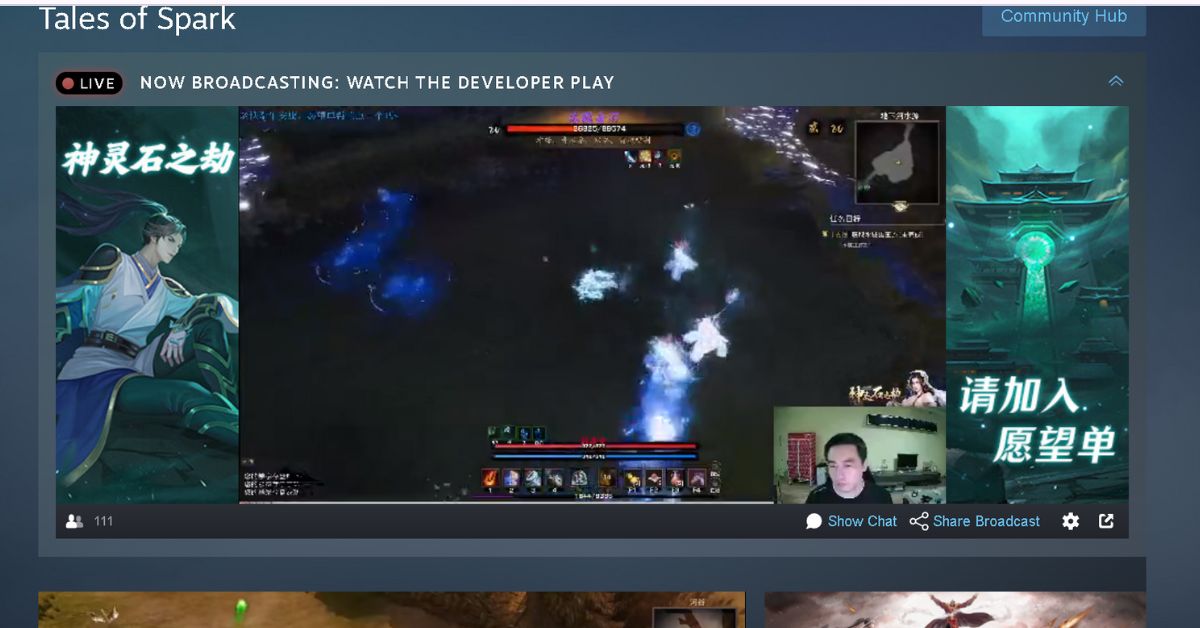
    Tales of Spark is a hack-and-slash action RPG with an Eastern flair. Players assume the role of a young wandering swordsman, exploring the vast desert, seeking treasures, defeating powerful bosses, and even slaying gigantic celestial dragons.

    The game is developed by Ice and Fire Isle Studio, an independent studio that launched a successful Kickstarter campaign in 2018. The game is currently in early access on PC and has received positive reviews from players and critics alike.

    But how can you play Tales of Spark on Steam, the popular digital distribution platform for PC games? In this article, we will tell you everything you need to know about Tales of Spark Steam, including how to buy, download, install, and play the game on your PC.

    Tales Of Spark Steam

    To buy Tales of Spark on Steam, you will need to have a Steam account, which you can create for free on the official website. Once you have a Steam account, you can access the Steam Store, where you can browse and purchase various games, including Tales of Spark.

    Tales Of Spark Steam
    Tales Of Spark Steam

    The price of Tales of Spark on Steam is $29.49, which is a 10% discount from the original price of $34.99. This is a special offer for the early access period, which will end when the game is fully released.

    The game also has a Digital Deluxe Edition, which costs $39.49 and includes the Tales of Spark DLC Pack, the digital artbook, and the digital soundtrack. You can also get the AIGIS Edition, which costs $49.49 and includes a physical copy of the game, an Aigis figure, the art book, and the soundtrack.

    To buy Tales of Spark on Steam, you will need to have a valid payment method, such as a credit card, a debit card, a PayPal account, or a Steam Wallet. You can also use Steam Gift Cards, which are prepaid cards that you can buy from various retailers, and redeem on Steam.

    Once you have chosen your payment method, you can proceed to checkout, and confirm your purchase. You will then receive a confirmation email, and the game will be added to your Steam Library.

    How to Download and Install Tales of Spark on Steam?

    To download and install Tales of Spark on Steam, you will need to have the Steam client installed on your PC, which you can download for free from the official website. Once you have the Steam client installed, you can launch it, and log in with your Steam account.

    You can then access your Steam Library, where you can find all the games you own, including Tales of Spark. You can also use the search bar, or the filter options, to find the game faster.

    To download and install Tales of Spark on Steam, you will need to have enough free space on your PC, which is at least 4 GB for the minimum system requirements, and 6 GB for the recommended system requirements.

    You can check the system requirements of the game on its Steam page or the game’s official website. You can also compare your PC’s specifications with the system requirements, and see if your PC can run the game smoothly.

    To download and install Tales of Spark on Steam, you will need to click on the game’s name in your Steam Library and then click on the “Install” button. You can also right-click on the game’s name, and select “Install Game” from the menu. You can then choose the installation location, and the download and installation process will begin.

    You can monitor the progress of the download and installation on the Steam client, or the game’s page in your Steam Library. You can also pause, resume, or cancel the download and installation at any time.

    How to Play Tales of Spark on Steam?

    To play Tales of Spark on Steam, you will need to wait until the download and installation process is complete, which may take a few minutes or hours, depending on your internet speed and PC performance.

    Once the download and installation process is complete, you can launch the game by clicking on the “Play” button, or by double-clicking on the game’s name in your Steam Library. You can also right-click on the game’s name, and select “Play Game” from the menu.

    To play Tales of Spark on Steam, you will need to create a character and choose your class, appearance, and name. You can choose from five base classes: Knight, Mage, Rogue, Acolyte, and Primalist, and then ascend into one of 15 mastery classes, each with its unique skills and playstyle.

    You can also customize your skills with over 100 augment trees, which allow you to modify and enhance your abilities. For example, you can turn your Fireball into a meteor, a flamethrower, or a cluster bomb.

    To play Tales of Spark on Steam, you will need to explore the vast desert, seeking treasures, defeating powerful bosses, and even slaying gigantic celestial dragons. The game features a dynamic and beautiful world, with realistic physics and weather.

    The game also features a compelling and nonlinear story, where you can witness how the world changes over time, and how your actions affect the timeline. You can also encounter different enemies and challenges in each era, as well as discover secrets and lore.

    To play Tales of Spark on Steam, you will need to use various items and equipment, such as weapons, armor, accessories, and relics, to enhance your character and your combat performance.

    You can also use the game’s innovative crafting system, which lets you upgrade and modify your items without destroying them. You can also collect and equip idols, which are powerful artifacts that grant you passive bonuses and effects.

    To play Tales of Spark on Steam, you will need to enjoy the game’s features and content, such as the endgame modes, the leaderboards, the achievements, and the trading system. You can also interact with other players, trade items, and form alliances or rivalries.

    You can also use the in-game chat system, or the voice chat system, to communicate with your friends and other players. You can also use the Steam overlay, or the Steam community, to access various functions and features, such as screenshots, videos, guides, reviews, and forums.

    Conclusion

    Tales of Spark is a hack-and-slash action RPG with an Eastern flair, that is available on Steam, the popular digital distribution platform for PC games. You can buy, download, install, and play the game on your PC, and enjoy the game’s features and content, such as the character customization, the time travel mechanic, the loot system, and the multiplayer mode.

    Tales of Spark is a game that will appeal to fans of hack and slash, loot, and RPG games, and will offer a fun and immersive experience on PC. Tales of Spark is available now on Steam Early Access, and you can buy it for $29.49.

    You can also get the Digital Deluxe Edition for $39.49, which includes the Tales of Spark DLC Pack, the digital artbook, and the digital soundtrack. If you pre-order the game, you will also get the P4G BGM Set, which allows you to change the background music to Persona 4 Golden’s tracks.

    You can also get the AIGIS Edition for $49.49, which includes a physical copy of the game, an Aigis figure, the art book, and the soundtrack.

    If you are interested in knowing more articles related to other Game guides, you can check Mega Glalie Raid Guide and Dragonflight Alchemy Guide. We appreciate your interest in our website! Make Gameempress.com your go-to site for gaming information.

  • Persona 3 Reload Steelbook: A Collector’s Item For Persona Fans

    Persona 3 Reload Steelbook: A Collector’s Item For Persona Fans

    Persona 3 Reload is a remake of the classic PlayStation 2 RPG Persona 3, which was released in 2006. Persona 3 Reload features enhanced graphics, new scenes, additional voiceover, and improved gameplay mechanics.

    Persona 3 Reload is a game that follows the story of a transfer student who joins a secret organization called S.E.E.S, which fights against mysterious creatures called Shadows that appear during the Dark Hour, a hidden time between one day and the next.

    The game combines elements of social simulation, dungeon crawling, and turn-based combat. The game is widely regarded as one of the best games in the Persona series, and one of the most influential RPGs of all time.

    But what is the Persona 3 Reload steelbook, and how can you get it? In this article, we will tell you everything you need to know about the Persona 3 Reload steelbook, including its design, availability, and price.

    Persona 3 Reload Steelbook

    Persona 3 Reload Steelbook
    Persona 3 Reload Steelbook

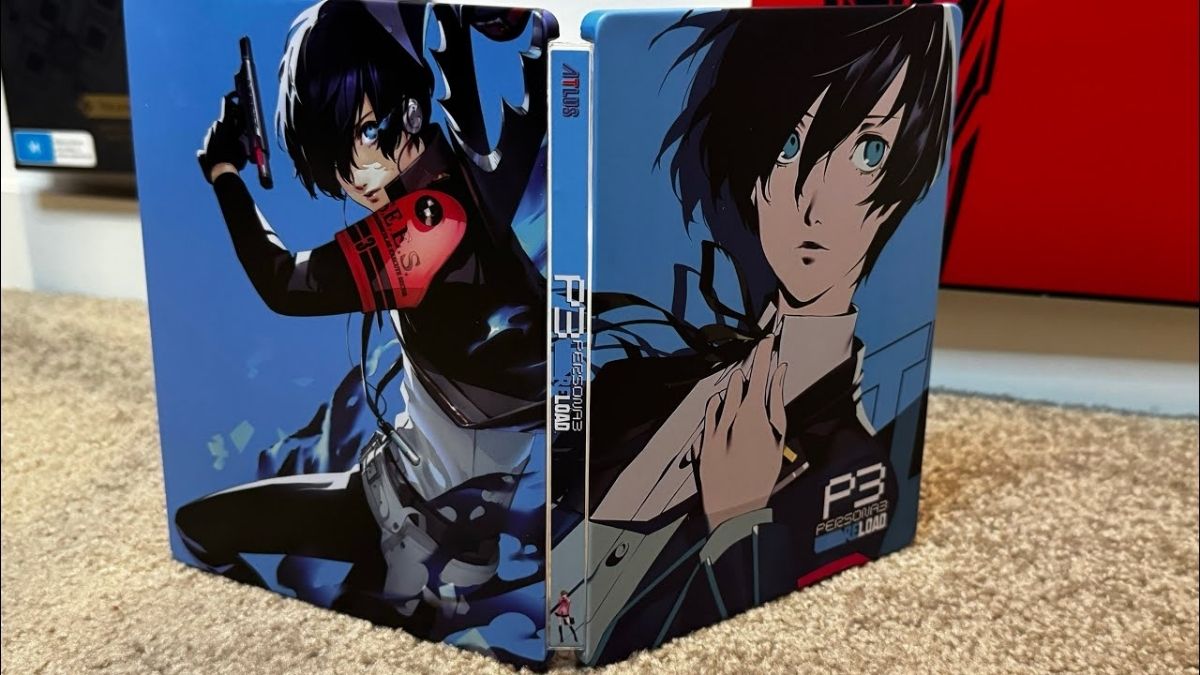
    The Persona 3 Reload steelbook is a special edition of the game that comes in a metal case, instead of the standard plastic case. The steelbook features a sleek and stylish design, with the game’s logo and artwork on the front, and the protagonist and his Persona on the back.

    The steelbook also has a glossy finish, and a magnetic closure, to protect the game disc inside. The steelbook is a collector’s item for Persona fans, as it adds a touch of elegance and exclusivity to the game.

    How to Get the Persona 3 Reload Steelbook?

    The Persona 3 Reload steelbook is not available as a standalone product, but as a bonus for pre-ordering the game from certain retailers. The Persona 3 Reload steelbook is available for all platforms, including PS4, PS5, Xbox One, Xbox Series X|S, and PC.

    However, the availability and price of the steelbook may vary depending on the region and the retailer. Here are some of the retailers that offer the Persona 3 Reload steelbook as a pre-order bonus:

    • Amazon: You can pre-order the game from Amazon for $59.99, and get the steelbook for free. You can also get the Digital Deluxe Edition for $79.99, which includes the Persona 3 Reload DLC Pack, the digital artbook, and the digital soundtrack. If you pre-order the game, you will also get the P4G BGM Set, which allows you to change the background music to Persona 4 Golden’s tracks.
    • Best Buy: You can pre-order the game from Best Buy for $59.99, and get the steelbook for free. You can also get the AIGIS Edition for $99.99, which includes a physical copy of the game, an Aigis figure, the artbook, and the soundtrack.
    • GameStop: You can pre-order the game from GameStop for $59.99, and get the steelbook for free. You can also get the AIGIS Edition for $99.99, which includes the same bonuses as the Best Buy version.
    • Target: You can pre-order the game from Target for $59.99, and get the steelbook for free. You can also get the AIGIS Edition for $99.99, which includes the same bonuses as the Best Buy and GameStop versions.
    • Walmart: You can pre-order the game from Walmart for $59.99, and get the steelbook for free. You can also get the AIGIS Edition for $99.99, which includes the same bonuses as the other retailers.

    Why Should You Get the Persona 3 Reload Steelbook?

    The Persona 3 Reload steelbook is a great addition to your game collection, as it offers several benefits, such as:

    • Aesthetic: The steelbook has a beautiful and elegant design, that showcases the game’s logo and artwork. The steelbook also has a glossy finish, and a magnetic closure, that make it look and feel premium.
    • Protection: The steelbook protects the game disc from scratches, dust, and damage, and ensures its longevity and quality.
    • Exclusivity: The steelbook is a limited edition item, that is only available for pre-ordering the game from certain retailers. The steelbook is a rare and valuable item, that will make your game stand out from the rest.
    • Satisfaction: The steelbook is a reward for pre-ordering the game, and shows your support and enthusiasm for the game and the developers. The steelbook is a way of expressing your love and appreciation for the Persona series, and its fans.

    Conclusion

    Persona 3 Reload is a remake of the classic RPG Persona 3, which is available on multiple platforms, including PS4, PS5, Xbox One, Xbox Series X|S, and PC. Persona 3 Reload is a game that offers a rich and immersive experience, with a captivating story, memorable characters, and engaging gameplay.

    Persona 3 Reload steelbook is a special edition of the game that comes in a metal case, instead of the standard plastic case. The steelbook features a sleek and stylish design, with the game’s logo and artwork on the front, and the protagonist and his Persona on the back. The steelbook is a collector’s item for Persona fans, as it adds a touch of elegance and exclusivity to the game.

  • Persona 3 Reload Platforms: A Guide For RPG Fans

    Persona 3 Reload Platforms: A Guide For RPG Fans

    Persona 3 Reload is a remake of the classic PlayStation 2 RPG Persona 3, which was released in 2006. Persona 3 Reload features enhanced graphics, new scenes, additional voiceover, and improved gameplay mechanics.

    Persona 3 Reload is a game that follows the story of a transfer student who joins a secret organization called S.E.E.S, which fights against mysterious creatures called Shadows that appear during the Dark Hour, a hidden time between one day and the next.

    The game combines elements of social simulation, dungeon crawling, and turn-based combat. The game is widely regarded as one of the best games in the Persona series, and one of the most influential RPGs of all time.

    But what platforms can you play Persona 3 Reload on? In this article, we will provide a guide for RPG fans who want to know more about Persona 3 Reload platforms, including their availability, features, and prices.

    What Platforms is Persona 3 Reload Available On?

    Persona 3 Reload is available on multiple platforms, including PS4, PS5, Xbox One, Xbox Series X|S, and PC. The game was released on February 2, 2024, simultaneously on all platforms.

    Persona 3 Reload is the first Persona game to be released on the latest generation of consoles, as well as the first Persona game to be released on Xbox and PC. Persona 3 Reload also supports cross-play and cross-progression, meaning that you can play with your friends and access your characters on any platform.

     What are the Features of Persona 3 Reload Platforms?

    Persona 3 Reload platforms have different features and advantages, depending on your preference and budget. Here are some of the features of each platform:

    Persona 3 Reload  PS4 & PS5

    You can buy Persona 3 Reload from the PlayStation Store for $59.99. You can also get the Digital Deluxe Edition for $79.99, which includes the Persona 3 Reload DLC Pack, the digital artbook, and the digital soundtrack.

    If you pre-order the game, you will also get the P4G BGM Set, which allows you to change the background music to Persona 4 Golden’s tracks. You can also get the AIGIS Edition for $99.99, which includes a physical copy of the game, an Aigis figure, the art book, and the soundtrack.

    The PS5 version of Persona 3 Reload also has some advantages, such as higher resolution, faster loading times, and mod support.

    Persona 3 Reload  Xbox One & Xbox Series X|S

    You can buy Persona 3 Reload from the Microsoft Store for $59.99. You can also get the Digital Deluxe Edition for $79.99, which includes the same bonuses as the PS4 & PS5 versions. If you pre-order the game, you will also get the P4G BGM Set.

    You can also get the game through Xbox Game Pass, which is a subscription service that gives you access to hundreds of games for a monthly fee. Persona 3 Reload is one of the games that will be available on Xbox Game Pass on launch day, so you can play it without buying it separately.

    However, you will need to have an active subscription to play the game, and you will not get the pre-order bonuses or the DLC Pack. The Xbox Series X|S version of Persona 3 Reload also has some advantages, such as higher resolution, faster loading times, and mod support.

    Persona 3 Reload PC

    You can buy Persona 3 Reload from Steam for $59.99. You can also get the Digital Deluxe Edition for $79.99, which includes the same bonuses as the PS4 & PS5 and Xbox One & Xbox Series X|S versions.

    If you pre-order the game, you will also get the P4G BGM Set. The PC version of Persona 3 Reload also has some advantages, such as higher resolution, faster loading times, and mod support.

    Why Should You Play Persona 3 Reload on Your Preferred Platform?

    Persona 3 Reload is a game that offers a rich and immersive experience, with a captivating story, memorable characters, and engaging gameplay.

    Persona 3 Reload is a game that explores themes of life, death, friendship, and identity and challenges the player to make meaningful choices and face the consequences.

    Persona 3 Reload is a game that will make you laugh, cry, and think, and leave a lasting impression on your memory. Persona 3 Reload is a game that you should not miss, whether you are a fan of the Persona series or a newcomer who wants to try a genre-defining RPG.

    Persona 3 Reload is a game that you can play on your preferred platform, and enjoy the features and advantages that suit your preference and budget. Persona 3 Reload is available now, so get ready to join S.E.E.S and take the fight to Tartarus to save the world!

  • Heardle 2000s: A Music Wordle Game For Nostalgic Fans

    Heardle 2000s: A Music Wordle Game For Nostalgic Fans

    Heardle 2000s is a music wordle game that challenges you to guess the song title based on a short clip of the intro. The game features thousands of songs from the 2000s, spanning various genres and artists.

    Heardle 2000s is a fun and addictive game that will test your memory and musical knowledge, as well as bring back some nostalgic memories. In this article, we will tell you more about Heardle 2000s, including how to play, where to find, and why to try.

    How to Play Heardle 2000s?

    Heardle 2000s is a simple and easy game to play. You just need to listen to the intro, start typing your answer, then select the correct 2000s song from the list and hit submit. You have six chances to guess the song.

    Skipped or incorrect attempts will unlock more of the intro, making it easier to recognize the song. The goal is to answer in as few tries as possible and share your score with your friends.

    Heardle 2000s is a daily game, meaning that you can only play one song per day. However, you can also play the previous songs from the archive, or choose from different categories, such as rap, rock, pop, or indie.

    You can also change the difficulty level, from easy to hard, depending on your preference and skill.

    Where to Find Heardle 2000s?

    Heardle 2000s is available on the web, and you can play it on any device with a browser and an internet connection. You can access the game from the official website, or from other websites that host the game, such as Our Tech Talk, Heardle, or Wordle Unlimited.

    You can also follow the game on social media, such as Twitter, Facebook, or Instagram, where you can get updates, hints, and trivia about the songs and the artists.

    Check out some more gaming guide articles:

    Why to Try Heardle 2000s?

    Heardle 2000s is a game that offers a lot of benefits, such as:

    • Entertainment: Heardle 2000s is a game that will keep you entertained and engaged, as you try to guess the songs and relive the 2000s. The game is also a great way to pass the time or to have some fun with your friends and family.
    • Education: Heardle 2000s is a game that will also educate you and expand your musical knowledge, as you learn about new songs, artists, and genres from the 2000s. The game is also a good way to improve your spelling, vocabulary, and typing skills.
    • Emotion: Heardle 2000s is a game that will also evoke some emotions and memories, as you listen to the songs that marked your life in the 2000s. The game is also a good way to express yourself and to share your feelings and opinions about the songs and the artists.

    Conclusion

    Heardle 2000s is a music wordle game that challenges you to guess the song title based on a short clip of the intro. The game features thousands of songs from the 2000s, spanning various genres and artists.

    Heardle 2000s is a fun and addictive game that will test your memory and musical knowledge, as well as bring back some nostalgic memories. You can play the game on the web, and choose from different categories, difficulty levels, and songs. Heardle 2000s is a game that will entertain, educate, and emotion you, and that you should try today.

  • Last Epoch PS5: Embrace The Future Of Action RPG Gaming

    Last Epoch PS5: Embrace The Future Of Action RPG Gaming

    If you’ve been following Last Epoch, you might be wondering if the early access title will ever be released on consoles – and we have all the answers.

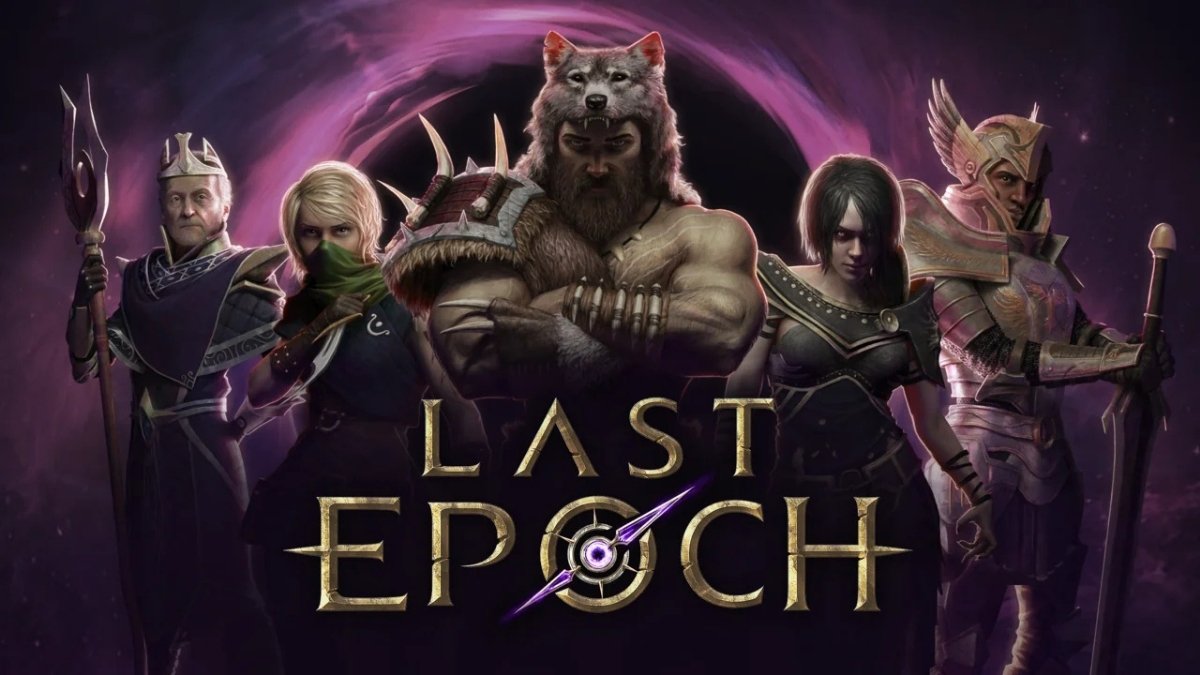
    Last Epoch is an action role-playing game that appears to be similar to Diablo. What makes Last Epoch so appealing, however, is its unique take on time travel, which sends the hero into a ruined future – and it is up to you to correct the past and thereby save the future.

    So, here’s everything you need to know about whether Last Epoch will be available on consoles when it launches.

    Last Epoch PS5

    Unfortunately, there is no indication that the Last Epoch will be released for consoles at any time. In response to a Reddit thread, the devs stated that “it’s a long-term goal” – whether or not this occurs is another matter entirely.

    Will we ever get a console port ?
    byu/Shinbo999 inLastEpoch

    We won’t know anything about the game until it leaves early access. While early access was supposed to conclude this year, we’re getting closer to the end of the year, and a full release doesn’t look to be in sight.

    It is not uncommon for games to remain in early access for an extended period, but given that Last Epoch was originally launched in 2019, we shouldn’t have to wait much longer. Once the game is fully released on PC, we may learn more about whether it will be released on consoles – and we’ll keep you updated if any new information becomes available.

    So that’s all we know about whether or not the Last Epoch will come to consoles in the future.

    If you are interested in knowing more articles related to other games, you can check COD Warzone Mobile Release Date and Little Nightmares 3 Release Date. We appreciate your interest in our website! Make Gameempress.com your go-to site for gaming information.

  • The Finals Update 1.6.0 Patch Notes Revealed: Dive Into The Latest Changes!

    The Finals Update 1.6.0 Patch Notes Revealed: Dive Into The Latest Changes!

    The Finals introduces the mid-season update 1.6.0, which includes numerous enhancements and bug fixes, as well as a completely new event called Steal the Spotlight. Season 1 is almost halfway done, and the live service game has experienced many ups and downs in the first month and a half since The Finals officially started during The Game Awards 2023.

    Initially, The Finals shattered numerous Embark Studios player records; however, bugs and other issues arose at various points during the tournament, affecting matches.

    However, Embark Studios has continued to update the game with patches, weapon balance changes, and new content. During Season 1, The Finals introduced its first limited-time game option, lone Bank It, which took a twist on the standard game style by placing 12 lone players against one another rather than working in teams.

    These limited-time game modes, which try to alter the traditional methods of play, appear to be a fundamental component in the future, as Embark Studios has revealed its next gameplay variation in the most recent update for The Finals.

    Embark Studios has announced in a new post that Update 1.6.0 is now available to all players of The Finals. For many, the most significant aspect of this update is that Solo Bank. It is being replaced by a completely new game mode called Steal the Spotlight.

    The Finals Update 1.6.0 Patch Notes

    Balance Changes

    • Gadgets
        • Dome Shield
            • Dome Shields will now use squad colors if the ‘Use Enemy Squad Colors’ setting is enabled


        • Vanishing Bomb
            • Increased the invisibility interrupt grace period for teammates from 0.65s to 0.8s (+)
            • Increased the invisibility interrupt grace period for the player from 0s to 0.35s (+)
            • Increased the duration of Vanishing Bomb invisibility on teammates from 5s to 6s (+)


        • Zipline
            • Improved placement validation for ziplines, making them easier to deploy


    • Maps
        • Las Vegas
            • General
                • Added some cover to the side of kitchen trolleys to make them easier to use
                • Replaced the zipline between Eastwood and Decora with a jump pad
                • Moved various cover pieces to avoid gaps in cover
                • Moved various chairs to make traversal easier
                • Removed Turrets & Tripwires map variant in Quick Cash, Bank It, Tournament, and Ranked Tournament modes while we fix various bugs and re-evaluate the gameplay design


            • Argon Casino
                • Removed some of the monitors in the casino so some doors are easier to see
                • Added an extra door to make traversal easier
                • Updated some Vault spawn locations and added cover to some of them


            • Eastwood Casino
                • Updated exit points on various ziplines to make it easier to access rooftops
                • Added decals to some windows to make the glass more visible
                • Rearranged the aircon units to create more cover on the roof
                • Adjusted the position of some cashout locations


            • Glamora Casino
                • Removed some chairs so it’s easier to jump in and out of cashier booths
                • Removed some chairs and railings in the theatre to make traversal easier
                • Various other small fixes and balance tweaks


    • Specializations
      • Mesh Shield
          • The Mesh Shield will now use squad colors if the ‘Use Enemy Squad Colors’ setting is enabled


      • Recon Senses
        • Added a range limit to Recon Senses set to 30m. Players outside of this range will not be detected
        • Players detected by Recon Senses will now see ‘Detected’ warning text on their HUD

    Content And Bug Fixes

    • Animation
        • Fixed some small issues with the LH1 reload and Goo Gun inspect animations
        • Updated reload animations when aiming down sights to add slightly more movement to them


    • Audio
        • Updated footstep audio and mix for the player, teammates, and enemies
            • Dev note: It should now be clearer for players to tell friendly players apart from enemies and their own footsteps


        • Fixed an issue where the spawn sound effect could be cut off when respawning
        • Updated various VO lines
        • Various VO bug fixes


    • Career Rank
        • Added 10 more levels to the Career Rank along with additional rewards. Max rank is now 50.


    • Characters
        • Fixed an issue where characters could have their legs bent backward on some screens


    • Controller
        • Added Gyro aiming options for PS5 DualSense and PS4 DualShock controllers
        • Fixed an issue with aim assistance sensitivity reduction that caused almost no sensitivity reduction to be applied to targets closer to the player than 20m
        • Reduced input latency on PS5


    • Emotes
        • Fixed an issue that prevented the player emoting while crouched


    • Gadgets
        • Defibrillators
            • Fixed an issue where player statues could not be targeted for revives when lying in foliage
            • Fixed an issue where player statues could not be targeted for revives when carried


        • Fixed various issues with placement distances on deployable Gadgets
        • Fixed an issue where turret parts could collide with each other, causing strange behavior when placed on barrels


    • Game Modes
        • General
            • Added ‘Steal the Spotlight’ event mode
            • Added the ability for players to customize their contestant Loadout for all Weapons, Gadgets, and Specializations during the match lobby at the start of each match in all game modes


        • Ranked Tournament
            • Lowered the number of rounds required to play Ranked Tournament from 60 to 45 (-) Dev note: With the improvements we’ve made to fair play and banning, the threshold required to enter Ranked Tournaments doesn’t need to be quite so high.


        • Solo Bank It
            • Disabled the experimental Solo Bank It mode


    • Maps
        • Monaco
            • Made night and night storm weather conditions slightly less dark on Monaco for OLEDs
            • Tweaked LOD settings on some trees in Monaco to reduce popping on low settings


    • Movement
        • Fixed an issue where players could become stuck in encroached spaces
        • Fixed an issue where players would fail wall jumps if they pressed and held jump too early in a vault sequence
        • Fixed an issue where the player would cancel a slide if aiming down sights was triggered from toggled crouch


    • Security
        • Made various improvements to security and cheat detection


    • Settings
        • Increased default FOV from 71 to 81 (new installations only)


    • UI
        • Added Career Rank screen where players can see rewards earned by gaining rank
        • Added new tournament overview screen to tournament modes
        • Added additional item tutorial videos for the following items:
            • APS Turret
            • Gas Grenade
            • Glitch Grenade
            • Glitch Trap
            • Goo Gun
            • Motion Sensor
            • Pyro Grenade
            • Smoke Grenade
            • Sonar Grenade
            • Thermal Vision


        • Added new Event Contracts to the Contracts screen
        • Updated the size of ranked icons
        • Fixed wrapping issues on Contracts during the end-of-round sequence
        • Decreased duration of Vault objective markers on round start
        • Made various improvements to contextual ping accuracy, making them more accurate
        • Various bug fixes to the UI


    • VFX
        • Added new impact effects when friendly players shoot each other, instead of the coin effects, as this could cause confusion for players
        • Updated collision on coin death effects to reduce the number of coins that can fall through floors
        • Various polish improvements to coin death effects
        • Optimization pass on the gas canister explosion effects


    • Weapons
      • Increased the size of various grenade projectiles, to make them easier to see in combat
      • Fixed some issues where AoE damage could be wrongly invalidated, causing no damage to be done
      • Fixed an exploit where melee weapons could be swung faster than intended
      • Fixed an issue that prevented C4 and Mines from being picked up when placed on a throwable object that had been picked up

    You may also be interested in the following game’s patch notes: Patch notes for Warzone Season 1 and Cyberpunk 2077 Patch 2.11. We appreciate your interest in our site! Make Gameempress.com your go-to source for gaming knowledge.

  • Palworld January 31 Update Patch Notes: Your Guide To The Latest Game Improvements

    Palworld January 31 Update Patch Notes: Your Guide To The Latest Game Improvements

    Palworld has only been released for a few weeks, but the game is already reaching new heights. The Pal-hunting game has shattered records on its way to the top of Steam’s all-time charts, becoming an unprecedented mega-hit in 2024.

    However, because the title is still in early access, it has a long way to go before it is fully released. While the developers have already made their aims obvious with initial roadmaps, frequent updates keep the community in mind while Pocketpair works to address the game’s most serious concerns.

    There have been numerous early setbacks, ranging from game-crashing problems to save-eating errors. However, the January 31 update aims to allay some fears by addressing well over a dozen critical vulnerabilities.

    Palworld January 31 Update Patch Notes

    The complete Palworld January 31 update patch notes are provided below, courtesy of the developers on Twitter.

    Major Fixes

    • Fixed an issue where the game would crash under certain conditions.
    • Fixed an issue where if another player’s pal/base pal had HP 30% or less, it could be captured by using a sphere.
    • Fixed an issue where enemy pals would get stuck in walls due to charge attacks.
    • Implemented the first fix for an issue where the game would always crash and save data would be corrupted when the guild’s total number of pals captured reached around 7000.
    • The game no longer crashes even if the total number of captured objects exceeds 7000. However, save data that has already been in this state (in the case of a server, the server’s world data) prior to this update will still be unable to load. We are continuing to work on fixing this issue permanently.

    Key Configuration

    • Added support for mouse side keys and numeric keypad in keyboard key configuration.
    • Further improvements are currently planned, such as support for interact key configuration.

    Player Issues

    • Fixed an issue where players on dedicated servers and co-op (online) were receiving damage twice.
    • Specifications have been changed so that you can move at extremely low speed even when you have exceeded the weight limit.
    • Players will no longer pass through walls when dismounting.
    • Fixed an issue where capture power strengthened by Lifmunk Effigies was reset when using memory reset drugs.
    • Fixed an issue where armor could be equipped in the wrong slot.
    • Adjusted camera positions of several Pals to make it easier to see when mounted.

    Base Issues

    • Specifications have been changed so that Pals who are manually assigned to a breeding farm will not become hungry and their manual assignments will not be removed.
    • The key to lift Pals has been changed from F → V (Pad: X → Y) in order to prevent accidents.
    • Reduced the speed and range of fire spreading on wooden buildings.
    • Fixed an issue where manual work assignments could not be set at all under certain circumstances.
    • Fixed an issue where extremely high-level Relaxaurus would attack the base during raids.
    • Added several measures to prevent base Pals from getting stuck.
    • Fixed an issue where Pals would get stuck while transporting items and would drop them on the spot.
    • Fixed an issue where Pals at the base would continue to cut down trees that were already cut.
    • Fixed an issue where Pals at the base were on the verge of death due to unexplained falling damage.
    • Fixed an issue where Pals at the base would float under some conditions.
    • Fixed an issue where if a farm was built on the second floor or above, work pals would be unable to move on the floors below.

    Other

    • Corrected incorrect text
    • Measures have been added to prevent cheating and stealing other players’ Pals.
    • Many other minor fixes such as the addition of a UI key guide.

    You may also be interested in the following game’s patch notes: Patch notes for Warzone Season 1 and Cyberpunk 2077 Patch 2.11. We appreciate your interest in our site! Make Gameempress.com your go-to source for gaming knowledge.

  • Warzone Season 1 Patch Notes: Prepare For Takeoff – New Map, Modes, And More!

    Warzone Season 1 Patch Notes: Prepare For Takeoff – New Map, Modes, And More!

    Prepare for an incredible Season 1, which will include a massive drop of content such as five free weapons, four new multiplayer maps, multiple modes, the next Zombies story chapter, the arrival and integration of Call of Duty: Warzone, and the new Urzikstan map, an all-new 100+ Tiers of Battle Pass content to earn, Blackwell, and much more.

    Warzone Season 1 Patch Notes

    The following patch notes mostly include global modifications made to all Call of Duty Modern Warfare III titles, as well as those made specifically for Warzone.

    Modes

    Battle Royale Preview New Limited-Time Mode

    Battle Royale Preview offers an early look at Warzone features that may later migrate to the standard Battle Royale experience.

    This new Limited-Time Mode will appear in playlists if or when we’re looking for both data and feedback from our players on new systems – so we hope to provoke discussion and hear from you! This mode will be available for players to queue as a team of four (Quads).

    The following features are unique to Battle Royale Preview at launch:

    Covert Exfil New Feature

    • While playing Battle Royale Preview, players can attempt to escape the match early using a Covert Exfil.
    • Only five Covert Exfils are available for purchase in total per match, for the considerable price of $30,000, and are available in Buy Stations before the Gulag closes.
    • Once purchased, a green flare will instantly mark the landing zone, calling in a chopper that can fly any player, friend or foe, out of the match – ideally with a Weapon Case in their possession.
    • Nearby opponents will be notified of the Covert Exfil attempt, allowing them to intercept to prevent, or even steal, the Covert Exfil.
    • This feature will be complimented by a dedicated Covert Exfil Leaderboard when successful, as Covert Exfil will not be classified as a Battle Royale last-player-standing victory.
    • Squad members who do not successfully exfil via the Covert Exfil chopper will remain in the match – with the option to pursue a standard victory.
    • Players who did successfully exfil will remain connected as spectators until the entirety of the squad has finished playing in order to keep the party together.
    • Last-player-standing remains the final victory condition in this Battle Royale Preview LTM for anyone who chooses not to engage in the Covert Exfil feature.
    • Weapon Case New Feature
      • At the start of every Battle Royale Preview match, a single Weapon Case spawns at random and is hidden within an indicated search area on the Tac Map.
      • The squad member that picks up the Weapon Case will be globally marked for all opponents to see on the Tac Map.
      • The primary objective is to extract the Weapon Case via Covert Exfil, or achieve a standard Victory with the Weapon Case in possession, in order to earn rewards for the entire squad – listed below:
        • 1st Weapon Case Reward
          • “After Party” Weapon Decal
          • 15-Minute Double Weapon XP Token
        • 2nd Weapon Case Reward
          • “Person of Interest” Weapon Decal
          • 15-Minute Double Weapon XP Token
        • 3rd Weapon Case Reward
          • “The Pursued” Weapon Decal
          • 15-Minute Double Weapon XP Token
        • 4th Weapon Case Reward
          • “Behind the Mask” Weapon Sticker
          • 15-Minute Double Weapon XP Token
        • 5th Weapon Case Reward
          • “Harrow” MTZ-762 Weapon Blueprint
          • 15-Minute Double Weapon XP Token
        • 6th+ Weapon Case Reward  (Repeating)
          • 15-Minute Double Weapon XP Token
        • And as a hidden reward for Players who are able to achieve a Battle Royale Victory and be the last squad standing while holding the Weapon Case will receive this exclusive Operator:
          • “Mortem” Operator Skin
    • Pacing Adjusted Feature
      • Circle 1 wait time increased to 150 seconds Battle Royale Preview, up from 90 seconds.
    • Champions Quest in Battle Royale Preview
      • Champions Quest will still be available in Battle Royale Preview.
      • Escaping the match with a Covert Exfil does not count as a win towards Champion’s Quest and will break any current win streak.

    Bug Fixes

    • Fixed an issue preventing players from acquiring the Champion’s Quest Geiger Counter when looting duffel bags.
    • Fixed collision issues that caused Champion’s Quest elements to clip through geography.

    You might also be interested in the following game, patch notes: Warcraft Rumble 3.0.0 Patch Notes and God Of War Ragnarok Valhalla 05.03 Patch Notes. We appreciate your interest in our website! Make Gameempress.com your go-to site for gaming information.

  • Jujutsu Kaisen Cursed Clash System Requirements: Can Your PC Run It?

    Jujutsu Kaisen Cursed Clash System Requirements: Can Your PC Run It?

    Jujutsu Kaisen Cursed Clash is an upcoming 2v2 fighting game based on the popular manga and anime series Jujutsu Kaisen. The game will feature over 15 playable characters, each with their unique Cursed Techniques and abilities.

    You will be able to team up with a friend and battle against other players or AI opponents in various modes and stages.

    But before you can unleash your Cursed Energy and join the fight, you need to make sure that your PC can handle the game.

    In this article, we will show you the minimum and recommended system requirements for Jujutsu Kaisen Cursed Clash, as well as some tips on how to optimize your PC performance.

    Jujutsu Kaisen Cursed Clash System Requirements

    Jujutsu Kaisen Cursed Clash PS5 Release Date
    Jujutsu Kaisen Cursed Clash PS5 Release Date

    Minimum System Requirements

    The minimum system requirements are the lowest specifications that your PC needs to run the game at a playable level. According to the game’s Steam page, these are the minimum system requirements for Jujutsu Kaisen Cursed Clash:

    • Operating System: Windows 10 (64-bit only)
    • Processor: Intel Core i3-2125 3.30 GHz or AMD Phenom II X4 965 3.4 GHz
    • Memory: 4 GB RAM
    • Graphics: Nvidia GeForce GTX 660 Ti (2 GB VRAM) AMD Radeon RX 560 (4 GB VRAM) or Intel Arc A380 (6 GB VRAM)
    • DirectX: Version 11
    • Storage: 10 GB available space

    With these specifications, you should be able to run the game at 1080p resolution and 60 FPS on low graphics settings. However, you may experience some frame drops and stuttering in more intense scenes or when there are many effects on the screen.

    Recommended System Requirements

    The recommended system requirements are the optimal specifications that your PC needs to run the game at a smooth and enjoyable level. According to the game’s Steam page, these are the recommended system requirements for Jujutsu Kaisen Cursed Clash:

    • Operating System: Windows 11
    • Processor: Intel Core i5-2300 2.80 GHz or AMD A8-6600K 3.9GHz
    • Memory: 8 GB RAM
    • Graphics: Nvidia GeForce GTX 1660 Super (6 GB VRAM) or AMD Radeon RX 480 (8 GB VRAM) or Intel Arc A750 (8 GB VRAM)
    • DirectX: Version 11
    • Storage: 10 GB available space

    With these specifications, you should be able to run the game at 1080p resolution and 60 FPS on high graphics settings. You should also experience less frame drops and stuttering, and enjoy the game’s visuals and animations more.

    How to Optimize Your PC Performance?

    If your PC meets the minimum or recommended system requirements, you should be able to play Jujutsu Kaisen Cursed Clash without any major issues. However, if you want to improve your PC performance and get the best gaming experience possible, here are some tips that you can try:

    • Update your drivers: Make sure that your graphics card and other drivers are up to date. This can help fix any compatibility issues and improve your PC performance. You can use tools like Driver Booster or Driver Easy to scan and update your drivers automatically.
    • Adjust your graphics settings: You can tweak your graphics settings in the game’s options menu to find the best balance between quality and performance. You can lower some settings like shadows, anti-aliasing, or texture quality to reduce the load on your GPU and increase your FPS. You can also use the preset options like low, medium, high, or ultra to quickly change your settings.
    • Close unnecessary programs: You can close any programs or background processes that are not related to the game or your system. This can free up some RAM and CPU resources and prevent any interference or slowdowns. You can use tools like Task Manager or Razer Cortex to monitor and manage your programs and processes.
    • Use a game booster: You can use game booster software to optimize your PC performance and enhance your gaming experience. A game booster can do things like defragment your disk, clean your registry, disable unnecessary services, and boost your FPS. Some examples of game boosters are Razer Cortex, Smart Game Booster, and Game Fire.

    Conclusion

    Jujutsu Kaisen Cursed Clash is a game that fans of the manga and anime series will surely enjoy. The game will let you control your favorite characters and unleash their Cursed Techniques in exciting and dynamic battles. However, before you can join the clash, you need to make sure that your PC can run the game smoothly and without any problems.

    This is everything you need to know about Jujutsu Kaisen Cursed Clash System Requirements. Additionally, you can check our guide on Star Wars Squadrons PC Requirement and F1 23 PC Requirement. Stay connected with GameEmpress.com to get the latest news and guides about the gaming world.