Category: News

The latest gaming news from Game Empress, covering release date announcements, trailers, studio updates, and major industry stories across PC, console, and mobile platforms.

  • Day One Xbox Game Pass Title Slips To 2024: A Delayed Success Or A Doomed Failure?

    Day One Xbox Game Pass Title Slips To 2024: A Delayed Success Or A Doomed Failure?

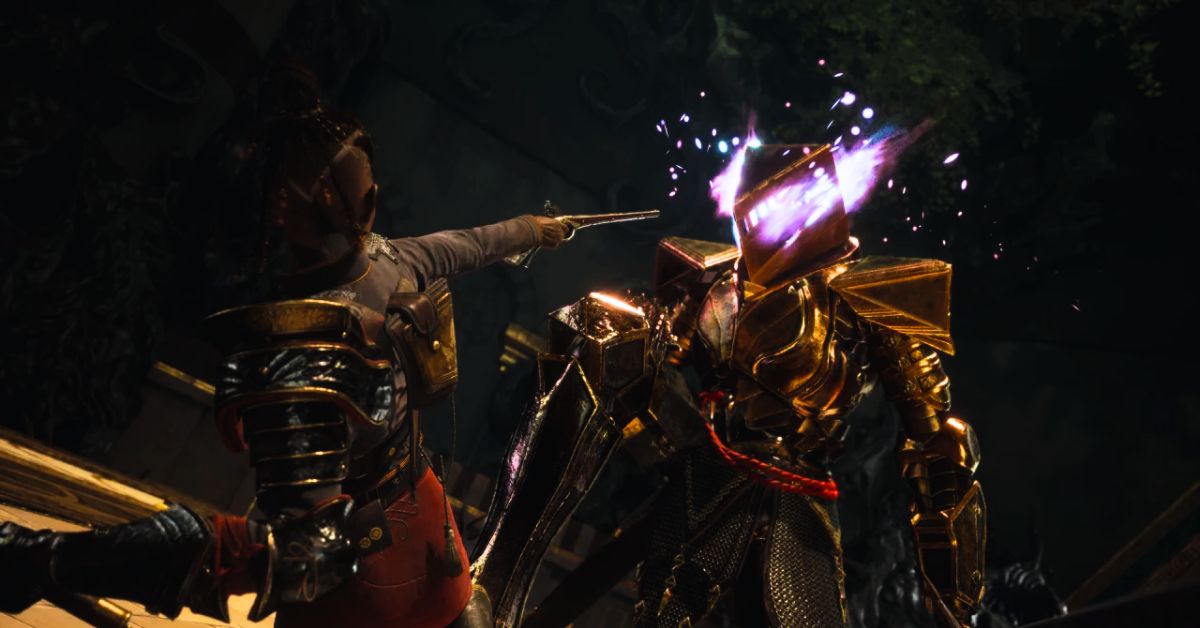
    The highly anticipated Xbox Game Pass title, Flintlock: The Siege of Dawn, has recently received an update regarding its release date. Initially planned for early 2023, the game will launch in 2024.

    The developers have decided to ensure that the soul-like experience they deliver is truly unforgettable. Flintlock: The Siege of Dawn is an intriguing action RPG developed by A44 Games, the studio behind the acclaimed game Ashen, which shares similarities with Elden Ring.

    This upcoming title will be available on Xbox Game Pass from day one, further increasing its appeal. Since its announcement at the Xbox Game Showcase in 2022, the game has captured players’ attention with its distinctive combat mechanics and expansive open-world gameplay.
    xbox game pass title delayed
    Xbox game pass title delayed

    Regrettably, A44 Games, the developers of Flintlock: The Siege of Dawn, have disappointedly announced that the game’s anticipated early 2023 release will be postponed until 2024.

    The decision to delay the release was primarily driven by the desire to ensure the highest level of polish and quality assurance, aiming to provide players with an exceptional gaming experience.

    In a statement shared on Twitter, A44 Games expressed their commitment to delivering a truly great action RPG, stating,

    “It’s important to our whole team that Flintlock is a special experience, and we owe it to ourselves and to all of you who have been following the game since we announced to make it the most impressive and unforgettable game it can be.”

    The developers expressed their gratitude for the support received thus far for Flintlock: The Siege of Dawn. Given the game’s good visuals and features showcased thus far, fans of souls like games can eagerly anticipate a remarkable and rewarding experience once the game’s development is concluded.

    The official Twitter account Flintlock: The Siege of Dawn recently shared an update regarding the Xbox Game Pass title delay:

    In Flintlock: The Siege of Dawn, players will assume the role of Nor, a skilled explosives expert armed with an axe and a flintlock pistol. Enki, a magical companion resembling a fox, is Accompanying her, who possesses extraordinary powers that aid in crowd control.

    This specific action RPG showcases a captivating cel-shaded graphics style and features a simplified character progression system centered around Talismans and equipment.

    What sets this game apart from others in its genre is its ability to control Nor and Enki simultaneously during diverse combat scenarios. Players can utilize magical skills and gunplay to confront groups of enemies.

    Here you can check some trending news:

    Enki’s magical prowess offers valuable crowd control options, enabling Nor to dispatch adversaries using her firearms and unique combat skills strategically.

    Additionally, Enki’s magical abilities can assist in traversing the vast open world, while Nor can tap into its magic to enhance her acrobatic maneuvers. It’s important to note that Flintlock: The Siege of Dawn will not be limited to Xbox Game Pass.

    While the game will be accessible on Game Pass from its initial release, it will also be available on other platforms such as PC, PlayStation 4, and PlayStation 5. Therefore, players on these platforms can fully immerse themselves in this captivating experience when it launches in 2024.

    Flintlock: The Siege of Dawn is being developed for multiple platforms, including PC, PlayStation 4, PlayStation 5, Xbox One, and Xbox Series X/S.

  • Dragon Ball Z Kakarot DLC 5 Release Date: When is It Coming Out?

    Dragon Ball Z Kakarot DLC 5 Release Date: When is It Coming Out?

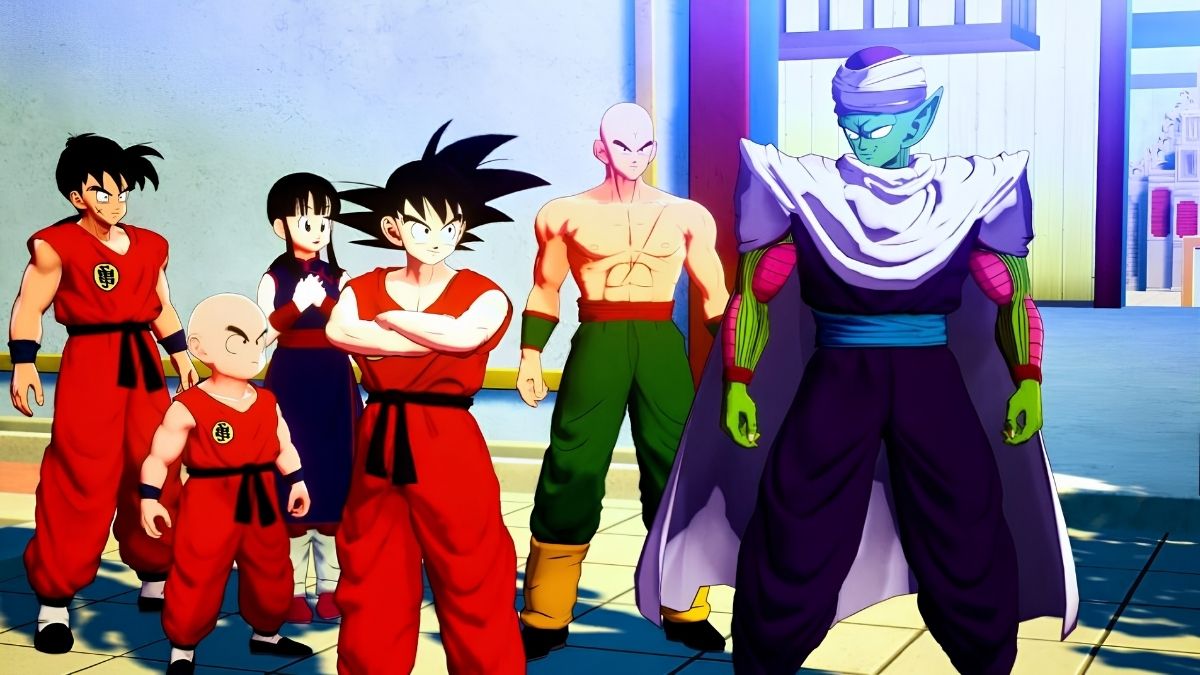
    Bandai Namco has officially announced that the fifth DLC for Dragon Ball Z: Kakarot will introduce an exciting addition to the roster of playable characters and a new gameplay feature.

    This highly anticipated DLC will center around the 23rd World Martial Arts tournament, which marks the thrilling culmination of the Dragon Ball series before its transformation into Dragon Ball Z.

    dbz kakarot dlc 5 release date
    dbz kakarot dlc 5 release date

    As the release date of Dragon Ball Z Kakarot’s DLC 4 draws near, fans are already speculating about the upcoming DLC 5, its content, and its anticipated arrival. Fortunately, thanks to some fortunate leaks recently shared by the well-known Dragon Ball insider DbsHype, the next DLC is strongly believed to revolve around the 23rd Tenkaichi Budokai arc from the original Dragon Ball series.

    Dragon Ball News Reporter & Youtuber @DbsHype shares a tweet:

    Taking place towards the conclusion of the original anime, this arc showcases a youthful Goku engaging in a momentous battle against Piccolo for the very first time. Notably, this DLC will offer a rare opportunity to experience content from the original Dragon Ball series, a rarity outside of titles like Dragon Ball Z: Budokai Tenkaichi and a select few others.

    Has the Official Release Date for Dragon Ball Z Kakarot DLC 5 Been Confirmed?

    While the release date for Dragon Ball Z Kakarot DLC 5 has not been officially confirmed, based on previous release patterns, we can speculate that it may arrive approximately six months after the launch of DLC 4 on January 13, 2023.

    You can find the release dates for highly anticipated games here:

    Historically, each DLC pack was released within six months following the previous one. Applying this pattern, it is reasonable to anticipate that DLC 5 could be released in the speculated window of June/July 2023.

    Aside from Dragon Ball Z: Budokai Tenkaichi and a few other select games, this arc occurs exactly after the conclusion of the original anime and features Goku facing off against Piccolo for the first time as a much younger person.

    Dragon Ball Z: Kakarot is accessible on Nintendo Switch, PC, PS4, PS5, Xbox One, and Xbox Series X/S platforms.

  • Super Amy Shatters Sonic Barriers In Sonic Origins Plus: Too Fast, Too Fabulous?

    Super Amy Shatters Sonic Barriers In Sonic Origins Plus: Too Fast, Too Fabulous?

    Not only is 2023 a great year to be a fan of Amy, but it’s also a great year to be a fan of Sonic. Since Sonic ’06 was released more than 15 years ago, she has been on the sidelines for years.

    She will be playable in three different Sonic games this year, Superstars, Frontiers, and Origins Plus; thus, her fortune is changing. Even better, the latter game has another thing up its sleeve for us.

    Sonic Origins Plus will finally grant Amy access to her own Super form, joining Super Sonic, Shadow, Knuckles, and the rest of the group, who have all had access to the Chaos Emeralds for a long time. Yes, she is now capable of more than just hammering away.

    This appears to have been revealed through early gameplay footage that has since been removed from YouTube. Super Amy was spotted by Twitter user @UltimaShadowX who celebrated how far our girl had come after spending years out of the spotlight.

    However, it was up long enough for her to be seen. Although it is impossible to examine the original footage, she also has a Hyper form. Amy had really simply been holding back all these years, and in Sonic CD, if she had wanted to, she could have taken on Eggman and Metal Sonic by herself.

    Fans are hopeful that this display of her skills may also lead to her assuming a Super form in the 3D games. This is a very serious possibility because she’ll be playable in Frontiers later this year, and Sonic Origins Plus will establish the precedent that she can accomplish this.

    Sonic must become a Super form in Frontiers to combat Titans. If Amy and the rest of the group successfully defeat these bosses, they must also use the Chaos Emeralds.

    If you are interested to know information about other games. So you can check the links below:

    Of course, we won’t know until the Frontiers update is made available, and we currently don’t even know when that will be. We have only received the first update; the roadmap states that “playable characters and new story” will be available in “update three.”

    The following one, intended to honor Sonic’s birthday, will probably happen next month. This will bring new difficulties and Koco, but it might also bring surprises like the previous update.

    We won’t get to play as Amy for a while, but Sonic Origins Plus and Sonic Superstars will have to do. It was truly a dream come true for me when I was eight. And, if I’m being completely honest with you, I am 24.

    Conclusion: As Sonic Origins Plus prepares to launch, leaked footage of playable Super Amy has sparked varied reactions among fans. While some fans are disappointed with the design, others are pleased to witness Amy Rose receiving a Super Form.

    The release of Sonic Origins Plus on multiple platforms allows fans to experience the expanded content, and they eagerly await the June 23, 2023, launch of the Plus expansion.

  • Have You Heard The Voice Of Optimus Prime In Fortnite’s New Update?

    Have You Heard The Voice Of Optimus Prime In Fortnite’s New Update?

    In the Fortnite game, there is a new radio station called “Mysterious Transmission.” On this station, a voice claiming to be Optimus Prime can be heard saying that the reality we’re currently in will collapse. He says that hope is not yet lost but that we must escape.

    Shortly after the beginning of Fortnite Chapter 4, Season 3, a mysterious transmission was triggered within the game. Players can tune in to this radio station and listen to it while operating a vehicle.

    Numerous broadcasts have occurred, but this specific transmission carries an eerie atmosphere. Optimus Prime, the esteemed commander of the Autobots, has a message to convey, and it certainly won’t be filled with awe-inspiring emotions.

    What Optimus Prime Says In Fortnite

    “Greetings, my name is Optimus Prime. If you are hearing this message, the time has come to make your escape. This reality is doomed to collapse, but hope is not yet lost. I cannot sustain this broadcast for much longer. Listen, and more will follow.”

    Optimus Prime appears to possess knowledge beyond what the players know. Given his status as an age-old conscious entity, it is logical to presume that his words hold credibility.

    Voice Of Optimus Prime In Fortnite New Update

    Although he acknowledges the impending collapse of the present reality, he also offers a glimmer of hope, indicating that all is not yet lost. However, the specific cause of this imminent collapse remains unknown.

    You May Also Like The Following:

    Reaction Of Players To Mysterious Transmission

    This message has caused a lot of speculation among Fortnite players. Some believe it is a marketing ploy for a new Transformers game, while others believe it is a genuine warning about a coming disaster.

    It is important to note that there is no evidence to support the claim that the reality we’re currently in will collapse. However, the fact that Optimus Prime, a famous fictional character, is warning us about this possibility is certainly concerning.

    The message on the “Mysterious Transmission” radio station may be simply a way for Fortnite to generate buzz and excitement. However, it is also possible that there is something more to it. Only time will tell what the true meaning of this message is.

    Also, Read:-

    In the meantime, it is essential to stay informed and to be prepared for anything. If you are concerned about the possibility of a collapse, there are things you can do to prepare, such as having a plan for evacuation and ensuring you have enough food and water.

    It is also important to stay positive and to have hope. Even if the reality we’re currently in does collapse, there is always hope for a better future.

  • Fortnite’s Next Secret Skin to Surprise Fans Worldwide!

    Fortnite’s Next Secret Skin to Surprise Fans Worldwide!

    A new leak from a reliable source has revealed that Fortnite’s next secret skin is a new version of an existing skin. This contrasts previous secret skins, often collaborations with popular franchises.

    The leaker, who has a history of accurate leaks, has not revealed which skin will get a new version, but they have said it will be a “fan favorite.” This has led to speculation that the skin could be Peely, Renegade Raider, or Rust Lord.

    Here Is The Tweet Of A Leaker On Fortnite’s next secret skin is a new version of an existing skin:

    The new secret skin is expected to be released in the next few weeks, along with the start of Fortnite’s Chapter 3 Season 3.

    What does this mean for Fortnite?

    The fact that the following secret skin is not a collaboration is a significant change for Fortnite. Collaborations have been a major part of the game’s success in recent years, and they have helped to bring in new players and keep existing players engaged.

    Fortnite's Next Secret Skin Is a New Version of an Existing Skin

    However, the fact that the following secret skin is not a collaboration suggests Epic Games is trying to do something different with the game. It could be that they are trying to focus more on original content, or it could be that they are trying to save the collaborations for special occasions.

    Only time will tell what the future holds for Fortnite, but the next secret skin is sure to be a hot topic of discussion among fans.

    You Also Like:-

    Conclusion:-

    In the ever-evolving gaming world, Fortnite enthusiasts eagerly anticipate each new season’s secret skin release. The excitement surrounding the arrival of a personal skin, often shrouded in mystery, continues to captivate players worldwide. 

    Recent leaks from a reliable source have ignited speculation about the next secret skin, hinting at an intriguing twist that may surprise even the most seasoned Fortnite aficionados. Contrary to initial rumors of a collaboration, Epic Games has opted to introduce a revamped version of an existing fan-favorite skin.

  • Rell Seas Release Date: Sailing Into The Gaming Scene Sooner Than Expected?

    Rell Seas Release Date: Sailing Into The Gaming Scene Sooner Than Expected?

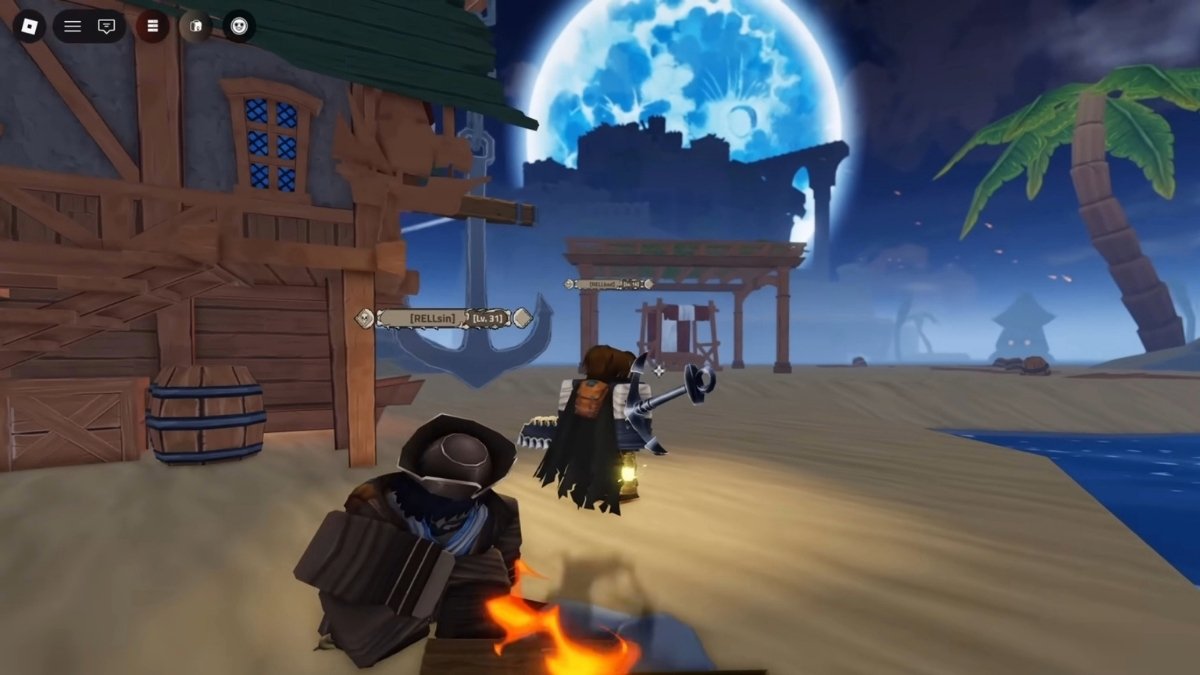
    The developers of Shindo Life are bringing us an exciting Roblox game inspired by One Piece, and it’s coming soon. We’re eagerly anticipating the release of Rell Seas, where we’ll embark on a thrilling pirate adventure.

    You’re in the right place if you’re wondering when the game will be available and looking for information about trailers. Keep reading to get all the details about the upcoming game’s release date and trailers.

    Rell Seas Release Date

    Although a specific release date for Rell Seas hasn’t been officially announced, the game will be launched soon based on the developer’s social media activity.

    Rell Seas Release Date
    Rell Seas Release Date

    Our estimate suggests it will likely be available in the first half 2023. In the meantime, you can visit the live Roblox game page and add it to your favorites to ensure you don’t miss out on the release.

    Below are the release dates for some of the most highly anticipated games.

    Rell Seas Trailer

    Since the start of this year, Rell Games has shared three teaser trailers for Rell Seas on its YouTube channel.

    Trailer 1

    Trailer 2

    Trailer 3

    The latest trailer offers a detailed preview of the game’s fruit and gun combat mechanics. Feel free to watch the trailer below to get a closer look.

  • Alleged GTA 6 Actor Mr. Zampella Hints at Game in IG Live with Joey Rubs

    Alleged GTA 6 Actor Mr. Zampella Hints at Game in IG Live with Joey Rubs

    In a recent Instagram Live video, alleged GTA 6 actor Mr. Zampella, also known as “Jason,” hinted at the game’s setting and gameplay. Joey Rubs, who has previously worked with Rockstar Games, joined him.

    Here Is The Video Of Mr. Zampella And Joey Rubs Live

    During the video, Zampella and Rubs discussed about Miami, Florida, cars, stars, and nightclubs. Zampella also said he was “excited” to be working on a new project and couldn’t wait to share more details.

    This is not the first time that Zampella has hinted at GTA 6. In a previous interview, he said he was “working on something special” with Rockstar Games. He also said he was “really excited” about the project and couldn’t wait to share more details.

    Alleged GTA 6 Actor Mr. Zampella Hints at Game in IG Live with Joey Rubs

    While Zampella has not explicitly confirmed that he is working on GTA 6, his comments in the Instagram Live video and the previous interview suggest that he is involved in the project.

    It is also worth noting that Joey Rubs has worked with Rockstar Games in the past, which adds further credibility to the rumors.

    GTA 6 has been rumored for years, but Rockstar Games has not officially confirmed the game’s existence. However, the recent comments from Zampella and Rubs suggest that the game is in development and could be released soon.

    You Might Also Like The Following :

    Some of the details that Zampella and Rubs hinted at in the Instagram Live video:

    • The game is set in Miami, Florida.
    • The game will feature a variety of cars, including sports cars, muscle cars, and supercars.
    • The game will feature a variety of stars, including celebrities and athletes.
    • The game will feature a variety of nightclubs and other nightspots.

    It is important to note that these are just hints and that Rockstar Games has not officially confirmed any of these details. However, the fact that Zampella and Rubs are both involved in the project suggests that these hints are likely to be accurate.

    In Conclusion:

    GTA 6 is one of the most anticipated games of all time, and fans are eagerly awaiting any news about the game. The recent comments from Zampella and Rubs have only added to the excitement, and it will be interesting to see what Rockstar Games reveals about the game in the future.

  • Armored Core 6: Fires of Rubicon Release Date, Gameplay, and What to Expect From Highly Anticipated Title

    Armored Core 6: Fires of Rubicon Release Date, Gameplay, and What to Expect From Highly Anticipated Title

    FromSoftware,” the renowned developers has announced their highly anticipated game, Armored Core 6: Fires of Rubicon Release Date. Fans of the franchise have been eagerly awaiting the return of the Armored Core series, and with the release date confirmed, the excitement is palpable.

    This article will explore the release date, gameplay, and what to expect from this upcoming title.

    Armored Core 6: Fires of Rubicon Release Date And Platforms

    Armored Core 6: Fires of Rubicon release date will be “August 25, 2023.” The game will be available on multiple platforms, including PC, PS4, PS5, Xbox One, and Xbox Series X/S. This release date was confirmed in a recent gameplay trailer from “Bandai Namco,” showcasing jaw-dropping boss fights and intense mech action.
    Here Is The Official Tweet From The Developers Regarding The Armored Core 6 release Date

    Armored Core 6: Fires of Rubicon: Gameplay And Trailer

    Armored Core 6: Fires of Rubicon promises to deliver the same thrilling mech combat that fans of the series have come to love. Players can expect to customize their mechs with various weapons and equipment, allowing for a personalized and strategic approach to each battle.

    Here Is The Official Trailer Of Armored Core 6: Fires of Rubicon 

    The game will feature single-player and multiplayer modes, with the single-player campaign focusing on intense boss fights and a gripping storyline.

    Our Recent post:

    Armored Core 6: Fires of Rubicon Multiplayer Mode

    While details on the multiplayer mode are still scarce, it has been confirmed that Armored Core 6 will feature a versus mode, allowing players to take their fully customized mechs into battle against other players. More information on the game’s multiplayer aspect will be revealed closer to the Armored Core 6: Fires of Rubicon release date.

    Most Exciting Feature Of Armored Core 6: Boss Fights

    One of the most exciting aspects of Armored Core 6: Fires of Rubicon is the inclusion of jaw-dropping boss fights. The gameplay trailer showcased some of these epic battles, which are sure to challenge players and provide a thrilling gaming experience.

    Armored Core 6: Fires of Rubicon Release Date

    FromSoftware is known for its challenging and memorable boss encounters, and Armored Core 6 is expected to continue this tradition.

    Storyline Of Armored Core 6: Fires of Rubicon

    While specific details about the storyline of Armored Core 6: Fires of Rubicon have not been revealed, it is expected to be a gripping narrative that will keep players engaged throughout the single-player campaign.

    FromSoftware has a history of creating immersive and captivating stories, and fans can expect the same level of quality from this upcoming title.

    Graphics and Visuals Armored Core 6: Fires of Rubicon

    The gameplay trailer for Armored Core 6: Fires of Rubicon showcased stunning graphics and visuals, with detailed mech designs and impressive environments. The game is expected to push the boundaries of what is possible on current-gen consoles, providing a visually stunning experience for players.

    Anticipation and Hype For Armored Core 6: Fires of Rubicon

    The announcement of Armored Core 6: Fires of Rubicon at The Game Awards 2022 generated significant excitement among fans of the series and the gaming community as a whole.

    With the Armored Core 6: Fires of Rubicon release date now confirmed, anticipation for the game is at an all-time high. As more information and gameplay footage is revealed, the hype surrounding Armored Core 6 is expected to continue to grow.

    You Might Also Consider The Following Articles:

    In Conclusion:

    Armored Core 6: Fires of Rubicon is shaping up to be an exciting and highly anticipated addition to the Armored Core series. With a confirmed “Armored Core 6: Fires of Rubicon release date of August 25, 2023,” fans can look forward to experiencing the thrilling mech combat, epic boss fights, and captivating storyline that FromSoftware is known for.

    As more information is revealed in the coming months, the anticipation for Armored Core 6: Fires of Rubicon will only continue to grow.

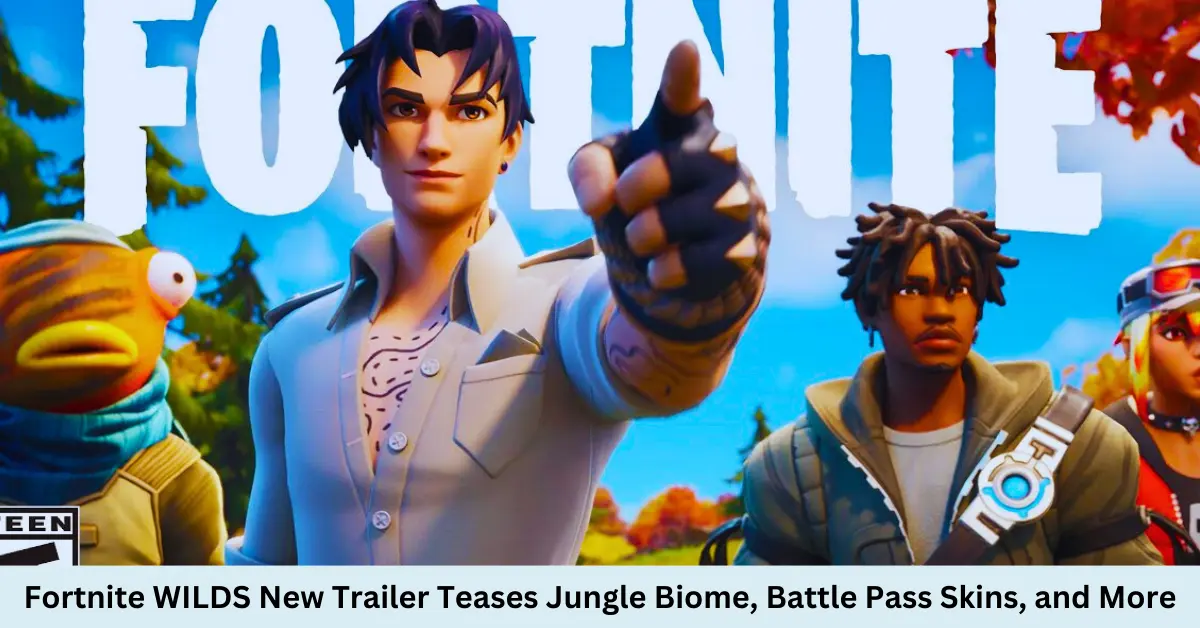
  • Fortnite WILDS New Trailer Teases Jungle Biome, Battle Pass Skins, and More

    Fortnite WILDS New Trailer Teases Jungle Biome, Battle Pass Skins, and More

    Epic Games has released a new trailer for Fortnite Chapter 4 Season 3, titled “WILDS.” The trailer gives players a first look at the new jungle biome, which will be the main focus of the new season. The trailer also reveals some of the new battle pass skins that will be available, as well as a new battle pass vehicle.

    Epic Games, the developer of Fortnite, has recently unveiled the first set of teasers for Battle Royale’s Chapter 4, Season 3. The upcoming season, named Fortnite Wilds, was teased through a series of social media posts after being leaked.

    As the name implies, Fortnite Wilds will feature a tropical theme, including fresh points of interest and an adventurer Battle Pass skin.

    You can see the season 3 trailer below and showcase the new map and characters.

    The Jungle Biome

    The jungle biome is a lush, green environment with new locations and challenges. The trailer shows players exploring the jungle, battling enemies, and completing quests. The jungle biome also includes a new river, which players can use to travel around the map.

    The Battle Pass Skins

    The trailer also reveals some new battle pass skins in Season 3. The skins include a jungle explorer, a dinosaur hunter, and a futuristic soldier. The battle pass also consists of a new vehicle, a hoverboard that can travel around the map.

    Fortnite WILDS New Trailer Teases Jungle Biome, Battle Pass Skins, and More

    The Storyline

    The trailer also hints at the storyline for Season 3. The trailer shows the Foundation, one of the Seven, meeting with Jonesy and The Scientist. The Foundation tells Jonesy that he needs to find a way to stop the Imagined Order. The trailer ends with a tease of a new villain known as The Origin.

    You might also consider the following.

    New Weapons

    Weapons are an integral part of Fortnite. Without them, the game might still be intriguing, but the thrill of the battle royale lies in the race to secure a weapon before your opponent does.

    Although not officially confirmed, rumors are circulating that the upcoming season will introduce a Mythic Drum Shotgun, a Lever Pistol, and the return of the Level Action and Infantry Rifle with some minor enhancements.

    When And Where Fortnite Wilds Will Be Available

    Epic Games has officially announced that Chapter 4, Season 3, will be available on PlayStation, Xbox, PC, Nintendo Switch, and Android starting June 9.

    Conclusion:-

    The Fortnite WILDS trailer is an excellent teaser for the new season. The trailer shows off the new jungle biome, battle pass skins, and storyline. Fortnite Chapter 4 Season 3 is shaping up to be a great season, and I can’t wait to see what Epic Games has in store for us.

  • Overwatch 2 Season 5 Brings New Game Modes and Mythic Skins

    Overwatch 2 Season 5 Brings New Game Modes and Mythic Skins

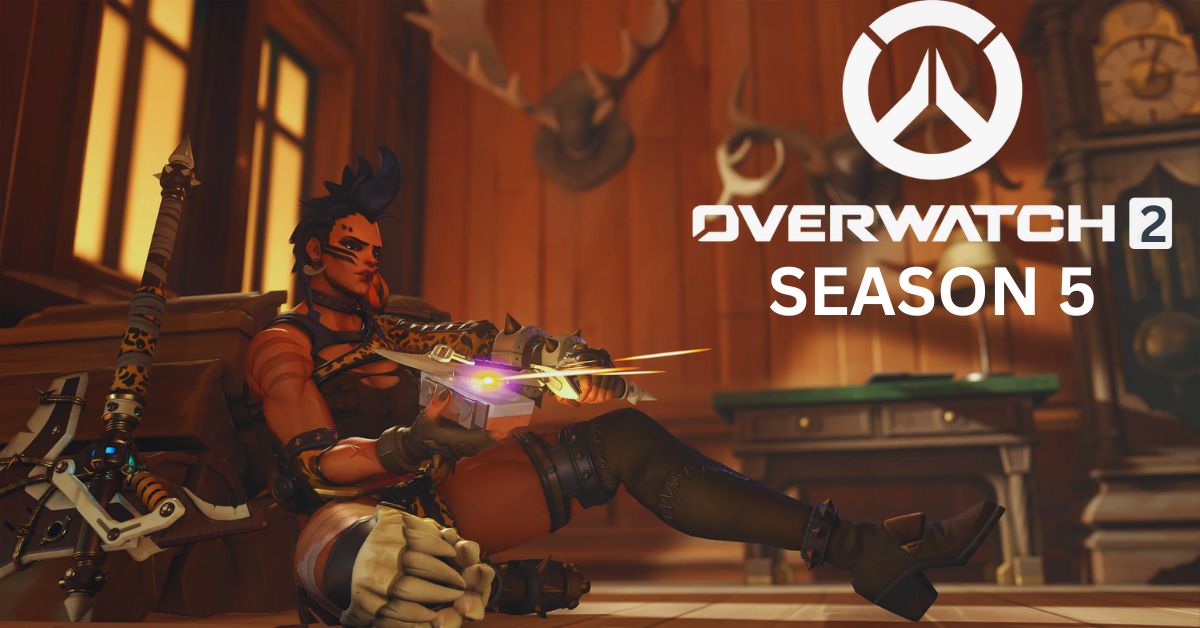
    The next Overwatch 2 Season 5 is expected to bring about new events, game types, and perhaps a change in how skins function. While Season 5’s release date was probably June 13, the team officially announced it today.

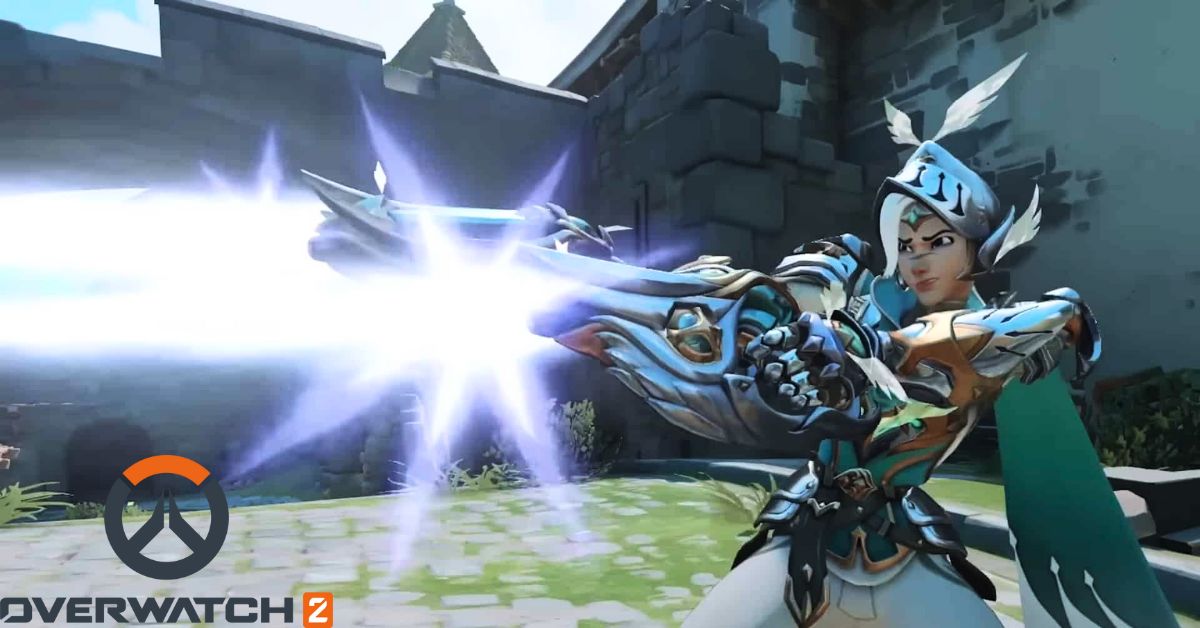
    The new Mythic Tracer skin was also shown to us, which helped illustrate how the progression of Mythic skin is about to evolve. For seasoned Overwatch 2 players, it’s all reasonably exciting stuff, especially since there will be more as the launch date of June 13 approaches.

    The main talking point from Blizzard’s most recent news release, aside from the release date, is the new Mythic skin progression. In essence, this will change how players earn Mythic skins, which should increase the number of players with access to them.

    Overwatch 2 Season 5 Brings New Game Modes and Mythic Skins
    Overwatch 2 Season 5 Brings New Game Modes and Mythic Skins

    There are really three separate versions of the Mythic Adventurer Tracer skin, which is included in the Season 5 battle pass. The base version of the season’s Mythic is now available at level 45 instead of the previous level 80 requirement.

    Then, at levels 65 and 80, you can enhance it, giving you a “complete” version of the skin. Thanks to this, more players can unlock the base version, but those who want to complete the pass can gain all three stages.

    Overwatch (@PlayOverwatch) shares a tweet:

    Blizzard debuted the Tracer skin first in the lead-up to June 13; however, the company also revealed a Season 5 roadmap last month, which clearly indicates what else will be available.

    We know that the season’s theme is “Mischief and Magic” and that the developers are debuting a brand-new, one-off event called Questwatch. We also know that “On Fire” and the Summer Games will return. A new 5v5 mini-competitive season and a new cinematic reveal for a hero will be released.

    Frequently Asked Questions

    Q: When does Overwatch 2 Season 5 begin?

    A: The official release date for Overwatch 2 Season 5 is June 13.

    Q:  Which platforms will Overwatch 2 Season 5 be available on?

    A: Overwatch 2 Season 5 will be available on PlayStation, Nintendo Switch, Xbox, and PC platforms.

  • Rockstar Games Is Introducing The Vinewood Car Club: An Exclusive Automotive Experience for GTA+ Members

    Rockstar Games Is Introducing The Vinewood Car Club: An Exclusive Automotive Experience for GTA+ Members

    Attention all gamers and car enthusiasts! Rockstar Games is introducing The Vinewood Car Club, which proudly stands as the premier members-only destination under our esteemed umbrella.

    In the most recent update published on June 9, 2023, via the Newswire, the developer announced an upcoming feature for subscribers, set to be released on June 13, 2023. 

    Here Is The Official Tweet Of Rockstar Games is introducing The Vinewood Car Club

    This feature will be included in the San Andreas Mercenaries DLC for Grand Theft Auto Online. This exclusive club offers a unique and immersive experience for car enthusiasts and GTA+ Members on PlayStation 5 and Xbox Series X|S. 

    With access to a carefully curated stock of vehicles, members can test drive, the order in Freemode, and purchase their dream cars at exclusive discounts.

    The Vinewood Car Club Experience:

    As part of The Vinewood Club’s inaugural offering, the Vinewood Car Club aims to provide its members with a luxurious and engaging environment. The club features a state-of-the-art showroom where members can explore and interact with various high-end vehicles.

    Rockstar Games Is Introducing The Vinewood Car Club

    From classic muscle cars to cutting-edge supercars, the Vinewood Car Club has something for every automotive enthusiast.

    You May Like The Following Articles:

    Curated Stock of Vehicles In Vinewood Car Club 

    The Vinewood Car Club takes pride in offering its members a diverse and carefully curated selection of vehicles. Our team of automotive experts handpicks each car based on performance, design, and rarity, ensuring that our members have access to the most sought-after vehicles in the GTA universe.

    Test Drive and Order in Freemode:

    GTA+ PS5 and Xbox Series X|S members can use the Vinewood Car Club’s unique test drive feature. Members can get behind the wheel of their favorite vehicles and experience their performance firsthand in Freemode.

    This allows members to make informed decisions before committing to a purchase, ensuring they find the perfect car to suit their needs and preferences.

    Exclusive Discounts for Members:

    As a part of the Vinewood Car Club membership, GTA+ Members on PS5 and Xbox Series X|S can enjoy exclusive discounts on their favorite vehicles. These discounts allow members to purchase high-end cars at a fraction of the cost, making luxury and performance more accessible.

    Why Is Rockstar Games Is Introducing The Vinewood Car Club?

    • To generate more revenue. GTA+ is a subscription service that gives players exclusive content, including vehicles, weapons, and other items. The Vinewood Car Club is a new way for Rockstar to generate revenue from GTA+ subscribers.
    • To keep players engaged. GTA Online is a seven-year-old game, and it can be challenging to keep players engaged. The Vinewood Car Club could provide players with a new reason to play GTA Online, as it offers exclusive content and benefits.
    • To create a more social experience. GTA Online is a multiplayer game, but making friends and connecting with other players can be difficult. The Vinewood Car Club could provide a more social experience for players, as it offers a place to meet and socialize.

    It’s also possible that Rockstar Games is simply trying to expand the GTA Online universe. The Vinewood Car Club is a new location for players to explore, offering new content and activities. This could keep players engaged and make GTA Online a more immersive experience.

    Overall, the introduction of The Vinewood Car Club is a positive development for GTA Online. It offers players new content, benefits, and a more social experience. This could keep players engaged and make GTA Online a more enjoyable game.

    Continue Reading: 

    Conclusion:

    The Vinewood Car Club is the ultimate destination for car enthusiasts and GTA+ Members on PlayStation 5 and Xbox Series X|S. With its curated stock of vehicles, test drive feature, and exclusive discounts, the Vinewood Car Club offers an unparalleled automotive experience.

    Don’t miss out on this exciting opportunity – join The Vinewood Club today and unlock the full potential of your GTA+ membership.

  • Mortal Kombat 1 Leak Introduces Two Exciting New Characters

    Mortal Kombat 1 Leak Introduces Two Exciting New Characters

    Two brand-new Mortal Kombat 1 characters have been revealed, one by NetherRealm Studios and the other by an anonymous Reddit user who accurately reported every aspect of yesterday’s gameplay reveal before it was made public.

    The more prominent of these two characters is Sindel, who players first encountered in Mortal Kombat 11 only after the game’s DLC was made available. NetherRealm Studios themselves unintentionally leaked Sindel.

    Sindel can be seen in the backdrop on her throne in a video that NetherRealm Studios posted and then removed. The character has been confused for Mileena by some, but she is not Mileena.

    The thrones are diverse, in addition to the various character models. This does not, however, imply that Sindel will be a playable character. She might appear in the game, either as a Kameo fighter or an NPC.

    Unfortunately, it’s difficult to see the character clearly in the video, so how much nature has changed is unclear. She is anticipated to be younger than she was in Mortal Kombat 11, but this isn’t easy to predict.

    @thethiny shares a leak:

    An anonymous Reddit member who preemptively revealed every detail in yesterday’s gameplay preview has now revealed the identity of the second character.

    In other words, it’s plausible to think they have some inside information, and according to them, Li Mei—a character who did not appear at all in Mortal Kombat 11 and hasn’t been playable since MK: Armageddon—is going to be in the game.

    @thethiny drop a leak on Twitter:

    Always remember to take information with a grain of salt. Sindel is currently playing. However, it is unknown in what capacity. Even though the source for Li Mei seems trustworthy, a leak is still a leak.

    Here you can check some exciting news and updates about Mortal Kombat 1:

    It should be regarded with considerable skepticism because it is not official information. Regarding this, NetherRealm Studios has not offered any commentary. If anything changes, we’ll update the story.

    On September 19, Mortal Kombat 1 will be available globally on the Nintendo Switch, PC, PS5, Xbox Series S, and Xbox Series X.

  • Why Is GTA 6 The Most Anticipated Game Of All Time? Let’s Explore The Factors Behind It

    Why Is GTA 6 The Most Anticipated Game Of All Time? Let’s Explore The Factors Behind It

    Discover the hype surrounding it, Is GTA 6 the most anticipated game of all time? That has captivated gamers worldwide. Let’s explore why this game generates unusual excitement and speculation, making it a strong contender for the title of the most anticipated game ever.

    Here Is The Tweet Of A Fan:

    Since its debut in 1997, the Grand Theft Auto (GTA) franchise has consistently been a dominant force in the gaming world. With each new release, Rockstar Games has continuously raised the bar for open-world gaming, captivating millions of players globally. 

    The immense success of GTA V, launched in 2013, has only amplified the anticipation for the series’ next installment.

    Factors That Creating Anticipation Among The Fans For GTA 6

    • It’s been a long time coming. The last mainline Grand Theft Auto game, Grand Theft Auto V, was released in 2013. That was nine years ago, and in the meantime, Rockstar Games has only released a few minor updates and DLC packs. As a result, there’s been a lot of pent-up demand for a new GTA game.
    • The series has a proven track record. Grand Theft Auto is one of the most successful and critically acclaimed video game franchises ever. The previous five games in the series have all sold over 100 million copies each, and they’ve all been praised for their open-world gameplay, storytelling, and humor.

    Is GTA 6 The Most Anticipated Game Of All Time

    • The rumors and leaks are promising. Over the past few years, there have been some rumors and leaks about GTA 6, many of which have been corroborated by credible sources. This has only served to increase anticipation for the game.
    • The gaming landscape has changed. When Grand Theft Auto V was released, the gaming landscape was very different than it is today. There are now more powerful consoles on the market and a growing demand for games with high-quality graphics and immersive gameplay. This means that GTA 6 has the potential to be even more groundbreaking than its predecessors.

    Of course, it still needs to be too early to say whether GTA 6 will live up to the hype. But based on the above factors, it’s undoubtedly one of the most anticipated games ever.

    How Rumors and Leaks Intensify the Excitement for GTA 6

    The rumor mill has been churning nonstop, with the gaming community on the edge of their seats for any official news about GTA 6. From possible settings and main characters to innovative gameplay features and launch dates, the conjecture surrounding the game has reached an all-time high, further fueling the anticipation for its eventual debut.

    Our Other Articles Related To GTA 6

    A Race of Anticipation: How GTA 6 Compares to Other Eagerly Awaited Game Titles

    Although numerous highly anticipated games have made their mark throughout history, such as The Legend of Zelda: Breath of the Wild and The Elder Scrolls VI, the enthusiasm around GTA 6 appears to be in a league of its own. 

    The combination of the series’ loyal fanbase and Rockstar’s track record for producing groundbreaking games has generated anticipation that few other titles can rival.

    The Strength of the GTA Fandom: Energetic Theories and Desires for the Next Chapter

    The GTA fan community has played a crucial role in amplifying anticipation for GTA 6. Devoted fans have flocked to online forums, social media platforms, and YouTube to share their predictions, aspirations, and expectations for the upcoming installment. 

    This passionate involvement from the community has only escalated the excitement for the game’s ultimate release.

    The Next Generation of Gaming: Rockstar’s Forthcoming Magnum Opus and Its Impact

    As the gaming industry eagerly awaits the arrival of GTA 6, expectations are soaring for Rockstar to deliver a game that redefines the open-world gaming experience.

    With technological advancements and the potential for novel gameplay mechanics, the anticipation for GTA 6 extends beyond the game itself, encompassing the future trajectory of the gaming industry as a whole.

    Also, Check

    In conclusion, 

    The unparalleled anticipation for GTA 6 is a testament to the series’ profound influence on the gaming world. As fans eagerly await any news on the game’s development, it’s evident that the excitement surrounding this title is unrivaled. 

    Whether Rockstar can meet these lofty expectations remains to be seen, but one thing is sure: the gaming community will be watching with bated breath.

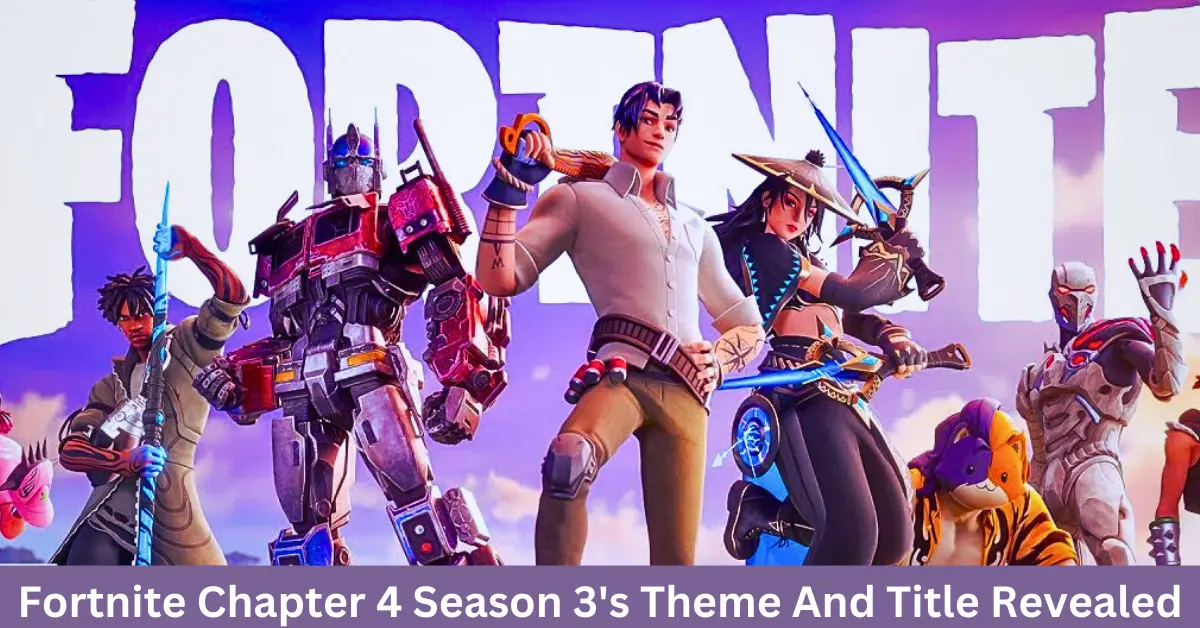
  • Fortnite Chapter 4 Season 3’s Theme And Title Revealed: Racing Through the Jungle

    Fortnite Chapter 4 Season 3’s Theme And Title Revealed: Racing Through the Jungle

    Epic Game’s Fortnite Chapter 4 Season 3’s Theme And Title Revealed: Wilds—The new season launched on June 9, 2023, featuring a jungle-inspired theme.

    Here Is The Official Tweet Of Fortnite With Fortnite Chapter 4, Season 3: Wilds Trailer:

    What’s In the Trailer Of Fortnite Chapter 4, Season 3: Wilds

    The name “Wilds” was revealed in a short teaser video released by Epic Games. The video shows a jungle landscape with tall trees, colorful flowers, and a stream. A castle sits beyond the water in the middle of the forest.

    Recent Articles:-

    The teaser video confirms that Optimus Prime will be a playable character in Fortnite Chapter 4 Season 3. Optimus Prime is the leader of the Autobots, a group of sentient robots who fight for peace and justice.

    In addition to Optimus Prime, other new characters are expected to be added to the game in Fortnite Chapter 4 Season 3. These characters could include dinosaurs, jungle animals, and other creatures from the wild.

    New Battle Pass In Fortnite Chapter 4, Season 3

    Fortnite Chapter 4 Season 3's Theme And Title Revealed

    The new season will also feature a new battle pass, allowing players to unlock new cosmetics, emotes, and other items. The battle pass is expected to cost $9.99.

    Although the complete roster of items within the Fortnite Chapter 4 Season 3 Battle Pass remains undisclosed, specific details have surfaced through teasers and unauthorized information leaks.

    Epic Games has unveiled four new characters: Era, Trace, Rian, and Lorenzo. Furthermore, leaked information suggests including a summer-themed skin for Meowscles and an Optimus Prime skin from the Transformers franchise.

    Optimus Prime is anticipated to serve as the Tier 100 skin, representing the ultimate reward in the Battle Pass. Additionally, there are hints of an updated version of an existing character skin.

    Also Check:-

    New Features Of Fortnite Chapter 4 Season 3

    Fortnite Chapter 4 Season 3 is set to introduce many thrilling additions, as revealed by trustworthy sources with insider knowledge. Anticipate the reimagined return of Grind Rails, now transformed into captivating Wood Vines, along with an exhilarating Racing mode featuring Speed Objects, enticing Cosmetics, a Car Garage, Sky and Ground Race Tracks, and a brand-new Supercar.

    Prepare for encounters with Armoured Cars occupied by hostile “Goons” NPCs, as well as the highly anticipated 14 Days of Summer events titled “Propping” and “Mural.” Helicopters equipped with launchers, the possibility of rideable Raptors, and the nostalgic return of Tents are also expected to make appearances.

    However, it should be noted that confirmation regarding the availability of all these features at the season’s launch is still pending.

    New Weapons In Fortnite Chapter 4 Season 3: Wilds

    Fortnite Chapter 4 Season 3 will also introduce a range of new weapons. Prepare to wield the formidable Mythic Drum Shotgun and the return of the classic Lever Action and Infantry Rifle. Additionally, Epic and Legendary variants of the Thermal Bolt Action Sniper are expected to make their debut.

    Hints of the Lever Pistol have been spotted in leaked loading screens and Rian’s artwork, suggesting its possible inclusion in the season’s arsenal.

    Map Changes In Fortnite Chapter 4 Season 3: Wilds

    As per tradition, Fortnite Chapter 4 Season 3 will bring alterations to the game’s map. Epic Games has provided teasers indicating that a new jungle biome will likely occupy the central area of the map. Speculation suggests that Anvil Square might be removed to accommodate the jungle, while Mega City, Knotty Nets, Steamy Springs, and Kenjutsu Crossing from Chapter 4, Season 2 are expected to remain intact.

    When Will Fortnite Chapter 4 Season 3: Wilds End

    Fortnite Chapter 4 Season 3 is projected to conclude around September 23, 2023. This estimate draws from the timeline of Fortnite Chapter 3, where Season 3 commenced on June 4 and concluded on September 18. However, the precise end date will be confirmed upon the launch of Fortnite Chapter 4 Season 3.

    Fortnite Chapter 4 Season 3 will surely be a major hit with players of all ages. The new season promises to bring many new content and experiences to the game.

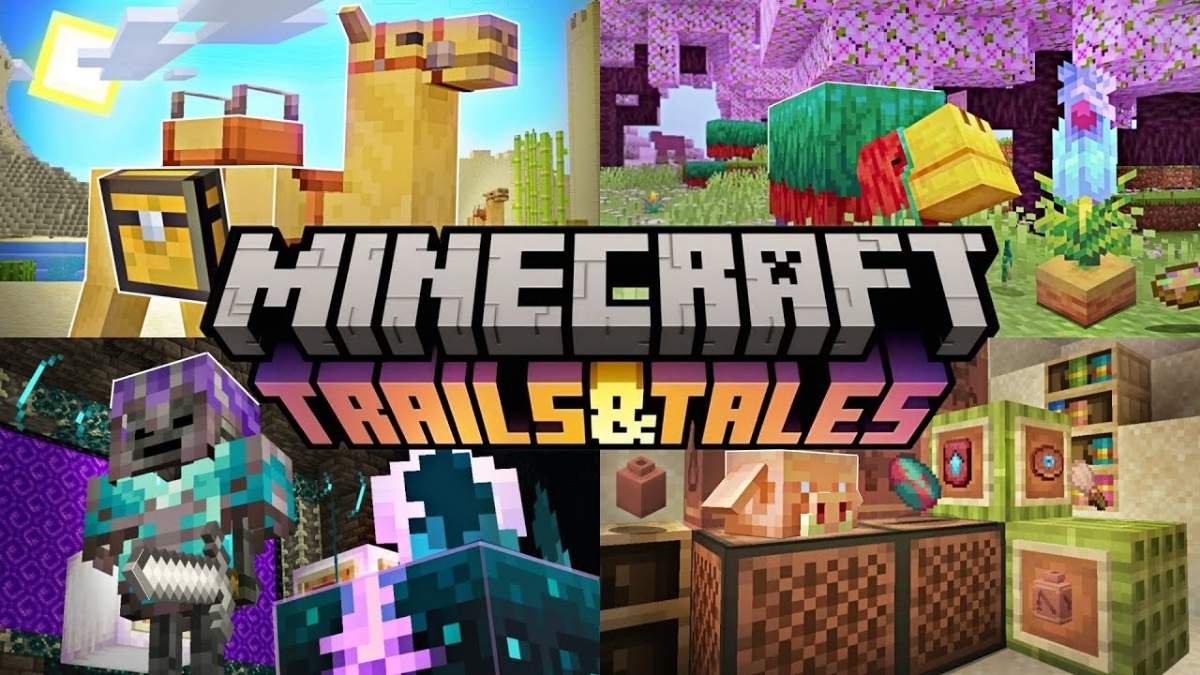
  • Mojang Released New Minecraft Trails and Tales Update, Let’s Find What New Things Comes With New Update

    Mojang Released New Minecraft Trails and Tales Update, Let’s Find What New Things Comes With New Update

    Exciting news! The renowned game developer Mojang has just unveiled its highly anticipated “Minecraft Trails and Tales Update 1.20.” This game-changing update was released on June 7th and is now available for both Java and Bedrock players. 

    Brace yourselves for an incredible journey into a world teeming with fresh adventures and endless possibilities!

    Here Is The Official Tweet Of Minecraft On Trails and Tales Update Release 

    Minecraft Is Now Available On Chromebook

    Great news for Chromebook users! Minecraft is now officially available on the Google Play Store for your Chromebook. This means you can dive into the world of Minecraft right from your Chromebook, enjoy cross-device play with your friends, and explore the vast Minecraft Marketplace. 

    Unlock the full potential of Minecraft on your Chromebook and embark on incredible adventures with your friends and fellow players. Don’t miss out on this opportunity to experience the magic of Minecraft on your Chromebook today!

    You Might Also Like Our Following Articles:

    New Features Added With Minecraft Trails and Tales Update 1.20

    Archaeology

    • Added a craftable Brush item
    • Added Suspicious Sand and Suspicious Gravel
      • Suspicious Sand can be found in Desert Temples, Desert Wells, and Warm Ocean Ruins.
      • Suspicious Gravel can be found in Cold Ocean Ruins and Trail Ruins
      • These fragile blocks are hard to spot and easy to destroy, so be careful!
      • Brushing Suspicious Sand or Suspicious Gravel with a Brush will extract objects that were buried long ago.
    • Added the Trail Ruins, a buried structure from a lost culture
      • Four types of Armor Trim Templates can be found here
      • Trail Ruins can be found in Taigas, Snowy Taigas, all Old Growth forest biomes, and Jungles
      • A new music disc can be found by brushing suspicious blocks in this structure
        • When put in a Jukebox, “Relic” by Aaron Cherof is played
    • Added Pottery Sherds
      • Pottery Sherds have pictures on them
      • A total of 20 sherds have been distributed between the 5 Archaeology sites: Desert Wells, Desert Temples, Cold Ocean Ruins, Warm Ocean Ruins, and Trail Ruins.
      • They cannot be crafted and are only found by brushing Suspicious Sand or Suspicious Gravel.

    Minecraft Trails and Tales Update

    Decorated Pots

    • Crafting four Pottery Sherds together will create a Decorated Pot with a picture on each side.
    • The Decorated Pot recipe can use brick items instead of Pottery Sherds.
      • The sides that were made from Brick items will not have pictures
    • Smash a Decorated Pot with any block-breaking tool to break it apart and get the Pottery Sherds back
      • Hitting the pot with bare hands, silk touch tools, or any other item will drop an intact pot instead
    • Crafted Decorated Pots with at least one pattern have a hover tooltip displaying the Sherd & Brick ingredients

    Cherry Groves

    • Added a new Cherry Grove biome with pretty cherry blossom trees
      • The biome can be found in the mountains, in similar places as Meadows
    • Added a new Cherry wood set with all the corresponding wooden things you can craft from it
    • Pink particles fall from beneath Cherry Leaves
    • Added a fresh Pink Petals block with lots of pink flowers on the ground
      • Each Pink Petal block can contain up to 4 petals
      • Using Bone Meal on it increases the number of petals
      • Placing a Pink Petal into an already placed block increases the number of petals
      • Drops the number of petals in the league when mined
      • Updated the seed picker with a Cherry Grove biome option

    Bamboo Wood Set

    • Added a new Bamboo wood set with all the corresponding wooden things you can craft from it
    • Block of Bamboo can be prepared from 9 Bamboo and can be stripped like other wood logs
    • Bamboo Planks crafted from Block of Bamboo yield only two planks compared to 4 for wood logs
    • Added a new “Mosaic” plank variant that is unique to Bamboo called the Bamboo Mosaic
      • It can be crafted with 1×2 Bamboo Slabs in a vertical strip
      • You can craft Stair and Slab variants of Bamboo Mosaic
      • Bamboo Mosaic blocks cannot be used as a crafting ingredient where other wooden blocks are used, but they can be used as fuel
    • Added a unique Bamboo Raft and Bamboo Chest Raft, which can be crafted like normal boats but with Bamboo Planks
      • They function the same as ordinary boats, but have a unique look to them

    Hanging Signs

    • Hanging Signs are a more expensive version of normal Signs
      • Crafted with two chains and six stripped logs of your preferred wood type
      • Crafting results in 6 Hanging Signs
    • Can be hung up in the following ways:
      • Underneath a block that can provide support in the center, like a full block or a fence
      • Attached to the solid side of a block
      • Attached to the side or underneath another Hanging Sign
    • Unlike normal Signs, they cannot be placed directly on the ground without support from the side or above
      • However, Hanging Signs that have a horizontal bar will not pop when the supporting block is removed

    Sign Improvements

    • Sign text can now be edited after being placed in the world
      • This can be done by interacting with the Sign
      • Signs with non-text chat components can not be edited
    • Both sides of the Sign can now have separate text and colors, allowing for further customization options
      • By default, a sign will prompt you to input the front side’s text when placed
      • To apply the text to the back side, you must walk to the other side and interact with that face to edit it
    • Signs can now also be waxed with Honeycomb, preventing any further edits to its text
    • It is no longer possible to use Ink Sac, Glow Ink Sac, or Dyes if the Sign text is empty (MCPE-133778)

    Sniffer

    • The Sniffer is the mob vote winner of Minecraft Live 2022
    • Sniffers are passive, friendly mobs
    • Sniffers sniff the air and occasionally dig for seeds, which produce a Torchflower Seed or a Pitcher Pod item.
    • Sniffers can only dig grass and dirt-like blocks
    • Sniffers can be tempted by and bred with Torchflower Seeds

    Sniffer Egg

    • Can be found by brushing the Suspicious Sand of Warm Ocean Ruins
    • When two Sniffers breed they do not immediately spawn a Snifflet; instead, a Sniffer Egg is dropped
    • When placed in the world, the Sniffer Egg will hatch after some time
      • When placed on Moss, the Egg will hatch in approximately 10 minutes
      • On all other blocks, it will hatch in around 20 minutes

    Torchflowers

    • The Sniffer can occasionally sniff up a Torchflowers seed, and it can be used to breed two Sniffers.
    • The Torchflower seed can be planted on Farmland and grows into a Torchflower.
    • The full-grown flower can be harvested and replanted
    • The Torchflower can be crafted into Orange Dye

    Pitcher Plant

    • The Sniffer can occasionally sniff up a Pitcher Pod item
    • The Pitcher Pod, when planted on Farmland, grows into a Pitcher Crop
    • The Pitcher Crop has five growth stages
    • Once fully grown, the Pitcher Crop can be harvested, yielding a two-block-tall Pitcher Plant.
    • The Pitcher Plant can be crafted into Cyan Dye

    Smithing

    • Smithing Tables have been redesigned into a workstation for physical equipment upgrades and modifications.
    • Alongside slots for combining equipment and materials, there is now a required slot for an item type called Smithing Template.
    • Smithing Templates define the upgrade you will make to a piece of equipment.
      • It specifies both what type of items you can upgrade and which ingredients are valid to customize the upgrade.
      • There are currently two categories of Smithing Templates: Armor Trim and Netherite Upgrade.
    • Smithing Templates are consumed when used to upgrade an item in the Smithing Table.
    • You can craft a copy of a Smithing Template in the Crafting Table with 7 diamonds + 1 block of material that the template is made out of + 1 smithing template, which will output 2 of the same Smithing Template.

    Armor Trims

    • You can now visually customize your armor with a variety of unique trims at the Smithing Table
    • Armor trims are purely visual with no gameplay benefits
    • Armor trims can be applied to Helmets, Chestplates, Leggings, and Boots
      • All trim patterns are visually the same on an armor’s item icon, but the color will still change based on the trim material
      • To check which trim pattern a piece of armor has, you can hover over it in the inventory
    • Armor Trim Smithing Templates can be found all throughout the world, and each of the following structures contains their own unique Smithing Templates:
      • Trail Ruins: Wayfinder, Raiser, Shaper, and Host Armor Trims
      • Pillager Outpost: Sentry Armor Trim
      • Desert Pyramid: Dune Armor Trim
      • Shipwreck: Coast Armor Trim
      • Jungle Temple: Wild Armor Trim
      • Ocean Monument: Tide Armor Trim
      • Ancient City: Ward and Silence Armor Trims
      • Woodland Mansion: Vex Armor Trim
      • Nether Fortress: Rib Armor Trim
      • Bastion Remnant: Snout Armor Trim
      • Stronghold: Eye Armor Trim
      • End City: Spire Armor Trim
    • Smithing Templates are found in chests in their respective structure
      • Trail Ruins have no chests, Smithing Templates are instead found by brushing Suspicious Gravel
      • The Ocean Monument has no chests; Elder Guardians sometimes instead drop a Smithing Template upon death
    • Some Armor Trim Smithing Templates are rarer than others, so be on the lookout for them to impress your friends!
    • An armor trim has two properties: a pattern and a material
      • The pattern is defined by the Smithing Template used to apply the trim and represents the visual pattern of the trim
      • The material is defined by which ingredient you used to apply the trim and controls the color of the trim
    • The viable ingredients you can use to define the color of your armor trim are the following:
      • Iron, Copper, Gold, Lapis, Emerald, Diamond, Netherite, Redstone, Amethyst, Quartz

    Netherite Equipment

    • Netherite equipment crafting now also requires a Netherite Upgrade Smithing Template
    • Netherite Upgrade Smithing Templates can be found randomly in all Bastion Remnant chests
      • Every Treasure Room Bastion Remnant will contain 2 Smithing Templates
    • This change was made for a variety of reasons:
      • Increase the time players utilize Diamond equipment before Netherite
      • Make Netherite equipment a more significant achievement in the game’s progression
      • Adapt Netherite more naturally into the new Smithing Table crafting system

    Camel

    • Camels can be equipped with a Saddle and ridden by two players
    • Camels spawn naturally when Desert Villages generate
    • Camels can be tempted by holding Cactus
    • Feed Cactus to Camels to breed them
    • Camels are tall
      • Most hostile mobs will not be able to reach you when you are on a Camel
      • They can walk over Fences and Walls
    • Camels randomly sit down
      • While sitting, it isn’t easy to convince them to move
    • Camels can either walk slowly or sprint quickly
    • They can also dash forward but will lose stamina for a while when doing so

    Chiseled Bookshelf

    • A new, chiseled variation of the Bookshelf
    • Crafted with 6 Planks and 3 Wooden Slabs
    • Can store Books, Books and Quills, and Enchanted Books
      • Holds up to 6 Books
      • Keeps the stories and lore of your world safe
      • Books can be removed and added to specific slots on the Chiseled Bookshelf
    • Comparators can detect the last book placed/removed
      • Perfect for hiding secrets in your spooky library
    • Works with Hoppers

    Shield Customization

    • A top Vanilla Parity feature request! A Shield can now be combined with a Banner to apply its pattern on it
      • The banner is consumed on use
      • A Shield can be combined with a Banner only if no pattern was previously applied

    New Music

    • Added the following new music tracks by Aaron Cherof to Cherry Groves, Desert, Jungle, Mesa, and Flower Forest biomes:
      • A Familiar Room
      • Bromeliad
      • Crescent Dunes
      • Echo in the Wind
    • Added a new music disc which can be acquired by brushing suspicious blocks in Trail Ruins. When put in a Jukebox, Relic by Aaron Cherof is played

    Calibrated Sculk Sensors

    • A new variant of Sculk Sensors which allows you to filter vibrations based on their frequency level
    • They are not found naturally and can only be crafted with 1 Sculk Sensor and 3 Amethyst Shards in the Crafting Table
    • One side of the Calibrated Sculk Sensor can receive a redstone signal as input
      • The strength of that redstone signal is the only vibration frequency the Sculk Sensor will listen to
    • They have a combined active and cooldown phase that lasts 20 game ticks
      • They output their redstone signal for the first 10 game ticks
    • They can detect vibrations up to 16 blocks away

    Sculk Sensor Phases

    • Sculk Sensors and Calibrated Sculk Sensors now have three phases: Inactive, Active, and Cooldown
    • The default phase is Inactive
      • This phase lasts indefinitely until the block receives a vibration
      • During this phase, the block is able to listen to nearby vibrations until one has been scheduled
    • When a scheduled vibration is received, the block switches to the Active phase
      • This phase lasts 30 game ticks for Sculk Sensors, and 10 game ticks for Calibrated Sculk Sensors
      • During this phase, the block stops listening to nearby vibrations, wiggles its tendrils, and emits a Redstone signal and light
    • After the Active phase has finished, the block switches to a Cooldown phase
      • This phase lasts for 10 game ticks
      • During this phase, the block keeps wiggling its tendrils, but no longer emits a Redstone signal nor light
      • Finally, once this phase is finished, the block will switch back to the Inactive phase
    • Previously, these phases had different timings:
      • The Active phase lasted 40 game ticks for Sculk Sensors and 20 game ticks for Calibrated Sculk Sensors
      • There was no Cooldown phase
    • These phase timings were tweaked so that it is less common for activated contraptions to recursively activate the Sculk Sensor that powered them

    Vibration Resonance

    • Blocks of Amethyst have a new behavior when placed adjacent to Sculk Sensors
      • If that Sculk Sensor receives a vibration, the Block of Amethyst will re-emit its frequency as a separate vibration at its location
    • This behaviour is called Vibration Resonance and allows players to move vibration frequencies across long distances without having to recreate the vibration naturally

    Vibration Frequencies

    • With the addition of Calibrated Sculk Sensors, vibration frequencies have been greatly simplified to prevent unwanted interference
    • The following are category descriptions for each frequency and the expected events that they correspond to:
      • Movement in any medium (land, liquid or air)
      • Landing on any surface (land or liquid)
      • Item interactions
      • Gliding with an Elytra or unique mob actions (Ravager roaring, Wolf shaking, etc.)
      • Equipping gear
      • Interacting with a mob
      • Mobs and players getting damaged
      • Consuming items (drinking and eating)
      • Blocks ‘deactivating’ (Door closing, Chest closing, Button unpressing, etc.)
      • Blocks ‘activating’ (Door opening, Chest opening, Button being pressed, etc.)
      • Blocks changing (Cauldron water level rising, adding food to a Campfire, etc.)
      • Blocks being destroyed
      • Blocks being placed
      • Mobs and players spawning
      • Mobs and players dying or an explosion

    Playable Mob Sounds

    • When placing a Mob Head on a Note Block, that Note Block will now play one of the ambient sounds of that mob when played by a player or powered by Redstone
    • Mob Heads can be placed on top of Note Blocks without sneaking

    Piglin Mob Head

    • Piglins will now drop their heads when killed by a charged Creeper
    • Placing the Piglin head on a Note Block will play one of the Piglin’s ambient sounds
    • The Piglin head will flap its ears when powered by Redstone, or when worn by a player while walking

    New Achievements

    • Smithing with Style – Apply these smithing templates at least once: Spire, Snout, Rib, Ward, Silence, Vex, Tide, Wayfinder
    • Planting the Past – Plant any Sniffer seed
    • Careful Restoration – Make a Decorated Pot out of 4 Pottery Sherds

    KNOWN ISSUES

    • Boats placed before today’s update may not function correctly until broken and placed again, and any mobs inside boats may be ejected when loading your world for the first time. We hope to resolve this issue soon, but you may wish to keep a backup copy of your world just in case – thanks for your patience!

    You Might Also Like the following:

    FIXES AND CHANGES In New Update

    General

    • Splitscreen players are no longer disconnected when one leaves (MCPE-168695)
    • iOS now requests Local Network access in order to find games on the local network
    • Added a progress handler when loading into a world that will wait up to a total of 15 seconds for the primary player’s appearance to load
    • Improved the time it takes to start up and load into the start screen
    • Fixed an issue where clients did not find a locally hosted dedicated server on the same machine

    Gameplay

    • Flying is no longer disabled when flying under Stairs (MCPE-168999)
    • Fixed fall damage accumulating when the player jumped on a roofed Soul Sand Bubble Column
    • Players no longer take fall damage when falling through the water at high speeds (MCPE-152485)
    • After choosing the Main Menu option on the death screen, the player hitbox is now the correct size when returning to that world (MCPE-167045)
    • Distinct green particles are now emitted by the player under effect of Hero of the Village status effect

    Mobs

    • Ghasts now shoot fireballs out of their mouth instead of at eye level (MCPE-35202)
    • Boots and Leggings no longer cause z-fighting when worn by humanoid mobs, and Armor Stands
    • Mobs are now correctly positioned above the surface of Bamboo Rafts when riding them
    • Bees no longer make the player eating sound when eating (MCPEś-169567)

    Sculk Blocks

    • Sculk Sensors now power the block below them when active
    • Waterlogging a Sculk Shrieker will now silence its shriek sounds (MCPE-169563)
    • The sounds emitted by players and mobs stepping, falling, jumping, or landing on top of Sculk Sensors are now affected by the “Players” sound slider
    • Any item use, like using a Brush or Spyglass or eating an Apple now sends item to interact events that cause vibrations picked up by Sculk Sensors and Wardens

    Blocks

    • Wooden Logs generated in Woodland Mansions now have the correct facing (MCPE-168387)
    • Removed redundant ‘lava_cauldron’ block that could be placed using commands (MCPE-39974)
    • Sugar Cane and Bamboo can now be placed on Moss Block
    • Conduit block now respects the lighting conditions when held in hand or dropped
    • Top and bottom Door textures now rotate correctly when opened and closed for worlds versioned from 1.20 onward (MCPE-152926)
    • Sugar Cane no longer generates an air pocket when generated underwater (MCPE-161096)
    • Fixed an issue where a Piston could become invisible in rare cases
    • Woodland Mansion’s entrance now uses Cobblestone Slabs (MCPE-169038)
    • Iron Bars and Glass Panes now can connect to Pistons (MCPE-64745)
    • Dead Bushes can now be placed on Grass Blocks and Moss Blocks (MCPE-125931)
    • The map color for Black Terracotta now matches Java Edition (MCPE-166791)
    • Players no longer fall through Farmland Blocks after jumping on them
    • Players no longer fall through Mud Blocks or Farmland Blocks if they are standing on the block as it becomes a complete block (MCPE-164677)
    • Fixed an issue where placing blocks while sneaking on an interactable block was not working as intended with client authoritative movement (MCPE-168280)
    • Fixed an issue where an Armor Stand’s pose would not change when right-clicked while the player had sneak held and flying (MCPE-168548)
    • Weighted Pressure Plates now update their signal strength immediately when multiple items are placed on top (MCPE-156773)

    Items

    • Fixed a bug where item in Item Frames could be too small in some world templates (MCPE-163399)
    • Broken and unbroken Elytra now render in-hand, in the world, and in Item Frames with the correct icon (MCPE-19700)

    Realms

    • Changed the text font of the placeholder text in the New Post menu
    • Changed the text from “A 10 Player Realm” to “10 Players” in the card for 10 Player Realm in the Settings -> Subscription Tab
    • Realms now appear immediately on the list in the Friends tab after entering an invite code
    • Fixes an issue that prevented a Realm from being reset
    • Changed the Realms purple gradient background to be darker
    • Fixed an issue where a Realm would generate structures that local worlds would not
    • Added a focus indicator to FAQ sections when using keyboard and mouse
    • Hid the ‘Download World’ button when there is no backup available
    • Fixed a bug where the Manage Subscriptions list would not populate when navigated to from a Realm’s ‘Manage Realm’ page

    Accessibility

    • Added new “Chat Message Duration” accessibility setting to change how long chat messages remain on screen (3 seconds by default)
    • Renamed “Notification Duration” to “Toast Notification Duration” and fixed an issue were the setting had no affect on how long toasts remained on display
    • The four Creative Inventory tabs now have their names read out by text-to-speech
    • Screen reader now describes function of “Delete World” button in the Storage menu
    • Tweaked the contrast of the text inside of header for list of worlds in the Storage Settings menu
    • Potions, Tipped Arrows, and mob effects have had their colors adjusted to make them more distinguishable from each other (MCPE-168357)

    User Interface

    • Added new Trails & Tales splash screen text and loading screen tips
    • Added new Trails & Tales main menu background
      • View now rotates clockwise and is tilted down unless a global resource pack replaces the cubemap background
    • Loading animation for adding friends is now the correct size (MCPE-159261)
    • The block type icon now appears in the Command Block UI screen (MCPE-159970)
    • The game no longer shows a retry cloud sync prompt when encountering an out of space error (MCPE-162455)
    • Screen UI now always has a focus in control when using a controller
    • Doubled the resolution of world thumbnail images
    • Changed the world tag to no longer display “-experimental” on worlds that only use the Holiday Creator Features experiment
    • Button sounds will no longer sometimes occur when clicking a disabled button (MCPE-141124)
    • Added exclamation marks to certain splash texts that were missing to match Java Edition (MCPE-165962)
    • Fixed capitalization in the title of the Behavior Pack message modal (MCPE-156331)
    • Fixed a bug where respawning in VR sometimes soft locked players on the death screen
    • Text shadowboxes now have the correct opacity on interactable block screens
    • Marketplace and Dressing Room cycle buttons now show a navigation chevron when using a controller, and controller hints are disabled (MCPE-147711)
    • Fixed that the multiplayer toggle in the Create New World screen sometimes wasn’t greyed out even though the setting would have no effect
    • Fixed a graphical issue where a gamepad icon would display over another screen

    Touch Controls

    • Fixed issues with keyboard navigation on some menu screens on iOS and Android

    Graphical

    • Fixed a crash when enabling ray tracing in ray tracing-compatible content that was loaded with ray tracing turned off
    • Fixed an issue in RTX where underwater light shafts from the moon would originate from the opposite angle of the moon sprite (MCPE-118898)

    TECHNICAL UPDATES In Update 1.20

    Updated Add-On Template Packs

    • Updated Add-On templates for 1.20 with new resources, behaviors, and documentation are available to download.

    General

    • Fixed “get_equipped_item_name” Molang query not being able to return the old name of some flattened items, eg. red_wool, to wool
    • Introduced new entity filters “all_slots_empty” and “any_slot_empty” to allow searching for empty item slots in a designated equipment location (MCPE153909)
    • The minecraft:friction component is no longer ignored when calculating ground friction
    • Added spawn_item_event event to minecraft:spawn_entity component. This event is called when an item is spawned
    • Attribute “speed_multiplier” in the “minecraft:boostable” component is now being parsed correctly from json file. The old behavior is maintained for “format_version” lower than 1.20 with 1.35 value rather than what the json file specifies (MCPE-164424)
    • Fixed incorrect content warnings for recipes that used the same blocks but with different data (MCPE-168717)
    • Fixed custom textures that override vanilla blocks with aux metadata as a list of textures

    Dedicated Server

    • For Linux users: Ubuntu 18.04 LTS (Bionic Beaver) will reach the End of Standard Support in 2023. Accordingly, the Linux Minecraft Dedicated Server will also raise its minimum target Ubuntu version to 20.04 LTS (Focal Fossa) in a later R20 update (exact release to be determined). Minecraft server operators using Ubuntu are encouraged to prepare for this transition by updating their deployments to 20.04 LTS as soon as possible.
    • Content logs now show in a dedicated server console window with a configurable log level using these new server properties:
      • content-log-level – Sets the minimum level for content logs to output. Allowed values: “verbose”, “info”, “warning”, “error”. Default: info
        • Note: This log level also affects content logs written to disk when using content-log-file-enabled=true
      • content-log-console-output-enabled – Enables or disables content log output to the console window. Default: info

    Commands

    • Has item command selector now correctly detects whether or not an actor has a filled Map or Firework Star in their inventory
    • The “inputpermission” command now has a description displayed in the command dialogue preview
    • When typing a slash command, auto-complete no longer suggests block states that are already part of the typed command (MCPE-168055)
    • Improved performance when preparing commands, most noticeable when opening the command window for the first time in the world, but also when loading Command Blocks for old command versions
    • “carpet” block is now flattened into unique variants of 16 colors, namely “white_carpet”, “orange_carpet”, “magenta_carpet”, “light_blue_carpet”, “yellow_carpet”, “lime_carpet”, “pink_carpet”, “gray_carpet”, “light_gray_carpet”, “cyan_carpet”, “purple_carpet”, “blue_carpet”, “brown_carpet”, “green_carpet”, “red_carpet”, “black_carpet”
      • Commands will still work with “carpet”, but only new carpet name will be suggested in the command prompt
    • “coral” was split into unique instances, namely “tube_coral”, “brain_coral”, “bubble_coral”, “fire_coral”, “horn_coral”, “dead_tube_coral”, “dead_brain_coral”, “dead_bubble_coral”, “dead_fire_coral” and “dead_horn_coral”
      • Commands will still work with “coral”, but “coral” won’t be suggested in the command prompt, rather the new names will
    • Experience Orbs now merge when spawned with the summon command (MCPE-167247)

    Entities

    • Custom entities with internal-only components or AI goals will fail to load in-game
    • Custom entities are restricted to overriding Vanilla entities released before 1.20. Invalid entities used in the “identifier” or “runtime_identifier” field will result in content errors

    Items

    • Custom items using JSON formats 1.16.100 and formats past 1.17.0 can be loaded without the Holiday Creator Feature toggle if there are no Holiday components used
    • Custom items with ‘minecraft:record’ now show the correct sound description in hover text and on playing in a Jukebox
    • Custom items with ‘minecraft:durability’ and ‘minecraft:repairable’ can be combined to repair them without requiring a custom item entry
    • Items with the Entity Placer item component will now successfully create the actor on air blocks if the “dispense_on” field is empty
    • Items with the Entity Placer item component can now be used on a Mob Spawner to change the Spawner’s actor spawn type. The item must have a format version of at least 1.19.80
    • Removed the non-functional ‘on_repaired’ parameter from the ‘minecraft:repairable’ item component
    • Released the “minecraft:display_name” item component out of experimental in json formats 1.20.0 and higher
    • Released the “minecraft:durability” item component out of experimental in json formats 1.20.0 and higher
    • Released the “minecraft:fuel” item component out of experimental in json formats 1.20.0 and higher
    • Released the “minecraft:entity_placer” item component out of experimental in json formats 1.20.0 and higher
    • Released the “minecraft:icon” item component out of experimental in json formats 1.20.0 and higher

    Add-Ons

    • Fixed an issue that prevented custom entity spawn eggs from being supported in trade tables (MCPE-170184)

    Molang

    • Fixed a crash affecting some Marketplace packs preventing them from loading
      • There is now a limit on the amount of nested sub-expressions each Molang expression can have

    EXPERIMENTAL TECHNICAL FEATURES

    Camera Command

    • Added /camera command as part of the experimental Cameras toggle
      • This command can switch to custom camera perspectives or fade the screen
      • Use /help camera to get a full list of options
    • Added a new experimental Cameras toggle to allow for custom camera perspectives

    Items

    • Items with the ‘minecraft:throwable’ component now trigger the ‘throw’ sound effect when used

    Add-Ons

    • Added PlacementDirection and PlacementPosisition BlockTraits
      • The PlacementDirection trait can enable the “minecraft:cardinal_direction” and/or “minecraft:facing_direction” states on a block.
        • “minecraft:cardinal_direction” is a four value string state [“north”, “south”, “east”, “west”] that describes what cardinal direction the player was facing when they placed the block.
        • “minecraft:facing_direction” is a six value string state [“down”, “up”, “north”, “south”, “east”, “west”] that describes what direction the player was facing when they placed the block.
        • Values for these states are set when the block is placed.
      • The PlacementPosition trait can enable the “minecraft:block_face” and/or “minecraft:vertical_half” states on a block.
        • “minecraft:block_face” is a six value string state [“down”, “up”, “north”, “south”, “east”, “west”] that describes what face the block was placed on.
        • “minecraft:vertical_half” is a two value string state [“bottom”, “top”] that describes whether the block was placed in the upper or lower half of a block position.
        • Values for these states are set when the block is placed.
      • All states associated with BlockTraits can be accessed through the “block_property” Molang queries and “set_block_property” event responses.
      • Note: Use of BlockTraits in JSON is currently behind the “Upcoming Creator Features” toggle
    • Removed “knockback_resistance” item component
    • Pumpkin blocks use the string type state “minecraft:cardinal_direction” instead of the int type “direction” state
    • Removed “dye_powder” item component
    • Items using the minimum duration for the “minecraft:fuel” component now work in the Blast Furnace and Smoker

    Scripting

    • System Events
      • Further separation of events into distinct before* and after* handling, with some restrictions on the execution of state updates in a before event:
      • All before events moved from world.events into world.beforeEvents property. The “before” prefix has been removed. Functions that alter world state are prohibited in before-event callbacks. Read-only methods and properties are allowed. Set methods are limited to the event object itself. Any use of restricted methods and properties will throw an exception.
      • For example, system.events.beforeWatchdogTerminate is now considered a “before” event. Functions that alter world state are prohibited in before event callbacks. Read-only methods and properties are allowed. Set methods are limited to the event object itself. Any use of restricted methods and properties will throw an exception
      • For example, system.events.scriptEventReceived is now considered an “after” event. After event callbacks are executed in a deferred manner. Using /scriptEvent something will queue script to execute at a later point
    • Renamed Scripting Events
      • Before Events renamed to *BeforeEvent and event signals renamed to *BeforeEventSignal
        • Example: BeforeItemUseEvent renamed to ItemUseBeforeEvent and BeforeItemUseEventSignal renamed to ItemUseBeforeEventSignal
      • Other events were renamed to *AfterEvent, and event signals were renamed to *AfterEventSignal
        • Example: WeatherChangedEvent renamed to WeatherChangedAfterEvent and WeatherChangedEventSignal renamed to WeatherChangedAfterEventSignal
      • chat event renamed to chat send
        • world.events.beforeChat renamed to world.events.beforeChatSend
        • world.events.chat renamed to world.events.chatSend
        • BeforeChatEvent renamed to ChatSendBeforeEvent
        • BeforeChatEventSignal renamed to ChatSendBeforeEventSignal
        • ChatEvent renamed to ChatSendAfterEvent
        • ChatEventSignal renamed to ChatSendAfterEventSignal
    • Fixed a bug where BlockPermutation.resolve() would fail to resolve custom block properties
    • Renamed Entity.scoreboard to Entity.scoreboardIdentity
    • Item Events
      • The ItemStartUseOnEvent now only fires for the first block that is interacted with when performing a build action
      • The ItemUseOnEvent now only fires if the item is successfully used on a block
      • ItemUseOnEvent property blockLocation: Vec3 has been changed to block: Block
      • ItemStartUseOnEvent property blockLocation: Vec3 has been changed to block: Block
      • ItemStopUseOnEvent property blockLocation: Vec3 has been changed to block: Block
      • ProjectileHitEvent property faceLocation: Vec2 has been changed to faceLocation: Vec3 – This position is relative to the bottom north-west corner of the block
      • ItemUseOnEvent property faceLocation: Vec2 has been changed to faceLocation: Vec3 – This position is relative to the bottom north-west corner of the block
    • Entity
      • Added interface teleportOptions {dimension?: Dimension, rotation?: Vector2, keepVelocity?: boolean, facingLocation?: Vector3, checkForBlocks?: boolean}
      • Added interface Vector2 {x: number, y: number}
      • Added function tryTeleport(location: Vector3, teleportOptions?: teleportOptions) : boolean – Attempts to teleport the entity and returns false if the entity is unable to teleport safely (blocks surrounding teleport location or unloaded chunk)
      • Changed function teleport to teleport(location: Vector3, teleportOptions?: teleportOptions) : void – Teleports an entity
      • Changed function setRotation to setRotation(rotation: Vector2) : void – Sets the entity’s rotation
      • Changed function getRotation to getRotation() : Vector2 – Gets the entity’s rotation
      • Updated function addTag(tag: string): boolean – The tag must be less than 256 characters
      • Updated method kill to return boolean instead of void. If the return value is actual, entity can be killed, otherwise false
    • Added interface EntityApplyDamageOptions. Additional options about the source of damage to use as input in Entity.applyDamage
    • Added interface EntityApplyDamageByProjectileOptions. Additional options about the source of damage to use as input in Entity.applyDamage in case of projectile damage.
      • Updated method applyDamage. Renamed parameter source to options. Parameter type also changed from EntityDamageSource to EntityApplyDamageOptions | EntityApplyDamageByProjectileOptions
    • SimulatedPlayer
      • Changed function getHeadRotation to getHeadRotation() : Vector2 – Gets the simulated players head rotation
    • TitleDisplayOptions will now accept floating-point values
    • Added new WorldSoundOptions and PlayerSoundOptions interface types for use with the world.playSound and player.playSound respectively
      • World.playSound now requires a location argument
      • When calling playMusic and queueMusic, an error will now be thrown if musicOptions.volume is less than 0.0
      • When calling playMusic and queueMusic, an error will now be thrown if musicOptions.fade is less than 0.0
      • When calling playSound, an error will now be thrown if soundOptions.pitch is less than 0.01
      • When calling playSound, an error will now be thrown if soundOptions.volume is less than 0.0
    • Entity objects now persist across dimension changes and chunk reloading. This means that if you have a reference to an invalid Entity, it will become usable once the Entity has been transferred or reloaded. You can check whether an Entity is loaded or unloaded by reading its lifetimeState property
    • Added read-only property lifetimeState – Returns the lifetime state of the Entity. Valid values include “loaded” and unloaded”
    • ItemDefinitionTriggeredEvent
      • Renamed property item to itemStack
    • ItemStartUseOnEvent
      • Renamed property item to itemStack
      • Replaced function getBlockLocation with read-only property blockLocation: Vector3
      • Removed function getBuildBlockLocation
    • ItemStopUseOnEvent
      • Renamed property item to itemStack
      • Replaced function getBlockLocation with read-only property blockLocation: Vector3
    • ItemUseEvent
      • Renamed property item to itemStack
    • ItemUseOnEvent
      • Renamed property item to itemStack
      • Replaced function getBlockLocation with read-only property blockLocation: Vector3
      • Replaced properties faceLocationX and faceLocation with read-only property faceLocation: Vector2
    • BlockHitInformation
      • Replaced properties faceLocationX and faceLocation with read-only property faceLocation: Vector2
    • After Events
      • All non-before events have been moved from world.events to world.afterEvents
      • events have been removed from the world object
      • After events do not execute immediately; instead, they are deferred until later in the tick when they are flushed. It is guaranteed that all events fired in a tick are washed within a tick
    • Fixed a bug where modified equipment and container slots were not being synced to clients
    • @minecraft/server
      • Renamed BlockProperties to BlockStates
      • Renamed BlockPermutation.getAllProperties to BlockPermutation.getAllStates
      • Renamed BlockPermutation.getProperty to BlockPermutation.getState
    • Added class EffectTypes
      • Added function get(identifier: string): EffectType – Returns the effect type if it exists
      • Added function getAll(): EffectType[] – Returns all of the effects
    • Updated class Effect
      • Updated duration property. Is the duration of the effect in ticks
      • Added property typeId. Returns the effect’s type id
    • Added interface EntityEffectOptions { amplifier?: number, showParticles?: boolean }
    • Added function Entity.removeEffect(effectType: EffectType | string): boolean – Removes an effect from an Entity. Returns false if the effect is not found or does not exist
    • Updated function Entity.getEffect(effectType: EffectType | string): Effect | undefined – Gets the effect if it exists on the entity. Otherwise returns undefined
    • Updated function Entity.addEffect(effectType: EffectType | string, duration: number, options?: EntityEffectOptions): boolean – Adds an effect to the Entity. Returns false if the effect cannot be added (If the effect does not exist, the duration is negative)
    • New APIs moved from beta to stable @minecraft/server 1.2.0:
      • Moving applyDamage(amount: number, options?: EntityApplyDamageByProjectileOptions | EntityApplyDamageOptions): boolean to 1.2.0
      • Moving kill(): boolean to 1.2.0
      • Moving EntityApplyDamageOptions to 1.2.0
      • Moving EntityApplyDamageByProjectileOptions to 1.2.0
      • Moving EntityDamageCause to 1.2.0
      • Moving addTag(tag: string) to 1.2.0
      • Moving removeTag(tag: string) to 1.2.0
      • Moving hasTag(tag: string) to 1.2.0
      • Moving getTags() to 1.2.0
      • Moved Container, BlockInventoryComponent, and EntityInventoryComponent to 1.2.0
      • Moved Music APIs from beta to stable
      • Moved Sound APIs from beta to stable
      • Moved ModalFormData, MessageFormData, and ActionFormData to 1.0.0
      • Fixed bug in response of MessageFormResponse where the selection was inverted from which button was selected. button1 now refers to the left button and results in a selection of 0, and button2 now refers to the right button and results in a selection of 1
      • Moved ItemStack constructor and getter APIs to 1.2.0
      • Moved EntityItemComponent, ItemComponent, ItemType, and ItemLockMode to 1.2.0
      • Moving applyImpulse(vector: Vector3): void to 1.2.0
      • Moving applyKnockback(directionX: number, directionZ: number, horizontalStrength: number, verticalStrength: number): void to 1.2.0
      • Moving clearVelocity(): void to 1.2.0
      • Moved runCommand from beta to 1.2.0
      • Moving getComponent(componentId: string): EntityComponent | undefined method to 1.2.0
      • Moving get components(): EntityComponent[] method to 1.2.0
      • Moving component(componentId: string): boolean method to 1.2.0
      • Moving EntityComponent class to 1.2.0
      • Moving EntityBaseMovementComponent class to 1.2.0:
        • Moving readonly maxTurn: number property to 1.2.0
        • Moving the following additional EntityBaseMovementComponent subclasses to 1.2.0:
          • EntityMovementAmphibiousComponent
          • EntityMovementBasicComponent
          • EntityMovementFlyComponent
          • EntityMovementGenericComponent
          • EntityMovementHoverComponent
          • EntityMovementJumpComponent
          • EntityMovementSkipComponent
      • Renamed EntityIsDyableComponent class to EntityIsDyeableComponent and moved to 1.2.0
      • Moving the following additional EntityComponent subclasses to 1.2.0:
        • EntityCanClimbComponent
        • EntityCanFlyComponent
        • EntityCanPowerJumpComponent
        • EntityColorComponent
        • EntityFireImmuneComponent
        • EntityFloatsInLiquidComponent
        • EntityFlyingSpeedComponent
        • EntityFrictionModifierComponent
        • EntityGroundOffsetComponent
        • EntityIsBabyComponent
        • EntityIsChargedComponent
        • EntityIsChestedComponent
        • EntityIsHiddenWhenInvisibleComponent
        • EntityIsIgnitedComponent
        • EntityIsIllagerCaptainComponent
        • EntityIsSaddledComponent
        • EntityIsShakingComponent
        • EntityIsShearedComponent
        • EntityIsStackableComponent
        • EntityIsStunnedComponent
        • EntityIsTamedComponent
        • EntityMarkVariantComponent
        • EntityPushThroughComponent
        • EntityScaleComponent
        • EntitySkinIdComponent
        • EntityVariantComponent
        • EntityWantsJockeyComponent
    • Enchantments
      • Removed MinecraftEnchantmentTypes class. Use MinecraftEnchantmentTypes from the @minecraft/vanilla-data module for Minecraft version-specific information.
      • Added support for “strings” in all Enchantment methods for specifying the enchantment type
    • source on ExplosionBeforeEvent is now an optional property because explosions may not have a source
    • Tameable Component
      • Removed unimplemented tameEvent from TameableComponent
    • Updated API to better handle operations outside of loaded and ticking areas
    • PositionInUnloadedChunkError: Exception thrown when trying to interact with a Block object that isn’t in a loaded and ticking chunk anymore
    • PositionOutOfWorldBoundariesError: Exception thrown when trying to interact with a position outside of dimension height range
    • Dimension
      • getBlock now returns an optional Block to reflect it might return ‘undefined’ if asking for a block at an unloaded chunk
    • Signs
      • Added optional SignSide parameter to functions setText, getText, getRawText, setTextDyeColor, and getTextDyeColor on BlockSignComponent to support getting and setting text and colors on both sides of signs
      • Added isWaxed property to BlockSignComponent indicating whether players can edit the sign or not
      • Added setWaxed method to BlockSignComponent to block players from editing the sign
    • runCommand and runCommandAsync on Dimension and Entity can now fail with a CommandError
      • runCommand can throw a CommandError exception
      • runCommandAsync will pass a CommandError into the reject handler
  • Diablo IV New Contest Diablo Deaths: Try Your Best to Die in Funniest Way In Game

    Diablo IV New Contest Diablo Deaths: Try Your Best to Die in Funniest Way In Game

    To celebrate the launch of Diablo IV, Blizzard Entertainment is holding a contest called “Diablo Deaths.” Players can share videos of their in-game deaths on Twitter or TikTok using the hashtag #DiabloDeaths

    Here Is The Tweet Of Diablo Regarding The Contest


    A panel of judges will select the funniest and most creative videos, and the winners will have their eulogies read by Megan Fox on June 8th.

    Tips for Creating a Funny or Creative Diablo Death Video:

    • Be creative. The judges are looking for funny, original, and unexpected videos. Don’t just film yourself dying in a boring way. Get creative and have some fun with it.
    • Be funny. If you can make the judges laugh, you’re in good shape. Don’t be afraid to be self-deprecating or make fun of yourself. The judges will appreciate your sense of humor.
    • Be original. Don’t just copy what everyone else is doing. Try to come up with a unique idea for your video. The judges will be more likely to remember your video if it’s something they have yet to see.

    So what are you waiting for? Start dying and start filming! The contest ends on June 7th, so take your chance to have your eulogy read by Megan Fox.

    Diablo IV New Contest Diablo Deaths

    You May Also Like The Following:

    When Was Diablo IV Released

    According to the developer, Blizzard Entertainment’s latest dungeon crawler, Diablo 4, was released on 6 June and has already become the company’s best-selling game. Diablo IV, The long-awaited sequel to the popular action RPG, is finally available, and players are already dying in droves.

    On Which Platforms Diablo IV Will Be Available      

    Diablo IV Will be Available on PC, PS4, PS5, Xbox One, and Xbox Series X and S at the price of  $70