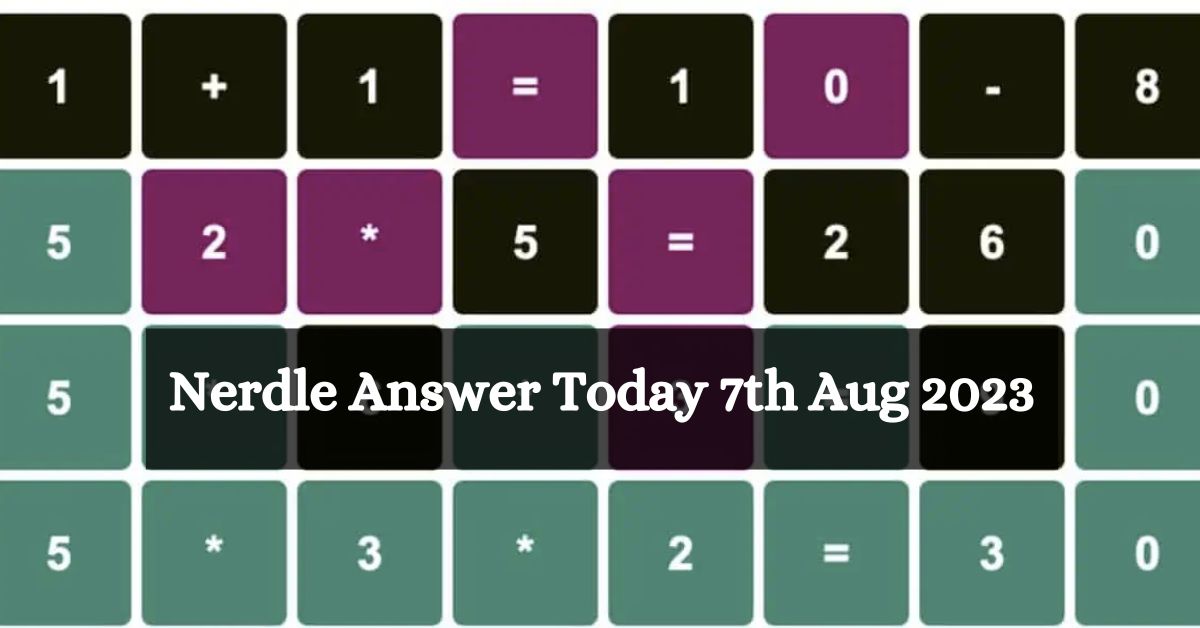
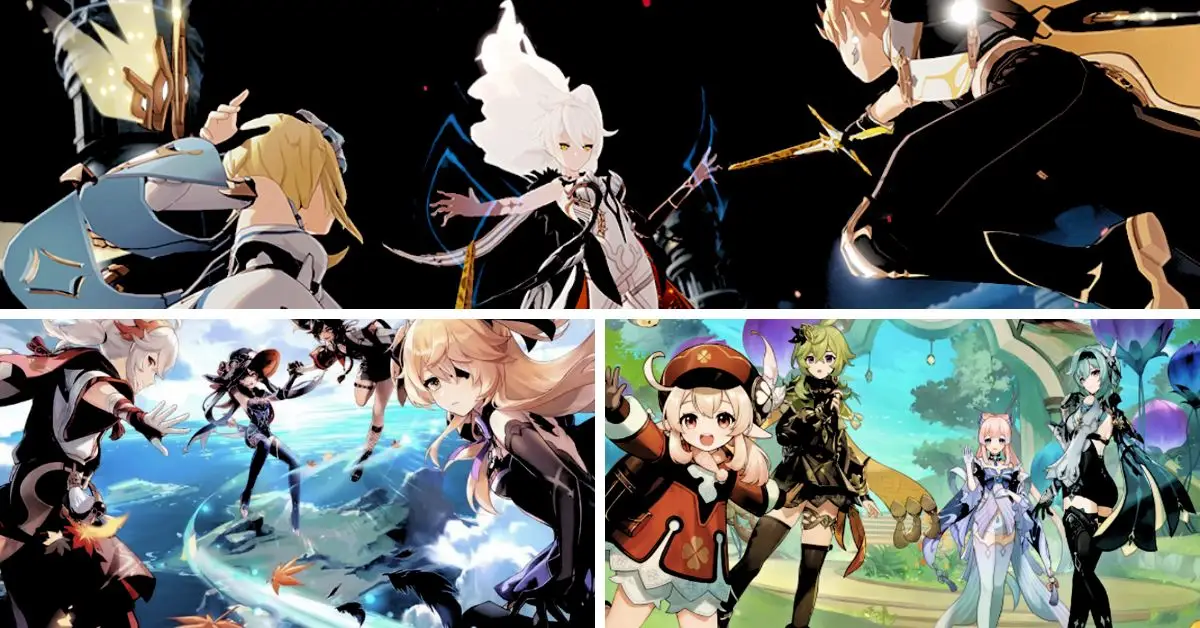
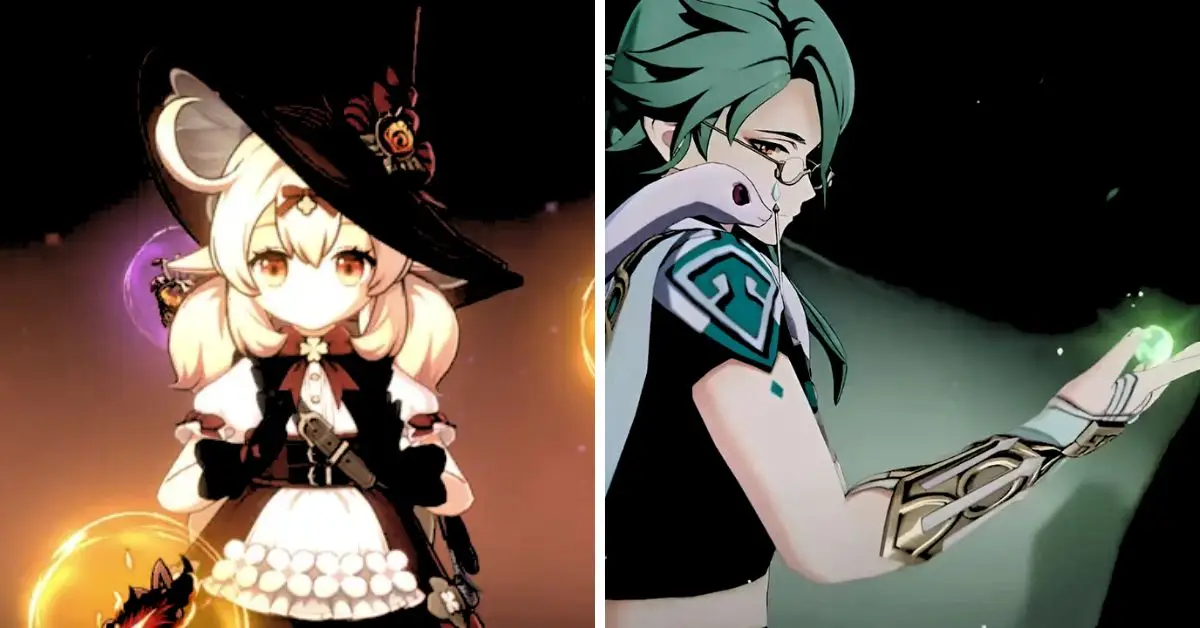
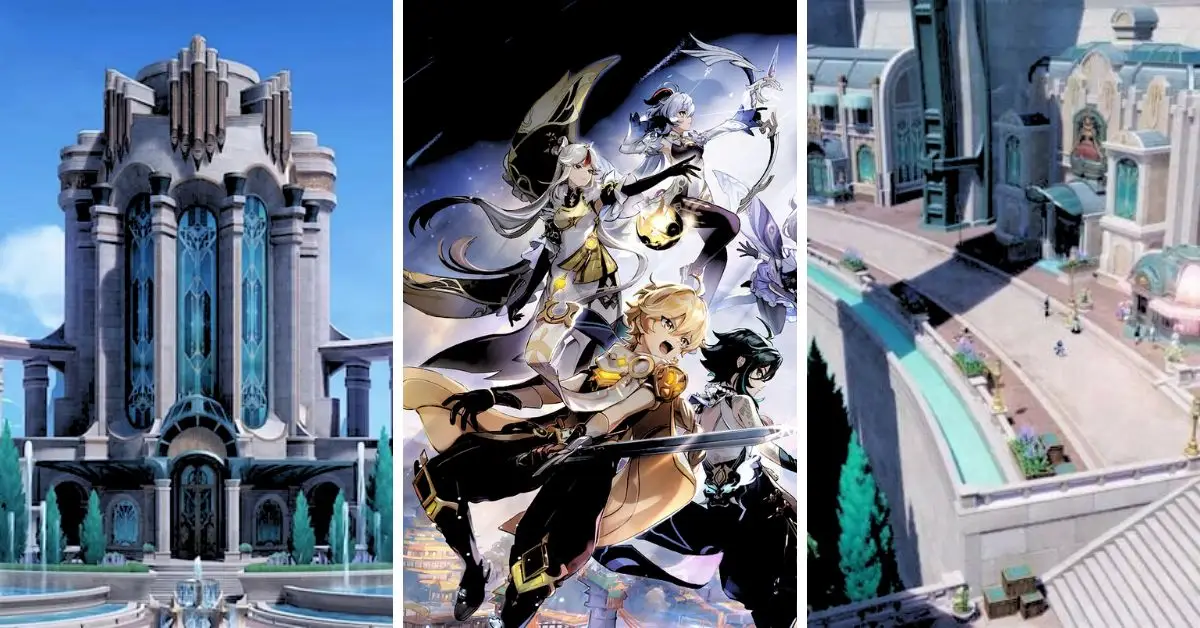
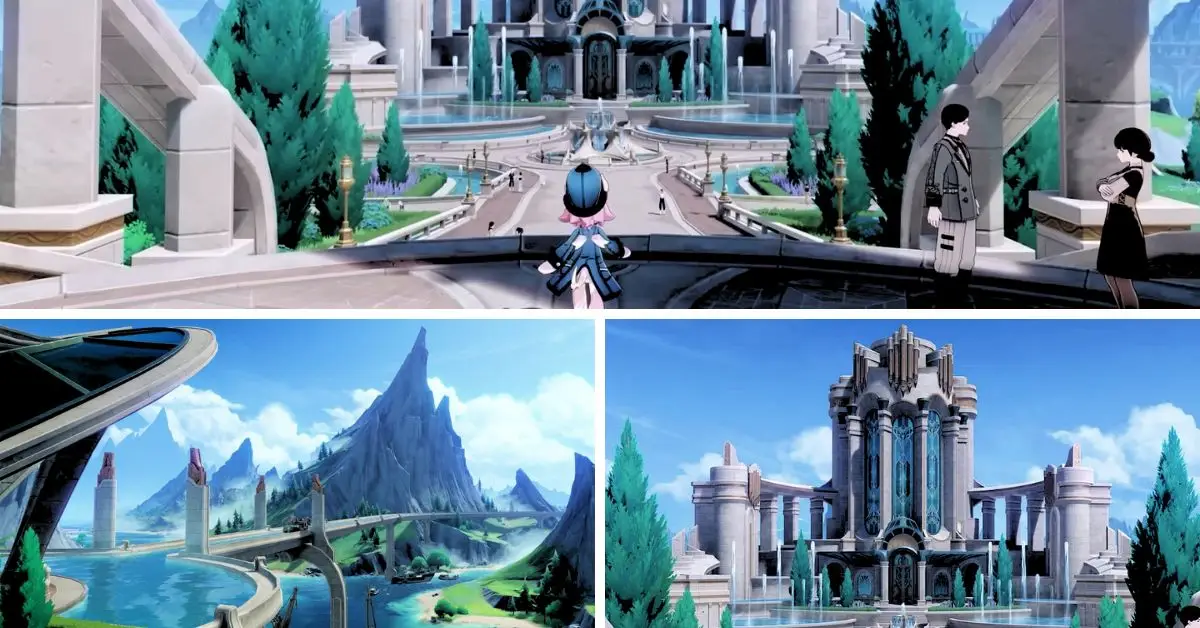
Nerdle, the number-loving cousin of Wordle, came next. If you can guess a five-letter word in Wordle in six tries, you can solve a Nerdle equation in just one! But for those of us who aren’t so good with numbers, it can be tough. Stuck on today’s Nerdle puzzle for Aug 7th? We’re here to help.
Think about an equation like 1+4+7=12. No matter how many numbers or symbols you use, the total is always eight. So, start with an equation that uses lots of different numbers. And try to use different symbols like ‘+’ and ‘-‘. It makes guessing future equations easier.
If you’re a newcomer to the game, and even if you’ve played Wordle before, we suggest you check out this guide article to learn how to play Nerdle. We’re confident that these handy tips and strategies will equip you to tackle the daily puzzles like a seasoned pro.
Classic Nerdle Answer Today? (Aug 7, 2023)
The original Nerdle featured an 8 by 8 grid, hence known as the Classic Nerdles. Players are given eight chances to crack an 8-digit problem! A fresh puzzle is unveiled daily at 12 AM GMT. So, let’s give it a shot:
After the recent Genshin Impact update livestream, where we got an in-depth glimpse of the upcoming new region, Hoyoverse has now revealed the schedule and locations for the Genshin Impact Fontaine exhibition titled ‘Endless Adventures in Teyvat.’
This isn’t the first art exhibition that Hoyoverse has organized for Genshin Impact fans. Still, this event mainly showcases the design process behind the highly anticipated fifth-game region.
The physical exhibition will occur in several cities, including Paris, New York, Taipei, and Tokyo. Following its physical run, Hoyoverse plans to make the exhibition available online for free, catering to audiences in 15 different languages.
Attendees will be treated to over 60 concept sketches that offer an exclusive behind-the-scenes look at the creation of the Nation of Justice, covering various aspects such as environments, landscapes, creatures, and characters.
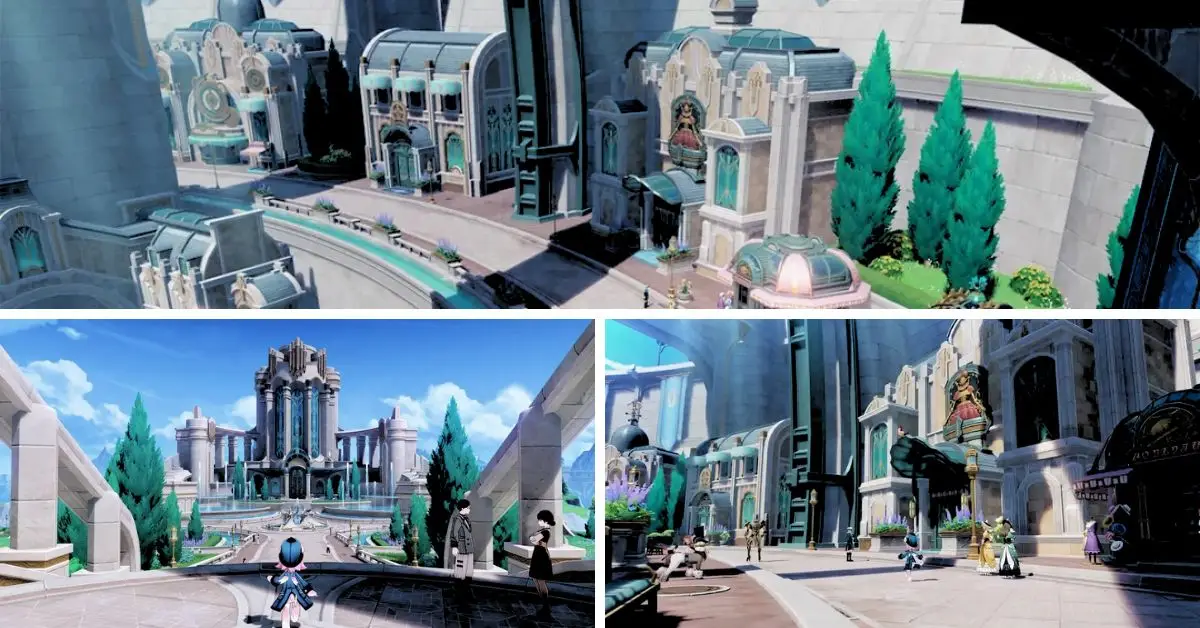
A remarkable collection of concept art blending clockwork and Baroque elements with water to craft Fontaine’s distinctive architecture will also be featured.
In addition to the drawings, visitors will have the opportunity to explore life-size figures and miniature displays while enjoying the full soundtrack of Fontaine.
The exhibition pays tribute to the vibrant Genshin Impact community by showcasing fan art and other creative contributions by the game’s dedicated fans, acknowledging their significant role in its widespread popularity.
What is Fontaine?
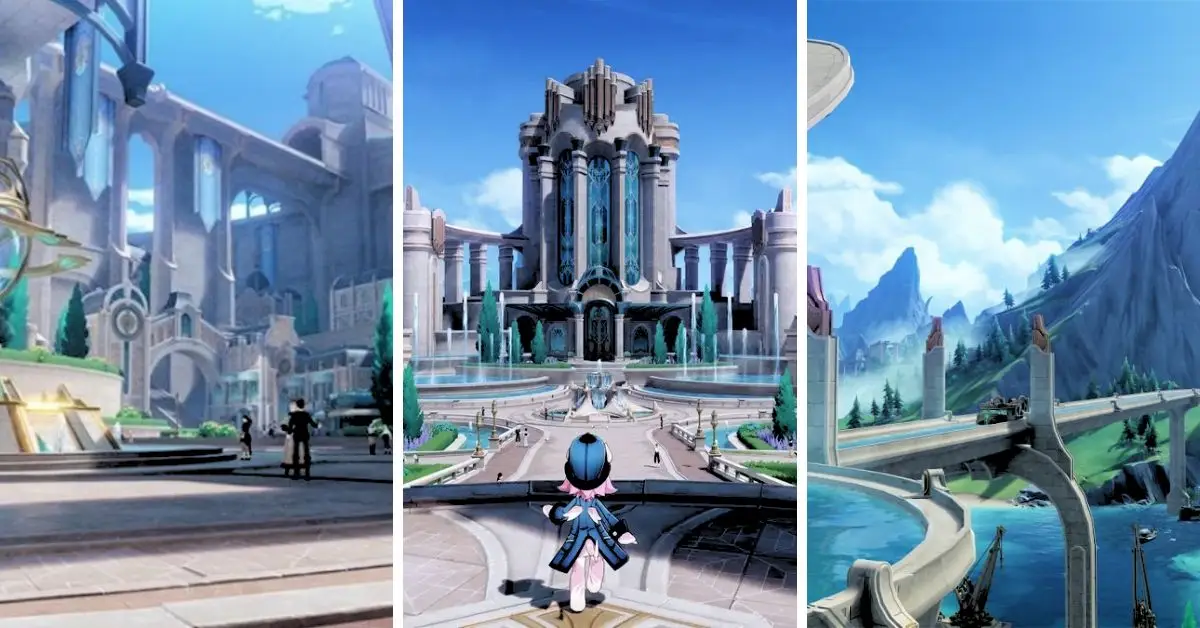
Fontaine is the sixth of the seven nations in Teyvat, where Genshin Impact occurs. It is a nation of justice where culture, art, and technology flourish. Fontaine is also known for its abundant water resources and hydro-powered machinery.
Where Will “Endless Adventures in Teyvat: Fontaine Edition” Be Held?
The event titled “Endless Adventures in Teyvat: Fontaine edition” will take place from August 19 to 27 in New York, Taipei, Tokyo, and Paris. You can visit the official website for further details about each location and pre-register.
What Country is Fontaine Based on Genshin?
Fontaine draws inspiration from France in the 1910s; its name translates to ‘fountain’ in French. Rock ‘n’ roll music and the Kamera originate within the world of Fontaine.
Interacting with Fontaine’s non-player characters (NPCs) reveals the presence of steampunk-like elements, including an air rail system.
Stay connected with GameEmpress.com to get the newest news and updates about the gaming world!
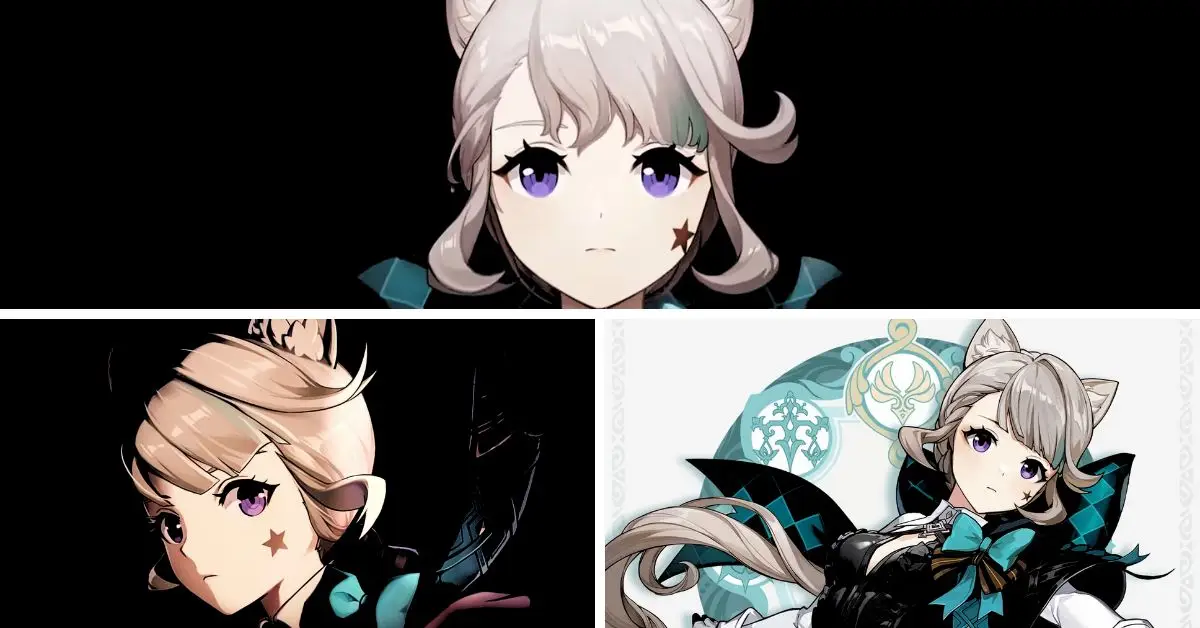
In Genshin Impact 4.0, players can obtain Lynette for free by completing a prerequisite task, as mentioned in an announcement by HoYoverse. Lynette is among the new characters introduced in the Fontaine region, the fifth Nation to be added in the upcoming mid-August update.
As an assistant to her brother, the magician Lyney, Lynette forms a magical performing duo with him. Additionally, they are both older siblings to Freminet. All three characters, including Lynette, will be playable in Version 4.0.
Certainly, Fontaine’s arrival in the game brings these characters and hints at the introduction of other main characters in upcoming updates. One of the newly introduced 4-star characters is Lynette, equipped with an Anemo Vision and proficient in sword combat.
Her role in the team composition is expected to be that of a sub-DPS. Genshin Impact players will be delighted to receive a free Lynette in version 4.0 due to Fontaine’s exclusive new gameplay mechanics.
How Can Players Unlock Lynette for Free in Genshin Impact?
During the Genshin Impact 4.0 livestream on the official Twitch channel, developer HoYoverse announced that players would receive a complimentary character, Lynette, by increasing their Adventure Rank.
Acquiring Lynette requires relatively little effort, making it accessible even to new players. To obtain her for free, players must reach Adventure Rank (AR) 25, a relatively low AR threshold in the game.
How Players Get Free Lynette in Genshin Impact 4.0
Progressing through the campaign should be sufficient for most players to get this rank and claim Lynette. Genshin Impact 4.0 allows players to claim Lynette for free on a particular event page.
Those who have already met the required Adventure Rank can immediately access the page through the special events tab and claim the character. On the other hand, players below AR 25 will find the claiming button blocked until they reach the necessary rank.
Since the game updates every six weeks, players have a limited time window to achieve AR 25 and obtain Lynette without cost.
What Role Does Lynette Play as a Character?
As mentioned earlier, Lynette is a 4-star Anemo sword user who will be a sub-DPS character, acting as a secondary source of damage. Being an Anemo user, she will have the ability to trigger Swirl reactions.
According to the leaked gameplay kit for Genshin Impact 4.0, Lynette’s Elemental Skill will be infused with Ousia, a new gameplay mechanic exclusive to Fontaine. Pneuma and Ousia are opposing forces that can lead to a unique, staggering reaction.
For example, if an opponent is under the influence of Pneuma and players use Lynette’s free Skill to strike them with an Ousia attack, the enemy might become paralyzed and potentially even revert to a weakened state.
Genshin Impact 4.0 will be released for PlayStation, PC, and mobile platforms on August 16.
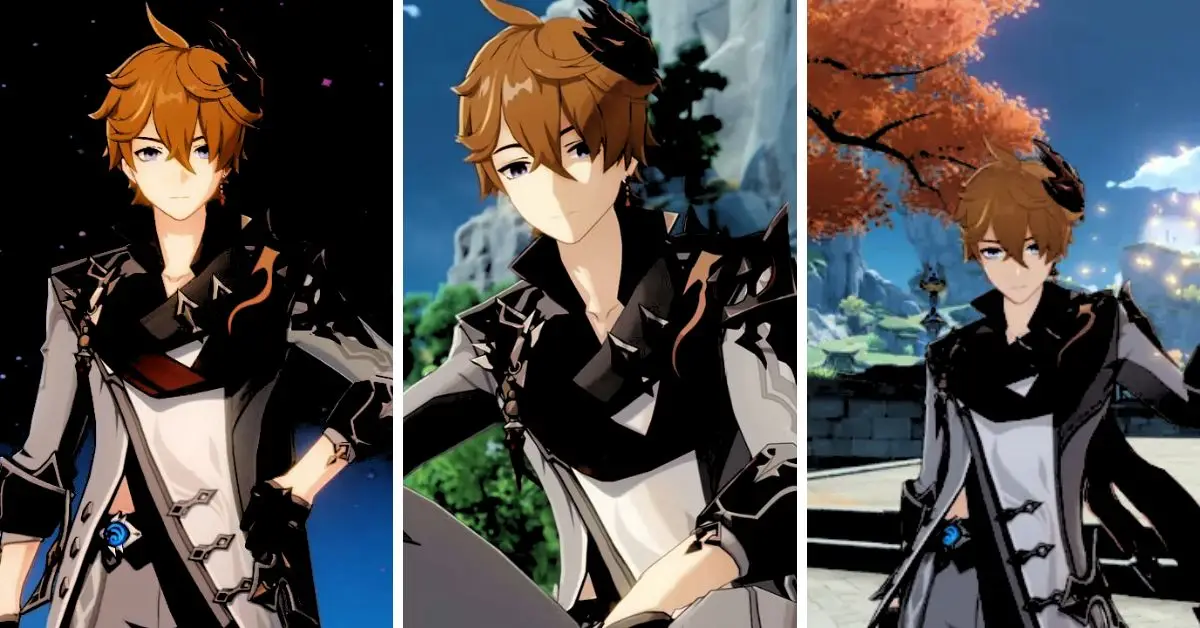
In the Version 4.0 reveal trailer of Genshin Impact, observant fans have noticed an intriguing detail about Tartaglia. This upcoming version will introduce the Fontaine region, where players will embark on a new adventure alongside the Traveler and Paimon.
After nearly three years of anticipation, Tartaglia will finally return to the main story. Previously teased in Genshin Impact, the Fontaine region will now be fully explorable in Version 4.0 as the Traveler and Paimon’s next destination.
Genshin Impact Version 4.0 Tartaglia
Their quest will lead them to seek out Focalors, the Hydro Archon, to uncover more about the Traveler’s sibling and the history of Teyvat. With the Dendro Archon revealing crucial insights during the Sumeru storyline, Focalors might also play a significant role in the main narrative.
Fans of the playable character Tartaglia from the Fatui Harbingers eagerly discuss the implications of his return to Fontaine’s story.
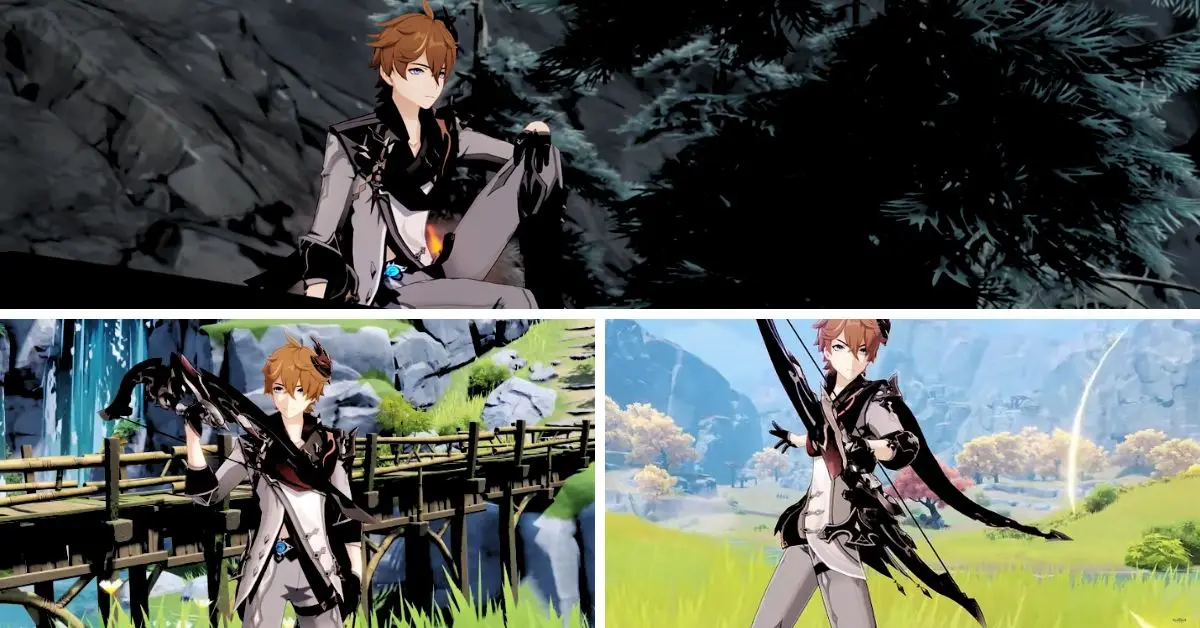
In the Version 4.0 trailer of Genshin Impact, keen-eyed player kingerikthesecond noticed a curious detail about Tartaglia: he was seen without his Hydro Vision. This has sparked speculation among fans about the implications it may have on the Fatui Harbinger.
In the trailer’s final moments, Tartaglia is shown using an Electro Delusion instead of his usual Hydro Vision. This is reminiscent of a previous encounter where he employed the Electro Delusion against the Traveler during the “Enter the Golden House” boss fight in Liyue.
Some Genshin Impact enthusiasts believe that Tartaglia’s Hydro Vision might have been removed or sealed, leading to his reliance on the Electro Delusion. It’s worth noting that while the Electro Delusion is undeniably potent, its use significantly drains Tartaglia’s vitality.
As Fontaine is inspired by legal systems and the pursuit of justice, some Genshin Impact players speculate that certain areas in Fontaine might limit the use of Visions to ensure safety during court proceedings.
However, other fans believe these Vision restrictions could be used maliciously against Traveler and Tartaglia in Genshin Impact Version 4.0. HoYoverse has not disclosed any specific details about Tartaglia’s reappearance. Still, the activation of the Electro Delusion hints at the possibility of a significant battle taking place within Fontaine’s central city.
HoYoverse seems to hint at Tartaglia’s role in the main story, leaving it open for interpretation by Genshin Impact fans as they eagerly await the new update. Whether Tartaglia will be an ally or an adversary during this teased part of the main story remains unknown, but the community is excited about the character’s return.
Thankfully, Version 4.0 of Genshin Impact will be available soon as it is released on August 16. Besides the thrilling main story, fans can anticipate the addition of new playable Fontaine characters and various exciting limited-time events.
Genshin Impact can be played on Android, iOS, PC, PlayStation 4, and PlayStation 5. A Nintendo Switch version is also in the works, although no confirmed release date is yet.
HoYoverse has finally revealed the 4.0 version of Genshin Impact, which includes the Fontaine nation. They confirmed the release date and provided details about the upcoming update’s content.
The exciting news was shared during an hour-long Genshin Impact 4.0 Special Program event, which was live-streamed on YouTube and Twitch.
The original version of Genshin Impact, released in September 2020, allowed players to explore two vast nations: Mondstadt and Liyue, drawing inspiration from Germany and China, respectively.
Since then, HoYoverse has been consistently adding one new region to the game each year, always during the summer. The most recent update, August 24, 2022, expanded the game’s map with the Sumeru region.
Genshin Impact 4.0 Reveals Fontaine Region
Just under a year after its release, Genshin Impact is ready to unveil the Fontaine nation on August 16, as confirmed by HoYoverse. The Chinese developer has also released an extended trailer for the upcoming update, showcasing a blend of gameplay and story cutscenes that will unfold in the “Nation of Justice,” the residence of Genshin Impact’s hydro Archon.
The 4.0 version of the game introduces the first three playable characters, who are all sisters: Lyney, Lynette, and Freminet. Lyney, the eldest sibling, is a five-star archer and Pyro user capable of wielding fireworks and transforming into a Grin-Malkin Cat during combat.
Lynette, the middle child, is a four-star Anemo sword wielder and will be available through an upcoming seasonal event for Genshin Impact players who reach Adventure Rank 25. Freminet, a four-star character, excels in using claymores and freezing Cryo attacks.
During the 4.0 Special Program event, players got a sneak peek at two new bosses: Icewind Suite, a clockwork-like robot that evades attacks with its agile moves, and Emperor of Fire and Iron, a giant crab with powerful Pyro abilities capable of burning everything nearby.
Notably, the 4.0 version will introduce the first-ever underwater adventure in the game, taking place in the France-inspired nation of Fontaine, surrounded by water.
The update will also include various quality-of-life features across all platforms and improvements to loading times and graphics on PlayStation consoles. While the new region will be accessible to anyone completing the early-game Mondstadt quests, the developers strongly advise players to fulfill the story requirements for entering Fontaine.
Stay connected with GameEmpress.com to get the newest news and updates about the gaming world!
If you have a passion for Roblox and dream of living the pirate life, exploring the world, hunting for treasure, and taking on challenges, our A One Piece Game codes guide is here to assist you. Like any pirate, cash is essential; luckily, the Roblox A One Piece Game codes provide just that.
A One Piece Game codes consist of a whimsical mix of letters and numbers, which grant players in-game rewards courtesy of the developer. Additional regulations often become accessible as players achieve specific milestones, so bookmark this page to inform yourself about the latest freebies.
A One Piece Game Codes
How Can Players Redeem A One Piece Game Codes?
Redeeming A One Piece Game codes is a straightforward process. Just follow these steps:
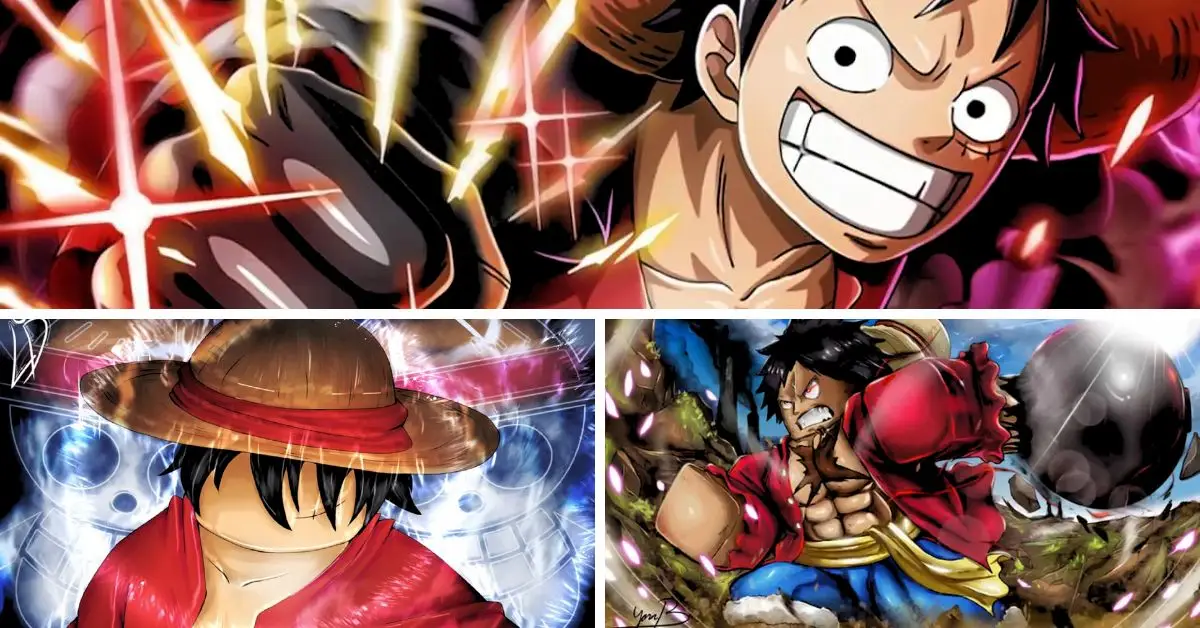
A One Piece Game is a Roblox game inspired by the One Piece anime and manga series. The game allows you to create your character, explore the world, fight enemies, collect Devil Fruits, and join crews.
The game also features many elements from the One Piece story, such as locations, characters, factions, and events. One Piece is a Japanese anime and manga series that follows the adventures of Monkey D. Luffy, a young pirate who dreams of becoming the King of the Pirates.
He forms a crew called the Straw Hat Pirates and sets sail on a grand voyage to find the legendary treasure One Piece, hidden in the vast ocean known as the Grand Line. Along the way, he meets many friends and foes and encounters various challenges and dangers.
The game tries to capture the essence of One Piece by letting you experience the pirate life in a fun and immersive way. You can choose your path, whether you want to be a pirate or a marine, and interact with other players or NPCs.
You can customize your character with different races, titles, weapons, and outfits. The game also has codes you can redeem for free rewards, such as Beli, Gems, Spins, and Resets.
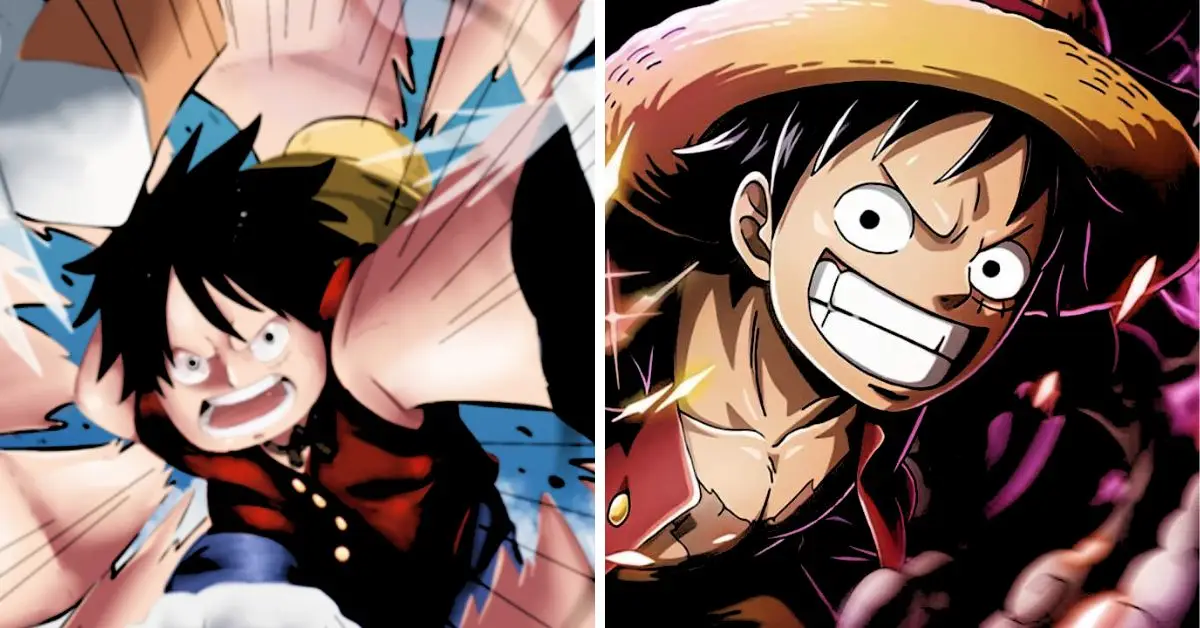
If you love to play this game, you may be a fan of the One Piece anime. If that’s the case, we have exciting news for you! Your favorite “Luffy Gear 5” is ready to be unveiled. If you’re eager to see it and want more information, check out this article from Anime News.
Honkai Star Rail is a sci-fi RPG game with rich stories, diverse characters, and thrilling battles. One of the challenges players will face in the game is Svarog, an ancient robot that guards Belobog’s underworld.
Svarog is a formidable enemy that can damage and imprison your characters. This guide will show you how to beat Svarog with tips and tricks.
Svarog’s Appearance and Personality
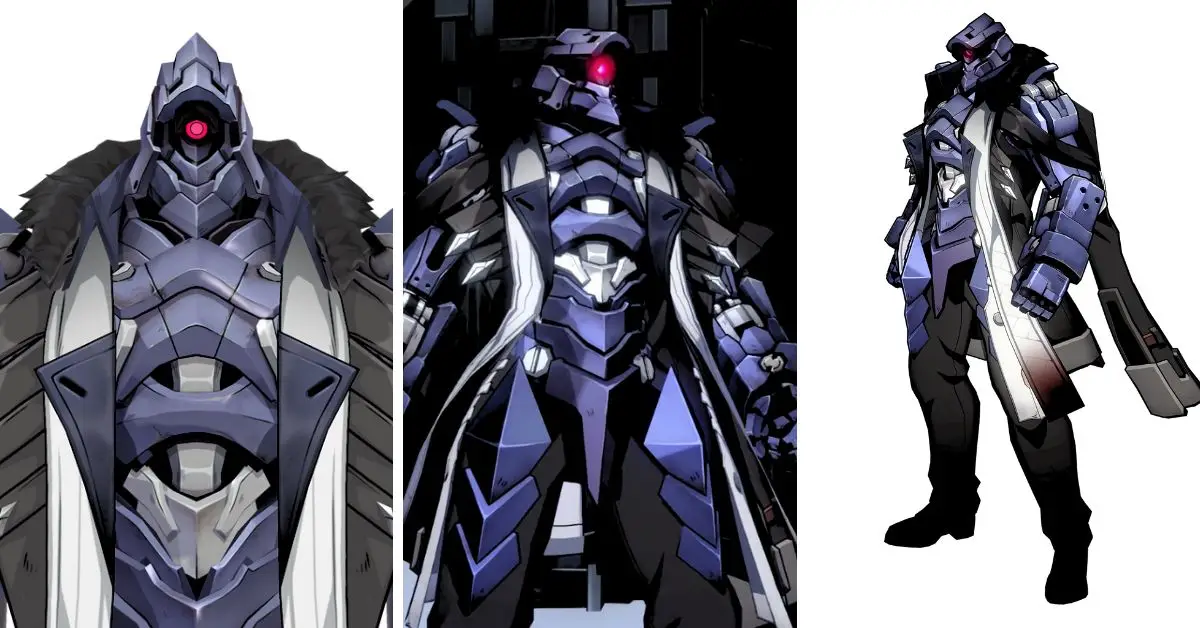
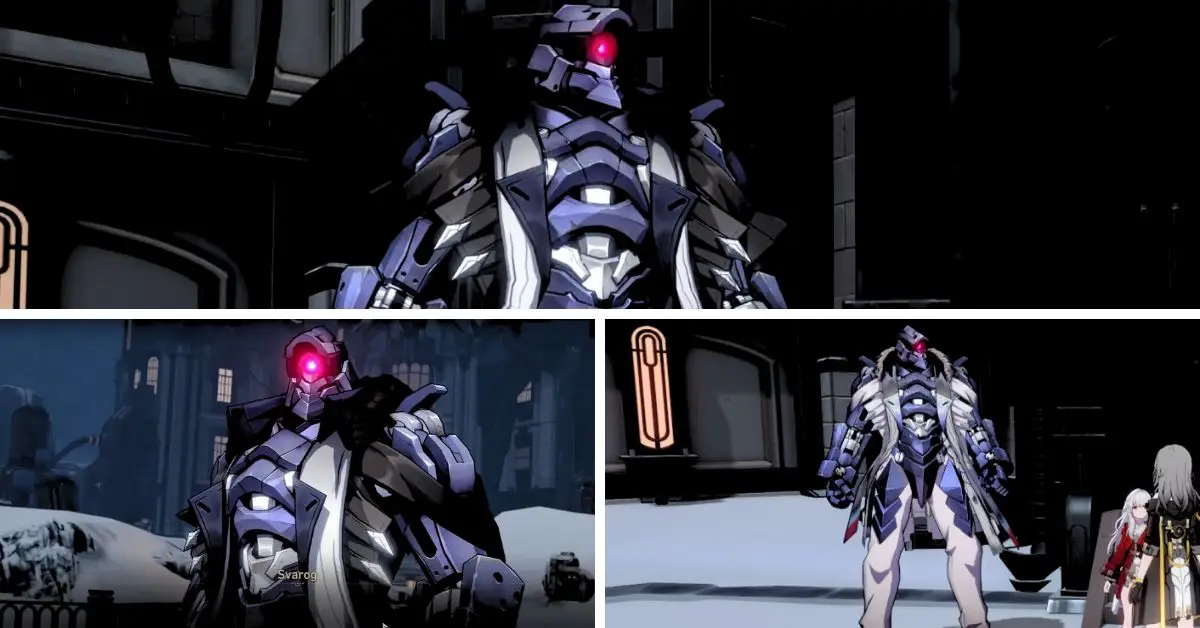
Svarog stands tall, exhibiting a dark blue metallic body with a striking, luminous pink cyclopean eye. He adorns black pants and shoes, complemented by a fur jacket with multiple openings, baring his shoulders.
Being a robotic entity, Svarog lacks emotional expression and harbors a profound distrust toward humans. He operates with exceptional precision, meticulously evaluating every decision to ensure the utmost protection for humanity.
Honkai: Star Rail Svarog
He has a solid aversion to conflicts like those from Wildfire and the Vagrants. Clara asserts that “preservation” is his duty; consequently, he yearns for a world of peace and harmonious coexistence.
Svarog’s Skills and Weaknesses
Svarog has two phases in the battle, each with different skills and weaknesses. Here are some of the skills that Svarog can use:
Burning Beam: Deals massive Physical DMG to a single target and delays their action.
Oppressive Embrace: Causes Imprisoned to a single target, preventing them from taking action or being targeted. Imprison is dispelled if the Auxiliary Robot Arm Unit suffers Weakness Break.
Shrewd Bombing: Deals massive Physical DMG to all targets, with a high chance to reduce their DEF.
Controlled Blasting: The Auxiliary Robot Arm explodes, dealing massive Physical DMG to a single target.
Overload Warning: Auxiliary Robot Arm Unit enters the Overload state, causing the following action to cast “Controlled Blasting.”
Boost Deployment: Summons Auxiliary Robot Arm Unit.
Banishing Punch: Deals Physical DMG to a single target.
Svarog is weak to Wind, Fire, and Lightning elements and resistant to Control Effects. The Auxiliary Robot Arm Unit is weak to all elements and resistant to Control Effects.
How to Beat Svarog in Honkai Star Rail?
Svarog presents a formidable challenge with his exceptional durability, capable of prolonging battles until opponents are exhausted. He can catch unprepared teams off-guard and draw them into prolonged engagements, where he holds the upper hand.
Fortunately, his offensive capabilities are not overly extreme, and breaking his Toughness bar regularly diminishes his threat significantly. To face this boss, consider employing the following recommended units, Light Cones, and tactics:
Dan Heng – Only Silence Remains (or any Light Cone that doesn’t require kills)
March 7th – Landau’s Choice
Serval – Sagacity
Asta, Seele, Trailblazer, or Natasha
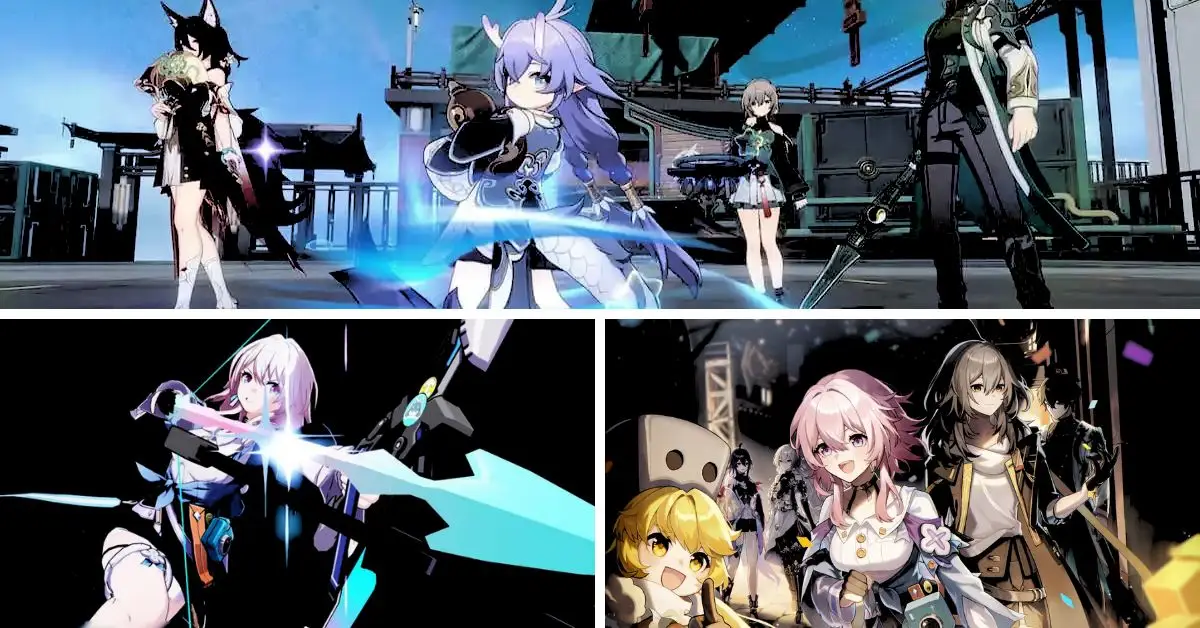
Any team that can exploit the weaknesses of Wind, Fire, and Lightning will have a significant advantage against Svarog. Dan Heng and Serval are outstanding picks for this strategy since they are both free and can deal tremendous damage per turn.
Dan Heng specializes in delivering powerful bursts, while Serval consistently applies the Shock Damage over Time (DoT) effect. March 7th is arguably the best tank in the early stages of Honkai Star Rail, providing invaluable protection and crowd control.
While she may not directly damage Svarog’s Toughness bar, her counterattacks steadily chip away at the boss’ health throughout the fight. The last team member slot offers flexibility.
Players can opt for a Fire character like Asta to swiftly break Svarog’s Toughness, or they may choose a healer like Natasha to have a contingency plan in case things don’t go as expected. Physical Trailblazer and Seele are good choices for DPS, although their full potential shines once Svarog is incapacitated.
Svarog Battle Mechanics
Svarog occasionally summons an Auxiliary Robot Arm Unit to capture and detain a party member. Players must act swiftly to break the unit’s Toughness bar and maintain their team’s strength.
The robot typically targets March 7th and other Preservation characters, leaving the team without a tank during its attack. Apart from this, Svarog’s other attacks are straightforward.
He has various moves that deal significant single-target damage and an AOE bombardment skill that inflicts moderate damage to the entire party. Natasha’s healing can mitigate much of this damage, but since Svarog’s main threat is his single-target attacks, a tank with Landau’s Choice or a reliable way to draw anger should suffice.
To deal damage effectively, players should aim to Shock Svarog using Serval’s abilities. Shock not only deals damage to the boss after each turn but also boosts Serval’s DPS through her Galvanic Chords passive, which inflicts extra Lightning Damage to Shocked targets.
Asta is particularly valuable due to the SPD and ATK buffs she provides. Her Meteor Storm skill can also substantially damage Svarog, especially if he is the sole enemy on the field. Hook and Himeko are decent choices, but Asta’s utility sets her apart.
While relics can hasten the fight’s conclusion, they aren’t crucial at this game stage. Relying on innate abilities and synergies is preferable for now. During the war, prioritize protecting the team with March 7th’s shield and unleash Dan Heng and Serval’s ultimates whenever possible.
March and the fourth team member should focus on generating Skill Points. Svarog has a considerable health pool, but applying continuous pressure while surviving his attacks will eventually defeat him.
Stay connected with GameEmpress.com to get the newest news and updates about the gaming world!
HoYoverse’s latest sensation, Honkai Star Rail, has taken the gaming world by storm since its release a few months back. Its global success has attracted a continuous influx of new players eager to explore the game’s features.
One of these newcomers’ most commonly asked questions is whether Honkai Star Rail can be played offline. As one of the most popular games on the market, Honkai Star Rail boasts a massive player base with millions of enthusiasts worldwide.
However, it’s important to note that at its core, the game is designed for single-player gameplay only, lacking any multiplayer or co-op features. Consequently, the absence of these modes has led to an ongoing discussion among players about the possibility of playing the game offline.
Below, we delve into this topic and provide insights for those seeking clarity.
Can You Play Honkai Star Rail Offline?
Honkai Star Rail cannot be played offline. It lacks a multiplayer or co-op system, but you must maintain a constant internet connection to access the game. If you lose connectivity, the game will return to the main menu.
This design is because Honkai Star Rail operates as a gacha game, where new characters are obtained through the gacha system. To get these characters, players may need to acquire additional in-game currency called Stellar Jade, which can be purchased if not obtained enough for free.
Can You Play Honkai Star Rail Offline
The requirement for an internet connection is understandable since the game involves actual money transactions, and it follows a free-to-play model where the in-game currency is a means for the company to generate revenue.
The always-online aspect is enforced to prevent players from using hacks to acquire characters illicitly. Although the game does not offer traditional multiplayer features, it does allow players to select a character from their friends’ roster and use it in certain activities.
This feature does not demand active participation from friends but provides minimal multiplayer interaction within the game.
Stay connected with GameEmpress.com to get the newest news and updates about the gaming world!
Curious if Genshin Impact allows mods. Here’s all you need to know about customizing the game. Three years after its surprise release in 2020, Genshin Impact remains one of the top gacha games in the market, along with its companion project, Honkai Star Rail.
Players worldwide have been captivated by the vast world of Teyvat, thanks to its action-packed combat, diverse character lineup, and endless team combinations. There’s so much to love about Genshin Impact.
But for the most dedicated players who have completed all the story content and daily quests, the question arises: Can you mod Genshin Impact? Modding has extended the enjoyment of beloved games like Fallout and Skyrim, so it’s natural to wonder if it’s possible here.
Let’s dive into everything you need about mod support in Genshin Impact.
Does Genshin Impact Support Mods?
No, Genshin Impact does not support mods. HoYoverse, the platform behind Genshin Impact, explicitly prohibits using mods, as stated in their terms of service.
Does Genshin Impact Support Mods
Regardless of their purpose, players who use mods may risk being banned from the game. This policy applies to all mods, even those intended only for visual enhancements without affecting gameplay.
Considering that Genshin Impact is an online gacha game, HoYoverse aims to prevent the potential threats of hacks and malicious software that mods could introduce to the game.
Additionally, allowing players to obtain free characters through mods would undermine the developer’s revenue model, as the game’s premium currency is a significant income source for the development team.
What Are the Risks of Using Mods?
However, this does not mean that there are no mods for Genshin Impact at all. Some modders have managed to create unofficial mods for the game using various tools and methods.
These mods are usually hosted on websites such as Nexus Mods or Steam Workshop, and they may offer features such as custom models, skins, animations, or sounds. However, these mods are not endorsed or supported by HoYoverse, and they may not work correctly or at all with the latest version of the game.
Moreover, these mods are very risky to use, as they may be detected by HoYoverse’s anti-cheat system and result in a ban. They may also contain viruses or malware that can harm your device or steal your personal information.
Therefore, it is highly recommended that players do not use any mods for Genshin Impact, as they may ruin their gaming experience and jeopardize their account security. Instead, players should enjoy the game as it is intended by HoYoverse, and wait for official updates and content from the developer.
Stay connected with GameEmpress.com to get the newest news and updates about the gaming world!
HoYoverse, the developer of Genshin Impact, has officially confirmed that they will expand the artifact inventory in the upcoming version 4.0 update. Many players of Genshin Impact have been requesting more storage space for artifacts, which is understandable given the current limit of 1,500, which is relatively small.
Thankfully, it seems that the issue will be resolved sooner than expected. In Genshin Impact, artifacts play a crucial role. They enable players to enhance their characters’ combat abilities and provide various beneficial effects, including increased critical rate, energy recharge, and attack speed.
These magical items are classified into five categories based on their rarity, with the five-star artifacts offering a more significant number of sub-stats. By upgrading them, players can obtain random stats that can give them an advantage during battles.
Genshin Impact has officially announced that the artifact inventory capacity will be increased from 1,500 to 1,800, with the Fontaine update scheduled for release later this month.
Moreover, players can simultaneously destroy all four-star artifacts, allowing them to free up space in their inventory. The developers have also disclosed their plans to optimize the locking function for managing these items in the future.
On the game’s Reddit page, numerous Genshin Impact players have praised HoYoverse for alleviating their inventory space concerns. Some players have expressed the desire for an option to mark artifacts as disposable.
Notably, this enhancement will make artifact storage much more convenient, particularly for players with higher Adventure Ranks.
In Genshin Impact, each in-game element corresponds to a unique artifact that enhances players’ builds. A recent leak has surfaced exciting news, indicating that the version 4.0 update will introduce two new artifact sets.
One of these sets, called “Golden Troup,” grants a damage bonus to elemental skills. However, it’s essential to approach this leak with caution until an official confirmation is made available.
In addition to increasing the inventory capacity for artifacts, Genshin Impact version 4.0 will enable players to craft eight new strongboxes, including Pale Flame, Emblem of the Severed Fate, and Vermillion Hereafter.
The Fontaine update will introduce players to a new region teeming with quests, NPCs, and formidable enemies. More information about the quality-of-life improvements and the intricacies of this multi-layered map will be unveiled during a special program on August 4th.
In the upcoming Version 4.0 update of Genshin Impact, the requirements to access the Fontaine region have been revealed. This update will arrive nearly one year after the Sumeru region was first introduced, and players must make sufficient progress in the story to reach Fontaine.
Version 3.8 of Genshin Impact, released on July 5, marked the final update for the Sumeru region. This update introduced Veluriyam Mirage, a mystical and forested area with mini-games and secrets.
How to Access Fontaine Region
However, once Version 4.0 is released, Veluriyam Mirage will no longer be accessible, and players will finally have the opportunity to explore the Fontaine region.
The new update is expected to launch later this month, giving players only a few weeks to enjoy the mini-games, complete any remaining event quests, and unlock various rewards from Veluriyam Mirage.
The official Genshin Impact Twitter account has updated players about the requirements to access the Fontaine region in Version 4.0.
#GenshinImpact – Tips for Travelers: Preparations for Fontaine
How exciting~ The journey to Fontaine is about to begin! After Version 4.0 comes online, Travelers who have completed Archon Quest Prologue: Act III “Song of the Dragon and Freedom” will automatically unlock a… pic.twitter.com/wRtt7uYZGv
After the update goes live, Genshin Impact players who have completed the “Archon Quest Prologue: Act 3 Song of the Dragon and Freedom” will automatically unlock the Realm of Farakhkert Teleport Waypoint in Sumeru.
This waypoint will be conveniently located near the entrance to Fontaine, enabling players to travel between Sumeru and the new region easily. Additionally, those who have completed the “Archon Quest Chapter 3: Act 6 Caribert” will automatically gain access to the Fontaine Archon Quest in Genshin Impact.
While Fontaine will be accessible to players who complete all the Mondstadt story quests, HoYoverse strongly recommends catching up with all the story quests in the Sumeru storyline.
Optional areas in Sumeru do not affect access to Fontaine. So, players who focused solely on completing the main story quests in Sumeru can still enter Fontaine, just like new players who finished the entire Prologue story of Genshin Impact.
More details about this will likely be shared in the Genshin Impact Version 4.0 Special Program live stream this week by HoYoverse. Entering Fontaine has straightforward requirements, and millions of Genshin Impact players are expected to be prepared for Version 4.0’s launch this month.
The unique architecture and locales of Fontaine will make it an extraordinary destination for Genshin Impact fans. Moreover, players can look forward to experiencing unique gameplay sequences not found in other regions of the game, such as the ability to swim underwater for a limited time.
Stay connected with GameEmpress.com to get the newest news and updates about the gaming world!
In Honkai: Star Rail, the Simulated Universe World 7 (SU7) adds an extra stage to the Abundant Ebon Deer fight, making it a three-phase battle. However, the core strategy for defeating the Deer does not change much.
The SU7 features other challenging enemies introduced in version 1.2, such as The Ascended and Malefic Ape, as Elite Bosses. Even F2P players who are not very high-level can finish Simulated Universe World 7 using the overlooked Path of Preservation.
Here are some tips and tricks for Trailblazers who want to succeed in Honkai: Star Rail.
Honkai: Star Rail Simulated Universe World 7
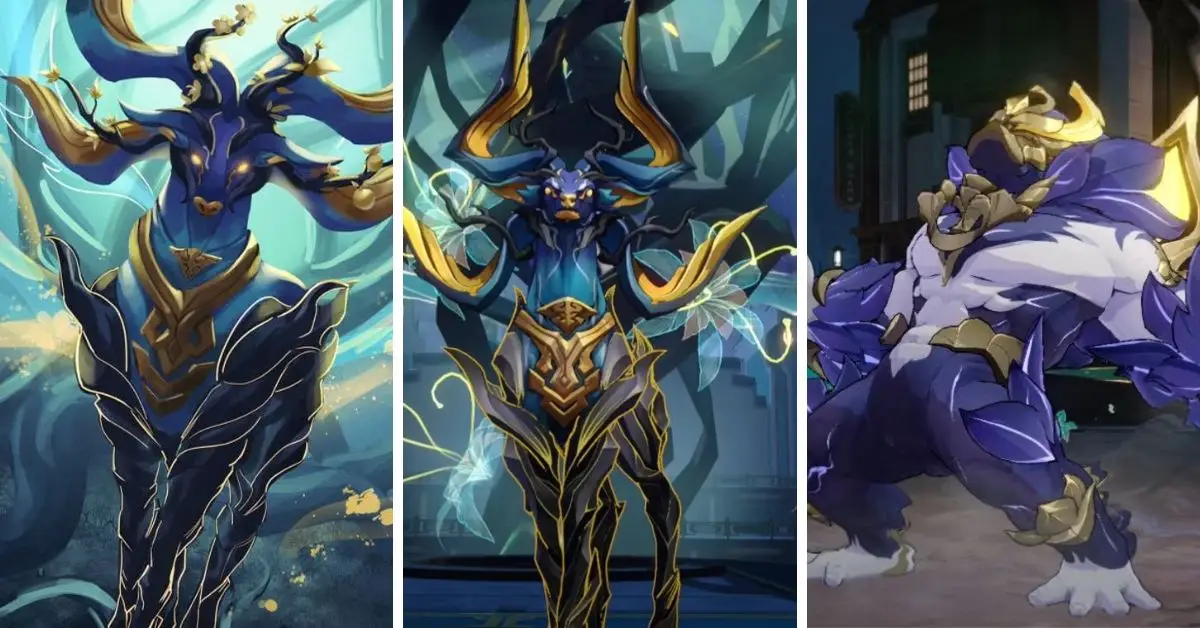
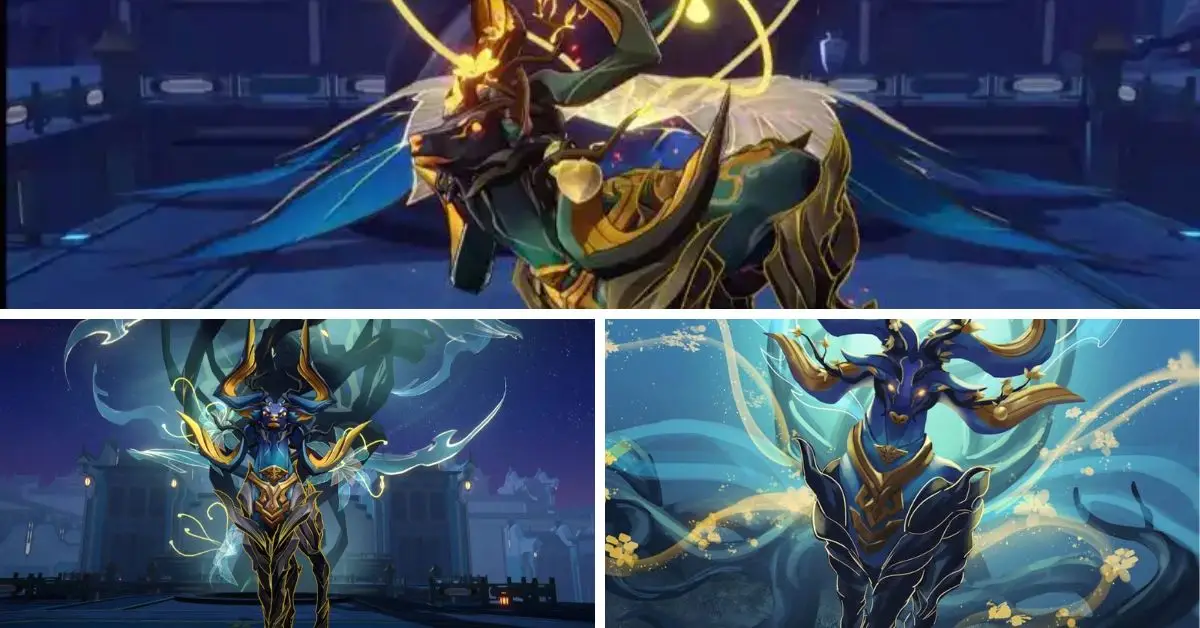
The last enemy in Simulated Universe World 7 of Honkai: Star Rail is the Abundant Ebon Deer, which players have already encountered in the Humming Antlers, Entwined Horns Trailblaze mission. However, this time, the Deer has three phases instead of two.
During the fight, the Deer will call forth four kinds of Ambrosial Arbor Branch. The following table shows all the foes that players will meet in Simulated Universe World 7:
Enemy
Weakness
Toughness
Phase
Abundant Ebon Deer
Fire, Ice, Quantum
420
1, 2, 3
Twig of Wintry Wind
Ice, Quantum, Imaginary
90
1, 2, 3
Twig of Marple Leaf
Fire, Quantum
90
1, 2, 3
Twig of Glorious Blooms
Ice, Imaginary
90
2
Twig of Lavish Fruits
Fire, Quantum, Imaginary
120
3
The Abundant Ebon Deer also resists Frozen and Imprisonment effects, so using Remembrance Blessing can be challenging as the Path relies on Freezing the enemy.
This enemy is not very hard to deal with in the first two phases, but players must watch out for the Twig of Lavish Fruits in the third. If these Branches create two Lavish Fruits, the boss will use a powerful attack called Flamboyant Gore that can wipe out the team.
Honkai: Star Rail Simulated Universe World 7
Here’s what each Branch does:
Twig of Wintry Wind: Gives the Outrage debuff, which makes the target lose control and randomly hit the Abundant Ebon Deer’s team with Basic Attack.
Twig of Marple Leaf: Goes into the counter state, dealing Lightning DMG to the attacker when hit.
Twig of Glorious Blooms: Heals all allies.
Twig of Lavish Fruits: Makes Lavish Fruits so the boss can use its deadly Flamboyant Gore ability.
The most straightforward way players can beat Simulated Universe World 7 in Honkai: Star Rail, especially for F2P players, is to choose the Preservation or Elation Path.
F2P lineup: Fire Trailblazer – March 7th – Natasha – Serval
Top team: Fire Trailblazer – Gepard – Luocha – Seele
Other options: Yanqing, Herta, Himeko, Welt, Silver Wolf
Thanks to the boss’ constant area-of-effect (AoE) attacks, the most straightforward approach for under-levelled and F2P players to overcome this Simulated Universe stage is following the Preservation Path.
The fundamental strategy for this Path centres around utilizing the Divine Construct: Metastatic Field Blessing, which inflicts damage on attackers when an ally protected by a shield is targeted.
To execute this strategy, employ Fire Trailblazer to Taunt the enemy and have March 7th provide protection, resulting in the enemy taking significant Fire damage with each attack.
It is important to note that this damage appears to scale with Damage Bonus and Critical Hits, so players should equip their tank with Elemental Damage Bonus and Critical Hit Relics.
Several beneficial Blessings to enhance the team’s Critical Rate and Damage include Construct: Concentration, Construct: Burst, Skirting Life and Death, and Shrewd Arrangement.
Must-Have Preservation Blessings
Blessing
Original Effect
Upgraded Effect
Resonance Formation
The attacks of Path Resonance: The Preservation become critical hits. For every Shielded character on the team, the critical damage (CRIT DMG) increases by 15%.
Divine Construct: Macrosegregation
At the beginning of the battle, characters gain a unique Shield that can absorb damage equal to 1% of their Max HP. This particular Shield’s capacity will increase by the same amount whenever they obtain another. Every two turns, this unique Shield will be removed, and then it can be regained.
At the beginning of the battle, characters gain a unique Shield that can absorb damage equal to 10% of their Max HP. Whenever they gain an additional Shield, this individual Shield’s capacity will increase by 130%. Every two turns, this unique Shield will be removed, and then it can be regained.
Divine Construct: Metastatic Field
After a character is hit, it deals Quake damage to the attacker, equaling 340% of the character’s current Shield effect. This damage cannot defeat the enemy.
After a character is attacked, it deals Quake damage to the attacker, equaling 420% of the character’s Shield effect just before the attack. This damage cannot defeat the enemy.
Highly Important Preservation Blessings
Blessing
Original Effect
Upgraded Effect
Interstellar Construct: Quadrangular Pyramid
It enhances the maximum damage Shields created by characters can absorb by 30%.
Whenever characters gain a Shield, it improves the maximum damage that Shields made by characters can drink by 35%.
Construct: Concentration
Boosts the CRIT Rate of Shielded characters by 16%.
Raises the CRIT Rate of Shielded characters by 24%.
Construct: Firmness
Reduces the damage taken by Shielded characters by 16%.
Reduces the damage taken by Shielded characters by 24%.
Construct: Patch
After a character is attacked, they gain a Shield that can absorb damage equal to 18% of the HP lost during this attack, lasting for one turn.
After a character is attacked, they gain a Shield that can absorb damage equal to 18% of the HP lost during this attack, lasting for two turns.
Important Preservation Blessings
Blessing
Original Effect
Upgraded Effect
Resonance Formation: Eutectic Reaction
Upon using Path Resonance, all allies receive a Shield that can absorb damage equal to 1% of their respective Max HP for two turns, and Amber is applied to all allies simultaneously.
–
Resonance Formation: Isomorphous Reaction
At the start of the battle, Path Resonance regenerates 40% of Energy. Additionally, whenever an ally gains a Shield, Path Resonance restores an extra 3% Energy.
–
Divine Construct: Resonance Transfer
After a character launches an attack, it deals Quake damage equal to 100% of the character’s current Shield to the enemies hit.
After a character launches an attack, it deals Quake damage equal to 100% of the character’s current Shield effect plus 20% of the total Shield effect of the character’s allies to the enemies hit.
Interstellar Construct: Burst Lattice
When a character deals Quake damage to an enemy target, there is a 65% base chance of causing the target to Bleed.
When a character deals Quake damage to an enemy target, there is a 100% base chance of causing the target to Bleed.
Construct: Rotation
When a character gains a Shield, there is a 20% fixed chance to dispel one debuff currently placed on the surface.
When a character gains a Shield, there is a 30% fixed chance to dispel one debuff currently placed on the surface.
Construct: Sentinel
Upon entering battle, characters gain a Shield equal to 16% of their Max HP, lasting for two turns.
Upon entering battle, characters gain a Shield equal to 24% of their Max HP, lasting for two turns.
Helpful Preservation Blessings
Blessing
Original Effect
Upgraded Effect
Interstellar Construct: Sanctuary
At the end of each turn, there is an 80% fixed chance for characters to obtain a Shield equal to 12% of their Max HP, lasting for one turn.
At the end of each turn, characters gain a unique Shield that can absorb damage equal to 15% of their Max HP, lasting for one turn.
Interstellar Construct: Solid Solution
Deals increased Quake damage to enemies. The increased damage equals 80% of the character’s current DEF.
Deals increased Quake damage to enemies. The increased damage equals 120% of the character’s current DEF.
Interstellar Construct: Shear Structure
Characters deal 10% increased Quake damage to their target enemy, and enemies adjacent to it also take Quake damage equal to 25% of the damage dealt to the target enemy.
Characters deal 15% increased Quake damage to their target enemy, and other targets also take Quake damage equal to 30% of the damage dealt to the target enemy.
Construct: Burst
Increases the CRIT DMG of Shielded characters by 30%.
Increases the CRIT DMG of Shielded characters by 45%.
When a character’s HP is complete, it reduces their damage taken by 36%.
When a character’s HP is complete, it reduces damage by 36% and increases their Effect RES by 27%.
Divine Construct: Macrosegregation
Hunt
Increases CRIT Rate by 11%.
Increases CRIT Rate by 16%.
Religious Construct: Metastatic Field
Hunt
Increases CRIT DMG by 20%.
Increases CRIT DMG by 30%.
Interstellar Construct: Quadrangular Pyramid
Destruction
When player characters are hit, damage taken by the characters is equally distributed among all allies.
Receives 15% less damage. When player characters are hit, damage taken by the characters is equally distributed among all allies.
Elation Path Guide
F2P lineup: Herta, Qingque, March 7th, and Natasha.
Optimal lineup: Herta, Himeko, March 7th, and Luocha.
Other character options: Yanqing, Welt, Silver Wolf, Jing Yuan, Clara, Asta, Hook, and Fire Trailblazer.
Elation Path shines when facing the Abundant Ebon Deer in Honkai: Star Rail Simulated Universe World 7 because the boss frequently summons numerous Ambrosial Arbor Branches.
Even characters considered less effective against bosses, such as Himeko, perform remarkably well in this stage, as she can consistently unleash her follow-up attacks.
Must-Have Elation Blessings
Blessing / Effect
Original Effect
Upgraded Effect
Resonance Formation: Doomsday Carnival
When Path Resonance: Elation deals damage, there is a 150% base chance to apply Sensory Pursuit to enemies for one turn.
Champion’s Dinner: Cat’s Cradle
When characters damage an enemy with their Ultimate, this attack is considered a follow-up attack. Increases the damage of follow-up attacks by 15%.
When characters damage an enemy with their Ultimate, this attack is considered a follow-up attack, and the damage of follow-up attacks is increased by 55%.
Suspiria
Increases the damage of follow-up attacks by 26%.
Increases the damage of follow-up attacks by 39%.
Highly Important Elation Blessings
Blessing
Original Effect
Upgraded Effect
Twenty-First Military Rule
After a character performs additional attacks, there is a fixed 65% chance to recover 1 Skill Point.
After a character performs additional attacks, there is a guaranteed 100% chance to recover 1 Skill Point.
Exemplary Conduct
Boosts the damage of follow-up attacks by 9% for each Elation Blessing. This effect can accumulate up to a maximum of 6 times.
Boosts the damage of follow-up attacks by 12% for each Elation Blessing. This effect can accumulate up to a maximum of 9 times.
Pale Fire
Increases the Critical Rate of follow-up attacks by 26%.
Increases the Critical Rate of follow-up attacks by 39%.
Important Elation Blessings
Blessing
Original Effect
Upgraded Effect
Slaughterhouse No. 4: Rest in Peace
When characters perform follow-up attacks on an enemy, they deal Aftertaste DMG equal to 80% of their ATK to the target. If the enemy’s Weakness is Broken, it deals DMG for one additional time.
When characters perform follow-up attacks on an enemy, they deal Aftertaste DMG equal to 80% of their ATK to the target. If the enemy’s Weakness is Broken, it deals with DMG 2 additional times.
Auto Harmonica: Whitest Night
After a character launches a follow-up attack, they deal Aftertaste DMG equal to 55% of their ATK from 1 to 3 times.
After a character launches a follow-up attack, they deal Aftertaste DMG equal to 60% of their ATK from 1 to 3 times. Additionally, it increases Aftertaste DMG by 35%.
Just Keep on Crying!
For every 1 Type of Aftertaste DMG the enemy receives, it increases the DMG taken by them by 8% until the end of their following action.
For every 1 Type of Aftertaste DMG the enemy receives, it increases the DMG taken by them by 12% until the end of their following action.
Portrait of a Man On Fire
When causing Aftertaste DMG to an enemy, characters deal additional Aftertaste DMG of different Types for one time at DMG values equal to 60% of the original DMG.
When causing Aftertaste DMG to an enemy, characters deal additional Aftertaste DMG of different Types for one time at DMG values equal to 90% of the original DMG.
The Hourglass Kindergarten
For every 1 Type of Aftertaste DMG the enemy receives, it reduces their ATK by 4% until the end of their following action.
For every 1 Type of Aftertaste DMG the enemy receives, it reduces their ATK by 6% until the end of their following action.
12 Monkeys and Angry Men
When a character deals DMG to an enemy with a follow-up attack, the DMG for this follow-up attack increases by 4%.
When a character deals DMG to an enemy with a follow-up attack, the DMG for this follow-up attack increases by 6%.
Helpful Elation Blessings
Blessing
Original Effect
Upgraded Effect
The Painted Albatross
When a character’s follow-up attack hits an enemy, they deal Additional DMG equal to 24% of their ATK to all enemies hit.
When a character’s follow-up attack hits an enemy, they deal Additional DMG equal to 36% of their ATK to all enemies hit.
Mostly Harmful
Increases the efficiency of Weakness Break for follow-up attacks by 35%.
Increases the efficiency of Weakness Break for follow-up attacks by 50%.
Back to the Lighthouse
When a character deals DMG to an enemy with a follow-up attack, their Energy Regeneration Rate is increased by 24%.
When a character deals DMG to an enemy with a follow-up attack, their Energy Regeneration Rate increases by 36%.
Non-Elation Blessings
Blessing Path
Original Effect
Upgraded Effect
Divine Construct: Macrosegregation – Hunt
Increases CRIT Rate by 11%.
Enhances CRIT Rate by 16%.
Religious Construct: Metastatic Field – Hunt
Increases CRIT DMG by 20%.
Boosts CRIT DMG by 30%.
Stay connected with GameEmpress.com to get the newest news and updates about the gaming world!
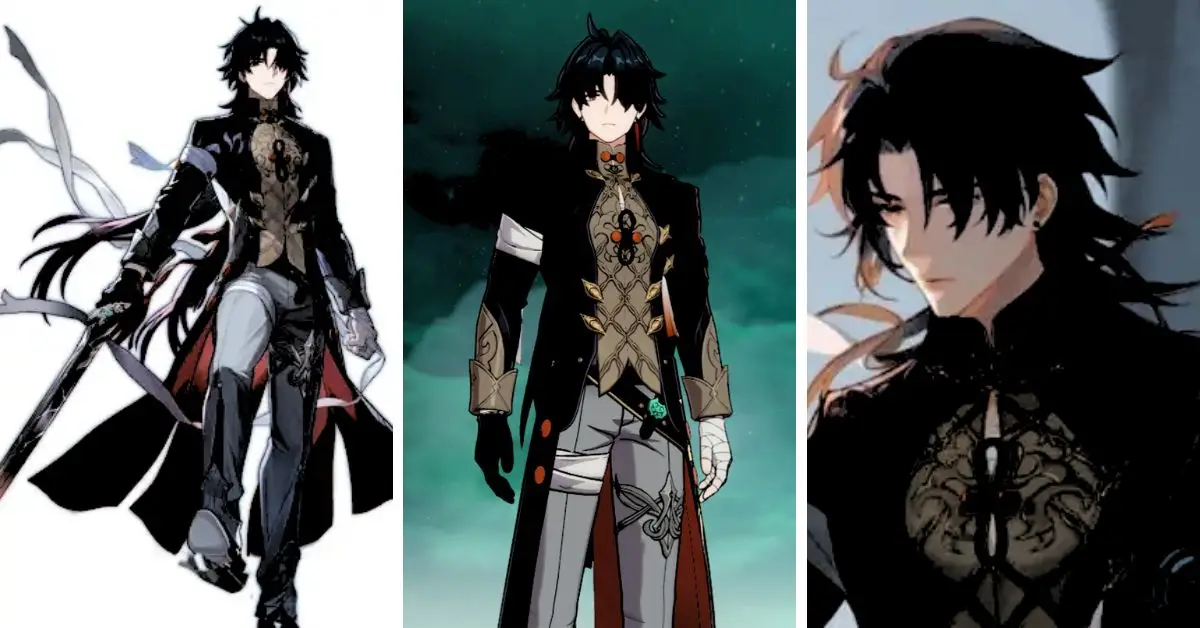
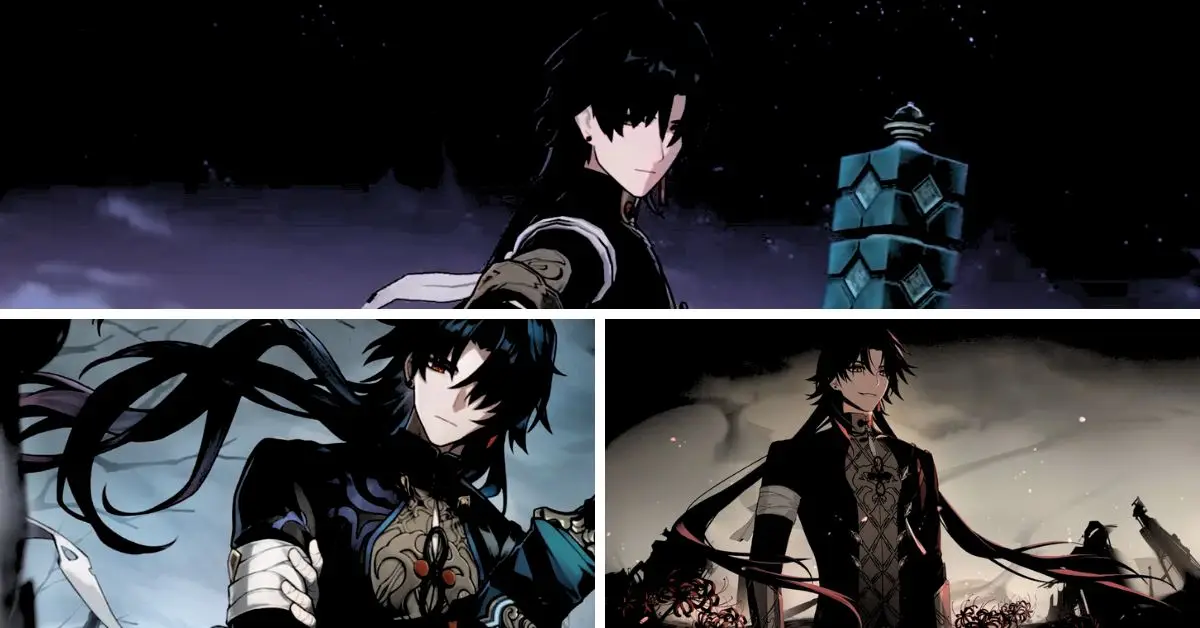
Blade is a powerful 5-star character who joined the game in patch 1.2 and can deal massive damage. This dark hero can shred enemies with his high AOE attacks, and he ranks among the best characters in Honkai: Star Rail.
If you didn’t get Seele, the other top damage dealer in the game, you should think about spending your Rail Passes on Blade. If you manage to get Blade in Honkai: Star Rail, he requires a specific team setup to unleash his full potential, as explained in our guide, and the right kind of build, which we’ll discuss here.
Honkai Star Rail Blade Build
Blade’s damage depends significantly on his HP and Attack, making his build very special to optimize his strength. You need to have a fair amount of both and a high Crit rate to make the most out of Blade’s damage.
Honkai Star Rail Blade Build
The Best Light Cones for Blade in Honkai Star Rail
To maximize Blade’s potential, you should get his exclusive light cone with a limited-time banner and his own. This light cone is specially designed for him and can boost his damage significantly.
It gives him more Crit Rate and HP and also makes him hit harder when he loses HP or gets hit. But other light cones can work well if you don’t want to spend too much resources. One free option is On the Fall of an Aeon.
This soft cone mainly increases ATK but also helps Blade deal more damage when he breaks a weakness. Plus, it has more HP than 4-star light cones, which is suitable for Blade.
Another option is Clara’s signature soft cone, Something Irreplaceable. This light cone can also increase Blade’s damage after a weakness break and heal him. But don’t try to get this light cone just for Blade.
For the 4-star light cones, you can think about A Secret Vow or Nowhere to Run. The blade can lose his own HP quickly, so he might often have less HP than the enemy, which makes A Secret Vow very good for him.
This light cone significantly boosts his damage instead of a stat like ATK. But if you don’t have any other light cones, you can use Nowhere to Run as a last resort. It increases ATK, but it can also help him heal some HP.
The Best Relics For Blade In Honkai: Star Rail
Blade’s damage depends mainly on HP. So, you should get the new Relic Set, Longevous Disciple, that significantly boosts his damage by giving him more HP with its 2-piece bonus.
It also gives him more Crit Rate when he loses HP with its 4-piece bonus, which works well with his skills. But if you don’t have the best pieces for this set yet, you can use only the 2-piece bonus of Longevous Disciple.
Then, you can mix it with the Eagle of Twilight Line set to make Blade’s Wind DMG stronger with good main and sub-stats. Also, if you want a speed bonus, you can use the other new relic set, Messenger Traversing Hackerspace, with Longevous Disciple.
Blade’s best Planar Ornaments are the new set with this update, the Rutilant Arena. This set makes his Crit Rate higher and gives him more Basic ATK DMG when his Crit Rate is 80% or more, which is excellent because his Basic ATK is his primary damage dealer.
You can also use the Fleet of the Ageless set for more HP. But remember that this set is better for healers like Bailu and Natasha because it increases the ATK of all party members. For the main stats of each piece, you have some excellent options.
Blade can get a lot of Crit Rate from his traces, and the Longevous Disciple set, but if you are not lucky with sub-stats or his signature weapon, you might still need a Crit Rate piece instead of Crit DMG for his Body piece.
But a Crit DMG piece will be much better if you have around 80% Crit Rate (with the 4-set bonus of Longevous Disciple). For the other pieces, an HP primary stat is acceptable for each of them. But you don’t have to focus only on HP, and you can also try Wind DMG or Speed pieces to avoid losing value.
For the sub-stats, you should look again for HP, Crit DMG and Crit Rate. You can also go for Speed and Effect Res to make a swift team with some defence. This ensures that Blade is not hit by harmful status effects that can lower his damage.
Blade Trace Priority in Honkai: Star Rail
Blade is a DPS character who can boost his damage output by improving all his abilities. But his Basic ATK and Skill are the most important since they work together to enhance his attacks. His Ultimate and Talent are also helpful, as they can deal much damage and heal him, respectively.
Depending on the team composition, players may want to improve their Talent before their Ultimate if they have a Preservation character instead of an Abundance character, to keep their HP high. Otherwise, the Ultimate should come before the Talent.
To sum up, this is the best order to trace Blade in Honkai: Star Rail:
Skill = Basic ATK
Ultimate
Talent
This order will help players save their resources since they couldn’t farm for Blade’s new relic sets before. So, players can start by only improving their Skills and Basic ATK.
Blade Abilities in Honkai Star Rail
Blade needs an excellent healer to survive the attacks that cost him health. Luocha is a great choice for that role, as he can heal Blade and encourage him to be more aggressive with his Field. If you want a safer team, you can use Bailu or Natasha instead.
Welt will help Blade by dealing with Imaginary damage and disrupting the enemy. Bronya will also support Blade by giving him extra ATK and an additional turn, which can help him unleash his Forest of Swords attack faster.
A more budget-friendly team for Blade is Blade, Pela, Tingyun, and Natasha. With her ultimate, Pela can lower the enemy’s DEF and remove their buffs. Tingyun can give Blade a damage boost before he attacks.
Natasha is an easy-to-get healer that can keep Blade healthy as he sacrifices health for damage. You can also replace Pela with Serval for more AoE damage and Tingyun with Asta for more SPD and Fire damage.
You might think that characters like Tingyun or Asta would be ideal for Blade and increase his damage, but their buffs are not as effective as other characters.
This is because Blade’s damage partly depends on his HP, so he needs support to increase his max HP or give him other HP benefits. Until then, supports like Bronya and Pela are better options.
The Best Teams for Blade in Honkai Star Rail
Before anything else, make sure Blade has a healer on his team. Otherwise, he won’t last long. Please don’t use a shield provider with him because he needs to get hit to activate his buffs.
Apart from the healer, Blade also likes a team buffer. But don’t buff his attack power because his damage depends on his HP. The last team member can be another DPS, especially if you don’t have Silver Wolf and can’t exploit all the enemies’ Weaknesses.
If you have Silver Wolf, she can make the enemies weak to Wind. And she can also debuff them. These are the best teams for Blade.
Blade Hypercarry Team
Blade’s best team focuses on him as the primary damage dealer. Silver Wolf will weaken opponents to Wind, Bronya will increase Blade’s damage, and Luocha will heal him.
But “hypercarry” might not be the right word because the supports can also do good damage themselves. That matters because Silver Wolf sometimes gives Quantum or Imaginary Weakness to opponents who don’t naturally have Wind Weakness.
How to Obtain Blade in Honkai Star Rail?
It would help if you waited for their special Character Event banner to be live to get Blade in Honkai Star Rail, so watch out for the current and upcoming flags.
Blade is a rare five-star character, so they are not easy to get; you may need a lot of Warps to get them. Since Blade has its own limited Character Event Warp banner, you also have a short time to get them once their banner is live.
Stay connected with GameEmpress.com to get the newest news and updates about the gaming world!
If locating Yujin in Honkai: Star Rail proves challenging, rest assured that we are here to provide precise guidance on her whereabouts. Yujin is a crucial character in numerous Trailblazer Missions, making it essential to find her, even if it may require some effort.
In this guide, we’ll delve into Yujin’s role within the game and reveal the exact locations you must visit to unlock an array of new quests and items. So, keep reading to discover all you need about Yujin’s presence in the game.
Who is Yujin in Honkai: Star Rail?
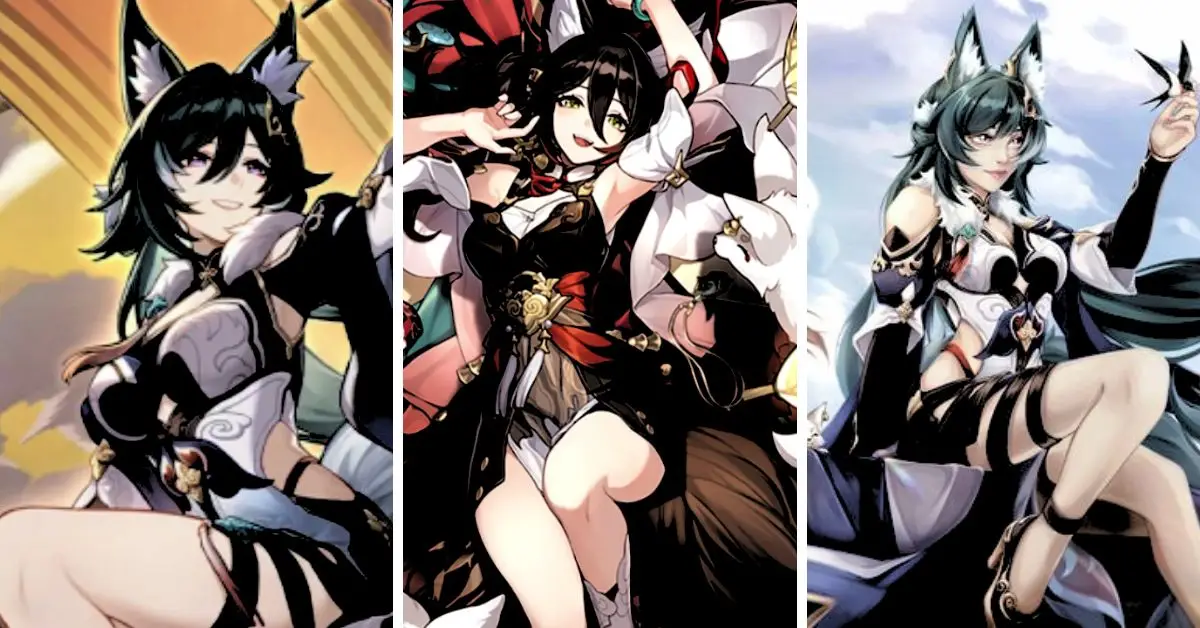
In Honkai: Star Rail, Yujin functions as both a tailor and the proprietor of the Cloudbreath Sleeves Shop. As a Foxian NPC, she plays a significant role in offering various quests and is integral to a specific mission. You’ll have to interact with her to fulfil particular tasks in the Navigation Compass mission.
After completing the mission, locating Yujin again for future side quests is essential. It’s wise to remember her whereabouts to find her when needed quickly.
Yujin Honkai Star Rail
Where is Yujin in Honkai: Star Rail?
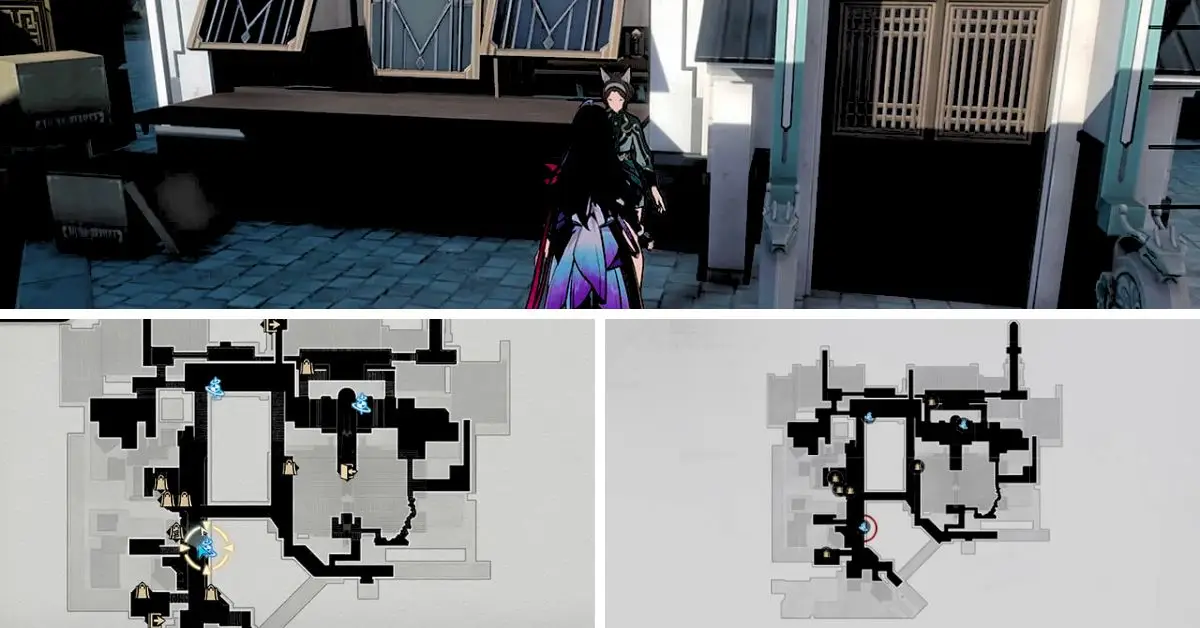
Yujin can be found in Xianzhou Luofu, located within the game Honkai: Star Rail. Specifically, she can be located near the Starwatcher Avenue Space Anchor, conveniently located at the bottom of the map for easy teleportation.
To access Xianzhou Luofu, you must first complete the initial missions on Jarilo-VI. Once you’ve accomplished this, you’ll gain access to the Central Starskiff Haven Zone.
You will find the teleportation point at the Central Starskiff Haven Zone, and just south of that point, you’ll spot Yujin. She will be wearing green shorts and cat ears. When you talk to her, she will reward you with the Clothes for “That Teacher” item, which will aid you in completing your quest.
What Rewards Does Yujin Give?
Completing Yujin’s quests will reward players with valuable items and resources for upgrading their characters and equipment. Some of these rewards include:
Thief’s Steel Grappling Hook and Thief’s Myriad-Faced Mask are Ascension materials for Foxian characters.
Strale is a currency used to buy items from merchants and vendors.
Trailblaze XP is used to level up the player’s account and unlock new features.
Stellar Jade is a premium currency that can summon new characters and weapons.
Stay connected with GameEmpress.com to get the newest news and updates about the gaming world!
Genshin Impact is a popular open-world action RPG game that has attracted millions of players worldwide. The game features a vast and beautiful world to explore, a diverse cast of characters to interact with, and a rich and engaging story to follow.
However, some players may want to customize their game experience with mods, which alter or add new features to the game. Mods can enhance the graphics, gameplay, interface, or content of Genshin Impact, depending on the preferences and needs of the players. This article will introduce some of the best mods for Genshin Impact and how to install them.
What Are Mods and Why Use Them?
Mods are user-created modifications that change or add new features to a game. Mods can range from simple tweaks to major overhauls, depending on the scope and complexity of the mod.
Mods can improve the performance, graphics, gameplay, interface, or content of a game, depending on the purpose and design of the mod. Mods can also fix bugs, glitches, or errors in the game. Mods can enhance the gaming experience by adding variety, challenge, immersion, or fun.
Mods can also cater to the personal preferences or needs of the players, such as changing the difficulty level, adjusting the camera angle, or adding new items or characters. Mods can also extend the lifespan of a game by adding new content or scenarios that keep the game fresh and exciting.
How to Find Mods for Genshin Impact?
One of the best sources for finding mods for Genshin Impact is [Genshin Impact Nexus], a website that hosts a large collection of mods and communities for the game.
The website allows users to browse, download, rate, comment, and upload mods for Genshin Impact. Users can also find guides, tutorials, news, and updates about the game and its modding scene.
To install mods for Genshin Impact, users need to follow these general steps:
Download the mod file from the website.
Extract the mod file using a program such as WinRAR or 7-Zip.
Copy and paste the mod file into the game’s installation folder (usually at C:\Program Files\Genshin Impact\Genshin Impact Game).
Launch the game and enjoy the mod.
Some mods may require additional steps or tools to install or run correctly. Users should read the mod’s description and instructions carefully before installing it. Users should also backup their game files before installing any mods, in case something goes wrong or they want to uninstall them later.
How to Install Mods for Genshin Impact?
Before installing any mods for Genshin Impact, it is important to note that the game developers, miHoYo, do not officially support modding. Modding may cause compatibility issues, errors, or crashes in the game.
Modding may also violate the game’s terms of service or user agreement, resulting in account suspension or ban. Therefore, modding is done at your own risk and discretion.
To install mods for Genshin Impact, you will need a mod manager program that can help you download, install, update, and uninstall mods easily and safely. One of the most popular and reliable mod managers is Nexus Mod Manager (NMM), compatible with many games including Genshin Impact.
You can download NMM from. To use NMM, you must create a free account on Nexus Mods, one of the largest and most trusted modding communities online. Nexus Mods hosts thousands of mods for various games including Genshin Impact. You can browse and download mods from Nexus Mods.
Take a look at some additional recently published content from us:
To install a mod using NMM, you will need to follow these steps:
Launch NMM and select Genshin Impact as your active game.
Click the “Mods” tab and then the “Add Mod from File” button.
Browse and select the mod file that you downloaded from Nexus Mods.
The mod will appear in your mod list. Click on the “Activate” button to enable the mod.
Repeat these steps for any other mods that you want to install.
Launch Genshin Impact and enjoy your modded game.
To uninstall a mod using NMM, you will need to follow these steps:
Launch NMM and select Genshin Impact as your active game.
Click on the “Mods” tab and then the “Deactivate” button next to the mod you want to uninstall.
The mod will be removed from your mod list and your game.
Repeat these steps for any other mods that you want to uninstall.
How to install mods for Genshin Impact, see the video below:
What Are Some of the Best Mods for Genshin Impact?
Many mods are available for Genshin Impact that can enhance your game experience differently. Here are some of the best mods that we recommend:
Better Resin: This mod improves the resin system in Genshin Impact by increasing the resin cap from 160 to 240, reducing the resin regeneration time from 8 to 5 minutes, and allowing you to use primogems to refill resin without limit. This mod makes resin management easier and more convenient for players who want to do more activities in the game.
Genshin Impact Reshade: This mod enhances the graphics of Genshin Impact by adding various effects such as ambient occlusion, depth of field, bloom, sharpening, color correction, and more. This mod makes the game more realistic and immersive with better lighting, shadows, colors, and details.
Genshin Controller Remap: This mod allows you to remap your controller buttons in Genshin Impact according to your preferences. You can change the functions of any switch on your controller using a simple interface. This mod is useful for players who want to customize their controls for better comfort and convenience.
Genshin Impact UI Mod: This mod improves the user interface of Genshin Impact by adding new features and options such as a mini-map, a quest tracker, a character switcher, a party manager, and more. This mod makes the game more user-friendly and accessible with more information and functionality.
Genshin Impact Character Mod: This mod adds new characters to Genshin Impact that are unavailable in the official game. You can choose from various characters from other games or anime, such as Naruto, Zelda, Kirito, and more. You can also customize their appearance, skills, weapons, and stats. This mod is fun for players who want to play as their favorite characters or try different combinations.
Conclusion
Mods are a great way to enhance your gaming experience with Genshin Impact. They can allow you to customize your game according to your preferences and needs. They can also add more content or variety to your game or fix some of its issues or limitations.
However, you should always be careful when using mods and follow their instructions properly. You should also backup your game files before installing any mods, in case something goes wrong or you want to uninstall them later. We hope this article has helped you learn more about mods for Genshin Impact and how to find and install them.
Genshin Impact is a popular open-world action RPG game that has attracted millions of players worldwide. The game is available on various platforms, such as PC, PlayStation, iOS, and Android.
However, many fans have been eagerly waiting for the game to be released on the Nintendo Switch, allowing them to enjoy it on a portable device with a larger screen and better controls.
Unfortunately, the Switch version of Genshin Impact has been delayed indefinitely, with no official release date announced by the developer, miHoYo. This has left many players disappointed and frustrated, as they want to experience the game’s beautiful graphics and immersive gameplay on a handheld console.
However, there is another option for those who want to play Genshin Impact on a portable device: the Steam Deck. The Steam Deck is a new handheld gaming device developed by Valve, behind the Steam platform.
The Steam Deck is designed to run any game from your Steam library and other PC games and applications. The device features a 7-inch touchscreen, dual analog sticks, a D-pad, face buttons, triggers, bumpers, and four rear buttons.
It also has a built-in microphone, speakers, headphone jack, USB-C port, microSD slot, and Bluetooth and Wi-Fi connectivity. The Steam Deck has an operating system called SteamOS, which is based on Linux.
However, you can also install Windows on the device, allowing you to run any Windows-compatible game or application. You can play Genshin Impact on the Steam Deck if you install Windows first.
In this article, we will show you how to play Genshin Impact on the Steam Deck step by step. We will also provide some tips and tricks to optimize your gaming experience.
Step 1: Prepare a USB Drive with Windows Installation Media
The first step to play Genshin Impact on the Steam Deck is to prepare a USB drive with Windows installation media. You will need this to install Windows on your device. To do this, you will need:
A USB drive with at least 8 GB of storage space
A PC with Windows 10
An internet connection
To create a bootable USB drive with Windows installation media, follow these steps:
Go to Microsoft’s official website and download the Windows 10 Media Creation Tool.
Run the tool and accept the license terms.
Select “Create installation media (USB flash drive, DVD, or ISO file) for another PC” and click “Next”.
Choose your language, edition, and architecture (64-bit or 32-bit) for Windows 10 and click “Next”.
Select “USB flash drive” and click “Next”.
Choose your USB drive from the list and click “Next”.
Wait for the tool to download and create the Windows installation media on your USB drive.
When the process is finished, click “Finish” and safely eject your USB drive from your PC.
The next step is to boot your Steam Deck from the USB drive that contains the Windows installation media. This will allow you to install Windows on your device. To do this, you will need:
Your Steam Deck
Your USB drive with Windows installation media
A power source
To boot your Steam Deck from the USB drive, follow these steps:
Plug your USB drive into your Steam Deck’s USB-C port.
Plug your Steam Deck into a power source.
Turn on your Steam Deck by pressing the power button.
Hold the power and volume down buttons simultaneously until you see the Boot Manager screen.
Select your USB drive from the list and press A on the D-pad or touchscreen.
Wait for your Steam Deck to restart and boot from the USB drive.
The final step is to install Windows on your Steam Deck. This will overwrite the SteamOS that comes with your device. To do this, you will need:
Your Steam Deck
Your USB drive with Windows installation media
A keyboard and mouse (optional)
To install Windows on your Steam Deck, follow these steps:
When you see the Windows Setup screen, choose your language, time, currency format, and keyboard or input method and click “Next”.
Click “Install now”.
Enter your product key if you have one or click “I don’t have a product key” if you don’t.
Choose the edition of Windows 10 that matches your product key or select “Windows 10 Home” if you don’t have one and click “Next”.
Accept the license terms and click “Next”.
Choose “Custom: Install Windows only (advanced)”.
Select each partition on your device’s hard drive and click “Delete” until only one unallocated space is left.
Select the unallocated space and click “Next”.
Wait for Windows to install on your Steam Deck.
Follow the on-screen instructions to set up your device after installation.
Step 4: Download and Play Genshin Impact on Your Steam Deck
The last step is downloading and playing Genshin Impact on your Steam Deck. You can do this from the Epic Games Store or the game’s official website. To do this, you will need:
Your Steam Deck with Windows installed
An internet connection
A miHoYo account
To download and play Genshin Impact on your Steam Deck, follow these steps:
Connect your Steam Deck to the internet via Wi-Fi or Bluetooth.
Open your web browser and go to either the Epic Games Store or the official website of Genshin Impact.
Download and install the Genshin Impact launcher on your Steam Deck.
Run the launcher and log in with your miHoYo account or create one if you don’t have one.
Wait for the game to download and update on your Steam Deck.
Launch the game and enjoy playing Genshin Impact on your Steam Deck.
Tips and Tricks to Optimize Your Gaming Experience
Here are some tips and tricks to optimize your gaming experience when playing Genshin Impact on your Steam Deck:
Adjust the graphics settings to suit your preferences and performance. You can access the graphics settings by pressing Esc, selecting “Settings” and then “Graphics”. You can lower the resolution, frame rate, render quality, anti-aliasing, shadows, etc. to improve your device’s performance and battery life.
Use a controller or keyboard and mouse to play the game. You can connect a controller, keyboard, and mouse to your Steam Deck via USB-C, Bluetooth, or wireless dongle. You can also use the built-in controls of your device, but they may not be as comfortable or accurate as external ones. You can customize the controls by pressing Esc, selecting “Settings” and then “Controls”.
Use headphones or earphones to enjoy the game’s sound effects and music. You can plug headphones or earphones into your Steam Deck’s headphone jack or connect them via Bluetooth. You can also use your device’s built-in speakers, which may not be as loud or clear as external ones. You can adjust the sound settings by pressing Esc, selecting “Settings” and “Sound”.
Save your progress frequently and avoid losing data. You can save your progress by opening the menu by pressing Esc and selecting “Save”. You can also enable auto-save by pressing Esc, selecting “Settings” and then “Game”. You should also avoid closing the game abruptly or losing power while playing, as this may cause data loss or corruption.
Conclusion
Genshin Impact is a fun and addictive game that you can play on various platforms, including the Steam Deck. Following this guide, you can install Windows on your Steam Deck and play Genshin Impact.
However, you should be aware that this process will void your warranty and may cause issues with your device. Therefore, you should proceed at your own risk and responsibility.
We hope this article has helped you learn how to play Genshin Impact on the Steam Deck. If you have any questions or feedback, please comment below.