Blog

  • Last Epoch Runemaster Build Guide: Dominate With The Ultimate Spellcaster

    Last Epoch Runemaster Build Guide: Dominate With The Ultimate Spellcaster

    To say that the finest Last Epoch Runemaster class construct is difficult would be an understatement. The Runemaster class uses one of many Runic Invocation assaults, depending on the mix of elemental spells you’ve used before.

    As if the rune system wasn’t complicated enough, the Runemaster also suffers from mana regeneration and survival. Don’t worry, this article will help you locate the optimal Runemaster build for the Last Epoch.

    Last Epoch Runemaster Build Guide
    Skill-Rich Action RPG Last Epoch
    Skill-Rich Action RPG Last Epoch

    The Last Epoch Runemaster class is an elemental spellcaster who often maintains a large space between himself and the adversary. Most Runemaster builds rely on Runic Invocation as their primary source of damage; you’ll cast an elemental spell to obtain one rune of a corresponding elemental type (one rune per second if it’s a channeling spell), then use Runic Invocation to consume the runes and launch an attack based on that rune combination.

    For example, firing two fire skills followed by a lightning skill would result in two Rah Runes and one Gon Rune, which may be used to launch the Echoes of Thunder lightning assault.

    Runic Invocation builds have incredible damage potential, hence it is strongly advised to employ this ability as the foundation of your Last Epoch Runemaster construct.

    Just be aware that it requires particular rune combinations (and so spell rotations) to function, leaving minimal room for mistakes.

    Last Epoch Runemaster Skills
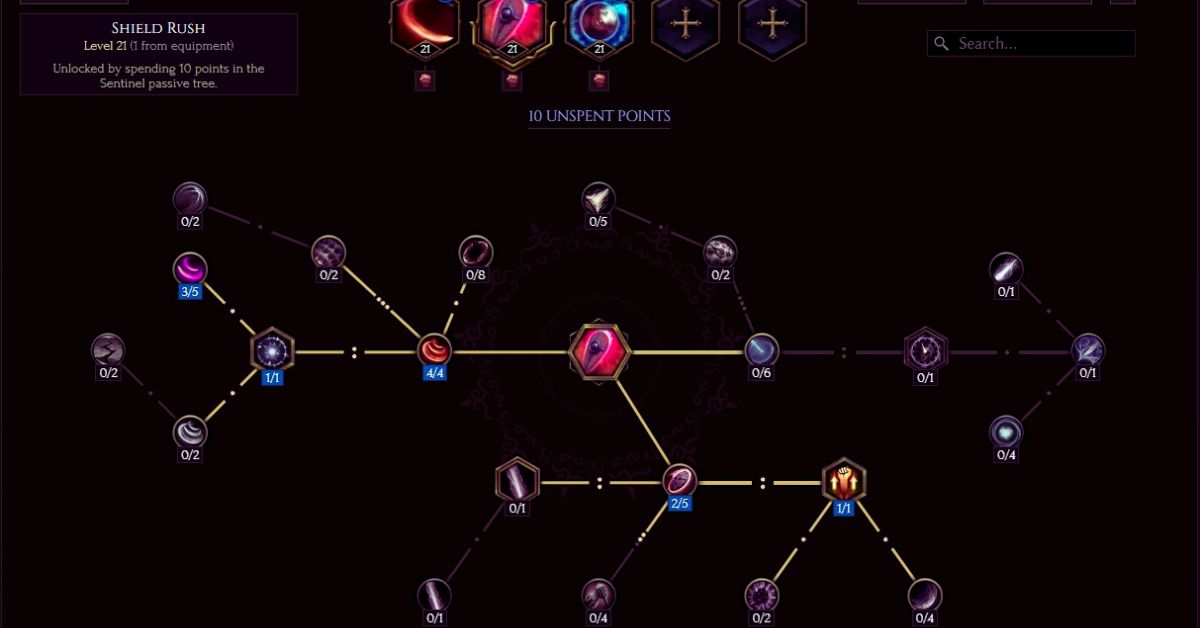
    Last Epoch Sentinel Leveling Build
    Last Epoch Sentinel Leveling Build
    • Runic Invocation: Completely enhance Unbridled Ruin, Devastating Starfall, and Word of Rahyeh. You will require at least one point in Rune Slinger and Inscribed Patterns, two points in Attuned Approach, and three points in Runic Energy. Copied Scrolls, Transcriber of Power, and Word of Lagon are also highly recommended passives (if you’re casting a lightning spell).
    • Rune Bolt: Completely enhance Arcane Restoration, Runeweave, and Cosmic Tapestry. It is preferable to limit the damage output to one element; for this Runemaster setup, employ Blazing Flare and Searing Dart (fire). Other recommended improvements are Dissolve and Conquer and Arcane Overcharge.
    • Flame Rush: Completely improve Blazing Flux, Runic Eclipse, and Lunar Protection. Celestial Guidance is a recommended upgrade for further defense, while Solar Rush and Blazeborn provide more reach and damage.
    • Static Orb: Fully upgrade the Shocking Conduit, Forking Surge, and Static Armor to protect yourself, shock foes, and deliver more lightning damage.
    • Flame Ward: Fully upgrade Dilation, Energize, Prismatic Buffer, and Barrier for maximum defense. The Astonish upgrade is highly recommended since it activates Flame Ward when shocked.

    Creating a decent Runemaster build is significantly easier if you focus on one or two elemental damage types and enhance them as much as possible using passive skill points.

    This Runemaster build primarily relies on fire damage delivered via a modified Rune Bolt and Flame Rush attack. The main aim of Static Orbs and Flame Wards is to increase defensiveness.

    By activating the Blazing Flare and Searing Dart passive improvements, as well as the Arcane Restoration passive, Runebolt transforms into a great primary fire damage spell with mana recovery.

    The latter will let you use the evasive maneuver Flame Rush more frequently, although it is still advisable to minimize its mana cost and cooldown length using the Blazing Flux passive. Flame Ward will serve as a shield, and all three powers can be used to stack on Rah Runes.

    If you add certain lightning spells, like the Static Orb, you may cast Echoes of Thunder’s lightning explosions or generate Plasma Orbs that will constantly surround you.

    Would you want to keep the rune rotation as simple as possible? Then, solely use fire spells to fast build up on Rah runes and perform Aergon’s Greater Fireball with Runic Invocation.

    Last Epoch Runemaster Best Passive

    • Mage passives: improve the Arcanist passive to get access to new skill trees. Only use Elementalist if you want to employ many elements. If you only utilize one or two, completely improve the relevant ones: Arcane Current, Mage Flurry, or Arcane Flames. Knowledge of Destruction is an excellent choice for increasing your chances of landing a critical hit.
    • Sorcerer passives: Increase Calculated Destruction by at least five points for a critical strike bonus. Consider completely improving Arcane Momentum for much higher casting speeds.
    • Runemaster passives: Increase intellect, mana, and casting speed by upgrading Unsealed Mana and Arcane Focus. Both Ancient Inscription and Celestial Doom can be improved for the same reasons. Because you will always collect Rah Runes, upgrade Decree of the Burning Wind to do more damage against bosses. If you need extra defense, upgrade the Sphere of Protection.

    The most crucial thing is to choose your elemental type and increase the Mage’s passives accordingly. This Runemaster build does a lot of fire damage, therefore upgrading Arcane Flames is essential.

    This is everything you need to know about Last Epoch Runemaster Build Guide. Additionally, you can check our guide on Last Epoch Paladin Build Guide and WoW Classic Blacksmithing Leveling Guide. Stay connected with GameEmpress.com to get the latest news and guides about the gaming world.

  • Call Of Duty For Nintendo Switch: Answer The Call On A Whole New Platform

    Call Of Duty For Nintendo Switch: Answer The Call On A Whole New Platform

    Call of Duty has been around for almost 20 years, and it’s a brand that hundreds of millions of gamers enjoy. It is the most successful shooter franchise in history, spanning many console generations and numerous devices.

    However, recent statistics indicate that interested individuals are asking a single question: ‘Is Call of Duty on Nintendo Switch?’ There has been a lot of buzz about bringing Call of Duty to the Nintendo Switch, and we’ll go into it in this analysis.

    For many millions of gamers, owning a COD for Switch would be the ultimate gaming achievement. Handheld gaming is becoming increasingly popular, and being able to play a top-tier Call of Duty on the Nintendo Switch would be wonderful and a dream come true for some players.

    So, let’s get to the heart of the matter. Is Call of Duty on the Nintendo Switch?

    Can you play Call of Duty on the Nintendo Switch?

    Unfortunately, Call of Duty is not currently available for the Nintendo Switch. Historically, few Call of Duty games have made their way to a Nintendo platform, with the exception of a few spin-off titles for the Nintendo DS.

    The only full Call of Duty releases on Nintendo consoles were Call of Duty Ghosts and Call of Duty Black Ops II. These games were released for the WiiU system in 2013 and 2012, respectively.

    Since then, no other Call of Duty game has been released for the Nintendo console. It seems strange, given that Call of Duty Mobile exists and Call of Duty Warzone is available on all platforms except Nintendo consoles.

    Unfortunately for lovers of the iconic shooter franchise, there is no Call of Duty on Switch.

    Call of Duty for Nintendo Switch: Is it coming?

    In March 2023, Activision stated that Call of Duty Warzone and Call of Duty: Modern Warfare II (2022) ‘may be’ transferred to Nintendo Switch with ease.

    It was a positive note for fans who had been waiting for a strong shooter title on Nintendo’s flagship platform, but it was more of a passing remark than a foreshadowing of future developments.

    However, it did not stop there. In terms of bringing Call of Duty to the Switch, Microsoft signed a 10-year agreement with Nintendo, promising to deliver the game to the Nintendo environment if Activision Blizzard and Microsoft’s merger was successful.

    At the time of publication, this purchase was still in the works, and it was met with opposition from regulatory organizations.

    So, if that deal goes through, there’s a great and indisputable likelihood that Call of Duty will come to the Nintendo Switch. Not only that but Nintendo is scheduled to announce a new platform soon, which will increase the odds of Call of Duty being on whatever comes next.

  • The Texas Chain Saw Massacre System Requirements: Do You Meet The Specs For Survival?

    The Texas Chain Saw Massacre System Requirements: Do You Meet The Specs For Survival?

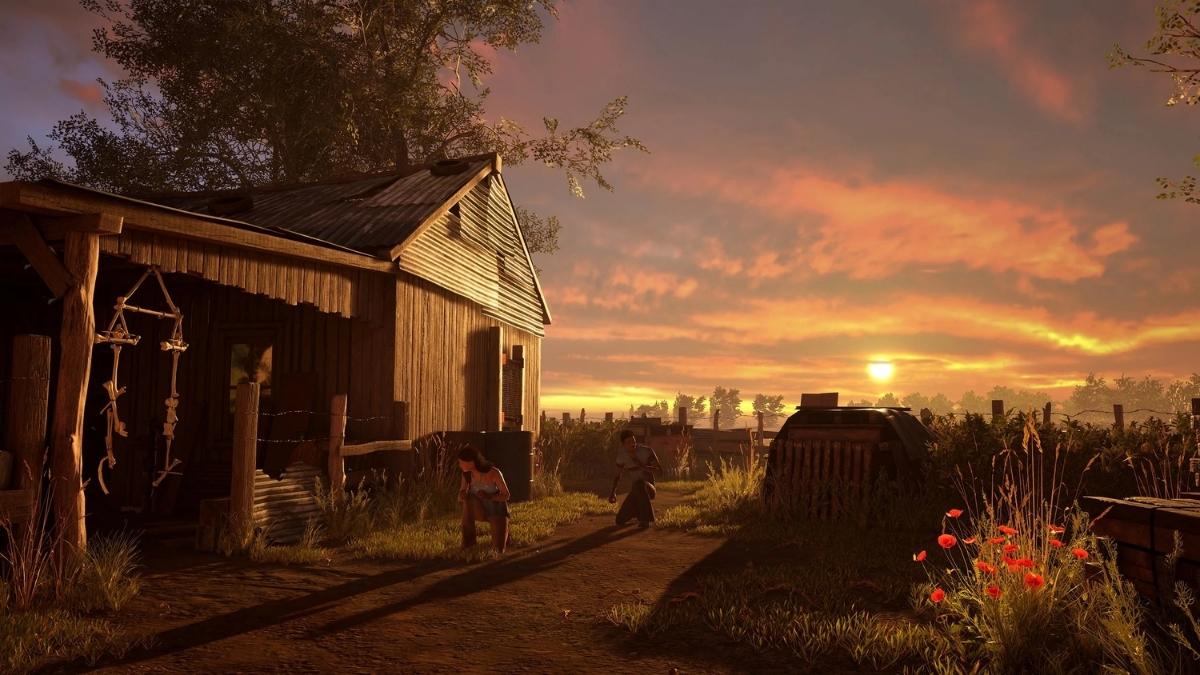
    The Texas Chain Saw Massacre is a horror game based on the classic 1974 film of the same name.  The game is a third-person asymmetrical multiplayer game, where one player controls a member of the Slaughter family, and four other players try to escape from them.

    The game features various locations, characters, weapons from the original film, and some new additions. The game has received mostly positive reviews from critics and players, who praised its graphics, atmosphere, and gameplay.

    The Texas Chain Saw Massacre System Requirements

    Is Texas Chainsaw Massacre Crossplay?
    Is Texas Chainsaw Massacre Crossplay?

    Minimum System Requirements

    The minimum system requirements are the lowest settings that your PC needs to run the game at a playable level. These are the minimum system requirements for The Texas Chain Saw Massacre:

    • OS: Windows 10, 64-bit
    • Processor: Intel Core i5 6th gen or AMD Ryzen 5 1600
    • Memory: 8 GB RAM
    • Graphics: Nvidia Geforce GTX 1060 or AMD Radeon RX 580
    • Storage: 30 GB available space
    • Network: Broadband Internet connection

    If your PC meets these requirements, you should be able to run the game at low settings and resolution, with an average of 30 FPS (frames per second). However, you may experience lag, stuttering, or crashes, especially in online matches.

    Recommended System Requirements

    The recommended system requirements are the optimal settings that your PC needs to run the game at a high level. These are the recommended system requirements for The Texas Chain Saw Massacre:

    • OS: Windows 10, 64-bit
    • Processor: Intel Core i7 10th gen or AMD Ryzen 5 5600X
    • Memory: 16 GB RAM
    • Graphics: Nvidia Geforce RTX 3070 or AMD Radeon RX 6700 XT
    • Storage: 30 GB available space
    • Network: Broadband Internet connection

    If your PC meets these requirements, you should be able to run the game at high settings and resolution, with an average of 60 FPS or more. You will also enjoy smoother and more stable gameplay, with less lag, stuttering, or crashes.

    How to Check Your PC Specs?

    If you are not sure what your PC specs are, you can easily check them by following these steps:

    • On your Windows 10 desktop, right-click on the Start button and select Settings.
    • In the Settings window, click on System.
    • In the System window, click on About on the left sidebar.
    • In the About window, you will see your device specifications, such as your device name, processor, installed RAM, system type, and edition.
    • To check your graphics card, click on the Device Manager button on the right side of the window.
    • In the Device Manager window, expand the Display adapters category and you will see your graphics card name and model.

    How to Optimize Your Performance?

    If your PC does not meet the minimum or recommended system requirements, or if you want to improve your performance and FPS, you can try some of these tips:

    • Update your graphics card drivers. You can do this by visiting the official website of your graphics card manufacturer, such as Nvidia or AMD, and downloading the latest drivers for your model. Alternatively, you can use driver updater software, such as Driver Booster or Driver Easy, to automatically scan and update your drivers.
    • Lower your graphics settings. You can do this by launching the game and going to the Options menu. There, you can adjust the graphics settings, such as resolution, texture quality, shadow quality, anti-aliasing, and more. Lowering these settings will reduce the load on your graphics card and increase your FPS.
    • Close unnecessary background programs. You can do this by pressing Ctrl+Alt+Delete on your keyboard and opening the Task Manager. There, you can see the processes that are running on your PC and how much CPU, memory, and disk they are using. You can end the processes that are not essential for your system or the game, such as browsers, antivirus, or other applications. This will free up some resources and improve your performance.
    • Use a game booster software. You can use game booster software, such as Razer Cortex or Smart Game Booster, to optimize your PC for gaming. This software will automatically close unnecessary background programs, clear your RAM, and boost your FPS. They will also provide you with some useful features, such as an FPS counter, screen recorder, game launcher, and more.

    Conclusion

    The Texas Chain-Saw Massacre is a thrilling and terrifying game that will make you feel like you are in the movie. However, it would be best if you had a decent PC to run the game smoothly and enjoy its full potential.

    This is everything you need to know about The Texas Chain Saw Massacre System requirements. Additionally, you can check our guide on Final Fantasy 7 Remake System Requirements and Pacific Drive PC Requirement. Stay connected with GameEmpress.com to get the latest news and guides about the gaming world.

  • Fortnite Chapter 5 Season 2 Location Leaks: Exploring The Greek Mythology Map Update

    Fortnite Chapter 5 Season 2 Location Leaks: Exploring The Greek Mythology Map Update

    Epic Games has teased a few potential map improvements for the upcoming season, but nothing has been confirmed so far for Fortnite Chapter 5 Season 2.

    Although something in this title is going to change, considering the tremendous buildup that is occurring in-game, no one knows what it will be. Nonetheless, reports about Chapter 5 Season 2 have circulated ShiinaBR, Hypex, and iFireMonkey.

    Although none of them are likely to come true, they provide the community with something to discuss as they consider the information that may appear in this title.

    If nothing else, leaks and rumors generate excitement among users and help them get into the mood for what’s to come. That being said, there are three reported Named Locations for Fortnite Chapter 5 Season 2.

    Fortnite Chapter 5 Season 2 Location Leaks

    One of the primary reasons Mount Olympus is speculated to be included is a leak discovered a while ago. An NPC related to lightning was under development at the start of Chapter 5 Season 1.

    Given that Fortnite Chapter 5 Season 2 will be centered around Greek mythology, this NPC might be a variation or modification of Zeus.

    This is consistent with the legends, given that Mount Olympus is the abode of the gods. Furthermore, given the existence of a gigantic peak known as the Superior Summit in-game, it might be easily transformed into Mount Olympus.

    Poseidon is one of the leaked Fortnite Chapter 5 Season 2 Battle Pass skins that will be available in-game shortly.

    Fans are often speculating about whether a Greek Mythology-themed Fishstick Skin is being developed. This is because monuments depicting the subject may be found throughout the island. These details suggest that Atlantis may be listed as a Named Location.

    While something similar was done in Chapter 2 under the name Coral Castle, this should be somewhat distinct. Given Epic Games’ design progress, Atlantis might be a fully developed Named Location with its features and surprises for players to discover.

    Given that a Titan Hand is about to breach through the island’s crust, the presence of Tartarus in-game may be unavoidable.

    This is where the Titans were exiled after losing their battle against the Greek gods. As a result, Epic Games may develop an underground Named Location for gamers to discover.

    It may include flowing magma, lesser titans for players to slay in combat, and, of course, excellent riches. Consider this point of interest to be the subterranean version of Loot Island. It might be an exciting experience as gamers take a chance and venture into the darkness in pursuit of wealth.

  • F1 24 System Requirements: Can Your PC Run It?

    F1 24 System Requirements: Can Your PC Run It?

    F1 24 is the official video game of the 2024 FIA Formula One World Championship, developed by EA Sports and published by Electronic Arts. It is set to be released in 2024 for PlayStation 5 and PC.

    The game features all the teams, drivers, and circuits from the 2024 season, as well as new modes, features, and improvements. The game also features realistic and immersive graphics, sound, and physics, as well as a dynamic and adaptive weather system.

    But can your PC run it? In this article, we will tell you everything you need to know about the F1 24 system requirements, as well as some details about the game’s development, gameplay, and features.

    F1 24 System Requirements

    The F1 24 system requirements are not yet officially confirmed by EA Sports, but based on some sources and estimates, we can provide you with some possible minimum and recommended specs for the game.

    F1 23 PC Requirement
    F1 23 PC Requirement

    Note that these are not definitive, and they may change with future updates and patches. Also, keep in mind that the game’s performance may vary depending on your settings, resolution, and hardware.

    F1 24 Minimum System Requirements

    To run the game at the lowest settings and resolution, you will need the following hardware:

    • OS: Windows 10 64-bit (version 2004 or later)
    • CPU: Intel Core i3-2130 or AMD FX-8350
    • RAM: 8 GB
    • GPU: Nvidia GeForce GTX 780 or AMD Radeon RX 480 (min. 3 GB VRAM)
    • HDD space: 100 GB
    • DirectX: Version 12 or later

    F1 24 Recommended System Requirements

    To run the game at the highest settings and resolution, you will need the following hardware:

    • OS: Windows 10 64-bit (version 2004 or later)
    • CPU: Intel Core i5-9600k or AMD Ryzen 5 2600X
    • RAM: 16 GB
    • GPU: Nvidia GeForce RTX 2070 or AMD Radeon RX 6700XT (min. 8 GB VRAM)
    • HDD space: 100 GB
    • DirectX: Version 12 or later

    How to Check Your PC Specs and Compare Them to the F1 24 System Requirements?

    To check your PC specs and compare them to the F1 24 system requirements, you can use the following steps:

    • To check your OS, CPU, RAM, and HDD space, you can go to the Settings app on your PC, and click on System, then About. You will see the information about your device name, processor, installed RAM, system type, and device ID. You can also see how much storage space you have left on your PC by clicking on Storage on the left panel.
    • To check your GPU and VRAM, you can go to the Device Manager app on your PC, and click on Display adapters. You will see the name and model of your graphics card. You can also right-click on your graphics card, and select Properties, then Driver. You will see the information about your driver version, date, and provider. To check your VRAM, you can go to the Settings app on your PC, and click on System, then Display. You will see the information about your display resolution, refresh rate, and graphics card. You will see the information about your adapter type, total available graphics memory, dedicated video memory, system video memory, and shared system memory.
    • To compare your PC specs to the F1 24 system requirements, you can use a tool such as PCGameBenchmark or Can You Run It. These tools can scan your PC and tell you if you meet the minimum or recommended requirements for the game. They can also suggest some upgrades or optimizations for your PC to improve your gaming experience.

     F1 24 About

    F1 24 is the official video game of the 2024 FIA Formula One World Championship, which is the highest class of international single-seater auto racing.

    The game features all the teams, drivers, and circuits from the 2024 season, such as Mercedes, Ferrari, Red Bull, Lewis Hamilton, Max Verstappen, Charles Leclerc, and more. The game also features new modes, features, and improvements, such as:

    • A career mode, where you can create your driver and team, and compete in the F1 championship, as well as other racing categories, such as F2 and F3. You can also manage your team’s budget, research, development, contracts, sponsors, and more.
    • A story mode, where you can follow the lives and careers of some of the most iconic and legendary F1 drivers, such as Ayrton Senna, Michael Schumacher, Fernando Alonso, and more. You can also relive some of their most memorable and historic races, challenges, and rivalries.
    • A multiplayer mode, where you can race against other players from around the world in ranked or casual matches. You can also join or create your leagues, tournaments, and events, and customize your own rules and settings. You can also share your highlights, replays, and screenshots with the F1 community.
    • A VR mode, where you can experience the thrill and realism of F1 racing in virtual reality. You can use a VR headset, such as the Oculus Rift or the HTC Vive, and immerse yourself in the cockpit of an F1 car. You can also use a steering wheel and pedals, such as the Logitech G29 or the Thrustmaster T300, and feel the feedback and force of the car.

    The game also features realistic and immersive graphics, sound, and physics, which create a stunning and authentic F1 experience. The game uses the Frostbite engine, which enhances the graphics and the performance of the game.

    The game also features a dynamic and adaptive weather system, which affects the track conditions, the visibility, and the car’s performance. The game also features a realistic and immersive sound design, which features the original F1 commentary, music, and sound effects.

    The game also features a realistic and immersive physics system, which simulates the aerodynamics, tire wear, fuel consumption, damage, and collisions of the F1 cars.

    This is everything you need to know about F1 24 System Requirements. Additionally, you can check our guide on Atomic Heart PC Requirement and Shadow Of The Tomb Raider PC Requirement. Stay connected with GameEmpress.com to get the latest news and guides about the gaming world.
  • Is Phantom Blade Zero Crossplay? Can I Play With Friends On Different Platforms?

    Is Phantom Blade Zero Crossplay? Can I Play With Friends On Different Platforms?

    Phantom Blade Zero is one of the most anticipated games of 2024, featuring a stunning blend of kung fu, steampunk, and occult elements. The game is set to release exclusively for PS5 and PC, but many fans are wondering: is Phantom Blade Zero crossplay?

    Is Phantom Blade Zero crossplay?

    Unfortunately, the answer is no. Phantom Blade Zero is not crossplay, meaning that PS5 and PC players will not be able to play together online. This was confirmed by the game’s developer, S-Game, in a blog post.

    Phantom Blade Zero System Requirements
    Phantom Blade Zero System Requirements

    The reason for this decision is that the game uses different input methods and performance settings for each platform, which would create an unfair advantage or disadvantage for some players.

    S-Game also stated that they wanted to focus on optimizing the game for each platform individually, rather than compromising the quality for crossplay.

    Will Phantom Blade Zero Ever be crossplay?

    There is still a slight chance that Phantom Blade Zero could become crossplay in the future if S-Game decides to add this feature as an update or a DLC.

    However, this is not a priority for the developer at the moment, and there is no official announcement or confirmation of this possibility. Therefore, fans should not expect crossplay to be available anytime soon.

    Conclusion

    Phantom Blade Zero is a promising game that offers a unique and immersive experience of kungfu punk action. However, it is not crossplay, and there is no guarantee that it will ever be.

    If you want to play with your friends who are using a different platform, you will have to look for other solutions, such as streaming or remote play.

    Alternatively, you can wait for the game to go on sale and buy it for the same platform as your friends. Either way, we hope you enjoy Phantom Blade Zero when it launches in 2024.

  • Last Epoch Warlock Build Guide: Dominate With Bleeding, Poison, And Necrotic Powers

    Last Epoch Warlock Build Guide: Dominate With Bleeding, Poison, And Necrotic Powers

    The finest Last Epoch Warlock build is a strong mid-range class that specializes in damage over time and curses.

    Curse your foes and either drain their blood, poison them, or deliver constant necrotic damage to win the battle, but keep in mind that you’ll need to select attacks that synergize and focus on the same damage type to completely profit from your passive talents. From active skills to passive skill point distribution, here’s how to create the greatest Warlock build in Last Epoch.

    You may also check out my Last Epoch Class Tier List Ranking if you want to try something new, or these Last Epoch top leveling builds to help you go ahead.

    Last Epoch Warlock Build Guide

    Last Epoch PS5
    Last Epoch PS5

    The Last Epoch Warlock class is an Acolyte Mastery, making them closely linked to the Necromancer and Lich. The Warlock’s main strength is the ability to do damage over time, which can be caused by poison, necrotic damage, or bleed effects.

    To enhance your Warlock build’s potency, concentrate on one sort of damage and boost it as much as possible. All attacks in this Warlock build have been modified to Bleed for this purpose.

    Last Epoch Warlock Skills

    • Chthonic Fissure: completely upgrade Blood Gulch to inflict Bleed, then improve Stygian Current and Chaotic Rupture to cast more fissures and turn them into Chaos Bolts. It is strongly advised to improve Fragile Crust to lower the mana cost.
    • Chaos Bolts: Fully upgrade Condemned to Chaos, Grave for Two, and The Burn to lengthen the duration of the Chthonic Fissure. Upgrade Sanguine Reverie, Another Affliction, Extracted Libation and Cursed Blood to become physical and unleash Bone Curses and Rip Blood assaults. Upgrades that are recommended include Doom’s Vindication and Devour the Dead.
    • Upgrade Gushing Wound and Splatter for increased Bleed damage. For optimal HP recovery, Hemomancer and Quenching are advised.
    • Bone Curse: Fully upgrade Cloven Flesh to increase the likelihood of Bleed. Fully upgrade Conflation, Iron Maiden, and Brittle Bones to affect a bigger area and cause more damage. Use Marrow Thief to gather armor after a kill, improving your defense.
    • Spirit Plague: Level up Pestilence, Haemorrhage, and Laceration to deliver Bleed damage. Consider upgrading Exsanguination and Defilement for more damage and mana restoration, but be aware that this casts Bleed on oneself. Thus, an efficient application may be preferable. Plague Burst and Putrid Recovery come highly recommended.

    The goal of this Warlock build is to deal the most Bleed damage possible (all of the attacks listed above deal default Bleed damage or are converted to physical) while also performing as many bonus attacks as possible.

    Chaos Bolts is the most essential ability since it initiates Rip Blood and Bone Curse attacks and increases the length of your Chthonic Fissures. Chthonic Fissures, in turn, generate Chaos Bolts that scale with your Chaos Bolt tree. Spirit Plague is then employed to increase the likelihood of inflicting Bleed on your opponents.

    The optimal method to use this Last Epoch warlock build is to cast Chthonic Fissure, Spirit Plague, and then spam Chaos Bolts, which will activate Bone Curse and Rip Blood.

    Last Epoch Warlock Passive

    • Acolyte passives include completely upgrading Forbidden Knowledge, one point in Blood Aura, and three or four in Stolen Vitality. This increased intellect and vitality provide access to talents that increase damage at the expense of HP and extend
    • Bleed: place two or three in Blood Pact and the rest in Crimson Gluttony.
    • Warlock passives: To maximize damage over time, particularly Bleed, upgrade Spiteful Decay, Cauldron of Blood, and Crimson Favors, followed by Vessel of Chaos later. Put five points into Soul Stealer for the potential to earn mana when hit. Harrowing Armor, Dark Protections, Wither, and Malefic Body are all good passives for survivability.
    • Lich passives: improve Apocrypha if you require faster mana regeneration.

    The most significant passives for this Last Epoch Warlock build are those that increase the bleed probability and damage.

    Spiteful Decay and the following passives from the Warlock tree, as well as Vessel of Chaos, are ideal for this. Distribute the remaining points among passives that boost mana regeneration and acquire ward or armor.

    This is everything you need to know about Last Epoch Warlock Build Guide. Additionally, you can check our guide on Last Epoch Paladin Build Guide and Palworld Wheat Seeds Location. Stay connected with GameEmpress.com to get the latest news and guides about the gaming world.

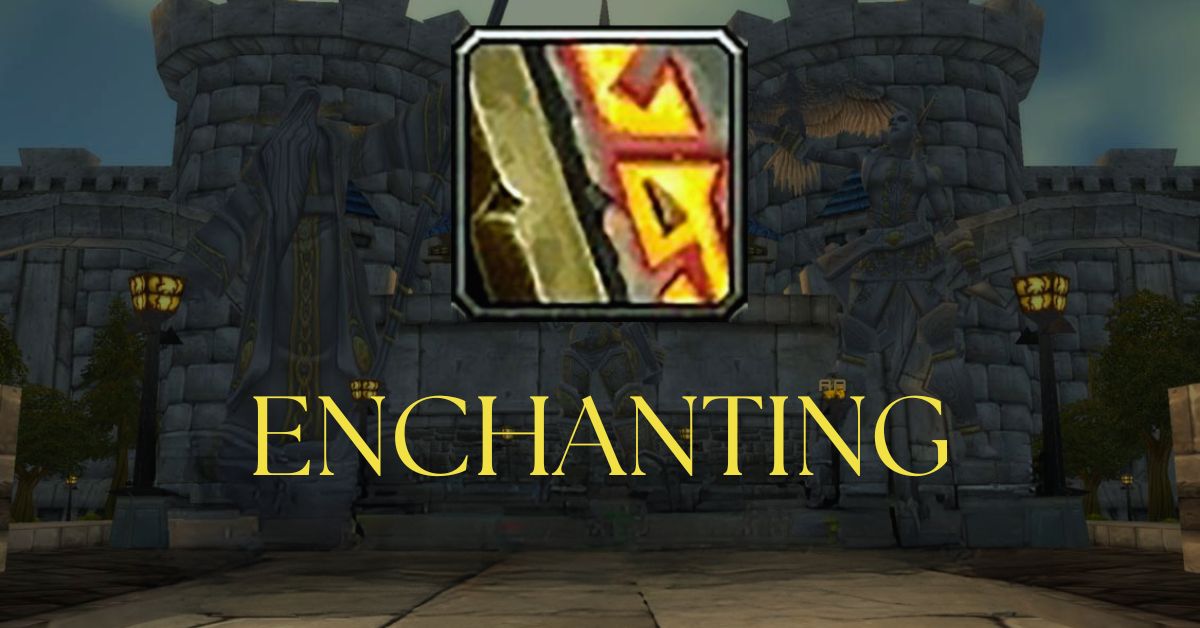
  • Enchanting Leveling Guide Classic: How To Level Up Your Enchanting Skill From 1 To 150?

    Enchanting Leveling Guide Classic: How To Level Up Your Enchanting Skill From 1 To 150?

    Enchanting is one of the most useful and profitable professions in WoW Classic. As an enchanter, you can disenchant unwanted magical items and use the materials to enhance your gear or sell them at the auction house.

    Enchanting also does not require any gathering profession, so you can pair it with any other profession of your choice.

    In this guide, we will show you how to level up your enchanting skill from 1 to 300 most efficiently and cost-effectively. We will also tell you where to find the best enchanting trainers, recipes, and materials in WoW Classic.

    Enchanting Leveling Guide Classic

    Enchanting Leveling Guide Classic
    Enchanting Leveling Guide Classic

    Enchanting Trainers

    To learn enchanting, you need to visit an enchanting trainer and pay a small fee. You can find enchanting trainers in most major cities, as well as some smaller towns. Here is a list of the enchanting trainers for both Horde and Alliance:

    Horde Enchanting Trainers

    • Jhag in Orgrimmar, in the Drag near the alchemy trainer.
    • Lavinia Crowe in Undercity, in the Magic Quarter near the portal trainer.
    • Teg Dawnstrider in Thunder Bluff, on the lower rise near the bridge to the elder rise.
    • Godan in Orgrimmar, in the Valley of Spirits near the warlock trainer. (Journeyman)
    • Hgarth in Stonetalon Mountains, at Sun Rock Retreat near the inn. (Expert)

    Alliance Enchanting Trainers

    • Betty Quin in Stormwind, in the Mage Quarter near the portal trainer.
    • Thonys Pillarstone in Ironforge, in the Great Forge near the bank.
    • Lalina Summermoon in Darnassus, in the Craftsmen’s Terrace near the tailoring trainer.
    • Kitta Firewind in Elwynn Forest, at the Tower of Azora near the border to Redridge Mountains. (Expert)
    • Annora in Uldaman, inside the instance near the Map Chamber. (Artisan)

    Enchanting Ranks

    Enchanting has four ranks: Apprentice, Journeyman, Expert, and Artisan. Each rank allows you to increase your skill cap by 75 points, up to a maximum of 300.

    To learn a higher rank, you need to meet certain level and skill requirements and visit a specific trainer. Here is a table of the enchanting ranks and their requirements:

    Rank Skill Cap Level Requirement Trainer Location
    Apprentice 75 5 Any enchanting trainer
    Journeyman 150 10 Godan or Lavinia Crowe (Horde), Kitta Firewind (Alliance)
    Expert 225 20 Hgarth (Horde), Kitta Firewind (Alliance)
    Artisan 300 35 Annora (Both)

    Enchanting Materials

    Enchanting materials are obtained by disenchanting magical items, such as weapons, armor, and jewelry. The quality and level of the item determine the type and quantity of the materials you get. There are four types of enchanting materials: dust, essence, shard, and rod.

    • Dust is the most common material, used for low to mid-level enchantments. There are six types of dust: Strange Dust, Soul Dust, Vision Dust, Dream Dust, Illusion Dust, and Arcane Dust.
    • Essence is a less common material, used for mid to high-level enchantments. There are six types of essence: Lesser Magic Essence, Greater Magic Essence, Lesser Astral
    • Essence, Greater Astral Essence, Lesser Mystic Essence, Greater Mystic Essence, Lesser Nether Essence, Greater Nether Essence, Lesser Eternal Essence, and Greater Eternal Essence.
    • Shard is a rare material, used for high-level enchantments. There are four types of shard: Small Glimmering Shard, Large Glimmering Shard, Small Glowing Shard, Large Glowing Shard, Small Radiant Shard, Large Radiant Shard, Small Brilliant Shard, and Large Brilliant Shard.
    • Rod is a special material, used to create run rods that are needed for certain enchantments. There are six types of rods: Copper Rod, Silver Rod, Golden Rod, Truesilver Rod, Arcanite Rod, and Fel Iron Rod.

    Enchanting Recipes

    Enchanting recipes are learned from enchanting trainers, bought from vendors, dropped by mobs, or rewarded from quests.

    Some recipes are also taught by special enchanting trainers that are located in dungeons or hidden places. Here is a list of the most important enchanting recipes and where to find them:

    • Enchant Weapon – Crusader: Dropped by Scarlet Spellbinders in Western Plaguelands.
    • Enchant Weapon – Fiery Weapon: Dropped by Pyromancers in Blackrock Depths.
    • Enchant Weapon – Lifestealing: Dropped by Dark Adepts and Shadowmages in Scholomance.
    • Enchant Weapon – Spell Power: Dropped by Bosses in Molten Core.
    • Enchant Weapon – Agility: Sold by Meilosh in Timbermaw Hold, requires a Friendly reputation.
    • Enchant Weapon – Strength: Sold by Lokhtos Darkbargainer in Blackrock Depths, requires an Honored reputation with Thorium Brotherhood.
    • Enchant Bracer – Greater Intellect: Sold by Mythrin’dir in Darnassus, requires a Revered reputation with Darnassus.
    • Enchant Bracer – Superior Stamina: Sold by Daniel Bartlett in Undercity, requires a Revered reputation with Undercity.
    • Enchant Bracer – Mana Regeneration: Sold by Rin’wosho the Trader in Zul’Gurub, requires a Friendly reputation with the Zandalar Tribe.
    • Enchant Cloak – Greater Resistance: Sold by Lorelae Wintersong in Moonglade, requires a Revered reputation with Cenarion Circle.
    • Enchant Cloak – Subtlety: Dropped by Bosses in Naxxramas.
    • Enchant Cloak – Dodge: Dropped by Bosses in Ahn’Qiraj.
    • Enchant Gloves – Fire Power: Sold by Lokhtos Darkbargainer in Blackrock Depths, requires a Friendly reputation with Thorium Brotherhood.
    • Enchant Gloves – Frost Power: Sold by Lokhtos Darkbargainer in Blackrock Depths, requires a Friendly reputation with Thorium Brotherhood.
    • Enchant Gloves – Healing Power: Sold by Lorelae Wintersong in Moonglade, requires an Honored reputation with Cenarion Circle.
    • Enchant Gloves – Shadow Power: Sold by Lokhtos Darkbargainer in Blackrock
    • Depths requires a Friendly reputation with Thorium Brotherhood.
    • Enchant Gloves – Superior Agility: Dropped by Bosses in Molten Core.
    • Enchant Gloves – Threat: Dropped by Bosses in Naxxramas.
    • Enchant Chest – Greater Stats: Dropped by Bosses in Molten Core.
    • Enchant Chest – Major Health: Sold by Magnus Frostwake in Western Plaguelands, requires completion of the quest “The Restless Souls”.
    • Enchant Chest – Major Mana: Sold by Kania in Silithus, requires a Revered reputation with Cenarion Circle.
    • Enchant Boots – Greater Agility: Dropped by Bosses in Blackwing Lair.
    • Enchant Boots – Greater Stamina: Sold by Daniel Bartlett in Undercity, requires a Revered reputation with Undercity.
    • Enchant Boots – Minor Speed: Dropped by Mobs in Stratholme and Scholomance.
    • Enchant Boots – Spirit: Sold by Mythrin’dir in Darnassus, requires a Revered reputation with Darnassus.

    Enchanting Leveling Guide

    Now that you know the basics of enchanting, it’s time to level up your skill.

    However, keep in mind that the prices and availability of materials may vary depending on your server and economy. You may also want to check the auction house for cheap green items that you can disenchant for materials.

    Enchanting Leveling 1-75 (Apprentice)

    • Visit any enchanting trainer and learn Apprentice Enchanting.
    • Craft 1 Run Copper Rod. You will need 1 Copper Rod, 1 Strange Dust, and 1 Lesser
    • Magic Essence. You can buy the Copper Rod from an enchanting or trade goods vendor near your trainer.
    • Disenchant any green items that you have or can get for cheap. You will need 74 Strange Dust and 1 Lesser Magic Essence for the next step.
    • Craft 74 Enchant Bracer: Minor Health. You will need 74 Strange Dust. Save the Lesser Magic Essence for later.

    Enchanting Leveling 75-150 (Journeyman)

    • Visit Godan or Lavinia Crowe (Horde), or Kitta Firewind (Alliance) and learn Journeyman Enchanting.
    • Craft 1 Run Silver Rod. You will need 1 Silver Rod, 6 Strange Dust, 3 Greater Magic Essence, and 1 Runed Copper Rod. You can buy the Silver Rod from an enchanting or trade goods vendor near your trainer. You can also use the Lesser Magic Essence that you saved earlier to make Greater Magic Essence by using the recipe Enchant Bracer: Minor Deflection.

    This is everything you need to know about Enchanting Leveling Guide Classic. Additionally, you can check our guide on Death King Blox Fruits: Location Guide and Palworld Wheat Seeds Location. Stay connected with GameEmpress.com to get the latest news and guides about the gaming world.

  • Helldivers 2 Balance Patch Incoming: Is Your Playstyle About To Change?

    Helldivers 2 Balance Patch Incoming: Is Your Playstyle About To Change?

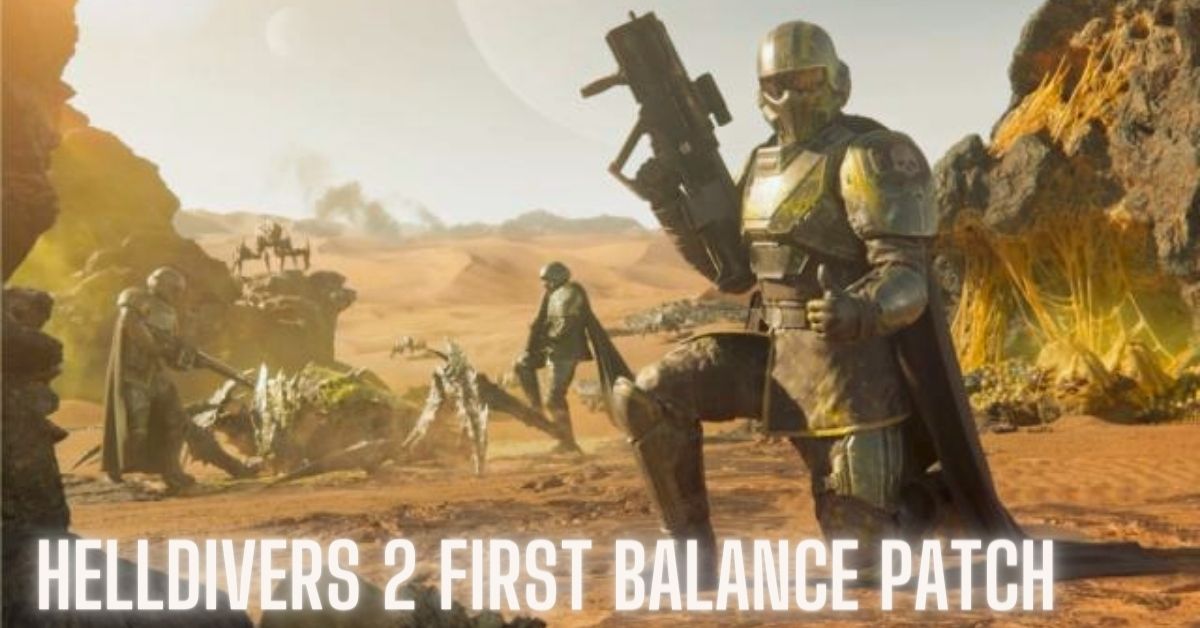
    Arrowhead Studios recently revealed that they are working on a balancing patch for co-op shooter Helldivers 2, but this has proven to be more difficult than anticipated because weapons with greater kill rates do not necessarily result in successful missions.

    Helldivers 2 Balance Patch

    Now that long queue times have been eliminated in Helldivers 2, the community is shifting its focus to other areas for development.

    Some players complained to CEO Johan Pilestedt about a probable primary weapon modification since weapons such as the SMG, starter assault rifle, and, in particular, the Breaker shotgun were killing more people than others.

    “We are looking at data and doing a balance patch,” Pilestedt responds on social media. However, he notes that, while the Breaker “scores more kills,” it is not overrepresented in successful missions.” So, reducing the shotgun’s bug-squashing capabilities or increasing the damage of other weapons isn’t a certain strategy to achieve this unreachable ‘balance.’

    The fact that Helldivers 2 weapons include 46 secret stats complicates matters even further.

    Weapon menus typically display four primary stats: damage, ammo capacity, recoil, and fire rate. However, Pilestedt recently stated that “each gun has maybe 50 stats in total,” implying that there is a lot of behind-the-scenes information that we are unaware of.

    All of this led Pilestedt to a wise piece of advice, advising everyone to simply “use the one you like the most,” rather than attempting to maximize a game that, at its finest, is a hilarious riot. Spread democracy and enjoy.

    Arrowhead Studios was previously preoccupied with resolving server difficulties as thousands of players rushed to the game, but the firm is now free to work on additional upgrades.

    Players discovered indications of impending playable mechs and AI reinforcements, for example.

  • Is My Hero Ultra Rumble Crossplay? What You Need To Know About Cross-Platform Play?

    Is My Hero Ultra Rumble Crossplay? What You Need To Know About Cross-Platform Play?

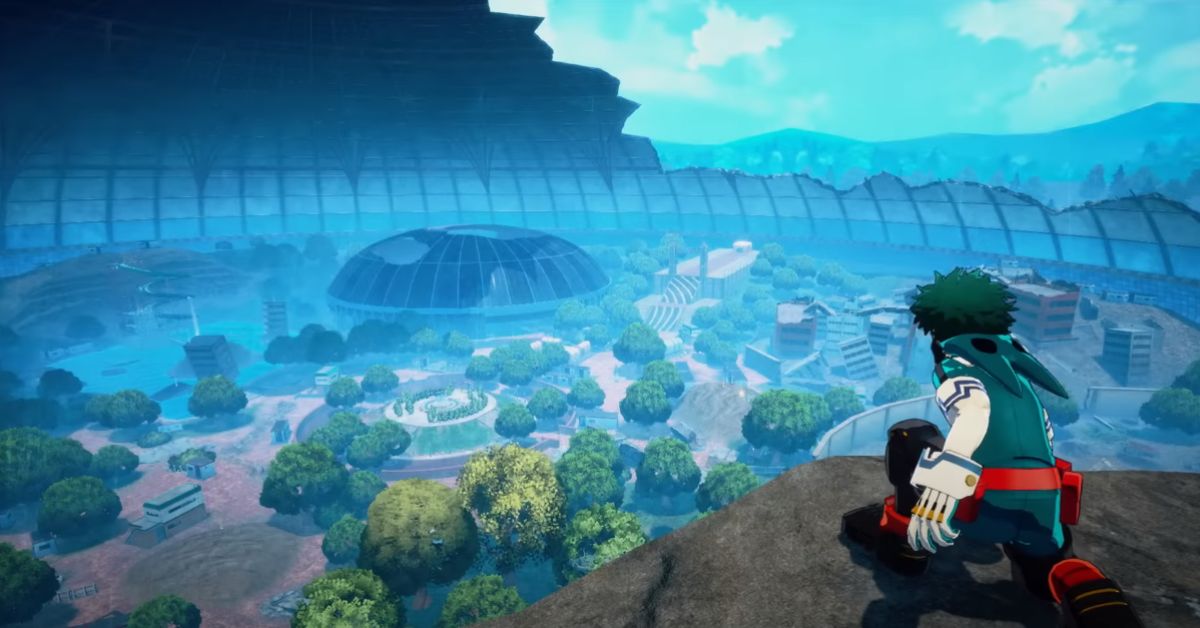
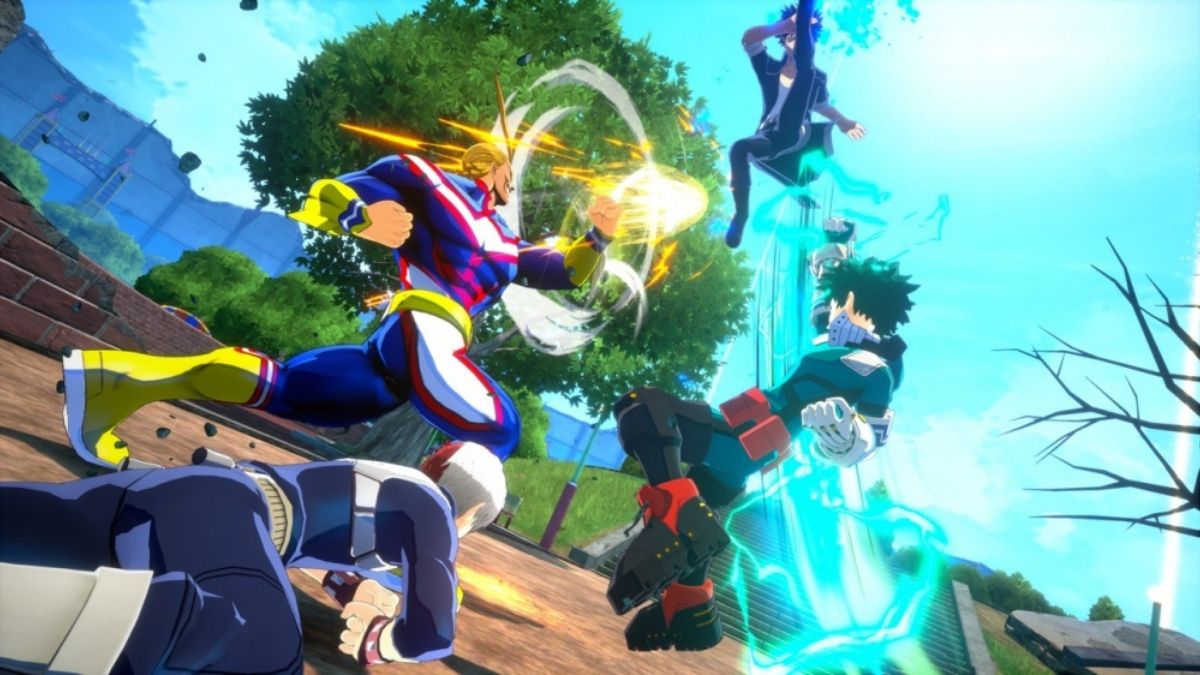
    My Hero Ultra Rumble is a free-to-play battle royale game based on the popular anime and manga series My Hero Academia.

    The game allows players to choose from 18 characters, each with their unique quirks and abilities, and compete in 24-player matches across various locations from the show.

    The game is available for PC, PS4, Xbox One, and Nintendo Switch, but does it support crossplay?

    Is My Hero Ultra Rumble Crossplay?

    Unfortunately, the answer is no. My Hero Ultra Rumble does not have crossplay, meaning that players on different platforms cannot play together online.

    My Hero Ultra Rumble Patch Notes 1.1.0
    My Hero Ultra Rumble Patch Notes 1.1.0

    The reason for this decision is that the game uses different input methods and performance settings for each platform, which would create an unfair advantage or disadvantage for some players.

    Bandai Namco also stated that they wanted to focus on optimizing the game for each platform individually, rather than compromising the quality for crossplay.

    Will My Hero Ultra Rumble ever have crossplay?

    There is still a slight chance that My Hero Ultra Rumble could have crossplay in the future if Bandai Namco decides to add this feature as an update or a DLC.

    However, this is not a priority for the publisher at the moment, and there is no official announcement or confirmation of this possibility. Therefore, fans should not expect crossplay to be available anytime soon.

    You might also be interested in the following games, Crossplay: Evil West Crossplay and Nobody Saves The World Crossplay We appreciate your interest in our website! Make Gameempress.com your go-to site for gaming information.

  • Phantom Blade Zero System Requirements: Can Your PC Run It?

    Phantom Blade Zero System Requirements: Can Your PC Run It?

    Phantom Blade Zero is an upcoming action RPG, developed by S-Game and published by Sony Interactive Entertainment. It is set to be released in 2024 for PlayStation 5 and PC.

    The game follows the story of Rain, a young warrior who has only 66 days left to live, as he seeks revenge against the mysterious Phantom Blade, a group of assassins who killed his family and friends.

    The game features a fast-paced and fluid combat system, a dark and gritty art style, and a branching and nonlinear story. But can your PC run it?

    Phantom Blade Zero System Requirements

    Phantom Blade Zero System Requirements
    Phantom Blade Zero System Requirements

    The Phantom Blade zero system requirements are not yet officially confirmed by S-Game, but based on some sources and estimates, we can provide you with some possible minimum and recommended specs for the game.

    Note that these are not definitive, and they may change with future updates and patches. Also, keep in mind that the game’s performance may vary depending on your settings, resolution, and hardware.

    Phantom Blade Zero Minimum System Requirements

    To run the game at the lowest settings and resolution, you will need the following hardware:

    • OS: Windows 10 64-bit (version 2004 or later)
    • CPU: Intel Core i5-3330 or AMD FX-8350
    • RAM: 8 GB
    • GPU: Nvidia GeForce GTX 780 or AMD Radeon RX 480 (min. 3 GB VRAM)
    • HDD space: 100 GB
    • DirectX: Version 12 or later

    Phantom Blade Zero Recommended System Requirements

    To run the game at the highest settings and resolution, you will need the following hardware:

    • OS: Windows 10 64-bit (version 2004 or later)
    • CPU: Intel Core i7-3770K or AMD Ryzen 3 3100
    • RAM: 12 GB
    • GPU: Nvidia GeForce GTX 1080 or AMD Radeon RX 5700 (min. 8 GB VRAM)
    • HDD space: 100 GB
    • DirectX: Version 12 or later

    How to Check Your PC Specs and Compare Them to the Phantom Blade Zero System Requirements?

    To check your PC specs and compare them to the phantom blade zero system requirements, you can use the following steps:

    • To check your OS, CPU, RAM, and HDD space, you can go to the Settings app on your PC, and click on System, then About. You will see the information about your device name, processor, installed RAM, system type, and device ID. You can also see how much storage space you have left on your PC by clicking on Storage on the left panel.
    • To check your GPU and VRAM, you can go to the Device Manager app on your PC, and click on Display adapters. You will see the name and model of your graphics card. You can also right-click on your graphics card, and select Properties, then Driver. You will see the information about your driver version, date, and provider. To check your VRAM, you can go to the Settings app on your PC, and click on System, then Display. You will see the information about your display resolution, refresh rate, and graphics card. You will see the information about your adapter type, total available graphics memory, dedicated video memory, system video memory, and shared system memory.
    • To compare your PC specs to the phantom blade zero system requirements, you can use a tool such as PCGameBenchmark or Can You Run It. These tools can scan your PC and tell you if you meet the minimum or recommended requirements for the game. They can also suggest some upgrades or optimizations for your PC to improve your gaming experience.

    This is everything you need to know about Phantom Blade Zero System Requirements. Additionally, you can check our guide on Final Fantasy 7 Remake System Requirements and Pacific Drive PC Requirement. Stay connected with GameEmpress.com to get the latest news and guides about the gaming world.

  • Palworld Xbox Patch Fixes More Crashing Issues – Play Smoother Now

    Palworld Xbox Patch Fixes More Crashing Issues – Play Smoother Now

    A new Palworld Update was released today, with revised patch notes that addressed a key problem that caused game crashes and save data corruption.

    Furthermore, this new release includes various base-related changes as well as additional anti-cheat features. While the update is already available on Steam, Xbox gamers will receive it soon. whole, this little update enhances the whole experience.

    Palworld Xbox Patch

    Major Fixes

    • Fixed various game crashes

    Balance Adjustment

    • Fixed a bug where breeding Pals always had fixed passives
    • Fixed an issue where the increase in condensation progress was incorrect when using Pal of rank 2 or higher as a condensation material (it will increase by the number of Pals used in previous condensation)

    Dungeon Issues

    • Fixed an issue where the innermost door would not open after defeating the boss of a random dungeon

    Pals

    • Fixed an issue where the name of a Pal would not change even after renaming them

    Server Issues

    • Fixed an issue where it was not possible to search for spaces or Japanese/Chinese characters in the server list
    • Fixed so that if the server is no longer registered on the server list, it will be re-registered without needing to restart the server
    • Fixed an issue where the settings to enable RCON were not loaded from the configuration file

    Palworld Xbox Patch Fixes More Crashing Issues

    Pocket Pair also states in the patch notes that the team is still “working on an issue where auto-save fails on the Xbox and Xbox Game Pass versions,” and that “we expect that this will be resolved in an upcoming update.”

    Palworld has seen tremendous success since its Game Preview debut last month. It also has a lot planned for the future, with a roadmap that promises more Pals, PvP, and raid monsters, as well as new islands and other features.

    It also has Xbox supporting it with dedicated servers, which should improve the whole experience even more.

    To add to Palworld and Xbox’s “best friend” status, the Xbox Design Lab has added shiny new Palworld-inspired controller designs themed around Lamball and Depresso — the latter of which has captured all our hearts with its resentfully-resigned attitude to a life of completing whatever Palworld chores it’s assigned.

    Meanwhile, Xbox version v0.1.5.1 is scheduled to be released “as soon as it is ready,” with Pocket Pair continuing work with a focus on resolving key flaws and difficulties.

  • Genshin Impact Version 4.5 Update Release Date: Get Ready For New Adventures

    Genshin Impact Version 4.5 Update Release Date: Get Ready For New Adventures

    The next 4.5 update for Genshin Impact will be launched in March 2024, and it will include some interesting new banners. Here’s what we know so far about the next upgrade to the popular HoYoverse title.

    Genshin Impact version 4.5 will have a new character named Chiori. She is a 5-star Geo unit that will most likely serve as a sub-DPS and assist characters such as Arataki Itto and Navia. A fresh new event wish will also be introduced to the game.

    All of this was disclosed on the Genshin Impact version 4.5 webcast. In case you missed it and didn’t catch up, we’ve got you covered.

    Here’s what you should know about the future material in Genshin Impact version 4.5.

    Genshin Impact Version 4.5 Update Release Date

    Genshin Impact 4.5 will be released on Wednesday, March 13th. It should adhere to the typical maintenance schedule for new updates, with 4.5 releasing at 3 a.m. (GMT). Due to time zone variations, 4.5 will be released in the United States on Tuesday, March 12th, at 7 pm (PT).

    In other time zones, the Genshin Impact 4.5 release date and time are:

    Region Date & Time
    East Coast US Tuesday 12th March, 10 pm (ET)
    Central US Tuesday 12th March, 9 pm (CT)
    West Coast US Tuesday 12th March, 7 pm (PT)
    Australia Wednesday 13th March, 2 pm (AET)
    Japan Wednesday 13th March, noon (JST)
    Europe Wednesday 13th March, 4 am (CET)
    UK Wednesday 13th March, 3 am (GMT)

    Genshin Impact 4.5 Banners

    Genshin Impact 4.5 will introduce a new character, Chiori, as well as a few repeat units. The banners and their stages have been detailed below.

    Phase 1

    • Chiori (5-star, Geo, Sword)
    • Arataki Itto (5-star, Geo, Claymore)

    Phase 2

    • Neuvillette (5-star, Hydro, Catalyst)
    • Kazuha (5-star, Anemo, Sword)

    The 4-star units that will appear on the banners are still unclear and will be updated at a later date.

    Genshin Impact 4.5 Events

    The Genshin Impact 4.5 update contains the following:

    • New Chronicled Wish Banner.
    • Chiori’s first Story Quest.
    • Lynette Hangout Quest (Fateometer reward).
    • Training Guide feature.
    • Genius Invokation TCG Update (new cards, events, and challenges).
    • Leyline Overflow event.
    • More system optimizations (like viewing talent upgrade materials from the character menu).

    In addition to this material, we’ll have the normal four events throughout 4.5. Here’s what we know about Genshin Impact 4.5’s time-limited events:

    Feline Fortress Furrdyssey

    Cyno would be a great admirer of the event name, but aside from the problematic spelling for the time being, Feline Fortress Furrdyssey appears to be another manage sim minigame.

    Wanting to take a vacation from their adventures, the Traveler and Paimon return to Mondstadt to build up cat houses and feed them to ultimately play with them. If all the cats are befriended, a “special friend” will appear.

    Alchemical Ascension

    In version 4.5, we return to Mondstadt for the big event, with Lisa opening a potion shop that you may operate. This is comparable to previous management sim minigames that Genshin has released.

    This time around, you may also perform requests from familiar characters to make the event simpler and gain extra goodies, such as a new 4-star polearm weapon called The Dialogues of the Desert Sages.

    Rolling Crossfire

    Rolling Crossfire is set in Fontaine and begins with a conversation with two guards, one of whom is, unsurprisingly, a genius. This guard provides you with a remote canon, which you must employ in Rolling Crossfire to repel an unending bombardment of Slime opponents.

    It appears to be a fun spin on Space Invaders with a Genshin twist, since you may employ Elemental Reactions to score extra points and collect power-ups from the field.

    The Great Fayz Reaction Debate

    Fayz returns for another battle event, The Great Fayz Reaction Debate. This time, you can manipulate time after using a Skill; if you do not move after using a Skill, everything freezes, and you may capture photographs in this condition.

    As for the remainder of the battle, you’ll earn Phase Force while battling, which you may use to perform missions for extra prizes.

  • No Rest For The Wicked Game Release Date – When Can You Dive Into This Action RPG?

    No Rest For The Wicked Game Release Date – When Can You Dive Into This Action RPG?

    No Rest for the Wicked, Moon Studios’ next game, will enter Early Access on Steam (PC) on April 18th.

    During the “Wicked Inside” showcase earlier today, additional information about the game and a deeper look at its action role-playing gameplay were shared.

    No Rest For The Wicked Game Release Date

    On Thursday, April 18, 2024, No Rest for the Wicked will be available via Steam Early Access. After witnessing the initial gameplay footage, which had fearsome bosses, a unique setting, and immersive day and night cycles, we’re relieved it’s not too far away.

    It was announced at The Game Awards last year and has swiftly become one of the most anticipated new RPG titles, with a release date of 2024. We’ve been interested to hear any updates since then. Fortunately for us, the showcase event featured many.

    During Wicked Inside, Moon Studios’ founders Thomas Mahler and Gennadiy Korol revealed important parts of No Rest for the Wicked, including its distinctive “hand-crafted” universe, a painterly graphic style, combat based on player accuracy, and “brutal” monster encounters that “punish every mistake you make.”

    Although the animation-forward action influenced by fighting games is gratifying, and the RPG aspects are clever, it was the beauty of the graphic style and atmosphere that truly captivated us. If you missed the live stream, you may watch a replay.

    Moon Studios also provides an Early Access roadmap that includes upcoming improvements. This contains the first multiplayer update after launch.

    If you want to read more articles about other games, check out Stardew Valley 1.6 Release Date and Elden Ring DLC Shadow Of The Erdtree Release Date. We appreciate your interest in our site! Make Gameempress.com your go-to source for gaming knowledge.

  • Steam $50 Free Store Credit Available Now – Get Yours While It Lasts!

    Steam $50 Free Store Credit Available Now – Get Yours While It Lasts!

    Steam users may win $50 in-store credit in a limited-time competition, but act quickly because the winner will be revealed on Friday.

    There are lots of fantastic games available on Steam right now, with many more coming later this year. Fans of the Star Wars franchise will be interested in the forthcoming Star Wars: Battlefront Classic Collection, which will put the critically praised multiplayer games back online next month.

    If you’re looking for something to play right now, Helldivers 2 has swiftly become one of Steam’s most popular games, making it an excellent pick for fans of interplanetary democracy.

    Steam $50 Free Store Credit Available Now

    If you’re looking to save money, don’t worry; there’s an endless supply of free games to download and keep in your library, as well as the possibility to win a gift card to use on your next purchase.

    The Free Steam Games Twitter is giving away one gift card worth $50 in shop credit, and joining the sweepstakes is incredibly simple.

    The first step is to follow the account, as well as the DPVR, who graciously sponsored the contest. To join the competition, you must repost the tweet and leave a comment with the hashtag DPVR E4 4K 120Hz.

    After that, all you have to do is wait until March 1st, which is this Friday, to see whether you were lucky enough to win the gift card. There can only be one winner, so don’t be too disappointed if you don’t win this time; similar contests occur regularly, so there will be future opportunities to obtain some free stuff.

    If you want to win $50 to spend on a few games, enter the competition by this Friday.

  • The Texas Chain Saw Massacre Tops 1.1 Million Sold Units –  A Terrifying Testament To Its Popularity

    The Texas Chain Saw Massacre Tops 1.1 Million Sold Units – A Terrifying Testament To Its Popularity

    Gun Interactive and Sumo Nottingham announced that The Texas Chain Saw Massacre, an asymmetrical horror game, has sold 1.1 million units globally and exceeded 4.5 million Xbox Game Pass gamers. The game has also reached 5.6 million total players.

    The Texas Chain Saw Massacre Tops 1.1 Million Sold Units

    “Over 1 million units of The Texas Chain Saw Massacre sold!,” says a tweet from the game’s official Twitter account. “To all 5.6 million players who stepped into Texas, thank you for sharing this unique horror experience with us!”

    The Texas Chain Saw Massacre will be available on the PlayStation 5, Xbox Series X|S, PlayStation 4, Xbox One, and PC via Steam, and Xbox Game Pass in August 2023.

    Gun Interactive also utilized this statement to confirm that it is still working on post-launch support and future upgrades to the title.

    The Texas Chain Saw Massacre Tops: Overview

    Based on the legendary 1974 horror film, “The Texas Chain Saw Massacre” the game provides an exciting asymmetrical horror experience.

    Players are immersed in a beautifully replicated version of Texas, providing a deep dive into the original film’s frightening atmosphere.

    The game focuses on realism, bringing to life the film’s characters, places, and even the age it was set in, giving gamers a realistic experience.

    Gun’s development team intended to provide a realistic horror experience, paying tribute to the original film with meticulous recreations and a piece of inspiring gaming music.

    The music, in particular, is based on the 1974 film’s classic sound design, contributing to the game’s immersive horror setting.