Blog

  • Capcom Reveals Street Fighter 6 Ed Fighting Pass: Psycho Power Unleashed!

    Capcom Reveals Street Fighter 6 Ed Fighting Pass: Psycho Power Unleashed!

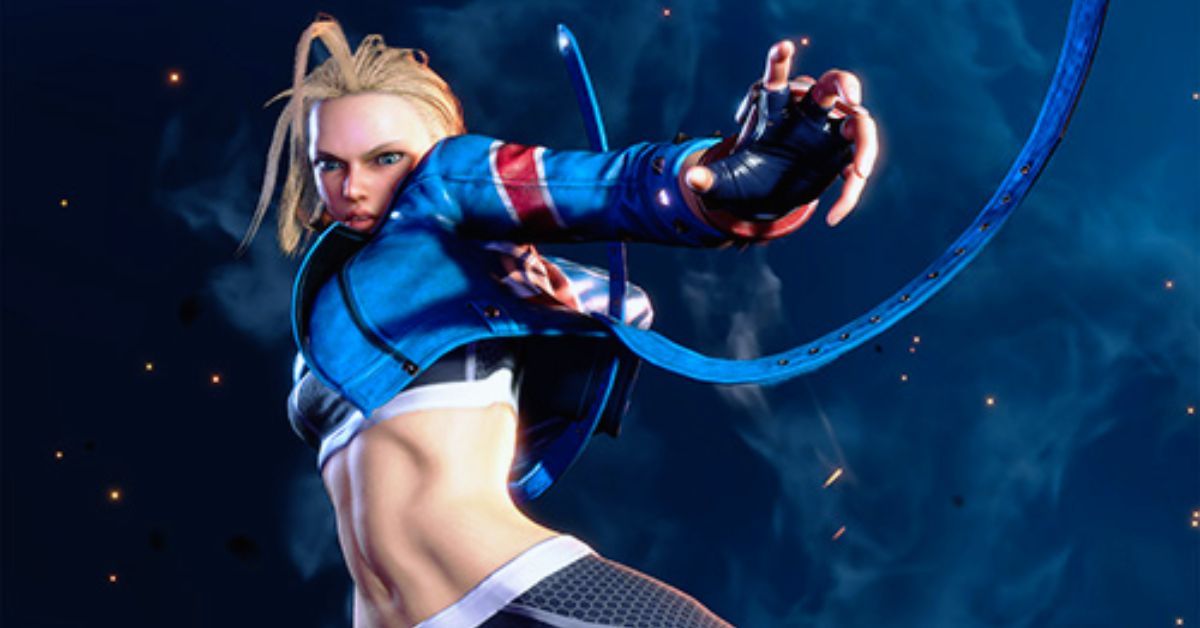
    The Ed Fighting Pass for Street Fighter 6 was recently unveiled. Though we were disappointed that we didn’t get to see any of Ed’s gameplay in the teaser, it was revealed that Ed would be released on February 27, following Capcom Cup X.

    However, some of the content coming to Street Fighter 6 via the Ed Fighting Pass may act as a predictor of the parts of Ed’s past that he is willing to reveal during the World Tour mode.

    As with the other characters in World Tour, this will most likely be accomplished by increasing Ed’s bond level to specified thresholds.

    Four of the five Ed Fighting Pass stickers contain artwork from Street Fighter 5. More specifically, they are all from Ed’s Arcade Mode playing of that game.

    The stickers feature a gorilla and a tall man with triangle hair. During the development of Street Fighter 5, Takayuki Nakayama divulged some little details about the two.

    “Okay, let me offer you some important information… “The gorilla’s name is Baba Muarim (or Mwalimu), and he is extremely smart (in certain areas),” wrote Nakayama, as translated by Nicholas ‘MajinTenshinhan’ Taylor.

    It turns out that “Baba Mwalimu” comes from Swahili. This word translates to “father teacher,” suggesting that Baba may serve as a mentor within Neo Shadaloo.

    The tall man with triangle hair has yet to be identified. However, Nakayama did say at one point that his name begins with the letter “G,” which most likely has no link to G from Street Fighter 5.

    Ed inherited M. Bison’s capacity to radiate Psycho Power from his body, Falke’s ability to inject Psycho Power into items, Baba’s intelligence, and the nameless member’s teleportation skill. M. Bison’s ability to return is thought to be tied to these four.

    Aside from Ed and Falke, that’s virtually all we know about Shadaloo’s members. We may eventually learn more about these photos, as they were especially highlighted in the current trailer.

    Falke is mentioned in both the sticker and music content sections of the Ed Fighting Pass. Balrog’s Street Fighter 5 theme will also return.

    This is analogous to how the Rashid Arrives Fighting Pass contains Laura and Necalli’s Street Fighter 5 musical themes, but A.K.I. Arrives Fighting Pass has those for F.A.N.G, M. Bison, and Vega.

    As of right now, it’s unclear whether former fighters mentioned by these stickers and themes will return in Street Fighter 6, or whether this is intended to be a disappointment. Regardless, this appears to hint that Balrog and Falke will be mentioned at various points while dealing with Ed in World Tour.

    This is hardly surprising given that Ed appears to prioritize the other Neo Shadaloo members and Balrog. We’ll also likely learn more about Ed’s links to M. Bison, as well as how Neo Shadaloo fits into the ongoing battle between JP and F.A.N.G.

    If you want to read more about other games, check out Dicefolk Release Date and TimeMelters PC Release Date. Thank you for your interest in our website! Make Gameempress.com your go-to website for gaming knowledge.

  • End Of Dead Cells Updates: Farewell, Roguelike Friend, Or Hello New Beginnings?

    End Of Dead Cells Updates: Farewell, Roguelike Friend, Or Hello New Beginnings?

    Capcom has announced that the introduction of Ed on February 27 will expand the pool of playable characters in Street Fighter 6.

    The Psycho-powered boxer from Street Fighter 5 appears in Street Fighter 6, followed by PlayStation 5, PlayStation 4, Xbox Series X and S, and PC via Steam. On February 27, owners of the Year 1 Character Pass, Year 1 Ultimate Pass, Deluxe Edition, or Ultimate Edition will have access to Ed. Ed’s Outfit 2, based on his Story Outfit from Street Fighter 5, will also be available when he arrives.

    Here’s the official blurb on Ed from Capcom:

    “First appearing in Street Fighter 5, after rejecting M. Bison’s wicked goals, Ed managed to escape the grasp of the Shadaloo organization and created Neo Shadaloo in the hopes of aiding others like him. His attacks in Street Fighter 6 have altered drastically since the last iteration, with all of them now becoming fists. Ed, the original inspiration for Modern Controls in Street Fighter 6, will keep his streamlined controls while receiving more inputs for his Classic Controls.”

    End of Dead Cells updates

    Capcom announced that Ruined Lab, a new stage, will be released alongside Ed. This depicts the aftermath of Shadaloo’s demise, with its laboratory in shambles. When Ed is released, owners of the Year 1 Ultimate Pass and Ultimate Edition will be immediately upgraded to this stage.

    In addition, Street Fighter 6 will receive several quality-of-life enhancements, such as the ability to switch button displays on PC and an Extra Lighting feature in Photo Mode.

    Here is a summary of Ed’s moves in Street Fighter 6:

    • Psycho Flicker: A rapid flicker jab from a distance that may be aimed in one of three ways to catch the opponent off guard and is critical to Ed’s ability to control space. If you hold this button down, Ed will utilize his Psycho Snatcher from Street Fighter V, which can draw in opponents with psycho-powered tentacles.
      Psycho Blitz unleashes a barrage of blows wrapped in Psycho Power
    • Psycho Storm: Ed’s Level 1 Super Art involves attacking opponents with a barrage of high-speed flicker jabs.
      Ed’s Level 2 Super Art, first seen in Street Fighter V, creates a multi-hitting ball of psycho force that rushes forward.
    • Psycho Chamber: Ed’s Level 3 Super Art transforms opponents into his punching bag by binding their hands and feet and pummeling them in the cause of Neo Shadaloo.

    Ed is Street Fighter 6’s twenty-first playable character, after the release of fellow DLC characters Rashid and A.K.I. last year. Akuma, a fan favorite, will be released in the spring of 2024.

    You might also be interested in the following gaming news:

  • Is Starfield Coming To PS5? Rumors Ignite Console Wars

    Is Starfield Coming To PS5? Rumors Ignite Console Wars

    Before the Microsoft takeover, Bethesda titles were released on a variety of devices, garnering millions of gamers regardless of platform preference. Nowadays, under the Microsoft umbrella, keeping new titles unique to Xbox has been the primary goal.

    This was exactly the situation when Starfield arrived on store shelves in 2023, creating waves as a console exclusive for the big green machine. Could this finally be changing?

    Amidst a slew of reports pointing to a shift in Microsoft’s general strategy, Starfield has been linked to Sony hardware. Here’s what we know about a potential Starfield PS5 release shortly.

    Is Starfield Coming to PS5?

    NateTheHate, a reputable source and leaker, has taken to Twitter to dispel reports that Starfield will be coming to PlayStation 5.

    Earlier this week, a new story stated that Starfield was coming to the PlayStation 5. Minutes after the report, NateTheHate ‘verified’ that the news was correct, saying, “This report is accurate”.

    However, things appear to have changed, as NateTheHate’s most recent tweet shows that the information is inaccurate. Nate took to Twitter to say, “I’ve rechecked the info mentioned below & the information suggesting Starfield was PS5-bound is false.”

    Whatever the case may be, rumors of Starfield coming to the PlayStation 5, as well as other rumors such as Indiana Jones and Gears coming to PlayStation, prompted Phil Spencer to announce a new business update regarding the “future of Xbox” will be available next week (the week beginning February 10th).

    According to Tom Warren of The Verge, Microsoft is preparing to announce details about its plan to bring previously exclusive games to systems such as the PlayStation 5 and Nintendo Switch.

    “We’re listening and hearing you,” Spencer added. “We’ve been planning a business update event for next week, where we look forward to sharing more details with you about our vision for the future of Xbox.”

    In January 2024, reports circulated that Xbox would release some of its titles on many platforms, including Hi-Fi Rush and Sea of Thieves.

    Which Xbox games do you believe will come to PlayStation? Please let us know in the comments below.

  • Poppy Playtime Chapter 3 Patch 1: Nightmares Evolved! New Content & Fixes Are Here

    Poppy Playtime Chapter 3 Patch 1: Nightmares Evolved! New Content & Fixes Are Here

    Poppy Playtime Chapter 3 has been an exciting ride for horror game fans, and the latest Patch 1 seeks to improve the experience even more. This update, which was released on February 9, 2024, includes various adjustments and upgrades to make the game more immersive and interesting for players.

    Poppy Playtime Chapter 3 Patch 1

    Major Gameplay Changes

    Localization

    • Added a Dynamic Subtitle System
    • Reverb added to final Poppy’s dialogue
    • Changed subtitles to match dialogue in Spanish, Korean, Japanese and Portuguese

    Minor Gameplay Changes

    • Added audio to movable platforms
    • Added lights in the Gas Production Zone
    • Added Sticker Decals
    • Extended the range of which the audio coming from radios can be heard
    • Added lights to help guide the player throughout the game
    • Adjusted Hand Magnet to be bigger for the lever at the end of School
    • Added two handprint decals to each giant block in Playhouse
    • Added a light to the elevator button in Final Encounter
    • Added lights to certain vents in the Counselors’ Office
    • TAB inventory popups will now appear for all pickups
    • Removed handprint decals that were causing confusion in School
    • Added new posters in Home Sweet Home
    • Added new photos in Home Sweet Home
    • Added Audio Trigger when Entering the Cave Level
    • Added a Grab Handle above the Jump Pad in Home Sweet Home
    • Made CatNap purring more audible in Dream 1
    • Updated the credits
    • Updated the launcher
    • Adjusted the timing in an animation for Poppy after the Hour of Joy tape finishes
    • Adjusted the timing of the hatch at the end of the game
    • Added Audio Effects to Poppy’s final speech
    • Added Game Version info to the Main Menu
    • Added an Ollie call after completing the Final Encounter that was previously missing
    • Refined physics system to make it hard to fly using physics objects

    Bugs Fixes

    • Fixed an issue where players could not hear piston audio correctly
    • Fixed an issue where gas would not be visible in certain parts of Counselors’ Office
    • Fixed an issue where players can swap hands in Dream 2
    • Fixed an issue where Catnap would Teleport at the end of the Final Encounter
    • Fixed an issue where notes were breaking in School
    • Fixed an issue that caused Smiling Critters to get stuck in spawning tubes
    • Fixed offset doors in Home Sweet Home
    • Fixed an issue where the Teacher would get stuck on chairs
    • Fixed an issue where the doors to School would be open after completing Playhouse
    • Fixed an issue where players could pause while in the loading screens
    • Fixed an issue where players could pause while in the death loading screens
    • Fixed an issue that caused Kissy to T-Pose while on the elevator
    • Fixed an issue that caused doors that were unblocked to act as if they were blocked in School
    • Removed duplicate Dog Days at the end of the Dog Day Chase
    • Fixed an issue that allowed players to crouch while in Dream 2
    • Fixed an issue that allowed players to get stuck under the elevator in Cave Bridge
    • Fixed an issue where the incorrect lock state UI was shown in the final Dome State after getting the Blue Battery
    • Fixed an issue that caused power cords to stay lit even when they had no power in Playhouse
    • Made it harder for players to clip out of the cable car in Intro Tunnels
    • Fixed an issue that reset audio settings
    • Fixed an issue that caused the key in Stella’s Office to disappear in Counselor’s Office when on low FPS
    • Fixed an issue that allowed the door before the final room of the Teacher chase to be opened with only one power reciever
    • Fixed an issue that didn’t kill players when they were crushed by a piston
    • Fixed an issue where a wire was not connected to anything in Intro Tunnels
    • Fixed an issue where when playing in Spanish the words would go outside of the text box
    • Fixed an issue that caused Nightmare Huggy’s Arm to flicker
    • Fixed an issue that caused incorrect pathing for the Teacher
    • Fixed an issue where a door wasn’t blocked properly in School
    • Added missing characters in Japenese
    • Removed Debug Text in Final Encounter
    • Fixed an issue that allowed a checkpoint to be skipped in Cave Bridge
    • Fixed an issue that allowed a checkpoint to be skipped in the Dome
    • Fixed an issue that caused the Blue Battery to be floating in Gas Production Zone
    • Fixed an issue that caused gas to not appear correctly in Gas Production Zone
    • Removed the green battery upon returning to Gas Production Zone after the Final Encounter
    • Fixed an issue that caused music to be missing from Dream 2

    Known Issues

    • We are aware of the Language setting saying “Text Language.” This setting still changes the language of the audio in the game. We will fix this in an update as soon as possible.
  • Is One Piece Pirate Warriors 4 Crossplay? Set Sail For Answers

    Is One Piece Pirate Warriors 4 Crossplay? Set Sail For Answers

    One Piece Pirate Warriors 4 crossplay is something that many players are interested in, and because the game is available on multiple platforms, gamers want to know if One Piece Pirate Warriors 4 crossplay exists. So read this article to learn everything you need to know about One Piece Pirate Warriors 4 Crossplay.

    One Piece: Pirate Warriors 4 is a Microsoft Windows, PlayStation 4, Xbox One, and Nintendo Switch action-adventure game created by Omega Force and released by Bandai Namco Entertainment.

    It’s the fourth installment in the Pirate Warriors video game series, based on the One Piece anime series. It is a follow-up to One Piece: Pirate Warriors 3 (2015). It was officially launched on March 27, 2020. Because the game is accessible on numerous platforms, many people want to know if it supports Crossplay. Scroll down to learn more!

    Is One Piece Pirate Warriors 4 Crossplay?

    Is One Piece Pirate Warriors 4 Crossplay?
    Is One Piece Pirate Warriors 4 Crossplay?

    Crossplay is a feature that is gaining popularity in modern games. Crossplay is now a feature expected in all multiplayer games as gaming shifts to an online competitive environment.

    One Piece Pirate Warriors is an action-adventure game with multiplayer capabilities. Unfortunately, the game does not support crossplay. Continue reading to learn more about this.

    Is One Piece Pirate Warriors 4 Cross Platform?

    One Piece is a story-driven game that concludes. As a result, it provides little opportunity for competitive play. Cross-platform games frequently have a lot of PvP action.

    So this game lacks that; the developers did not include a cross-platform functionality. However, the game still includes co-op options, allowing you to play with others.

    One Piece Pirate Warriors 4 Gameplay

    The gameplay is similar to that of previous installments. The game features an original plot that reimagines the Wano arc from One Piece. The four new multiplayer modes are Giant Boss Battle, Total Bounty Battle, Timed Defense Battle, and Territory Battle.

    This story is based on the unfinished Wano arc, with Cavendish and Bartolomeo assisting the trapped Straw Hat crew in escaping their prisons. As the conflict between Big Mom and Kaido heats up, a new foe emerges Blackbeard and his crew.

    After conquering Big Mom, Blackbeard, and Kaido’s underlings, players confront one final encounter with Kaido, who changes into a dragon after defeating Big Mom, Blackbeard, and Kaido’s crew. Luffy must ultimately defeat Kaido and end Wano’s suffering caused by Kaido.

    You might also be interested in the following games, Crossplay: Evil West Crossplay and Nobody Saves The World Crossplay We appreciate your interest in our website! Make Gameempress.com your go-to site for gaming information.

  • GTA 6 Release: Hold Your Horses, Vice City Waits Until Later 2025

    GTA 6 Release: Hold Your Horses, Vice City Waits Until Later 2025

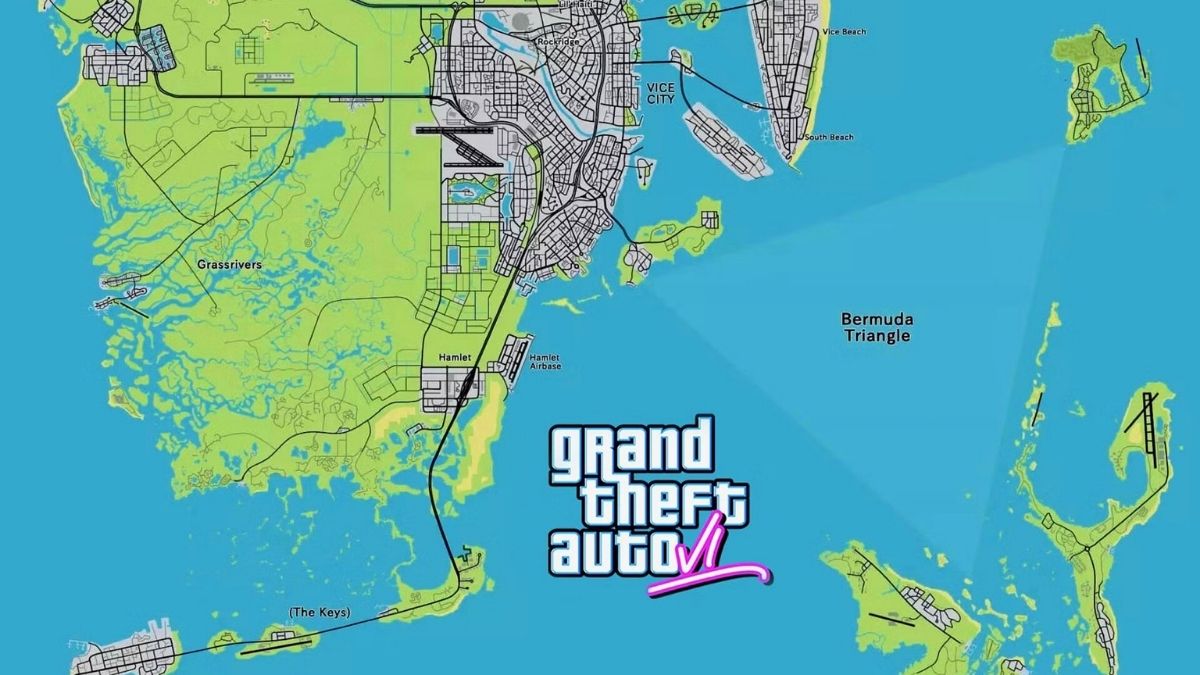
    It’s time to play everyone’s favorite game: not GTA 6, but the GTA 6 Release Date Quiz. Who is taking the platform this time? Why, Ubisoft CEO Yves Guillemot addressed the issue in a recent investor Q&A. Everyone, put your fingers on the buzzers!

    GTA 6 map model (1)
    GTA 6 map model (1)

    GTA 6 will be released in 2025, according to the debut clip, which has sparked more study and discussion than most archeological treasures.

    Discovering the release date of GTA 6 is likely to be a fundable R&D aim for some videogame publishers, much as ski resorts are interested in discovering the exact cadence of avalanches. However, Guillemot claims he is not concerned about rivalry with Rockstar in general.

    “What we’ve seen in the past is that each time there’s a big release like GTA, there are more and more people coming back to the industry, and that helps other games to sell as well,” he said during the conference call with investors. “We see it for sure.” The rising tide lifts all boats.

    “We look at this and we are really organizing things around the launch of that game, which we do not know exactly when it is going to happen,” Guillemot said. “We believe it will be closer to our financial year ’26 than our financial year ’25.

    But what we’ve seen is that it’s typically positive for the market, and we had a successful launch with the GTA 5 first launch and the GTA 5 online game, both of which generated a lot of revenue and profit.”

    As IGN adds, this means that Guillemot believes GTA 6 will not be released until at least April 2025. But, what is this? Take-Two Interactive, the publisher of GTA 6, is chuckling and shaking their heads. In an earnings call last week (via Variety), the company reaffirmed its earlier sales forecast of $8 billion for the fiscal year ending March 31, 2025.

    That represents a significant increase over Take-Two’s fiscal 2024 earnings prediction of $5.25 to $5.3 billion. A GTA 6 release at the start of 2025 would be one option to bridge the gap, but in the Take-Two Interactive call, CEO Strauss Zelnick resisted the temptation to be more specific, saying simply that “we’re seeking perfection and when we’ve optimized, that’s the time to release”. Perhaps they’ll push it back so they can accommodate more Florida men.

  • Baldurs Gate 3 Patch Early Notes: Sneak Peek At What’s Coming!

    Baldurs Gate 3 Patch Early Notes: Sneak Peek At What’s Coming!

    Baldur’s Gate 3 will get a new update soon. Patch 6 is scheduled to be published during the week of February 12. This is the game’s first big patch of 2024, following some lesser hotfixes, and the first since the enormous Patch 5, which brought the epilogue, Honour Mode, and more.

    While the statement lacked information, Larian indicated that this would be a “hefty” upgrade. Here’s all we know about Baldur’s Gate 3 Patch 6 thus far.

    Baldurs Gate 3 Patch Early Notes

    The most notable change mentioned for Baldur’s Gate 3 Patch 6 thus far is better kiss animations.

    Larian, who is releasing the same week as Valentine’s Day, has promised “improvements to locking lips with your romantic partner.” The announcement also includes a new animation depicting a touching moment between Astarion and Halsin that culminates in a sweet forehead kiss.

    Beyond that, Larian has said that Patch 6 will include new camp idle animations, Legendary Actions in Honour Mode, and bug fixes.

    Several foes, mostly large bosses, have Legendary Actions when you fight them in Honour Mode, making fighting much more difficult. Which foes will gain new powers and what they will remain to be known, but anticipate Honour Mode runs to become even more punitive following the upgrade.

    That is all we know about Baldur’s Gate 3 Patch 6 so far. We will update this page once the fix is released next week!

  • Take Two CEO Unveils Insider Info On GTA 6 Release: Get The Latest Scoop!

    Take Two CEO Unveils Insider Info On GTA 6 Release: Get The Latest Scoop!

    Grand Theft Auto 6 is unquestionably the most anticipated game of all time, with its initial trailer becoming the most-watched non-music video ever and fans impatiently expecting additional information about the game.

    The clip, which appeared at the end of last year, revealed that Rockstar intended to release the game in 2025, but no specific date was provided, causing even more intrigue among gamers.

    Strauss Zelnick was asked about the GTA 6 launch and when the game would be released at Take-Two’s Q3 2024 earnings call.

    GTA 6 Developers Want “Perfection” Before the 2025 Release

    According to Zelnick, no single person will decide to release GTA VI, as everyone is “in this together.”

    “We’re seeking perfection. When we feel that we’ve optimized this, we’ll plan for release,” he stated. “We’re in this together. We have profit-sharing plans at the company, our goal is to align everyone’s interest with the shareholders.”

    These sentiments match Zelnick’s prior pronouncements, in which the CEO stated that Rockstar is determined to “set creative benchmarks for the series, industry, and entertainment,” as well as “exceed players’ expectations.”

    Unfortunately, this appears to indicate that Rockstar may delay the release of GTA 6 if the game is not up to its top standards by 2025.

    Early GTA 6 leaks have already shown how Rockstar is moving the brand ahead with improved visuals, new features, and the expansion of the Grand Theft Auto universe.

    Expect to discover more about GTA 6 in the coming months, as fans eagerly await a second video that will disclose even more about Vice City, the game’s protagonists, and gameplay mechanics.

  • Skull And Bones Sets Sail: Open Beta Now Available!

    Skull And Bones Sets Sail: Open Beta Now Available!

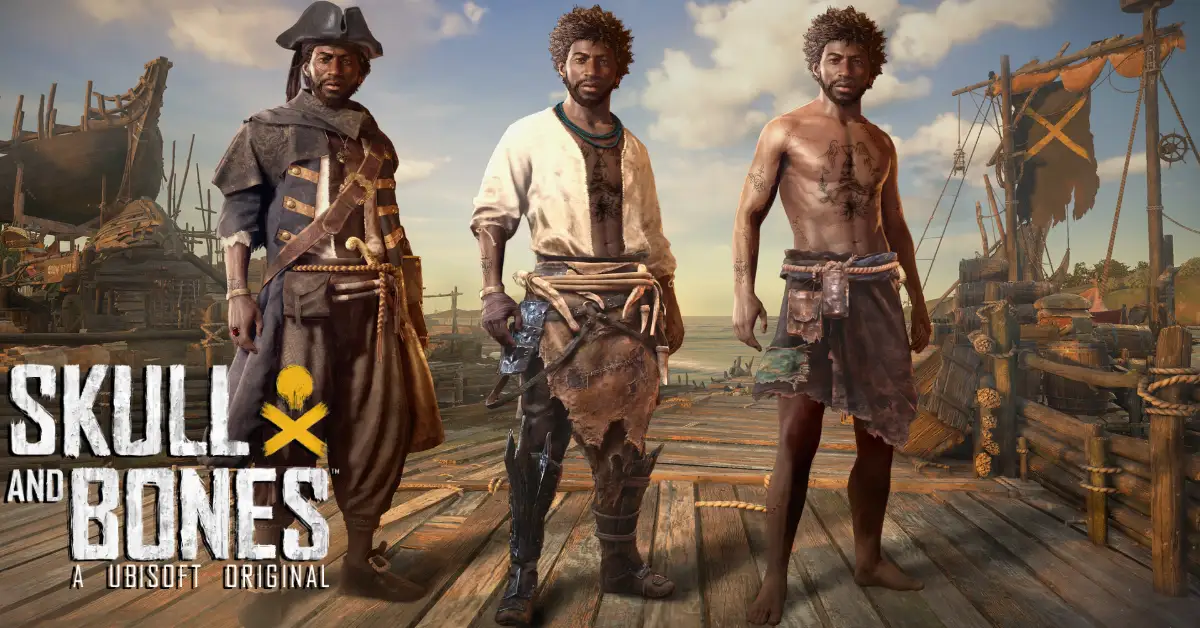
    Ubisoft has started an open beta for their multiplayer open-world pirate boat game, continuing their big farce of claiming to plan the release of Skull And Bones. The free beta will continue until Sunday night, following which Ubisoft will most likely delay the game for another seventeen years while revamping it entirely.

    Skull And Bones Closed Beta
    Skull And Bones Closed Beta

    When you buy your great-grandniece Skull And Bones for her 17th birthday, you may tell her you were there for the fabled open beta of ’24.

    The open beta pootles around a variety of waters, including the Red Isle beginning zone, the East Indies, Coast Africa, and the Open Sea. It allows you to begin by ranking up with the game’s core campaign contracts, then go on to side contracts and bounties and rumble with world events.

    It does include cross-platform multiplayer and advancement, which is excellent because you’ll be able to play with friends.

    Simply put, your progress will be carried over to the entire game. During the open beta, Ubisoft is also giving away rewards like ship cosmetics and a lemur pet for reaching certain Infamy ranks.

    The open beta for PC is available through Ubisoft Connect and the Epic Games Store. No, no Steam. It’s also available on the PlayStation 5 and Xbox One XS. For those of us in the UK, the open beta will expire after midnight on Monday, at 12:59 am.

    For more information, check out Ubisoft’s open beta site and their developer blog.

    Ubisoft is still stating that Skull And Bones will be released in full on February 16th, some seven years after initially unveiling the game, and you have to appreciate their dedication to the project. See you in 2074. I can’t wait to see how gorgeous the video game water will be by then.

  • Blacksmithing Leveling Guide Classic: How To Master The Craft Of Metalworking?

    Blacksmithing Leveling Guide Classic: How To Master The Craft Of Metalworking?

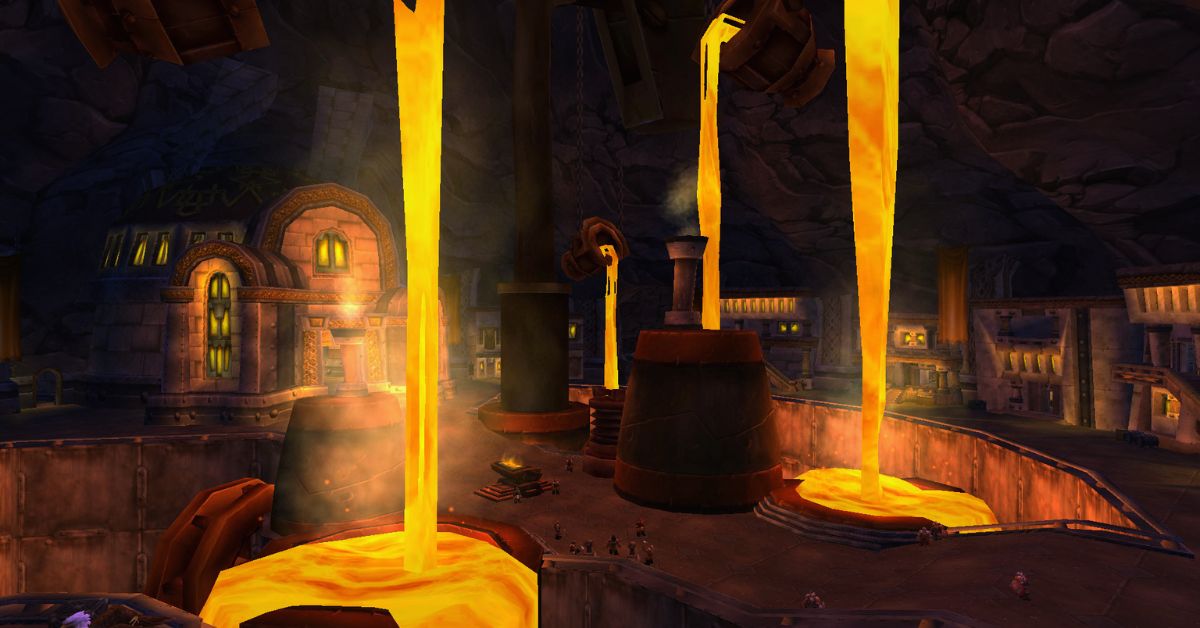
    Blacksmithing is one of the primary professions in World of Warcraft Classic, which allows you to create various metal items, such as armor, weapons, tools, and more.

    Blacksmithing is often paired with Mining, as you will need a lot of ores and bars to craft your items. Blacksmithing can also be specialized into Armorsmithing or Weaponsmithing, which will give you access to more advanced and powerful recipes.

    In this article, we will show you how to level up your Blacksmithing skill from 1 to 300 in Classic WoW, using the most efficient and cost-effective methods.

    We will also tell you where to learn Blacksmithing, what materials you will need, and what items you can craft at each skill level. If you follow this guide, you will be able to master the craft of metalworking and become a respected Blacksmith in Azeroth.

    Where to Learn Blacksmithing in Classic WoW?

    Blacksmithing Leveling Guide Classic
    Blacksmithing Leveling Guide Classic

    You can learn Blacksmithing from any of the Blacksmithing trainers located in the major cities or towns of each faction.

    You will need to be at least level 5 to learn Blacksmithing, and you will need to pay a small fee to learn each rank of the profession. Here are the locations of the Blacksmithing trainers for each faction:

    • Horde: You can learn Blacksmithing from Ug’thok in Orgrimmar, Basil Frye in Undercity, Thrag Stonehoof in Thunder Bluff, or Dwukk in Durotar.
    • Alliance: You can learn Blacksmithing from Groum Stonebeard in Ironforge, Dane Lindgren in Stormwind City, Delfrum Flintbeard in Darkshore, Smith Argus in Elwynn Forest, or Tognus Flintfire in Dun Morogh.

    You can also ask a guard in any city to point you to the nearest Blacksmithing trainer, and they will mark it on your map.

    What Materials Do You Need for Blacksmithing in Classic WoW?

    To level up your Blacksmithing skill, you will need a lot of materials, mostly ores and bars, which you can either mine yourself or buy from other players or the Auction House.

    You will also need some other materials, such as stones, gems, cloths, dyes, and coal, which you can also obtain from various sources. Here is a list of the approximate materials you will need to level up your Blacksmithing from 1 to 300:

    • 150x Rough Stone
    • 150x Copper Bar
    • 95x Coarse Stone
    • 5x Silver Bar
    • 140x Bronze Bar
    • 105x Heavy Stone
    • 5x Gold Bar
    • 230x Iron Bar
    • 35x Green Dye
    • 190x Steel Bar
    • 520x Solid Stone
    • 60x Mageweave Cloth
    • 250x Mithril Bar
    • 20x Dense Stone
    • 730x Thorium Bar
    • 30x Star Ruby
    • 5x Aquamarine

    If you want to mine the ores yourself, you can check out our Mining Leveling Guide Classic, which will show you the best places to farm each type of ore.

    How to Level Up Blacksmithing in Classic WoW?

    To level up your Blacksmithing skill, you will need to craft various items using the materials you have gathered or bought. You will also need to learn new recipes from your trainer or from other sources, such as vendors, quests, drops, or reputation rewards.

    You will need to pay attention to the color of the recipes, as they indicate how likely you are to gain a skill point from crafting them. The colors are as follows:

    • Orange: 100% chance to gain a skill point.
    • Yellow: 75% chance to gain a skill point.
    • Green: 25% chance to gain a skill point.
    • Gray: 0% chance to gain a skill point.

    You should always try to craft orange or yellow recipes, as they will give you the most skill points per craft. You can also craft green recipes if you have excess materials or if you want to sell the items for profit.

    You should avoid crafting gray recipes, as they will not give you any skill points and will only waste your materials.

    Here is a step-by-step guide on how to level up your Blacksmithing from 1 to 300 in Classic WoW, using the most efficient and cost-effective recipes. You can also check out the video guide¹ for a visual demonstration of the process.

    Blacksmithing Apprentice (1-75)

    To learn Blacksmithing Apprentice, you will need to pay 10 copper to your trainer. You will be able to level up your skill to 75, and learn new recipes every 5 skill points.

    • 1-30: Craft 40x Rough Sharpening Stone using 40x Rough Stone. You will need these later, so keep them in your bags.
    • 30-65: Craft 55x Rough Grinding Stone using 110x Rough Stone. Save 10 of these for later, and sell or vendor the rest.
    • 65-75: Craft 25x Coarse Sharpening Stone using 25x Coarse Stone.

    Blacksmithing Journeyman (75-150)

    To learn Blacksmithing Journeyman, you will need to pay 5 silver to your trainer. You will be able to level up your skill to 150, and learn new recipes every 10 skill points.

    • 75-87: Craft 13x Coarse Grinding Stone using 26x Coarse Stone. Save these for later, and make more if you run out.
    • 87-100: Craft 13x Runed Copper Belt using 130x Copper Bar.
    • 100-105: Craft 5x Silver Rod using 5x Silver Bar and 10x Rough Grinding Stone.
    • 105-125: Craft 20x Rough Bronze Leggings using 120x Bronze Bar.
    • 125-137: Craft 13x Heavy Grinding Stone using 39x Heavy Stone. Save these for later, and make more if you run out.
    • 137-150: Craft 13x Patterned Bronze Bracers using 65x Bronze Bar and 13x Coarse Grinding Stone.

    Blacksmithing Expert (150-225)

    To learn Blacksmithing Expert, you will need to pay 1 gold to your trainer. You will be able to level up your skill to 225, and learn new recipes every 15 skill points.

    • 150-155: Craft 5x Golden Rod using 5x Gold Bar and 10x Coarse Grinding Stone.
    • 155-165: Craft 10x Green Iron Leggings using 80x Iron Bar and 10x Heavy Grinding Stone.
    • 165-190: Craft 25x Green Iron Bracers using 150x Iron Bar and 25x Green Dye.
    • 190-200: Craft 10x Golden Scale Bracers using 50x Steel Bar and 20x Heavy Grinding Stone.
    • 200-210: Craft 10x Solid Grinding Stone using 40x Solid Stone.
    • 210-215: Craft 5x Golden Scale Bracers using 25x Steel Bar and 10x Heavy Grinding Stone.
    • 215-225: Craft 10x Steel Plate Helm using 150x Steel Bar and 10x Solid Grinding Stone.

    Blacksmithing Artisan (225-300)

    To learn Blacksmithing Artisan, you will need to pay 5 gold to your trainer. You will be able to level up your skill to 300, and learn new recipes every 20 skill points.

    • 225-235: Craft 10x Mithril Scale Bracers using 80x Mithril Bar.
    • 235-250: Craft 15x Mithril Coif using 150x Mithril Bar and 90x Mageweave Cloth.
    • 250-260: Craft 10x Dense Sharpening Stone using 10x Dense Stone.
    • 260-270: Craft 10x Thorium Bracers using 80x Thorium Bar.
    • 270-295: Craft 25x Imperial Plate Bracers using 150x Thorium Bar.
    • 295-300: Craft 5x Thorium Helm using 60x Thorium Bar and 5x Star Ruby.

    Conclusion

    Blacksmithing is a useful and profitable profession in Classic WoW, which allows you to create various metal items, such as armor, weapons, tools, and more. Blacksmithing can also be specialized into Armorsmithing or Weaponsmithing, which will give you access to more advanced and powerful recipes.

    In this article, we have shown you how to level up your Blacksmithing skill from 1 to 300 in Classic WoW, using the most efficient and cost-effective methods. We have also told you where to learn Blacksmithing, what materials you will need, and what items you can craft at each skill level.

    We hope this article has helped you master the craft of metalworking and become a respected Blacksmith in Azeroth. Thank you for reading, and happy gaming!.

    This is all there is to know about Blacksmithing Leveling Guide Classic. You can also read our Street Fighter 6 Character Guide and Diablo Immortal Familiar Guide. Stay up to date with GameEmpress.com for the most recent gaming news and guides.

  • GTA Vice City Cheats PS2: Sun, Sand, And Secrets – Unlock The Mayhem!

    GTA Vice City Cheats PS2: Sun, Sand, And Secrets – Unlock The Mayhem!

    GTA Vice City cheats are essential for anyone playing the neon-tinged, ’80s-set creation who wants to get right to the action, allowing you to do everything from spawn flying boats and tanks to modifying the weather and making oneself invincible.

    How to use cheats in Vice City?

    GTA 6 Vice City Map Leak
    GTA 6 Vice City Map Leak

    While inserting cheats is quite simple, there are a few things to consider before utilizing them. Here’s a quick rundown of what you need to know.

    • Several cheat codes for the 2021 Definitive Edition have been deactivated. Rockstar has stated that some cheats have been deleted for technical reasons, and we have verified which ones have worked for us on this page, as well as those that have worked in prior re-releases if you are playing those.
    • There are some new cheat codes in the Definitive Edition. One is Big Head Mode, which is activated by inputting the Konami code (UP, UP, DOWN, DOWN, LEFT, RIGHT, LEFT, RIGHT), followed by the right-most face button and the down-most face button (on PlayStation, CIRCLE then X). There appears to be no PC-specific way to input this hack using a keyboard.
    • Controller and keyboard inputs are (largely) functional on all platforms in the Definitive Edition. This means that on PC, you can use controller input to activate cheats (very useful for the new Big Head Mode!) On the console, use the PC keyboard to activate cheats. However, in our experience, the ones that work and those that don’t can differ – so if one code doesn’t work in one way, try the ‘typical’ method for that platform to see whether it works instead.
    • Cheating can disable Trophies and Achievements. As a result, make a separate save file for any cheat-filled sessions.
    • Save before entering them. This is simple, but always save before using cheats in case something goes wrong and you create too much chaos.
    • Many cheats cannot be disabled. While re-entering most “mode”-style cheats (those that toggle something on or off, such as slow motion) will display a “Cheat Deactivated” notification, we frequently discovered when testing them that this did not work and the cheat remained active until we quit the game or reloaded a save. This is another reason you should save your game first!

    GTA Vice City Cheats PS2

    GTA Vice City cheats for the PlayStation (including the PS2, PS3, PS4, and PS5) are entered by pressing the buttons on the controller that correspond to the cheat codes listed below.

    Cheat PlayStation Code
    Big Head Mode UP, UP, DOWN, DOWN, LEFT, RIGHT, LEFT, RIGHT, CIRCLE, X
    Weapon Set 1 R1, R2, L1, R2, LEFT, DOWN, RIGHT, UP, LEFT, DOWN, RIGHT, UP
    Weapon Set 2 R1, R2, L1, R2, LEFT, DOWN, RIGHT, UP, LEFT, DOWN, DOWN, LEFT
    Weapon Set 3 R1, R2, L1, R2, LEFT, DOWN, RIGHT, UP, LEFT, DOWN, DOWN, DOWN
    Full Health R1, R2, L1, CIRCLE, LEFT, DOWN, RIGHT, UP, LEFT, DOWN, RIGHT, UP
    Full Armor R1, R2, L1, X, LEFT, DOWN, RIGHT, UP, LEFT, DOWN, RIGHT, UP
    Increase Wanted Level by 2 R1, R1, CIRCLE, R2, LEFT, RIGHT, LEFT, RIGHT, LEFT, RIGHT
    Lower Wanted Level to 0 R1, R1, CIRCLE, R2, UP, DOWN, UP, DOWN, UP, DOWN
    Suicide RIGHT, L2, DOWN, R1, LEFT, LEFT, R1, L1, L2, L1
    Speed Up Gameplay TRIANGLE, UP, RIGHT, DOWN, L2, L1, SQUARE
    Slow Down Gameplay TRIANGLE, UP, RIGHT, DOWN, SQUARE, R2, R1
    Quick Clock CIRCLE, CIRCLE, L1, SQUARE, L1, SQUARE, SQUARE, SQUARE, L1, TRIANGLE, CIRCLE, TRIANGLE
    Spawn Tank CIRCLE, CIRCLE, L1, CIRCLE, CIRCLE, CIRCLE, L1, L2, R1, TRIANGLE, CIRCLE, TRIANGLE
    Spawn Bloodring Banger UP, RIGHT, RIGHT, L1, RIGHT, UP, SQUARE, L2
    Spawn Alt Bloodring Banger DOWN, R1, CIRCLE, L2, L2, X, R1, L1, LEFT, LEFT
    Spawn Sabre Turbo RIGHT, L2, DOWN, L2, L2, X, R1, L1, CIRCLE, LEFT
    Spawn Hotring Racer R1, CIRCLE, R2, RIGHT, L1, L2, X, X, SQUARE, R1
    Spawn Alt Hotring Racer R2, L1, CIRCLE, RIGHT, L1, R1, RIGHT, UP, CIRCLE, R2
    Spawn Hearse DOWN, R2, DOWN, R1, L2, LEFT, R1, L1, LEFT, RIGHT
    Spawn Limo R2, UP, L2, LEFT, LEFT, R1, L1, CIRCLE, RIGHT
    Spawn Trashmaster CIRCLE, R1, CIRCLE, R1, LEFT, LEFT, R1, L1, CIRCLE, RIGHT
    Spawn Caddie CIRCLE, L1, UP, R1, L2, X, R1, L1, CIRCLE, X
    Flying Boats R2, CIRCLE, UP, L1, RIGHT, R1, RIGHT, UP, SQUARE, TRIANGLE
    Nearby Vehicles Explode R2, L2, R1, L1, L2, R2, SQUARE, TRIANGLE, CIRCLE, TRIANGLE, L2, L1
    Road Rage R2, CIRCLE, R1, L2, LEFT, R1, L1, R2, L2
    Pink Cars CIRCLE, L1, DOWN, L2, LEFT, X, R1, L1, RIGHT, X
    Black Cars CIRCLE, L2, UP, R1, LEFT, X, R1, L1, LEFT, CIRCLE
    Flying Vehicles TRIANGLE, CIRCLE, TRIANGLE, UP, LEFT, DOWN, DOWN, DOWN, DOWN
    Handling Buff TRIANGLE, R1, R1, LEFT, R1, L1, R2, L1
    All Traffic Lights Green RIGHT, R1, UP, L2, L2, LEFT, R1, L1, R1, R1
    Amphibious Cars RIGHT, R2, CIRCLE, R1, L2, SQUARE, R1, R2
    Ricardo Skin L1, L2, R1, R2, DOWN, L1, R2, L2
    Lance Skin CIRCLE, L2, LEFT, X, R1, L1, X, L1
    Ken Skin RIGHT, L1, UP, L2, L1, RIGHT, R1, L1, X, R1
    Hilary Skin R1, CIRCLE, R2, L1, RIGHT, R1, L1, X, R2
    Jezz Skin DOWN, L1, DOWN, L2, LEFT, X, R1, L1, X, X
    Dick Skin R1, L2, R2, L1, RIGHT, R2, LEFT, X, SQUARE, L1
    Phil Skin RIGHT, R1, UP, R2, L1, RIGHT, R1, L1, RIGHT, CIRCLE
    Sonny Skin CIRCLE, L1, CIRCLE, L2, LEFT, X, R1, L1, X, X
    Mercedes Skin R2, L1, UP, L1, RIGHT, R1, RIGHT, UP, CIRCLE, TRIANGLE
    Candy Suxxx Skin CIRCLE, R2, DOWN, R1, LEFT, RIGHT, R1, L1, X, L2
    Random Outfit RIGHT, RIGHT, LEFT, UP, L1, L2, LEFT, UP, DOWN, RIGHT
    Riot DOWN, LEFT, UP, LEFT, X, R2, R1, L2, L1
    Hostile Pedestrians DOWN, UP, UP, UP, X, R2, R1, L2, L2
    Armed Pedestrians R2, R1, X, TRIANGLE, X, TRIANGLE, UP, DOWN
    Armed Female Pedestrians RIGHT, L1, CIRCLE, L2, LEFT, X, R1, L1, L1, X
    Ladies’ Man CIRCLE, X, L1, L1, R2, X, X, CIRCLE, TRIANGLE

    You might also be interested in the following games, Cheats: Cookie Clicker Cheats and Bannerlord PS5 Cheats. We appreciate your interest in our website! Make Gameempress.com your go-to site for gaming information.

  • Yu-Gi-Oh! Battles Of Legend Chapter 1: A Collector’s Set For Fans Of The Legendary Cards

    Yu-Gi-Oh! Battles Of Legend Chapter 1: A Collector’s Set For Fans Of The Legendary Cards

    Yu-Gi-Oh! Battles of Legend: Chapter 1 is set in the Yu-Gi-Oh! Trading Card Game (TCG) brings back many of the most popular cards from the Battles of Legend series, as well as related cards from other past releases.

    The set is a collector’s set that contains 37 Secret Rares, 6 Ultra Rares, 30 Commons, and one of six collectible dice featuring iconic monsters. The set is expected to be released on February 23, 2024, for the North American, European, and Oceanic regions.

    In this article, we will tell you what to expect from the Yu-Gi-Oh! Battles of Legend: Chapter 1 set, what are some of the highlights and features of the set, and how to get the most out of the set?

     What to Expect From the Yu-Gi-Oh! Battles of Legend: Chapter 1 Set?

    The Yu-Gi-Oh! Battles of Legend: Chapter 1 set is a set that celebrates the legacy and the legend of some of the most powerful and iconic cards in the history of the game.

    The set includes cards from the four previous Battles of Legend sets: Light’s Revenge, Relentless Revenge, Hero’s Revenge, and Armageddon, as well as related cards from other past releases, such as Duelist Saga, Duel Power, Duel Overload, and Ghosts From the Past.

    The set also includes some new cards that have never been released before in the TCG, such as “Number 39: Utopia” (Astral glyphs version), “Chaos Emperor, the Dragon of Armageddon”, and “Number 90: Galaxy-Eyes Photon Lord”.

    The set contains a total of 73 cards, which are divided into three rarities: Secret Rare, Ultra Rare, and Common. The Secret Rares are the most sought-after cards in the set, as they feature some of the most powerful and popular cards in the game, such as “Minerva, the Exalted Lightsworn”, “Cyber Dragon Infinity”, “Borrelsword Dragon”, and “Invocation”.

    The Ultra Rares are also very valuable, as they feature some of the most useful and versatile cards in the game, such as “Ash Blossom & Joyous Spring”, “Called by the Grave”, “Crossout Designator”, and “Forbidden Droplet”.

    The Commons are the most common cards in the set. However, they are still instrumental and relevant, as they include some of the best support cards for various archetypes and strategies, such as “Vision HERO Faris”, “Sky Striker Mecha – Hornet Drones”, “Artifact Sanctum”, and “Foolish Burial Goods”.

    The set also includes one of six collectible dice, which are based on the “Cyber Dragon”, “Judgment Dragon”, “Elemental HERO Stratos”, or three other monsters. The dice are a fun and unique addition to the set and can be used for various purposes, such as rolling for the first turn, deciding the outcome of a coin toss, or keeping track of the life points.

    Yu-Gi-Oh! Battles of Legend Chapter 1: Highlights and Features

    The Yu-Gi-Oh! Battles of Legend: Chapter 1 set is a set that offers a lot of value and variety for the fans of the game. The set has many highlights and features that make it appealing and exciting, such as:

    • The set includes some of the most legendary and iconic cards in the game, such as “Number 39: Utopia”, “Chaos Emperor Dragon – Envoy of the End”, “Dark Magician Girl”, and “Blue-Eyes White Dragon”.
    • The set also includes some of the most powerful and competitive cards in the game, such as “Impermanence”, “Evenly Matched”, “Pot of Extravagance”, and “Dark Ruler No More”.
    • The set also includes some of the most fan-favorite and nostalgic cards in the game, such as “Dark Armed Dragon”, “Black Luster Soldier – Envoy of the Beginning”, “Elemental HERO Neos”, and “Red-Eyes Black Dragon”.
    • The set also includes some of the most unique and creative cards in the game, such as “Number F0: Utopic Future Dragon”, “Topologic Zeroboros”, “Time Thief Redoer”, and “Appliance Laundry Dragon”.
    • The set also includes some of the most rare and exclusive cards in the game, such as “Number 93: Utopia Kaiser”, “Number 106: Giant Hand”, “Number 75: Bamboozling Gossip Shadow”, and “Number 29: Mannequin Cat”.
    • The set also includes some of the newest and exciting cards in the game, such as “Number 39: Utopia” (Astral glyphs version), “Chaos Emperor, the Dragon of Armageddon”, “Number 90: Galaxy-Eyes Photon Lord”, and “Number 97: Draglubion”.

    This is everything you need to know about Yu-Gi-Oh! Battles Of Legend Chapter 1. Additionally, you can check our guide on MapleStory Inner Ability Guide and Harvest Moon 64 Guide. Stay connected with GameEmpress.com to get the latest news and guides about the gaming world.

  • Palworld PS5 Release Date: Taming The Wild Wait For Console Hunters

    Palworld PS5 Release Date: Taming The Wild Wait For Console Hunters

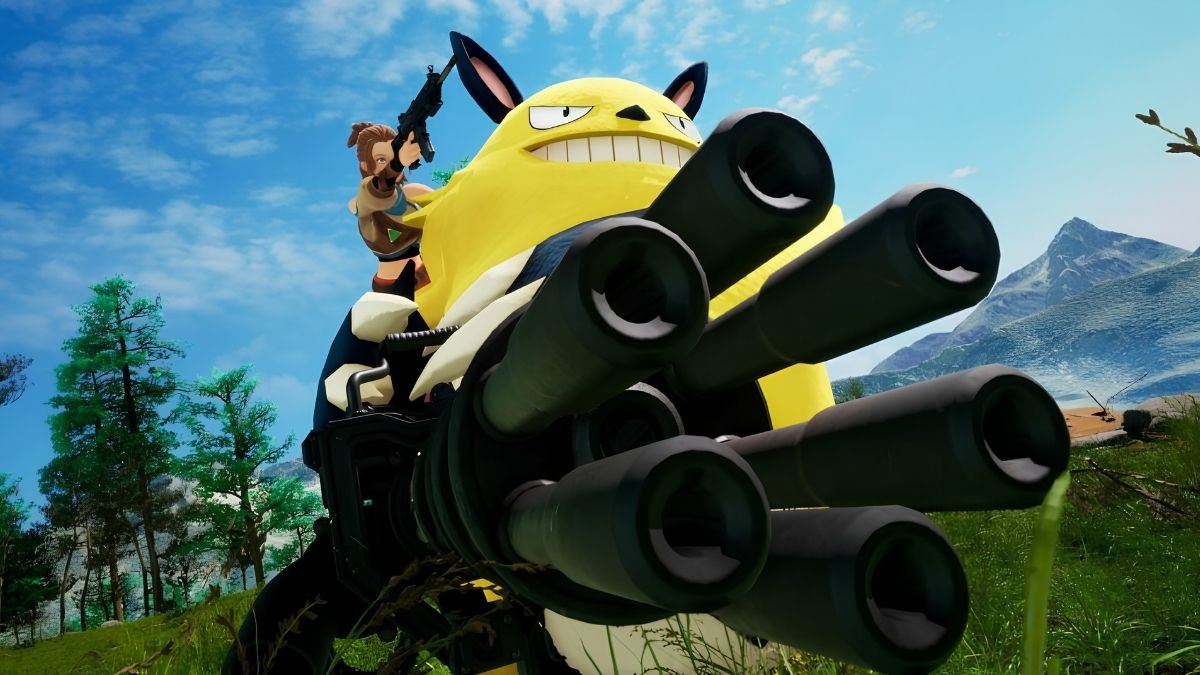
    Palworld has been in early access since January 19, 2024, and gamers have been wondering if it will be released on PS4 and PS5.

    Unfortunately, the upcoming survival crafting title is not currently accessible on Sony platforms at launch, and there is no word on whether it will be released on PS. This may change in the future, depending on Pocketpair’s development timetable.

    According to the official Discord server, Pocketpair has indicated that it does not presently have plans to expand the game to PS4 or PS5 platforms, but would “consider it during development.” Thus, it may only be a matter of time before the game is released on the PS4 or PS5.

    Is Palworld coming to PS5?

    Palworld is now available on PC, Xbox One, and the Xbox Series X/S. If gamers have an active subscription to Steam or Xbox PC Game Pass, they can access the game on their PC.

    Palworld Release Date
    Palworld Release Date

    Steam requires a digital purchase or a redemption code, however, the PC Game Pass will include the game as a day-one exclusive for all subscribers.

    The fact that the title is available on Xbox Game Pass may indicate that Pocketpair reached an agreement with Microsoft to publish the game.

    This could explain why the game was unavailable on Sony systems on its release date. However, given it is only in early access, there is still plenty of time for things to change.

    Given the game’s success at launch, it’s understandable that Pocketpair’s developers would wish to expand its availability to more platforms. Branching out to the PS4 and PS5 would be a reasonable step.

    Given that the game runs on Unreal Engine 5, it should be compatible with Sony systems, as well as the Nintendo Switch.

    Furthermore, Shuhei Yoshida (a Sony veteran and former president of SIE Worldwide Studios) poured gasoline on the fire by commenting on a post on X. He praised the game on its historic premiere.

    A user responded by requesting that the PS5 version be provided as soon as feasible. Yoshida reacted with “はい〜” (Google interprets it as yes) and tagged a PlayStation developer. Whether this leads to anything shortly remains to be seen.

    Aside from the AI art issue and Pokemon design similarities, the survival crafting game appears to have a bright future, at least for the time being.

    Fans can keep an eye on Pocketpair’s Discord server or official social media pages for any updates as the game approaches its first release.

  • Is Suicide Squad Crossplay? Uniting Heroes Across Platforms For Epic Battles

    Is Suicide Squad Crossplay? Uniting Heroes Across Platforms For Epic Battles

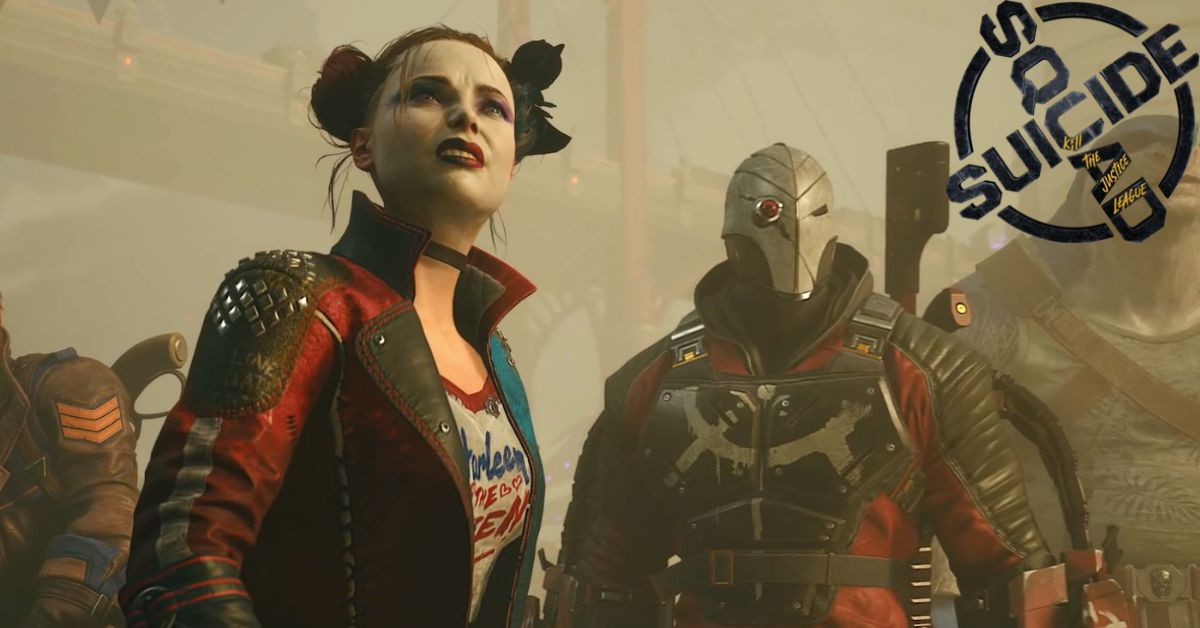
    Rocksteady Studios is set to release Suicide Squad: Kill the Justice League in early 2024, following years of anticipation. This publication has been welcomed with equal parts skepticism and excitement, as the continuation of the Arkhamverse is sacrosanct.

    With a new location, set of gameplay, and a story that is otherwise unfamiliar to those who have played the Batman: Arkham games, it’s not surprising that those looking into Suicide Squad: Kil the Justice League may be a little perplexed, and require a few answers to comfortably proceed into this new fight of DC Comics entertainment in video game format.

    Is Suicide Squad Crossplay?

    Suicide Squad: Kill the Justice League Game Delayed
    Suicide Squad: Kill the Justice League Game Delayed

    Suicide Squad: Kil the Justice League offers full crossplay across all platforms. Suicide Squad Kill the Justice League crossplay is shockingly simple, allowing you to set up multiplayer and cross-platform battles with pals as quickly as you write their names.

    There are a few caveats with progress and such, so let’s look at how to enable crossplay in Suicide Squad Kill the Justice League and invite friends.

    How to Use the Suicide Squad Kill the Justice League Crossplay?

    Finding and inviting people to join you is simple if you already know them from the platform you’re playing on. If that’s the case, they’ll just appear on the Friends tab under Social in the main menu while they’re online.

    I’ve played matches in which various Suicide Squad Kill the Justice League characters appeared. However, one of the copies was a bot, so it’s unclear how the two games combined squads.

    Assuming they are online and in-game, you can simply select their name and welcome them to your squad.

    If you wish to add a buddy who plays on a different platform, follow these steps to enable crossplay in Suicide Squad Kill the Justice League:

    • Navigate to Social in the menu, then Friends.
    • Use the Invite option located at the bottom of the screen.
    • Enter your friend’s name for the platform they are playing on.
    • If they are in-game on another platform, they will appear in the list with a shield icon next to their name.
    • After selecting them, you’ll be able to add them as a buddy and invite them to your squad.

    After you’ve located a friend and invited them to play, you’ll receive a warning about switching your session to a multiplayer server. If you lose your progress in the middle of a quest, you must retry it, but any character progression up to that point will be saved.

    When it comes to crossplay progression in Suicide Squad Kill the Justice League, you will keep any rewards or character progress you earn while playing with friends, but not story progression.

    So, if you accomplish a mission ahead of you by joining someone else’s more advanced game, you’ll still have to complete it when you return to your own game.

  • Is Helldivers 2 On Xbox? Gear Up, Or Get Left Behind!

    Is Helldivers 2 On Xbox? Gear Up, Or Get Left Behind!

    While Xbox console owners have enjoyed a plethora of new releases in recent months, Helldivers 2 may be one game they must forgo totally. The latest co-op shooter from Arrowhead Game Studio will be released worldwide on February 8, 2024, at 9 a.m. UK time.

    While the sequel to the 2015 release will be available for PlayStation consoles and PC at the same time, those using Microsoft gaming systems will be out of luck.

    Arrowhead developed Helldivers 2, however it was published and licensed under PlayStation’s intellectual property list. Naturally, this makes Xbox consoles a competing entity, therefore the game will not be offered on either the older-gen or current-gen Xbox platforms.

    In reality, this was made evident when the first trailer debuted. The initial Helldivers release, which can be played on both PlayStation consoles and PC, received the same approach.

    Is Helldivers 2 on Xbox?

    Certain games are developed by a PlayStation company and released on Xbox systems. The best example of such a game is MLB The Show 23, which is compatible with both generations of Xbox platforms.

    MLB The Show 24 will follow suit and be accessible on the Nintendo Switch as well. This is only feasible with MLB. MLB publishes the Show directly. PlayStation owns the publication rights and licensing for Helldivers 2, hence it will have restricted availability on platforms.

    Will Helldivers 2 be added to the Xbox Game Pass?

    The Xbox Game Pass subscription, unlike the consoles, caters to a broader ecosystem. After all, it includes titles that are only available for PCs. The new co-op shooter will also be released on PC simultaneously.

    However, it will not be accessible at launch on the Xbox Game Pass. Given the partnership between Xbox and PlayStation, Helldivers 2 is unlikely to appear on the Game Pass in the future.

    In truth, the game is unlikely to be offered on the PS Plus membership at this time. While PlayStation updated its membership service earlier in 2022, day-one releases are still not included.

    Unlike the Xbox Game Pass, the Helldivers sequel is likely to finally make its way to the PS Plus subscription. First-party PlayStation titles are normally added after some time to ensure that they are available to all active customers.

  • Is Skull And Bones Multiplayer? Your Pirate Crew Awaits!

    Is Skull And Bones Multiplayer? Your Pirate Crew Awaits!

    Skull & Bones is finally available later this month, following years of delays and significant alterations to the game’s fundamental emphasis.

    From what we’ve seen so far, Skull & Bones appears to be relatively conventional open-world Ubisoft fare. You start as a shipwrecked pirate and work your way up to become a pirate legend.

    There are objectives to complete, hubs to explore, and plenty of ship customization options. What is evident is that the game’s scope and vision have shifted dramatically since its initial reveal.

    Is Skull And Bones Multiplayer?

    Sailing the high seas in Skull & Bones is simply more entertaining with a bunch of friends, whether through standard online multiplayer or cross-play. Skull & Bones contains both solo and multiplayer modes, but Ubisoft has stated that the new pirate title is intended to be a multiplayer-first game.

    While you can play multiplayer with players on your server, you can also invite friends to your lobby, regardless of which system they use.

    Skull & Bones supports full cross-play as well as cross-saves, allowing you to access your saves from any machine on which you own the game.

    The way cross-play and multiplayer operate in Skull & Bones is a little perplexing, so read the instructions below for a comprehensive rundown of the features.

    How Crossplay Works in Skull & Bones?

    To use it, first activate crossplay in Skull and Bones. This is accomplished by taking the following steps:

    • Open Skull & Bones and go to Settings.
    • Go to the Accessibility tab under Settings.
    • Scroll down until you reach the Cross-Play section.
    • Set cross-play to “On” by ticking the box, then leave the Settings.

    Once you’ve enabled crossplay, you can start adding friends from any platform to your lobby. The server you play on will also be packed with gamers from other platforms.

    How to add and invite friends in Skull and Bones?

    With cross-play enabled, you can now ask any other player to join you on the open seas. However, getting people into your lobby can be a bit difficult because there are several approaches to take.

    To begin, navigate to the “Social” tab in-game (Y on PC/Xbox, Triangle on PS5) and begin inviting gamers who are already on your friend’s list. This will primarily consist of players from the same platform as you. In the Social tab, select the “World” tab to view all of the players you’ve recently met on a server.

    You can select the name of a person to add here, and if they accept your request, you can invite them to join your game. You may also view all of your outstanding requests under the “Requests” area of the Social menu.

    If you wish to add a player who does not use the same platform as you, you must do so through their Ubisoft account. You’ll need a Ubisoft account to add and accept friend requests.

    There is currently no method to search for a player’s username in Skull and Bones, thus using Ubisoft Connect (either the app or the website) is the only option to add players who aren’t already on your friends’ list or server. So, if you want to add a friend who is on PS5 while you are on PC, you must both create a Ubisoft account, add each other, and then invite them to your lobby once they are on your friend list.

    If you want to allow anyone to join your lobby at any time, go to the Social menu and update your Privacy Options. On the “Group and Friends” page, you can change your privacy settings to “Open,” “Friends Only,” or “Invite Only.”

    If you want any player on your server to join your game, set this to Open. However, leaving it set to the other two settings assures that only friends can join your lobby.

    Speaking of which, Skull & Bones presently only allows for three lobbies to form. This implies you can have two other players in your party at the same time. In terms of servers, a maximum of 20 players can be on one at any given time.

    Once you’ve created your lobby, you can enter Skull and Bones with your complete party and sail the seas together. You can split up and do solo objectives or play the game together.