Author: Rahis Saifi

  • Xbox Confirms How to Watch June 7 Games Showcase 2026 and Gears of War: E-Day Direct

    Xbox Confirms How to Watch June 7 Games Showcase 2026 and Gears of War: E-Day Direct

    Xbox’s big summer Xbox Games Showcase 2026 is happening on Sunday, June 7. Right after it ends, there’s a dedicated Gears of War: E-Day Direct from the team making the game. Here’s everything you need to know.

    When Is It and Where Can You Watch Xbox Games Showcase 2026?

    xbox games showcase 2026

    The show starts at 10 AM PDT / 1 PM EDT on June 7. Find your local time in the table below:

    Region Time
    Pacific June 7, 10:00 AM PDT
    Eastern June 7, 1:00 PM EDT
    UK June 7, 6:00 PM BST
    Central Europe June 7, 7:00 PM CEST
    Japan June 8, 2:00 AM JST
    Australia June 8, 3:00 AM AEST

    You can watch Xbox Games Showcase 2026 live on YouTube (in 4K60), Twitch, Facebook, Steam, and regional Xbox and Bethesda channels. If you’re in China, it will also stream on Bilibili. Xbox is also running an ASL-interpreted stream on Twitch XboxASL for deaf viewers.

    Xbox says to expect world premieres, new gameplay, and fresh updates. We know Gears of War: E-Day will get its own dedicated segment, and the Official Xbox Podcast has confirmed that Fable will also show up during the Showcase. Beyond those two, Xbox hasn’t announced a full game list yet.

    What Happens After the Main Show?

    As soon as the Xbox Games Showcase wraps up, The Coalition takes over for the Gears of War: E-Day Direct. This is a dedicated segment focused entirely on the game. Xbox says it will include new details, gameplay footage, and a deeper look at the story.

    Xbox’s announcement described the Direct as a chance to go deeper on “one of the games coming later this year.” The game’s Steam page currently just says “Coming soon,” so no exact release date has been confirmed yet.

    What Is Gears of War: E-Day?

    E-Day is a prequel to the original Gears of War, set 14 years before the events of the first game. It follows Marcus Fenix and Dom Santiago on the day the Locust Horde first burst out of the ground and attacked humanity. That event, called Emergence Day, is where the game gets its name.

    The game is being built in Unreal Engine 5 and will be available on Game Pass from day one.

    Captions, Languages, and Accessibility

    Xbox has built in a lot of support for this broadcast. Live streams will be available in English, French, German, Italian, Spanish, Japanese, Korean, Polish, Brazilian Portuguese, Simplified Chinese, Traditional Chinese, and Turkish. More subtitle languages will be added after the show.

    For accessibility, Xbox is offering English Audio Descriptions, American Sign Language (ASL), and British Sign Language (BSL) versions through its official YouTube and Twitch channels, and through Xbox On.

    After the show, Xbox plans to post full recaps on Xbox Wire and will release special Official Xbox Podcast episodes during the week of June 9 to go deeper on the announcements.

    The Showcase is also part of Xbox’s 25th anniversary celebrations. Xbox FanFest is returning in Los Angeles, with more events planned later in 2026 in Cologne, London, Mexico City, Seattle, Sydney, Tokyo, and Toronto.

    Xbox has not released a full list of games appearing at the Showcase. We know Gears of War: E-Day and Fable are both confirmed to appear, but the rest of the lineup is unannounced. No release date for Gears of War: E-Day has been confirmed either.

  • Ace Combat 8: Wings of Theve is Confirmed for 2026 Release

    Ace Combat 8: Wings of Theve is Confirmed for 2026 Release

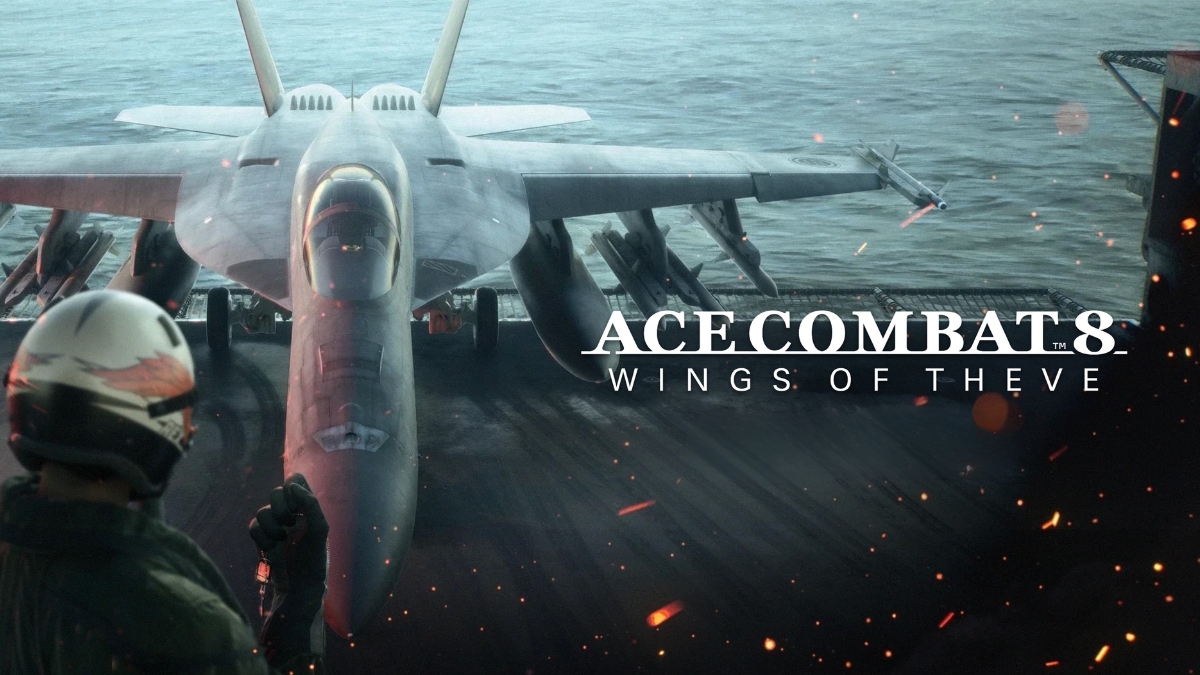
    Bandai Namco’s first mainline Ace Combat sequel in seven years brings carrier-based squad drama, Unreal Engine 5 visuals, and a wartime narrative built around a myth — with multiplayer details and a release date still under wraps. The release date has since been confirmed — see the full October 2 release date and preorder details here.

    What It Is and When Ace Combat 8 Wings of Theve Arrives

    Full title: ACE COMBAT 8: WINGS OF THEVE
    Developer: Bandai Namco Aces / Project Aces
    Publisher: Bandai Namco Entertainment
    Platforms: PS5, Xbox Series X|S, PC (Steam)
    Release window: 2026 — no exact date confirmed

    Revealed at The Game Awards, Ace Combat 8: Wings of Theve is the first numbered entry in the mainline series since Ace Combat 7: Skies Unknown launched in 2019. Wishlist pages are live on Steam and console storefronts. The game is confirmed to run on Unreal Engine 5 alongside proprietary technology developed by Project Aces, targeting a more realistic aerial experience without abandoning the series’ arcade-action identity.

    Ace Combat 8 Wings of Theve Arrives

    The Story: A Legend Built to Survive

    The game is set in July 2029 inside the Strangereal universe. The Federation of Central Usea has been invaded and largely occupied by the Republic of Sotoa. Players are stationed aboard the aging aircraft carrier Endurance — the last platform from which the FCU can mount any meaningful resistance.

    The player’s callsign is “Wings of Theve,” a title drawn from Theve, the capital city of the FCU. The narrative hook is the revelation that the legend behind that name was fabricated — manufactured to keep morale alive in an occupied nation. That premise positions the game as something distinctly more interested in meaning, myth, and survival than earlier entries tended to be.

    Bandai Namco’s developer diary frames the player as the newly appointed leader of a carrier-based squad. The structure moves between daily life aboard Endurance — squad dynamics, carrier routine — and high-stakes combat missions over occupied Strangereal territory. This is the clearest signal yet that Wings of Theve is being designed as a character-led, cinematic war story, not just a mission chain with cutscenes bookending it.

    Ace Combat 8 Wings of Theve Gameplay: What’s Confirmed

    The officially confirmed feature set covers:

    • Fast arcade-style aerial combat — the mechanical DNA of the series is intact
    • Campaign Mode — single-player story campaign
    • First-person story scenes — a new addition for the franchise; Bandai Namco has confirmed first-person perspective during story scenes, though it has not said every cutscene or narrative moment will use that format
    • Dynamic multi-layered cloudscapes — highlighted as a visual centrepiece, built with UE5
    • Powerful weapons systems — no specific loadout or weapon roster confirmed yet

    The first-person narrative perspective is the most significant structural departure from prior entries. Project Aces has described it as an intentional push toward immersion, though the full extent of how it applies across story sequences has not been specified.

    Ace Combat 8 Wings of Theve Multiplayer Confirmed, Not Yet Detailed

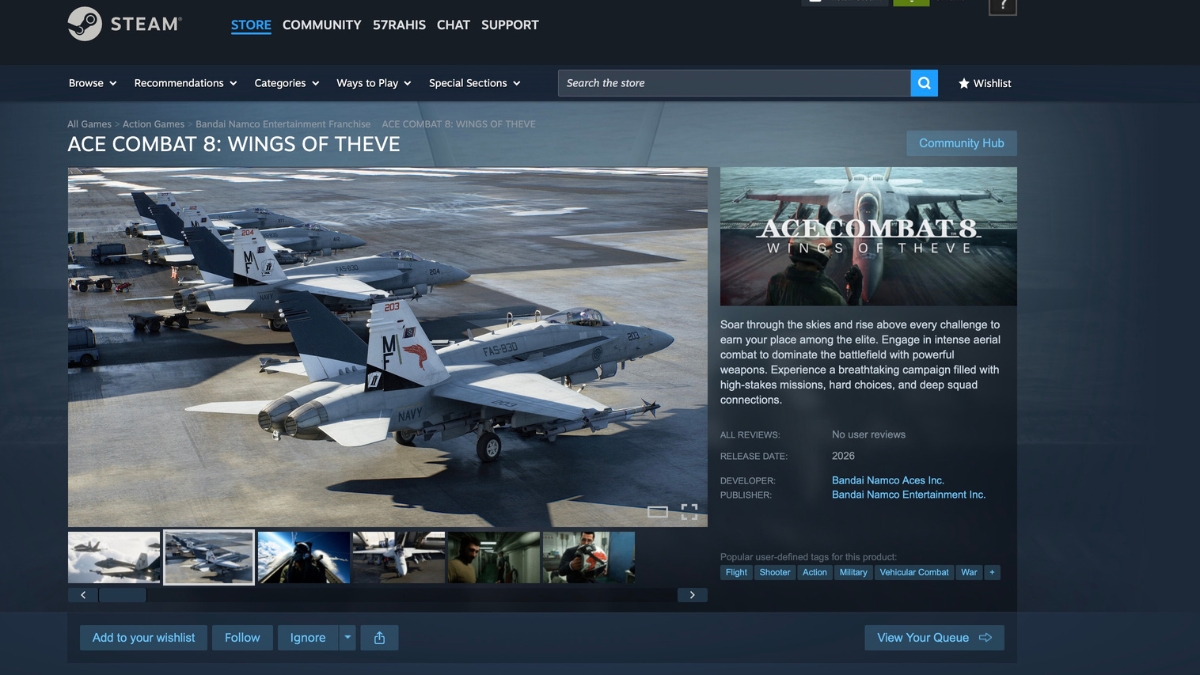
    Steam lists single-player, online PvP, online co-op, and cross-platform multiplayer, confirming that multiplayer is part of the game. However, Bandai Namco has not yet detailed the mode formats, player counts, progression systems, or exactly how cross-platform play will work across PS5, Xbox Series X|S, and PC.

    VR support has not been listed as part of the official feature set. GamesRadar reported, based on developer access, that Project Aces considered VR but decided not to pursue it for Ace Combat 8. Unless Bandai Namco later announces otherwise, VR should be treated as reportedly absent rather than a confirmed launch feature.

    Latest Development Update

    The most recent piece of official content is Strangereal Evolution Episode 2, a promotional and worldbuilding video published to the Steam community page on May 15, 2026. It continues the series of pre-launch videos expanding the lore context around Wings of Theve rather than announcing new gameplay systems or a release date.

    Steam still displays the game as “not yet available” with a Planned Release Date: 2026. No further specificity has been added.

    What Has Not Been Confirmed about Ace Combat 8 Wings of Theve

    These are open questions as of the time of publication. Do not treat them as facts until Bandai Namco announces them:

    Detail Status
    Exact release date Unconfirmed
    Pricing and editions Unconfirmed
    Demo or beta access Unconfirmed
    Game Pass / PS Plus availability Unconfirmed
    Full aircraft roster Unconfirmed
    Total mission count Unconfirmed
    PC minimum/recommended specs Listed as TBA on Steam
    Multiplayer mode formats Only broadly confirmed
    VR support Not officially listed; reportedly absent

    Ace Combat 8: Wings of Theve is available to wishlist now on Steam, PlayStation Store, and Xbox storefronts. No pricing, editions, or demo have been announced. Bandai Namco has not specified a release date beyond 2026.

  • PlayStation Plus 12-Month Membership Giveaway 2026: How to Enter and What You Can Win

    PlayStation Plus 12-Month Membership Giveaway 2026: How to Enter and What You Can Win

    Sony’s Days of Play 2026 event includes a sweepstakes where eligible players can win a 12-month PlayStation Plus Premium voucher as part of a multi-item prize bundle. This is not a blanket free membership offer. The PS Plus prize is promoted through Days of Play tournament participation, with eligibility and no-purchase terms governed by the official sweepstakes rules — and players who do not meet the entry criteria will not receive a subscription.

    What the PlayStation Plus 12-Month Membership Giveaway 2026 Actually Is

    During Days of Play 2026 (May 27 – June 10, 2026), PlayStation is running tournament-linked sweepstakes through the PS5’s Days of Play PlayStation Tournaments. Players who participate in at least one eligible tournament match receive a unique Days of Play PS Avatar and are automatically entered into the sweepstakes. Winners from that pool can receive a full prize bundle that includes a 12-month PlayStation Plus Premium voucher.

    This is distinct from a free code drop or an instant-claim promotion. Entry is earned through gameplay activity, and prizes are awarded through sweepstakes selection or by finishing with the most match wins in a region.

    PlayStation Plus 12-Month Membership Giveaway 2026 Full Prize Bundle

    PlayStation Plus 12-month membership giveaway 2026

    Sweepstakes winners and regional Days of Play Champions — the players with the most match wins in their region — can receive the grand prize package:

    • 12 months of PlayStation Plus Premium (or PS Plus Deluxe for APAC winners, where Premium is unavailable)
    • PlayStation Portal
    • DualSense Edge wireless controller
    • $100 USD PlayStation Store credit

    PlayStation Plus 12-Month Membership Giveaway 2026 Event Dates

    Detail Information
    Event start May 27, 2026 at 12:01 AM local time
    Event end June 10, 2026 at 11:59 PM local time

    How to Enter Sweepstakes

    Entry comes through participating in Days of Play PlayStation Tournaments on PS5. The official steps are:

    1. Go to a participating Days of Play game title on your PS5 console
    2. Press down on the directional pad while hovering over the game tile to open the Game Hub
    3. Select the Days of Play Tournament Activity Card
    4. Register and accept the tournament rules
    5. Join when the tournament is ready and play at least one match

    Completing at least one match earns a sweepstakes entry and the Days of Play PS Avatar. Bracket winners earn an additional sweepstakes entry and in-game prizes. Separately, players who accumulate the most match wins in their region are crowned Days of Play Champions and win equivalent prizes to sweepstakes winners.

    No purchase is necessary, though the official tournament rules refer players to a separate sweepstakes rules document for full eligibility and entry restrictions.

    Who Is Eligible For PlayStation Plus 12-Month Membership Giveaway 2026

    Players need all of the following to participate:

    • Access to a PS5 console
    • A compatible controller
    • A valid copy of a participating game
    • A valid PlayStation Network account
    • A high-speed internet connection

    An active PlayStation Plus membership is required for most tournament titles. The exception is Days of Play Challenges for Astro Bot, Fortnite, and Gran Turismo 7, which do not require an active PS Plus subscription to enter.

    Tournament and sweepstakes eligibility varies by country. Some countries included in the tournament list are not eligible for the sweepstakes. Verify your regional eligibility against the official sweepstakes rules before participating.

    Participating Games of PlayStation Plus 12-Month Membership Giveaway 2026

    The following titles are listed as Days of Play tournament games. Game availability varies by region — not every title is available to every eligible player globally.

    • EA Sports FC 26 (also hosts a Golden Tournament; available as part of PS Plus Monthly Games through June 16)
    • EA Sports Madden NFL 26 (also hosts a Golden Tournament)
    • NBA 2K26
    • Tekken 8
    • Mortal Kombat 1 (also hosts a Golden Tournament)
    • EA Sports UFC 5
    • EA Sports College Football 26
    • Gran Turismo 7
    • Astro Bot
    • Asphalt 9: Legends
    • Fortnite

    Golden Tournaments in EA Sports FC 26, EA Sports Madden NFL 26, and Mortal Kombat 1 feature double virtual currency rewards for winners and a unique Golden Tournament avatar for all participants.

    How Winners Are Notified and Prizes Distributed

    Winners receive notification through an on-console notification sent to their PS Account. Prize distribution occurs within 30 days after the tournament in which the prize was won.

    Players in Asia-Pacific regions where PlayStation Plus Premium is not available will receive a one-year PlayStation Plus Deluxe subscription in place of the Premium tier.

    The PS Plus Giveaway vs. the Days of Play Discount: Not the Same Thing

    Sony is running two separate PS Plus offers simultaneously during Days of Play 2026, and conflating them is easy to do.

    Offer What it is Who gets it
    Sweepstakes prize 12-month PS Plus Premium voucher as part of a bundle Sweepstakes winners and Days of Play Champions (top match-win earners per region)
    Days of Play sale Up to 33% off a 12-month PS Plus membership Any eligible player who purchases during the event window; current members upgrading from Essential/Extra to Premium/Deluxe also qualify

    The sale is a paid discount. The giveaway is a prize requiring tournament participation and winner selection. Neither is a free subscription for all players.

    For players weighing whether to buy during the Days of Play sale, the timing has added relevance: PlayStation Plus recently raised prices for new subscribers on monthly and three-month plans, with 12-month plans carrying no announced increase. The Days of Play discount applies to annual memberships, which are already the better value at the new short-term rates.

    If you want a shot at the PlayStation Plus 12-month membership giveaway in 2026, the path is through Days of Play PlayStation Tournaments on PS5 between May 27 and June 10. Participate in at least one match in an eligible game and you are automatically entered into the sweepstakes. Win your bracket and you earn an additional entry. Prizes — including the 12-month PS Plus Premium voucher, PlayStation Portal, DualSense Edge, and $100 Store credit — go to sweepstakes winners and top regional finishers, subject to regional eligibility restrictions.

  • Bungie Reveals Major Marathon Season 2 Combat Tuning, Sentinel, and Open Play Week

    Bungie Reveals Major Marathon Season 2 Combat Tuning, Sentinel, and Open Play Week

    Bungie has published a comprehensive preview of Marathon Season 2’s combat tuning, covering weapons, mods, equipment, the new Sentinel Runner shell, implant reworks, and sandbox changes arriving when the season launches on June 2. The update is accompanied by an Open Play Week running June 2 through June 9 on Steam, PlayStation 5, and Xbox Series X|S.

    This is not a narrow balance pass. Bungie frames the entire Season 2 update as a deliberate effort to make Marathon’s combat more readable, expressive, and tactically meaningful — with changes spanning every layer of how players build and fight on Tau Ceti.

    Season 2 Is Built Around Clearer Combat and Stronger Loadout Identity

    Marathon Season 2

    The central design goal Bungie articulates for Season 2 is legibility. Weapons should communicate their roles more clearly. Builds should reward intentional decisions. More parts of a loadout should matter in any given run.

    That philosophy shows up repeatedly across the preview: in how weapon archetypes are being tuned to occupy distinct range brackets, in the naming overhaul for implants, in the Signal Jammer nerf that reduces its effectiveness during active firefights, and in the new Darksight Scopes and Vector Rounds that layer information tools into loadout construction. Season 2 is not trying to add complexity for its own sake — it is trying to make existing decisions feel more consequential.

    New Weapons: KKV-9SD and D54 Battle Pistol

    KKV-9SD

    Marathon Season 2 New Weapon

    The KKV-9SD is a pistol-frame SMG with an integrated suppressor and the fastest fire rate Bungie has ever shipped on a single weapon. It is built for close-range combat, specifically designed to punish shotgun rushers. It uses pistol optic mods, pistol magazine mods, and chips.

    Its Prestige mod is Flechette Drum, which provides sustain by healing the player whenever they break an enemy shield — a strong pairing for the aggressive, high-tempo playstyle the weapon encourages.

    D54 Battle Pistol

    D54 Battle Pistol

    The D54 Battle Pistol is a fully automatic, three-round burst handgun positioned between the Pistol and Magnum archetypes. Bungie describes it as a dedicated 1v1 dueling weapon and a strong swap option when paired with other hard-hitting archetypes like snipers or shotguns.

    Its Prestige mod is Daredevil Stock, which uses the new folding stock mod archetype. With the stock collapsed, enemy defeats stack up to two charges. Unfolding the stock converts those charges into a nine-round super burst — a mechanic that actively rewards situational awareness and timing over passive stat accumulation.

    Misriah 2442, Overrun, and CE Tactical Sidearm: Key Tuning Breakdowns

    Misriah 2442

    Misriah 2442

    The Misriah 2442 had established a dominant position in Season 1. Bungie’s primary intervention is not a direct damage nerf but a structural one: rate-of-fire bonuses are being removed from the entire Slick Mag family. The base rate of fire is simultaneously raised from 58 RPM to 72 RPM to compensate — the net effect is that the weapon loses the extreme fire-rate ceiling that Slick Mag builds enabled.

    Change Detail
    Hip-fire pellet spread +10%
    ADS pellet spread +5%
    Base rate of fire 58 RPM → 72 RPM
    Base damage falloff start 11m → 10m
    Max damage falloff start 15m → 16m
    Magazine stat Rebased so every mag gives at least +1 round
    Base/max magazine size Unchanged (4 / 10)

    The spread increases push the Misriah back into its intended close-to-mid range bracket without gutting it as a weapon type.

    Full-Auto Selector Prestige Mod

    Bungie is also redesigning the Full-Auto Selector Prestige Mod, which had made the Misriah’s playstyle too static. The rework creates a meaningful tension between hip-fire and ADS modes:

    Mode Behavior
    Hip-fire Full auto, +10% pellet spread, significantly higher stability
    ADS Higher range, tighter pellet spread, no full-auto

    The fire-rate bonus drops from 150 RPM to 90 RPM, offset by new additions of +50 ADS Speed and +50 ADS Accuracy. The rework encourages players to switch between hip-fire and ADS depending on range and pressure.

    Overrun

    The Overrun suffered from painful recoil that made lower-rarity versions feel unreliable in budget builds.

    Stat Change
    Horizontal recoil Reduced by ~50%
    Vertical recoil Reduced by ~12%

    High-rarity Overrun was already performing well. This pass is primarily aimed at making Standard and Enhanced versions viable in Sponsored Kits and cost-conscious loadouts.

    CE Tactical Sidearm

    The CE Tactical Sidearm is receiving one of the larger individual weapon passes in Season 2, because it failed to attract players even when fully built into.

    Area Change
    Recoil settle speed +15%
    ADS accuracy error multiplier Reduced by ~50%
    Aim assist falloff distances Min and max both increased
    Magnetism falloff distances Min and max both increased
    Aim assist cone +33% at base stat, +16% at max stat
    Moving accuracy Reduced at minimum stat; increased at maximum stat
    Crouch accuracy Max crouch accuracy bonus reduced

    The practical intent is to make the weapon more forgiving, more attractive to build around, and more competitive in its intended range.

    Mods and Chips: A Major Buildcrafting Shake-Up

    Mods and Chips: A Major Buildcrafting Shake-Up

    Season 2 adds two new mod families and eight new chip families, while every magazine and optic mod receives a balance pass.

    New Mod Family: Folding Stocks

    Folding Stocks debut on the KKV-9SD and D54 Battle Pistol. When collapsed, they boost hip-fire accuracy and movement speed. Players can toggle the stock open via the alternate weapon action input, converting those hip-fire bonuses into ADS accuracy and range advantages. This is an active, moment-to-moment gameplay decision rather than a passive stat swap.

    New Optic Archetype: Darksight Scopes

    Darksight Scopes are a new optic family tied to Night Marsh. Every weapon archetype will receive its own Darksight Scope in Deluxe and Superior rarities. While aiming down sights, Darksight Scopes use a full-screen vignette similar to sniper optics, and players can toggle a night-vision-style effect that lights up the area around them. Superior versions make the night-vision effect wider and extend its range.

    Chip Rotations

    Chip Family Status
    Stack Overflow Removed from Season 2 loot pool
    Optimal Prime Removed from Season 2 loot pool

    Bungie cites inconsistent performance for Stack Overflow and a failure to find its intended buildcrafting niche for Optimal Prime.

    New Chip Families (Selected Examples)

    Chip Rarity Effect
    Alarmist All rarities After ADS for a short duration, projectile impacts generate a scan drone alert
    Scrapyard All rarities Defeating hostiles can drop depleted health items or standard materials
    Brain Freeze Superior only Precision downs or kills trigger a Frost-spreading explosion

    Bounty Hunter Updates

    Rarity Previous Credits Updated Credits
    Standard 10 25
    Enhanced 15 50
    Deluxe 20 75
    Superior 25 100

    Bungie also fixed a bug where Bounty Hunter was not awarding credits for eliminating UESC scan drones.

    Cloudborn Redesign

    Cloudborn’s previous version overflowed the magazine on reload inside smoke. The redesigned version abandons that mechanic in favor of passive bonuses to stability, accuracy, handling, and movement speed while the player remains in smoke — a less swingy, more consistent benefit.

    Vector Rounds

    Marathon Season 2 screenshot showing dark sci-fi combat environment and visibility tools

    One Superior-tier magazine mod in every family will include Vector Rounds by default. After ADS for a short time, the next projectile impact generates a revealing pulse — similar to Darksight — that highlights enemies caught in the detonation area. This is an information tool built directly into the magazine slot, expanding buildcrafting options for players who want persistent target tracking without committing an optic slot.

    Equipment Changes: Grenade Nerfs, Signal Jammer, and New Tools

    Grenade Nerfs

    General Grenade Timing

    All grenade ready animations are being extended by 0.2 seconds. The throw itself is preserved once released, but back-to-back grenade spam is now slower.

    Frag and Heat Grenade Nerfs

    Grenade Stat Change
    Frag Grenade Max damage 135 → 115 (−15%)
    Heat Grenade Damage 40 → 20 (−50%)

    Signal Jammer

    Signal Jammer was functioning as a default requirement in Season 1, reducing the value of specific counterintel tools such as Early Warning System and Vital Intel. Season 2’s changes make it situationally useful rather than universally dominant:

    • Jamming now flickers off when the player shoots, uses abilities, takes damage, or performs actions
    • No longer blocks Early Warning System detection
    • No longer blocks Vital Intel detection

    It remains a stealth and repositioning tool but loses effectiveness in active combat — which opens space for other information equipment to matter.

    New Equipment

    Frost Mine — A placeable Claymore-style device that detonates on proximity, dealing spherical blast damage and spreading the Frost debuff to nearby enemies.

    Vector Grenade — An information-first tool that creates lingering revealing pulses across a large radius on detonation, highlighting spaces and enemies. Bungie positions it as particularly effective in Night Marsh environments.

    Signal Flares — Available in red, green, and blue, Signal Flares provide light rather than damage. Bungie frames them as communication tools for non-verbal coordination between players.

    Sentinel: Defensive Area Control Comes to Marathon

    Season 2 introduces Sentinel, a new Runner shell built around traps, area denial, and holding ground under pressure.

    Sentinel Abilities

    Ability Type Effect
    Defender System Prime Ability Deploys a defensive platform that neutralizes incoming explosives with a limited number of projectiles; nearby allies gain weapon stability and reload speed
    Snare Mine Tactical Ability A proximity mine that detonates into Immobilizing submunitions
    Prey Tracker Trait Ability Activates motion tracking that reveals moving enemies in a cone on the HUD
    Castle Doctrine Passive Readies and reloads SMGs, Pistols, and Shotguns faster based on nearby hostiles; splash damage temporarily boosts Hardware, Firewall, and Self-Repair Speed

    Sentinel adds a new defensive option to Marathon’s Runner shell roster, built around countering explosive pressure, shotgun rushers, and movement-heavy enemy archetypes.

    Sentinel-Specific Runner Cores

    ## Sentinel: Defensive Area Control Comes to Marathon

    Sentinel ships with 10 Sentinel-specific Runner cores. Three examples:

    Core Rarity Effect
    Reversal Enhanced Defeating an Immobilized target heals the player over time
    Wellness Beacon Deluxe Standing near Defender System accelerates medical item use for the player and allies
    Eminent Domain Prestige Grenades neutralized by Defender System fall as lootable items

    Implants Are Being Reworked for Better Readability

    Season 1 implants displayed stat packages as item names, burying perk information in tooltips. Season 2 reverses this structure entirely.

    Change Detail
    Primary identity Each implant now grants one fixed, named perk
    Item naming The perk name is reflected directly in the item name
    Stat packages Each implant carries a fixed stat package
    Existing perks Season 1 perks remain collectible
    New perks Eight new implant perks added

    One example new perk is Going Dark, which makes the player invisible while using healing consumables. Bungie cites Tox Injectors and Triage Cloaking Device as examples of how the new naming convention communicates perk identity at a glance. Implant icon readability is noted as the next priority after this structural change ships.

    Runner Shell Quality-of-Life and Ability Balance

    Beyond Sentinel, Bungie is shipping broader Runner shell improvements: mantle system refinements, smoother movement, reduced desync, and deathbox spawning fixes that prevent loot boxes from appearing in inaccessible locations.

    One balance change affects ability cooldowns: Prime and Tactical Recovery stats will accelerate cooldowns less at 100 stat. Bungie’s stated intent is to preserve counterplay in high-level engagements, where ability uptime had become too difficult to contest.

    Marathon Season 2 Open Play Week: June 2–9

    Marathon Season 2 begins June 2, with Open Play Week running June 2 through June 9 on Steam, PlayStation 5, and Xbox Series X|S.

    Bungie has not released complete patch notes yet. The full notes will arrive alongside the Season 2 launch. The preview explicitly describes itself as covering headliners — additional weapon, mod, and equipment changes not mentioned here may appear in the final patch documentation.

  • Donkey Kong 64 Is Joining Nintendo Switch Online’s N64 Library on June 4

    Donkey Kong 64 Is Joining Nintendo Switch Online’s N64 Library on June 4

    Nintendo has officially announced that Donkey Kong 64 is joining the NINTENDO 64 Nintendo Classics library, available through Nintendo Switch Online + Expansion Pack. The game Donkey Kong 64 is listed for June 3 in some North American coverage and June 4 in Japan and other regions, so availability may depend on your region. Either way, one of the most iconic collectathon platformers of the N64 era is returning to a Nintendo platform for the first time in years.

    This is not a remake, remaster, or Switch 2 exclusive. It is the original N64 game, playable through the Nintendo Classics app.

    What Tier Do You Need

    Standard Nintendo Switch Online does not include access to the N64 library. You need the higher-tier Nintendo Switch Online + Expansion Pack subscription. The N64 Nintendo Classics collection sits entirely behind that tier, which also includes the Game Boy Advance and Sega Genesis libraries.

    If you are already an Expansion Pack subscriber, Donkey Kong 64 will be available at no additional cost.

    What Donkey Kong 64 Actually Is

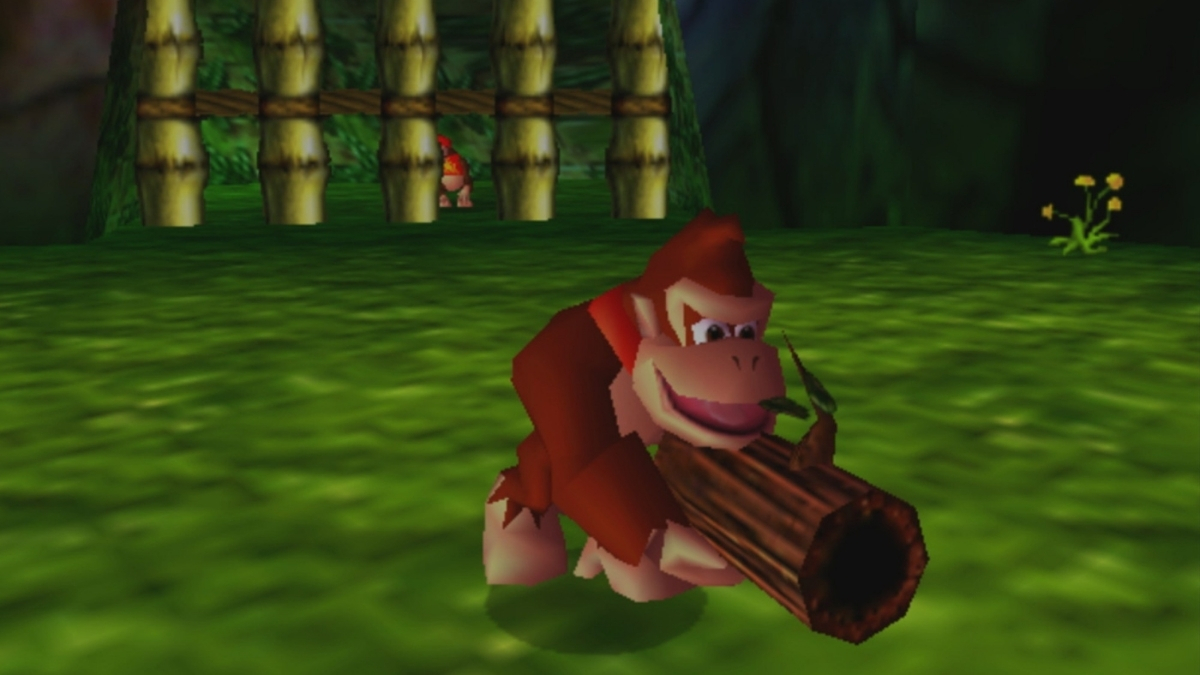
    Donkey Kong 64 was developed by Rare and published by Nintendo, originally released for Nintendo 64 in 1999. It was DK’s first major 3D adventure and remains one of the most ambitious — and demanding — platformers of its generation.

    The game features five playable Kongs: Donkey, Diddy, Tiny, Lanky, and Chunky. Each has unique abilities and weapons, and most of the game’s content is gated behind which Kong can access which area or item. Across eight large worlds, players collect Golden Bananas, colored bananas, blueprints, Battle Arena crowns, and Banana Fairies. The primary antagonist is King K. Rool, and the Kremlings return as the main enemy faction.

    The Expansion Pak Parallel

    The original Donkey Kong 64 required the Nintendo 64 Expansion Pak to run, and the game is closely associated with that hardware add-on. The Expansion Pak was a RAM upgrade accessory that plugged into the top of the N64 console.

    Donkey Kong 64

    Now, in 2026, the game that required a hardware Expansion Pak requires Nintendo’s Expansion Pack subscription tier. The parallel is hard to miss for longtime players — it creates an amusing full-circle detail that follows the game across 27 years.

    Playing It on Nintendo Switch 2

    The N64 Nintendo Classics app has Nintendo Switch 2 compatibility. On Switch 2, Nintendo has added a CRT filter and a Rewind function to the app. The CRT filter approximates the scanline look of original CRT televisions. On Switch 2, Rewind may soften some frustration, but the game itself remains the original N64 release.

    The wireless Nintendo 64-style controller Nintendo sells for Switch Online members is compatible with both Nintendo Switch 2 and the original Nintendo Switch.

    Donkey Kong 64 last appeared on a Nintendo platform through the Wii U Virtual Console in 2015. The Wii U release had limited reach compared with Nintendo’s later hardware, Nintendo reports Wii U lifetime sales of 13.56 million units. For the better part of a decade, playing DK64 legally meant tracking down original hardware or relying on that aging digital purchase.

    There is also a broader franchise context. Nintendo launched Donkey Kong Bananza, Nintendo’s modern 3D Donkey Kong entry for Switch 2, reviving the 3D DK format for a new generation. With DK64 now in Nintendo Classics, players can experience DK’s 1999 3D debut and Nintendo’s modern 3D Donkey Kong adventure on Switch 2.

    Is Donkey Kong 64 Worth Playing in 2026

    It depends on what you want from it.

    DK64 is historically significant, DK’s 3D debut, a major technical achievement from Rare at the end of the N64 era, with distinct biomes, memorable boss fights, and an enormous amount of content. The Jungle Japes theme alone is embedded in the memory of an entire generation.

    But it is also a dense, sometimes exhausting collectathon. Each of the five Kongs must collect their own color-coded items separately, meaning the same locations are revisited multiple times with different characters. Late-game progression can feel like archaeology, hunting through areas you’ve already cleared to find the last item you missed. By modern 3D platformer standards, the pacing is slow and the backtracking is significant.

    If you have never played it, it is worth experiencing. If you found it oppressive in 1999, the NSO version does not change the game itself, though on Switch 2, Rewind at least reduces the cost of individual mistakes.

    Donkey Kong 64 joins NINTENDO 64 Nintendo Classics on June 3–4, 2026 depending on region. Nintendo Switch Online + Expansion Pack membership required.

  • ZOMBUTCHER: Monster Business Simulator Launches on Steam June 11, 2026

    ZOMBUTCHER: Monster Business Simulator Launches on Steam June 11, 2026

    Developer ODIUS and publisher Loopr Partners have confirmed ZOMBUTCHER: Monster Business Simulator will release on PC via Steam on June 11, 2026. A May 21 announcement confirmed the date and said a new trailer had been released, and a playable demo was available during Steam Next Fest. SteamDB lists the unlock as June 11, 2026 at 04:00 UTC. (Steam’s store page may display June 10 depending on your region and time zone; the official Steam community announcement specifies June 11.)

    What the ZOMBUTCHER: Monster Business Game Is

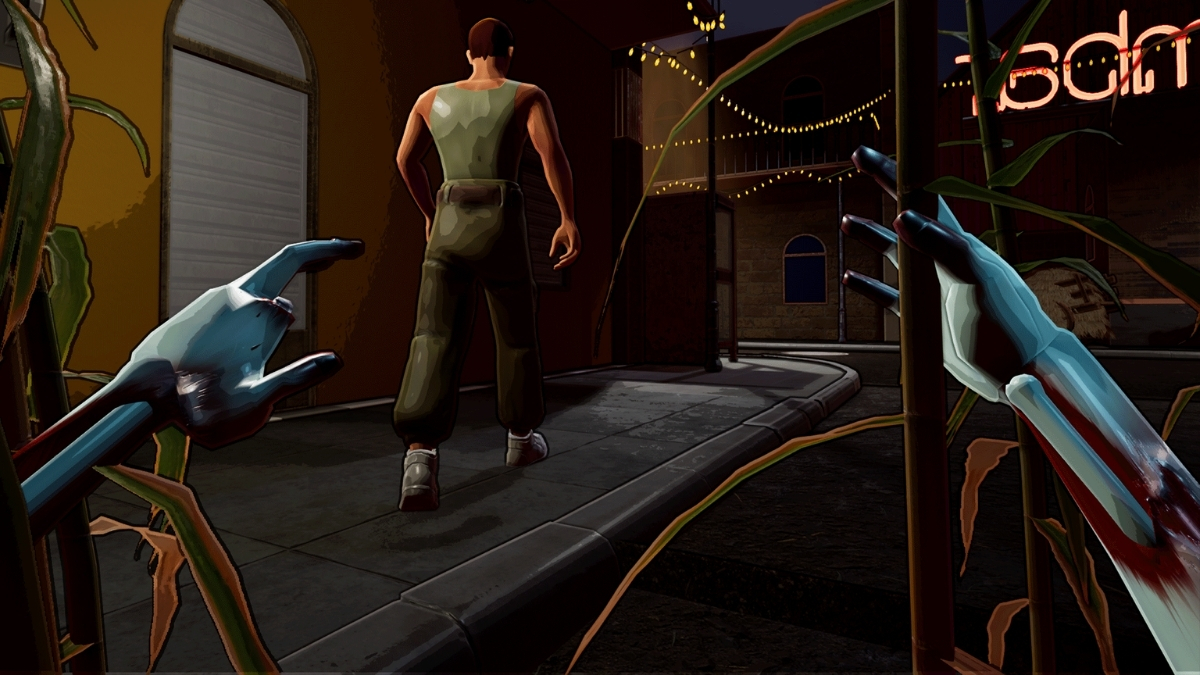
    ZOMBUTCHER: Monster Business, puts players in the role of a zombie running a butcher shop in a Louisiana town. The core tension is a split existence: by day, you run the shop as a legitimate front — cutting and packing meat, upgrading the store, and serving customers, while the game’s marketing plays with a day-night split between humans and monsters. By night, you head into the streets for “fresh stock,” avoid patrols, gather ingredients, and keep the monster side of the business supplied. The loop is stealth-action resource management inside a dark-comedy wrapper.

    Steam categorizes it under Action, Indie, and Simulation. User tags include First-Person, Management, Immersive Sim, Stealth, Shop Keeper, Resource Management, Zombies, Crafting, Dark Humor, Violent, and Gore. Calling it simply a horror game misrepresents the experience — the accurate framing is a stealth-action shop management simulator with dark-comedy tone.

    ZOMBUTCHER: Monster Business

    Confirmed Details

    Detail Confirmed Info
    Developer ODIUS
    Publisher Loopr Partners
    Platform PC via Steam / Windows; no console version has been announced
    Release Date June 11, 2026 (UTC unlock: June 11 at 04:00)
    Languages English, French, Italian, German, Spanish (Spain), Simplified Chinese, Russian, Japanese
    Steam Features Single-player, Achievements, Steam Cloud
    Mature Content Stylized violence including killing and dismemberment; no sexual content (per Steam)
    Price Not yet announced

    Setting and Game Loop of ZOMBUTCHER: Monster Business

    The game is set around a Louisiana town. At night, players move through the environment avoiding police patrols, hiding in shadows, and sourcing “fresh stock” for the monster side of the business. During the day, the shop opens: players handle customer service, manage inventory, process meat, and invest in store upgrades.

    The most recent public demo build ran under Patch 0.3.1, which added a Black Market Merchant, necklace and mask crafting, and addressed a range of issues including night visual quality, price balancing, combat, shop UI, NPC behavior, police AI, refrigerators, hooks, tutorial, and music.

    What Is Not Yet Confirmed

    • Price: No pricing has been posted to the Steam listing.
    • Console versions: No PlayStation, Xbox, or Switch announcement exists. PC via Steam is the only confirmed platform.
    • Steam Deck: A response from the apparent official Zombutcher_Game Reddit account stated Steam Deck support is “not at the moment,” with intentions to add it later. This has not been confirmed through official Steam or storefront channels.
    • Post-launch roadmap: No public roadmap has been announced.
    • Reviews: The game had not launched as of this writing; Steam shows no user reviews.

    Where to Find It

    ZOMBUTCHER: Monster Business Simulator is available to wishlist on Steam. The May 21 announcement included a new trailer covering the shop environment, nighttime hunts, and the broader world of the game.

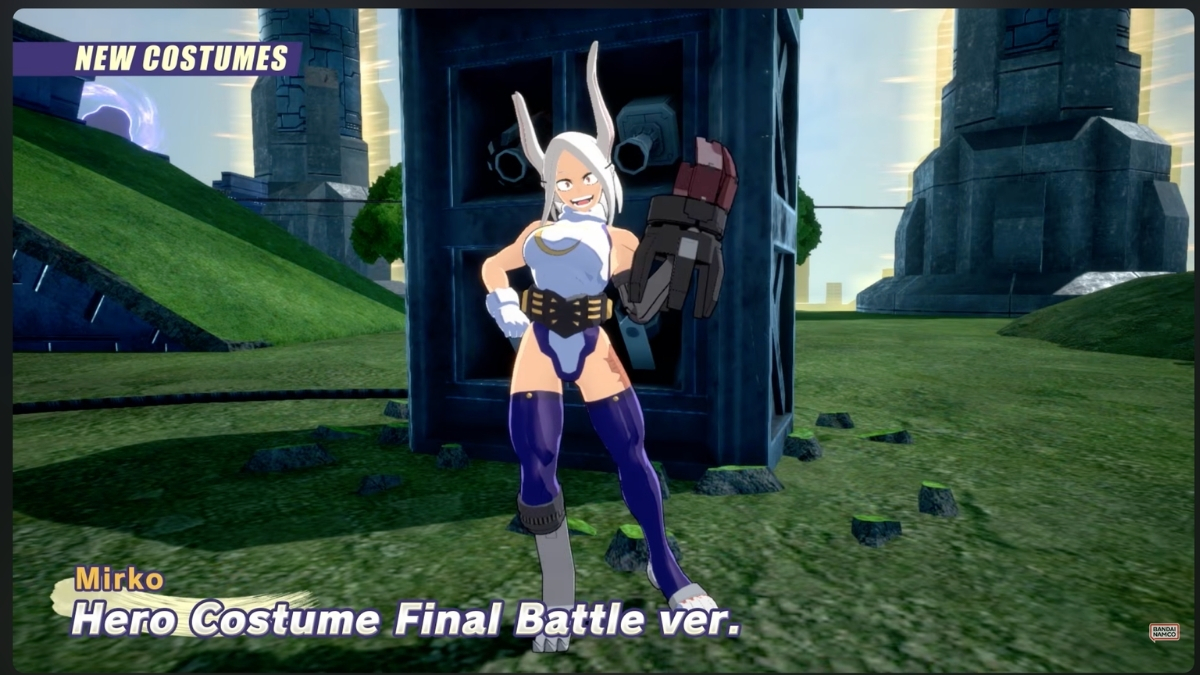
  • My Hero Ultra Rumble Season 17 Adds Mirko as a New Playable Character

    My Hero Ultra Rumble Season 17 Adds Mirko as a New Playable Character

    Bandai Namco has released the Season 17 trailer for My Hero Ultra Rumble, confirming Mirko as the new playable character arriving with the season’s launch. My Hero Ultra Rumble Season 17 goes live on May 27, 2026.

    Mirko is the headline addition, but the official Season 17 promotion lists two further confirmed updates: a new Battle Style for Present Mic and a new outfit for Mt. Lady. Those additions sit alongside the season’s expected events, license rewards, and rolling cosmetic updates, though Bandai Namco has not detailed every My Hero Ultra Rumble Season 17 reward in the trailer.

    For players who haven’t been following the game closely, My Hero Ultra Rumble is a free-to-play 24-player battle royale based on the My Hero Academia anime. Teams form up and fight to be the last squad standing, with Bandai Namco regularly introducing new characters and cosmetics each season. The game is available on PlayStation, Xbox, Nintendo Switch, and PC via Steam.

    My Hero Ultra Rumble Season 17 Adds Mirko

    Season 17’s timing follows the game’s established pattern. Season 16 launched on March 25, 2026, with Star and Stripe as its new playable character. Bandai Namco’s original roadmap described each season as lasting approximately two months and introducing a new playable character, alongside events, Battle Pass content, and limited costumes. Several Season 16 rolls and events were scheduled to end on May 27, making the move into Season 17 line up with the game’s usual seasonal cadence.

    Community discussion following the trailer has touched on other possible additions, including speculation around Aizawa, but those details have not been confirmed through official Bandai Namco channels. The confirmed Season 17 additions remain Mirko, Present Mic’s new Battle Style, and Mt. Lady’s new outfit until official patch notes say otherwise.

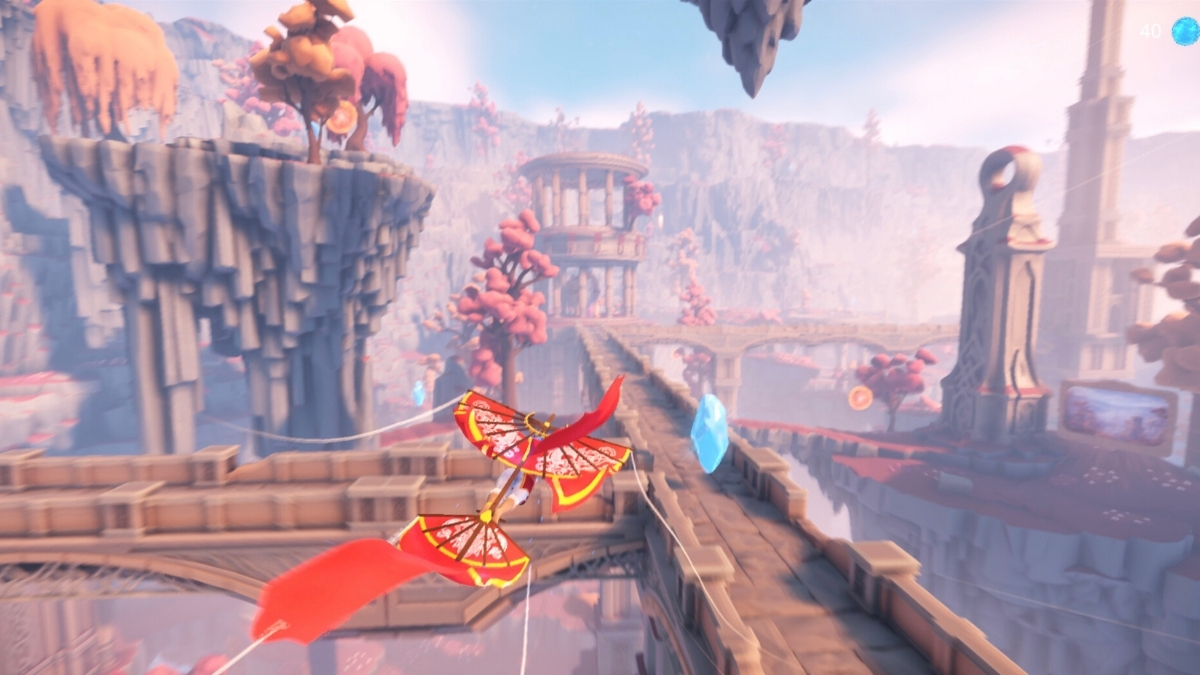
  • Mesoké Brings a Poetic Flying Adventure to Steam on May 26

    Mesoké Brings a Poetic Flying Adventure to Steam on May 26

    Mystik’art’s title Mesoké, described by the developer as a solo project, launches on PC via Steam on May 26, 2026. It is a poetic, introspective flying and exploration game in which players guide the spirit of a meditating woman through a floating inner universe built around memory, emotion, and forgotten landscapes. Steam lists it under the Adventure, Casual, and Indie genres.

    A Kite, a Meditating Woman, and a World Built from Emotion

    You play as Mesoké, a meditating woman whose spirit drifts through a surreal inner world. Carried by the fabric of a kite, her consciousness glides through dreamlike worlds, each shaped by a distinct emotional state — joy, loss, stillness, forgetfulness — while she quietly pieces together a story of lost love and emotional reconstruction. Mesoké is built around a wordless narrative, with its story carried through space, sound, light, and silence rather than conventional exposition. Mystik’art has framed the experience around a no-text, no-HUD design philosophy meant to be understood through movement, sound, color, symbols, and experimentation. Developer discussion around the demo suggests some discreet symbol-based options may be added to address control and sensitivity feedback from playtests.

    Chi, Momentum, and the Risk of Flying Too Close

    Chi, Momentum, and the Risk of Flying Too Close

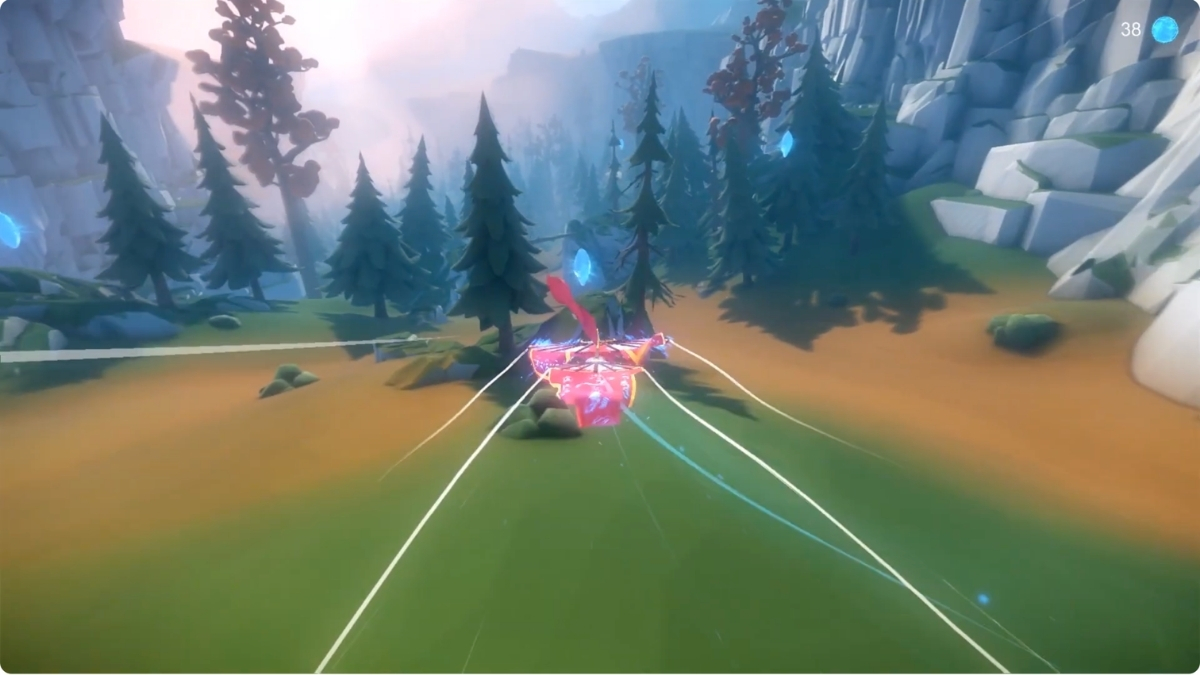
    The core mechanic is momentum-based flight. Players must find their rhythm to stay airborne, soaring high or skimming close to surfaces and hazards. A risk/reward system rewards flying closer to danger with greater amounts of Chi — the vital energy players collect to restore Mesoké’s inner palace and recover fragments of her memory. The more precise the flight, the more the world carries the player forward, making the movement system something to be refined rather than simply endured.

    Beyond the flight mechanics, Mesoké builds an evolving central hub — described as Mesoké’s inner palace — that grows and changes as players make discoveries across its emotional worlds. The developer describes the broader journey as a quiet exploration of emotion, memory, and reconstruction after the loss of love.

    Demo Out Now, but No Reviews Yet

    A Steam demo is available ahead of the May 26 launch, described as offering access to the first three worlds and the Inner Palace. The game runs on CryEngine, as confirmed by the licensing credits on the Steam store page. Steam currently lists no user reviews, and Metacritic shows no critic or user scores yet. No published OpenCritic score appears to be available as of this writing. The game’s Steam page also notes that 3 curators have reviewed the product, which is worth distinguishing from the absence of any user review coverage. Mystik’art has confirmed that all in-game content is handmade, though some store page and library images were produced using AI-assisted stylization based on original in-game material and manually edited afterward. No AI-generated content appears during gameplay.

    System Requirements, Controller Support, and Steam Features

    On the technical side, Steam lists minimum requirements of Windows 10 64-bit, an Intel i5-8400 or AMD Ryzen 5 2600, 12 GB RAM, an NVIDIA GTX 1060 6GB or AMD RX 580 8GB, DirectX 11, and 5 GB of storage. Recommended specs move up to an Intel i5-10400 or Ryzen 5 3600, 16 GB RAM, and an NVIDIA RTX 3060 or AMD RX 6600. The Steam listing confirms Single-player, Steam Achievements, and Family Sharing support. SteamDB lists full controller support and gamepad-preferred play, consistent with the developer’s own recommendation to use a controller. The game supports interface localization in English and 102 additional languages. Pricing has not been confirmed in available sources.

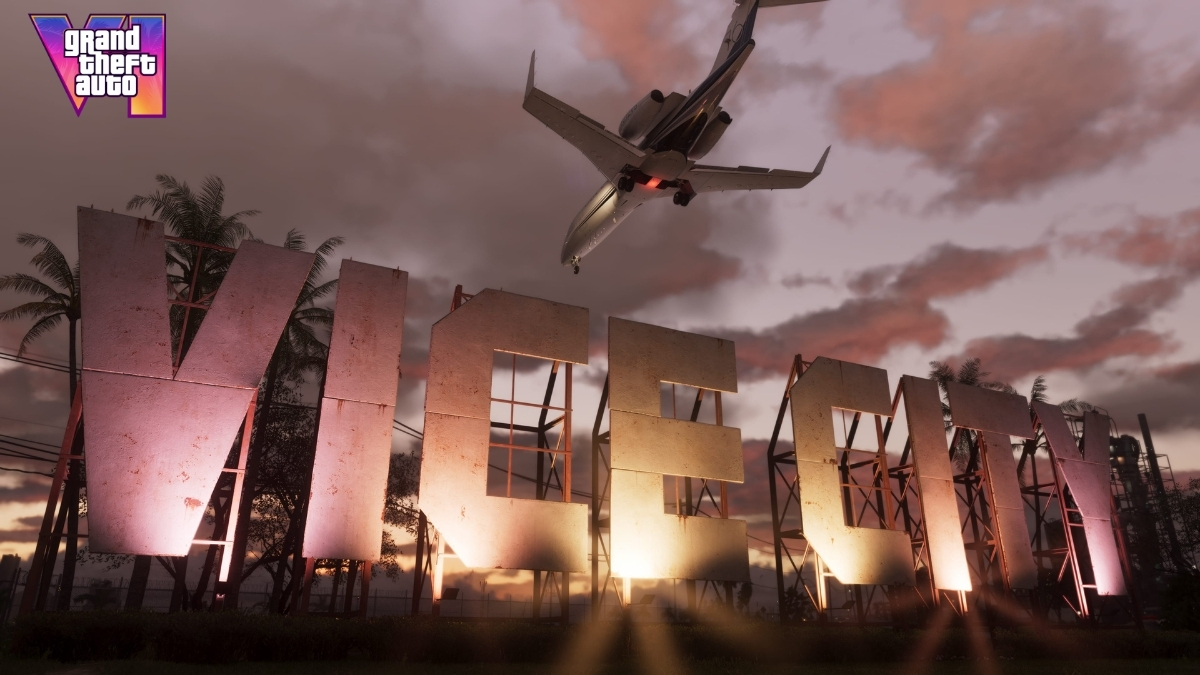
  • Take-Two CEO Reaffirms GTA 6 for November 19, 2026 as Marketing Set for Summer

    Take-Two CEO Reaffirms GTA 6 for November 19, 2026 as Marketing Set for Summer

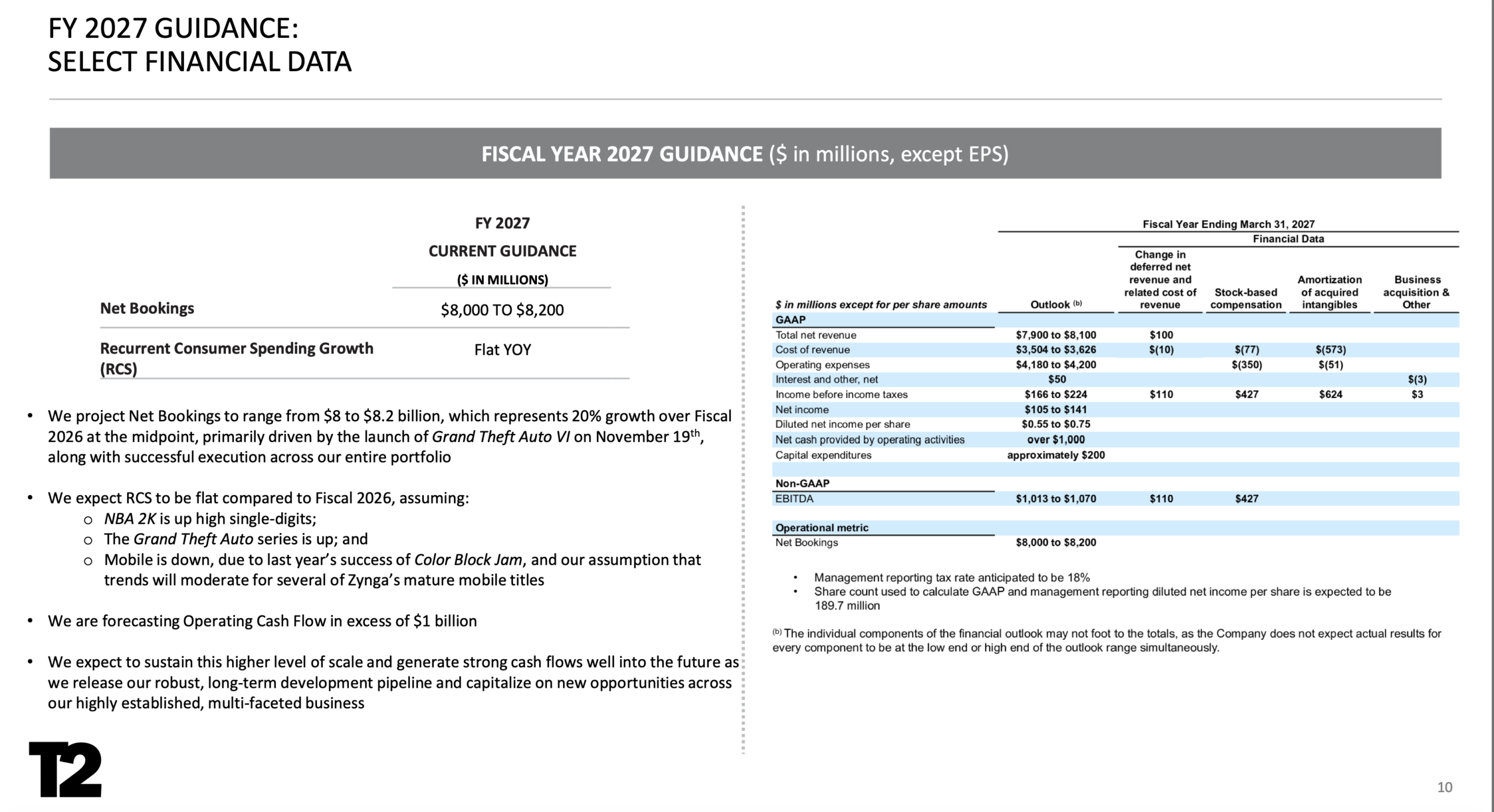
    Grand Theft Auto VI is currently scheduled to launch on November 19, 2026, on PS5 and Xbox Series X/S. That was reaffirmed yesterday during Take-Two Interactive’s Q4 fiscal year 2026 earnings call. Take-Two included the date in its official investor materials and future release lineup, with the company’s initial FY2027 outlook listing Net Bookings of $8.0 to $8.2 billion and GAAP net revenue expected between $7.9 and $8.1 billion. That said, the filing includes standard forward-looking-statement warnings, and actual outcomes may vary, including risks around timely game releases.

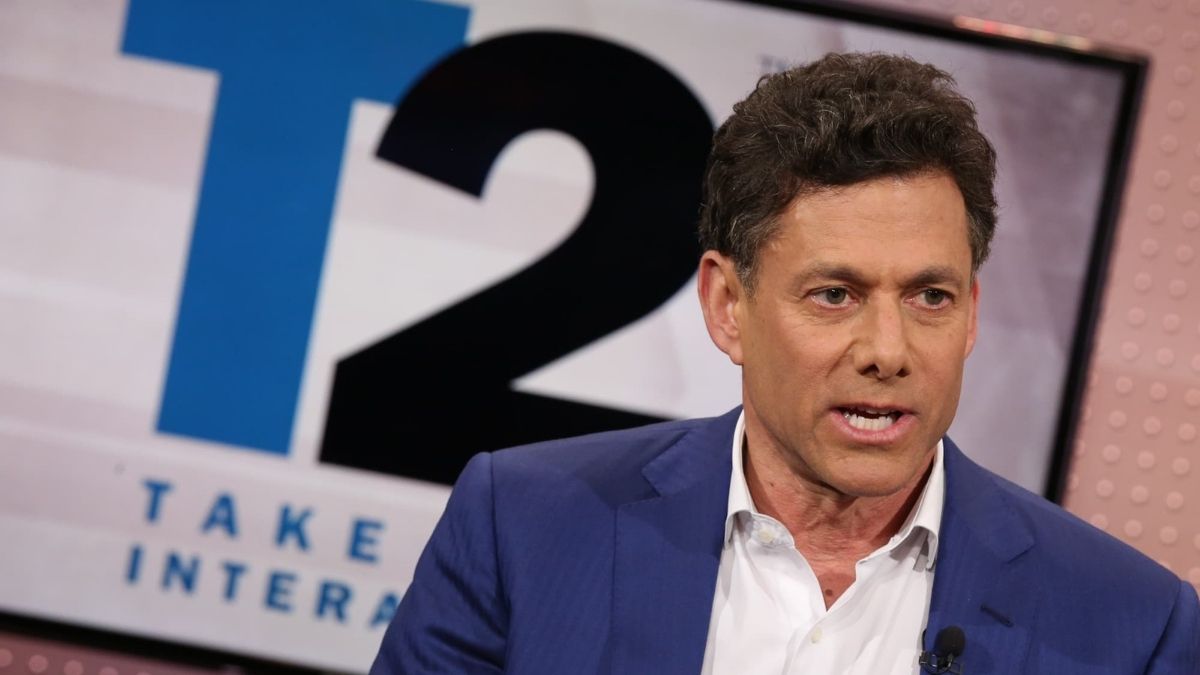
    Zelnick was deliberate about the tone he set with investors. “I think reiterating November 19 as a launch day today is probably a positive,” he said, framing the reaffirmation as a market signal rather than a routine update. He also reported that Take-Two’s fiscal 2026 performance was “exceptional and exceeded initial expectations at every label,” closing the year with $6.72 billion in net bookings.

    Strauss Zelnick Take-Two Interactive CEO

    Take-Two has reaffirmed the November 19, 2026 release date, which Rockstar also lists on its official GTA VI page. No new delay has been announced. Insider Gaming has called the delay rumors circulating on social media ragebait with no factual basis, and Zelnick told Variety directly that the game will ship on November 19.

    The Delay History

    Publicly, GTA VI has been delayed twice. The first delay came in May 2025, moving the game from its original 2025 window to May 26, 2026. The second came in November 2025, pushing it again to the current November 19 date. Rockstar cited the need for additional polish time on both occasions. In a separate interview, Zelnick said GTA VI was about “18 months behind the original date,” which has led some observers to speculate about an earlier internal target, though this has not been officially confirmed.

    Platforms

    GTA VI is currently announced only for PS5 and Xbox Series X/S at launch, with no PC version confirmed. Take-Two CEO Strauss Zelnick has explained why the game is launching on consoles first, and Rockstar’s official page lists only PlayStation 5 and Xbox Series X/S. Based on Rockstar’s historical pattern with GTA V and Red Dead Redemption 2, a PC release is expected 12 to 18 months after the console launch, likely sometime in 2027 or 2028.

    PlayStation is already telling PS4 players to upgrade to PS5 ahead of GTA 6, sending emails and console messages to select users urging them to make the switch before the November launch. That kind of coordinated, platform-level messaging does not happen without a firm plan behind it.

    Price and Pre-Orders

    No official GTA VI price has been announced. Some analysts have argued for an $80 price point, but that remains speculation. Zelnick has discussed pricing philosophy in general terms, describing the eventual price as “reasonable” and consistent with the current AAA market, but has not stated a specific figure for GTA 6. A Dutch retailer listed the game at 99 euros, which is also an unconfirmed placeholder. Zelnick confirmed that pricing will not be revealed through earnings calls.

    On the pre-order front, a Best Buy email earlier this month reportedly leaked a GTA 6 pre-order date, pointing to May 18 as the date pre-orders would go live. They never did. As expected, the GTA 6 pre-order rumors turned out to be another false alarm, with Zelnick addressing the situation directly and calling it an error. Pre-orders are not open. Wait for Rockstar’s official Newswire before committing to anything.

    Sales Context: Why the Stakes Are This High

    Take-Two’s FY2027 Guidance slide from the Q4 FY2026 earnings presentation, May 21, 2026. Source: Take-Two Investor Relations.

    To understand the weight behind Zelnick’s confidence, consider what Take-Two is building on. The earnings call confirmed that GTA V has now sold close to 230 million units worldwide since its 2013 release. Red Dead Redemption 2 has also remained one of the best-selling games ever, further raising expectations for Rockstar’s next release. GTA VI follows both as Rockstar’s two biggest modern commercial successes. The pressure to deliver is not just a fan expectation; it is the foundation of an $8 billion financial outlook.

    Take-Two has said Rockstar expects GTA VI marketing to begin in summer 2026. What that brings with it, whether a new trailer, pre-orders, pricing, or gameplay reveals, has not been confirmed. On the call, Take-Two said Rockstar will share GTA-series details when ready. Summer marketing could bring more information, but Rockstar has not committed to the next trailer, pre-orders, pricing, editions, gameplay reveals, or GTA Online plans on any specific schedule.

    For now, the game is six months away. The only reliable sources are Rockstar’s official Newswire and Take-Two’s investor communications. Everything else is speculation.

  • What Is Xbox Play Anywhere? How It Works on Xbox, PC, and Handhelds

    What Is Xbox Play Anywhere? How It Works on Xbox, PC, and Handhelds

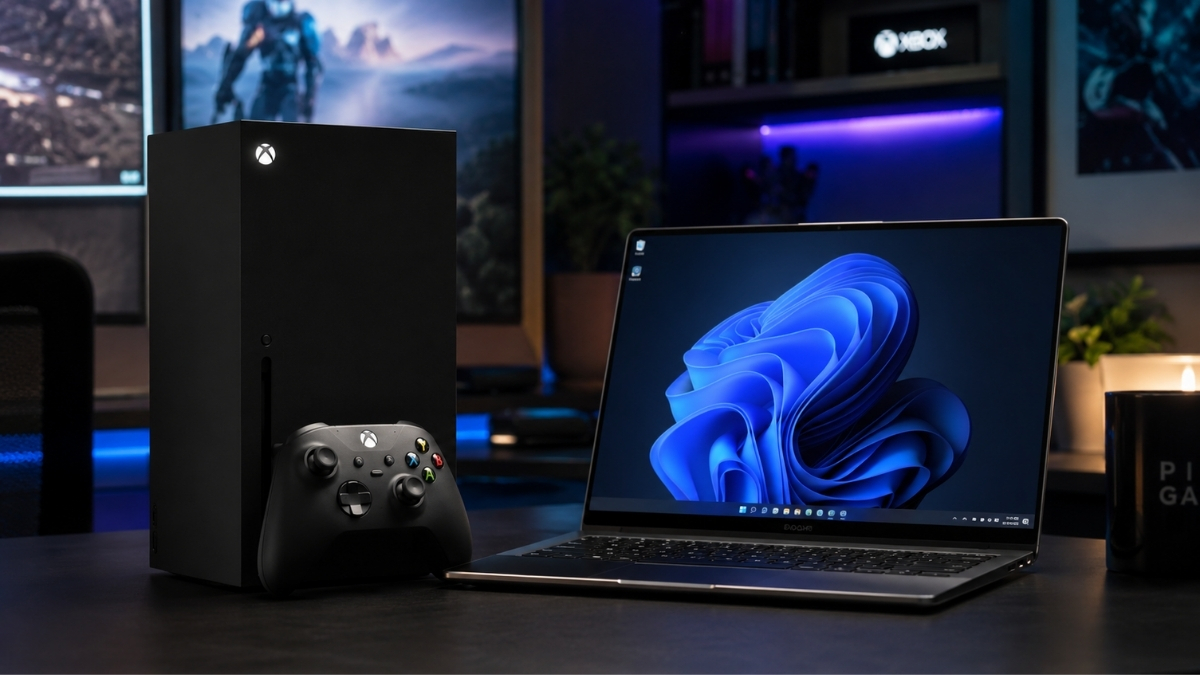
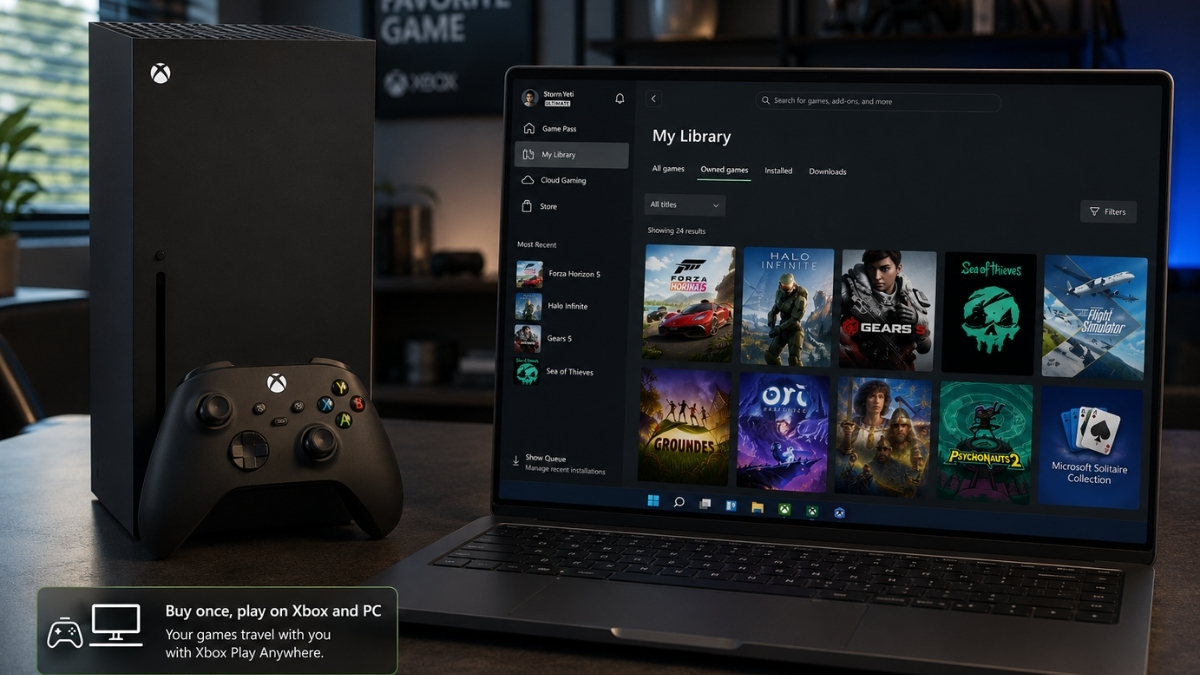
    Xbox Play Anywhere is Microsoft’s cross-buy and cross-progression program. Buy a supported digital game once, and you can install and play it on Xbox console, Windows PC, and supported Windows 11 gaming handhelds, all under the same Microsoft account, with no additional purchase required. For supported Xbox Play Anywhere games, saves, add-ons, achievements, and progress carry across eligible devices.

    This article explains exactly how it works, what it doesn’t cover, and how it differs from Game Pass, Cloud Gaming, and Remote Play, the three programs most commonly confused with it.

    What Xbox Play Anywhere Actually Means

    Xbox Play Anywhere delivers three things in one eligible digital purchase:

    Cross-buy — One purchase gives you both the Xbox console version and the Windows PC version of a supported game. You don’t pay separately for each platform.

    Cross-save — Your progress syncs across devices through Xbox cloud saves. Start a campaign on Xbox, continue it on a Windows laptop, pick it up again on a handheld.

    Shared Xbox ecosystem — Achievements, add-ons, season passes, consumables, and in-game unlocks follow your Microsoft account across the supported Play Anywhere versions of a game.

    As of April 2026, Microsoft has confirmed over 1,500 games support Xbox Play Anywhere.

    How Xbox Play Anywhere Works

    The process is straightforward once you know what to do:

    1. Buy a supported digital game from the Xbox Store, Microsoft Store, or via an eligible digital code from a participating retailer.
    2. Sign in with your Microsoft/Xbox account on any supported device.
    3. On Xbox console, the game appears under My Games & Apps → Ready to Install.
    4. On Windows PC, it appears in My Library inside the Xbox app.
    5. Progress syncs automatically through Xbox cloud saves whenever you’re connected.

    There is no manual transfer, no re-purchasing, and no linking process. The account is the key, the same library and saves are waiting wherever you sign in.

    Does Xbox Play Anywhere Cost Extra?

    No. Microsoft is explicit on this: there is no additional cost when you already own an eligible digital Xbox Play Anywhere game. The program is built into the purchase itself, not a separate subscription or add-on.

    Is Xbox Play Anywhere Digital Only?

    Yes, and this matters. Xbox Play Anywhere applies only to digital copies of supported games. If you buy a disc version of the same title, the Play Anywhere benefit does not apply, you own a physical Xbox copy, not a cross-platform digital entitlement.

    Eligible purchases must be made through:

    • Xbox Store
    • Microsoft Store (on Windows)
    • Digital codes from participating retailers

    Purchases made on Steam, Epic Games Store, or other third-party storefronts do not qualify, even if the game itself supports Play Anywhere on the Xbox/Microsoft side.

    Buying a game on Steam or Epic may still give you the PC version from that storefront, but it does not create an Xbox Play Anywhere entitlement unless the purchase is tied to the Xbox/Microsoft Store ecosystem. The game being available on both platforms is not the same as the purchase being cross-platform.

    Xbox Play Anywhere vs. Game Pass

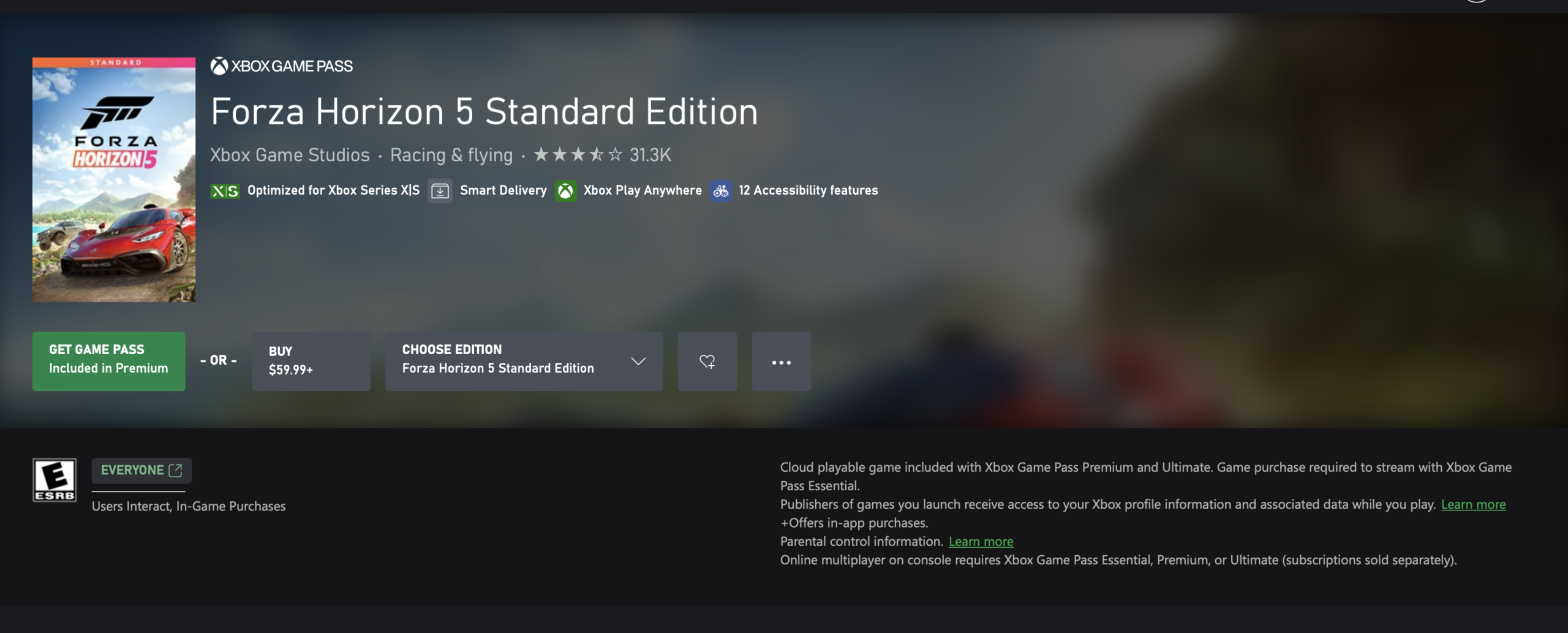
    Xbox Play Anywhere vs Game Pass

    This comparison trips up a lot of players. They are fundamentally different programs:

    Feature Xbox Play Anywhere Xbox Game Pass
    Type Cross-buy/cross-save feature Subscription service
    Ownership You keep access to the purchased digital game through your account, separate from any subscription You access games while subscribed and while the title remains in the library
    Extra cost None after eligible digital purchase Paid monthly subscription
    Main benefit Buy once, play across Xbox, PC, and supported handhelds Access a large rotating game library
    What happens if you stop paying Nothing changes for games you purchased digitally; Game Pass access ends for subscription-only titles You lose access to the Game Pass library

    Some Game Pass games are also Play Anywhere titles. But accessing a game through Game Pass does not give you Play Anywhere ownership. To get the cross-buy benefit, you must make an eligible digital purchase, not just stream or download it as part of a subscription.

    Xbox Play Anywhere vs. Cloud Gaming vs. Remote Play

    Xbox Play Anywhere vs. Cloud Gaming vs. Remote Play

    These three are the most frequently confused features in the Xbox ecosystem. Here is what each one actually does:

    Feature What it does Requires
    Xbox Play Anywhere Download and play a supported game natively on Xbox, PC, or a supported handheld Eligible digital purchase
    Xbox Cloud Gaming Stream games from Microsoft’s cloud servers to a device Usually an active Game Pass plan, though select free-to-play games and select owned cloud-playable games may also be available.
    Xbox Remote Play Stream games from your own Xbox console to another device Your own Xbox console with remote features enabled, turned on or in Sleep mode

    The key distinction: Play Anywhere is native installation on multiple devices. Cloud Gaming is remote streaming from Microsoft’s infrastructure. Remote Play is remote streaming from your personal console. None of them are interchangeable.

    How to Know If a Game Supports Xbox Play Anywhere

    How to Know If a Game Supports Xbox Play Anywhere

    Supported games are marked with the Xbox Play Anywhere badge in the Xbox Store and Microsoft Store. The badge appears on the game’s store page. Titles like Hades II and Gotham Knights are among the games that support the program, and Microsoft maintains a full Play Anywhere games list on Xbox.com where you can browse or search the entire catalog.

    If a game does not show the badge, do not assume it supports Play Anywhere, store metadata can lag or vary by region, but the badge is the most reliable indicator available.

    Do Saves, DLC, and Achievements Carry Over?

    For supported Play Anywhere games, yes. Microsoft confirms that the following travel across supported console, PC, and handheld versions:

    • Save games (via Xbox cloud saves)
    • Game add-ons and DLC
    • Season passes
    • Consumables
    • In-game unlocks
    • Achievements

    This applies to supported Play Anywhere titles specifically. Cross-save behavior on non-Play Anywhere games varies by developer and is not part of this program.

    Can You Play the Same Game on Multiple Devices at Once?

    No. Xbox explicitly states you cannot be signed into the same Play Anywhere game on an Xbox console, Windows PC, and supported handheld simultaneously using the same account. You can switch between devices freely, but not run concurrent sessions.

    Does Xbox Play Anywhere Work on Gaming Handhelds?

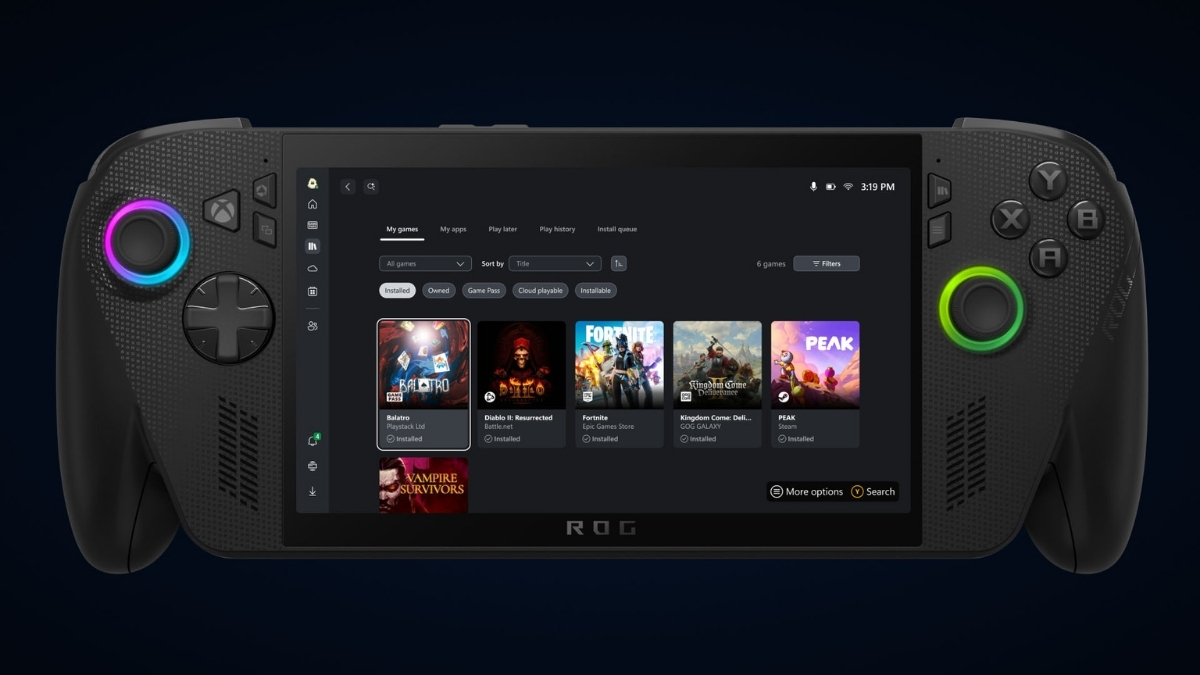
    Microsoft has expanded the Play Anywhere positioning to include supported Windows 11 gaming handhelds, including the ROG Xbox Ally and ROG Xbox Ally X. A game marked as Xbox Play Anywhere that you own digitally can be installed and played on these devices under the same account, with the same save sync and DLC access.

    Xbox Play Anywhere Work on Gaming Handhelds?

    This makes Play Anywhere one of the more practical programs for handheld PC gaming, since you’re not limited to streaming, the game runs natively on the device.

    Common Xbox Play Anywhere Problems

    Xbox Play Anywhere Work on Gaming Handhelds?

    Game isn’t showing up in PC library Check that you’re signed into the correct Microsoft account, the one you used to purchase the game. The Xbox app on Windows must be installed and signed in.

    Bought the disc version Disc copies do not carry Play Anywhere entitlement. You’ll need a digital purchase to access the cross-platform benefit.

    Bought on Steam or Epic Third-party storefronts are not part of the program. The purchase needs to have been made through Xbox Store or Microsoft Store.

    The game supports Xbox and PC but not Play Anywhere Some multiplatform games sell Xbox and PC versions separately without being Play Anywhere titles. Check for the badge specifically, “available on Xbox and PC” does not automatically mean Play Anywhere.

    Wrong Microsoft account Your library and saves are tied to your account. Signing in with a different account gives you access to that account’s purchases only.

    Save isn’t syncing Make sure both devices are connected to the internet and signed into the same Microsoft account. Fully quit the game on the first device before opening it on another, then allow time for Xbox cloud saves to sync. If the latest save still doesn’t appear, restart the Xbox app or console. If syncing continues to fail, check Xbox network status at support.xbox.com, as cloud save issues are sometimes service-side.

    DLC appears missing on one device DLC should transfer automatically on supported Play Anywhere titles. If it doesn’t appear, restart the Xbox app or console, confirm you’re on the correct account, and check the store page for the DLC to see if it’s already listed as owned.

    Confusing a Game Pass download with an owned game If you downloaded a game through Game Pass and your subscription lapses, you lose access. Access to games you purchased digitally through Xbox/Microsoft Store is tied to your account, not your subscription status.

    FAQ

    Is Xbox Play Anywhere free? There is no extra charge. The benefit is included when you make an eligible digital purchase of a supported game.

    Do I need Xbox Game Pass for Xbox Play Anywhere? No. Game Pass and Play Anywhere are separate programs. You do not need a Game Pass subscription to use Play Anywhere.

    Does Xbox Play Anywhere work with disc games? No. Only digital purchases qualify.

    Can I use Xbox Play Anywhere on Steam? No. Steam purchases do not activate Play Anywhere on the Xbox/Microsoft side.

    Do saves transfer between Xbox and PC? Yes, for supported Play Anywhere titles, saves sync automatically through Xbox cloud saves.

    Does DLC transfer between Xbox and PC? Yes, for supported Play Anywhere games, add-ons and DLC are shared across supported versions.

    Can two people play the same Xbox Play Anywhere game at the same time on one account? No. Concurrent sessions on the same account are not permitted.

    How do I find Xbox Play Anywhere games? Look for the Xbox Play Anywhere badge in the Xbox Store or Microsoft Store, or browse the full list at xbox.com/games/xbox-play-anywhere.

    Does Xbox Play Anywhere work on ROG Xbox Ally? Yes. The ROG Xbox Ally and ROG Xbox Ally X are among the supported Windows 11 handhelds for the program.

    What is the difference between Xbox Play Anywhere and Cloud Gaming? Play Anywhere is native installation across supported devices with a digital purchase. Cloud Gaming streams titles from Microsoft’s servers and requires Game Pass for most use cases.

    What is the difference between Xbox Play Anywhere and Remote Play? Remote Play streams from your own Xbox console to another device. Play Anywhere lets you download and run the game natively on a second device without needing your console online or nearby.

  • Subnautica 2 Crashing on Startup Fix: AMD Driver Rollback, DX12 Error, and Steam Fixes

    Subnautica 2 Crashing on Startup Fix: AMD Driver Rollback, DX12 Error, and Steam Fixes

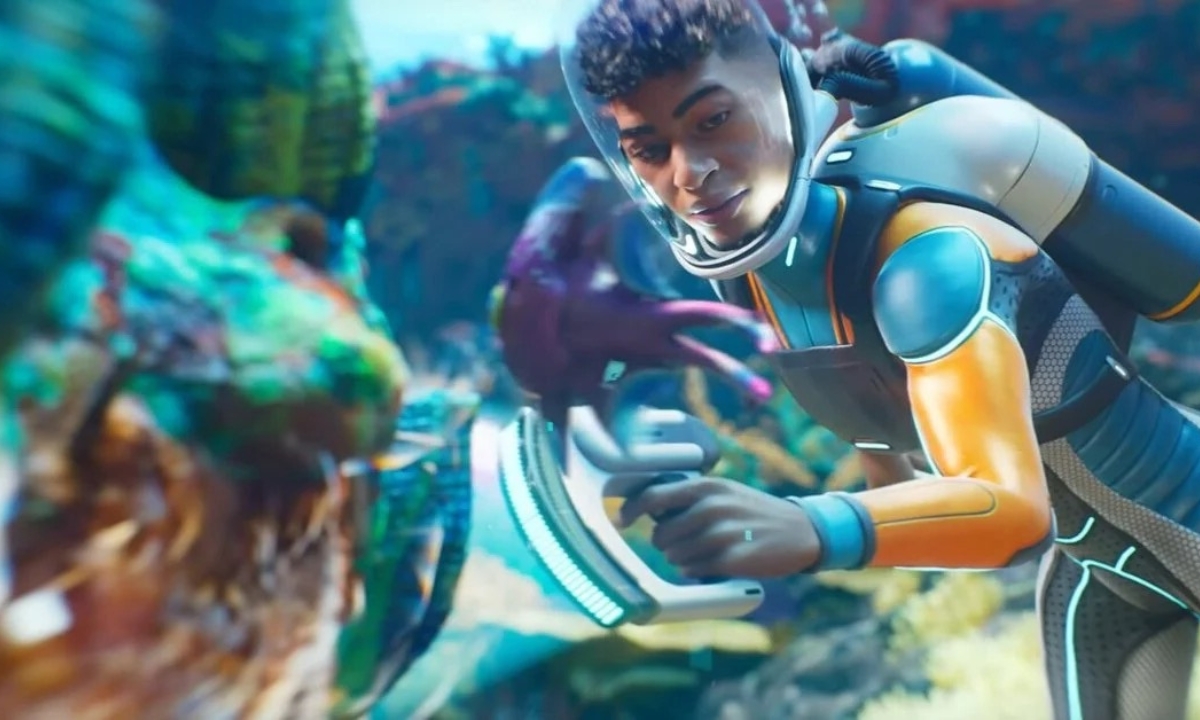
    If Subnautica 2 crashing on startup or before it even opens, you are not alone. This has been one of the biggest issues since Subnautica 2 launched in Early Access this May. The good news is that most startup crashes come down to one of a few known causes, and the fixes are straightforward.

    Start with Fix 1 if you have an AMD graphics card. If you see a DirectX 12 error, go to Fix 3. Everyone else, work through the list in order.

    What Is Causing the Crash

    why Subnautica 2 Crashing on Startup

    There are five main reasons Subnautica 2 crashes on startup:

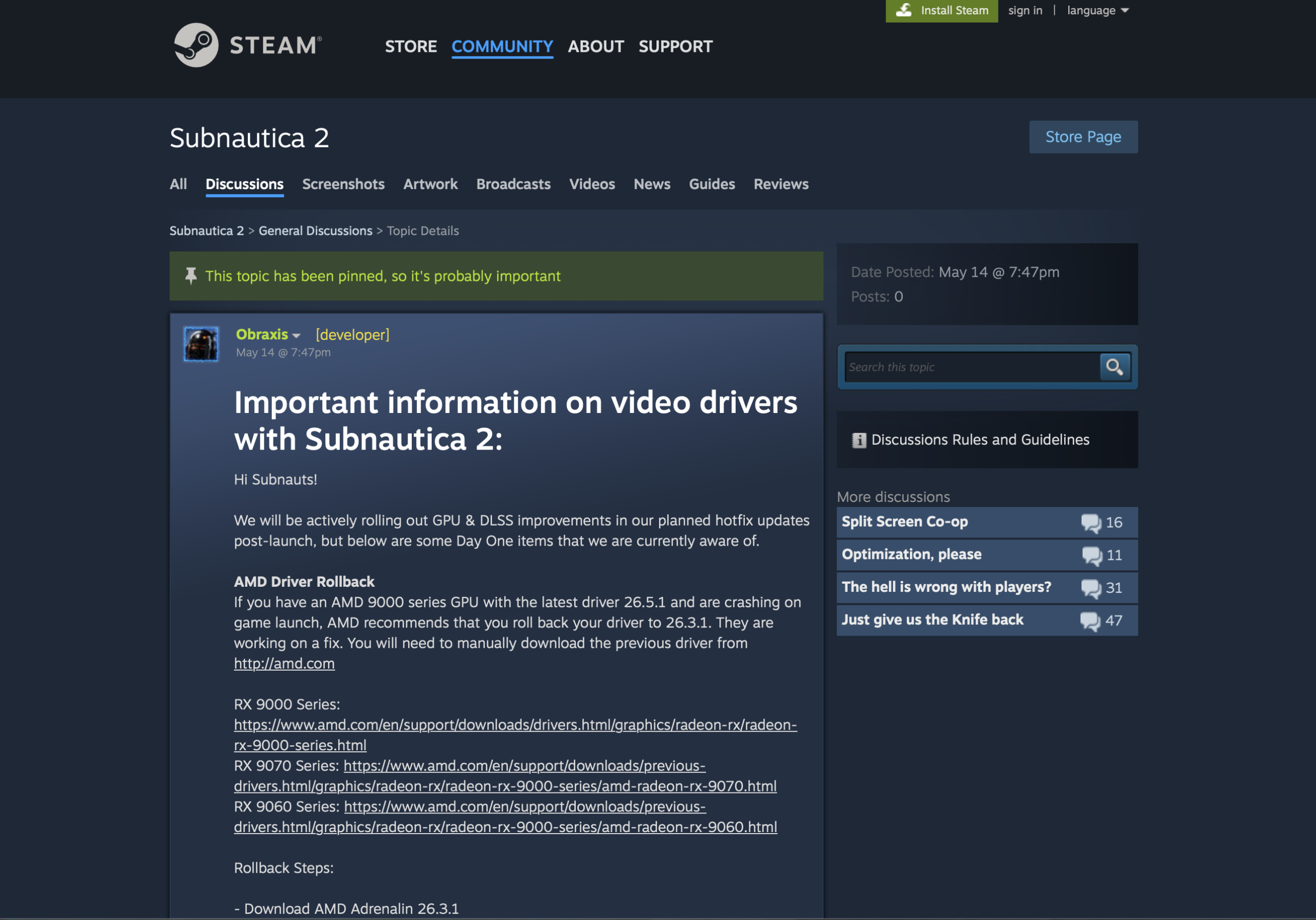
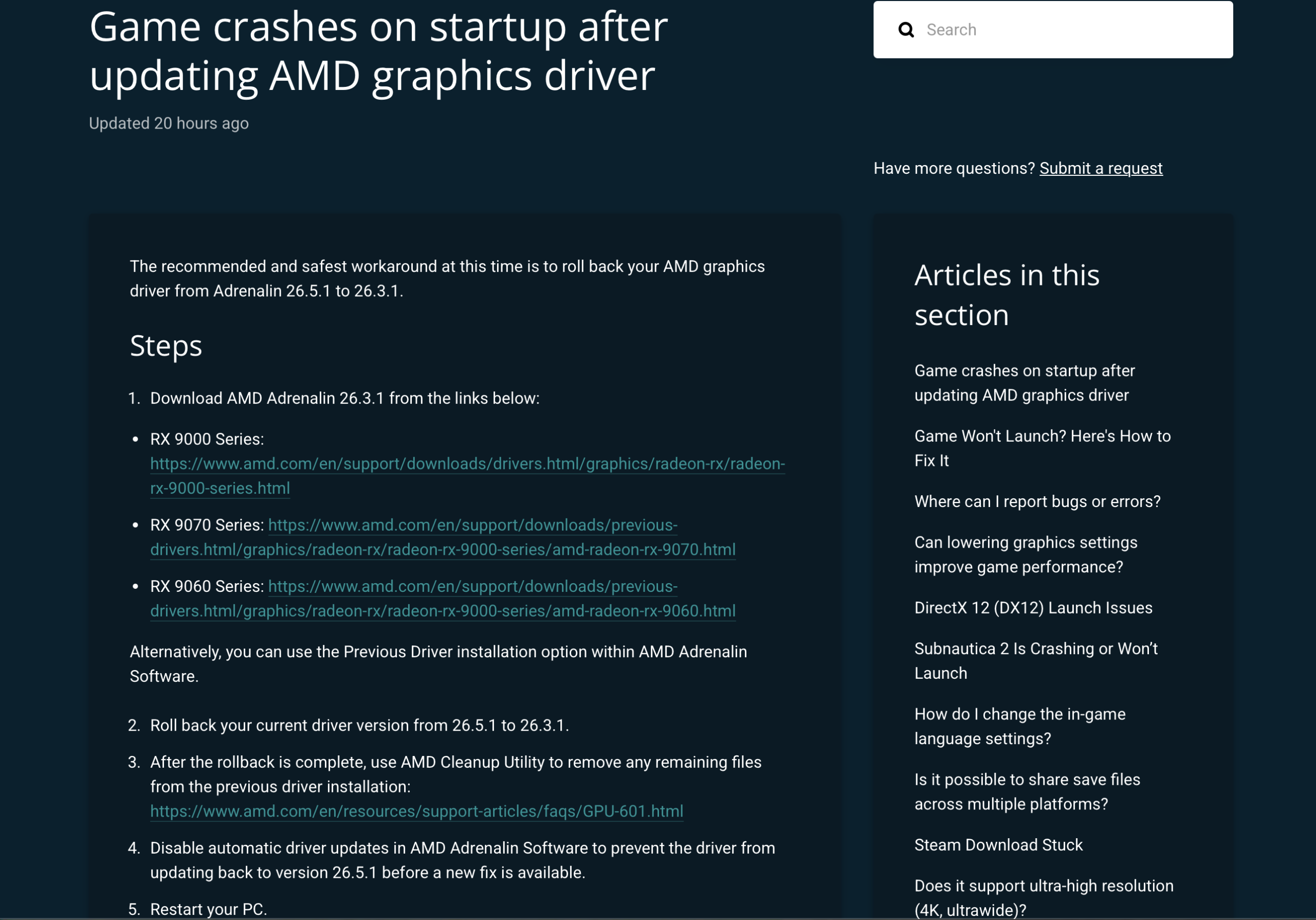
    Your AMD driver is the wrong version. If you recently updated to AMD Adrenalin 26.5.1, that driver has a known conflict with Subnautica 2. Unknown Worlds has officially confirmed this and says rolling back to version 26.3.1 is the fix. This is the most clearly documented startup crash right now.

    The game is running on the wrong GPU. Subnautica 2 needs DirectX 12, which your integrated graphics chip cannot handle properly. If the game launches on that instead of your dedicated graphics card, it will crash.

    Your game files are damaged. A bad download or interrupted update can leave broken files that stop the game from starting.

    An overlay is blocking the game. Apps like Discord, MSI Afterburner, and RivaTuner run in the background and can interfere with Subnautica 2 when it starts up.

    A shader crash is happening during load. A smaller group of players, mostly on Intel 13th and 14th gen CPUs, are seeing a crash related to shader files loading. This is covered at the end.

    Fix 1: Roll Back Your AMD Driver to 26.3.1

    If you have an AMD graphics card and updated to Adrenalin 26.5.1 recently, this is almost certainly your problem. Unknown Worlds says rolling back to 26.3.1 has been confirmed to fix the crash.

    Do not skip this and jump to the other fixes first. Verifying files or turning off Discord will not solve a driver conflict.

    This is the official workaround documented by Unknown Worlds

    Here is what to do:

    1. Open AMD Software: Adrenalin Edition on your PC.
    2. Go to Settings → System → Driver & Software.
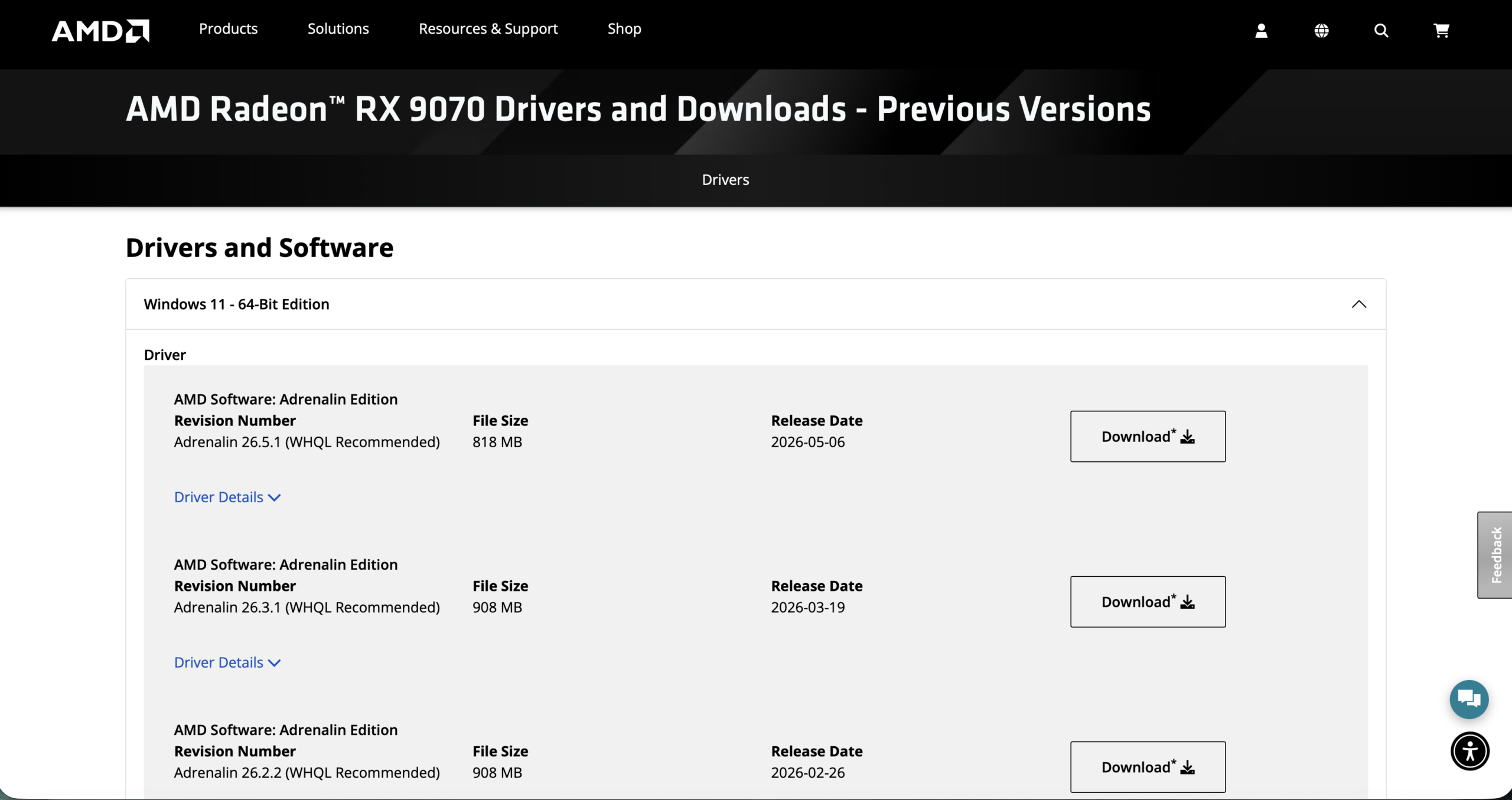
    3. Click Previous Driver and install version 26.3.1. If that option is not there, download 26.3.1 directly from the AMD website.

    1. Run AMD Cleanup Utility to fully remove the old driver files.
    2. Turn off automatic driver updates so AMD does not reinstall 26.5.1 on its own.
    3. Restart your PC.
    4. Open Subnautica 2.

    Leave automatic updates off until Unknown Worlds says a newer driver is safe to use.

    Fix 2: Make the Game Use Your Dedicated Graphics Card

    If your GPU is not AMD, or Fix 1 did not help, your PC might be running Subnautica 2 on integrated graphics by mistake. Here is how to force it onto your dedicated card.

    On Windows 11:

    1. Go to Settings → System → Display → Graphics.
    2. Click Browse and find your Subnautica 2 folder.
    3. Add Subnautica2.exe to the list.
    4. Click Options and choose High Performance.
    5. Restart the game.

    Subnautica 2 Crashing on Startup Fix

    On Windows 10:

    Follow the same steps above. Unknown Worlds also says you need to be on Windows 10 Version 22H2 Build 19045 before the game will run properly. If you are on an older version, update Windows first.

    Fix 3: Fix the DirectX 12 Error

    If you see a message saying DirectX 12 is not supported, here is what to check:

    • Follow Fix 2 to make sure the game is using your dedicated GPU.
    • If you have an NVIDIA or Intel Arc card, update your GPU driver to the latest version.
    • If you have an AMD card on version 26.5.1, do Fix 1 instead. Do not update your driver again.
    • If you are on Windows 10, make sure you are on Version 22H2 Build 19045 as Unknown Worlds requires.
    • Do not add -dx11 to your Steam launch options. Subnautica 2 does not support DirectX 11 and this will not work.

    Once you get the game running, you can check out the best 4K settings for Subnautica 2 for max FPS to get the most out of it.

    Fix 4: Check Your Game Files on Steam

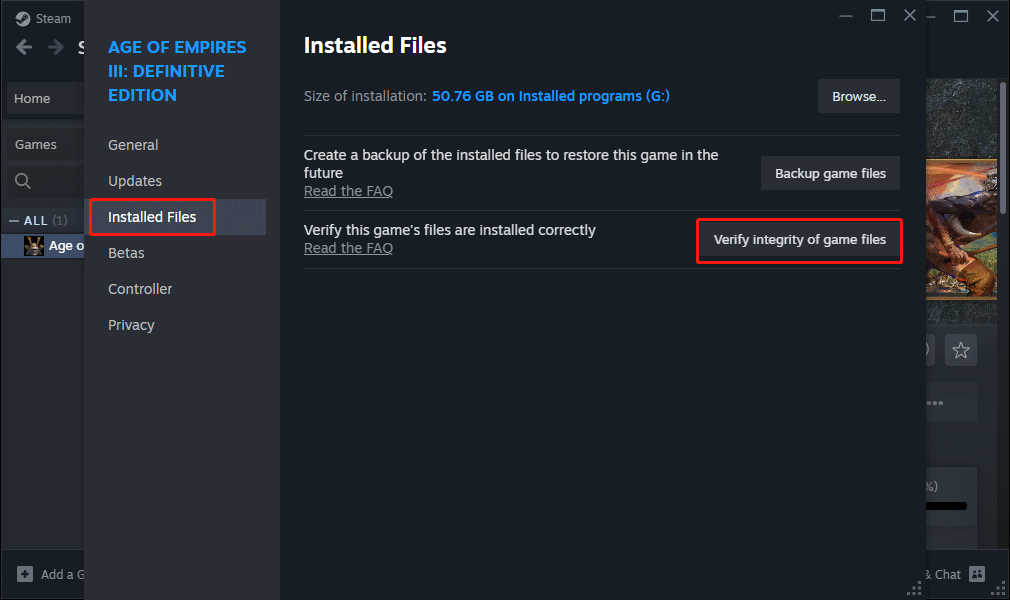
    If your download was interrupted or something went wrong during install, your game files might be broken. Steam can find and replace them without you having to reinstall the whole game.

    1. Open your Steam Library.
    2. Right-click Subnautica 2 and click Properties.
    3. Go to the Installed Files tab.
    4. Click Verify integrity of game files.
    5. Let it finish, then try launching the game again.

    Subnautica 2 Crashing on Startup Fix

    If Steam says it replaced some files, that was the problem.

    Fix 5: Clear Your Steam Download Cache

    Steam stores temporary data that can sometimes get corrupted and cause launch problems. Clearing it takes less than a minute.

    1. Open Steam → Settings → Downloads.
    2. Click Clear Download Cache.
    3. Steam will close and ask you to log in again.
    4. Try opening Subnautica 2.

    Fix 6: Turn Off Overlays and Check Your Antivirus

    Background apps that run on top of games can stop Subnautica 2 from starting. Turn these off before you launch:

    • Discord Overlay — go to Discord Settings → Game Overlay and turn it off
    • MSI Afterburner — right-click it in the system tray and close it
    • RivaTuner Statistics Server — close it from the system tray
    • Razer Cortex or Synapse — turn off any overlay options in the app
    • Steam Overlay — go to Steam → Settings → In-Game and uncheck the overlay

    Subnautica 2 Crashing on Startup Fix

    Also add Subnautica 2 to your antivirus exclusion list so Windows Defender does not block it:

    1. Open Windows Security → Virus & Threat Protection → Manage Settings.
    2. Scroll to Exclusions and click Add or remove exclusions.
    3. Add the Subnautica 2 folder, usually found at C:\Program Files (x86)\Steam\steamapps\common\Subnautica2.

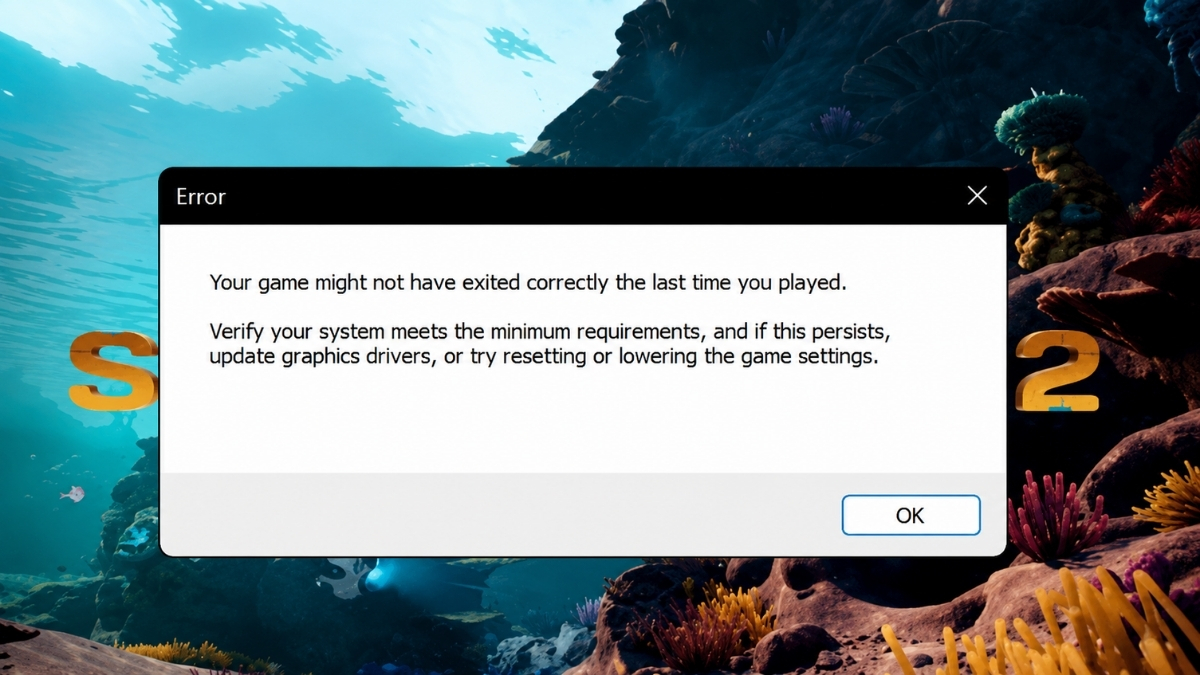
    Fix 7: Getting the “Your Game Might Not Have Exited Correctly” Popup

    If you keep seeing this message every time you try to launch, the game is crashing before it fully opens and showing you this popup on the way out. It is a symptom, not the actual problem.

    Before Subnautica 2 reportedly leaked online ahead of its Early Access launch, reports of driver and launch instability were already surfacing. This popup is one of the clearest signs of that instability.

    Work through this in order:

    1. If you have an AMD card, do Fix 1 first. It stops the loop for most people.
    2. Do Fix 2 to make sure the game uses your dedicated GPU.
    3. Do Fix 4 to check your game files.
    4. Do Fix 5 to clear your Steam cache.
    5. Do Fix 6 to turn off overlays.
    6. Restart your PC after all of that, then try again.

    If you are still stuck, take a screenshot of the error and send it to Unknown Worlds support along with your GPU model and driver version. They ask for this information to investigate the crash.

    official workaround documented by Unknown Worlds

    Shader Crash on Startup (Intel CPU Users)

    This section covers a different crash that some players on Intel 13th and 14th gen desktop CPUs are seeing. The error message mentions ShaderCodeArchive or Oodle in the crash report. This is separate from the AMD driver issue and has no official fix from Unknown Worlds yet.

    Intel has previously acknowledged problems with some of these CPUs related to voltage and microcode settings. If your crash log shows these terms and you have one of those processors, look up your motherboard maker’s latest BIOS update. Do not change any advanced BIOS settings unless you are confident you know what you are doing.

    It is also worth knowing that the legal dispute between Unknown Worlds and Krafton is ongoing, which may affect how fast the studio can push fixes during Early Access. Keep an eye on the Unknown Worlds support page and the Subnautica 2 Steam hub for updates.

    Common Questions

    Why is Subnautica 2 crashing on startup? The most common reasons are the AMD Adrenalin 26.5.1 driver conflict, the game launching on integrated graphics instead of your dedicated GPU, broken game files, overlays running in the background, or antivirus blocking the game. A smaller group of players with Intel 13th and 14th gen CPUs are hitting a shader-related crash.

    How do I fix it on an AMD graphics card? Roll back to AMD Adrenalin 26.3.1, run AMD Cleanup Utility, turn off automatic driver updates, and restart your PC. Unknown Worlds has confirmed this fixes the crash on affected systems.

    How do I fix the DirectX 12 not supported error? Go to Windows Graphics settings and set Subnautica 2 to use your dedicated GPU on High Performance. If you are on Windows 10, make sure you are on Version 22H2 Build 19045. AMD users on 26.5.1 should roll back their driver rather than update.

    Should I reinstall the game if it keeps crashing? Try verifying your game files and clearing the Steam download cache first. Both fix file corruption without a full reinstall. If you have an AMD card on 26.5.1, reinstalling the game alone will not help because the problem is the driver, not the game.

    Is Subnautica 2 on Game Pass? You can find the full answer in our guide on whether Subnautica 2 is coming to Game Pass.

  • GTA Vice City Definitive Edition Fatal Error on Steam Deck OLED: Rockstar’s Fix Explained

    GTA Vice City Definitive Edition Fatal Error on Steam Deck OLED: Rockstar’s Fix Explained

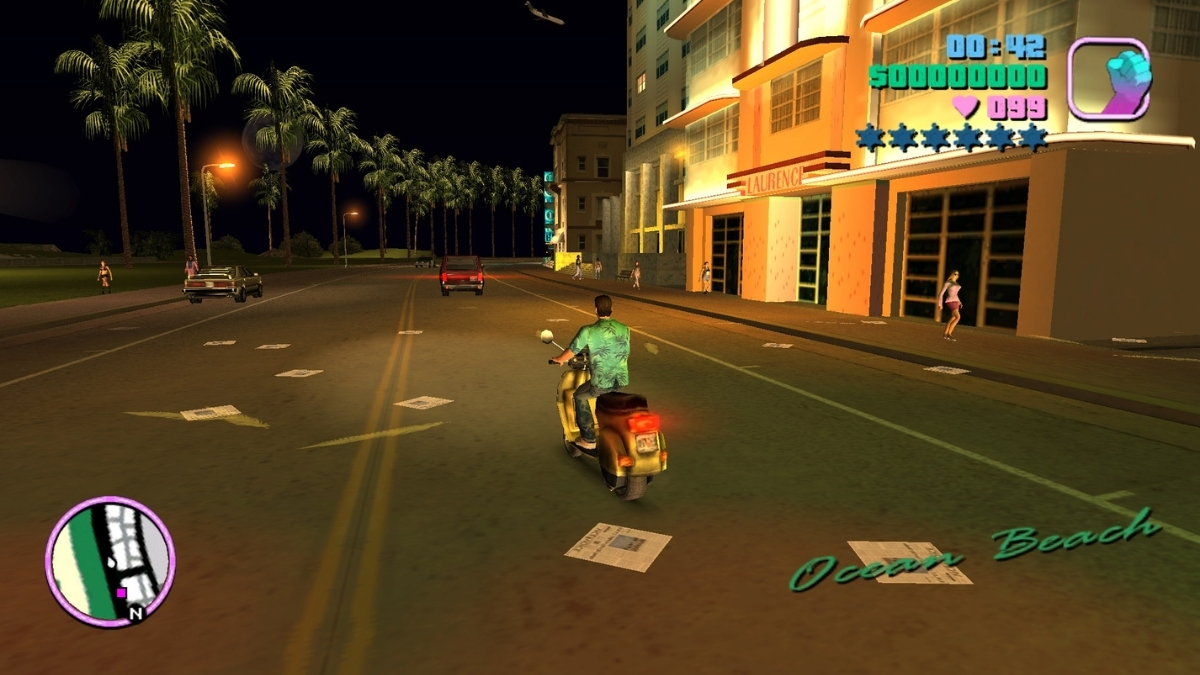
    If you’ve picked up your Steam Deck OLED to revisit Vice City and hit a “Fatal error!” before the game even loads, you’re not alone, and you’re not doing anything wrong. I’ve tracked this issue across Steam threads, Linux gaming communities, and Rockstar’s own support documentation, and the good news is there’s a working fix you can apply in under two minutes.

    If you’re on PC instead and Vice City is failing silently with no error message at all, that’s a separate set of causes, I’ve covered those in detail in GTA Vice City Not Launching on PC: Fix No Error, Black Screen, and Loading Issues.

    Here’s everything you need to know about the Steam Deck OLED fatal error specifically.

    What Is the GTA Vice City Steam Deck OLED Fatal Error?

    The error blocks GTA Vice City Definitive Edition from launching entirely. You press Play, and instead of the loading screen, you get a fatal error dialog and a crash straight back to the Steam interface.

    This isn’t isolated to Vice City. Rockstar’s support page confirms the fatal error can appear when launching any of the three titles in GTA: The Trilogy – The Definitive Edition on Steam Deck OLED, GTA III, Vice City, and San Andreas are all named. Player reports on Steam trace the issue most prominently to the November 2024 update to the Trilogy. Rockstar’s live support page still lists it as under investigation, with the page last updated November 25, 2024.

    Rockstar’s documentation specifically identifies the Steam Deck OLED model, the LCD model is not named in their support article.

    Rockstar’s Official Fix For GTA Vice City Definitive Edition Fatal Error on Steam Deck OLED (Do This First)

    Fatal Error on Steam Deck OLED

    Rockstar has one officially recommended workaround, and it’s straightforward:

    Step 1: Open Steam and navigate to your GTA Vice City Definitive Edition library entry.

    Step 2: Right-click the game and select Properties.

    Step 3: Under the General tab, find the Launch Options field.

    Step 4: Enter the following exactly as written:

    %command% -dx12

    Step 5: Close Properties and launch the game.

    This forces the game to run under DirectX 12 rather than its default rendering path, which bypasses whatever is triggering the crash on OLED hardware. Rockstar’s support page names all three games and gives this same launch-option workaround. in the Trilogy, not just Vice City.

    Rockstar frames this as a temporary workaround, not a permanent patch. Keep the launch option in place until Rockstar ships a confirmed fix through a proper update.

    Why Is This Happening on Steam Deck OLED?

    Rockstar hasn’t officially stated a cause, so I’ll be precise about what’s confirmed versus what’s suspected.

    Several Linux gaming outlets and community sources reported that the fatal error appears tied to how DXVK handles HDR on the OLED display. A related issue was filed and subsequently closed on Valve’s Gamescope GitHub tracker, describing GTA San Andreas Definitive Edition crashing at startup when DXVK HDR is active, and noting that forcing DirectX 12 resolves it. That lines up exactly with what players are experiencing on Steam Deck.

    In plain terms: the game’s rendering layer appears to conflict with how DXVK processes HDR output on the OLED panel. That’s the leading technical explanation from the Linux gaming community, but it is not a confirmed statement from Rockstar. I’m flagging this because some coverage presents the HDR angle as settled fact when it remains community-level investigation.

    Alternative Fix Some Players Are Using

    If the -dx12 launch option doesn’t resolve it for you, a second workaround surfaced in Steam community threads and Linux gaming outlets:

    DXVK_HDR=0 %command%

    This disables DXVK’s HDR processing before the game launches. The writer at Steam Deck HQ personally tested both launch options on Vice City’s Definitive Edition and confirmed both fix the fatal error. One Steam user also noted this option performed better for them on Steam Deck OLED specifically.

    To use it, follow the same steps above and paste DXVK_HDR=0 %command% into the Launch Options field instead.

    Important: This is a community-reported fix, not Rockstar’s official recommendation. Try the -dx12 option first since that’s what Rockstar actually endorses.

    Does Verifying Game Files Help?

    Verifying game files is standard Steam troubleshooting and worth doing as a hygiene step, but it’s unlikely to be the solution here. The problem isn’t corrupt files; it’s a rendering and compatibility conflict specific to OLED hardware. Verifying files can still rule out local installation problems, but Rockstar’s official workaround points to a launch/rendering compatibility issue rather than missing or corrupted files.

    What About Desktop Mode?

    Earlier community discussion suggested launching in Desktop Mode behaved differently because HDR wasn’t active there. That’s no longer a safe assumption. SteamOS 3.8 moved Desktop Mode to Wayland by default and added HDR support for external displays in that environment, so the behavior has become more variable than it was when this issue first surfaced. I’d treat Desktop Mode as an unreliable test at this point rather than a recommended workaround, the launch option fixes above are cleaner and better documented.

    Does This Affect All Three Games in the Trilogy?

    Yes. Rockstar’s support page names GTA III, GTA Vice City, and GTA San Andreas, all Definitive Edition versions, as affected titles on Steam Deck OLED. The -dx12 launch option fix applies to all three.

    Is GTA Vice City Definitive Edition Playable After the Fix?

    Based on what I’ve verified across Steam threads and community outlets, a number of players have reported getting back into the game after applying the launch option. There’s no precise success rate I can put on it, but the fix has been confirmed working by multiple independent sources including players in Steam threads and outlets who tested it hands-on. Performance after launch is a separate conversation, the Definitive Edition Trilogy has had a complicated history on PC and handheld hardware regardless of this specific error, but the fatal error is officially addressed by Rockstar’s %command% -dx12 workaround, with several community reports also saying it worked.

    Quick Reference

    Fix Source How to Apply
    %command% -dx12 Rockstar Official Steam → Properties → Launch Options
    DXVK_HDR=0 %command% Community Reported Steam → Properties → Launch Options
    Verify Game Files General Steam Step Steam → Properties → Local Files

    The GTA Vice City Definitive Edition fatal error on Steam Deck OLED is a known, documented issue, Rockstar acknowledged it and provided a workaround that has helped players get back into the game. Add %command% -dx12 to your launch options and add %command% -dx12 to your launch options first, since that is Rockstar’s official workaround. If that doesn’t work, swap it for DXVK_HDR=0 %command% as a secondary attempt.

    Rockstar’s live support page still lists the issue as under investigation as of its last update in November 2024, so keep an eye on their support documentation and Trilogy patch notes for any update that removes the need for the manual launch option entirely.

  • Forza Horizon 6 PC Issues: Fix Crashes, Stuttering, Steam Errors, and Game Pass Problems

    Forza Horizon 6 PC Issues: Fix Crashes, Stuttering, Steam Errors, and Game Pass Problems

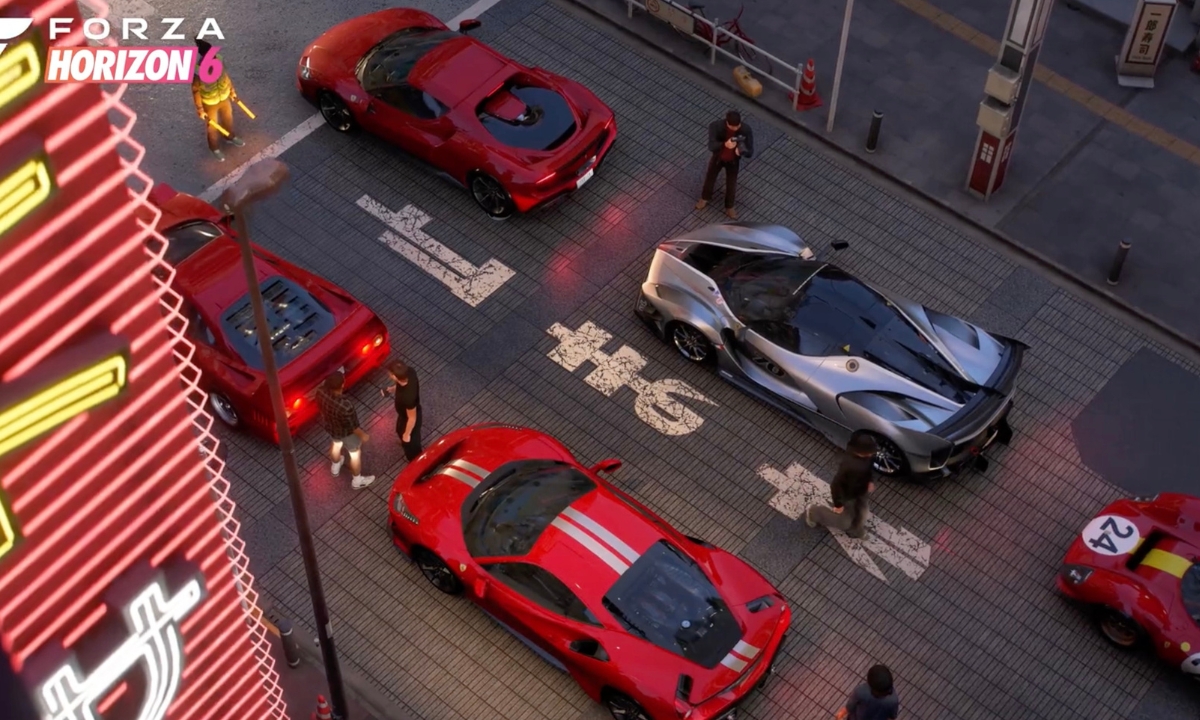
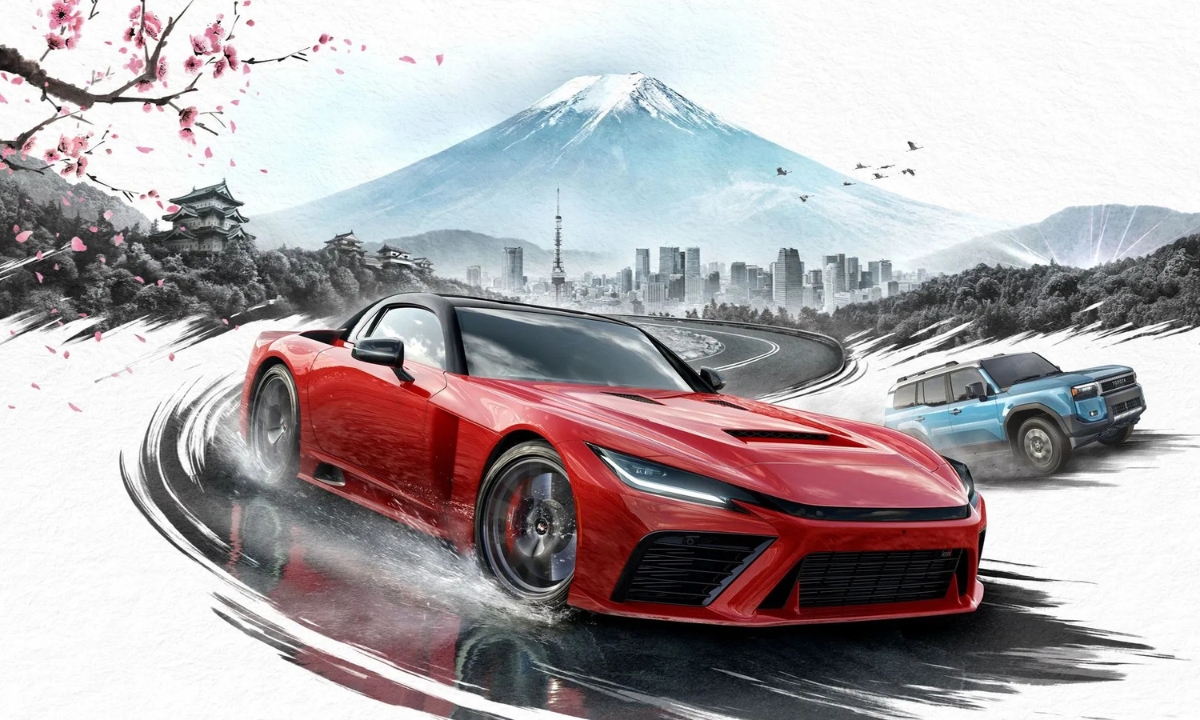
    I’ve spent the launch window of Forza Horizon 6 working through the PC issues that players are actually running into, not theoretical problems, but the specific crashes, non-launches, and stutters that are flooding Steam discussions, ResetEra threads, and Forza Support tickets right now.

    Here is what I found: most of the crash and launch issues have official fixes. Forza Support has published error code documentation, Gaming Services version requirements, and Steam-specific guidance that resolves the majority of reports. The stuttering situation, particularly on AMD systems, is more complicated, and I’m not going to pretend it isn’t.

    One thing I want to be clear about before diving in: I don’t think this is a universally broken PC port. PC Gamer’s testing found the game generally runs well across supported hardware, though it is CPU-heavy and ray tracing costs more than it delivers visually. What I’m seeing in the community is concentrated around specific hardware combinations, launch-entitlement confusion, and a Gaming Services dependency that catches Steam players completely off guard. Most of it is fixable.

    First, Check Whether Forza Horizon 6 Has Actually Unlocked for Your Account

    Before I troubleshoot anything technical, I always confirm that the game is supposed to be accessible to me in the first place. Forza Support documents a specific error, sometimes shown as “You’re too early”, that is not a bug. It means the account doesn’t hold the right entitlement for early access.
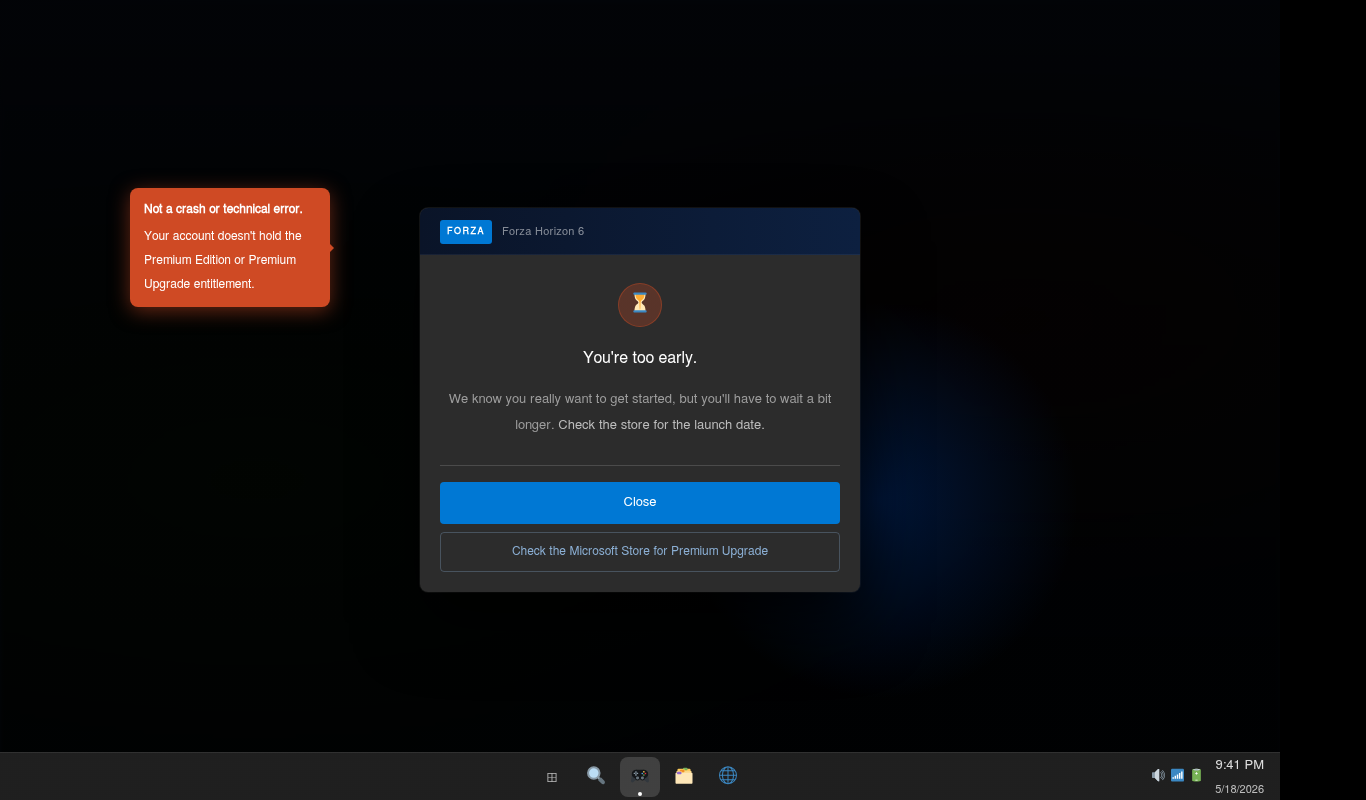
    youre-too-early-error

    Here’s how the release window breaks down:

    • Premium Edition and Premium Upgrade owners: Early access started May 15, 2026.
    • Standard and Deluxe Edition buyers: Access begins at general availability, May 19, 2026.
    • Xbox Game Pass / PC Game Pass subscribers: Access begins at general availability unless the same Microsoft account also owns the Premium Upgrade.

    If I’m seeing “You’re too early,” the first thing I check is whether the Microsoft account I’m signed into on Steam or the Xbox app is the same one that owns the Premium Edition or Upgrade. That account mismatch is more common than people expect. After confirming the entitlement and the unlock window, I restart Steam or the Xbox app before trying again.

    If I’m on Standard or Deluxe and early access was never part of my purchase, I stop troubleshooting and wait for May 19. Nothing technical is wrong.

    If you want more context before diving into fixes, these cover the surrounding story: Forza Horizon 6 features, early access details, and unlock times, what the Steam leak revealed ahead of launch, and all 57 achievements and how to reach 1000 Gamerscore.

    Update Gaming Services Before Launching Forza Horizon 6

    This is the first thing I do on any PC where FH6 won’t launch, and I do it even on systems where I installed the game through Steam, which is where most people get surprised.

    Forza Horizon 6 requires Microsoft Gaming Services to run on PC regardless of where you bought it. It handles license verification, Xbox Live authentication, and cloud saves across all PC versions of the game. If Gaming Services is outdated, the game won’t open. Forza Support specifies that version 36.113.2002.0 or higher is required.

    gaming-services-store

    Here’s how I update it:

    1. Open the Microsoft Store.
    2. Click the Library icon in the bottom-left.
    3. Select Get updates or Check for updates.
    4. Find Gaming Services in the list and update it.
    5. Restart the PC, not just the game, the whole machine.

    I don’t skip the restart. Some Gaming Services updates don’t activate until the system reboots, and launching FH6 immediately after the update will produce the exact same error.

    If Gaming Services is corrupted rather than just outdated, I go to Windows Settings → Apps → Gaming Services → Advanced Options → Repair. When that fails, Forza Support’s PC crash guide documents a PowerShell reinstall method. Microsoft also offers a dedicated Gaming Services Repair Tool on the Xbox support website, which handles the most stubborn cases.

    Check PC Requirements, Windows Version, and GPU Support

    pc-spec-requirements

    I won’t waste time on settings tweaks if the system is running below the minimum spec. Here’s what the game actually requires, pulled directly from Steam’s listing.

    Minimum requirements (targets 1080p / 60fps / Low preset):

    • Windows 10 version 22H2 (build 19045) or Windows 11
    • CPU: Intel Core i5-8400 or AMD Ryzen 5 1600
    • GPU: Nvidia GeForce GTX 1650, AMD Radeon RX 6500 XT, or Intel Arc A380
    • 16 GB RAM
    • DirectX 12
    • SSD required, not a recommendation
    • 167 GB available storage

    Recommended tier (targets 1440p / 60+ fps / High preset): Intel Core i5-12400F or Ryzen 5 5600X, paired with RTX 3060 Ti / RX 6700 XT / Intel Arc A580

    GPU architectures that are not supported: The minimum supported Nvidia architecture is Turing meaning the GTX 1650 sits at the floor. Nvidia Pascal and older (GTX 1070, GTX 1080) are not guaranteed to work because they fall below that minimum. AMD Polaris and Vega architectures are listed by Forza Support as unsupported outright. If I’m running hardware in those categories, I’m not going to find a settings fix that makes the game stable. The crash fixes in the next section aren’t applicable when the GPU itself is below what the engine requires.

    If my Windows version is below 22H2, I update that before anything else. Some crashes on older Windows builds come from missing DirectX 12 feature support, not from the game.

    How to Fix Forza Horizon 6 Crashing on PC

    FHC crash error dialog

    The thing I appreciate about FH6’s crash handling is that it uses specific error codes rather than a generic “the game has crashed” message. Each code points to a specific hardware resource or system failure, which makes troubleshooting a lot faster than guessing.

    Error Code What It Means Where I Focus
    FHC Video card crash Update GPU driver; lower ray tracing and VRAM-heavy settings; check GPU stability
    FHD Out of video memory Reduce texture quality, ray tracing, and rendering resolution; switch to DLSS/FSR Quality
    FHE General game crash Disable overlays and monitoring tools; verify game files; update Windows and Gaming Services
    FHF Out of system memory Close background apps; confirm 16 GB RAM; check Windows page file
    FH301 GPU driver needs updating Install the latest Nvidia, AMD, or Intel Arc driver
    FH401 Insufficient system memory RAM is below minimum; close background apps or upgrade
    FH601 Microsoft Media Foundation issue Install missing Windows media components via Optional Features in Windows Settings

    When I see FHC or FHD, VRAM is the first thing I examine. On an 8 GB GPU running Extreme textures or high ray tracing, exceeding the VRAM budget can cause FHD crashes or instability, and since the in-game VRAM meter makes it easy to spot, it’s the fastest thing to check. I drop textures to Ultra on 8 GB cards and reduce or disable RTGI first, because it carries the heaviest VRAM cost for the least visible improvement.

    When I see FHE, I treat it as a broad crash category that needs methodical diagnosis rather than a single obvious cause. Overlays and conflicting background tools are one of the more common contributors, so that’s where I start, but FHE covers any general game crash, so if disabling overlays doesn’t resolve it, I move through the full checklist in the next section.

    Disable Overlays and Conflicting Background Tools

    Forza Support's general PC troubleshooting

    Forza Support’s general PC troubleshooting guidance lists overlays and background tools that can interfere with Forza games. I work through that list before anything else when diagnosing FHE crashes, because these tools hook into the rendering pipeline in ways the ForzaTech engine doesn’t tolerate. The general PC launch and crash guide is at support.

    Before launching, I close or disable all of the following:

    • MSI Afterburner and RivaTuner Statistics Server (RTSS)
    • Discord in-game overlay
    • Nvidia GeForce Experience overlay and ShadowPlay
    • Steam overlay, yes, even on a game I bought through Steam
    • EVGA Precision X1
    • OBS and XSplit running in the background
    • Wallpaper Engine
    • WeMod
    • Nahimic audio software
    • Logitech G Hub when it’s producing elevated CPU usage at launch
    • Any RGB, wheel, or peripheral management software with active overlays

    If I’ve cleared the obvious candidates and crashes continue, I run a clean boot through msconfig, disabling all non-Microsoft startup services, to catch whatever else might be interfering. Then I re-enable services one group at a time until the problem reappears.

    How to Fix Forza Horizon 6 Stuttering and FPS Drops

    I want to be straightforward here: not all stuttering in FH6 has a fix I can give you right now. What type of stutter I’m dealing with determines whether a setting change actually helps.

    Shader compilation stutter I treat as expected and temporary. When I first play, or after a driver update, the game compiles DirectX 12 shaders on the fly as I enter new areas. Until the cache fills in, I’ll see hitches. Running the in-game benchmark before going into the open world accelerates the process, and this stutter largely resolves within the first several hours of play.

    Open-world traversal stutter is a separate and more stubborn problem. I’m seeing it most consistently reported on AMD GPU and Ryzen X3D processor combinations, with consistent micro-stutters every few seconds in the open world that don’t appear during the benchmark at all. PC Gamer’s testing flagged the game as CPU-heavy and identified thread scheduling quirks specifically on dual-CCD Ryzen X3D chips. That doesn’t mean those setups are broken, but it explains why some players with very capable hardware are hitting frame pacing problems that simpler configs aren’t.

    The workarounds I try first:

    • Disable in-game V-Sync and instead cap the framerate through Nvidia Control Panel or AMD Adrenalin, set a few frames below the monitor’s refresh rate.
    • Turn off ray tracing, starting with RTGI, before touching anything else.
    • Drop from Extreme to Ultra or High. The visual gap is small, the performance gap is not.
    • If frame pacing feels inconsistent, switch from Frame Generation to DLSS Quality or FSR Quality. Frame Generation magnifies instability when the underlying frame times are already variable.
    • After any major settings change or driver update, I restart the game entirely and let the shader cache rebuild from a clean state.
    • I keep the in-game VRAM usage meter visible and make sure I’m comfortably within my card’s physical limit.

    If I’m on AMD and stutter persists after all of the above: AMD released driver version 26.5.2 close to launch. It adds official FH6 game support, including game profiles, shader paths, and compatibility adjustments, but it is not confirmed as a dedicated stutter fix; the release notes list no FH6-specific bug fixes. Still, installing it is the right baseline to be on before deeper troubleshooting. Some AMD users are still reporting open-world micro-stutter after driver and settings changes, so those cases may require a game-side or driver-side update rather than a guaranteed local workaround. What I do in that situation is file a support ticket, add my hardware details to the relevant threads on the Forza Feedback Hub, and give Playground the data they need to prioritize it. Pretending there’s a guaranteed workaround when there isn’t would be a waste of your time.

    How to Fix Forza Horizon 6 Steam Problems

    The 59-character path limit is the first thing I check on any Steam install. Forza Support officially documented that FH6 must be installed in a Steam library path that is 59 characters or fewer. If my Steam library is sitting inside something like C:\Users\MyUsername\Documents\PC Games\Steam\SteamLibrary\, that path is almost certainly over the limit and the game simply will not launch, with no error code and no explanation.

    My fix is to move the Steam library to a shorter path: D:\Steam\ or C:\Games\ both work. I use Steam’s built-in content move feature under Settings → Storage, then verify file integrity on FH6 after the move before launching.

    When Steam shows the game as running but nothing appears on screen, here’s my sequence:

    1. Open Task Manager and end any ForzaHorizon6.exe processes still lingering in the background.
    2. Fully quit Steam through the tray icon, because just closing the window leaves Steam running, which can hold a lock on the game process.
    3. Try clearing the DirectX shader cache at C:\Users\[My Name]\AppData\Local\D3DSCache. This is a community workaround; Forza Support’s official FH6 crash guide does not specifically list this as a fix, but some players have reported it resolving silent launch failures. Forza’s official PC crash troubleshooting is at support.
    4. Relaunch Steam and try again. The first boot after clearing the cache may take longer than usual.

    For crashes showing error code 0xc0000409 or a xinput1_3.dll error, I disconnect all controllers before launching and check whether antivirus software is blocking or interfering with the game. Forza Support has a general guide for adding Forza as an exception to antivirus software and firewalls. There’s no confirmed FH6-specific quarantine pattern during launch week, but antivirus interference is a documented general cause of Forza launch failures and worth ruling out.

    For Microsoft account sign-in loops on Steam: FH6 requires a linked Xbox Live account even on Steam. When I hit authentication loops, I sign out of both the Xbox app and Microsoft Store, then sign back in with the Microsoft account that owns the game or my Game Pass subscription. If it keeps looping, I open Windows Credential Manager, find any Xbox Live or Xbox.com credentials stored there, remove them, restart the PC, and sign in fresh. Forza Support includes this credential-clearing step in their official PC troubleshooting guide.

    How to Fix Game Pass and Xbox App Errors

    The first thing I confirm for Game Pass players is that general availability has passed for their region and that the subscription is active on the account signed into the Xbox app.

    When the game won’t open through the Xbox app, my first move is:

    1. Press Win + R, type wsreset.exe, press Enter.
    2. A blank Command Prompt appears. Leave it alone and wait for it to close automatically.
    3. Once the Microsoft Store reopens, I restart the Xbox app and try launching the game again.

    This clears the Store’s temporary cache, which can block license verification and prevent the game from opening even when the subscription is perfectly valid.

    I keep both the Xbox app and Gaming Services updated at all times for Game Pass. The Xbox app and Microsoft Store version depends on Microsoft account licensing, Gaming Services, and Xbox app components. If any of those are outdated or corrupted, FH6 may fail to launch, so updating Gaming Services, the Xbox app, and the Microsoft Store should be part of the first troubleshooting pass, before spending time on anything else (Forza Support: Update Gaming Services).

    For persistent launch errors after updating Gaming Services, I go to Windows Settings → Apps → Xbox → Advanced Options → Reset. That clears the Xbox app’s local data entirely and forces it to re-verify my account and subscription from scratch on the next launch.

    How to Fix Controller, Wheel, and Steam Controller Issues

    The current build’s official known issues list is clear on one thing: the Steam Controller is not officially supported and may crash the game. If I’m using a Steam Controller and hitting crashes, I disconnect it before launching and test with a standard wired Xbox controller first, just to confirm whether the controller is the source of the problem.

    For everything else I’ve worked through:

    • Xbox controller via wired USB is the most stable option in the current build. It’s where I always start when diagnosing controller issues.
    • DualSense controllers: I test with Steam Input both enabled and disabled, because the behavior differs by setup. Some players get better results with Steam Input off.
    • Bluetooth: I avoid it during this launch window. Bluetooth controller disconnects are showing up in reports alongside frame hitches and crashes. Wired or a 2.4 GHz dongle is consistently more stable.
    • Before launching with any controller: I disconnect everything, start the game, reach the main menu, then reconnect. This fixes the cases where the game stops recognizing a controller after the benchmark or between sessions.
    • Wheel users: I close Logitech G Hub, Fanatec Control Panel, and similar companion apps before launching, as they appear on Forza Support’s general list of software that can interfere with the game’s stability.

    When I Stop Troubleshooting and Wait for a Patch

    There are issues from this launch window where I genuinely cannot give someone a reliable fix, and I think it’s more useful to say so than to keep suggesting settings changes that won’t work.

    AMD open-world micro-stutter on setups that remain unstable after driver updates and the settings workarounds above: this one needs attention from Playground Games. The Feedback Portal has active threads on it. Adding hardware details to those threads gives Playground actionable data to work from.

    Steam Controller crashes: officially listed as an unsupported configuration right now.

    Tunnel lighting artifacts and shadow flickering below Ultra settings: Forza Support has confirmed these as known visual issues in the current build.

    Delayed relaunch after running the benchmark: the game takes longer than expected to return to playable state after the benchmark finishes. This is documented behavior in the current build, not a system-side crash.

    For these, my honest recommendation is: file a support ticket with your hardware specs, and track the Forza Feedback Hub, where Playground Games is documenting known issues and their status for FH6, rather than through traditional patch notes. As of the May 2026 launch window, there is no confirmed regular patch cadence; the Feedback Hub is the primary place to monitor progress on open bugs. If the issue is making the game unplayable, use the Steam refund window or pause Game Pass access until a fix ships.

    Looking back across everything I’ve worked through, almost every fixable PC issue in Forza Horizon 6 traces to one of three places: Gaming Services being out of date, a background tool conflicting with the rendering pipeline, or the Steam library path being longer than 59 characters. I start there every time. The error codes handle the rest of the crash troubleshooting. And for stuttering, particularly on AMD, I’m honest about the line between what a settings change can fix and what requires a patch.
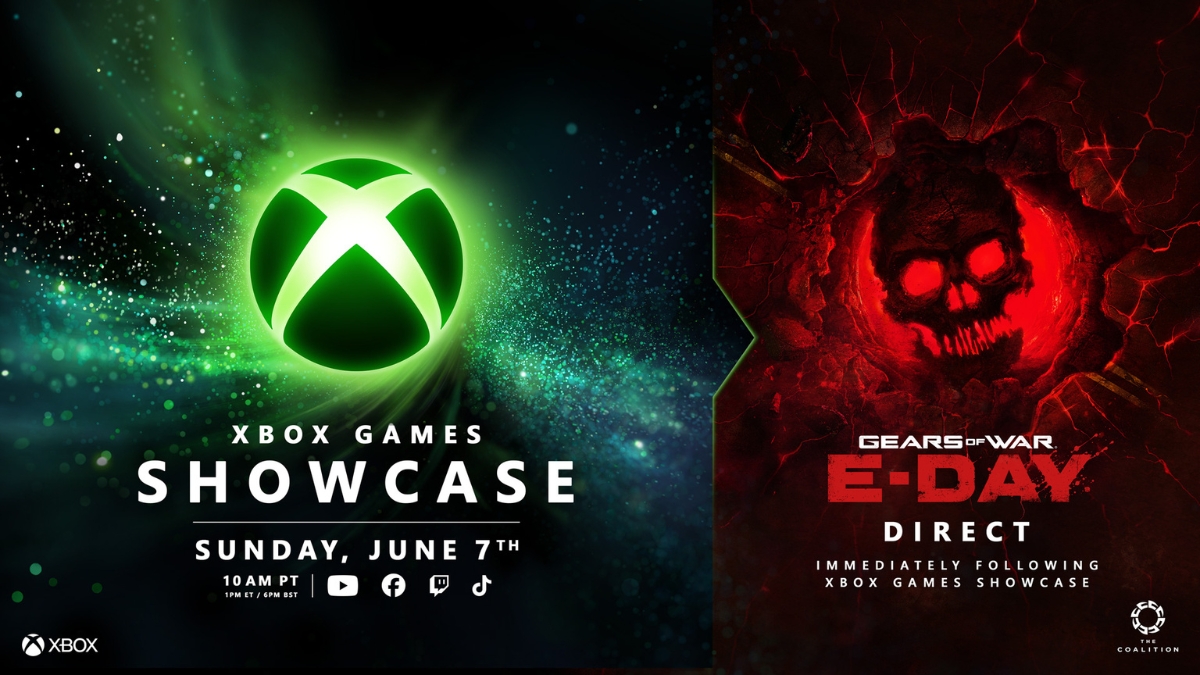
  • Is Subnautica 2 Coming To Game Pass?

    Is Subnautica 2 Coming To Game Pass?

    Yes, Subnautica 2 is coming to Xbox Game Pass. Microsoft has confirmed that the sequel will launch into Game Preview on May 14, 2026, for Xbox Series X|S, Windows PC, supported handhelds, and Cloud through Game Pass, with day-one availability through Xbox Game Pass Ultimate and PC Game Pass. The game will not be a full 1.0 release at launch — it is entering Game Preview, meaning players should expect an in-development version that may change over time.

    Subnautica 2 Launches Day One on Game Pass

    Xbox Wire has confirmed that Subnautica 2 will be available day one through Xbox Game Pass Ultimate and PC Game Pass when it enters Game Preview on May 14, 2026. The game is also listed in Xbox’s official May 2026 Game Pass lineup, where it appears under Game Pass Ultimate and PC Game Pass for Cloud, Xbox Series X|S, handheld, and PC.

    Which Game Pass Tiers Include Subnautica 2?

    Subnautica 2 Coming Game Pass

    Xbox’s confirmed wording names two tiers: Xbox Game Pass Ultimate and PC Game Pass. The game is not confirmed for every Game Pass tier. If you are on a different tier, check your subscription level before May 14.

    It is worth noting that the Xbox Store lists a separate line stating that online multiplayer on console requires Xbox Game Pass Essential, Premium, or Ultimate — but that refers to console online multiplayer access, not which tiers include the game itself.

    Is Subnautica 2 a Full Release?

    No. Subnautica 2 is launching in Game Preview, Xbox’s early-access program. The Xbox Store notes that the game is a work in progress and may change over time. Players who jump in on May 14 will be playing an in-development build, not the finished 1.0 version.

    Can You Play Subnautica 2 With Friends?

    Yes. Subnautica 2 supports both solo play and optional co-op multiplayer with up to three friends, for four-player co-op total. Co-op is not required — players who prefer to explore alone can do so.

    Subnautica 2 Game Pass Release Date

    Subnautica 2 enters Game Preview on May 14, 2026, included with Xbox Game Pass Ultimate and PC Game Pass on day one, for Xbox Series X|S and Windows PC.

  • Forza Horizon 6 Car List So Far: Confirmed Highlights, Cover Cars, DLC, and Rewards

    Forza Horizon 6 Car List So Far: Confirmed Highlights, Cover Cars, DLC, and Rewards

    Forza Horizon 6 will launch with more than 550 cars, but Playground Games has not revealed the full roster yet. The official confirmed list currently includes hundreds of models across Japanese icons, European supercars, American muscle, off-road vehicles, Forza Editions, car-pack vehicles, promotional cars, and loyalty rewards. Some confirmed cars are tied to add-ons, promotions, pre-order bonuses, VIP, Welcome Pack access, or loyalty rewards, so not every listed vehicle should be treated as a standard base-game unlock.

    Last checked: May 12, 2026. The official Forza car list is still being updated before launch.
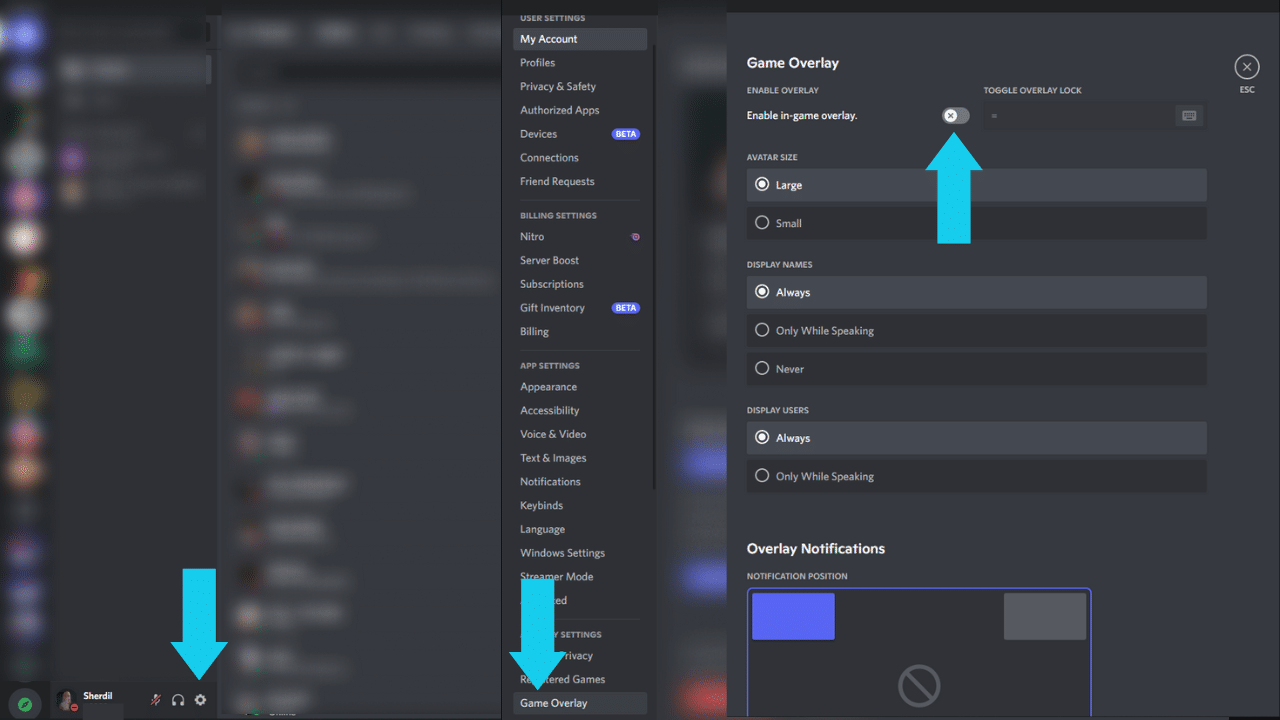
    How Many Cars Are in Forza Horizon 6?

    Forza Horizon 6 will launch with more than 550 cars. Playground Games says the official list includes models revealed to date and will continue to be updated ahead of the May 19 launch. Windows Central’s maintained count currently lists 392 confirmed cars, but that is not the final launch roster — the full launch roster will include more than 550 cars.
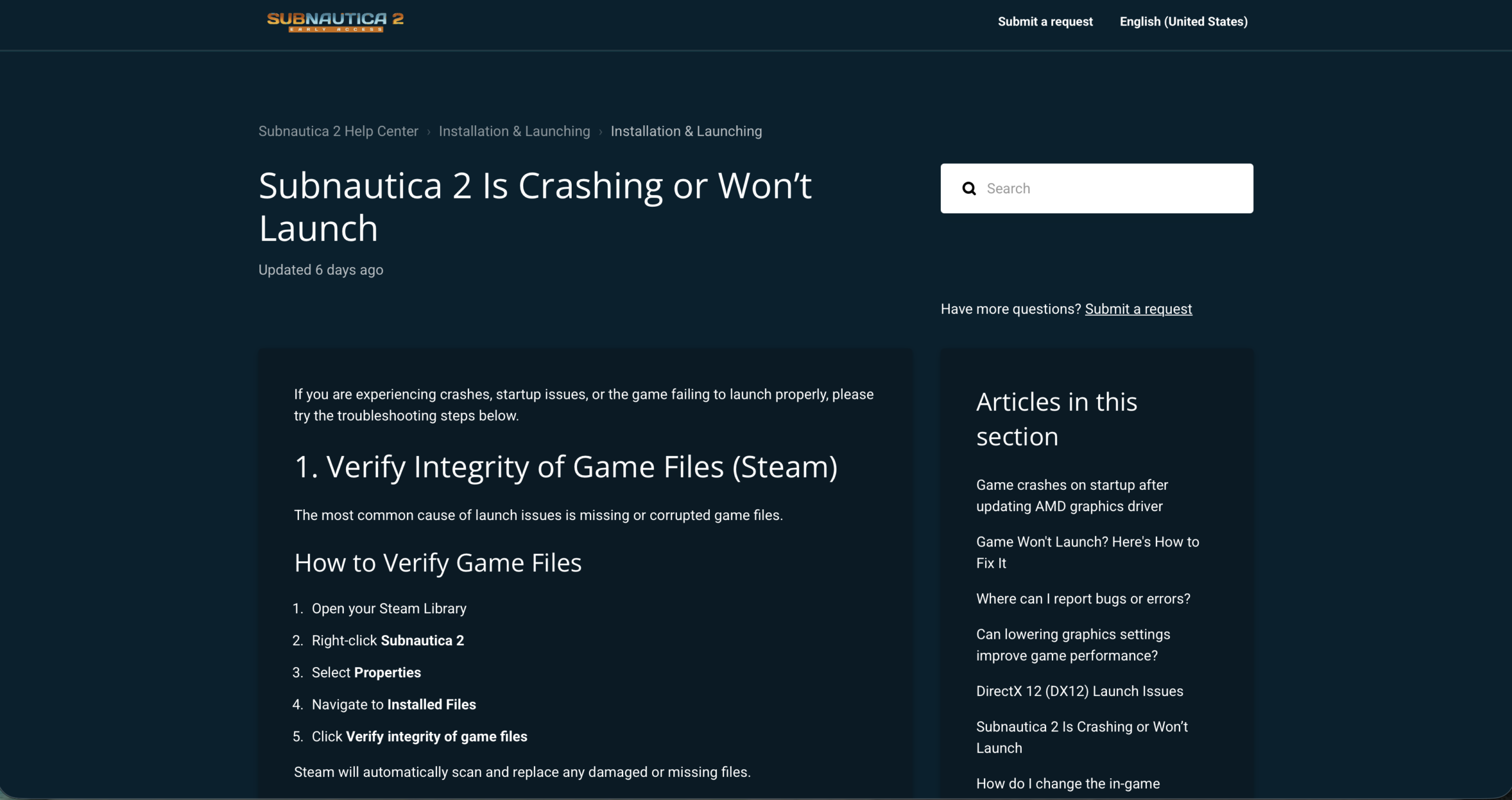
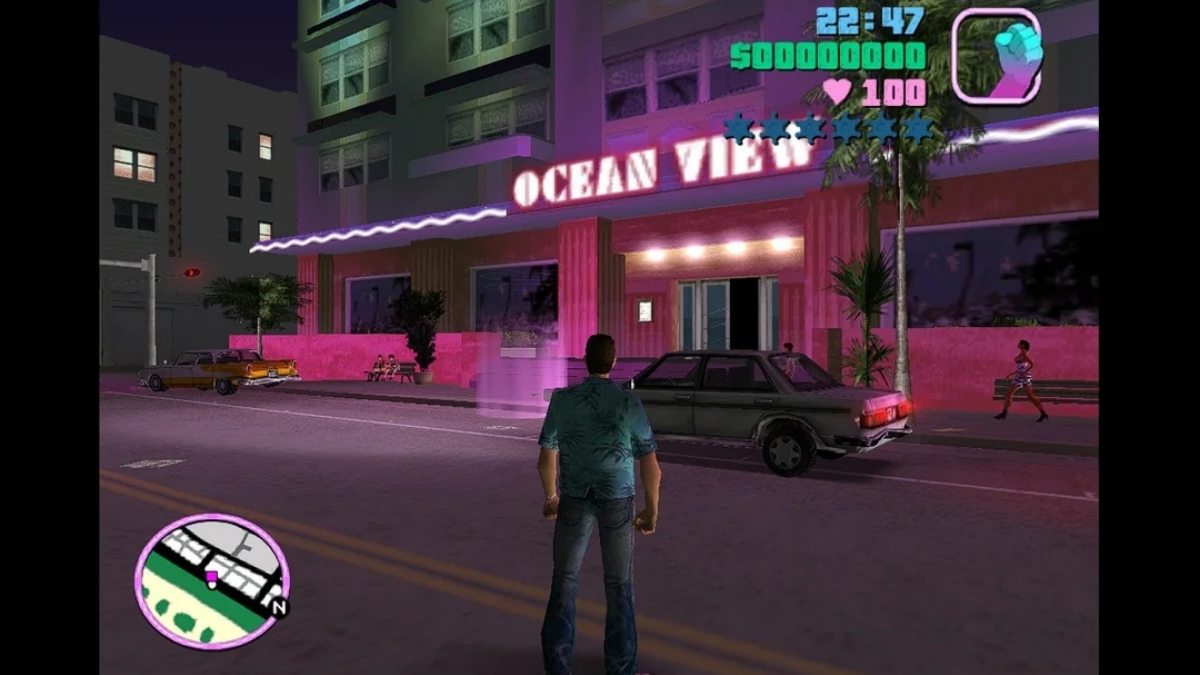
    Confirmed Car Highlights

    These are the most notable confirmed entries across the roster:

    Car Notes
    2025 Toyota GR GT Prototype Cover car; video game debut
    2025 Toyota Land Cruiser Cover car
    2017 Ferrari J50 Pre-order / Premium Upgrade bonus
    2554 AMG Transport Dynamics M12S Warthog CST Halo crossover vehicle
    2010 Lexus LFA Japanese performance icon
    1998 Toyota Supra RZ JDM icon
    2020 Toyota GR Supra Modern Toyota hero car
    2024 Nissan Z NISMO Modern Japanese sports car
    2024 Nissan GT-R NISMO Modern GT-R flagship
    1992 Nissan Skyline GT-R Classic Skyline
    2005 Honda NSX-R Japanese supercar icon
    2023 Honda Civic Type R Modern hot hatch
    1990 Mazda Savanna RX-7 Rotary icon
    1992 Mazda RX-7 Type R Rotary/tuner appeal

    Forza Horizon 6 in-game screenshot showing a car on a Japanese road

    Japanese Cars Confirmed for Forza Horizon 6

    japanese cars confirmed for Forza Horizon 6 set in Japan

    Given the Japan setting, Japanese manufacturers are heavily represented in the confirmed list, with confirmed cars from Toyota, GR, Lexus, Nissan, Datsun, Honda, Mazda, Autozam, Mitsubishi, and Subaru.

    Toyota / GR / Lexus Toyota, GR, and Lexus entries span multiple decades and classes. Confirmed models include the GR GT Prototype, GR Supra, GR86, GR Yaris, Land Cruiser, Supra RZ, Sports 800, and the Lexus LFA, among others.

    Nissan / Datsun The Nissan roster covers the GT-R lineage, Skyline models, Silvia, Fairlady Z, 370Z, and the current Z NISMO. A Datsun entry is also confirmed.

    Honda Confirmed Honda models include the NSX-R, S2000, Civic Type R, and entries from the Time Attack Car Pack.

    Mazda / Autozam Multiple RX-7 variants, including the 1990 Savanna RX-7 and 1992 RX-7 Type R, are confirmed alongside Autozam entries.

    Mitsubishi Multiple Lancer Evolution models are confirmed across different generations.

    Subaru The BRZ, WRX, and 22B STi are confirmed.

    Cover Cars and Pre-Order Bonus

    The two cover cars are the 2025 Toyota GR GT Prototype, making its video game debut, and the 2025 Toyota Land Cruiser.

    Players who purchase any edition of Forza Horizon 6 — or the standalone Premium Upgrade — before May 19, 2026 receive an exclusive pre-tuned 2017 Ferrari J50 as a pre-order bonus. Premium Edition buyers also get four-day early access starting May 15 — see our early access and start times guide for regional unlock times and edition details.

    DLC, Welcome Pack, VIP, Promotional, and Loyalty Reward Cars

    Forza Horizon 6 official car list showing DLC and Welcome Pack tagged entries

    Some confirmed vehicles are tied to add-ons, promotions, pre-orders, VIP, Welcome Pack, or loyalty rewards rather than standard garage access. The official list marks each with its access type.

    Italian Passion Car Pack Includes the 1990 Alfa Romeo SE 048SP, 2021 Alfa Romeo Giulia GTAm, 1967 Ferrari 275 GTB4 Spider, and 2025 Ferrari F80.

    Time Attack Car Pack Covers a set of WTAC/time-attack builds across Honda, Nissan, Toyota, Lotus, and Mitsubishi.

    Welcome Pack The Welcome Pack includes five pre-tuned cars. Confirmed Welcome Pack examples on the official car list include the 2021 BMW M4 Competition Coupé, 2018 Ferrari FXX-K Evo, 2020 Mercedes-AMG GT Black Series, 2023 Ford F-150 Raptor R, and 2004 Mitsubishi Lancer Evolution VIII MR.

    VIP The official add-ons page says VIP Membership includes three exclusive Forza Edition cars. The currently published car list clearly marks the 1999 Dodge Viper GTS ACR Forza Edition as a VIP entry.

    Promotional The Peel P50 Trolli Edition and Toyota Sports 800 Fanta Edition are listed as promotional cars on the official car page.

    Loyalty Rewards Playground Games confirmed that players who have played previous Forza titles on the same Xbox Gamertag can claim specific cars after completing the Tokyo City introductory race with Mei. The confirmed loyalty reward vehicles are:

    • 2024 Chevrolet Corvette E-Ray
    • 2021 Mercedes-AMG ONE
    • 2016 Aston Martin Vulcan
    • 2016 Lamborghini Centenario LP 770-4
    • 2014 Lamborghini Huracán LP-610-4
    • 2013 Dodge SRT Viper GTS

    Key Confirmed Forza Horizon 6 Cars So Far

    The table below highlights notable confirmed cars from the official Forza car list. It is not the complete confirmed roster — Windows Central’s maintained count puts that figure at around 392. Cars tied to DLC, packs, or rewards are noted in the Notes column. The list will continue to be updated as Playground Games reveals additional entries in the lead-up to launch.

    Make Model Notes
    Alfa Romeo 1990 SE 048SP Italian Passion Car Pack
    Alfa Romeo 2021 Giulia GTAm Italian Passion Car Pack
    Aston Martin 2016 Vulcan Loyalty reward
    BMW 2021 M4 Competition Coupé Welcome Pack
    Chevrolet 2024 Corvette E-Ray Loyalty reward
    Dodge 1999 Viper GTS ACR Forza Edition VIP
    Dodge 2013 SRT Viper GTS Loyalty reward
    Ferrari 1967 275 GTB4 Spider Italian Passion Car Pack
    Ferrari 2017 J50 Pre-order bonus
    Ferrari 2018 FXX-K Evo Welcome Pack
    Ferrari 2025 F80 Italian Passion Car Pack
    Ford 2023 F-150 Raptor R Welcome Pack
    Honda 2005 NSX-R Confirmed
    Honda 2023 Civic Type R Confirmed
    Honda S2000 Confirmed
    Lamborghini 2014 Huracán LP-610-4 Loyalty reward
    Lamborghini 2016 Centenario LP 770-4 Loyalty reward
    Lexus 2010 LFA Confirmed
    Mazda 1990 Savanna RX-7 Confirmed
    Mazda 1992 RX-7 Type R Confirmed
    Mercedes-AMG 2020 GT Black Series Welcome Pack
    Mercedes-AMG 2021 ONE Loyalty reward
    Mitsubishi Lancer Evolution (multiple generations) Confirmed
    Nissan 1992 Skyline GT-R Confirmed
    Nissan 2024 GT-R NISMO Confirmed
    Nissan 2024 Z NISMO Confirmed
    Nissan Silvia Confirmed
    Nissan Fairlady Z Confirmed
    Peel 1962 P50 Trolli Edition Promotional DLC
    Subaru BRZ Confirmed
    Subaru WRX Confirmed
    Subaru 22B STi Confirmed
    Toyota 1998 Supra RZ Confirmed
    Toyota 2020 GR Supra Confirmed
    Toyota 2025 GR GT Prototype Cover car
    Toyota 2025 Land Cruiser Cover car
    Toyota GR86 Confirmed
    Toyota GR Yaris Confirmed
    Toyota Sports 800 Fanta Edition Promotional DLC
    AMG Transport Dynamics 2554 M12S Warthog CST Halo crossover

    This table highlights notable publicly confirmed cars from the roster. The full launch list will exceed 550 cars. The full launch list will exceed 550 cars.

    Will More Cars Be Added?

    Yes. Playground Games has confirmed the official car list is still being updated, and the full launch roster will include more than 550 cars. Additional cars are confirmed through Car Pass, car packs, and expansions.

    If you’re also tracking the launch itself, see our guides on Forza Horizon 6 storage requirements and preload status and early access start times by region. For achievement hunters, the full achievements list covers all 57 targets and how to reach 1,000 Gamerscore. For context on what was revealed before launch, see our Forza Horizon 6 leak coverage.

  • All Active Genshin Impact Redeem Codes for May 2026

    All Active Genshin Impact Redeem Codes for May 2026

    Genshin Impact players can redeem active codes for free Primogems, Mora, Hero’s Wit, Adventurer’s Experience, and upgrade materials. Codes can expire quickly, especially livestream codes, so redeem everything below as soon as possible through HoYoverse’s official redemption page or directly from the in-game Account menu.

    Active Genshin Impact Codes — May 2026

    These codes were listed as active on May 16, 2026. They may stop working at any time if HoYoverse removes them or they reach a usage limit.

    Code Rewards Status
    PFY1S40I88T9 60 Primogems, 5 Adventurer’s Experience Listed active
    PSCA8NL4ZSPD 60 Primogems, 5 Adventurer’s Experience Listed active
    G5HS7EMI47D0 60 Primogems, 5 Adventurer’s Experience Listed active / possible alternate
    A0NBWRZZI3XJ 20 Primogems, 160 Geodes of Replication Listed active
    FEOMBCVX6UO7 10,000 Mora, 10 Adventurer’s Experience, 5 Fine Enhancement Ore, 5 Jueyun Chili Chicken, 5 Stir-Fried Fish Noodles Listed active
    GENSHINGIFT 50 Primogems, 3 Hero’s Wit Periodically active / account-dependent

    Note on PSCA8NL4ZSPD and G5HS7EMI47D0: The Genshin Impact Wiki lists both codes under the same reward. They may be alternate codes, so if one works, the other may not give a second reward on the same account.

    Note on GENSHINGIFT: This code is periodically active and account-dependent. It may already show as redeemed on older accounts.

    Related Reads

    Recently Expired Genshin Impact Codes

    These codes came from the May 8, 2026 special program and expired on May 11, 2026. They are listed here for reference only and may no longer work.

    Code Rewards
    BacktoSumeru 100 Primogems, 10 Mystic Enhancement Ore
    NicolaCoCo 100 Primogems, 5 Hero’s Wit
    WilltoWin 100 Primogems, 50,000 Mora

    Livestream codes like these often have a short redemption window. The May 8 codes expired on May 11 — if you see codes appear during a special program, redeem them immediately rather than saving them for later.

    How to Redeem Genshin Impact Codes

    You can redeem codes in two ways.

    Method 1: HoYoverse Redemption Website

    1. Go to the official Genshin Impact redemption page.
    2. Log in with your HoYoverse account.
    3. Select your correct server (Asia, America, Europe, or TW/HK/MO).
    4. Enter the code exactly as shown — no spaces before or after.
    5. Claim the rewards from your in-game mail after redeeming the code.

    Method 2: In-Game Redemption

    1. Open Genshin Impact and tap the Paimon Menu (top-left).
    2. Go to Settings → Account → Redeem Code.
    3. Enter the code and confirm.
    4. Collect rewards from your in-game mail.

    Minimum requirement: Most codes require Adventure Rank 10 and a linked HoYoverse account. GENSHINGIFT is a known exception to the AR10 rule, though players still need access to in-game mail to claim the reward.

    Why a Code Might Not Work

    If a code does not work, one of these reasons is usually the cause:

    • The code has expired. Even codes listed as “indefinite” can be silently revoked by HoYoverse.
    • You have already redeemed it. Re-entering a used code on the same account shows a success screen but delivers nothing new.
    • Wrong server selected. Rewards go to the server you select, so choose the server you actually play on.
    • Adventure Rank too low. Most accounts below AR10 cannot process redemption codes. Check specific requirements if you are a new player.
    • Accidental spacing. A single space before or after the code string invalidates it entirely. Copy-paste carefully, or type it character by character.
    • Usage limit reached. Some codes are capped at a total number of global redemptions. Once the limit is reached, the code may stop working even if you never used it.

    How to Stay Ahead of New Codes

    HoYoverse releases codes through three main channels: Special Program livestreams ahead of each new version, official social media posts on X/Twitter and Facebook, and occasionally through partner content creators during collaboration events.

    The best habit is to watch each Special Program live, redeem codes the moment they appear on screen, and do not close the stream until all codes have been entered. Waiting too long can make the codes expire before you use them.

    Bookmark the Genshin Impact Wiki’s active-code table as a secondary fallback — it is updated frequently by the community and clearly separates active codes from expired ones, which most third-party list articles do not.

    These codes were listed by current trackers on May 16, 2026. Genshin Impact codes can expire or become account-limited without notice. Redeem through HoYoverse’s official redemption page as soon as possible.