Category: Game Guides

In-depth game guides from Game Empress, with walkthroughs, tier lists, location maps, and step-by-step strategies to help you master the games you love.

  • Blox Fruits Leveling Guide: How To Level Up Fast And Easy?

    Blox Fruits Leveling Guide: How To Level Up Fast And Easy?

    Blox Fruits is a popular Roblox game that is inspired by the anime and manga series One Piece. The game allows you to explore a vast open world, fight against enemies, collect and use different types of fruits that grant you special abilities, and join forces with other players.

    The game has a level system that determines your strength, skills, and access to different islands and quests. If you want to become the strongest player in the game, you will need to level up as fast and as easy as possible. In this article, we will show you some tips and tricks on how to level up quickly and efficiently in Blox Fruits.

    How to Level Up in Blox Fruits?
    death king blox fruits
    death king blox fruits

    There are two main ways to level up in Blox Fruits: by completing quests and by defeating enemies. Quests are tasks that are given by NPCs (non-player characters) that usually involve killing a certain number of enemies, collecting items, or delivering something.

    Quests can reward you with money, experience points (XP), and sometimes items or fruits. Enemies are hostile creatures or characters that will attack you on sight or when provoked. Enemies can drop money, XP, items, or fruits when killed.

    To level up in Blox Fruits, you will need to complete quests and defeat enemies that are suitable for your current level. If you try to complete quests or defeat enemies that are too high or too low for your level, you will get less XP or no XP at all.

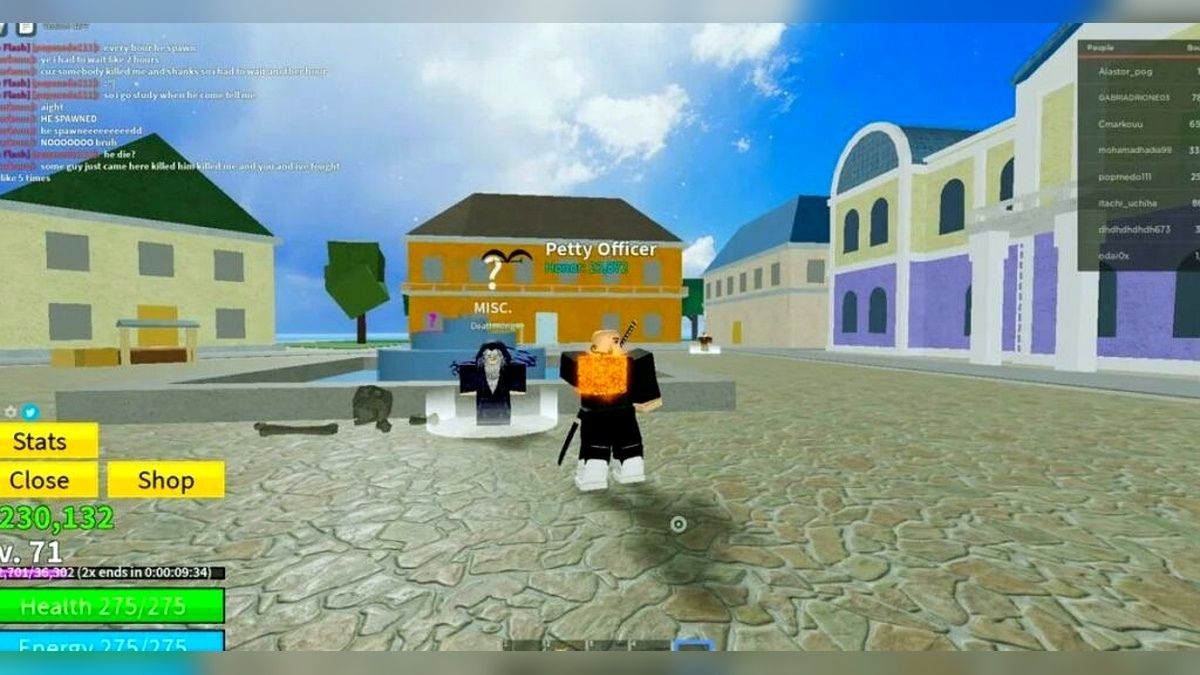
    You can check your level and the level of the quests and enemies by looking at the numbers above their heads. The color of the numbers also indicates the difficulty of the quests and enemies: green means easy, yellow means medium, orange means hard, and red means very hard.

    Where to Level Up in Blox Fruits?

    Blox Fruits has three different seas or worlds that you can explore: the First Sea, the Second Sea, and the Third Sea. Each sea has different islands that have different quests and enemies that are suitable for different levels.

    You can travel between the seas by using boats or ships, or by using the teleporter at the Middle Island. You can also use the map to see the locations and levels of the islands.

    Here is a list of the islands and their level requirements in each sea:

    The First Sea

    • Starter Island: Level 0 to 10
    • Jungle: Level 15 to 30
    • Pirate Village: Level 30 to 60
    • Desert: Level 60 to 90
    • Middle Island: Level 100
    • Frozen Village: Level 110 to 140
    • Marine Fortress: Level 140 to 170
    • Colosseum: Level 170 to 250
    • Sky Island: Level 250 to 350
    • Underwater City: Level 350 to 450
    • Volcano: Level 450 to 550
    • Fountain Island: Level 550 to 650

    The Second Sea

    • Snow Mountain: Level 700 to 800
    • Magma Village: Level 800 to 900
    • Ice Castle: Level 900 to 1000
    • Shanks’ Ship: Level 1000 to 1100
    • Dark Arena: Level 1100 to 1200
    • Graveyard Island: Level 1200 to 1300
    • Zou Island: Level 1300 to 1400
    • Green Bit: Level 1400 to 1500
    • Dressrosa: Level 1500 to 1600
    • Punk Hazard: Level 1600 to 1700
    • Wano: Level 1700 to 1800

    The Third Sea

    • Fishman Island: Level 1800 to 1900
    • Skypiea: Level 1900 to 2000
    • Enies Lobby: Level 2000 to 2100
    • Impel Down: Level 2100 to 2200
    • Marineford: Level 2200 to 2300
    • Whole Cake Island: Level 2300 to 2400
    • Totland: Level 2400 to 2500
    • New World: Level 2500 to 2550

    How to Level Up Faster and Easier in Blox Fruits?

    Here are some tips and tricks on how to level up faster and easier in Blox Fruits:

    • Use the codes that are given by the developers on their social media pages or on the game’s official Discord server. These codes can give you free money, XP, items, or fruits that can help you level up faster. You can redeem the codes by clicking on the Twitter icon on the left side of the screen and entering the code in the text box.
    • Use the 2x XP game pass that can be purchased for 650 Robux. This game pass will double the amount of XP that you get from quests and enemies, making you level up twice as fast. You can buy the game pass by clicking on the Shop icon on the left side of the screen and selecting the 2x XP option.
    • Use the fruits that can boost your XP gain, such as the Light fruit, the Gravity fruit, or the Buddha fruit. These fruits can give you passive or active abilities that can increase the amount of XP that you get from quests and enemies, such as the Light Flight, the Gravity Field, or the Buddha Transformation. You can find these fruits by buying them from the Blox Fruit Dealer, by finding them on the ground, or by defeating certain bosses.
    • Use the weapons or fighting styles that can deal more damage or hit more enemies, such as the Shark Saw, the Dragon Breath, or the Pole. These weapons or fighting styles can help you kill enemies faster or easier, giving you more XP in less time. You can find these weapons or fighting styles by buying them from the Sword Dealer or the Fighting Style Dealer, by finding them on the ground, or by defeating certain bosses.
    • Use the accessories that can enhance your stats or abilities, such as the Dark Coat, the Sea King’s Heart, or the Raid Suit. These accessories can give you bonuses to your health, damage, speed, defense, or other attributes, making you stronger and more efficient. You can find these accessories by buying them from the Rich Man, by finding them on the ground, or by defeating certain bosses.
    • Use the private servers that can be created or joined for free. These private servers can allow you to play the game without any interference or competition from other players, making you focus on your quests and enemies. You can create or join a private server by clicking on the Private Server icon on the right side of the screen and selecting the Create or Join option.
    • Use the help of your friends or other players who are higher level than you. These players can help you complete quests or defeat enemies that are too hard for you, giving you more XP and money. You can ask for help or offer help by using the chat feature, by joining a crew, or by using the voice chat feature.

    Conclusion

    Blox Fruits is a fun and exciting game that requires you to level up your character to unlock new islands, quests, fruits, weapons, and more. To level up in Blox Fruits, you will need to complete quests and defeat enemies that are suitable for your level.

    You can also use some tips and tricks to level up faster and easier, such as using codes, game passes, fruits, weapons, accessories, private servers, or friends.

    You can also read our Street Fighter 6 Character Guide and Diablo Immortal Familiar Guide. Stay up to date with GameEmpress.com for the most recent gaming news and guides.
  • Like a Dragon: Ishin! PC Requirements: Can You Run This Samurai Spin-Off?

    Like a Dragon: Ishin! PC Requirements: Can You Run This Samurai Spin-Off?

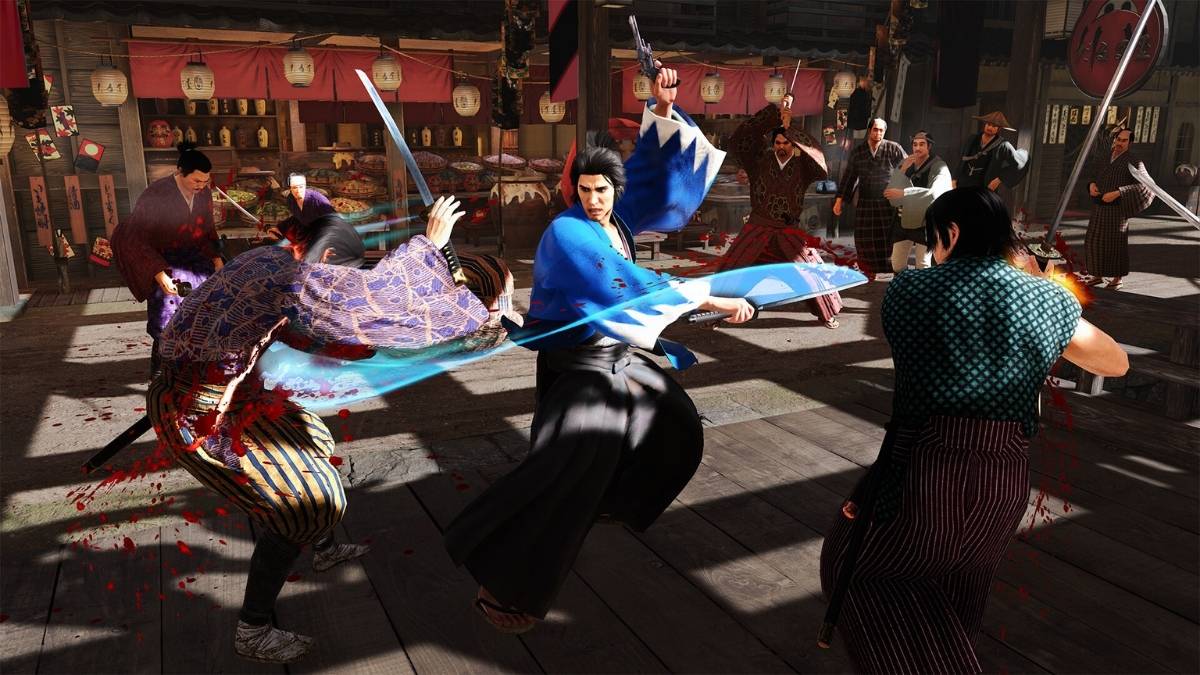
    Like a Dragon: Ishin! is a spin-off game from the Yakuza series, developed by Ryu Ga Gotoku Studio and published by Sega. The game is set in the Bakumatsu period of Japan, where you play Sakamoto Ryoma, a historical figure who was involved in the Meiji Restoration.

    The game combines action, adventure, and role-playing elements, as you explore the city of Kyoto, fight against enemies, and interact with various characters. Like a Dragon: Ishin! was originally released in 2014 for PlayStation 3 and PlayStation 4, but it was never localized for the Western market.

    However, in 2023, Sega announced that the game would be remastered and released worldwide for PC, PlayStation 5, Xbox Series X/S, and Nintendo Switch. The PC version of the game is expected to launch on February 21, 2023, and will feature improved graphics, performance, and compatibility.

    If you are interested in playing Like a Dragon: Ishin! on your PC, you might want to know what are the system requirements for this game. In this article, we will show you the minimum and recommended PC requirements for Like a Dragon: Ishin!, as well as some tips on how to optimize your performance and graphics settings.

    Like a Dragon: Ishin! PC Requirements

    Like a Dragon: Ishin! PC Requirements
    Like a Dragon: Ishin! PC Requirements

    The minimum PC requirements for Like a Dragon: Ishin! are the following:

    • OS: Windows 10 (64-bit)
    • Processor: Intel Core i5-3470, 3.2 GHz or AMD Ryzen 3 1200, 3.1 GHz
    • Memory: 8 GB RAM
    • Graphics card: NVIDIA GeForce GTX 960, 2 GB or AMD Radeon RX 460, 2 GB
    • DirectX: Version 12
    • Online connection: 512 KBPS or faster internet connection
    • Hard-drive space: 60 GB available space (SSD preferred)

    These specs allow for the game to be played in 1080p/30fps with graphics settings at “Lowest”.

    The recommended PC requirements for Like a Dragon: Ishin! are the following:

    • OS: Windows 10 (64-bit)
    • Processor: Intel Core i7-8700K, 3.6 GHz or AMD Ryzen 5 3600X, 3.8 GHz
    • Memory: 16 GB RAM
    • Graphics card: NVIDIA GeForce GTX 1080 Ti, 11 GB or AMD Radeon RX 5700 XT, 8 GB
    • DirectX: Version 12
    • Online connection: 512 KBPS or faster internet connection
    • Hard-drive space: 60 GB available space (SSD preferred)

    These specs allow for the game to be played in 1080p/60fps with graphics settings at “Standard”.

    How to Optimize Like a Dragon: Ishin! for PC?

    If you want to optimize Like a Dragon: Ishin! for your PC, here are some tips that you can follow:

    • Update your drivers: Make sure that your graphics card drivers are up to date, as they can improve the performance and stability of the game.
    • Adjust your graphics settings: You can tweak your graphics settings in the game’s menu, under the “Options” and then “Graphics” tabs. You can change the resolution, frame rate, anti-aliasing, texture quality, shadow quality, and more. You can also use the “Auto” option, which will adjust the settings based on your system specifications.
    • Close unnecessary programs: You can free up some memory and CPU resources by closing any unnecessary programs or background processes that are running on your PC. You can use the Task Manager to check which programs are using the most resources and end them if they are not needed.
    • Use a wired connection: If you are playing online, you might want to use a wired connection instead of a wireless one, as it can reduce latency and packet loss.

    Conclusion

    Like a Dragon: Ishin! is a fun and immersive game that you can play on your PC, as long as you meet the system requirements. The game requires a 64-bit Windows 10 OS, a decent processor, a good graphics card, and enough RAM and storage space.

    You can also optimize the game for your PC by updating your drivers, adjusting your graphics settings, closing unnecessary programs, and using a wired connection.

    This is everything you need to know about Like a Dragon: Ishin! PC Requirements. Additionally, you can check our guide on Atomic Heart PC Requirement and Shadow Of The Tomb Raider PC Requirement. Stay connected with GameEmpress.com to get the latest news and guides about the gaming world.

  • Company Of Heroes 3 PC Requirements: Can You Run This WWII Strategy Game?

    Company Of Heroes 3 PC Requirements: Can You Run This WWII Strategy Game?

    Company of Heroes 3 is the latest installment in the acclaimed real-time strategy game series from Relic Entertainment and Sega. The game is set in the Mediterranean theater of World War II, where you can command the Allied forces of the US, UK, and France, or the Axis forces of Germany and Italy.

    The game features a dynamic campaign mode, a skirmish mode, and a multiplayer mode for up to eight players. If you are interested in playing Company of Heroes 3 on your PC, you might want to know what are the system requirements for this game.

    In this article, we will show you the minimum and recommended PC requirements for Company of Heroes 3, as well as some tips on how to optimize your performance and graphics settings.

    Company Of Heroes 3 PC Requirements

    Company Of Heroes 3 PC Requirements
    Company Of Heroes 3 PC Requirements

    The minimum PC requirements for Company of Heroes 3 are the following:

    • OS: Windows 10 (64-bit)
    • Processor: Intel Core i5-8400 or AMD Ryzen 3 3300X
    • Memory: 8 GB RAM
    • Graphics card: Nvidia GeForce GTX 1060 3GB or AMD Radeon RX 580 4GB
    • DirectX: Version 11
    • Online connection: 512 KBPS or faster internet connection
    • Hard-drive space: 20 GB available space (SSD preferred)

    These specs allow for the game to be played in 1080p/30fps with graphics settings at “Lowest”.

    The recommended PC requirements for Company of Heroes 3 are the following:

    • OS: Windows 10 (64-bit)
    • Processor: Intel Core i7-8700K or AMD Ryzen 5 3600X
    • Memory: 16 GB RAM
    • Graphics card: Nvidia GeForce GTX 1080 Ti or AMD Radeon RX 5700 XT
    • DirectX: Version 11
    • Online connection: 512 KBPS or faster internet connection
    • Hard-drive space: 20 GB available space (SSD preferred)

    These specs allow for the game to be played in 1080p/60fps with graphics settings at “Standard”.

    How to Optimize Company of Heroes 3 for PC?

    If you want to optimize Company of Heroes 3 for your PC, here are some tips that you can follow:

    • Update your drivers: Make sure that your graphics card drivers are up to date, as they can improve the performance and stability of the game.
    • Adjust your graphics settings: You can tweak your graphics settings in the game’s menu, under the “Options” and then “Graphics” tabs. You can change the resolution, frame rate, anti-aliasing, texture quality, shadow quality, and more. You can also use the “Auto” option, which will adjust the settings based on your system specifications.
    • Close unnecessary programs: You can free up some memory and CPU resources by closing any unnecessary programs or background processes that are running on your PC. You can use the Task Manager to check which programs are using the most resources and end them if they are not needed.
    • Use a wired connection: If you are playing online, you might want to use a wired connection instead of a wireless one, as it can reduce latency and packet loss.

    Conclusion

    Company of Heroes 3 is a promising and immersive game that you can play on your PC, as long as you meet the system requirements. The game requires a 64-bit Windows 10 OS, a decent processor, a good graphics card, and enough RAM and storage space.

    You can also optimize the game for your PC by updating your drivers, adjusting your graphics settings, closing unnecessary programs, and using a wired connection.

    This is everything you need to know about Company Of Heroes 3 PC Requirements. Additionally, you can check our guide on Atomic Heart PC Requirement and Shadow Of The Tomb Raider PC Requirement. Stay connected with GameEmpress.com to get the latest news and guides about the gaming world.

  • Sons Of The Forest PC Requirements: Can You Run This Survival Horror Game?

    Sons Of The Forest PC Requirements: Can You Run This Survival Horror Game?

    Sons of the Forest is the sequel to the critically acclaimed survival horror game The Forest, developed by Endnight Games. The game is set on a mysterious and hostile island, where you have to survive against cannibals, mutants, and other dangers. The game features a single-player mode and a co-op mode for up to eight players.

    Sons of the Forest is expected to be released in early 2022 for PC, PlayStation 4, PlayStation 5, Xbox One, and Xbox Series X/S. If you are interested in playing Sons of the Forest on your PC, you might want to know what are the system requirements for this game.

    In this article, we will show you the minimum and recommended PC requirements for Sons of the Forest, as well as some tips on how to optimize your performance and graphics settings.

    Sons Of The Forest PC Requirements

    Why Does Sons of the Forest Keep Crashing
    Why Does Sons of the Forest Keep Crashing

    The minimum PC requirements for Sons of the Forest are the following:

    • OS: 64-bit Windows 10
    • Processor: Intel Core i5-8400 or AMD Ryzen 3 3300X
    • Memory: 12 GB RAM
    • Graphics card: Nvidia GeForce GTX 1060 3GB or AMD Radeon RX 570 4GB
    • DirectX: Version 11
    • Online connection: 512 KBPS or faster internet connection
    • Hard-drive space: 20 GB available space (SSD preferred)

    These specs allow for the game to be played in 1080p/30fps with graphics settings at “Lowest”.

    The recommended PC requirements for Sons of the Forest are the following:

    • OS: 64-bit Windows 10
    • Processor: Intel Core i7-8700K or AMD Ryzen 5 3600X
    • Memory: 16 GB RAM
    • Graphics card: Nvidia GeForce GTX 1080 Ti or AMD Radeon RX 5700 XT
    • DirectX: Version 11
    • Online connection: 512 KBPS or faster internet connection
    • Hard-drive space: 20 GB available space (SSD preferred)

    These specs allow for the game to be played in 1080p/60fps with graphics settings at “Standard”.

    How to Optimize Sons of the Forest for PC?

    If you want to optimize Sons of the Forest for your PC, here are some tips that you can follow:

    • Update your drivers: Make sure that your graphics card drivers are up to date, as they can improve the performance and stability of the game.
    • Adjust your graphics settings: You can tweak your graphics settings in the game’s menu, under the “Options” and then “Graphics” tabs. You can change the resolution, frame rate, anti-aliasing, texture quality, shadow quality, and more. You can also use the “Auto” option, which will adjust the settings based on your system specifications.
    • Close unnecessary programs: You can free up some memory and CPU resources by closing any unnecessary programs or background processes that are running on your PC. You can use the Task Manager to check which programs are using the most resources and end them if they are not needed.
    • Use a wired connection: If you are playing online, you might want to use a wired connection instead of a wireless one, as it can reduce latency and packet loss.

    Conclusion

    Sons of the Forest is a promising and immersive game that you can play on your PC, as long as you meet the system requirements. The game requires a 64-bit Windows 10 OS, a decent processor, a good graphics card, and enough RAM and storage space.

    You can also optimize the game for your PC by updating your drivers, adjusting your graphics settings, closing unnecessary programs, and using a wired connection.

    This is everything you need to know about Sons Of The Forest PC Requirements. Additionally, you can check our guide on Atomic Heart PC Requirement and Shadow Of The Tomb Raider PC Requirement. Stay connected with GameEmpress.com to get the latest news and guides about the gaming world.

  • Atomic Heart PC Requirement: Can You Run This Soviet Sci-Fi Shooter?

    Atomic Heart PC Requirement: Can You Run This Soviet Sci-Fi Shooter?

    Atomic Heart is an upcoming first-person shooter game from Russian developer Mundfish. The game is set in an alternate version of the Soviet Union, where technology has advanced to a bizarre and terrifying level.

    You play as a special agent sent to investigate a secret facility that has gone rogue, and you will have to face hordes of mutated creatures, rogue robots, and other dangers.

    Atomic Heart is expected to be released in 2022 for PC, PlayStation 4, PlayStation 5, Xbox One, and Xbox Series X/S. If you are interested in playing Atomic Heart on your PC, you might want to know what are the system requirements for this game.

    In this article, we will show you the minimum and recommended PC requirements for Atomic Heart, as well as some tips on how to optimize your performance and graphics settings.

    Atomic Heart PC Requirement

    Atomic Heart's First DLC Teaser
    Atomic Heart’s First DLC Teaser

    The minimum PC requirements for Atomic Heart are the following:

    • OS: Windows 10 (20H1 version or newer, 64-bit versions)
    • Processor: AMD Ryzen 5 1600 (3.8 GHz) / Intel Core i5-4460 (3.6 GHz)
    • Memory: 8 GB RAM
    • Graphics card: AMD Radeon R9 380 (4 GB) / NVIDIA GeForce GTX 960 (4 GB)
    • DirectX: Version 12
    • Online connection: 512 KBPS or faster internet connection
    • Hard-drive space: 90 GB available space

    These specs allow for the game to be played in 1080p/30fps with graphics settings at “Lowest”.

    The recommended PC requirements for Atomic Heart are the following:

    • OS: Windows 10 (20H1 version or newer, 64-bit versions)
    • Processor: AMD Ryzen 7 2700X (3.8 GHz) / Intel Core i7-7700K (3.6 GHz)
    • Memory: 16 GB RAM
    • Graphics card: AMD RX Vega 64 (8 GB) / NVIDIA GeForce GTX 1080 (8 GB)
    • DirectX: Version 12
    • Online connection: 512 KBPS or faster internet connection
    • Hard-drive space: 90 GB available space

    These specs allow for the game to be played in 1080p/60fps with graphics settings at “Standard”.

    How to Optimize Atomic Heart for PC?

    If you want to optimize Atomic Heart for your PC, here are some tips that you can follow:

    • Update your drivers: Make sure that your graphics card drivers are up to date, as they can improve the performance and stability of the game.
    • Adjust your graphics settings: You can tweak your graphics settings in the game’s menu, under the “Options” and then “Graphics” tabs. You can change the resolution, frame rate, anti-aliasing, texture quality, shadow quality, and more. You can also use the “Auto” option, which will adjust the settings based on your system specifications.
    • Close unnecessary programs: You can free up some memory and CPU resources by closing any unnecessary programs or background processes that are running on your PC. You can use the Task Manager to check which programs are using the most resources and end them if they are not needed.
    • Use a wired connection: If you are playing online, you might want to use a wired connection instead of a wireless one, as it can reduce latency and packet loss.

    Conclusion

    Atomic Heart is a promising and ambitious game that you can play on your PC, as long as you meet the system requirements. The game requires a 64-bit Windows 10 OS, a decent processor, a good graphics card, and enough RAM and storage space.

    You can also optimize the game for your PC by updating your drivers, adjusting your graphics settings, closing unnecessary programs, and using a wired connection.

    This is everything you need to know about Atomic Heart PC Requirement. Additionally, you can check our guide on Wild Hearts PC Requirements and F1 23 PC Requirement. Stay connected with GameEmpress.com to get the latest news and guides about the gaming world.

  • GTA San Andreas Nintendo Switch Cheats: How To Have Fun In Los Santos?

    GTA San Andreas Nintendo Switch Cheats: How To Have Fun In Los Santos?

    GTA San Andreas is one of the most popular and iconic games in the Grand Theft Auto series. It was recently remastered and released on Nintendo Switch, along with GTA III and GTA Vice City, as part of the GTA: The Trilogy – Definitive Edition.

    If you are looking for some extra fun and chaos in the game, you can use cheat codes to unlock various abilities, weapons, vehicles, and more. Cheat codes are a classic feature of the GTA games, and they can make the gameplay more enjoyable and hilarious.

    However, before you use any cheat codes, you should be aware of some drawbacks and risks. First of all, using cheat codes will disable achievements, so if you care about your trophies, you should avoid them.

    Second, some cheat codes may cause glitches, crashes, or corruption of your saved files, so you should always make a backup before using them. Third, some cheat codes are irreversible, meaning that you cannot turn them off once you activate them unless you load a previous save or start a new game.

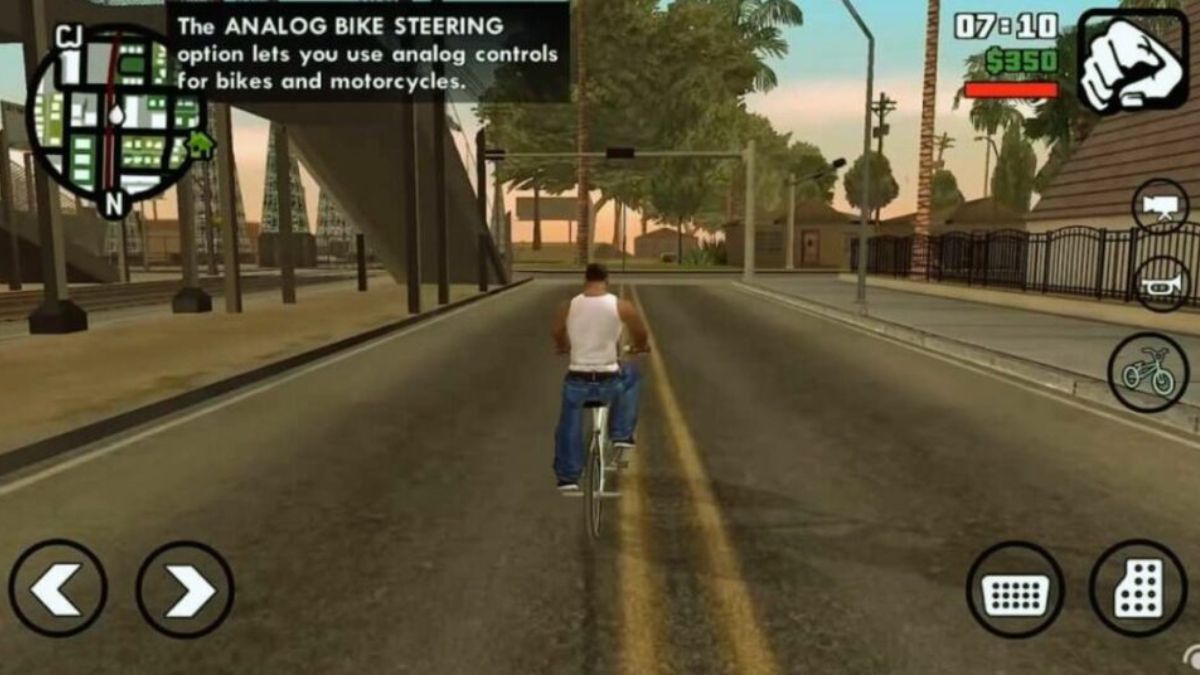
    With that said, if you still want to use cheat codes, here is how you can do it on Nintendo Switch. Unlike some modern GTA games that use the phone as a cheat menu, GTA San Andreas requires you to input the cheat codes while playing the game.

    There is no cheat screen or pause menu option for cheats. You have to press the correct sequence of buttons in quick succession while in-game. If you enter the cheat code correctly, you will see a small pop-up message on the top left corner of the screen, and hear a sound effect.

    GTA San Andreas Nintendo Switch Cheat Codes

    GTA San Andreas iOS Cheats
    GTA San Andreas iOS Cheats

    There are dozens of cheat codes available for GTA San Andreas on Nintendo Switch, covering various aspects of the game. Here are some of the most useful and fun cheat codes, along with their button combinations.

    Player Cheats

    These cheat codes affect the player’s character, CJ, and his attributes, such as health, armor, money, skills, etc.

    • Health, Armor, and Money ($250,000): R, ZR, L, B, LEFT, DOWN, RIGHT, UP, LEFT, DOWN, RIGHT, UP
    • Infinite Health: DOWN, B, RIGHT, LEFT, RIGHT, R, RIGHT, DOWN, UP, X
    • Infinite Ammo: L, R, Y, R, LEFT, ZR, R, LEFT, Y, DOWN, L, L
    • Infinite Lung Capacity: DOWN, LEFT, L, DOWN, DOWN, ZR, DOWN, ZL, DOWN
    • Super Jump: UP, UP, X, X, UP, UP, LEFT, RIGHT, Y, ZR, ZR
    • Super Punch: UP, LEFT, B, X, R, A, A, A, ZL
    • Maximum Fat: X, UP, UP, LEFT, RIGHT, Y, A, DOWN
    • Maximum Muscle: X, UP, UP, LEFT, RIGHT, Y, A, LEFT
    • Minimum Fat and Muscle: X, UP, UP, LEFT, RIGHT, Y, A, RIGHT
    • Maximum Respect: L, R, X, DOWN, ZR, B, L, UP, ZL, ZL, L, L
    • Maximum Sex Appeal: A, Y, X, UP, A, R, ZL, UP, X, L, L, L
    • Maximum Stamina: UP, A, X, B, X, B, Y, ZR, RIGHT
    • Maximum Vehicle Skill Stats: Y, ZL, B, R, ZL, ZL, LEFT, R, RIGHT, L, L, L
    • Maximum Weapon Skill Stats: DOWN, Y, B, LEFT, R, ZR, LEFT, DOWN, DOWN, L, L, L
    • Suicide: DOWN, B, RIGHT, LEFT, RIGHT, R, RIGHT, DOWN, UP, X
    • Spawn Parachute: LEFT, RIGHT, L, ZL, R, ZR, ZR, UP, DOWN, RIGHT, L
    • Spawn Jetpack: L, ZL, R, ZR, UP, DOWN, LEFT, RIGHT, L, ZL, R, ZR, UP, DOWN, LEFT, RIGHT

    Weapon Cheats

    These cheat codes give you different sets of weapons, along with ammo.

    • Weapon Set 1 (Bat, Pistol, Shotgun, Mini SMG, AK 47, Rocket Launcher, Molotov Cocktail, Spray Can, Brass Knuckles): R, ZR, L, ZR, LEFT, DOWN, RIGHT, UP, LEFT, DOWN, RIGHT, UP
      Weapon Set 2 (Knife, Pistol, Sawed-Off Shotgun, Tec 9, Sniper Rifle, Flamethrower, Grenades, Fire Extinguisher): R, ZR, L, ZR, LEFT, DOWN, RIGHT, UP, LEFT, DOWN, DOWN, LEFT
      Weapon Set 3 (Chainsaw, Silenced Pistol, Combat Shotgun, M4, Bazooka, Plastic Explosive): R, ZR, L, ZR, LEFT, DOWN, RIGHT, UP, LEFT, DOWN, DOWN, DOWN

    Vehicle Cheats

    These cheat codes spawn various vehicles around you or affect the vehicles you are driving.

    • Spawn Rhino (Tank): B, B, L, B, B, B, L, ZL, R, Y, B, Y
    • Spawn Bloodring Banger: DOWN, RIGHT, B, L, B, RIGHT, UP, B, ZL
    • Spawn Caddy: B, L, UP, R, ZL, A, RIGHT, L, DOWN, B
    • Spawn Dozer: RIGHT, UP, R, R, ZL, RIGHT, DOWN, DOWN, B
    • Spawn Hotring Racer 1: R, B, B, RIGHT, L, ZL, UP, X, B
    • Spawn Hotring Racer 2: R, ZL, B, RIGHT, ZL, L, RIGHT, A, X, DOWN, L, L
    • Spawn Hunter (Helicopter): B, B, L, B, B, B, L, UP, DOWN, RIGHT, Y
    • Spawn Hydra (Jet): Y, Y, X, B, A, L, L, DOWN, UP
    • Spawn Monster Truck: RIGHT, UP, R, R, ZL, RIGHT, DOWN, DOWN, A
    • Spawn Quad: LEFT, LEFT, DOWN, DOWN, UP, UP, ZL, ZR, X, R, L, L
    • Spawn Stretch (Limo): R, UP, L, LEFT, LEFT, R, L, B, RIGHT
    • Spawn Stunt Plane: UP, DOWN, L, R, ZL, ZR, UP, DOWN, LEFT, RIGHT
    • Spawn Trashmaster: B, R, B, R, LEFT, LEFT, R, L, B, RIGHT
    • Spawn Vortex: Y, Y, B, A, L, L, DOWN, UP
    • All Cars Have Nitro: LEFT, Y, R, L, UP, X, Y, DOWN, B, ZL, ZR, L
    • All Cars Are Invisible: Y, L, Y, ZL, X, B, Y, DOWN, B
    • All Cars Explode: ZL, R, L, R, LEFT, ZL, R, L, B, RIGHT
    • Aggressive Drivers: RIGHT, R, UP, UP, R, A, Y, R, ZL, RIGHT, DOWN, ZL
    • Black Traffic: B, ZL, UP, DOWN, LEFT, A, R, DOWN
    • Flying Cars: ZL, DOWN, LEFT, UP, L, ZR, UP, X, Y, DOWN
    • Perfect Handling: Y, R, R, LEFT, R, L, ZL, ZR
    • Pink Traffic: B, L, DOWN, ZL, LEFT, A, R, L, RIGHT, ZL
    • Reduced Traffic: X, DOWN, UP, R, DOWN, ZL, ZR, L

     World Cheats

    These cheat codes affect the environment, the weather, the time, and the pedestrians.

    • Adrenaline Mode: B, B, Y, ZR, ZL, B, DOWN, LEFT, B
    • Chaos Mode: L, RIGHT, L, RIGHT, RIGHT, R, ZL, B, RIGHT, DOWN, UP, Y
    • Fast Time: A, A, L, X, L, X, Y, Y, L, X, A, X
    • Slow Time: X, UP, RIGHT, DOWN, Y, ZR, R
    • Sunny Weather: ZL, DOWN, LEFT, UP, L, ZR, UP, X, Y, DOWN
    • Cloudy Weather: ZL, DOWN, LEFT, UP, L, ZR, UP, A, Y, DOWN
    • Foggy Weather: ZL, DOWN, LEFT, UP, L, ZR, UP, X, A, DOWN
    • Rainy Weather: ZL, DOWN, LEFT, UP, L, ZR, UP, B, X, DOWN

    You might also be interested in the following games, Cheats: GTA San Andreas iOS Cheats and Combat Warriors Codes. We appreciate your interest in our website! Make Gameempress.com your go-to site for gaming information.

  • Blacksmithing Leveling Guide Classic: How To Master The Craft Of Metalworking?

    Blacksmithing Leveling Guide Classic: How To Master The Craft Of Metalworking?

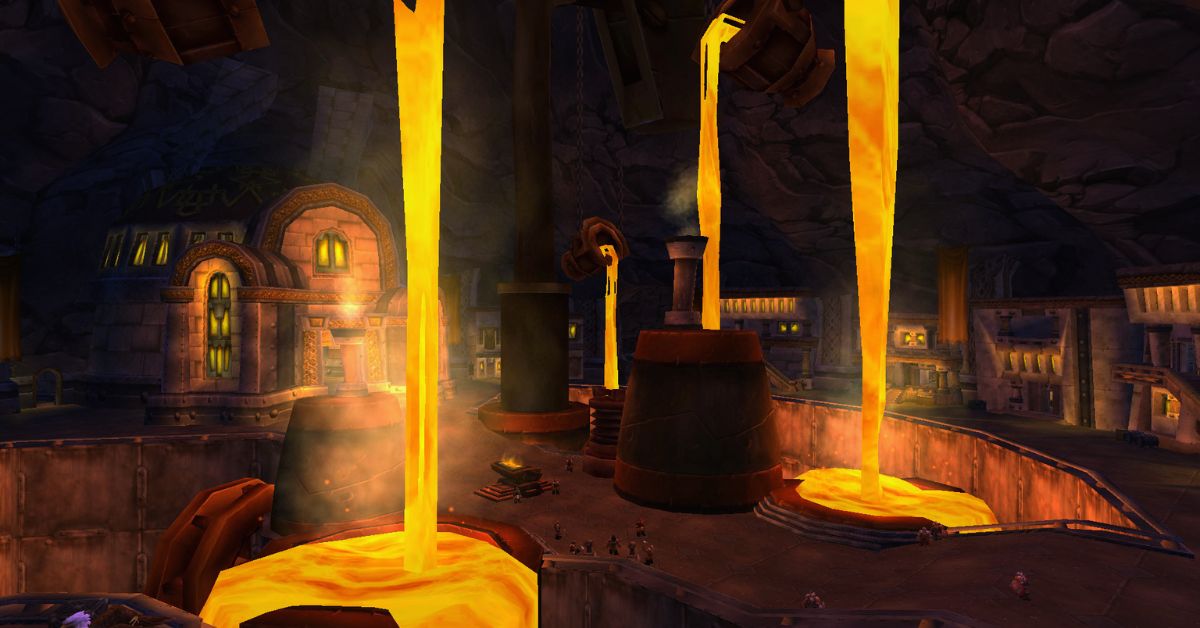
    Blacksmithing is one of the primary professions in World of Warcraft Classic, which allows you to create various metal items, such as armor, weapons, tools, and more.

    Blacksmithing is often paired with Mining, as you will need a lot of ores and bars to craft your items. Blacksmithing can also be specialized into Armorsmithing or Weaponsmithing, which will give you access to more advanced and powerful recipes.

    In this article, we will show you how to level up your Blacksmithing skill from 1 to 300 in Classic WoW, using the most efficient and cost-effective methods.

    We will also tell you where to learn Blacksmithing, what materials you will need, and what items you can craft at each skill level. If you follow this guide, you will be able to master the craft of metalworking and become a respected Blacksmith in Azeroth.

    Where to Learn Blacksmithing in Classic WoW?

    Blacksmithing Leveling Guide Classic
    Blacksmithing Leveling Guide Classic

    You can learn Blacksmithing from any of the Blacksmithing trainers located in the major cities or towns of each faction.

    You will need to be at least level 5 to learn Blacksmithing, and you will need to pay a small fee to learn each rank of the profession. Here are the locations of the Blacksmithing trainers for each faction:

    • Horde: You can learn Blacksmithing from Ug’thok in Orgrimmar, Basil Frye in Undercity, Thrag Stonehoof in Thunder Bluff, or Dwukk in Durotar.
    • Alliance: You can learn Blacksmithing from Groum Stonebeard in Ironforge, Dane Lindgren in Stormwind City, Delfrum Flintbeard in Darkshore, Smith Argus in Elwynn Forest, or Tognus Flintfire in Dun Morogh.

    You can also ask a guard in any city to point you to the nearest Blacksmithing trainer, and they will mark it on your map.

    What Materials Do You Need for Blacksmithing in Classic WoW?

    To level up your Blacksmithing skill, you will need a lot of materials, mostly ores and bars, which you can either mine yourself or buy from other players or the Auction House.

    You will also need some other materials, such as stones, gems, cloths, dyes, and coal, which you can also obtain from various sources. Here is a list of the approximate materials you will need to level up your Blacksmithing from 1 to 300:

    • 150x Rough Stone
    • 150x Copper Bar
    • 95x Coarse Stone
    • 5x Silver Bar
    • 140x Bronze Bar
    • 105x Heavy Stone
    • 5x Gold Bar
    • 230x Iron Bar
    • 35x Green Dye
    • 190x Steel Bar
    • 520x Solid Stone
    • 60x Mageweave Cloth
    • 250x Mithril Bar
    • 20x Dense Stone
    • 730x Thorium Bar
    • 30x Star Ruby
    • 5x Aquamarine

    If you want to mine the ores yourself, you can check out our Mining Leveling Guide Classic, which will show you the best places to farm each type of ore.

    How to Level Up Blacksmithing in Classic WoW?

    To level up your Blacksmithing skill, you will need to craft various items using the materials you have gathered or bought. You will also need to learn new recipes from your trainer or from other sources, such as vendors, quests, drops, or reputation rewards.

    You will need to pay attention to the color of the recipes, as they indicate how likely you are to gain a skill point from crafting them. The colors are as follows:

    • Orange: 100% chance to gain a skill point.
    • Yellow: 75% chance to gain a skill point.
    • Green: 25% chance to gain a skill point.
    • Gray: 0% chance to gain a skill point.

    You should always try to craft orange or yellow recipes, as they will give you the most skill points per craft. You can also craft green recipes if you have excess materials or if you want to sell the items for profit.

    You should avoid crafting gray recipes, as they will not give you any skill points and will only waste your materials.

    Here is a step-by-step guide on how to level up your Blacksmithing from 1 to 300 in Classic WoW, using the most efficient and cost-effective recipes. You can also check out the video guide¹ for a visual demonstration of the process.

    Blacksmithing Apprentice (1-75)

    To learn Blacksmithing Apprentice, you will need to pay 10 copper to your trainer. You will be able to level up your skill to 75, and learn new recipes every 5 skill points.

    • 1-30: Craft 40x Rough Sharpening Stone using 40x Rough Stone. You will need these later, so keep them in your bags.
    • 30-65: Craft 55x Rough Grinding Stone using 110x Rough Stone. Save 10 of these for later, and sell or vendor the rest.
    • 65-75: Craft 25x Coarse Sharpening Stone using 25x Coarse Stone.

    Blacksmithing Journeyman (75-150)

    To learn Blacksmithing Journeyman, you will need to pay 5 silver to your trainer. You will be able to level up your skill to 150, and learn new recipes every 10 skill points.

    • 75-87: Craft 13x Coarse Grinding Stone using 26x Coarse Stone. Save these for later, and make more if you run out.
    • 87-100: Craft 13x Runed Copper Belt using 130x Copper Bar.
    • 100-105: Craft 5x Silver Rod using 5x Silver Bar and 10x Rough Grinding Stone.
    • 105-125: Craft 20x Rough Bronze Leggings using 120x Bronze Bar.
    • 125-137: Craft 13x Heavy Grinding Stone using 39x Heavy Stone. Save these for later, and make more if you run out.
    • 137-150: Craft 13x Patterned Bronze Bracers using 65x Bronze Bar and 13x Coarse Grinding Stone.

    Blacksmithing Expert (150-225)

    To learn Blacksmithing Expert, you will need to pay 1 gold to your trainer. You will be able to level up your skill to 225, and learn new recipes every 15 skill points.

    • 150-155: Craft 5x Golden Rod using 5x Gold Bar and 10x Coarse Grinding Stone.
    • 155-165: Craft 10x Green Iron Leggings using 80x Iron Bar and 10x Heavy Grinding Stone.
    • 165-190: Craft 25x Green Iron Bracers using 150x Iron Bar and 25x Green Dye.
    • 190-200: Craft 10x Golden Scale Bracers using 50x Steel Bar and 20x Heavy Grinding Stone.
    • 200-210: Craft 10x Solid Grinding Stone using 40x Solid Stone.
    • 210-215: Craft 5x Golden Scale Bracers using 25x Steel Bar and 10x Heavy Grinding Stone.
    • 215-225: Craft 10x Steel Plate Helm using 150x Steel Bar and 10x Solid Grinding Stone.

    Blacksmithing Artisan (225-300)

    To learn Blacksmithing Artisan, you will need to pay 5 gold to your trainer. You will be able to level up your skill to 300, and learn new recipes every 20 skill points.

    • 225-235: Craft 10x Mithril Scale Bracers using 80x Mithril Bar.
    • 235-250: Craft 15x Mithril Coif using 150x Mithril Bar and 90x Mageweave Cloth.
    • 250-260: Craft 10x Dense Sharpening Stone using 10x Dense Stone.
    • 260-270: Craft 10x Thorium Bracers using 80x Thorium Bar.
    • 270-295: Craft 25x Imperial Plate Bracers using 150x Thorium Bar.
    • 295-300: Craft 5x Thorium Helm using 60x Thorium Bar and 5x Star Ruby.

    Conclusion

    Blacksmithing is a useful and profitable profession in Classic WoW, which allows you to create various metal items, such as armor, weapons, tools, and more. Blacksmithing can also be specialized into Armorsmithing or Weaponsmithing, which will give you access to more advanced and powerful recipes.

    In this article, we have shown you how to level up your Blacksmithing skill from 1 to 300 in Classic WoW, using the most efficient and cost-effective methods. We have also told you where to learn Blacksmithing, what materials you will need, and what items you can craft at each skill level.

    We hope this article has helped you master the craft of metalworking and become a respected Blacksmith in Azeroth. Thank you for reading, and happy gaming!.

    This is all there is to know about Blacksmithing Leveling Guide Classic. You can also read our Street Fighter 6 Character Guide and Diablo Immortal Familiar Guide. Stay up to date with GameEmpress.com for the most recent gaming news and guides.

  • GTA Vice City Cheats PS2: Sun, Sand, And Secrets – Unlock The Mayhem!

    GTA Vice City Cheats PS2: Sun, Sand, And Secrets – Unlock The Mayhem!

    GTA Vice City cheats are essential for anyone playing the neon-tinged, ’80s-set creation who wants to get right to the action, allowing you to do everything from spawn flying boats and tanks to modifying the weather and making oneself invincible.

    How to use cheats in Vice City?

    GTA 6 Vice City Map Leak
    GTA 6 Vice City Map Leak

    While inserting cheats is quite simple, there are a few things to consider before utilizing them. Here’s a quick rundown of what you need to know.

    • Several cheat codes for the 2021 Definitive Edition have been deactivated. Rockstar has stated that some cheats have been deleted for technical reasons, and we have verified which ones have worked for us on this page, as well as those that have worked in prior re-releases if you are playing those.
    • There are some new cheat codes in the Definitive Edition. One is Big Head Mode, which is activated by inputting the Konami code (UP, UP, DOWN, DOWN, LEFT, RIGHT, LEFT, RIGHT), followed by the right-most face button and the down-most face button (on PlayStation, CIRCLE then X). There appears to be no PC-specific way to input this hack using a keyboard.
    • Controller and keyboard inputs are (largely) functional on all platforms in the Definitive Edition. This means that on PC, you can use controller input to activate cheats (very useful for the new Big Head Mode!) On the console, use the PC keyboard to activate cheats. However, in our experience, the ones that work and those that don’t can differ – so if one code doesn’t work in one way, try the ‘typical’ method for that platform to see whether it works instead.
    • Cheating can disable Trophies and Achievements. As a result, make a separate save file for any cheat-filled sessions.
    • Save before entering them. This is simple, but always save before using cheats in case something goes wrong and you create too much chaos.
    • Many cheats cannot be disabled. While re-entering most “mode”-style cheats (those that toggle something on or off, such as slow motion) will display a “Cheat Deactivated” notification, we frequently discovered when testing them that this did not work and the cheat remained active until we quit the game or reloaded a save. This is another reason you should save your game first!

    GTA Vice City Cheats PS2

    GTA Vice City cheats for the PlayStation (including the PS2, PS3, PS4, and PS5) are entered by pressing the buttons on the controller that correspond to the cheat codes listed below.

    Cheat PlayStation Code
    Big Head Mode UP, UP, DOWN, DOWN, LEFT, RIGHT, LEFT, RIGHT, CIRCLE, X
    Weapon Set 1 R1, R2, L1, R2, LEFT, DOWN, RIGHT, UP, LEFT, DOWN, RIGHT, UP
    Weapon Set 2 R1, R2, L1, R2, LEFT, DOWN, RIGHT, UP, LEFT, DOWN, DOWN, LEFT
    Weapon Set 3 R1, R2, L1, R2, LEFT, DOWN, RIGHT, UP, LEFT, DOWN, DOWN, DOWN
    Full Health R1, R2, L1, CIRCLE, LEFT, DOWN, RIGHT, UP, LEFT, DOWN, RIGHT, UP
    Full Armor R1, R2, L1, X, LEFT, DOWN, RIGHT, UP, LEFT, DOWN, RIGHT, UP
    Increase Wanted Level by 2 R1, R1, CIRCLE, R2, LEFT, RIGHT, LEFT, RIGHT, LEFT, RIGHT
    Lower Wanted Level to 0 R1, R1, CIRCLE, R2, UP, DOWN, UP, DOWN, UP, DOWN
    Suicide RIGHT, L2, DOWN, R1, LEFT, LEFT, R1, L1, L2, L1
    Speed Up Gameplay TRIANGLE, UP, RIGHT, DOWN, L2, L1, SQUARE
    Slow Down Gameplay TRIANGLE, UP, RIGHT, DOWN, SQUARE, R2, R1
    Quick Clock CIRCLE, CIRCLE, L1, SQUARE, L1, SQUARE, SQUARE, SQUARE, L1, TRIANGLE, CIRCLE, TRIANGLE
    Spawn Tank CIRCLE, CIRCLE, L1, CIRCLE, CIRCLE, CIRCLE, L1, L2, R1, TRIANGLE, CIRCLE, TRIANGLE
    Spawn Bloodring Banger UP, RIGHT, RIGHT, L1, RIGHT, UP, SQUARE, L2
    Spawn Alt Bloodring Banger DOWN, R1, CIRCLE, L2, L2, X, R1, L1, LEFT, LEFT
    Spawn Sabre Turbo RIGHT, L2, DOWN, L2, L2, X, R1, L1, CIRCLE, LEFT
    Spawn Hotring Racer R1, CIRCLE, R2, RIGHT, L1, L2, X, X, SQUARE, R1
    Spawn Alt Hotring Racer R2, L1, CIRCLE, RIGHT, L1, R1, RIGHT, UP, CIRCLE, R2
    Spawn Hearse DOWN, R2, DOWN, R1, L2, LEFT, R1, L1, LEFT, RIGHT
    Spawn Limo R2, UP, L2, LEFT, LEFT, R1, L1, CIRCLE, RIGHT
    Spawn Trashmaster CIRCLE, R1, CIRCLE, R1, LEFT, LEFT, R1, L1, CIRCLE, RIGHT
    Spawn Caddie CIRCLE, L1, UP, R1, L2, X, R1, L1, CIRCLE, X
    Flying Boats R2, CIRCLE, UP, L1, RIGHT, R1, RIGHT, UP, SQUARE, TRIANGLE
    Nearby Vehicles Explode R2, L2, R1, L1, L2, R2, SQUARE, TRIANGLE, CIRCLE, TRIANGLE, L2, L1
    Road Rage R2, CIRCLE, R1, L2, LEFT, R1, L1, R2, L2
    Pink Cars CIRCLE, L1, DOWN, L2, LEFT, X, R1, L1, RIGHT, X
    Black Cars CIRCLE, L2, UP, R1, LEFT, X, R1, L1, LEFT, CIRCLE
    Flying Vehicles TRIANGLE, CIRCLE, TRIANGLE, UP, LEFT, DOWN, DOWN, DOWN, DOWN
    Handling Buff TRIANGLE, R1, R1, LEFT, R1, L1, R2, L1
    All Traffic Lights Green RIGHT, R1, UP, L2, L2, LEFT, R1, L1, R1, R1
    Amphibious Cars RIGHT, R2, CIRCLE, R1, L2, SQUARE, R1, R2
    Ricardo Skin L1, L2, R1, R2, DOWN, L1, R2, L2
    Lance Skin CIRCLE, L2, LEFT, X, R1, L1, X, L1
    Ken Skin RIGHT, L1, UP, L2, L1, RIGHT, R1, L1, X, R1
    Hilary Skin R1, CIRCLE, R2, L1, RIGHT, R1, L1, X, R2
    Jezz Skin DOWN, L1, DOWN, L2, LEFT, X, R1, L1, X, X
    Dick Skin R1, L2, R2, L1, RIGHT, R2, LEFT, X, SQUARE, L1
    Phil Skin RIGHT, R1, UP, R2, L1, RIGHT, R1, L1, RIGHT, CIRCLE
    Sonny Skin CIRCLE, L1, CIRCLE, L2, LEFT, X, R1, L1, X, X
    Mercedes Skin R2, L1, UP, L1, RIGHT, R1, RIGHT, UP, CIRCLE, TRIANGLE
    Candy Suxxx Skin CIRCLE, R2, DOWN, R1, LEFT, RIGHT, R1, L1, X, L2
    Random Outfit RIGHT, RIGHT, LEFT, UP, L1, L2, LEFT, UP, DOWN, RIGHT
    Riot DOWN, LEFT, UP, LEFT, X, R2, R1, L2, L1
    Hostile Pedestrians DOWN, UP, UP, UP, X, R2, R1, L2, L2
    Armed Pedestrians R2, R1, X, TRIANGLE, X, TRIANGLE, UP, DOWN
    Armed Female Pedestrians RIGHT, L1, CIRCLE, L2, LEFT, X, R1, L1, L1, X
    Ladies’ Man CIRCLE, X, L1, L1, R2, X, X, CIRCLE, TRIANGLE

    You might also be interested in the following games, Cheats: Cookie Clicker Cheats and Bannerlord PS5 Cheats. We appreciate your interest in our website! Make Gameempress.com your go-to site for gaming information.

  • Legend Of The Sacred Stones Chapter 4: How To Solve The Puzzles And Escape The Earth Temple

    Legend Of The Sacred Stones Chapter 4: How To Solve The Puzzles And Escape The Earth Temple

    Legend of the Sacred Stones is a new game from Haiku Games, the creators of the popular Adventure Escape series. The game is a point-and-click adventure that combines mystery, puzzles, and fantasy. The game is available for free on Android and iOS devices.

    In Legend of the Sacred Stones, you play as Aila, a young woman who has the power to control the elements. You join a group of rebels who are trying to stop the evil Emperor Nero from destroying the world with the Sacred Stones, ancient relics that can unleash the power of the four elements: fire, water, earth, and air.

    Along the way, you will meet various characters, explore different locations, and face many dangers and challenges.

    In this article, we will guide you through the fourth chapter of the game, where you have to escape from the earth temple of Autumus, the Stone God of Autumn. We will show you how to solve the puzzles, find the items, and complete the chapter.

    How to Escape the Earth Temple in Legend of the Sacred Stones Chapter 4?

    Legend Of The Sacred Stones Chapter 4
    Legend Of The Sacred Stones Chapter 4

    To escape the Earth temple in Legend of the Sacred Stones Chapter 4, you need to do the following:

    • Collect four stone carvings, four keys, and two figurines from the temple.
    • Use the keys to unlock the piano and play the secret song.
    • Use the stone carvings to open the window and activate the star.
    • Use the figurines to solve the animal puzzle and get the star emblem.
    • Use the water and earth stones to switch between the doors and access different rooms.
    • Use the star emblem to open the exit door and escape the temple.

    Here are the detailed steps to escape the Earth temple in Legend of the Sacred Stones Chapter 4:

    You start in the main hall of the temple. Pick up the stone carving, the square key, the shield, and the owl emblem from the floor. Also, notice the banner that says CARNIVORE and the two puzzles on the walls. Then, go through the door to the upper room.

    In the upper room, pick up the stone carving and the triangle key from the floor. Place the shield in the warrior’s hand to get the spear. Place the owl emblem in the slot on the wall to reveal a puzzle. Also, notice the sign above the elephant that says HERBIVORE. Then, place the square and triangle keys in the slots on the wall to unlock the piano.

    Go back to the main hall and use the spear to pry open the loose floor tile. Take the circle key from inside. Then, go back to the upper room and place the circle key in the slot on the wall. Take the stone carving and the book page from the piano. You should now have three stone carvings and one book page.

    Go back to the main hall and tap on the gem-encrusted circle on the wall. Place the book page on it and tap it again to zoom in. You need to move the gems around to match the pattern on the book page. The solution is shown below. Then, take the stone carving from the circle. You should now have four stone carvings.

    Place the four stone carvings in the slots on the wall. The window in the upper room will open and you will see the sky.

    Go back to the upper room and use the water stone on the star in the sky. The star will shine and create a pool of water in the main hall. Go back to the main hall and take the autumnal figurine from the pool.

    Go back to the upper room and use the earth stone on the star in the sky. The star will shine and move the vines from one door to another. Go through the newly opened door to the top room.

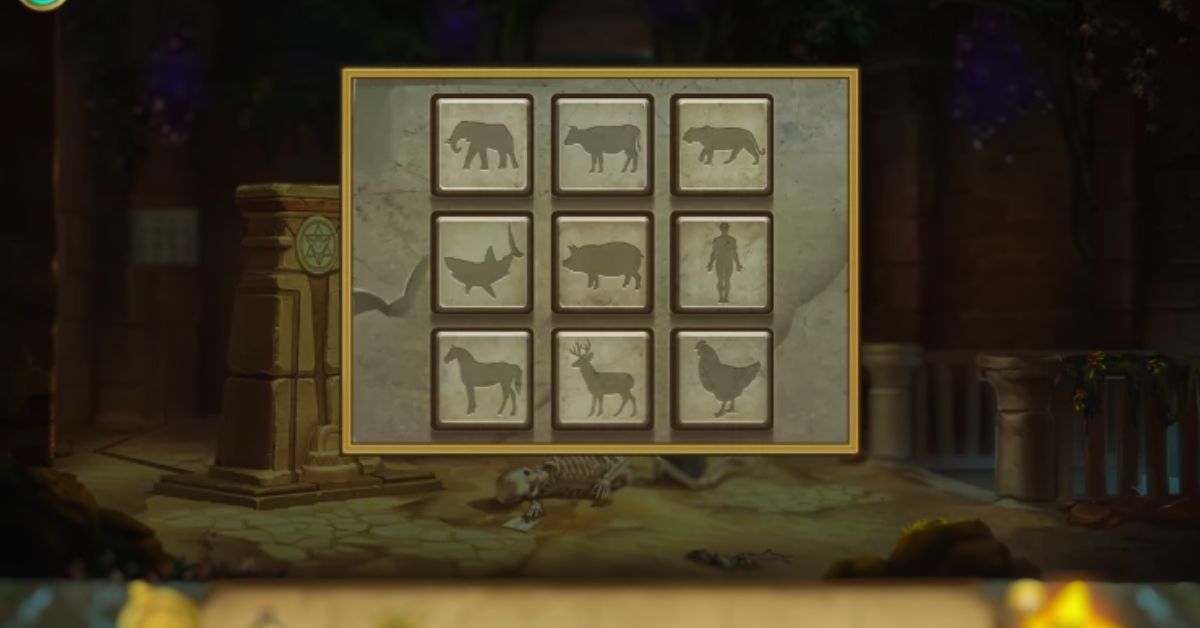
    In the top room, reads the note from the skeleton and takes the empty canteen from his bag. Also, notice the sign above the monkey that says OMNIVORE. Then, solve the puzzle on the wall by placing the animals in the correct rows according to their diet. The solution is shown below. The star emblem will drop down to the main hall.

    Go back to the upper room and use the earth stone on the star in the sky again. The vines will switch back to the other door. Go back to the main hall and take the star emblem from the floor. Then, go through the other door to the bottom room.

    In the bottom room, fill the canteen with water from the fountain. Then, solve the puzzle on the wall by placing the leaves in the correct order according to the colors of the items from the skeleton’s note. The solution is shown below. Then, take the villager figurine from the wall.

    Go back to the main hall and use the earth stone on the star in the sky one last time. The vines will switch back to the other door. Go back to the top room and place the two figurines in the slots on the wall. The exit door will open and you can escape the temple.

    Conclusion

    The Earth temple is one of the challenging and fun locations in Legend of the Sacred Stones Chapter 4. The temple is full of puzzles, secrets, and surprises that will test your logic and creativity. In this article, we have shown you how to escape the Earth temple in Legend of the Sacred Stones Chapter 4, and how to solve the puzzles, find the items, and complete the chapter.

    This is all there is to know about Legend Of The Sacred Stones Chapter 4. You can also read our Street Fighter 6 Character Guide and Diablo Immortal Familiar Guide. Stay up to date with GameEmpress.com for the most recent gaming news and guides.
  • Supreme Hand Persona 3 Reload: How To Find And Defeat The Rare Shadow?

    Supreme Hand Persona 3 Reload: How To Find And Defeat The Rare Shadow?

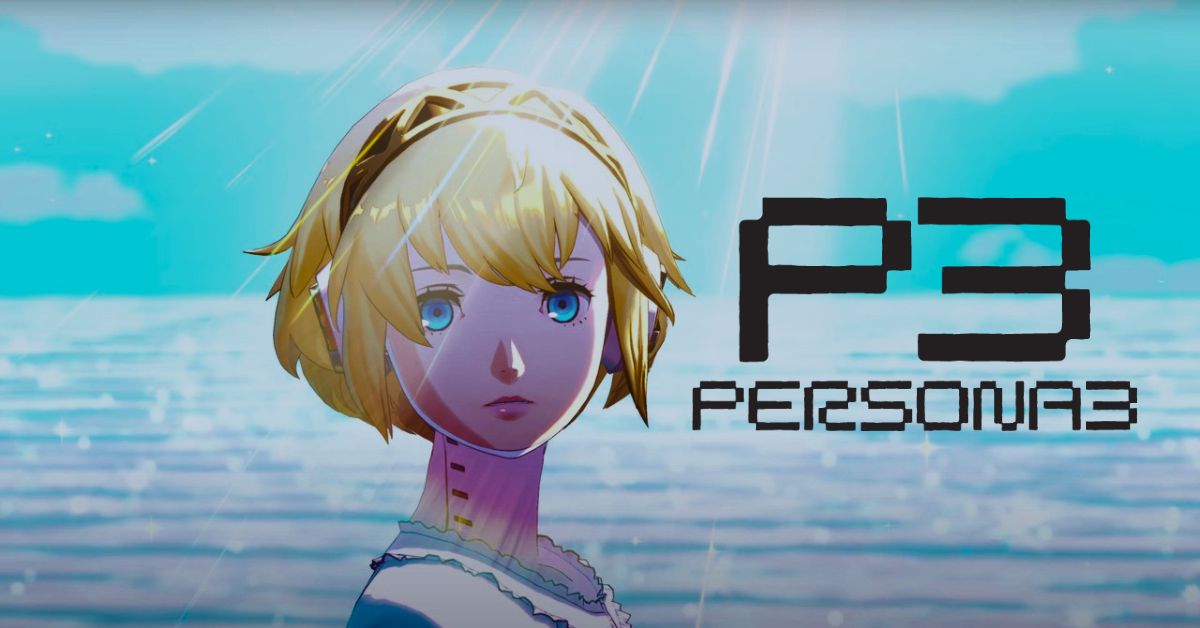
    Persona 3 Reload is a remastered version of the classic JRPG Persona 3, which features improved graphics, gameplay, and content.

    In this article, we will tell you how to find and defeat the Supreme Hand, one of the rare and elusive enemies in Persona 3 Reload.

    Supreme Hand Persona 3 Reload

    Supreme Hand Persona 3 Reload
    Supreme Hand Persona 3 Reload

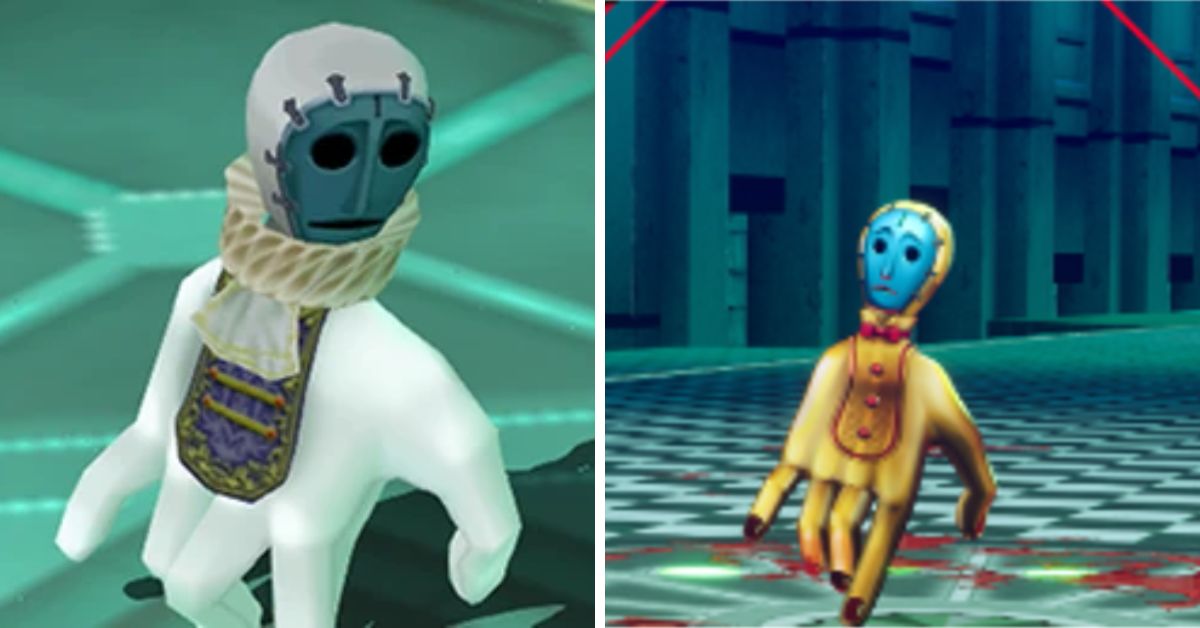
    The Supreme Hand is a type of Rare Shadow, which are special enemy that appears randomly in the Tartarus dungeons. Rare Shadows are different from normal Shadows in several ways:

    • They have a distinctive appearance, usually resembling a golden hand or a treasure chest.
    • They have no weaknesses and are immune to all elemental attacks, making them hard to defeat.
    • They tend to flee from battle if they are not killed quickly, making them hard to catch.
    • They drop a large amount of experience and money, as well as rare items that can be used for crafting or quests.

    The Supreme Hand is the second Rare Shadow that you will encounter in Persona 3 Reload, after the Wealth Hand. It appears from the 77th floor to the 117th floor of Tartarus and drops the Supreme Coin, which is required for some of Elizabeth’s requests.

    How to Find the Supreme Hand?

    The Supreme Hand is a rare enemy that spawns randomly in Tartarus, so there is no guaranteed way to find it. However, there are some tips and tricks that can increase your chances of encountering it:

    • Use a Persona with the Treasure Radar skill, such as Norn or Lakshmi. This skill will show you the location of Rare Shadows on the map, making it easier to spot them.
    • Use a Persona with the Invigorate skill, such as Odin or Thor. This skill will restore some of your SP every turn, allowing you to use more skills and chase down the Rare Shadows.
    • Use a Persona with the Auto-Mataru skill, such as Siegfried or Susan O-o. This skill will automatically cast Matarukaja at the start of the battle, increasing your party’s attack and speed.
    • Use items that increase your luck, such as the Lucky Coin or the Lucky Charm. These items will boost your chances of finding Rare Shadows and getting critical hits on them.
    • Use items that increase your encounter rate, such as the Scapegoat Doll or the Homunculus. These items will make you more likely to run into enemies, including Rare Shadows.
    • Use items that prevent enemies from escaping, such as the Panic Rod or the Panic Claw. These items will inflict the Panic status on enemies, making them unable to flee from battle.

    How to Defeat the Supreme Hand?

    The Supreme Hand is a tough enemy that can withstand a lot of damage and escape from battle if you are not careful. Here are some strategies and tips to defeat it:

    • Use physical attacks, such as Slash, Strike, or Pierce. The Supreme Hand is immune to all elemental attacks, but not to physical attacks. However, be careful not to use too much SP, as you may need it for healing or chasing the Supreme Hand.
    • Use skills that deal with multiple hits, such as Swift Strike, Blade of Fury, or Myriad Arrows. These skills will deal more damage and have a higher chance of landing a critical hit, which will knock down the Supreme Hand and prevent it from escaping.
    • Use skills that boost your critical rate, such as Apt Pupil, Revolution, or Lucky Punch. These skills will make you more likely to land a critical hit, which will knock down the Supreme Hand and prevent it from escaping.
    • Use skills that lower the Supreme Hand’s defense, such as Tarunda, Rakunda, or Masukunda. These skills will make the Supreme Hand more vulnerable to your attacks, and deal more damage.
    • Use skills that increase your party’s attack, such as Tarukaja, Matarukaja, or Power Charge. These skills will make your attacks more powerful, and deal more damage.
    • Use skills that increase your party’s speed, such as Sukukaja, Masukukaja, or Heat Riser. These skills will make your party act faster, and catch up to the Supreme Hand if it tries to flee.
    • Use skills that prevent the Supreme Hand from acting, such as Stagnant Air, Pulinpa, or Marin Karin. These skills will inflict Fear status on the Supreme Hand, making it unable to act or escape.

    Conclusion

    The Supreme Hand is a rare and rewarding enemy that can be found and defeated in Persona 3 Reload. The Supreme Hand will give you a lot of experience and money, as well as a rare item that can be used for crafting or quests.

    However, the Supreme Hand is also a challenging and elusive enemy that can resist your attacks and flee from battle. In this article, we have told you how to find and defeat the Supreme Hand, and given you some tips and tricks to make the battle easier.

    This is everything you need to know about Supreme Hand Persona 3 Reload. Additionally, you can check our guide on MapleStory Inner Ability Guide and Harvest Moon 64 Guide. Stay connected with GameEmpress.com to get the latest news and guides about the gaming world.

  • Persona 3 Reload: How Long To Beat The Epic RPG Adventure

    Persona 3 Reload: How Long To Beat The Epic RPG Adventure

    Fans of the Persona franchise should not be surprised to find that Persona 3 Reload is a large game. Those unfamiliar with the franchise, on the other hand, will find an experience unlike other AAA titles.

    Each Persona game immerses the player in a mystery, with each day simulated to feel real. This framework allows for extremely detailed gameplay and a major story that can easily last 100 hours for many gamers.

    Persona 3 Reload is an upgrade to 2006’s Persona 3 release that includes various new features that enhance the overall experience. The story will be told through the eyes of a young man whom the player will identify and control.

    Those who have played recent titles in the series, such as Persona 5, will be familiar with the Calendar, Social Link, and Persona systems, as well as the game’s simple yet infectious turn-based fighting.

    Aside from the major mystery, players will have to manage a high schooler’s daily life and all of the social issues that come with it. With this in mind, this article will look at how long it takes the typical player to complete a single playing of Persona 3 Reload.

    Persona 3 Reload How Long To Beat?

    Persona 3 Reload Leak
    Persona 3 Reload Leak
    • Main Story: 50+ Hours
    • Completionist: 100+ Hours

    When determining how long it takes to defeat Persona 3 Reload, numerous aspects must be considered. Persona 3 Reload does not follow the conventional ‘action-based’ gameplay structure in which players progress through a level and finally face a boss. While it contains some of these features, there is much more to consider.

    Persona 3 Reload, for example, offers multiple romance options that play a vital role in the story, and choosing which to pursue can dramatically affect play durations. Another crucial consideration is the overall difficulty level, of which Persona 3 Reload has five.

    Those familiar with the Persona series will recognize that this is simply a glance into the factors that influence playtime. Examining the primary changes in Reload will give players a better idea of how long they will spend with the game.

    How Key Persona 3 Reload Changes Affect Playtime?

    P3 has already been released in numerous versions, each with its own set of gameplay adjustments and enhancements. It’s vital to understand that Persona 3 Reload doesn’t have every feature from previous releases. Instead, it aims to modernize P3, putting it in line with the current Persona gameplay demonstrated in Persona 5 Royal. The updates include:

    • Five difficulty levels can now be adjusted at any moment.
    • Shift is a new mechanic that, like Baton Pass from Persona 5 Royal, allows players to transfer to other party members during critical moments in a fight.
    • Theurgy Bar: P3R’s new Theurgy mechanic, which functions as a special meter and enables strong new combat actions.
    • Control of all party members.
    • New mechanics for weakness and resistance.
    • A variety of improvements to allies and foes to put them in line with the contemporary gameplay of Persona 4 and 5.

    These additions more than compensate for any features that were not brought over from previous versions of P3. Players will have far more options in a variety of crucial areas, all of which have the potential to greatly enhance overall playtime.

  • Shadow Articuno Raid Guide: How To Catch The Legendary Ice Bird In Pokemon Go?

    Shadow Articuno Raid Guide: How To Catch The Legendary Ice Bird In Pokemon Go?

    Shadow Articuno is one of the most challenging raid bosses in Pokemon Go. It is a shadow version of the legendary Ice and Flying type Pokemon, Articuno, that has been corrupted by Team Go Rocket.

    Shadow Articuno has a higher attack and defense than its normal counterpart, and it can also become enraged during the battle, making it even more powerful and dangerous.

    To defeat and catch Shadow Articuno, you will need a team of strong and coordinated trainers, as well as some special items called Purified Gems. In this guide, we will show you how to prepare for the Shadow Articuno raid, what are the best counters and strategies, and how to use Purified Gems to subdue the enraged boss.

    What is Shadow Articuno and How to Encounter It?

    Shadow Articuno Raid Guide
    Shadow Articuno Raid Guide

    Shadow Articuno is a special raid boss that can only be encountered in Tier 5 Shadow Raids. Shadow Raids are different from regular raids in several ways:

    • Shadow Raids can only be done using in-person raid passes. You cannot use remote raid passes or invite friends to join you.
    • Shadow Raids have a limited time window. They only appear on certain days and hours, and they last for 15 minutes. You can check the in-game news or the official Pokemon Go website for the schedule of Shadow Raids.
    • Shadow Raids have a unique mechanic. The Shadow Raid Boss will grow enraged as you battle it, boosting its attack and defense. You will need to use Purified Gems to lower its stats and subdue it.

    To encounter Shadow Articuno, you will need to find a Tier 5 Shadow Raid near you and join it with a raid pass. You will also need to have some Purified Gems in your inventory, which are essential for the battle.

    Purified Gems are items that can be crafted from Shadow Shards, which are dropped by Team Go Rocket grunts, leaders, and Shadow Raids. You will need 8 Purified Gems to subdue Shadow Articuno, so make sure you have enough before you attempt the raid.

    What are the Best Counters and Strategies for Shadow Articuno?

    Shadow Articuno Raid Guide
    Shadow Articuno Raid Guide

    Shadow Articuno is an Ice and Flying-type Pokemon, which means it is weak to Rock, Electric, Fire, and Steel-type attacks. It also has four possible moves: Frost Breath (Ice), Ice Shard (Ice), Blizzard (Ice), Ice Beam (Ice), Icy Wind (Ice), and Ancient Power (Rock).

    Depending on its moveset, some counters may perform better or worse than others. Here are some of the best counters and strategies for Shadow Articuno:

    • Rock type Pokemon are the best overall counters for Shadow Articuno, as they deal super effective damage and resist most of its moves. The best Rock types of Pokemon are Mega Aerodactyl, Rampardos, Rhyperior, Terrakion, and Tyranitar. Mega Aerodactyl has the highest DPS, but it is also very fragile. Rampardos is similar, but it can survive longer against Ice Shard and Icy Wind. Rhyperior is more bulky, but it is weak to Blizzard and Ice Beam. Terrakion is a good balance of offense and defense, but it is also weak to Ancient Power. Tyranitar is the most durable, but it has the lowest DPS. You should use Rock Throw and Rock Slide as your moves for these Pokemon.
    • Electric type Pokemon are also good counters for Shadow Articuno, as they deal super effective damage and resist its Flying type moves. The best Electric type Pokemon are Zekrom, Raikou, Electivire, Magnezone, and Zapdos. Zekrom is the strongest, but it is weak to Blizzard and Ice Beam. Raikou is more consistent, but it has lower DPS. Electivire is similar, but it is more glassy. Magnezone is more tanky, but it is weak to Ancient Power. Zapdos is a good option, but it is outclassed by the others. You should use Charge Beam and Wild Charge as your moves for these Pokemon.
    • Fire type Pokemon are also effective counters for Shadow Articuno, as they deal super effective damage and resist its Ice type moves. The best Fire type Pokemon are Mega Charizard Y, Reshiram, Darmanitan, Chandelure, and Moltres. Mega Charizard Y has the highest DPS, but it is weak to Ancient Power. Reshiram is more balanced, but it is also weak to Ancient Power. Darmanitan is very powerful, but it is very frail. Chandelure is similar, but it can survive longer against Frost Breath and Ice Shard. Moltres is a decent option, but it is outclassed by the others. You should use Fire Spin and Overheat as your moves for these Pokemon.
    • Steel type Pokemon are also viable counters for Shadow Articuno, as they deal super effective damage and resist most of its moves. The best Steel type Pokemon are Metagross, Dialga, Excadrill, Melmetal, and Genesect. Metagross is the best, as it has high DPS and TDO, and it is only weak to Ancient Power. Dialga is similar, but it has lower DPS. Excadrill is more glassy, but it has higher DPS. Melmetal is more bulky, but it has lower DPS. Genesect is a good option, but it is weak to Blizzard and Ice Beam. You should use Bullet Punch and Meteor Mash as your moves for these Pokemon.

    The best strategy for Shadow Articuno is to use a team of 4-6 trainers with the best counters and coordinate the use of Purified Gems. You should use Purified Gems when Shadow Articuno is enraged, which will happen after 30 seconds, 90 seconds, and 150 seconds into the battle.

    You can use more than one Purified Gem at the same time, and their effects will stack. If you use enough Purified Gems, you will subdue Shadow Articuno, which will lower its stats and make it easier to defeat.

    You should also use Mega Evolutions to boost your team’s damage and stagger them between trainers to keep the boost active for as long as possible. You should also dodge the charged moves of Shadow Articuno, especially Blizzard and Ice Beam, which can deal a lot of damage and wipe out your team.

    How to Catch Shadow Articuno?

    After you defeat Shadow Articuno, you will have a chance to catch it. You will get a fixed number of Premier Balls, based on your individual and team performance, as well as any bonuses from medals, friendship, and gym control.

    You will also get a bonus Premier Ball if you subdue Shadow Articuno during the battle. You can use any type of berry to increase your chances of catching Shadow Articuno, but Golden Razz Berries are the best.

    You should also use curveballs and aim for excellent throws to maximize your catch rate. Shadow Articuno can be shiny, which will have a different color and a sparkly effect. If you encounter a shiny Shadow Articuno, you are guaranteed to catch it, as long as you don’t miss your throw or run out of balls.

    Shadow Articuno is a rare and powerful Pokemon that can be a great addition to your collection. It can also be purified, which will increase its stats, lower its cost of powering up and unlocking a second move, and change its charged move to Return.

    However, purifying Shadow Articuno will also remove its shadow boost, which gives it a 20% increase in attack and a 20% decrease in defense. Some players prefer to keep Shadow Articuno as it is, while others prefer to purify it. The choice is yours, but you should consider the pros and cons of each option before you decide.

    This is all there is to know about Shadow Articuno Raid Guide. You can also read our Street Fighter 6 Character Guide and Diablo Immortal Familiar Guide. Stay up to date with GameEmpress.com for the most recent gaming news and guides.

  • Granblue Fantasy Relink Characters: A Guide To The 20 Playable Roles

    Granblue Fantasy Relink Characters: A Guide To The 20 Playable Roles

    Granblue Fantasy Relink is an upcoming action RPG that is based on the popular mobile game Granblue Fantasy. The game is developed by Cygames and PlatinumGames and is expected to be released in 2022 for PS4 and PS5.

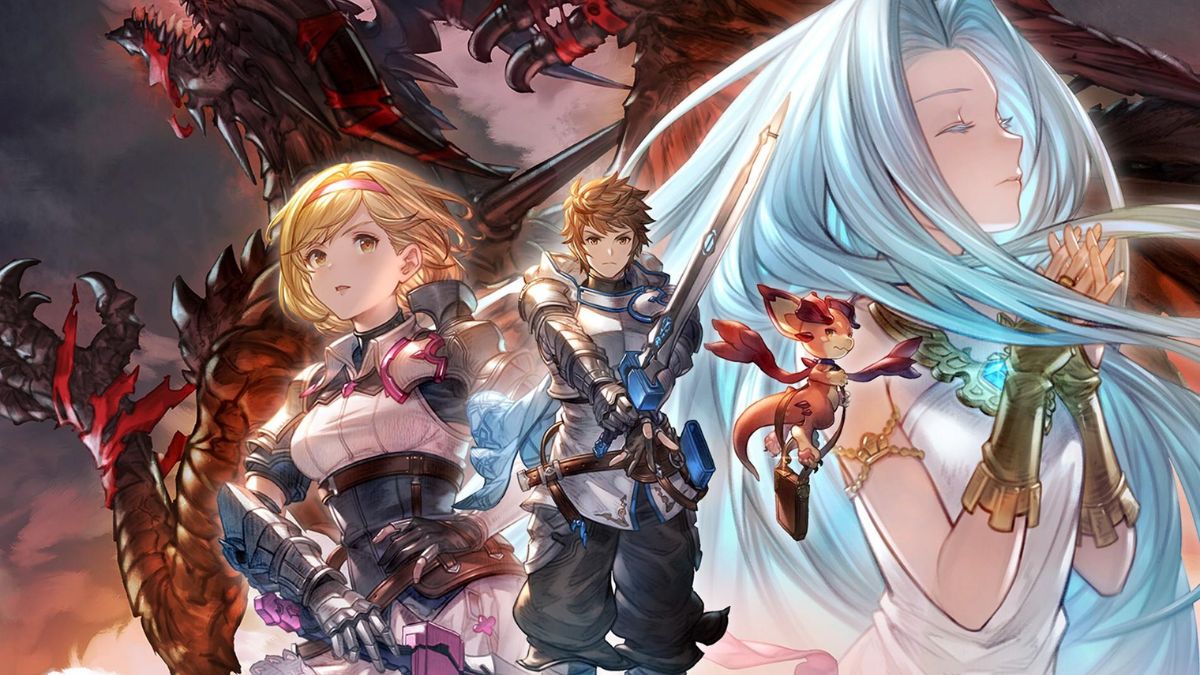
    The game will feature a vast open world, a dynamic combat system, and a rich story. The game will also feature 20 playable characters, each with their unique role, skills, and playstyle. In this article, we will introduce the Granblue Fantasy Relink characters, and how to use them effectively.

    Granblue Fantasy Relink Characters

    Is Granblue Fantasy Relink Crossplay?
    Is Granblue Fantasy Relink Crossplay?

    The Granblue Fantasy Relink characters are the characters that the player can control and use in combat and exploration. They are divided into four factions: Tank, Assault, Support, and Heal. Each faction has five characters, and each character has a specific role and weapon. The factions are as follows:

    • Tank: The Tank faction consists of characters who have high defense and health, and can withstand a lot of damage. They can also protect their allies and reflect damage to their enemies. The Tank characters are Katalina, Rackam, Lancelot, Vane, and Eugen.
    • Assault: The Assault faction consists of characters who have high attack and speed, and can deal a lot of damage. They can also apply various effects and debuffs to their enemies. The Assault characters are Gran, Djeeta, Percival, Siegfried, and Eustace.
    • Support: The Support faction consists of characters who have high utility and versatility, and can buff their allies and debuff their enemies. They can also heal, revive, and manipulate the battlefield. The Supporting characters are Lyria, Rosetta, Ferry, Drang, and Orchid.
    • Heal: The Heal faction consists of characters who have high healing and recovery and can restore their allies’ health and remove negative effects. They can also deal with damage and apply positive effects to their allies. The Heal characters are: Io, Noa, Vira, Cagliostro, and Narmaya.

    Each character also has four skills: a basic attack, an active skill, a passive skill, and a leader skill. The basic attack is the default action, which can deal damage, heal, or apply effects.

    The active skill is a special ability, that can be activated by spending energy. The passive skill is the innate trait, which can provide bonuses or effects to the character or the team. The leader skill is a unique talent, which can only be used by the character who is assigned as the leader of the team.

    How to Choose Granblue Fantasy Relink Characters?

    Granblue Fantasy Relink characters can be chosen by accessing the character menu, where the player can see all the available characters, their roles, their weapons, and their skills. The player can also see their equipped characters and their current energy level.

    The player can choose up to four characters to form a team and assign one of them as the leader. The player can also change their characters at any time outside of combat.

    The player should choose their characters based on their playstyle, strategy, and preference, and try to create a balanced and synergistic team. The player should also consider the enemy’s faction, role, and skills, and try to counter them.

    For example, a player who likes to play aggressively and deal damage might choose the following characters:

    • Leader: Gran, who is an attack character who can deal high damage and apply burn effects to enemies. He can also increase his attack and critical rate, and reduce the enemy’s defense.
    • Tank: Katalina, is a defense character who can protect her allies and reduce the damage taken by front-row units. She can also summon the primal beast Ares to deal damage and stun enemies.
    • Support: Lyria, who is a utility character who can buff her team’s attack and critical rate, and debuff the enemy’s defense and dodge rate. She can also deal damage, heal, and revive allies.
    • Heal: Io, who is a Heal character who can heal her team and remove negative effects. She can also deal damage apply freeze effects to enemies, and increase her energy and defense.

    This combination of characters would allow the player to play offensively and defensively, and to benefit from each other’s skills and effects.

    How to Use Granblue Fantasy Relink Characters?

    Granblue Fantasy Relink characters can be used by tapping the character icons on the screen, or by pressing the corresponding buttons on the controller. This will switch the control to the selected character, and allow the player to use their skills and abilities.

    The player can also see the current character, their energy level, and their cooldowns on the screen.

    The player can use their skills by tapping the skill icons on the screen, or by pressing the corresponding buttons on the controller. This will activate the equipped skill if the player has enough energy, and if the skill is not on cooldown.

    Some skills have additional requirements or conditions to activate, such as being in a certain range, having a certain weapon, or having a certain amount of health.

    The player can also use their leader skill by tapping the leader skill icon on the screen, or by pressing the corresponding button on the controller. This will activate the leader skill, which can only be used by the character who is assigned as the leader of the team.

    The leader skill has a longer cooldown than the other skills, and it can have a powerful effect on the team or the enemy.

    The player should use their skills wisely, and try to activate them at the right time and target. The player should also use their skills strategically, and try to benefit themselves and their team and hinder the enemy.

    For example, a player who has the following characters equipped might use their skills in the following situations:

    • Leader: Gran, who can use his active skill, Blaze, to deal high damage and apply burn effects to enemies. He can also use his leadership skill, Grand Order, to increase his team’s attack and critical rate, and reduce the enemy’s defense.
    • Tank: Katalina, who can use her active skill, Aegis Boon, to protect her allies and reduce the damage taken by front-row units. She can also use her passive skill, Ares Summon, to summon the primal beast Ares to deal damage and stun enemies.
    • Support: Lyria, who can use her active skill, Starry Sky, to buff her team’s attack and critical rate, and debuff the enemy’s defense and dodge rate. She can also use her passive skill, Primal Link, to deal damage, heal, and revive allies.
    • Heal: Io, can use her active skill, Heal All, to heal her team and remove negative effects. She can also use her passive skill, Frozen Blade, to deal damage apply freeze effects to enemies, and increase her energy and defense.

    This way, the player would use their skills to adapt to different situations and to maximize their damage, healing, and survival.

    Conclusion

    Granblue Fantasy Relink is an upcoming action RPG that will feature 20 playable characters, each with a unique role, skills, and playstyle. The player can choose up to four characters to form a team and assign one of them as the leader. The player can also change their characters at any time outside of combat.

    The player can use their skills by spending energy, which is gained by attacking, being attacked, or using items. The player should choose and use their characters based on their playstyle, strategy, and preference, and try to create a balanced and synergistic team.

    Granblue Fantasy Relink is a game that will appeal to fans of action RPG, fantasy, and anime, and will offer a fun and immersive experience on PS4 and PS5.

    This is everything you need to know about Granblue Fantasy Relink Characters. Additionally, you can check our guide on MapleStory Inner Ability Guide and Harvest Moon 64 Guide. Stay connected with GameEmpress.com to get the latest news and guides about the gaming world.

  • Diablo Immortal Blood Knight: A Guide To The Vampiric Class

    Diablo Immortal Blood Knight: A Guide To The Vampiric Class

    Diablo Immortal is a mobile action RPG that is set between the events of Diablo II and Diablo III. The game features six classes: Barbarian, Monk, Wizard, Demon Hunter, Crusader, and Necromancer.

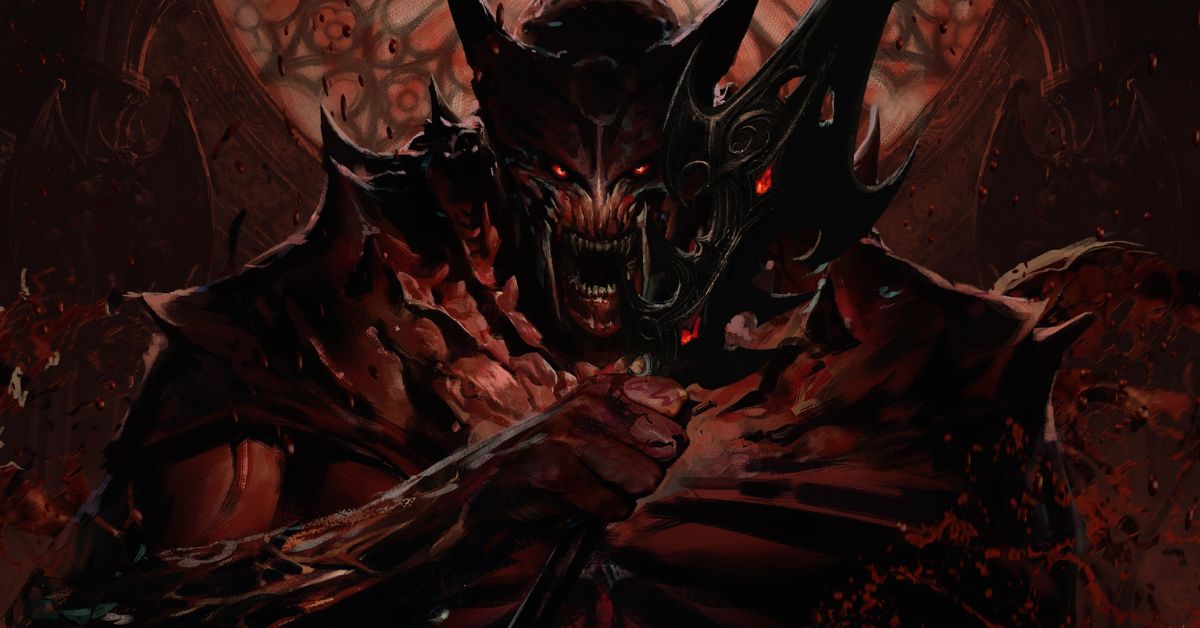
    However, the game also introduces a new class, the Blood Knight, which is exclusive to Diablo Immortal. The Blood Knight is a hybrid melee and ranged class that uses blood magic and a polearm to fight against the forces of evil. In this article, we will provide a guide to the Blood Knight class, and how to play it effectively.

    What is the Blood Knight Class?

    Diablo Immortal Blood Knight
    Diablo Immortal Blood Knight

    The Blood Knight class is a human who has been bitten by a vampire but has resisted the transformation into a mindless thrall. Instead, the Blood Knight has gained some of the vampire’s powers, such as enhanced strength, speed, and regeneration.

    However, the Blood Knight also has to deal with the curse of vampirism, which makes them crave blood and risk losing their humanity. The Blood Knight class belongs to the Tank faction, which means they have high defense and health and can withstand a lot of damage.

    The Blood Knight class also has three roles: Attack, Defense, and Heal. The Attack role focuses on dealing damage and applying effects to enemies. The Defense role focuses on protecting allies and reflecting damage to enemies. The Heal role focuses on healing allies and removing negative effects.

    The Blood Knight class uses a polearm as their main weapon, which allows them to attack enemies from a distance or up close. The Blood Knight class also uses blood magic, which involves draining enemies’ life force and using it to power their skills.

    The Blood Knight class has four skills: a basic attack, an active skill, a passive skill, and a leader skill. The basic attack is the default action, which can deal damage, heal, or apply effects. The active skill is a special ability, which can be activated by spending energy.

    The passive skill is the innate trait, which can provide bonuses or effects to the Blood Knight or the team. The leader skill is the unique talent, which can only be used by the Blood Knight who is assigned as the leader of the team.

    How to Play the Blood Knight Class?

    To play the Blood Knight class, you will need to:

    • Choose your skills: You can choose your skills from a pool of 12 skills, which are divided into four categories: Blood, Shadow, Curse, and Vampirism. You can only equip one skill from each category, and you can change your skills at any time outside of combat. You should choose your skills based on your role, strategy, and preference, and try to create a synergistic combination. You should also consider the enemy’s faction, role, and skills, and try to counter them. You can also upgrade your skills by using skill points, which can be obtained from leveling up or completing quests.
    • Manage your blood: You can manage your blood by using your skills, items, and abilities. You can gain blood by attacking enemies, being attacked, or using items. You can spend blood by activating your skills, healing yourself, or using abilities. You should manage your blood wisely, and try to balance your offense and defense. You should also avoid running out of blood, as it will make you vulnerable and weak.
    • Use your abilities: You can use your abilities by tapping the ability icons on the screen. You can use three abilities: Blood Rage, Blood Bond, and Blood Sacrifice. Blood Rage is an ability that increases your attack and movement speed, and reduces your damage taken. Blood Bond is an ability that links you with an ally, and shares your blood and effects with them. Blood Sacrifice is an ability that consumes your blood and deals damage to enemies around you. You should use your abilities strategically, and try to benefit yourself and your team and hinder the enemy.
    • Equip your items: You can equip your items by accessing the inventory menu. You can equip various items, such as weapons, armor, accessories, and relics, to improve your stats and performance. You can also use the game’s crafting system, which lets you upgrade and modify your items without destroying them. You can also collect and equip idols, which are powerful artifacts that grant you passive bonuses and effects. You should equip your items based on your role, strategy, and preference, and try to enhance your strengths and cover your weaknesses. You should also consider the enemy’s faction, role, and skills, and try to counter them.

    What are the Best Items and Skills for the Blood Knight Class?

    The best items and skills for the Blood Knight class are the ones that suit your playstyle, strategy, and preference. However, some items and skills are generally considered to be more useful, versatile, or powerful than others, based on their stats, effects, and rarity. Here are some of the best items and skills for the Blood Knight class, according to our tier list:

    • S Tier: Siphon Blood, Swarm of Bats, Blood Curse, Vampiric Aura, Spiteful Blood, Bloodthirsty Blade, Bloodstained Armor, Bloodlust Ring, Blood Moon Relic
    • A Tier: Blood Strike, Shadow Slash, Blood Boil, Vampiric Touch, Blood Pact, Blood Reaper, Bloodied Helm, Blood Bond Necklace, Blood Fiend Relic
    • B Tier: Blood Spear, Shadow Burst, Blood Hex, Vampiric Embrace, Blood Fury, Blood Drinker, Bloodied Gloves, Blood Oath Bracelet, Blood Eye Relic

    Here are some brief explanations of why these items and skills are ranked as they are:

    • Siphon Blood: Siphon Blood is the best basic attack skill for the Blood Knight, as it can deal damage and heal the Blood Knight based on the enemy’s health. It can also apply a bleed effect to the enemy, which can stack up to three times.
    • Swarm of Bats: Swarm of Bats is the best active skill for the Blood Knight, as it can summon a swarm of bats that can attack multiple enemies and drain their blood. It can also increase the Blood Knight’s attack and movement speed, and reduce the enemy’s defense.
    • Blood Curse: Blood Curse is the best passive skill for the Blood Knight, as it can curse the enemy with every attack, and reduce their attack and movement speed. It can also deal damage to the enemy based on their health, and heal the Blood Knight for the same amount.
    • Vampiric Aura: Vampiric Aura is the best leadership skill for the Blood Knight, as it can grant the Blood Knight and the team a chance to heal for a percentage of the damage they deal. It can also increase the Blood Knight and the team’s attack and defense.
    • Spiteful Blood: Spiteful Blood is the best legendary gem for the Blood Knight, as it can increase the Blood Knight’s attack and critical rate, and reduce the enemy’s defense and dodge rate. It can also deal damage to the enemy based on their health, and heal the Blood Knight for the same amount.
    • Bloodthirsty Blade: Bloodthirsty Blade is the best weapon for the Blood Knight, as it can increase the Blood Knight’s attack and critical damage, and reduce the enemy’s defense and dodge rate. It can also deal damage to the enemy based on their health, and heal the Blood Knight for the same amount.
    • Bloodstained Armor: Bloodstained Armor is the best armor for the Blood Knight, as it can increase the Blood Knight’s defense and health, and reduce the damage taken from enemies. It can also reflect damage back to enemies, and heal the Blood Knight for a percentage of the damage reflected.
    • Bloodlust Ring: The Bloodlust Ring is the best accessory for the Blood Knight, as it can increase the Blood Knight’s attack and movement speed, and reduce the enemy’s defense and dodge rate. It can also increase the Blood Knight’s blood gain and energy regeneration, and reduce the blood cost of skills.
    • Blood Moon Relic: Blood Moon Relic is the best relic for the Blood Knight, as it can increase the Blood Knight’s attack and defense, and reduce the damage taken from enemies. It can also increase the Blood Knight’s blood gain and energy regeneration, and reduce the blood cost of skills.

    Conclusion

    The Blood Knight class is a hybrid melee and ranged class that uses blood magic and a polearm to fight against the forces of evil. The Blood Knight class is exclusive to Diablo Immortal and is the first new class in the Diablo series since the Crusader.

    The Blood Knight class is a dark and mysterious class, that has to balance their power and curse. The Blood Knight class is a versatile and powerful class, that can deal damage, heal, and protect themselves and their allies.

    The Blood Knight class is a class that will appeal to fans of vampires, anti-heroes, and blood magic, and will offer a fun and immersive experience in Diablo Immortal.

    If you are interested in knowing more articles related to other Game guides, you can check Mega Glalie Raid Guide and Dragonflight Alchemy Guide. We appreciate your interest in our website! Make Gameempress.com your go-to site for gaming information.

  • How Many Players Are In Enshrouded? A Guide For Co-op Fans

    How Many Players Are In Enshrouded? A Guide For Co-op Fans

    Enshrouded is a new survival action RPG that lets you explore a vast and dynamic world, fight against challenging enemies, and build your base. The game is developed by Keen Games, the studio behind Portal Knights and Sacred 3.

    The game is based on the Unreal Engine 4 and features stunning graphics, realistic physics, and dynamic weather. Enshrouded is currently in early access and is expected to launch in late 2024.

    In this article, we will answer one of the most common questions about the game: how many players are in Enshrouded?

    Is Enshrouded Multiplayer?

    Yes, Enshrouded is multiplayer! The game supports both solo and co-op modes, and you can play with up to 16 players at a time. You can invite your friends to join your adventure and work together to survive, explore, and build.

    Enshrouded Xbox Release Date
    Enshrouded Xbox Release Date

    You can also interact with other players, trade items, and form alliances or rivalries. Enshrouded is a game that encourages cooperation and communication, and offers a more social and fun experience.

    How to Play Enshrouded with Friends?

    To play Enshrouded with friends, you will need to create or join a server. You can either host your server or join an existing one. You can also use the matchmaking system, which will automatically find a suitable server for you based on your preferences and region.

    You can also browse the server list, and filter the servers by name, password, player count, difficulty, and mode. Once you find a server you like, you can join it by clicking on it, or by entering the server ID or IP address.

    To invite your friends to your server, you will need to share the server ID or IP address with them. You can also use the Steam invite system, which will send a notification to your friends and allow them to join your server directly.

    You can also use the in-game chat system, which will let you communicate with your friends and other players. You can also use voice chat, which will enable you to talk to your friends and other players in real-time.

    What are the Benefits of Playing Enshrouded with Friends?

    Playing Enshrouded with friends has many benefits, such as:

    • Sharing resources: You can share your resources, items, and equipment with your friends, and help each other survive and progress. You can also trade your resources, items, and equipment with other players, and get what you need or want.
    • Building together: You can build your base together with your friends, and create a cozy and safe place to live. You can also build structures that will benefit your team, such as defenses, workshops, and farms. You can also visit other players’ bases, and admire their creations or raid them.
    • Fighting together: You can fight against the Shadows together with your friends, and use your combined skills and strategies to overcome the challenges. You can also fight against other players, and test your skills and tactics in PvP battles.
    • Exploring together: You can explore the world together with your friends, and discover new places, secrets, and treasures. You can also encounter random events, such as quests, bosses, and raids, and face them together with your friends.
    • Having fun together: You can have fun together with your friends, and enjoy the game’s features and content. You can also create your own stories, challenges, and games, and make your own rules and goals.

    Conclusion

    Enshrouded is a game that supports up to 16 players and offers a co-op mode that allows you to play with your friends. Enshrouded is a game that offers a rich and immersive experience, with a dynamic and beautiful world, a compelling and mysterious story, and diverse and rewarding gameplay.

    Enshrouded is a game that you should try, whether you are a fan of survival, action, or RPG games and whether you prefer to play solo or with friends. Enshrouded is available now on Steam Early Access, and you can buy it for $29.49.

    You can also get the Digital Deluxe Edition for $39.49, which includes the Enshrouded DLC Pack, the digital artbook, and the digital soundtrack. If you pre-order the game, you will also get the P4G BGM Set, which allows you to change the background music to Persona 4 Golden’s tracks. You can also get the AIGIS Edition for $49.49, which includes a physical copy of the game, an Aigis figure, the art book, and the soundtrack.

  • Vampire: The Masquerade – Justice PSVR2: A Stealth RPG For Bloodthirsty Fans

    Vampire: The Masquerade – Justice PSVR2: A Stealth RPG For Bloodthirsty Fans

    Vampire: The Masquerade – Justice is a new PSVR2 game that lets you become a stealthy vampire in a dark and mysterious Venice. The game is developed by Fast Travel Games, the studio behind VR titles like Apex Construct and The Curious Tale of the Stolen Pets.

    The game is based on the rich story world of Vampire: The Masquerade, a tabletop RPG that has spawned several video games, novels, and comics. In this article, we will give you an overview of what to expect from Vampire: The Masquerade – Justice PSVR2, including its story, gameplay, and release date.

    Vampire: The Masquerade – Justice PSVR2 Story

    Vampire: The Masquerade – Justice PSVR2 follows the story of Justice, a vampire of clan Banu Haqim, who travels from New York to Venice, Italy, to hunt down the perpetrator of their sire’s final death. Justice is voiced by Naveen Andrews, best known for his roles in Lost and Sense8.

    Along the way, Justice will encounter various characters, factions, and mysteries in the hidden world of the undead. The game is set in the modern nights but also features flashbacks to the 15th century when Venice was a center of power and intrigue for the vampires.

    The game is an original story that is not directly connected to any previous Vampire: The Masquerade games, but it does feature references and Easter eggs for fans of the franchise.

    The game also respects the lore and rules of the tabletop RPG and is faithful to the themes and tone of the World of Darkness, a dark and gritty setting where supernatural creatures lurk in the shadows of human society.

    How do you Play Vampire: The Masquerade – Justice PSVR2?

    Vampire: The Masquerade – Justice PSVR2 is a first-person stealth RPG that fully immerses you in the role of a vampire. You will use the PSVR2 headset and the PSVR2 Sense Controllers to explore the city of Venice, interact with characters, and engage in combat.

    The game takes advantage of the PSVR2’s features, such as the adaptive triggers, the haptic feedback, and the 4K resolution, to create a realistic and immersive experience. As a vampire, you have access to various powers, called disciplines, that help you stay hidden from your enemies, or take them down with lethal force.

    You can sneak up on your victims to drink their blood, which replenishes your health and fuels your discipline. You can also use disciplines such as Obfuscate, which allows you to turn invisible, Celerity, which grants you superhuman speed, and Quietus, which lets you fire corrosive bolts from your fingertips.

    You can upgrade and customize your disciplines between missions, and choose your playstyle, whether you prefer to be stealthy, aggressive, or persuasive.

    The game also features a branching dialogue system, where you can use your charisma, intimidation, or seduction skills to influence the outcome of conversations. Your choices will have consequences, and affect your relationships with other characters, as well as your morality and humanity.

    You will also have to follow the Masquerade, the code of secrecy that prevents humans from discovering the existence of vampires. If you break the Masquerade too often, you will attract the attention of hunters, who will try to kill you.

    Conclusion

    Vampire: The Masquerade – Justice PSVR2 is a new PSVR2 game that lets you become a stealthy vampire in a dark and mysterious Venice. The game is developed by Fast Travel Games, and is based on the rich story world of Vampire: The Masquerade, a tabletop RPG that has spawned several video games, novels, and comics.

    The game is a first-person stealth RPG that fully immerses you in the role of a vampire, using the PSVR2 headset and the PSVR2 Sense Controllers. You will use various powers, called disciplines, to stay hidden from your enemies, or take them down with lethal force. You will also interact with characters, make choices, and follow the Masquerade, the code of secrecy that prevents humans from discovering the existence of vampires.

    You can pre-order the game from the PlayStation Store, or get the Digital Deluxe Edition or the AIGIS Edition for extra bonuses. Vampire: The Masquerade – Justice PSVR2 is a game that will appeal to fans of stealth, RPG, and vampire games, and will offer a unique and immersive experience in VR.

    This is all there is to know about Vampire: The Masquerade – Justice PSVR2. You can also read our Street Fighter 6 Character Guide and Diablo Immortal Familiar Guide. Stay up to date with GameEmpress.com for the most recent gaming news and guides.