Category: Gaming

Game Empress’s main gaming hub — featuring news, opinions, industry analysis, and coverage of the games and developers shaping the medium today.

  • Civilization 6 Cheats: How To Enable Debug Menu And Use Trainers?

    Civilization 6 Cheats: How To Enable Debug Menu And Use Trainers?

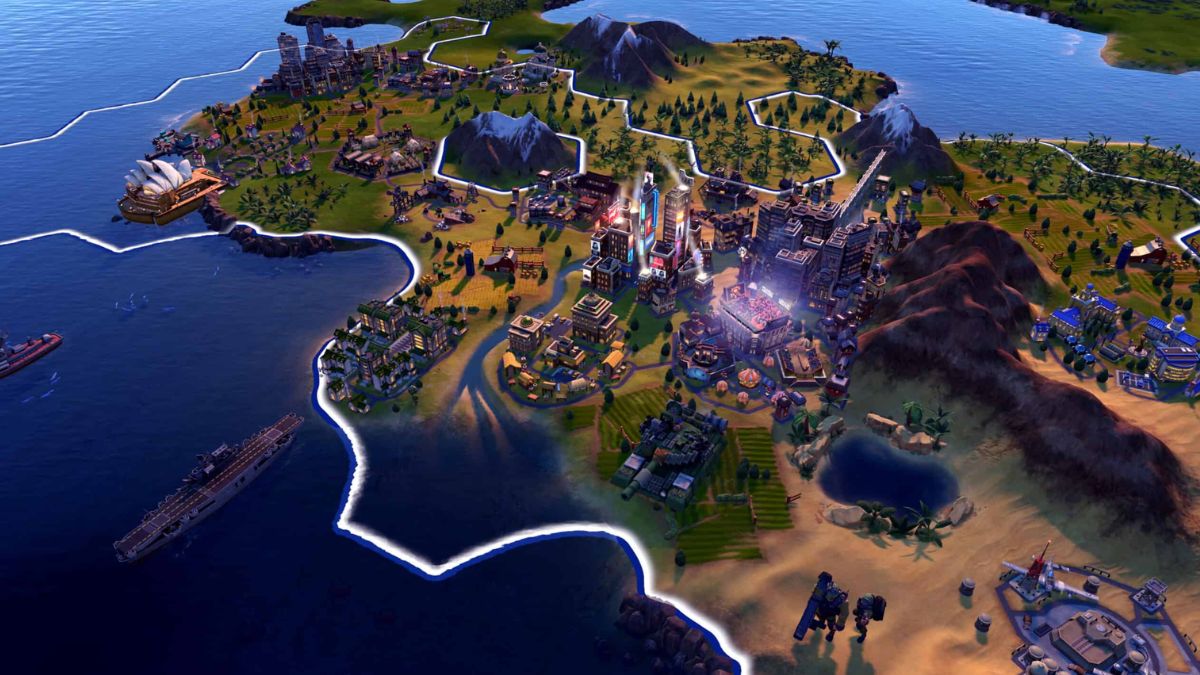
    Civilization 6 is a turn-based strategy game that challenges you to build and lead a civilization from the ancient era to the modern age. The game offers various modes and options to customize your gameplay, but sometimes you may want to have some extra fun or ease the difficulty.
    Civilization 6 Cheats
    Civilization 6 Cheats

    That’s why some players are looking for Civilization 6 cheats, which can allow you to access hidden features, modify the game, or get unlimited resources. In this article, we will show you how to enable the debug menu and use trainers in Civilization 6, and what you can do with them.

    How To Enable The Debug Menu In Civilization 6?

    The debug menu is a built-in feature in Civilization 6 that lets you access various commands and information. However, it is not enabled by default, and you need to edit a game file to activate it. Here are the steps to enable the debug menu in Civilization 6:

    • Go to the folder where the game is installed, and navigate to the following path: \\Documents\\My Games\\Sid Meier’s Civilization VI
    • Make a backup copy of the AppOptions.txt file, in case you want to revert the changes later.
    • Open the AppOptions.txt file with a text editor, such as Notepad.
    • Find the line that says “; Enable Debug menu”. Remove the semicolon at the beginning, and change the 0 to 1. The line should look like this: EnableDebugMenu
    • Save the file and close the text editor.
    • Launch the game as usual, and start or load a game.
    • Press the tilde key (~) on your keyboard to open the debug console. You can type commands in the console, or use the up and down arrows to access the debug menus.

    How To Use Trainers In Civilization 6?

    Trainers are third-party programs that can modify the game’s memory and data, and provide various cheats and options. There are many trainers available for Civilization 6, but one of the most popular and reliable ones is the WeMod trainer, which has over 20 cheats and features, such as unlimited gold, faith, movement, and more. Here are the steps to use the WeMod trainer in Civilization 6:

    • Download and install the WeMod app.
    • Launch the WeMod app and find Civilization 6 in the games list. You can also use the search function to find it faster.
    • Click on the Play button to launch the game with the trainer. You can also launch the game first, and then click on the Play button to attach the trainer to the game.
    • Once the game is running, you can use the hotkeys or the app interface to activate or deactivate the cheats. You can also customize the hotkeys and the cheat options in the app settings.

    You might also be interested in the following game Cheats:

    What Can You Do With The Debug Menu And Trainers In Civilization 6?

    The debug menu and trainers in Civilization 6 can provide you with various benefits and options, such as:

    • Reveal the entire map and explore all the tiles.
    • Get unlimited resources, such as gold, faith, culture, science, and more.
    • Change the game speed, difficulty, and rules.
    • Spawn units, buildings, wonders, and other objects.
    • Control the weather, time of day, and terrain.
    • Access information and reports about the game state and the AI.
    • And much more.

    However, you should also be aware of the risks and drawbacks of using the debug menu and trainers in Civilization 6, such as:

    • The debug menu and trainers may not work with the latest version or the DLCs of the game and may require updates or patches.
    • The debug menu and trainers may cause bugs, glitches, crashes, or errors in the game, and may affect the game’s performance and stability.
    • The debug menu and trainers may disable the achievements, leaderboards, and multiplayer features of the game, and may prevent you from saving or loading the game.
    • The debug menu and trainers may ruin the fun and challenge of the game and may make the game too easy or boring.
    • The debug menu and trainers may violate the terms of service and the code of conduct of the game and may result in bans, penalties, or legal actions.

    Therefore, you should use the debug menu and trainers in Civilization 6 at your discretion and responsibility, and only for personal and non-commercial purposes.

    You should also backup your game files and save files before using them, and disable them when you are done. You should also respect the game developers and the game community, and not use the debug menu and trainers to cheat, exploit, or harm others.

    We appreciate your interest in our website! Make Gameempress.com your go-to site for gaming information.
  • Risk Of Rain 2 Gameplay: How To Survive And Thrive In The Rogue-Like Shooter?

    Risk Of Rain 2 Gameplay: How To Survive And Thrive In The Rogue-Like Shooter?

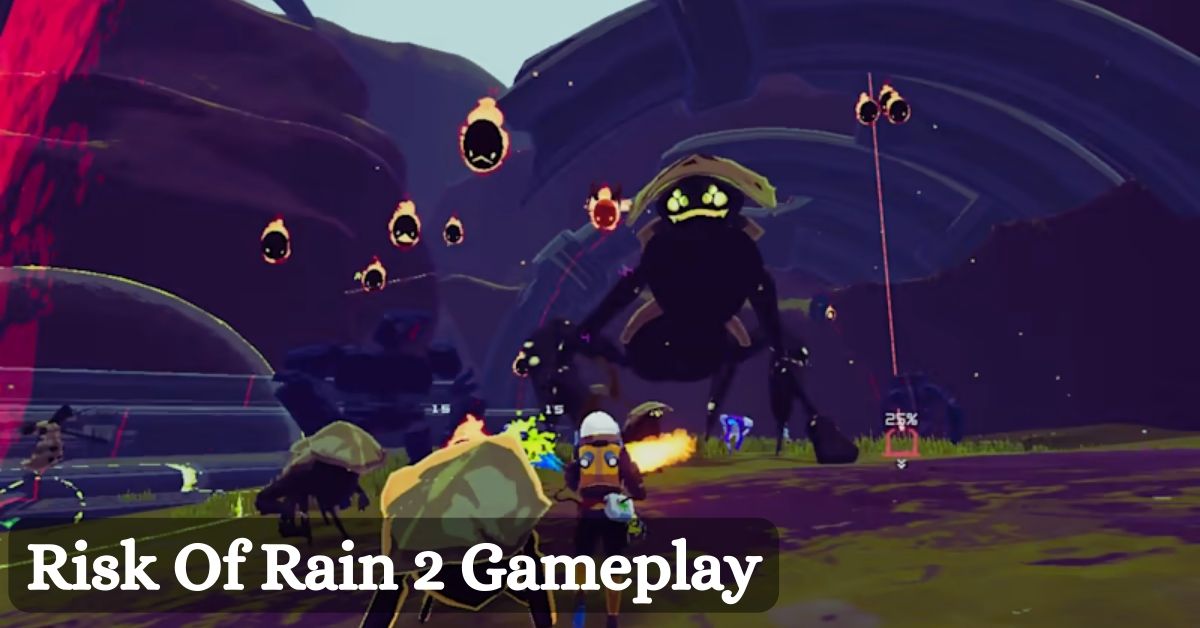
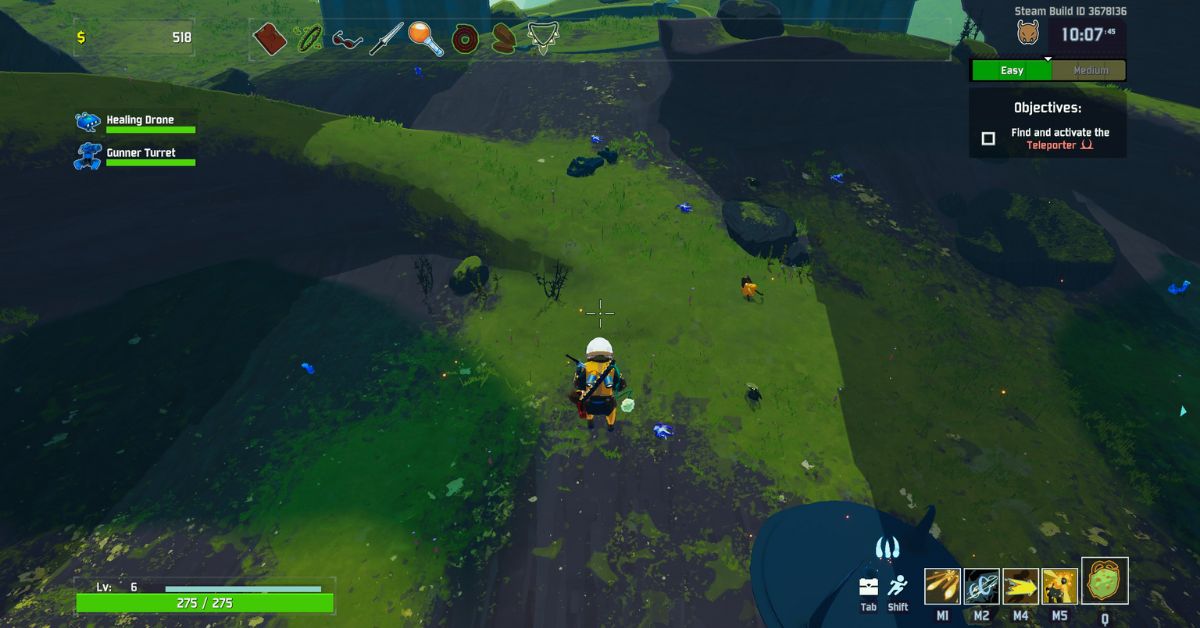
    Risk of Rain 2 is a rogue-like shooter game that challenges players to survive and escape from a hostile planet full of alien creatures and environmental hazards. The game was developed by Hopoo Games and was released in 2020 for PC, PlayStation 4, Xbox One, and Nintendo Switch.

    The game has received critical acclaim and has a loyal fan base that enjoys the fast-paced and chaotic gameplay, the colourful and varied graphics, and the diverse and customizable content. In this article, we will explain the basics of the risk of Rain 2 gameplay, and give some tips and tricks on how to survive and thrive in the game.

    Risk Of Rain 2 Gameplay

    Risk Of Rain 2 Gameplay
    Risk Of Rain 2 Gameplay

    Basics: Characters, Items, and Stages

    The Risk of Rain 2 gameplay is based on three main elements: characters, items, and stages. These elements are randomly generated and different in each run, making the game unpredictable and replayable.

    • Characters: The game features 12 playable characters, each with their unique abilities, stats, and playstyles. The characters are Commando, Huntress, MUL-T, Engineer, Artificer, Mercenary, Rex, Loader, Acrid, Captain, Bandit, and Heretic. The characters have four abilities: a primary attack, a secondary attack, a utility skill, and a special skill. The characters also have different health, damage, speed, and armour values. The characters can be unlocked by completing various challenges and achievements in the game.
    • Items: The game features over 100 items, which can be found in chests, shops, shrines, or dropped by enemies. The items can grant various benefits and effects to the characters, such as increasing their health, damage, speed, armour, or crit chance, or giving them special abilities, such as healing, teleporting, or summoning allies. The items are divided into four rarities: common, uncommon, rare, and legendary. The items can also stack, meaning that the more of the same item the character has, the stronger the effect will be. The items can also be traded, upgraded, or sacrificed at various terminals and altars in the game.
    • Stages: The game features 10 stages, each with its theme, layout, enemies, and bosses. The stages are Distant Roost, Titanic Plains, Abandoned Aqueduct, Rallypoint Delta, Scorched Acres, Siren’s Call, Abyssal Depths, Sky Meadow, Commencement, and Bulwark’s Ambry. The stages are randomly selected and ordered in each run, making the game varied and challenging. The stages also have different difficulty levels, which increase over time, making the enemies stronger and more numerous. The stages also have different secrets and events, which can reward the player with items, money, or lore.

    Tips and Tricks: How to Survive and Thrive in the Game?

    The risk of Rain 2 gameplay is not easy and requires skill, strategy, and luck to succeed. Here are some tips and tricks on how to survive and thrive in the game:

    • Choose the right character for your playstyle. Each character has their strengths and weaknesses and suits different situations and preferences. For example, if you like to deal high damage from a distance, you might want to choose the Commando or the Artificer. If you like to get up close and personal, you might want to choose the Mercenary or the Loader. If you like to support your team with turrets and shields, you might want to choose the Engineer or the Captain. Experiment with different characters and find the one that suits you best.
    • Collect as many items as possible. Items are essential for boosting your character’s power and survivability and can make a huge difference in the game. Try to explore the stages and find as many chests, shops, shrines, and drops as possible, and collect as many items as you can afford. However, be careful not to waste too much time, as the difficulty will increase over time, and you might miss the chance to advance to the next stage. Balance your time between looting and progressing, and prioritize the items that match your character and your needs.
    • Learn the enemies and the bosses. The game features over 50 enemies and 10 bosses, each with their attacks, behaviours, and weaknesses. Learning the enemies and the bosses can help you avoid their attacks, exploit their vulnerabilities, and defeat them more easily. For example, you might want to avoid the Stone Golem’s laser beam, dodge the Wandering Vagrant’s explosion, or target the Imp Overlord’s back. Study the enemies and the bosses, and adapt your strategy accordingly.
    • Work together with your team. The game can be played solo or in co-op with up to four players. Playing in co-op can make the game more fun and easier, as you can share items, money, and health, and help each other in combat. However, playing in co-op also means that you have to coordinate with your team, and avoid friendly fire, stealing, or griefing. Communicate with your team, and use your abilities and items to complement each other. For example, you might want to heal your team with the Rex’s utility skill, shield your team with the Engineer’s special skill, or buff your team with the Captain’s secondary skill.
    • Have fun and experiment. The game is designed to be unpredictable and replayable and encourages the player to try different things and discover new possibilities. The game has a lot of content and secrets to explore, such as hidden realms, alternate bosses, easter eggs, and lore. The game also has a lot of modifiers and challenges to spice up the gameplay, such as artefacts, prismatic trials, and elite aspects. The game also has a lot of achievements and unlocks to reward the player, such as new characters, items, skins, and modes. Don’t be afraid to fail, learn, and improve, and enjoy the game.

    Conclusion

    To sum up, the risk of Rain 2 gameplay is fast-paced and chaotic and requires the player to survive and escape from a hostile planet full of alien creatures and environmental hazards. The game is based on three main elements: characters, items, and stages, which are randomly generated and different in each run.

    The game also has a lot of tips and tricks on how to survive and thrive in the game, such as choosing the right character, collecting as many items, learning about the enemies and the bosses, working together with the team, and having fun and experimenting. The game is a rogue-like shooter game that is fun and challenging and offers a lot of variety and replayability.

    Given this, we recommend visiting our Final Fantasy 7 Remake Gameplay page for the most up-to-date information on the game’s editions and modes. Stay up to date with GameEmpress.com for the most recent gaming news and guides.

  • Is Back 4 Blood Crossplay Supporting Seamless Multiplayer Experiences?

    Is Back 4 Blood Crossplay Supporting Seamless Multiplayer Experiences?

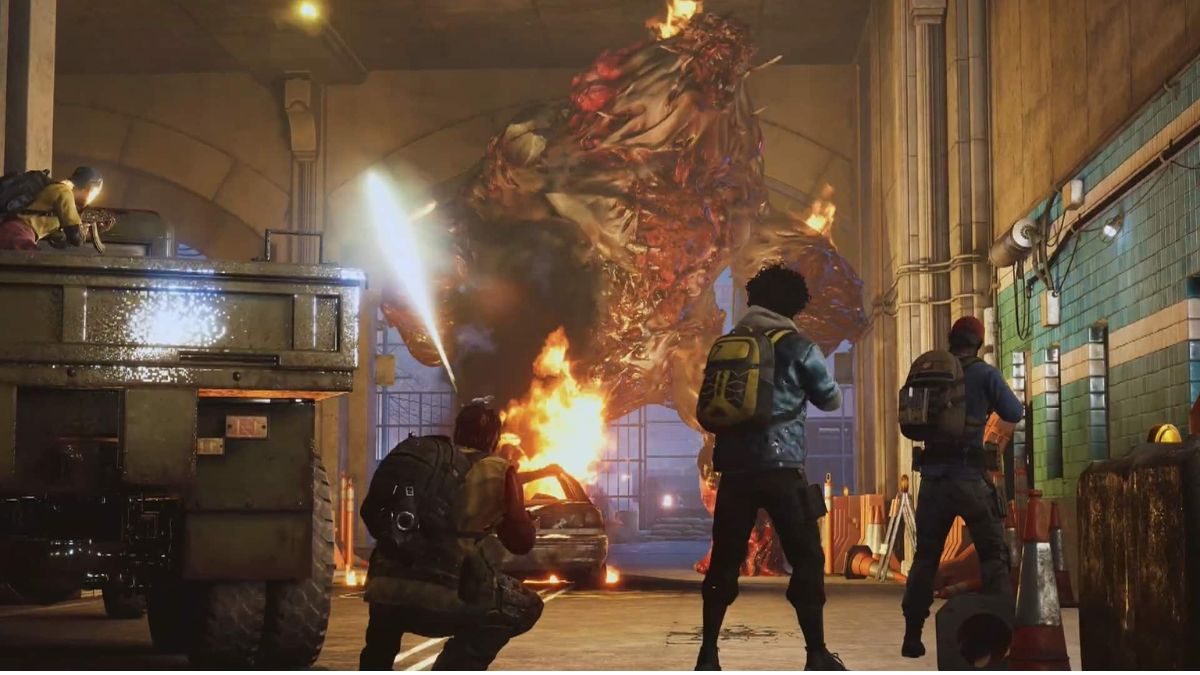
    Back 4 Blood is a co-op zombie shooter game that is developed by Turtle Rock Studios, the creators of Left 4 Dead. The game is set in a post-apocalyptic world where a group of survivors, known as the Cleaners, fight against the infected hordes, known as the Ridden. The game features a campaign mode, a PvP mode, and a card system that adds variety and replayability to the gameplay.

    The game was released on October 12, 2021, for PC, PlayStation 4, PlayStation 5, Xbox One, and Xbox Series X|S. One of the most anticipated features of the game is crossplay, which allows players on different platforms to play together online. In this article, we will answer the question: Is Back 4 Blood crossplay in 2023?

    Is Back 4 Blood Crossplay in 2023?

    The answer is yes. Back 4 Blood supports crossplay on all platforms, including PC, PlayStation 4, PlayStation 5, Xbox One, and Xbox Series X|S. This means that players can play with or against each other online, regardless of the platform they use.

    Is Back 4 Blood Crossplay
    Is Back 4 Blood Crossplay

    For example, a PC player can team up with a PS5 player and an Xbox Series X|S player to complete the campaign mode, or a PS4 player can compete with an Xbox One player and a PC player in the PvP mode.

    The game also supports cross-generation play, which means that players on the same platform family, such as PlayStation or Xbox, can play together online, regardless of the console generation they use. For example, a PS4 player can play with a PS5 player, or an Xbox One player can play with an Xbox Series X|S player.

    How to Enable and Disable Crossplay in Back 4 Blood?

    Crossplay is enabled by default in Back 4 Blood, which means that players do not need to do anything to play with other players on different platforms. However, if players want to disable crossplay and only play with players on their platform, they can do so by changing the settings in the game. Here are the steps to enable or disable crossplay in Back 4 Blood:

    • On PC, open the Settings menu and go to the Online tab. There, you can toggle the crossplay option on or off.
    • On PlayStation 4 and PlayStation 5, open the Settings menu and go to the Network tab. There, you can toggle the crossplay option on or off.
    • On Xbox One and Xbox Series X|S, open the Settings menu and go to the Account tab. There, you can toggle the crossplay option on or off.

    Note that disabling crossplay may affect the matchmaking time and the availability of matches, as the pool of players will be reduced.

    How To Play With Friends On Other Platforms in Back 4 Blood?

    To play with friends on other platforms in Back 4 Blood, players need to use the in-game friend system, which is based on the EA ID. The EA ID is a unique username that is assigned to each player when they first launch the game.

    The EA ID is different from the platform-specific username, such as the PSN ID or the Xbox Gamertag. To play with friends on other platforms, players need to add each other as friends using their EA IDs. Here are the steps to play with friends on other platforms in Back 4 Blood:

    • Open the Social menu in the game by pressing the right stick on the controller or the F1 key on the keyboard.
    • Go to the Add Friends tab and enter the EA ID of the friend you want to add. You can also use the QR code scanner to scan the QR code of your friend’s EA ID.
    • Once you have added your friend, you can see them on your Friends List tab. You can also see their platform icon next to their name.
    • To invite your friend to join your party or your game session, select their name and press the Invite button. You can also join their party or game session if they invite you.

    Note that you can only play with your friends on other platforms in the online modes that support crossplay, such as Campaign, Swarm, and Versus. You cannot play with your friends on other platforms in the offline mode or the solo mode.

    What Are The Limitations of Crossplay in Back 4 Blood?

    While crossplay is a great feature that enhances the gaming experience, it also has some limitations that players should be aware of, such as:

    • Crossplay does not support cross-progression or cross-save. This means that players cannot transfer their progress, stats, or save data between different platforms. They have to start from scratch on each platform and maintain separate profiles.
    • Crossplay does not support cross-communication or cross-chat. This means that players cannot communicate or chat with other players on different platforms using the in-game voice chat or text chat. They have to use external apps or devices to communicate or chat with other players on different platforms.
    • Crossplay may cause some technical issues or glitches, such as lag, disconnects, or crashes. This is due to the different hardware and software specifications of each platform, which may affect the compatibility and performance of the game.

    You might also like to know about if these other games are cross-platform or not:

    Conclusion

    To sum up, crossplay is a feature that allows players to play online with or against other players on different platforms in Back 4 Blood. Crossplay is supported on all platforms, including PC, PlayStation 4, PlayStation 5, Xbox One, and Xbox Series X|S. Crossplay is enabled by default, but players can disable it if they want to.

    To play with friends on other platforms, players need to use the EA ID system to add and invite each other. Crossplay is a fun and convenient feature that improves the social, competitive, and cooperative aspects of the game. However, crossplay also has some limitations, such as no cross-progression, no cross-communication, and some technical issues.

    We appreciate your interest in our website! Make Gameempress.com your go-to site for gaming information.

  • Witcher 3 Velen Map: A Guide To The Largest And Most Diverse Region In The Game

    Witcher 3 Velen Map: A Guide To The Largest And Most Diverse Region In The Game

    Witcher 3 is a critically acclaimed open-world action RPG that lets players explore a vast and rich world full of monsters, quests, secrets, and choices. One of the most important aspects of the game is the map, which consists of two main regions: Velen and Novigrad.

    Velen is a large island that covers most of the northern part of the map, while Novigrad is a coastal city that serves as the main hub for quests, shops, and services. In this article, we will provide a comprehensive guide to the Velen map, including its locations, features, and tips.

    Witcher 3 Velen Map

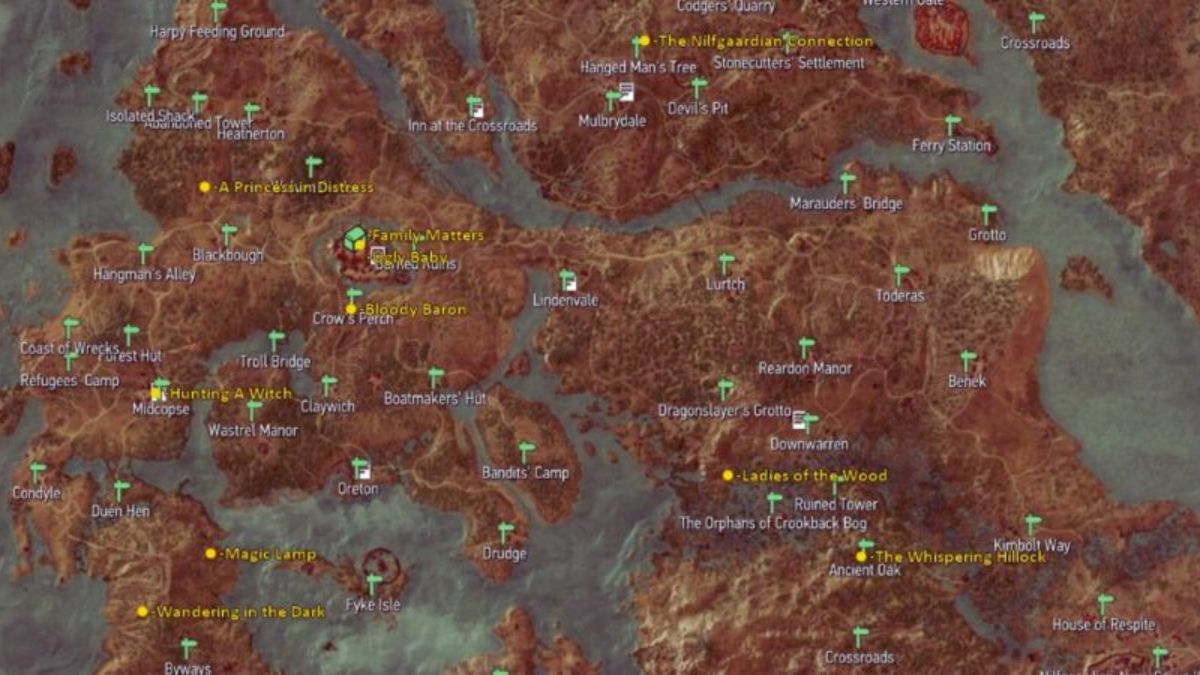
    Velen is one of the four regions in Witcher 3, along with Toussaint (a snowy mountainous area), Skellige (a rugged archipelago), and Kaer Morhen (a hidden fortress). Velen is based on real-world locations such as Norway and Sweden and features diverse landscapes such as forests, lakes, rivers, swamps, islands, mountains, caves, ruins, castles, villages, towns, and cities.

    Witcher 3 Velen Map
    Witcher 3 Velen Map

    Velen is also home to various factions such as Nilfgaardian Empire (the main antagonists), Scoia’tael (a rebel group), Lodge of Sorceresses (a secret organization), Order of the Flaming Rose (a religious cult), Wild Hunt (a legendary army), and more.

    How to Explore Velen?

    Velen can be explored in several ways:

    • On foot: Players can walk around freely using their stamina meter or fast travel points. They can also use their witcher senses to detect enemies or items nearby.
    • By horse: Players can ride horses using their stamina meter or fast travel points. They can also use their witcher senses to detect enemies or items nearby.
    • By boat: Players can sail boats using their stamina meter or fast travel points. They can also use their witcher senses to detect enemies or items nearby.
    • By air: Players can fly using gryphons or other mounts using their stamina meter or fast travel points. They can also use their witcher senses to detect enemies or items nearby.

    Players can also switch between different modes of exploration at any time by pressing F1 on PC or L1 on consoles.

    You might also be interested in the following game guide:

    What are Some of the Best Locations in Velen?

    Velen has many interesting locations that offer different experiences for players. Some of them are:

    • Kaer Morhen: This is the hidden fortress where Geralt trains his witcher skills and meets his fellow witchers. It is located in a remote mountainous area near Lake Chambryk. It has several secrets such as hidden passages, ancient ruins, treasure chests, etc.
    • Oxenfurt: This is a large city that serves as a major trade centre for goods such as ambergris, dragon scales, etc. It is located near Lake Chambryk. It has several features such as markets, taverns, brothels, etc.
    • Sodden Hill: This is a volcanic area that contains an ancient ruin called Skellige Tower. It is located near Lake Chambryk. It has several challenges such as puzzles, traps, enemies, etc.
    • Blaviken: This is a coastal town that served as a base for Nilfgaardian soldiers during the Battle of Sodden Hill. It is located near Lake Chambryk. It has several events such as looting corpses, witnessing carnage, etc.
    • Novigrad: This is a coastal city that serves as the main hub for quests,
      shops, and services in Witcher 3. It has several attractions such as the Grandmaster’s Lodge, the White Hart Inn, the Crow Club, the Yaruga’s Pharmacy, the Mages Guild, the Blacksmith, the Barber, the Tailor, the Jeweler, and more.

    We appreciate your interest in our website! Make Gameempress.com your go-to site for gaming information.
  • Who Is Frank Stone? The Protagonist Of The New Game In The Dead By Daylight Universe

    Who Is Frank Stone? The Protagonist Of The New Game In The Dead By Daylight Universe

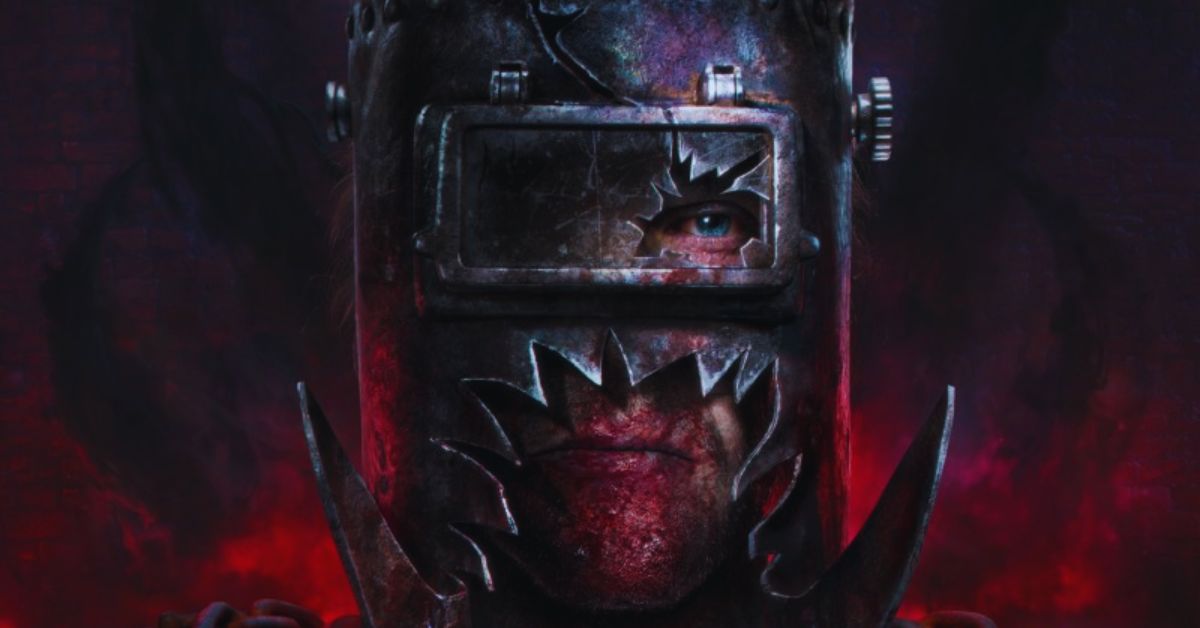
    Frank Stone is the main character of The Casting of Frank Stone, a new narrative game set in the world of Dead by Daylight, the popular multiplayer horror game. The Casting of Frank Stone is a single-player, decision-based game that explores the backstory and motivations of Frank Stone, a former actor who becomes a serial killer and joins the ranks of the Dead by Daylight killers.

    In this article, we will introduce you to Frank Stone, his personality, his abilities, and his role in the Dead by Daylight lore.

    Who is Frank Stone?

    Frank Stone is a charismatic and charming man who had a successful career as a Hollywood actor. He starred in several blockbuster movies, such as The Last Stand, The Lone Ranger, and The Outlaw.

    He was known for his action-packed roles, his handsome looks, and his charismatic persona. He had a loyal fan base, a lavish lifestyle, and a loving family.

    Take a look at this tweet:

    However, Frank Stone also had a dark side. He was obsessed with fame and fortune, and he would do anything to maintain his status and reputation. He was arrogant, manipulative, and ruthless.

    He cheated on his wife, betrayed his friends, and sabotaged his rivals. He also had a secret hobby: killing. He enjoyed hunting down and torturing his victims, using his acting skills and charisma to lure them into his traps.

    He was a master of disguise, using different costumes and masks to conceal his identity. He called himself “The Casting Director,” and he saw his killings as a form of art.

    Frank Stone’s life took a turn for the worse when he was involved in a car accident that left him severely injured and disfigured. He lost his career, his fame, and his family. He became bitter, angry, and depressed.

    He blamed everyone else for his misfortune, and he sought revenge on those who wronged him. He also continued his killing spree, becoming more violent and sadistic. He was eventually caught by the police and sentenced to death by lethal injection.

    However, Frank Stone did not die. Instead, he was transported to the Realm of the Entity, a mysterious dimension where the Dead by Daylight killers and survivors are trapped. The Entity, an evil force that feeds on the fear and pain of its victims, offered Frank Stone a deal: he could continue his killings in exchange for his servitude. Frank Stone accepted and became one of the Dead by Daylight killers.

    You might also be interested in the following gaming news:

    Frank Stone: Abilities and Role

    Frank Stone is a unique killer in Dead by Daylight, as he has two different modes: Actor and Killer. In Actor mode, he can disguise himself as a survivor and blend in with them. He can use his charisma and acting skills to deceive and manipulate them and gain their trust.

    He can also use his knowledge of the movie industry to create realistic and elaborate traps, such as fake generators, chests, and pallets. He can switch to Killer mode at any time, revealing his true identity and attacking his prey.

    In Killer mode, he can use his signature weapon, a custom-made revolver, to shoot his victims from a distance. He can also use his masks and costumes to change his appearance and confuse his enemies.

    Frank Stone’s role in the Dead by Daylight lore is to provide a new perspective and a deeper insight into the killers’ psychology and backstory. He is also a link between the Dead by Daylight universe and the real world, as he is based on a real-life serial killer, Rodney Alcala, who was also known as “The Dating Game Killer” for appearing on a TV show while being a murderer.

    The Casting of Frank Stone is a game that explores the themes of fame, fortune, deception, and revenge and how they can corrupt and destroy a person. It is also a game that challenges the players to make moral choices and face the consequences of their actions.

    We appreciate your interest in our website! Make Gameempress.com your go-to site for gaming information.
  • MW3 Season 1 Update Size Xbox: How Big Is It And How To Download It?

    MW3 Season 1 Update Size Xbox: How Big Is It And How To Download It?

    MW3 Season 1 is the first significant update for the latest installment of the Call of Duty franchise, Modern Warfare III. The update brings a lot of new content and features to the game, such as new maps, modes, weapons, operators, zombies, and more.

    But how big is the MW3 Season 1 update size for Xbox, and how can you download it? In this article, we will answer these questions and give you some tips on how to optimize your download time and storage space.

    MW3 Season 1 Update Size Xbox: How Big Is It?

    According to the official patch notes, the MW3 Season 1 update size for Xbox is 40.6 GB. This is the size of the update file that you need to download and install on your console. However, this does not mean that you need 40.6 GB of free space on your hard drive.

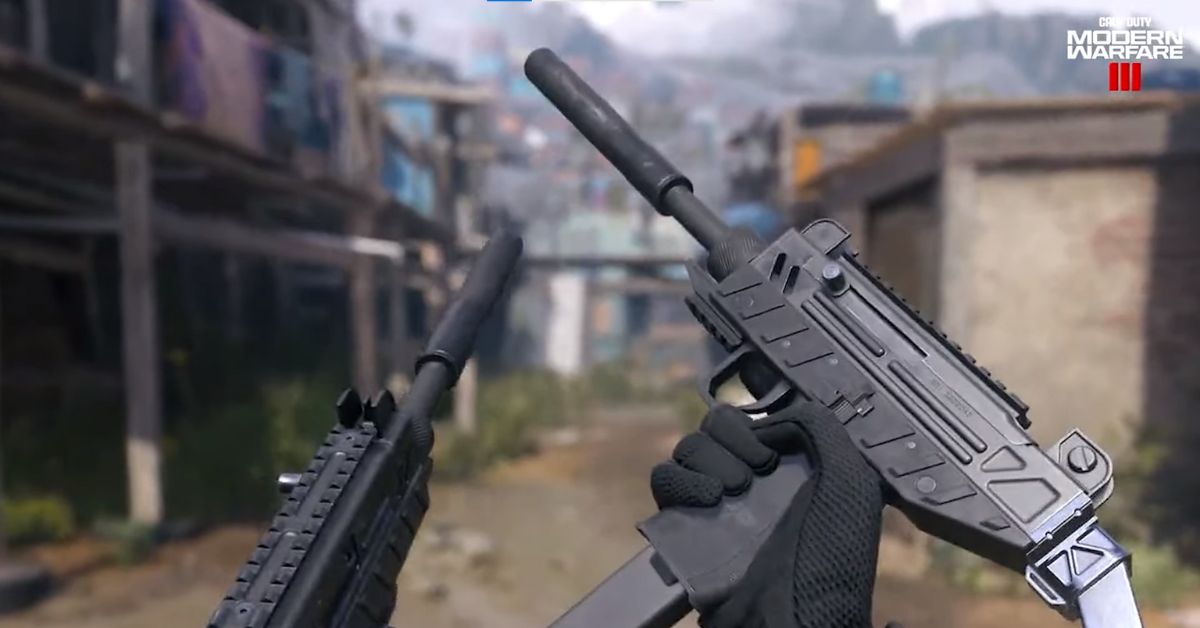
    How to Inspect Weapons in Modern Warfare 3
    Image Source Activision

    The actual size of the update after installation may vary depending on your region and language settings. The MW3 Season 1 update size for Xbox is relatively smaller than the update size for other platforms, such as PC and PlayStation.

    This is because the Xbox version of the game uses a different compression method that reduces the file size without compromising the quality. However, this also means that the update may take longer to install on your console, as it needs to decompress the files before applying them to the game.

    MW3 Season 1 Update Size Xbox: How Do You Download it?

    The MW3 Season 1 update for Xbox is available to download and install starting December 6, 2023, at 9 AM PT. To download the update, you need to have an active Xbox Live Gold subscription and a stable internet connection. You also need to have the latest version of the game installed on your console, which is version 1.0.0.0.

    To download the MW3 Season 1 update for Xbox, follow these steps:

    • Launch the game from your Xbox dashboard or home screen.
    • If you have not downloaded the update yet, you will see a prompt to update the game. Select Update to start the download process.
    • If you have already downloaded the update, you will see a prompt to install the update. Select Install to start the installation process.
    • Wait for the update to download and install. You can check the progress and status of the update on the game’s main menu or your Xbox dashboard.
    • Once the update is complete, you can enjoy the new content and features of MW3 Season 1.

    MW3 Season 1 Update Size Xbox: How Do You Optimize Your Download Time and Storage Space?

    The MW3 Season 1 update size for Xbox may seem significant, but there are some ways to optimize your download time and storage space. Here are some tips to help you out:

    • Preload the update. If you want to save some time and play the update as soon as it goes live, you can preload the update a few hours before it officially launches. To do this, you need to go to My Games & Apps on your Xbox dashboard, select MW3, press the Menu button on your controller, and select Manage Game and Add-ons. Then, select Updates and choose Download Now. This will download the update file to your console, but it will not install it until the update goes live.
    • Use a wired connection. If you want to speed up your download speed and avoid any interruptions, you can use a wired connection instead of a wireless one. To do this, you need to connect your Xbox to your router or modem using an Ethernet cable. This will ensure a more stable and faster internet connection, which will improve your download time.
    • Delete unwanted files. If you want to free up some storage space on your hard drive, you can delete some unwanted files, such as old games, apps, screenshots, or videos. To do this, you need to go to My Games & Apps on your Xbox dashboard, select the file you want to delete, press the Menu button on your controller, and select Uninstall. This will remove the file from your console, but you can always reinstall it later if you want to.
    • Manage your game content. If you want to save some storage space and only download the content that you need or want, you can manage your game content and choose what to install or uninstall. To do this, you need to go to My Games & Apps on your Xbox dashboard, select MW3, press the Menu button on your controller, and select Manage Game and Add-ons. Then, you can choose the content that you want to install or uninstall, such as Campaign, Multiplayer, Zombies, or Warzone. This will allow you to customize your game experience and optimize your storage space.

    You might also be interested in the following gaming news:

    Conclusion

    MW3 Season 1 is a huge update that brings a lot of new content and features to the game. The update size for Xbox is 40.6 GB, which is smaller than other platforms, but it may take longer to install.

    You can also optimize your download time and storage space by using a wired connection, deleting unwanted files, and managing your game content.

    We appreciate your interest in our website! Make Gameempress.com your go-to site for gaming information.
  • How To Level Up Fast In Fortnite Chapter 5? Tips and Tricks

    How To Level Up Fast In Fortnite Chapter 5? Tips and Tricks

    Fortnite Chapter 5 is the latest season of the popular battle royale game, and it brings a lot of new features and changes to the game, such as a new map, new characters, new weapons, and new items.

    One of the most critical aspects of the game, however, is leveling up. Leveling up allows you to unlock new rewards, such as skins, emotes, gliders, and more. But how do you level up fast in Fortnite Chapter 5, and what are the best ways to earn XP?

    In this article, we will show you some tips and tricks on how to level up fast in Fortnite Chapter 5 and become a pro player in no time.

    How To Level Up Fast In Fortnite Chapter 5?

    Fortnite Big Bang Spectacle
    Fortnite Big Bang Spectacle

    Understand the XP System

    Before you start leveling up, you need to understand how the XP system works in Fortnite Chapter 5. You earn XP by playing matches, completing quests, and collecting items. The amount of XP you make varies depending on the game mode you’re playing, your performance, and your actions.

    The more XP you earn, the higher your level will be. You can check your progress in the Battle Pass tab, where you can also see the rewards you can unlock with your Battle Stars.

    Play the Right Game Modes

    Different game modes offer different amounts of XP. If your goal is to level up fast, you should focus on game modes that provide the most XP. Team Rumble is an excellent mode for XP farming, as you respawn after getting eliminated, and there are a lot of players to stop.

    Also, playing with friends can boost your XP gain by providing a friend bonus. Other modes that can give you a lot of XP are Arena, which is a competitive mode with ranked matches, and Creative, which is a mode where you can play custom maps and games made by other players or yourself.

    Complete Quests and Milestones

    Completing quests and milestones can give you a significant boost in XP. Quests are tasks that you can find in the Quests tab, and they are divided into three categories: Daily, Season, and Milestones.

    Daily quests are simple tasks that reset every day, such as getting eliminations, opening chests, or dealing damage. Season quests are more challenging tasks that are related to the theme of the season, such as finding clues, collecting artifacts, or interacting with characters.

    Milestones are cumulative tasks that track your progress throughout the season, such as traveling a certain distance, harvesting a certain amount of materials, or surviving a certain amount of time. Completing these quests and milestones can earn you thousands of XP points, and some of them also reward you with Battle Stars.

    Use the Victory Crown

    The Victory Crown is a new feature in Fortnite Chapter 5, which is a unique item that you get after winning a match. The Victory Crown gives you a bonus of 10,000 XP for every game you win, and it also increases your chances of finding rare loot.

    However, the Victory Crown can also be lost if you get eliminated, and it can be stolen by other players who stop you. Therefore, you should try to keep your Victory Crown as long as possible and also try to get the Victory Crowns from other players who have them.

    You might also be interested in the following game guide:

    Be Smart and Strategic

    The last tip on how to level up fast in Fortnite Chapter 5 is to be intelligent and strategic. You should always try to improve your skills and strategies, such as aiming, building, editing, and positioning.

    It would be best if you also tried to learn from your mistakes and from other players, such as watching replays, streams, or videos. You should also try to adapt to the changing situations and environments, such as the storm, the loot, and the enemies.

    By being smart and strategic, you can increase your chances of winning matches, getting eliminations, and earning XP.

    We appreciate your interest in our website! Make Gameempress.com your go-to site for gaming information.

  • DBFZ Patch Notes: What’s New in Version 1.33?

    DBFZ Patch Notes: What’s New in Version 1.33?

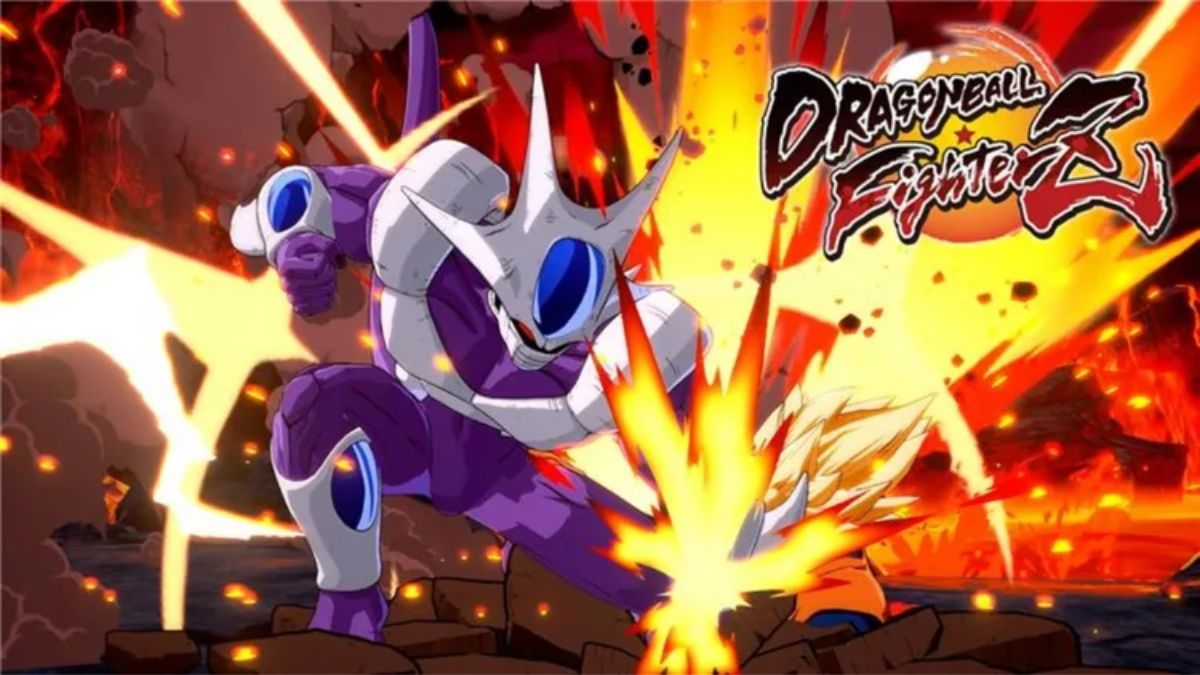
    DBFZ, or Dragon Ball FighterZ, is a popular fighting game based on the Dragon Ball franchise, developed by Arc System Works and published by Bandai Namco. The game features 3v3 battles, where players can choose from a roster of characters from the anime and manga series, and use their unique abilities and combos to defeat their opponents.

    The game is constantly updated with new content and balance changes, and the latest update is Version 1.33, which was released on August 22, 2023. This update brings a lot of adjustments to the game’s mechanics and characters, aiming to improve the gameplay experience and the competitive scene.

    In this article, we will summarize the main changes and highlights of the DBFZ patch notes for Version 1.33.

    DBFZ Patch Notes

    DBFZ Patch Notes
    DBFZ Patch Notes

    Battle Changes

    The DBFZ patch notes for Version 1.33 include a number of battle changes that affect the game’s system and mechanics. Some of the most notable changes are:

    • Z Assist (C Type): Reduced cooldown time needed before next usage.
    • Ki Gauge: Adjusted amount Ki Gauge is increased for some characters. The following characters are affected by this change: Hit, Zamasu (Fused), Janemba, Gogeta (Super Saiyan 4), Vegito (SSGSS), Gogeta (SSGSS), Android 21 (Lab Coat).
    • Dragon Flash Fist (Heavy): Added invincibility partway through the motion for Goku (Super Saiyan).
    • Kamehameha: Increased stun time (except for the follow-up version) for Goku (Super Saiyan) and Gohan (Teen).
    • Z Assist (A Type): Increased stun time for Goku (Super Saiyan), Piccolo, and Gohan (Teen).
    • Z Assist (B Type): Increased the number of hits and adjusted knockback on hit for Gohan (Teen).
    • You won’t survive this: Blast speed can now be changed with a ← input and the move is now canceled when Frieza takes damage.
    • Z Assist (A Type): Start-up position can now be changed with a ↙ or ↘ input for Frieza.
    • Shining Slash (Light): Increased distance moved during the attack and sped up the mid-air version’s start-up for Trunks.
    • Barrier: Special Moves can now be performed during the attack for Android 18.
    • Support Attack (Medium): Added invincibility partway through the motion for Android 18.
    • Z Assist (A Type): Increased the number of hits and adjusted knockback on hit for Android 18.
    • Z Assist (B Type): Increased the number of hits and adjusted knockback on hit for Android 16.
    • Z Assist (A Type): Increased the number of hits and adjusted knockback on hit for Yamcha.
    • Z Assist (B Type): Increased the number of hits and adjusted knockback on hit for Tien.
    • Z Assist (A Type): Increased the number of hits and adjusted knockback on hit for Nappa.
    • Z Assist (B Type): Increased the number of hits and adjusted knockback on hit for Captain Ginyu.
    • Z Assist (A Type): Increased the number of hits and adjusted knockback on hit for Android 21.
    • Z Assist (B Type): Increased the number of hits and adjusted knockback on hit for Majin Buu.
    • Z Assist (A Type): Increased the number of hits and adjusted knockback on hit for Gotenks.
    • Z Assist (B Type): Increased the number of hits and adjusted knockback on hit for Kid Buu.
    • Z Assist (A Type): Increased the number of hits and adjusted knockback on hit for Beerus.
    • Z Assist (B Type): Increased the number of hits and adjusted knockback on hit for Goku Black.
    • Z Assist (A Type): Increased the number of hits and adjusted knockback on hit for Hit.
    • Z Assist (B Type): Increased the number of hits and adjusted knockback on hit for Goku (SSGSS).
    • Z Assist (A Type): Increased the number of hits and adjusted knockback on hit for Vegeta (SSGSS).
    • Z Assist (B Type): Increased the number of hits and adjusted knockback on hit for Zamasu (Fused).
    • Z Assist (A Type): Increased the number of hits and adjusted knockback on hit for Vegito (SSGSS).
    • Z Assist (B Type): Increased the number of hits and adjusted knockback on hit for Bardock.
    • Z Assist (A Type): Increased the number of hits and adjusted knockback on hit for Broly.
    • Z Assist (B Type): Increased the number of hits and adjusted knockback on hit for Cooler.
    • Z Assist (A Type): Increased the number of hits and adjusted knockback on hit for Android 17.
    • Z Assist (B Type): Increased the number of hits and adjusted knockback on hit for Jiren.
    • Z Assist (A Type): Increased the number of hits and adjusted knockback on hit for Videl.
    • Z Assist (B Type): Increased the number of hits and adjusted knockback on hit for Goku (GT).
    • Z Assist (A Type): Increased the number of hits and adjusted knockback on hit for Janemba.
    • Z Assist (B Type): Increased the number of hits and adjusted knockback on hit for Gogeta (SSGSS).
    • Z Assist (A Type): Increased the number of hits and adjusted knockback on hit for Broly (DBS).
    • Z Assist (B Type): Increased the number of hits and adjusted knockback on hit for Kefla.
    • Z Assist (A Type): Increased the number of hits and adjusted knockback on hit for Goku (Ultra Instinct).
    • Z Assist (B Type): Increased the number of hits and adjusted knockback on hit for Master Roshi.
    • Z Assist (A Type): Increased the number of hits and adjusted knockback on hit for Super Baby 2.
    • Z Assist (B Type): Increased the number of hits and adjusted knockback on hit for Gogeta (Super Saiyan 4).

    You might also be interested in the following gaming news:

    Character Changes

    The DBFZ patch notes for Version 1.33 also include a lot of character changes that affect the game’s balance and diversity. Some of the most notable changes are:

    • Vegeta (Super Saiyan): Added a medium version of Interceptor Kick, which can be used to extend combos and pressure.
    • Piccolo: Increased distance moved during the attack for Standing Light Attack: Follow-up and Standing Light Attack: Follow-up 2, which can improve his neutral game and mix-ups.
    • Frieza: Sped up the attack’s start-up for Standing Light Attack: Follow-up 2, which can make it easier to land and link with other moves.
    • Trunks: Sped up the attack’s start-up for Jumping Heavy Attack, which can improve his air-to-air options and combos.
    • Android 18: Added invincibility partway through the motion for Support Attack (Medium), which can make it safer and more effective to use.
    • Android 16: Increased the number of hits and adjusted knockback on hit for Z Assist (B Type), which can make it more reliable and versatile to use.
    • Yamcha: Increased the number of hits and adjusted knockback on hit for Z Assist (A Type), which can make it more consistent and useful to use.
    • Tien: Increased the number of hits and adjusted knockback on hit for Z Assist (B Type), which can make it more powerful and flexible to use.
    • Nappa: Increased the number of hits and adjusted knockback on hit for Z Assist (A Type), which can make it more effective and reliable to use.
    • Captain Ginyu: Increased the number of hits and adjusted knockback on hit for Z Assist (B Type), which can make it more potent and versatile to use.
    • Android 21: Increased the number of hits and adjusted knockback on hit for Z Assist (A Type), which can make it more efficient and useful to use.
    • Majin Buu: Increased the number of hits and adjusted knockback on hit for Z Assist (B Type), which can make it more formidable and flexible to use.
    • Gotenks: Increased the number of hits and adjusted knockback on hit for Z Assist (A Type), which can make it more dependable and useful to use.
    • Kid Buu: Increased the number of hits and adjusted knockback on hit for Z Assist (B Type), which can make it more powerful and versatile to use.
    • Beerus: Increased the number of hits and adjusted knockback on hit for Z Assist (A Type), which can make it more effective and reliable to use.
    • Goku Black: Increased the number of hits and adjusted knockback on hit for Z Assist (B Type), which can make it more potent and flexible to use.
    • Hit: Increased the number of hits and adjusted knockback on hit for Z Assist (A Type), which can make it more efficient and useful to use.
    • Goku (SSGSS): Increased the number of hits and adjusted knockback on hit for Z Assist (B Type), which can make it more powerful and versatile to use.
    • Vegeta (SSGSS): Increased the number of hits and adjusted knockback on hit for Z Assist (A Type), which can make it more effective and reliable to use.
    • Zamasu (Fused): Increased the number of hits and adjusted knockback on hit for Z Assist (B Type), which can make it more potent and flexible to use.
    • Vegito (SSGSS): Increased the number of hits and adjusted knockback on hit for Z Assist (A Type), which can make it more efficient.

    We appreciate your interest in our website! Make Gameempress your go-to site for gaming information.

  • Honkai Star Rail PS4 Release Date: Embark On A Cosmic Adventure

    Honkai Star Rail PS4 Release Date: Embark On A Cosmic Adventure

    Honkai: Star Rail is a popular free-to-play RPG game developed by HoYoverse, the same studio behind the hit game Genshin Impact. The game was released on PC and mobile devices in 2023 and has been an enormous success, earning over $500 million in revenue in the first three months.

    The game features a sci-fi fantasy setting where players can explore different planets, fight enemies, and collect characters with unique abilities and personalities.

    Many PlayStation fans have been wondering if Honkai: Star Rail will be available on PS4 as well as PS5, which already has a confirmed port. In this article, we will answer all your questions about Honkai: Star Rail PS4 release date, cross-play, and more.

    Will Honkai: Star Rail Be Released on PS4?

    Unfortunately, there is no confirmed PS4 release date for Honkai: Star Rail yet. HoYoverse has not announced any official news about bringing the game to the PS4 platform, and it seems unlikely that they will do so in the near future.

    Honkai Star Rail Leak
    Honkai Star Rail Leak

    The main reason for this is that Honkai: Star Rail is a very demanding game in terms of graphics and performance, and it may not run well on the older PS4 console. The game already has some issues on the PS5, such as long loading times, frame drops, and bugs, so that that it would be even worse on the PS4.

    Another reason is that Honkai: Star Rail already has a large and loyal fanbase on PC and mobile devices, which are free and accessible to most players. There is not much incentive for HoYoverse to invest time and resources into porting the game to PS4, especially when the PS5 is the more advanced and popular console.

    Therefore, it is doubtful that Honkai: Star Rail will be released on PS4 unless HoYoverse decides to surprise us with a sudden announcement.

    When Is Honkai: Star Rail PS5 Release Date?

    The good news is that Honkai: Star Rail PS5 release date has been confirmed by HoYoverse at the Summer Game Fest 2023. The game will be coming to the PS5 in Q4 2023, which means sometime between October and December. The exact date has not been revealed yet, but we will update this article as soon as it is announced.

    The PS5 port of Honkai: Star Rail will feature enhanced graphics, faster loading times, and smoother gameplay than the PC and mobile versions. The game will also support cross-progression, which means that you can transfer your account and progress from PC or mobile to PS5 and vice versa. However, the game will not support cross-play, which means that you cannot play with other players on different platforms.

    How do you play Honkai: Star Rail on PS4 with a controller?

    If you really want to play Honkai: Star Rail on PS4, there is a workaround that you can try, but it is not recommended. You can use a PS4 controller to play the game on a PC or mobile device by connecting the controller via Bluetooth or USB cable.

    However, this method may not work well, as the game is not optimized for controller support, and you may experience input lag, compatibility issues, or other problems.

    If you want to play Honkai: Star Rail with a controller, the best option is to wait for the PS5 port, which will offer a better gaming experience and performance.

    You might also be interested in the following gaming news:

    Honkai: Star Rail is a fantastic RPG game that you should definitely try if you are a fan of sci-fi fantasy, action, and adventure. The game is currently available on PC and mobile devices and will be coming to PS5 in Q4 2023.

    However, there is no PS4 release date for Honkai: Star Rail and it is doubtful that the game will ever be ported to the PS4 console. If you want to play the game with a controller, you can either use a PS4 controller on a PC or mobile or wait for the PS5 port.

    We appreciate your interest in our website! Make Gameempress your go-to site for gaming information.

  • Final Fantasy 7 Remake Gameplay: A Visual Spectacle

    Final Fantasy 7 Remake Gameplay: A Visual Spectacle

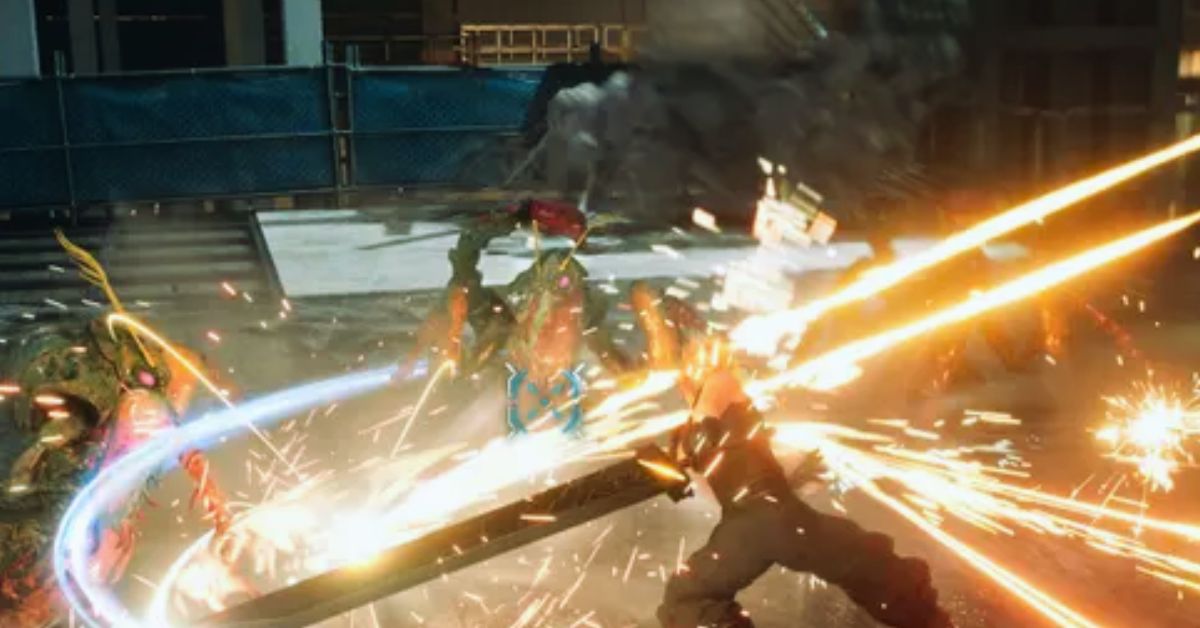
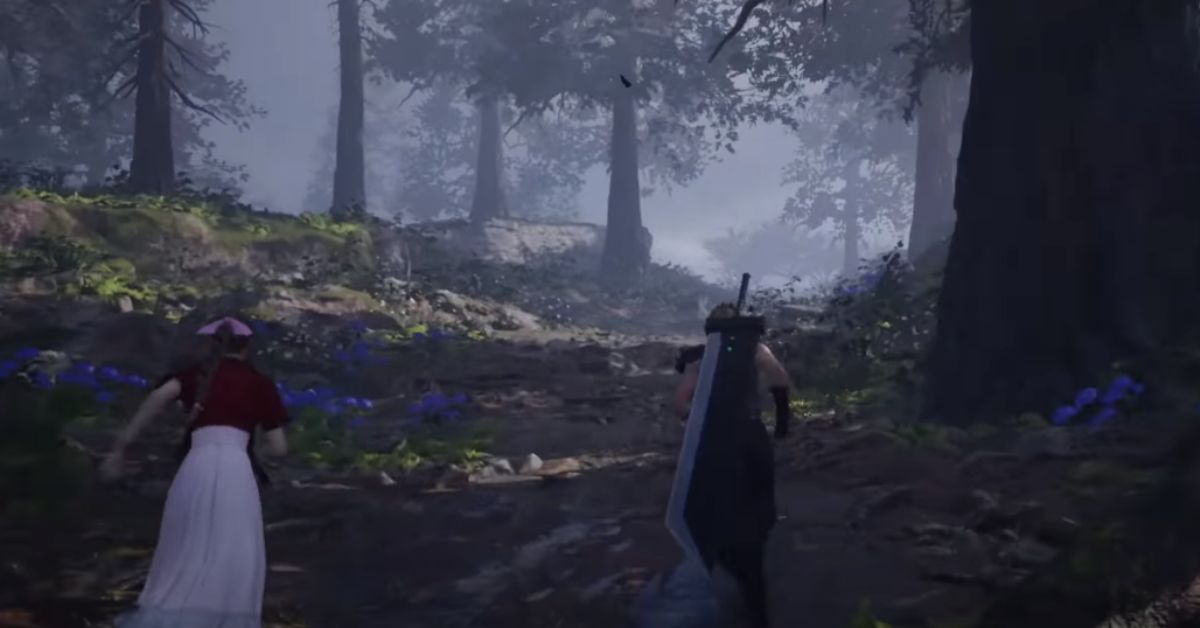
    Final Fantasy 7 Remake is a 2020 action role-playing game that reimagines the classic 1997 game Final Fantasy 7, one of the most beloved and influential games of all time. The game follows the story of Cloud Strife, a former soldier who joins a group of eco-terrorists called Avalanche, who are fighting against the Shinra Corporation. This ruthless company is draining the planet’s life force.

    The game is the first part of a multi-part series that covers the events of the original game, with some changes and additions. Final Fantasy 7 Remake gameplay is a significant aspect of the game, as it combines real-time action and turn-based strategy, creating a dynamic and immersive experience.

    Final Fantasy 7 Rebirth PS5
    Final Fantasy 7 Rebirth PS5

    The game also features various modes, items, skills, and customization options, as well as stunning graphics and sound. In this article, we will explain the Final Fantasy 7 Remake gameplay, including the combat system, the characters, the Materia, the summons, and the mini-games.

    Combat System

    The combat system of Final Fantasy 7 Remake is a hybrid of real-time action and turn-based strategy, allowing the player to control one of the three characters in the party while the AI governs the other two.

    The player can switch between the characters at any time, and each character has their unique abilities and playstyle. The player can perform basic attacks, dodge, block, and use items in real-time, but to use special skills, spells, or things, they need to fill up the Active Time Battle (ATB) gauge, which is divided into two segments.

    The ATB gauge fills up by performing basic attacks, taking damage, or using specific abilities. Once the ATB gauge is filled, the player can enter Tactical Mode, which slows down time and allows the player to select an action from the command menu.

    The player can also use the shortcuts to perform actions without entering Tactical Mode but at the cost of losing some tactical advantage. The player can also use the Limit Break, which is a powerful attack that can only be used when the Limit gauge is full. The Limit gauge fills up by taking damage or using specific abilities.

    The player can also use the Stagger, which is a mechanic that allows the player to deal more damage to the enemies by exploiting their weaknesses and filling up their Focus gauge. When the Focus gauge is complete, the enemy becomes Staggered, and the player can unleash their most potent attacks.

    The combat system of Final Fantasy 7 Remake is designed to be flexible and adaptable, allowing the player to choose their strategy and style. The player can also customize their characters’ equipment, skills, and stats, as well as adjust the difficulty and the settings of the game.

    Characters

    The characters of Final Fantasy 7 Remake are the main protagonists and antagonists of the game, each with their personality, backstory, and role. The game features the following playable characters, who can join the party and participate in the combat:

    • Cloud Strife: The main protagonist of the game, a former member of Shinra’s elite unit, SOLDIER, who now works as a mercenary for hire. He wields a giant sword called the Buster Sword and specializes in melee combat and physical attacks. He can use the Braver, the Focused Thrust, and the Triple Slash as his unique abilities and the Cross-Slash and the Ascension as his Limit Breaks.
    • Barret Wallace: The leader of Avalanche, a group of eco-terrorists who are fighting against Shinra. He has a prosthetic arm that can fire bullets and specializes in ranged combat and support abilities. He can use the Steel Skin, the Focused Shot, and the Lifesaver as his unique abilities, and the Fire in the Hole and the Catastrophe as his Limit Breaks.
    • Tifa Lockhart is a childhood friend of Cloud and a member of Avalanche who runs a bar called the Seventh Heaven. She is a martial artist who uses her fists and feet as weapons and specializes in close combat and speed. She can use the Unbridled Strength, the Divekick, and the Starshower as her unique abilities and the Somersault and the Dolphin Flurry as her Limit Breaks.
    • Aerith Gainsborough is a young woman who sells flowers in the slums of Midgar and who has a mysterious connection to the planet’s life force. She uses a staff as a weapon and specializes in magic and healing. She can use the Tempest, the Soul Drain, and the Arcane Ward as her unique abilities, and the Healing Wind and the Planet’s Protection as her Limit Breaks.

    The game also features the following non-playable characters, who can join the party temporarily and assist in the combat:

    • Red XIII: A mysterious creature who resembles a red lion is captured and experimented on by Shinra. He can use his claws and teeth as weapons and has high agility and intelligence. He can use the Sled Fang and the Stardust Ray as his unique abilities.
    • Sephiroth: The main antagonist of the game, a former member of SOLDIER, who is considered to be the greatest warrior in history. He wields a long sword called the Masamune and has immense power and skill. He can use the Octaslash and the Supernova as his unique abilities.

    Materia

    Materia is a system that allows the player to equip and use various types of magic and skills in the game. Materia are small orbs that contain the essence of the planet’s life force and can be slotted into the weapons and armor of the characters.

    Materia can be found, bought, or earned throughout the game and can be upgraded by gaining AP (Ability Points) from battles.

    There are five types of Materia in the game, each with its own color and function:

    • Green Materia: These Materia allow the player to use various spells, such as Fire, Ice, Lightning, Cure, and Barrier. They consume MP (Magic Points) when used and can be enhanced by linking them with other Materia.
    • Yellow Materia: These Materia allow the player to use various commands, such as Steal, Assess, and Chakra. They consume ATB when used and can provide helpful information or effects.
    • Blue Materia: These Materia allow the player to modify or amplify the effects of other Materia, such as Magnify, Elemental, and Synergy. They can only be used by linking them with other Materia and can create powerful combinations.
    • Purple Materia: These Materia provide various passive benefits or boosts to the characters, such as HP Up, MP Up, and Luck Up. They do not consume any resources when used and can improve the characters’ stats or performance.
    • Red Materia: These Materia allow the player to summon powerful creatures, such as Ifrit, Shiva, and Bahamut. They consume ATB when used and can only be used once per battle. They can deal massive damage or provide support to the party.

    Materia is a vital part of the Final Fantasy 7 Remake gameplay, as it allows the player to customize and enhance their characters’ abilities and strategies. The player can experiment with different Materia combinations and setups and find the ones that suit their preferences and needs.

    Given this, we recommend visiting our Metal Gear Solid 3 Remake Gameplay page for the most up-to-date information on the game’s editions and modes. Stay up to date with GameEmpress for the most recent gaming news and guides.

  • WWE 2K23 PS5: What To Expect From The Upcoming Wrestling Game?

    WWE 2K23 PS5: What To Expect From The Upcoming Wrestling Game?

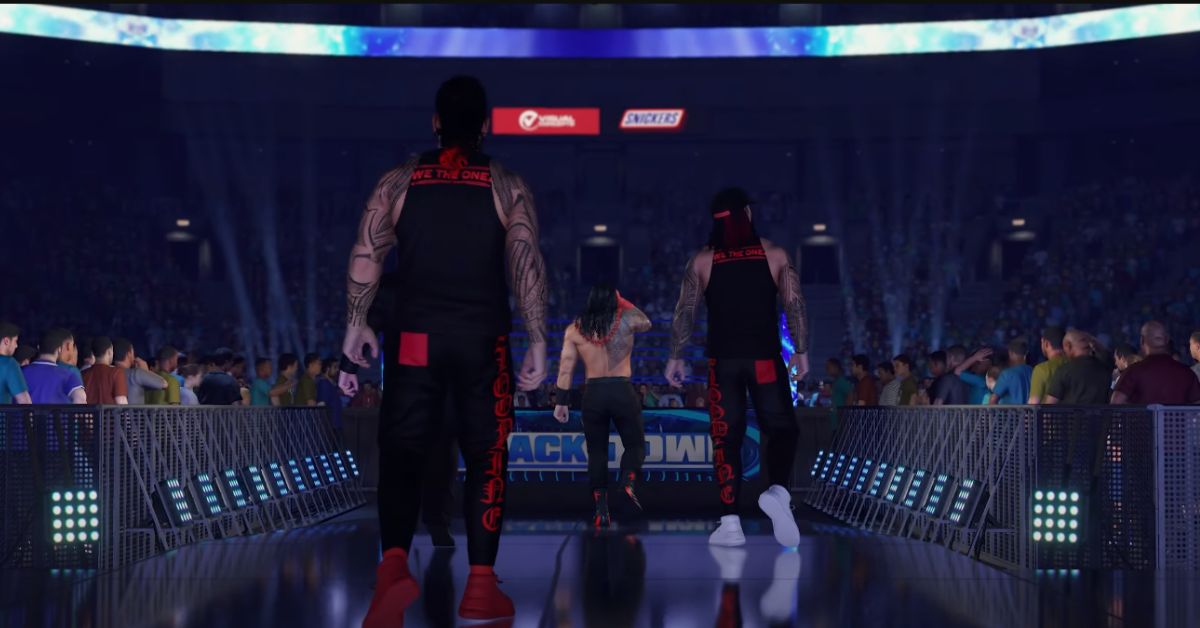
    WWE 2K23 is the latest installment in the WWE 2K series, a franchise of wrestling video games based on the famous sports entertainment company WWE.

    The game is developed by Visual Concepts, a studio that has been working on the series since WWE 2K14 and published by 2K Sports, a company that owns the rights to the WWE video game franchise. The game features John Cena, one of the most iconic and successful WWE Superstars of all time, as the cover athlete, and the game’s tagline is “Even Stronger.”

    What Are the New Features and Improvements in Wwe 2k23 Ps5?

    Is WWE 2k23 Cross Platform
    Screenshot By GameEmpress

    WWE 2K23 PS5 is expected to deliver a stunning and immersive wrestling experience with enhanced graphics, gameplay, and modes. The game is also likely to take advantage of the PS5’s hardware and features, such as the DualSense wireless controller, the 3D audio, and the fast loading times. Some of the new features and improvements in WWE 2K23 PS5 are:

    • 2K Showcase: Interactive sports documentary: This mode allows the players to relive the key moments and most formidable opponents of John Cena’s storied 20-year WWE career. The mode also features a franchise-first twist, where the players can take on the role of each marquee opponent, such as Randy Orton, CM Punk, The Rock, and more, as they try to defeat Cena.
    • It’s WarGames: This mode introduces the fan-favorite, action-packed WarGames match, where two teams of three or four wrestlers compete inside two side-by-side rings, surrounded by a double-steel cage. The mode features various match types, such as elimination, submission, or escape, and different customization options, such as weapons, traps, and hazards.
    • MyGM: This mode allows the players to take the reins of a weekly show and compete against rival general managers for brand supremacy. The way features more GMs to choose from, such as Stephanie McMahon, Paul Heyman, and Eric Bischoff, as well as additional show options, such as Raw, SmackDown, NXT, AEW, and more. The model also features multiple seasons, expanded match cards, and more.
    • My faction: This mode allows the players to collect and upgrade cards of WWE Superstars and Legends to build the ultimate section and compete for global dominance. The way features online multiplayer, where the players can join or create teams and participate in various events and challenges. The method also features a card crafting system, where the players can create and enhance their cards using materials and recipes.
    • MyRISE: This mode allows the players to walk through the curtains for their WWE debut and shape their career as WWE Superstars with the decisions they make along the way. The mode features distinct storylines, such as The Lock, where the player starts as a rookie in NXT, and The Legacy, where the player begins as a second-generation wrestler. The model also features branching paths, multiple endings, and dynamic relationships.
    • WWE Universe Mode: This mode is the ultimate sandbox that puts the players in charge of WWE, from Superstar rosters, feuds, champions, weekly shows, and more. The way features more customization options, such as creating and editing brands, shows, arenas, belts, and more. The method also features more dynamic and realistic scenarios, such as injuries, suspensions, trades, contracts, and more.

    How to Pre-order and Buy Wwe 2k23 Ps5?

    WWE 2K23 PS5 is available for pre-order and buy on the Store, as well as other retailers and platforms. The game has four editions, each with different prices and contents. The editions are:

    • Standard Edition: This edition includes the base game, and costs $59.99 USD.
      Cross-Gen Digital Edition: This edition includes the base game for both PS4 and PS5, and costs $69.99 USD.
    • Deluxe Edition: This edition includes the base game, the Season Pass, the Pre-Order Bonus Pack, the 3-Day Early Access, and the Deluxe Edition Bonus Pack, and costs $99.99 USD.
    • Icon Edition: This edition includes the base game, the Season Pass, the Pre-Order Bonus Pack, the Ruthless Aggression Pack, the 3-Day Early Access, the Icon Edition Content, and the Deluxe Edition Bonus Pack, and costs USD 119.99.

    The players who pre-order any edition of the game will receive the Pre-Order Bonus Pack, which includes the following items:

    • Bad Bunny as a playable character
    • Bad Bunny’s entrance music and video
    • Bad Bunny’s ring attire and accessories
    • Bad Bunny’s signature move and finisher

    The players who buy the Deluxe Edition or the Icon Edition of the game will receive the Deluxe Edition Bonus Pack, which includes the following items:

    • 50,000 Virtual Currency
    • 10,000 MyFACTION Coins
    • 10 MyFACTION Card Packs
    • 5 MyRISE Skill Points
    • 5 MyRISE Attribute Points
    • 5 MyRISE Trait Points

    You might also be interested in the following gaming news:

    The players who buy the Icon Edition of the game will also receive the Icon Edition Content, which includes the following items:

    • John Cena as a playable character
    • John Cena’s entrance music and video
    • John Cena’s ring attire and accessories
    • John Cena’s signature move and finisher
    • John Cena’s 2K Showcase: Interactive sports documentary

    The players who buy the Deluxe Edition or the Icon Edition of the game will also receive the Season Pass, which includes the following items:

    • 4 DLC Packs, each containing new Superstars, Legends, modes, and features
    • 25% off the regular price of the DLC Packs
    • Exclusive access to the DLC Packs one week before their official release

    The players who buy the Deluxe Edition or the Icon Edition of the game will also receive the Ruthless Aggression Pack, which includes the following items:

    • 10 Ruthless Aggression Era Superstars, such as Batista, John Cena, Randy Orton, and more
    • 10 Ruthless Aggression Era Arenas, such as WrestleMania XIX, SummerSlam 2002, and more
    • 10 Ruthless Aggression Era Championships, such as the World Heavyweight Championship, the WWE Championship, and more

    We appreciate your interest in our website! Make Gameempress your go-to site for gaming information.

  • NBA 2K24 Takeovers Mastery: Unlocking The Secrets To Basketball Supremacy

    NBA 2K24 Takeovers Mastery: Unlocking The Secrets To Basketball Supremacy

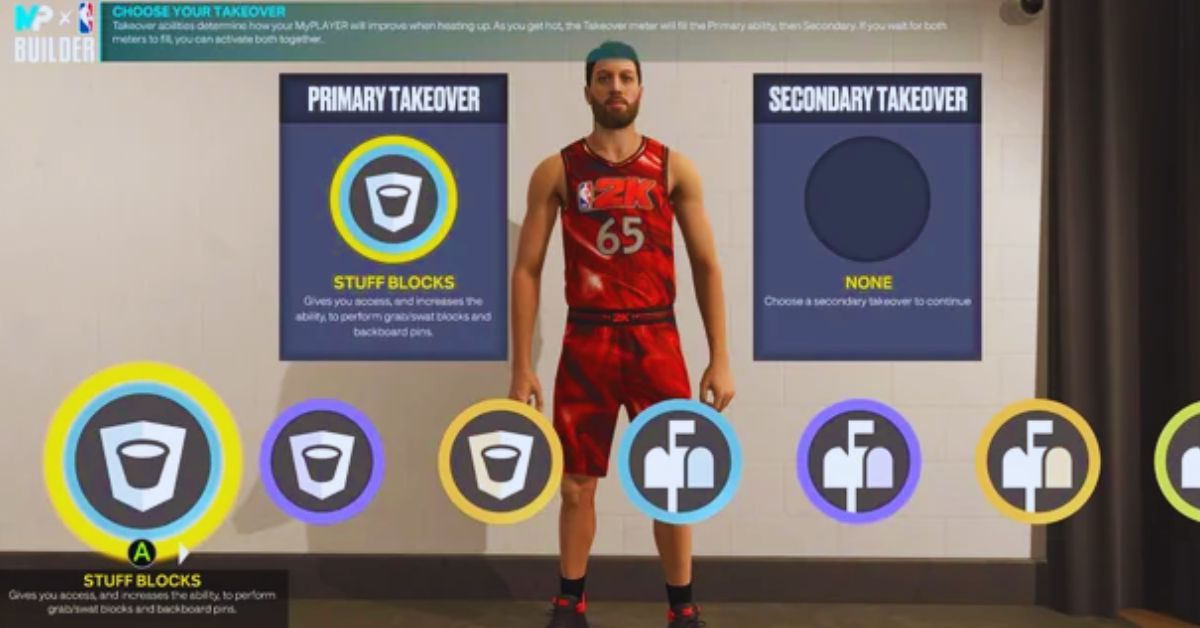
    While playing MyCareer in NBA 2K24, you will have access to enhancements that will improve every element of your game. Takeovers are the name given to these enhancements.

    They span a wide range of abilities, both offensive and defensive. These were previously known as badges, but are now presented as icons that can be triggered when their associated meters are filled.

    While they continue to provide powerful boosts on the digital court, they may bring problems. All of the Takeover icons in NBA 2K24 are detailed here.

    NBA 2K24 Takeovers

    NBA 2K24 Takeovers
    NBA 2K24 Takeovers

    There are five types of takeover icons:

    • Finishing
    • Shooting
    • Playmaking
    • Defense/Rebounding
    • Physicals

    These are rather obvious categories, and their enhancements will have an effect on the associated categories:

    • Finishing will affect your ability to finish when you are close to the basket.
    • Shooting will have an impact on your ability on the field.
    • Your ability to make plays will determine how efficient you are at passing.
    • When not in possession of the ball, defense and rebounding will bring benefits.
    • Physicals will decide how swift and decisive your player is.

    It would be best if you made positive contributions on the court to fill their respective meters. This can be accomplished by scoring points, receiving assists, grabbing rebounds, and so on.

    Even after a meter has been full once, it can be filled again to activate a Double Takeover, which offers an even more tremendous boost. The Takeover icons and needed button inputs are as follows:

    • Finishing (A/X): Checkered flag.
    • Shooting (X/Square): Crosshair.
    • Playmaking (Y/Triangle): Basketball with motion trail.
    • Defense (LB/L1): Shield with basketball design.
    • Physicals (RB/R1): Hand with dumbell.

    You might also be interested in the following gaming news:

    We appreciate your interest in our website! Make Gameempress your go-to site for gaming information.

  • Beachcombers Off Season Hopes Crossword: How To Solve This Clue?

    Beachcombers Off Season Hopes Crossword: How To Solve This Clue?

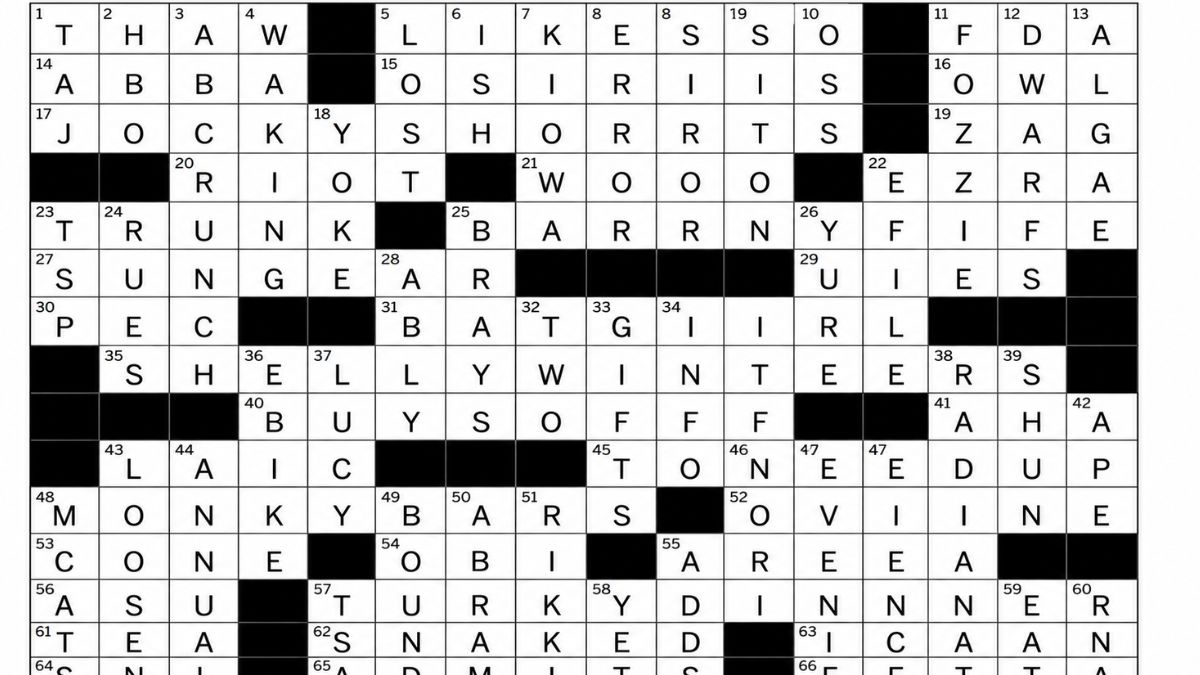
    If you are a fan of crossword puzzles, you may have encountered this clue: Beachcomber’s off-season hopes? This clue is part of the LA Times Crossword Puzzle, which is a daily crossword that features a variety of themes and difficulties. The clue was published on November 17, 2023, and it belongs to the quick category, which means it is relatively easy.

    However, if you are still stuck on this clue or want to check your answer, we are here to help you. In this article, we will show you how to solve this clue, as well as provide you with some background information and trivia about the answer.

    What is the Answer to Beachcombers Off Season Hopes Crossword Clue?

    Beachcombers Off Season Hopes Crossword
    Beachcombers Off Season Hopes Crossword

    The answer to Beachcomber’s off-season hopes? The crossword clue is SHELLY WINTERS. This is a 13-letter word that fits the grid of the crossword puzzle. The term is also a pun, as it combines the words “shelly,” meaning covered with shells, and “winters,” meaning the cold season of the year.

    The clue is asking what beachcombers, or people who collect shells on the beach, would hope for in the off-season or the time when the beach is less crowded and popular. The answer is that they would expect for shelly winters or winters that are full of shells to collect.

    Who is Shelly Winters?

    Shelly Winters is also the name of a famous actress who was born in 1920 and died in 2006. She was known for her roles in movies such as The Diary of Anne Frank, A Patch of Blue, The Poseidon Adventure, and Lolita. She won two Academy Awards for Best Supporting Actress and was nominated for two more. She was also a prolific writer who published several autobiographies and memoirs.

    Shelly Winters was born Shirley Schrift, and she changed her name to Shelly Winters when she started her acting career. She chose the name Shelly. She liked the poet Percy Bysshe Shelley and Winters because she wanted the season. She was married four times and had one daughter.

    She was also romantically involved with several celebrities, such as Marlon Brando, Burt Lancaster, Errol Flynn, and William Holden. Shelly Winters was known for her outspoken and flamboyant personality, as well as her humanitarian and political activism.

    She supported causes such as civil rights, women’s rights, animal rights, and AIDS awareness. She was also a generous and loyal friend who helped many aspiring actors and actresses, such as Marilyn Monroe, Robert De Niro, and Al Pacino.

    How to Solve Crossword Clues in General?

    If you enjoy solving crossword puzzles, you may want to learn some tips and tricks on how to solve crossword clues in general. Here are some of them:

    • Look for the clues that have the most letters filled in, as they are easier to guess and can help you with the other clues.
    • Look for the clues that have a question mark, a quotation mark, or a hyphen, as they usually indicate a pun, a wordplay, or a compound word.
    • Look for clues that have a specific category, such as a movie, a book, a person, or a place, as they can narrow down the possible answers.
    • Look for the clues that have a common suffix, prefix, or root, such as -ing, -ed, -er, -est, re-, un-, or -tion, as they can help you form the word.
    • Look for the clues that have a synonym, an antonym, or a related word, as they can give you a hint about the meaning of the word.
    • Look for the clues that have a word that can be spelled differently, such as color or color, or a word that can have multiple meanings, such as bat or bank, as they can add some challenge and variety to the puzzle.
    • Use a dictionary, a thesaurus, or an online crossword solver if you are really stuck or want to check your answer. However, please do not rely on them too much, as they can take away the fun and satisfaction of solving the puzzle by yourself.

    You may be interested in the following video game news:

    Conclusion

    Beachcombers’ off-season hopes? It is a crossword clue that can be solved by finding a 13-letter word that is a pun on the name of a famous actress and the season of the year. The answer is SHELLY WINTERS, which is also the name of a two-time Oscar winner and a humanitarian activist.

    If you want to solve more crossword clues, you can use some tips and tricks, such as looking for the clues that have the most letters filled in, the clues that have a question mark, or the clues that have a specific category.

    You can also use some tools, such as a dictionary, a thesaurus, or an online crossword solver, but only as a last resort or a confirmation. Solving crossword puzzles can be a fun and rewarding activity that can improve your vocabulary, memory, and general knowledge.

    We appreciate your interest in our website! Make Gameempress.com your go-to site for gaming information.
  • BG3 PS5 Patch Notes: What’s New In The Latest Update For Baldur’s Gate 3?

    BG3 PS5 Patch Notes: What’s New In The Latest Update For Baldur’s Gate 3?

    Baldur’s Gate 3 is a role-playing game developed by Larian Studios and released for PC and PS5 on September 6, 2023. The game is based on the Dungeons & Dragons 5th edition ruleset and is set in the Forgotten Realms, a fantasy world where players can create their own characters and embark on an epic adventure with their companions.

    The game is still in early access, meaning it is not finished yet and is subject to changes and improvements. The developers have been releasing regular updates and patches for the game, fixing bugs, adding features, and balancing the gameplay.

    The latest update for the game is Hotfix 5, which was released on September 5, 2023, for both PC and PS5. This update addresses several issues and crashes, as well as adding some new options and content.

    BG3 PS5 Patch Notes

    Baldur's Gate 3's Treasure Hunters
    Baldur’s Gate 3’s Treasure Hunters

    Highlights

    • Added a new epilogue scene for Karlach, one of the companions in the game. This scene will play after the end of the current early access content, and will reveal more about her backstory and personality.
    • Added a new option to change your character’s name in the game. You can do this by using the Magic Mirror, a device that allows you to customize your character’s appearance. The Magic Mirror can be found in your camp, or in the Underdark, near the Myconid colony.
    • Added a new option to change the appearance of your hirelings, the mercenaries that you can recruit to join your party. You can do this by talking to them and selecting the “Change Appearance” option. You can change their hair, skin, eyes, and clothing, as well as their name and voice.
    • Fixed a crash that occurred when loading a save file that was created before the previous patch (Patch 4).
    • Fixed a crash that occurred when using the Fast Travel feature in the game.
    • Fixed a crash that occurred when entering or exiting the Druid Grove area.
    • Fixed a crash that occurred when interacting with certain objects or characters in the game.
    • Fixed a crash that occurred when using certain spells or abilities in combat.
    • Fixed a crash that occurred when switching between different characters in the party.
    • Fixed a crash that occurred when loading a save file that was corrupted or incompatible with the current version of the game.
    • Fixed several issues and bugs that affected the game’s performance, graphics, audio, interface, and gameplay.

    Performance

    • Improved the loading times and stability of the game on PS5.
    • Optimized the memory usage and resource management of the game on PS5.
    • Reduced the stuttering and lagging of the game on PS5, especially in crowded or complex areas.
    • Improved the frame rate and resolution of the game on PS5, supporting up to 4K and 60 FPS.

    Graphics

    • Fixed several graphical glitches and artifacts that occurred in the game on PS5, such as flickering, clipping, popping, and tearing.
    • Fixed several lighting and shadow issues that occurred in the game on PS5, such as incorrect or missing shadows, overly bright or dark areas, and unnatural or inconsistent lighting effects.
    • Fixed several texture and model issues that occurred in the game on PS5, such as blurry or low-quality textures, missing or distorted models, and incorrect or mismatched colors.
    • Fixed several animation and cinematic issues that occurred in the game on PS5, such as choppy or skipping animations, frozen or looping cinematics, and out-of-sync or missing audio and subtitles.

    Audio

    • Fixed several audio issues that occurred in the game on PS5, such as distorted or crackling sound, missing or delayed sound effects, and incorrect or overlapping dialogue.
    • Fixed several music and ambient sound issues that occurred in the game on PS5, such as inappropriate or repetitive music, missing or inconsistent ambient sounds, and incorrect or mismatched music and sound transitions.
    • Fixed several voice and dialogue issues that occurred in the game on PS5, such as low or high volume, wrong or missing voice lines, and incorrect or mismatched voice and dialogue options.

    Interface

    • Fixed several interface issues that occurred in the game on PS5, such as unreadable or overlapping text, missing or incorrect icons, and unresponsive or glitchy buttons.
    • Fixed several menu and inventory issues that occurred in the game on PS5, such as slow or laggy menus, incorrect or missing information, and inaccessible or unusable items.
    • Fixed several map and journal issues that occurred in the game on PS5, such as inaccurate or incomplete map markers, missing or outdated journal entries, and incorrect or misleading quest objectives.
    • Fixed several controller and keyboard issues that occurred in the game on PS5, such as unresponsive or inconsistent inputs, incorrect or missing key bindings, and incompatible or conflicting controller and keyboard settings.

    You may be interested in the following video game news:

    Gameplay

    • Fixed several gameplay issues that occurred in the game on PS5, such as stuck or invisible characters, broken or missing interactions, and illogical or inconsistent outcomes.
    • Fixed several combat and AI issues that occurred in the game on PS5, such as unfair or erratic enemy behavior, incorrect or missing combat actions, and unbalanced or broken combat mechanics.
    • Fixed several character and companion issues that occurred in the game on PS5, such as incorrect or missing character creation options, broken or missing companion quests, and illogical or inconsistent character and companion reactions.
    • Fixed several skill and ability issues that occurred in the game on PS5, such as incorrect or missing skill and ability descriptions, broken or missing skill and ability effects, and unbalanced or broken skill and ability mechanics.
    • Fixed several item and loot issues that occurred in the game on PS5, such as incorrect or missing item and loot descriptions, broken or missing item and loot effects, and unbalanced or broken item and loot mechanics.

    We appreciate your interest in our website! Make Gameempress your go-to site for gaming information.

  • NASB2 Patch Notes Unleash A Wave Of Changes

    NASB2 Patch Notes Unleash A Wave Of Changes

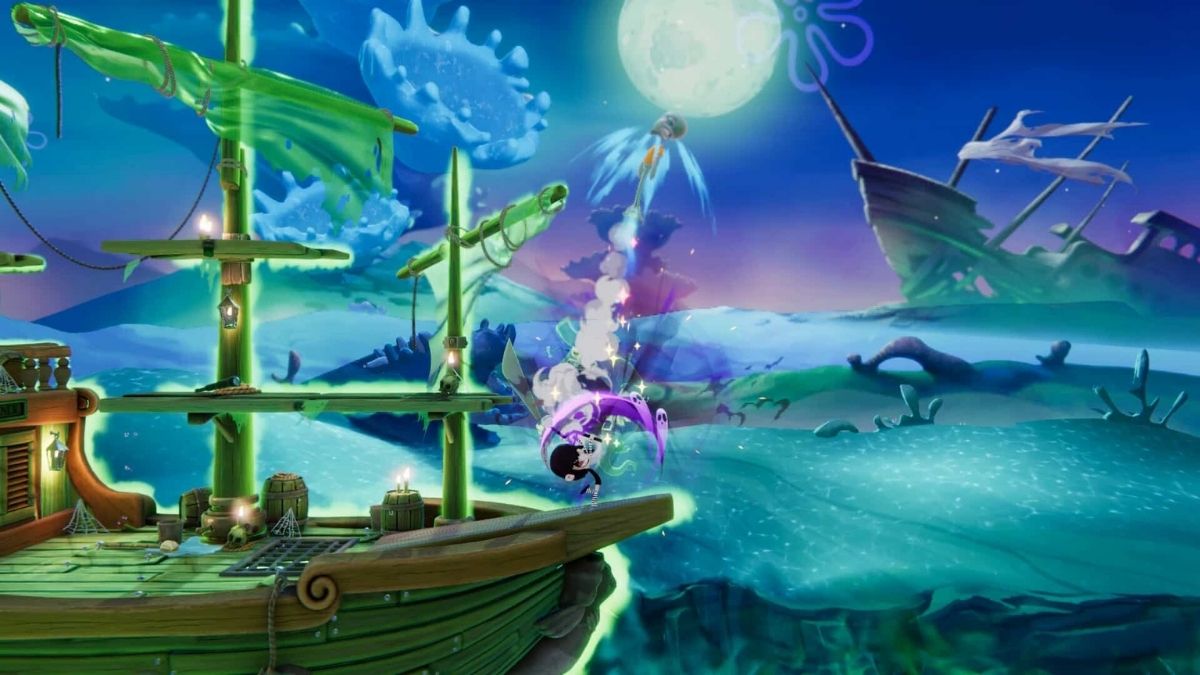
    The latest Nickelodeon All-Star Brawl 2 patch notes disclose a slew of bug patches, gameplay tweaks, character changes, and upcoming upgrades for the cartoon brawler. Nickelodeon All-Star Brawl 2 reviews have included suggestions for improvements, and developer Fair Play Labs is attempting to welcome player feedback.

    Nickelodeon All-Star Brawl 2 was released on November 3, and it maintains the same multiplayer gameplay concept as its 2021 predecessor, except it now contains a single-player campaign.

    SpongeBob SquarePants, Danny Phantom, the Angry Beavers, and more classic and present Nickelodeon characters battle it out in 2D platform bouts in the game. Players can use Training Mode to try out different characters, moves, and costumes, though some players have reported issues and glitches that have been highlighted in the latest patch notes.

    Fair Play Labs sent out a thank you email with a preview of the Patch 1.2 improvements, which include modifications to gameplay and characters in Nickelodeon All-Star Brawl 2. Fair Play Labs has described a number of patch updates, many of which are in response to user feedback.

    While the changes are subject to quality assurance testing and final clearance, the expected changes include upgrades to Training Mode, improvements to audio, UI, and load times, as well as a plethora of updates to individual characters’ move sets, hitboxes, and more.

    While there is no release date for these upgrades in the official Patch 1.2 preview notes, fans of Nickelodeon All-Star Brawl 2 should expect further information from Fair Play Games in the future.

    Players have already begun to share their suggestions for future improvements, with the developer emphasizing community feedback as a driving factor for planned enhancements. The Nickelodeon All-Star Brawl community was saddened when the previous game was retired faster than many fans expected. Still, Fair Play Games’ apparent fan love has many gamers optimistic about the future of Nickelodeon All-Star Brawl 2.

    Fighting games continue to be popular among players, and this cartoon fighter sequel has proven to be an entertaining addition to the category. Nickelodeon All-Star Brawl 2 has engaging gameplay, familiar characters, and beautiful costumes for fighting game enthusiasts to enjoy. Stay tuned for additional information on when Patch 1.2 and other changes will be available for Nickelodeon All-Star Brawl 2.

    NASB2 Patch Notes

    NASB2 Patch Notes
    NASB2 Patch Notes

    General Fixes

    • Loading times and performance improvements for Switch
    • Campaign mode modifications for ultimates vs. mobs and Training Mode Platform collisions on three levels
    • Characters can no longer avoid being struck by falling from platforms.
    • The edge roll cancel on frame five was deleted entirely.
    • In campaign mode, companions no longer count as a death.
    • With the grab button, you may now pound characters.
    • Leaving a rank match while it is loading will not affect your existing rank points.
    • Keyboard gamers can now have their movement buttons mapped.
    • Improvements to ranked loading and matchmaking
    • The camera’s zoom speed was increased.

    Training Mode

    • Frame-by-frame training is now the first option in the menu.
    • The training mode pause delay has been removed.

    Audio

    • Announcer Fight voices have been added to versus matches.
    • Game voice line volume reduced to 3, 2, 1
    • Gir’s vocal pitch changes
    • Harmonic convergence ambient SFX has been reduced.

    UI

    • The Random Competitive Stages button now exclusively generates random competitive stages.
    • The description of Azula and Reptar Campaign Power-Ups has been corrected.
    • Turning hitboxes on and off will not make the HUD go away.

    You may be interested in the following video game news:

    Characters

    Bug patches, movement modifications, damage and hitbox improvements, and other changes are planned for the following characters:

    • Patrick
    • Ember
    • Jenny
    • Grandma Gertie
    • Jimmy
    • Mecha Plankton
    • Danny Phantom
    • El Tigre
    • Azula
    • Reptar
    • Garfield
    • Korra

    Future Updates Following Patch 1.2

    • Modifications based on player feedback
    • Continued character balance and general bug fixes
    • Training Mode DI Visualizer and CPU DI Options and Training Mode Hitstun Visualizer
    • Controller Customization – D-Pad for directional inputs on all consoles AND C Stick customization (including C Stick for keyboard players)
    • 2v2 Share Stock and Friendly Fire in the ruleset
    • Rematch Button on top instead of “Continue” in Lobbies
    • 1v1 Quickplay rules, 3 Stocks, no Items
    • 2v2 Quickplay rules, 3 Stocks, No items

    We appreciate your interest in our website! Make Gameempress your go-to site for gaming information.
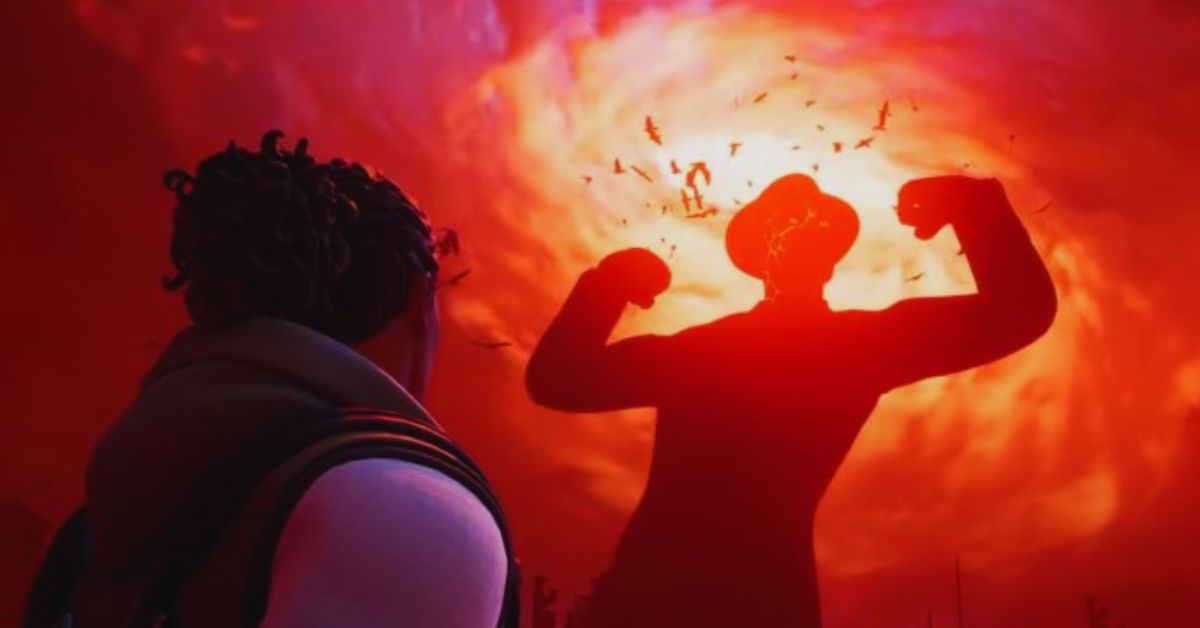
  • Lethal Company Xbox Release Date: Will It Ever Happen?

    Lethal Company Xbox Release Date: Will It Ever Happen?

    Lethal Company is a co-op survival horror game that has become a hit on Steam since its early access launch on October 23, 2021. The game is developed by Zeekerss, a solo indie developer, and it features a unique premise and gameplay.

    In Lethal Company, you play as a contractor hired by a mysterious corporation to scavenge resources from abandoned moons. However, you soon realize that the moons are not as deserted as they seem, and you have to face deadly creatures and environmental hazards while also dealing with the pressure of meeting your quota.

    Lethal Company has received positive reviews from players and critics, who praised its originality, atmosphere, tension, and co-op fun. The game has also attracted a large and active fanbase, who are eager to see more updates and content from the developer.

    However, many fans are also wondering if Lethal Company will ever come to consoles, such as Xbox, PlayStation, or Switch. In this article, we will try to answer this question based on the available information and rumors.

    Is Lethal Company Coming to Xbox?

    Is Lethal Company Crossplay?
    Is Lethal Company Crossplay?

    The short answer is probably not. The long answer is that it depends on several factors, such as the developer’s plans, resources, and demand. As of now, there is no official confirmation or announcement from Zeekerss or any other publisher about a console release of Lethal Company.

    The game is currently only available on Steam for Windows PC, and it is still in early access, meaning it is not finished yet.

    There are several reasons why a console release of Lethal Company is unlikely, at least in the near future. First of all, the game is developed by a single person who may not have the time, money, or expertise to port the game to other platforms.

    Porting a game to consoles requires a lot of work, such as optimizing the game for different hardware, adjusting the controls and interface, and obtaining the necessary licenses and certifications. It also involves a lot of risks, such as potential bugs, glitches, and compatibility issues.

    Secondly, the game is still in early access, which means it is still undergoing development and testing. The developer may want to focus on finishing the game and adding more features and content before considering a console release.

    The game may also undergo significant changes and improvements, which may affect the porting process. Moreover, the game may not be suitable for consoles, as it is designed for PC players, who have more options and flexibility in terms of settings, mods, and communication.

    Thirdly, the game may not have enough demand or popularity to justify a console release. While the game has been successful on Steam, it may not appeal to the console audience, who may have different preferences and expectations.

    The game may also face more competition and saturation on consoles, where there are already many similar games, such as Dead by Daylight, Left 4 Dead, and World War Z. The game may also have difficulty in finding a suitable publisher or partner who can help with the porting and distribution of the game.

    You might also be interested in the following gaming news:

    Is There Any Hope for a Console Release of Lethal Company?

    While a console release of Lethal Company is unlikely, it is not impossible. Some factors may increase the chances of a console release, such as:

    • The game’s continued success and growth on Steam may attract more attention and interest from the console market and publishers.
    • The developer’s willingness and ability to port the game to consoles, either by himself or with the help of a third party.
    • The game’s compatibility and adaptability to consoles may depend on the game’s engine, design, and genre.
    • The game’s demand and feedback from the console players may express their desire and support for a console release.

    Therefore, while there is no official word or guarantee, there is still some hope for a console release of Lethal Company.

    However, fans should not expect it to happen anytime soon, as the game is still in early access, and the developer has not commented on the matter. Fans should also be patient and respectful, as the developer may have his reasons and priorities for not porting the game to consoles.

    We appreciate your interest in our website! Make Gameempress your go-to site for gaming information.