Blog

  • Last Epoch Sentinel Leveling Build: How To Level Up This Tanky Class?

    Last Epoch Sentinel Leveling Build: How To Level Up This Tanky Class?

    Last Epoch is a hack-and-slash action RPG, developed by Eleventh Hour Games, that features a rich and complex skill system, a deep loot system, and a dynamic endgame. The game is currently in early access, and it is expected to be fully released in 2024.

    One of the most important aspects of the game is the class system, which allows you to customize your character’s abilities and playstyle. In this article, we will show you the Last Epoch sentinel leveling build, which is a tanky and versatile build that can handle any situation and content.

    What is a Sentinel in Last Epoch?
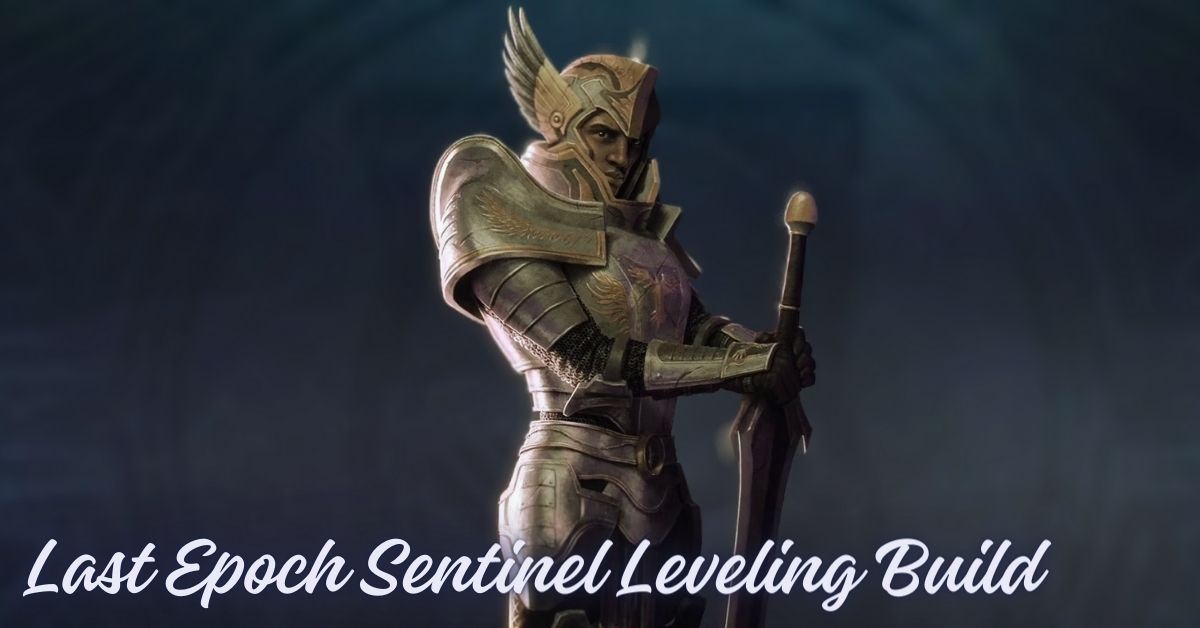
    Last Epoch Sentinel Leveling Build
    Last Epoch Sentinel Leveling Build

    A Sentinel is one of the five base classes in Last Epoch, along with Acolyte, Mage, Primalist, and Rogue. A Sentinel is a warrior who uses melee weapons, shields, and heavy armor to fight in close combat.

    A Sentinel can also use various skills and auras to enhance his damage, defense, and utility. A Sentinel is a durable and reliable class, who can withstand a lot of punishment and protect his allies.

    How to Choose a Mastery for a Sentinel in Last Epoch?

    A Mastery is a subclass that you can choose for your character after reaching level 20. Each base class has three masteries to choose from, which grant you access to exclusive skills, passives, and items.

    Masteries also determine your character’s appearance, voice, and animations. You can only choose one mastery per character, and you cannot change it later, so you should choose wisely.

    The three masteries for a Sentinel are:

    1. Paladin: A Paladin is a holy warrior who uses fire and healing magic to deal damage and support his allies. A Paladin can also use shields and auras to boost his defense and endurance. A Paladin is a balanced and reliable mastery, who can excel in both offense and defense. A Paladin is also a beginner-friendly and easy-to-play mastery, who has straightforward mechanics and skills.
    2. Void Knight: A Void Knight is a dark warrior who harnesses the power of the void to deal physical and void damage, while also casting spells that can drain, corrupt, or warp his enemies. A Void Knight can also use his health and mana as resources to fuel his skills and abilities. A Void Knight is a unique and interesting mastery, who can use the void to manipulate and distort reality. A Void Knight is also a risky and rewarding mastery, who can sacrifice his own life and mana for greater power and effects.
    3. Forge Guard: A Forge Guard is a metal warrior who uses hammers, axes, and polearms to deal physical and elemental damage, while also crafting and upgrading his weapons and armor. A Forge Guard can also use forges, turrets, and drones to enhance his damage and utility. A Forge Guard is a hybrid and dynamic mastery, who can switch between different weapons and modes depending on the situation. A Forge Guard is also a complex and challenging mastery, who requires good management and optimization of his gear and skills.

    How to Level Up a Sentinel in Last Epoch?

    To level up a Sentinel in Last Epoch, you will need to follow these steps:

    • Choose a mastery that suits your playstyle and goals. You can also watch some gameplay videos or streams of different masteries to see how they perform in action. You can also try out different masteries in the game, as you can create up to 25 characters per account.
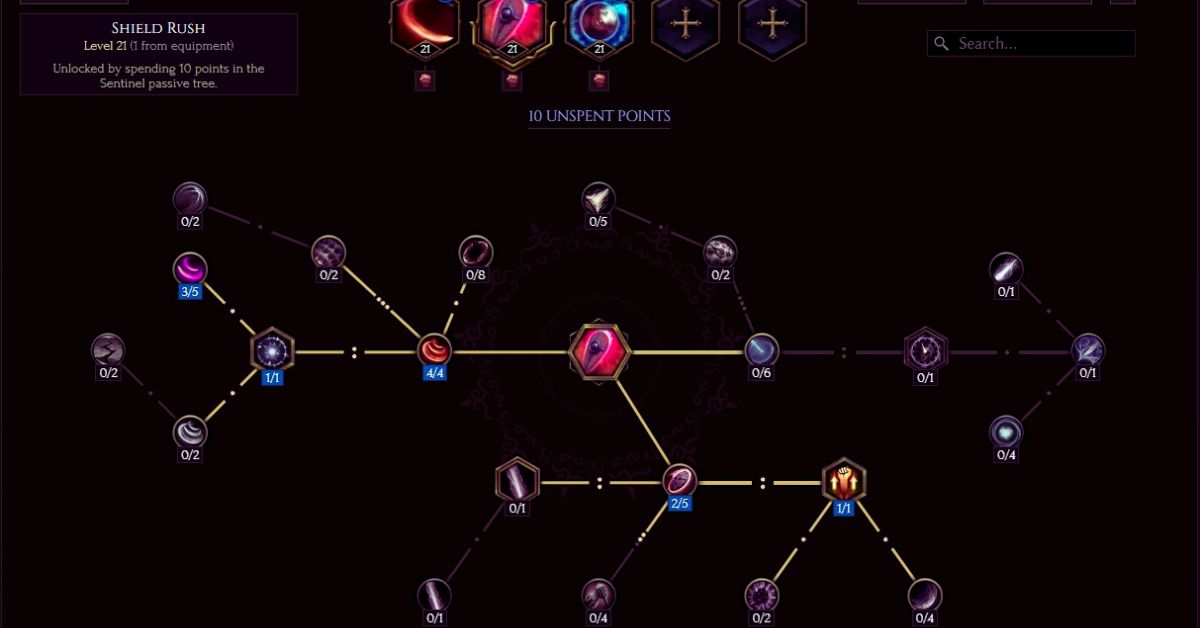
    • Allocate your passive points wisely. Passives provide powerful effects that dictate the playstyle of a class and its masteries. Remember that you can allocate passives in the first half of any mastery regardless of the one you chose. Powerful skills and nodes are usually found in the masteries tree. You can also respec your passives at any time by paying gold to the Chronomancer NPC at the End of Time.
    • Choose your skills carefully. Skills are abilities that you can use in combat, and they can be customized and upgraded with skill points. You can have up to five skills active at a time, and you can unlock more skills as you level up. You can also respec your skills at any time by paying gold to the Chronomancer NPC at the End of Time.
    • Equip the best gear you can find. Gear is the equipment that you can wear or wield, and it can affect your stats, resistances, and affixes. You can find gear from enemies, chests, vendors, or crafting. You can also upgrade your gear with runes, glyphs, and shards. You should aim for gear that matches your mastery, skills, and playstyle.
    • Follow the campaign and complete the quests. The campaign is the main story mode of the game, and it consists of 10 chapters that span across four eras. The campaign will guide you through the game’s lore, mechanics, and content. You will also receive rewards, such as gold, items, skill points, and passive points, for completing the quests. You can also explore the maps and find secrets, side quests, and events.
    • Enter the endgame and challenge the monoliths. The endgame is the post-campaign mode of the game, and it offers a variety of modes, such as Monolith of Fate, Arena, and Epoch’s Call. The endgame will test your skills, gear, and build, as you face harder and more varied enemies and scenarios. You will also receive better rewards, such as higher-tier items, unique items, and set items, for completing the endgame content.

    Conclusion

    Last Epoch Sentinel leveling build is a tanky and versatile build that can handle any situation and content. The Sentinel is a warrior who uses melee weapons, shields, and heavy armor to fight in close combat.

    Sentinel can also use various skills and auras to enhance his damage, defense, and utility. The Sentinel can choose from three masteries: Paladin, Void Knight, or Forge Guard, each with their strengths and weaknesses.

    To level up a Sentinel, you will need to choose a mastery, allocate your passives, choose your skills, equip your gear, follow the campaign, and enter the endgame.

    This is all there is to know about Last Epoch Sentinel Leveling Build. You can also read our Sonic Adventure 2 Chao Guide and Lockpicking Leveling Guide Classic. Stay up to date with GameEmpress.com for the most recent gaming news and guides.

  • Rivals Of Aether 2 Release Date: When Can You Play This Indie Fighting Game?

    Rivals Of Aether 2 Release Date: When Can You Play This Indie Fighting Game?

    Rivals of Aether 2 is the sequel to the hit indie fighting game, Rivals of Aether, which features a cast of elemental fighters in a pixel-art style. The game is developed by Aether Studios, led by Dan Fornace, and it promises to bring new features, mechanics, and characters to the platform fighter genre. But when can you expect to play this game?

    In this article, we will tell you everything we know about the Rivals of Aether 2 release date, as well as some details about the game’s development, gameplay, and Kickstarter campaign.

    When is Rivals of Aether 2 Coming Out?

    According to the game’s Steam page, Rivals of Aether 2 is planned to be released in 2024, on “as many platforms” as possible. However, the exact dates and platforms are not yet confirmed, and they may change depending on the game’s progress and feedback.

    A closed beta testing period was originally planned for 2023, but it was pushed back to early 2024 due to the COVID-19 pandemic and other challenges.

    The game’s development was announced on April 1, 2022, during an annual April Fools’ Day “Rivals Direct”. The announcement was initially thought to be a joke, but it was later confirmed to be real by the developers.

    The game’s Kickstarter campaign was launched on November 15, 2023, and it reached its initial goal of $200,000 in less than 24 hours. The campaign is still ongoing, and it has unlocked several stretch goals, such as new characters, modes, stages, and features.

    Rivals of Aether 2 About

    Rivals of Aether 2 is the continuation of the primary focus of the franchise – platform fighting. The game is set in the Aether Universe, a world where warring civilizations summon the power of Fire, Water, Air, and Earth.

    The game features both new and returning elemental fighters, each with their unique skills and abilities. The game also introduces new mechanics, such as shields, ledges, grabs, and throws, as well as three new special moves: the Pummel Special, the Ledge Special, and the Getup Special.

    The game also offers a variety of modes, such as Story Mode, Versus Mode, Online Mode, and more. Rivals of Aether 2 is designed to appeal to both casual and competitive players, as it offers a rich and complex skill system, a deep and diverse character roster, and dynamic and balanced gameplay.

    The game also supports full controller support, online multiplayer, and cross-play between platforms. The game also features a vibrant and colorful pixel art style, a catchy and original soundtrack, and a humorous and engaging story.

    Conclusion

    Rivals of Aether 2 is the sequel to the critically acclaimed indie fighting game, Rivals of Aether. The game is expected to be released in 2024, on as many platforms as possible. The game is currently in development, and it is funded by a successful Kickstarter campaign.

    The game promises to bring new features, mechanics, and characters to the platform fighter genre, as well as a lot of fun and excitement. If you are a fan of Rivals of Aether, or if you are looking for a new and fresh fighting game, you should check out Rivals of Aether 2.

    If you want to read more articles about other games, check out Frostpunk 2 Release Date PS5 and Withering Rooms Release Date. We appreciate your interest in our site! Make Gameempress.com your go-to source for gaming knowledge.

  • Is Wuthering Waves Crossplay? Cross-Platform Features Explained

    Is Wuthering Waves Crossplay? Cross-Platform Features Explained

    Wuthering Waves is an upcoming free-to-play open-world RPG, developed by Kuro Games, that features a cast of elemental fighters in a pixel-art style. The game is expected to be released in 2024, on PC, iOS, and Android devices.

    But will the game support crossplay and cross-progression between these platforms?

    Is Wuthering Waves Crossplay?

    Why Is Wuthering Waves Old Story Changed (1)

    Wuthering Waves is planned to be released on PC, iOS, and Android devices, and it will support cross-play on release. This means that players will be able to play together online, regardless of the platform they are using.

    However, the exact details and requirements of the cross-play feature are not yet confirmed, and they may change depending on the game’s progress and feedback.

    As for cross-progression, Kuro Games has not announced whether Wuthering Waves will have this feature or not. In fact, the developers have not disclosed whether the game will have any online or multiplayer features at all, apart from cross-play.

    Therefore, it is unclear whether players will be able to sync their game data and progress across different platforms or not. As always, we will update this article as soon as we hear more information.

    Conclusion

    Wuthering Waves is an upcoming free-to-play open-world RPG, developed by Kuro Games, that features a cast of elemental fighters in a pixel-art style. The game is expected to be released in 2024, on PC, iOS, and Android devices.

    The game will support cross-play on release, which means that players will be able to play together online, regardless of the platform they are using.

    You might also be interested in the following games, Crossplay: Minecraft Dungeons Crossplay and Yu-Gi-Oh! Master Duel Crossplay We appreciate your interest in our website! Make Gameempress.com your go-to site for gaming information.

  • Smalland Survive The Wilds Release Date: When Can You Explore This Miniature World?

    Smalland Survive The Wilds Release Date: When Can You Explore This Miniature World?

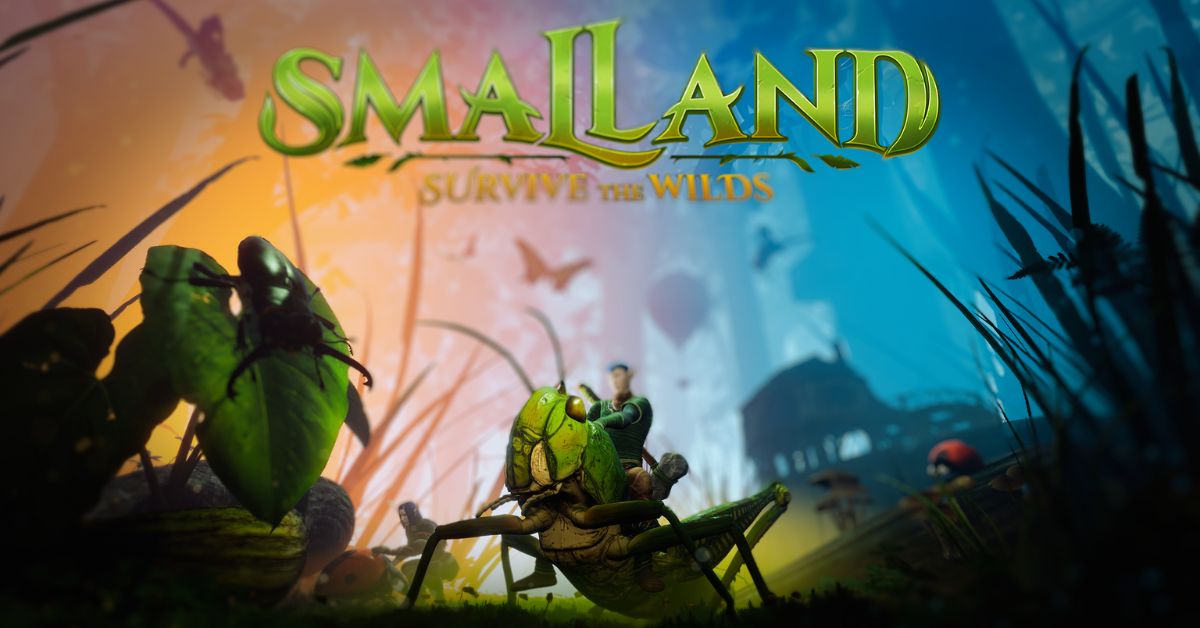
    Smalland: Survive the Wilds is an open-world crafting survival game created by Merge Games. Players will embark on an epic journey in a small yet vast and dangerous environment.

    Create strong armor sets to customize your look, and provide resistance to the elements, powers, and more.

    Discover ancient secrets dispersed throughout a variety of biomes as players learn to live against the dangerous outdoors and elements themselves. Smalland: Survive the Wilds is currently available for PS5, Xbox Series S|X, and PC.

    Smalland Survive The Wilds Release Date

    Merge Games announced that Smalland: Survive the Wilds, an open-world multiplayer survival game, would exit Early Access and debut on PlayStation 5, Xbox Series, and PC via Steam and the Epic Games Store on December 7. Console versions have just recently been announced.

    On March 29, Smalland: Survive the Wilds became available in Early Access on PC via Steam and the Epic Games Store. New content will be added to the Early Access edition until launch. The third big content update, scheduled for October, will include a new biome, new species, and other changes.

    Smalland: Survive the Wilds will be updated with new content for consoles and PCs after its official debut.

    If you want to read more articles about other games, check out Madden 2025 Release Date and Apex Season 20 Release Date. We appreciate your interest in our site! Make Gameempress.com your go-to source for gaming knowledge.

  • Pokemon Go Fans Laugh And Panic As Raid Glitch Hits

    Pokemon Go Fans Laugh And Panic As Raid Glitch Hits

    Despite being over a decade old, Pokemon Go is a popular game, with a large user population and fresh material added every month.

    Despite being launched in 2016, the game still contains flaws and in-game glitches that either annoy or amuse fans.

    The most recent bug to invade Pokemon Go is one of the latter, with fans going to social media to express their responses to this latest in-game glitch.

    Guess i’m a raid
    byu/ichigodevil inpokemongo

    The flaw in question concerns one of Pokemon Go’s most popular features, the raid game mode. On Reddit, one player stated that the game had transformed them into a raid, a feature that users may interact with but not become themselves.

    Furthermore, the Reddit user verified that once they were changed into a raid, they were locked in the mode for quite some time before being released. The original poster titled the Redditor topic, “Guess I’m a raid.”

    Fellow Pokemon Go enthusiasts then commented on the Reddit thread, many of whom found the scenario amusing.

    “That’s hilarious, did you have an egg too?” one Pokemon Go enthusiast commented. Another person commented, “Guys.” We only have ten minutes!! Someone capture him, or he’ll be gone forever!!!!”

    At the time of writing, developer Niantic has not acknowledged the bug, and it is unknown when and if it will be resolved.

  • Last Epoch Class Tier List: Which Mastery Should You Choose?

    Last Epoch Class Tier List: Which Mastery Should You Choose?

    Last Epoch is a hack-and-slash action RPG, developed by Eleventh Hour Games, that features a rich and complex skill system, a deep loot system, and a dynamic endgame. The game is currently in early access, and it is expected to be fully released in 2024.

    One of the most important aspects of the game is the class system, which allows you to customize your character’s abilities and playstyle. In this article, we will show you the Last Epoch class tier list, which ranks the 15 masteries in the game based on their overall power, versatility, and popularity.

    What are Masteries in Last Epoch?

    Skill-Rich Action RPG Last Epoch
    Skill-Rich Action RPG Last Epoch

    Masteries are the subclasses that you can choose for your character after reaching level 20. There are five base classes in the game: Acolyte, Mage, Primalist, Rogue, and Sentinel. Each base class has three masteries to choose from, which grant you access to exclusive skills, passives, and items.

    Masteries also determine your character’s appearance, voice, and animations. You can only choose one mastery per character, and you cannot change it later, so you should choose wisely.

    How to Choose a Mastery in Last Epoch?

    Choosing a mastery in Last Epoch depends on your personal preference, playstyle, and goals. Some masteries are more beginner-friendly, while others are more complex and challenging.

    Some masteries are more suited for solo play, while others are more effective in groups. Some masteries are more focused on damage, while others are more defensive or supportive. Some masteries are more popular and have more builds available, while others are more niche and experimental.

    Last Epoch Class Tier List

    Based on our research and experience, we have ranked the 15 masteries in Last Epoch into four tiers: S, A, B, and C. The S-tier masteries are the most powerful, versatile, and popular ones, while the C-tier masteries are the weakest, least flexible, and least popular ones.

    The A and B tier masteries are somewhere in between, with their strengths and weaknesses. Note that this tier list is not definitive, and it may change with future updates and patches. Also, keep in mind that any mastery can be viable and fun to play, as long as you enjoy it and build it properly.

    S Tier

    • Lich: The Lich is a master of the Acolyte class, which specializes in dark magic, life leech, and poison. The Lich can deal massive damage over time, heal himself and his allies, and summon powerful minions. The Lich is one of the best masteries for solo play, as he can survive almost anything and clear any content. The Lich also has a lot of build variety and customization options, as he can use different skills, items, and idols to suit his needs.
    • Druid: The Druid is a mastery of the Primalist class, which focuses on nature, shapeshifting, and companions. The Druid can transform into a powerful Werebear, a swift Spriggan, or a hybrid form, each with their skills and bonuses. The Druid can also summon wolves, ravens, vines, and totems to aid him in battle. The Druid is one of the most versatile and adaptable masteries, as he can switch between different forms and roles depending on the situation. The Druid is also one of the most popular and well-supported masteries, as he has a lot of guides and builds available.
    • Paladin: The Paladin is a mastery of the Sentinel class, which combines holy magic, fire, and healing. The Paladin can deal high damage with his melee attacks, spells, and auras, while also protecting and healing himself and his allies. The Paladin is one of the most balanced and reliable masteries, as he can excel in both offense and defense. The Paladin is also one of the most beginner-friendly and easy-to-play masteries, as he has straightforward mechanics and skills.
    • Sorcerer: The Sorcerer is a mastery of the Mage class, which excels in elemental magic, mana, and spell damage. The Sorcerer can unleash devastating spells that can hit multiple enemies, freeze them, or ignite them. The Sorcerer can also use runes, wards, and teleportation to enhance his power and mobility. The Sorcerer is one of the most explosive and satisfying masteries, as he can deal huge amounts of damage in a short time. The Sorcerer is also one of the most diverse and creative masteries, as he can use different elements, skills, and items to create unique and fun builds.

    A Tier

    • Bladedancer: The Bladedancer is a mastery of the Rogue class, which relies on stealth, speed, and critical hits. The Bladedancer can move fast, dodge attacks, and strike with deadly precision. The Bladedancer can also use poisons, traps, and clones to weaken and confuse his enemies. The Bladedancer is one of the most agile and lethal masteries, as he can kill enemies before they can react. The Bladedancer is also one of the most challenging and rewarding masteries, as he requires good timing, positioning, and skill to play effectively.
    • Necromancer: The Necromancer is another mastery of the Acolyte class, which specializes in undead minions, curses, and bone magic. The Necromancer can summon skeletons, zombies, wraiths, and golems to fight for him, while also debuffing and damaging his enemies with his spells. The Necromancer is one of the most fun and immersive masteries, as he can create his army of the dead and control them. The Necromancer is also one of the most complex and experimental masteries, as he has a lot of options and combinations to try out with his minions and skills.
    • Marksman: The Marksman is another mastery of the Rogue class, which focuses on ranged attacks, bows, and arrows. The Marksman can shoot arrows with different effects, such as piercing, exploding, or homing. The Marksman can also use gadgets, flasks, and smoke bombs to enhance his damage and survivability. The Marksman is one of the most consistent and efficient masteries, as he can deal steady and high damage from a safe distance. The Marksman is also one of the most flexible and adaptable masteries, as he can use different bows, arrows, and skills to suit different scenarios and preferences.

    B Tier

    • Void Knight: The Void Knight is another mastery of the Sentinel class, which harnesses the power of the void, melee, and spells. The Void Knight can use his sword and shield to deal physical and void damage, while also casting spells that can drain, corrupt, or warp his enemies. The Void Knight can also use his health and mana as resources to fuel his skills and abilities. The Void Knight is one of the most unique and interesting masteries, as he can use the void to manipulate and distort reality. The Void Knight is also one of the most risky and rewarding masteries, as he can sacrifice his own life and mana for greater power and effects.
    • Spellblade: The Spellblade is another mastery of the Mage class, which blends melee and magic, fire and ice. The Spellblade can use his sword and catalyst to deal elemental damage, while also casting spells that can freeze, burn, or shock his enemies. The Spellblade can also use enchantments, wards, and charges to boost its power and defense. The Spellblade is one of the most hybrid and dynamic masteries, as he can switch between different elements and modes depending on the situation. The Spellblade is also one of the most stylish and flashy masteries, as he can create spectacular effects and animations with his skills and attacks.
    • Beastmaster: The Beastmaster is another mastery of the Primalist class, which revolves around companions, melee, and buffs. The Beastmaster can summon wolves, bears, scorpions, and sabertooths to fight for him, while also enhancing his strength and speed with his skills. The Beastmaster can also use axes, maces, and polearms to deal physical and bleed damage. The Beastmaster is one of the most loyal and supportive masteries, as he can bond with his companions and share his benefits with them. The Beastmaster is also one of the most durable and resilient masteries, as he can heal himself and his companions with his skills and passives.

    C Tier

    • Shaman: The Shaman is another mastery of the Primalist class, which concentrates on totems, lightning, and attunement. The Shaman can place totems on the ground that can cast spells, buff allies, or debuff enemies. The Shaman can also use lightning skills that can chain, stun, or shock his enemies. The Shaman can also use staves, scepters, and idols to increase his attunement and spell damage. The Shaman is one of the most strategic and tactical masteries, as he can use his totems and skills to control the battlefield. The Shaman is also one of the most thematic and atmospheric masteries, as he can invoke the power of nature and storms.

    This is all there is to know about Last Epoch Class Tier List. You can also read our Street Fighter 6 Character Guide and Devil May Cry Peak Of Combat Reroll Guide. Stay up to date with GameEmpress.com for the most recent gaming news and guides.

  • Baldurs Gate 3 Patch 6 New Bugs: What Fresh Troubles Await?

    Baldurs Gate 3 Patch 6 New Bugs: What Fresh Troubles Await?

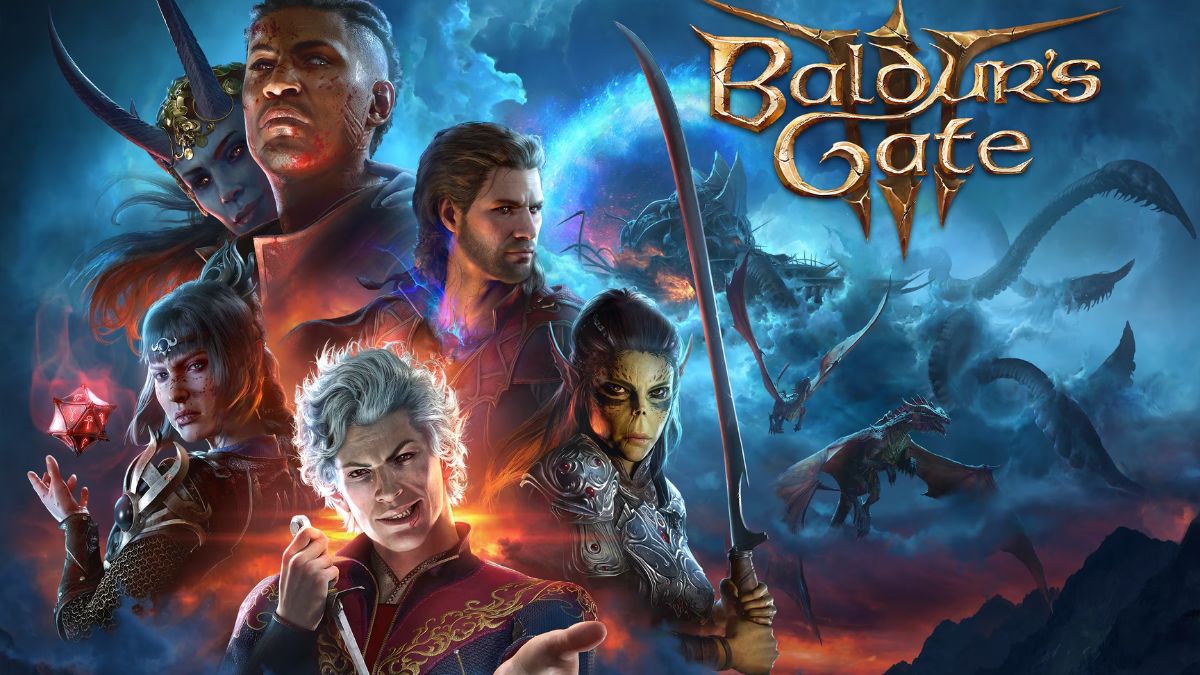
    Baldur’s Gate 3’s “kissing update” has arrived, bringing a slew of new romantic content as well as some bug patches. However, while fixing certain difficulties, it appears to have produced new ones, some of which may impede plot development.

    Baldurs Gate 3 Patch 6 New Bugs

    On the Baldur’s Gate 3 subreddit, gamers are compiling a list of all the issues they discovered in the latest patch. In rare circumstances, it prevents the accomplishment of certain jobs and quests, since some NPCs refuse to transfer to new areas.

    Patch 6 KNOWN BUG LIST [POSSIBLE SPOILRS]
    byu/BroGameTime inBaldursGate3

    At worst, some players claim that they have been barred from finishing Act 2 fully since the game does not allow them to complete the Gauntlet of Shar.

    This list, compiled by BroGameTime on Reddit, divides the bugs into several acts and tasks. Right now, it appears that the issues that impede progression are generally discovered before Act 3, making it tough for people who have just begun new playthroughs.

    There are several flaws mentioned in this topic, with the most severe possibly being the difficulties identified in the Gauntlet of Shar, which would prevent you from finishing Act 2. However, some may prevent you from completing other significant tasks, at least with the intended ending.

    For example, at least one player has claimed that they can’t finish the Cazador fight without murdering one of the spawns, which would prevent you from becoming Astarion the Vampire Ascendant if that’s the route you intended to follow.

    Aside from that, some players have reported being unable to engage with two Act 1 NPCs: Nettie in the Druid Grove and Abdirak in the Goblin Camp. The former is far more important, as Nettie is one of the persons who will take you to Halsin.

    There have also been several reports of gameplay-related difficulties. For starters, gamers report that multi-selecting things have been disabled, making it more difficult to sell a large quantity of goods at once.

    It also appears that we are unable to sell all of our products at once, just those in the inventory of the character now open. On the console, users also report that the group conceals feature is broken, making creeping about much more difficult than it should be.

    Larian has yet to reply to these bug complaints, but it has previously issued fresh updates when a patch created flaws, so we may expect a hotfix to be available shortly.

  • Goat Simulator 3 System Requirements: Can Your PC Run This Hilarious Game?

    Goat Simulator 3 System Requirements: Can Your PC Run This Hilarious Game?

    Goat Simulator 3 is a comedy game that is the sequel to Goat Simulator and Goat Simulator 2, two popular games that parody the simulation genre. The game was developed by Coffee Stain North and published by Coffee Stain Publishing.

    The game was released on November 17, 2022, for PC, and it is available on Steam and Game Jolt. The game follows the adventures of a goat who can cause chaos and destruction in a large open world.

    The game features physics-based gameplay, a sandbox mode, a multiplayer mode, and a lot of secrets and easter eggs. The game also has a lot of humor, references, and absurdity.

    If you are interested in playing Goat Simulator 3 on your PC, you might want to know what are the system requirements for this game.

    In this article, we will show you the minimum and recommended PC requirements for Goat Simulator 3, as well as some tips on how to optimize your performance and graphics settings.

    Goat Simulator 3 System Requirements

    Goat Simulator 3 System Requirements
    Goat Simulator 3 System Requirements

    The minimum PC requirements for Goat Simulator 3 are the following:

    • OS: Windows 10 64-bit
    • Processor: Intel Core i5-4690K or equivalent
    • Memory: 8 GB RAM
    • Graphics card: Nvidia GeForce GTX 1050 Ti or equivalent
    • DirectX: Version 12
    • Online connection: 512 KBPS or faster internet connection
    • Hard-drive space: 12 GB available space

    These specs allow for the game to be played in 1080p/30fps with graphics settings at “Lowest”.

    The recommended PC requirements for Goat Simulator 3 are the following:

    • OS: Windows 10 64-bit
    • Processor: Intel Core i5-9400F or equivalent
    • Memory: 16 GB RAM
    • Graphics card: Nvidia GeForce GTX 1070 or equivalent
    • DirectX: Version 12
    • Online connection: 512 KBPS or faster internet connection
    • Hard-drive space: 12 GB available space

    These specs allow for the game to be played in 1080p/60fps with graphics settings at “Standard”.

    How to Optimize Goat Simulator 3 for PC?

    If you want to optimize Goat Simulator 3 for your PC, here are some tips that you can follow:

    • Update your drivers: Make sure that your graphics card drivers are up to date, as they can improve the performance and stability of the game.
    • Adjust your graphics settings: You can tweak your graphics settings in the game’s menu, under the “Options” and then “Graphics” tabs. You can change the resolution, frame rate, anti-aliasing, texture quality, shadow quality, and more. You can also use the “Auto” option, which will adjust the settings based on your system specifications.
    • Close unnecessary programs: You can free up some memory and CPU resources by closing any unnecessary programs or background processes that are running on your PC. You can use the Task Manager to check which programs are using the most resources and end them if they are not needed.
    • Use a wired connection: If you are playing online, you might want to use a wired connection instead of a wireless one, as it can reduce latency and packet loss.

    Conclusion

    Goat Simulator 3 is a fun and hilarious game that will make you laugh and enjoy the absurdity of being a goat. The game requires a decent PC to run smoothly and enjoyably, but it also offers a lot of options and features to customize your experience.

    This is everything you need to know about Goat Simulator 3 System Requirements. Additionally, you can check our guide on Atomic Heart PC Requirement and Shadow Of The Tomb Raider PC Requirement. Stay connected with GameEmpress.com to get the latest news and guides about the gaming world.

  • Banishers Ghosts Of New Eden Platforms: Where Will You Play This Epic RPG?

    Banishers Ghosts Of New Eden Platforms: Where Will You Play This Epic RPG?

    Banishers: Ghosts of New Eden puts players in the shoes of two professional ghost hunters as they investigate a haunted hamlet and attempt to break its supernatural curse. The game will be an action RPG with survival horror aspects, and what we’ve seen so far makes it appear pretty terrifying!

    The frightening adventure, which draws inspiration from games such as Silent Hill, Fatal Frame, and even numerous spooky Soulslikes, should appeal to action-adventure lovers as well as those who appreciate solving a good mystery. After all, the game’s developer, Focus Entertainment, also created the Sherlock Holmes game.

    Banishers Ghosts of New Eden Platforms

    Banishers: Ghosts of New Eden will be available on PC, PlayStation 5, and Xbox Series X|S.

    There has been no announcement about the PlayStation 4, Xbox One, or Nintendo Switch.

    Banishers Ghosts of New Eden Gameplay

    Banishers: Ghosts of New Eden is a third-person action role-playing game with survival horror elements, in which the player takes control of ghost hunters Antea Duarte and Red Mac Raith. The two go on a mission to investigate a series of hauntings in the little hamlet of New Eden, with Duarte obtaining ghostly abilities herself.

    When playing as Raith, players may utilize weapons like firearms and swords, but Duarte uses her spirit skills to defeat wicked adversaries. The game will also have a variety of choices that can affect the tale and finale.

  • Caribbean Legend Cheat Engine: How To Use Cheats In This Pirate RPG?

    Caribbean Legend Cheat Engine: How To Use Cheats In This Pirate RPG?

    Caribbean Legend is a sandbox RPG, where you can create your pirate legend in the Caribbean Sea. The game offers a lot of freedom and customization, but also a lot of challenges and dangers.

    If you want to have some fun and experiment with the game’s features, you may be interested in using cheats. Cheats can help you modify the game’s parameters, such as your money, skills, reputation, inventory, and more.

    However, using cheats may also affect the game’s balance, difficulty, and achievements. In this article, we will show you how to use the Caribbean Legend cheat engine, a tool that can help you activate and manage cheats in the game.

    Caribbean Legend Cheat Engine

    Caribbean Legend System Requirements
    Caribbean Legend System Requirements

    Caribbean Legend cheat engine is a third-party program that can help you manipulate the game’s memory and data. It is based on the popular Cheat Engine software, which is widely used by gamers to cheat in various games.

    Caribbean Legend cheat engine is a modified version of Cheat Engine, specifically designed for Caribbean Legend. It can scan the game’s memory and find the values that correspond to different aspects of the game, such as your character’s attributes, inventory, quests, and more.

    You can then change these values to whatever you want, and see the results in the game. For example, you can increase your money, skills, reputation, or items, or decrease your enemies’ health, damage, or morale.

    Caribbean Legend cheat engine is not an official tool, and it is not endorsed or supported by the game’s developers. Using it may cause bugs, glitches, or crashes in the game, and it may also disable some of the game’s features, such as achievements, leaderboards, or multiplayer. Therefore, use it at your own risk, and make sure to backup your save files before using it.

    How to Use Caribbean Legend Cheat Engine?

    To use Caribbean Legend cheat engine, you will need to follow these steps:

    • Launch the game and load your save file. You can also start a new game if you want.
    • Alt-tab to the Caribbean Legend cheat engine program, and select the cheats that you want to use. You can check the boxes next to the cheats, or double-click on the values to change them manually. You can also use the hotkeys to toggle the cheats on or off.
    • Alt-tab back to the game, and see the effects of the cheats. You can also use the Pause option in the program to pause the game and make changes without affecting the gameplay.

    Some of the cheats that you can use with the Caribbean Legend cheat engine are:

    • God Mode: Makes you invincible and immune to damage, hunger, thirst, and diseases.
    • Infinite Money: Gives you unlimited money, which you can use to buy anything you want.
    • Infinite Skill Points: This gives you unlimited skill points, which you can use to upgrade your character’s abilities and perks.
    • Infinite Reputation: This gives you unlimited reputation, which affects your relations with different factions and characters.
    • Infinite Items: Gives you unlimited items, such as weapons, armor, potions, food, and more.
    • No Reload: Makes your firearms never run out of ammo, and eliminates the need to reload.
    • One Hit Kill: Makes your attacks instantly kill any enemy, regardless of their health or defense.
    • Speed Hack: Increases your movement speed, which can help you travel faster and escape from danger.
    • Teleport: Allows you to teleport to any location on the map, by entering the coordinates or clicking on the map.

    Conclusion

    Caribbean Legend cheat engine is a tool that can help you use cheats in Caribbean Legend, a sandbox RPG where you can create your pirate legend. Cheats can help you modify the game’s parameters, such as your money, skills, reputation, inventory, and more.

    However, using cheats may also affect the game’s balance, difficulty, and achievements, and may cause bugs, glitches, or crashes. Therefore, use it at your own risk, and make sure to backup your saved files before using it.

    You might also be interested in the following games, Cheats: Bee Swarm Simulator Codes and Combat Warriors Codes. We appreciate your interest in our website! Make Gameempress.com your go-to site for gaming information.

  • Caribbean Legend System Requirements: Can You Run This Pirate RPG?

    Caribbean Legend System Requirements: Can You Run This Pirate RPG?

    Caribbean Legend is an open-world RPG, set in the Golden Age of Caribbean piracy. It was released on Steam on February 15, 2024, by BlackMark Studio and Valkyrie Initiative. The game offers a 200-hour-long adventure, where you can plunder cities and ships, explore the unknown, discover treasures, forge friendships, earn bounties on your head, and charm the ladies on your path to ultimate freedom.

    Based on the Sea Dogs series and inspired by Sid Meier’s Pirates, Caribbean Legend is a game that will appeal to fans of historical and naval RPGs.

    But before you embark on this epic journey, you need to make sure that your PC can handle the game’s graphics and performance.

    In this article, we will show you the minimum and recommended system requirements for Caribbean Legend, as well as some tips on how to optimize the game for a smooth gameplay experience.

    Caribbean Legend System Requirements

    Caribbean Legend System Requirements
    Caribbean Legend System Requirements

    Minimum System Requirements

    According to the game’s Steam page, these are the minimum system requirements for Caribbean Legend:

    • Requires a 64-bit processor and operating system
    • OS: XP, Windows 10, Windows 11
    • Processor: Intel Pentium IV or AMD Athlon 2.0 GHz
    • Memory: 4 GB RAM
    • Graphics: 1 GB (AMD video cards are not fully supported)
    • DirectX: Version 9.0
    • Storage: 23 GB available space
    • Additional Notes: V-Sync must be enabled; an Internet connection is required for the first launch.

    As you can see, the game does not require a very powerful PC to run, but it does have some specific requirements, such as a 64-bit processor, a 1 GB graphics card, and an internet connection.

    If your PC meets these minimum requirements, you should be able to play the game at low settings and resolution, but you may experience some lag or stuttering, especially in crowded areas or during naval battles.

    Recommended System Requirements

    If you want to enjoy the game at its full potential, you will need a more advanced PC that can run the game at high settings and resolution, with better graphics and performance. The game’s Steam page also provides the recommended system requirements for Caribbean Legend, which are:

    • Requires a 64-bit processor and operating system
    • OS: Windows 10, Windows 11
    • Processor: Intel Core i7-3770 3.4 GHz or AMD FX-9370 4.4 GHz
    • Memory: 8 GB RAM
    • Graphics: 4 GB (AMD video cards are not fully supported)
    • DirectX: Version 9.0
    • Storage: 23 GB available space
    • Additional Notes: V-Sync must be enabled; an Internet connection is required for the first launch.

    With these specifications, you should be able to play the game at high settings and resolution, with smooth gameplay and stunning visuals. However, keep in mind that the game is still under development, and some bugs or glitches may occur.

    The developers are constantly working on improving the game and fixing the issues, so make sure to update the game regularly and check the official website or the Steam community hub¹ for the latest news and updates.

    How to Optimize Caribbean Legend for Better Performance?

    If your PC does not meet the recommended system requirements, or if you want to boost the performance of the game even further, there are some things you can do to optimize Caribbean Legend for a better gaming experience. Here are some tips:

    • Adjust the graphics settings in the game’s options menu. You can lower the resolution, the texture quality, the shadow quality, the anti-aliasing, the draw distance, and other settings to improve the framerate and reduce the load on your PC.
    • Disable or close any background programs or applications that may be using your CPU, RAM, or disk space. This will free up some resources for the game and prevent any conflicts or crashes.
    • Update your drivers and software. Make sure that your graphics card, sound card, and other components have the latest drivers installed, and that your operating system and DirectX are up to date. This will ensure compatibility and stability with the game and fix any potential errors or bugs.
    • Use a game booster or optimizer. Some tools can help you optimize your PC for gaming, such as Razer Cortex, Game Fire, or Wise Game Booster. These tools can automatically adjust your system settings, close unnecessary processes, and enhance your PC performance for gaming.
    • Check your internet connection. If you are playing online or using the game’s multiplayer features, you will need a stable and fast internet connection to avoid lag, disconnects, or other issues. You can use a wired connection instead of a wireless one, or use a VPN to improve your ping and security.

    Conclusion

    Caribbean Legend is a game that will take you on a thrilling adventure in the Caribbean Sea, where you can live the life of a pirate, a trader, a governor, or anything you want. The game has a lot to offer in terms of content, gameplay, and graphics, but it also requires a decent PC to run smoothly and enjoyably.

    This is everything you need to know about Caribbean Legend System Requirements. Additionally, you can check our guide on Smalland Survive The Wilds System Requirements and Shadow Of The Tomb Raider PC Requirement. Stay connected with GameEmpress.com to get the latest news and guides about the gaming world.

  • Starfield Update 1.9.51.0 Patch Notes: Visual Upgrades, Bug Fixes, And More!

    Starfield Update 1.9.51.0 Patch Notes: Visual Upgrades, Bug Fixes, And More!

    After a brief period in Steam Beta, a big update for Starfield in 2024 is now available, with one of the most notable modifications focusing on increasing lighting for in-game areas.

    Starfield’s Update 1.9.51.0, as reported by several people on ResetEra and Reddit, adds certain changes to the lighting. The patch notes specifically say that Bethesda Game Studios increased lighting in 73 areas. While it does not go into detail, Starfield gamers online have began sharing before and after the update was implemented in a variety of locales.

    Starfield Update 1.9.51.0 Patch Notes

    • Fixes and Improvements
      • Animation
        • Fixed player character’s eyes remaining closed instead of blinking in third person view.
        • Addressed rare cases where small animation pops could be seen in third person.
      • Creatures and Enemies
        • Fixed incorrectly invisible creatures on some planets.
        • Fixed an issue that could occur on some enemies causing them to stand instead of falling to the ground.
      • Crew and Companions
        • Fixed crew members and companions positioning near the cockpit after fast traveling to the ship.
        • Companions: Fixed a possible control-lock when talking to a companion without entering a dialogue while simultaneously trying to exit the ship.
      • General
        • [ADDED TO 1.9.51] Addressed a crash that could occur when changing from Fullscreen to Windowed mode. (PC)
        • Fixed an issue that prevented Windows users saving if their username featured certain characters (PC).
        • Fixed rare save game corruptions on PC (MSS and Steam).
        • Fixed an issue that could lead to a control lock or a crash after loading a quicksave while in the targeting mode.
        • Fixed player marker following the camera on the surface map.
        • Fixed a rare issue that could prevent access to the main menu on when prompted to “Press any button to Start” (Xbox).
        • Body type should no longer reset to default when loading a Starborn save from the main menu.
        • Fixed flickering on Neon’s Trade Tower elevator panel.
        • Improved the appearance of the Ryujin Kiosk material during nighttime.
        • Fixed rare issue with how Cydonia’s panel could display the hours without incident.
        • Added Optimizations to cloud syncing of save games (MSS/Xbox).
        • Improved how crowds behave when desired target is reserved.
        • Fixed an issue that could cause airlock doors to sometimes appear floating in sky when arriving at locations.
        • Fixed unintended text appearing on the shipbuilder’s UI.
        • Fixed game session not properly resuming from shutdown in Energy Save mode (Xbox).
        • Various stability improvements.
      • Graphics
        • Improved widescreen support (32:9, 21:9 and 16:10).
        • Added support for stars displaying sun disk geometry.
        • Shadows can now be seen on planet rings from planet surface.
        • Improved eyes and skin on crowd characters.
        • Improved reflection on water.
        • Improved contact shadows on character skin (Xbox and PC Medium/High/Ultra).
        • Improved contact shadows on character cloth (PC High/Ultra).
        • Improved contact shadows on first person (PC Ultra).
        • Improved lighting in character generation menu.
        • Reduced the appearance of some minor artifacts during cutscene camera transitions.
        • Fixed flickering on a number of VFX (Sandstorm, corrosive liquid pools, waterfall).
        • Fixed a rare issue where the camera would lock while in handscanner mode whenever watching flying fauna (Xbox).
        • Fixed potential control lock when opening a game menu a moment before triggering a dialogue with another character.
        • Addressed various shadow popping, flickering and artifact issues.
        • Improved the visibility of the sun’s lens flare during sunrise and sunset.
        • Fixed a rare issue where foam or grime would not show up.
        • Fixed rare flickering VFX that could occur in space (Xbox Series S).
        • Fixed rare hair flickering (Xbox Series X/S).
        • Fixed occasional flicker on digiframes and TV screens.
        • Adjusted the appearance of bloom when activating the handscanner.
        • Improved the appearance of clouds during weather transitions.
        • Fixed rare cases where alignment of grass and wind could appear disconnected.
        • Reduced bloom intensity effect while motion blur is active (PC).
        • Addressed issues with concealment effect not always applying when using the handscanner.
        • Fixed visible edge of the ocean in the distance when seen from a very high point of view.
        • Fixed rare white flickering dots around characters’ hair during cut scenes.
        • Fixed a readability issue in the Starmap when using large menu font mode.
        • Fixed inventory menu occasionally failing to generate previews when using a mouse (PC).
        • Fixed a brief Depth of Field issue that sometimes occurred when aiming, alt-tabbing or leaving a dialogue screen.
        • Fixed occasional lighting transition issues after loading or exiting a location.
        • Fixed an issue that could cause intermittent bands to appear in distance fog.
        • Fixed a rare issue that could cause fog color to appear inconsistent.
        • Fixed a rare issue that could cause rocks to disappear near the player on the surface of a planet.
        • Fixed a crash that could occur when switching to DLSS with dynamic resolution active (PC).
        • Fixed flickering and delayed shadows sometimes occurring after unpausing the game.
        • Fixed various FSR2 and DLSS artifacts (noise, black dots, ghosting).
        • Fixed flickering when using the handscanner with DLSS enabled.
        • Fixed initial lighting conditions when landing on a planet.
        • Improved lighting at 73 locations.
        • Fixed various geometry, texture, and ghosting issues.
      • Outposts
        • Fixed a rare missing terrain issue that could occur after fast traveling to an outpost near New Atlantis.
        • Fixed an issue that could cause bulldozed objects to reappear when returning to an outpost.
        • Fixed an issue that caused hazard damage to remain even when the hazard was removed by bulldozing in outposts.
        • Fixed an issue where outpost’s cargo links would be removed from the terminal list if connected, disconnected, then reconnected to another cargo link during the cargo ship landing sequence.
        • Fixed an issue where weapon cases built by the player in an Outpost would populate with weapons and ammo after reloading the game.
      • Powers
        • Fixed a rare issue that could cause the Phased Time power to remain enabled.
        • Fixed the extreme speed that could occur in zero G when using the Phased Time power.
        • Solar Flare Power now accounts for critical hits.
      • Quests and Random Encounters
        • Absolute Power: Fixed missing slate in the safe preventing from completing the optional objective “Locate Evidence to Extort Ayumi Komiko”.
        • Background Checks: Fixed possible control-lock that could occur if caught by security.
        • Derelict Ship: Fixed an issue preventing the player from reaching the pilot seat if they did not have access to advanced locks.
        • Drinks on the House: Fixed rare occurrence where the door to Sub 12 could remain locked.
        • Echoes of the Past: Fixed Delgado getting stuck at bottom of stairs during “Continue Exploring the Lock” that could occur if The Lock was left during Delgado’s history dialogue.
        • Echoes of the Past: Resolved an issue that could cause Mathis’ and Delgado’s guns to be invisible.
        • Eye of the Storm: Fixed an issue that could cause data transfer to not start after placing the Data Core.
        • Eye of the Storm: Fixed an issue where the docking prompt would be missing on the Legacy ship if the player undocked with the Legacy and then reloaded a save before having started the mission.
        • Executive Level: Fixed an issue where players could get stuck on a chair in the Ryujin Industries HQ conference room.
        • Failure to Communicate: Fixed an issue that prevented the player from finishing the quest if they downed all the members of the defense pact (Alban Lopez, Jacquelyn Lemaire, and Chanda Banda).
        • Further Into the Unknown: Fixed a rare crash that could occur when trying to dock with The Eye.
        • Groundpounder: Fixed an issue where the door to Lezama could sometimes be locked if the player left the location during the quest and came back later.
        • Hostile Intelligence: Fixed blocked doors in the Steam Tunnels room where the Terrormorph transformation occurs.
        • Into the Unknown: Fixed a rare issue that could prevent the quest from starting after completing The Old Neighborhood.
        • Into the Unknown: Fixed a rare issue where a Temple location might not populate when receiving the “Go to” objective.
        • Legacy’s End: Fixed an issue that could prevent interacting with Delgado when he was behind the glass inside in the command center of The Key.
        • Legacy’s End: Fixed a debris pile where to player could become stuck while trying to reach the Mess Hall.
        • Missed Beyond Measure: Fixed a dialogue between Sarah and Walter not playing at The Lodge.
        • No Sudden Moves: Fixed companions not following player during personal quests.
        • On The Run: Fixed various issues related to Mei Devine becoming inaccessible the objective updated to “Listen to Mei Devine’s Introduction”.
        • On The Run: Fixed a possible control lock when sitting at the table to talk to Jade MacMillan.
        • One Small Step: Fixed a rare issue that could prevent Lin / Heller from exiting the airlock.
        • Operation Starseed: Fixed a bad view that could occur if the Beagle was boarded after a long idle.
        • Power From Beyond: Fixed an issue that caused missing Starborn temples and scanner disturbances that could prevent obtaining all Starborn powers from that universe.
        • Rough Landings: Resolved an issue that could occur during the “Meet up with Milena Axelrod” objective that could prevent ships from appearing at the desired location.
        • Shadows in Neon: Fixed an issue that could occur when repeatedly using the door to Jaylen Pryce’s office before he progressed to Neon Core.
        • Supra et Ultra: Fixed a control lock that could occur when entering the Flight Simulator while a guard is attempting arrest.
        • Tapping the Grid: Fixed inaccessible junction boxes that could occur after the Hunter attacks the Lodge.
        • The Best There Is: Fixed an issue that could prevent objective from advancing when talking to Naeva and Jasmine in the engineering room.
        • The Empty Nest: Fixed and issue that could cause Sam Coe’s gun to be invisible when inside Jacob’s house.
        • The Heart of Mars: Fixed another location that could potentially prevent recovering The Heart of Mars.
        • The Pale Lady: Fixed rare case of inaccessible ship crew log data slate making it impossible to complete the encounter.
        • Top of the L.I.S.T.: Phil Hill should now accept survey data for Sumati.
        • War Relics: Resolved an issue that could prevent Kaiser from moving to the mission site.
        • Where Hope is Built: Fixed a crash that could occur with a specific set of player behaviors.
      • Ships and Ship Customization
        • Fixed another case that could cause an asteroid to follow a ship in space.
        • Fixed ship hatch being marked inaccessible after swapping to a new home ship.
        • Fixed an issue where the ship could end up in an unintended state by simultaneously attempting fast travel during a grav jump.
        • Fixed a view issue that could occur when fast traveling during ship targeting mode.
        • Fixed an issue that could occur when entering Ship Targeting mode immediately after selecting a Grav Jump.
        • Fixed an issue that caused non-functional ladders to appear when the player modified their ship with a Taiyo All-In-One Berth Top A and a Deimos 1×1.
        • Fixed an issue where the Legendary ship could take too long to resume firing after the weapons were repaired.
        • Space combat should now match ground combat difficulty increase with successive trips through the Unity.
        • Fixed an issue where loading an exit save made while docked to a space station could cause names of ships to change.
        • Fixed marker not pointing to the current home ship after performing a save/load between different ships.
        • Fixed in issue that could cause the Frontier to incorrectly appear if a non-home ship was removed from a landing pad.
      • Skils
        • REJUVENATION: Rejuvenation skill VFX no longer replay whenever the handscanner is opened in third person.
        • SURVEYING: Fixed surveying challenge progress issue with mineral resource.
        • TARGETING CONTROL SYSTEMS: Fixed inconsistencies with level 3 and 4.
      • Weapons and Items
        • Fixed incorrect reload amounts that could occur when consuming a Trauma Pack.
        • Fixed FOV and zoom issues with weapon scopes.
        • Fixed weapon sound effects occasionally continuing to play after killing an enemy.
        • Fixed turret state not being restored properly after and save and load.
        • Fixed an issue that could cause the helmet light to not reappear in third person after a save and load.

    You might also be interested in the patch notes for Valorant 8.01 and NBA 2K24 Season 4 New Gen Patch Notes.

  • Smalland Survive The Wilds System Requirements: Can Your PC Run This Survival Adventure Game?

    Smalland Survive The Wilds System Requirements: Can Your PC Run This Survival Adventure Game?

    Smalland: Survive the Wilds is a survival adventure game that is set in a world where you have been shrunk to the size of a bug. The game was developed by Embu Games and published by Merge Games.

    The game follows the story of a group of survivors who have to explore, craft, and fight in a vast and dangerous environment. The game features a dynamic weather system, a day and night cycle, and a variety of creatures and plants.

    The game also supports multiplayer, where you can team up with other players or compete against them. If you are interested in playing Smalland: Survive the Wilds on your PC, you might want to know what are the system requirements for this game.

    In this article, we will show you the minimum and recommended PC requirements for Smalland: Survive the Wilds, as well as some tips on how to optimize your performance and graphics settings.

    Smalland Survive The Wilds System Requirements

    Smalland Survive The Wilds System Requirements
    Smalland Survive The Wilds System Requirements

    The minimum PC requirements for Smalland: Survive the Wilds are the following:

    • OS: Windows 7 SP1 64-bit
    • Processor: Intel Core i5-9400 or equivalent
    • Memory: 8 GB RAM
    • Graphics card: Nvidia GeForce GTX 1650 or equivalent
    • DirectX: Version 12
    • Online connection: 512 KBPS or faster internet connection
    • Hard-drive space: 20 GB available space

    These specs allow for the game to be played in 1080p/30fps with graphics settings at “Lowest”.

    The recommended PC requirements for Smalland: Survive the Wilds are the following:

    • OS: Windows 10 64-bit
    • Processor: Intel Core i7-9700 or equivalent
    • Memory: 16 GB RAM
    • Graphics card: Nvidia GeForce RTX 2070 or equivalent
    • DirectX: Version 12
    • Online connection: 512 KBPS or faster internet connection
    • Hard-drive space: 20 GB available space

    These specs allow for the game to be played in 1080p/60fps with graphics settings at “Standard”.

    How to Optimize Smalland: Survive the Wilds for PC?

    If you want to optimize Smalland: Survive the Wilds for your PC, here are some tips that you can follow:

    • Update your drivers: Make sure that your graphics card drivers are up to date, as they can improve the performance and stability of the game.
    • Adjust your graphics settings: You can tweak your graphics settings in the game’s menu, under the “Options” and then “Graphics” tabs. You can change the resolution, frame rate, anti-aliasing, texture quality, shadow quality, and more. You can also use the “Auto” option, which will adjust the settings based on your system specifications.
    • Close unnecessary programs: You can free up some memory and CPU resources by closing any unnecessary programs or background processes that are running on your PC. You can use the Task Manager to check which programs are using the most resources and end them if they are not needed.
    • Use a wired connection: If you are playing online, you might want to use a wired connection instead of a wireless one, as it can reduce latency and packet loss.

    Conclusion

    Smalland: Survive the Wilds is a fun and immersive survival adventure game that will make you experience a big adventure on a tiny scale. The game requires a decent PC to run smoothly and enjoyably, but it also offers a lot of options and features to customize your experience.

    This is everything you need to know about Smalland Survive The Wilds System Requirements. Additionally, you can check our guide on Atomic Heart PC Requirement and Shadow Of The Tomb Raider PC Requirement. Stay connected with GameEmpress.com to get the latest news and guides about the gaming world.

  • Is Helldivers 2 Single Player? Can You Go Solo In The Fight For Democracy?

    Is Helldivers 2 Single Player? Can You Go Solo In The Fight For Democracy?

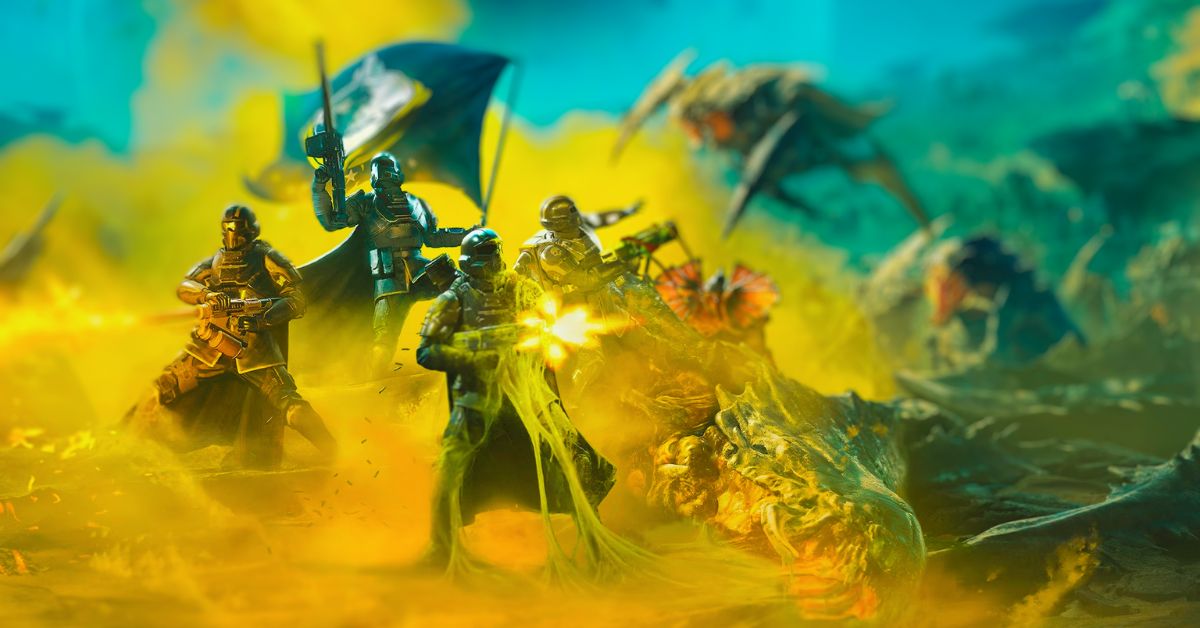
    Is there a single-player mode in Helldivers 2? Can you play it solo? While it may not be the best idea, you can dive in alone. However, as the bugs and bots get more deadly and the tasks become harder at higher levels, there are some serious warnings for lone Helldivers 2 players to keep in mind.

    I’ve discussed how to play Helldiver 2 solo and provided some advice for anyone courageous enough to plunge in on their own.

    Is Helldivers 2 Single Player?

    The basic answer is that you can play Helldivers 2 solo. If you pick a mission while alone in your Destroyer, you will plunge to the planet’s surface on your own.

    However, it is vital to note that there is no typical single-player campaign mode or offline option; the online multiplayer co-op content is the whole game.

    Helldivers 2 Weapon Tier List (1)
    Helldivers 2 Weapon Tier List (1)

    But should you play Helldivers 2 solo? I and the rest of the GamesRadar+ guides team would not suggest it. It’s feasible, but Helldivers 2 is a hard game even with a full team, and it’s significantly worse when you’re alone.

    The simplest levels (Trivial and Easy) are achievable solo, but things become considerably more challenging by the time you reach Medium and Challenging. Then it gets nearly hard for lone players in Hard, Extreme, and beyond.

    Unless you’re a strong player looking for a difficult challenge and already have some of the greatest Helldivers 2 stratagems and weaponry, there’s little purpose in playing solo on Hard or above.

    Helldivers 2 Single Player Tips

    Despite our warnings against playing Helldivers 2 in single-player, it might be preferable to match with randoms in Quickplay. Check out this general Helldivers 2 advice and some solo-specific pointers:

    • Cover all bases while battling adversaries: Because you’re a one-Helldiver army, you should have everything you need to face the whole range of Helldivers 2 foes, rather than focusing on a single team function. Consider using explosives, armor-piercing, close-range, and long-range weaponry, and stratagems to defeat any adversary.
    • Choose turret and guard dog stratagems. Having a Guard Dog (particularly the Rover) around is vital for solitary players, as is having one or two automated turrets to take out flak and give additional firepower.
    • Try to avoid battles as much as possible. Bug Bursts and Bot Drops can occur at inconvenient times and are frequently caused by walking into random enemy patrols. It’s recommended to keep an eye out for these patrols and avoid them as much as possible to reduce the number of battles you have and the quantity of ammunition you consume. Enemies are also quite persistent, thus fleeing from a huge fight is rarely effective!
    • Speed is key: Helldiver’s missions become more chaotic the longer they stay. Enemies spawn regularly and begin to stack up as the countdown runs out. If you’re alone, you should concentrate on the major goals as much as possible to get in and out quickly. Wearing light armor will also improve your overall speed and stamina recovery.
    • Don’t forget the SOS Beacon: If you need assistance mid-mission, you may always phone in an SOS Beacon to try to link other Helldivers to your game. An extra body may make all the difference, but there is no assurance that anyone will turn up.
  • How To Recruit Minthara Patch 6? A Guide To Get The Drow Priestess As A Companion In Baldur’s Gate 3

    How To Recruit Minthara Patch 6? A Guide To Get The Drow Priestess As A Companion In Baldur’s Gate 3

    Minthara is a Drow Priestess of Lolth who leads the Goblin army that attacks the Druid Grove in Baldur’s Gate 3. She is a potential companion who can join your party if you side with her and the Goblins.

    However, recruiting her is not easy, as it requires you to make some morally questionable choices and sacrifice some other companions and allies.

    In Patch 6, the developers have made some changes to the recruitment process of Minthara, making it easier and more flexible for players who want to get her as a companion.

    How To Recruit Minthara Patch 6?

    To recruit Minthara Patch 6, you need to follow these steps:

    • Step 1: Meet Minthara at the Goblin Camp. After you escape the Nautiloid ship and reach the Overworld, you will encounter a group of Goblins who will invite you to their camp. You can accept their invitation and go to the camp, where you will meet Minthara for the first time. You can talk to her and learn about her plans and motivations. You can also flirt with her if you want to romance her later.
    • Step 2: Side with Minthara and the Goblins. After you talk to Minthara, you will have to decide whether to side with her and the Goblins or side with the Druids and the Tieflings. If you want to recruit Minthara, you have to side with her and the Goblins and agree to raid the Druid Grove and kill the Druids and the Tieflings. This will make you hostile to the Druids and the Tieflings, and you will lose the chance to recruit Wyll, Shadowheart, and Halsin as companions. You will also lose the chance to cure your tadpole at Druid Grove.
    • Step 3: Raid the Druid Grove and kill the Druids and the Tieflings. After you side with Minthara and the Goblins, you will have to raid the Druid Grove and kill the Druids and the Tieflings. You will have to fight your way through the Grove and face some tough enemies, such as Zevlor, Kagha, and Halsin. You will also have to deal with some moral dilemmas, such as whether to spare or kill the children, the refugees, and the animals. You can also loot some valuable items and secrets from the Grove, such as the Staff of Crones, the Night Song, and the Gilded Chest of Selune.
    • Step 4: Tell Minthara where to find your camp. After you raid the Druid Grove and kill the Druids and the Tieflings, you will have to return to the Goblin Camp and talk to Minthara. She will thank you for your help and ask you where to find your camp. You have to tell her where to find your camp and invite her to join you. This will make her appear at your camp the next time you rest.
    • Step 5: Recruit Minthara at your camp. After you tell Minthara where to find your camp, you have to rest and go to your camp. You will find Minthara there, and you can talk to her and ask her to join your party. She will agree to join you and become your companion. You can also romance her if you have flirted with her before.

    Requirements to Recruit Minthara Patch 6

    To recruit Minthara Patch 6, you need to meet these requirements:

    • You have to side with Minthara and the Goblins, raid the Druid Grove, and kill the Druids and the Tieflings. This will make you hostile to the Druids and the Tieflings, and you will lose the chance to recruit Wyll, Shadowheart, and Halsin as companions.
    • You will also lose the chance to cure your tadpole at Druid Grove.
    • You have to tell Minthara where to find your camp and invite her to join you. This will make her appear at your camp the next time you rest.
    • You have to have at least one free slot in your party, as Minthara will take up one slot as a companion. You can dismiss one of your current companions if you want to make room for Minthara.
    • You have to be at least level 4, as Minthara will join you at level 4.

    Conclusion

    Minthara is a Drow Priestess of Lolth who can be recruited as a companion in Baldur’s Gate 3. However, recruiting her is not easy, as it requires you to side with her and the Goblins, and raid the Druid Grove and kill the Druids and the Tieflings.

    This will have some consequences for your game, such as losing some other companions and allies and gaining some enemies and reputation. However, it will also have some benefits for your game, such as gaining a powerful and loyal companion, a potential romance option, and a new perspective and experience.

  • Is Banishers Ghosts Of New Eden Multiplayer? Play Solo Or With Friends?

    Is Banishers Ghosts Of New Eden Multiplayer? Play Solo Or With Friends?

    Don’t Nod’s current release has a dual protagonist system, prompting speculation regarding the presence of co-op in Banishers Ghosts of New Eden. Unfortunately, for those hoping to play the game with a friend, the answer is no.

    Let’s look at why the game doesn’t have a multiplayer co-op option and whether it will have one in the future.

    Is Banishers Ghosts of New Eden Multiplayer?

    Banishers Ghosts of New Eden does not yet support co-op, and the game is only available in single-player mode.

    banishers ghosts of new eden system requirements
    banishers ghosts of new eden system requirements

    The game lacks co-op since the story will be told through the perspectives of both characters, Red and Antea. Banishers Ghosts of New Eden, like Alan Wake 2, will swap between protagonists depending on the chapter.

    In contrast to the studio’s previous products, Don’t Nod’s current title has a sophisticated narrative-driven scenario. Thus, it is quite understandable that the makers did not include a co-op mode in Banishers Ghosts of New Eden, since the company intended players to experience both Red and Antea’s journeys.

    Will the Devs Eventually Introduce a Multiplayer Feature to Banishers Ghosts of New Eden?

    It is quite doubtful that Banishers Ghosts of New Eden will have multiplayer support in the future. Don’t Nod’s earlier products were all single-player focused, offering gamers a pure story-driven narrative experience.

    The Vampyr and Life are Strange series lacked multiplayer components, and this appears to be the case with the studio’s next release as well.

    Given how the company plans its next expansions, the creators might include multiplayer co-op in Banishers Ghosts of New Eden, although this is unlikely to happen.