Blog

  • Is Need For Speed Heat Crossplay? How To Play With Friends On Different Platforms?

    Is Need For Speed Heat Crossplay? How To Play With Friends On Different Platforms?

    Need for Speed Heat is a racing game that lets players customize and drive their cars in a fictional open-world city called Palm City. The game features various modes, such as story, multiplayer, and online.

    Is Need For Speed Heat Crossplay?

    Need For Speed Heat Crossplay
    Need For Speed Heat Crossplay

    Crossplay in Need for Speed Heat is a feature that allows players to race against each other regardless of their gaming platform. This means that players who are using a PC, Xbox One, or PlayStation 4 can play together online, as long as they have the same game version and an internet connection.

    Crossplay was added to Need for Speed Heat in June 2020, as part of the final update for the game. Crossplay is optional, and players can choose to enable or disable it in the game settings.

    How to Enable or Disable Crossplay in Need for Speed Heat?

    Enabling or disabling crossplay in Need for Speed Heat is straightforward, as it can be done in the game settings. Here are the steps to enable or disable crossplay in Need for Speed Heat:

    • Launch Need for Speed Heat on the platform that you are using, and load your game progress.
    • On the main menu, select “Settings” to access the game settings.
    • On the settings menu, select “EA Account” to access the EA account settings.
    • On the EA account settings, select “Cross-Play” to access the crossplay settings.
    • On the crossplay settings, select “Enable” or “Disable” to enable or disable crossplay in the game.
    • Confirm your choice, and return to the main menu.

    How to Play with Friends on Different Platforms in Need for Speed Heat?

    Playing with friends on different platforms in Need for Speed Heat is possible, but it requires some extra steps and conditions. Here are the steps and conditions to play with friends on different platforms in Need for Speed Heat:

    • Make sure that you and your friends have enabled crossplay in the game settings, and have the same game version and an internet connection.
    • Make sure that you and your friends have an EA account, and have linked it to your gaming platform account.
    • Make sure that you and your friends have added each other as EA friends, by searching for their EA ID, PSN ID, or Xbox Gamertag in the game menu or the EA website.
    • Make sure that you and your friends are online and in the same game mode, such as story, multiplayer, or online.
    • Join or create a party with your friends, by selecting them from the EA friends list in the game menu, and inviting or accepting them to the party.
    • Start or join a race with your friends, by selecting a race from the map or the menu, and inviting or accepting them to the race.
    • Enjoy the race with your friends on different platforms, and communicate with them using external voice chat or text chat apps, such as Discord or WhatsApp.

    Conclusion

    Need for Speed Heat is a crossplay game, meaning that players can play with their friends who are using different platforms, such as PC, Xbox One, or PlayStation 4. However, players should be aware of the benefits and limitations of crossplay, such as the lack of voice chat or text chat, and the inability to invite or join players who are using different platforms.

    Players should also follow the steps and conditions to enable or disable crossplay and to play with friends on different platforms.

    You might also be interested in the following games, Crossplay: Evil West Crossplay and Nobody Saves The World Crossplay We appreciate your interest in our website! Make Gameempress.com your go-to site for gaming information.

  • Is Valheim Cross Platform? How To Play With Friends On Different Devices?

    Is Valheim Cross Platform? How To Play With Friends On Different Devices?

    Valheim is a popular survival game that lets players explore, craft, and fight in a procedurally generated Viking-themed world. The game supports online multiplayer, allowing players to team up with their friends and build their settlements, ships, and weapons.

    However, many players may wonder if Valheim is cross-platform, meaning if they can play with their friends who are using different devices, such as PC, Xbox, or Linux. In this article, we will answer this question, and explain how to play Valheim with friends on different devices.

    Is Valheim Cross Platform?

    Is Valheim Cross Platform?
    Is Valheim Cross Platform?

    The short answer is yes, Valheim is cross platform. This means that players can play Valheim with their friends who are using different devices, such as PC, Xbox, or Linux. However, there are some conditions and limitations that players should be aware of before they start playing Valheim with their friends on different devices.

    First of all, Valheim is only available on PC, Xbox, and Linux platforms. This means that players who are using other devices, such as PlayStation, Nintendo Switch, or mobile devices, cannot play Valheim at all.

    Therefore, players who want to play Valheim with their friends on different devices should make sure that they are using one of the supported platforms.

    Secondly, Valheim is only cross platform between Steam, Microsoft Store, and Xbox consoles. This means that players who are using Steam, Microsoft Store, or Xbox consoles can play Valheim with each other, regardless of the device they are using.

    However, players who are using Linux platforms cannot play Valheim with their friends who are using Steam, Microsoft Store, or Xbox consoles. Therefore, players who want to play Valheim with their friends on different devices should make sure that they are using one of the compatible platforms.

    Thirdly, Valheim is only cross platform if the players are using the same game version. This means that players who are using different game versions, such as different patches or updates, cannot play Valheim with each other.

    Therefore, players who want to play Valheim with their friends on different devices should make sure that they are using the same game version, and update their game if necessary.

    How to Play Valheim with Friends on Different Devices?

    If players meet the conditions and limitations mentioned above, they can play Valheim with their friends on different devices. Here are the steps to play Valheim with friends on different devices:

    • Launch Valheim on the device that you are using, and create or load a character.
    • On the main menu, select “Start” to create or load a world. If you want to play with your friends on different devices, you should enable the “Community Server” option, and set a password for your world. This will allow your friends to join your world, as long as they know the password.
    • On the main menu, select “Join Game” to join a world that your friends have created. You can either browse the list of available servers or enter the IP address of the server that you want to join. You will also need to enter the password of the server if it has one.
    • Once you have joined a world, you can play Valheim with your friends on different devices. You can chat, trade, build, explore, and fight together, as well as enjoy the various features and content that Valheim has to offer.

    Conclusion

    Valheim is a cross platform game, meaning that players can play with their friends who are using different devices, such as PC, Xbox, or Linux. However, players should be aware of the conditions and limitations that apply to Valheim’s cross platform feature, such as the supported and compatible platforms, and the same game version.

    You might also be interested in the following games, Crossplay: Evil West Crossplay and Nobody Saves The World Crossplay We appreciate your interest in our website! Make Gameempress.com your go-to site for gaming information.

  • Call Of Duty Mobile Mod Menu: What Is It And How To Use It Safely?

    Call Of Duty Mobile Mod Menu: What Is It And How To Use It Safely?

    Call of Duty Mobile is a popular first-person shooter game that can be played on mobile devices, such as smartphones and tablets. The game features various modes, such as multiplayer, battle royale, zombies, and more, as well as a large selection of weapons, maps, and characters.

    The game also supports modding, which is the process of modifying or adding new features, content, or changes to the game. Modding can enhance the gaming experience, as well as provide more customization, fun, and challenge. However, modding also comes with some risks, such as bans, viruses, or crashes.

    Therefore, it is important to know how to mod safely and responsibly, and what tools to use. One of the tools that many modders use is the Call of Duty Mobile Mod Menu, a software that allows users to access and activate various mods in the game. But what is the Call of Duty Mobile Mod Menu, and how to use it safely? Here is a guide to answer these questions, and more.

    Call Of Duty Mobile Mod Menu

    Call of Duty Mobile Season 3: Rush is Coming
    Call of Duty Mobile Season 3: Rush is Coming

    The Call of Duty Mobile Mod Menu, or CODM Mod Menu for short, is a software that allows users to download, install, and activate various mods for Call of Duty Mobile. Mods are user-created modifications that add new features, content, or changes to the game, such as new weapons, skins, maps, modes, or cheats.

    The CODM Mod Menu is developed by mod menu.games, a website that hosts mods for various games, such as Call of Duty Mobile, PUBG Mobile, Free Fire, and more. The CODM Mod Menu has several features and functions, such as:

    • Downloading mods directly from modmenu.games, without the need to visit the website or extract the files manually.
    • Installing mods automatically, by placing them in the correct folders and creating backups of the original files.
    • Activating mods easily, by using a simple interface that shows the available mods and their descriptions, as well as the option to enable or disable them.
    • Accessing mods conveniently, by using a hotkey or a button that opens the mod menu in the game, where users can select and activate the mods they want to use.
    • Updating mods automatically, by checking for new versions and downloading them from modmenu.games.

    How to Use the Call of Duty Mobile Mod Menu Safely?

    The CODM Mod Menu is generally safe to use, as it is a legitimate and reputable software that has been tested and verified by many users and modders. The CODM Mod Menu does not contain any viruses, malware, or spyware, and it does not harm or modify the game files, except for installing the mods.

    The CODM Mod Menu also does not collect or share any personal or sensitive information from the users, and it respects the privacy and security of the users and modders. However, the CODM Mod Menu is not completely risk-free, as it still depends on the quality and compatibility of the mods that are downloaded and installed from modmenu.games.

    Some mods may be outdated, incompatible, buggy, or malicious, and they may cause problems or damage to the game or the device. Some mods may also violate the terms and conditions of the game, and they may result in bans, suspensions, or penalties from the game developers or publishers. Therefore, it is important to use the CODM Mod Menu with caution and discretion and follow some best practices, such as:

    • Only download and install mods from trusted and verified sources, such as modmenu.games or other official modding platforms.
    • Only download and install mods that are compatible with the game version and the other mods that are installed.
    • Only download and install mods that have positive reviews, ratings, and feedback from other users and modders.
    • Always read the mod description, instructions, and requirements before downloading and installing the mod.
    • Always backup the game files and the data files before downloading and installing the mod.
    • Always scan the mod files with an antivirus or anti-malware software before installing the mod.
    • Always uninstall or disable the mod if it causes any problems or issues with the game or the device.
    • Always use the mods responsibly and ethically, and do not use them to gain unfair advantages, or harass, or harm other players or the game.

    How to Download and Install the Call of Duty Mobile Mod Menu?

    Downloading and installing the CODM Mod Menu is relatively easy and straightforward, as it has a simple and user-friendly interface. Here are the basic steps to download and install the CODM Mod Menu, and mod the game with modmenu.games:

    • Download and install the CODM Mod Menu from the official website modmenu.games, or from the modmenu.games page Call Of Duty Mobile Mod Menu Download.
    • Run the CODM Mod Menu and select the game that you want to mod from the list of supported games. If the game is not detected automatically, you can browse and select the game folder manually.
    • Click on the “Online” tab to browse and search for mods from modmenu.games. You can filter the mods by category, name, author, rating, or date.
    • Click on the “Download” button to download the mod that you want to install. The mod will be added to the “Downloads” tab, where you can see the progress and status of the download.
    • Click on the “Install” button to install the mod that you have downloaded. The mod will be added to the “Installed” tab, where you can see the details and information of the mod.
    • Click on the “Enable” button to enable the mod that you have installed. The mod will be added to the “Enabled” tab, where you can see the order and priority of the mod.
      Repeat the steps 4 to 6 for any other mods that you want to download, install, and enable.
    • Click on the “Launch Game” button to launch the game with the enabled mods. The game will start with the mods that are enabled in the CODM Mod Menu.
    • Enjoy the game with the mods that you have installed and enabled.

    Conclusion

    The Call of Duty Mobile Mod Menu is a software that helps users download, install, and activate various mods for Call of Duty Mobile. The CODM Mod Menu is safe to use, as it is a legitimate and reputable software that does not contain any viruses, malware, or spyware.

    However, the CODM Mod Menu is not completely risk-free, as it still depends on the quality and compatibility of the mods that are downloaded and installed from modmenu.games.

    This is everything you need to know about Call Of Duty Mobile Mod Menu. Additionally, you can check our guide on Sims 4 Car Mod and Hogwarts Legacy Mods. Stay connected with GameEmpress.com to get the latest news and guides about the gaming world.

  • Is Thunderstore Mod Manager Safe? A Guide to Modding Games with Thunderstore

    Is Thunderstore Mod Manager Safe? A Guide to Modding Games with Thunderstore

    Thunderstore is a website that hosts mods for various games, such as Risk of Rain 2, Dyson Sphere Program, Valheim, and more. Mods are user-created modifications that add new features, content, or changes to the original game.

    Modding can enhance the gaming experience, as well as provide more replay value, customization, and creativity. However, modding also comes with some risks, such as compatibility issues, bugs, crashes, or malware.

    Therefore, it is important to know how to mod safely and responsibly, and what tools to use. One of the tools that many modders use is Thunderstore Mod Manager, a software that helps install, update, and manage mods from Thunderstore.

    But is Thunderstore Mod Manager safe to use? And how does it work? Here is a guide to answer these questions, and more.

    Thunderstore Mod Manager

    Is Thunderstore Mod Manager Safe
    Is Thunderstore Mod Manager Safe

    Thunderstore Mod Manager, or TMM for short, is a software that allows users to easily download, install, update, and manage mods from Thunderstore. TMM was developed by ebkr, a modder and developer who also created r2modman, a similar mod manager for Risk of Rain 2.

    TMM is compatible with several games that are supported by Thunderstore, such as Dyson Sphere Program, Valheim, GTFO, and more. TMM has several features and functions, such as:

    • Downloading mods directly from Thunderstore, without the need to visit the website or extract the files manually.
    • Installing mods automatically, by placing them in the correct folders and creating backups of the original files.
    • Updating mods automatically, by checking for new versions and downloading them from Thunderstore.
    • Managing mods easily, by enabling, disabling, deleting, or sorting them with a simple interface.
    • Creating mod profiles, which are sets of mods that can be switched between, without affecting the other profiles.
    • Launching the game directly from TMM, with the selected mod profile active.

    Is Thunderstore Mod Manager Safe to Use?

    TMM is generally safe to use, as it is a legitimate and reputable software that has been tested and verified by many users and modders. TMM does not contain any viruses, malware, or spyware, and it does not harm or modify the game files, except for installing the mods.

    TMM also does not collect or share any personal or sensitive information from the users, and it respects the privacy and security of the users and modders. However, TMM is not completely risk-free, as it still depends on the quality and compatibility of the mods that are downloaded and installed from Thunderstore.

    Some mods may be outdated, incompatible, buggy, or malicious, and they may cause problems or damage to the game or the computer. Therefore, it is important to use TMM with caution and discretion, and follow some best practices, such as:

    • Only download and install mods from trusted and verified sources, such as Thunderstore or other official modding platforms.
    • Only download and install mods that are compatible with the game version and the other mods that are installed.
    • Only download and install mods that have positive reviews, ratings, and feedback from other users and modders.
    • Always read the mod description, instructions, and requirements before downloading and installing the mod.
    • Always backup the game files and the saved files before downloading and installing the mod.
    • Always scan the mod files with an antivirus or anti-malware software before installing the mod.
    • Always uninstall or disable the mod if it causes any problems or issues with the game or the computer.

    How to Use Thunderstore Mod Manager?

    Using TMM is relatively easy, as it has a simple and user-friendly interface. Here are the basic steps to use TMM, and mod the games with Thunderstore:

    • Download and install TMM from the official website Thunderstore Mod Manager, or the Thunderstore page.
    • Run TMM and select the game that you want to mod from the list of supported games. If the game is not detected automatically, you can browse and select the game folder manually.
    • Click on the “Online” tab to browse and search for mods from Thunderstore. You can filter the mods by category, name, author, rating, or date.
    • Click on the “Download” button to download the mod that you want to install. The mod will be added to the “Downloads” tab, where you can see the progress and status of the download.
    • Click on the “Install” button to install the mod that you have downloaded. The mod will be added to the “Installed” tab, where you can see the details and information of the mod.
    • Click on the “Enable” button to enable the mod that you have installed. The mod will be added to the “Enabled” tab, where you can see the order and priority of the mod.
    • Repeat the steps 4 to 6 for any other mods that you want to download, install, and enable.
    • Click on the “Create Profile” button to create a mod profile, which is a set of mods that can be switched between. You can name the profile, and select the mods that you want to include in the profile.
    • Click on the “Activate Profile” button to activate the mod profile that you have created. The profile will be added to the “Active Profile” tab, where you can see the name and the mods of the profile.
    • Click on the “Launch Game” button to launch the game with the active mod profile.
    • The game will start with the mods that are enabled in the profile.
    • Enjoy the game with the mods that you have installed and enabled.

    Conclusion

    Thunderstore Mod Manager is a software that helps users download, install, update, and manage mods from Thunderstore. TMM is safe to use, as it is a legitimate and reputable software that does not contain any viruses, malware, or spyware.

    However, TMM is not completely risk-free, as it still depends on the quality and compatibility of the mods that are downloaded and installed from Thunderstore. Therefore, it is important to use TMM with caution and discretion and follow some best practices, such as only downloading and installing mods from trusted and verified sources and backing up the game files and the saved files before modding.

    TMM is easy to use, as it has a simple and user-friendly interface, and it allows users to create and switch between mod profiles, and launch the game directly from TMM. TMM is a useful and convenient tool for modding games with Thunderstore, and it can enhance the gaming experience, as well as provide more replay value, customization, and creativity.

    If you like, you can read our guides on Lethal Company Performance Mod and Max Payne RTX Remix Remaster Mod. Stay connected to GameEmpress.com for the most recent gaming news and guides.

  • Fallout 76 Resource Map: How To Find And Harvest Resources In The Wasteland?

    Fallout 76 Resource Map: How To Find And Harvest Resources In The Wasteland?

    Fallout 76 is a multiplayer online role-playing game that takes place in a post-apocalyptic world, where the player can explore, build, and survive. One of the most important aspects of the game is finding and harvesting resources, which can be used for crafting, upgrading, repairing, and trading.

    Resources can be found in various forms, such as junk, plants, animals, minerals, and deposits. However, not all resources are easy to find, and some are more rare and valuable than others.

    Therefore, having a resource map can be very helpful, as it can show the locations and types of resources available in the game world. Here is a guide on how to use and benefit from the Fallout 76 resource map, and what resources are worth looking for.

    Fallout 76 Resource Map

    Fallout 76 Resource Map
    Fallout 76 Resource Map

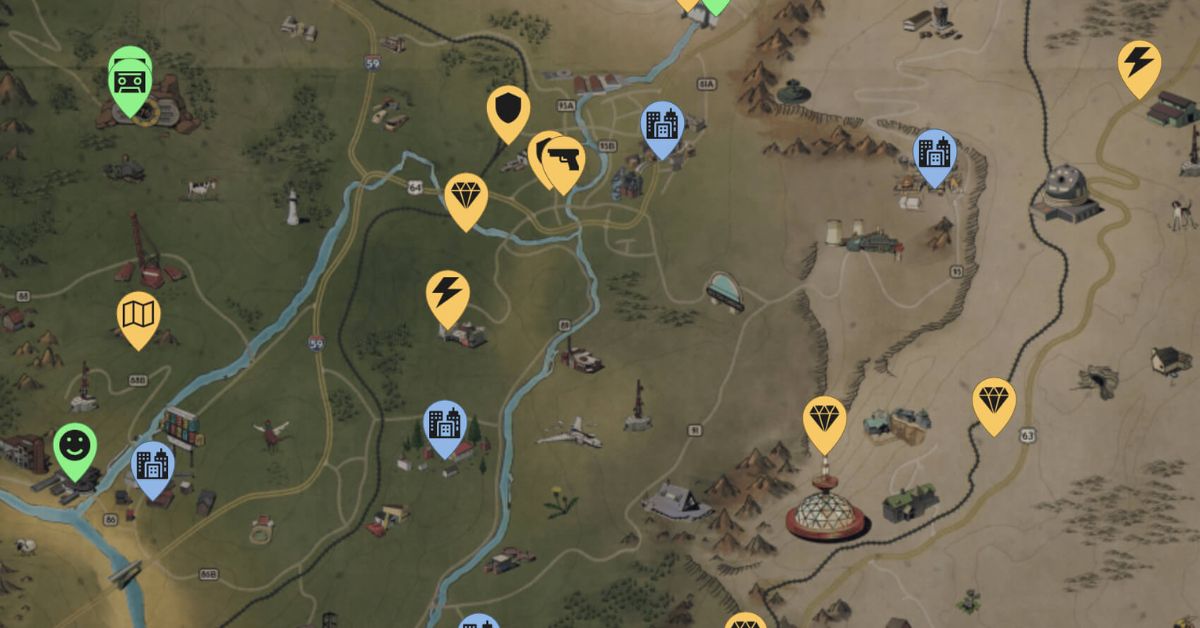
    The Fallout 76 resource map is a fan-made interactive map that shows the locations and types of resources in the game world. The map can be accessed by visiting the website Fallout 76 Map, which is created and maintained by a group of Fallout fans and enthusiasts. The map has several features and functions, such as:

    • Showing the entire game world, divided into six regions: The Forest, The Ash Heap, The Toxic Valley, The Savage Divide, The Mire, and Cranberry Bog.
    • Showing the locations of various points of interest, such as locations, workshops, events, quests, vendors, and stash boxes.
    • Showing the locations and types of resources, such as junk, plants, animals, minerals, and deposits. The resources are color-coded and labeled and can be filtered by category and rarity.
    • Showing the locations and types of collectibles, such as bobbleheads, magazines, holotypes, overseer’s caches, and treasure maps. The collectibles are also color-coded and labeled, and can be filtered by category and name.
    • Showing the locations and types of enemies, such as creatures, robots, mutants, and humans. The enemies are also color-coded and labeled, and can be filtered by category and level.
    • Showing the locations and types of items, such as weapons, armor, power armor, fusion cores, nuka cola, and keys. The items are also color-coded and labeled, and can be filtered by category and name.
    • Showing the locations and types of plans, mods, and recipes, which can be used for crafting and upgrading items. The plans, mods, and recipes are also color-coded and labeled, and can be filtered by category and name.
    • Showing the distance and direction of the player’s current location, as well as the option to mark and measure the distance of any point on the map.
    • Showing the weather and time of day of the game world, as well as the option to change the map’s brightness and contrast.
    • Showing the legend and the settings of the map, as well as the option to share, download, or print the map.

    Fallout 76 Resource Map: How to Find and Harvest Resources?

    The Fallout 76 resource map can be very useful for finding and harvesting resources, as it can help the player plan their exploration and scavenging routes, as well as locate the most valuable and rare resources. Here are some tips and tricks for using the Fallout 76 resource map, and what resources are worth looking for:

    • To access the Fallout 76 resource map, visit the website Fallout 76 Map, and use the menu on the top left corner to select the desired features and functions.
    • To find and harvest resources, use the filter on the bottom left corner to select the category and rarity of the resources, and look for the corresponding icons and labels on the map. For example, to find and harvest acid, select the category “Minerals” and the rarity “Rare”, and look for the yellow icons and labels that say “Acid”.
    • To find and harvest resources more efficiently, use the map to locate the areas that have a high concentration of resources, such as workshops, mines, or farms. These areas usually have resource extractors or collectors, which can automatically gather resources for the player, as long as they claim and defend the area from other players and enemies. Alternatively, the player can also build their resource extractors or collectors, if they have the required plans and materials.
    • To find and harvest rare and valuable resources, use the map to locate the areas that have unique or special resources, such as black titanium, ultracite, or nuclear material. These resources are usually found in dangerous or remote areas, such as fissure sites, blast zones, or vaults. These resources are often used for crafting high-level or legendary items, such as power armor, weapons, or mods.
    • To find and harvest resources that are not shown on the map, use the map to locate the areas that have potential sources of resources, such as junk piles, plants, animals, or containers. These sources can be looted or harvested by the player, and then scrapped or processed into resources, using a workbench or a chemistry station. Some sources may also have hidden or secret resources, such as keys, holotypes, or treasure maps, which can lead to more resources or items.

    This is everything you need to know about Fallout 76 Resource Map. Additionally, you can check our guide on Secret Of Mana Map and Icewind Dale Map. Stay connected with GameEmpress.com to get the latest news and guides about the gaming world.

  • Secret Of Mana Map: How To Explore The World Of Mana In The Classic RPG?

    Secret Of Mana Map: How To Explore The World Of Mana In The Classic RPG?

    Secret of Mana is a classic action role-playing game that was released for the Super Nintendo Entertainment System in 1993. The game follows the adventures of three heroes, Randi, Primm, and Popoi, who must restore the power of Mana, a mystical energy source that sustains the world.

    The game features a colorful and diverse world, with various locations, such as forests, deserts, mountains, caves, temples, and castles. The game also features a unique world map, which allows the player to travel between different areas, using different methods, such as walking, riding a cannon, or flying a dragon.

    Here is a guide on how to use and navigate the secret of mana map, and what secrets and surprises it holds.

    Secret of Mana Map

    The Secret of Mana map is a circular map that shows the entire world of Mana, divided into eight sections, each representing a different element and theme. The map can be accessed by pressing the X button on the controller, and it shows the current location of the player, as well as the locations of the eight Mana Palaces, which are important landmarks in the game.

    Secret Of Mana Map
    Secret Of Mana Map

    The map also shows the names of the areas, the enemies that can be encountered, and the items that can be found. The map can be zoomed in and out, and rotated, by using the L and R buttons on the controller.

    The secret of  mana map is not a static map, but a dynamic one, that changes according to the events and actions of the player. For example, some areas may be inaccessible or blocked at first, but they may open up later, after completing certain quests or obtaining certain items.

    Some areas may also change their appearance or layout, depending on the time of day, the season, or the weather. Some areas may also have hidden or secret passages, that can be discovered by using certain abilities or items, such as the whip or the axe.

    The Secret of Mana map is also not a complete map, but a partial one, that does not show everything that the world of Mana has to offer. There are some areas that are not shown on the map but can be found by exploring the world, such as the Lost Continent, the Pure Land, or the Mana Fortress.

    There are also some areas that are shown on the map but are not accessible by normal means, such as the Moon Palace, the Gold Tower, or the Underground City. These areas require special methods or items to reach, such as the Flammie Drum, the Sea Hare’s Tail, or the Midge Mallet.

    Secret of Mana Map: How to Travel and Explore?

    The secret of mana map is not only a tool for navigation, but also a tool for travel and exploration. The player can use different methods and modes of transportation to move around the world of Mana, each with its own advantages and disadvantages. Here are some of the main methods and modes of transportation, and how to use them:

    • Walking: This is the most basic and common method of travel, which allows the player to move around the world on foot, by using the directional pad on the controller. Walking is slow and tedious, but it is also the most reliable and flexible method, as it allows the player to access most areas, and interact with the environment and the NPCs. Walking also allows the player to encounter enemies and gain experience and items, as well as trigger events and cutscenes.
    • Cannon: This is a fast and fun method of travel, which allows the player to launch themselves from one area to another, by using a cannon. Cannons are operated by friendly NPCs, called Cannon Travel Centers, who charge a fee for their service. Cannons are convenient and cheap, but they are also limited and risky, as they only connect certain areas, and they may damage the player’s health or equipment. Cannons also do not allow the player to encounter enemies or trigger events, as they skip the areas in between.
    • Flammie: This is the most advanced and exciting method of travel, which allows the player to fly around the world on a dragon, called Flammie. Flammie can be summoned by using the Flammie Drum, an item that the player obtains later in the game. Flammie is fast and free, but he is also hard to control and maneuver, as he requires the use of both the directional pad and the buttons on the controller. Flammie can access almost any area, except for some that are protected by barriers or magic, and he can also encounter enemies or trigger events, depending on the altitude and the speed. Flammie also has a special ability, called Flammie Vision, which allows the player to see the world map in a 3D perspective, and select a destination to land.

    Secret of Mana Map: Tips and Tricks

    Here are some tips and tricks for using and enjoying the secret of mana map:

    • To save time and money, use the cannon or Flammie to travel between distant areas, and use walking to explore the nearby areas.
    • To discover new and hidden areas, use Flammie to fly around the world, and look for unusual or suspicious landmarks, such as islands, mountains, or caves.
    • To find the Mana Palaces, use Flammie Vision to see the world map in 3D, and look for the glowing dots that represent the palaces.
    • To avoid getting lost or confused, use the map to check your current location, and the names and details of the areas.
    • To enjoy the beauty and diversity of the world of Mana, use the L and R buttons to zoom in and out, rotate the map, and admire the different landscapes, colors, and themes.

    This is everything you need to know about the Secret Of Mana Map. Additionally, you can check our guide on Death King Blox Fruits: Location Guide and RDR2 Moose Location Guide. Stay connected with GameEmpress.com to get the latest news and guides about the gaming world.

  • Elder Scrolls Online Gold Road Release Date Revealed: Get Ready For Adventure!

    Elder Scrolls Online Gold Road Release Date Revealed: Get Ready For Adventure!

    Gold Road will lead players on a fascinating adventure through less-traveled portions of Tamriel in quest of the truth about the forgotten Daedric prince, Ithelia, and her lost kingdom, Mirrormoor.

    It also includes a brand-new system called Scribing, which allows for a whole new degree of skill customization to fit any play style.

    Now that we’ve received a sneak peek at what’s in store for the global reveal, here’s all we know about Elder Scrolls Online: Gold Road.

    Elder Scrolls Online Gold Road Release Date

    The Elder Scrolls Online: Gold Road is set to be released on June 3, 2024, for PC/Mac, and June 18 for Xbox and PlayStation.

    This was verified by ZeniMax Online Studios during the ESO Global Reveal event on January 18.

    The game is presently available for pre-purchase on all platforms, with players who purchase before March 18 receiving bonus incentives such as a pet and horse.

    Gold Road will be accessible on PC, Mac, Xbox, and PlayStation. However, new players should be aware that there is no crossplay allowed in ESO.

    Elder Scrolls Online Gold Road Story

    The Elder Scrolls Online: Gold Road will transport players to West Weald in quest of the long-forgotten Daedric Prince Ithelia, who is a prince of crystal and color rather than cosmic horror.

    Players come to pandemonium and the discovery of a vast rainforest jungle that appears to have sprouted up overnight in the region. They also come upon the strange “Recollection,” a breakaway group of wood elves who consider themselves Ithelia’s devoted followers.

    Throughout the story, players will learn about Ithelia’s interactions with the other princes and who she truly is.

    There will also be some “capper” quests. These are unlocked by finishing the major tales of both Necrom and Gold Road.

    Elder Scrolls Online: Gold Road New Gameplay Features

    Scribing is a new feature coming to Gold Road. The new gameplay element will allow players to customize talents based on World and Weapon skill lines. As part of the new system, players will be able to customize the appearance of their skills. Changing their colors and eventually adding additional visual effects.

    If you are interested in knowing more articles related to other games, you can check The Elder Scrolls 6 PS5 Release and WWE 2K24 Release Date PS5. We appreciate your interest in our website! Make Gameempress.com your go-to site for gaming information.

  • Lethal Company Performance Mod: How To Boost Your FPS And Graphics Quality In The Open World Survival Game?

    Lethal Company Performance Mod: How To Boost Your FPS And Graphics Quality In The Open World Survival Game?

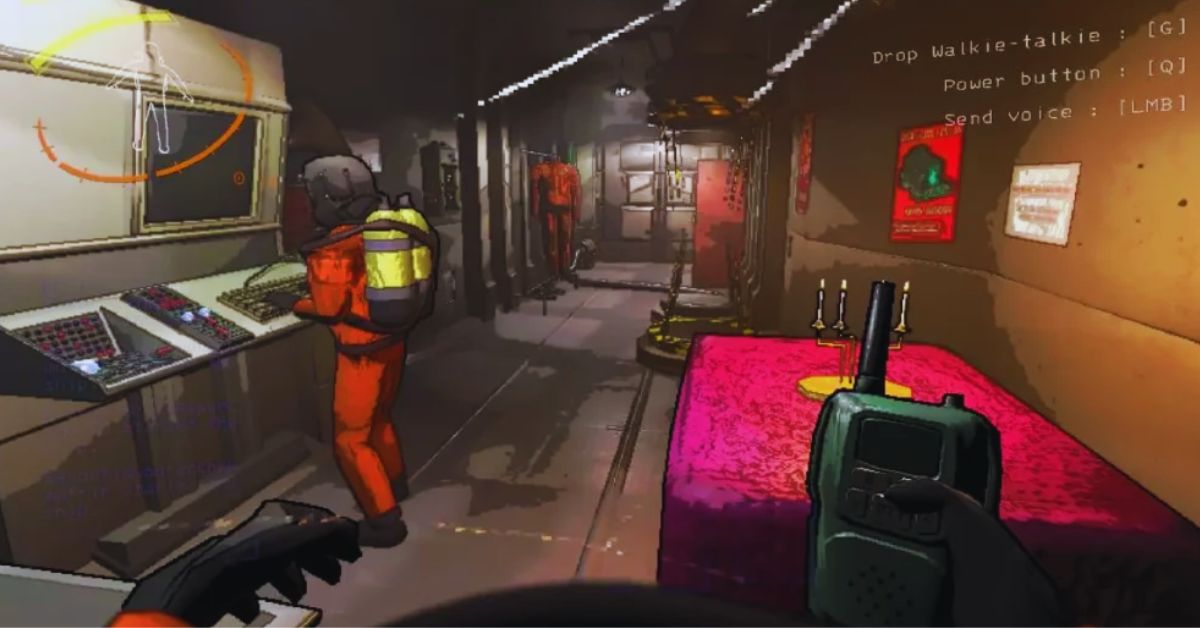
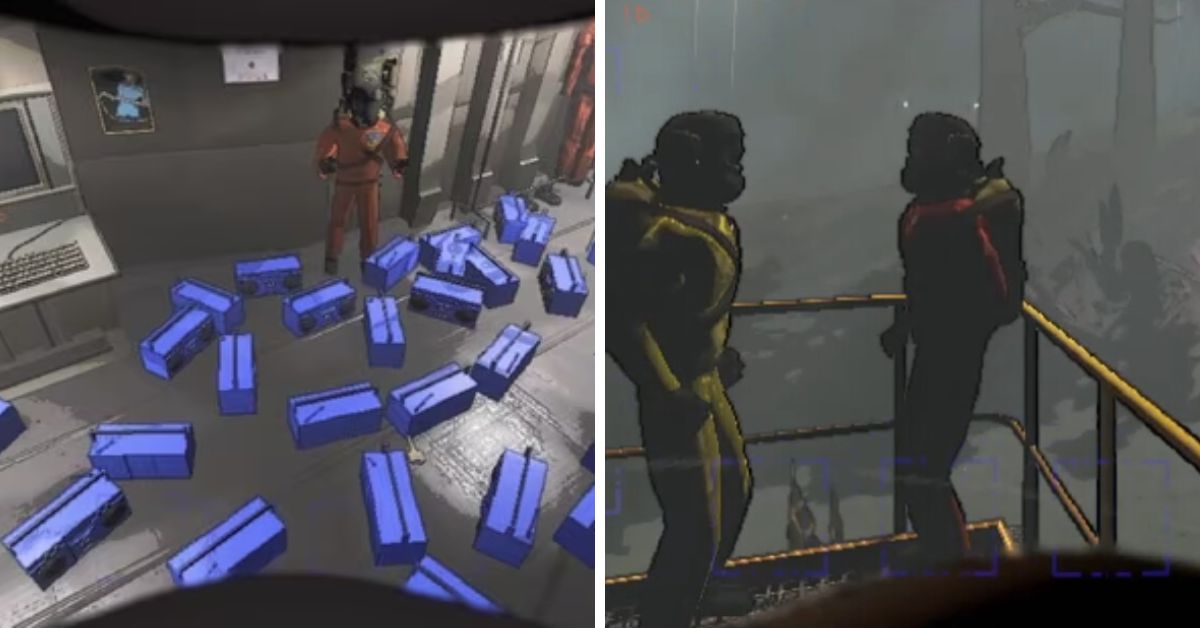
    Lethal Company is a game that combines creature collecting, survival, crafting, and shooting elements in an open world. The game has a unique and colorful art style, but it also has some performance issues and bugs that can affect your gameplay experience.

    If you are looking for ways to improve your FPS and graphics quality in Lethal Company, you might want to try using a performance mod. In this article, we will tell you everything you need to know about Lethal Company performance mod, including how to install and use it.

    Lethal Company Performance Mod

    Horror Game Lethal Company Breaks Steam Records
    Horror Game Lethal Company Breaks Steam Records

    Lethal Company performance mod is a mod that aims to optimize and enhance the game’s performance and graphics. The mod was created by user BλdλBoom, who posted it on the game’s Steam community page.

    The mod allows you to change various settings and options, such as resolution, anti-aliasing, post-processing, texture quality, fog quality, level of detail, shadow quality, and more. The mod also tries to disable some of the game’s features that can cause lag or glitches, such as fog, grass, and bushes.

    The mod can help you increase your FPS, reduce stuttering, and improve your visibility and immersion in the game.

    How to Install Lethal Company Performance Mod?

    To install the Lethal Company performance mod, you need to download the mod file from the link provided by the modder. The mod file is a text file named HDLethalCompany.cfg, which contains the codes and scripts that enable the mod. You need to place this file in the game’s config folder, which is located at steamapps\\common\\Lethal Company\\BepInEx\\config.

    If you don’t have the BepInEx folder, you need to install the BepInExPack mod first, which is a modding framework that allows you to use other mods in the game. You can download the BepInExPack mod from the Thunderstore website, or use the r2modmanager to do it for you. For instructions on how to install mods, you can read this Steam guide.

    Once you have the mod file in the config folder, you need to launch the game at least once to make sure the mod is working. You can then edit the mod file with a text editor, such as Notepad, to change the settings and options according to your preference and system specifications.

    Conclusion

    Lethal Company performance mod is a mod that can help you boost your FPS and graphics quality in the open-world survival game. The mod allows you to change various settings and options, such as resolution, anti-aliasing, post-processing, texture quality, fog quality, level of detail, shadow quality, and more.

    The mod also tries to disable some of the game’s features that can cause lag or glitches, such as fog, grass, and bushes.

    This is everything you need to know about Lethal Company Performance Mod. Additionally, you can check our guide on Sims 4 Car Mod and Hogwarts Legacy Mods. Stay connected with GameEmpress.com to get the latest news and guides about the gaming world.

  • Genshin Impact 4.4 Character Outfits: New Styles Await!

    Genshin Impact 4.4 Character Outfits: New Styles Await!

    Genshin Impact creators just released the 4.4 Special Programme, which announced the return of the Lantern Rite event. They also disclosed that new cosmetics will be offered for three characters from Liyue Harbour: Xingqiu, Ganyu, and Shenhe.

    These troops will receive what appear to be four-star skin suits. It’s worth noting that prior Lantern Rite events have featured themed attire for this title’s characters.

    According to an official statement, users would need to complete Lantern Rite challenges to receive Xingqiu’s skin for free. Meanwhile, Shenhe and Ganyu’s clothes are only available by swapping Genesis Crystals at the shop. This article will tell you all you need to know about the new Genshin Impact 4.4 skins.

    Genshin Impact 4.4 Character Outfits

    The Genshin Impact 4.4 webcast revealed the return of Lantern Rite in Liyue Harbour, implying that this content will include new game types to explore and enjoy. You will also be able to perform several event challenges, which will reward you with event currency that can be used to purchase exciting in-game stuff.

    The official X post above features new clothes for Xingqiu, Ganyu, and Shenhe, each with their splash graphics.

    • Ganyu’s new outfit “Twilight Blossom”
    • Shenhe’s new outfit “Frostflower Dew”
    • Xingqiu’s new outfit “Bamboo Rain”

    All of these appear to be 4-star skins without special effects, similar to Diluc’s skin. And now that it’s out of the way, we’ll look into how to purchase these cosmetics.

    How can I get Xingqiu, Ganyu, and Shenhe’s new skin suits in Genshin Impact 4.4?

    Let’s start with Xingqiu “Bamboo Rain,” which is easily accessible. Lantern Rite will have three new gameplay types. Each will have its own set of event challenges that you may accomplish to earn the event cash.

    Once players have accumulated enough of this cash, they can proceed to the event page to obtain Xingqiu’s new costume. After this event, the cosmetic will remain in-game but must be purchased using 1,680 Genesis Crystals.

    During Lantern Rite, Ganyu and Shenhe’s new skin clothes will be available for purchase in the character outfit shop indefinitely.

    Cloud Retainer commissioned both skin suits just for the momentous flagship event. They will be published alongside Genshin Impact’s 4.4 update and will be sold at a discount until March 11, 2024. During this time, any outfit is available for the reduced price of 1,350 Genesis Crystals.

    Following the sale time, Ganyu and Shenhe’s clothes can be purchased for 1,680 Genesis Crystals each. Fortunately, you can purchase Genesis Crystals in-game.

    We appreciate your interest in our website! Make Gameempress.com your go-to site for gaming information.

  • Genshin Impact Redemption Code: Unlock Your Treasure Trove

    Genshin Impact Redemption Code: Unlock Your Treasure Trove

    Primogem is the key resource that Genshin Impact players will need to obtain new characters and weapons. The simplest way to obtain this currency is to pay money to purchase Genesis Crystals and convert them into Primogems. Still, the most cost-effective option is to stay active, follow every in-game event, and, of course, hunt more Primogems via web events or codes.

    Some redemption codes are provided at regular intervals. For example, three livestream codes are revealed every six weeks, and fresh redeem codes are added at the start of each edition. If players are curious about which Genshin Impact redeem codes are available, they may check out this post.

    Genshin Impact Redemption Code

    Genshin Impact Furina's Kit
    Genshin Impact Furina’s Kit

    Players can use the following Genshin Impact 4.4 livestream redeem codes:

    Redemption Code Rewards
    BBQ8AZHUH2CZ 100 Primogems & 10 Mystic Enhancement Ores
    MT88AYHCZ2UR 100 Primogems & 5 Hero’s Wits
    FA9QAGYDZJEV 100 Primogems & 50,000 Mora

    The following redemption codes are also available in January 2024:

    Redemption Code Rewards
    NA88ANTJL5SD 60 Primogems & 5 Adventurer’s Experience
    JB95D2V5XGJ5 20k Mora, 2 Hero’s Wit, 5 Adventurer’s Experience, 5 Charcoal-Baked Ajilenakh Cake, 5 Curry Shrimp
    GENSHINGIFT 50 Primogems & 3 Hero’s Wit

    Expired Codes

    Unfortunately, the codes listed below are no longer available due to their time limit:

    Redemption Code Rewards
    3BRLL59ZCZKD 100 Primogems + 10 Mystic Enhancement Ores
    WA845MQHUHKH 100 Primogems + 5 Hero’s Wits
    ZT8MLL8GCYKM 100 Primogems + 50,000 Mora
    NS92PG6DB52M 60 Primogems & 5 Adventurer’s Experience
    FB8PFFHT364M 100 Primogems + 10 Mystic Enhancement Ores
    JS96FEZS3P59 100 Primogems + 5 Hero’s Wits
    2T86EWGBJP6V 100 Primogems + 50,000 Mora
    MT8PCZYVG2T5 10k Mora, 10 Adventurer’s Experience, 5 Fine Enhancement Ore, 5 Stir-Fried Fish Noodles, 5 Jueyun Chili Chicken
    2S84JS839T8R 60 Primogems & 5 Adventurer’s Experience
    GDAHJC4YHS7H 10k Mora, 10 Adventurer’s Experience, 5 Fine Enhancement Ore, 5 Stir-Fried Fish Noodles, 5 Jueyun Chili Chicken
    WEQP3D5ZHRD9 10k Mora, 10 Adventurer’s Experience, 5 Fine Enhancement Ore, 5 Stir-Fried Fish Noodles, 5 Jueyun Chili Chicken
    EAFVKD4GZQBZ 10k Mora, 10 Adventurer’s Experience, 5 Fine Enhancement Ore, 5 Stir-Fried Fish Noodles, 5 Jueyun Chili Chicken
    RQWP3ULZZ8VD 10k Mora, 10 Adventurer’s Experience, 5 Fine Enhancement Ore, 5 Stir-Fried Fish Noodles, 5 Jueyun Chili Chicken
    TTQNCFMADSWH 30 Primogems
    AAQNVELTVSXV 20k Mora, 5 Mystic Enhancement Ore
    9A97KJNX2NZ9 30 Primogems
    VA97KJNF24UV 100 Primogems + 10 Mystic Enhancement Ores
    NTQP2KPEJMUH 100 Primogems + 5 Hero’s Wits
    9T96KJNE2LVM 100 Primogems + 50,000 Mora
    6T8NWE3HD7PD 60 Primogems & 5 Adventurer’s Experience
    RS99D5LVTM6V 100 Primogems + 10 Mystic Enhancement Ores
    UBRQC4MCT4PZ 100 Primogems + 5 Hero’s Wits
    8BQ9CMMVS5PM 100 Primogems + 50,000 Mora
    EA8RWDMBVRTR 60 Primogems & 5 Adventurer’s Experience
    NNDFKSKEX6TH 10k Mora, 10 Adventurer’s Experience, 5 Fine Enhancement Ore, 5 Stir-Fried Fish Noodle, 5 Jueyun Chili Chicken
    HJGDJA2FW7FH 10k Mora, 10 Adventurer’s Experience, 5 Fine Enhancement Ore, 5 Stir-Fried Fish Noodle, 5 Jueyun Chili Chicken

    Primogems In Genshin Impact

    Primogems can be used for a variety of purposes, but most players use them on wishing banners to obtain the characters or weapons they desire. Aside from this, the currency can be used to refresh Original Resin or purchase Battle Pass levels.

    Each Battle Pass level costs 150 Primogems and will remain at that price even if players purchase 50 levels at once. Meanwhile, Original Resin recharging becomes more expensive with time and is limited to six times daily.

    Daily Refill Primogem Cost
    1 50
    2-3 100
    4 150
    5-6 200

    Each refill will yield 60 Resin, for a total of 360 Resin for the cost of 800 Primogems.

    To obtain Primogems in Genshin Impact, the Daily Commission and Welkin subscriptions are the most reliable and cost-effective options.

    Other sources include Spiral Abyss, Genesis Crystals, the Battle Pass, events, Adventure Rank awards, accomplishments, and HoYoLAB check-ins.

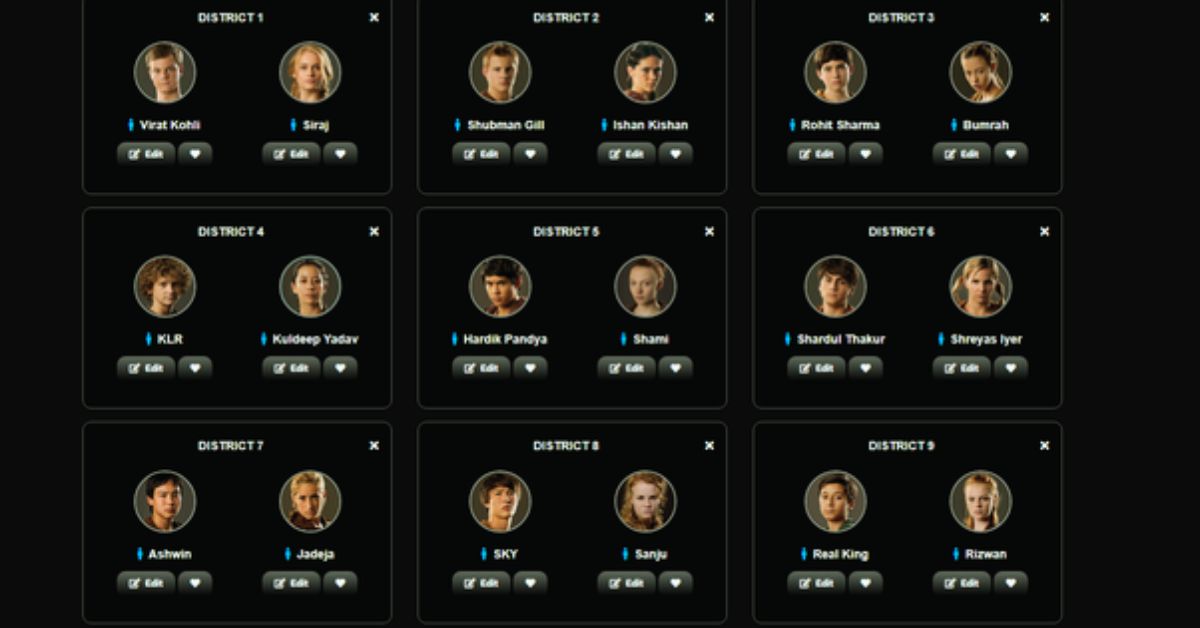
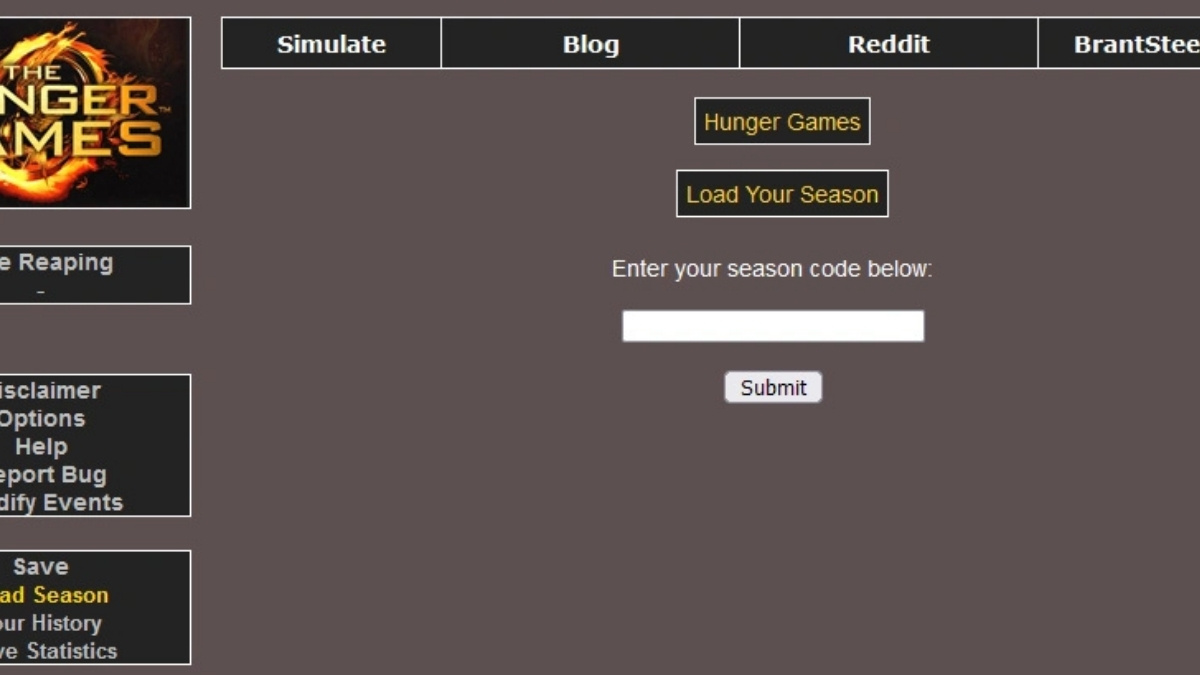
    You might be interested in the following games: Codes: Hunger Games Simulator Codes and Combat Warriors Codes. We appreciate your interest in our website. Make Gameempress.com your go-to destination for gaming knowledge.

  • Diablo 4 1.3.0 Patch Notes: Unveiling The Season 3 Game-Changers

    Diablo 4 1.3.0 Patch Notes: Unveiling The Season 3 Game-Changers

    The next major Diablo 4 update is set to arrive on January 23rd, coinciding with the game’s Season 3 release.

    Blizzard’s recent preview of the new seasonal content promised a new questline, mechanical companion, and several class-specific tweaks.

    Despite these teases, players have been waiting with bated breath for the release notes, as the upcoming enhancements have been kept under wraps.

    Diablo 4 1.3.0 Patch Notes

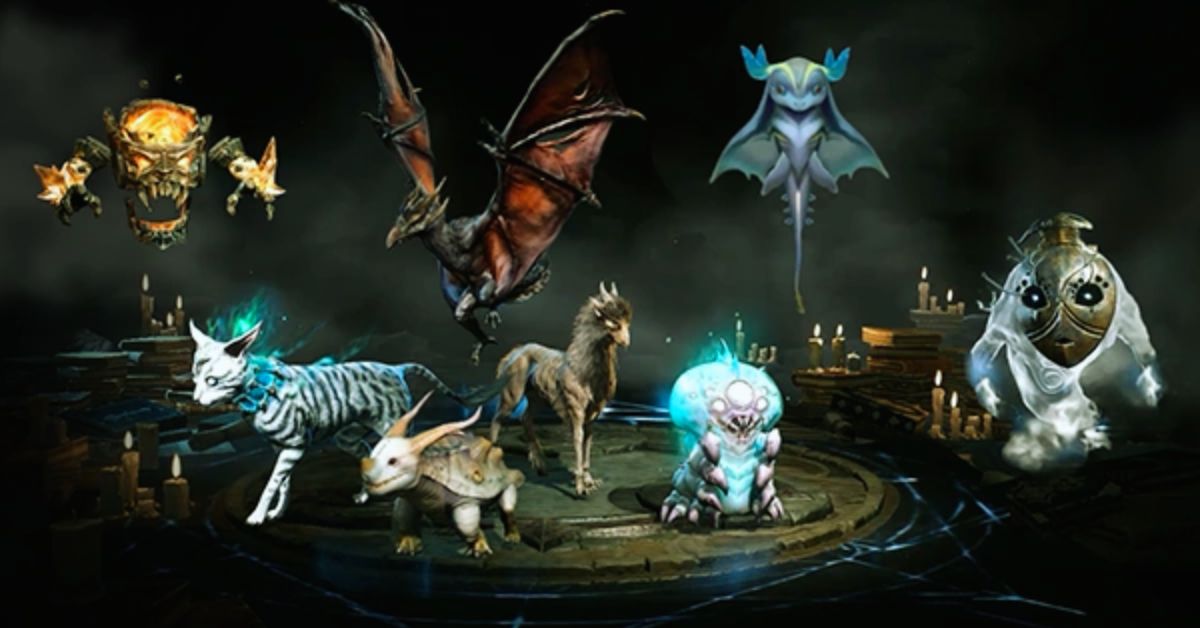
    Diablo Immortal Familiar Guide
    Diablo Immortal Familiar Guide

    Some of the most significant changes to 1.3.0 revolve around Classes. According to Blizzard Entertainment, the team made numerous changes in response to user feedback.

    As a result, new Uniques such as the Unsung Ascetic’s Wraps for Druids focus on skills that require a boost to work optimally.

    The devs have improved minion builds for Necromancers, so the small assistants should have a stronger punch. The judgment is yet out on whether these upgrades will solve persistent user complaints.

    The patch notes for Diablo 4 1.3.0 are as follows:

    All Classes:

    New Items

    Paingorger’s Gauntlets – Unique Gloves

    • Damaging enemies with a cast Non–Basic Skill marks them for 3 seconds. When a Basic Skill first hits a marked enemy, the Basic Skill’s damage is echoed to all marked enemies, dealing 100–200%[x] increased damage.

    Aspect of Adaptability – Utility

    • When cast below 50% Maximum Resource, Basic Skills generate 3 of your Primary Resource, once per cast.
    • When cast at or above 50% Maximum Resource, Basic Skills deal 40–80% increased damage.

    Juggernaut’s Aspect – Defensive

    • Gain 0.75 –1.25 Armor, but your Evade has 100% increased Cooldown.

    Item Updates

    Ring of Starless Skies

    • The unique power has been changed.
      • Previous: Casting a Core Skill reduces Resource cost of your Core Skills by 12%, up to a maximum of 40%. Resets upon using a non–Core Skill.
      • New: Spending resources reduces your resource costs and increases your damage by x10% for 3 seconds, up to 40%.
    • Offensive Aspect of the Expectant
      • Damage bonus now has a 5-second duration to be used.

    Melted Heart of Selig

    • All Stats increased to 2x normal value.
    • Core Skill Damage changed to Movement Speed.
    • Damage While Healthy increased to 3x normal value.
    • Unique Power Changed
      • Previous: Gain 30 Maximum Resource. In addition, when you take damage, drain 3 resources for every 1% of life you would have lost instead.
      • New: Gain 60 maximum Resource. 75% of incoming damage drains 2 Resource for every 1% of Life you would have lost instead.

    Overpower

    • Overpower attacks now gain +1% damage, down from +2%, per 1% of your Base Life you have in Fortify.
    • Overpower attacks now gain +1% damage, down from +2%, per 1% of your Base Life that you have in bonus life above your Base Life.

    Barbarian

    New Items

    Ring of the Ravenous

    • Rend’s duration is increased by 2.0–4.0 seconds. Damaging enemies with Brawling Skills applies 2 stacks of Rend’s Bleed. This effect can only occur once every 4 seconds per enemy.

    Aspect of Sundered Ground – Offensive

    • Every 25 seconds, Upheaval is guaranteed to Overpower and deals 10–20% increased damage. This timer is reduced by 4 seconds when Upheaval Overpowers a Boss or an Elite enemy.

    Skills

    Charge

    • Base damage increased by 900%, from 0.25 to 2.50.
    • Enhanced Charge terrain impact damage increased by 150%, from 0.6 to 1.5.
    • Power Charge no longer requires a terrain impact to reduce the cooldown of Charge, and now charging a boss will reduce the cooldown by 6 seconds.

    Leap

    • Base damage increased by 30%.

    Passives

    Brute Force

    • Overpower damage decreased from 15% to 8% per rank.

    Walking Arsenal

    • Duration of each weapon bonus increased from 8 to 10 seconds.
    • Additional damage from having all bonuses increased from 15% to 20%.
    • Having all bonuses now also increases attack speed by 20%.

    Unconstrained

    • Berserking damage bonus increased from 60% to 100%.

    Gushing Wounds

    • Bonus bleed amount increased from 115% to 140%.
    • Overpower explosion damage increased from 70% to 85%.

    Weapon Expertise

    • Expertise leveling has been cut by 50%.

    Paragon

    Marshal Glyph

    • Now reduces the cooldown of every non-Shout skill by 4 seconds, instead of every other Shout skill by 1.2 seconds.

    Item Updates

    Resource Aspect of Echoing Fury

    • You now generate 6–10 Fury per second while any Shout skill is active, instead of 2–4 Fury per second for each Shout skill active.

    Offensive Aspect of Limitless Rage

    • Damage bonus now has a 5-second duration to be used.

    Veteran Brawler’s Offensive Aspect

    • Reduced bonus damage per stack from 15%–20% to 6%–8%, up to a reduced maximum bonus of 225%–300% to 30%–40%.

    Offensive Aspect of Ancestral Charge

    • Reduced bonus damage from 75%–125% to 20%–30%.

    Offensive Aspect of Encroaching Wrath

    • Reduced bonus Weapon Mastery damage from 82–100% to 40–60%.
    • Damage bonus now has a 5-second duration to be used.

    Ring of Red Furor

    • Damage bonus now has a 5-second duration to be used.

    Druid

    New Items

    Unsung Ascetic’s Wraps

    • Lightning Storm gains 1 additional strike each time it grows. Lightning Storm Critical Strikes cause lightning to strike twice, dealing 10–20% increased damage.

    Virulent Aspect – Utility

    • When Rabies infects an enemy, reduce its cooldown by 0.3–0.6 seconds. This cooldown reduction is tripled when infecting Elites.

    Skills

    Enhanced Rabies

    • Maximum damage bonus increased from 30% to 60%.

    Lacerate

    • Cooldown reduced from 45 to 35 seconds.

    Prime Lacerate

    • Changed functionality: Lacerate hits Heal for 3% Maximum Life, increased to 6% on Critical Strikes.

    Cataclysm

    • Twister damage increased from 23% to 46%.
    • Lightning damage increased from 77% to 95%.

    Supreme Cataclysm

    • Vulnerable duration increased from 3 to 6 seconds.

    Passives

    Mending

    • Additional Healing received increased from 5% to 6% per rank.

    Thick Hide

    • Fortify gained increased from 6.4% to 10% per rank.

    Unrestrained

    • Control Impairing Effects duration reduction increased from 3% to 5% per rank.
    • Increased benefit while over 50% Fortify reduced from tripled to doubled.

    Natural Fortitude

    • Fortify gained on Shapeshifting increased from 1.4% to 2% per rank.

    Bestial Rampage

    • Required Shapeshift duration reduced from 2.5 to 2 seconds.
    • Attack Speed bonus increased from 25% to 30%.

    Spirt Boons

    Prickleskin

    • Thorns increased from .15 to .6. (from 1,194 to 4776)

    Gift of the Stag

    • Maximum Spirit increased from 10 to 20.

    Avian Wrath

    • Critical Strike Damage bonus is now Multiplicative instead of Additive.

    Paragon

    Tectonic

    • Bonus Lucky Hit Chance increased from 15% to 20%.

    Poise

    • Barrier increased from 5% of Maximum Health to 15%.
    • Duration increased from 4 to 6 seconds.

    Wilds

    • Passive Companion damage bonus increased from 80% to 120%.

    Item Updates

    Aspect of the Blurred Beast

    • Previous: While dashing, Shred seeks out Nearby Poisoned enemies instantly dealing 70–100% of the Poisoning damage to them.
    • New: While dashing, Shred seeks out Nearby Poisoned enemies and deals 20–40%[x] increased damage to them.

    Aspect of Metamorphic Stone

    • Boulder Spirit Cost reduced from 50 to 40.

    Aspect of the Unsatiated

    • Spirit Generation and bonus damage increased from 20–30% to 30–40%.

    Aspect of Retaliation

    • Bonus damage reduced from 20–40% to 20–30%.

    Necromancer

    New Items

    Mutilator Plate

    • You are Blood Lanced, and when Blood Lance would deal damage to you it instead Fortifies you for 1–2% of your Maximum Life and has a 5% chance to form a Blood Orb. Blood Lance deals 10–20%[x] increased damage.

    Shattered Spirit’s Aspect – Offensive

    • Casting Bone Spirit also launches 18 Bone Splinters in all directions, dealing 200–400%[x] increased damage and generating 6 Essence per enemy hit.

    Skills

    Iron Maiden

    • Damage increased from 0.2 to 0.3.

    Horrid Iron Maiden

    • Bonus damage increased from 20% to 30%.

    Corpse Explosion

    • Lucky Hit Chance reduced from 40% to 25%.
    • Base damage increased from 50% to 70%.
    • Blighted Corpse Explosion damage decreased from 110% to 95%.

    Blight

    • Damage over time increased from 80% to 95%.

    Sever

    • Initial damage increased from 66% to 75%.
    • Return damage increased from 21% to 25%.

    Bone Spirit

    • Damage is increased by 4% per Essence spent casting Bone Spirit, up from 3%.

    Dreadful Bone Spirit

    • Now restores 30% of your Maximum Essence, instead of a flat 30 Essence.

    Acolyte’s Decompose

    • Previous: You and your Minions deal 10%[x] increased damage to enemies being Decomposed.
    • New: Every 1.5 seconds, Decompose makes enemies Vulnerable for 4 seconds.

    Initiate’s Decompose

    • Previous: Decompose Slows enemies by 50%.
    • New: Decompose Slows enemies by 50%, and if you channel Decompose for at least 1.5 seconds, you gain 30%[+] Movement Speed for 5 second after ending the channel.

    Dreadful Blood Mist

    • Previous: Blood Mist Fortifies you for 0.5% of your Maximum Life each time it hits an enemy.
    • New: You gain +10% Critical Strike Chance for 4 seconds after Blood Mist ends.

    Bone Prison

    • Friendly players and Minions can now freely pass through Bone Prison walls.
    • The functionality of Enhanced Bone Prison and Ghastly Bone Prison have been swapped.

    Enhanced Bone Prison

    • Enemies inside of Bone Prison are Vulnerable.

    Ghastly Bone Prison

    • If an enemy is trapped by Bone Prison, gain 25 Essence, plus an additional 5 per enemy trapped.

    Dreadful Bone Prison

    • Previous: Fortify for 8% of your Maximum Life for each enemy trapped by Bone Prison.
    • New: Reduce your active cooldowns by 0.5 seconds for each enemy trapped by Bone Prison, up to 3 seconds.

    Passives

    Ossified Essence

    • Now displays the current bonus on the tooltip.

    Book of the Dead

    Golem

    • When Golems finish casting their active ability, they will first try to target a new close enemy before reverting to their previous target.
    • Blood Golem and Iron Golem
      • Basic Attacks now hit enemies in an area around the main target.
    • Bone Golem
      • Active ability now grants the Golem Thorns equal to 70% of your Armor for the duration of the Taunt.
    • Bone Mage
      • Upgrade now Fortifies based on your Maximum Life instead of Base Life.
    • Skeleton Priest
      • Healing increased from 25% to 40% over the 8 second duration.

    Paragon

    Cult Leader Legendary Paragon Node

    • Previous: Your Minions deal 15%[x] increased damage for each Minion type you have active.
    • New: Your Minions deal 10%[x] increased damage for each 20%[+] of Attack Speed Bonus they have.

    Golem

    • Additional Bonus changed from 25% Health to 25% Damage.

    Item Updates

    Aspect of Swelling Curse

    • Previous: Bone Spirit deals increased damage based on distance traveled, up to 15-25%[x].
    • New: Bone Spirit’s Critical Strike Chance is increased by 15–25%[+]. Your Maximum Essence is increased by 2 for each enemy hit for 15 seconds.

    Torturous Aspect

    • Previous: Enemies afflicted by your Iron Maiden have a [15–25]% chance to be Stunned for 1 Second when they deal direct damage.
    • New: Iron Maiden is now also a Darkness skill and deals Shadow damage. Enemies afflicted by your Iron Maiden have a [15–25]% chance to be Stunned for 1 second when they deal direct damage.

    Rotting Aspect

    • Chance to spawn additional corpses increased from 30–60% to 50–100%.

    Hulking Aspect

    • Chance to reduce Golem’s active cooldown increased from 2–5% to 4–10%.
    • Chance to spawn a Corpse increased from 1.0–2.5% to 2%–5%.

    Rogue

    New Items

    Beastfall Boots

    • When you cast an Ultimate skill, your next Core skill consumes all of your energy and deals 0.5–1.5% increased damage per Energy consumed. Using a Cooldown restores 5 energy.

    Resistant Assailant’s Aspect – Defensive

    • Breaking Concealment grants +10% Resistance and Maximum Resist to all elements for 4 seconds. Killing an Elite enemy reduces Concealment’s cooldown by 6–10 seconds.

    Skills

    Blade Shift

    • Damage increased from 16% to 20%.
    • Duration increased from 3 seconds to 4 seconds.

    Fundamental Invigorating Strike

    • Vulnerable now applies while you are below 85% Energy, up from 75% Energy.

    Enhanced Caltrops

    • Previous: Enemies takes 5%[x] increased damage from you each second they are in Caltrops.
    • New: Enemies in Caltrops take 10%[x] increased damage from you, increased by 5%[x] each second.

    Rain of Arrows

    • Cast time reduced by 15%.
    • The first wave of arrows now hits closer to the player.

    Cold Imbuement

    • Chill amount now increases by 5% per skill rank, up from 2.5%.

    Blended Cold Imbuement

    • Removed the Critical Strike requirement, and increased the Lucky Hit chance from 20% to 35%.

    Mixed Poison Imbuement

    • Previous: Lucky Hit: Poison Imbued skills have up to a 30% chance to apply double the amount of Poisoning damage over time.
    • New: Lucky Hit: Poison Imbued skills have up to a 30% chance to reduce Poison Imbuement’s cooldown by 2 seconds.

    Forceful Arrow

    • Vulnerable duration increased from 3 to 5 seconds.

    Enhanced Penetrating Shot

    • Previous: Penetrating Shot deals 10%[x] increased damage per enemy it pierces.
    • Now: Penetrating Shot has a 10%[+] increased Critical Strike Chance. If Penetrating Shot damages at least 3 enemies, gain 10%[+] Critical Strike Chance for 5 seconds.

    Improved Penetrating Shot

    • Previous: If Penetrating Shot damage at least 3 enemies, your next Penetrating Shot has 20%[+] increased Critical Strike Chance.
    • New: Penetrating Shot deals an additional 10%[x] increased damage per enemy it hits.

    Passives

    Close Quarters Combat

    • Amount of Damage vs Crowd Controlled bonus conversion percent reduced from 40% to 10%.
    • Attack Speed per stack increased from 10% to 15%.

    Precision

    • Previous: Critical Strike with Marksman Skills grant you Precision. You gain 4%[x] Critical Strike Damage per stack of Precision, up to a maximum of 20%[x]. When you reach maximum Precision, your next Marksman Skill is guaranteed to Critically Strike, and deals 40%[x] increased Critical Strike Damage, then consumes all stacks of Precision.
    • New: Each Marksman skill cast grants 1 stack of Precision, or 2 if it has Critically Struck. When you reach 6 stacks, your next Marksman Core or Ultimate Skill is a guaranteed Critical Strike that deals x50% increased Critical Strike Damage, consuming all stacks of Precision. This damage is further increased by an amount equal to x15% of your Critical Strike Damage bonus.

    Chilling Weight

    • Previous: Chilled enemies have their Movement speed further reduced by 10/20/30%.
    • New: Chilled enemies have their movement speed further reduced by up to 10/20/30%, and you gain 5/10/15%[x] increased Chill effect.

    Concussive

    • Previous: After Knocking Back or Knocking Down an enemy, you gain 4% increased Critical Strike Chance against them for 4 seconds.
    • New: After Knocking Back or Knocking Down an enemy, you gain 4% increased Critical Strike Chance for 4 seconds.

    Paragon

    Leyrana’s Instinct

    • Previous: When Inner Sight’s gauge becomes full, you gain 100%[+] Dodge Chance for 1.5 seconds.
    • New: When Inner Sight’s gauge becomes full, you gain 100%[+] Dodge Chance for 2 seconds. Your next 3 Core skills deal additional damage equal to 20%[x] of your Core Skill Damage bonus.

    Item Updates

    Bladedancer’s Aspect

    • The orbiting blades can now hit each enemy 2 times, reduced from 3.
    • Previous: Twisting Blades orbit for a short time after they return to you, dealing 10–15% of Twisting Blade’s return damage per hit. Based on the distance the blades returning, the orbit damage increases up to 20–30% of the return damage.
    • New: Twisting Blades orbit for a short time after they return to you, dealing 20–30% of Twisting Blade’s return damage per hit.

    Aspect of Stolen Vigor

    • Previous: Each stack of Momentum Key Passive Heals you for 0.04–0.08 Life per second.
    • New: Each stack of Momentum Key Passive Heals you for 0.04–0.08 Life per second and grants you 5% Damage Reduction.

    Icy Alchemist

    • Previous: Lucky Hit: Damaging a Chilled or Frozen enemy with a Shadow Imbued Skill has up to a 75% chance to release an explosion that deals 0.3–0.48 Cold damage to the target and surrounding enemies, Chilling them for 25%.
    • New: Lucky Hit: Shadow Imbued Skill have up to a 75% chance to release an explosion that deals 0.3–0.48 Cold damage to the target and surrounding enemies, Chilling them for 25%. If they were already Chilled or Frozen, increase this damage by 100%[x].

    Toxic Alchemist

    • Previous: Lucky Hit: Damaging a Poisoned enemy with a Shadow Imbued Skill has up to a 75% chance to create a toxic explosion that applies 0.15–0.2 Poisoning damage over 5 seconds to the target and surrounding enemies.
    • New: Lucky Hit: Shadow Imbued Skills have up to a 75% chance to create a toxic explosion that applies 0.2–0.3 Poisoning damage over 5 seconds to the target and surrounding enemies. If the enemy was already Poisoned, increase this damage by 100%[x].

    Windforce

    • Lucky Hit Chance increased from 20%–30% to 30%–40%.

    Skyhunter

    • Inherent affix changed from Damage to Distant Enemies to Critical Strike Damage.
    • Critical Strike Damage affix value increased by ~100%. This does not apply to the inherent Critical Strike Damage Affix.
    • Effect updated to reflect changes to the Precision Key Passive.
      • Previous: The first direct damage you deal to an enemy is a guaranteed Critical Strike. If you had maximum stacks of the Precision Key Passive when you cast the Skill, gain 20–30 energy, this can only happen once per cast.
      • New: The first direct damage you deal to an enemy is a guaranteed Critical Strike. When you consume Precision casting a Skill, that Skill gains x10–30% increased Critical Strike Damage and you gain 20–40 Energy.

    Eaglehorn

    • Previous: Penetrating Shot has a 30–80% chance to fire an arrow that bounced off walls and scenery. Damaging 5 enemies with Penetrating Shot will cause your next cast to make enemies hit Vulnerable for 3 seconds.
    • New: Penetrating Shot makes enemies Vulnerable for 3 seconds. Every 4th cast bounces off walls and scenery and deals 20%–40%[x] bonus damage.

    Sorcerer

    New Items

    Starfall Coronet

    • Meteor now has 2 charges and a 11–6 second Charge Cooldown instead of a Mana cost and drops 3 additional meteors around the target. Meteor’s Enchantment effect and Enhanced Meteor drop 1 additional meteor.

    Aspect of Shredding Blades – Offensive

    • Ice Blades’ chance to apply Vulnerable is increased by 20%[+] and the Vulnerable duration is increased by 4 seconds. You gain 15–25%[x] Vulnerable Damage.

    Skills

    Ball Lightning

    • Enhanced Ball Lightning changed to have its attack rate increase with attack speed, up to 25%.

    Blizzard

    • Mage’s Blizzard condition to be cast while over 50 mana has been removed.

    Lightning Spear

    • Critical Strikes now apply Vulnerable for 3 seconds.

    Paragon

    Searing Heat

    • Fixed an issue where the Critical Strike Chance bonus was not properly applying.
    • Critical Strike Chance bonus increased from +10% to 12%.

    Elemental Summoner

    • Conjuration damage bonus increased from x3% to x5% of the total amount of your Bonus Damage with Fire, Lightning, and Cold.

    Burning Instinct

    • Amount of Intelligence required to gain x1% bonus Burning Damage reduced from 75 to 25.

    Item Updates

    Offensive Aspect of Shattered Stars

    • Meteorite damage has been changed to be 20–30% of the casted Meteor’s damage.

    Staff of Lam Esen

    • Increased Charged Bolt chance to be attracted to enemies from 30–50% to 40–60%.

    Iceheart Brais

    • Chance to unleash a Frost Nova when enemies die increased from 11–20% to 21–30%.

    Gameplay

    End-Game Activities

    • Helltide will now be active every hour on the hour, with a 5-minute gap in between. Helltide will be active 55 minutes of every hour.
    • So players can more consistently acquire Distilled Fear, we’ve reworked how Distilled Fear is collected from Nightmare Dungeons.
      • Players will always gain a Distilled Fear after completing a Nightmare Dungeon of at least Tier 30.
      • Every 10 Tiers after Tier 30 there’s an increasing chance for additional Distilled Fears to be rewarded.
      • Completing Tier 90 Nightmare Dungeons and beyond will always grant 3 Distilled Fears.
    • The Purified Sigil reward for completing a Nightmare Dungeon will now always grant a Sigil 1 Tier greater than the Nightmare Dungeon just completed.

    Items

    • Scrolls of Escape
      • Now will populate in the lost items stash if the player missed one that was dropped.
      • Stack limit increased from 20 to 99.
      • Appear as Legendary so that they are harder to miss when dropped on the ground.
    • The chance for Scattered Prisms to drop when defeating an Elite Monster has been reduced.
    • Scattered Prisms can now be acquired from Legion Event Chests.
    • The Material cap has been increased from 99,999 to 999,999.
    • Treasure Goblins spawned while fighting Avarice now have the same loot potential as normally encountered treasure goblins.
    • World Tier III and IV World Boss weekly caches can now drop Unique Items.
    • The increased cap for Item Power on drops from World Bosses has been adjusted.
      • Previous: +100 to min, +100 to max
      • New: +65 to min, +25 to max
    • The Item Power ranges for items dropped by end-game bosses, such as Varshan and Zir, have been decreased for Rare and Legendary Items. Unique Item Power has not been changed. Examples (note that the current range for Unique Items was previously the range for all items):
      • Varshan in WT3 (Level 55)
        • Unique Item Power Range: 675-750
        • Rare/Legendary Range: 650-725
      • Grigoire in WT4 (Level 75)
        • Unique Item Power Range: 850-925
        • Rare/Legendary Range: 800-875
      • Beast in the Ice (Level 85)
        • Unique Item Power Range: 900-925
        • Rare/Legendary Range: 850-925
      • Duriel remains unchanged (always drops 925)
    • Nightmare Dungeon Item Power scaling has been adjusted to more consistently drop high Item Power loot in high Tier Nightmare Dungeons. Examples:
      • Monsters at level 100
        • Legendary Item Power Range
          • Previous: 820-925
          • New: 845-925
        • Rare Item Power Range
          • Previous: 785-925
          • New: 810-925
      • Monsters at level 125
        • Legendary Item Power Range
          • Previous: 845-925
          • New: 910-925
        • Rare Item Power Range
          • Previous: 810-925
          • New: 885-925
    • All monsters above Level 144 (Nightmare Dungeon Tier 90+) now are guaranteed to drop 925 Item Power gear.
    • Miscellaneous
    • Potion count will no longer be reset after dying and being revived by another player.
    • The Hatred’s Chosen syphon effect is no longer based on Lucky Hit.
    • The Greed Shrine effect also now will drop additional Gold after the effect expires. The amount of Gold dropped is determined by how many enemies were killed while the Shrine buff was active.
    • Uber-Unique Items can now be unlocked as transmogs.
    • User Interface and User Experience
    • New settings have been added to allow navigation in the world with full Keyboard controls—including movement using the W-A-S-D keys—instead of your mouse.
    • Bonuses from keywords, such as Berserking, now also denote whether any associated damage bonus is additive or multiplicative.
    • Event Timers are now displayed on the world map.
    • The visual effect for being Chilled will now visually increase in intensity to denote how close the Chilled character is to being Frozen.
    • The default button bindings for Mount actions have been adjusted to be more intuitive on controller.
    • An additional stash tab is now available to be purchased in-game with Gold. Maximum stash tabs available are now 6.
    • The icons for the Helltide Chest of Mysteries and Living Steel Chest have been updated to make them more visually distinctive from the other chest icons.
    • The button for confirming Gold amount in the trade interface on controller has been changed to Yor Triangle on console. This will allow pressing A or X on console to bring up the virtual keyboard to manually enter Gold amounts when trading.
    • We have introduced a new way for players to approach reworking their Skill Tree.
      • Players can now refund whole paths orSkill clumps whilst seeing a preview of it all.
      • Players can also see how many Skill points will be refunded to them and how much Gold it will cost in advance.

    Bug Fixes

    Accessibility

    • Fixed an issue where the Screen Reader did not read the quantity of a consumable in the action wheel.
    • Fixed an issue where subtitles for dialogue and lorebooks could not be turned off.
    • Fixed an issue where the Screen Reader could malfunction when repeatedly opening a vendor’s services menu.

    Gameplay

    • Fixed an issue where player attacks could still be suppressed when some of their character’s body was outside a Suppressor Field.
    • Fixed an issue where effects that increased Max Life by a percentage (such as an Elixir of Fortitude) did not account for certain other Max Life bonuses, such as granted by an Affix on equipment.
    • Fixed an issue where the Drowned Sea Hag could spawn an excessive number of minions.
    • Fixed an issue where the Echo of Lilith could still attack the player after being defeated during the second phase of the encounter.
    • Fixed an issue where the Umbral aspect could grant large amounts of resources when using crowd control Skills on Structure enemies.
    • Fixed an issue where various Skills and effects, such as Devouring Blaze, did not consider Staggered bosses as Crowd Controlled.
    • Fixed an issue where the Butcher could stand in place if the player stood near a Resplendent chest.

    Barbarian

    • Fixed an issue where the Bone Breaker legendary paragon node didn’t have a buff indicator.
    • Fixed an issue where the guaranteed overpower from the Earthstriker aspect could trigger on Basic attacks.
    • Fixed an issue where Charge cast by Ancients spawned by the Aspect of Ancestral Charge did not trigger explosions from the Brawler’s aspect.
    • Fixed an issue where Hammer of the Ancients was dealing more damage than intended due to the bonus from the Violent upgrade also being applied even if the Furious upgrade was chosen.

    Druid

    • Fixed an issue where the tooltip for Envenom displayed its damage bonus as additive, when it was multiplicative.
    • Fixed an issue where Enhanced Ravens wasn’t increasing Critical Strike Chance to enemies hit.
    • Fixed an issue where the Dire Wolf’s Aspect did not specify that it also made Grizzly Rage function as a Werewolf skill.

    Necromancer

    • Fixed an issue where the bonus from the Ring of Starless Skies could get removed when the Aspect of Gore Quills was activated.
    • Fixed an issue where Shadow and Bone mages did not cast Blizzard when the Coldbringer aspect was equipped.
    • Fixed an issue where Blood Mist could fail to activate while under the effect of a Bandit’s Smoke Bomb.
    • Fixed an issue where the Splintering Aspect would scale more than 2x when used on a two-handed weapon.

    Rogue

    • Fixed an issue where Tibault’s Will increased the cap for combo points.
    • Fixed an issue where returning Twisting Blades while using the Bladedancer’s aspect were applying full Poison Imbue Damage, instead of the expected percentage of damage detailed in the Aspect’s description.
    • Fixed an issue where the Paragon Glyph Snare did not benefit Smoke Grenade when it is considered a Trap Skill by the Explosive Verve aspect.
    • Fixed an issue where Gorger enemies could still target Rogue players under the effect of Concealment with their stun attack.

    Sorcerer

    • Fixed an issue where various powers and effects that are granted by evading, such as the unique powers of Esu’s Heirloom and Flickerstep, did not work properly when using the Teleport Enchantment.
    • Fixed an issue where the bonus evade charges granted by The Oculus didn’t increase when upgrading the Weapon at the Blacksmith.
    • Fixed an issue where Ball Lightning was dealing far more damage than intended.
    • Fixed an issue where the Static Surge legendary node would trigger from automatic casts of skills, such as the Chain Lightning enchantment.
    • Fixed an issue where Ice Spikes would instantly explode when casting Deep Freeze with the Frozen Tundra aspect equipped.
    • Fixed an issue where the buff from the Battle Caster’s aspect could unexpectedly fall off.
    • Fixed an issue where the Protection passive did not take into account any bonuses to Barrier generation.

    User Interface and User Experience

    • Fixed an issue in the Season Journey menu where hovering over aspects rewarded for completing a chapter of the Season Journey could sometimes not display the name of the Aspect.
    • Fixed an issue where the minimap icon for indicating the Stash has new items (i.e. recovered lost items) only displayed when close to the Stash.
    • Fixed an issue where the Creatures of Night incense had an incorrect tooltip.
    • Fixed an issue where certain stats would not display for all Classes in the character details window, such as Damage with 2-handed slashing weapons would not display for Necromancers.
    • Fixed an issue where pressing X or Square on console would confirm the salvage of a Legendary or Unique Item.
    • Fixed an issue where controller navigation in the Vendor buyback menu could malfunction.
    • Fixed various instances where the minimap was inaccurate.
    • Fixed various instances where Quest Pins and Objectives were inaccurate.

    Quests and Dungeons

    • Fixed an issue where progression through the Flooded Depths could get broken if a ladder traversal was skipped with Teleport.
    • Fixed an issue where the Animus Urn in the Bastion of Faith could be skipped by using Leap or Teleport.
    • Fixed an issue where progression could be blocked in Uldur’s Cave if all enemies were killed before destroying the second barricade.
    • Fixed an issue where some enemies were not marked on the minimap during the Slay All Enemies objective in Nostrava Deepwood.
    • Fixed an issue where elites encountered that transformed from initially harmless people could respawn after being defeated.
    • Fixed an issue where the Tomb Lord boss in the Shifting City could teleport outside of the boss arena, which would cause the fight to restart.
    • Fixed an issue where there was no Healing Well in the Conclave.
    • Fixed an issue where the Battle Hardened nightmare dungeon affix could grant Damage Reduction even if the player was above 90% life.
    • Fixed an issue where the Sealed Penitent’s Cache quest didn’t properly grant rewards for completion.
    • Fixed multiple instances where the Final Straw quest could not be completed properly.
    • Fixed an issue where the Quest Objective wouldn’t update when entering the Cellar during the Acts of Atonement quest.

    Miscellaneous

    • Fixed an issue where upgrading a damaged item at the Blacksmithwould further lower the item’s durability.
    • Various stability, visual, and performance improvements.

    You might also be interested in the following game, patch notes: Heroes Of The Storm PTR Patch Notes and The Finals 1.5 Patch Notes. We appreciate your interest in our website! Make Gameempress.com your go-to site for gaming information.


  • Is Palworld Cross Platform? Unraveling the Monster-Taming Multiplayer Mystery

    Is Palworld Cross Platform? Unraveling the Monster-Taming Multiplayer Mystery

    Palworld is a new game that combines creature collecting, survival, crafting, and shooting elements in an open world. The game has been compared to Pokémon with guns and has attracted a lot of attention from fans of both genres.

    Palworld is currently available in early access on Steam and Xbox, but many players are wondering if the game supports cross-platform play. In this article, we will answer that question and explain everything you need to know about Palworld’s cross-platform features.

    Is Palworld Cross Platform?

    Is Palworld Cross Platform?
    Is Palworld Cross Platform?

    Unfortunately, the answer is no. Palworld does not support cross-platform play at the moment. This means that you can only play with other players who are using the same platform as you.

    For example, if you are playing Palworld on Steam, you can only play with other Steam players, and not with Xbox players. This also means that PC Game Pass players cannot play with Steam players until crossplay is added.

    However, there is some hope for the future. The developers of Palworld, Pocketpair, have stated that they are working on adding cross-platform play as soon as possible. In a Q&A session on their official Discord server, they said: “Does Palworld support crossplay between Xbox and Steam? Not at launch, but we are working to make this a possibility as soon as possible!”

    Therefore, Palworld may support cross-platform play in the future, but there is no official timeline or confirmation for that yet. We will update this article when we have more information about Palworld’s cross-platform features.

    What Platforms Is Palworld Available On?

    Palworld is currently available in early access on Steam and Xbox. You can buy the game for $19.99 on Steam, or play it with the Xbox Game Pass subscription. The game is also planned to be released on PlayStation 5, but there is no release date for that yet. There is also no mention of a Nintendo Switch version of Palworld.

    Conclusion

    Palworld is a game that mixes creature collecting, survival, crafting, and shooting elements in an open world. The game is currently available in early access on Steam and Xbox, but it does not support cross-platform play.

    However, the developers are working on adding cross-platform play as soon as possible, and they are also planning to add a modding system in the future. We will update this article when we have more information about Palworld’s cross-platform and modding features.

    You might also be interested in the following games, Crossplay: Evil West Crossplay and Nobody Saves The World Crossplay We appreciate your interest in our website! Make Gameempress.com your go-to site for gaming information.

  • Hunger Games Simulator Codes: How To Create And Use Custom Events And Scenarios?

    Hunger Games Simulator Codes: How To Create And Use Custom Events And Scenarios?

    Hunger Games Simulator is a web-based game that allows you to create and simulate your own Hunger Games scenarios with various characters, events, and outcomes. You can use the default settings or customize them to your liking.

    You can also use codes to access and share different custom events and scenarios created by other users. In this article, we will tell you everything you need to know about Hunger Games Simulator codes, including how to create and use them.

    How to Create Hunger Games Simulator Codes?

    To create Hunger Games Simulator codes, you need to use the Edit Cast and Edit Events options on the simulator’s website. You can upload your images and names for the tributes, or use the randomize or load options to choose from different categories, such as celebrities, cartoons, video games, etc.

    Hunger Games Simulator Codes
    Hunger Games Simulator Codes

    You can also edit the events that happen during the simulation, such as the bloodbath, the feast, the arena events, the night events, and the fatal events. You can add, delete, or modify the events, and change the probabilities, outcomes, and effects of each event. You can also use variables, such as Player, Killer, Weapon, Status, etc., to make the events more dynamic and realistic.

    Once you are done with editing the cast and the events, you can save your custom scenario by clicking on the Save button at the bottom of the page. You will get a code that you can copy and paste or a link that you can share with others.

    The code or the link will load your custom scenario when entered or clicked on the simulator’s website. You can also download your custom scenario as a text file, or upload a text file to load a custom scenario.

    How to Use Hunger Games Simulator Codes?

    To use Hunger Games Simulator codes, you need to enter or paste them on the simulator’s website. You can enter the code in the text box below the Load button, or click on the link that contains the code.

    The code or the link will load the custom scenario that was created by the code’s creator. You can then proceed to simulate the scenario by clicking on the Proceed button or edit the cast or the events by clicking on the Edit Cast or Edit Events buttons.

    You can also use the codes to access different custom events and scenarios created by other users. There are many sources where you can find and download codes for the Hunger Games Simulator, such as Reddit, Agma Schwa, BrantSteele, etc.

    You can also search for codes by using keywords, such as Hunger Games Simulator codes, Hunger Games Simulator custom events, Hunger Games Simulator scenarios, etc. You can also create and share your codes with other users, or request codes for specific themes or ideas.

    Hunger Games Simulator Codes

    Here are some examples of Hunger Games Simulator codes that you can use or modify to create your custom scenarios.

    • Thomas e Friends Champion-1
    • 212OlCx3
    • Trevor Handerson Massacre-2
    • NRBI2BIA
    • Mario’s Free-For-All
    • d3roXhbW
    • Jogos Voraze Do Meu Jeito-3
    • 1G8xkYtd
    • Super Mario Free-For-All-4
    • 2S0IZUEl
    • Moubians Battle Royale-5
    • 31wzyanR
    • Alunos Games-6
    • HNNu2bkI
    • Mzozoico Zoado A treta-7
    • lRiKchjL
    • Arena Of Banban-8
    • OeWl7ohE
    • Doors Endgame-9
    • 9RUbgEBa
    • Alpha-Bet Lore-10
    • mkG5CC4f
    • Pizza Tower Fall-out-11
    • WPXd73Ol
    • Mzozoico Zoado A treta 2Yaq11lzG
    • Creepy Hunger Pasta-12
    • yknPiMEq
    • Los Juegos Aleatorios-13
    • dOkPIwSX
    • Animais Fantásticos-14
    • yOuIDMHw
    • Pokemon Ultimate Battle-15
    • 7g5wqOzq
    • Cinemania-16
    • Z441LtTK
    • Kaiju Dominion-17
    • 2y5HWGEF
    • Histórias Brutais-18
    • CogI0fp6
    • Madness Bloodshed-19
    • uPB1NnXx
    • Godzilla Royale-20
    • 8qWrb9jU
    • Poppy Playtime Hunters-21
    • AllqPaAy
    • Kirby Games-22
    • daYREbPs
    • Minecraft Hungry Games-23
    • z2nwBIg1
    • Rainbow Friends Hunger Games-24
    • rlMFFHOm
    • Webserie hunger games-25
    • 4mmoUxaR
    • my singing monster insanity -26
    • BRmZpIlm
    • Hunger Games crash brutality-27
    • qim0ofRr
    • fnaf long nightmare-28
    • AKY8Za5j
    • Marvel ao ataque-29
    • znxI1raL
    • Game of thrones-30
    • 30i8U7c2
    • Helluva boss ascensão-31
    • FQso9GAq
    • Looney Tunes Briga Do Século-32
    • SE0KHxCx
    • Chikin nuggit: chaotic games-33
    • 7BxbkAe6

    Conclusion

    Hunger Games Simulator is a fun and creative game that lets you create and simulate your own Hunger Games scenarios with various characters, events, and outcomes.

    You can also use codes to access and share different custom events and scenarios created by other users. You can create and use Hunger Games Simulator codes by following the tips and tricks in this article. Have fun and may the odds be ever in your favor!

    You might also be interested in the following games, Cheats: Garena Free Fire Redeem Codes and Bee Swarm Simulator Codes. We appreciate your interest in our website! Make Gameempress.com your go-to site for gaming information.

  • Smite 11.1 Update Notes: Brace For Impact!

    Smite 11.1 Update Notes: Brace For Impact!

    A comprehensive examination of the details and community perceptions of SMITE’s Year 11 live updates. As devoted gamers excitedly explore the recently announced Year 11 improvements for SMITE, the online gaming community is flooded with impressions and comments.

    Smite 11.1 Update Notes

    Full notes for Year 11 update are finally live on SMITE’s official website
    byu/FindingThoth inSmite

    Bug Fixes

    • UI
        • Fixed an issue where, on PC, the button callout for Pause Vote was incorrectly shown as F6 instead of F10.
      • General Gameplay
        • Conquest
          • Multiple item and ability procs have been fixed so that they cannot proc off of Totems, such as Death’s Toll, Bumba’s Hammer, Nu Wa’s Passive, etc. Feel free to report any others that you may find!
        • Arena
          • Fixed an issue where Horus, in Arena only, could cause allied minions to get stuck in base.
    • Gods
      • Medusa (Dragonshifter)
        • Fixed an issue with the “Enemies Incoming” voice lines.
      • Charon
        • Fixed an issue where Anti-Shield was not applying in the correct way to Charon’s Damnation ability.
      • Thor (Pixel Hammer)
        • Fixed an issue where the SFX of his Berserker Barrage would extend much longer than the duration of the ability.
    • Items
      • Fixed an issue where Enchanted Trinket was providing an incorrect amount of stats.

    Impressions of New Skins and Game Features

    Smite 10.13 Patch Notes
    Smite 10.13 Patch Notes

    ‘Synicull’ praised the new Yemoja skin, seeing it as a viable incentive to purchase the new Battle Pass, whilst ‘Prepared_Noob’ had mixed thoughts about the Sol skin due to its design choices.

    ‘Crunchy-Leaf’ is thinking about investing gems for the complete Battle Pass to maximize usage before the Smite sequel.

    Feedback for Game Maintenance

    Amidst the excitement for the new updates and material, HiRezIsiah stated that the SMITE website has been experiencing high traffic, which has made it difficult to maintain full visibility of the notes.

    On the other hand, ‘LeftkayoBaka’ expressed doubts about HiRez’s capacity to run SMITE 2, citing the present website maintenance issue.

    Despite mixed feelings about the update—ranging from excitement about skins to disagreements over missing portions to concerns about new game mechanics—the SMITE community is certainly excited about what the Year 11 update has in store for them.

    This interaction reflects the intensity of player participation and excitement for every aspect of divine action.

    You might also be interested in the following game, patch notes: Heroes Of The Storm PTR Patch Notes and World Of Warcraft Patch 10.2.5. We appreciate your interest in our website! Make Gameempress.com your go-to site for gaming information.

  • Gran Turismo 7 Weekly Challenges Week 3: Buckle Up for a Revved-Up Round Up!

    Gran Turismo 7 Weekly Challenges Week 3: Buckle Up for a Revved-Up Round Up!

    Week three of January’s Gran Turismo 7 Weekly Challenges has a new series of races to complete and rewards to earn.

    Unfortunately, there is no Special Event this week, but the last high-stakes event featuring Super Formula vehicles more than compensates. Here’s what to expect from week three of the Gran Turismo 7 January Weekly Challenges.

    Gran Turismo 7 Weekly Challenges Week 3

    Gran Turismo 7 Update
    Gran Turismo 7 Update

    GT7’s Weekly Challenges are updated at midnight local time every Wednesday evening or Thursday morning, depending on your time zone. To access them, you must first complete GT Cafe Menu Book 39 and watch the final video.

    This week’s GT7 Weekly Challenges begin on January 18 at midnight local time and conclude on January 25 at the same time.

    European Sunday Cup 400

    The first challenge is a leisurely three-lap beginner’s race around Alsace, with eight vehicles starting. You’ll need a European road car for this event, and while a 450 PP cap is advised, it’s not required, so you can enter any qualified car, even if it’s overpowered.

    Payouts for Sunday Cup events are typically minimal, with first place offering only 7,000 credits.

    Japanese Clubman Cup 550

    In the next event, you will race against a field of Japanese sports cars throughout Grand Valley in a four-lap race. A 550 PP rating is recommended to keep the playing field even, but it is not required, with 55,000 credits on offer for victory.

    World Rally Challenge Gr.B

    The following event sees you hit the dirt in an eight-lap rally race around Catalonia. Any automobile with dirt tires can be entered, and the first-place prize is 65,000 credits.

    American Clubman Cup 700

    The penultimate event is tough. This five-lap race over the tight Mount Panorama circuit demands an American road car with a recommended 700 PP rating, so you’ll be up against some tough competition.

    This PP rating is optional, so you can enter a faster automobile to outperform the competition and win the first-place 94,000 credit reward.

    You might also be interested in the following game, updates: WWE 2K24 Cover Leaks and GTA Online Updates. We appreciate your interest in our website! Make Gameempress.com your go-to site for gaming information.
  • WWE 2K24 Cover Leaks Image Sparks Mayhem Before Mania

    WWE 2K24 Cover Leaks Image Sparks Mayhem Before Mania

    WWE 2K24 has been rated in Brazil, ahead of the sequel’s official announcement by publisher 2K.

    Its predecessor, WWE 2K23, was officially announced in January 2023 and published shortly thereafter in March of the same year, prompting some experts to speculate that a similar timeline could apply here.

    WWE 2K24 Cover Leak

    While it’s not surprising that a sequel is in the works, the rating board appears to have revealed the game’s existence ahead of 2K’s marketing plan.

    The rating reveals that the wrestling game will be available on PC, PS4, PS5, Xbox One, and Xbox Series X and that it has received a 12+ rating in Brazil owing to “sexual content, legal drugs, and violence”.

    Journalist Andrew Marmo discovered the leak, which appears to have originated directly from the Brazilian government’s website.

    Take-Two Interactive and 2K Games are facing a class action lawsuit over the withdrawal of paid in-game currencies from accounts when a game’s online features are turned off.

    On November 17th, J.A., a minor, and his mother, acting as his representative and next friend, filed the complaint in federal court in the Northern District of California. The lawsuit names Take-Two and 2K’s annual sports franchises NBA 2K, WWE 2K, and PGA Tour 2K for providing in-game enhancements that require in-game (virtual) revenue. The virtual currency can be purchased using real-world money.

    Check out Tekken 8 Official Panda Reveal and Overwatch 2’s Quick Play Mode Changes for more information on other games. Thank you for coming to our website! Gameempress.com should be your go-to source for gaming news.