Blog

  • Pokemon Go Friend Finder: How To Find And Add Friends In The Game?

    Pokemon Go Friend Finder: How To Find And Add Friends In The Game?

    Pokemon Go is a game that encourages social interaction and cooperation among players, as they can team up to catch, battle, and trade Pokemon. However, finding and adding friends in the game can be challenging, especially if you don’t know anyone who plays the game in your area.

    That’s why many players are looking for Pokemon Go friend finder, which is a tool or a service that can help them find and add friends in the game. In this article, we will show you the best Pokemon Go friend finder, and how to use it.

    What is Pokemon Go Friend Finder?
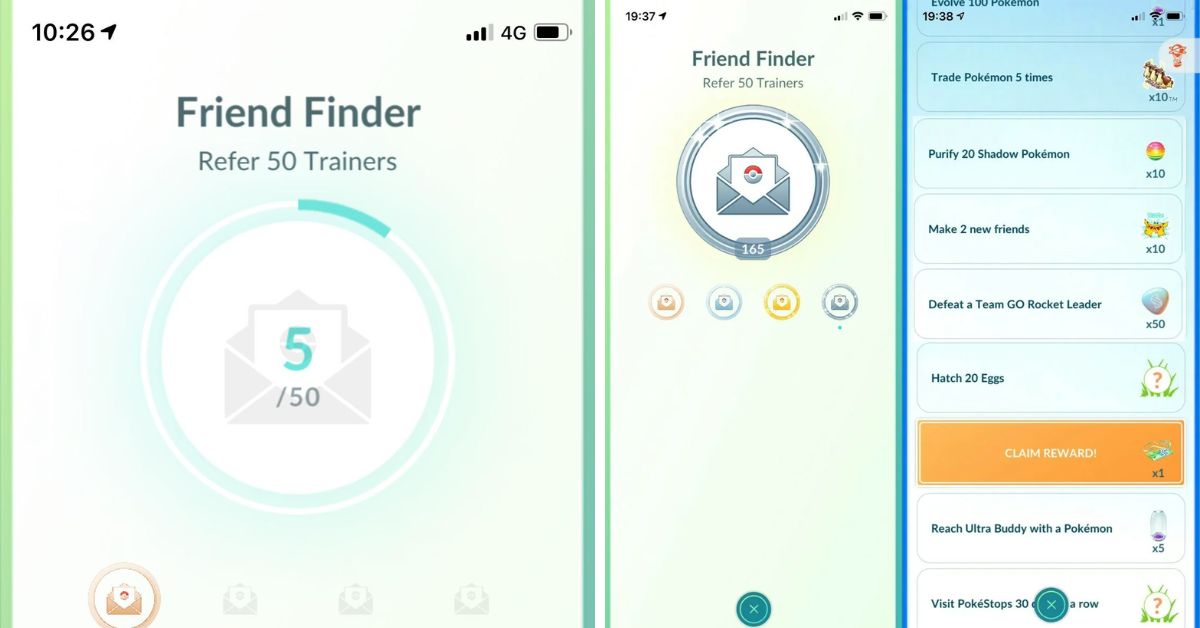
    Pokemon Go Friend Finder
    Pokemon Go Friend Finder

    Pokemon Go friend finder is a tool or a service that can help you find and add friends in Pokemon Go, by using your friend code or QR code. Your friend code or QR code is a unique identifier that can be shared with other players, so they can add you as a friend in the game. You can find your friend code or QR code in the game, by following these steps:

    • Tap on your avatar icon on the bottom left corner of the screen, to open your profile.
    • Tap on the Friends tab on the top right corner of the screen, to open your friends list.
    • Tap on the Add Friend button on the top right corner of the screen, to open your friend code or QR code.

    You can share your friend code or QR code with other players, by using the Share button on the bottom of the screen, or by taking a screenshot and sending it to them. You can also scan other players’ QR codes, by using the Scan QR Code button on the top of the screen.

    However, sharing your friend code or QR code with other players can be difficult, especially if you don’t have any contacts or social media platforms that play the game.

    That’s why Pokemon Go friend finder can be useful, as it can help you find and add friends in the game, without having to share your personal information or contact details.

    How to Use Pokemon Go Friend Finder?

    There are many Pokemon Go friend finder tools or services that you can use, but one of the best and most popular ones is Pokémon GO Friend Codes.

    This is a website that allows you to find and add friends in Pokemon Go, by using your friend code or QR code. You can also browse thousands of other players’ friend codes or QR codes, and add them as your friends in the game. Here are the steps to use Pokemon Go friend finder:

    • Visit the Pokémon GO Friend Codes website, and enter your friend code or scan your QR code, to submit your code to the website. You can also enter your name, country, and team, to make your profile more personalized and attractive.
    • Browse the website, and look for other players’ friend codes or QR codes that you want to add as your friends in the game. You can also use the filter option, to narrow down your search by name, country, or team.
    • Copy or scan the friend codes or QR codes that you want to add, and go back to the game. Tap on the Add Friend button, and paste or scan the codes, to send friend requests to the players. You can also receive friend requests from other players who have found your code on the website.
    • Accept the friend requests that you have received, and enjoy the benefits of having friends in the game. You can send and receive gifts, trade Pokemon, battle together, earn bonuses, and more.

    Tips and Tricks for Pokemon Go Friend Finder

    Here are some tips and tricks to help you make the most of Pokemon Go friend finder:

    • Update your code regularly, to make sure that it is valid and active. You can update your code by entering it again on the website, or by bumping it to the top of the list every 24 hours.
    • Be selective and careful when adding friends, as you can only have up to 200 friends in the game. You should also avoid adding fake or inactive codes, as they can waste your time and resources.
    • Be friendly and generous when interacting with your friends, as you can increase your friendship level and earn more rewards. You should also communicate with your friends, by using the chat, voice, or emoji features in the game.
    • Join or create clubs, which are groups of players who can share resources and items, and participate in club events and challenges. You can find or create clubs on the website, or by using other platforms, such as Discord or Reddit.

    Conclusion

    Pokemon Go friend finder is a tool or a service that can help you find and add friends in Pokemon Go, by using your friend code or QR code. One of the best and most popular Pokemon Go friend finder is Pokémon GO Friend Codes, which is a website that allows you to find and add friends in the game, without having to share your personal information or contact details.

    You can also use some tips and tricks to improve your game experience, such as updating your code, being selective and careful, being friendly and generous, and joining or creating clubs. Pokemon Go friend finder is what you need to enjoy the social and cooperative aspects of the game.

    If you are interested in knowing more articles related to Pokemon Go, you can check Dusk Form Lycanroc Pokemon Go and Buzzwole Weakness Pokemon Go. We appreciate your interest in our website! Make Gameempress.com your go-to site for gaming information.

  • Where To Catch Pikachu In Fire Red? A Guide To The Electric Mouse Pokemon

    Where To Catch Pikachu In Fire Red? A Guide To The Electric Mouse Pokemon

    Pikachu is one of the most iconic and popular Pokemon in the franchise, and it is also the mascot of the series. Pikachu is an Electric-type Pokemon that can evolve into Raichu with a Thunder Stone, or into Pichu with high friendship in later generations.

    Pikachu is known for its cute appearance, its powerful electric attacks, and its loyal bond with its trainer. In this article, we will show you where to catch Pikachu in Fire Red, and what are its stats, moves, and evolution.

    Where to Find Pikachu in Fire Red?

    Where To Catch Pikachu In Fire Red?
    Where To Catch Pikachu In Fire Red?

    There are two main locations where you can find Pikachu in Fire Red: Viridian Forest and the Power Plant. Here are the details of each location:

    Viridian Forest

    Viridian Forest is a large forest area that connects Pewter City and Viridian City. It is the first place where you can encounter wild Pikachu in the game, but it is also the most difficult one.

    Pikachu can be found in the grass, between levels 3-5, but it only has a 5% chance of appearing. So it could take a long time before you see one. However, if you have the patience and the luck, you can catch a low-level Pikachu early in the game, and train it to become stronger.

    To catch Pikachu in Viridian Forest, you will need some Poke Balls, some Potions, and some Paralyze Heals. You will also need a Pokemon that can weaken Pikachu without killing it, such as a Bug-type or a Normal-type.

    You can also use a Pokemon that can inflict status conditions, such as Sleep or Paralysis, to make it easier to catch. Once you find a Pikachu, lower its HP to the red zone, and throw a Poke Ball at it. You may need to use several Poke Balls before you succeed, so be prepared.

    Power Plant

    The Power Plant is an abandoned power station that is located on Route 10, near Rock Tunnel. It is the second and the best place where you can find Pikachu in the game, but it is also the most inaccessible one.

    You can only reach the Power Plant after you have obtained the Surf HM, which is given by the Safari Zone Warden after you find his Gold Teeth.

    You will also need the Cut HM, which is given by the S.S. Anne Captain after you defeat him in a battle. With these HMs, you can surf on the water and cut the trees that block the entrance to the Power Plant.

    The Power Plant is full of Electric-type Pokemon, such as Voltorb, Magnemite, and Electabuzz. But the most common one is Pikachu, which has a 25% chance of appearing. You can find Pikachu at levels 22, 24, and 26, which are much higher than in Viridian Forest.

    This means that you can catch a stronger Pikachu without much training, but it also means that you will need a stronger Pokemon to catch it.

    To catch Pikachu in the Power Plant, you will need some Great Balls or Ultra Balls, some Super Potions or Hyper Potions, and some Full Heals. You will also need a Pokemon that can resist Electric-type attacks, such as a Ground-type or a Rock-type.

    You can also use a Pokemon that can inflict status conditions, such as Sleep or Paralysis, to make it easier to catch. Once you find a Pikachu, lower its HP to the red zone, and throw a Great Ball or an Ultra Ball at it. You may need to use several balls before you succeed, so be prepared.

    What are the Stats, Moves, and Evolution of Pikachu in Fire Red?

    Where To Catch Pikachu In Fire Red (1)
    Where To Catch Pikachu In Fire Red (1)

    Pikachu is a Pokemon that has high Speed and Special Attack, but low HP, Defense, and Special Defense. This means that it can hit fast and hard with its electric attacks, but it can also be easily knocked out by physical attacks or other types of attacks.

    Pikachu’s best stat is its Speed, which allows it to outspeed most of its opponents and strike first. Pikachu’s worst stat is its Defense, which makes it vulnerable to strong physical attacks, especially from Rock-type or Ground-type Pokemon.

    Pikachu can learn a variety of moves, both by leveling up and by using TMs or HMs. Some of its best moves are:

    • Thunderbolt: A powerful Electric-type move that has a 10% chance of paralyzing the target. It can be learned by leveling up to level 26, or by using TM24, which can be bought at the Celadon Department Store for 5500 P.
    • Thunder: A very powerful Electric-type move that has a 30% chance of paralyzing the target, but also has a low accuracy of 70%. It can be learned by leveling up to level 41, or by using TM25, which can be found at the Power Plant.
    • Thunder Wave: A useful Electric-type move that paralyzes the target, making it slower and unable to attack sometimes. It can be learned by leveling up to level 8, or by using TM45, which can be bought at the Celadon Department Store for 1500 P.
    • Quick Attack: A decent Normal-type move that always goes first, regardless of the Speed stat. It can be learned by leveling up to level 11.
    • Slam: A strong Normal-type move that has a high power of 80, but also has a low accuracy of 75%. It can be learned by leveling up to level 20.
    • Iron Tail: A powerful Steel-type move that has a 30% chance of lowering the target’s Defense. It can be learned by using TM23, which can be obtained by defeating Lt. Surge at the Vermilion Gym.
    • Brick Break: A strong Fighting-type move that can break through barriers, such as Reflect or Light Screen. It can be learned by using TM31, which can be obtained by defeating Giovanni at the Viridian Gym.

    Pikachu can evolve into Raichu with a Thunder Stone, which can be bought at the Celadon Department Store for 2100 P. Raichu is a stronger and faster version of Pikachu, with higher stats in every category.

    However, Raichu cannot learn any new moves by leveling up, so you should only evolve Pikachu when it has learned all the moves that you want. Alternatively, you can keep Pikachu as it is, and use a Light Ball, which is a rare item that can be found by catching wild Pikachu. The Light Ball doubles Pikachu’s Special Attack, making it more powerful than Raichu.

    Conclusion

    Pikachu is a Pokemon that can be caught in Fire Red in two locations: the Viridian Forest and the Power Plant. Pikachu is an Electric-type Pokemon that can evolve into Raichu with a Thunder Stone, or into Pichu with high friendship in later generations.

    Pikachu is known for its cute appearance, its powerful electric attacks, and its loyal bond with its trainer. Pikachu’s best moveset are Thunderbolt, Thunder, Thunder Wave, Quick Attack, Slam, Iron Tail, and Brick Break. Pikachu’s best counters are Pokemon that can use Rock, Ground, or Grass-type moves, such as Golem, Rhydon, or Venusaur.

    If you are interested in knowing more articles related to Pokemon Go, you can check Dusk Form Lycanroc Pokemon Go and Buzzwole Weakness Pokemon Go. We appreciate your interest in our website! Make Gameempress.com your go-to site for gaming information.

  • Meganium Pokemon Go: How To Get And Use The Grass-Type Starter?

    Meganium Pokemon Go: How To Get And Use The Grass-Type Starter?

    Meganium is a Grass-type Pokemon that evolves from Bayleef, which is the second evolution form of Chikorita. Meganium is one of the three final evolutions of the Johto region starters, along with Typhlosion and Feraligatr.

    Meganium is a bulky and defensive Pokemon that can heal itself and its allies with its soothing flower. In this article, we will show you how to get and use Meganium in Pokemon Go, and what are its best movesets and counters.

    How to Get Meganium in Pokemon Go?

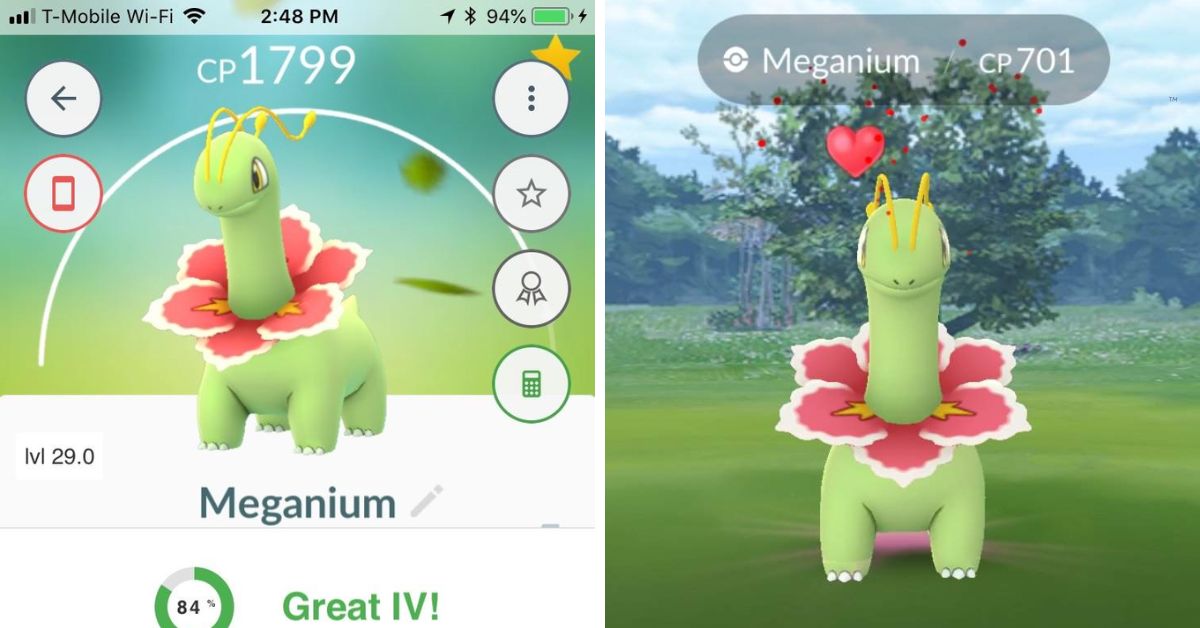
    Meganium Pokemon Go
    Meganium Pokemon Go

    To get Meganium in Pokemon Go, you need to evolve a Bayleef that you have caught or hatched. To do this, you need to follow these steps:

    • Catch a Chikorita and evolve it into Bayleef using 25 Chikorita Candy. You can find Chikorita in the wild, especially in grassy areas and during sunny weather. You can also hatch Chikorita from 2 km eggs, or encounter it as a reward for completing certain field research tasks.
    • Evolve Bayleef into Meganium using 100 Chikorita Candy. You can get more Chikorita Candy by catching more Chikorita, transferring them to Professor Willow, walking with Chikorita or Bayleef as your buddy, or using Pinap Berries when catching them.
    • Alternatively, you can also get a Meganium by participating in a raid. Meganium is a Tier 4 raid boss, which means that you will need a group of 3-4 trainers with strong Fire, Flying, Ice, Poison, or Bug-type Pokemon to defeat it. You can also use a Remote Raid Pass to join a raid from anywhere. If you successfully beat Meganium, you will have a chance to catch it with Premier Balls.

    How to Use Meganium in Pokemon Go?

    Meganium Pokemon Go (1)
    Meganium Pokemon Go (1)

    Meganium is a Pokemon that can be used in both PvE (player versus environment) and PvP (player versus player) battles. However, its performance and moveset may vary depending on the mode and the league. Here are some tips on how to use Meganium in Pokemon Go:

    PvE Battles

    PvE battles include gym battles, raid battles, and Team GO Rocket battles. In these battles, Meganium can be used as a Grass-type attacker or a support Pokemon. However, Meganium is not very strong or fast compared to other Grass-type Pokemon, such as Roserade, Sceptile, or Tangrowth.

    Therefore, Meganium is not recommended for PvE battles, unless you have a specific reason to use it, such as a type advantage or a personal preference.

    If you want to use Meganium in PvE battles, the best moveset for it is Vine Whip and Frenzy Plant. Vine Whip is a fast and energy-efficient move that can charge up Frenzy Plant quickly. Frenzy Plant is a powerful and exclusive move that can deal massive damage to the opponent.

    However, Frenzy Plant is only available for Meganium that were evolved during a Community Day event or with an Elite Charged TM. If you don’t have a Frenzy Plant, you can use Solar Beam or Earthquake instead. Solar Beam is a strong but slow move that can hit hard, especially against Water, Ground, or Rock-type Pokemon.

    Earthquake is a decent move that can provide some coverage against Fire, Electric, or Steel-type Pokemon.

    PvP Battles

    PvP battles include trainer battles, Go Battle League battles and Silph Arena tournaments. In these battles, Meganium can be used as a Grass-type tank or a utility Pokemon. Meganium has high defense and stamina, which makes it durable and able to survive many hits. Meganium also has access to some useful moves that can help it win against various opponents.

    However, Meganium also has low attack and speed, which makes it weak and slow compared to other Grass-type Pokemon, such as Venusaur, Tropius, or Abomasnow. Therefore, Meganium is not very popular or competitive in PvP battles, unless you have a specific strategy or a niche role for it, such as a counter or a switch.

    If you want to use Meganium in PvP battles, the best moveset for it is Vine Whip and Frenzy Plant, plus Earthquake. Vine Whip and Frenzy Plant are the same as in PvE battles, and they are the main source of damage and pressure for Meganium.

    Earthquake is a good addition that can give Meganium some edge against its common counters, such as Steel, Fire, or Electric-type Pokemon. However, Earthquake is also expensive and slow, so you will need to use it wisely and sparingly.

    Meganium can perform well in the Great League and the Ultra League, where its bulk and moveset can help it overcome some of the meta Pokemon, such as Azumarill, Swampert, or Skarmory. However, Meganium will struggle in the Master League, where its low attack and speed will make it vulnerable and ineffective against many of the top Pokemon, such as Dialga, Groudon, or Mewtwo.

    What are the Best Counters for Meganium in Pokemon Go?

    Meganium is a Grass-type Pokemon, which makes it weak against Flying, Poison, Bug, Fire, and Ice-type moves. Therefore, the best counters for Meganium are Pokemon that can use these types of moves and resist its Grass-type moves. Here are some of the best counters for Meganium in Pokemon Go:

    • Charizard: Charizard is a Fire and Flying-type Pokemon that can deal super effective damage to Meganium with its Fire-type moves, such as Fire Blast, Blast Burn, or Fire Spin. Charizard can also resist Meganium’s Grass-type moves, thanks to its Flying-type. However, Charizard is weak to Meganium’s Earthquake, so be careful when using it.
    • Moltres: Moltres is another Fire and Flying-type Pokemon that can counter Meganium with its Fire-type moves, such as Fire Blast, Overheat, or Fire Spin. Moltres can also use Sky Attack, a Flying-type move that can charge up faster and hit harder than Fire-type moves. Moltres can also resist Meganium’s Grass-type moves, but it is also weak to Earthquake.
    • Honchkrow: Honchkrow is a Dark and Flying-type Pokemon that can counter Meganium with its Flying-type moves, such as Sky Attack, Brave Bird, or Peck. Honchkrow can also use Dark Pulse, a Dark-type move that can provide some coverage against Psychic-type Pokemon that may try to switch in. Honchkrow can also resist Meganium’s Grass-type moves, but it is also weak to Earthquake.
    • Scizor: Scizor is a Bug and Steel-type Pokemon that can counter Meganium with its Bug-type moves, such as X-Scissor, Night Slash, or Fury Cutter. Scizor can also use Iron Head, a Steel-type move that can deal neutral damage to Meganium and hit hard against Fairy-type Pokemon. Scizor can also resist Meganium’s Grass-type moves, and it is immune to Earthquake, thanks to its Steel-type.
    • Glaceon: Glaceon is an Ice-type Pokemon that can counter Meganium with its Ice-type moves, such as Avalanche, Ice Beam, or Frost Breath. Glaceon can also use Last Resort, a Normal-type move that can deal neutral damage to Meganium and hit hard against Ghost-type Pokemon. Glaceon can also resist Meganium’s Earthquake, but it is weak to its Grass-type moves.

    Conclusion

    Meganium is a Grass-type Pokemon that can be obtained by evolving a Bayleef that you have caught or hatched. Meganium is a bulky and defensive Pokemon that can heal itself and its allies with its soothing flower. Meganium can be used in both PvE and PvP battles, but it is not very strong or fast compared to other Grass-type Pokemon.

    Meganium’s best moveset is Vine Whip and Frenzy Plant, plus Earthquake. Meganium’s best counters are Pokemon that can use Flying, Poison, Bug, Fire, or Ice-type moves, such as Charizard, Moltres, Honchkrow, Scizor, or Glaceon.

    If you are interested in knowing more articles related to Pokemon Go, you can check Dusk Form Lycanroc Pokemon Go and Buzzwole Weakness Pokemon Go. We appreciate your interest in our website! Make Gameempress.com your go-to site for gaming information.


  • How To Get Annihilape In Pokemon Go? A Guide To The Raging Battles Event

    How To Get Annihilape In Pokemon Go? A Guide To The Raging Battles Event

    Annihilape is a new Pokemon that was introduced in Pokemon Go as part of the Raging Battles event, which runs from January 19 to February 2, 2024. Annihilape is a dual Fighting/Ghost type Pokemon that evolves from Primeape and has a fierce and vengeful personality.

    Annihilate is also the final evolution of Mankey and has a unique ability called Rage, which boosts its attack and speed when it is hit by an enemy. In this article, we will show you how to get Annihilape in Pokemon Go, and what you need to know about the Raging Battles event.

    How To Get Annihilape In Pokemon Go?

    How To Get Annihilape In Pokemon Go
    How To Get Annihilape In Pokemon Go

    To get Annihilape in Pokemon Go, you need to evolve a Primeape that you have as your Buddy Pokemon. To do this, you need to follow these steps:

    • Catch a Mankey and evolve it into Primeape using 50 Mankey Candy. You can find Mankey in the wild, in raids, or field research tasks during the Raging Battles event.
    • Make Primeape your Buddy Pokemon by tapping on your avatar, then on the ME tab, then on your current Buddy Pokemon or Buddy History, then on Swap Buddy, and then on Primeape.
    • Defeat 30 Ghost or Psychic-type Pokemon in battles with Primeape as your Buddy Pokemon. You can battle Ghost or Psychic-type Pokemon in raids, gyms, trainer battles, Team GO Rocket battles, or Team Leader battles. You can also use the Nearby or Today tabs to find Ghost or Psychic type Pokemon in the wild.
    • Once you have defeated 30 Ghost or Psychic type Pokemon, you will see a notification that your Primeape is ready to evolve. Tap on it and confirm the evolution to get your Annihilape.

    What to Expect from the Raging Battles Event in Pokemon Go?

    The Raging Battles event is a special event that celebrates the arrival of Annihilape in Pokemon Go. The event features the following:

    • Increased spawns of Fighting, Ghost, and Psychic type Pokemon, such as Mankey, Machop, Gastly, Abra, and more.
    • New field research tasks that reward you with encounters with Fighting, Ghost, and Psychic type Pokemon, as well as items such as Rare Candy, Stardust, and Poke Balls.
    • New raid bosses that include Fighting, Ghost, and Psychic type Pokemon, such as Hitmonlee, Hitmonchan, Gengar, Alakazam, and more.
    • New Timed Research that rewards you with encounters with Fighting, Ghost, and Psychic type Pokemon, as well as items such as Rare Candy, Stardust, and Poke Balls.
    • New avatar items and stickers inspired by Fighting, Ghost, and Psychic type Pokemon, such as a Mankey hat, a Gengar backpack, and a Primeape sticker.

    Conclusion

    Annihilape is a new Pokemon that you can get in Pokemon Go by evolving a Primeape that you have as your Buddy Pokemon and defeating 30 Ghost or Psychic-type Pokemon in battles.

    Annihilape is a part of the Raging Battles event, which features increased spawns, raids, research, and rewards related to Fighting, Ghost, and Psychic type Pokemon. The Raging Battles event is a great opportunity to catch and evolve some powerful and rare Pokemon, as well as to enjoy some fun and challenging battles.

    If you are interested in knowing more articles related to Pokemon Go, you can check Mega Glalie Raid Guide and Vanillite Shiny In Pokemon Go. We appreciate your interest in our website! Make Gameempress.com your go-to site for gaming information.
  • Monopoly GO Cold Snap: Freeze Your Way To Epic Rewards!

    Monopoly GO Cold Snap: Freeze Your Way To Epic Rewards!

    The Equity Extravaganza event has ended, giving way to the new Cold Snap event in Monopoly GO. As always, it includes a plethora of spectacular gifts for tycoons. It began on January 16 and will be active for three days.

    This time around, players can earn a total of 16,310 dice rolls by achieving all event milestones and collecting a variety of other prizes along the way. Here are all of the awards for the Cold Snap event in Monopoly GO, along with the milestones that tycoons must fulfill to receive them.

    Monopoly GO Cold Snap Rewards

    Monopoly Go Cheats iOS
    Monopoly Go Cheats iOS
    Milestones Points Required Rewards
    1 25 One-Star Sticker Pack
    2 20 Seven Peg-E Tokens
    3 40 25 Free Dice Rolls
    4 45 Cash Prize
    5 150 90 Free Dice Rolls
    6 40 10 Peg-E Tokens
    7 50 Rent Frenzy for 15 Minutes
    8 55 One-Star Sticker Pack
    9 65 Cash Prize
    10 375 220 Free Dice Rolls
    11 60 15 Peg-E Tokens
    12 75 Cash Prize
    13 90 One-Star Sticker Pack
    14 80 20 Peg-E Tokens
    15 100 Cash Grab for 10 Minutes
    16 850 475 Free Dice Rolls
    17 100 Two-Star Sticker Pack
    18 110 Cash Prize
    19 120 50 Free Dice Rolls
    20 115 35 Peg-E Tokens
    21 1300 700 Free Dice Rolls
    22 150 Three-Star Sticker Pack
    23 160 Cash Prize
    24 175 55 Peg-E Tokens
    25 200 Cash Prize
    26 2000 900 Free Dice Rolls
    27 275 Four-Star Sticker Pack
    28 300 High Roller for 10 Minutes
    29 325 85 Peg-E Tokens
    30 400 100 Free Dice Rolls
    31 1600 Cash Prize
    32 450 150 Free Dice Rolls
    33 500 105 Peg-E Tokens
    34 650 Cash Prize
    35 750 Cash Boost for Five Minutes
    36 4500 1800 Free Dice Rolls
    37 800 125 Peg-E Tokens
    38 900 Cash Prize
    39 1000 Four-Star Sticker Pack
    40 1500 Cash Prize
    41 10000 3500 Free Dice Rolls
    42 1600 Five-Star Sticker Pack
    43 1700 High Roller for 20 Minutes
    44 1800 170 Peg-E Tokens
    45 7000 Cash Prize
    46 2000 800 Free Dice Rolls
    47 3000 Five-Star Sticker Pack
    48 3500 210 Peg-E Tokens
    49 4000 Cash Prize
    50 17,500 7,500 Free Dice Rolls

    As you can see, the event includes 50 milestones in all, and you must earn 17,500 points to win the final prize of 7,500 dice throws.

    During the event, you want to land on the Chance, Community Chest, and Railroad squares. Landing on these tiles will earn players two, three, and five points, respectively, which can be multiplied using dice multipliers.

    We appreciate your interest in our website! Make Gameempress.com your go-to site for gaming information.

  • The Elder Scrolls 6 PS5 Release Teased: Exciting News For Fans!

    The Elder Scrolls 6 PS5 Release Teased: Exciting News For Fans!

    It’s fair to say that The Elder Scrolls series is one of the most popular franchises of all time, which is why fans have been waiting for more details since the sixth mainline installment was announced at E3 2018.

    Yes, it has been that long since The Elder Scrolls VI was revealed, and it’s even more perplexing that nearly six years later, Bethesda has yet to reveal story specifics, a release date, or even a sample of gameplay. All we’ve had is the 2018 announcement teaser, which included a rendered image of Tamriel with the Elder Scrolls VI logo.

    The Elder Scrolls 6 Announcement Trailer
    The Elder Scrolls 6 Announcement Trailer

    Microsoft now owns Bethesda’s parent firm ZeniMax Media, having completed the $7.5 billion acquisition in 2021. This, of course, means that Bethesda products will be exclusive to Xbox and PC from that point forward, leaving PlayStation players disappointed that they would not be able to play games like The Elder Scrolls VI or Fallout 5 unless they purchase an Xbox or have a powerful PC.

    However, others think that Microsoft may not keep all Bethesda titles unique to the green brand to appease global market regulators during its $68.7 billion acquisition of Activision Blizzard.

    Documents released during Microsoft’s court battle with the US Federal Trade Commission in December 2022 (which it eventually won) showed to those in attendance that three upcoming titles would be console exclusive to Xbox.

    Since late 2022, Bethesda has released Hi-Fi Rush, Redfall, and Starfield. This has led some to suspect (including video game journalist Stephen Totilo) that The Elder Scrolls VI may be coming to PlayStation 5.

    Having said that, current rumors claim that Hi-Fi Rush may be coming to the PlayStation 5 this year. It’s also worth noting that the green brand’s upcoming console exclusives include Senua’s Saga: Hellblade II, Avowed, The Outer Worlds 2, and others.

    Rumors of Microsoft releasing The Elder Scrolls VI on PlayStation 5 are just that unless confirmed otherwise. Hopefully, there is some truth to these rumors because many fans have been waiting for its release, and it would be great if every fan could play The Elder Scrolls VI.

    Furthermore, Microsoft will undoubtedly make a lot of money by bringing the next installment of Bethesda’s highly awaited fantasy RPG to the blue brand.

    We appreciate your interest in our website! Make Gameempress.com your go-to site for gaming information.

  • World Of Warcraft Patch 10.2.5: Soar Through The Skies With Global Dragonriding!

    World Of Warcraft Patch 10.2.5: Soar Through The Skies With Global Dragonriding!

    World of Warcraft will soon receive some useful quality-of-life updates, including one that displays how much time is left to finish Traveler’s Log activities related to holiday events. Though Patch 10.2.5, Seeds of Renewal, offers a slew of major improvements to World of Warcraft, some of the smallest ones will have the most impact.

    Patch 10.2.5, which will include Dragonflight epilogues, global Dragonriding, and the Azerothian Archives public archaeology event, is set to be released soon. Seeds of Renewal, the first patch of 2024, will go live on January 16.

    However, among the most significant changes coming to World of Warcraft with this upcoming patch are quality-of-life enhancements. These enhancements continue the tradition that Dragonflight started at launch: continuously upgrading the game’s architecture through evergreen updates.

    World of Warcraft’s official Twitter account provided a glimpse of one of these enhancements – a new Traveler’s Log feature that displays how much time is remaining for holiday activities – but players can find even more of these quality-of-life elements in the patch notes for WoW Seeds of Renewal.

    World of Warcraft Patch 10.2.5

    • Holiday event activities in the Traveler’s Log now show how much time remains to complete them.
    • Art for predictions and absorbs on the unit frame, as well as the instance difficulty banner, have been updated.
    • Players can favorite individual set pieces in the Transmog Sets pane by right-clicking.
    • The WoW Trading Post catalog displays all items included in ensembles, which can be previewed individually.
    • All transmog appearances unlocked via quest rewards are now announced in the chat box.
    • Most toasts, including Great Vault, unlock alerts, can be dismissed early with a right click.
    • Edit Mode Frame Snapping and the Color Picker have been improved.

    Almost every patch since Dragonflight’s introduction has included new quality-of-life improvements. Since the introduction of the expansion, players have witnessed a redesign of the user interface, new action targeting and ping systems, gray and white transmogs, and even the option to sell all garbage goods with the press of a button.

    This latest round of quality-of-life enhancements will contribute to the ongoing modernization of World of Warcraft as it approaches its 20th anniversary in 2024.

    You might also be interested in the The Finals 1.5 Patch Notes and the NBA 2K24 Season 4 Patch Notes. We appreciate your interest in our website. Make Gameempress.com your go-to destination for gaming knowledge.

  • Fortnite Player Hires An NPC: From Zero To Victory Royale?

    Fortnite Player Hires An NPC: From Zero To Victory Royale?

    Fortnite’s dynamic and unpredictable landscape frequently results in the addition of unexpected components to the game. A recent video released by u/pansdisme depicts their choice to hire a non-playable character (NPC), which resulted in a series of humorous and chaotic occurrences.

    The developing story took place in Fortnite Chapter 5 Season 1, leaving u/pansdisme with a sequence of unfortunate outcomes that turned a top-10 position upside down.

    As u/pansdisme found themselves in a critical top-ten situation, they decided to hire the Metal Mouth NPC from The Cemetery, which is located north of Reckless Railways, as a useful companion for encounters. u/pansdisme had no idea that their carefully planned strategy would quickly devolve into a hilarious misadventure.

    Fortnite Player Hires an NPC

    Never hiring you again.
    byu/pansdisme inFortNiteBR

    With Metal Mouth by their side, u/pansdisme sought refuge atop a structure and scanned for prospective opponents nearby. When they saw an enemy below, they fired a crisp sniper shot, triggering Metal Mouth’s pre-programmed response to attack the opponent.

    However, their limited location resulted in an unforeseen chain of NPC activities that swiftly spiraled out of hand.

    Metal Mouth attempted to release a barrage of bullets on the opponent, but the confined quarters forced the NPC to shoot into the protective walls surrounding it and u/pansdisme. If that wasn’t enough, Metal Mouth exacerbated the mayhem by deciding to employ the recently released Cluster Clinger and throwing it into the enclosed space.

    The resultant series of explosions not only killed Metal Mouth, but also shattered the floor and sent u/pandisme to his untimely demise.

    We appreciate your interest in our website! Make Gameempress.com your go-to site for gaming information.

  • The Finals 1.5 Patch Notes Release: Solo Showdown – Bank It Like Never Before

    The Finals 1.5 Patch Notes Release: Solo Showdown – Bank It Like Never Before

    Multiplayer FPS On Wednesday, January 17, The Finals will receive a significant update that includes a new and “experimental” limited-time solo game mode, new outfits, quality of life improvements, and more.

    The Finals 1.5 Patch Notes Release

    Is The Finals Crossplay
    Is The Finals Crossplay

    The highlight of the update is unquestionably the new PvP mode, Solo Bank, which pits you against 11 other participants in a race to be the first to earn 40,000 Cash. It’s essentially the same as the conventional Bank It mode, but without a squad to rely on, strategy becomes much more important than usual.

    It’s unclear how “limited time” Solo Bank It mode will be, but developer Embark Studios says the “experimental” game mode will be included in 1.5.0, along with a slew of new skins, some of which are shown in the above clip, and the “major security fix” announced last week.

    It’s unclear what steps are being taken to counteract cheating, but Embark says this week’s update includes “a security update to anti-cheat and fair play.” Cheating has been a major issue in the community since its inception, so any progress on that front is promising.

    There’s also a list of unspecified balancing changes, bug patches, and quality-of-life improvements coming in the new release, which we’ll probably learn more about on Wednesday.

    In case you missed it, The Finals is a new competitive multiplayer FPS from a team of former Battlefield devs. The premise is that you and your friends are on an extremely violent game show with varying rules depending on the mode you’re playing.

    The base game, Cashout, assigns three teams of three to open vaults across the map and move them to “cash-out” spots, where players must defend their prize until the timer runs out, with the winner securing two cash-outs.

    Following a successful beta, the game was completely launched in December, with an astounding 10 million players in just 15 days. It is free to play on the PS5, Xbox Series X/S, and PC.

    You might also be interested in the following game, patch notes: NBA 2K24 Season 4 Patch Notes and Unofficial Fallout 4 Patch. We appreciate your interest in our website! Make Gameempress.com your go-to site for gaming information.

  • FFXIV Manderville Weapons 6.55: Gear Up For Grandeur – Majestic Relics Await!

    FFXIV Manderville Weapons 6.55: Gear Up For Grandeur – Majestic Relics Await!

    The Manderville Relic Weapon quest chain has been divisive, with many players finding it difficult to tolerate the Inspector Extraordinaire’s antics.

    However, Relic Weapons must be earned by any FFXIV player worth their salt, and the Manderville Relic missions have finally concluded. Here are the final Majestic Manderville Relic Weapons for each job, as of Final Fantasy XIV patch 6.55!

    FFXIV Manderville Weapons 6.55

    ffxiv manderville weapons 6.55
    ffxiv manderville weapons 6.55

    After completing Hildebrand’s Endwalker adventure, return to Radz-at-Han and speak with Gerolt (X:12.0, Y:7.1) to begin the quest “Resonating with Perfection”.

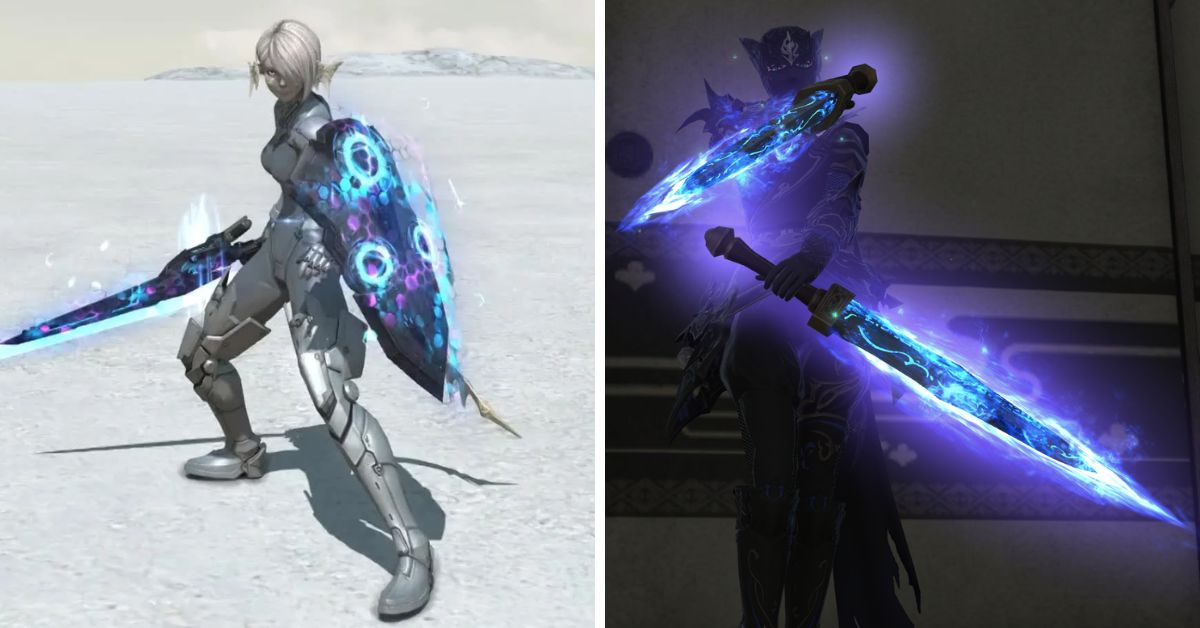
    The final tier of Manderville Weapons is known as Mandervilious Weapons, and they emit a fluctuating Blue-Purple radiance.

    How to Begin the Main Story Quest in FFXIV Patch 6.55?

    To begin the MSQ in FFXIV Patch 6.55, locate Varshahn (X:4.4, Y:9.8) in Old Sharlayan and complete the “When One Door Closes…” quest.

    We already know that the Patch 6.55 MSQ quests introduce us to Wuk Lumat, courtesy of the Growing Light special site update released last week. She has gone to Old Sharlayan to seek wisdom from Eorzea’s most revered hero.

    Krile will also make her debut as a Pictomancer during Patch 6.55’s MSQ tasks, so we should have a better idea of the combat style we may expect when it becomes a playable job in Dawntrail.

    There is no need to be concerned about the region getting overcrowded with players hurrying to accomplish the story quests since the FFXIV development team has introduced many instances of the location to avoid this problem.

    You might also be interested in the following game, patch notes: FFXIV Patch 6.55 and League Of Legends 14.1 Patch Notes. We appreciate your interest in our website! Make Gameempress.com your go-to site for gaming information.

  • Monopoly Go Cheats Android: How To Get Free Dice Rolls And More?

    Monopoly Go Cheats Android: How To Get Free Dice Rolls And More?

    Monopoly Go is a casual board game that lets you build and manage your city while competing with other players online. The game was developed by Scopely and was released in 2023 for Android and iOS devices.

    The game is based on the classic Monopoly board game, but with some twists and features that make it more fun and addictive. However, the game also has some limitations and challenges, such as running out of dice rolls, shields, and resources.

    That’s why many players are looking for Monopoly Go cheats android, which can help them get free dice rolls and more. In this article, we will show you the best Monopoly Go cheats android, and how to use them.

    How to Use Monopoly Go Cheats Android?

    Monopoly Go Cheats iOS
    Monopoly Go Cheats iOS

    To use Monopoly Go Cheats Android, you need to follow these steps:

    • Download and install the Monopoly Go game from the Google Play Store or other sources, such as APKPure or APKMirror. Make sure you download the latest version of the game, which is v1.9.2 as of December 2023.
    • Launch the game and log in with your Facebook or Google account. You can also play as a guest, but you will not be able to save your progress or access some features.
    • During the game, without pausing, enter the cheat code that you want to use. You can enter the cheat code by tapping on the chat icon on the bottom right corner of the screen and typing the code in the chat box. You can also enter the cheat code by using the voice command feature, which can be activated by tapping on the microphone icon on the top right corner of the screen and saying the code out loud. You will see a confirmation message if the cheat code is valid and activated.

    Best Monopoly Go Cheats Android

    Here are some of the best Monopoly Go cheats android, categorized by their functions:

    Dice Roll Cheats

    These cheats allow you to get free dice rolls, which are used to move around the board and collect properties and resources. To use these cheats, you need to enter the code followed by the number of dice rolls that you want to get. For example, to get 10 free dice rolls, you would enter roll10 in the chat box or say it out loud.

    Code Description
    roll Gives you free dice rolls.
    rollx2 Gives you double the number of free dice rolls.
    rollx3 Gives you triple the number of free dice rolls.

    Shield Cheats

    These cheats allow you to get free shields, which are used to protect your properties and resources from other players’ attacks.

    To use these cheats, you need to enter the code followed by the number of shields that you want to get. For example, to get 5 free shields, you would enter shield5 in the chat box or say it out loud.

    Code Description
    shield Gives you free shields.
    shieldx2 Gives you double the number of free shields.
    shieldx3 Gives you triple the number of free shields.

    Resource Cheats

    These cheats allow you to get free resources, such as coins, gems, and tokens, which are used to buy and upgrade properties and items.

    To use these cheats, you need to enter the code followed by the amount of resources that you want to get. For example, to get 1000 free coins, you would enter coin1000 in the chat box or say it out loud.

    Code Description
    coin Gives you free coins.
    gem Gives you free gems.
    token Gives you free tokens.

     Conclusion

    Monopoly Go cheats android are codes that can help you get free dice rolls, shields, and resources in the game. You can use these cheats by entering them in the chat box or saying them out loud during the game.

    You can also use some tips and tricks to improve your game experience, such as experimenting with different strategies, using boosters and items, and being creative and social. Monopoly Go cheats android are what you need to enjoy the fun and addictive board game.

    You might also be interested in the following games, Cheats: Bee Swarm Simulator Codes and Combat Warriors Codes. We appreciate your interest in our website! Make Gameempress.com your go-to site for gaming information.

  • Cookie Clicker Cheats: How To Hack The Game And Get Unlimited Cookies?

    Cookie Clicker Cheats: How To Hack The Game And Get Unlimited Cookies?

    Cookie Clicker is a popular browser game that involves clicking on a giant cookie to produce more cookies, which can then be used to buy upgrades and buildings that increase your cookie production.

    The game is simple but addictive, and many players enjoy the challenge of unlocking new achievements and reaching higher levels of cookie output.

    However, some players may not have the patience or the time to play the game fairly and may want to use cheats to get an advantage. In this article, we will show you how to hack the game and get unlimited cookies, as well as other useful cheats that can enhance your gaming experience.

    How to Enter Cookie Clicker Cheats?

    Cookie Clicker Cheats
    Cookie Clicker Cheats

    To enter Cookie Clicker cheats, you need to access the browser console, which is a tool that allows you to run commands and scripts on the web page. The way to open the console depends on the browser you are using, but here are some common methods:

    • Chrome: Press Ctrl + Shift + J on Windows, or Cmd + Option + J on Mac.
    • Firefox: Press Ctrl + Shift + K on Windows, or Cmd + Option + K on Mac.
    • Edge: Press F12, then click on the “Console” tab.
    • Safari: Press Cmd + Option + C, then click on the “Console” tab.

    Once you have opened the console, you will see a prompt where you can type in the cheat codes. The cheat codes are case-sensitive, so make sure you type them exactly as they are shown. To execute the code, press Enter. You should see the effect of the code on the game immediately.

    Cookie Clicker Cheats and Hacks

    Here is a table of some of the most useful and popular cheat codes and hacks for Cookie Clicker, along with a brief description of what they do:

    Cheat Code Description
    Game.cookies = number Sets your cookie count to the number you specify. Replace “number” with any value you want.
    Game.cookies = Infinity Gives you unlimited cookies.
    Game.cookiesPs = number Sets your cookies per second rate to the number you specify. Replace “number” with any value you want.
    Game.Earn(number) Adds the amount of cookies you specify to your cookie count. Replace “number” with any value you want.
    Game.RuinTheFun() Unlocks and applies all the upgrades and buildings in the game, and gives you a huge amount of cookies.
    Game.Unlock(“name”) Unlocks the upgrade or achievement with the name you specify. Replace “name” with the exact name of the item you want to unlock, in quotation marks.
    Game.Lock(“name”) Locks the upgrade or achievement with the name you specify. Replace “name” with the exact name of the item you want to lock, in quotation marks.
    Game.lumps = number Sets your sugar lumps count to the number you specify. Replace “number” with any value you want.
    Game.lumps = Infinity Gives you unlimited sugar lumps.
    Game.goldenCookie.spawn() Spawns a golden cookie on the screen.
    Game.goldenCookie.wrath = 0 Makes all golden cookies normal, with no wrath effects.
    Game.goldenCookie.wrath = 1 Makes all golden cookies wrathful, with negative effects.
    Game.reindeer.spawn() Spawns a reindeer on the screen.
    Game.season = “name” Changes the current season to the one you specify. Replace “name” with one of the following values: “christmas”, “halloween”, “easter”, “valentines”, or “fools”.
    Game.seasonPopup.spawn() Spawns a seasonal popup on the screen.
    Game.pledge Shows the current status of the Grandmapocalypse.
    Game.pledge = number Sets the duration of the Elder Pledge to the number you specify, in seconds. Replace “number” with any value you want.
    Game.researchT = number Sets the duration of the Elder Research to the number you specify, in seconds. Replace “number” with any value you want.
    Game.cps(number) Returns the amount of cookies you would earn in the number of seconds you specify. Replace “number” with any value you want.

    Cookie Clicker is a fun and addictive game that can be played for hours without getting bored. However, if you want to spice up your gaming experience, you can use the cheat codes and hacks listed above to get unlimited cookies, unlock all the upgrades and achievements, and manipulate the game mechanics.

    However, be warned that using cheats may ruin the fun and challenge of the game, and may also trigger the “Cheated cookies taste awful” achievement, which marks your save file as hacked.

    You might also be interested in the following games, Cheats: Bee Swarm Simulator Codes and Combat Warriors Codes. We appreciate your interest in our website! Make Gameempress your go-to site for gaming information.

  • Is War Thunder Crossplay? How To Play With Friends On Different Platforms?

    Is War Thunder Crossplay? How To Play With Friends On Different Platforms?

    War Thunder is a free-to-play MMO military game that focuses on aviation, armored vehicles, and naval craft from the early 20th century to modern combat units. Players can take part in major battles on land, in the air, or at sea.

    But is War Thunder crossplay? Can you play with your friends on different platforms, such as PC, PS4, Xbox One, or Nintendo Switch? In this article, we will answer this question and explain how to play War Thunder crossplay with your friends.

    Is War Thunder Crossplay?

    Is War Thunder Crossplay?
    Is War Thunder Crossplay?

    According to the official website, War Thunder does support crossplay between certain platforms. Here is a summary of the crossplay support for War Thunder:

    • PC players can play with each other across Steam, Epic Games Store, and GOG platforms. This means that if you have the game on Steam, you can play with your friends who have the game on Epic Games Store or GOG, and vice versa.
    • PS4 and PS5 players can play with each other across the same PlayStation Network. This means that if you have the game on PS4, you can play with your friends who have the game on PS5, and vice versa.
    • Xbox One and Xbox Series X/S players can play with each other across the same Xbox Live network. This means that if you have the game on Xbox One, you can play with your friends who have the game on Xbox Series X/S, and vice versa.
    • Nintendo Switch players can play with each other across the same Nintendo Switch Online service. This means that if you have the game on Nintendo Switch, you can play with your friends who have the game on Nintendo Switch as well.

    However, War Thunder does not support crossplay between different console platforms. This means that you cannot play with your friends who have the game on PS4, PS5, Xbox One, Xbox Series X/S, or Nintendo Switch if you have the game on a different console platform.

    Additionally, War Thunder does not support crossplay between PC and console platforms. This means that you cannot play with your friends who have the game on PC if you have the game on PS4, PS5, Xbox One, Xbox Series X/S, or Nintendo Switch, and vice versa.

    How to Enable Crossplay in War Thunder?

    To enable crossplay in War Thunder, you need to have an active online subscription for your platform, such as Steam, Epic Games Store, GOG, PlayStation Network, Xbox Live, or Nintendo Switch Online. You also need to have the latest version of the game installed on your platform.

    To enable crossplay in War Thunder, follow these steps:

    • Launch the game from your platform’s dashboard or home screen.
    • Select the Online mode from the main menu.
    • Choose the Create or Join option to create or join a game session.
    • If you want to play with your friends on the same platform, you can use the Invite option to invite them to your game session, or the Join option to join their game session. You can also use the Matchmaking option to find random players on the same platform.
    • If you want to play with your friends on a different platform, you need to use the Friend Code feature. This is a unique code that you can generate or enter to invite or join your friends’ game sessions across platforms.
    • To generate a Friend Code, select the Invite option from the game session menu, and choose the Generate Friend Code option. You will see a six-digit code that you can share with your friends on a different platform.
    • To enter a Friend Code, select the Join option from the game session menu, and choose the Enter Friend Code option. You will see a keypad where you can enter the six-digit code that your friends have shared with you.
    • Once you have entered or shared the Friend Code, you will be able to join or invite your friends to game sessions across platforms.
    • Enjoy the game with your crossplay friends.

    Conclusion

    War Thunder is a crossplay game, but only between certain platforms. You can play with your friends on PC, PS4, PS5, Xbox One, Xbox Series X/S, or Nintendo Switch, as long as you have the same platform or the same platform family.

    You cannot play with your friends on different console platforms or between PC and console platforms. You can enable crossplay in War Thunder by using the Friend Code feature, which allows you to invite or join your friends’ game sessions across platforms.

    You might also be interested in the following games, Crossplay: Evil West Crossplay and Nobody Saves The World Crossplay We appreciate your interest in our website! Make Gameempress.com your go-to site for gaming information.

  • Enshrouded PS5 Release Date Unveiled: Get Ready For A New Gaming Revolution!

    Enshrouded PS5 Release Date Unveiled: Get Ready For A New Gaming Revolution!

    Enshrouded is a bold new open-world RPG that combines crafting, base construction, exploration, fantasy combat, skill trees, and more! Players have already begun to compare the game to Valheim, which swept the gaming industry by storm in early 2021.

    Enshrouded will undoubtedly draw attention on launch day, but when will the game be available on each platform? We’ve got your back.

    Enshrouded PS5 Release Date

    While the Enshrouded developers have suggested that a PS5 release is on the way, we currently do not have a specific release date for Enshrouded on the PS5. Enshrouded could be released for the PS5 at the same time it exits Early Access on Steam (later in 2024), though this is just a wild guess.

    Furthermore, there are no official plans to release Enshrouded for the PS4, Xbox One, or Switch. These plans could alter, but console users will most likely be limited to the PS5 or Xbox Series X/S.

    Enshrouded Xbox Release Date

    There is currently no firm release date for Enshrouded on Xbox, although an educated estimation of late 2024 seems reasonable.

    Enshrouded is expected to be released on Xbox at the same time the entire game is released on Steam later in 2024, however, no official sources have confirmed this.

    If you are interested in knowing more articles related to other games, you can check COD Warzone Mobile Release Date and Little Nightmares 3 Release Date. We appreciate your interest in our website! Make Gameempress.com your go-to site for gaming information.

  • Bannerlord PS5 Cheats: Unleash The Ultimate Gaming Experience

    Bannerlord PS5 Cheats: Unleash The Ultimate Gaming Experience

    Earning cash and XP in Mount And Blade II: Bannerlord can be time-consuming unless you uncover specific tricks that allow you to prioritize fun in all of your battles over a monotonous grind.

    You may even utilize these loopholes to rapidly win wars or make the game’s daunting landscape easier to navigate. Building your kingdom can be made much easier if you use specific tricks that grant you almost god rights.

    Anyone wishing to avoid the tedious process of establishing their nation from the ground up may want to employ cheats to gain more money in Mount and Blade 2 quickly.

    New characters will have the most difficulty progressing from a humble warriors to a wealthy lords, but even established campaigns can struggle at times. As you play, make sure to pick and choose which cheats will work best for you based on your conditions.

    Bannerlord PS5 Cheats

    Bannerlord PS5 Cheats
    Bannerlord PS5 Cheats

    Once you enable Mount and Blade 2 hack mode, you can continue with an existing character or create a new one. To test whether cheats are working, access your inventory on a previous save or your current character.

    If you can select any item in the game and add it to your supplies without any penalties, cheats are active.

    While no one with cheats is required to grab any item, it does indicate that your exploits are working properly following the adjustments in the config page.

    The majority of the new settings in Mount and Blade 2 are optional and are provided through multiple menus/interfaces. The following hotkey cheats have all been tested on an active character:

    Hotkey Cheat Effect
    CTRL + F4 While in combat, knocks out a single enemy.
    CTRL + ALT + F4 While in combat, knocks out the entire enemy army.
    CTRL + Left Click While on the map screen, teleports the party.
    CTRL + H Heals the player’s character to full.
    CTRL + Shift + H Heals the player’s horse to full in combat.
    CTRL + F2 Knocks out a single friendly soldier in combat.
    CTRL + F3 Knocks out the player in combat.
    CTRL + Shift + F3 Knocks out the player’s horse while riding.
    CTRL + F6 Knocks out one of the player’s troops.
    CTRL + SHIFT + F6 Knocks out all the player’s troops.

    With the cheat mode enabled, console commands in Mount and Blade 2 can be used to manipulate particular features of the game.

    Single-player cheats are easily discovered via a drop-down menu that you may scroll through using the “campaign” command. Enter “help” into the console to see a more comprehensive list of available cheats.

    Console Command Cheat Effect
    campaign.add_gold_to_hero [Amount] Add Gold
    campaign.add_focus_points_to_hero [Amount] Add Focus Points
    campaign.add_skill_xp_to_hero [Skill Name] [Amount] [Hero Name] Add Skill XP
    campaign.add_renown_to_clan [Amount] Add Renown
    campaign.add_influence [Amount] Add Influence
    campaign.give_troops_help List all troop IDs
    campaign.give_troops [Troop ID] [Amount] Add certain troops to party
    campaign.complete_active_quest Complete Current quest
    campaign.cancel_active_quest Cancel Active Quest
    campaign.conceive_child Conceive a child
    campaign.give_item_to_main_party [Item Name] [Amount] Give Specific Item
    campaign.set_all_skills_main_hero [Value] Set all Characters’ skills to specific value
    Console Command Cheat Effect
    campaign.set_skills_of_hero [Level] [Hero Name] Set all of a specific character’s skills to a specified level
    campaign.give_troops_xp [Amount] Add Skill XP To Troops
    campaign.add_companion Reset a companion’s stats to 0
    campaign.add_crafting_materials Grants 100 of each crafting material to all party members
    campaign.ai_siege_settlement [Hero Name] [Settlement Name] Force AI to attack a particular settlement
    campaign.start_world_war Start World War
    campaign.declare_war [Faction1] [Faction2] Factions Declare War on Each Other
    campaign.add_gold_to_all_heroes [Amount] Give Everyone Set Amount of Gold

    All of the preceding cheats have been tested on characters who were already part of an adventure or a previous save file in Mount and Blade 2.

    You should test these exploits on a new character to see if they have a detrimental impact on the performance of your game. The development team’s clarity with these codes makes it unlikely that any of these will fail unexpectedly.

    A backup save file is a wonderful approach to keep your adventure from being unduly disrupted by any changes. Returning to the configuration page and adjusting the Cheat Mode value to “0” will disable cheats and restore your game to its original state.

    All of the cheats in Mount and Blade II: Bannerlord may offer a new dimension of pleasure to your adventure, but they should not degrade your system.

    You might also be interested in the following games, Cheats: Bee Swarm Simulator Codes and Combat Warriors Codes. We appreciate your interest in our website! Make Gameempress.com your go-to site for gaming information.

  • Devil May Cry Peak Of Combat Tier List: Unleash Your Gaming Prowess With The Best Characters

    Devil May Cry Peak Of Combat Tier List: Unleash Your Gaming Prowess With The Best Characters

    The Devil May Cry Peak of Combat tier list can assist you in determining the best Hunters to improve, rank up, and employ for quick growth. It is critical to choose the best characters before embarking on devil-hunting expeditions.

    With the global release of the title, Nebula Joy has launched over eight characters. You can improve their in-game level and skills, as well as their rank, by equipping them with cards.

    Nebula Joy has a variety of Dante, Vergil, Nero, and Lady versions available through the in-game gacha, Vault. You build a team of three Hunters and send them out to hunt down adversaries and bosses.

    This article contains a complete list of Devil May Cry Peak of Combat tiers for January 2024.

    Devil May Cry Peak Of Combat Tier List

    Devil May Cry Peak Of Combat Reroll Guide
    Devil May Cry Peak Of Combat Reroll Guide

    Each Hunter has one of the following roles: Support (assists allies), Sustain (tanks), and DPS (damage) and deals Physical, Electric, Fire, or Ice damage.

    You can switch between characters and trigger QTE assaults in Nebula Joy’s new action title. It is the most effective move for doing substantial damage to foes.

    To advance quickly, Hunters’ in-game levels and skills should be upgraded, they should be awakened, and they should raise their levels. Upgrading the levels of cards and weapons, as well as ascending the ranks of weapons, enhances their overall stats.

    With that in mind, the Devil May Cry Peak of Combat tier list for January 2024 is as follows.

    SS-Tier

    Characters in the SS tier of the Devil May Cry Peak of Combat tier list are the most powerful units available through the in-game gacha system. They can kill any enemy in the time restriction required to complete the campaign and other game modes.

    • Vergil – Endless Judgement
    • Dante – One Man Show
    • Dante – Royal Guard

    S-Tier

    These are less powerful than the SS tier’s base stats. However, with frequent upgrades, enhanced Devil Cards, and completely upgraded higher rarity weapons, they can be ranked among the finest.

    • Dante – Fists of Salvation
    • Lady – Spark Igniter
    • Lady – Frosty Grace
    • Vergil – Devil Crusher

    A-Tier

    The Devil May Cry Peak of Combat tier list includes some decent A-tier hunters. To become more powerful, they require upgrades, the greatest weapons at peak level, Devil Cards, and artifacts. The following characters are also ideal for Devil May Cry Peak of Combat newcomers.

    • Vergil – Nomadic Lightning
    • Lady – Swift Arsenal
    • Dante – Demon Hunter
    • Nero – Knight of the Order

    It’s worth noting that the Devil May Cry Peak of Combat tier list is subject to change as Nebula Joy adds new hunters and boosts or nerfs existing ones in future updates.

    The tier list provides merely a high-level overview of the meta’s current status. Also, try to choose characters you’re comfortable with because, with the right upgrades, every unit can help you win.

    This is all there is to know about Devil May Cry Peak Of Combat Tier List. You can also read our Street Fighter 6 Character Guide and Devil May Cry Peak Of Combat Reroll Guide. Stay up to date with GameEmpress.com for the most recent gaming news and guides.