Blog

  • 10 Tips Every Starfield Player Should Know: A Guide for Space RPG Fans

    10 Tips Every Starfield Player Should Know: A Guide for Space RPG Fans

    Starfield is a massive space RPG from Bethesda that lets you explore the Settled Systems and beyond. Whether you are a veteran of Bethesda games or a newcomer to the genre, Starfield can be overwhelming and confusing at times. That’s why we have compiled this list of 10 essential tips and tricks that will help you succeed in your space adventure.

    10 Tips Every Starfield Player Should Know

    01. Mainline a Chunk of the Story

    If you mainline the campaign, even for a little while, you’ll encounter some mechanics without any trouble. Once you’ve created your character, you can get a ship to transport you away from the moon.

    Playing through Starfield’s campaign unlocks more and more gameplay features, including this one. You won’t feel rushed to finish it because, as with many Bethesda games, it’s not long. Gain access to the fundamentals by completing the quest up to Into the Unknown or somewhat beyond.

    02. The Skills that Make Your Life Easier

    The best approach to playing Starfield is by playing according to your heart, but if you’re starting, make a note of the most important abilities from our beginner tips and techniques. Boost Pack Training, Persuasion, and Security should be your top priorities if you want to simplify your life.

    Only veterans of Bethesda should enroll in Persuasion and Security. Some tasks, like convincing someone or opening a safe, call for deft handling. Together, these two abilities will allow you to open locked products in a symbolic and figurative sense. With these abilities, you can obtain anything you desire, be it a weapon hidden within a crate or someone demanding an excessive amount of money from you.

    03. Booster Pack Use Instructions

    Gaining proficiency in Boost Pack Training is yet another worthwhile endeavor. This ability grants you access to the in-game equivalent of a jetpack. Unless you unlock the talent, even the most essential basics, like pickpocketing, remain locked. You can use this booster to soar above foes or go to specific locations; you’ll find it early on. Unlocking Boost Pack Training with points is a must for its usefulness.

    Qualities, such as increased defense and stats, will vary throughout packs. Find ones that say “boost pack” and utilize those. After you’re ready, you can launch yourself into the air by pressing the jump button once again.

    04. Automatically Hack, Lockpick, and Persuade
    10 Tips Every starfield Player Should Know

    You can’t promise that you’ll be able to hack, persuade, or open a locked door. In Starfield, using the automated button is recommended for these mechanics. You can get a freebie that will help you finish the task or advance in the game. More slots to employ this automatic feature will be granted to you the more you succeed at this.

    05. Set Course Makes Traveling Stress-Free

    There are a lot of pointers for newcomers to learn about navigating the galaxy and planets in Starfield because the game isn’t exactly user-friendly. There are a lot of menus in the game, so you’ll appreciate shortcuts whenever you see them.

    You may find the Set Course button on the Galaxy map’s bottom right. Pressing this will immediately transport you to a quick travel marker. Set Course is useful if you’re trying to save time or are having trouble figuring out where on a planet you can travel.

    06. Convert Your Scanner Into A Navigation System

    While Bethesda succeeded in many respects with its science fiction epic role-playing game, it fell short in a few others. There is no minimap to help you navigate among planets, and the map is complex to read otherwise.

    If you’re on a mission and need to find a specific location, the Scanner can help you out. To access the scanner, press the left shoulder button (LB on consoles and F on PCs). Glow arrows on the floor will lead you to your goal and provide useful information.

    07. Read Signs

    Pay close attention to the world’s details after you’ve used your Scanner as a GPS. One of the most essential pieces of advice is to read, as Starfield doesn’t say it will guide you every step of the way. In most cities, you should be able to find a security office or stores selling the things you’ve been hoarding by following the signs.

    Every established town or city will have yellow kiosks to help you navigate, but you’ll still need to read a little. It will be organized into sections to help you find what you’re looking for. Among them, the commerce area for locating vendors will stand out.

    08. Add Items to Quick Slots

    To switch weapons at the beginning, you’ll need to access the inventory. Even though it’s not very user-friendly, you can press a shortcut key to access specific items quickly. You can assign a shortcut to your weapon by selecting it as a favorite in the inventory menu.

    This will give you a choice for where to assign the weapon or healing item when you like them, so be sure to do that for at least those two things. To allocate an item, controller users will use the D-pad, while keyboard users will utilize the numbers 1-12 on their keyboard.

    09. Weapons Use Different Ammo

    Even though some parts might reveal a lot of information, Bethesda created a fully realized setting. The wide variety of ammunition used by weapons might be perplexing.

    Just like in Fallout, one piece of advice we can provide new players of Starfield is to keep track of the many kinds of ammunition for the weaponry they like the most. It is more concerned with particular calibers and kinds of ammunition than with general classifications.

    10. What Weighs Nothing

    The most significant challenge in every Bethesda role-playing game is weight. No matter how useless it is, they make you want to grab it. Knowing which objects have no weight is a huge help for new players to Starfield, much as it is in Fallout and Skyrim.

    Inventory space is required for certain food and medical goods. In addition to being more beneficial than munching on a bagel after a gunshot, medical packs do not. Since ammunition has no weight, you can stockpile it for any conflict.

    Digipicks, which are similar to real-life lock picks, also have no weight. Simply put, the things you absolutely must have in plenty do not weigh anything.

    For more gaming tips and tricks, read our guides on how to beat Mega Scizor and how to level up fast in Fortnite Chapter 5. We appreciate your interest in our website! Make Gameempress your go-to site for gaming information.
  • Mario Kart Xbox One: Can You Play Nintendo Games on Xbox One?

    Mario Kart Xbox One: Can You Play Nintendo Games on Xbox One?

    Players participate in go-kart races while using various power-up items in the Mario Kart racing games developed and distributed by Nintendo. Super Mario Kart was the original name for the 1992 Mario Kart game. In 1992, the game was launched in Japan and the US.

    The European release came the following year, in 1993. You can play Mario Kart on a lot of different systems. This post will shed light on the process of playing Nintendo games on Xbox One, which is great news for Xbox owners who are interested in playing Mario or other Nintendo games.

    In addition, you will find out whether Mario Kart is available for Xbox, what the Xbox version of the game is, and whether Mario Kart is playable on PlayStation. The solutions to these questions can be found if you continue reading.

    Can You Play Mario Kart on Xbox One?

    Even though Mario Kart isn’t formally made for Xbox One, you can still play it with an emulator. So, there’s no payment at all to play Mario Kart on Xbox. The most recent Mario Kart game for Nintendo Switch, in both digital and physical forms, costs $59.99.

    What Consoles Have Mario Kart?

    Nintendo formally created and released the go-kart racing game Mario Kart. Here are the systems that can play Mario Kart:

    • Nintendo 64
    • Nintendo DS
    • Nintendo 3DS
    • Nintendo Switch
    • Super NES
    • iQue Player
    • Wii
    • Wii U
    • Arcade
    • Game Boy
    • GameCube

    Even if your console doesn’t officially support Mario Kart, you can still play the game or find other versions of the game to play.

    Can You Play Nintendo Games on Xbox One?

    mario kart xbox one

    The answer is yes, Xbox One and previous Xbox versions are fully compatible with Nintendo games. You can play all your favorite old Nintendo games on your Xbox One through the emulator, even though Nintendo games aren’t officially available to download and play on the console.

    You may download and play Nintendo games on your Xbox One by using the emulator, which lets your Xbox One mimic an Android or iOS smartphone.

    Can You Play Mario Kart on PlayStation?

    The PlayStation does not support Mario Kart. Mario Kart and other Nintendo video games were never released for the PlayStation by Nintendo. Sony PlayStation owners who want to play Mario Kart or any other Nintendo game will have to resort to using an emulator or come up with a different way to play the game.

    Does Xbox Have Mario Games?

    There aren’t any Mario games available for download on Xbox on the Microsoft Store. The Xbox Game Pass does not even include Mario games. There has been no official announcement regarding the availability of Mario games on Xbox. The emulator is the sole means by which Xbox users can enjoy Mario games.

    What is the Xbox Version of Mario Kart?

    Beach Buggy Racing is Mario Kart for Xbox. The Microsoft Store is home to a number of great go-kart racing games, including the widely played Beach Buggy Racing. Like Mario Kart, this game features go-kart racing and allows players to utilize power-up items to give themselves an advantage. Beach Buggy Racing, on the other hand, is Xbox-compatible, whereas Mario Kart isn’t.

    This is everything you need to know about Mario Kart on Xbox One. Additionally, you can check our guide on Dragonflight Alchemy Guide and Diablo 4 Uber Lilith Guide. Stay connected with GameEmpress to get the latest news and guides about the gaming world.

  • What Does The Ardent Do In GTA 5? A Guide To The Weaponized Car

    What Does The Ardent Do In GTA 5? A Guide To The Weaponized Car

    The Ardent is a weaponized car that was added to GTA 5 Online as part of the Gunrunning update in 2017. The car is based on the Lotus Esprit, a classic sports car that featured in several James Bond movies.

    The Ardent has two front-mounted machine guns that can be used to shoot enemies and vehicles. However, the Ardent also has some limitations and drawbacks that make it less effective than some other weaponized cars in the game. In this article, we will explain what the Ardent does in GTA 5, and how to use it properly.

    How to Get the Ardent in GTA 5?

    What Does The Ardent Do In GTA 5
    What Does The Ardent Do In GTA 5

    To get the Ardent in GTA 5, you will need to follow these steps:

    • Buy the Ardent from the Warstock Cache & Carry website. The Ardent costs $1,150,000, and can be delivered to your garage or your Mobile Operations Center (MOC).
    • Customize the Ardent at the MOC or the Avenger Workshop. You can change the color, the wheels, the performance, and the armor of the car. You can also add some cosmetic features, such as spoilers, bumpers, or hoods. However, you cannot change the weapons or the windows of the car.
    • Use the Ardent in free mode or missions. You can drive the Ardent like any other car, and use the machine guns by pressing the right button on the controller or the keyboard. You can also store the Ardent in your garage or your MOC, and request it from the mechanic or the interaction menu.

    How to Use the Ardent in GTA 5?

    To use the Ardent in GTA 5, you will need to consider these tips and tricks:

    • Use the machine guns wisely. The machine guns can deal moderate damage to enemies and vehicles, but they have a limited range and accuracy. They are also not very effective against armored or weaponized vehicles, such as tanks, helicopters, or jets. You can use machine guns to fight enemy NPCs, such as gang members, cops, or mercenaries, or to fight enemy players on foot or in regular cars. However, you should avoid using machine guns against players with more powerful weapons or vehicles, as they can easily destroy your car or kill you.
    • Use the speed and agility of the car. The Ardent has good speed and acceleration, as well as decent handling and braking. You can use the speed and agility of the car to outrun or outmaneuver your pursuers, or to chase your targets. You can also use the speed and agility of the car to perform stunts, jumps, or drifts, and to explore the map. However, you should be careful not to crash or flip your car, as it can damage your car or expose you to enemy fire.
    • Use the stealth and appearance of the car. The Ardent has a stealthy and elegant appearance, which makes it blend in with other cars on the road. You can use the stealth and appearance of the car to surprise or deceive your enemies, or to avoid unwanted attention. You can also use the stealth and appearance of the car to infiltrate certain areas or missions, such as the casino heist or the import/export business. However, you should be aware that the stealth and appearance of the car can also make you a target for other players who want to steal or destroy your car.

    Benefits and Drawbacks of the Ardent in GTA 5

    The Ardent has some benefits and drawbacks in GTA 5, such as:

    Benefits

    • You can get a rare and unique car that is not available in any other way. The Ardent is one of the few weaponized cars in the game, and it has a distinctive design and style. The Ardent can also be a great addition to your collection and your garage.
    • You can get a fun and versatile car that can perform well in different situations. The Ardent can be used for combat, racing, stunts, exploration, or stealth, and it can offer more variety and options than some other cars in the game.
    • You can get a classy and cool car that can impress your friends and rivals. The Ardent has a sleek and sophisticated appearance, and it can make you look like a spy or a millionaire. The Ardent can also be a great companion and a loyal friend, as it can protect you and help you in your adventures.

    Drawbacks

    • You may have to spend a lot of money and resources to get and maintain the Ardent. The Ardent is very expensive, and it can be hard to afford or save up for. The Ardent also requires a lot of maintenance and repairs, as it can be easily damaged or destroyed by enemies or accidents.
    • You may have to deal with some limitations and challenges when using the Ardent. The Ardent has some flaws and weaknesses, such as weak weapons, fragile windows, and low armor. The Ardent can also be hard to control or maneuver, especially at high speeds or on rough terrain.
    • You may have to face some competition and hostility from other players when using the Ardent. The Ardent can attract a lot of attention and envy from other players, who may want to challenge, attack, or rob you. The Ardent can also be a liability or a hindrance, as it can make you a target or a suspect for the police or the enemies.

    This is everything you need to know about What Does The Ardent Do In GTA 5. You can also read our guides on 10 Tips Every GTA Player Should Know and GTA SA Weapons Show White. Stay up to date with GameEmpress.com for the most recent gaming news and guides.

  • How To Level Up Fast In Fortnite? Tips And Tricks For Earning XP

    How To Level Up Fast In Fortnite? Tips And Tricks For Earning XP

    Fortnite is a popular battle royale game that offers a variety of modes, challenges, and rewards for players to enjoy. One of the main goals of the game is to level up your account and your Battle Pass, which unlocks new skins, items, and features.

    However, levelling up in Fortnite can be a slow and tedious process, especially if you don’t know the best ways to earn XP. In this article, we will show you how to level up fast in Fortnite, and what are the best methods and strategies to get the most XP.

    Complete Quests and Challenges

    Fortnite Chapter 4 Season 5 Skin Leaks
    Fortnite Chapter 4 Season 5 Skin Leaks

    One of the easiest and most reliable ways to level up fast in Fortnite is to complete quests and challenges, which are tasks that require you to perform certain actions or achieve certain goals in the game. Quests and challenges can reward you with large amounts of XP, as well as other bonuses, such as Battle Stars, V-Bucks, or cosmetics. There are different types of quests and challenges in Fortnite, such as:

    • Daily Quests: These are simple and random tasks that refresh every day, such as catching fish, dealing damage, or opening chests. You can have up to three daily quests at a time, and each one can reward you with 12,000 XP.
    • Weekly Quests: These are more complex and themed tasks that refresh every week, such as collecting alien artefacts, placing missing person signs, or destroying alien eggs. You can have up to seven weekly quests at a time, and each one can reward you with 30,000 XP.
    • Season Quests: These are special and story-related tasks that unlock throughout the season, such as finding clues, meeting characters, or discovering secrets. You can have up to 10 season quests at a time, and each one can reward you with 45,000 XP.
    • Milestone Quests: These are cumulative and long-term tasks that track your progress and achievements in the game, such as eliminating opponents, outlasting players, or travelling distance. You can have up to 40 milestone quests at a time, and each one can reward you with 15,000 XP.

    You can check your quests and challenges in the Quests tab in the lobby, or in the Quests menu in the game. You can also see the quests and challenges that your friends have, and help them complete them. Completing quests and challenges with friends can give you extra XP, as well as more fun and variety.

    Play Creative Mode and XP Maps

    Another way to level up fast in Fortnite is to play Creative mode, which is a sandbox mode that lets you create, explore, and play custom maps and games made by other players or by yourself.

    Creative mode can reward you with XP for simply spending time in it, as well as for completing certain objectives or achievements in some maps and games. Creative mode can also help you improve your skills, learn new strategies, and discover new content and features.

    To play Creative mode, you need to go to the Creative Hub in the lobby and select the Play tab. There, you can browse and join different maps and games that are featured, popular, or recommended by Epic Games. You can also search and enter the codes of the maps and games that you want to play or create your maps and games using the tools and assets provided by the game.

    One of the best types of maps and games to play in Creative mode to level up fast in Fortnite are the XP maps, which are designed to give you the maximum amount of XP possible in the shortest amount of time.

    XP maps can have different themes, mechanics, and objectives, but they all have one thing in common: they have the Accolade Device enabled, which is a feature that allows the map creators to set up specific actions or goals that reward you with XP when you complete them.

    Some of the most popular and effective XP maps in Creative mode are:

    • XP AFK Farm: This is a simple and easy map that requires no input or effort from you, as it automatically gives you XP for being on the map. You can get up to 12,000 XP every 15 minutes, and up to 60,000 XP every day. The code for this map is 1338-2469-6856.
    • XP Slide: This is a fun and fast map that requires you to slide down a slope and collect coins, which give you XP. You can get up to 15,000 XP every 5 minutes, and up to 75,000 XP every day. The code for this map is 5530-6235-0681.
    • XP Deathrun: This is a challenging and exciting map that requires you to complete a series of obstacles and traps, which give you XP. You can get up to 20,000 XP every 10 minutes, and up to 100,000 XP every day. The code for this map is 2778-3253-4171.

    You can find more XP maps in Creative mode by looking for the XP logo in the map thumbnails, or by searching for the keyword “XP” in the map codes.

    You can also use the Creative Playtime feature, which gives you XP for playing any map or game in Creative mode, regardless of the Accolade Device. You can get up to 12,000 XP every 15 minutes, and up to 60,000 XP every day, by using this feature.

    Play Team Rumble and Other Modes

    A third way to level up fast in Fortnite is to play Team Rumble and other modes, which are different variations of the battle royale mode that have different rules, objectives, and rewards.

    Team Rumble and other modes can reward you with XP for participating, winning, and performing well in them, as well as for completing certain quests and challenges that are specific to them. Team Rumble and other modes can also offer more action, fun, and variety than the standard battle royale mode.

    To play Team Rumble and other modes, you need to go to the Play tab in the lobby and select the Mode button. There, you can choose from different available modes, such as Team Rumble, Arena, Party Royale, or Limited Time Modes. You can also join or create custom matches with your own rules and settings, or join tournaments and events with prizes and rewards.

    One of the best modes to play to level up fast in Fortnite is Team Rumble, which is a team-based mode that pits two teams of 20 players against each other on a large map. The goal is to eliminate as many opponents as possible, and the first team to reach 100 eliminations wins. Team Rumble is a great mode to level up fast in Fortnite because:

    • It gives you a lot of XP for each elimination, assists, and medal that you earn, as well as for winning the match.
    • It has a high spawn rate of chests, ammo boxes, and supply drops, which give you XP for opening them.
    • It has a fast respawn system, which allows you to get back into the action quickly and avoid losing XP for dying.
    • It has a low skill level, which makes it easier and more enjoyable to play and win.

    Some of the other modes that are good to play to level up fast in Fortnite are:

    • Arena: This is a competitive mode that ranks you based on your performance and skill level. You can earn XP for each match that you play, as well as for reaching certain divisions and leagues. You can also earn Hype points, which are used to unlock tournaments and events.
    • Party Royale: This is a casual mode that lets you hang out and have fun with other players on a non-combat island. You can earn XP for participating in various activities and mini-games, such as races, concerts, or movies.
    • Limited Time Modes: These are special modes that change every week and offer different themes, mechanics, and objectives. You can earn XP for playing and completing these modes, as well as for fulfilling some quests and challenges that are related to them.

    If you are interested in knowing more articles related to Fortnite, you can check LEGO Fortnite Feature Guide and How to Get Free Fortnite Redeem Codes in December 2023?. We appreciate your interest in our website! Make Gameempress.com your go-to site for gaming information.

  • Is Vanillite Shiny In Pokemon Go? How To Catch The Ice Cream Pokemon?

    Is Vanillite Shiny In Pokemon Go? How To Catch The Ice Cream Pokemon?

    Vanillite is an ice-type Pokemon that resembles a snow cone or an ice cream cone. It was introduced in Pokemon Go in December 2020, as part of the Winter Holiday event. Vanillite can evolve into Vanillish and Vanilluxe, which are also ice-type Pokemon with similar appearances.

    However, many players are wondering if Vanillite has a shiny form in Pokemon Go, and how to catch it. In this article, we will answer these questions and provide some tips and tricks to get the shiny Vanillite.

    Is Vanillite Shiny In Pokemon Go?

    The answer is yes, Vanillite does have a shiny form in Pokemon Go. Shiny Vanillite has a slightly different colour scheme than the regular Vanillite, with a pinkish hue instead of a bluish one.

    Is Vanillite Shiny In Pokemon Go
    Is Vanillite Shiny In Pokemon Go

    Shiny Vanillite also has a different sparkle effect when it appears on the map or the encounter screen. Shiny Vanillite was released in Pokemon Go in December 2023, as part of the Winter Holiday Part 2 event. The event ran from December 25 to December 31, 2023, and featured increased spawns of Vanillite and other ice-type Pokemon.

    How to Catch Shiny Vanillite in Pokemon Go?

    Catching shiny Vanillite in Pokemon Go is not easy, as it is based on luck and probability. The shiny rate for Vanillite is not known for sure, but it is estimated to be around 1 in 500, which means that you have a 0.2% chance of encountering a shiny Vanillite in the wild. However, there are some ways to increase your chances of finding and catching a shiny Vanillite, such as:

    • Use incense, lures, or glacial lures to attract more Vanillite spawns to your location. These items can be bought from the shop or obtained from quests or rewards.
      Participate in Vanillite raids, which can be found in one-star raid battles. Raids can give you a higher chance of encountering a shiny Vanillite, as well as more candies and rewards.
    • Complete field research tasks that reward you with Vanillite encounters. You can get these tasks from spinning PokeStops or Gyms, or from the Today View. Some of the tasks that can give you Vanillite encounters are: Catching 5 ice-type Pokemon, Using 3 berries to help catch Pokemon, or Winning a raid.
    • Use Pinap Berries, Ultra Balls, or Razz Berries to increase your chances of catching a shiny Vanillite once you encounter it. Pinap Berries can give you more candies, Ultra Balls can give you a higher catch rate, and Razz Berries can make the Pokemon easier to catch.
    • Check the IVs and CP of the shiny Vanillite before you catch it. IVs are the hidden stats that determine the potential of the Pokemon, and CP is the combat power that reflects the strength of the Pokemon. You can use an IV calculator app or website to check the IVs of the shiny Vanillite, and compare it to the CP chart below to see if it is a good one:
    CP IV (%)
    376 100
    373 98
    371 96
    369 93
    368 91
    366 89
    364 87
    363 84
    361 82
    359 80
    358 78
    356 76
    355 73
    353 71
    351 69
    350 67
    348 64
    347 62
    345 60
    343 58
    342 56
    340 53
    339 51
    337 49
    335 47
    334 44
    332 42
    331 40
    329 38
    327 36
    326 33
    324 31
    323 29
    321 27
    319 24
    318 22
    316 20
    315 18
    313 16
    311 13
    310 11
    308 9
    307 7
    305 4
    303 2
    302 0

    Benefits and Drawbacks of Catching Shiny Vanillite in Pokemon Go

    Catching shiny Vanillite in Pokemon Go has some benefits and drawbacks, such as:

    Benefits

    • You can get a rare and unique Pokemon that is not available in any other way. Shiny Vanillite is one of the rarest and most exclusive Pokemon in Pokemon Go, and it can be a great addition to your collection and your Pokedex.
    • You can evolve shiny Vanillite into shiny Vanillish and shiny Vanilluxe, which are also rare and unique Pokemon with similar appearances. You can use 25 candies to evolve Vanillite into Vanillish, and 100 candies to evolve Vanillish into Vanilluxe.
    • You can use shiny Vanillite and its evolutions in battles, gyms, or raids, and show off your achievement and skill. Shiny Vanillite and its evolutions are not very strong or competitive in Pokemon Go, but they can still be fun and useful in some situations, especially against dragon-type Pokemon.

    Drawbacks

    • You may have to spend a lot of time, resources, and effort to catch shiny Vanillite in Pokemon Go. The shiny rate for Vanillite is very low, and you may have to encounter hundreds or thousands of Vanillites before you find a shiny one. You may also have to use a lot of items, such as incense, lures, berries, or balls, to increase your chances and catch rate.
    • You may have to deal with some frustration and disappointment if you fail to catch shiny Vanillite in Pokemon Go. The shiny Vanillite may run away, break free, or disappear before you catch it, and you may lose the opportunity to get it. You may also encounter a shiny Vanillite with low IVs or CP, and you may regret catching it or not catching it.
    • You may have to face some jealousy and envy from other players if you catch shiny Vanillite in Pokemon Go. Some players may not be happy or supportive of your luck or achievement, and they may try to mock, insult, or harass you. You may also have to deal with some hackers or scammers who may try to steal or trade your shiny Vanillite.

    If you are interested in knowing more articles related to Pokemon Go, you can check Shiny Poliwrath Pokemon Go and Is Mega Altaria Good In Pokemon Go?. We appreciate your interest in our website! Make Gameempress.com your go-to site for gaming information. Share this:

  • How To Evolve Ursaring Pokemon Go? A Step By Step Guide To Ursaluna Evolution

    How To Evolve Ursaring Pokemon Go? A Step By Step Guide To Ursaluna Evolution

    Ursaring is a normal-type Pokemon that evolves from Teddiursa, a cute bear cub that can be found in the wild or hatched from eggs. Ursaring is a powerful and bulky Pokemon that can deal a lot of damage with its claws and teeth.

    However, Ursaring has another evolution that is even more impressive: Ursaluna, a dark-type Pokemon that resembles a giant black bear with glowing eyes and markings. Ursaluna is a rare and exclusive Pokemon that can only be obtained by evolving Ursaring under a special condition: a full moon night.

    In this article, we will explain how to evolve Ursaring into Ursaluna in Pokemon Go, and what are the benefits and drawbacks of doing so.

    How To Evolve Ursaring Pokemon Go?

    How To Evolve Ursaring Pokemon Go?
    How To Evolve Ursaring Pokemon Go?

    To evolve Ursaring into Ursaluna in Pokemon Go, you will need the following:

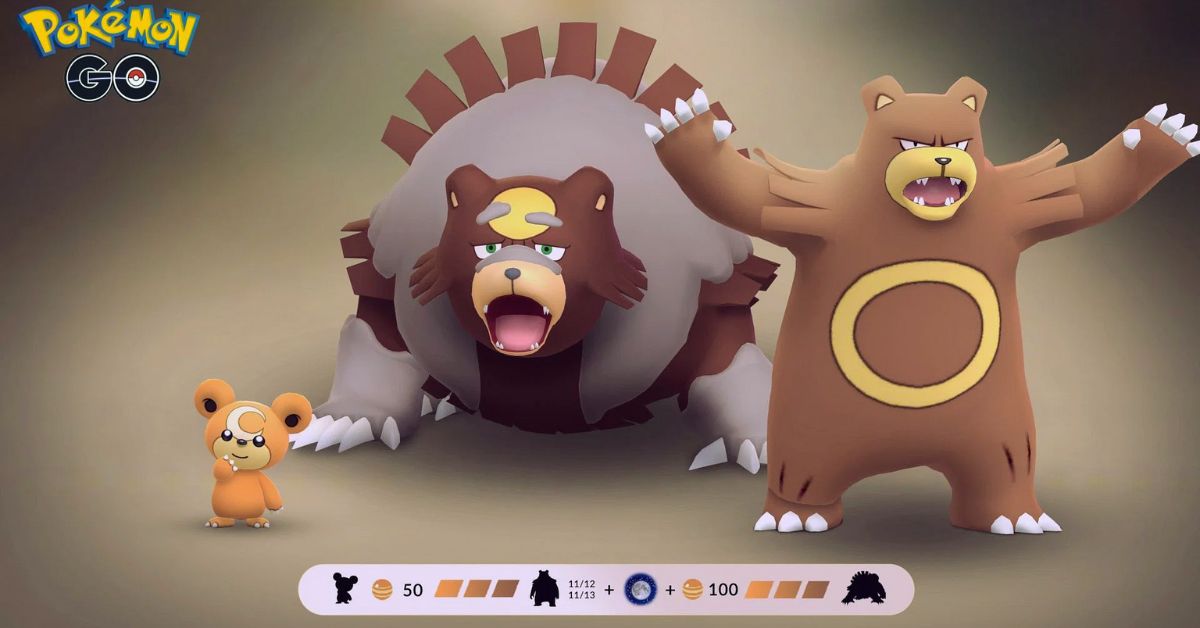
    • An Ursaring that you have caught or evolved from Teddiursa. You can catch Teddiursa in the wild, especially in grassy or forested areas, or hatch it from 5 km eggs. You can evolve Teddiursa into Ursaring by using 50 Teddiursa candies.
    • 100 Teddiursa candies to evolve Ursaring into Ursaluna. You can get Teddiursa candies by catching or hatching Teddiursa, transferring Teddiursa or Ursaring to Professor Willow, walking with Teddiursa or Ursaring as your buddy, or feeding Teddiursa or Ursaring berries in gyms.
    • A full moon night in Pokemon Go. This is the most important and tricky part of the evolution process. A full moon night in Pokemon Go is not necessarily the same as a full moon night in real life. The full moon in Pokemon Go is determined by the game’s internal clock, which may not always sync with the real-world lunar cycle. Therefore, you will need to check the sky in the game’s map view to see if there is a full moon or not. You can also use the Full Moon Calendar to see the predicted dates of the full moon in Pokemon Go.

    Once you have all the requirements, you can evolve Ursaring into Ursaluna by following these steps:

    • Tap on the Pokeball icon at the bottom of the screen to open the menu.
    • Tap on the Pokemon icon to see your Pokemon collection.
    • Tap on the Ursaring that you want to evolve.
    • Tap on the Evolve button at the bottom of the screen. If there is a full moon in the game, you will see a message that says “Are you sure you want to evolve Ursaring into Ursaluna?” If there is no full moon, you will see a message that says “Ursaring can only evolve on a full moon night.”
    • Tap on Yes to confirm the evolution. You will see a cutscene of Ursaring transforming into Ursaluna, and you will receive 500 XP and a Pokedex entry for Ursaluna.

    If you are interested in knowing more articles related to Pokemon Go, you can check Defit Pokemon Go and Shiny Oddish Pokemon Go. We appreciate your interest in our website! Make Gameempress.com your go-to site for gaming information. Share this:

  • Is NFS Heat Crossplay? How To Play With Friends On Different Platforms?

    Is NFS Heat Crossplay? How To Play With Friends On Different Platforms?

    NFS Heat is a racing game that was released in 2019 by Ghost Games and Electronic Arts. The game is the 24th installment in the Need for Speed series, and features a day and night cycle, a diverse open world, and various modes and customization options.

    The game is set in Palm City, a fictional version of Miami, where players can participate in legal and illegal races, and evade the police.

    Crossplay is a feature that allows players to play online games with or against other players on different platforms, such as PC, PlayStation, Xbox, and Nintendo Switch. Crossplay can enhance the gaming experience, as it can increase the player base, reduce the matchmaking time, and allow players to play with their friends and family regardless of their platform preference.

    However, not all games support crossplay, and some games may have different levels or types of crossplay, depending on the developer’s decision and the platform’s policy. So, is NFS Heat crossplay? How can you play with your friends on different platforms? In this article, we will answer these questions and provide some facts and updates about NFS Heat crossplay.

    Is NFS Heat Crossplay?

    The short answer is yes, NFS Heat is crossplay. The game supports crossplay between all platforms, which means that players on PC, PlayStation 4, Xbox One, and Nintendo Switch can play with or against each other.

    Is NFS Heat Crossplay?
    Is NFS Heat Crossplay?

    The game also supports backward compatibility, which means that players on PlayStation 5 and Xbox Series X/S can play with or against players on PlayStation 4 and Xbox One.

    The crossplay feature was added to NFS Heat in June 2020, as part of the game’s final update. The developer announced that they were moving on to work on the next Need for Speed game, and that they wanted to give the players a chance to enjoy NFS Heat with their friends on different platforms. The crossplay feature was well-received by the fans, who appreciated the developer’s effort and generosity.

    How to Enable or Disable Crossplay in NFS Heat?

    Crossplay in NFS Heat is enabled by default, but players can choose to disable it if they prefer. However, disabling crossplay may affect the matchmaking time and the availability of the servers, as the game will only search for players on the same platform as the player. To enable or disable crossplay in NFS Heat, players need to follow these steps:

    • From the main menu of the game, select the Settings option.
    • From the Settings menu, select the Privacy tab.
    • From the Privacy tab, toggle the Crossplay option on or off, depending on the player’s preference.

    Players can also invite their friends to play with them in NFS Heat, regardless of their platform, as long as they have an EA account. To invite friends to play in NFS Heat, players need to follow these steps:

    • From the main menu of the game, select the Social option.
    • From the Social menu, select the Friends tab.
    • From the Friends tab, select the friend that the player wants to invite, and press the Invite button.
    • The invited friend will receive a notification and can accept or decline the invitation.
    • If the invited friend accepts the invitation, they will join the player’s party and can play with them in any mode.

    Conclusion

    NFS Heat is a crossplay game, and players can play with their friends on different platforms. The game supports crossplay between all platforms and also supports backward compatibility. The game enables crossplay by default, but players can disable it if they want. The game also allows players to invite their friends to play with them, as long as they have an EA account.

    You might also be interested in the following games, Crossplay: Is Titanfall 2 Crossplay? and Is Vermintide 2 Crossplay? We appreciate your interest in our website! Make Gameempress.com your go-to site for gaming information.

  • Is Titanfall 2 Crossplay? How To Play With Friends On Different Platforms?

    Is Titanfall 2 Crossplay? How To Play With Friends On Different Platforms?

    Titanfall 2 is a first-person shooter game that was released in 2016 by Respawn Entertainment and Electronic Arts. The game is a sequel to the 2014 game Titanfall and features a single-player campaign and a multiplayer mode. The game is set in a sci-fi universe, where players can control pilots and their giant robots called Titans, and engage in various modes and maps.

    Titanfall 2 has received critical acclaim for its gameplay, story, and graphics, and has a loyal fan base. However, many players have also wondered if the game supports crossplay, which is the ability to play online with or against other players on different platforms, such as PC, PlayStation, Xbox, and Nintendo Switch.

    Crossplay can enhance the gaming experience, as it can increase the player base, reduce the matchmaking time, and allow players to play with their friends and family regardless of their platform preference.

    However, not all games support crossplay, and some games may have different levels or types of crossplay, depending on the developer’s decision and the platform’s policy. So, is Titanfall 2 crossplay? How can you play with your friends on different platforms? In this article, we will answer these questions and provide some facts and updates about Titanfall 2 crossplay.

    Is Titanfall 2 Crossplay?

    Is Titanfall 2 Crossplay?
    Is Titanfall 2 Crossplay?

    No, Titanfall 2 is not crossplay. The game does not support crossplay between any platforms, which means that players on PC, PlayStation, Xbox, and Nintendo Switch cannot play with or against each other. The game is only available on PC, PlayStation 4, Xbox One, and Nintendo Switch via backward compatibility, and players can only join matches or connect with friends who use the same platform.

    The reason for this lack of crossplay is that Titanfall 2 was released in 2016 when crossplay was not as common or popular as it is today. The game was developed with platform-specific multiplayer experiences in mind, and the developer did not prioritize crossplay functionality.

    In addition, the developer has been focusing on their newer title, Apex Legends, which is a battle royale game that is set in the same universe as Titanfall 2, and which does support crossplay.

    However, it is important to note that the gaming landscape is constantly evolving, and there is always a possibility that Titanfall 2 might receive crossplay support in the future. As more and more games embrace cross-play functionality, the demand for such a feature in older titles like Titanfall 2 may increase.

    While there is no guarantee that Titanfall 2 will receive an update to enable crossplay, fans of the game can still hope that the developer might consider adding this feature to improve the gaming experience.

    How to Play with Friends on Different Platforms?

    Since Titanfall 2 does not support crossplay, you cannot play with your friends on different platforms. However, you can still play with your friends on the same platform, as long as you have the same version of the game. To play with your friends on the same platform, you need to follow these steps:

    • From the main menu of the game, select the Multiplayer option.
    • From the Multiplayer menu, select the Play option.
    • From the Play menu, select the Invite Friends option.
    • From the Invite Friends menu, select the friend that you want to invite, and press the Invite button.
    • The invited friend will receive a notification and can accept or decline the invitation.
    • If the invited friend accepts the invitation, they will join your party and can play with you in any mode.

    You can also join your friends’ parties by following these steps:

    • From the main menu of the game, select the Multiplayer option.
    • From the Multiplayer menu, select the Play option.
    • From the Play menu, select the Join Friends option.
    • From the Join Friends menu, select the friend that you want to join, and press the Join button.
    • You will join your friend’s party and can play with them in any mode.

    Conclusion

    Titanfall 2 is not crossplay, and you cannot play with your friends on different platforms. You can only play with your friends on the same platform, and only if you have the same version of the game. This is because the game was released in 2016 and did not support crossplay functionality, and the developer has not updated or announced any plans to add crossplay support.

    You might also be interested in the following games, Crossplay: Is Don’t Starve Together Crossplay? and Is Dead Island 2 Crossplay? We appreciate your interest in our website! Make Gameempress.com your go-to site for gaming information.

  • Halo Reach PC Requirements: How To Run The Sci-Fi Shooter On Your Computer?

    Halo Reach PC Requirements: How To Run The Sci-Fi Shooter On Your Computer?

    Halo Reach is a sci-fi shooter game that lets you play as a member of Noble Team, a group of elite soldiers who fight against the alien Covenant on the planet Reach. The game is part of the Halo: The Master Chief Collection, which includes six Halo games remastered for PC. The game is available on PC, Xbox One, and Xbox Series X/S, but can you run it on your computer? What are the Halo Reach PC requirements? Let’s find out in this guide.

    Halo Reach PC Requirements

    Halo Reach PC Requirements
    Halo Reach PC Requirements

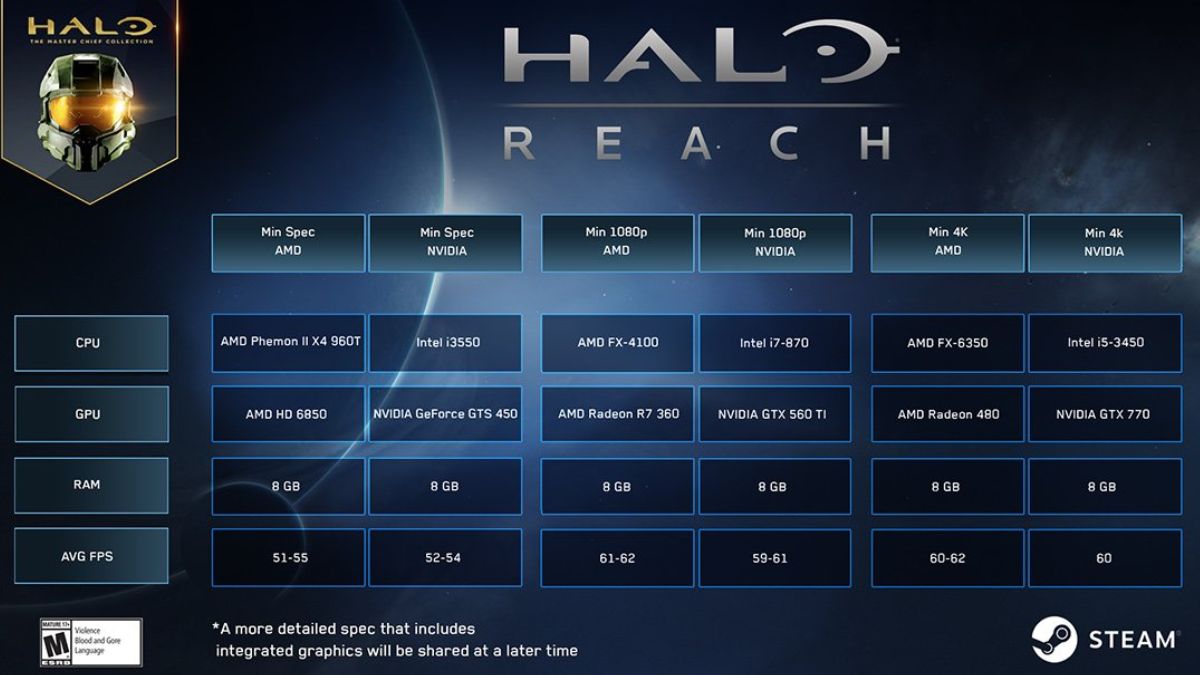
    The Halo Reach PC requirements are the minimum and recommended specifications for your computer to run the game smoothly and without issues. The Halo Reach PC requirements are based on the official information from Steam. Here are the Halo Reach PC requirements:

    Minimum Requirements

    • OS: Windows 7 SP1, 8.1, 10 (64-bit required)
    • CPU: Intel Core i5-2500, AMD Phenom II X4 960T or equivalent
    • Memory: 8 GB RAM
    • GPU: NVIDIA GeForce GTS 450, AMD Radeon HD 6850 or equivalent
    • GPU Memory: 2 GB
    • DirectX: Version 11 (Direct3D feature Level 11.1)
    • Storage: 25 GB available space
    • Sound Card: DirectSound compatible (must support DirectX 9.0c or higher)

    Recommended Requirements

    • OS: Windows 10 (64-bit required)
    • CPU: Intel Core i7-6700, AMD FX-4100 or equivalent
    • Memory: 8 GB RAM
    • GPU: NVIDIA GeForce GTX 560 TI, AMD Radeon R7 360 or equivalent
    • GPU Memory: 8 GB
    • DirectX: Version 11 (Direct3D feature Level 11.1)
    • Storage: 25 GB available space
    • Sound Card: DirectSound compatible (must support DirectX 9.0c or higher)

    How to Check Your PC Specifications?

    To check your PC specifications, you can use the following methods:

    • Use the System Information tool. To access it, press the Windows key and type “System Information”. Then, click on the System Information app that appears. You will see a summary of your system information, such as your OS, CPU, memory, and GPU.
    • Use the DirectX Diagnostic Tool. To access it, press the Windows key and type “dxdiag”. Then, click on the dxdiag app that appears. You will see a summary of your system information, as well as your DirectX version and GPU memory.
    • Use a third-party software. There are many software that can help you check your PC specifications, such as CPU-Z, GPU-Z, or Speccy. You can download and install them from their official websites, and then run them to see your system information.

    How to Optimize Your PC Performance?

    If your PC meets the minimum requirements, but not the recommended requirements, you may still be able to run the game, but with lower graphics settings and performance. To optimize your PC performance, you can try the following tips:

    • Update your drivers. Drivers are software that helps your hardware communicate with your OS and applications. Updating your drivers can improve your PC performance and fix any compatibility issues. You can update your drivers manually by visiting the manufacturer’s website, or automatically by using driver updater software.
    • Adjust your graphics settings. Graphics settings are options that affect the visual quality and performance of the game. You can adjust your graphics settings in the game’s menu, or the graphics card’s control panel. Lowering your graphics settings can improve your FPS (frames per second) and reduce lag and stuttering. Some graphics settings you can adjust are resolution, texture quality, anti-aliasing, shadows, and effects.
    • Close unnecessary programs. Programs that run in the background can consume your CPU, memory, and disk resources, and affect your PC performance. You can close unnecessary programs by using the Task Manager. To access it, press Ctrl+Alt+Delete and select Task Manager. Then, click on the Processes tab and end the processes you don’t need.
    • Defragment your disk. Disk fragmentation is a condition where the files on your disk are scattered and not stored contiguously. This can slow down your disk access and performance. You can defragment your disk by using the Disk Defragmenter tool. To access it, press the Windows key and type “Disk Defragmenter”. Then, click on the Disk Defragmenter app that appears. You will see a list of your disks and their fragmentation status. You can select the disk that you want to defragment and click on the Optimize button.

    This is everything you need to know about Halo Reach PC Requirements. Additionally, you can check our guide on The Elder Scrolls VI PC Requirements and Valorant PC Requirements. Stay connected with GameEmpress.com to get the latest news and guides about the gaming world.

  • Star Citizen PS5: Will The Space Simulator Come To PlayStation 5?

    Star Citizen PS5: Will The Space Simulator Come To PlayStation 5?

    Star Citizen is a massively multiplayer online space simulator that has been in development since 2012 by Cloud Imperium Games, a studio led by Chris Roberts, the creator of the Wing Commander series.

    The game aims to create a realistic and immersive sci-fi universe, where players can explore, trade, fight, and live on various planets, moons, stations, and ships. The game also features a single-player campaign called Squadron 42, which stars actors like Mark Hamill, Gary Oldman, and Gillian Anderson.

    Star Citizen is one of the most ambitious and crowdfunded games ever made, having raised over $400 million from backers as of 2021. The game is currently in the alpha stage and is available to play on PC via the official website or Steam. However, many console players, especially PlayStation 5 owners, are wondering if the game will ever come to their platform. In this article, we will answer this question and provide some facts and updates about Star Citizen PS5.

    Is Star Citizen Coming to PS5?

    No, Star Citizen is not coming to PS5, at least not anytime soon. Cloud Imperium Games has not announced or confirmed any plans to bring the game to PS5 or any other console. The game is designed and optimized for PC, and the developer has stated that they are focusing on the PC version of the game for now.

    Star Citizen 3.22 Patch Notes
    Star Citizen 3.22 Patch Notes

    The reason for this decision is that Star Citizen is a very complex and demanding game, which requires high-end hardware and software to run smoothly. The game uses the Lumberyard engine, which is based on the CryEngine, and supports features like procedural generation, ray tracing, volumetric clouds, and dynamic physics.

    The game also has a large and persistent universe, which can host thousands of players and objects at the same time. The game also has a modular and customizable system, which allows players to modify and upgrade their ships, weapons, and equipment.

    These features make Star Citizen a very challenging game to port to PS5 or any other console, as they would require significant compromises and reductions in quality and performance.

    Take a look at Star Citizen Twitter official Page:

    The PS5 may have impressive specs and capabilities, but it still has limitations and restrictions compared to the PC. For example, the PS5 has a fixed memory and storage capacity, which may not be enough to handle the game’s huge and detailed assets. The PS5 also has a closed and regulated system, which may not be compatible with the game’s open and flexible system.

    Therefore, Star Citizen is not likely to come to PS5 or any other console soon, unless the developer decides to change their vision and direction for the game, or the console technology advances significantly to match the PC standards.

    What Are the Alternatives to Star Citizen on PS5?

    While Star Citizen may not be coming to PS5, some other games may offer a similar or satisfying experience for console players who are interested in space simulation. Here are some of the best alternatives to Star Citizen on PS5:

    • Elite Dangerous: A space simulator that lets players explore, trade, fight, and survive in a vast and realistic galaxy, with various ships, factions, and activities. The game also supports VR and online multiplayer and has regular updates and expansions. The game is available on PS4 and PS5 via backward compatibility.
    • No Man’s Sky: A space adventure that lets players discover, explore, and create in a procedurally generated and infinite universe, with billions of planets, stars, and creatures. The game also supports VR and online multiplayer and has frequent updates and additions. The game is available on PS4 and PS5 via backward compatibility.
    • EVE Online: A space MMO that lets players engage in various activities and professions in a persistent and player-driven universe, with thousands of systems, planets, and ships. The game also has a complex and dynamic economy, politics, and warfare, and has regular updates and events. The game is available on PC but can be streamed to PS5 via GeForce Now.

    These are some of the best alternatives to Star Citizen on PS5, but you can find more games on the PS Store or online. You can also keep an eye on the upcoming games that may offer a space simulation experience, such as Starfield, Kerbal Space Program 2, and The Outer Worlds 2.

    Conclusion

    Star Citizen is a space simulator that is currently in development for PC and is not coming to PS5 or any other console anytime soon. The game is very complex and demanding, and would require significant compromises and reductions to run on PS5 or any other console. The developer has not announced or confirmed any plans to bring the game to PS5 or any other console and is focusing on the PC version of the game for now.

    If you are interested in knowing more articles related to other games, you can check Ready Or Not Game PS5 and The Day Before PS5 Release Date. We appreciate your interest in our website! Make Gameempress.com your go-to site for gaming information.

  • Ready Or Not Game PS5: Will The Tactical Shooter Come To PlayStation?

    Ready Or Not Game PS5: Will The Tactical Shooter Come To PlayStation?

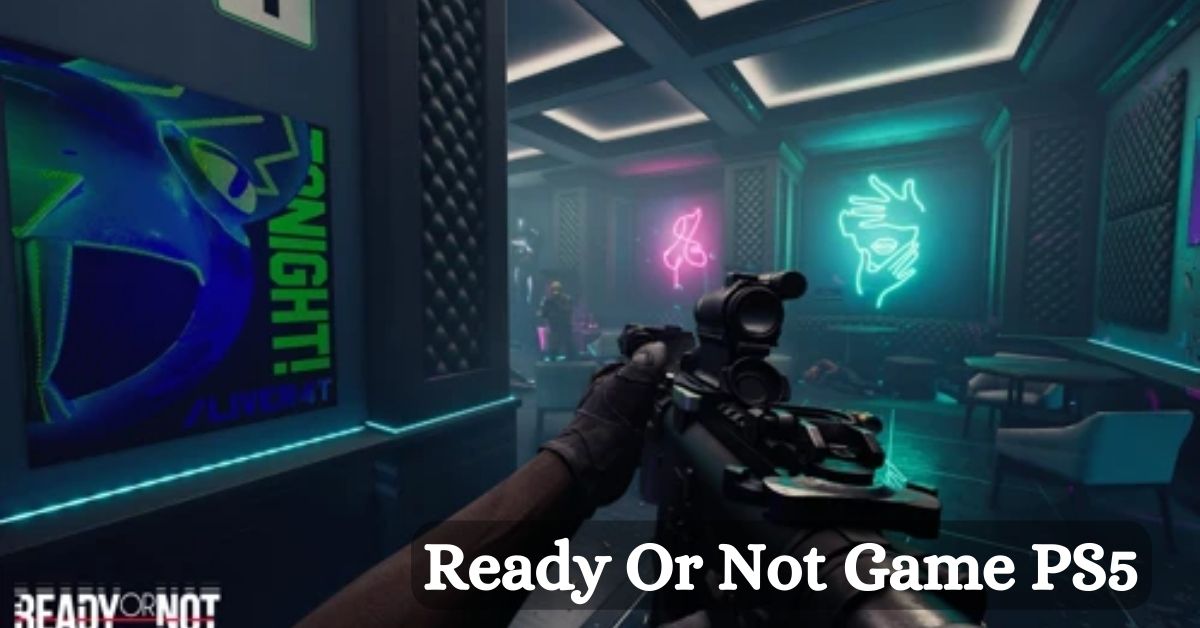
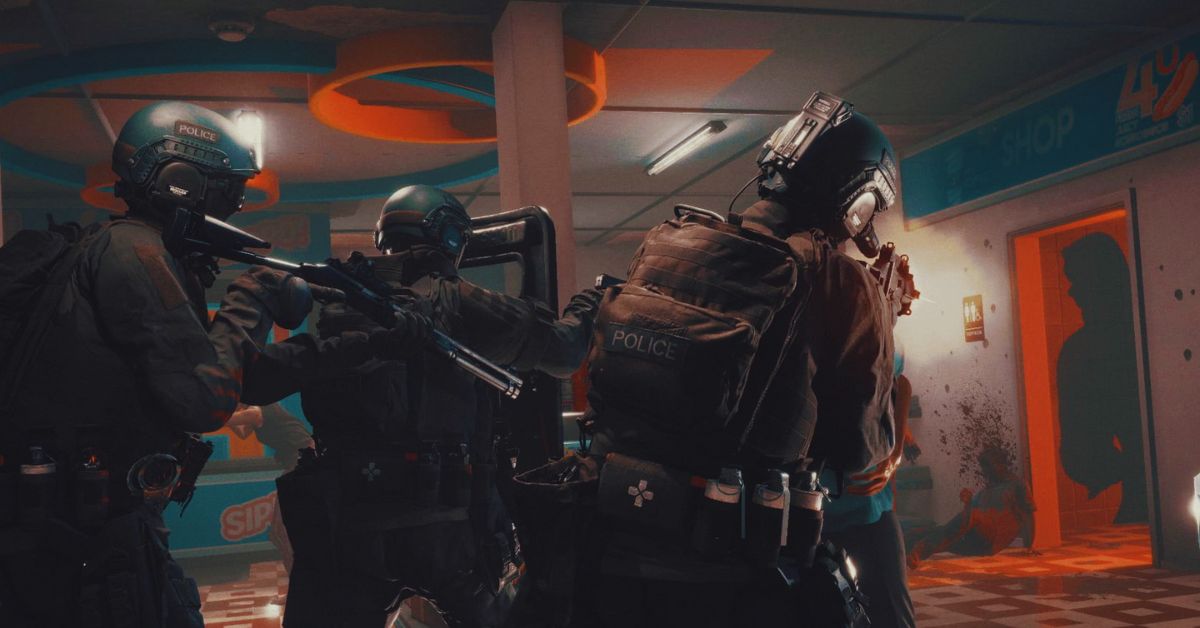
    Ready or Not is a realistic and immersive tactical shooter game that simulates the experience of a SWAT team in various scenarios, such as hostage rescue, bomb defusal, or drug bust. The game features a single-player campaign, a co-op mode, and a multiplayer mode, where players can use a variety of weapons, gadgets, and tactics to complete their objectives.

    The game also boasts a high level of customization, realism, and interactivity, as players can modify their loadouts, interact with the environment, and make decisions that affect the outcome of the missions.

    Ready or Not was released on Steam Early Access on December 13, 2023, after several years of development and testing. The game has received positive reviews from critics and players, who praised its graphics, gameplay, and atmosphere.

    However, many PlayStation fans are wondering if Ready or Not will ever come to PS5 or PS4, and enjoy the game on their consoles. In this article, we will answer that question and explain the current status and plans of Ready or Not for PlayStation.

    Is Ready or Not Available on PS5 or PS4?

    Ready Or Not 1.0 Patch Notes
    Ready Or Not 1.0 Patch Notes

    No, Ready or Not is not available on PS5 or PS4, and it is unlikely to be anytime soon. The game is currently exclusive to PC, and it is only playable on Steam. The developers of Ready or Not, Void Interactive, have not announced any plans or intentions to bring the game to PlayStation or any other console platforms.

    There are several reasons why Ready or Not is not available on PS5 or PS4, and why it may be difficult or impossible to port the game to PlayStation in the future. Some of these reasons are:

    • The game is still in early access, and it is not finished or polished yet. The developers are still working on adding new features, content, and improvements to the game, and they are focusing on the PC version first. The game also has some bugs, glitches, and performance issues that need to be fixed before it can be considered for console release.
    • The game is very demanding and complex, and it may not run well or at all on PS5 or PS4. The game requires a powerful PC to run smoothly and with high graphics settings, and it may not be compatible or optimized for the PS5 or PS4 hardware and software. The game also has a lot of mechanics and systems that may not work well or at all on the PlayStation controllers and interface.
    • The game is very niche and hardcore, and it may not appeal to or sell well on the PlayStation market. The game is designed for a specific and dedicated audience of tactical shooter fans, who prefer realism, challenge, and teamwork over casual, arcade, and solo gameplay. The game may not attract or satisfy the majority of PlayStation players, who may prefer more accessible, popular, and mainstream games.

    Will Ready or Not Ever Come to PS5 or PS4?

    The long answer is maybe, but don’t hold your breath. The developers of Ready or Not have not ruled out the possibility of bringing the game to PlayStation or other console platforms in the future, but they have also not confirmed or promised anything.

    The developers have stated that they may consider porting the game to consoles “depending on the reception of the final game”, which implies that they will wait until the game is fully released and successful on PC before making any decisions or plans for console release.

    However, even if the developers decide to port the game to PlayStation, it may take a long time and a lot of resources and effort to do so. The developers will have to overcome the technical and logistical challenges of adapting the game to the PS5 or PS4 hardware and software, as well as the creative and marketing challenges of appealing to the PlayStation audience and competing with other games.

    The developers will also have to deal with the legal and contractual issues of obtaining the rights and permissions to publish the game on PlayStation, as well as the financial and operational issues of funding and distributing the game on PlayStation.

    Therefore, PlayStation fans who are interested in playing Ready or Not should not expect or hope for the game to come to PS5 or PS4 anytime soon, or at all. The best way to play the game is to get a PC and buy the game on Steam, or to watch the game on YouTube or Twitch.

    Alternatively, PlayStation fans can look for other tactical shooter games that are available or coming soon to PS5 or PS4, such as Rainbow Six Siege, Rainbow Six Extraction, or Ghost Recon Breakpoint.

    If you are interested in knowing more articles related to other games, you can check The Day Before PS5 Release Date and Fallout London Release Date. We appreciate your interest in our website! Make Gameempress.com your go-to site for gaming information.

  • 10 Best Things About Fallout London: Why You Should Play?

    10 Best Things About Fallout London: Why You Should Play?

    One fan-made modification for Fallout 4 is Fallout London, which expands the scope of the Resource Wars’ catastrophic impact outside the United States. On April 23, 2024, the mod will be published, bringing with it new lore, characters, settings, and stories to the Fallout series. The ten finest features that make Fallout London a worthwhile game are listed below.

    10 Reasons Why You Should Play Fallout London

    1. A New Location

    Fallout London is the first mod to take the Fallout series outside of the United States, and it does so with style and attention to detail. The mod aims to fully recreate the city of greater London and its familiar landmarks, such as Big Ben, the Tower of London, Buckingham Palace, and more.

    The mod also features five smaller hub areas, each with its distinct atmosphere and culture. From the aristocratic Westminster to the anarchic Camden Town, Fallout London offers a diverse and immersive exploration of the British wasteland.

    2. A New Story

    Between Fallout 1 and Fallout 2, the year 2237 takes place in Fallout London. Following a lab break-in, the player is tasked with escaping to the surface and uncovering the mysteries surrounding the enigmatic Project Cobalt.

    While exploring London, the player will come across several groups, each with its objective and set of reasons, all fighting for control of the city. The user can choose between different endings in the mod’s branching plot.

    3. A New Character

    The Wayfarer, a new character in Fallout London, is a direct descendant of a British spy from before the war. How the Wayfarer engages with the environment and its inhabitants is shaped by their one-of-a-kind history and character. For even more character customization options, the mod lets you change the Wayfarer’s look, abilities, bonuses, and attributes.

    4. A New Lore

    By delving into British culture and history both during and after the Great War, Fallout London adds to the Fallout universe’s canon. The Resource Wars, the Commonwealth, and nuclear destruction all had an impact on Britain, as this mod shows.

    Among the many new features introduced by the mod are the London Underground, the British Royal Family, and the Knights of the Round Table. Respecting the original Fallout canon while adding its creative spin and flavor, the mod attempts to be lore-friendly.

    5. A New Gameplay

    10 best things about Fallout London

    Adapting Fallout 4’s gameplay to a British setting, Fallout London adds new features and systems. There are a plethora of new swords, muskets, bowler hats, tea, motorcycles, and armor pieces included by the mod.

    Additionally, the patch introduces new adversaries, each with its own set of abilities and vulnerabilities, including mutant animals, robots, raiders, and cultists. Moreover, the update alters the fighting system to make it more difficult and lifelike. Bar brawls, horse racing, chess, and other minigames are among the additional objectives and activities included in the update.

    6. A New Soundtrack

    The new score for Fallout London is perfect for the mod’s tone and setting. Original compositions and licensed music from several decades and genres, including rock, pop, classical, and folk, make up the soundtrack.

    A number of well-known British bands, including The Rolling Stones, The Clash, The Beatles, and others, have songs featured on the soundtrack. On the soundtrack, you can hear various radio stations, each with its own DJ and style, including Radio London, Radio Free England, and Radio Anarchy.

    7. A New Voice Acting

    The excellent voice acting in Fallout London is what really makes the game come alive. Among the more than two hundred voice actors included in the mod are well-known figures in the field, like Doctor Who’s David Tennant and Tom Baker.

    A wide variety of accents and dialects, including Cockney, Scottish, Irish, and more, are voiced by actors in the mod. Subtitles and localization for several languages, including French, German, Spanish, and more, are also included in the mod.

    8. A New Art Style

    Unlike previous Fallout games, Fallout London features a fresh graphical style. The mod highlights the contrast between the beautiful and terrifying post-apocalyptic London with the use of a more brilliant color palette and a more stylized and comical appearance.

    To further improve the mod’s visual quality and immersion, it employs a more realistic and detailed texture in addition to more dynamic and atmospheric lighting.

    9. A New Community

    A fan-made mod, Fallout London is all about the fanbase. The mod’s creators are a group of skilled modders who have a strong affinity for Fallout and video games. Additionally, the mod has a sizable and engaged fan base that helps keep it running by giving suggestions, criticism, and financial support.

    The mod enthusiastically welcomes and encourages a wide range of fan-created content, such as artwork, stories, films, and more. Among the many fan-focused events and contests organized by the mod are the Fallout London Fan Art Contest, the Fallout London Cosplay Contest, and the Fallout London Merchandise Giveaway.

    10. A New Experience

    Fans of the Fallout series can get a fresh take on the game with the Fallout London mod. Instead of being a carbon copy of Fallout 4, this mod creates an entirely new game from the ground up. The mod takes on the challenge of modifying and improving the series’ history and gameplay, which makes it bold, groundbreaking, and original.

    The mod offers players hours of content and entertainment, making it fun, engaging, and entertaining. You can play the mod with just Fallout 4 and its official DLCs. Thus, it’s free, accessible, and straightforward to install. Since it is a mod that the creators put a lot of heart and soul into, Fallout London is definitely worth your time.

    If you want to check out more articles related to Fallout. So you can check the Fallout London Release Date and Fallout 4 Next-Gen Update Release Date. We appreciate your interest in our website! Make Gameempress your go-to site for gaming information.

  • Nintendo Switch Online 2023 Icons: The Ultimate Guide to Limited-Time Offer

    Nintendo Switch Online 2023 Icons: The Ultimate Guide to Limited-Time Offer

    In 2023, the Nintendo Switch saw a plethora of excellent titles from both Nintendo and third parties. Among the former, fans were treated to fresh entries in a number of Nintendo’s major franchises.

    This year, Nintendo Switch owners have a plethora of options for sequels, spin-offs remasters, and more, including a new Pikmin game, Detective Pikachu Returns, and, of course, The Legend of Zelda: Tears of the Kingdom.

    And to celebrate the debut of games like that, Nintendo usually throws in some goodies like free icons for Nintendo Switch Online and other things. There is usually a time limit on when certain icons are available before they are replaced with new ones.

    From now until early January, you have the opportunity to claim a variety of Nintendo Switch Online symbols. After that, they will be retired until their eventual return, so don’t miss out if you missed out on any of them before.

    Returning Nintendo Switch Online Icons

    Nintendo Switch Online 2023 icons

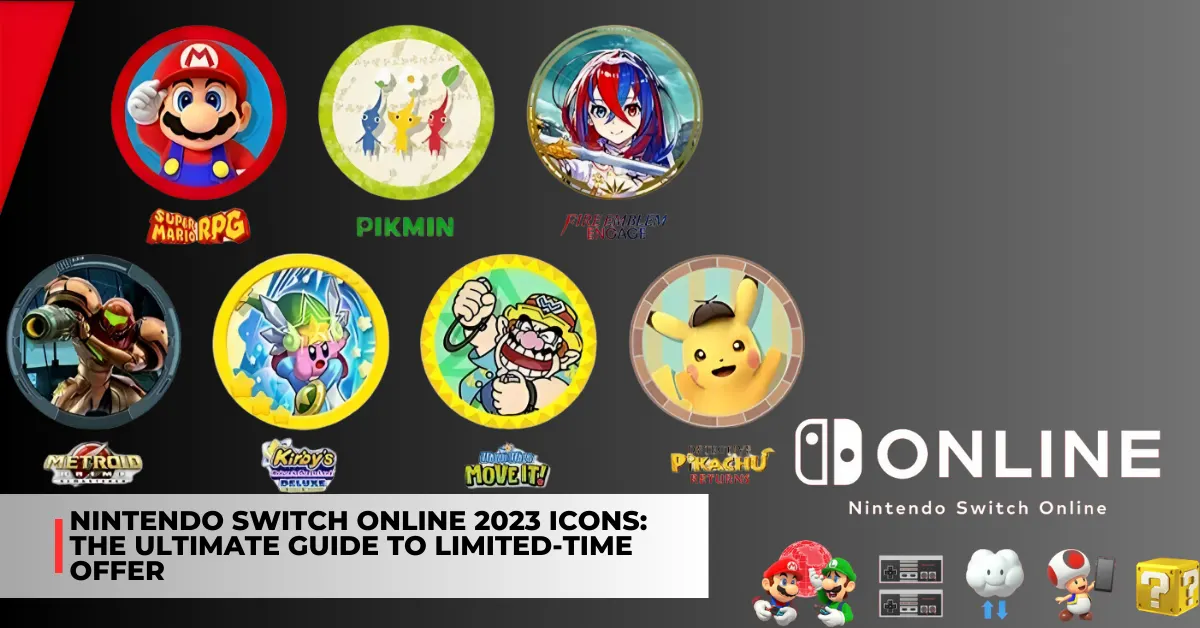
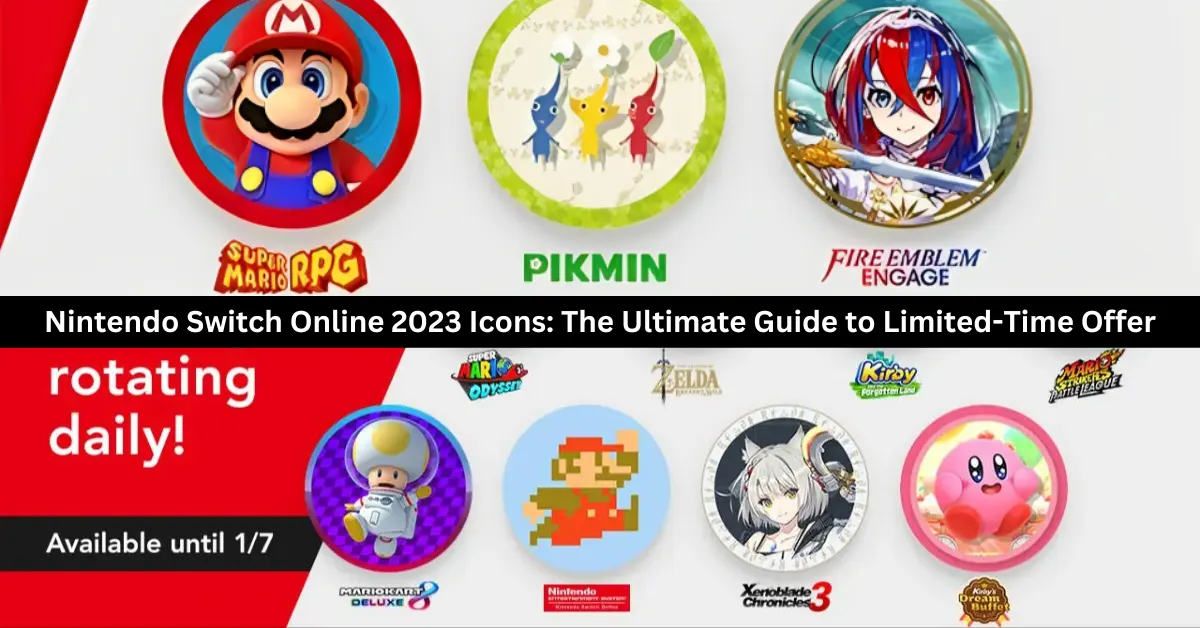
    Icons from Metroid Prime Remastered, Detective Pikachu Returns, Kirby’s Return to Dreamland Deluxe, Pikmin, the remake of Super Mario RPG, and Metroid Prime are available for grabs until early January.

    The Pikmin series is making a comeback with the release of Pikmin 4 earlier this year. However, for some reason, possibly due to the series’ generic and cross-game nature, it is being referred to merely as the series in this advertising rather than the game itself.

    Based on the timetable that has been provided online, these Nintendo Switch Online icons will be available on specified days until the end of December for the final giveaway of 2023. Once that is done, the cycle will begin anew, with the icons being given out again from January 1st to January 7th.

    There will be no further updates regarding when or whether you will be able to obtain these icons after the offer ends. The following calendar for when these promotions will be available was posted on Twitter by the third-party Nintendo Switch Online icon tracker account NSO Icons Alerts.

    So, make sure to snag the icons you desire from these scheduled offers. Be mindful that you will usually need to spend the free-to-earn Platinum Points to claim any Nintendo Switch Online symbols from the console’s Nintendo Switch Online app. So, don’t just go ahead and redeem the first ones you see.

    The following calendar for when these promotions will be available was posted on Twitter by NSO Icon Alert:

    Nintendo Switch Online Icon Schedule

    Dec 26 and Jan 2: Metroid Prime Remastered

    Dec 27 and Jan 3: Fire Emblem Engage

    Dec 28 and Jan 4: Detective Pikachu Returns

    Dec 29 and Jan 5: Kirby´s Return to Dreamland Deluxe

    Dec 30 and Jan 6: Pikmin

    Dec 31 and Jan 7: Super Mario RPG

    This is everything you need to know about Dragonflight Alchemy Guide. Additionally, you can check our guide on Diablo 4 Uber Lilith Guide and Iron Leaves Raid Guide. Stay connected with GameEmpress to get the latest news and guides about the gaming world.

  • Super Mario Odyssey PC Requirements: How To Play The Nintendo Switch Game On Your Computer?

    Super Mario Odyssey PC Requirements: How To Play The Nintendo Switch Game On Your Computer?

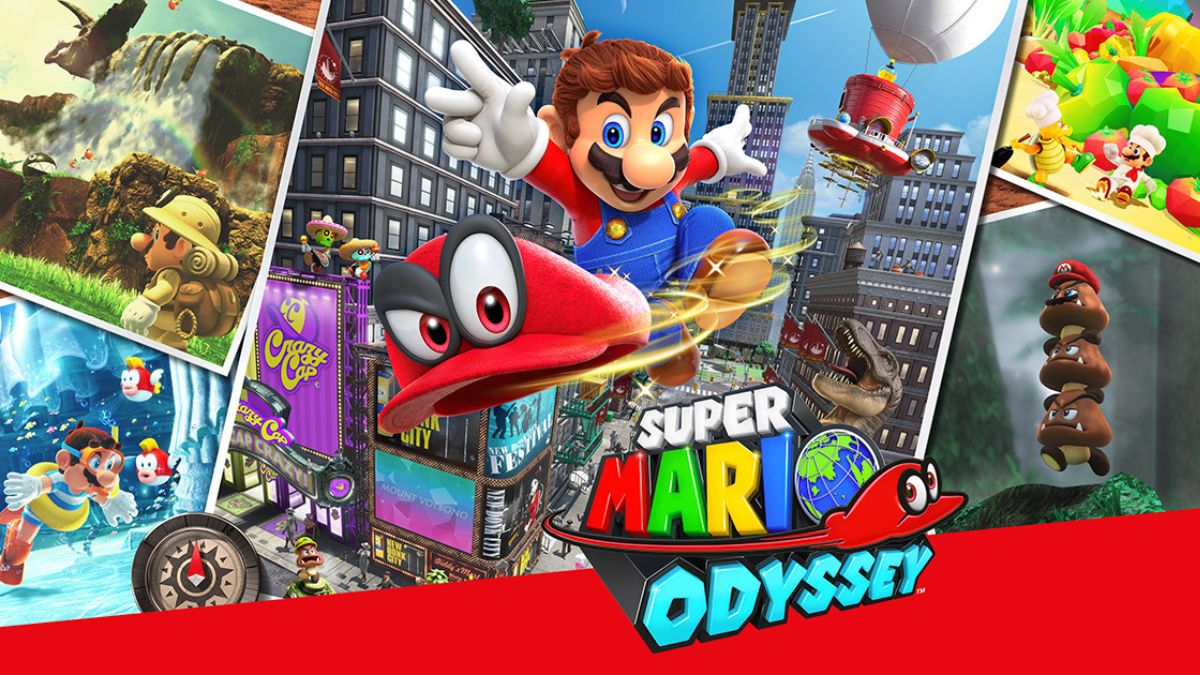
    Super Mario Odyssey is a platform game that is part of the Super Mario series. The game was developed by Nintendo and released in 2017 for the Nintendo Switch, a hybrid console that can be used as a handheld or a home device.

    The game follows the adventure of Mario and his new companion Cappy, a sentient hat that can capture and control various objects and enemies. The game features a large and diverse open world, with over 40 locations to explore and hundreds of moons to collect. The game also has various modes and features, such as co-op, photo, and balloon world.

    However, some players may want to play the game on their PC, either because they do not own a Nintendo Switch, or because they prefer the PC’s graphics, controls, and performance. Fortunately, there is a way to play Super Mario Odyssey on PC, using a Nintendo Switch emulator.

    An emulator is software that can simulate the functions and features of another device, such as a console or a handheld. Using an emulator, players can run Nintendo Switch games on their PC, as long as they meet the minimum requirements and follow the instructions.

    Super Mario Odyssey PC Requirements

    To play Super Mario Odyssey on PC, players need to have a PC that meets the minimum requirements for the Nintendo Switch emulator.

    Super Mario Odyssey PC Requirements
    Super Mario Odyssey PC Requirements

    The most popular and reliable Nintendo Switch emulator is Yuzu, which is an open-source project that aims to create a compatible and accurate Nintendo Switch emulator for PC. According to the official website of Yuzu, the minimum PC requirements for the emulator are:

    • Operating system: Windows 7 64-bit or higher, Linux, or macOS
    • CPU: Intel Core i3-6100 or AMD Ryzen 3 1200 or higher
    • GPU: OpenGL 4.6 or Vulkan 1.1 compatible
    • RAM: 8 GB or higher
    • Disk space: 1 GB or higher
    • Internet connection: Required for downloading games and updates

    Note that these are the minimum requirements for the emulator, not for the game. The actual performance and quality of the game may vary depending on the PC’s specifications, settings, and compatibility.

    Some games may run faster or slower, have graphical or audio glitches, or not run at all. Therefore, it is advisable to check the compatibility list of Yuzu² to see if Super Mario Odyssey is playable on the emulator, and to update the emulator and the game to the latest versions.

    How to Download and Install Yuzu and Super Mario Odyssey on a PC?

    To play Super Mario Odyssey on PC, players need to download and install Yuzu and the game on their PC. Here are the general steps to download and install Yuzu and Super Mario Odyssey on a PC:

    • Download Yuzu: Players can download Yuzu from its official website or a trusted source, such as GitHub. Players can choose the version that matches their operating system and preferences, such as the stable or the early access build. Players can also download the latest updates and patches for the emulator from the same sources.
    • Install Yuzu: Players can install Yuzu by running the downloaded file and following the instructions. Players can also create a shortcut for the emulator on their desktop or start menu for easy access. Players can also customize the emulator’s settings and options, such as the resolution, the controller, the language, and the bios.
    • Download Super Mario Odyssey: Players can download Super Mario Odyssey from the Nintendo eShop or a trusted source, such as NoPayStation. Players need to have a Nintendo Switch or a Nintendo account to access the Nintendo eShop, and they need to have a valid license or a backup of the game to play it legally. Players can also download the latest updates and patches for the game from the same sources.
    • Install Super Mario Odyssey: Players can install Super Mario Odyssey by copying the downloaded file to the nand folder of Yuzu. Players can also create a shortcut for the game on their desktop or start menu for easy access. Players can also customize the game’s settings and options, such as the difficulty, the subtitles, and the audio.
    • Launch Yuzu and Super Mario Odyssey: Players can launch Yuzu and Super Mario Odyssey by double-clicking on their shortcuts or by opening them from their folders. Players can also use the emulator’s menu to browse and select the game. Players can also use the emulator’s hotkeys to control the game, such as F11 to toggle fullscreen, F5 to save, F7 to load, and Esc to exit.

    This is everything you need to know about Super Mario Odyssey PC Requirements. Additionally, you can check our guide on Killzone Mercenary PC Requirements and Heavenly Sword PC Requirements. Stay connected with GameEmpress.com to get the latest news and guides about the gaming world.

  • Monster Legends Breeding Guide: How To Breed The Best Monsters?

    Monster Legends Breeding Guide: How To Breed The Best Monsters?

    Monster Legends is a mobile game that lets you collect, breed, and battle various monsters with different elements, skills, and stats. Breeding is one of the most important aspects of the game, as it allows you to create new and powerful monsters by combining two existing ones.

    However, breeding is not always easy, as it involves some luck, strategy, and knowledge. In this article, we will provide a comprehensive guide on how to breed monsters in Monster Legends, and what are the best combinations and tips to get the most out of it.

    How to Breed Monsters in Monster Legends?

    Monster Legends Breeding Guide
    Monster Legends Breeding Guide

    To breed monsters in Monster Legends, you will need to follow these steps:

    • Build and upgrade your Breeding Mountain and your Hatchery. These are the buildings where you can breed and hatch your monsters. You can find them in the Shop menu, under the Buildings tab. You can upgrade them to increase their capacity and speed.
    • Choose two monsters that you want to breed. You can select any two monsters that you have in your habitats, as long as they are not legendary or mythic. You can also use some special monsters, such as Galante or Violet, that can increase the chances of getting certain results.
    • Place the two monsters in the Breeding Mountain and start the breeding process. You can do this by tapping on the Breeding Mountain, and then dragging the two monsters to the slots. You can also use the Breeding Calculator, a tool that can help you find the best combinations and outcomes. You can access the Breeding Calculator from the Breeding Mountain menu, under the Calculator tab.
    • Wait for the breeding to finish and collect the egg. The breeding time will depend on the rarity and the elements of the monsters that you used. You can speed up the breeding by using gems, the premium currency of the game. You can also use the Breeding Guardian, a feature that can reduce the breeding time by half. You can activate the Breeding Guardian from the Breeding Mountain menu, under the Guardian tab.
    • Place the egg in the Hatchery and wait for it to hatch. The hatching time will also depend on the rarity and the elements of the monster that you obtained. You can speed up the hatching by using gems, or by asking your friends for help. You can also use the Hatching Guardian, a feature that can reduce the hatching time by half. You can activate the Hatching Guardian from the Hatchery menu, under the Guardian tab.
    • Claim your new monster and place it in a suitable habitat. You can do this by tapping on the Hatchery, and then tapping on the egg. You can also rename your monster, or sell it if you don’t want it. You can place your monster in any habitat that matches its element, or in a legendary or mythic habitat if it has that rarity.

    Best Monsters to Breed in Monster Legends

    There are hundreds of monsters that you can breed in Monster Legends, each with its strengths and weaknesses. However, some monsters are more desirable and useful than others, especially the legendary and mythic ones.

    These are the monsters that have the highest stats, the best skills, and the most versatility. However, breeding legendary and mythic monsters is not easy, as it requires specific combinations, rare ingredients, and low chances. Here are some of the best monsters that you can breed in Monster Legends, and how to get them:

    • Nemestrinus: A legendary nature monster that can heal, buff, and debuff. You can breed Nemestrinus by using Rhynex and Darknubis.
    • Vadamagma: A legendary fire monster that can deal massive damage and burn enemies. You can breed Vadamagma by using Skipples and Duchess.
    • Rockantium: A legendary earth monster that can stun, taunt, and shield. You can breed Rockantium by using Musu and Terracrank.
    • Thorder: A legendary thunder monster that can shock, daze, and haste. You can breed Thorder by using Rabidex and Tartarus.
      Lord of the Atlantis: A legendary water monster that can freeze, drown, and buff. You can breed Lord of the Atlantis by using Razfeesh and Drop Elemental.
    • Darkzgul: A legendary dark monster that can possess, curse, and bleed. You can breed Darkzgul by using Fayemelina and Darknubis.
    • Goldfield: A legendary magic monster that can regenerate, remove negative effects, and support. You can breed Goldfield by using Erpham and Drop Elemental.
    • Arch Knight: A legendary light monster that can blind, stun, and weaken. You can breed Arch Knight by using Goldcore and Esthirel.
    • Nebotus: A legendary dark monster that can resurrect, drain life, and deal heavy damage. You can breed Nebotus by using Obsidia and Cthulhu.
    • Worker Hulk: A legendary magic monster that can apply random effects, reflect damage, and protect. You can breed Worker Hulk by using Pandalf and Hyperion.
    • Laomu: A legendary nature monster that can poison, heal, and control. You can breed Laomu by using Erpham and Galante.
    • Varuna: A legendary water monster that can freeze, mega freeze, and apply random effects. You can breed Varuna by using Arnu and Drop Elemental.
    • The Firestorm: A legendary fire monster that can ignite, burn, and deal area damage. You can breed The Firestorm by using Captain Legends and Pyrook.
    • Ultrabot: A legendary metal monster that can stun, magnetize, and deal massive damage. You can breed Ultrabot by using Gold Ra and Darknubis.
    • Pixelion: A legendary magic monster that can apply random effects, remove positive effects, and support. You can breed Pixelion by using Sparkwedge and Sealion.
    • Dr. Hazard: A legendary dark monster that can poison, infect, and deal area damage. You can breed Dr Hazard by using Freedom Feather and Elder Sporeling.
    • Cyan Nathura: A legendary nature monster that can stun, poison, and deal heavy damage. You can breed Cyan Nathura by using Nereida and Evaranae.
    • Killeraptor: A legendary earth monster that can stun, daze, and deal area damage. You can breed Killeraptor by using Rhinoram and Eburwin.
    • Master Skeel: A legendary thunder monster that can shock, daze, and deal heavy damage. You can breed Master Skeel by using Skeel Trooper and Slayentaur¹.
    • Exo Skeel: A legendary thunder monster that can shock, haste, and deal massive damage. You can breed Exo Skeel by using Griffex and Chordim.
    • Noctum: A legendary dark monster that can possess, curse, and deal heavy damage. You can breed Noctum by using Cthulhu and Razfeesh.
    • Oghma: A legendary light monster that can blind, stun, and deal area damage. You can breed Oghma by using Seraphim and Aurinia.
    • Barbatos: A legendary dark monster that can deal massive damage, drain life, and sacrifice. You can breed Barbatos by using Fenix and Dommeath¹.
    • Akhenotep: A legendary earth monster that can petrify, weaken, and deal heavy damage. You can breed Akhenotep by using Darknubis and Manolyth.
    • Basthet: A legendary earth monster that can stun, slow, and deal area damage. You can breed Basthet by using Pegasus and Storm.
    • Megaosteum: A legendary fire monster that can burn, ignite, and deal massive damage. You can breed Megaosteum by using Coldberus and Greygoyle.
    • Lord Mammoth: A legendary water monster that can freeze, mega freeze, and deal heavy damage. You can breed Lord Mammoth by using Duchess and Rorcal.
    • Ouros: A legendary earth monster that can taunt, shield, and reflect damage. You can breed Ouros by using Irockman and Sludger.
    • Count Vlad: A legendary dark monster that can possess, drain life, and deal area damage. You can breed Count Vlad by using Greygoyle and Vortux.
    • Lilysha: A legendary light monster that can blind, stun, and deal heavy damage. You can breed Lilysha by using Zim and Fayemelina.
    • Uru: A legendary magic monster that can apply random effects, remove negative effects, and deal area damage. You can breed Uru by using Fenix and Chordim.
    • Anton Acorne: A legendary water monster that can freeze, drown, and deal heavy damage. You can breed Anton Acorne by using Nautilus-1 and Avaast.
    • Will Razor Face: A legendary dark monster that can possess, curse, and deal heavy damage. You can breed Will Razor Face by using Fliploch and Fayemelina.
    • Nidaria: A legendary water monster that can freeze, poison, and deal heavy damage. You can breed Nidaria by using Freeza and Anaitis.

    This is everything you need to know about Monster Legends Breeding Guide. Additionally, you can check our guide on Dragonflight Alchemy Guide and Diablo 4 Uber Lilith Guide. Stay connected with GameEmpress.com to get the latest news and guides about the gaming world.

  • Dragonflight Alchemy Guide: How To Master The Art Of Potion And Phial Making?

    Dragonflight Alchemy Guide: How To Master The Art Of Potion And Phial Making?

    Dragonflight is the latest expansion of World of Warcraft, the popular MMORPG that takes place in the fantasy world of Azeroth. In Dragonflight, players can explore the mysterious and dangerous Dragon Isles, a new continent that is home to ancient secrets, powerful dragons, and new enemies.

    One of the professions that players can learn and practice in Dragonflight is Alchemy, the art of creating potions and phials that can enhance your abilities, heal your wounds, or harm your foes. Alchemy is a versatile and useful profession that can benefit any class and role, whether you are a tank, a healer, a damage dealer, or a support.

    In this guide, we will show you how to level up your Alchemy skill, how to discover new recipes, how to use the new Experimentation system, how to choose your Alchemy specialization, and how to craft the best potions and phials for your needs.

    How to Level Up Your Alchemy Skill?

    Dragonflight Alchemy Guide
    Dragonflight Alchemy Guide

    The first step to becoming a master alchemist is to level up your Alchemy skill, which determines what kind of potions and phials you can craft and how effective they are. You can level up your Alchemy skill by crafting potions and phials, by doing Experimentations, or by completing Alchemy quests.

    The maximum Alchemy skill level in Dragonflight is 100, and you can track your progress by opening your profession window (press K by default).

    To start learning Alchemy, you will need to find an Alchemy trainer, who can teach you the basics of the profession and give you some starter recipes. You can find Alchemy trainers in the following locations:

    • Conflago in Valdrakken, the capital city of the Dragon Isles. He is located near the Alchemist’s Lab Bench, which is a crafting station that you will need to use for most Alchemy recipes.
    • Srireth in Ohn’ahran Plains, a zone in the southern part of the Dragon Isles. She is located in a small camp near the river, where you can also find some herbs that you will need for Alchemy.
    • Zherrak in The Waking Shores, a zone in the eastern part of the Dragon Isles. He is located in a cave near the coast, where you can also find some fish that you will need for Alchemy.
    • An’timon in The Waking Shores, a zone in the eastern part of the Dragon Isles. He is located in a tower near the ruins, where you can also find some crystals that you will need for Alchemy.

    Once you have learned Alchemy, you can start crafting potions and phials, which are the main products of the profession. Potions are consumable items that can give you various effects, such as healing, mana regeneration, stat boosts, or damage.

    Phials are similar to potions, but they are not consumed when used. Instead, they have charges that can be replenished by using a Phial Refiller, which is a device that you can craft with Alchemy. Phials can also give you various effects, such as shields, buffs, or debuffs.

    To craft potions and phials, you will need to gather some materials, such as herbs, fish, crystals, and vials. You can find these materials in the wild, by harvesting nodes, fishing, or mining. You can also buy them from vendors or the Auction House, or trade them with other players.

    You will also need to use the Alchemist’s Lab Bench, which is a crafting station that you can find near the Alchemy trainers or in some other locations. To craft a potion or a phial, you will need to follow a recipe, which is a list of ingredients and instructions that you can learn from trainers, books, quests, or Experiments.

    To level up your Alchemy skill, you will need to craft potions and phials that are appropriate for your current skill level. You can see the difficulty of each recipe by the colour of its name in your profession window. The colours are as follows:

    • Orange: These recipes will always give you a skill point when you craft them. They are the best recipes to level up your Alchemy skill.
    • Yellow: These recipes will sometimes give you a skill point when you craft them. They are good recipes to level up your Alchemy skill, but not as reliable as orange ones.
    • Green: These recipes will rarely give you a skill point when you craft them. They are not very good recipes to level up your Alchemy skill, but they can be useful if you have no other options.
    • Gray: These recipes will never give you a skill point when you craft them. They are useless recipes to level up your Alchemy skill, and you should avoid them.

    To level up your Alchemy skill efficiently, you should always try to craft orange or yellow recipes, and avoid green or grey ones. You should also try to discover new recipes with higher difficulty, by doing Experimentations or completing quests. Here is a list of some of the best recipes to level up your Alchemy skill from 1 to 100:

    • 1-10: Minor Healing Potion, Minor Mana Potion
    • 10-20: Lesser Healing Potion, Lesser Mana Potion
    • 20-30: Healing Potion, Mana Potion
    • 30-40: Greater Healing Potion, Greater Mana Potion
    • 40-50: Superior Healing Potion, Superior Mana Potion
    • 50-60: Major Healing Potion, Major Mana Potion
    • 60-70: Primal Healing Potion, Primal Mana Potion
    • 70-80: Supreme Healing Potion, Supreme Mana Potion
    • 80-90: Ultimate Healing Potion, Ultimate Mana Potion
    • 90-100: Transcendent Healing Potion, Transcendent Mana Potion

    How to Discover New Recipes?

    As you level up your Alchemy skill, you will need to discover new recipes that can help you craft better potions and phials. There are two main ways to discover new recipes:

    Experimentations and quests

    Experimentations are a new feature of Alchemy in Dragonflight, that allows you to create new potions and phials by combining different ingredients and reagents. Experimentations can be done at the Alchemist’s Lab Bench, and they require some materials, such as herbs, fish, crystals, vials, and Dragon’s Alchemical Solution.

    Dragon’s Alchemical Solution is a special reagent that can be obtained by destroying potions and phials with the Reclaim Concoctions spell, which is a skill that you can learn from the Alchemy trainers.

    To do an Experimentation, you will need to choose a type of potion or phial that you want to create, such as Healing, Mana, Toxic, Shield, or Buff. Then, you will need to choose a base ingredient, such as an herb, a fish, or a crystal, that will determine the main effect of the potion or phial.

    Finally, you will need to choose a modifier ingredient, such as a herb, a fish, or a crystal, that will determine the secondary effect of the potion or phial. You will also need to add some Dragon’s Alchemical Solution, which will determine the quality and quantity of the potion or phial.

    Once you have chosen your ingredients, you can start the Experimentation, which will consume the materials and produce a random potion or phial. The potion or phial will have a name, a description, and a color, that will indicate its effect and quality. The colours are as follows:

    • White: These potions and phials have the lowest quality and effect. They are not very useful, and you should destroy them with Reclaim Concoctions to get more Dragon’s Alchemical Solution.
    • Green: These potions and phials have a low quality and effect. They are somewhat useful, but you can find better ones with more Experimentations.
    • Blue: These potions and phials have a medium quality and effect. They are quite useful, and you should keep them for yourself or sell them to other players.
    • Purple: These potions and phials have a high quality and effect. They are very useful, and you should keep them for yourself or sell them to other players for a high price.
    • Orange: These potions and phials have the highest quality and effect. They are extremely useful, and you should keep them for yourself or sell them to other players for a very high price.

    The Experimentation will also give you a chance to discover a new recipe, which will allow you to craft the same potion or phial with the same ingredients and reagents. The chance to discover a new recipe is not 100%, but you will usually get at least one from doing 10 Experimentations.

    The discovered recipes will be added to your profession window, and you can craft them at the Alchemist’s Lab Bench. The discovered recipes will also have a difficulty color, which will indicate how much skill they will give you when you craft them.

    Experimentations are a fun and creative way to discover new potions and phials, but they also have some drawbacks. First, they are expensive, as they require a lot of materials and Dragon’s Alchemical Solution, which can be hard to obtain.

    Second, they are random, as you can never be sure what kind of potion or phial you will get, or if you will discover a new recipe. Third, they are risky, as you can get a debuff that will prevent you from doing more Experimentations for 4 hours. Therefore, you should do Experimentations wisely, and not rely on them too much.

    Quests are another way to discover new recipes, that are more reliable and less costly than Experimentations. Quests are tasks that you can get from NPCs, such as Alchemy

    This is everything you need to know about Dragonflight Alchemy Guide. Additionally, you can check our guide on Diablo 4 Uber Lilith Guide and Iron Leaves Raid Guide. Stay connected with GameEmpress.com to get the latest news and guides about the gaming world.