Blog

  • Can You Play Guitar Hero On Xbox One? A Guide For Rockstar Gamers

    Can You Play Guitar Hero On Xbox One? A Guide For Rockstar Gamers

    Guitar Hero is a popular music and rhythm video game series that lets you play along to your favourite songs using a guitar-shaped controller. The series, which started in 2005, has spawned several titles, spin-offs, and expansions, covering different genres, artists, and eras of music. Whether you are a fan of rock, metal, pop, or hip-hop, Guitar Hero has something for you.

    Can You Play Guitar Hero On Xbox One?

    Can you play Guitar Hero on Xbox One? the latest generation of Microsoft’s gaming console? The answer is yes but with some limitations and requirements. Whether you are a veteran or a newcomer to the Guitar Hero universe, this guide will help you rock out on your Xbox One.

    How to Play Guitar Hero on Xbox One Using Backward Compatibility?

    One of the easiest ways to play Guitar Hero on Xbox One is to use the backward compatibility feature, which allows you to play select Xbox 360 and original Xbox games on your Xbox One. The backward compatibility feature is free and does not require any additional hardware or software. However, not all Guitar Hero games are backwards compatible, and some features may not work as intended.

    To play Guitar Hero on Xbox One using backward compatibility, you will need the following:

    • An Xbox One console with the latest system update
    • A compatible Guitar Hero game disc or digital copy
    • A compatible Guitar Hero guitar controller or a standard Xbox One controller
    • An internet connection and an Xbox Live account

    To play Guitar Hero on Xbox One using backward compatibility, follow these steps:

    • Insert the Guitar Hero game disc into your Xbox One, or download the digital copy from the Microsoft Store. The game will install automatically on your console.
    • Connect your Guitar Hero guitar controller to your Xbox One, or use a standard Xbox One controller. You may need an adapter to connect your guitar controller, depending on the model and the game. You can buy the adapter online or as part of a bundle that includes the guitar controller and the game.
    • Launch the Guitar Hero game from your Xbox One home screen or the My Games & Apps menu. The game will run as if it were on an Xbox 360, with the same graphics, sound, and gameplay.
    • Enjoy playing Guitar Hero on your Xbox One.

    Here is a list of the Guitar Hero games that are backwards compatible with Xbox One:

    • Guitar Hero II
    • Guitar Hero III: Legends of Rock
    • Guitar Hero: Aerosmith
    • Guitar Hero: Metallica
    • Guitar Hero: Smash Hits
    • Guitar Hero: Van Halen
    • Guitar Hero 5
    • Guitar Hero: Warriors of Rock

    How to Play Guitar Hero on Xbox One Using Guitar Hero Live?

    Another way to play Guitar Hero on Xbox One is to use Guitar Hero Live, which is the latest and final installment of the Guitar Hero series, released in 2015. Guitar Hero Live is a reboot of the series, featuring a new guitar controller, a new gameplay mode, and a new music service.

    Guitar Hero Live is compatible with Xbox One, as well as other platforms, such as Xbox 360, PlayStation 4, PlayStation 3, Wii U, iOS, and Android.

    To play Guitar Hero on Xbox One using Guitar Hero Live, you will need the following:

    • An Xbox One console with the latest system update
    • A Guitar Hero Live game disc or digital copy
    • A Guitar Hero Live guitar controller
    • An internet connection and an Xbox Live account

    Guitar Hero Live has two main modes of play: GH Live and GHTV. GH Live is a single-player mode that lets you play in front of real live-action crowds and experience the thrill of being on stage. GHTV is a multiplayer mode that lets you play along to official music videos and compete against other players online. You can also access additional features, such as leaderboards, achievements, and rewards.

    This is everything you need to know about Can You Play Guitar Hero On Xbox One? Additionally, you can check our guide on Guitar Hero 2 Cheats and How To Save Outfits In GTA 5? Stay connected with GameEmpress.com to get the latest news and guides about the gaming world.
  • Killzone Mercenary PC Requirements: How To Play The PS Vita Game On Your Computer?

    Killzone Mercenary PC Requirements: How To Play The PS Vita Game On Your Computer?

    Killzone Mercenary is a first-person shooter game that is part of the Killzone series. The game was developed by Guerrilla Cambridge and released in 2013 for the PlayStation Vita, a handheld gaming device.

    The game follows the story of Arran Danner, a mercenary who works for both the ISA and the Helghast during the events of the first three Killzone games. The game features a single-player campaign, a multiplayer mode, and a variety of weapons, gadgets, and missions.

    However, some players may want to play the game on their PC, either because they do not own a PS Vita, or because they prefer the PC’s graphics, controls, and performance. Fortunately, there is a way to play Killzone Mercenary on PC, using a PS Vita emulator.

    An emulator is software that can simulate the functions and features of another device, such as a console or a handheld. Using an emulator, players can run PS Vita games on their PC, as long as they meet the minimum requirements and follow the instructions.

    Killzone Mercenary PC Requirements

    Killzone Mercenary PC Requirements
    Killzone Mercenary PC Requirements

    To play Killzone Mercenary on PC, players need to have a PC that meets the minimum requirements for the PS Vita emulator. The most popular and reliable PS Vita emulator is Vita3K, which is an open-source project that aims to create a compatible and accurate PS Vita emulator for PC.

    • Operating system: Windows 7 or higher, Linux, or macOS
    • CPU: Intel Core 2 Duo or AMD Athlon 64 X2 or higher
    • GPU: OpenGL 4.1 or higher compatible
    • RAM: 4 GB or higher
    • Disk space: 1 GB or higher
    • Internet connection: Required for downloading games and updates

    Note that these are the minimum requirements for the emulator, not for the game. The actual performance and quality of the game may vary depending on the PC’s specifications, settings, and compatibility.

    Some games may run faster or slower, have graphical or audio glitches, or not run at all. Therefore, it is advisable to check the compatibility list of Vita3K² to see if Killzone Mercenary is playable on the emulator, and to update the emulator and the game to the latest versions.

    How to Download and Install Vita3K and Killzone Mercenary on PC?

    To play Killzone Mercenary on PC, players need to download and install Vita3K and the game on their PC. Here are the general steps to download and install Vita3K and Killzone Mercenary on PC:

    • Download Vita3K: Players can download Vita3K from its official website or from a trusted source, such as GitHub³. Players can choose the version that matches their operating system and preferences, such as the stable or the nightly build. Players can also download the latest updates and patches for the emulator from the same sources.
    • Install Vita3K: Players can install Vita3K by extracting the downloaded file to a folder of their choice. Players can also create a shortcut for the emulator on their desktop or start menu for easy access. Players can also customize the emulator’s settings and options, such as the resolution, the controller, the language, and the bios.
    • Download Killzone Mercenary: Players can download Killzone Mercenary from the PlayStation Store or a trusted source, such as NoPayStation. Players need to have a PS Vita or a PSN account to access the PlayStation Store, and they need to have a valid license or a backup of the game to play it legally. Players can also download the latest updates and patches for the game from the same sources.
    • Install Killzone Mercenary: Players can install Killzone Mercenary by copying the downloaded file to the app folder of Vita3K. Players can also create a shortcut for the game on their desktop or start menu for easy access. Players can also customize the game’s settings and options, such as the difficulty, the subtitles, and the audio.
    • Launch Vita3K and Killzone Mercenary: Players can launch Vita3K and Killzone Mercenary by double-clicking on their shortcuts or by opening them from their folders. Players can also use the emulator’s menu to browse and select the game. Players can also use the emulator’s hotkeys to control the game, such as F5 to save, F9 to load, F11 to toggle fullscreen, and Esc to exit.

    Conclusion: Killzone Mercenary PC Requirements are Not Too High

    To sum up, Killzone Mercenary is a first-person shooter game that is part of the Killzone series. The game was developed by Guerrilla Cambridge and released in 2013 for the PlayStation Vita, a handheld gaming device.

    The game follows the story of Arran Danner, a mercenary who works for both the ISA and the Helghast during the events of the first three Killzone games. The game features a single-player campaign, a multiplayer mode, and a variety of weapons, gadgets, and missions.

    This is everything you need to know about Killzone Mercenary PC Requirements. Additionally, you can check our guide on Heavenly Sword PC Requirements and The Ascent PC Requirements. Stay connected with GameEmpress.com to get the latest news and guides about the gaming world.

  • Heavenly Sword PC Requirements: Slay Doubt, Not Enemies, Before Downloading

    Heavenly Sword PC Requirements: Slay Doubt, Not Enemies, Before Downloading

    Heavenly Sword is a hack-and-slash action-adventure game that was released in 2007 for the PlayStation 3. The game follows the story of Nariko, a warrior who wields the legendary Heavenly Sword, a weapon that can only be used by a god or a mortal who is willing to sacrifice their life.

    The game features stunning graphics, cinematic cutscenes, and dynamic combat. But can you play Heavenly Sword on PC in 2023? What are the Heavenly Sword PC requirements? This article will answer these questions and more.

    What is Heavenly Sword?

    Heavenly Sword is a game developed by Ninja Theory and published by Sony Computer Entertainment. The game is set in a fantasy world inspired by ancient China and Japan, where a tyrannical king named Bohan seeks to obtain the Heavenly Sword, a powerful weapon that was once wielded by a god.

    Heavenly Sword PC Requirements
    Heavenly Sword PC Requirements

    The game’s protagonist is Nariko, a young woman who belongs to a clan that guards the sword. When Bohan invades her village, Nariko takes up the sword and fights against his army, knowing that the sword will eventually drain her life. Along the way, she is aided by Kai, a quirky archer, and encounters various enemies and allies.

    The game is mainly a hack-and-slash game, where the player can use the sword to perform different attacks and combos. The sword has three stances: speed, range, and power, which can be switched by using the analogue stick. The game also features quick time events, where the player has to press the correct buttons to execute cinematic moves.

    The game also has some sections where the player can use other weapons, such as a cannon or a crossbow. The game has six chapters, each with multiple levels and boss fights. The game also has a bonus mode, where the player can replay the levels with different objectives and challenges.

    How to Play Heavenly Sword on PC?

    The official way to play Heavenly Sword on PC is to use the PlayStation Now service, which is a cloud gaming platform that allows users to stream PlayStation games on their PC, PS4, PS5, or other compatible devices.

    PlayStation Now requires a subscription fee, a stable internet connection, and a compatible controller. The service has a library of over 800 games, including Heavenly Sword¹. To play Heavenly Sword on PC using PlayStation Now, the user has to follow these steps:

    • Sign up for a PlayStation Now account or use an existing one.
    • Download and install the PlayStation Now app on the PC.
    • Launch the app and sign in with the PlayStation Now account.
    • Browse the game library and select Heavenly Sword.
    • Click on the “Stream” button and wait for the game to load.
    • Enjoy the game.

    The unofficial way to play Heavenly Sword on PC is to use the RPCS3 emulator, which is software that can run PlayStation 3 games on a PC. RPCS3 is an open-source project that is constantly being improved and updated by its developers and community.

    RPCS3 can run many PS3 games, including Heavenly Sword, with high resolution, frame rate, and performance. However, RPCS3 also has some drawbacks, such as requiring a powerful PC, a PS3 firmware, and a game disc or file. RPCS3 may also have some bugs, glitches, and compatibility issues with some games. To play Heavenly Sword on PC using RPCS3, the user has to follow these steps:

    • Download and install the RPCS3 emulator on the PC from its official website.
    • Download and install the PS3 firmware from the PlayStation website.
    • Obtain a copy of Heavenly Sword, either by ripping the game disc or downloading the game file from a trusted source.
    • Launch the RPCS3 emulator and load the PS3 firmware.
    • Add the Heavenly Sword game to the emulator’s game library.
    • Configure the emulator’s settings, such as the graphics, audio, and controller options, according to the user’s preference and PC specifications.
    • Run the game and enjoy.

    Heavenly Sword PC Requirements

    The Heavenly Sword PC requirements depend on the method that the user chooses to play the game. For PlayStation Now, the minimum PC requirements are:

    • Windows 7 or higher
    • Intel Core i3 2.0 GHz or AMD A10 2.8 GHz or higher
    • 2 GB of RAM or higher
    • 300 MB of storage space or higher
    • DirectX 11 compatible graphics card
    • 5 Mbps or higher internet speed
    • Compatible controller

    For RPCS3, the recommended PC requirements are:

    • Windows 10 64-bit
    • Intel Core i5 9600K or AMD Ryzen 5 3600 or higher
    • 16 GB of RAM or higher
    • 1 TB of SSD storage space or higher
    • NVIDIA GeForce GTX 1060 or AMD Radeon RX 580 or higher
    • Vulkan-compatible graphics driver
    • Compatible controller

    Conclusion

    Heavenly Sword is a hack-and-slash action-adventure game that was released in 2007 for the PlayStation 3. The game features a captivating story, stunning graphics, and dynamic combat. The game can be played on PC in 2023, either by using the PlayStation Now service or the RPCS3 emulator.

    Both methods have their pros and cons, and the user has to decide which one suits their needs and preferences. The Heavenly Sword PC requirements vary depending on the method, but generally, the user needs a decent PC, a stable internet connection, and a compatible controller. Heavenly Sword is a great game that can provide hours of fun and challenge for PC gamers who love hack-and-slash games.

    This is everything you need to know about Heavenly Sword PC Requirements. Additionally, you can check our guide on The Elder Scrolls VI PC Requirements and Valorant PC Requirements. Stay connected with GameEmpress.com to get the latest news and guides about the gaming world.
  • How To Save Outfits In GTA 5? A Complete Guide For Fashion Lovers

    How To Save Outfits In GTA 5? A Complete Guide For Fashion Lovers

    GTA 5, or Grand Theft Auto V, is a popular open-world action-adventure game that lets you explore the city of Los Santos and its surrounding areas. The game features rich and diverse gameplay, with various missions, activities, and challenges to complete. One of the aspects that makes GTA 5 so enjoyable and immersive is the ability to customize your character’s appearance, style, and personality.

    You can choose from a wide range of clothing items, accessories, and hairstyles, to create your unique look. But how can you save your outfits in GTA 5, so that you can easily switch between them, or show them off to your friends? In this article, we will show you how to save outfits in GTA 5, using different methods and tips. Whether you are a casual player or a fashion enthusiast, this guide will help you make the most of your GTA 5 wardrobe.

    How to Save Outfits in GTA 5 Using Wardrobes?

    Gta 5 10th Anniversary Date
    Gta 5 10th Anniversary Date

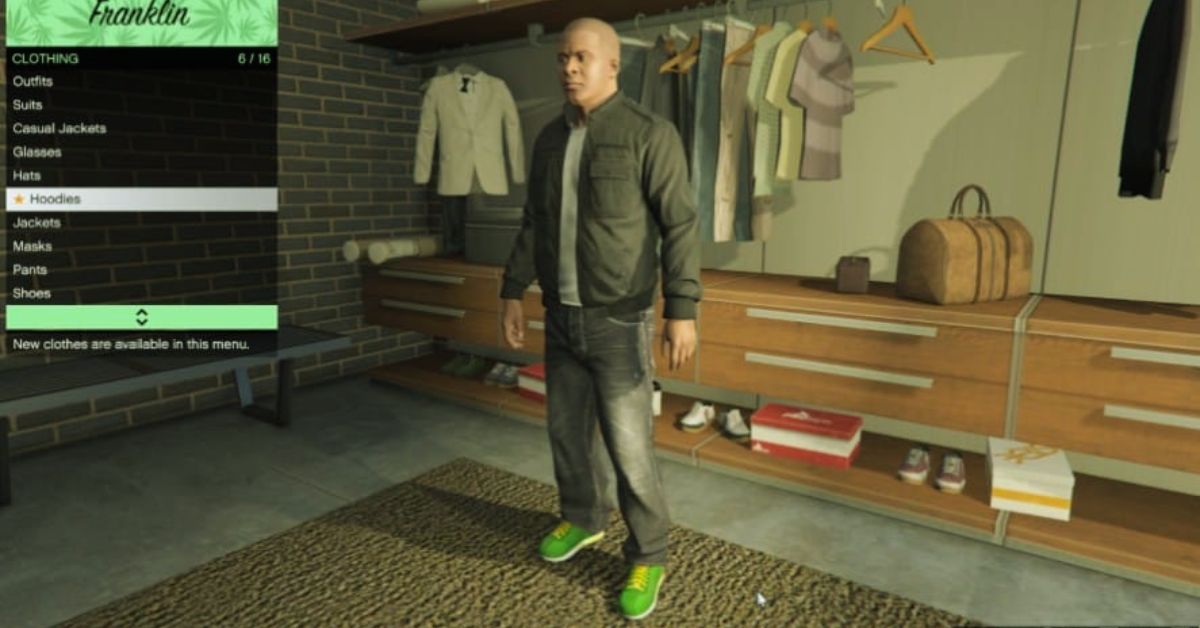
    The simplest and most common way to save outfits in GTA 5 is to use wardrobes. Wardrobes are furniture items that can be found in various locations in the game, such as safe houses, apartments, or clothing stores. Wardrobes allow you to access your clothing inventory, and create, edit, or delete outfits. To save outfits in GTA 5 using wardrobes, follow these steps:

    • Go to a location that has a wardrobe, such as your safe house, apartment, or clothing store.
    • Approach the wardrobe and interact with it. You will see a menu with different options, such as Tops, Pants, Shoes, Accessories, and Outfits.
    • Select the Outfits option. You will see a list of your saved outfits, as well as empty slots that you can use to create new outfits.
    • Select an empty slot to create a new outfit. You will see a preview of your character wearing the outfit, as well as the name and price of the outfit.
    • To customize your outfit, you can use the left and right arrows to browse through different clothing categories, such as Tops, Pants, Shoes, Accessories, and so on. You can also use the up and down arrows to browse through different items within each category. To select an item, press the confirm button.
    • To change the name of your outfit, press the rename button. You can enter a custom name for your outfit, using the keyboard or the controller.
    • To save your outfit, press the save button. You will see a confirmation message that your outfit has been saved.
    • To exit the wardrobe, press the back button.

    How to Save Outfits in GTA 5 Using the Interaction Menu?

    Another way to save outfits in GTA 5 is to use the interaction menu. The interaction menu is a feature that allows you to access various options and settings in the game, such as inventory, map, contacts, and so on.

    The interaction menu can be accessed by holding the select button on your controller, or the M key on your keyboard. To save outfits in GTA 5 using the interaction menu, follow these steps:

    • Open the interaction menu by holding the select button on your controller, or the M key on your keyboard.
    • Navigate to the Style option. You will see a list of different options, such as Outfit, Helmet, Glasses, and so on.
    • Select the Outfit option. You will see a list of your saved outfits, as well as empty slots that you can use to create new outfits.
    • Select an empty slot to create a new outfit. You will see a preview of your character wearing the outfit, as well as the name and price of the outfit.
    • To customize your outfit, you can use the left and right arrows to browse through different clothing categories, such as Tops, Pants, Shoes, Accessories, and so on. You can also use the up and down arrows to browse through different items within each category. To select an item, press the confirm button.
    • To change the name of your outfit, press the rename button. You can enter a custom name for your outfit, using the keyboard or the controller.
    • To save your outfit, press the save button. You will see a confirmation message that your outfit has been saved.
    • To exit the interaction menu, press the back button.

    How to Save Outfits in GTA 5 Using the Quick Save Feature?

    Another way to save outfits in GTA 5 is to use the quick save feature. The quick save feature is a feature that allows you to save your game progress, as well as your character’s appearance, without using a wardrobe or the interaction menu.

    The quick save feature can be accessed by using your phone in the game, which can be accessed by pressing the up button on your controller, or the T key on your keyboard. To save outfits in GTA 5 using the quick save feature, follow these steps:

    • Open your phone in the game by pressing the up button on your controller, or the T key on your keyboard.
    • Navigate to the Quick Save app, which is represented by a floppy disk icon. You will see a list of your saved games, as well as empty slots that you can use to create new saves.
    • Select an empty slot to create a new save. You will see a preview of your character wearing the outfit, as well as the name and date of the save.
    • To save your game and your outfit, press the confirm button. You will see a confirmation message that your game and your outfit have been saved.
    • To exit your phone, press the back button.

    How to Switch Between Saved Outfits in GTA 5?

    Once you have saved your outfits in GTA 5, you can easily switch between them, depending on your mood, situation, or preference. There are different ways to switch between saved outfits in GTA 5, such as using wardrobes, the interaction menu, or the quick menu. To switch between saved outfits in GTA 5, follow these steps:

    • Using wardrobes: Go to a location that has a wardrobe, such as your safe house, apartment, or clothing store. Approach the wardrobe and interact with it. Select the Outfits option. You will see a list of your saved outfits. Select the outfit that you want to wear, and press the confirm button. You will see a preview of your character wearing the outfit, as well as the name and price of the outfit. To exit the wardrobe, press the back button.
    • Using the interaction menu: Open the interaction menu by holding the select button on your controller, or the M key on your keyboard. Navigate to the Style option. Select the Outfit option. You will see a list of your saved outfits. Select the outfit that you want to wear, and press the confirm button. You will see a preview of your character wearing the outfit, as well as the name and price of the outfit. To exit the interaction menu, press the back button.
    • Using the quick menu: Open the quick menu by pressing the left button on your controller, or the Q key on your keyboard. Navigate to the Outfit option. You will see a list of your saved outfits. Select the outfit that you want to wear, and press the confirm button. You will see a preview of your character wearing the outfit, as well as the name and price of the outfit. To exit the quick menu, press the back button.

    This is everything you need to know about the How To Save Outfits In GTA 5?. You can also read our guides on 10 Tips Every GTA Player Should Know and GTA SA Weapons Show White. Stay up to date with GameEmpress.com for the most recent gaming news and guides.

  • 10 Tips Every GTA Player Should Know: Guns, Cars, Cash

    10 Tips Every GTA Player Should Know: Guns, Cars, Cash

    GTA Online is a game that has been around for over a decade and has plenty of useful ideas for gamers to use. Hardcore players should be aware of all of this, but novices and even casual veterans may be oblivious.

    This article will highlight five useful ideas and methods to help you get through the day. All of the entries were relevant as of the San Andreas Mercenaries update and should continue to be usable in future versions unless Rockstar Games modifies a related feature significantly.

    Anyone can become proficient in GTA Online if they take the time to grasp some of the game’s minor nuances. Some of the following features aren’t explicitly disclosed to the player, so it’s a good idea to be aware of them and use them later.

    10 Tips Every GTA Player Should Know

    Jojoy GTA 5
    Jojoy GTA 5

    1.) Purchasing Ammunition From The Interaction Menu

    In GTA Online, here’s how to collect ammo from anywhere on the map:

    • Open the Interaction Menu.
    • Choose Inventory.
    • Select the Ammo choice.
    • Purchase whatever ammunition you desire. If you go to the left or right a little, you should see an option to purchase it for all of your guns at once.

    As a result, players no longer need to visit Ammu-Nation or associated shops to purchase weaponry. While this Interaction Menu technique makes the process considerably easier, players should bear in mind that it isn’t free because ammo is required.

    Knowing this trick is still incredibly useful because there may be situations where a player runs out of ammunition, and being able to acquire it from any place can be a lifesaver.

    2.) Purchase Bulletproof Helmets

    Players in GTA Online who are concerned about PvP should realize that wearing a bullet-resistant helmet is preferable to not having one. Certain helmets allow the user to endure one or two headshots. Without them, a single bullet to the head would kill the player.

    Bullet-resistant helmets are typically those that seem like they might be worn by a member of the military. Make careful to save one outfit with the helmet equipped so you can utilize it every time you enter the PvP realm.

    3.)Take a chopper

    Because San Andreas is such a large area, hijacking a chopper can be a major time saver. Given that even one of Elitas Travel’s less expensive ‘copters (the $780,000 Buckingham Maverick) will drain your bank account, your change purse will be grateful.

    The easiest one to steal is near the flying school at Los Santos International Airport. You can vault the surrounding fence and claim it for yourself with some skilful driving. Let the skyward crime begin!

    4.) Save Money Before Purchasing A Business

    After years of upgrades and expansions, you can now engage in a wide range of illegal enterprises, from nightclubs and arcades to celebrity agencies and drub laboratories, however, each one requires a significant investment to establish by obtaining the necessary property and equipment.

    As a result, you should search around to see what enterprises are accessible, then focus on one to get started so that you don’t spread your resources too widely over many endeavours. When you choose a location for your business, there will often be several add-ons available for a fee, but you can always go back and bolt these on later, so don’t worry about needing to buy everything at once.

    5.) Maintain Heist Activity

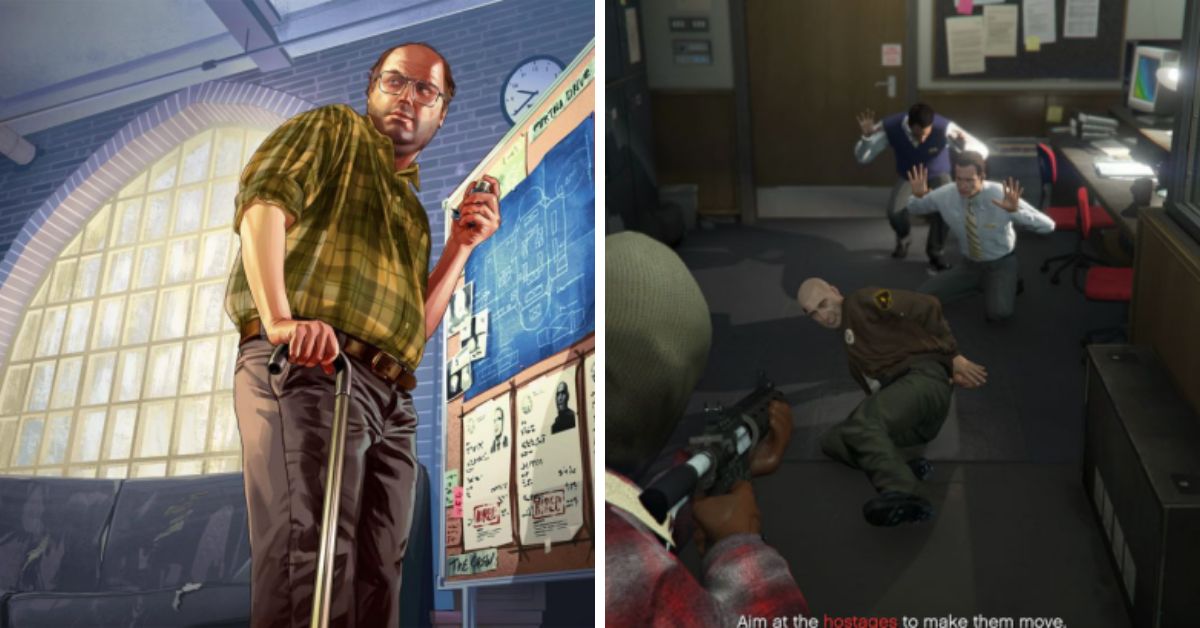
    Maintaining a heist in progress will ensure that you are invited by Lester to continue the heist whenever you are online during a session. If you accept the phone call invitation, you will be taken immediately to the spot, saving you time and safeguarding you from ice.

    Bonus tip: If you have both doomsday and the ordinary heist running, you may rapidly go between the facility and your flat.

    6.) Sell Cars For Easy Cash

    Whenever you need some additional cash, go to the nearest Los Santos Customs. If you modify the cars you steal, they can be sold for a higher price.

    Remember that you can only sell one automobile every day, and a day in-game lasts approximately 45 minutes. Remember to lock your car so you don’t end up losing your ride.

    7.) Use A Bank

    Instead of carrying all of your cash around, deposit it with a bank. If you are robbed, you will not lose all of your cash on hand. The game allows you to deposit dollars using your phone, saving you time at the ATM.

    You might think that $5000 isn’t a lot of money in GTA, but every little bit adds up, so save your money and it will pay benefits in the long run.

    8.) Insurance Pays Off

    Getting insurance in GTA Online is a no-brainer. If you want to keep your cars, you need to buy insurance. In this instance, if your automobile is stolen, the firm will replace it for a price of 10% of the insurance premium.

    It should be noted that only vehicles equipped with a tracking system will be eligible for insurance. If you get a garage, every automobile you store in it will be equipped with a tracker.

    9.) Expect Some Griefers

    Griefing is a given in an online environment where players can murder one another without penalty. It’s impossible to avoid the fact that many high-level players would rush at the chance to prey on low-level ones; such is the cycle of life in GTA Online.

    As a result, anticipating this type of welcome human behaviour is an important element of the experience. Intentional trolling or outright destroying the fun for others is not uncommon in GTA Online, as it is in other competitive online games.

    10.) Purchase a High End Apartment

    Before you can enjoy GTA Online’s fantastic heists, you must first reach level 12. Importantly, if you want to design these multi-part assignments yourself and hence have control over how the pay is divided, you’ll also need to purchase a high-end residence.

    These posh apartments include planning boards, which are essential for robbery preparations, and the ‘cheapest’ can be found in Del Perro Heights. Visit the Dynasty 8 Real Estate app on your character’s phone to purchase the property for $200,000. More information on obtaining properties may be found in our tutorial on how to buy a house in GTA Online.

    This is everything you need to know about the 10 Tips Every GTA Player Should Know. You can also read our guides on Vapid Aleutian GTA 5 and GTA 5 Graphics Mod. Stay up to date with GameEmpress.com for the most recent gaming news and guides.

  • GTA SA Weapons Show White: How To Fix The Texture Glitch?

    GTA SA Weapons Show White: How To Fix The Texture Glitch?

    GTA SA, or Grand Theft Auto: San Andreas, is a classic open-world action-adventure game that was released in 2004. The game is set in the fictional state of San Andreas, which is based on California and Nevada and follows the story of Carl Johnson, a former gangster who returns to his hometown after his mother’s death.

    The game features a variety of weapons, such as pistols, shotguns, rifles, and explosives, that can be used to fight enemies, complete missions, or cause chaos.

    However, some players have reported a texture glitch that causes the weapons to show white in the game. This glitch can affect the appearance and performance of the weapons, and make the game less enjoyable.

    GTA SA Weapons Show White

    GTA SA Weapons Show White
    GTA SA Weapons Show White

    The glitch can be caused by various factors, such as corrupted files, outdated drivers, incompatible mods, or low graphics settings. Fortunately, some possible solutions can help you fix the glitch and restore the normal colours of the weapons. Here are some of them:

    Solution 1: Verify the Integrity of Game Files

    One of the possible causes of the texture glitch is corrupted or missing game files, which can happen due to improper installation, deletion, or modification. To fix this, you can verify the integrity of the game files, which is a process that checks and repairs any errors or discrepancies in the game files. You can verify the integrity of the game files by following these steps:

    • Launch Steam and go to your Library.
    • Right-click on GTA SA and select Properties.
    • Go to the Local Files tab and click on Verify Integrity of Game Files.
    • Wait for the process to complete and then launch the game.

    Solution 2: Update Your Drivers

    Another possible cause of the texture glitch is outdated or faulty drivers, which are software that helps your hardware communicate with your OS and applications. Outdated or faulty drivers can cause compatibility issues, performance problems, or graphical errors.

    To fix this, you can update your drivers, which is a process that installs the latest and most compatible versions of the drivers for your hardware. You can update your drivers by following these steps:

    • Press the Windows key and type Device Manager. Then, click on the Device Manager app that appears.
    • Expand the Display Adapters category and right-click on your graphics card. Then, select Update Driver.
    • Choose Search automatically for updated driver software and follow the on-screen instructions.
    • Repeat the same steps for the Sound, Video and Game Controllers category and your sound card.
    • Restart your computer and launch the game.

    Solution 3: Remove or Disable Any Mods

    Another possible cause of the texture glitch is incompatible or conflicting mods, which are modifications that add or change features, content, or gameplay of the game. Mods can enhance or customize the game, but they can also cause bugs, crashes, or glitches, especially if they are not compatible with the game version, the other mods, or the hardware.

    To fix this, you can remove or disable any mods that you have installed, which is a process that restores the game to its original state. You can remove or disable any mods by following these steps:

    • Go to the folder where you installed the game, which is usually C:\Program Files (x86)\Steam\steamapps\common\Grand Theft Auto San Andreas.
    • Look for any folders or files that are related to the mods, such as modloader, cleo, or gta_sa.exe. Then, delete or move them to another location.
    • Alternatively, you can use a mod manager, such as SAMI or Mod Loader, to uninstall or deactivate the mods.
    • Launch the game and check if the glitch is fixed.

    Solution 4: Adjust Your Graphics Settings

    Another possible cause of the texture glitch is low or incorrect graphics settings, which are options that affect the visual quality and performance of the game.

    Low or incorrect graphics settings can cause the game to run poorly, or to display the textures incorrectly. To fix this, you can adjust your graphics settings, which is a process that optimizes the game for your hardware and preferences. You can adjust your graphics settings by following these steps:

    • Launch the game and go to the Options menu.
      Go to the Display Setup sub-menu and adjust the following settings:
    • Resolution: Set it to the highest value that your monitor and graphics card can support.
    • Draw Distance: Set it to the highest value that your graphics card can handle without lagging.
    • Frame Limiter: Set it to On, which will limit the game to 30 FPS and prevent any glitches or bugs.
    • Visual FX Quality: Set it to Very High, which will improve the quality of the textures and effects.
    • Mip Mapping: Set it to On, which will smooth the edges of the textures and reduce aliasing.
    • Antialiasing: Set it to 3, which will further smooth the edges of the textures and reduce aliasing.
    • Save the settings and restart the game.

    Conclusion

    GTA SA is a classic open-world action-adventure game that features a variety of weapons that can be used to fight enemies, complete missions, or cause chaos. However, some players have reported a texture glitch that causes the weapons to show white in the game.

    This glitch can affect the appearance and performance of the weapons, and make the game less enjoyable. The glitch can be fixed by verifying the integrity of game files, updating the drivers, removing or disabling any mods, or adjusting the graphics settings. These solutions can help you fix the glitch and restore the normal colours of the weapons.

    This is everything you need to know about the GTA SA Weapons Show White. You can also read our guides on Diablo 4 Uber Lilith Guide and Iron Leaves Raid Guide. Stay up to date with GameEmpress.com for the most recent gaming news and guides.

  • Diablo 4 Uber Lilith Guide: How To Defeat The Queen Of Demons?

    Diablo 4 Uber Lilith Guide: How To Defeat The Queen Of Demons?

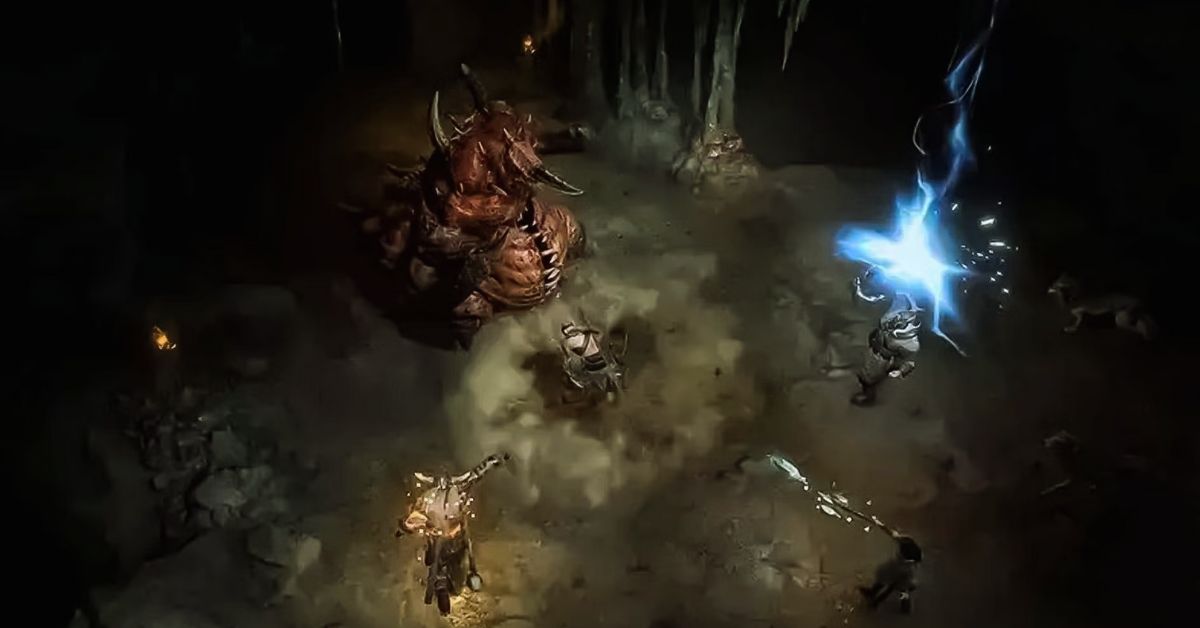
    Diablo 4 is the latest installment of the popular action role-playing game series that pits you against the forces of hell. One of the most challenging and rewarding encounters in the game is the Uber Lilith fight, also known as the Echo of Lilith, which is a remastered version of the final boss of the main story.

    Uber Lilith is the daughter of Mephisto, the Lord of Hatred, and the mother of humanity. She is a powerful and cunning demon who seeks to unleash the Prima Evils, the ultimate evil beings, upon the world.

    To defeat her, you will need to master her mechanics, dodge her attacks, and exploit her weaknesses. In this guide, we will show you how to unlock the Uber Lilith fight, what are the best strategies and tips to beat her, and what are the rewards and benefits of slaying her.

    Diablo 4 Uber Lilith Guide

    The Uber Lilith fight is only available after completing the second Capstone Dungeon, which is a special endgame activity that requires a Tera Orb to access. A Tera Orb is a rare item that can be obtained by completing certain quests or by purchasing it with real money.

    Diablo 4 Season 2 Boss Loot Table
    Diablo 4 Season 2 Boss Loot Table

    The second Capstone Dungeon is called the Fallen Temple, and it is a level 70 fixed-level dungeon that can only be attempted at World Tier 4. World Tier 4 is the highest difficulty level in the game, and it can only be unlocked by completing the first Capstone Dungeon, which is called the Cathedral of Light, and by reaching level 70.

    The Cathedral of Light is a level 50 fixed-level dungeon that can only be attempted at World Tier 2. World Tier 2 is the second difficulty level in the game, and it can be unlocked by completing the main story and by reaching level 50.

    To summarize, the steps to unlock the Uber Lilith fight are as follows:

    • Complete the main story and reach level 50 to unlock World Tier 2.
    • Complete the Cathedral of Light Capstone Dungeon at World Tier 2 to unlock World Tier 3.
    • Reach level 70 to unlock World Tier 4.
    • Complete the Fallen Temple Capstone Dungeon at World Tier 4 to unlock the Uber Lilith fight.

    The Uber Lilith fight is marked on your map as an activity called Echo of Lilith.).

    Uber Lilith Moveset and Stats

    Uber Lilith has a formidable moveset and stats that make her a formidable opponent. Here are her moveset and stats:

    • Blood Wave: A red wave of blood that sweeps across the arena. It deals damage and knocks back anyone who touches it. It can be dodged by jumping over it or moving to the sides.
    • Blood Puddle: A pool of blood that forms on the ground. It deals damage and slows down anyone who stands on it. It can be avoided by moving away from it or jumping over it.
    • Blood Circle: A circle of blood that surrounds Lilith. It deals damage and stuns anyone who enters it. It can be escaped by moving out of it or using a movement skill.
    • Blood Cleave: A powerful slash that deals damage and bleeds anyone in front of Lilith. It can be avoided by moving behind her or to the sides.
    • Blood Sweep: A spinning attack that deals damage and knocks back anyone around Lilith. It can be avoided by moving away from her or using a movement skill.
    • Blood Boil: A burst of blood that deals damage and applies a debuff to anyone near Lilith. The debuff reduces your healing and damage output. It can be avoided by moving away from her or using a movement skill.

    Uber Lilith has a base stat total of 1000, which is distributed as follows:

    • HP: 200
    • Attack: 200
    • Defense: 100
    • Special Attack: 200
    • Special Defense: 100
    • Speed: 200

    Uber Lilith also has a unique ability called Quark Drive, which boosts her stats depending on the terrain. Here are the effects of Quark Drive on different terrains:

    • Electric Terrain: Boosts Special Defense by 50% and Speed by 30%.
    • Grassy Terrain: Boosts Attack by 50% and Defense by 30%.
    • Misty Terrain: Boosts Special Attack by 50% and Special Defense by 30%.
    • Psychic Terrain: Boosts Attack by 50% and Speed by 30%.

    Uber Lilith Weaknesses and Resistances

    Uber Lilith is weak to four types of attacks: Fire, Ice, Holy, and Arcane. These types deal double damage to her when used by your skills or items. You should try to use these types as much as possible in your build and strategy.

    Uber Lilith is also resistant to six types of attacks: Electric, Grass, Water, Dark, Poison, and Blood. These types deal half damage to her when used by your skills or items. You should avoid using these types unless you have no other option.

    Uber Lilith Best Strategies and Tips

    Many strategies and tips can help you defeat Uber Lilith effectively in Diablo 4. Here are some of the best ones:

    • Use a balanced team of four players with different classes and roles. You will need a tank, a healer, a damage dealer, and a support. The tank should taunt and block Lilith’s attacks, the healer should heal and buff the team, the damage dealer should deal as much damage as possible, and the support should debuff and crowd-control Lilith.
    • Use skills and items that deal with Fire, Ice, Holy, or Arcane damage. These types are the most effective against Lilith, and they can also trigger elemental effects that can further damage or disable her. For example, Fire can burn her, Ice can freeze her, Holy can blind her, and Arcane can silence her.
    • Use skills and items that increase your mobility and survivability. You will need to dodge and escape Lilith’s attacks, especially the Blood Wave and the Blood Sweep. You will also need to heal and protect yourself from her damage and debuffs, especially the Blood Boil and the Blood Cleave. For example, you can use skills like Teleport, Leap, Dash, or Blink to move around, and skills like Shield, Barrier, Heal, or Regen to recover and defend.
    • Use skills and items that reduce Lilith’s stats and abilities. You will need to weaken and disrupt Lilith’s attacks, especially the Quark Drive and the Blood Circle. You will also need to prevent her from healing and buffing herself, especially with the Grassy Terrain and the Swords Dance. For example, you can use skills like Curse, Hex, Slow, or Stun to impair her, and skills like Dispel, Purge, Silence, or Interrupt to counter her.
    • Use the terrain to your advantage. You will need to use the terrain to avoid or mitigate Lilith’s attacks, especially the Blood Wave and the Blood Puddle. You will also need to use the terrain to enhance or trigger your attacks, especially the Electric Terrain and the Misty Terrain. For example, you can use the platforms to jump over the Blood Wave and use the water to conduct the Electric Terrain.

    Uber Lilith Rewards and Benefits

    If you manage to defeat and catch Uber Lilith in the Tera Raid, you will get some rewards and benefits. Here are some of them:

    • You will get a rare and powerful item that can enhance your build and collection. The item is called Lilith’s Wings, and it is a legendary accessory that grants you the following effects:
      +50% damage to demons
      +50% resistance to blood
      +10% movement speed
      +5% critical chance
      +5% critical damage
    •  You will get some Tera Candies that can be used to power up your Tera skills. Tera skills are special skills that can only be used in Tera Raids, and they have powerful effects that can help you defeat the bosses. You can use the Tera Candies to increase the level and potency of your Tera skills.
    • You will get some Tera Coins that can be used to buy items and services in the Tera Shop. The Tera Shop is a special shop that sells exclusive items and services that can help you in the Tera Raids. You can buy items like Tera Orbs, Tera Potions, Tera Scrolls, and Tera Stones, and services like Tera Resurrection, Tera Teleportation, and Tera Identification.
    • You will get some Tera Points that can be used to rank up in the Tera League and unlock more rewards and features. The Tera League is a special leaderboard that ranks the players based on their performance in the Tera Raids. You can earn Tera Points by completing the Tera Raids, and you can use them to increase your Tera Rank. The higher your Tera Rank, the more rewards and features you can unlock, such as Tera Titles, Tera Emotes, Tera Skins, and Tera Pets.

    You might also be interested in the following game, Guide: Iron Leaves Raid Guide and Wow Classic Lockpicking Guide. We appreciate your interest in our website! Make Gameempress.com your go-to site for gaming information.

  • Iron Leaves Raid Guide: How To Catch The Legendary Grass Pokemon?

    Iron Leaves Raid Guide: How To Catch The Legendary Grass Pokemon?

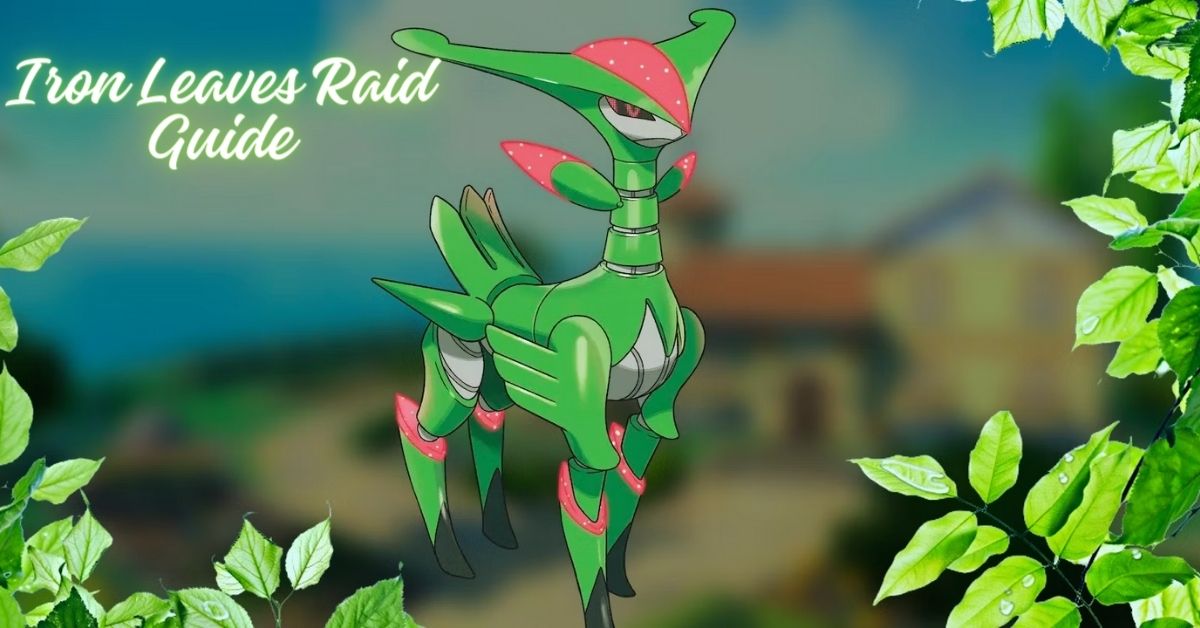
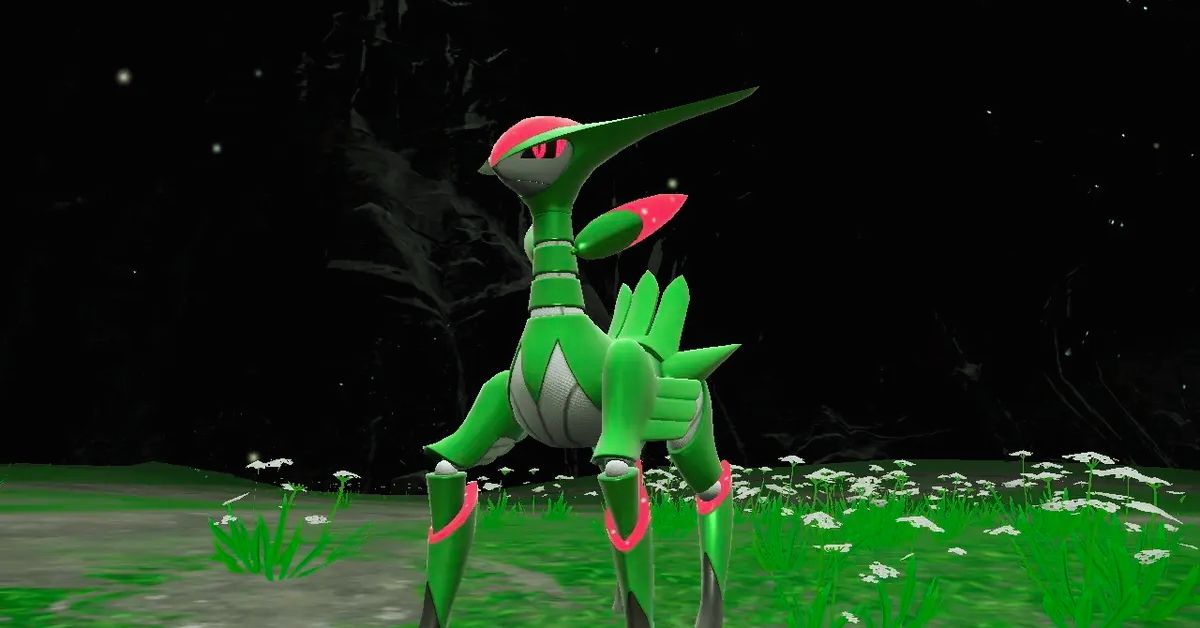
    Iron Leaves is a legendary Grass-type Pokemon that can be encountered in Pokemon Scarlet and Violet (SV). It is a part of the Paradox Pokemon group, which are Pokemon that have different types and abilities depending on the terrain.

    Iron Leaves has a unique ability called Quark Drive, which boosts its stats depending on the terrain. It also has a powerful moveset that includes Leaf Blade, Megahorn, Psyblade, and Swords Dance. To catch it, you will need to participate in a Tera Raid, which is a high-level raid that requires a Tera Orb. In this guide, we will show you how to join the Iron Leaves Tera Raid event, what are the best counters and strategies to defeat it, and what are the rewards and benefits of catching it.

    Iron Leaves Tera Raid Event Details

    The Iron Leaves Tera Raid event is a special event that allows you to battle and catch Iron Leaves in a Tera Raid. A Tera Raid is a high-level raid that requires a Tera Orb to participate. You can obtain a Tera Orb by completing certain quests or by purchasing it with real money. The Iron Leaves Tera Raid event is available from December 25, 2023, to January 7, 2024, in the Paldea region.

    Iron Leaves Moveset and Stats

    Iron Leaves Raid Guide
    Iron Leaves Raid Guide

    Iron Leaves has a formidable moveset and stats that make it a challenging opponent. Here are its moveset and stats:

    • Leaf Blade: A Grass-type physical move that deals damage and has a high critical hit ratio.
    • Megahorn: A Bug-type physical move that deals damage and has a high critical hit ratio.
    • Psyblade: A Psychic-type physical move that deals damage and lowers the target’s Attack stat by one stage.
    • Swords Dance: A Normal-type status move that raises the user’s Attack stat by two stages.

    Iron Leaves has a base stat total of 680, which is distributed as follows:

    • HP: 100
    • Attack: 150
    • Defense: 100
    • Special Attack: 100
    • Special Defense: 100
    • Speed: 130

    Iron Leaves also has a unique ability called Quark Drive, which boosts its stats depending on the terrain. Here are the effects of Quark Drive on different terrains:

    • Electric Terrain: Boosts Special Defense by 50% and Speed by 30%.
    • Grassy Terrain: Boosts Attack by 50% and Defense by 30%.
    • Misty Terrain: Boosts Special Attack by 50% and Special Defense by 30%.
    • Psychic Terrain: Boosts Attack by 50% and Speed by 30%.

    Iron Leaves Weaknesses and Resistances

    Iron Leaves are weak to four types of attacks: Fire, Ice, Poison, and Bug. These types deal double damage to it when used by your Pokemon. You should try to use these types as much as possible in your team composition.

    Iron Leaves is also resistant to six types of attacks: Electric, Grass, Water, Fighting, Ground, and Psychic. These types deal half the damage to it when used by your Pokemon. You should avoid using these types unless you have no other option.

    Iron Leaves Best Counters

    There are many Pokemon that can counter Iron Leaves effectively in Pokemon SV. Here are some of the best ones:

    • Mega Charizard X: This Fire and Dragon-type Pokemon has a fast move of Fire Spin that deals Fire damage and has a 30% chance to burn the target. It also has a charge move of Fire Blast that deals Fire damage and lowers the target’s Special Defense stat by one stage. This combination makes Mega Charizard X one of the best counters for Iron Leaves.
    • Mega Gengar: This Ghost and Poison-type Pokemon has a fast move of Lick that deals Poison damage and has a 30% chance to poison the target for two turns. It also has a charge move of Sludge Bomb that deals Poison damage and has a 30% chance to poison the target for two turns. This combination makes Mega Gengar another great counter for Iron Leaves.
    • Mega Scizor: This Bug and Steel-type Pokemon has a fast move of Bullet Punch that deals Steel damage and has a 30% chance to paralyze the target for two turns. It also has a charge move of X-Scissor that deals Bug damage and lowers the target’s Defense stat by one stage. This combination makes Mega Scizor another excellent counter for Iron Leaves.
    • Mega Rayquaza: This Dragon and Flying-type Pokemon has a fast move of Dragon Tail that deals Dragon damage and has a 30% chance to flinch the target for two turns. It also has a charge move of Outrage that deals Dragon damage and lowers the target’s Attack stat by one stage. This combination makes Mega Rayquaza another powerful counter for Iron Leaves.
    • Mega Latios: This Psychic and Flying-type Pokemon has a fast move of Psychic that deals Psychic damage and lowers the target’s Special Attack stat by one stage. It also has a charge move of Outrage that deals Psychic damage and lowers the target’s Attack stat by one stage. This combination makes Mega Latios another effective counter for Iron Leaves.

    How to Use the Circle Lock Technique?

    The Circle Lock Technique is an advanced technique that allows you to guarantee Great or Excellent throws on your first throw against any target in any mode. To use this technique effectively against Iron Leaves, you will need:

    • A Golden Razz Berry
    • A partner who can throw first
    • A partner who can lock on
    • A partner who can circle lock

    The steps are as follows:

    • Your partner locks on to Iron Leaves.
    • Your partner throws first.
    • Your partner circles the target until they are within range.
    • Your partner locks on again.
    • Your partner throws again.
    • Your partner circles again until they are within range.
    • Your partner locks on again.
    • Your partner throws again.
    • Your partner circles again until they are within range.
    • Your partner locks on again.
    • Your partner throws again.

    If your first throw hits without any misses or errors (such as double taps or triple taps), you will get a Great or Excellent throw bonus, which will increase your chances of catching Iron Leaves.

    Iron Leaves Tera Raid Rewards and Benefits

    If you manage to defeat and catch Iron Leaves in the Tera Raid, you will get some rewards and benefits. Here are some of them:

    • You will get a rare and powerful Pokemon that can enhance your team and collection.
    • You will get some Tera Candies that can be used to power up your Tera Pokemon.
    • You will get some Tera Coins that can be used to buy items and services in the Tera Shop.
    • You will get some Tera Points that can be used to rank up in the Tera League and unlock more rewards and features.

    Conclusion

    Iron Leaves is a legendary Grass-type Pokemon that can be encountered in Pokemon SV. It is a part of the Paradox Pokemon group, which has different types and abilities depending on the terrain. To catch it, you will need to participate in a Tera Raid, which is a high-level raid that requires a Tera Orb.

    In this guide, we showed you how to join the Iron Leaves Tera Raid event, what are the best counters and strategies to defeat it, and what are the rewards and benefits of catching it. Iron Leaves is a rare and valuable Pokemon that can enhance your team and collection.

    If you are interested in knowing more articles related to Pokemon Go, you can check Defit Pokemon Go and Shiny Oddish Pokemon Go. We appreciate your interest in our website! Make Gameempress.com your go-to site for gaming information. Share this:

  • Assassins Creed Mirage Cheats: Unleash The Hidden Master Assassin

    Assassins Creed Mirage Cheats: Unleash The Hidden Master Assassin

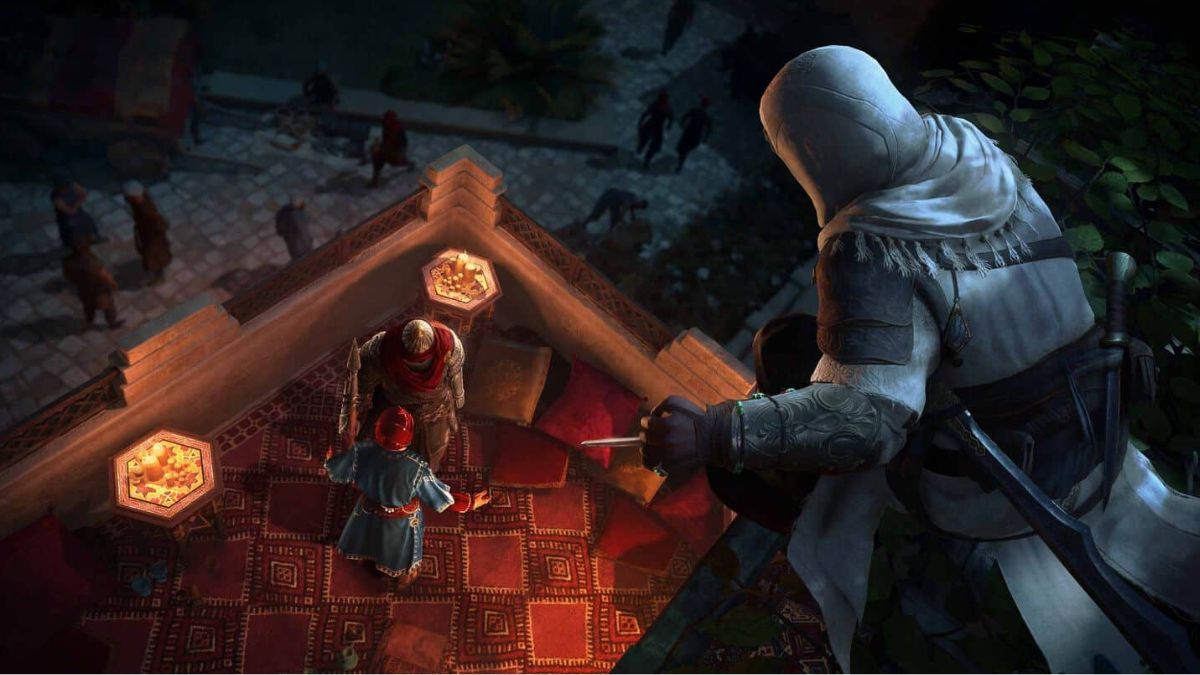
    We have compiled a list of cheats and tricks to assist you in locating and eliminating your targets in Assassin’s Creed Mirage, an action-adventure game set in 9th-century Baghdad during the Islamic Golden Age.

    Basim Ibn Ishaq, a street pickpocket, joins the Hidden Ones to fight for peace and liberty against the Order of the Ancients, who seek peace through domination. The game’s main plot revolves around Basim’s internal conflict between his duties as a Hidden One and his desire to learn more about his strange origins.

    Assassin’s Creed Mirage is available on PS4, PS5, Xbox Series X/S, and PC.

    Assassins Creed Mirage Cheats

    Unfortunately, Assassin’s Creed Mirage was released without any console commands or cheats, most likely to encourage players to play the game as the makers intended.

    Assassins Creed Mirage Cheats
    Assassins Creed Mirage Cheats

    The excitement of masterfully carrying out an assassination is surely one reason, even if we found the game to have its problems in our assessment.

    But if you need aid, a few mods are willing to lend a hand.

    One provides endless skill points (and, to a lesser extent, power), although it does necessitate the use of the third-party program Cheat Engine.

    Another allows you to change Basim’s appearance, while a third grants access to all Helix store items.

    While this results in a more limited initial offering of Assassin’s Creed Mirage cheat-like mods, more may appear in the future.

    The series isn’t known for being the most mod-friendly out there, but it’ll be intriguing to see what modders come up with in the following months.

    With the console commands and cheats for Assassin’s Creed Mirage covered, learn more about the game’s notoriety system.

    Assassins Creed Mirage Tips

    Pay attention to the Trickster Skill Tree

    Focus on unlocking every Trickster skill tree skill for Basim since this will assist in unlocking and enhancing his tools, which can be quite handy during missions. Knife Recovery, Engineer, and Pickpocket Mastery, in particular, are among the finest talents in Assassin’s Creed Mirage.

    Enhance the Throwing Knives

    Knives are silent and lethal in Assassin’s Creed Mirage, and they are the first tool Basim has access to. With the proper upgrades, this ranged weapon is capable of doing important tasks such as one-hit headshot kills, opening locked doors, and blowing up an oil pot from afar.

    Select the Smoke Bombs

    When you unlock your first tool for the Banu Musa brothers, you will be given choice of five tools. Choose the Smoke Bombs because adversaries caught in its explosion cannot move, attack, or detect Basim, resulting in simple assassinations. When Basim has to flee, he can also deploy Smoke Bombs as distraction.

    You might also be interested in the following game, Cheats: Spyro Reignited Trilogy Cheats and NBA Street Vol 2 Cheats. We appreciate your interest in our website! Make Gameempress.com your go-to site for gaming information.

  • Defit Pokemon Go: A Guide to Hatching Eggs Without Moving

    Defit Pokemon Go: A Guide to Hatching Eggs Without Moving

    Pokemon Go is a popular augmented reality game that lets you catch, battle, and trade Pokemon in the real world. One of the features of the game is hatching eggs, which can give you rare and powerful Pokemon. However, to hatch eggs, you need to walk a certain distance, which can be time-consuming and exhausting.

    Is there a way to hatch eggs without moving? Yes, there is. It’s called Defit Pokemon Go. In this guide, we will explain what Defit Pokemon Go is, how it works, and how to use it safely and effectively.

    What is Defit Pokemon Go?

    Defit Pokemon Go is an app that syncs with Google Fit and Pokemon Go to simulate walking steps. It allows you to hatch eggs and earn buddy candy in Pokemon Go without physically moving.

    Defit Pokemon Go
    Defit Pokemon Go

    Defit Pokemon Go works by using the Adventure Sync feature in Pokemon Go, which tracks your physical activity using Google Fit. By inputting fake steps into Google Fit, Defit Pokemon Go tricks Pokemon Go into thinking that you are walking and thus rewards you with egg hatching and candy earning.

    How to Use Defit Pokemon Go?

    To use Defit Pokemon Go, you need to have an Android device, a Google account, and the Google Fit and Pokemon Go apps installed. Here are the steps to use Defit Pokemon Go:

    • Open the Google Play Store and search for Defit app. Install the app on your device.
    • Open the Google Fit app and log in with the same Google account that you use in Pokemon Go.
    • Open the Pokemon Go app and go to Settings. Enable Adventure Sync and grant the necessary permissions.
    • Open the Defit app and log in with the same Google account that you use in Pokemon Go and Google Fit.
    • In the Defit app, you can adjust the settings such as speed, duration, and interval of the simulated steps. You can also set a timer to start and stop the simulation automatically
    • Start the simulation by tapping the play button. You can minimize the app and do other things on your device while the simulation is running.
    • Open the Pokemon Go app and check your progress. You should see your eggs hatching and your buddy earning candy.

    Is Defit Pokemon Go Safe?

    Defit Pokemon Go is not an official app endorsed by Niantic, the developer of Pokemon Go. Therefore, using Defit Pokemon Go may violate the terms of service of Pokemon Go and result in a ban or suspension of your account. However, there are some ways to reduce the risk of getting banned by using Defit Pokemon Go:

    • Use a realistic speed and distance for the simulation. Do not set the speed too high or the distance too long, as that may raise suspicion from Niantic.
    • Do not use Defit Pokemon Go while playing Pokemon Go. Make sure to close the Pokemon Go app before starting the simulation, and open it only after the simulation is finished.
    • Do not use Defit Pokemon Go with other spoofing or hacking apps. Using multiple apps that alter the game data may increase the chance of detection by Niantic.
    • Do not use Defit Pokemon Go too frequently or too long. Use it only when you need to hatch eggs or earn candy, and limit the duration to a few hours per day.

    Conclusion

    Defit Pokemon Go is a useful app that can help you hatch eggs and earn buddy candy in Pokemon Go without moving. However, it is not an official app and may violate the terms of service of Pokemon Go. Therefore, you should use it at your own risk and follow the tips to avoid getting banned. Defit Pokemon Go is not a substitute for playing Pokemon Go the normal way, but rather a supplement to enhance your gaming experience.

    If you are interested in knowing more articles related to Pokemon Go, you can check Shiny Poliwrath Pokemon Go and Is Mega Altaria Good In Pokemon Go?. We appreciate your interest in our website! Make Gameempress.com your go-to site for gaming information. Share this:

  • Is Endless Dungeon Crossplay? Your Burning Questions Answered!

    Is Endless Dungeon Crossplay? Your Burning Questions Answered!

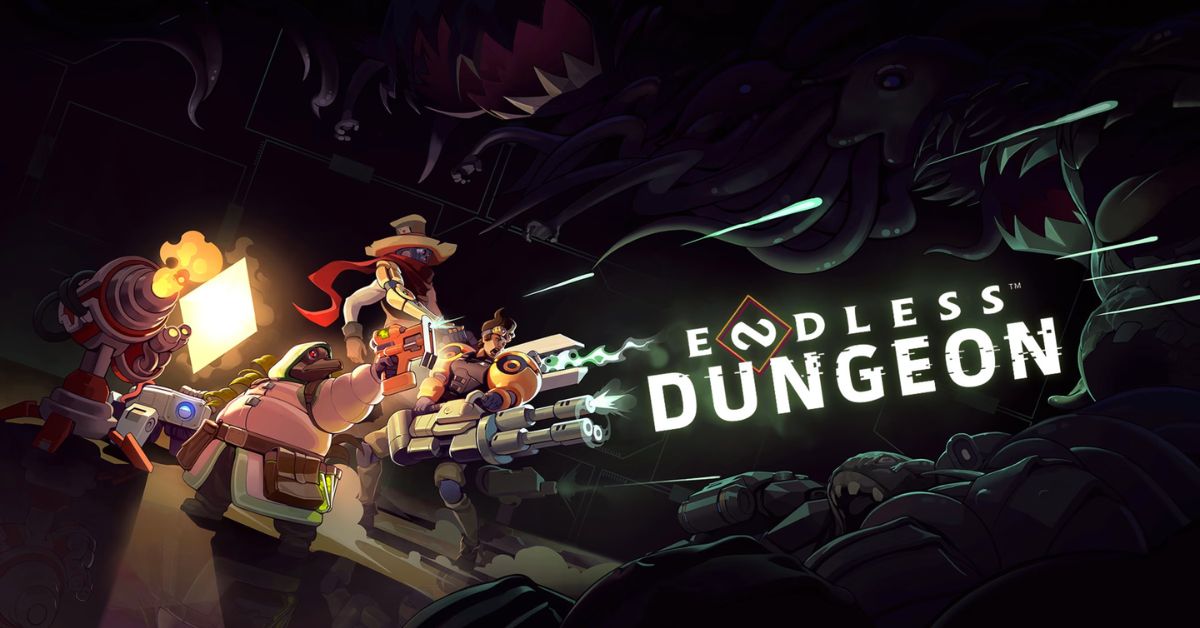
    Endless Dungeon is a co-op roguelite game that lets you and your friends explore a mysterious space station infested with alien creatures. The game is developed by Amplitude Studios, the creators of the Endless Space and Endless Legend series. The game is available on PC, Xbox One, Xbox Series X/S, and PS4, but can you play with your friends across different platforms? Is Endless Dungeon crossplay? Let’s find out in this guide.

    Is Endless Dungeon Crossplay?

    Is Endless Dungeon Crossplay
    Is Endless Dungeon Crossplay

    Unfortunately, the answer is no. Endless Dungeon does not support crossplay as of 2023. The game is available on PC, Xbox One, Xbox Series X/S, and PS4, but you can only play with other players who are using the same platform as you. This means that you cannot play with your friends who are using a different platform, even if you are using the same account or have the same game version.

    Why is Endless Dungeon Not Crossplay?

    The developers of Endless Dungeon, Amplitude Studios, have stated that they are interested in adding crossplay to the game, but they have not been able to do so due to technical and logistical challenges. Some of the reasons why Endless Dungeon is not crossplay are:

    • The game runs on different engines and versions on different platforms, which makes it difficult to ensure compatibility and stability across platforms.
    • The game has different input methods and performance levels on different platforms, which can affect the balance and fairness of the gameplay.
    • The game requires coordination and cooperation between different platform holders, such as Microsoft, Sony, and Valve, which can be complicated and time-consuming.

    Is There Any Hope for Endless Dungeon Crossplay in the Future?

    While Endless Dungeon is not crossplay as of 2023, there is still some hope that it might become crossplay in the future. Amplitude Studios has said that they are working on improving the game and adding new features and that they have not given up on the idea of crossplay. However, they have not announced any concrete plans or timelines for implementing cross-play, so it is not clear when or if it will happen.

    What Are the Alternatives to Endless Dungeon Crossplay?

    If you are looking for alternatives to Endless Dungeon crossplay, you have a few options:

    • You can buy the same platform as your friends and play with them on that platform. This might be costly and inconvenient, but it will guarantee that you can play with them.
    • You can use a third-party service or software that allows you to stream or mirror your game from one platform to another. This might be risky and unreliable, but it might work in some cases.
    • You can play other co-op games that support crossplay, such as Fortnite, Minecraft, or Call of Duty: Warzone. These games might not be the same genre or style as Endless Dungeon, but they might offer similar or better co-op experiences.

    Conclusion

    Endless Dungeon is a fun and challenging co-op game that lets you and your friends fight your way through a perilous space station. However, the game does not support crossplay, which means that you cannot play with your friends across different platforms.

    This is due to technical and logistical challenges that the developers have not been able to overcome. There is still some hope that the game might become crossplay in the future, but there is no guarantee or timeline for that. In the meantime, you can either buy the same platform as your friends, use a third-party service or software, or play other co-op games that support crossplay.

    You might also be interested in the following games, Crossplay: Is Don’t Starve Together Crossplay? and Is Dead Island 2 Crossplay? We appreciate your interest in our website! Make Gameempress.com your go-to site for gaming information.

  • Is Don’t Starve Together Crossplay? Starving for Answers!

    Is Don’t Starve Together Crossplay? Starving for Answers!

    Don’t Starve Together is a co-op survival game that challenges you and your friends to survive in a harsh and unforgiving world. The game is a standalone expansion of the original Don’t Starve, which was released in 2013.

    Don’t Starve Together adds new features, such as multiplayer modes, new characters, new biomes, and new enemies. The game is available on PC, Xbox One, and PS4, but can you play with your friends across different platforms? Is Don’t Starve Together crossplay? Let’s find out in this guide.

    Is Don’t Starve Together Crossplay?

    Unfortunately, the answer is no. Don’t Starve Together does not support crossplay as of 2023. The game is available on PC, Xbox One, and PS4, but you can only play with other players who are using the same platform as you. This means that you cannot play with your friends who are using a different platform, even if you are using the same account or have the same game version.

    Why is Don’t Starve Together Not Crossplay?

    The developers of Don’t Starve Together, Klei Entertainment, have stated that they are interested in adding crossplay to the game, but they have not been able to do so due to technical and logistical challenges. Some of the reasons why Don’t Starve Together is not crossplay are:

    • The game runs on different engines and versions on different platforms, which makes it difficult to ensure compatibility and stability across platforms.
    • The game has different input methods and performance levels on different platforms, which can affect the balance and fairness of the gameplay.
    • The game requires coordination and cooperation between different platform holders, such as Microsoft, Sony, and Valve, which can be complicated and time-consuming.

    Is There Any Hope for Don’t Starve Together Crossplay in the Future?

    While Don’t Starve Together is not crossplay as of 2023, there is still some hope that it might become crossplay in the future. Klei Entertainment has said that they are working on improving the game and adding new features and that they have not given up on the idea of cross-play. However, they have not announced any concrete plans or timelines for implementing cross-play, so it is not clear when or if it will happen.

    What Are the Alternatives to Don’t Starve Together Crossplay?

    If you are looking for alternatives to Don’t Starve Together crossplay, you have a few options:

    • You can buy the same platform as your friends and play with them on that platform. This might be costly and inconvenient, but it will guarantee that you can play with them.
    • You can use a third-party service or software that allows you to stream or mirror your game from one platform to another. This might be risky and unreliable, but it might work in some cases.
    • You can play other co-op games that support crossplay, such as Fortnite, Minecraft, or Call of Duty: Warzone. These games might not be the same genre or style as Don’t Starve Together, but they might offer similar or better co-op experiences.

    Conclusion

    Don’t Starve Together is a fun and challenging co-op game that lets you and your friends survive in a brutal and whimsical world. However, the game does not support crossplay, which means that you cannot play with your friends across different platforms.

    This is due to technical and logistical challenges that the developers have not been able to overcome. There is still some hope that the game might become crossplay in the future, but there is no guarantee or timeline for that. In the meantime, you can either buy the same platform as your friends, use a third-party service or software, or play other co-op games that support crossplay.

    You might also be interested in the following games, Crossplay: Is Vermintide 2 Crossplay? and Is Dead Island 2 Crossplay? We appreciate your interest in our website! Make Gameempress.com your go-to site for gaming information.

  • Poppy Playtime Chapter 2 PS5: When Will It Be Available on PS5?

    Poppy Playtime Chapter 2 PS5: When Will It Be Available on PS5?

    Poppy Playtime is a scary PC game that has taken the world by storm. The MOB Games-made game takes place in a scary toy workshop where the player must avoid the evil toys that lurk in the shadows.

    Chapter 1 came out on October 12, 2021, and Chapter 2 came out on May 5, 2022. The game is broken up into episodes. But what about mobile gamers who want to feel the fear of Poppy Playtime? Are you going to make Poppy Playtime Chapter 2 for PS5?

    Poppy Playtime Chapter 2 on PS5

    The good news is that Poppy Playtime Chapter 1 is already available on PS5 and PS4. The game launched on PlayStation consoles on December 20, 2023, with graphical enhancements, gameplay improvements, new options, additional localization support, bug fixes, and more.

    The game also supports offline play and has a voice option for English, Portuguese, and Spanish. Poppy Playtime Chapter 1 introduces the player to the abandoned Playtime Co. factory, where they must use a GrabPack, a backpack with two artificial hands attached via a steel wire, to hack electrical circuits, grab items, and escape the toys.

    The game features several toys, such as Boogie Bot, Catbee, Poppy, and the most notorious one, Huggy Wuggy, a giant blue creature with sharp teeth and a hug that can kill.

    Poppy Playtime Chapter 1 is available on PlayStation 4 and PlayStation 5:

    Will Poppy Playtime Chapter 2 Be Available on PS5?

    There is currently no official confirmation on Poppy Playtime Chapter 2’s release on the PS5 or any other platform. Before focusing on bringing the game to other platforms, the developers appear to be concentrating on finalizing it on the PC. But since Chapter 1 is already on the PS5, Chapter 2 and the ones after that will probably be accessible on the PS5 as well.

    As the player explores more of the factory and learns the truth behind the disappearance of the staff and the origin of the toys, Poppy Playtime Chapter 2 will carry on the tale of the game.

    New toys will also be included in the game, like Kissy Missy, a pink doll with a fatal kiss and a nasty smile. As the player attempts to survive and escape the factory, there will be further mysteries, puzzles, and scary moments in the game.

    When Will Poppy Playtime Chapter 2 Be Released on PS5?

    Although the developers of Poppy Playtime Chapter 2 have not yet announced a release date, they have indicated that they are making every effort to bring it out as soon as possible. The game can be found on Steam for PC, and it should also work on PS5 and other systems. Although the game’s price is also uncertain, Chapter 2 of the game might be comparable to Chapter 1’s $4.99 on the PS5.

    Poppy Playtime is a game that, thanks to its distinctive gameplay, captivating narrative, and terrifying toys, has enthralled and scared a lot of gamers. For those who prefer horror games, PS5 owners should not miss Chapter 1, which is currently available as they wait for Chapter 2. You’ll think twice before playing with toys again after playing Poppy Playtime.

    If you are interested in knowing more articles related to other games, you can check The Day Before PS5 Release Date and Fallout London Release Date. We appreciate your interest in our website! Make Gameempress.com your go-to site for gaming information.

  • Escape From Tarkov 0.14 Patch: Ground Zero Launch – Dive Into The New Map!

    Escape From Tarkov 0.14 Patch: Ground Zero Launch – Dive Into The New Map!

    Prepare for the servers of Escape from Tarkov to go black for roughly 6 hours beginning Tuesday, December 27th at 7 AM GMT/2 AM EST as Battlestate Games releases Patch 0.14.0.0.

    This massive Escape from Tarkov update delivers significant changes, but it necessitates downtime and a wipe. This page will tell you all you need to know about the Escape from Tarkov Patch 0.14.0.0 downtime and maintenance schedule.

    Escape From Tarkov 0.14 Patch

    Ground Zero

    The Ground Zero location, situated in the city center of Tarkov, has been added to the game.

    Location features a large number of infrastructure facilities of the modern city: banks, cafes, restaurants, stores, pharmacies, and so on. All this is towered by the skyscrapers of Tarkov.

    In the very center of the location is the main Russian branch office of TerraGroup, where the original conflict began. The most violent clashes between USEC PMC operatives and OMON took place on the facility’s premises.

    • The location is intended for beginner players from level 1 to 20;
    • PMCs of higher levels (20+) will not be able to access the location;
    • Scavs will have access to the location at any player level;
    • New starter quests have been added to the location;
    • Visual cues for new players have been added to the location;
    • Quests “Debut”, “Checking” (renamed to “Background Check”), “Shortage”, “Supplier”, “Gunsmith – Part 1” received updated text descriptions.

    New Boss – Kollontay

    A new boss Kollontay has been added to Streets of Tarkov. He is a former officer of the MVD (Ministry of Internal Affairs), during his service in law enforcement he had a reputation as a vile man, whose behavior was sometimes feared by his coworkers.

    During his work, he often resorted to his favorite method of interrogation – a rubber baton, as well as other non-statutory pressure on someone who was not to his liking. Thanks to his physical strength and bold temperament, after the events of the TerraGroup scandal, he formed a gang and began to do what he himself was recently supposed to combat – looting and banditry.

    However, even before the conflict, he often provided protection to local “businessmen”. For example, his good relations with Kaban are well-known.

    Kollontay has a small number of guards, prefers to stay in one position and occasionally patrols his territory. If he feels he has the upper hand, he may switch to his police baton. He lives in the area around Klimov Shopping Mall and the Tarkov Academy of the Ministry of Internal Affairs.

    Kaban’s new guards

    Boss Kaban is joined by his closest associates, Basmach and Gus. Since the time of Kaban’s active involvement in business, they have served as his loyal associates, solving many delicate issues for him.

    Their loyal service and their exuberant character made them his most trusted confidants. In their spare time, these two “dandies” liked to dress up at Ragman’s place and organize illegal street races through the streets of Tarkov in tuned cars from Kaban’s dealership.

    Basmach and Gus always stay close to Kaban and charge into battle for him. They prefer their unique clothes to their battle gear, though there are occasional exceptions. Basmach has a special fondness for machetes, and Gus for crowbars.

    Shoreline rework

    • Visually reworked most of the landscape, keeping the main points of interest intact;
    • Added a new area – a small cattle farm which is home to smugglers and Scavs;
      Updated the light sources;
    • Optimized most of the location, completely redesigned the culling system;
    • Reworked location borders: concrete fence replaced by minefields and snipers in most areas. The location is also slightly expanded in some areas;
    • Reworked some points of interest, including the addition of new quests and activities in several previously empty zones;
    • Some areas have been reworked to improve gameplay: added a river crossing, reworked almost all elevations and sniper positions, as well as Scav areas of interest, etc.;
    • Added more than 30 new containers and Jaeger stashes;
    • Fixed over 1200 visual and minor bugs.

    New weapons, equipment, loot

    • Added a number of new items, weapon modifications, equipment, and customization.

    New weapons:

    • KBP 9A-91 9×39 compact assault rifle;
    • KBP VSK-94 9×39 rifle;
    • SIG MCX SPEAR 6.8×51 (.277 FURY) assault rifle;
    • Degtyarev RPD 7.62×39 machine gun;
    • Degtyarev RPDN 7.62×39 machine gun.
    1. Updated the models and animations for Simonov SKS 7.62×39 carbine.

    Chaneges And New Mechanics

    Achievements

    An achievement system has been added to the game:

    • Players will receive achievements upon completing various objectives;
    • Earned achievements will not be lost with wipes;
    • You can view the earned achievements on the “Achievements” tab on the character screen.

    Hall of Fame

    A new Hideout zone, Hall of Fame, has been added to the game.

    The zone serves as a place where you can display mementos:

    • For displaying the dogtags of players of the opposite faction killed by your PMC, you get a bonus to combat skills leveling;
    • The higher the level of the eliminated player, the greater the skill bonus.
    • You can add items to your favorites. Such items will be displayed in your profile.

    New hitbox and armor system

    Hitboxes

    • The head is divided into separate simple hit zones, which coincide with the protection zones of helmets and masks;
    • Three hit zones have been added to the head area: front neck – Throat, back neck – Neck, and a Face collider;
    • Thorax and stomach hit zones are divided into front, back, and sides;
    • The pelvic hit zone is divided into front – Groin, and back – Buttocks. Hits to these zones cause damage to the Stomach zone;
    • Forearm hit zones have been reduced in diameter;
    • The death screen now shows more detailed information about the area that was fatally wounded. For example, “Thorax, Upper back”.

    If you are interested in knowing more articles related to other games, you can check COD MW3 Patch Notes 19 Dec and Ultrakill Patch Notes Dec 2023. We appreciate your interest in our website! Make Gameempress.com your go-to site for gaming information.

  • When Will Blue Protocol Be Released Worldwide? How to Join the PC Beta?

    When Will Blue Protocol Be Released Worldwide? How to Join the PC Beta?

    Bandai Namco is in charge of creating the free-to-play game, while Amazon Games is handling publishing. It is modeled after the well-liked titles Genshin Impact and Honkai Star Rail and includes an MMO component. This is a surefire prescription for success by anybody’s measure.

    Given the two big corporations behind Blue Protocol, there are high aspirations for its global release. It features aspects from premium gacha, massively multiplayer, and action-adventure games.

    Our first impressions of the free-to-play game did not disappoint, and we have plenty of gameplay and story details to help you get ready. We will address some of the most frequently asked questions regarding the game and its worldwide release in this article.

    When Will Blue Protocol Be Released Worldwide?

    The worldwide release of Blue Protocol is set for 2024, according to Bandai Namco. The anime game was released exclusively in Japan on Wednesday, June 14, 2023. Regarding the Western release, PCGamesN spoke with franchise lead Mike Zadorojny, who explained that “localization is so much more than just translation.”

    Discrepancies in money and technology led to the regional delay of Blue Protocol, which means that its global release will likely have less content than its Japanese equivalent.

    The PlayStation 5 and Xbox Series X will be able to play Blue Protocol when it eventually launches. Bandai Namco has confirmed that crossplay and cross-progression are being examined, but they haven’t said anything official about when they would be available outside of the global release date.

    The release date for the Global version of Blue Protocol has been moved to 2024:

    Blue Protocol Worldwide PC Beta

    Blue Protocol Release Date Worldwide

    Those who are keen to play outside of Japan can sign up for the chance to join the Blue Protocol closed beta, which is scheduled ahead of the game’s release date. Use your Amazon login to register. We don’t anticipate another closed technical test until early 2024, as the last one finished on November 13, 2023.

    If you’re eager to get started, keep an eye on your inbox, as a welcome email with details on how to access the technical test build will be sent to selected closed beta participants.

    What is the Story and Setting of Blue Protocol?

    We now have a ton of information on the gameplay, characters, and other aspects of Blue Protocol, thanks to its premiere in Japan. As the main character, you set out to discover the truth about your origins and face your destiny by traveling to the planet Regnas.

    Set 2,000 years in the future, an excessive dependence on technology has brought the world to the verge of ruin, and saving it will require every ounce of power you have. As with other successful massively multiplayer online role-playing games, Blue Protocol has a deep storyline, and you will likely spend a lot of time assembling a group of allies to defeat the most formidable enemies endangering Regnas.

    How Does the Gameplay and Combat Work in Blue Protocol?

    Combat in Blue Protocol, an online action role-playing game, is quick-witted and fluid. Four classes are available to you: Twin Striker, Blast Archer, Spell Caster, and Aegis Fighter. Every type has distinct playstyles, weaponry, and abilities.

    Additionally, you can alter your character’s look, attire, accessories, and mounts to fit your preferences. The combat system of the game is built on straightforward controls that can be adjusted to fit any gameplay preference.

    Utilizing a variety of combos, talents, and dodges, you can defeat your opponents and unleash devastating final strikes. Along with taking on tasks, boss fights, and enormous online raids against towering creatures, you may also team up with other players. In the game’s PvP mode, you can compete with other players in a variety of arenas and settings to see how good you are.

    If you are interested in knowing more articles related to other games, you can check The Day Before PS5 Release Date and Fallout London Release Date. We appreciate your interest in our website! Make Gameempress your go-to site for gaming information.

  • Grand Theft Auto 6 Hacker Arion Kurtaj: From Teen Sensation To Secure Hospital Walls

    Grand Theft Auto 6 Hacker Arion Kurtaj: From Teen Sensation To Secure Hospital Walls

    Rockstar Games released the first trailer for Grand Theft Auto VI (GTA 6) earlier this month. Unfortunately for the developer, fans had seen the GTA 5 sequel long before the trailer was released.

    In 2022, a hacker organization known as Lapsus$ leaked approximately 90 videos of GTA 6 gameplay. Arion Kurtaj, the person who played a key part in releasing the videos, has now been condemned to life in a hospital prison.

    Lapsus$ is well-known for carrying out cyberattacks against some of the world’s greatest technology companies, including Microsoft, Nvidia, and Uber. The multinational gang’s mastermind is none other than Arion, who is only 18 years old.

    Arion was arrested in January 2022 for hacking BT and EE. However, he was released shortly afterwards while being investigated. Arion was arrested again in March 2022. This time for launching a cyberattack against Nvidia.

    Then, according to the BBC, Kurtaj was “moved into a Travelodge hotel in Bicester for his safety and given strict bail conditions including a ban from going on the internet.” However, this did not deter him from hacking.

    Arion Used an Amazon Fire TV Stick to Hack Rockstar

    While on bail, he carried out his most well-known cyberattack, on Rockstar Games. He accomplished this by utilizing only an Amazon Fire Stick linked to a TV in the hotel, which allowed him to connect to cloud computing services, as well as a recently purchased smartphone, keyboard, and mouse. This is when the police re-arrested and detained Arion in preparation for his trial.

    Doctors judged Arion unsuited for the trial due to his Autism. In other words, the jury was “asked to determine whether or not he did the acts alleged – not if he did it with criminal intent.”A mental health assessment that was used as a part of the sentencing hearing said he “continued to express the intent to return to cyber-crime as soon as possible. He is highly motivated.” Reportedly, Arion was also violent while he was in custody with “dozens of reports of injury or property damage.”

    You might also be interested in the following games, News: The Day Before PS5 Release Date and Starfield Steam Reviews. We appreciate your interest in our website! Make Gameempress.com your go-to site for gaming information.