Blog

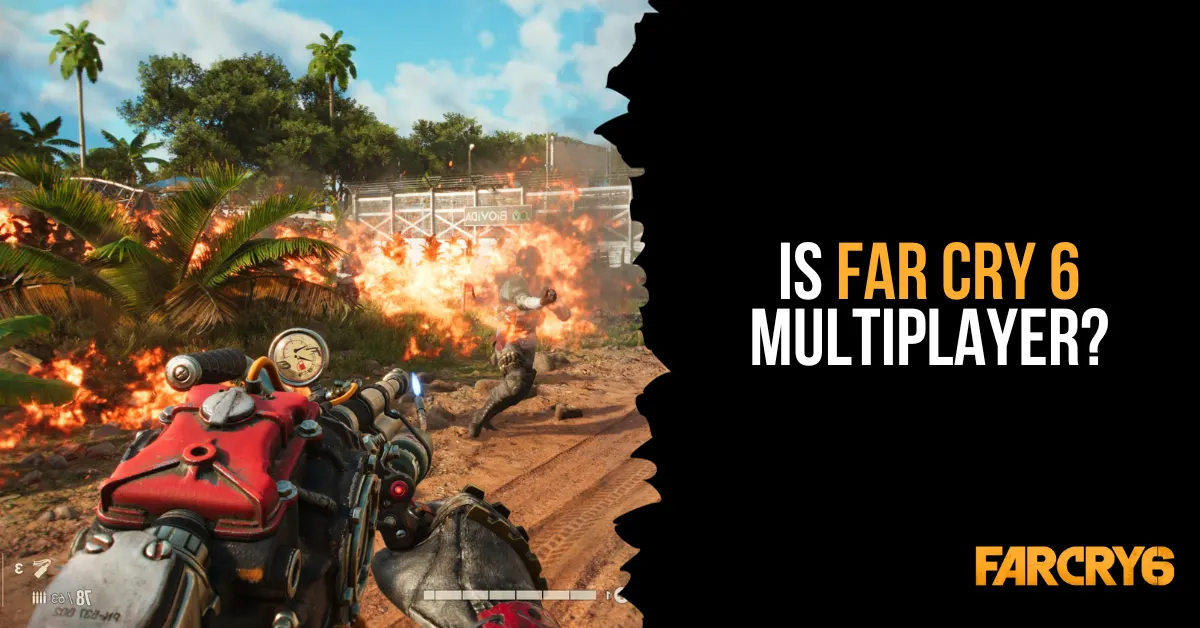
  • Is Far Cry 6 Multiplayer? How to Unlock and Play Co-Op Multiplayer?

    Is Far Cry 6 Multiplayer? How to Unlock and Play Co-Op Multiplayer?

    The most recent game in Ubisoft’s well-liked open-world shooter series is called Far Cry 6. You take on the role of Dani Rojas, a guerilla warrior who joins a revolution against the despotic ruler Antón Castillo, in the game, which is set in the fictional Caribbean island of Yara.

    What happens, though, if you wish to involve a friend in the action and adventure? Is Far Cry 6 Multiplayer? This is all the information you require for multiplayer in Far Cry 6.

    Is Far Cry 6 Multiplayer?

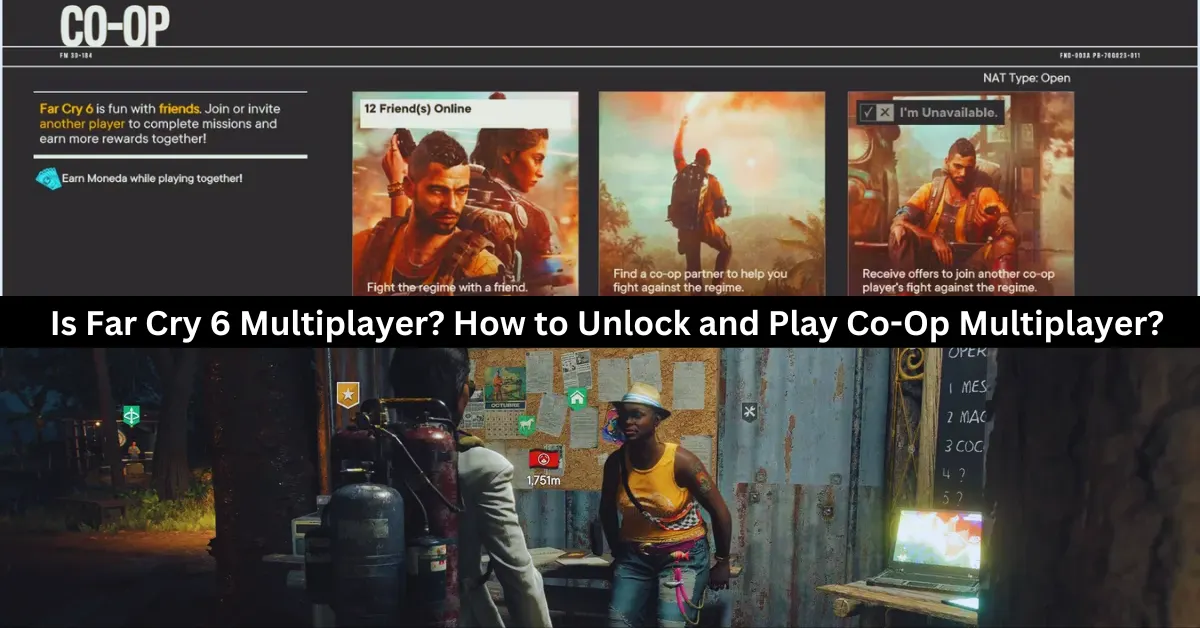
    Yes, Far Cry 6 is multiplayer, but only online co-op with two players. You can play the entire campaign with a friend or a random partner, as well as special operations missions that reward you with Moneda, a currency for the Black Market. However, you need to complete the fourth story mission, Du Or Die, to unlock multiplayer. There is no split-screen, four-player, or PvP mode in Far Cry 6.

    How to Unlock and Play Co-Op Multiplayer?
    is far cry 6 multiplayer

    At the beginning of the game, players cannot enter a cooperative session right away. Players of Far Cry 6 are supposed to progress through the game’s opening stages in order to finish the “Du or Die” task. That’s a wise decision on the part of Ubisoft, given both players ought to understand the game’s mechanics by then. Fortunately, it’s not a tough process, and it shouldn’t take more than two hours to finish.

    A message labeled “Overcoming the Regime” will appear in the right-hand corner after the Du or Die assignment is finished. This will show whether it is possible to join or invite other players to participate in the game. Via the icon, you can choose between three ways to play in cooperative mode:

    • Play With a Friend – to request that a friend or relative participate in the main campaign.
    • Search For a Partner – To assist with the main campaign, locate any random participant.
    • Be A Partner – Get invitations to battle alongside another player in their campaign.

    It should be emphasized that the host player’s progress will only be saved in their own game. The partner will still receive Moneda, though. To be used on the Black Market, Moneda is a unique kind of money that can only be obtained through cooperative play.

    What Are Special Operations Missions in Far Cry 6?

    In Far Cry 6, gamers can also work together to complete missions and gain prizes by participating in Special Operations missions. Dani needs to visit any of the primary Guerrilla Camps that may be unlocked throughout the game in order to access the Special Missions. These three camps are Patriots Peak in El Este, Camp Maximas in Valle de Oro, and Montero Farm in Madrugada.

    Dani Rojas needs to go up to Lola at one of the camps, have a conversation with her, and then choose the task they want to complete in order to access the Spec Ops missions. When completing these missions, there are three modes available, which are as follows:

    • Single Player – Playing Solo
    • Add Partner – Inviting a friend to play the game.
    • Quick Play – Play together online with a random player.

    As of this writing, Far Cry 6 does not allow local multiplayer and can only be played in two-player cooperative mode.

    How Many People Can Play Far Cry 6?

    As of this writing, Far Cry 6 is limited to online cooperative multiplayer for two players. Not anymore, not any less. There is no option to play with three or more players, no couch cooperative mode, and no option to play against friends instead of with them. Naturally, if we learn more or if the game’s restrictions alter in the future, we’ll be sure to update this page.

    Discover more about Far Cry 6’s cross-platform capabilities in our in-depth guide, Is Far Cry 6 Cross-Platform?, and then dive into the game’s quests with our comprehensive Far Cry 6 Quest Guide. Stay connected with GameEmpress to get the latest news and updates about the gaming world.
  • State Of Decay 3 Release Date: A New Era Of Survival Horror Awaits

    State Of Decay 3 Release Date: A New Era Of Survival Horror Awaits

    A fresh leak linked to State of Decay 3 has potentially revealed the release date for Xbox’s future survival game – and it’s much later than many fans probably expected. Xbox stated in 2020 that developer Undead Labs was working on State of Decay 3.

    This announcement was made in the form of a CG teaser, hence no gameplay footage was displayed. Since this announcement, Xbox and Undead Labs have announced nothing new about the State of Decay 3, raising a variety of doubts from fans about the project’s status. Now, an explanation for the silence appears to have emerged, and it is because SoD3 may still be years away.

    State Of Decay 3 Release Date

    According to Nora Shramek’s Art Station profile, who is the lighting lead at Undead Labs on State of Decay 3, the game is set to be released in 2027. If this is correct, there will be a nine-year gap between State of Decay 2 and State of Decay 3, which is extremely long.

    State Of Decay 3 Release Date
    State Of Decay 3 Release Date

    It also implies that Xbox would have revealed the State of Decay 3 seven years before its release. Normally, games aren’t revealed this far ahead, but SoD3 could have only recently begun pre-production when it was shown off in 2020.

    The state of Decay 3 was first revealed in 2020 during the Xbox Games Showcase. The game, created by Microsoft-owned studio Undead Labs, was launched with a short cinematic trailer and hasn’t had much information released about it since, particularly about its release date.

    While it’s impossible to say anything about the State of Decay 3’s development due to Undead Lab’s silence, the studio has previously been at the centre of a toxic environment debate. Former Undead Labs employees complained about a hostile workplace climate in which programmers got stressed by deadlines and have spoken about incidences of misogyny, such as women being systematically ignored during decision-making, in 2022.

    The state of Decay 3 is a significant title for Microsoft, which owns Undead Labs, and this report suggests that it may take some time to release, but this does not mean that Microsoft and its Game Pass service will be short on first-party releases anytime soon.

    Microsoft showcased many first-party titles that would be launched in the next years during the recent Xbox Showcase, including Forza Motorsport, Fable, Avowed, Clockwork Revolution, and Microsoft Flight Simulator 2024. While none of these games are open-world zombie shooters, it’s safe to say that there’s enough diversity to suit all preferences.

    This is everything you need to know about the State Of Decay 3 Release Date. You can also read our news on Alone In The Dark Release Date and Marvel Blade Game Release Date. Stay up to date with GameEmpress.com for the most recent gaming news and guides.

  • Is Monopoly Plus Cross Platform? How To Play With Friends On Different Devices?

    Is Monopoly Plus Cross Platform? How To Play With Friends On Different Devices?

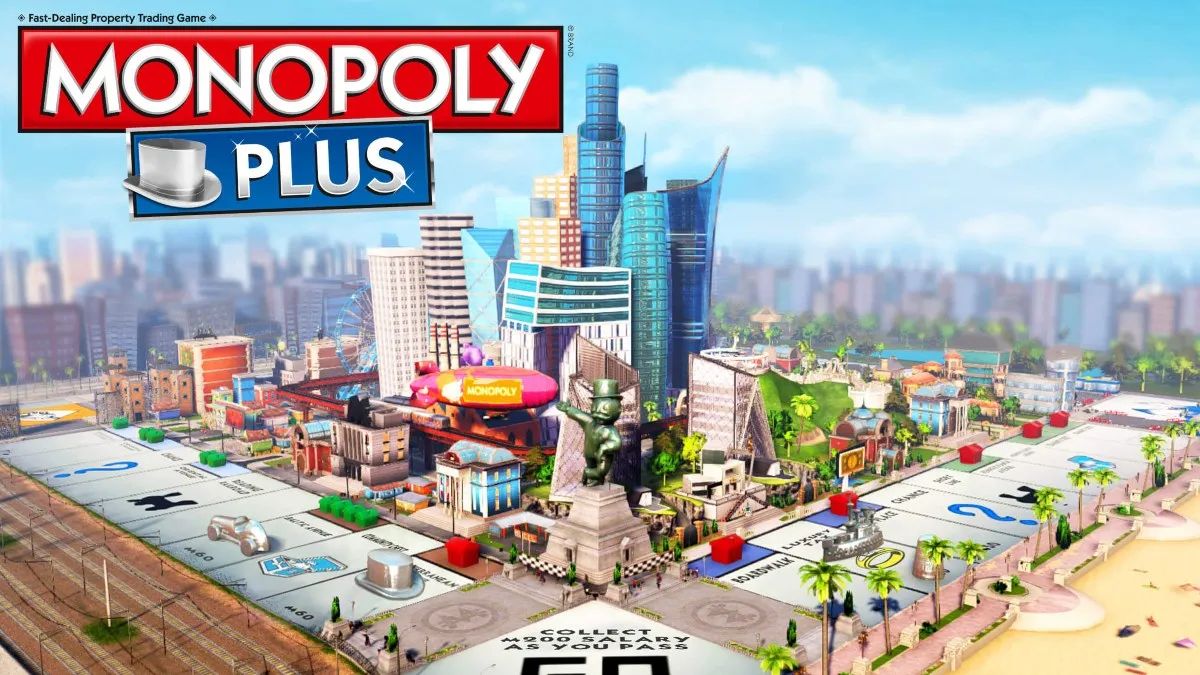
    Monopoly Plus is a digital version of the classic board game that allows players to enjoy the game of property trading and wealth accumulation on various platforms, such as PC, PlayStation, Xbox, and Stadia.

    The game features updated graphics, animations, and customization options, as well as online multiplayer mode, where players can join or create game lobbies and invite friends or strangers to play with them.

    But what if you want to play Monopoly Plus with your friends who have different devices than you? Is Monopoly Plus cross platform? And if so, how can you use this feature to play with your friends across different devices? In this article, we will answer these questions and more, and tell you everything you need to know about Monopoly Plus cross platform.

    Is Monopoly Plus Cross Platform?

    Is Monopoly Plus Cross Platform?
    Is Monopoly Plus Cross Platform?

    The good news is that Monopoly Plus is cross platform, but only between some devices and platforms. This means that players on some devices and platforms can play with other players on some devices and platforms, but not all. The cross platform feature of Monopoly Plus is as follows:

    • PC and Stadia: Monopoly Plus is cross platform between PC and Stadia. This means that players on PC can play with players on Stadia, and vice versa. To use this feature, players need to have the same version of the game, and use the Ubisoft Connect app to invite or join each other.
    • PlayStation 4 and PlayStation 5: Monopoly Plus is cross platform between PlayStation 4 and PlayStation 5. This means that players on PlayStation 4 can play with players on PlayStation 5, and vice versa. To use this feature, players need to have the same version of the game and use the PlayStation Network to invite or join each other.
    • Xbox One and Xbox Series X/S: Monopoly Plus is cross cross-platform between Xbox One and Xbox Series X/S. This means that players on Xbox One can play with players on Xbox Series X/S, and vice versa. To use this feature, players need to have the same version of the game and use the Xbox Live to invite or join each other.

    However, Monopoly Plus is not cross platform between PC and PlayStation, PC and Xbox, PlayStation and Xbox, or PlayStation and Stadia. This means that players on these devices and platforms cannot play with each other, and are restricted to playing with players on the same device and platform.

    You might also like to know about if these other games are cross-platform or not:

    How to Use Cross Platform in Monopoly Plus?

    To use cross platform in Monopoly Plus, you need to follow these steps:

    • Launch the game and select Online Mode from the main menu.
    • Select Play with Friends from the online menu and choose either Create Game or Join Game.
    • If you choose Create Game, you can set up your game lobby and customize the game settings, such as the board, the rules, the time limit, and the number of players.
    • You can also choose to make your game public or private and set a password if you want.
    • If you choose Join Game, you can browse the list of available game lobbies and join one that suits your preferences. You can also use the filters to narrow down your search, such as the platform, the board, the rules, and the region.
    • Once you are in a game lobby, you can invite or join your friends who have the same or compatible devices and platforms as you. You can use the Ubisoft Connect app, the PlayStation Network, or the Xbox Live to send or accept invitations, depending on your device and platform.
    • Once you and your friends are ready, you can start the game and enjoy playing Monopoly Plus with each other across different devices and platforms.

    We appreciate your interest in our website! Make Gameempress.com your go-to site for gaming information.

  • Valorant PC Requirements: How To Run The Competitive Shooter Game?

    Valorant PC Requirements: How To Run The Competitive Shooter Game?

    Valorant is a competitive, free-to-play, first-person shooter game that was released in 2020 by Riot Games, the developers of League of Legends. The game is set in a near-future world, where agents with unique abilities and weapons compete in 5v5 matches. The game is available for Windows PCs, and it supports crossplay between different regions.

    The game is known for its fast-paced and tactical gameplay, as well as its high skill ceiling and low system requirements. The game is designed to run smoothly on most PCs, even on low-end or older machines.

    However, to enjoy the game’s full potential and performance, players need to meet the game’s recommended or optimal requirements, which are slightly higher than the minimum.

    In this article, we will provide you with the minimum, recommended, and optimal PC requirements for Valorant, as well as some tips and tricks to optimize your performance and FPS.

    Valorant PC Requirements

    Valorant PC Requirements
    Valorant PC Requirements

    Minimum PC Requirements

    According to the official website, the minimum PC requirements for Valorant are as follows:

    • OS: Windows 7/8/10 64-bit
    • Processor: Intel Core 2 Duo E8400 or AMD Athlon 200GE
    • Memory: 4 GB RAM
    • Graphics: Intel HD 4000 or AMD Radeon R5 200
    • DirectX: Version 11
    • Storage: 20 GB available space

    These are the minimum requirements to run the game at low settings and 720p resolution, with an average of 30 FPS. However, these requirements may not be enough to handle the game’s high level of action and precision, especially in competitive matches.

    Therefore, we recommend upgrading your PC to meet the recommended or optimal requirements, or at least the high-end requirements, which are slightly higher than the minimum.

    Recommended PC Requirements

    According to the official website, the recommended PC requirements for Valorant are as follows:

    • OS: Windows 10 64-bit
    • Processor: Intel Core i3-4150 or AMD Ryzen 3 1200
    • Memory: 4 GB RAM
    • Graphics: NVIDIA GeForce GT 730 or AMD Radeon R7 240
    • DirectX: Version 12
    • Storage: 20 GB available space

    These are the recommended requirements to run the game at medium settings and 1080p resolution, with an average of 60 FPS. These requirements will ensure a smooth and stable gameplay experience, with minimal lag, glitches, or crashes.

    However, these requirements may not be enough to achieve the highest possible FPS and the best possible graphics, especially if you have a high-end monitor or a competitive preference. Therefore, we suggest upgrading your PC to meet the optimal or high-end requirements, which are the highest possible requirements for the game.

    Optimal PC Requirements

    The optimal PC requirements for Valorant are not officially stated by the developers, but we have estimated them based on the game’s features and performance. The optimal PC requirements for Valorant are as follows:

    • OS: Windows 10 64-bit
    • Processor: Intel Core i5-9400F or AMD Ryzen 5 2600X
    • Memory: 8 GB RAM
    • Graphics: NVIDIA GeForce GTX 1050 Ti or AMD Radeon RX 580
    • DirectX: Version 12
    • Storage: 20 GB available space (SSD recommended)

    These are the optimal requirements to run the game at high settings and 1440p resolution, with an average of 120 FPS.

    These requirements will ensure the best possible gameplay experience, with stunning graphics, realistic physics, and immersive sound. However, these requirements are quite high and expensive, and they may not be necessary for most players unless they have a very powerful PC and a very demanding preference.

    Tips and Tricks to Optimize Your Performance and FPS

    If you want to optimize your performance and FPS in Valorant, you can try some of these tips and tricks:

    • Update your drivers and software. Make sure that your drivers and software are up to date, especially your graphics card driver, your Windows 10 update, and your DirectX version. This will help you avoid compatibility issues and improve your performance and stability.
    • Adjust your graphics settings. You can tweak your graphics settings in the game’s menu, to find the best balance between quality and performance. You can lower some of the settings that have a high impact on your FPS, such as shadows, textures, anti-aliasing, and post-processing. You can also use the FPS counter and the benchmark tool in the game, to test your FPS and find the optimal settings for your PC.
    • Change your resolution and FOV. You can change your resolution and FOV (field of view) in the game’s menu, to suit your preference and monitor. However, keep in mind that higher resolution and FOV will require more resources and lower your FPS, while lower resolution and FOV will reduce your quality and visibility. You can also use the fullscreen mode, rather than the windowed or borderless mode, to improve your performance and FPS.
    • Use an SSD instead of an HDD. If you have an SSD (solid state drive), you can install the game on it, rather than on an HDD (hard disk drive). This will help you reduce your loading times and improve your performance and stability. However, if you don’t have an SSD, you can still defragment your HDD and free up some space, to improve your performance and FPS.
    • Close unnecessary programs and background processes. You can close any unnecessary programs and background processes that are running on your PC, to free up some RAM and CPU usage. You can use the Task Manager or the System Configuration tool to check and close any programs and processes that are not essential for your game. This will help you improve your performance and FPS.

    This is everything you need to know about Valorant PC Requirements. Additionally, you can check our guide on The Finals PC Requirements and Warzone 2 PC Requirements. Stay connected with GameEmpress.com to get the latest news and guides about the gaming world.

  • MONOPOLY GO Tips and Tricks: How to Become a Trillionaire Tycoon

    MONOPOLY GO Tips and Tricks: How to Become a Trillionaire Tycoon

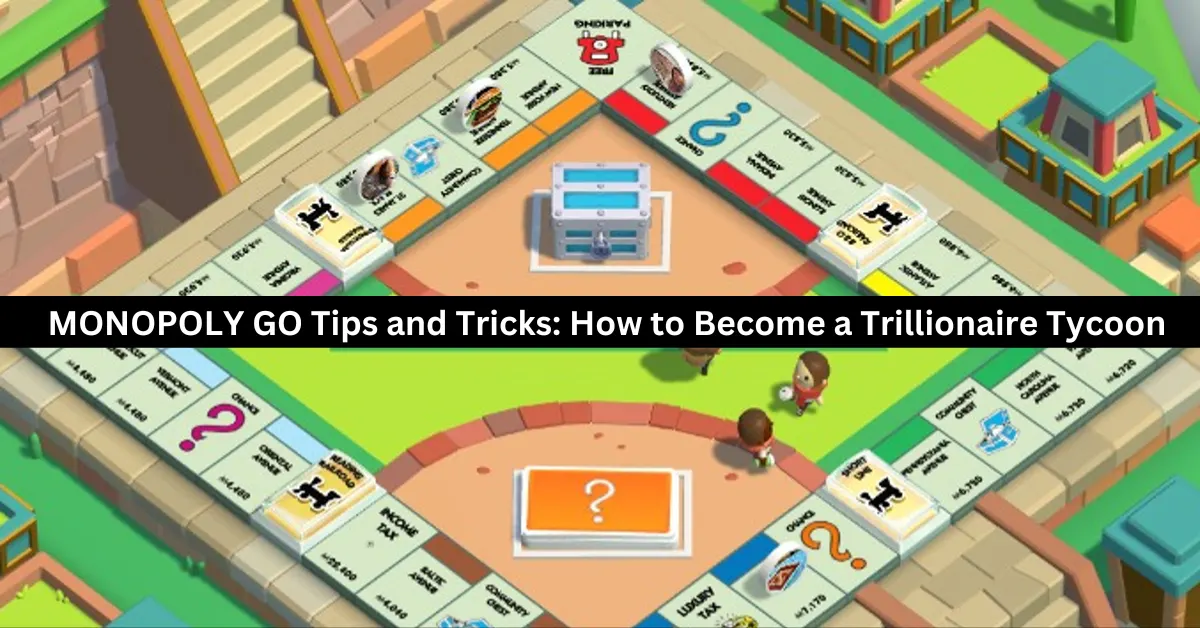
    Millions of gamers worldwide have been enthralled by MONOPOLY GO by Scopely, which brings their favorite capitalistic board game to mobile devices across several platforms. The game’s live-service-focused gaming modes, which enable users to interact and play with friends worldwide, are among its greatest features.

    Savor the authentic capitalist experience as you construct numerous buildings, lease them, and progressively take over towns by rising to the top of the net worth rankings. Both the Google Play Store and the iOS App Store offer MONOPOLY GO for free download and installation.

    We’ll be giving you some really important pointers and strategies in this MONOPOLY GO essay that will help you stay out of debt and gradually raise your income.

    Additionally, by adding them to their games, players can witness a significant acceleration in terms of earning more money and free rolls. Since MONOPOLY GO is a live-service game, it should be played more like a marathon than a one-time event, unlike the actual board game. Let’s dive right into the advice!

    How to Become a Trillionaire Tycoon?

    monopoly go tips and tricks

    Make Sure to Use the Shields Faster

    You may not be aware of the significance of shields if you’re a novice player. These are important barriers that can shield your empire and profits from foreign players who land on a Shut Down location and see your buildings appear.

    Up to three shields can be kept in storage at once. They must be collected by landing on the shield tiles on the board; they do not regenerate on their own. There can be a maximum of two shields on the board. To gather and utilize them, land on them.

    When an attack occurs, shields automatically activate and cover all of your buildings. When under attack, using a shield will decrease the attacker’s earnings in half and lessen the damage taken by 50%.

    Auto-Rolls Must Be Used Carefully

    A fantastic system in place in MONOPOLY GO lets the player roll each die by hand or use the “Auto-Roll” feature by holding down the button for a certain amount of time. Players see the dice to roll independently and start various situations.

    In addition, users have the option to halt the auto-rolling feature directly at any moment. We would encourage players not to use this option constantly, even though it would seem ideal for beginners and time-saving efficiency.

    The auto-roll option should only be used sparingly to avoid going to jail. When you get close to the corner where the jail is, make sure to keep an eye on the board and decide to roll manually.

    Upgrade & Build Landmarks

    When it comes to generating greater revenue and long-term profits, buildings and landmarks will be crucial. The structures above and landmarks can also be upgraded by players using the money they have acquired. Several nearby landmarks in each city and area are up for grabs.

    The only prerequisite is that you must make a sizable initial commitment. However, the profits more than offset the cost of the venture. Gamers can also use shields to defend them, as was previously indicated.

    It will be considerably simpler to increase your overall net worth if your portfolio includes a number of structures and monuments. Gaining extra dice rolls and accessing new features are other benefits of having a higher net worth.

    Join in the Mini-Games

    Since mini-games are among the greatest ways to make money continuously, they will be quite vital. Given how informal the rest of the game is, try to finish them whenever you have any spare time. In the mini-games, players can additionally increase their total earnings by winning jackpots.

    The majority of the mini-games are really simple to play and provide you with a delicious streak of rewards just for taking part. The money won from the minigames can be used by players to upgrade and purchase additional buildings, among other significant investments.

    Understanding the Importance of Homes

    Homes that are listed on the board and rented out might bring in a sizable sum of money for players. Each time you set foot on these estates, a substantial amount of money will be demanded of you. The rental revenue and net value rise in proportion to the number of properties.

    For more gaming tips and tricks, read our guides on how to beat Mega Scizor and how to level up fast in Fortnite Chapter 5. We appreciate your interest in our website! Make Gameempress your go-to site for gaming information.

  • The Finals PC Requirements: How To Run The Free-To-Play Combat Game Show?

    The Finals is a free-to-play, first-person shooter game that combines elements of battle royale, destruction, and game show. The game was developed by Embark Studios and was released on December 7, 2023, during The Game Awards.

    The game is available for PC, PlayStation 4, and Xbox One, and it supports crossplay between PC and PlayStation players. The game features dynamic and destructible arenas based on real-world locations, where players can alter, exploit, and even demolish the environment to gain an advantage over their opponents.

    The game also features a variety of weapons, gadgets, skills, and perks, that allow players to customize their playstyle and strategy. The game is designed to be a spectacle, where players can gain fans, fame, and sponsors, by performing well and showing off their personality.

    However, to run the game smoothly and enjoy its full potential, players need to meet the game’s system requirements, which are not very low. In this article, we will provide you with the minimum and recommended PC requirements for The Finals, as well as some tips and tricks to optimize your performance and FPS.

    The Finals PC Requirements

    Is The Finals Crossplay
    Is The Finals Crossplay

    Minimum PC Requirements

    The minimum PC requirements for The Finals are as follows:

    • OS: Windows 10 64-bit (latest update)
    • Processor: Intel Core i5-6600K or AMD Ryzen 5 1500
    • Memory: 12 GB RAM
    • Graphics: NVIDIA GeForce GTX 970 or AMD Radeon RX 580
    • DirectX: Version 12
    • Storage: 15 GB available space

    These are the minimum requirements to run the game at low settings and 1080p resolution, with an average of 30 FPS. However, these requirements may not be enough to handle the game’s high level of destruction and action, especially during the Blood Moon Horde, which is a massive and relentless wave of zombies that will attack the players every 7 days.

    Therefore, we recommend upgrading your PC to meet the recommended requirements, or at least the optimal requirements, which are slightly higher than the minimum.

    Recommended PC Requirements

    The recommended PC requirements for The Finals are as follows:

    • OS: Windows 10 64-bit (latest update)
    • Processor: Intel Core i5-9600K or AMD Ryzen 5 3600
    • Memory: 16 GB RAM
    • Graphics: NVIDIA GeForce RTX 2070 or AMD Radeon RX 5700 XT
    • DirectX: Version 12
    • Storage: 15 GB available space

    These are the recommended requirements to run the game at high settings and 1440p resolution, with an average of 60 FPS. These requirements will ensure a smooth and stable gameplay experience, with minimal lag, glitches, or crashes. However, these requirements may not be enough to achieve the highest possible FPS and the best possible graphics, especially if you have a high-end monitor or a VR headset. Therefore, we suggest upgrading your PC to meet the ultimate requirements, which are the highest possible requirements for the game.

    Ultimate PC Requirements

    The ultimate PC requirements for The Finals are not officially stated by the developers, but we have estimated them based on the game’s features and performance. The ultimate PC requirements for The Finals are as follows:

    • OS: Windows 10 64-bit (latest update)
    • Processor: Intel Core i7-9700K or AMD Ryzen 7 3700X
    • Memory: 32 GB RAM
    • Graphics: NVIDIA GeForce RTX 3080 or AMD Radeon RX 6800 XT
    • DirectX: Version 12
    • Storage: 15 GB available space (SSD recommended)

    These are the ultimate requirements to run the game at ultra settings and 4K resolution, with an average of 120 FPS. These requirements will ensure the best possible gameplay experience, with stunning graphics, realistic physics, and immersive sound.

    However, these requirements are very high and expensive, and they may not be necessary for most players unless they have a very powerful PC and a very demanding preference.

    Tips and Tricks to Optimize Your Performance and FPS

    If you want to optimize your performance and FPS in The Finals, you can try some of these tips and tricks:

    • Update your drivers and software. Make sure that your drivers and software are up to date, especially your graphics card driver, your Windows 10 update, and your DirectX version. This will help you avoid compatibility issues and improve your performance and stability.
    • Adjust your graphics settings. You can tweak your graphics settings in the game’s menu, to find the best balance between quality and performance. You can lower some of the settings that have a high impact on your FPS, such as shadows, textures, anti-aliasing, and post-processing. You can also use the FPS counter and the benchmark tool in the game, to test your FPS and find the optimal settings for your PC.
    • Change your resolution and FOV. You can change your resolution and FOV (field of view) in the game’s menu, to suit your preference and monitor. However, keep in mind that higher resolution and FOV will require more resources and lower your FPS, while lower resolution and FOV will reduce your quality and visibility. You can also use the fullscreen mode, rather than the windowed or borderless mode, to improve your performance and FPS.
    • Use an SSD instead of an HDD. If you have an SSD (solid state drive), you can install the game on it, rather than on an HDD (hard disk drive). This will help you reduce your loading times and improve your performance and stability. However, if you don’t have an SSD, you can still defragment your HDD and free up some space, to improve your performance and FPS.
    • Close unnecessary programs and background processes. You can close any unnecessary programs and background processes that are running on your PC, to free up some RAM and CPU usage. You can use the Task Manager or the System Configuration tool to check and close any programs and processes that are not essential for your game. This will help you improve your performance and FPS.

    This is everything you need to know about The Finals PC Requirements. Additionally, you can check our guide on Warzone 2 PC Requirements and Age of Empires 4 PC Requirements. Stay connected with GameEmpress.com to get the latest news and guides about the gaming world.

  • Is Guilty Gear Strive Crossplay? The Ultimate Fighting Experience Across Devices

    Is Guilty Gear Strive Crossplay? The Ultimate Fighting Experience Across Devices

    Guilty Gear Strive is a fighting game that features characters, music, and gameplay from the Guilty Gear series. The game was released in June 2021 for PC, PlayStation 4, and PlayStation 5, and received positive reviews from critics and fans alike.

    The game is known for its stunning graphics, smooth animations, and responsive controls, as well as its rollback netcode, which ensures a lag-free online experience.

    But what if you want to play with your friends who have a different platform than you? Does Guilty Gear Strive support crossplay? And if so, how does it work? In this article, we will answer these questions and more, and tell you everything you need to know about Guilty Gear Strive crossplay.

    Is Guilty Gear Strive Crossplay?

    The good news is that Guilty Gear Strive does have crossplay, but only between PC, PS4, and PS5. This means that if you have any of these platforms, you can play with other players who have any of these platforms. However, if you have a different platform, such as Xbox or Switch, you cannot play with other players who have a different platform.

    Is Guilty Gear Strive Crossplay
    Is Guilty Gear Strive Crossplay

    The crossplay feature was not available at launch, but was added later as part of the Season 2 update, which was released in February 2023. The update also added a new character, a new stage, and various balance changes and improvements.

    How to Use Crossplay in Guilty Gear Strive?

    To use crossplay in Guilty Gear Strive, you need to follow these steps:

    • Launch the game and select Online Mode from the main menu.
    • Select Network from the online menu and choose either Ranked Match or Player Match.
    • In the match settings, make sure that the Crossplay option is set to On. This will allow you to play with players from different platforms.
    • Choose your preferred region, lobby, and room, and start searching for a match.
    • Once you find a match, you can see the platform of your opponent by looking at the icon next to their name. A PC icon means they are playing on PC, a PS4 icon means they are playing on PS4, and a PS5 icon means they are playing on PS5.
    • Enjoy the match and have fun!

    You might also like to know about if these other games are cross-platform or not:

    Tips and Tricks for Crossplay in Guilty Gear Strive

    Here are some tips and tricks to help you make the most of crossplay in Guilty Gear Strive:

    • Use a wired connection and a stable internet service to ensure a smooth and lag-free online experience. Avoid using Wi-Fi or mobile data, as they can cause latency and disconnections.
    • Use a headset and a microphone to communicate with your teammates and opponents. You can also use the in-game chat and emotes to send messages and express yourself.
    • Be respectful and friendly to other players, regardless of their platform or skill level.
    • Don’t trash talk, rage quit, or cheat, as they can ruin the game for everyone.
    • Have fun and learn from your matches. Don’t be discouraged by losses or frustrated by wins. Instead, try to improve your skills and strategies, and enjoy the game.

    We appreciate your interest in our website! Make Gameempress.com your go-to site for gaming information.

  • 7 Days To Die Gameplay: How To Survive The Zombie Apocalypse?

    7 Days To Die Gameplay: How To Survive The Zombie Apocalypse?

    7 Days to Die is a survival horror game that combines elements of first-person shooter, role-playing, tower defence, and sandbox games. The game is set in a post-apocalyptic world that has been overrun by zombies and other dangers. The game allows players to explore, scavenge, craft, build, and fight for their lives in a dynamic and open-ended environment.

    In this article, we will show you how to play 7 Days to Die, what are the main features and mechanics of the game, and how to survive the zombie apocalypse. We will also provide some tips and tricks on how to improve your skills and strategies in the game.

    How to Play 7 Days to Die?

    To play 7 Days to Die, you need to download and install the game on your PC, console, or mobile device. You can purchase the game from various platforms, such as Steam, PlayStation Store, Xbox Store, or Google Play Store.

    7 Days To Die Gameplay
    7 Days To Die Gameplay

    The game supports both single-player and multiplayer modes, as well as online and offline modes. You can play the game alone, with friends, or with other players from around the world.

    To start the game, you need to create a new game or join an existing game. You can choose from different game modes, such as Survival, Creative, or Horde. You can also customize various settings, such as the game world, the difficulty, the zombies, the loot, and the rules. You can also use mods or cheats to enhance or alter your gameplay experience.

    Once you enter the game, you will spawn in a random location in the game world. You will have a basic inventory, a map, a compass, and a journal. Your main objective is to survive as long as possible in a harsh and hostile environment.

    You will have to deal with various challenges, such as hunger, thirst, temperature, health, stamina, infection, and radiation. You will also have to face various threats, such as zombies, animals, bandits, and traps.

    To survive, you will have to explore the game world and scavenge for resources, such as food, water, weapons, tools, materials, and items. You will also have to craft various items, such as clothing, armour, medicine, ammo, and traps.

    You will also have to build various structures, such as shelters, bases, defences, and farms. You will also have to fight various enemies, such as zombies, animals, bandits, and bosses.

    The game features a day and night cycle, as well as a blood moon event. During the day, the zombies are slow and weak, and the environment is relatively safe. During the night, the zombies are fast and strong, and the environment is more dangerous.

    During the blood moon event, which occurs every 7 days, the zombies are more aggressive and numerous, and they will attack your base in waves. You will have to prepare for the Blood Moon event by fortifying your base, stocking up on supplies, and setting up traps.

    The game is open-ended and nonlinear, meaning that you can play the game however you want. You can follow the main storyline, which involves finding clues and completing quests.

    You can also follow the side quests, which involve helping or hindering other survivors. You can also ignore the quests and just explore the game world and do whatever you want. You can also interact with other players, either by cooperating or competing with them.

    What Are the Main Features and Mechanics of 7 Days to Die?

    7 Days to Die is a complex and immersive game that has many features and mechanics that make the game unique and realistic. Here are some of the main features and mechanics of the game:

    • Voxel-based: The game uses a voxel-based engine, which means that the game world is made of small cubes that can be manipulated and destroyed. This allows players to create and modify the game world as they wish, as well as to cause realistic physics and damage effects.
    • Procedural: The game uses a procedural generation system, which means that the game world is randomly and dynamically created based on certain parameters and seeds. This ensures that each game world is different and unique, as well as that the game world changes and evolves.
    • Crafting: The game features a crafting system, which allows players to create various items and objects from the resources they find or collect. The crafting system is based on recipes, which can be learned from books, schematics, or trial and error. The crafting system is also based on quality, which affects the durability and effectiveness of the crafted items.
    • Building: The game features a building system, which allows players to construct various structures and buildings from the materials they find or collect. The building system is based on blocks, which can be placed and stacked in various shapes and forms. The building system is also based on stability, which affects the strength and resistance of the structures.
    • Combat: The game features a combat system, which allows players to fight various enemies and threats using various weapons and tools. The combat system is based on damage, which affects the health and status of the enemies and the players. The combat system is also based on stealth, which affects the visibility and awareness of the enemies and the players.
    • Survival: The game features a survival system, which requires players to manage various aspects of their survival, such as hunger, thirst, temperature, health, stamina, infection, and radiation. The survival system is based on meters, which indicate the level and condition of the survival aspects. The survival system is also based on effects, which affect the performance and behaviour of the players.

    This is everything you need to know about the 7 Days To Die Gameplay. You can also read our games guide like Risk Of Rain 2 Gameplay and Final Fantasy 7 Remake Gameplay. Stay up to date with GameEmpress.com for the most recent gaming news and guides.

  • Ragsy Fortnite: How To Get And Use The Spooky Cuddle Team Leader Skin?

    Ragsy Fortnite: How To Get And Use The Spooky Cuddle Team Leader Skin?

    Ragsy is an Epic Outfit in Fortnite that can be purchased from the Item Shop for 1,500 V-Bucks. Ragsy is a variant of the popular Cuddle Team Leader skin but with a more apocalyptic and militaristic look. Ragsy was first released in Season X and is part of The Leftovers Set.

    In this article, we will show you how to get and use the Ragsy skin in Fortnite, and what are the features and benefits of using it.

    How to Get the Ragsy Skin in Fortnite?

    The Ragsy skin is not always available in the Item Shop, as it rotates in and out of the shop periodically. The skin usually appears in the shop around Halloween or other special occasions, such as Community Choice events. The skin costs 1,500 V-Bucks, which is equivalent to $15 in real money.

    To get the Ragsy skin in Fortnite, you need to follow these steps:

    • Launch Fortnite and go to the Item Shop menu.
    • Check if the Ragsy skin is available in the Featured or Daily section of the shop. You can also use the search bar to look for the skin by name.
    • If the skin is available, select it and click on the Purchase button. You will need to have enough V-Bucks in your account to buy the skin.
    • Confirm your purchase and enjoy your new skin.

    How to Use the Ragsy Skin in Fortnite?

    The Ragsy skin is a cosmetic item that you can use to change the appearance of your character in Fortnite. The skin does not affect your gameplay or performance, but it can make you stand out from the crowd and show off your style.

    To use the Ragsy skin in Fortnite, you need to follow these steps:

    • Launch Fortnite and go to the Locker menu.
    • Select the Outfit slot and scroll through your skins until you find the Ragsy skin. You can also use the filter or the search bar to look for the skin by name or rarity.
    • Select the Ragsy skin and click on the Equip button. You can also choose to apply back bling, a pickaxe, a glider, a contrail, a wrap, or an emote that matches the skin.
    • Start a match and enjoy your new look.

    Features and Benefits of the Ragsy Skin in Fortnite

    The Ragsy skin has some features and benefits that make it a unique and attractive skin in Fortnite, such as:

    • The skin has four selectable styles that you can unlock and switch between. The styles are Default, Jacket, Glow, and Glow Jacket. The Default style is the basic version of the skin, with a pink and black colour scheme. The Jacket style adds a leather jacket and a bandana to the skin, giving it a more rugged look. The Glow style makes the skin glow in the dark, with a neon green and black colour scheme. The Glow Jacket style combines the Jacket and the Glow styles, creating a striking contrast.
    • The skin comes with a back bling called Heartless, which is a heart-shaped backpack with spikes and chains. The back bling also has four selectable styles that match the skin’s styles. The back bling can be used with any other skin, and the skin can be used with any other back bling.
    • The skin is based on the Cuddle Team Leader skin, which is one of the most popular and iconic skins in Fortnite. The Cuddle Team Leader skin is a pink and white teddy bear costume that was first released in Season 2. The Ragsy skin is a darker and edgier version of the Cuddle Team Leader skin, with a more apocalyptic and militaristic theme. The Ragsy skin is a great way to show your love for the Cuddle Team Leader skin or to express your darker side.

    Conclusion

    The Ragsy Skin is an Epic Outfit in Fortnite that can be purchased from the Item Shop for 1,500 V-Bucks. The skin is a variant of the Cuddle Team Leader skin but with a more apocalyptic and militaristic look. The skin has four selectable styles and comes with a back bling called Heartless. The skin is a great way to stand out from the crowd and show off your style in Fortnite.

    This is everything you need to know about the Ragsy Fortnite. You can also read our games guide like Holotactics Guide and Warlock Metamorphosis Rune Guide. Stay up to date with GameEmpress.com for the most recent gaming news and guides.

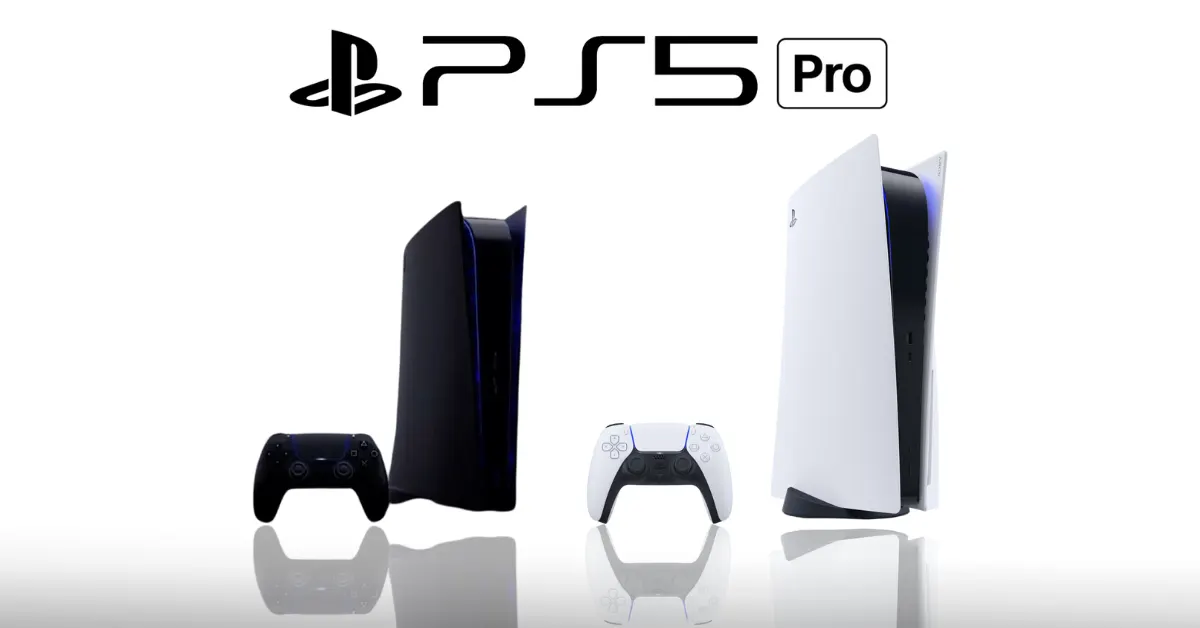
  • PS5 Pro: When Will It Come Out and How Much Will It Cost?

    PS5 Pro: When Will It Come Out and How Much Will It Cost?

    In 2020, the original PlayStation 5 will receive a mid-cycle makeover in the form of the PS5 Pro. Though earlier rumors suggested that the consoles would be a significant improvement over vanilla, with the promise of ambitious 8K gaming capabilities, it is now evident that the next mid-cycle refresh would be far more restrained, promising only enhanced 4K gaming performance.

    Since 2020, gaming gear technology hasn’t advanced all that much—especially considering the positive state of the economy. A cursory glance at hardware demand levels explains the state of affairs: hardly anybody purchased any RTX 40 series cards.

    Although some could contend that the cards were overpriced, a significant factor in the low sales numbers is that today’s gamers don’t have enough extra money to spend on pastimes.

    In this article, we update you on the most recent information regarding the impending mid-cycle refresh of PS5 Pro. Please return often, as we will be updating this post with any fresh information that is confirmed or leaked.

    What is the Latest on PlayStation 5 Pro Leaks?

    Quite a few new details about the impending PS5 Pro have surfaced recently. In a nutshell, here is the most crucial information to bring you up to speed:

    • The PS5 Slim will be available for purchase prior to the Pro model. During this year’s FTC vs. Microsoft court hearings, Sony verified the slimline revision.
    • The most probable release date for the PS5 Pro is around the 2024 Christmas season. A release in November appears likely, in keeping with previous PlayStation systems.
    • Some say that developers have supposedly begun getting PS5 Pro devkits. The console may have already been finalized and is now in the early phases of manufacture, according to this. Stay tuned for more information.
    • You can now find the 2020 PlayStation listed on Amazon under the name PS5 Standard Edition. Sony may be getting ready to release the PS5 Slim, or they may be dropping hints about the Pro version.
    • There will not be an 8K gaming machine in the next Pro version. Rumor has it that the machine is actually going to be a top-notch 4K console with more than 23 TFLOPs of processing power. The PS5 only managed 10.28 TFLOPs, so that’s more than double.

    Most titles on the next platform from the Japanese tech behemoth will probably aim for 4K at 60 frames per second. Furthermore, it may also introduce new features like enhanced AI upscaling software, path tracing capability, and numerous others.

    When Will the PlayStation 5 Pro Come Out?

    PS5 Pro Release Date and Price

    Regarding the PS5’s more powerful mid-cycle upgrade, Sony has remained mum. Still, 2024 has been touted as the release year for the home video gaming console by a number of sites. Considering the company’s track record of launch events, we could see the PS5 Pro teased in the summer, with an official unveiling around the holidays.

    A few leaks have suggested a possible release window of November 2024. This is mainly conjecture, but it could work; the real launch window could be different. We will update the article whenever more specific details become available.

    PS5 – PlayStation 5 News shared a Tweet…

    Speculation has said that Sony may also abandon the PS5 Pro. The chief executive officer of Take-Two Interactive, Strauss Zelnick, has stated that the numerous rumors circulating regarding the Ninth Generation’s Pro upgrade “aren’t that meaningful.”

    Considerable speculation has it that the Japanese tech giant has no plans for a more robust mid-cycle upgrade in light of this development. But what really occurs is anybody’s guess.

    We also noted some of the other games that will be released on PS5, which you can see here:

    How Much Will PlayStation 5 Pro Cost?

    All signs point to the PlayStation 5 Pro costing more than its predecessor. It should be mentioned that the PS4 Pro was just as expensive when it was released in 2016 at $399, just like the PS4 was when it debuted in 2013.

    So, the suggested retail price for the new system is $499, which is the same as the PS5 Disc Edition’s launch price in 2020. However, Slim versions are now available at the same price. Sony can either release a more powerful device or lower the prices of their slimline consoles in response to the impending PS5 Pro.

    PS5 Pro Specifications

    Compared to the PS5 from 2020, the PS5 Pro, whose codename is “Project Trinity,” will have far more powerful graphics rendering capabilities. An upgraded AMD APU, with the newest Zen 4 CPU design and RDNA 3 graphics processing technology, is anticipated to be included in the forthcoming console, allowing for superior gaming performance.

    The newest Radeon RX 7000 series graphics processing units and Ryzen 7000 CPUs use these technologies, as expected. The underlying hardware, however, should be even more recent if current trends provide any indication. Rumor has it that the PlayStation 5 Pro will have RDNA 3.5 graphics and a Zen 5 CPU.

    Here is a comprehensive list of PS5 Pro specifications:

    Feature Value
    Process TSMC 5/4nm
    Architecture Zen 4
    Cores 8
    WGP 60
    CUs 60
    iGPU RDNA 3 or RDNA 3.5
    ROPs 96
    CPU Clocks 3.6 GHz
    GPU Clocks 2.7 GHz
    Memory 16 GB GDDR6
    Memory Speed 18,000 mt/s
    Performance 23.04 TFLOPs

    Regarding additional hardware, the next console is said to include an AI engine specifically designed for it. Further, it may use a hybrid-core architecture (Zen 5 and Zen 5c) to provide gamers with even more processing capability.

    The console is allegedly far along in the development process, according to leaks. A number of game studios have begun procuring device development kits in order to polish their forthcoming titles.

    We appreciate your interest in our website! Make Gameempress your go-to site for gaming information.

  • Genshin Impact 4.3 Update Countdown: What Are the New Events and Features in It?

    Genshin Impact 4.3 Update Countdown: What Are the New Events and Features in It?

    We have released the exact schedules for server maintenance, and the Genshin Impact 4.3 upgrade will be live in less than a day. The anticipated duration of the outage is five hours, and the patch is expected to be made available shortly after that.

    Along with it, Navia and Ayaka’s Event Wishes will be out for 21 days. With a countdown showing how much time is remaining till the update, here is the full version 4.3 maintenance schedule.

    Genshin Impact 4.3 Update Countdown

    Dec 20, 2023, is when Genshin Impact 4.3 “Roses and Muskets” will be available to players. So, you’ll be able to play Genshin Impact 4.3 no matter where you are in the world when the countdown hits zero.

    Version 4.3 will likely be released in accordance with the standard maintenance schedule for new releases. Therefore, on December 20, 2023, at 3 AM (GMT), Version 4.3 will be ready. Players in the US will get the update on December 19th at 10 PM EST because of timezone variations.

    Regarding your timezone, this means:

    TIME ZONE 4.3 MAINTENANCE START TIME 4.3 MAINTENANCE END TIME
    Pacific Time (PT) 2:00 pm 7:00 pm
    Central Time (CT) 4:00 pm 9:00 pm
    Eastern Standard Time (EST) 5:00 pm 10:00 pm
    Greenwich Mean Time (GMT) 10:00 pm 3:00 am
    Central European Time (CET) 11:00 pm 4:00 am
    Indian Standard Time (IST) 3:30 am 8:30 am
    Japan Standard Time (JST), Korea Standard Time (KST)  7:00 am 12:00 pm
    Australian Eastern Standard Time (AEST) 8:00 am 1:00 pm

    Dear Travelers, The event wishes “In the Name of the Rosula,” “The Heron’s Court,” and “Epitome Invocation” to be available on December 20!

    What Are the New Characters and Weapons in Genshin Impact 4.3?

    The addition of new playable characters and weaponry is a highly anticipated aspect of the Genshin Impact 4.3 release. Each of the two parts of the update will provide a new set of banners—two for characters and one for weapons. Genshin Impact 4.3 introduces the following new characters and weapon types:

    New Characters

    Two new characters will make their debut in Genshin Impact 4.3, according to HoYoverse. The first one is Chevreuse, captain of the Special Security and Surveillance Patrol of Fontaine, while the second one is Spina di Rosula, Navia’s chief. Their weapons of choice are a polearm and a claymore, respectively.

    The version 4.3 banner schedule is as follows:

    • Phase I: Navia + Ayaka
    • Phase II: Raiden Shogun + Yoimiya, alongside Chevreuse

    New Weapons

    With version 4.3 of Genshin Impact, a new 5-star Claymore named the Verdict will be available. It will be Navia’s trademark weapon, and using it will grant the wielder Crit Rate and Attack. The update will also add the characteristic weapons of the recurrent characters.

    The weapon banner schedule is as follows:

    • Phase I: Verdict + Mistsplitter Reforged
    • Phase II: Engulfing Lightning + Thundering Pulse

    What Are the New Events and Features in Genshin Impact 4.3?

    Players can look forward to a plethora of new events and features, in addition to new characters and weapons, in the upcoming Genshin Impact 4.3 update. Some of the most notable additions and changes to Genshin Impact 4.3 are as follows:

    New Artifacts

    With the addition of the Domain of Blessing: Waterfall Wen, two new sets of artifacts will be available in version 4.3. Designed for use by Navia’s BiS, one set is focused on damage mitigation, and the other is for use by healers. A preview of the two next groups of artifacts is presented here:

    Genshin Impact shared a Tweet…

    1) Nighttime Whispers in the Echoing Woods

    • 2-Piece: ATK +18%.
    • 4-Piece: Get a 20% Geo DMG bonus for 10s after using an elemental skill. The above effect will be 150% stronger while under a shield from the Crystallize reaction. This extra boost goes away 1 second after the shield is lost.

    2) Song of Days Past

    • 2-Piece: Healing Bonus +15%.
    • 4-Piece: When the character who is equipping heals a party member, the Yearning effect will last for 6s and keep track of how much healing was done (including extra healing). The Yearning effect will change into the Waves of Days Past effect when the time is up: When a member of your current party hits an enemy with a Normal Attack, Charged Attack, Plunging Attack, Elemental Skill, or Elemental Burst, 8% of the total healing done by the Yearning effect will be added to the damage done. The Waves of Days Past effect wears off after 10 seconds or five uses. The Yearning effect can heal up to 15,000 damage, and only one copy can exist at a time. However, it can record the damage done by multiple characters who are wearing it. This effect can still happen when characters are equipped and on watch.

    New Quests

    In Genshin Impact 4.3, a new story quest called Rosa Multiflora Chapter will be added to Navia for good. You must have at least Adventure Rank 40 and finish the Fontaine part of the Archon Quest before you can start the story quest.

    Travelers who reach the required Adventure Rank and complete the prerequisite quests will be able to use a Story Key to unlock Navia’s Story Quest “Rosa Multiflora Chapter.”:

    New Events

    There will be a lot of fun events in the next patch that will give players Primogems and other things they can use in the game. Ros and Muskets, the main event of 4.3, will give players a free 4-star Claymore called Ultimate Overlord’s Mega Magic Sword.

    By taking part in the event, they can also get the ingredients they need to refine it. Here is a list of all the events coming up in v4.3 for fans who are interested:

    • Roses and Muskets
    • Dance of Resolute Will
    • Arataki Blazing Armor Beetle Battle Boot Camp
    • Lost Riches
    • Marvelous Merchandise

    New Genius Invokation TCG Cards

    Several new Genius Invokation Trading Card Game (TCG) cards will be added to Genshin Impact in version 4.3. In the patch, it is announced that the following entities will receive their character cards:

    • Lyney
    • Lynette
    • Layla
    • Yelan
    • Alhaitham
    • Gorou
    • Dvalin
    • Azhdaha
    • La Signora
    • Eremite Scorching Loremaster
    • Thunder Manifestation

    New Features and Qol Changes

    There will be a lot of new features and improvements to the gameplay experience in Genshin Impact with the 4.3 release. According to the patch notes, the following modifications will be implemented in the game:

    • Modifications to the artifact system are on the way in HoYoverse. Upgrades to the next level, including auto-lock and improved filters, are on the way. Additionally, artifacts recommended in section 4.3 will be included.
    • A new Teleport Waypoint makes it easy for players to reach Chasm, even if they haven’t unlocked it yet. A World Quest is no longer required to access the region.
    • An upcoming update will make it possible to reassign all characters to an expedition with the single press of a button.
    • Travelers can now swiftly upgrade their weapons in Genshin Impact by adding multiple materials at once.
    • Players will be able to spawn inside domains at the key trigger after resuming them starting from version 4.3.
    • For the sake of accessibility, the Adventurer’s Handbook enemy list will also be somewhat revised.

    Explore the latest updates in Genshin Impact with our comprehensive guide on the 4.2 release date. Learn about the exciting characters featured in the 4.1 Phase 2 banner and enhance your gaming experience. Stay connected with GameEmpress.com to get the latest news and updates about Genshin Impact.

  • Unblocked Games WTF: What Are the Benefits of Playing for Gamers?

    Unblocked Games WTF: What Are the Benefits of Playing for Gamers?

    You’ve probably heard about unblocked games if you enjoy playing online games but are frequently restricted by firewalls or internet censorship. Games that are unblocked can be played without any limitations, even on networks where access to gaming websites is restricted.

    One of the most well-known unblocked game websites, Unblocked Games WTF, will be covered in this post. Everything you require to know about this website—its features, popularity, and much more—will be covered in this article. Now, let’s get started!

    What is Unblocked Games WTF?

    Games Without Blocks WTF is a website that provides a huge selection of unblocked, free online games that may be played at work, school, or college. The website is easy to navigate and find the games that people are seeking, thanks to its basic and clean design.

    There is a vast selection of games on the website, which are categorized into action, adventure, puzzle, strategy, arcade, and sports. To find particular games, users can search the search box or browse through the categories.

    The fact that Unblocked Games WTF provides games that are generally unavailable on other gaming websites is one of its primary features. These games give players a novel gaming experience and are frequently one-of-a-kind. There is always something fresh and entertaining to play, thanks to the website’s frequent updates introducing new games.

    Apart from providing an extensive selection of games, Unblocked Games WTF also offers valuable details about every game, such as a synopsis, controls, and strategies. Users who are unfamiliar with a certain game or genre may find this information extremely helpful.

    Unblocked Games WTF is an excellent option for anyone searching for cost-free unblocked games to play at home, at business, or college. It is a website that is absolutely worth checking out because of its vast game selection, user-friendly UI, and useful information.

    How to Access Unblocked Games WTF?

    Popular website Unblocked Games WTF provides a large selection of games that are not restricted by firewalls at work or school. There are two primary ways to gain access to Unblocked Games WTF: by using a VPN or by using proxy websites.

    Using a VPN: You can use a Virtual Private Network (VPN) service to browse the internet safely and privately. With a virtual private network (VPN), your internet connection is encrypted and routed via a server situated in a foreign nation. This can help you get around firewalls and visit websites that are restricted in your present area by making it appear as though you are accessing the internet from a different place.

    Use a VPN to access Unblocked Games WTF by doing the following:

    • Select a trustworthy VPN service supplier.
    • Install the VPN program on your device after downloading it.
    • Establish a connection with a foreign server.
    • Click on the web browser icon and go to Unblocked Games WTF.

    Using Proxy Sites: Websites known as “proxy sites” serve as go-betweens for your device and the internet. Your internet connection is routed through the proxy server when you utilize a proxy site, which enables you to get around firewalls and visit prohibited websites.

    You might also like to read about these other unblocked games:

    Use a proxy site to visit Unblocked Games WTF by doing the following steps:

    • Look up a trustworthy proxy website online.
    • In the search field of the proxy website, type the URL for Unblocked Games WTF.
    • To search, click the button or hit Enter.
    • Await the Unblocked Games WTF webpage loading on the proxy site.

    It is crucial to remember that using proxy sites can be dangerous because they might not be safe and might give hackers access to your data. Consequently, because a VPN provides a higher level of protection and privacy, it is advised to utilize one instead.

    Popular Games on Unblocked Games WTF

    Unblocked Games WTF
    Unblocked Games WTF

    Games Without Ads There is a lot of fun on WTF. However, some of them are more played than others. Some of the most played games here are:

    Run 3: Exciting space sprinting and jumping is what you’ll find in Run 3. As you go through the game’s levels, the difficulty rises.

    Happy Wheels: You get to drive a car through a variety of hazards and traps in the entertaining and gory game Happy Wheels. A variety of playable characters, each with their own set of skills, add depth and variety to the game.

    Slope: Excitingly, in Slope, you guide a ball through a maze of obstacles. With each level you complete, the game’s difficulty rises.

    How Secure are Unblocked Games WTF?

    Using Unblocked Games WTF will not put you in danger. No applications or plugins are needed to access the website; thus, it is safe to use on any device. Little ones might not be able to handle the graphic or violent nature that some of the games on the site include.

    Why Are Unblocked Games WTF So Trending Right Now?

    Games Without Ads There are several reasons why WTF is a well-liked website. The website offers a wide variety of games that cover a wide range of interests. Furthermore, everyone may use and browse the website with ease. Finally, new games are added to the website on a regular basis so users can enjoy the newest games available.

    Benefits of Playing Unblocked Games WTF

    An excellent method to decompress and unwind after a demanding work or school day is to play games. Popular website Unblocked Games WTF provides a large selection of free-to-play games. The following are a few advantages of playing Unblocked Games WTF:

    1. Accessible Anywhere

    The ability to play Unblocked Games WTF from any location is one of its main advantages. You can play these games on a computer, tablet, or smartphone as long as you have an internet connection.

    2. Improves Focus and Concentration

    Concentration and focus are necessary when playing video games, particularly when attempting to beat a high score or finish a difficult level. A variety of games are available on Unblocked Games WTF to help you become more focused and attentive.

    3. Relieves Stress

    One excellent method to decompress is to play video games. Playing a game helps divert your attention from stress since it keeps you concentrated on the subject at hand.

    4. Provides Entertainment

    From action games to puzzle games, Unblocked Games WTF has a huge selection of games that will keep you entertained for hours on end. Unblocked Games WTF offers a variety of games for all players, whether they’re searching for something short to do during a break or something longer to play in their spare time.

    5. Free to Play

    You may play every game on Unblocked Games WTF for free. This implies that you won’t have to pay a dollar to spend hours of entertainment.

    To sum up, there are a lot of advantages to playing Unblocked Games WTF, such as accessibility, enhanced concentration and focus, stress alleviation, amusement, and free gameplay.

    Conclusion

    Games Without Ads The World of Warcraft website gives users unrestricted access to a library of games. Some students find that the school’s network regulation prevents them from playing games during their leisure time, so they turn to this website instead. The website is a favorite among online gamers due to its frequent updates, user-friendliness, and security.

    We appreciate your interest in our website! Make Gameempress your go-to site for gaming information.

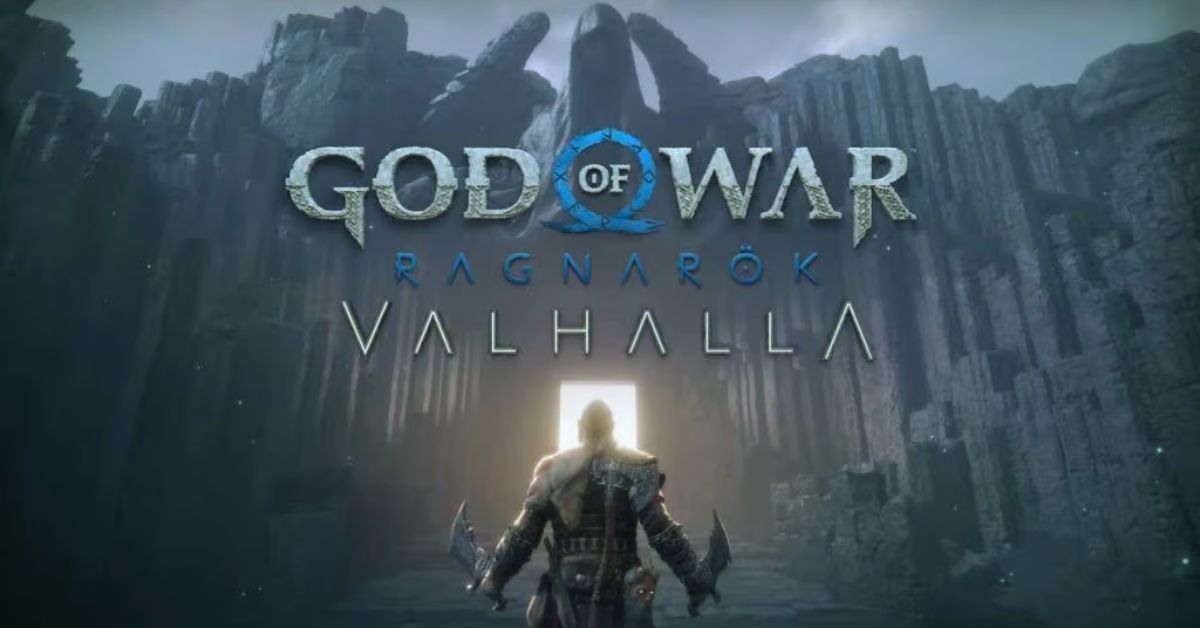
  • God of War Ragnarok Valhalla DLC: Beyond Ragnarok, Lies Another Trial

    God of War Ragnarok Valhalla DLC: Beyond Ragnarok, Lies Another Trial

    The free Valhalla DLC for God of War Ragnarok includes a new boss encounter against a story-important character who fans have been yearning to see since the original game’s release.

    Although most God of War fans expected an expansion or side story involving an older Atreus adventuring in another realm, we were all surprised to learn at The Game Awards that Ragnarok’s first piece of DLC is not only free but also focuses on Kratos as he attempts to make his way through Valhalla.

    God Of War Ragnarok Valhalla 05.03 Patch Notes
    God Of War Ragnarok Valhalla 05.03 Patch Notes

    Valhalla, it turns out, is much more than just a fascinating roguelite take on God of War’s gameplay; it also serves as a sort of epilogue to the main game, packed with plot content and surprises for players.

    One of those surprises is a final boss battle against a powerful character whom fans hoped to see in the main game but didn’t get. The following contains major spoilers for God of War Ragnarok’s Valhalla DLC.

    After Kratos first enters Valhalla, it is revealed that the one who invited him to take on the trials in the first place was none other than Tyr (the real version, not the one that Odin was masquerading as), the Norse God of War who played a significant role in Ragnarok’s story. That explains why his actor said we hadn’t seen the last of him.

    When Tyr first meets Kratos and Mimir, he tells them that he brought them to Valhalla because he understands his internal conflicts and wants them to confront them, which he will only be worthy of if he can defeat them in a friendly fight. As nice as two Gods shaking the Earth can be, at least.

    Fans have been anticipating a massive clash between the two Gods since 2018’s God of War, something that appeared to happen in Ragnarok but did not. Although this was disheartening for many fans, it makes sense for the tale given that we don’t truly get to see the real Tyr until the end of the game, and the one we spent the majority of our time with Ragnarok was Odin in disguise.

    We appreciate your interest in our website! Make Gameempress.com your go-to site for gaming information.

  • Shiny Poliwrath Pokemon Go: How To Catch, Evolve, And Use The Water-Fighting Pokemon?

    Shiny Poliwrath Pokemon Go: How To Catch, Evolve, And Use The Water-Fighting Pokemon?

    Shiny Poliwrath is a rare variant of Poliwrath, a Water-Fighting type Pokemon that evolves from Poliwhirl. Shiny Poliwrath has a green body instead of a blue one, and it can be obtained in Pokemon Go by catching a shiny Poliwag and evolving it into Poliwrath.

    Shiny Poliwrath is a powerful Pokemon that can be used for various purposes in Pokemon Go, such as raids, battles, and gyms.

    In this article, we will show you how to catch, evolve, and use shiny Poliwrath in Pokemon Go. We will also provide some tips and tricks on how to make the most of this rare and versatile Pokemon.

    How to Catch Shiny Poliwrath in Pokemon Go?

    To catch a shiny Poliwrath in Pokemon Go, you need to catch a shiny Poliwag first. Shiny Poliwag is a very rare Pokemon that can be encountered in the wild, in raids, in eggs, or research tasks. The chance of finding a shiny Poliwag is about 1 in 450, so you need to be very lucky and persistent to catch one.

    Shiny Poliwrath Pokemon Go
    Shiny Poliwrath Pokemon Go

    There are some ways to increase your chances of finding a shiny Poliwag, such as:

    • Using incense, lures, or mystery boxes to attract more Poliwag spawns.
    • Participating in events that feature Poliwag, such as Water Festival or Spotlight Hour.
    • Completing research tasks that reward Poliwag encounters, such as “Catch 5 Water-type Pokemon” or “Catch 10 Pokemon”.
    • Hatching 2 km or 5 km eggs that may contain Poliwag.
    • Raiding tier 1 or 3 Poliwag or Poliwhirl raids.

    Once you catch a shiny Poliwag, you need to evolve it into a shiny Poliwhirl by using 25 Poliwag candies. Then, you need to evolve it into a shiny Poliwrath by using 100 Poliwag candies.

    Alternatively, you can use a King’s Rock and 100 Poliwag candies to evolve it into a shiny Politoed, which is another evolution of Poliwhirl. However, this article will focus on shiny Poliwrath, as it is more relevant to the keyword.

    How to Evolve Shiny Poliwrath in Pokemon Go?

    To evolve a shiny Poliwrath in Pokemon Go, you need to have a shiny Poliwhirl and 100 Poliwag candies. You can get Poliwag candies by catching, hatching, transferring, or feeding Poliwag or its evolutions. You can also use rare candies or walk with Poliwag as your buddy to get more candies.

    To evolve shiny Poliwhirl into shiny Poliwrath, you need to follow these steps:

    • Tap on the Pokeball icon at the bottom of the screen to open the menu.
    • Tap on the Pokemon icon to open your Pokemon storage.
    • Tap on the shiny Poliwhirl that you want to evolve.
    • Tap on the Evolve button at the bottom of the screen.
    • Confirm your choice by tapping on Yes.

    You will see a short animation of your shiny Poliwhirl evolving into a shiny Poliwrath. You can then check the stats, moves, and appearance of your shiny Poliwrath.

    You might also be interested in the following game guide:

    How to Use Shiny Poliwrath in Pokemon Go?

    Shiny Poliwrath is a useful Pokemon that can be used for various purposes in Pokemon Go, such as raids, battles, and gyms. Shiny Poliwrath has a high attack, defence, and stamina, making it a durable and strong Pokemon.

    Shiny Poliwrath also has a unique Water-Fighting typing, giving it an advantage over many types of Pokemon, such as Fire, Rock, Steel, Ice, Normal, and Dark. However, shiny Poliwrath also has some weaknesses, such as Flying, Grass, Electric, Psychic, and Fairy.

    To use shiny Poliwrath effectively, you need to consider its stats, moves, and abilities. Here are some tips and tricks on how to use shiny Poliwrath in Pokemon Go:

    • Choose the best moveset for shiny Poliwrath. The best moveset for shiny Poliwrath is Bubble and Dynamic Punch. Bubble is a fast Water-type move that deals good damage and charges energy quickly. Dynamic Punch is a powerful Fighting-type move that deals massive damage and has a chance to confuse the opponent. This moveset gives shiny Poliwrath a good balance of offence and defence, as well as coverage against many types of Pokemon.
    • Use shiny Poliwrath for raids and battles. Shiny Poliwrath is a great Pokemon for raids and battles, as it can deal high damage and take hits well. Shiny Poliwrath can be used to counter many raid bosses and gym defenders, such as Tyranitar, Rhydon, Regirock, Registeel, Blissey, and Snorlax. Shiny Poliwrath can also be used for PvP battles, especially in the Great League and the Ultra League, where it can compete with many popular Pokemon, such as Azumarill, Skarmory, Giratina, and Swampert.
    • Use shiny Poliwrath for gyms. Shiny Poliwrath is a good Pokemon for gyms, as it can defend and attack well. Shiny Poliwrath can be placed in gyms to deter attackers, as it can resist many common attacks and deal high damage with Dynamic Punch. Shiny Poliwrath can also be used to attack gyms, as it can break through many defenders and deal super effective damage with Bubble and Dynamic Punch.

    We appreciate your interest in our website! Make Gameempress.com your go-to site for gaming information.

  • Vapid Aleutian GTA 5: How To Get, Customize, And Use The New SUV?

    Vapid Aleutian GTA 5: How To Get, Customize, And Use The New SUV?

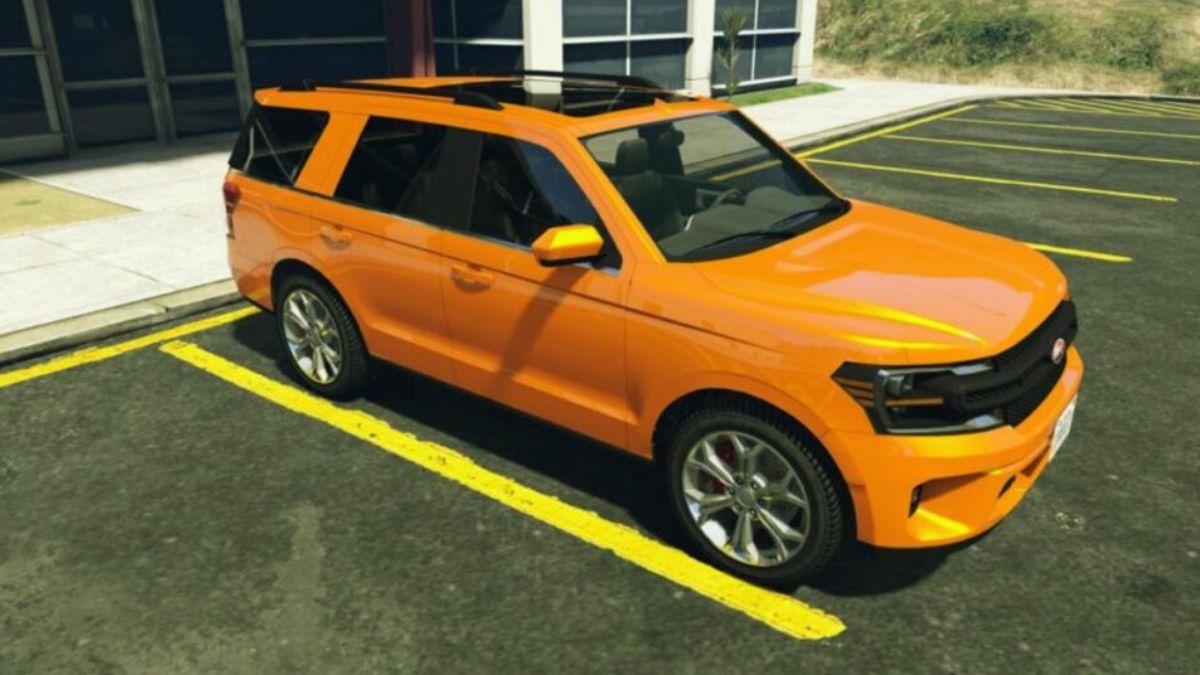
    Vapid Aleutian is a new SUV that was added to GTA 5 Online as part of the December 2023 update. The vehicle is based on the real-life Ford Expedition and features a sleek design, a spacious interior, and a powerful engine.

    The vehicle also comes with some unique features, such as armor plating, slick mines, a remote control unit, and a missile lock-on jammer, that can be upgraded at an Agency Workshop.

    In this article, we will show you how to get, customize, and use the Vapid Aleutian in GTA 5 Online. We will also provide some tips and tricks on how to make the most of this versatile vehicle.

    How to Get the Vapid Aleutian in GTA 5 Online?

    The Vapid Aleutian can be purchased in GTA 5 Online from Legendary Motorsport for a price of $1,835,000. The vehicle can be stored in any of your Properties/Garages as a Personal Vehicle. You can also request the delivery of the vehicle from the Mechanic.

    Vapid Aleutian GTA 5
    Vapid Aleutian GTA 5

    Alternatively, you can get the Vapid Aleutian for free by completing a special mission called “The Chop Shop”. This mission is available after you purchase an Agency from the Maze Bank Foreclosures website and hire Imani as your Agency Tech.

    The mission involves stealing the Vapid Aleutian from a rival agency and delivering it to your Agency Workshop. Once you complete the mission, you will unlock the Vapid Aleutian as a reward.

    How to Customize the Vapid Aleutian in GTA 5 Online?

    The Vapid Aleutian can be customized at any Los Santos Customs or your Agency Workshop. You can modify the vehicle’s appearance, performance, and features. Here are some of the customization options available for the Vapid Aleutian:

    • Appearance: You can change the vehicle’s colour, livery, wheels, windows, lights, hood, grille, bumpers, skirts, spoilers, roof, and exhaust. You can also add some cosmetic accessories, such as flags, antennas, and ornaments.
    • Performance: You can upgrade the vehicle’s engine, brakes, transmission, suspension, and turbo. You can also add some performance-enhancing features, such as bulletproof tires, armour, and explosives.
    • Features: You can add some unique features to the vehicle, such as armour plating, slick mines, a remote control unit, and a missile lock-on jammer. These features can be activated by pressing the right d-pad button on your controller. The armour plating increases the vehicle’s durability and reduces the damage from explosives. The slick mines drop oil slicks behind the vehicle that cause other vehicles to lose control. The remote control unit allows you to control the vehicle remotely from your phone or a nearby RC Bandito. The missile lock-on jammer prevents homing missiles from locking onto the vehicle.

    You might also be interested in the following gaming news:

    How to Use the Vapid Aleutian in GTA 5 Online?

    The Vapid Aleutian is a versatile vehicle that can be used for various purposes in GTA 5 Online. You can use it for missions, heists, races, free mode events, or just for cruising around the map. Here are some tips and tricks on how to use the Vapid Aleutian effectively:

    • Use the vehicle’s features wisely. The vehicle’s features can give you an edge in combat or help you escape from danger. However, they also have some drawbacks and limitations. The armour plating reduces the vehicle’s speed and handling. The slick mines have a limited supply and can also affect your allies. The remote control unit has a limited range and can be hacked by other players. The missile lock-on jammer does not work against some weapons, such as the Orbital Cannon or the Oppressor MK II.
    • Use the vehicle’s size and power to your advantage. The vehicle’s size and power can help you ram through obstacles, push other vehicles, and climb steep hills. However, they also make the vehicle more visible and vulnerable to attacks. You should avoid narrow streets, low bridges, and tight corners, as they can slow you down or damage your vehicle. You should also be careful of explosive barrels, gas stations, and mines, as they can cause massive damage to your vehicle.
    • Use the vehicle’s interior and trunk space to your benefit. The vehicle’s interior and trunk space can allow you to carry more passengers, weapons, and items. You can also use the vehicle’s interior to hide from enemies, snipe from a distance, or heal yourself. However, you should also be aware of the vehicle’s windows, doors, and sunroof, as they can expose you to enemy fire. You should also lock your vehicle when you leave it, as other players can steal your vehicle or your items.

    We appreciate your interest in our website! Make Gameempress.com your go-to site for gaming information.

  • Monster Hunter Wilds Release Date: When Can We Stalk The Frontier?

    Monster Hunter Wilds Release Date: When Can We Stalk The Frontier?

    A new hunt is approaching, so sharpen your blades, stock up on remedies, and have a big supper. Monster Hunter Wilds was revealed at The Game Awards 2023, and it appears to be the biggest and worst entry in the hunting genre to date. Since Monster Hunter World, the franchise has drawn fans from all around the world.

    Some were unhappy with the previous entry, Monster Hunter Rise because it was first released on Switch before being converted to PC, PlayStation, and Xbox consoles at a later date. Capcom doesn’t seem to be holding back this time, so let’s follow the trail and find out everything we can about Monster Hunter Wilds.

    Monster Hunter Wilds Release Date

    Monster Hunter fans have been waiting for word about the sixth generation of games in Capcom’s second-best-selling franchise for quite some time. Their prayers were answered at The Game Awards 2023 when the show’s closing surprise revealed Monster Hunter Wilds for the first time.

    While the Niantic-developed Monster Hunter Now may keep some players occupied until the arrival of Monster Hunter Wilds in 2025, Capcom isn’t putting all of its eggs in one basket. They’ve welcomed both new and experienced players to put their skills to the test in Monster Hunter World.

    The ReturntoWorld campaign has resulted in a significant increase in active Monster Hunter World gamers across multiple platforms. It has reached its biggest 24-hour peak since October 2020, according to SteamDB.

    Capcom’s ReturntoWorld campaign aims to prepare players for Monster Hunter Wilds. Monster Hunter World’s basic game and Iceborne DLC are now available for their lowest price ever, thanks to the company’s approval.

    In addition, they’ve been organizing community live streaming of the game to provide complete playing for individuals who are still on the fence. It appears to be working since Monster Hunter World recently reached a 24-hour peak of 97,006. This is the most players it has had in three years.

    Before Capcom launched their campaign, the Monster Hunter franchise’s die-hard audience had been pleading for seasoned gamers to return to Monster Hunter World. The developer’s official seal of approval has been a pleasant sight in the community.

    Veterans have gotten involved by welcoming new players and offering tips on how to overcome the game’s high barrier to entry. In addition, they’ve been jumping into hunts using Monster Hunter World’s SOS Flare system and assisting novices in the most difficult hunts.

    To avoid steamrolling monsters with their endgame gear, veteran players have created new characters in the spirit of the event. There has never been a better time to start watching the series.

    Monster Hunter World was the first title in the genre to get widespread acclaim, and players can find out why alongside a slew of other newcomers.

    Monster Hunter Wilds Platforms

    Monster Hunter Wilds, unlike Rise, will be released for PlayStation 5, Xbox Series X/S, and PC. Unfortunately, it appears that Switch owners will be excluded this time.

    Stay tuned with us here at Gameempress.com for more latest news and information.