Blog

  • COD MW3 Patch Notes 19 Dec: Festive Fixes, Festive Fun!

    COD MW3 Patch Notes 19 Dec: Festive Fixes, Festive Fun!

    Modern Warfare 3 is now the major focus for Call of Duty fans for the foreseeable future, and with the game now out, players are eager to get into this year’s content.

    All eyes are on the game right now because the brand-new CODMAS update has arrived, and there’s a ton for gamers to check out.

    The following are the patch notes for today, December 19, 2023.

    COD MW3 Patch Notes 19 Dec

    With Modern Warfare 3 being completely launched, gamers are familiarizing themselves with all of the weaponry, maps, and other features, and there is a new holiday event to explore.

    Players will be able to delve into the new CODMAS update, which brings some festive cheer to the game, as well as the patch notes provided by Activision.

    Seasonal Dishes! Santa Gnaws has arrived to torment everyone who dares to disobey him. To obtain prizes more amazing than a lump of coal, complete up to eight challenges in the Santa’s Slayground in-game event. Get equipment and cosmetics such as the “Christmas Skulls” Calling Card, the “Elfsecution” Finishing Move, and the Weapon Blueprint/Operator Skin as rewards.

    As you complete the tasks in Multiplayer, Zombies, and Call of Duty: Warzone, you’ll be able to play across new themed maps and modes.

    Zombies Mission

    Act 1

    Automated Backup

    • Mission progress will now also track regular turret circuits.

    Freezer Burn

    • Mission progress has been adjusted to now give credit to Cryo Freeze kills in addition to slowing enemies with Cryo Freeze.

    Fire Power

    • Mission progress will now also track kills for Pack-a-Punch levels II and III.

    Act 2

    More Firepower

    • Mission progress will now also track kills for Pack-a-Punch level III.

    Act 4

    Dead Signal

    • Adjusted the Gorm’gant boss fight difficulty in Dead Signal to scale better for solo players.

    Gameplay

    Dark Aether Rift

    • Contract Rewards have been tuned to provide better rewards.

    You might also be interested in the following game, patch notes: Ultrakill Patch Notes Dec 2023 and WoW 10.2 Patch Notes. We appreciate your interest in our website! Make Gameempress.com your go-to site for gaming information.

  • Dragon Ball Sparking Zero Release Date PS5 Confirmed? PS5’s Fiery Future Explodes!

    Dragon Ball Sparking Zero Release Date PS5 Confirmed? PS5’s Fiery Future Explodes!

    Finally, Dragon Ball lovers, the Tenkaichi series has returned. Bandai Namco today revealed Dragon Ball: Sparking Zero, with the 3D fighting franchise ready to make its triumphant return after a decade hiatus.

    While there are many other fighting games set in Akira Toriyama’s Dragon Ball universe, such as the great Dragon Ball FighterZ and Xenoverse titles, the Budokai Tenkaichi series is famous for its gigantic, destructible 3D battle arenas and a large roster of playable characters. Tenkaichi 4 was announced as Dragon Ball: Sparking Zero at the 2023 Game Awards.

    Tenkaichi 3 allows you to take over the roles of Arale, King Vegeta, and Tambourine. We’re expecting the upcoming installment will include its list of deep cuts from the anime’s enormous cast of characters. At the very least, we know it involves Dragon Ball Super.

    Continue reading to learn everything there is to know about the upcoming game, including the Dragon Ball: Sparking Zero release date, platform availability, and trailer.

    Dragon Ball Sparking Zero Release Date PS5

    There is no definite release date for Dragon Ball Z: Budokai Tenkaichi 4 or Dragon Ball: Sparking Zero at the moment. The game was only recently disclosed and is reported to be in the early phases of production, so we may have to wait a while before we can play it.

    Given that the original games were all released in October/November of 2005, 2006, and 2007, we can presumably expect the new Tenkaichi game to be released in 2024 around the same time. We’ll update this page with fresh release date information when it becomes available.

    Dragon Ball Sparking Zero Gameplay and Story

    At the time of writing, little is known about the new Budokai Tenkaichi. We only know that a new game in the cult classic series is now in production at Bandai Namco and that Goku, one of the most powerful anime characters, will be able to transform into his Super Saiyan form.

    This indicates that Dragon Ball Super will be incorporated into the Budokai Tenkaichi universe. In the upcoming Tenkaichi, we should see new playable characters, stages, and transformations from the franchise.

    One ambition for Tenkaichi 4 is that it maintains the series’ history of including more than 100 playable characters (more than 9,000 would be ideal but may not be realistic). You may fight with and against characters from the complete Dragon Ball franchise (original, Z, and GT) in Tenkaichi 3.

    The series is well-known for its deep cuts and exact recreations of obscure and well-known characters, as well as dazzling special techniques and the ability to shift on the fly. Fingers crossed that the new game has over 100 playable characters and includes some real unknowns.

    If you are interested in knowing more articles related to other games, you can check State Of Decay 3 Release Date and Once Human PS5 Release Date. We appreciate your interest in our website! Make Gameempress.com your go-to site for gaming information.

  • How to Get Free Fortnite Redeem Codes in December 2023?

    How to Get Free Fortnite Redeem Codes in December 2023?

    Prepare to step off the Battle Bus and enter a brand-new world of possibilities! With their new material, Epic Games is having a lot of success. To keep their player base engaged, they are now distributing Fortnite redeem codes on a regular basis. Even though these tickets don’t provide incentives to improve your gaming, who can say no to a gift?

    Look no further if you’re looking for a list of December 2023 Fortnite redeem codes! With the use of these codes, you may earn free rewards—such as V-Bucks, makeup, clothes, and other items—without having to spend any money! Every month, this post will be updated with new code drops and an updated list of expired codes.

    Latest Fortnite Redeem Codes

    This is a list of all the Fortnite codes that are presently live so you can use them to redeem freebies for your next game session. To get these exclusive incentives and free cosmetics, carefully enter these case-sensitive alpha-numerical codes. Additionally, they have a time limit, so use them right away to avoid their expiring!

    free fortnite redeem codes

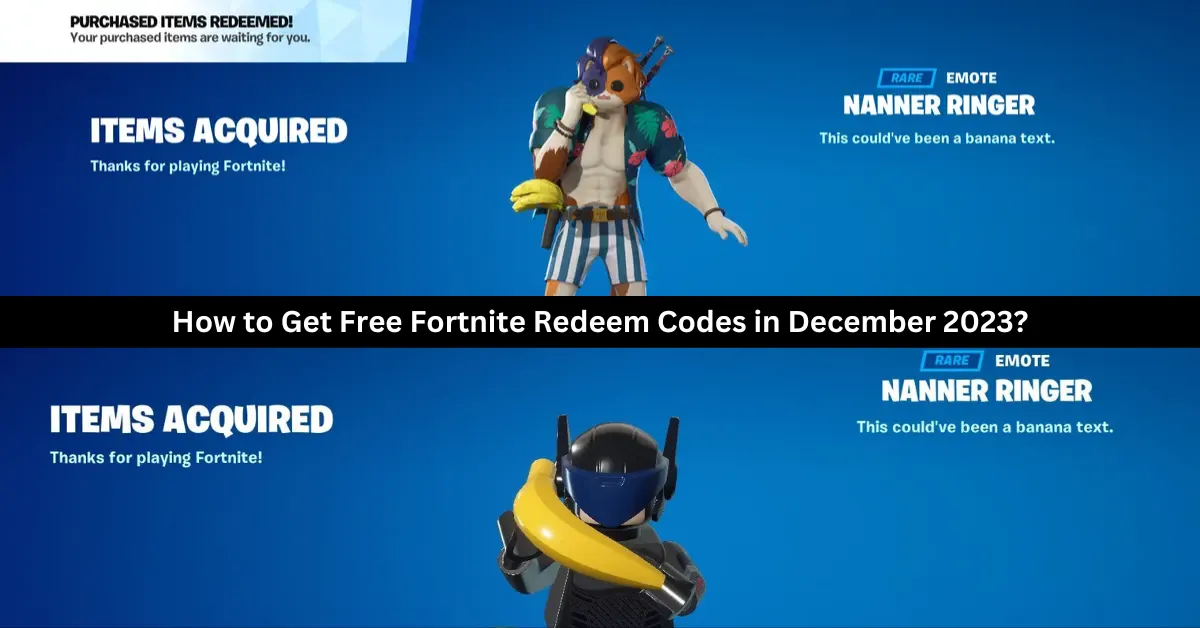
    Free “Nanner Ringer” Emote: Redeem code BANANNANANANA to get a goofy yellow banana character costume emote. This uncommon Outfit modification is only available for 25 million usage, so don’t wait to get it. It may be used in all Fortnite games.

    Chapter 4 Reward Codes: Every code opens a reward from Chapter 4 Legacy. Make sure you claim all six before they run out.

    • 9BS9-NSKB-JAT2-8WYA
    • LJG6-DGYB-RMTH-YMB5
    • D8PT-33YY-B3KP-HHBJ
    • 69JS-99GS-6344-STT8
    • WDCT-SD21-RKJ6-UACP
    • XTGL-9DKO-SD9D-CWML

    Recently Expired Fortnite Codes

    These are some recently expired, non-functional Fortnite codes. Try these codes once more if you have some free time to check whether you’re missing out on any freebies.

    • FAT6P-PPE2E-4WQKV-UXP95
    • 8Z35X-3ZWAB-BC57H-EQTQZ
    • SDKY-7LKM-UTGL-LHTU
    • SDKY-7LKM-ULMF-ZKOT
    • MK2T-UDBL-AKR9-XROM
    • MK2T-7LGP-UFA8-KXGU
    • NBP4S-SLUET-YWQHY-66C2Z
    • 3CT3L-5H6N6-2H35S-8TVX7
    • 3QVS2-A9R27-2QFGZ-PF7W7
    • 6AQFF-N3SMY-2E6XZ-ZD3A4
    • Z4A33-NLKR2-V9X34-G3682
    • P2XY4-QB7Z8-Y6GVZ-KZZBT
    • 7A8D4-XAVA4-GYL72-3Y2MK
    • Y2429-69CD3-WMYNS-Y64V2
    • PAX7N-79CGE-NMW6T-C9NZG
    • 7A8D4-XAVA4-GYL7Z-3Y2MK
    • FGNHR-LWLW5-698CN-DMZXL
    • 3QVS2-A9R27-2QFGZ-PF7W
    • YNQJ7-4EVUP-RJDMT-ENRK6
    • LPYDF-3C79V-TTFLG-YSBQP

    How to Redeem Fortnite Redeem Codes?

    In order to get your free makeup and other things, you must first understand how to redeem Fortnite tickets. To get started, follow the easy, step-by-step instructions below.

    • Go to the official Fortnite redemption page.
    • Enter the account from which you wish to receive rewards.
    • In the Access Code field, type the code.
    • Select “Activate.”

    A notification or message stating that the code was successfully redeemed ought to arrive. The next time you check in to play Fortnite on a PC, Xbox, PlayStation, or Nintendo Switch, your new content ought to be accessible.

    We have more Fortnite articles, so check out Ragsy Fortnite: How To Get And Use The Spooky Cuddle Team Leader Skin? and Solid Snake Fortnite Skin: The Ultimate Crossover For Metal Gear And Fortnite Fans! Stay up to date with GameEmpress for the most recent gaming news and guides.
  • Ultrakill Patch Notes Dec 2023: Discover The Game-Changing Enhancements!

    Ultrakill Patch Notes Dec 2023: Discover The Game-Changing Enhancements!

    ULTRAKILL is back in the spotlight, with new levels, modes, and flurry of changes that me to return to the violent FPS action.

    The most recent ULTRAKILL patch notes are available here, and they include all fixes, rebalancing modifications, and more!

    Ultrakill Patch Notes Dec 2023

    Additions

    • Added Layer 7: VIOLENCE
    • Added custom music support to Cyber Grind
    • Added autocomplete for the console
    • Added a hurt sound when being hurt by acid
    • Multiple buttons can now be bound to a single action
    • Added God mode cheat to make the player invulnerable
    • Added option to disable white screen flash when parrying
    • Added “Advanced Options” menu in General options for level-specific tweaks
    • Added “HEALTH – HATEFUL (Instrumental)” to the Cyber Grind jukebox

    Sandbox

    • Added a toggleable warning when overwriting a Sandbox save
    • Added a quicksave button for the Sandbox
    • Added ability to make enemies fight each other in the Sandbox
    • Altars can now be edited to remove items with the Alter arm
    • Added ability to sandify enemies with the Sandbox Alter arm
    • Added ability to enrage enemies with the Sandbox Alter arm
    • Added Crystal of Madness to the Spawner arm menu
    • Added invisible wall custom block to the Sandbox
    • Alter arm can now change the force of a slingshot hook point
    • Alter arm can now change the size of custom Sandbox objects after they’ve been created
    • Alter arm can now change a Dual Wield powerup’s duration

    General Changes

    • Punch and parry timing now has 3 frames of leniency (punching a few frames early will still count as a hit) [excluding projectile boosts]
    • Increased horizontal and vertical size of player’s projectile parry zone
    • Explosive projectiles and the Hideous Mass spear now have the same mercy frames after hitting a player as normal projectiles
    • Some charge an enemy projectile sprites have been updated to match the greater visual fidelity of the game
    • Alternate Sharpshooter Revolver now spins up almost instantly, making it perfect for players who only use the Sharpshooter situationally
    • Rockets that have been frozen for a second or longer will always cause red explosions when hitting an enemy
    • Dying Mindflayers can now be punched with the Knuckleblaster to launch them
    • Punching a Screwdriver screw out of an enemy will now also deal its remaining damage to them
    • Reworked the text system to fix fonts appearing blurry
    • Songs in the Cyber Grind playlist now only load whenever used instead of all at once on level load, causing the game to freeze
    • Seasonal events only apply in levels the player has already played at least once
    • Level leaderboards are now hidden on the first playthrough
    • Level leaderboards now include a notification about the option to disable them
    • All level leaderboards in the level select can switch between Any or P-Rank with the last used weapon button
    • Added ability to scroll level leaderboards
    • The radiance speed modifier no longer affects the projectile speed
    • Fixed Cyber Grind enemy point budget inconsistencies caused by start wave number
      Changed the radiant enemy spawning formula in the Cyber Grind, making them less common and more consistent
    • Updated visuals for explosions
    • Pre-boss terminals no longer play music to not ruin the build-up
      Changed the tab level stats overlay’s secrets from a number to icons
    • State of “Don’t touch X” challenges now resets on checkpoint reset if the player hasn’t failed yet
    • Boss health bars now have secondary meters for bosses who are supposed to have them
    • An enemy spawning inside a rocket now consistently causes red explosions Punch exhaustion gets reset on respawn
    • Converted .mp4 video files into .webm
    • Removed the scrollbar from the Prelude level and select
    • Players can now initiate a rocket ride with a whiplashed rocket even while moving upwards
    • Reduced the delay for a Swordsmachine’s sword returning after a throw that doesn’t hit anything
    • Player can now only be launched by one damage less explosion at a time
    • Diving (jump+slide at the same time) into a wall now allows the player to wall jump while keeping their momentum
    • Increased leniency for dive input
    • Replaced 2 Strays in 5-3 Rocket Launcher airborne shot tutorial with Schisms to better illustrate the damage difference
    • Streetcleaners now explode when Mauriced
    • Items held while in Clash mode are now visible in the player’s hand
    • Swordsmachine radiance health bonus reduces from 2x to 1.5x

    Fixes

    • Explosions no longer kill enemies through walls
    • Fixed the name on boss health bars sometimes stretching horizontally when there are many active at once
    • Fixed the spawn cost of enemies in the Cyber Grind not increasing per instance of the same enemy
    • Fixed sandbox blocks becoming invisible if stretched too far
    • Fixed some rumble setting names being partially cut off
    • Can no longer jump off rockets while the game is paused
    • Fixed S.R.S. Cannon weapon freshness not working correctly
    • Fixed some objects not being saved in Sandbox saves
    • Fixed a weapon wheel bug caused by unequipping the Nailgun
    • Swordsmachine Agony and Swordsmachine Tundra now appear in the correct order
    • Fixed 5-S Maurice bait not being held correctly
    • Crosshair HUD will now be disabled correctly if HUD Fade is enabled before attempting to set the thickness to none
    • Fixed strays in the first sunken arena of 5-3 being able to walk through some walls
    • Fixed a hole in the ceiling of the P-2 boss entrance
    • Fixed “Target Framerate” setting not applying on restart
    • Fixed the framerate being unlocked during the intro videos
    • Virtues no longer count towards the total Virtue count for halting the enrage of other Virtues
    • Fixed the Shotgun overkill damage applying to radiant virtues without accounting for the radiance health buff
    • Fixed the Shotgun weapon icon not having the correct amount of ambient glow
    • Fixed the floor lights in the last room of 0-2 not having a navmesh
    • Fixed Whiplash pull not cancelling properly on some big enemies
    • Fixed Cerberus being unable to walk towards the player if the player is too high up
    • Fixed Drones losing their sandification visual effect when shooting
    • Fixed Drone seasonal event texture bugs
    • Fixed Attractor Nailgun sometimes called Magnet Nailgun in the terminal
    • Fixed flickering shockwave effects in 2-4 arm encounter
    • Added a failsafe if the Flesh Panopticon death animation freezes
    • Fixed shotgun breaking when point-blank shooting Sisyphus Prime during his intro
    • Fixed Sisyphus Prime attack trails sometimes persisting after death
    • Fixed Sentry beams sometimes hitting the player even if chargeback
    • Fixed the Rocket Launcher not counting towards the amount of weapons equipped for freshness calculations
    • Drones no longer cause “+CANNONBALLED” style bonus when killing an enemy by crashing into them
    • Fixed a bug that caused Size 2 fish to be uncatchable

    You might also be interested in the following game, patch notes: Warcraft Rumble 3.0.0 Patch Notes and God Of War Ragnarok Valhalla 05.03 Patch Notes. We appreciate your interest in our website! Make Gameempress.com your go-to site for gaming information.

  • Xbox Crossplay Settings: How Do You Disable Crossplay?

    Xbox Crossplay Settings: How Do You Disable Crossplay?

    Many players these days take advantage of cross-play features in their preferred online games. Fall Guys and Call of Duty: Modern Warfare 2 are two excellent first-person shooters and party games that make good use of this functionality, which is standard on most modern platforms.

    However, what if you’d prefer not to engage in system-based competition with others? Owners of the Xbox One and Xbox Series X|S are in luck, as Microsoft has enabled the option to disable cross-play permanently.

    In this manner, you can save the trouble of having to adjust the feature for every game you play.  So, how exactly does one disable crossplay on an Xbox, and what exactly is crossplay? We’ll have to see.

    What is Crossplay Gaming?

    Regardless of platform or console, crossplay enables gamers from disparate gaming platforms to join each other’s games and play online. In general, cross-platform gaming enables more players to participate in online games. For gamers, this means speedier matchmaking and a less constrained online social experience.

    The majority of games that support cross-platform gameplay will use personal information, such as your email address, to track your success in-game. Crossplay-enabled games let you advance in a game through any supported platform by utilizing these details across platforms, similar to an individual account.

    Likewise, you are able to play versus players on different platforms universally. This generates a massive player base for games like Fortnite, which are accessible on almost every platform you can imagine. Crossplay gaming does have a lot of advantages, but it also has a lot of disadvantages, and often the benefits seem unneeded.

    When utilizing a controller versus PC players that use a mouse, you might even be at a direct disadvantage if you’re playing a first-person shooter on a console and you join PC players. In some cases, especially if you’re using a system like the Xbox One or Xbox Series X|S, you might want to disable cross-play gaming.

    How Do You Disable Crossplay on Xbox One and Xbox Series X|S?
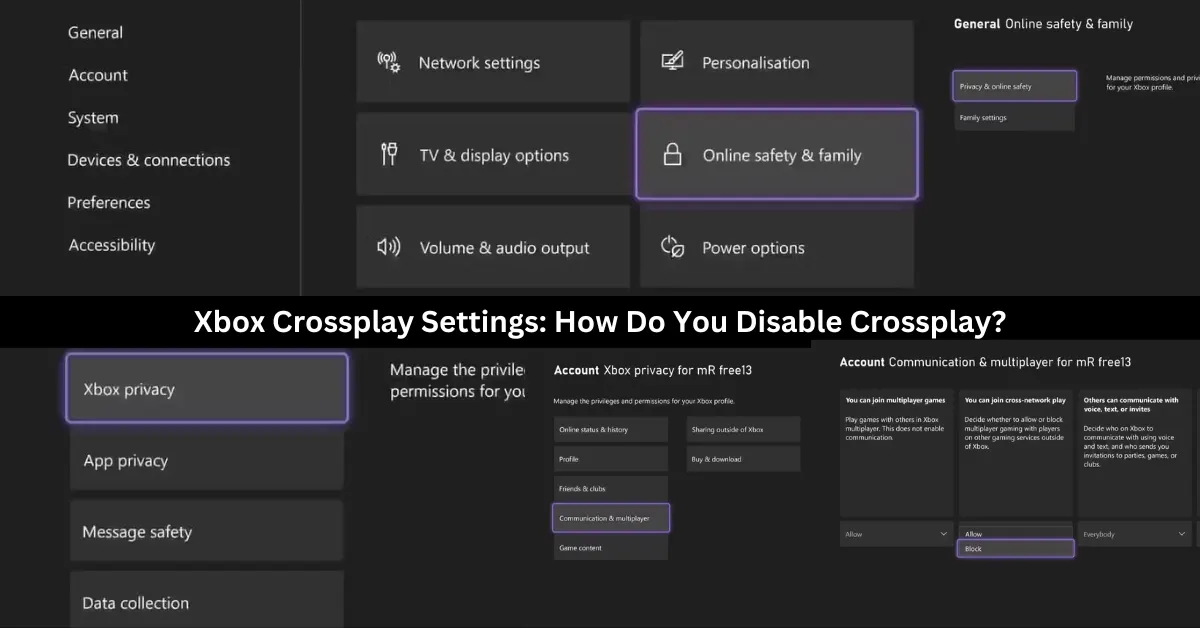
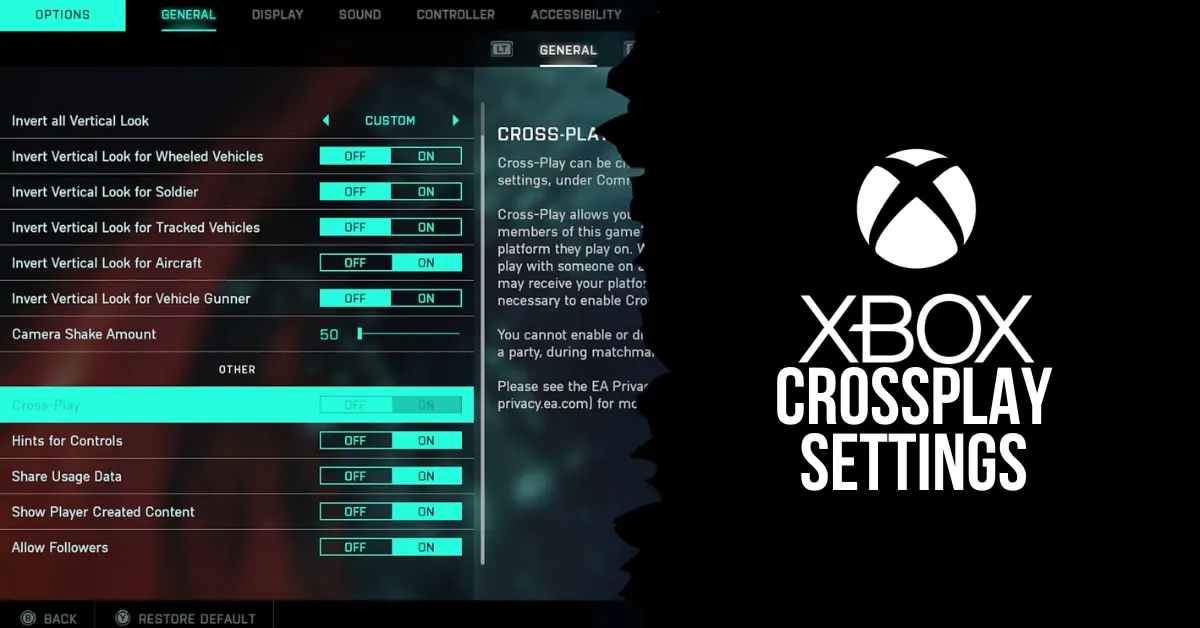
    xbox crossplay settings

    To avoid any issues when playing games on other platforms on your Xbox, you can stop crossplay globally by following these steps:

    1. To access the guidance menu, press the Xbox button on your controller.
    2. After you locate the Profile & System settings, navigate right and choose Settings.
    3. Choose Online Safety & family from the settings under the General tab.
    4. Choose Privacy & online safety from this menu.
    5. From the options that are provided, choose Xbox privacy.
    6. After your privacy settings appear, choose View details & adjust.
    7. Select Communication & Multiplayer to view your console’s online preferences.
    8. Change the Allow to Block selection under the You can join cross-network play setting.

    Any game that tries to pair you up with online players from other platforms won’t be able to as the preference for cross-network play has been restricted, and crossplay will be permanently turned off on your Xbox.

    You can choose to welcome or refuse players from other platforms on Xbox so that you can embrace cross-platform play without any issues. Your Xbox still offers a ton of tools for interacting socially online with other platforms, even if you decide not to play games with them. This is true even if you decide to disable crossplay and all of its social perks.

    What Are the Benefits and Drawbacks of Crossplay?

    Crossplay has both advantages and disadvantages, depending on your preferences and the type of game you are playing. Here are some of the benefits and drawbacks of crossplay:

    Benefits

    After discussing some of the disadvantages of cross-play gaming, let’s examine some of its advantages that enhance your gaming experience.

    Cross-Play Gaming Reduces Matchmaking Times: The ability to play on various platforms greatly increases the number of players that can be active at any given time. This implies that compared to searching without cross-play, the time it takes to find a game when playing online should be significantly less.

    When cross-play is enabled, you are essentially permitting the majority of a game’s player base to play alongside you. However, if it’s disabled, the pool of players who can be matched only consists of those who use the same gaming platform. As a result, if cross-play gaming is allowed, it should significantly reduce your online loading times.

    Cross-Play Gaming Breaks Down Social Barricades: The ability to extend your social gaming experience outside of your platform is the most apparent advantage that cross-play gaming will offer. You can play with pals regardless of any platform limitations that might otherwise apply thanks to cross-play.

    This broadens the pool of people you may play games with and lessens the financial burden associated with the social side of gaming. You can play with your pals by using cross-play features regardless of whether you buy a new platform or an entire console. The social aspect of cross-play is by far its greatest advantage; it fosters a sense of community and accessibility in gaming.

    Drawbacks

    There are a few disadvantages to cross-play gaming, and not all is as it seems when it comes to playing with other players online from different gaming platforms. Let’s examine this.

    Cross-Play Gaming Is Unbalanced by Nature: There are inevitable repercussions and disadvantages when matching gamers online from different gaming platforms. Most severely, if you play a game with players on both PCs and consoles, you can encounter biases that work against you on a console or in your favor on a PC.

    Comparing playing with a keyboard and mouse vs a controller, there are clear advantages. You can react more quickly with a mouse, especially when aiming, and you can customize gameplay mechanics using a keyboard to fit your preferred playing style. As I just said, a controller has slower analog sticks and binding possibilities, making it more constrictive.

    When both PC and console players participate in a cross-play match, PC players have a clear advantage over console players if they use a mouse and keyboard. Your game may be skewed for or against you if you play with people from PCs or consoles.

    This can make an online game completely unbalanced, a problem already made worse by battle pass systems, which change how you play games in the modern gaming world.

    Cross-Play Creates a More Competitive Online Environment: An additional concern regarding the gameplay aspect of cross-play features is the increasing focus on competition in games, irrespective of whether they are casual or ranked. Your online experience has to be skill-based to account for the skill-level or setup biases of platforms like PC due to problems with online balancing with cross-play titles.

    If you want to play a non-competitive game, such as Call of Duty: Modern Warfare II, cross-play will still place you with gamers who share your skill level. You always run the risk of having players with clear platform biases disrupt your online experience if a cross-play game doesn’t use skill-based matchmaking.

    Consequently, in order to enable cross-play, one must almost always be grouped according to skill when looking for an online game, which fosters competition. Turn off cross-play on your game or console if you’re seeking for an online game where you don’t have to play against other players.

    You might also like to know about if these other games are cross-platform or not: Is Monopoly Plus Cross Platform? and Is Granblue Fantasy Relink Crossplay? We appreciate your interest in our website! Make Gameempress your go-to site for gaming information.

  • Hogwarts Legacy Mods: How To Enhance And Customize The Harry Potter RPG?

    Hogwarts Legacy Mods: How To Enhance And Customize The Harry Potter RPG?

    Hogwarts Legacy is a role-playing game set in the Harry Potter universe, developed by Avalanche Software and Warner Bros. Games. The game will allow players to create their own witch or wizard character and explore the wizarding world in the late 1800s.

    The game will feature a vast open world, a branching story, a dynamic combat system, and a variety of magical creatures and spells. However, as with any game, some players may want to modify and improve the game with their ideas and preferences.

    That’s where mods come in. Mods are fan-made modifications that can change or add various aspects of the game, such as graphics, gameplay, content, and features. Mods can enhance the game experience and the immersion, and also fix some bugs and issues.

    How to Download and Install Mods for Hogwarts Legacy?

    Hogwarts Legacy Is Now Available On Nintendo Switch
    Hogwarts Legacy Is Now Available On Nintendo Switch

    To download and install mods for Hogwarts Legacy, you will need to follow these steps:

    • Make sure you have the original game installed on your PC. You can buy the game from Steam, Epic Games Store, or other platforms. The mods should work with any version of the game unless stated otherwise by the mod creators.
    • Download the mod. Make sure that the mod is compatible with your game version and any other mods that you have. The mod file size and format may vary depending on the mod, but usually, they are in zip or rar archives, or exe or dll files.
    • Extract the mod file from the archive, or run the exe file, and copy the mod files to the game folder. The game folder is usually located in the Program Files (x86)\\Steam\\steamapps\\common\\Hogwarts Legacy folder, or the Program Files\\Epic Games\\HogwartsLegacy folder, depending on the platform. You may need to overwrite some existing files or create some new folders, depending on the mod instructions.
    • Launch the game as usual, and enjoy the mod. You can check if the mod is working by looking for the mod changes or features in the game. You can also disable or uninstall the mod by deleting or renaming the mod files, or by using the mod manager tool.

    This is everything you need to know about Hogwarts Legacy Mods. Additionally, you can check our guide on GTA 4 Graphics Mod and Sims 4 Car Mod. Stay connected with GameEmpress.com to get the latest news and guides about the gaming world.

  • Dragon Ball Z Budokai Tenkaichi 4 Mod: How To Download And Play The Fan-Made Game?

    Dragon Ball Z Budokai Tenkaichi 4 Mod: How To Download And Play The Fan-Made Game?

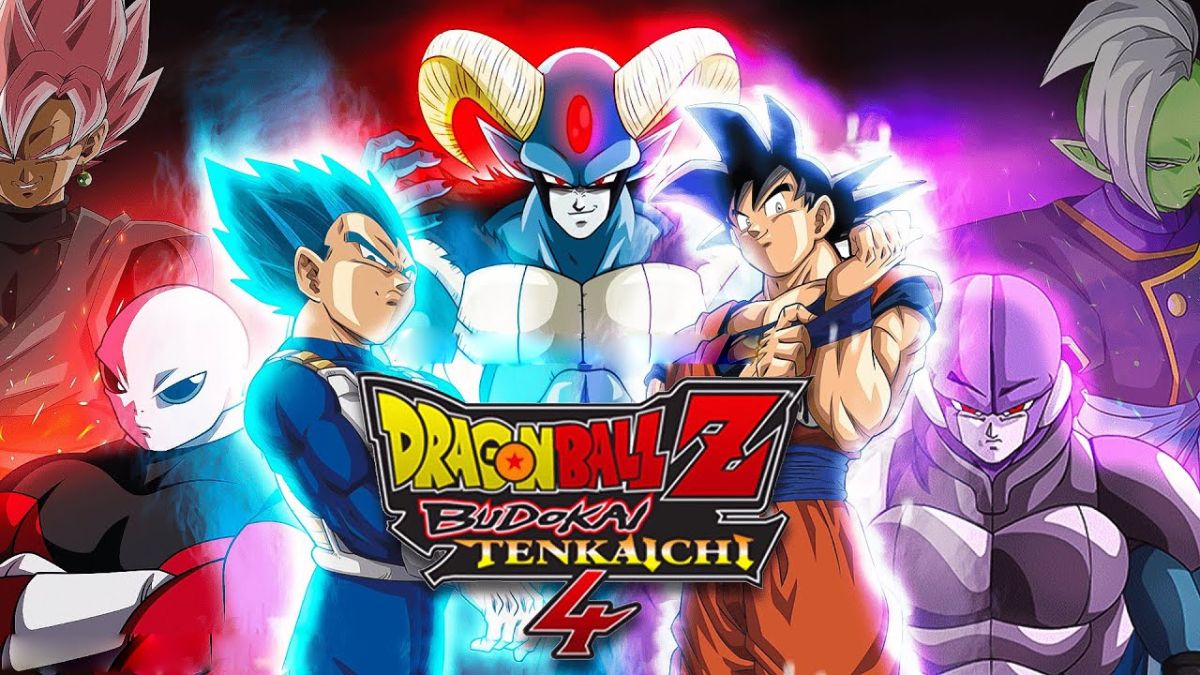
    Dragon Ball Z Budokai Tenkaichi 4 is a fan-made modification (mod) of the original Dragon Ball Z Budokai Tenkaichi 3 game, which was released in 2007 by Spike and Bandai Namco.

    The mod aims to update and improve the game with new content and features that have been introduced in the Dragon Ball franchise since then, such as new characters, stages, transformations, attacks, and modes. The mod is created and maintained by a team of fans called Team BT4, who have been working on it since 2014.

    The mod is available for PlayStation 2 and PC (via emulator), and has received positive feedback from the Dragon Ball community. In this article, we will show you how to download and play the Dragon Ball Z Budokai Tenkaichi 4 mod, and what are the benefits and drawbacks of using it.

    How to Download the Dragon Ball Z Budokai Tenkaichi 4 Mod?

    Dragon Ball Z Budokai Tenkaichi 4 Mod
    Dragon Ball Z Budokai Tenkaichi 4 Mod

    To download the Dragon Ball Z Budokai Tenkaichi 4 mod, you will need to follow these steps:

    • Make sure you have the original Dragon Ball Z Budokai Tenkaichi 3 game for PlayStation 2. You can buy the game from online stores, such as Amazon or eBay, or from local shops. You will also need a PlayStation 2 console or a PC with a compatible emulator, such as PCSX2.
    • Download the Dragon Ball Z Budokai Tenkaichi 4 mod from the official website of Team BT4. You can choose from different versions and languages of the mod, such as Spanish, English, or Portuguese. The mod file size is about 4 GB, and it is in ISO format.
    • Burn the mod file to a DVD or mount it to a virtual drive. You can use software, such as ImgBurn or Daemon Tools, to do this. You will need a DVD burner or a virtual drive program for this step.
    • Insert the DVD or the virtual drive into your PlayStation 2 console or your PC with the emulator. Launch the game as usual, and enjoy the Dragon Ball Z Budokai Tenkaichi 4 mod.

    This is everything you need to know about Dragon Ball Z Budokai Tenkaichi 4 Mod. Additionally, you can check our guide on GTA 4 Graphics Mod and Sims 4 Car Mod. Stay connected with GameEmpress.com to get the latest news and guides about the gaming world.

  • The Ascent PC Requirements: How To Play The Cyberpunk Action RPG On Your Computer?

    The Ascent PC Requirements: How To Play The Cyberpunk Action RPG On Your Computer?

    The Ascent is a cyberpunk action RPG that lets you play solo or co-op with up to three friends in a dystopian world where a mega-corporation has collapsed and chaos ensues. The game features stunning graphics, dynamic environments, and intense combat.

    The game is available on Xbox consoles and PC, but if you want to play it on your computer, you must ensure that your system meets the minimum or recommended specifications.

    In this article, we will tell you what the PC requirements for The Ascent are, how to check if your PC can run it, and where to download the latest drivers for your graphics card.

    The Ascent PC Requirements

    The PC requirements for The Ascent vary depending on the settings and resolution you want to play at. The game supports DirectX 12, which can improve the performance and compatibility of your hardware.

    The Ascent PC Requirements
    The Ascent PC Requirements

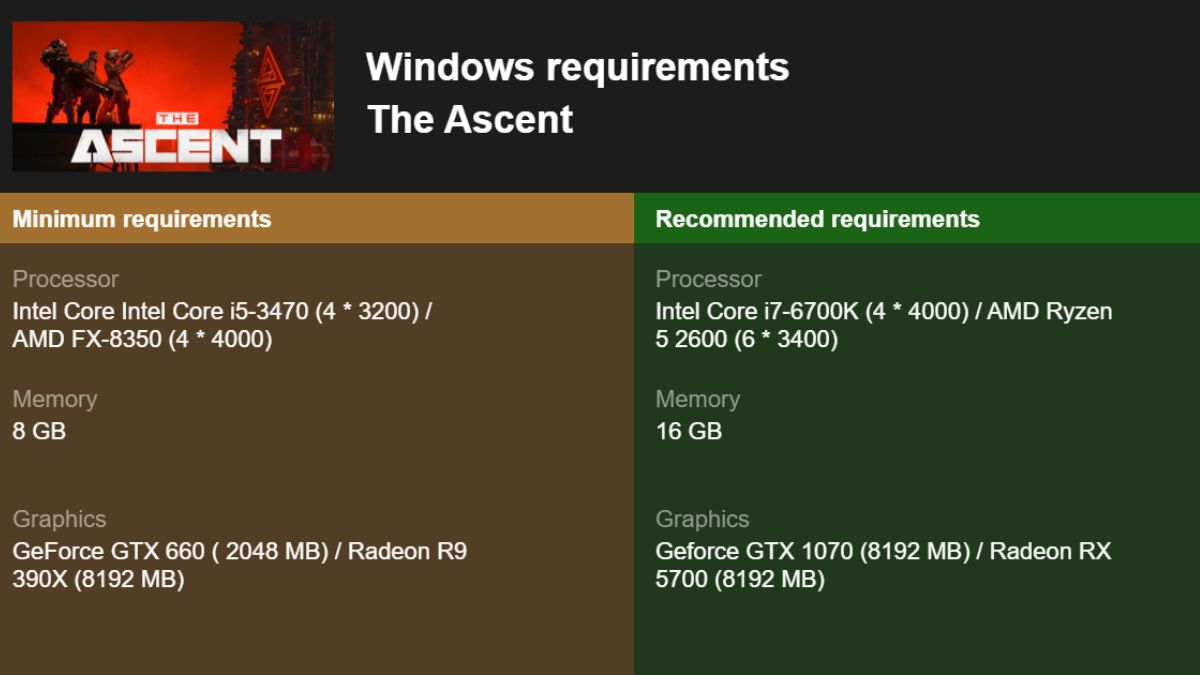
    The game also supports ray tracing, which can enhance the lighting and reflections, but it also requires a more powerful graphics card. Here are the official PC requirements for The Ascent, as listed by the developers:

    Minimum Requirements

    These are the minimum specifications required to play The Ascent on your PC:

    • OS: Windows 10 x64
    • CPU: Intel Core i5-3470 or AMD FX-8350 or better
    • RAM: 8 GB or more
    • GPU: Nvidia GeForce GTX 660 or AMD Radeon R9 280X or better
    • Storage: 35 GB
    • Video Memory: 2 GB
    • DirectX: 12

    With these specs, you should be able to play The Ascent at low settings and a decent frame rate, but you may experience some performance issues or graphical glitches.

    Recommended Requirements

    These are the recommended specifications for playing The Ascent on your PC:

    • OS: Windows 10 x64
    • CPU: Intel Core i5-7600K or AMD Ryzen 5 1600X or better
    • RAM: 16 GB or more
    • GPU: Nvidia GeForce GTX 1660 or AMD Radeon RX 580 or better
    • Storage: 35 GB
    • Video Memory: 6 GB
    • DirectX: 12

    With these specs, you should be able to play The Ascent at high settings and a smooth frame rate and enjoy the game’s full potential.

    Ray Tracing Requirements

    These are the additional specifications for playing The Ascent with ray tracing enabled on your PC:

    • OS: Windows 10 x64
    • CPU: Intel Core i7-9700K or AMD Ryzen 7 3700X or better
    • RAM: 16 GB or more
    • GPU: Nvidia GeForce RTX 2070 or AMD Radeon RX 5700 XT or better
    • Storage: 35 GB
    • Video Memory: 8 GB
    • DirectX: 12

    With these specs, you should be able to play The Ascent with ray tracing at medium settings and a stable frame rate and experience the game’s best graphics and lighting effects.

    How to Check if Your PC Can Run The Ascent?

    If you are not sure whether your PC meets the minimum or recommended specs for The Ascent, you can easily check it with the DirectX Diagnostic Tool, which shows you the details of your hardware and software. Here is how to use it:

    • Click the Windows button on your taskbar.
    • Type dxdiag and press Enter.
    • Once the DirectX Diagnostic Tool opens, go to the System tab for details on your processor, memory, and Windows version.
    • Go to the Display tab for details on your graphics hardware and video memory (VRAM).

    If any part of your PC does not match or exceed the specs for The Ascent, you may want to upgrade it or lower some settings in the game.

    Conclusion

    The Ascent is a highly acclaimed game that offers a thrilling and immersive experience for fans of cyberpunk and action RPGs. To play it on your PC, you must ensure that your system meets the minimum or recommended specifications, or even the ray tracing ones if you want to enjoy the game’s best features.

    You also need to check your PC’s compatibility with the DirectX Diagnostic Tool and download the latest drivers for your graphics card. If you follow these steps, you should be ready to explore the neon-lit streets and dark alleys of The Ascent.

    This is everything you need to know about The Ascent PC Requirements. Additionally, you can check our guide on The Elder Scrolls VI PC Requirements and Valorant PC Requirements. Stay connected with GameEmpress.com to get the latest news and guides about the gaming world.

  • Vampire The Masquerade Bloodlines Unofficial Patch: How To Install And Enjoy The Mod?

    Vampire The Masquerade Bloodlines Unofficial Patch: How To Install And Enjoy The Mod?

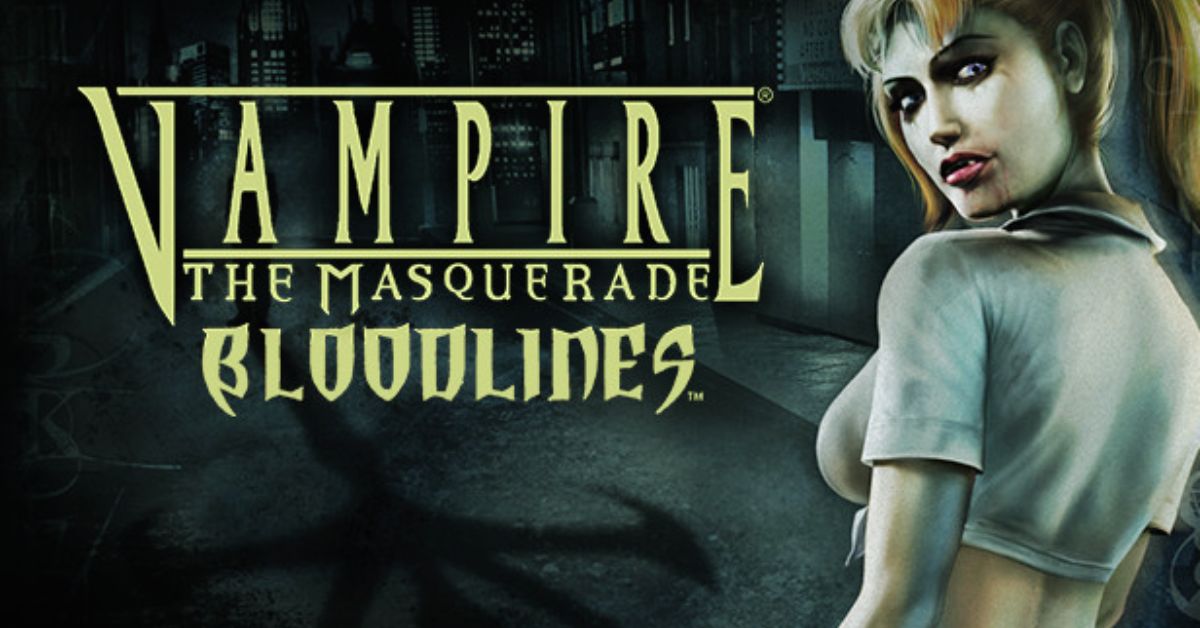
    Vampire: The Masquerade – Bloodlines is a cult classic role-playing game that was released in 2004 by Troika Games. The game is set in the World of Darkness, a dark and gritty universe where vampires, werewolves, and other supernatural beings exist.

    The game allows you to create your vampire character and choose from seven different clans, each with its abilities, weaknesses, and lore. The game also features a rich and immersive story, with multiple endings and choices that affect the outcome.

    However, the game was also plagued by bugs, glitches, and technical issues, as it was rushed to release and did not receive proper support from the publisher.

    The game was also incomplete, as it had a lot of cut content and features that were never implemented. Fortunately, there is a solution to these problems: the unofficial patch.

    The unofficial patch is a mod that fixes the bugs and errors of the game and also restores and adds the missing content and features. The unofficial patch is created and maintained by a fan named Wesp5, who has been working on it since 2004.

    The unofficial patch is a combination of the basic patch, which mostly fixes the bugs, and the plus patch, which also adds new content and features. The unofficial patch is updated regularly, and the latest version is 11.4, which was released in July 2021.

    In this article, we will show you how to download and install the unofficial patch, and what are the benefits and drawbacks of using it.

    How to Download and Install the Unofficial Patch?

    Vampire The Masquerade Bloodlines Unofficial Patch
    Vampire The Masquerade Bloodlines Unofficial Patch

    To download and install the unofficial patch, you will need to follow these steps:

    • Make sure you have the original game installed on your PC. You can buy the game from Steam, GOG, or other platforms. The unofficial patch works with any version of the game, including the retail and the digital versions.
    • Download the unofficial patch from ModDB, Nexus Mods, or other sources. The unofficial patch is a single file that contains both the basic and the plus patch. The file size is about 800 MB.
    • Extract the unofficial patch file from the zip or rar archive, and run the setup.exe file. Follow the instructions on the screen, and choose the installation folder of the game.
    • You can also choose whether you want to install the basic or the plus patch and whether you want to install the optional extras, such as player mods, developer tools, or music.
    • Launch the game as usual, and enjoy the unofficial patch. You can check the version of the patch in the main menu of the game, or in the readme file in the installation folder.

    What are the Benefits and Drawbacks of Using the Unofficial Patch?

    Using the unofficial patch has many benefits and drawbacks, such as:

    Benefits

    • You can fix the bugs and errors of the game, and improve the game performance and stability.
    • You can restore and add the missing content and features of the game, such as new quests, levels, weapons, items, characters, dialogue, graphics, models, sounds, and music.
    • You can enhance the gameplay experience and the variety, and discover new secrets and surprises.
    • You can customize the game to your preference, and use the optional extras, such as player mods, developer tools, or music.

    Drawbacks

    • You may encounter some compatibility and performance issues, and potentially cause new bugs, glitches, or errors.
    • You may have some update and patch delays, and potentially cause some content or feature discrepancies.
    • You may alter the game balance and difficulty, and affect the game design and vision.
    • You may lose the original and authentic feel of the game, and make the game too different or modern.

    You might also be interested in the following game, patch notes: Warcraft Rumble 3.0.0 Patch Notes and WoW 10.2 Patch Notes. We appreciate your interest in our website! Make Gameempress.com your go-to site for gaming information.

  • LEGO Fortnite Feature Guide: How To Play And Enjoy The New Mode?

    LEGO Fortnite Feature Guide: How To Play And Enjoy The New Mode?

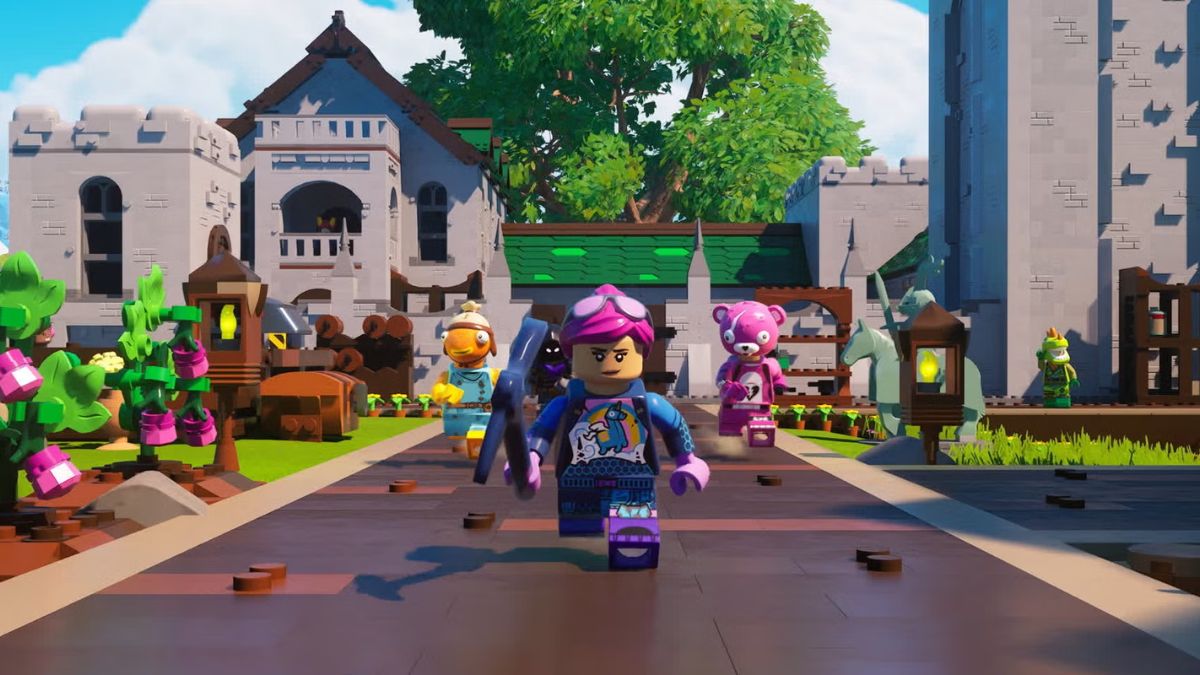
    LEGO Fortnite is a new mode that has been added to Fortnite, the popular battle royale game. LEGO Fortnite is a survival crafting game that lets you explore a LEGO-themed world, build villages, recruit NPCs, and discover secrets.

    LEGO Fortnite is a permanent mode that is free to play for all Fortnite players. In this article, we will provide a comprehensive guide on the features and tips of LEGO Fortnite, and how to get the most out of the new mode.

    How Do I Link My LEGO Account to My Epic Games Account?

    LEGO Fortnite Feature Guide
    LEGO Fortnite Feature Guide

    To play LEGO Fortnite, you will need to link your LEGO account to your Epic Games account. This will allow you to access your LEGO ID, which is a unique identifier that lets you share your creations and progress with other players. To link your LEGO account to your Epic Games account, you will need to follow these steps:

    • Launch Fortnite and select LEGO Fortnite from the game mode menu.
    • You will be prompted to create or log in to your LEGO account. If you already have a LEGO account, enter your email and password. If you don’t have a LEGO account, you can create one for free by entering your email, password, date of birth, and country.
    • Once you have logged in to your LEGO account, you will be asked to link it to your Epic Games account. Click on the Link button and confirm the action.
    • You will see a confirmation message that your LEGO account and your Epic Games account are linked. You can now play LEGO Fortnite with your LEGO ID.

    How to Get a Free Fortnite Outfit?

    As a bonus for playing LEGO Fortnite, you can get a free Fortnite outfit that is inspired by the LEGO theme. The outfit is called the Brickster, and it is a customizable skin that lets you change the colour and pattern of your bricks. To get the free Fortnite outfit, you will need to follow these steps:

    • Play LEGO Fortnite and complete the tutorial. You will learn the basics of the mode, such as how to craft, build, and explore.
    • After completing the tutorial, you will receive a reward chest that contains the Brickster outfit. You can open the chest and claim the outfit.
    • To equip the outfit, go to the Locker menu and select the Brickster from the Outfits tab. You can also customize the outfit by selecting the Edit Style option and choosing the colour and pattern of your bricks.

    LEGO Fortnite Settings for Pc, Ps5, Xbox, Switch

    LEGO Fortnite has some settings that you can adjust to optimize your gameplay experience and performance. You can access the settings menu by pressing the Esc key on PC, the Options button on PS5, the Menu button on Xbox, or the + button on Switch. The settings menu has four tabs: Game, Video, Audio, and Controls. Here are some of the settings that you can change:

    • Game: You can change the game mode, the difficulty, the language, the subtitles, the HUD, and the crossplay options.
    • Video: You can change the resolution, the frame rate, the brightness, the contrast, the shadows, the textures, and the anti-aliasing options.
    • Audio: You can change the master volume, the music volume, the sound effects volume, the voice chat volume, and the voice chat options.
    • Controls: You can change the controller layout, the sensitivity, the invert axis, the vibration, and the auto-run options.

    LEGO Fortnite Tips and Tricks

    LEGO Fortnite is a fun and creative mode that offers a lot of possibilities and challenges. Here are some tips and tricks that can help you play and enjoy the mode:

    • Explore the world and collect resources. You will need resources to craft tools, weapons, buildings, and more. You can find resources by harvesting plants, trees, rocks, and animals, or by looting chests and crates. You can also trade resources with NPCs or other players.
    • Build your village and recruit NPCs. You can build your village by placing foundations, walls, roofs, doors, windows, and decorations. You can also recruit NPCs to join your village by completing quests, giving gifts, or using persuasion. NPCs can help you with tasks, such as farming, mining, or defending.
    • Discover secrets and events. The world of LEGO Fortnite is full of secrets and events that can reward you with loot, XP, or fun. You can find secrets by exploring caves, ruins, or hidden areas, or by using tools, such as the Grappler or the Glider. You can also trigger events by interacting with objects, such as balloons, fireworks, or radios, or by meeting certain conditions, such as time of day, weather, or location.
    • Share your world with friends. You can share your world with friends by inviting them to join your session, or by publishing your world online. You can also join other players’ worlds by accepting their invitations, or by browsing the online worlds list. You can play cooperatively or competitively with other players, and chat with them using voice or text.

    You might also be interested in the following game, guide: Wow Classic Lockpicking Guides and Holotactics Guide. We appreciate your interest in our website! Make Gameempress.com your go-to site for gaming information.

  • Is Granblue Fantasy Versus Rising Crossplay? Your Burning Question Answered!

    Is Granblue Fantasy Versus Rising Crossplay? Your Burning Question Answered!

    Granblue Fantasy Versus Rising is the latest update for the anime fighting game developed by Arc System Works and Cygames. The update adds new characters, modes, features, and improvements to the game, which is based on the popular mobile RPG Granblue Fantasy.

    One of the most anticipated features of the update is the crossplay support, which allows players to play together across different platforms. In this article, we will explain what crossplay is, how to enable it, and what are the benefits and limitations of the feature.

    Is Granblue Fantasy Versus Rising Crossplay?

    Yes, Grandblue Fantasy Versus Rising is Crossplay. Crossplay is a feature that allows players to play Granblue Fantasy Versus Rising together regardless of the platform they are using. This means that players on PlayStation 4, PlayStation 5, and PC (Steam) can join the same online matches and lobbies, and enjoy the game’s multiplayer modes.

    Crossplay also enables cross-save, which means that players can use the same Granblue Fantasy Versus Rising account and access their progress, items, and customizations on any platform.

    How to Enable Crossplay in Granblue Fantasy Versus Rising?

    To enable crossplay in Granblue Fantasy Versus Rising, players need to have a Granblue Fantasy Versus Rising account and link it to their platform account. For example, if you play on PlayStation, you need to link your Granblue Fantasy Versus Rising account to your PlayStation Network account.

    You can do this by visiting the Account Linking page on the official Granblue Fantasy Versus Rising website and following the instructions.

    Once you have linked your accounts, you can enable cross-play in the game’s settings menu. You can toggle the “Crossplay” option on or off, depending on your preference. You can also choose to enable or disable crossplay chat, which allows you to communicate with other players on different platforms.

    When crossplay is enabled, you can join or invite other players to your online matches and lobbies, regardless of their platform. You can also use the public matchmaking feature to find other players to play with. You can identify the platform of other players by the icon next to their name. For example, a PlayStation player will have a PS logo, while a PC player will have a Steam logo.

    You might also like to know about if these other games are cross-platform or not:

    What are the Benefits and Limitations of Crossplay in Granblue Fantasy Versus Rising?

    Crossplay in Granblue Fantasy Versus Rising has many benefits and advantages, such as:

    • Expanding the player base and the community, and making it easier to find and play with other players.
    • Enhancing the gameplay experience and the variety, and allowing players to enjoy the game’s content and features on different devices.
    • Preserving the progress and the continuity, and allowing players to switch between platforms without losing their data or items.

    However, crossplay in Granblue Fantasy Versus Rising also has some limitations and challenges, such as:

    • Requiring a stable and fast internet connection, and potentially causing lag, latency, or disconnect issues.
    • Having some compatibility and performance differences, and potentially causing bugs, glitches, or errors.
    • Having some update and patch delays, and potentially causing some content or feature discrepancies.

    Therefore, players should use crossplay in Granblue Fantasy Versus Rising at their own discretion and responsibility, and be aware of the possible outcomes.

    They should also report any issues or feedback to the developers, and help improve the feature. Crossplay in Granblue Fantasy Versus Rising is a great addition to the game and a testament to the developers’ vision and commitment.

    We appreciate your interest in our website! Make Gameempress.com your go-to site for gaming information.

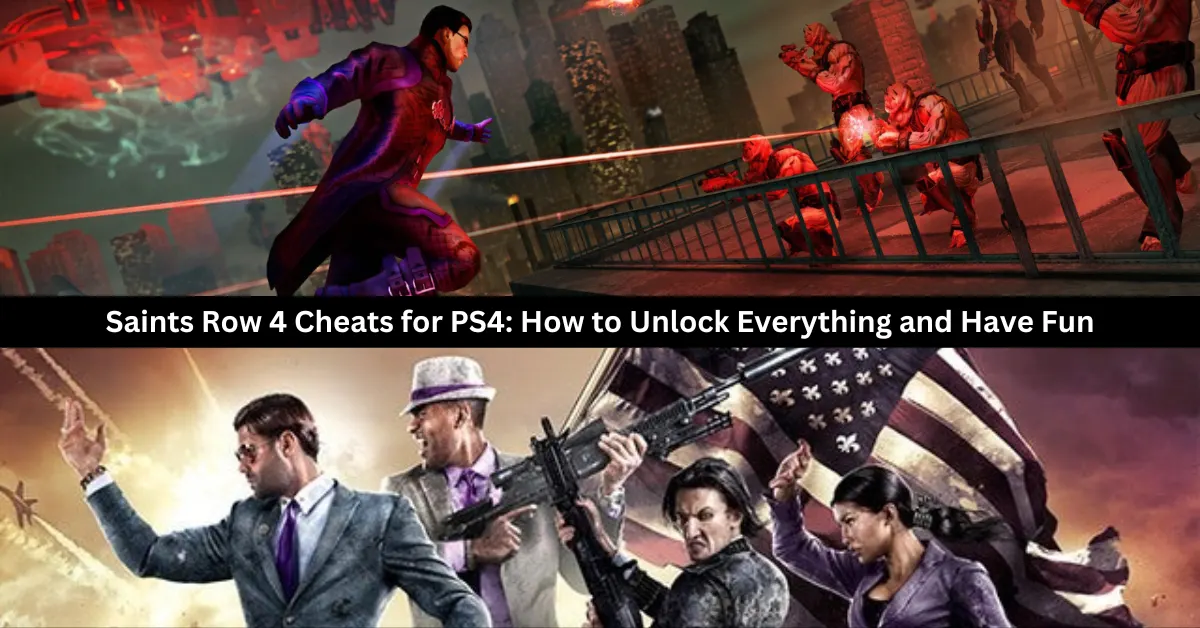
  • Saints Row 4 Cheats for PS4: How to Unlock Everything and Have Fun?

    Saints Row 4 Cheats for PS4: How to Unlock Everything and Have Fun?

    Players may obtain any vehicle or weapon they like and breeze through even the most challenging tasks with the help of Saints Row 4 cheats. Learn how to enter and activate cheat codes in Saints Row 4 with this comprehensive cheats list.

    Saints Row 4 Cheats List for PS4

    Here are some of the cheat codes you can use in Saints Row 4 for PS4:

    • Unlockitall – Unlocks everything, including weapons, vehicles, upgrades, and outfits.
    • Cheese – Gives you $100,000 cash.
    • Letsrock – Gives you a full load-out of randomized weapons.
    • Vroom – Makes your vehicles indestructible.
    • Repaircar – Repair your current vehicle.
    • Goodygoody – Removes your Notoriety, which is the level of attention you get from the enemies.
    • Runfast – Gives you unlimited sprinting ability.
    • Bigheadmode – Makes all the heads of the characters bigger.
    • Evilcars – Makes all the cars on the road target you and start attacking you.
    • Fastforward – Speeds up the progression of time.
    • Fryhole – Makes all the dead bodies lying around start to rise into the air.
    • Givehovertank – Spawns an alien hover tank for you to use.
    • Givetrouble – Spawns an XOR, which is an alien hoverbike.
    • Hohoho – Makes all the pedestrians either pimps or prostitutes.
    • Insanecity – Makes the pedestrians go crazy and attack each other.
    • Instantwarden – Generates instant Warden notoriety, which means a powerful alien boss will attack you.
    • Isquishyou – Makes your cars able to drive over other cars like tanks.
    • Mascot – Makes all the pedestrians turn into mascots.
    • Noglitchcity – Disables the glitch effects that happen when you hack the simulation.
    • Nosuperpowers – Disables all your superpowers.
    • Nowardens – Disables all Warden spawns, which means the alien bosses won’t attack you.
    • Superblast – Unlocks the Superblast power, which lets you shoot a powerful blast of energy.
    • Superbuff – Unlocks the Buff power, which makes you stronger and more resistant to damage.
    • Superdfa – Unlocks the Death from Above power, which lets you fly up and slam down on the ground, creating a shockwave.
    • Superstomp – Unlocks the Stomp power, which lets you stomp the ground and send enemies flying.
    • Supertk – Unlocks the Telekinesis power, which lets you lift and throw objects and enemies with your mind.
    • Ascii – Enables ASCII mode, where all the graphics are made of computer characters.

    How Do You Enter and Activate Saints Row 4 Cheats?

    saints row 4 cheats ps4

    Go to Hub, select the Cheats option, and add the cheat code you want to use in order to enter and activate Saints Row 4 cheat codes. Take these actions to activate the cheats:

    • Visit the Hub first.
    • Choose Extras from the menu.
    • Click the “Cheats” option.
    • Put in the cheat code that you want to use.
    • It will start working as soon as you go inside.

    Saints Row 4 is a game that lets you have fun and be creative with your gameplay. You can use cheat codes to unlock everything and change the game rules to your liking. Whether you want to have more money, more weapons, more powers, or more chaos, there is a cheat code for you. Just remember to save your game before using cheat codes, as they will disable your auto-saves and achievements.

    You might also be interested in the following game, Cheats: NBA Street Vol 2 Cheats and Pokemon Moon Black 2 Cheats. We appreciate your interest in our website! Make Gameempress your go-to site for gaming information.

  • Total War Warhammer 3 PC Requirements: How To Prepare Your Rig For The Ultimate Fantasy Strategy Game?

    Total War Warhammer 3 PC Requirements: How To Prepare Your Rig For The Ultimate Fantasy Strategy Game?

    Total War Warhammer 3 is the  finale of the epic fantasy strategy trilogy from Creative Assembly and Sega. The game will feature six new playable races, each with its own unique units, mechanics, and campaign.

    The game will also introduce the Realm of Chaos, a new map that will challenge players with dynamic and unpredictable events and battles. The game is expected to be released in February 2022 for Windows and Xbox consoles.

    But before you can dive into the world of Warhammer and lead your armies to glory or ruin, you will need to make sure that your PC can handle the game’s system requirements.

    The game will have high-quality graphics, animations, and sound effects, as well as large-scale and complex gameplay mechanics, which will require a lot of memory, processing power, and storage space. Here is everything you need to know about the Total War Warhammer 3 PC requirements.

    Total War Warhammer 3 PC Requirements

    Total War Warhammer 3 PC Requirements
    Total War Warhammer 3 PC Requirements

    Minimum PC Requirements

    The minimum PC requirements are the lowest specifications that your PC needs to run the game at the lowest settings and resolution.

    These requirements are usually meant for players who have older or less powerful PCs, and who are willing to sacrifice some visual quality and performance for the sake of playing the game. Based on the game’s official website, the minimum PC requirements for Total War Warhammer 3 are as follows:

    • OS: Windows 7 64-bit
    • Processor: Intel i3/Ryzen 3 series
    • Memory: 6 GB RAM
    • Graphics: Nvidia GTX 900/AMD RX 400 series | Intel Iris Xe Graphics
    • DirectX: Version 11
    • Storage: 120 GB available space
    • Additional Notes: 8GB Memory if using integrated GPU

    These requirements are slightly higher than the ones for Total War Warhammer 2, which was the previous game in the series, with improved graphics and features. However, since Total War Warhammer 3 will use the same engine and will have similar gameplay mechanics, we can expect that these requirements will be enough to run the game, but not very well.

    Recommended PC Requirements

    The recommended PC requirements are the optimal specifications that your PC needs to run the game at the highest settings and resolution.

    These requirements are usually meant for players who have newer or more powerful PCs, and who want to experience the game’s full potential and beauty. Based on the game’s official website, the recommended PC requirements for Total War Warhammer 3 are as follows:

    • OS: Windows 10 (64-bit)
    • Processor: Intel i5/Ryzen 5 series
    • Memory: 8 GB RAM
    • Graphics: Nvidia GeForce GTX 1660 Ti/AMD RX 5600-XT
    • DirectX: Version 12
    • Storage: 120 GB available space

    These requirements are similar to the ones for Starfield, which is the upcoming sci-fi RPG from the same developer and engine as Total War Warhammer 3.

    However, since Total War Warhammer 3 will likely have more features and content than Starfield, we can expect that these requirements will be ideal to run the game, and that the game will look and run amazing at these settings.

    Tips and Tricks for the Total War Warhammer 3 PC Requirements

    Here are some tips and tricks to help you prepare your PC for the Total War Warhammer 3 PC requirements:

    • Use a wired connection and a stable internet service to ensure a smooth and lag-free online experience. Avoid using Wi-Fi or mobile data, as they can cause latency and disconnections.
    • Use a headset and a microphone to communicate with your teammates and opponents. You can also use the in-game chat and emotes to send messages and express yourself.
    • Be respectful and friendly to other players, regardless of their platform or skill level. Don’t trash talk, rage quit, or cheat, as they can ruin the game for everyone.
    • Have fun and learn from your matches. Don’t be discouraged by losses or frustrated by wins. Instead, try to improve your skills and strategies, and enjoy the game.

    This is everything you need to know about Total War Warhammer 3 PC Requirements. Additionally, you can check our guide on The Elder Scrolls VI PC Requirements and Valorant PC Requirements. Stay connected with GameEmpress.com to get the latest news and guides about the gaming world.

  • The Elder Scrolls VI PC Requirements: What You Need To Play The Next Epic Fantasy RPG?

    The Elder Scrolls VI PC Requirements: What You Need To Play The Next Epic Fantasy RPG?

    The Elder Scrolls VI is the highly anticipated sequel to the acclaimed fantasy RPG series, The Elder Scrolls. The game is being developed by Bethesda Game Studios and published by Bethesda Softworks and will be the second game to use the studio’s new engine, Creation Engine 2, after Starfield.

    The game is expected to be released for Windows and Xbox consoles and will feature a vast and immersive open world, dynamic and nonlinear gameplay, and rich and diverse lore and cultures.

    However, to enjoy the game’s stunning graphics, smooth animations, and responsive controls, you will need a powerful PC that can meet the game’s system requirements.

    While the official system requirements have not been announced yet, we can make some educated guesses based on the game’s trailer, the developer’s statements, and the previous games in the series. Here is everything you need to know about The Elder Scrolls VI PC requirements.

    The Elder Scrolls VI PC Requirements

    The Elder Scrolls VI PC Requirements
    The Elder Scrolls VI PC Requirements

    Minimum PC Requirements

    The minimum PC requirements are the lowest specifications that your PC needs to run the game at the lowest settings and resolution. These requirements are usually meant for players who have older or less powerful PCs, and who are willing to sacrifice some visual quality and performance for the sake of playing the game.

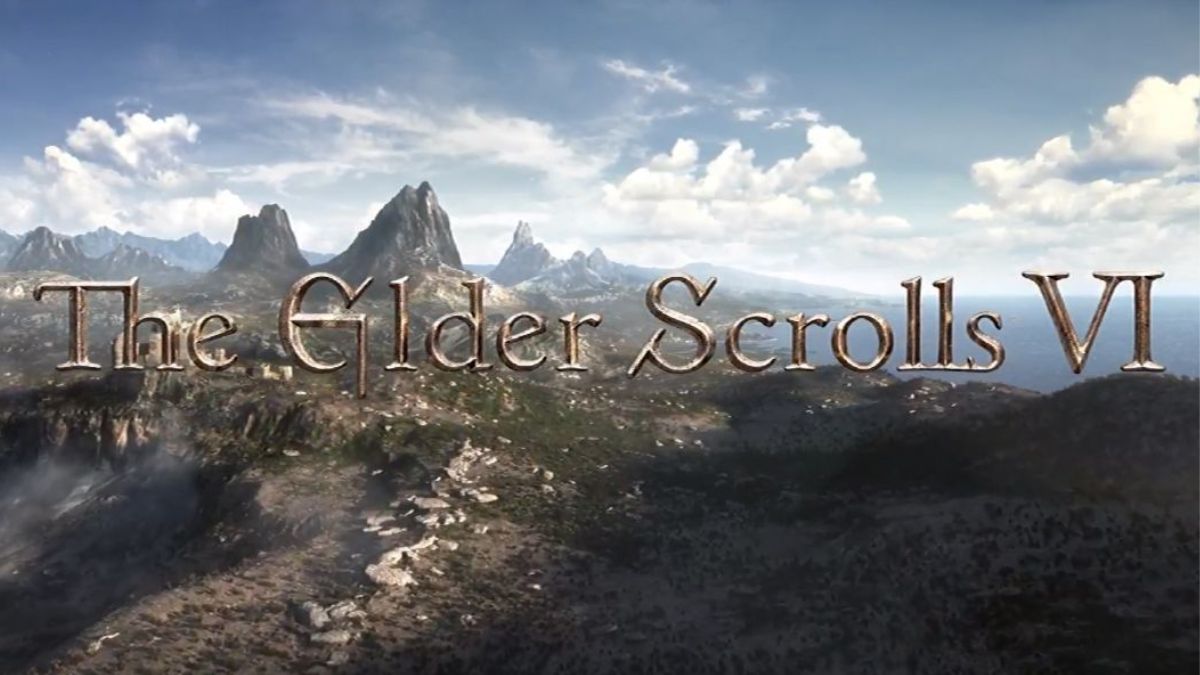
    Based on the game’s trailer, which showed a detailed and realistic landscape of mountains and forests, we can assume that the game will have high-quality textures, lighting, and shadows, which will require a lot of memory and processing power. Therefore, we can estimate the minimum PC requirements for The Elder Scrolls VI as follows:

    • CPU: Core i5-7500 / Ryzen 5 1400
    • RAM: 8 GB
    • OS: Windows 10 64-bit
    • GPU: GeForce GTX 970 / Radeon R7 265
    • VRAM: 4 GB
    • Pixel Shader: 5.1
    • Vertex Shader: 5.1

    These requirements are similar to the ones for The Elder Scrolls V: Skyrim Special Edition, which was a remastered version of the previous game in the series, with improved graphics and features.

    However, since The Elder Scrolls VI will use a new engine and will likely have more advanced and complex gameplay mechanics, we can expect that these requirements will be the bare minimum to run the game and that the game will not look or run very well at these settings.

    Recommended PC Requirements

    The recommended PC requirements are the optimal specifications that your PC needs to run the game at the highest settings and resolution. These requirements are usually meant for players who have newer or more powerful PCs, and who want to experience the game’s full potential and beauty.

    Based on the game’s trailer, which hinted at a large and diverse world with different regions, climates, and cultures, we can assume that the game will have a lot of variety and depth, which will require a lot of storage space and loading speed. Therefore, we can estimate the recommended PC requirements for The Elder Scrolls VI as follows:

    • CPU: Core i7-9700 / Ryzen 7 3700X
    • RAM: 16 GB
    • OS: Windows 10 64-bit
    • GPU: GeForce RTX 2070 / Radeon RX 5700 XT
    • VRAM: 8 GB
    • Pixel Shader: 6.0
    • Vertex Shader: 6.0

    These requirements are similar to the ones for Starfield, which is the upcoming sci-fi RPG from the same developer and engine as The Elder Scrolls VI. However, since The Elder Scrolls VI will likely have more features and content than Starfield, we can expect that these requirements will be the ideal ones to run the game and that the game will look and run amazingly at these settings.

    This is everything you need to know about The Elder Scrolls VI PC Requirements. Additionally, you can check our guide on Forza Horizon 5 PC Requirements and Marvel Spiderman Remastered PC Requirements. Stay connected with GameEmpress.com to get the latest news and guides about the gaming world.

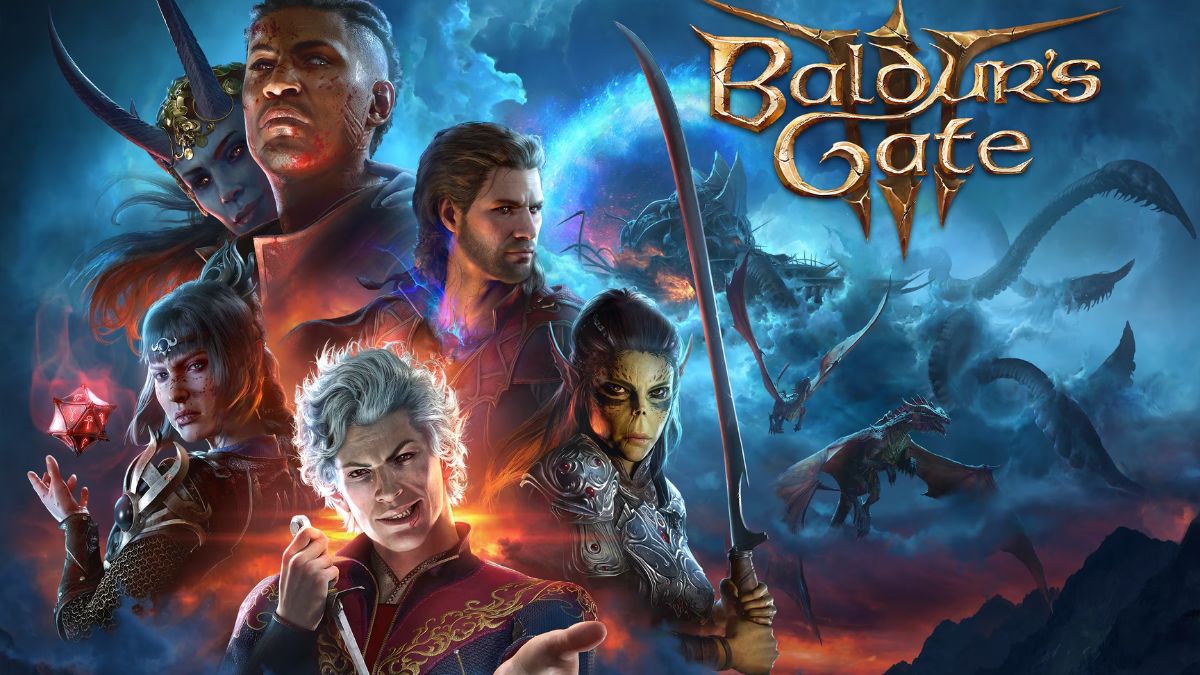
  • How To Recruit Minthara In Baldur’s Gate 3 Patch 5?

    How To Recruit Minthara In Baldur’s Gate 3 Patch 5?

    Minthara is a dark elf cleric and a potential companion in Baldur’s Gate 3, the role-playing game based on the Dungeons & Dragons universe. However, recruiting her is not easy, as she is aligned with the evil Cult of the Absolute and usually requires the player to betray the Tiefling refugees and the Druids in the first act of the game.

    This can result in losing other companions and missing out on some quests and rewards. However, with the latest Patch 5 update, there is a new way to recruit Minthara without going evil or killing innocents. In this article, we will show you how to do it, and what are the pros and cons of having Minthara at your party.

    The New Method to Recruit Minthara in Patch 5

    The new method to recruit Minthara in Patch 5 involves knocking her out in a non-lethal way in the Goblin Camp, where she can be found in the library of the castle ruins.

    Baldur’s Gate 3
    Baldur’s Gate 3

    This will prevent her from participating in the attack on Druid Grove, and allow her to reappear in the second act of the game, where she can be convinced to join the player’s party. Here are the steps to follow:

    • Make sure you have the non-lethal mode enabled in the character control panel. This will allow you to knock out enemies instead of killing them.
    • Enter the Goblin Camp without becoming hostile to the goblins. You can do this by pretending to be a member of the cult, or by wearing the goblin disguise that can be obtained from the goblin merchant in the Druid Grove.
    • Find Minthara in the library of the castle ruins. You can either talk to her and tell her to go to the Tiefling Camp, or simply attack her without talking. Either way, you will have to fight her and her guards.
    • Knock out Minthara with non-lethal attacks. You can use melee weapons, fists, or spells that deal non-lethal damage, such as Sleep or Hold Person. Do not use fire, acid, or poison attacks, as they can kill her after she is knocked out.
    • Leave Minthara unconscious on the ground. Do not loot her or interact with her in any way. You can also knock out the other two goblin leaders, Priestess Gut and Dror Ragzlin, in the same way, but this is optional.
    • Complete the first act of the game by saving the Druid Grove and the Tiefling refugees. You can do this by either killing the goblin leaders, or by convincing them to leave peacefully. You can also rescue Halsin, the druid leader, from the goblin camp, but this is optional.
    • Start the second act of the game by boarding the Nautiloid ship and traveling to the Underdark. You will find Minthara in the Moonrise Towers, where she is held captive by the Mind Flayers. You can free her and persuade her to join your party, or leave her to her fate.

    The Benefits and Drawbacks of Recruiting Minthara in Patch 5

    Recruiting Minthara in Patch 5 has some benefits and drawbacks, such as:

    Benefits:

    • You can have an extra companion and a cleric in your party, which can be useful for healing and support.
    • You can learn more about Minthara’s backstory, personality, and motivations, and influence her alignment and attitude.
    • You can romance Minthara, if you are into dark elves and evil cults.
    • You can access some unique quests, dialogues, and interactions with Minthara and other characters.

    Drawbacks:

    • You may have to deal with Minthara’s evil tendencies and opinions, which may clash with your own or other companions’.
    • You may have to face some consequences and reactions from other characters, who may not trust or like Minthara.
    • You may have to sacrifice some other companions or quests, as Minthara may not get along with them or approve of them.
    • You may have to deal with some bugs or glitches, as Minthara’s recruitment is still in beta and may not work as intended.

    You might also be interested in the following game, patch notes: WoW 10.2 Patch Notes and Pokemon Unite 1.13.1.2 Patch Notes. We appreciate your interest in our website! Make Gameempress.com your go-to site for gaming information.
  • WoW 10.2 Patch Notes: What’s New In The Guardians Of The Dream Update?

    WoW 10.2 Patch Notes: What’s New In The Guardians Of The Dream Update?

    WoW 10.2 is the latest content update for World of Warcraft: Dragonflight, the third expansion of the popular MMORPG. The update, which was released on November 7, 2023, introduces a new zone, a new raid, a new weapon, new events, and more. In this article, we will summarize the main features and changes of the WoW 10.2 patch notes, and what you can expect from the Guardians of the Dream update.

    WoW 10.2 Patch Notes

    WoW 10.2 Patch Notes
    WoW 10.2 Patch Notes

    New Zone: The Emerald Dream

    The Emerald Dream is a new zone that is accessible from the World Tree in the center of Azeroth. The zone is a seed of the World Tree that has been corrupted by Fyrakk, the Seer of the Flame, and his molten allies.

    The zone is divided into four regions: the Viridian Weave, the Molten Incursion, the Incarnates Wake, and the Fate of Amirdrassil. Each region has its own quests, enemies, and secrets to discover.

    The Emerald Dream also has a new faction, the Dream Wardens, who are the guardians of the zone and the World Tree. You can earn reputation with them by completing quests, events, and world quests in the zone. You can also buy various rewards from their quartermaster, such as mounts, pets, toys, and transmog items.

    New Raid: Amirdrassil, the Dream’s Hope

    Amirdrassil is a new raid that is located in the Fate of Amirdrassil region of the Emerald Dream. The raid has four wings and eight bosses, each with their mechanics and loot.

    The raid is available in four difficulties: LFR, Normal, Heroic, and Mythic. The raid also has a new legendary weapon, Fyr’alath, the Dream Render, which can be obtained by defeating Fyrakk on Mythic difficulty.

    The raid bosses are:

    • Gnarlroot: A corrupted treant that uses nature and fire attacks.
    • Igira the Cruel: A molten giant that uses physical and fire attacks.
    • Smolderon: A fire elemental that uses fire and explosive attacks.
    • Volcoross: A lava worm that uses fire and acid attacks.
    • Larodar, Keeper of the Flame: A dragonkin that uses fire and arcane attacks.
    • Council of Dreams: A trio of Dreamweaver that use nature and arcane attacks.
    • Nymue, Weaver of the Cycle: A dryad that uses nature and frost attacks.
    • Fyrakk, Seer of the Flame: A fire incarnate that uses fire and shadow attacks.

    New Public Events: Superbloom and Emerald Bounty

    Superbloom and Emerald Bounty are two new public events that occur randomly in the Emerald Dream. Superbloom is an event where you have to collect and plant seeds to grow flowers and trees in the zone.

    Emerald Bounty is an event where you have to hunt and loot rare and elite enemies in the zone. Both events reward you with gold, resources, reputation, and a chance to get mounts, pets, toys, and transmog items.

    New Class Tier Sets

    WoW 10.2 also introduces new class tier sets for all classes. The sets are themed around the Emerald Dream and the World Tree, and have different bonuses and effects depending on the class and the spec. The sets can be obtained by completing the raid, the PvP season, or the Mythic+ season. The sets are:

    • Druid: Dreamweaver’s Regalia
    • Hunter: Wildwood Tracker’s Garb
    • Mage: Arcanist’s Raiment
    • Monk: Mistweaver’s Vestments
    • Paladin: Lightbringer’s Armor
    • Priest: Vestments of the Dreamer
    • Rogue: Shadowflame’s Guise
    • Shaman: Stormcaller’s Regalia
    • Warlock: Doombringer’s Raiment
    • Warrior: Battleguard’s Plate

    Class Reworks: Rogue and Demon Hunter

    WoW 10.2 also reworks two classes: Rogue and Demon Hunter. The reworks aim to improve the gameplay, balance, and identity of the classes and their specs. The reworks include changes to the abilities, talents, and resources of the classes and their specs. Some of the main changes are:

    • Rogue: The Rogue class now has a new resource, Combo Points, which are generated by certain abilities and spent by others. The Rogue class also has a new ability, Stealth, which allows them to become invisible and gain access to other abilities. The Rogue specs are also changed: Assassination focuses on poison and bleed damage, Outlaw focuses on combat and utility, and Subtlety focuses on stealth and burst damage.
    • Demon Hunter: The Demon Hunter class now has a new resource, Fury, which is generated by certain abilities and spent by others. The Demon Hunter class also has a new ability, Metamorphosis, which allows them to transform into a powerful demon form and gain access to other abilities. The Demon Hunter specs are also changed: Havoc focuses on melee and chaos damage, and Vengeance focuses on tanking and fire damage.

    Mythic+ and PvP Season 3

    WoW 10.2 also starts the third season of Mythic+ and PvP. The season features new rewards, such as gear, mounts, pets, titles, and achievements. The season also features new affixes, such as:

    • Molten: Enemies periodically erupt, dealing fire damage to nearby players and enemies.
    • Dreambound: Players are periodically teleported to the Emerald Dream, where they have to complete a challenge or face a penalty.
    • Incarnate: Enemies have a chance to spawn an incarnate of their element, which has powerful abilities and grants a buff to nearby enemies.

    Dragonriding: New Mount, Glyphs, Races, Customizations

    WoW 10.2 also adds new features and options for dragonriding, the new gameplay system that was introduced in the Dragonflight expansion. The features and options include:

    • New Mount: The Emerald Drake, a green dragon that can fly and breathe fire. The mount can be obtained by completing the raid, the PvP season, or the Mythic+ season.
    • New Glyphs: Glyphs that can change the appearance and abilities of your dragon mount, such as Glyph of the Firestorm, Glyph of the Dreamwalker, and Glyph of the Molten Core.
    • New Races: Races that can ride dragons, such as the Dragonkin, the Dragonsworn, and the Dragonborn.
    • New Customizations: Customizations that can change the appearance of your dragon mount, such as scales, horns, wings, and eyes.

    Character Customizations: Blood Elf, Druid Forms

    WoW 10.2 also adds new character customizations for two races and one class. The customizations include:

    • Blood Elf: New skin tones, eye colors, hair colors, hair styles, and facial features for the Blood Elf race.
    • Druid Forms: New forms, colors, and effects for the Druid class, such as the Emerald Bear, the Molten Cat, the Stormcrow, and the Firestalker.

    You might also be interested in the following game, patch notes: Warcraft Rumble 3.0.0 Patch Notes and WoW SoD Patch Notes Dec 19. We appreciate your interest in our website! Make Gameempress.com your go-to site for gaming information.