Blog

  • Unlock The Gold Rush: How To Get Gimmighoul In Pokemon Go!

    Unlock The Gold Rush: How To Get Gimmighoul In Pokemon Go!

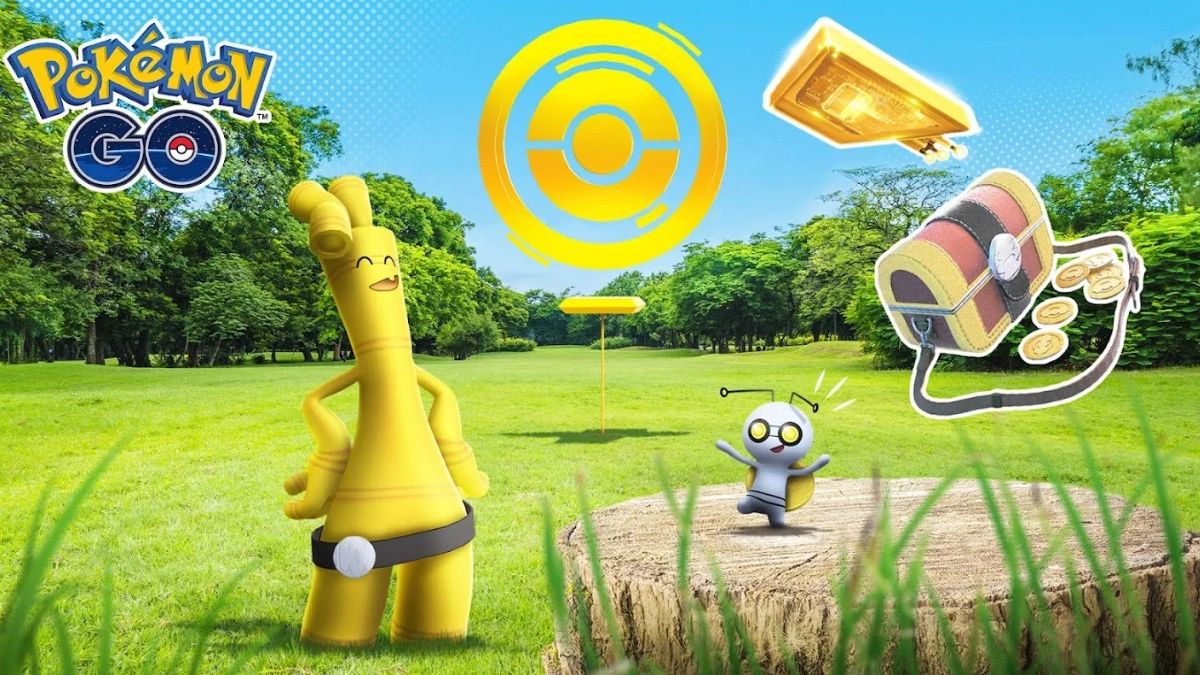
    Gimmighoul is a new Pokemon that was introduced in Pokemon Go as part of a crossover event with Pokemon Scarlet and Pokemon Violet, two games for the Nintendo Switch.

    Gimmighoul is a Ghost and Steel-type Pokemon that has a unique Roaming Form, which can evolve into Gholdengo with enough Gimmighoul Coins. But how can you get Gimmighoul in Pokemon Go? In this article, we will explain the steps and requirements to catch and evolve this elusive Pokemon.

    How to Get Gimmighoul in Pokemon Go?
    How To Get Gimmighoul In Pokemon Go
    How To Get Gimmighoul In Pokemon Go

    Connect Pokemon Go to Pokemon Scarlet and Violet

    The first step to getting Gimmighoul in Pokemon Go is to connect your Pokemon Go account to your Pokemon Scarlet or Pokemon Violet game on your Nintendo Switch. This will allow you to send and receive Postcards between the games, which are essential for encountering Gimmighoul. To connect your games, you need to follow these steps:

    • Open Pokemon Go and Pokemon Scarlet or Pokemon Violet on your devices.
    • In Pokemon Scarlet or Pokemon Violet, go to the PokePortal and select Mystery Gift, then select Pokemon Go.
    • In Pokemon Go, go to Settings and select Nintendo Switch, then select Connect to Nintendo Switch.
    • The two devices will search and find each other, and you will see a confirmation message on both screens.

    Send Postcards to Pokemon Scarlet and Violet

    Once your games are connected, you can start sending Postcards from Pokemon Go to Pokemon Scarlet or Pokemon Violet. Postcards are images of the locations that you visit in Pokemon Go, and they have different effects on both games. To send a Postcard, you need to follow these steps:

    • In Pokemon Go, go to Items and select Postcard Book, then select a Postcard that you want to send.
    • You will see a preview of the Postcard, and you can add a message or a sticker if you want.
    • Tap Send to Nintendo Switch, and the Postcard will be sent to your Pokemon Scarlet or Pokemon Violet game.

    Use the Coin Bag to Encounter Gimmighoul

    By sending a Postcard to Pokemon Scarlet or Pokemon Violet, you will unlock the Coin Bag feature in Pokemon Go. The Coin Bag is a special item that can lure Gimmighoul to appear near you for a limited time. Gimmighoul is attracted by the treasure chest-like appearance and the sound of coins jingling inside the Coin Bag. To use the Coin Bag, you need to follow these steps:

    • In Pokemon Go, go to Items and select Coin Bag, then tap Use.
    • You will see a notification that Gimmighoul is nearby, and you will hear a coin sound.
    • Look around your map and find Gimmighoul, which will have a yellow aura around it.
    • Tap on Gimmighoul to start the encounter, and try to catch it with a Poke Ball.

    Collect Gimmighoul Coins to Evolve Gimmighoul

    To evolve Gimmighoul into Gholdengo, you will need 999 Gimmighoul Coins. Gimmighoul Coins are special items that you can collect by catching Gimmighoul, transferring Gimmighoul, or spinning Golden PokeStops.

    Golden PokeStops are special PokeStops that you can create by using Golden Lure Modules, which you can obtain by sending multiple Postcards to Pokemon Scarlet or Pokemon Violet. To evolve Gimmighoul, you need to follow these steps:

    • In Pokemon Go, go to Pokemon and select Gimmighoul, then tap Evolve.
    • You will see a confirmation message that shows how many Gimmighoul Coins you have and how many you need to evolve Gimmighoul.
    • If you have enough Gimmighoul Coins, tap Yes to evolve Gimmighoul into Gholdengo.
    • If you don’t have enough Gimmighoul Coins, tap No to cancel the evolution, and try to collect more Gimmighoul Coins.

    You might also be interested in the following game guide:

    Conclusion

    Gimmighoul is a rare and exclusive Pokemon that you can get in Pokemon Go by connecting your game to Pokemon Scarlet or Pokemon Violet on your Nintendo Switch.

    By sending Postcards, you can unlock the Coin Bag and the Golden Lure Module, which can help you encounter and catch Gimmighoul. By collecting Gimmighoul Coins, you can evolve Gimmighoul into Gholdengo.

    We appreciate your interest in our website! Make Gameempress.com your go-to site for gaming information.

  • Diablo 4 Waypoint Map: How To Find And Use The Fast Travel System?

    Diablo 4 Waypoint Map: How To Find And Use The Fast Travel System?

    Diablo 4 is a highly anticipated action role-playing game that will take players to the dark and dangerous world of Sanctuary, where they will face hordes of demons, undead, and other horrors. The game will feature a vast and open world, where players can explore various regions, dungeons, and secrets.

    However, travelling across the world can be time-consuming and risky, especially when enemies and events are constantly spawning and changing. That’s why the game will also feature a waypoint map, which is a fast travel system that will allow players to teleport between major locations in the game.

    In this article, we’ll explain how to find and use the waypoint map, and what are the benefits and limitations of the system.

    Diablo 4 Waypoint Map

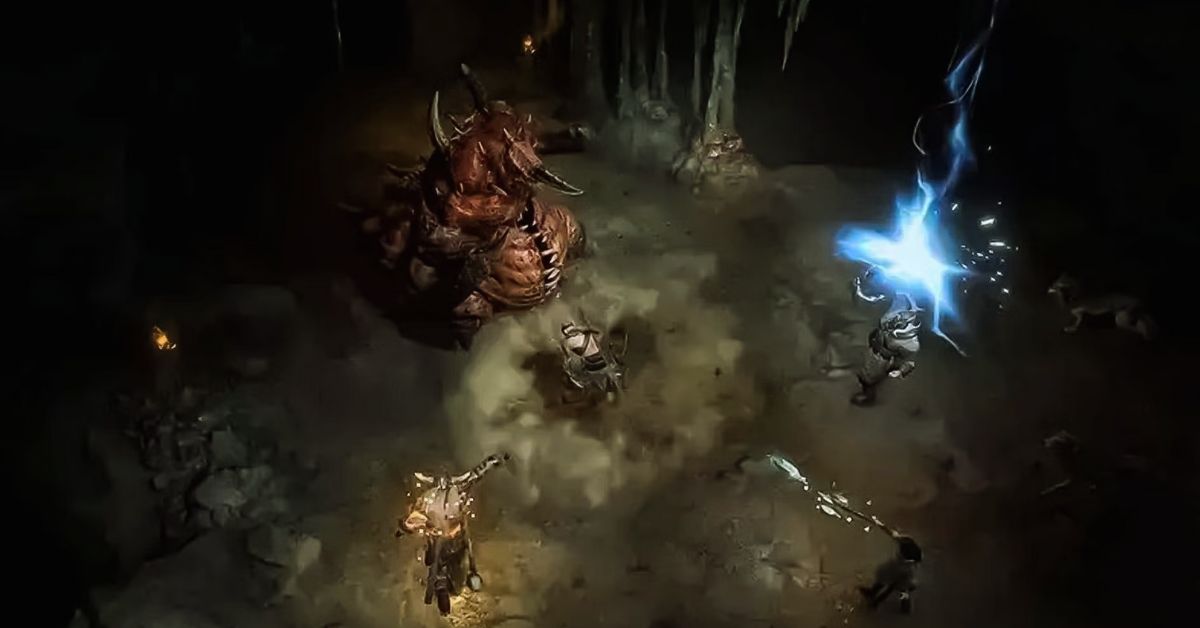
    The waypoint map is a feature that will enable players to travel instantly between waypoints, which are portals that appear on the map at fixed locations in towns and major locations. These waypoints, once activated, will be marked on the map and the compass, and they can be tracked and viewed in the menu.

    Diablo 4 Season 2 Boss Loot Table
    Diablo 4 Season 2 Boss Loot Table

    The waypoints are not linear, and they can be accessed in any order, as long as the previous waypoints are activated. The waypoints are also not missable, and they can be revisited at any time, even after finishing the main story.

    To access the waypoint map, players will need to press a button on their keyboard or controller, which will open the map screen. From there, players can select a waypoint that they have already activated, and confirm their choice.

    The game will then load the destination, and the players will appear near the waypoint. The process will take a few seconds, depending on the distance and the region. The game will also save the progress and the position of the players before and after the teleportation.

    What Are the Benefits and Limitations of the Waypoint Map?

    The waypoint map is a useful and convenient feature that will offer several benefits and advantages for the players, such as:

    • Saving Time and Effort: The waypoint map will save players a lot of time and effort, as they have to travel long distances by foot or by mount, which can be tedious and exhausting. The waypoint map will also allow players to skip some areas and enemies that they have already cleared or that they are not interested in, and focus on the ones that they want to explore or challenge.
    • Exploring and Discovering: The waypoint map will also encourage players to explore and discover the world, as they will be able to access different regions and locations easily and quickly. The waypoint map will also help players to find and collect various items, secrets, and events that are scattered and hidden in the world, and that may require some backtracking and revisiting.
    • Completing and Progressing: The waypoint map will also assist players to complete and progress the game, as they will be able to follow and finish the main story and the side quests more efficiently and effectively. The waypoint map will also enable players to participate and join various activities and features that are available in the game, such as world bosses, legion events, PvP, and co-op. will not

    However, the waypoint map will also have some limitations and drawbacks that players will need to consider and be aware of, such as:

    • Breaking Immersion and Challenge: The waypoint map may break the immersion and the challenge of the game, as it will reduce the sense of exploration and adventure, and the risk and reward of travelling and fighting in the world. The waypoint map may also make the game too easy and convenient, and lower the difficulty and the tension of the game.
    • Consuming Resources and Restrictions: The waypoint map may also consume some resources and have some restrictions that will limit its usage and availability. The waypoint map may require some currency or items to activate or use, and it may have some cooldowns or timers that will prevent players from spamming or abusing it. The waypoint map may also be disabled or blocked in some areas or situations, such as dungeons, boss fights, or PvP zones.

    If you want to check out more articles related to Diablo 4. You can check the link below:

    Conclusion

    The waypoint map is a feature that will allow players to travel instantly between waypoints, which are portals that appear on the map at fixed locations in towns and major locations. The waypoint map will offer several benefits and advantages for the players, such as saving time and effort, exploring and discovering, and completing and progressing the game.

    However, the waypoint map will also have some limitations and drawbacks that players will need to consider and be aware of, such as breaking immersion and challenge, consuming resources and restrictions.

    We appreciate your interest in our website! Make Gameempress.com your go-to site for gaming information.
  • Tekken 8 Demo Release Time: Unleash Your Inner Fighter!

    Tekken 8 Demo Release Time: Unleash Your Inner Fighter!

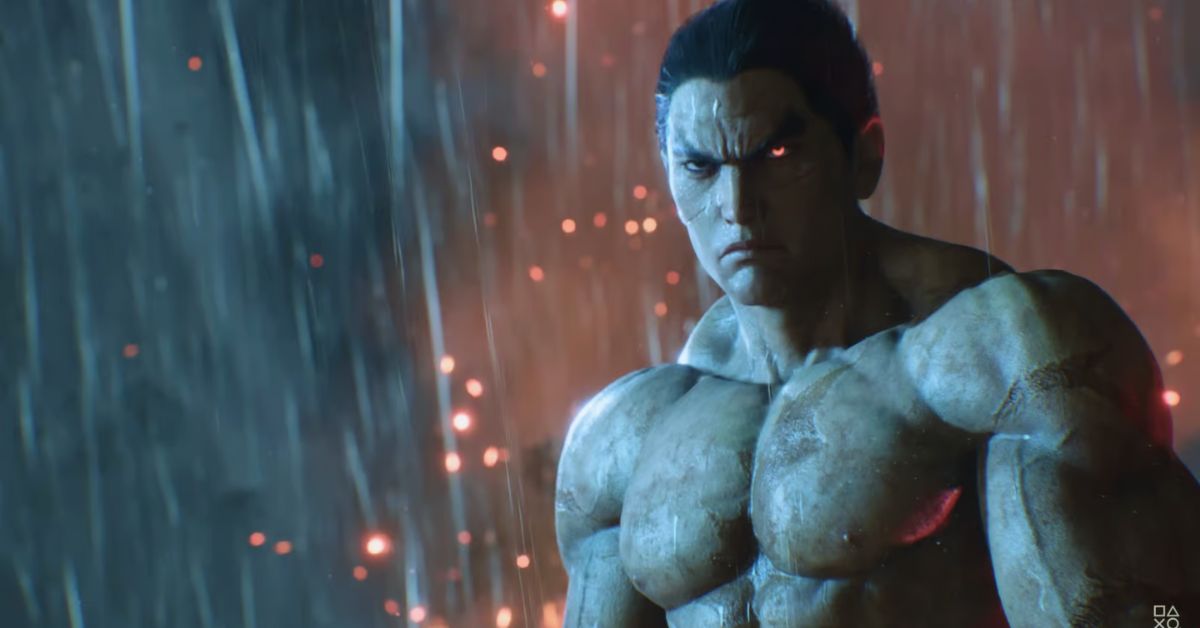
    Bandai Namco has confirmed the existence of a Tekken 8 trial, which will allow gamers to explore some of the single-player content seen in our Tekken 8 preview ahead of launch. The first chapter of Tekken 8’s story mode, ‘The Dark Awakens,’ as well as the brand new Arcade Quest mode, which houses the series’ trademark ghost battles inside a fun little story about playing Tekken 8 with your virtual pals, will be available to players.

    You will also be able to participate in select local vs matchups. However, the full Tekken 8 roster will not be available; instead, the Tekken 8 Demo will feature Jin, Kazuya, Nina, and Paul.

    Players on the PS5 will be able to download the demo a week before everyone else, with PC and Xbox Series X|S receiving it a week later. In any case, you’ll be able to play some Tekken 8 before Christmas, which should keep you entertained until the official Tekken 8 release date of January 26, 2024.

    Unfortunately, you will not be able to play this trial online, however, there is always the possibility of another Tekken 8 Beta before the game’s release.

    Tekken 8 Demo Release Time

    The Tekken 8 demo release date varies based on the platform you wish to play the game on. The PlayStation will get a week of exclusive access to the demo, followed by PC and Xbox users a week later.

    The Tekken 8 demo will be available for PS5 on Thursday, December 14 at 8 a.m. GMT / 3 a.m. EST / 12 a.m. PST. At this time, the demo will be available for download on the PlayStation Store.

    Unlike previous Tekken 8 betas, this one isn’t timed, so you can play as much as you like before the game releases. This means that Xbox and PC users will be unable to participate until Thursday, December 21.

    Tekken Project announced on Twitter that the game will be released at 5 pm JST (which is 8 am GMT / 3 am EST / 12 pm PST) regardless of which version you intend to play. Tekken 8 will not be released on last-generation consoles such as the PlayStation 4 and Xbox One, so if you were hoping to play the demo on those devices, you’re out of luck.

    If you want to check out more articles related to Takken 8. You can check the link below:

    Tekken 8 Demo Features

    5 Playable Modes

    • Arcade Quest (beginning)
    • Gallery (limited)
    • Story “The Dark Awakens” (beginning)
    • Super Ghost Battle (limited)
    • Versus (limited)

    4 Playable Characters

    • Jin
    • Kazuya
    • Nina
    • Paul

    3 Battle Stages

    • Sanctum
    • Urban Square (Evening)
    • Yakushima

    Bandai Namco has already begun stress-testing the game’s servers as part of a limited beta test that will last several weeks. However, the Tekken 8 demo, despite the PS5-native Remote Play capability, does not support any type of online play.

    In Versus Mode, the trial supports local multiplayer for up to two players. It also includes the normal disclaimer that the content presented in the demo is subject to change.

    However, given that the game is only a few weeks away from its full-fledged global release, it’s unlikely that Bandai Namco will have the ability to make any big content revisions before its market debut.

    Tekken 8 will be released on January 26 for PC and current-generation consoles. Fans who have already pre-ordered the upcoming release should limit their time spent on the demo because their progress will not be carried over to the full game.

    We appreciate your interest in our website! Make Gameempress.com your go-to site for gaming information.
  • Is Ready Or Not Crossplay? Your Guide To Multiplayer Across Platforms

    Is Ready Or Not Crossplay? Your Guide To Multiplayer Across Platforms

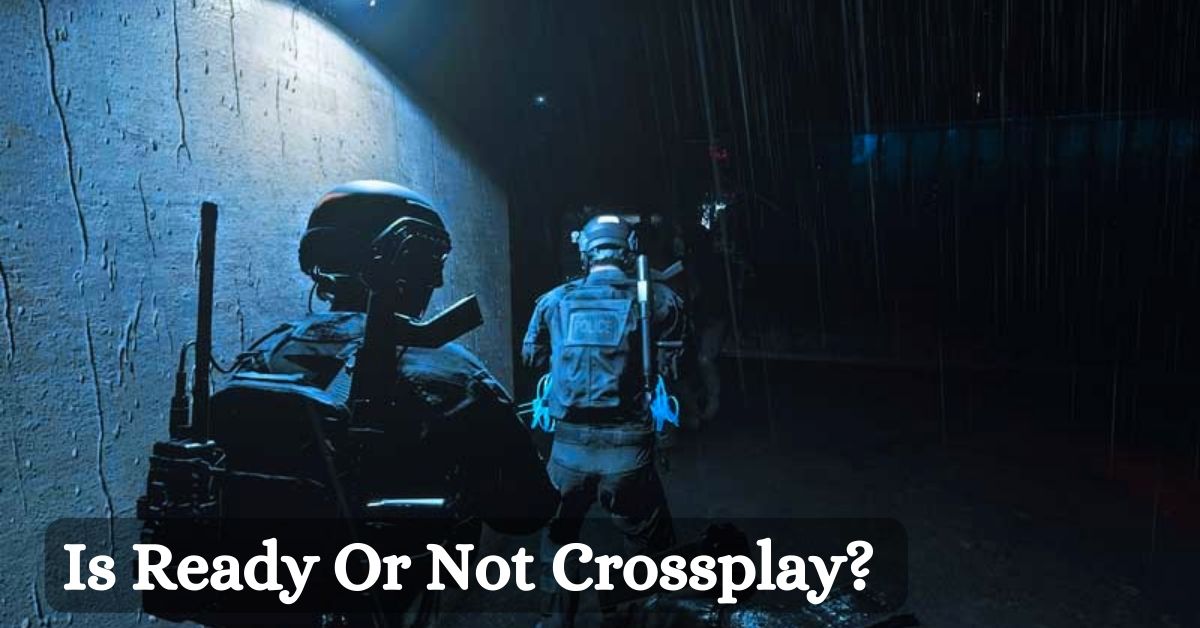
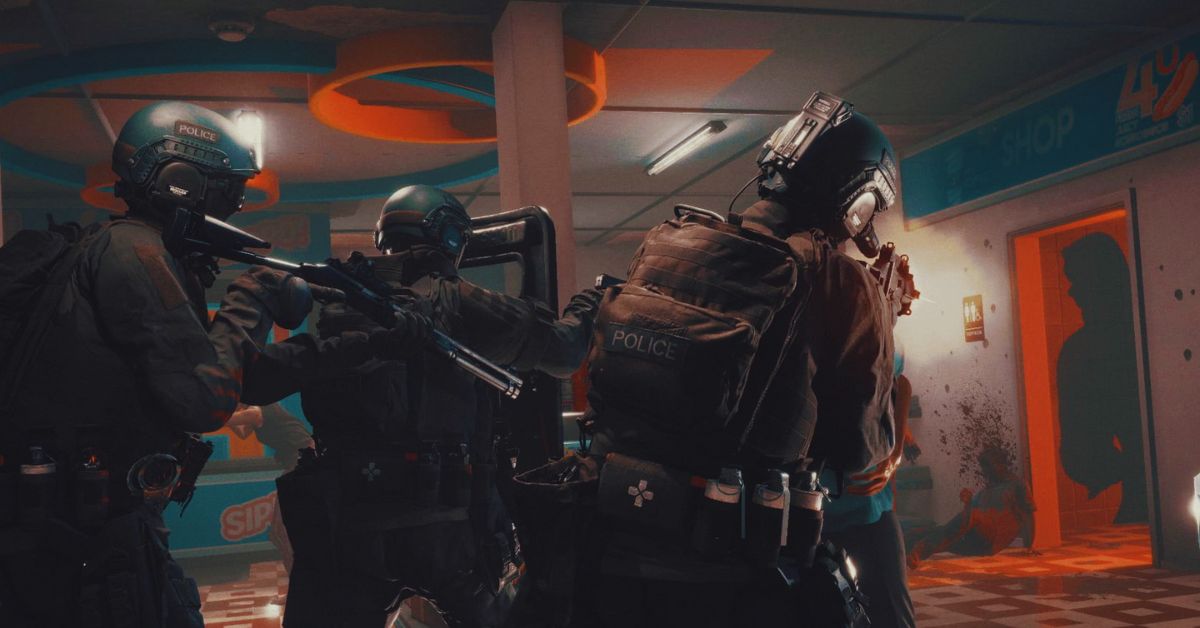
    Ready or Not is a realistic and tactical first-person shooter that simulates the experience of a SWAT team. The game features a single-player campaign, a co-op mode, and a multiplayer mode, where players can choose to play as either law enforcement or criminals.

    The game is currently available on PC via Steam and has received positive reviews from critics and players alike. But is Ready or Not crossplay? Can players from different platforms play together in the same game? And will the game ever come to consoles? In this article, we will answer these questions and more.

    Is Ready Or Not Crossplay?

    Unfortunately, the answer is no. Ready or Not does not support crossplay, meaning that players from different platforms cannot play together in the same game. This applies to both online and offline modes, such as the campaign, the co-op, and the multiplayer.

    Ready Or Not 1.0 Patch Notes
    Ready Or Not 1.0 Patch Notes

    The only exception is the Nintendo Switch version, which supports cross-play with the PC version, but not with the PlayStation or Xbox versions. This means that players on Nintendo Switch can play with players on PC, but not with players on PlayStation or Xbox.

    The reason for this exception is that the Nintendo Switch version is based on the PC version, and uses the same servers and code. However, the PlayStation and Xbox versions are different and use separate servers and code.

    Why is Ready Or Not Not Crossplay?

    The main reason why Ready or Not is not crossplay is that it requires a lot of technical and logistical challenges to implement. According to VOID Interactive, the developer of Ready or Not, crossplay is not as simple as some saying ‘Go ahead guys’ it’s tough. We would need big technology updates to support it, so right now we’re focusing on the quality of our gameplay.

    Some of the challenges and difficulties of implementing crossplay include:

    • The compatibility and optimization of the game across different platforms and devices. The game needs to run smoothly and consistently on different hardware and software specifications and ensure that there are no bugs, glitches, or crashes.
    • The balance and the fairness of the game across different platforms and devices. The game needs to account for the different input methods, such as controllers, keyboards, and touchscreens, and ensure that there are no advantages or disadvantages for any platform or device.
    • The cooperation and the agreement of the different platform holders and publishers. The game needs to follow the rules and the policies of the different platform holders and publishers, such as Sony, Microsoft, Nintendo, and Team17, and ensure that there are no conflicts or disputes.

    Will Ready Or Not Ever Be Crossplay?

    There is no definitive answer to this question, as the developer and the publisher have not made any official announcements or confirmations about crossplay for Ready or Not. However, there is some hope and possibility that crossplay could be added in the future.

    According to VOID Interactive, crossplay is a possibility but nothing we can promise right now. But what I can promise is if we start working on it, we will let the community know. This means that the developer and the publisher are aware of the demand and the potential of crossplay, and are open to the idea of working on it if the conditions and the resources allow it.

    However, this also means that crossplay is not a priority or a guarantee for Ready or Not and that many factors and obstacles could prevent or delay it. Therefore, players should not expect or rely on crossplay for Ready or Not and should enjoy the game as it is.

    You might also like to know about if these other games are cross-platform or not:

    Conclusion

    Ready or Not is a thrilling and immersive game that offers a lot of modes and maps for players to enjoy. However, it does not support crossplay, meaning that players from different platforms cannot play together in the same game.

    This is due to the technical and logistical challenges of implementing crossplay, which require a lot of time and effort from the developer and the publisher. Crossplay is not impossible or improbable for Ready or Not, but it is also not certain or imminent.

    The developer and the publisher have not ruled out the possibility of adding crossplay in the future, but they have also not promised or confirmed it. Therefore, players should be patient and realistic about crossplay for Ready or Not and should appreciate the game for what it is.

    We appreciate your interest in our website! Make Gameempress.com your go-to site for gaming information.
  • Is Plants Vs Zombies Battle For Neighborville Crossplay? The Answer You Seek!

    Is Plants Vs Zombies Battle For Neighborville Crossplay? The Answer You Seek!

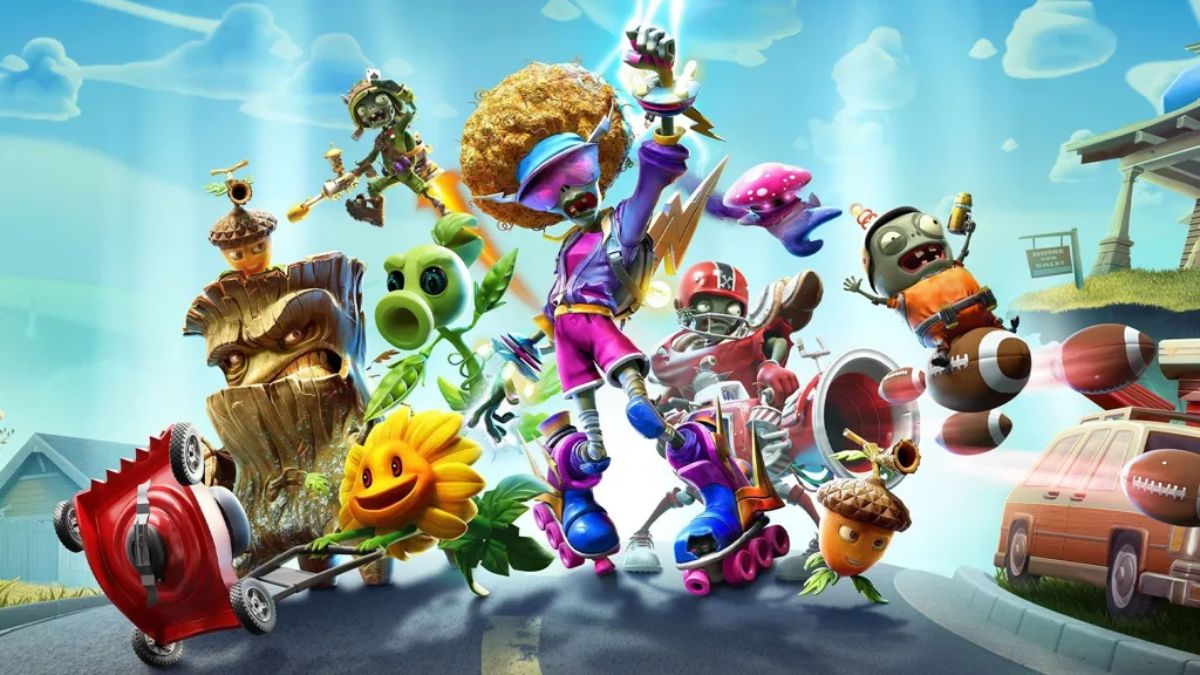
    Plants vs Zombies Battle for Neighborville is a multiplayer shooter game that pits plants and zombies against each other in various modes and maps. The game is available on PlayStation 4, Xbox One, PC, and Nintendo Switch. But can players from different platforms play together? Is Plants vs Zombies Battle for Neighborville crossplay?

    In this article, we will answer these questions and explain what crossplay is, why it is important, and what are the challenges and benefits of implementing it.

    Is Plants vs Zombies Battle for Neighborville Crossplay?

    Unfortunately, the answer is no. Plants vs Zombies Battle for Neighborville does not support crossplay, meaning that players from different platforms cannot play together in the same game. This applies to both online and offline modes, such as Turf Takeover, Team Vanquish, Garden Ops, and Battle Arena.

    Is Plants Vs Zombies Battle For Neighborville Crossplay
    Is Plants Vs Zombies Battle For Neighborville Crossplay

    The only exception is the Nintendo Switch version, which supports cross-play with the PC version, but not with the PlayStation 4 or Xbox One versions. This means that players on Nintendo Switch can play with players on PC, but not with players on PlayStation 4 or Xbox One.

    The reason for this exception is that the Nintendo Switch version is based on the PC version, and uses the same servers and code. However, the PlayStation 4 and Xbox One versions are different and use separate servers and code.

    Why is Plants vs Zombies Battle for Neighborville Not Crossplay?

    The main reason why Plants vs Zombies Battle for Neighborville is not crossplay is that it requires a lot of technical and logistical challenges to implement. According to Shaun Laker, the Live Producer for Plants vs Zombies, crossplay is not as simple as some saying ‘Go ahead guys’ it’s tough. We would need big technology updates to support it, so right now we’re focusing on the quality of our gameplay.

    Some of the challenges and difficulties of implementing crossplay include:

    • The compatibility and optimization of the game across different platforms and devices. The game needs to run smoothly and consistently on different hardware and software specifications and ensure that there are no bugs, glitches, or crashes.
    • The balance and the fairness of the game across different platforms and devices. The game needs to account for the different input methods, such as controllers, keyboards, and touchscreens, and ensure that there are no advantages or disadvantages for any platform or device.
    • The cooperation and the agreement of the different platform holders and publishers. The game needs to follow the rules and the policies of the different platform holders and publishers, such as Sony, Microsoft, Nintendo, and EA, and ensure that there are no conflicts or disputes.

    Will Plants vs Zombies Battle for Neighborville Ever Be Crossplay?

    There is no definitive answer to this question, as the developers and the publishers have not made any official announcements or confirmations about crossplay for Plants vs Zombies Battle for Neighborville. However, there is some hope and possibility that crossplay could be added in the future.

    According to Shaun Laker, crossplay is a possibility but nothing we can promise right now. But what I can promise is if we start working on it, we will let the community know. This means that the developers and the publishers are aware of the demand and the potential of crossplay, and are open to the idea of working on it if the conditions and the resources allow it.

    However, this also means that crossplay is not a priority or a guarantee for Plants vs Zombies Battle for Neighborville and that many factors and obstacles could prevent or delay it. Therefore, players should not expect or rely on crossplay for Plants vs Zombies Battle for Neighborville and should enjoy the game as it is.

    You might also like to know about if these other games are cross-platform or not:

    Conclusion

    Plants vs Zombies Battle for Neighborville is a fun and exciting game that offers a lot of modes and maps for players to enjoy. However, it does not support crossplay, meaning that players from different platforms cannot play together in the same game.

    This is due to the technical and logistical challenges of implementing crossplay, which require a lot of time and effort from the developers and the publishers. Crossplay is not impossible or improbable for Plants vs Zombies Battle for Neighborville, but it is also not certain or imminent.

    The developers and the publishers have not ruled out the possibility of adding crossplay in the future, but they have also not promised or confirmed it. Therefore, players should be patient and realistic about crossplay for Plants vs Zombies Battle for Neighborville and should appreciate the game for what it is.

    We appreciate your interest in our website! Make Gameempress.com your go-to site for gaming information.
  • TOP 7 Best Selling Video Games 2023: Which Titles Dominated the Charts?

    TOP 7 Best Selling Video Games 2023: Which Titles Dominated the Charts?

    2023 has been nothing short of an epic year for video games. With the best-selling games this year reaching in the tens of millions of sold, but which are the best-selling games of this year so far?

    Best Selling Video Games 2023

    TOP 7 Best Selling Video Games 2023
    TOP 7 Best Selling Video Games 2023

    Street Fighter 6

    Street Fighter 6 is the seventh main entry in the Street Fighter franchise, and it was published on June 2, 2023, for the PlayStation 4, PlayStation 5, PC, and Xbox Series X/S. The game was first revealed on February 21, 2022, with the return of Ryu and Luke hinted.

    According to review aggregator Metacritic, “universal acclaim” was bestowed upon the game.

    Street Fighter 6 sold over one million sales in the first five days of release, and Capcom announced that the game would sell two million units by July 2023.

    While the game is still a long way from Capcom’s president’s goal of 10 million sales, selling two million units in such a short period is no easy task.

    Final Fantasy XVI

    Final Fantasy XVI is the sixteenth main instalment in the Final Fantasy series, and it was published for the PlayStation 5 and PC on June 22, 2023. The game’s conceptual development began in 2015, and it will be publicly unveiled in September 2020.

    According to review aggregator Metacritic, the game garnered “generally favourable reviews” and sold over 3 million sales in its first week. Square Enix has yet to release sales figures for Final Fantasy XVI following its initial release week.

    Resident Evil 4 Remake

    Capcom’s announcement of Resident Evil 4 Remake in June 2022 came as a great surprise. The game was announced for the PlayStation 4, PlayStation 5, PC, and Xbox Series X/S on March 24, 2023.

    It sold four million units in the first two weeks after launch and five million units by July 2023. It was one of the fastest-selling Resident Evil titles in history, according to sales figures.

    Indeed, Resident Evil 4 Remake was such a success that it will be released for iPhone and iPad later this year.

    Starfield

    Starfield’s player counts aren’t comparable to Xbox Game Pass sales, but we thought the game was worth highlighting for its incredible feat. According to data, Starfield surpassed 2 million players (paying customers) in early access, earning it a spot on our list. The game was so popular on Xbox Game Pass that Xbox CEO Phil Spencer reported that it had 1 million concurrent players during its initial release.

    Bethesda Game Studios’ first new IP in over twenty-five years is Starfield. The game was officially revealed at E3 2018 and will be available on the Xbox Series X|S and PC on September 6, 2023.

    According to review aggregator Metacritic, Starfield garnered “generally favourable” reviews.

    Diablo IV

    When Diablo IV was launched on June 5, 2023, for the PlayStation 4, PlayStation 5, Xbox One, Xbox Series X and S, and PC, it became an instant hit. The game was first revealed at Blizzcon 2019 and received a new teaser and a performance of “Lilith” by singer Halsey at The Game Awards 2022.

    According to review aggregator Metacritic, Diablo IV garnered “generally favourable” reviews for the Windows and PlayStation 5 versions, and “universal acclaim” for the Xbox Series X edition.

    Blizzard Entertainment announced on June 6, 2023, that Diablo IV has become the company’s fastest-selling game. The game made nearly $666 million in its first five days of release and was expected to sell 12 million units by August 2023.

    Hogwarts Legacy

    Despite the Hogwarts Legacy debate and controversy, the game was one of 2023’s best-selling titles. Despite only being available on current-generation consoles at the time, the game garnered over $1 billion in retail sales. The game was so successful that it was the highest-grossing game in Q1 2023.

    Hogwarts Legacy garnered “generally favourable” reviews from review aggregator Metacritic, but was a huge hit with the broader gaming community.

    Indeed, current speculations say that Hogwarts Legacy was such a hit that a sequel is already in the works.

    You might also be interested in the following gaming news:

    Zelda: Tears of The Kingdom

    The widely anticipated sequel to The Legend of Zelda: Breath of the Wild (2017) is presently the best-selling game of 2023. The game was originally scheduled to be released in 2022, however, it was pushed back to May 2023.

    The game sold over 10 million copies in its first three days of release and over 18.51 million copies by June 2023, making it one of the best-selling Nintendo Switch titles.

    Tears of the Kingdom got “universal acclaim,” according to review aggregate Metacritic.

    We appreciate your interest in our website! Make Gameempress.com your go-to site for gaming information.

  • PS2 Emulator For PC: How To Play PS2 Games On Your Computer?

    PS2 Emulator For PC: How To Play PS2 Games On Your Computer?

    The PlayStation 2 (PS2) is one of the most successful and beloved video game consoles of all time, with a library of thousands of games across various genres and categories. However, if you want to play PS2 games on your computer, you will need a PS2 emulator for your PC.

    A PS2 emulator for PC is a software program that mimics the PS2’s hardware and software, allowing you to run PS2 games on your PC. With a PS2 emulator for PC, you can enjoy PS2 games in higher resolution, better performance, and more customization options than on the original console.

    However, not all PS2 emulators for PC are created equal. Some are more compatible, stable, and user-friendly than others. Some also require more configuration, installation, and troubleshooting than others. Therefore, it is important to choose the best PS2 emulator for PC for your needs and preferences.

    In this article, we will introduce you to some of the best PS2 emulators for PC, and guide you through the steps of downloading, installing, and using them. We will also provide you with some tips and tricks to optimize your PS2 emulation experience.

    Best PS2 Emulator For PC

    There are many PS2 emulators for PCs available on the internet, but not all of them are reliable and reputable. Some may contain viruses, malware, or spyware, while others may have poor compatibility, performance, or functionality.

    PS2 Emulator For PC
    PS2 Emulator For PC

    Therefore, it is advisable to download PS2 emulators for PC from trusted and verified sources, such as official websites or reputable platforms.

    Based on our research and testing, we have selected the following PS2 emulators for PC as the best ones in terms of compatibility, performance, features, and user-friendliness. These are:

    • PCSX2: PCSX2 is the most popular and widely used PS2 emulator for PC, with over 90% compatibility for the PS2 library. It is also the most advanced and feature-rich PS2 emulator for PC, with options such as custom resolutions, anti-aliasing, texture filtering, save states, cheats, and more. PCSX2 is free and open-source and supports Windows, Linux, and Mac OS.
    • DamonPS2: DamonPS2 is the fastest and most efficient PS2 emulator for PC, with over 80% compatibility with the PS2 library. It is also the easiest and simplest PS2 emulator for PC, with a user-friendly interface and minimal configuration. DamonPS2 is a paid software and supports Windows and Android.
    • NSX2: NSX2 is the newest and most updated PS2 emulator for PC, with over 70% compatibility for the PS2 library. It is also the most stable and smooth PS2 emulator for PC, with a high-performance engine and resource consumption. NSX2 is free and open-source and supports Windows and Linux.

    How To Download and Install PS2 Emulators For PC?

    To download and install PS2 emulators for PC, you will need to follow these general steps:

    • Visit the official website or the reputable platform of the PS2 emulator for the PC that you want to use, and download the latest version of the software. Make sure to choose the correct version for your operating system and system specifications.
    • Extract the downloaded file to a folder of your choice, and run the executable file to launch the PS2 emulator for PC. You may need to install some additional components or dependencies, such as DirectX, Visual C++, or BIOS, depending on the PS2 emulator for the PC that you are using.
    • Configure the PS2 emulator for PC according to your preferences and needs, such as the graphics, audio, controller, and language settings. You may also need to adjust some advanced settings, such as the emulation mode, speed hacks, or plugins, depending on the PS2 emulator for the PC that you are using.
    • Load the PS2 game that you want to play on the PS2 emulator for PC, either from a disc, an ISO file, or a folder. You may need to mount the disc or the ISO file to a virtual drive or convert the folder to an ISO file, depending on the PS2 emulator for the PC that you are using.
    • Enjoy playing the PS2 game on your PC, and save your progress as you wish. You can also use some additional features, such as screenshots, recording, streaming, or online multiplayer, depending on the PS2 emulator for the PC that you are using.

    Tips and Tricks for PS2 Emulation on PC

    To optimize your PS2 emulation experience on PC, you can follow these tips and tricks:

    • Check the compatibility list of the PS2 emulator for the PC that you are using, and see if the PS2 game that you want to play is supported or not. Some PS2 games may not work properly or at all on some PS2 emulators for PC, while others may require some specific settings or patches to run smoothly.
    • Update your PC’s drivers, software, and hardware, and make sure that they meet the minimum or recommended requirements of the PS2 emulator for the PC that you are using. Some PS2 emulators for PCs may not work well or at all on outdated or incompatible systems, while others may benefit from higher or lower specifications.
    • Backup your PS2 game files, save files, and configuration files, and store them in a safe and accessible location. This way, you can avoid losing your data or settings in case of any errors, crashes, or corruption, and you can also transfer them to another PC or PS2 emulator for PC if needed.
    • Experiment with different PS2 emulators for PC, and see which one suits your preferences and needs the best. Some PS2 emulators for PCs may offer more features and options, while others may offer better compatibility and performance. You can also use multiple PS2 emulators for PC for different PS2 games, depending on their requirements and characteristics.

    You might also be interested in the following game guide:

    Conclusion

    PS2 emulation on PC is a great way to enjoy PS2 games on your computer, with many advantages and benefits. However, it also requires some preparation and knowledge, as well as some trial and error, to achieve the best results.

    Therefore, it is important to choose the best PS2 emulator for PC for your needs and preferences and to follow the steps and tips that we have provided in this article.

    We appreciate your interest in our website! Make Gameempress.com your go-to site for gaming information.
  • District 10 GTA RP: A Role-Playing Server For GTA V Fans

    District 10 GTA RP: A Role-Playing Server For GTA V Fans

    GTA V is one of the most popular and successful video games of all time, with millions of players and fans around the world. The game offers a vast and immersive open world, where players can explore, interact, and engage in various activities and missions. However, some players want more than just the default gameplay and story of GTA V.

    They want to create their characters, stories, and scenarios, and role-play with other players in a realistic and dynamic environment. This is where GTA RP, or GTA Role-Playing, comes in.

    District 10 GTA RP

    GTA RP is a modded version of GTA V, where players can join dedicated servers that run custom scripts and rules, and role-play as different characters and professions, such as cops, criminals, doctors, lawyers, and more.

    District 10 GTA RP
    District 10 GTA RP

    GTA RP servers offer a variety of features and options, such as custom vehicles, weapons, clothing, businesses, factions, and more. GTA RP servers also have strict rules and guidelines, such as respecting the role-play, following the server’s laws, and avoiding meta-gaming and power-gaming.

    One of the most popular and well-known GTA RP servers is District 10, which is based in the city of Los Angeles. District 10 is a server that aims to provide a realistic and immersive role-playing experience for GTA V fans, with a focus on quality and community.

    Features of District 10 GTA RP

    District 10 GTA RP is a server that offers a lot of features and options for players to enjoy and role-play. Some of the features of District 10 GTA RP include:

    • A large and diverse roster of playable characters, such as police officers, firefighters, paramedics, lawyers, judges, journalists, gangsters, drug dealers, and more.
    • A realistic and dynamic economy system, where players can earn money, buy and sell goods and services, own and operate businesses, and manage their finances.
    • A detailed and interactive city map, where players can explore, travel, and interact with various locations, such as shops, restaurants, bars, clubs, hospitals, banks, and more.
    • A custom and advanced vehicle system, where players can buy, sell, customize, and drive various vehicles, such as cars, bikes, trucks, helicopters, and more.
    • A comprehensive and flexible character creation and customization system, where players can create and customize their characters’ appearance, clothing, accessories, tattoos, and more.
    • A robust and user-friendly communication system, where players can chat, call, text, and use radios with other players, as well as access the server’s website, forums, and social media.
    • A supportive and friendly community, where players can meet, socialize, and collaborate with other players and join and create factions, groups, and events.

    How to Join District 10 GTA RP?

    To join District 10 GTA RP, players need to have a legal copy of GTA V on PC and install the FiveM framework, which is a platform that allows players to access and play GTA RP servers. Players can download FiveM from its official website, and follow the instructions to install and launch it.

    After installing FiveM, players need to join the District 10 Discord server, the main hub for the server’s communication and information. Players need to verify themselves and read the server’s rules and guidelines, as well as the application process and requirements.

    To apply for District 10 GTA RP, players need to fill out and submit an application form, which can be found on the server’s website. The application form asks for basic information, such as the player’s name, age, and location, as well as some role-playing questions, such as the player’s character name, backstory, and profession.

    The application form also tests the player’s knowledge and understanding of the server’s rules and role-playing etiquette.

    The application process may take some time, depending on the number and quality of the applications. The server’s staff will review and evaluate the applications, and notify the applicants of their status via Discord.

    If the application is accepted, the applicant will be whitelisted and granted access to the server. If the application is rejected, the applicant will be given feedback and a chance to reapply.

    Members of District 10 GTA RP

    District 10 GTA RP is a server that has a large and diverse community of players and fans, who come from different backgrounds and regions, and have different interests and preferences. The server has hundreds of active and regular players, who role-play as various characters and professions and create and participate in various stories and scenarios.

    Some of the members of District 10 GTA RP are also streamers and content creators, who broadcast and share their role-playing experiences and adventures with their audiences and followers. Some of the popular and well-known streamers and content creators who play on District 10 GTA RP include:

    • Crunch, who is the founder and owner of District 10 GTA RP, plays as a police officer, a firefighter, and a criminal.
    • Summit1g is one of the most popular and influential streamers on Twitch and plays as a drug dealer, a racer, and a gangster.
    • xQc, who is another one of the most popular and controversial streamers on Twitch, plays as a hacker, a robber, and a troublemaker.
    • Pokimane, who is one of the most popular and successful female streamers on Twitch, plays as a journalist, a lawyer, and a socialite.
    • TimTheTatman is one of the most entertaining and charismatic streamers on Twitch and plays as a bounty hunter, a bodyguard, and a comedian.

    You might also be interested in the following game guide:

    Conclusion

    District 10 GTA RP is a server that offers a realistic and immersive role-playing experience for GTA V fans, with a focus on quality and community. The server has a lot of features and options for players to enjoy and role-play, such as a large and diverse roster of playable characters, a realistic and dynamic economy system, a detailed and interactive city map, a custom and advanced vehicle system, a comprehensive and flexible character creation and customization system, a robust and user-friendly communication system, and a supportive and friendly community.

    To join District 10 GTA RP, players need to have a legal copy of GTA V on PC and install the FiveM framework. Players also need to join the District 10 Discord server and apply for the server by filling out and submitting an application form.

    The application process may take some time, depending on the number and quality of the applications. The server’s staff will review and evaluate the applications, and notify the applicants of their status via Discord

    .District 10 GTA RP is a server that has a large and diverse community of players and fans, who come from different backgrounds and regions, and have different interests and preferences. The server also has some popular and well-known streamers and content creators, who broadcast and share their role-playing experiences and adventures with their audiences and followers.

    We appreciate your interest in our website! Make Gameempress.com your go-to site for gaming information.
  • GTA 5 Cars: A Guide To The Best Vehicles In The Game

    GTA 5 Cars: A Guide To The Best Vehicles In The Game

    GTA 5 is a massive and immersive game that features a huge and diverse open world, a compelling and cinematic story, and thrilling and addictive gameplay. One of the most important and enjoyable aspects of the game is the cars, which are the main means of transportation and exploration in the game.

    The game features hundreds of different cars, ranging from sports cars, muscle cars, supercars, motorcycles, trucks, vans, buses, and more. Each car has its characteristics, such as speed, acceleration, handling, durability, and appearance.

    Some cars are also unique and rare, and can only be obtained by completing certain missions, events, or activities in the game. In this article, we’ll provide a guide to the best vehicles in GTA 5, and show you how to find, buy, customize, and use them.

    GTA 5 Cars

    Fastest Bike in GTA 5
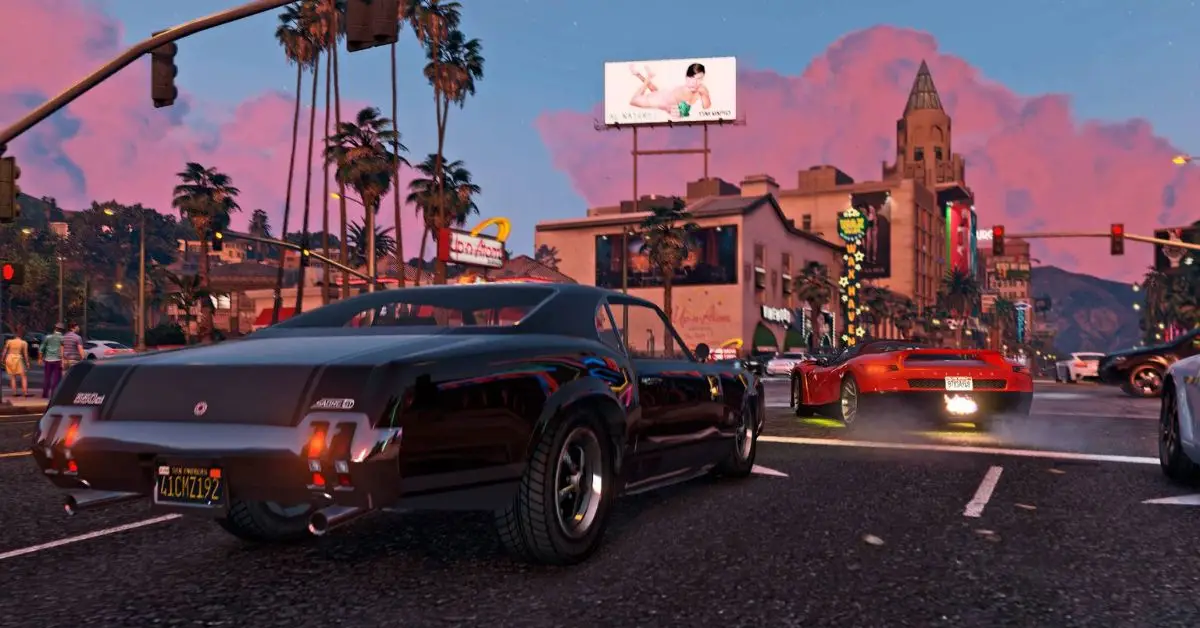
    Screenshot By GameEmpress

    There is no definitive answer to what are the best cars in GTA 5, as different cars may suit different preferences, situations, and playstyles. However, based on some criteria, such as performance, design, availability, and value, we can list some of the most popular and recommended cars in the game. These cars are:

    • Ocelot Pariah: This is a sports car that is widely considered to be the fastest in the game, with a top speed of 218 mph. It has excellent acceleration, handling, and braking, and it looks sleek and stylish. It can be purchased from the Legendary Motorsport website for $1,420,000, or it can be found randomly on the streets of Los Santos.
    • Pegassi Zentorno: This is a supercar that is one of the most powerful and versatile cars in the game, with a top speed of 213 mph. It has great acceleration, handling, and durability, and it has a unique and futuristic design. It can be purchased from the Legendary Motorsport website for $725,000, or it can be obtained by completing the Heist Finale of The Fleece Job.
    • Benefactor Krieger: This is a supercar that is one of the most balanced and reliable cars in the game, with a top speed of 210 mph. It has good acceleration, handling, and braking, and it has a sleek and elegant design. It can be purchased from the Legendary Motorsport website for $2,875,000, or it can be won by spinning the Lucky Wheel at the Diamond Casino and Resort.
    • Truffade Nero Custom: This is a supercar that is one of the most customizable and unique cars in the game, with a top speed of 205 mph. It has decent acceleration, handling, and durability, and it has a lot of options and features to modify and personalize. It can be purchased from Benny’s Original Motor Works website for $605,000, or it can be upgraded from the Truffade Nero, which can be purchased from the Legendary Motorsport website for $1,440,000.
    • Grotti Turismo R: This is a supercar that is one of the most affordable and accessible cars in the game, with a top speed of 202 mph. It has good acceleration, handling, and braking, and it has a classic and sporty design. It can be purchased from the Legendary Motorsport website for $500,000, or it can be found randomly on the streets of Los Santos.
    • Dewbauchee Vagner: This is a supercar that is one of the most agile and responsive cars in the game, with a top speed of 200 mph. It has excellent acceleration, handling, and cornering, and it has a modern and aerodynamic design. It can be purchased from the Legendary Motorsport website for $1,535,000, or it can be obtained by completing the Heist Finale of The Doomsday Heist – Act 3.
    • Coil Cyclone: This is a supercar that is one of the most eco-friendly and futuristic cars in the game, with a top speed of 199 mph. It has amazing acceleration, handling, and braking, and it has an electric and silent engine. It can be purchased from the Legendary Motorsport website for $1,890,000, or it can be obtained by completing the Heist Finale of The Doomsday Heist – Act 2.
    • Pfister 811: This is a supercar that is one of the most sleek and smooth cars in the game, with a top speed of 198 mph. It has good acceleration, handling, and braking, and it has a simple and elegant design. It can be purchased from the Legendary Motorsport website for $1,135,000, or it can be obtained by completing the Heist Finale of The Pacific Standard Job.
    • Overflod Entity XXR: This is a supercar that is one of the most expensive and exclusive cars in the game, with a top speed of 197 mph. It has good acceleration, handling, and durability, and it has a luxurious and sophisticated design. It can be purchased from the Legendary Motorsport website for $2,305,000, or it can be won by spinning the Lucky Wheel at the Diamond Casino and Resort.
    • Pegassi Tempesta: This is a supercar that is one of the most fun cars in the game, with a top speed of 196 mph. It has great acceleration, handling, and braking, and it has a colourful and flashy design. It can be purchased from the Legendary Motorsport website for $1,329,000, or it can be obtained by completing the Heist Finale of The Prison Break.

    How to Customize and Use The Cars in GTA 5?

    To customize and use the cars in GTA 5, you need to have a garage, which is a place where you can store, modify, and repair your cars. You can buy a garage from the Dynasty 8 website, or you can use the default garages that are provided by the game.

    You can also use the public garages that are located in various places in the game world, such as Los Santos Customs, Benny’s Original Motor Works, and Beeker’s Garage.

    To customize your cars, you need to drive them to a garage and enter the customization menu, where you can choose from various options and features, such as colour, paint, wheels, tires, suspension, brakes, engine, transmission, turbo, armour, windows, lights, horn, plate, and more.

    You can also add some special and unique modifications, such as spoilers, bumpers, skirts, hoods, roofs, exhausts, grilles, and more. You can also apply some decals, stickers, and liveries, to personalize and decorate your cars.

    Customizing your cars will cost you money, depending on the type and the quality of the modification. Customizing your cars will also improve their performance and appearance, and make them more suitable and enjoyable for your gameplay.

    To use your cars, you need to exit the garage and drive them on the streets of the game world. You can use your cars for various purposes and activities, such as travelling, exploring, racing, fighting, escaping, and more.

    You can also switch between your cars, by using the quick menu, or by calling your mechanic, who can deliver your cars to your location. You can also sell your cars, by driving them to a garage and choosing the sell option, where you can get some money for your cars, depending on their condition and value.

    You can also lose your cars, by destroying them, abandoning them, or having them impounded by the police, in which case you can recover them by paying a fee, or by using the insurance service, which can replace your cars for a small deductible.

    You might also be interested in the following game guide:

    Conclusion

    Cars are one of the most important and enjoyable aspects of GTA 5, as they provide transportation, exploration, and entertainment in the game. The game features hundreds of different cars, each with its characteristics, such as speed, acceleration, handling, durability, and appearance.

    Some cars are also unique and rare, and can only be obtained by completing certain missions, events, or activities in the game. The game also allows you to customize and use your cars, by modifying, repairing, storing, and driving them. You can also buy, sell, switch, and lose your cars, depending on your gameplay and preference.

    We appreciate your interest in our website! Make Gameempress.com your go-to site for gaming information.

  • Blight Survival PS5: Will The Indie Game Come To PlayStation 5?

    Blight Survival PS5: Will The Indie Game Come To PlayStation 5?

    Blight Survival is an upcoming indie game that promises to deliver a thrilling and immersive co-op action-horror roguelite experience. The game is set in a medieval fantasy world that is plagued by a new strain of Blight, a deadly infection that turns humans into monsters.

    Players will have to team up with up to three friends and venture into the no man’s land between two warring states, where they will face hordes of enemies, loot valuable resources, and raze the Blight. The game features a dynamic and open world, a diverse and customizable combat system, and a stunning and realistic graphics engine.

    But will the game come to PlayStation 5, the latest and most powerful console from Sony? In this article, we’ll answer this question and provide the latest news and updates on Blight Survival PS5.

    Blight Survival PS5

    As of now, Blight Survival PS5 is not confirmed, and the game is only planned for a release on PC. The developers, Haenir Studio, have stated that they are hopeful that they can bring the game to PS5, but they can’t promise it until they have a partnership with Sony.

    Blight Survival PS5
    Blight Survival PS5

    In a tweet, they said that they appreciate the interest and support from the PS5 community and that they will keep them updated on any developments.

    What are The Challenges and Opportunities of Blight Survival PS5?

    Bringing Blight Survival to PS5 would be a challenging but rewarding task for the developers, as they would have to overcome some technical and logistical hurdles, but also take advantage of some unique and exciting features. Some of the challenges and opportunities of Blight Survival PS5 are:

    Performance and Optimization

    Blight Survival is a demanding game that requires a lot of processing power and memory to run smoothly and efficiently. The game uses the Unreal Engine 4, which is a powerful and versatile graphics engine that can create stunning and realistic visuals, but also consumes a lot of resources.

    The developers would have to optimize the game for the PS5 hardware, which is capable of delivering 4K resolution, 60 frames per second, and ray tracing, but also has its limitations and specifications. The developers would have to balance the quality and the performance of the game and ensure that it runs smoothly and consistently on the PS5.

    Controls and Interface

    Blight Survival is a game that requires a lot of precision and responsiveness from the players, as they have to navigate the complex and dynamic world and engage in fast-paced and intense combat. The game uses a keyboard and mouse setup on PC, which allows for a lot of customization and flexibility, but also requires a lot of skill and coordination.

    The developers would have to adapt the game for the PS5 controller, which is a different and more limited input device, but also has some unique and innovative features. The developers would have to design a user-friendly and intuitive control scheme and interface for the PS5 controller and make use of its features, such as the adaptive triggers, the haptic feedback, and the touchpad, to enhance the gameplay and the immersion of the game.

    Publishing and Marketing

    Blight Survival is an indie game that is self-published and self-funded by the developers, who are a small and independent team. The game relies on word-of-mouth and social media to generate interest and awareness, and it faces a lot of competition and saturation in the gaming market.

    The developers would have to secure a publishing deal with Sony, who is the owner and the operator of the PS5 platform, and who has its policies and requirements for the games that are released on its console.

    The developers would have to comply with Sony’s standards and regulations and pay a fee and a royalty to Sony for the distribution and sales of the game. The developers would also have to market and promote the game to the PS5 audience, who may have different preferences and expectations than the PC audience, and who may be more attracted to the bigger and more established titles that are available on the PS5.

    What is The Potential Release Date and Price of Blight Survival PS5?

    There is no official release date or price for Blight Survival PS5, as the game is not confirmed for the console yet. However, based on the current status and progress of the game, we can make some educated guesses and estimations. The game is expected to launch on PC in late 2023 or early 2024, after a period of early access and beta testing.

    The game is likely to cost around $30 to $40 on PC, depending on the content and the quality of the game. If the game comes to PS5, it may take another year or two to develop and optimize the game for the console, which means that it may be released on PS5 in late 2024 or early 2025. The game may also cost more on PS5, due to the higher production costs and the fees and royalties that the developers have to pay to Sony. The game may cost around $40 to $50 on PS5, depending on the market and the demand of the game.

    You might also be interested in the following gaming news:

    Conclusion

    Blight Survival PS5 is not confirmed, and the game is only planned for a release on PC. The developers are hopeful that they can bring the game to PS5, but they can’t promise it until they have a partnership with Sony.

    The game would face some challenges and opportunities on PS5, such as performance and optimization, controls and interface, and publishing and marketing. The game may be released on PS5 in late 2024 or early 2025, and it may cost around $40 to $50 on PS5.

    We appreciate your interest in our website! Make Gameempress.com your go-to site for gaming information.
  • God Of War Chapters: How To Complete The Main Story And The Optional Content?

    God Of War Chapters: How To Complete The Main Story And The Optional Content?

    God of War is a critically acclaimed action-adventure game that follows the journey of Kratos, the former Greek god of war, and his son Atreus, as they explore the world of Norse mythology. The game features a rich and immersive story, a vast and dynamic open world, a deep and satisfying combat system, and a stunning presentation.

    The game also has a total of 17 chapters, which are the main objectives of the main story, as well as various optional content, such as side quests, collectables, and more. In this article, we’ll guide you through the God of War chapters, and show you how to complete the main story and the optional content.

    What Are the God of War Chapters And How To Complete Them?

    The God of War chapters are the main objectives of the main story, which are divided into three acts and an epilogue. Each chapter has a name, a description, a location, and a reward. The chapters are also marked on the map and the compass, and they can be tracked and viewed in the menu.

    New God of War Game
    New God of War Game

    The chapters are not linear, and they can be completed in any order, as long as the previous chapters are completed. The chapters are also not missable, and they can be replayed at any time, even after finishing the main story.

    The God of War chapters are as follows:

    • Chapter 1: The Marked Trees. This chapter is the prologue of the game, and it introduces the main characters and the gameplay mechanics. The chapter takes place in the Wildwoods, and it involves completing a ritual for Kratos’ deceased wife. The reward for this chapter is 200 XP.
    • Chapter 2: Path to the Mountain. This chapter is the first chapter of the first act, and it involves travelling to the highest peak in the realms to scatter the ashes of Kratos’ wife. The chapter takes place in the River Pass, the Shores of Nine, and the Foothills, and it involves fighting enemies, solving puzzles, and meeting new allies and foes. The reward for this chapter is 2,000 XP.
    • Chapter 3: A Realm Beyond. This chapter is the second chapter of the first act, and it involves travelling to another realm to find a way to the mountain. The chapter takes place in the Foothills, the Shores of Nine, and Alfheim, and it involves fighting enemies, solving puzzles, and discovering new secrets and mysteries. The reward for this chapter is 2,000 XP.
    • Chapter 4: The Light of Alfheim. This chapter is the third chapter of the first act, and it involves restoring the light of Alfheim, the realm of the light elves. The chapter takes place in Alfheim, the Shores of Nine, and the Foothills, and it involves fighting enemies, solving puzzles, and unlocking new abilities and upgrades. The reward for this chapter is 3,000 XP.
    • Chapter 5: Inside the Mountain. This chapter is the fourth chapter of the first act, and it involves reaching the summit of the mountain. The chapter takes place in the Mountain, and it involves fighting enemies, solving puzzles, and facing a powerful boss. The reward for this chapter is 4,500 XP.
    • Chapter 6: A New Destination. This chapter is the fifth and final chapter of the first act, and it involves travelling to a new realm to find a new way to the highest peak in the realm. The chapter takes place in the Shores of Nine and the River Pass, and it involves fighting enemies, solving puzzles, and witnessing a shocking and dramatic event. The reward for this chapter is 4,500 XP.
    • Chapter 7: The Magic Chisel. This chapter is the first chapter of the second act, and it involves finding a magic chisel to carve a travel rune to the new realm. The chapter takes place in the Shores of Nine, the Mason’s Channel, and Thamur’s Corpse, and it involves fighting enemies, solving puzzles, and unlocking new areas and secrets. The reward for this chapter is 4,500 XP.
    • Chapter 8: Behind the Lock. This chapter is the second chapter of the second act, and it involves using the magic chisel to open a hidden chamber and find a travel rune to the new realm. The chapter takes place in Thamur’s Corpse and the Shores of Nine, and it involves fighting enemies, solving puzzles, and facing a powerful boss. The reward for this chapter is 4,500 XP.
    • Chapter 9: The Sickness. This chapter is the third chapter of the second act, and it involves curing Atreus from a mysterious illness. The chapter takes place in the River Pass, the Wildwoods, and Helheim, and it involves fighting enemies, solving puzzles, and discovering new secrets and mysteries. The reward for this chapter is 6,750 XP.
    • Chapter 10: The Black Rune. This chapter is the fourth chapter of the second act, and it involves finding a black rune to open a hidden door to the new realm. The chapter takes place in the Shores of Nine and Tyr’s Temple, and it involves fighting enemies, solving puzzles, and unlocking new abilities and upgrades. The reward for this chapter is 6,750 XP.
    • Chapter 11: Return to the Summit. This chapter is the fifth chapter of the second act, and it involves returning to the summit of the mountain to use the black rune and the travel rune to open the hidden door to the new realm. The chapter takes place in the Foothills and the Mountain, and it involves fighting enemies, solving puzzles, and facing a powerful boss. The reward for this chapter is 6,750 XP.
    • Chapter 12: Escape From Helheim. This chapter is the sixth and final chapter of the second act, and it involves escaping from Helheim, the realm of the dead. The chapter takes place in Helheim, and it involves fighting enemies, solving puzzles, and witnessing a surprising and revealing scene. The reward for this chapter is 6,750 XP.
    • Chapter 13: A Path to Jotunheim. This chapter is the first chapter of the third and final act, and it involves travelling to Jotunheim, the realm of the giants. The chapter takes place in Tyr’s Temple, and it involves fighting enemies, solving puzzles, and discovering new secrets and mysteries. The reward for this chapter is 10,125 XP.
    • Chapter 14: Between the Realms. This chapter is the second chapter of the third and final act, and it involves travelling between the realms to reach Jotunheim. The chapter takes place in a mysterious and unknown realm, and it involves fighting enemies, solving puzzles, and unlocking new abilities and upgrades. The reward for this chapter is 10,125 XP.
    • Chapter 15: Jotunheim in Reach. This chapter is the third and final chapter of the third and final act, and it involves reaching the highest peak in the realms of Jotunheim. The chapter takes place in the Shores of Nine and Jotunheim, and it involves fighting enemies, solving puzzles, and witnessing the final and surprising scene of the main story. The reward for this chapter is 10,125 XP.
    • Chapter 16: Mother’s Ashes. This chapter is the epilogue of the game, and it involves scattering the ashes of Kratos’ wife and Atreus’ mother at the highest peak in the realms. The chapter takes place in Jotunheim, and it involves completing the ritual and enjoying the view. The reward for this chapter is 15,100 XP.
    • Chapter 17: The Valkyries. This chapter is an optional and secret chapter of the game, and it involves finding and defeating all the Valkyries, the elite warriors of Odin that serve as the judges of the dead. The chapter takes place in various locations and realms, and it involves fighting the most challenging and rewarding enemies in the game. The reward for this chapter is a secret and powerful item, as well as a hidden and revealing cutscene.

    You might also be interested in the following game guide:

    What Are the Optional Content and How to Complete Them?

    The optional content is the side quests, collectibles, secrets, and other activities that are not required to complete the main story but can enhance the gameplay and the experience.

    The optional content can be found and completed in any order, and at any time, even after finishing the main story. The optional content can also be tracked and viewed in the menu, and they can provide various rewards, such as XP, items, upgrades, and trophies.

    The optional content is as follows:

    • Side Quests: These are the quests that are given by various characters or objects in the game world, and they involve performing certain tasks or objectives, such as finding, delivering, or retrieving something, or helping, protecting, or avenging someone. There are 11 side quests in total, and they can be found in different locations and regions of the game world. Completing the side quests can provide XP, items, upgrades, and trophies, as well as more lore and stories about the world and the characters.
    • Collectibles: These are the items that are hidden or scattered in the game world, and they involve finding and collecting them. There are 9 types of collectibles in total, and they are Odin’s Ravens, Lore Markers, Nornir Chests, Legendary Chests, Artefacts, Shrines, Valkyries, Dragons, and Realm Tears. Finding and collecting the collectibles can provide XP, items, upgrades, and trophies, as well as more lore and story about the world and the characters.

    We appreciate your interest in our website! Make Gameempress.com your go-to site for gaming information.

  • God Of War Ragnarok Trophy Guide: How To Get The Platinum Trophy?

    God Of War Ragnarok Trophy Guide: How To Get The Platinum Trophy?

    God of War Ragnarok is the highly anticipated sequel to the critically acclaimed God of War (2018), which continues the epic adventure of Kratos and his son Atreus in the world of Norse mythology.

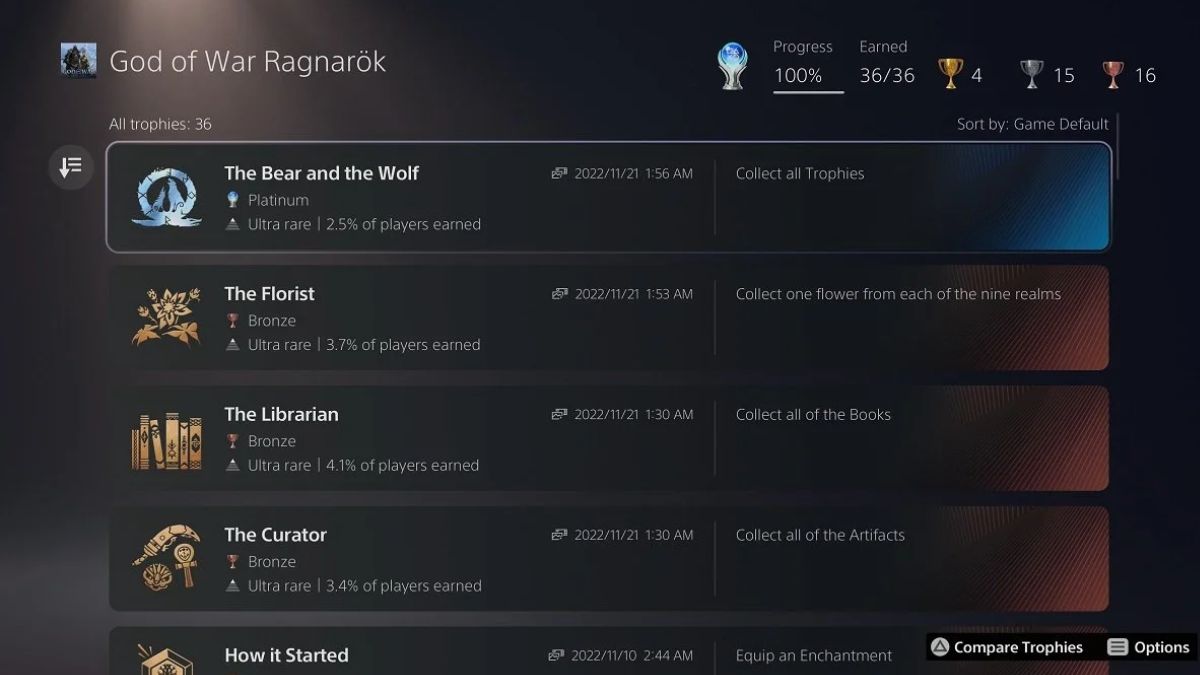
    The game features a vast and dynamic open world, a deep and engaging story, a rich and diverse combat system, and a stunning and immersive presentation. The game also has a total of 36 trophies, including the coveted platinum trophy, which can be obtained by completing various challenges and tasks in the game.

    In this article, we’ll provide a comprehensive and detailed guide on how to get the platinum trophy in God of War Ragnarok, and what are the requirements and tips for each trophy.

    God Of War Ragnarok Trophy Guide

    God Of War Ragnarok Trophy Guide
    God Of War Ragnarok Trophy Guide

    Platinum Trophy: The Bear and the Wolf

    The platinum trophy is awarded for unlocking all other trophies in the game. This means that you need to complete the main story, explore the open world, collect all the collectables, defeat all the optional bosses, upgrade all the equipment, and perform all the miscellaneous actions that are related to the trophies.

    The platinum trophy is not tied to any difficulty level, so you can play the game on any difficulty that suits your preference and skill. However, some trophies may be easier or harder depending on the difficulty level, so you may want to adjust them accordingly. You can also use the accessibility options to make the game more comfortable and enjoyable for you.

    The platinum trophy is not missable, as you can always return to any area or location in the game after finishing the main story, and complete anything that you missed or skipped.

    The game also has a tracker system that shows your progress and completion percentage for each region and category, which can help you find and collect everything that you need. The game also has a fast travel system that allows you to travel between different points of interest quickly and conveniently.

    The platinum trophy may take you around 50 to 60 hours to achieve, depending on your playstyle and pace. The main story may take you around 20 to 25 hours to finish, while the rest of the time may be spent on exploring, collecting, and completing the optional content.

    The game has a lot of content and variety to offer, so you may find yourself spending more time than expected on the game, as you discover new secrets and surprises along the way.

    Gold Trophies

    The game has four gold trophies, which are related to the main story and the optional content. These trophies are:

    • The End of the Beginning: Complete the main story of God of War Ragnarok. This trophy is story-related and cannot be missed. You will get this trophy after finishing the final mission of the game, which involves a climactic confrontation with the main antagonist of the game, the Norse god of thunder, Thor. The trophy will pop after the credits roll and you return to the game world.
    • The Last of the Giants: Find and free all the imprisoned Jotnar in the game. This trophy is related to the optional content of the game, which involves finding and freeing the Jotnar, the ancient race of giants that were persecuted and exterminated by the Aesir gods. There are 10 Jotnar in total, and they are hidden in different locations and regions of the game world. You will need to solve puzzles, fight enemies, and use your abilities to reach and free them. Each Jotnar will reward you with a unique item, a lore entry, and a cutscene that reveals more about the history and the secrets of the world. You can track your progress and completion of this trophy by checking the Jotnar tab in the menu.
    • The God of War: Defeat all the Valkyries in the game. This trophy is related to the optional content of the game, which involves finding and defeating the Valkyries, the elite warriors of Odin who serve as the judges of the dead. There are 9 Valkyries in total, and they are located in hidden chambers that can be accessed by using the chisel, a special item that you obtain from the main story. The Valkyries are the most challenging and rewarding enemies in the game, as they have different movesets, abilities, and patterns, and they require skill, strategy, and preparation to defeat. Each Valkyrie will reward you with a rare item, a rune, and a piece of the Valkyrie armour set, which is one of the best armour sets in the game. You can track your progress and completion of this trophy by checking the Valkyries tab in the menu.
    • The Collector: Craft all the Relics and Sword Hilts in the game. This trophy is related to the optional content of the game, which involves crafting the Relics and Sword Hilts, the special items that can enhance your weapons and abilities. There are 12 Relics and 12 Sword Hilts in total, and they can be crafted by using the materials and the lost pages that you can find and collect in the game world. The materials and the lost pages are scattered in different locations and regions of the game world, and they may require you to explore, fight, and solve puzzles to obtain them. Some of them may also be obtained from completing certain quests, events, or activities in the game. You can track your progress and completion of this trophy by checking the Relics and Sword Hilts tabs in the menu.

    You might also be interested in the following game guide:

    Silver Trophies

    The game has 15 silver trophies, which are related to the main story, the optional content, and the miscellaneous actions. These trophies are:

    • The Journey Begins: Complete the prologue of God of War Ragnarok. This trophy is story-related and cannot be missed. You will get this trophy after finishing the first mission of the game, which serves as an introduction and a tutorial to the game’s mechanics and features. The trophy will pop after you reach your home and talk to Atreus.
    • The Journey Continues: Complete the first act of God of War Ragnarok. This trophy is story-related and cannot be missed. You will get this trophy after finishing the fifth mission of the game, which marks the end of the first act of the game’s story. The trophy will pop after you witness a shocking and dramatic event that will change the course of your journey.
    • The Journey Ends: Complete the second act of God of War Ragnarok. This trophy is story-related and cannot be missed. You will get this trophy after finishing the tenth mission of the game, which marks the end of the second act of the game’s story. The trophy will pop after you make a crucial and decisive choice that will determine the fate of the world.
    • The Journey Beyond: Complete the epilogue of God of War Ragnarok. This trophy is story-related and cannot be missed. You will get this trophy after finishing the eleventh and final mission of the game, which serves as the epilogue and the conclusion of the game’s story. The trophy will pop after you witness the final and surprising scene that will set up the stage for the next chapter of the saga.
    • The World Serpent: Meet and befriend Jormungandr, the World Serpent. This trophy is story-related and cannot be missed. You will get this trophy during the third mission of the game, which involves travelling to the Lake of Nine, the central hub of the game world. The trophy will pop after you summon and talk to Jormungandr, the colossal snake that encircles the world and holds it together.
    • The Allfather: Meet and confront Odin, the Allfather. This trophy is story-related and cannot be missed. You will get this trophy during the ninth mission of the game, which involves travelling to Asgard, the realm of the Aesir gods. The trophy will pop after you enter the hall of Valhalla and face Odin, the king and the ruler of the gods.
    • The Witch of the Woods: Meet and ally with Freya, the Witch of the Woods. This trophy is story-related and cannot be missed. You will get this trophy during the fourth mission of the game, which involves travelling to the Wildwoods, the forest area near your home. The trophy will pop after you enter the house of Freya, the mysterious and powerful witch who will help you and Atreus throughout your journey.
    • The God of Mischief: Meet and befriend Loki, the God of Mischief. This trophy is story-related and cannot be missed. You will get this trophy during the sixth mission of the game, which involves travelling to Jotunheim, the realm of the giants. The trophy will pop after you encounter and rescue Loki, the trickster and the shapeshifter who will join you and Atreus on your journey.
    • The Lord of the Dead: Meet and challenge Hel, the Lord of the Dead. This trophy is story-related and cannot be missed. You will get this trophy during the eighth mission of the game, which involves travelling to Helheim, the realm of the dead. The trophy will pop after you enter the palace of Hel and fight him, the ruthless and fearsome god who rules over the underworld.
    • The King of the Hill: Reach the summit of the highest mountain in the game. This trophy is related to the optional content of the game, which involves climbing the highest mountain in the game, which is located in the region of Midgard. The mountain is a challenging and rewarding area, as it has many enemies, puzzles, and secrets to overcome and discover. The trophy will pop after you reach the top of the mountain and enjoy the view.
    • The Master of the Runes: Learn and master all the Runic Attacks in the game. This trophy is related to the optional content of the game, which involves learning and mastering the Runic Attacks, the special abilities that you can use with your weapons.

    We appreciate your interest in our website! Make Gameempress.com your go-to site for gaming information.
  • Can Seel Be Shiny In Pokemon Go? Your Guide To Finding This Rare Seal!

    Can Seel Be Shiny In Pokemon Go? Your Guide To Finding This Rare Seal!

    Pokemon GO is a mobile game that allows players to catch and collect various Pokemon in the real world. The game also features shiny Pokemon, which are rare and alternate-colored versions of the regular Pokemon. Shiny Pokemon are highly sought after by many players, as they are unique and valuable.

    One of the Pokemon that has a shiny form in Pokemon GO is Seel, the Sea Lion Pokemon. In this article, we’ll answer the question: can Seel be shiny in Pokemon GO? We’ll also explain how to find and catch a shiny Seel, and what are the chances and benefits of getting one.

    What is a Shiny Seel And How Does it Look Like?

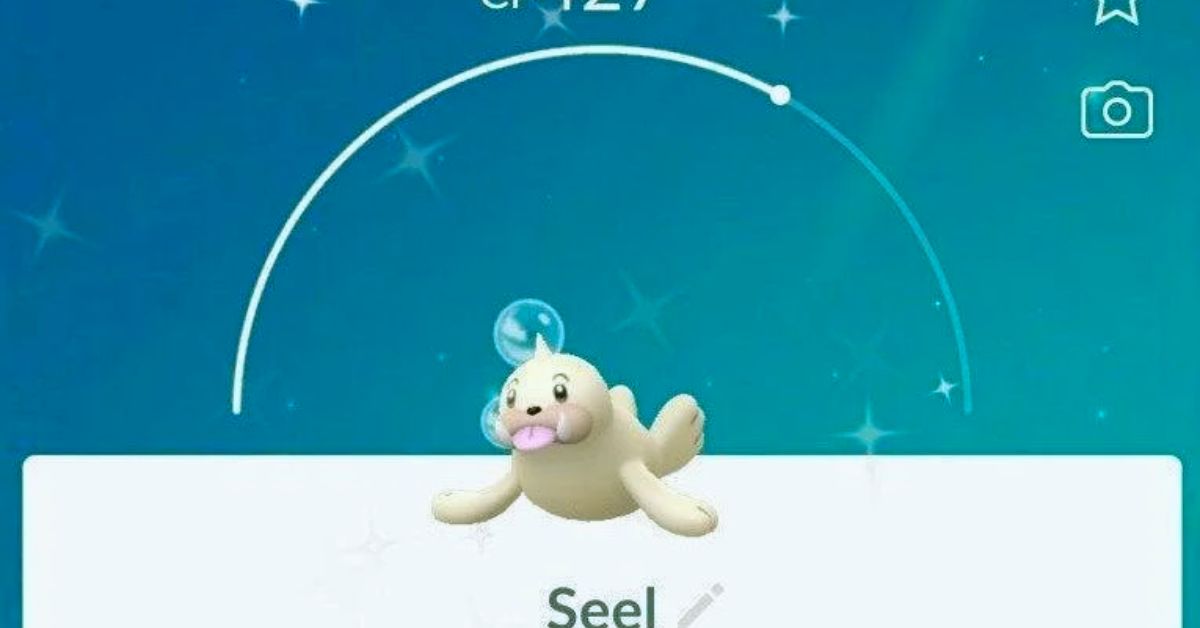
    A shiny Seel is a Seel that has a different colour scheme than the normal Seel. A normal Seel has a white body with a black horn and eyes. A shiny Seel has a beige or cream-coloured body with a brown horn and eyes. The difference is subtle but noticeable. A shiny seal also has a shiny sparkle effect when it appears on the map or the encounter screen.

    A shiny Seel looks like this:

    Can Seel Be Shiny In Pokemon Go
    Can Seel Be Shiny In Pokemon Go

    How to Find And Catch a Shiny Seel in Pokemon GO?

    To find and catch a shiny Seel in Pokemon GO, you need to encounter a Seel in the wild, in raids, in eggs, or research tasks. There is a small chance that any Seel that you encounter will be shiny, regardless of the source. However, some sources may have higher or lower chances of spawning a shiny Seel, depending on the event or the situation.

    The best way to find and catch a shiny Seel is to look for it in the wild, especially in areas where Seel spawns frequently, such as near water or in snowy or icy biomes.

    You can also use items such as incense, lures, or mystery boxes to attract more Seel to your location. You can also check the nearby or sightings tab to see if there is a Seel nearby, and follow the footsteps to find it.

    Another way to find and catch a shiny Seel is to participate in raids, where Seel may appear as a one-star raid boss. You can join or create a raid lobby, and battle the Seel with other players. If you defeat the seel, you will have a chance to catch it, and it may be shiny.

    Another way to find and catch a shiny Seel is to hatch it from eggs, where Seel may be one of the possible Pokemon that can hatch from a 5 km egg. You can obtain eggs from spinning PokeStops or Gyms, or from gifts from friends. You can then place the egg in an incubator, and walk a certain distance to hatch it. The Pokemon that hatches from the egg may be shiny.

    Another way to find and catch a shiny Seel is to complete research tasks, where Seel may be one of the possible rewards for completing certain field or special research tasks. You can obtain research tasks from spinning PokeStops or Gyms, or from the Professor or the Team Leaders.

    You can then complete the tasks by performing certain actions, such as catching, battling, or evolving Pokemon. The reward for completing the task may be a Seel encounter, and it may be shiny.

    What are The Chances and Benefits of Getting a Shiny Seel in Pokemon GO?

    The chances of getting a shiny Seel in Pokemon GO are not officially confirmed, but they are estimated to be around 1 in 500 for a wild encounter, 1 in 50 for a raid encounter, 1 in 50 for an egg hatch, and 1 in 20 for a research task encounter.

    These changes may vary depending on the event or the situation, as some events may increase or decrease the shiny rates of certain Pokemon.

    The benefits of getting a shiny Seel in Pokemon GO are mainly cosmetic, as a shiny Seel does not have any advantage or disadvantage over a normal Seel in terms of stats, moves, or performance.

    However, a shiny Seel is rare and valuable, as it can be used to show off, trade, or collect. A shiny Seel can also be evolved into a shiny Dewgong, which is the evolved form of Seel and has a blue body with a white horn and eyes.

    You might also be interested in the following game guide:

    Conclusion

    Seel is one of the Pokemon that can be shiny in Pokemon GO, and it has a beige or cream-coloured body with a brown horn and eyes. To find and catch a shiny Seel, you need to encounter a Seel in the wild, in raids, in eggs, or research tasks, and hope that it is shiny.

    The chances of getting a shiny Seel are low, but they may vary depending on the event or the situation. The benefits of getting a shiny Seel are mainly cosmetic, but it can also be used to show off, trade, or collect.

    We appreciate your interest in our website! Make Gameempress.com your go-to site for gaming information.

  • Elden Ring Interactive Map: How To Explore And Navigate The Open World Of The Game?

    Elden Ring Interactive Map: How To Explore And Navigate The Open World Of The Game?

    Elden Ring is an upcoming action RPG game that will feature a vast and dynamic open world, where players can explore, fight, and discover secrets and mysteries. The game will also feature an interactive map, which is a tool that will help players navigate and orient themselves in the world.

    The interactive map will show the locations of various points of interest, such as landmarks, dungeons, bosses, quests, items, and more. The interactive map will also allow players to zoom in and out, filter by categories, mark and track their progress, and customize their preferences. In this article, we’ll explain how to use the interactive map in Elden Ring and what benefits and features it offers.

    What is the Interactive Map and Why is It Important?

    The interactive map is a feature that will be available in Elden Ring, both in-game and online. The interactive map will display the full world map of the game, which is divided into six regions, each with its landscape, climate, and culture.

    Elden Ring Interactive Map
    Elden Ring Interactive Map

    The interactive map will also show the details and information of each region and location, such as the name, the description, the enemies, the loot, the secrets, and more.

    The interactive map is important because it will help players explore and navigate the open world of Elden Ring, which is said to be the largest and most diverse world in the history of the developer, FromSoftware.

    The interactive map will allow players to plan their routes, find their destinations, locate their objectives, and uncover hidden areas and secrets. The interactive map will also help players to keep track of their progress, achievements, and collectibles, and to share their discoveries and experiences with other players.

    How to Use the Interactive Map in Elden Ring?

    To use the interactive map in Elden Ring, players will need to access it either in-game or online. The in-game interactive map will be accessible from the menu and will require the player to have a map item, which can be obtained from various sources, such as merchants, quests, or exploration. The online interactive map will be accessible from the official website of Elden Ring

    Once the player has accessed the interactive map, they will be able to see the full world map of Elden Ring, as well as the details and information of each region and location. The player will also be able to use the following features and functions of the interactive map:

    • Zoom in and out: The player will be able to zoom in and out of the map, using the mouse wheel, the pinch gesture, or the buttons on the screen. Zooming in will show more details and information about the map while zooming out will show the overview and the boundaries of the map.
    • Filter by categories: The player will be able to filter the map by categories, using the checkmark layers on the side of the map. These categories will include the types of points of interest, such as landmarks, dungeons, bosses, quests, items, and more. Filtering by categories will show or hide the icons and the labels of the points of interest, depending on the player’s preference and need.
    • Mark and track progress: The player will be able to mark and track their progress on the map, using the icons and the buttons on the screen. The player will be able to mark the points of interest that they have visited, completed, or collected, as well as the ones that they want to visit, complete, or collect. The player will also be able to track the points of interest that they have marked and see their distance and direction from their current location. Marking and tracking progress will help the player to organize and optimize their exploration and gameplay.
    • Customize preferences: The player will be able to customize their preferences on the map, using the settings and the options on the screen. The player will be able to change the appearance and functionality of the map, such as the colour, brightness, contrast, size, orientation, language, and more. Customizing preferences will help the player to enhance their experience and comfort on the map.

    You might also be interested in the following game guide:

    Conclusion

    The interactive map is a feature that will enhance the exploration and navigation of the open world of the Elden Ring. The interactive map will show the full world map of the game, as well as the details and information of each region and location.

    The interactive map will also allow the player to zoom in and out, filter by categories, mark and track progress, and customize preferences. The interactive map will be a useful and convenient tool for the player, as well as a source of fun and discovery.

    We appreciate your interest in our website! Make Gameempress.com your go-to site for gaming information.
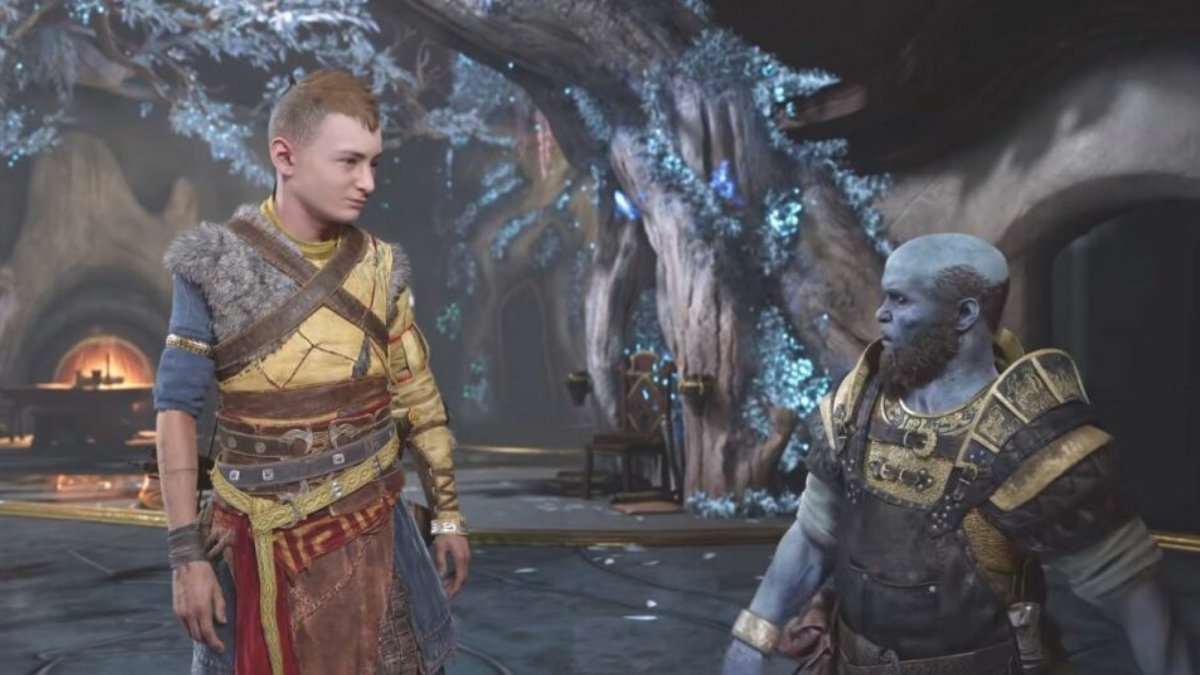
  • Skull And Bones Closed Beta: Navigate, Explore, And Conquer Before the Rest!

    Skull And Bones Closed Beta: Navigate, Explore, And Conquer Before the Rest!

    Are you ready to embark on a thrilling adventure in the Indian Ocean, where you can sail, fight, and take as a pirate? If so, you might want to join the closed beta of Skull And Bones, a new game by Ubisoft that lets you experience the golden age of piracy in a rich and immersive open world.

    Skull and Bones Closed Beta Release Date

    When Skull and Bones comes out on February 16, 2024, Xbox Series X|S players will be able to explore the open sea and fight on ships. Would you like to take a voyage across the vast Indian Ocean and delve into the world of pirates? Participate in the closed test on December 15–18, 2023, by registering today.

    To become a pirate captain in Skull & Bones, you must amass wealth, assemble a formidable fleet of ships, and establish a reputation for yourself. To achieve that, though, is easier said than done. You’ll be involved in a horrible maritime battle from the moment the game launches.

    Your real “rags-to-riches” tale begins when you utilize everything at your disposal to travel to Sainte-Anne, the location of the pirate hideout. The first thing about Skull and Bones that you should know is their infamy. For a pirate in Skull & Bones, notoriety is their greatest asset and an indication of their progress.

    Among many other things, it tells you what missions you can do, what ships you can construct, what materials you can gather, what weaponry you can produce, and much more. Nearly anything you accomplish in Skull & Bones will earn you notoriety, including bounties and hidden treasures as well as rum smuggling and crocodile hunting.

    Skull and Bones Closed Beta will be available from December 15th to December 18th, 2023:

    Skull and Bones Closed Beta System Requirements

    To play the closed beta of Skull And Bones, you need to have a PC or a console that meets the minimum or recommended system requirements. Here are the system requirements for PC:

    Resolution Operating system Processor RAM Video card Hard drive
    Recommended requirements (1080p at 60 FPS) Windows 10 / Windows 11 Intel Core i7-8700K, AMD Ryzen 5 3600, or better 8 GB (dual-channel mode) NVIDIA RTX 2070 (8 GB), AMD Radeon RX 5700 XT (8 GB), or better 65 GB (SSD recommended)
    Minimum requirements (1080p at 30 FPS) Windows 10 Intel Core i7-4790, AMD Ryzen 5 1600, or better 8 GB (dual-channel mode) NVIDIA GeForce GTX 1060 (6 GB), AMD Radeon RX 570 (8 GB), or better 65 GB (SSD recommended)
    Recommended 2K configuration (1440p, 60 FPS) Windows 10 / Windows 11 Intel i7-9700K or AMD Ryzen 5 5600X, or better 16 GB (dual-channel mode) NVIDIA GeForce RTX 3070 (8 GB) or AMD Radeon RX 6800 (16 GB), or better 65 GB (SSD required)
    Recommended 4K configuration (2160p, 60 FPS) Windows 10 / Windows 11 Intel Core i5-11600K or AMD Ryzen 5 5600X, or better 16 GB (dual-channel mode) NVIDIA GeForce RTX 3080 (10 GB) or AMD Radeon RX 6800 XT (16 GB) 65 GB (SSD required)

    For higher resolutions, such as 4K or 8K, you will need a more powerful PC with a higher-end graphics card and monitor. You can check the detailed system requirements for higher resolutions on the official website.

    If you want to check out more articles related to Skull And Bones. You can check the link below:

    Skull And Bones Closed Beta Rewards

    Skull And Bones Closed Beta
    Skull And Bones Closed Beta

    Yes, there will be rewards for participating in the closed beta of Skull And Bones. If you play the closed beta, you will receive an exclusive in-game item, the Skull And Bones Closed Beta Flag, which you can use to decorate your ship.

    You can check out the early steps of Skull and Bones for free in the Closed Beta. You begin your trip in Sainte Anne, a safe place where you can fix your ship, trade items, and talk to other players.

    The exploration goes to the Red Isle, which has many contracts that can help your name. But keep in mind that the Skull and Bones Beta time limit means you can only play the game for 6 hours at a time. After that, you won’t be able to play anymore.

    There are also some Skull and Bones Beta rewards for people who take part. These are mostly cosmetic things that can be used when the game comes out for real.

    • Skull and Bones Welcome Firework (Play the full 6 hours)
    • Pioneer Set (Complete a World Event)
    • Spoken For Emote (Craft and Sail a Bedar)

    How Do You Sign Up for Free Skull and Bones Closed Beta?

    There’s an easy way to get free entry to the Skull and Bones Beta. You’ll need a Ubisoft account first. Go to the page given and scroll down. Choose the platform you want to use (Ubisoft Connect PC, PlayStation 5, Xbox Series X|S, or Epic Games Store) and then sign in with your Ubisoft account. There you have it!

    You will get an email if you are chosen to join. There is also an option in the email that lets you invite up to two people to take the test with you. To do this, go to your account and pick who to invite.

    We appreciate your interest in our website! Make Gameempress your go-to site for gaming information.

  • Postal 2 Cheats: How To Enable And Use Them In The Game?

    Postal 2 Cheats: How To Enable And Use Them In The Game?

    Postal 2 is a controversial and violent game that lets you play as the Postal Dude, a man who lives in a chaotic and corrupt town. The game gives you the freedom to do whatever you want, from completing mundane tasks to killing everyone in sight.

    The game also has a variety of cheats that can make the game easier, funnier, or crazier. In this article, we’ll show you how to enable and use the cheats in Postal 2, and what effects they have.

    How to Enable Cheats in Postal 2?

    To enable cheats in Postal 2, you need to access the console window, which is a hidden feature that allows you to enter commands and codes. To access the console window, you need to press the ` key (the key below the Esc key) or the @ key (the key above the Tab key) on your keyboard. This will open a small window at the bottom of the screen, where you can type the cheats.

    Postal 2 Cheats
    Postal 2 Cheats

    Before you can use the cheats, you need to type the code SISSY, which will unlock the cheat mode. You will see a message that says “Cheats Enabled” if you did it correctly. After that, you can type any of the cheats that you want, and press Enter to activate them. You can also close the console window by pressing the same key that you used to open it.

    What Are The Cheats In Postal 2?

    There are many cheats in Postal 2, each with a different effect. Some of the cheats are useful, some are funny, and some are just plain weird. Here are some of the most popular and interesting cheats in Postal 2:

    • IAMSOLAME: This cheat will give you all the weapons, all the ammo, and invincibility. This is the ultimate cheat for those who want to cause mayhem and destruction without any consequences.
    • ALAMODE: This cheat will make you invincible, but without giving you any weapons or ammo. This is useful for those who want to explore the game world without being harmed by anything.
    • FEEL FREE: This cheat will enable the ghost mode, which will allow you to fly and walk through walls. This is useful for those who want to access hidden or unreachable areas, or just have fun flying around.
    • ROCKINCATS: This cheat will change your guns to shoot cats instead of bullets. This is funny for those who want to see cats flying everywhere, or just love cats.
    • BOPPINCATS: This cheat will make the cats that you shoot bounce off the walls and objects. This is funny for those who want to see cats ricocheting everywhere, or just love physics.
    • DOKKINCATS: This cheat will disable the cat shooting guns, and change them back to normal guns. This is useful for those who want to stop the cat madness, or just hate cats.
    • HEADSHOTS: This cheat will make all the enemies die with one bullet to the head. This is useful for those who want to kill enemies quickly and easily, or just love headshots.
    • OSAMA: This cheat will change all the bystanders into fanatics, who will attack you and the enemies. This is funny for those who want to see a chaotic and crazy scenario or just love chaos.
    • WHATCHUTALKINBOUT: This cheat will change all the bystanders into Gary Coleman, the famous actor and comedian. This is funny for those who want to see a hilarious and absurd scenario, or just love Gary Coleman.

    You might also be interested in the following game Cheats:

    Conclusion

    Cheats are a fun and optional feature that can enhance your Postal 2 experience. You can enable and use the cheats by accessing the console window and typing the codes. You can also disable the cheats by typing the same codes again, or by restarting the game. Cheats can make the game easier, funnier, or crazier, depending on your preference and mood.

    We appreciate your interest in our website! Make Gameempress.com your go-to site for gaming information.