Blog

  • Moonlight Treasures Monopoly Go Cheats: How To Get More Pickaxes And Rewards?

    Moonlight Treasures Monopoly Go Cheats: How To Get More Pickaxes And Rewards?

    Monopoly Go is a popular mobile game that lets you build your own city, collect tokens, and compete with other players in various events. One of the recent events is Moonlight Treasures, where you can dig for hidden treasures and earn rewards such as dice, gold cards, and pickaxes.

    But how can you get more pickaxes and rewards in Moonlight Treasures? Are there any cheats or hacks that can help you? In this article, we will answer these questions and share some tips and tricks for Moonlight Treasures Monopoly Go.

    What is Moonlight Treasures Monopoly Go?

    Moonlight Treasures Monopoly Go is a limited-time event that runs from November 30 to December 14, 2023. In this event, you can explore a map of ancient Egypt and dig for treasures using pickaxes.
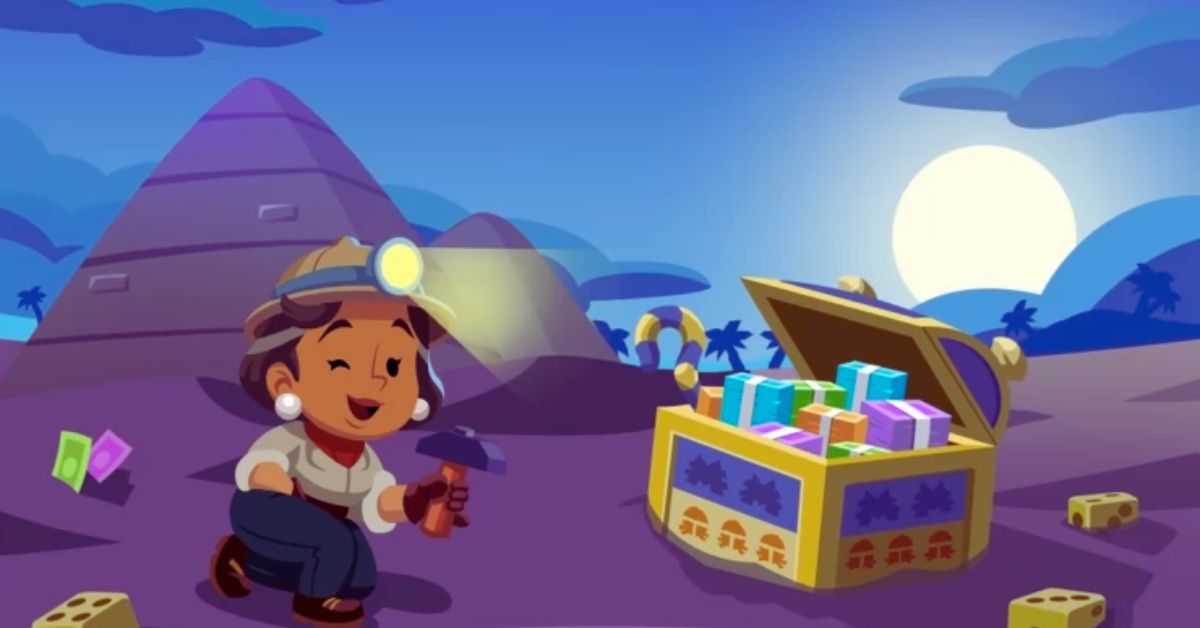
    Moonlight Treasures Monopoly Go Cheats
    Moonlight Treasures Monopoly Go Cheats

    Each treasure contains a random reward, such as dice, gold cards, tokens, or shields. You can also find special items, such as keys, scarabs, and pyramids, that can unlock more rewards or bonuses.

    To participate in Moonlight Treasures Monopoly Go, you need to have at least one pickaxe. You can get pickaxes by rolling dice, completing milestones, or buying them with real money. You can also get free pickaxes by watching ads or inviting friends to play the game.

    How to Get More Pickaxes and Rewards in Moonlight Treasures Monopoly Go?

    There are several ways to get more pickaxes and rewards in Moonlight Treasures Monopoly Go. Here are some of them:

    • Roll dice wisely: Rolling dice is the main way to get pickaxes and rewards in Moonlight Treasures Monopoly Go. However, you should be careful not to waste your dice on spaces that do not give you any benefit. Try to land on spaces that give you pickaxes, tokens, or event points. You can also use the aeroplane mode cheat to get a free dice refund if you are not satisfied with your roll.
    • Complete milestones: Milestones are goals that you can achieve by digging for treasures, collecting items, or spending pickaxes. Each milestone gives you a reward, such as dice, pickaxes, or gold cards. You can check your progress and claim your rewards by tapping on the milestone icon in the top right corner of the screen.
    • Unlock bonuses: Bonuses are extra rewards that you can get by finding special items in Moonlight Treasures Monopoly Go. For example, if you find three keys, you can unlock a treasure chest that contains more pickaxes and rewards. If you find three scarabs, you can activate a multiplier that increases your event points. If you find three pyramids, you can enter a secret chamber that gives you a chance to win a jackpot.
    • Use gold cards: Gold cards are rare and powerful cards that can give you various advantages in Monopoly Go. You can use gold cards to boost your income, protect your city, or steal from other players. You can also use gold cards to get more pickaxes and rewards in Moonlight Treasures Monopoly Go. For example, you can use the Gold Miner card to get more pickaxes, the Gold Digger card to get more rewards or the Gold Rush card to get more event points.
    • Watch ads or invite friends: If you are running low on pickaxes, you can watch ads or invite friends to get more. You can watch up to five ads per day to get one pickaxe each. You can also invite up to 20 friends to play Monopoly Go and get one pickaxe for each friend who joins. However, these methods are not very reliable, as the ads may not be available or the friends may not accept your invitation.

    You might also be interested in the following game Cheats:

    Are There Any Moonlight Treasures Monopoly Go Cheats or Hacks?

    There are no official cheats or hacks for Moonlight Treasures Monopoly Go. The game is online and any modification or hack can be easily detected and result in a ban. However, some players have used the time-lapse method to get more pickaxes and rewards.

    This method involves changing the date and time settings of your device to trick the game into thinking that more time has passed. However, this method is risky and unsupported by the game, and it may cause problems with other apps or functions of your device. Therefore, we do not recommend using this method or any other cheats or hacks for Moonlight Treasures Monopoly Go.

    Conclusion

    Moonlight Treasures Monopoly Go is a fun and exciting event that can help you get more pickaxes and rewards in Monopoly Go. However, you should be careful not to fall for any cheats or hacks that may harm your account or device.

    We appreciate your interest in our website! Make Gameempress.com your go-to site for gaming information.
  • Lower City Sewers Map BG3: How To Explore The Underbelly Of Baldur’s Gate 3?

    Lower City Sewers Map BG3: How To Explore The Underbelly Of Baldur’s Gate 3?

    Baldur’s Gate 3 is a role-playing game that lets you create your character and embark on an epic adventure in the world of Dungeons & Dragons. The game has a vast and detailed map, with various locations to visit and explore.

    One of these locations is the Lower City Sewers, a network of tunnels and pipes that run beneath the Lower City of Baldur’s Gate. The Lower City Sewers are full of secrets, dangers, and rewards, and can be accessed from different points in the game.

    In this article, we will provide a guide on how to find and navigate the Lower City Sewers map in Baldur’s Gate 3, and what you can expect to encounter there.

    How To Access The Lower City Sewers Map in Baldur’s Gate 3?

    The Lower City Sewers map in Baldur’s Gate 3 can be accessed from several entrances in the Lower City, which is the main area of the game’s third act. You can find these entrances by looking for manholes, grates, or doors that lead to the sewers. Some of the entrances are:

    • Guildhall: You can access it through the No Entry, No Exit door.
    • Basilisk Gate: Access the manhole under the bridge after reaching the Lower City.
    • Bloomridge Park: Access the manhole right behind the Glitter Gala.
    • The Blushing Mermaid: Access the grate in the back alley of the tavern.
    • The Undercellar: Access the door in the basement of the tavern.
    • The Flaming Fist Headquarters: Access the grate in the courtyard of the headquarters.

    You can also access the Lower City Sewers map from the Undercity, which is another underground location that is connected to the sewers.

    You can find the entrance to the Undercity in the Steel Watch Foundry, which is part of the main quest line.

    What To Expect In The Lower City Sewers Map In Baldur’s Gate 3?

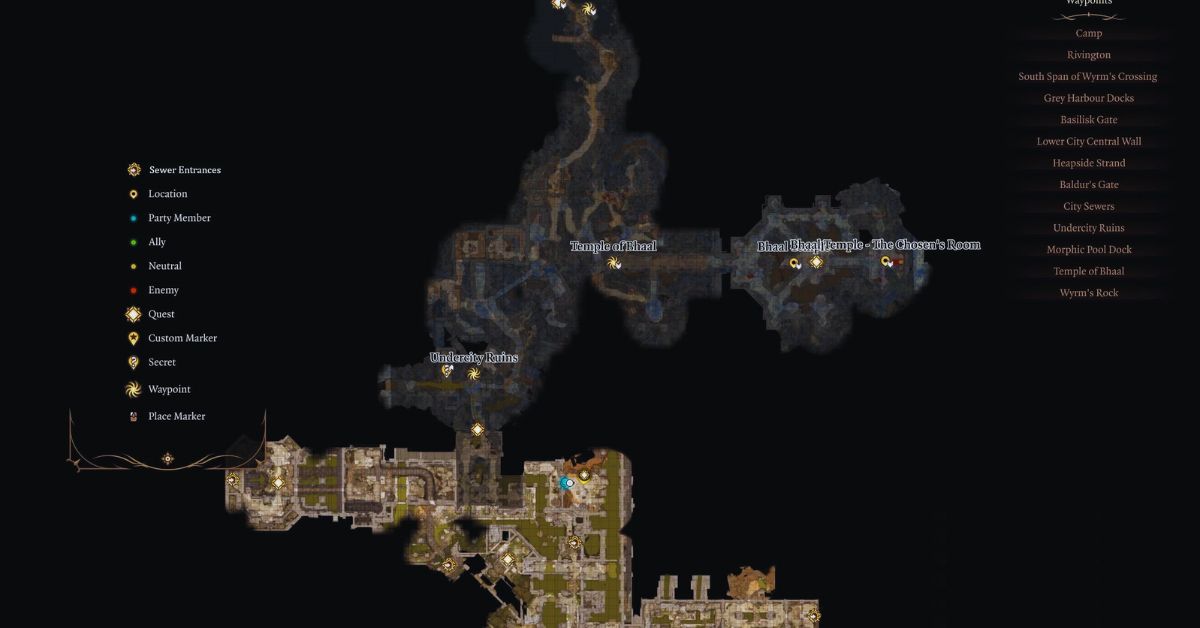
    Lower City Sewers Map BG3
    Lower City Sewers Map BG3

    The Lower City Sewers map in Baldur’s Gate 3 is a large and complex area, with multiple paths, rooms, and secrets to discover. You can use the map icon in the upper right corner of the screen to view the map and your location. You can also use the fast travel feature to move between different waypoints that you have unlocked in the sewers.

    The Lower City Sewers map in Baldur’s Gate 3 is also home to various enemies, allies, and quests that you can encounter. Some of the things you can expect to find in the sewers are:

    • Rats: These are common enemies that can swarm and bite you. They are easy to kill but can be annoying and infectious.
    • Otyughs: These are large and grotesque creatures that feed on sewage and garbage. They are hostile and can deal heavy damage with their tentacles and bite. They can also poison you with their stench.
    • Goblins: These are small and cunning enemies that can ambush you with traps and explosives. They are part of the Goblin Gang quest, which involves finding and killing their leader, Grix.
    • Kobolds: These are reptilian enemies that can attack you with slings and spears. They are part of the Kobold Coup quest, which involves helping or hindering their rebellion against the goblins.
    • Cultists: These are human enemies that worship the Dead Three, a trio of evil gods. They are part of the Cult of the Dead Three quest, which involves infiltrating their lair and stopping their ritual.
    • Baeloth: This is a powerful and eccentric wizard who runs the Black Pits, a gladiatorial arena where you can fight for fame and fortune. He is part of the Black Pits quest, which involves participating in his battles and uncovering his secrets.
    • Halsin: This is a druid who can help you with your tadpole problem. He is part of the main quest line, and you can find him in the Undercity after rescuing him from the goblins.

    You might also be interested in the following game guide:

    Tips And Tricks For The Lower City Sewers Map In Baldur’s Gate 3

    The Lower City Sewers map in Baldur’s Gate 3 can be a challenging and rewarding area to explore, but it can also be dangerous and confusing. Here are some tips and tricks to help you survive and thrive in the sewers:

    • Use light sources: The sewers are dark and gloomy, and you may need to use torches, lanterns, or spells to illuminate your surroundings and spot hidden enemies or traps.
    • Use stealth: The sewers are full of enemies and hazards, and you may want to use stealth to avoid unnecessary fights or sneak up on your foes. You can use the stealth button in the lower left corner of the screen to enter or exit stealth mode.
    • Use perception: The sewers are also full of secrets and loot, and you may want to use perception to spot hidden doors, chests, or switches. You can use the perception button in the lower left corner of the screen to activate or deactivate the perception mode.
    • Use exploration: The sewers are a large and complex area, and you may want to explore every corner and path to find all the quests, allies, and rewards. You can use the map icon in the upper right corner of the screen to view the map and your location, and the fast travel feature to move between different waypoints.
    • Use caution: The sewers are a dangerous and unpredictable area, and you may want to use caution and save often to avoid unpleasant surprises or consequences. You can use the save button in the upper left corner of the screen to save your game, and the load button to load a previous save.

    We appreciate your interest in our website! Make Gameempress.com your go-to site for gaming information.

  • Warcraft Rumble Deadmines Guide: How To Beat The Dungeon With Any Leader?

    Warcraft Rumble Deadmines Guide: How To Beat The Dungeon With Any Leader?

    Warcraft Rumble is a mobile action strategy game that features collectable minis from the Warcraft universe. The game has a single-player campaign mode, where players can explore various dungeons and face different bosses.

    One of the dungeons is the Deadmines, a mine complex that is overrun by the Defias Brotherhood, a group of bandits and rebels. The Deadmines dungeon has four stages, each with a different boss and a different challenge.

    In this article, we will provide some tips and tricks on how to beat the Deadmines dungeon with any leader, and what rewards you can get from it.

    Warcraft Rumble Deadmines Guide

    Warcraft Rumble Heroic Guide
    Warcraft Rumble Heroic Guide

    Stage 1: Mr. Smite

    The first stage of the Deadmines dungeon is Mr. Smite, the first mate of the Defias ship. He is a melee fighter who can stun your minis with his hammer. He also has a special ability that allows him to switch weapons and gain different buffs. He can use a sword and shield, a two-handed mace, or a pair of daggers.

    To beat Mr Smite, you will need to focus on the lane with the gold mines and use minis that can deal area damage or summon other minis. Some examples are Harpies, Whelp Eggs, Shaman, and Huntress.

    You will also need to use spells that can clear the enemy minis or damage the boss, such as Blizzard, Fireball, or Reinforcements. Try to avoid using minis that rely on stealth, as Mr. Smite can detect them with his daggers.

    Stage 2: Cookie

    The second stage of the Deadmines dungeon is Cookie, the cook of the Defias ship. He is a ranged fighter who can throw food at your minis, dealing damage and applying different effects. He can throw meat, cheese, bread, or fruit.

    He also has a special ability that allows him to summon a giant cauldron that spews out hot soup, dealing massive damage to your minis.

    To beat Cookie, you will need to use minis that can heal or shield your minis, or remove the effects of the food. Some examples are Priest, Paladin, Druid, and Safe. You will also need to use spells that can damage the cauldron or the boss, such as Fireball, Lightning Bolt, or Reinforcements. Try to avoid using minis that are weak to fire, as Cookie can burn them with his soup.

    Stage 3: Sneed

    The third stage of the Deadmines dungeon is Sneed, the engineer of the Defias ship. He is a melee fighter who can use his shredder to slash your minis or launch rockets at them. He also has a special ability that allows him to repair his shredder, restoring his health and armour. He can also summon other shredders to assist him.

    To beat Sneed, you will need to use minis that can deal high damage or pierce armour. Some examples are Rifleman, Archer, Mage, and Assassin. You will also need to use spells that can interrupt his repair or damage his shredders, such as Frost Nova, Lightning Bolt, or Reinforcements. Try to avoid using minis that are slow or have low health, as Sneed can easily kill them with his shredder or rockets.

    Stage 4: VanCleef

    The final stage of the Deadmines dungeon is VanCleef, the leader of the Defias Brotherhood. He is a melee fighter who can use his sword to slash your minis or throw bombs at them.

    He also has a special ability that allows him to summon his allies, such as Mr. Smite, Cookie, Sneed, or other Defias minis. He can also use his ultimate ability, which is a powerful slash that deals massive damage to your minis.

    To beat VanCleef, you will need to use minis that can deal with multiple enemies or survive his ultimate. Some examples are Harpies, Whelp Eggs, Shaman, and Huntress.

    You will also need to use spells that can clear the enemy minis or damage the boss, such as Blizzard, Fireball, or Reinforcements. Try to avoid using minis that are weak to physical damage, as VanCleef can easily kill them with his sword or bombs.

    You might also be interested in the following game guide:

    Rewards

    By completing the Deadmines dungeon, you can get various rewards, such as gold, gems, chests, and minis. You can also get bonus rewards for completing the dungeon with different leaders, such as Rend Blackhand, Drakkisath, or Jaina Proudmoore.

    You can also get achievements for completing the dungeon with certain conditions, such as using only Horde minis, using only Alliance minis, or using only neutral minis. Completing the Deadmines dungeon will also unlock the next dungeon, the Blackrock Mountain, where you can face more challenges and bosses.

    We appreciate your interest in our website! Make Gameempress.com your go-to site for gaming information.
  • Fortnite Festival XP Glitch: How To Get Free XP In Chapter 4 Season OG?

    Fortnite Festival XP Glitch: How To Get Free XP In Chapter 4 Season OG?

    Fortnite Festival is a new feature in Fortnite Chapter 4 Season OG that allows players to celebrate the holidays with various activities and rewards.

    However, some players have discovered a way to exploit the festival and get free XP in the game. This article will explain what the Fortnite Festival XP glitch is, how to do it, and what are the risks and benefits of using it.

    What is the Fortnite Festival XP Glitch?

    The Fortnite Festival XP glitch is a bug that allows players to get unlimited XP by completing the same festival quest over and over again. The glitch works by using the Party Assist feature, which lets players share their quests with their party members.

    Fortnite Chapter 4 Season 5 Skin Leaks
    Fortnite Chapter 4 Season 5 Skin Leaks

    By doing this, players can complete the same quest multiple times and get XP each time, without actually doing the quest.

    How to Do the Fortnite Festival XP Glitch?

    To do the Fortnite Festival XP glitch, players will need to have at least one friend in their party and have the Party Assist feature enabled. They will also need to have at least one festival quest available, which can be obtained from the festival hub in the main menu.

    The steps to do the glitch are as follows:

    • Go to the festival hub and select a festival quest that is easy to complete, such as “Visit different Snowmando Outposts”.
    • Activate the Party Assist feature for the quest, and make sure your friend does the same.
    • Start a match and complete the quest. You and your friend will both get XP for completing the quest.
    • Leave the match and return to the festival hub. You will notice that the quest is still available, and you can activate the Party Assist feature again.
    • Repeat the process as many times as you want, and enjoy the free XP.

    You might also be interested in the following game guide:

    What Are the Risks and Benefits of Using the Fortnite Festival XP Glitch?

    The Fortnite Festival XP glitch is a tempting way to level up fast and unlock the exclusive Battle Pass rewards, such as the Darth Vader skin, the Carnage skin, and the gold styles for various skins. However, using the glitch also comes with some risks and drawbacks, such as:

    • The glitch may be patched by Epic Games at any time, and players who use it may face consequences, such as losing their XP, getting banned, or getting their accounts reset.
    • The glitch may ruin the fun and challenge of the game, as players will not have to work hard to earn their rewards, and may lose interest in the game.
    • The glitch may cause some issues with the game’s performance, such as lag, crashes, or glitches, as it may overload the game’s servers or systems.

    Therefore, players who want to use the Fortnite Festival XP glitch should do so at their own risk, and be aware of the possible outcomes. Alternatively, players can choose to play the game normally and enjoy the festival and its rewards without cheating.

    We appreciate your interest in our website! Make Gameempress.com your go-to site for gaming information.

  • Bannerlord Online Mod: A Multiplayer Sandbox Experience For Mount And Blade II

    Bannerlord Online Mod: A Multiplayer Sandbox Experience For Mount And Blade II

    Mount & Blade II: Bannerlord is a popular medieval action role-playing game that offers a rich single-player sandbox experience. But what if you want to share this experience with other players online? That’s where the Bannerlord Online mod comes in.

    This mod not only provides a multiplayer experience but also provides a complete sandbox experience that is as close to the original as possible. In this article, we will explore the features and benefits of the Bannerlord Online mod, and how you can install and play it.

    What is the Bannerlord Online Mod?

    The Bannerlord Online mod is a mod for Mount & Blade II: Bannerlord that adds online multiplayer functionality to the game. The mod is developed by a team of independent modders who are fans of the game and want to create a multiplayer experience that is faithful to the original game. The mod is available for download from ModDB or Nexus Mods.

    Bannerlord Online Mod
    Bannerlord Online Mod

    The Bannerlord Online mod aims to provide a completely cooperative experience on the global map, where every squad, battle, bandit hideout, and other event are fully synchronized.

    Time doesn’t stop during battles – you can move around the world, visit cities, trade, and fight in the arena while other players participate in battles. You can also join existing battles to turn the tide of battle.

    The mod also features player progression, where you start as an unknown character and gradually find allies and opponents in this world. However, each hero now has a real player behind it, not a scripted AI. The mod also introduces unique perks specially designed for multiplayer, as well as a redesigned experience bar for each skill.

    Another feature of the mod is the player-controlled economy, where the players themselves produce raw materials and deliver them to the workshops while working in the villages.

    Workshop owners produce food, weapons, and armor, and then deliver a finished product to the market. The finished product is in demand by military units and serves as an aid in military campaigns. You can also team up in caravans with other players for effective trading.

    Of course, the mod also supports the combat system of the original game, with support for 100×100 battles, and in the future, the limit will increase to 200×200. Almost all weapons that are in the original game are supported. You can fight in the arena in cities or engage in real, bloody battles.

    How to Install and Play the Bannerlord Online Mod?

    To install and play the Bannerlord Online mod, you will need to have Mount & Blade II: Bannerlord installed on your PC. You will also need to download the mod installer from ModDB or Nexus Mods and run it. The installer will automatically detect your game folder and install the mod files.

    To play the mod, you will need to launch the game from the mod launcher, which will be created on your desktop after the installation. You will also need to log in with your Bannerlord Online account.

    You can then choose a server to join, and create your character. You can also join a clan or create your own, and invite other players to join you. You can then explore the world of Calradia with other players, and enjoy the multiplayer sandbox experience.

    You might also be interested in the following gaming mods:

    Why Should You Play the Bannerlord Online Mod?

    If you are a fan of Mount & Blade II: Bannerlord, and you want to experience the game with other players online, then the Bannerlord Online mod is for you. The mod offers a faithful multiplayer experience that is as close to the original as possible, with many features and benefits, such as:

    • A complete cooperative experience on the global map, where every event is synchronized and you can join other players in battles.
    • A player progression system, where you can create your hero and develop your skills and perks.
    • A player-controlled economy, where you can produce and trade goods, and support your military campaigns.
    • A combat system that supports large-scale battles, with almost all weapons from the original game.
    • A friendly and active community, where you can join clans, chat with other players, and get support from the mod developers.

    The Bannerlord Online mod is a mod that enhances the game and adds a new dimension to it. It is a mod that is made by fans, for fans, and it is constantly updated and improved. If you want to try the mod, you can download it from ModDB or Nexus Mods.

    We appreciate your interest in our website! Make Gameempress.com your go-to site for gaming information.
  • Guitar Hero 2 Cheats: How To Unlock All Songs, Guitars, And Modes?

    Guitar Hero 2 Cheats: How To Unlock All Songs, Guitars, And Modes?

    Guitar Hero 2 is a rhythm game that lets players rock out to some of the greatest songs in rock history. The game was developed by Harmonix and was released in 2006 for PlayStation 2 and in 2007 for Xbox 360. The game features over 60 songs, 10 characters, and 20 guitars to choose from.

    The game also has various modes and difficulties to challenge the players’ skills and creativity. However, the game can also be frustrating and tedious, as players have to complete certain tasks and achievements to unlock all the content. Fortunately, there is a way to bypass the hassle and access everything in the game: using cheats.

    Guitar Hero 2 Cheats

    Guitar Hero 2 Cheats
    Guitar Hero 2 Cheats

    Cheats are codes or commands that can unlock or activate certain features or effects in the game, such as unlocking all songs, guitars, and modes, or enabling hyper speed, air guitar, or flaming head. Cheats can be entered by pressing the corresponding fret buttons on the guitar controller at the main menu or the pause menu.

    Cheats can make the game more fun and easy and can help the players explore and experiment with the game. There are many cheats available for Guitar Hero 2, each with its effects and advantages. Some of the most popular and useful cheats are:

    Unlock All Songs

    This cheat can unlock all the songs in the game, including the bonus and hidden songs, without having to complete the career mode or the bonus challenges. To enter this cheat, press the following buttons in the main menu:

    • PS2 version: Blue, Yellow, Orange, Red, Yellow, Orange, Blue, Yellow, Blue, Yellow, Blue, Yellow, Blue, Yellow, Blue, Yellow.
    • Xbox 360 version: Blue, Yellow, Orange, Red, Orange, Yellow, Red, Yellow, Red, Yellow, Red, Yellow, Red, Yellow, Red, Yellow.

    Unlock All Guitars

     This cheat can unlock all the guitars in the game, including the special and secret guitars, without having to complete the career mode or the bonus challenges. To enter this cheat, press the following buttons in the main menu:

    • PS2 version: Blue, Yellow, Orange, Red, Orange, Yellow, Blue, Yellow.
    • Xbox 360 version: Blue, Yellow, Orange, Red, Yellow, Orange, Red, Yellow, Red, Yellow, Red, Yellow, Red, Yellow, Red, Yellow.

    Unlock All Modes

    This cheat can unlock all the modes in the game, including the co-op mode, the practice mode, and the performance mode, without having to complete the career mode or the bonus challenges. To enter this cheat, press the following buttons in the main menu:

    • PS2 version: Yellow, Yellow, Blue, Yellow, Yellow, Orange, Yellow, Yellow.
    • Xbox 360 version: Yellow, Yellow, Blue, Yellow, Yellow, Orange, Yellow, Yellow.

    Hyper Speed

    This cheat can increase the speed of the notes on the screen, making the game more challenging and exciting. To enter this cheat, press the following buttons at the main menu or the pause menu:

    • PS2 version: Orange, Blue, Orange, Yellow, Orange, Blue, Orange, Yellow.
    • Xbox 360 version: Orange, Blue, Orange, Yellow, Orange, Blue, Orange, Yellow.

    Air Guitar

    This cheat can make the guitar invisible, making the game more amusing and silly. To enter this cheat, press the following buttons at the main menu or the pause menu:

    • PS2 version: Yellow, Yellow, Blue, Orange, Yellow, Blue.
    • Xbox 360 version: Yellow, Yellow, Blue, Orange, Yellow, Blue.

    Flaming Head

    This cheat can make the character’s head catch fire, making the game more hilarious and absurd. To enter this cheat, press the following buttons at the main menu or the pause menu:

    • PS2 version: Orange, Yellow, Orange, Orange, Yellow, Orange, Yellow, Yellow.
    • Xbox 360 version: Orange, Yellow, Orange, Orange, Yellow, Orange, Yellow, Yellow.

    Conclusion

    To sum up, cheats are codes or commands that can unlock or activate certain features or effects in the game, such as unlocking all songs, guitars, and modes, or enabling hyper speed, air guitar, or flaming head.

    Cheats can be entered by pressing the corresponding fret buttons on the guitar controller at the main menu or the pause menu. Cheats can make the game more fun and easy and can help the players explore and experiment with the game.

    This is everything you need to know about the Guitar Hero 2 Cheats. You can also read our guides on GPO Codes and Phantasy Star Portable 2 Cheats. Stay up to date with GameEmpress.com for the most recent gaming news and guides.

  • House Flipper Cheats: How To Use Console Commands And Hotkeys To Make The Game Easier?

    House Flipper Cheats: How To Use Console Commands And Hotkeys To Make The Game Easier?

    House Flipper is a simulation game that lets players buy, renovate, and sell houses for profit. The game was developed by Empyrean and was released in 2018 for PC, PlayStation 4, Xbox One, and Nintendo Switch. The game offers a realistic and satisfying experience of fixing and decorating houses, with a variety of tools, items, and styles to choose from.

    However, the game can also be challenging and time-consuming, as players have to deal with limited money, skills, and perks, as well as various bugs and issues. Fortunately, there is a way to make the game easier and more fun: using cheats.

    House Flipper Cheats

    Cheats are codes or commands that can alter the game’s rules and mechanics, such as giving the player more money, skills, or perks, or fixing some bugs or issues. Cheats can be activated by using the console or the hotkeys, which are hidden features that can be accessed by pressing certain keys on the keyboard.

    House Flipper Cheats
    House Flipper Cheats

    Cheats can enhance the game’s gameplay by making it more convenient, flexible, or creative, depending on the preference of the user.

    There are many cheats available for House Flipper, each with their effects and advantages. Some of the most popular and useful cheats are:

    Money Cheats

    These cheats can give the player more money, which can be used to buy, renovate, and sell houses. To use these cheats, the player has to open the console by pressing the tilde (~) key, and enter the following codes:

    • 5K: This code gives the player 5,000 money.
    • Thukoote5: This code gives the player 50,000 money.
    • Bee7daiga: This code gives the player 500,000 money.
    • Ux8uepohj: This code gives the player 5,000,000 money.

    Skill Cheats

    These cheats can give the player more skills, which can improve the efficiency and quality of the renovation work. To use these cheats, the player has to open the console by pressing the tilde (~) key, and enter the following codes:

    • Ophahca8j: This code gives the player all the cleaning skills, which can make the cleaning faster and easier.
    • El5aakeeg: This code gives the player all the painting skills, which can make the painting faster and easier.
    • Im7exahxa: This code gives the player all the building skills, which can make the building faster and easier.
    • Oogael8oh: This code gives the player all the design skills, which can make the design more profitable and attractive.

    Perk Cheats

    These cheats can give the player more perks, which can unlock more options and features in the game. To use these cheats, the player has to open the console by pressing the tilde (~) key, and enter the following codes:

    • Eechei9oh: This code gives the player all the negotiation perks, which can increase income and lower the costs of the transactions.
    • Aiphae8oh: This code gives the player all the handyman perks, which can increase the speed and quality of the installation work.
    • Eechei9oh: This code gives the player all the office perks, which can unlock more tools and items in the office.

    Bug Fix Cheats

    These cheats can fix some of the common bugs and issues that may occur in the game, such as the grass bug, the wall bug, or the door bug. To use these cheats, the player has to open the console by pressing the tilde (~) key, and enter the following codes:

    • cut: This code cuts all the grass on the lawn, which can fix the grass bug that prevents the player from mowing the lawn properly.
    • shotgun: This code replaces the sledgehammer with a shotgun, which can fix the wall bug that prevents the player from demolishing the walls properly.
    • lumos: This code turns on the lights in the room, which can fix the door bug that prevents the player from opening or closing the doors properly.

    Hotkey Cheats

    These cheats can be activated by pressing certain keys on the keyboard, without opening the console. These cheats can perform various actions, such as giving the player more money, tools, or perks, or completing the tasks instantly. Some of the most popular and useful hotkey cheats are:

    • F5: This key gives the player a large amount of money, around 500,000.
    • F3: This key gives the player all the tools, even if they are not unlocked or available in the mission.
    • F8: This key makes the tools do things instantly, such as cleaning, painting, building, or installing.
    • F9: This key makes the player complete any mission for 100% payment, no matter how much is done.

    Conclusion

    To sum up, cheats are codes or commands that can alter the game’s rules and mechanics, such as giving the player more money, skills, or perks, or fixing some bugs or issues. Cheats can be activated by using the console or the hotkeys, which are hidden features that can be accessed by pressing certain keys on the keyboard.

    Cheats can enhance the game’s gameplay by making it more convenient, flexible, or creative, depending on the preference of the user.

    There are many cheats available for House Flipper, each with their effects and advantages. Some of the most popular and useful cheats are money cheats, skill cheats, perk cheats, bug-fix cheats, and hotkey cheats.

    Using cheats can make the game easier and more fun, and can help the player achieve their goals and dreams in the game. However, cheats may also have some drawbacks, such as making the game too easy, boring, or unfair, or causing some errors or glitches. Therefore, it is advisable to use cheats at your own risk and discretion and to respect the rights and wishes of the original game developers and other players.

    This is everything you need to know about the House Flipper Cheats. You can also read our guides on Phantasy Star Portable 2 Cheats and Need for Speed Payback Cheats. Stay up to date with GameEmpress.com for the most recent gaming news and guides.

  • Ready Or Not 1.0 Patch Notes: What’s New In The Realistic Tactical FPS Game?

    Ready Or Not 1.0 Patch Notes: What’s New In The Realistic Tactical FPS Game?

    Ready or Not is a realistic tactical FPS game that simulates the experience of a SWAT team in various scenarios, such as hostage rescue, bomb defusal, and active shooter situations. The game has been in early access since August 2022 and has received several updates and improvements over the months.

    However, the most anticipated update is the 1.0 update, which marks the official launch of the game and adds a lot of new features and content. In this article, we’ll go over the Ready or Not 1.0 patch notes, and see what’s new and exciting in the game.

    Ready Or Not 1.0 Patch Notes

    Ready Or Not 1.0 Patch Notes
    Ready Or Not 1.0 Patch Notes

    New Campaign Mode

    One of the biggest additions in the 1.0 update is the new campaign mode, which allows players to experience story-driven and immersive gameplay. The campaign mode consists of 12 missions, each with different objectives, locations, and challenges.

    The missions are connected by a narrative that explores the themes of morality, justice, and corruption. The campaign mode also features voice acting, cutscenes, and branching paths, depending on the player’s choices and actions.

    The campaign mode can be played solo or co-op, with up to four players. The difficulty and the enemy AI can be adjusted to suit the player’s preference and skill level.

    The campaign mode also has a permadeath option, which means that if the player dies, they have to start the mission from the beginning. The campaign mode is designed to provide a realistic and challenging experience, as well as a compelling story.

    New Multiplayer Modes

    Another major addition to the 1.0 update is the new multiplayer modes, which expand the game’s online features and options. The new multiplayer modes are:

    • Team Deathmatch: A classic mode where two teams of up to eight players each compete to eliminate the other team. The team with the most kills at the end of the match wins. The mode features various maps, weapons, and loadouts to choose from.
    • Hostage Rescue: A mode where one team of up to four players has to rescue hostages from the other team of up to eight players, who are holding them captive. The rescuers have to locate and extract the hostages, while the captors have to prevent them from doing so. The mode features realistic rules and mechanics, such as friendly fire, limited ammo, and communication devices.
    • Bomb Defusal: A mode where one team of up to four players has to defuse a bomb planted by the other team of up to eight players, who are trying to protect it. The defusers have to locate and disarm the bomb, while the planters have to stop them from doing so. The mode features realistic rules and mechanics, such as timers, wires, and explosives.
    • VIP Escort: A mode where one team of up to four players has to escort a VIP to a safe zone, while the other team of up to eight players has to assassinate the VIP. The escorters have to protect the VIP, who is unarmed and vulnerable, while the assassins have to eliminate the VIP. The mode features realistic rules and mechanics, such as body armour, vehicles, and snipers.

    The new multiplayer modes can be played on various maps, which are based on real-world locations and scenarios. The maps are dynamic and interactive, meaning that they can change and affect the gameplay, such as doors, windows, lights, and alarms.

    The multiplayer modes also feature a ranking system, which tracks the player’s performance and progress, and rewards them with cosmetic items, such as skins, badges, and patches.

    New Weapons and Equipment

    The 1.0 update also adds a lot of new weapons and equipment to the game, which enhances the game’s realism and variety. The new weapons and equipment are:

    • New firearms, such as the M4A1, the MP5, the AK-47, the Glock 17, and the Remington 870.
    • New attachments, such as the suppressor, the laser sight, the flashlight, and the scope.
    • New gadgets, such as the breaching charge, the flashbang, the smoke grenade, and the Taser.
    • New tools, such as the lockpick, the door wedge, the mirror, and the camera.

    The new weapons and equipment can be customized and configured to suit the player’s preference and playstyle. The weapons and equipment also have realistic physics and effects, such as recoil, bullet drop, penetration, and damage.

    New Graphics and Sound

    The 1.0 update also improves the game’s graphics and sound, which makes the game more immersive and realistic. The graphics and sound improvements include:

    • New lighting and shadow system, which create realistic and dynamic illumination and contrast.
    • New particle and smoke systems, create realistic and dynamic effects and reactions.
    • New sound engine, which creates realistic and directional sound and echo.
    • A new voice chat system, allows players to communicate with each other using in-game radios and devices.

    The graphics and sound improvements also enhance the game’s performance and optimization, which makes the game run smoother and faster.

    You might also be interested in the following gaming news:

    Conclusion

    Ready or Not 1.0 is a massive update that adds a lot of new features and content to the game, as well as improves the game’s graphics and sound. The update makes the game more complete and polished and provides a realistic and immersive tactical FPS experience.

    The update is available now for PC and will be coming soon to PS5 and Xbox Series X/S. If you’re a fan of realistic and challenging FPS games, you should check out Ready or Not 1.0.

    We appreciate your interest in our website! Make Gameempress.com your go-to site for gaming information.

  • God of War Ragnarok DLC Release Date: Prepare For More Norse Mythology Mayhem!

    God of War Ragnarok DLC Release Date: Prepare For More Norse Mythology Mayhem!

    According to the clip below, Sony’s God of War will be moving between numerous environments when Valhalla is released next week. Furthermore, as hinted at toward the end of the video, it appears that players may confront a cyclops, implying a strong connection to Greek mythology.

    “Embark on a deeply personal and reflective journey with Kratos to Valhalla towards a future he never thought possible,” PlayStation claims in the trailer’s description. “Master challenges of mind and body on an unravelling adventure that blends the beloved combat from God of War Ragnarök with brand new elements inspired by the roguelite genre.”

    Given that God of War (2018) and God of War Ragnarok take place in quick succession, and Kratos is travelling with Mimir, it seems logical to infer Valhalla takes place after the events of the 2023 title.

    God of War Ragnarok DLC Release Date

    This month, God of War Ragnarök will receive free DLC. Sony Santa Monica announced new DLC for 2018’s Game of the Year — God of War Ragnarök Valhalla — just seconds after Kratos’ voice actor Christopher Judge made his triumphant (but significantly less winded) return to the stage during The Game Awards.

    God of War Ragnarök Valhalla is a free DLC pack that will be available for the PS5 on December 12th. The DLC will take place after the climactic battle of God of War Ragnarök and will star Big Daddy Kratos and his BBF (that’s bodyless best friend) Mimir as they combat monsters in dungeons.

    You might also be interested in the following gaming news:

    The game will have roguelike features, with Kratos reawakening outside the gates of Valhalla to face the game’s challenges once more.

    “During each attempt, you will learn and adapt to the challenges that Valhalla has to offer,” Sony explained on its site. “The more you overcome, the more resources you’ll gain that can be put towards permanent upgrades that affect both Kratos and even Valhalla itself.”

    Kratos shouldn’t be afraid of death, given that he’s already died, gone to hell, and resurrected a few times.

    Geoff Keighley, host of the Game Awards, stated following the announcement that the free DLC was a gift to the community from the God of War devs and that it’ll make for a great gift because it’ll arrive a few days before Christmas.

    We appreciate your interest in our website! Make Gameempress.com your go-to site for gaming information.
  • GTA 4 Graphics Mod: How To Make The Game Look Better In 2023?

    GTA 4 Graphics Mod: How To Make The Game Look Better In 2023?

    GTA 4 is a classic open-world action-adventure game that was released in 2008 for PC, PlayStation 3, and Xbox 360. The game follows the story of Niko Bellic, an immigrant who arrives in Liberty City to pursue the American Dream but gets involved in the criminal underworld.

    The game offers a realistic and immersive depiction of the city, with detailed graphics, physics, and animations. However, the game is also over a decade old, and its graphics may not match the standards of the current generation of games. Fortunately, there is a way to make the game look better and more modern: using a graphics mod.

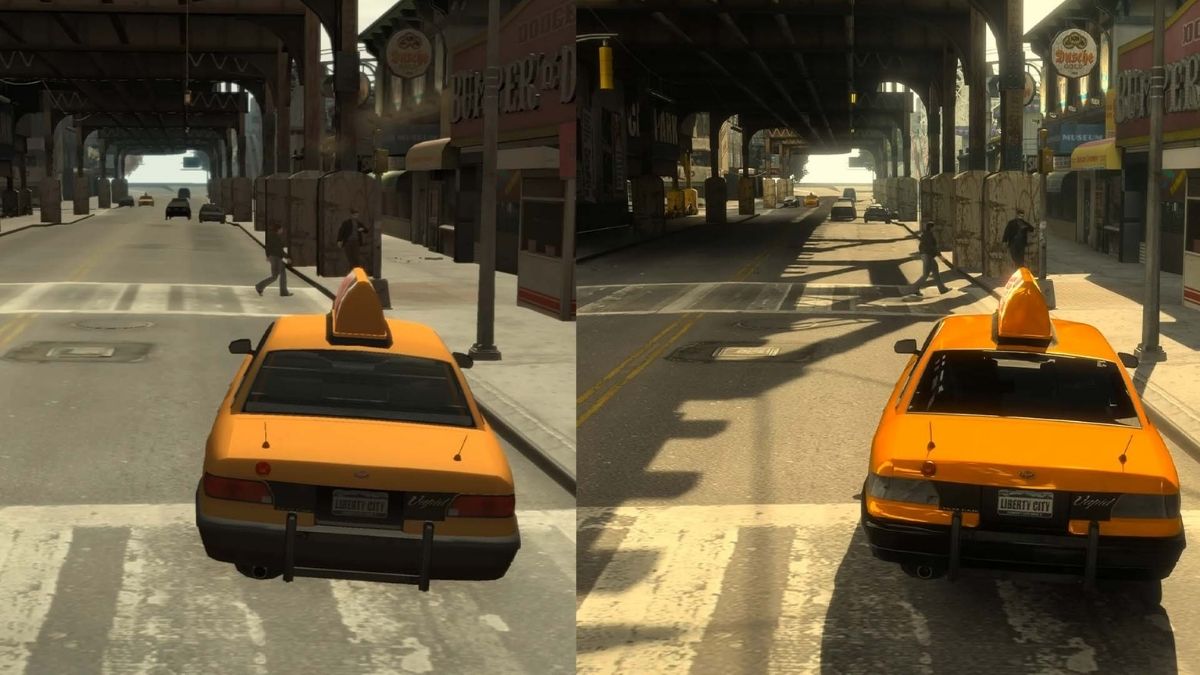
    GTA 4 Graphics Mod

    A graphics mod is a modification or an add-on that changes the graphics of the game, such as the lighting, the shadows, the textures, the colours, the effects, and more. A graphics mod can enhance the graphics of the game by making them more detailed, realistic, vibrant, or stylized, depending on the preference of the user.

    GTA 4 Mods
    GTA 4 Mods

    A graphics mod can also improve the performance and stability of the game, by optimizing the graphics settings and reducing the lag or the glitches.

    There are many graphics mods available for GTA 4, each with its features, advantages, and disadvantages. Some of the most popular and well-known graphics mods are:

    • NaturalVision Evolved: This is a comprehensive and realistic graphics mod that aims to make the game look as close to real life as possible. It features realistic lighting, weather, reflections, shadows, textures, and more. It also adds new content and features, such as new vehicles, weapons, locations, and missions. It is one of the most advanced and demanding graphics mods and requires a powerful PC to run smoothly.
    • Redux: This is a complete overhaul of the graphics of the game, that makes the game look more vibrant, colourful, and dynamic. It features enhanced lighting, weather, effects, textures, and more. It also adds new content and features, such as new physics, animations, sounds, and gameplay mechanics. It is one of the most popular and controversial graphics mods, as it has been accused of stealing assets from other mods and games.
    • VisualV: This is a simple and realistic graphics mod that aims to improve the graphics of the game without changing the original style and atmosphere. It features improved lighting, weather, effects, textures, and more. It also improves the performance and stability of the game, by fixing some bugs and issues. It is one of the most compatible and easy-to-install graphics mods and works well with other mods and scripts.

    How to Install a Graphics Mod for GTA 4?

    Installing a graphics mod for GTA 4 is not very difficult, but it requires some steps and precautions. Here are the general steps to install a graphics mod for GTA 4:

    • Backup your game files: Before installing any mod, it is recommended to backup your game files, in case something goes wrong or you want to revert to the original version. You can backup your game files by copying the entire GTA 4 folder to another location on your PC.
    • Download and install a mod manager: A mod manager is a tool that helps you install, manage, and uninstall mods for GTA 4. It also helps you avoid conflicts and errors between different mods. Some of the most popular and reliable mod managers are OpenIV, Script Hook V, and GTA 4 Mod Manager. You can download and install a mod manager from its official website or a trusted modding site, such as GTA4-Mods.com or Nexus Mods.
    • Download and install a graphics mod: A graphics mod is usually a zip or a rar file that contains the mod files and instructions. You can download a graphics mod from its official website or a trusted modding site, such as GTA4-Mods.com or Nexus Mods. You can install a graphics mod by following the instructions provided by the mod author, which may vary depending on the mod. Some mods may require you to use a mod manager, while others may require you to manually copy and paste the mod files to the GTA 4 folder.
    • Launch the game and enjoy the graphics mod: After installing a graphics mod, you can launch the game and enjoy the improved visuals of the game. You can also adjust the graphics settings and options in the game menu or the mod menu if the mod has one. You can also uninstall or disable a graphics mod by using a mod manager or by deleting the mod files from the GTA 4 folder.

    You might also be interested in the following gaming mods:

    Conclusion

    To sum up, a graphics mod is a modification or an add-on that changes the graphics of the game, such as the lighting, the shadows, the textures, the colours, the effects, and more. A graphics mod can enhance the graphics of the game by making them more detailed, realistic, vibrant, or stylized, depending on the preference of the user.

    A graphics mod can also improve the performance and stability of the game, by optimizing the graphics settings and reducing the lag or the glitches.

    There are many graphics mods available for GTA 4, each with its features, advantages, and disadvantages. Some of the most popular and well-known graphics mods are NaturalVision Evolved, Redux, and VisualV.

    Installing a graphics mod for GTA 4 is not very difficult, but it requires some steps and precautions, such as backing up your game files, downloading and installing a mod manager, and downloading and installing a graphics mod. After installing a graphics mod, you can launch the game and enjoy the improved visuals of the game.

    A graphics mod can make GTA 4 look more amazing and immersive and can enhance the gaming experience and enjoyment. However, a graphics mod may also have some drawbacks, such as compatibility issues, performance issues, or legal issues.

    Therefore, it is advisable to use a graphics mod at your own risk and discretion and to respect the rights and wishes of the original game developers and mod authors.

    We appreciate your interest in our website! Make Gameempress.com your go-to site for gaming information.

  • Is Deep Rock Galactic Cross Platform? Exploring Interconnectivity Across Consoles!

    Is Deep Rock Galactic Cross Platform? Exploring Interconnectivity Across Consoles!

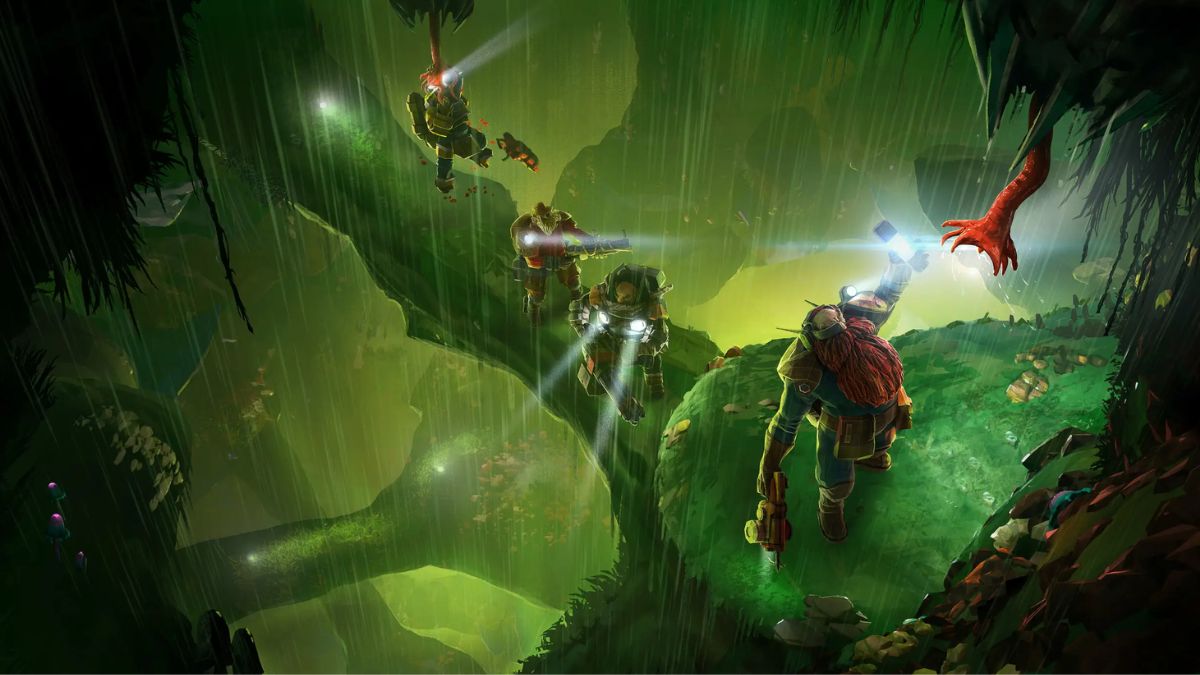
    Deep Rock Galactic is a co-op sci-fi shooter game that lets players team up as dwarven miners and explore procedurally generated caves full of alien bugs and valuable minerals. The game was developed by Ghost Ship Games and was released in 2020 for PC, Xbox One, and Xbox Series X|S.

    The game has received positive reviews and has a loyal fan base that enjoys the thrilling and chaotic gameplay, the humorous and charming characters, and the diverse and customizable content.

    One of the most requested features of the game is cross platform play, which allows players on different platforms to play together online. In this article, we will answer the question: Is Deep Rock Galactic cross platform in 2023?

    Is Deep Rock Galactic Cross Platform in 2023?

    The answer is yes. Deep Rock Galactic supports cross platform play on all platforms, including PC, Xbox One, and Xbox Series X|S. This means that players can play with or against each other online, regardless of the platform they use.

    Is Deep Rock Galactic Cross Platform
    Is Deep Rock Galactic Cross Platform

    For example, a PC player can team up with an Xbox One player and an Xbox Series X|S player to complete a mining mission, or a PC player can compete with an Xbox One player and an Xbox Series X|S player in a PvP mode.

    The game also supports cross generation play, which means that players on the same platform family, such as Xbox, can play together online, regardless of the console generation they use. For example, an Xbox One player can play with an Xbox Series X|S player.

    How to Enable and Disable Cross Platform Play in Deep Rock Galactic?

    Cross platform play is enabled by default in Deep Rock Galactic, which means that players do not need to do anything to play with other players on different platforms. However, if players want to disable cross platform play and only play with players on their platform, they can do so by changing the settings in the game.

    Here are the steps to enable or disable cross platform play in Deep Rock Galactic:

    • On PC, open the Settings menu and go to the Gameplay tab. There, you can toggle the cross platform play option on or off.
    • On Xbox One and Xbox Series X|S, open the Settings menu and go to the Account tab. There, you can toggle the cross platform play option on or off.

    Note that disabling cross platform play may affect the matchmaking time and the availability of matches, as the pool of players will be reduced.

    How to Play With Friends on Other Platforms in Deep Rock Galactic?

    To play with friends on other platforms in Deep Rock Galactic, players need to use the in-game friend system, which is based on the Steam ID or the Xbox Live ID. The Steam ID or the Xbox Live ID is a unique username that is assigned to each player when they create an account on Steam or Xbox Live.

    The Steam ID or the Xbox Live ID is different from the platform-specific username, such as the Steam name or the Xbox gamertag. To play with friends on other platforms, players need to add each other as friends using their Steam ID or their Xbox Live ID. Here are the steps to play with friends on other platforms in Deep Rock Galactic:

    • On PC, open the Steam overlay by pressing the Shift + Tab keys on the keyboard. Go to the Friends tab and click on the Add a Friend button. Enter the Steam ID of the friend you want to add and send them a friend request. Once they accept your request, they will appear on your Steam friends list. You can also use the Steam app on your smartphone or tablet to add friends using their Steam ID.
    • On Xbox One and Xbox Series X|S, press the Xbox button on the controller to open the guide. Go to the Friends & clubs tab and select the Find Someone option. Enter the Xbox Live ID of the friend you want to add and send them a friend request. Once they accept your request, they will appear on your Xbox friends list. You can also use the Xbox app on your smartphone or tablet to add friends using their Xbox Live ID.
    • Once you have added your friends, you can see them on your in-game friends list in Deep Rock Galactic. You can invite them to join your party or your game session or join their party or game session if they invite you.

    Note that you can only play with your friends on other platforms in the online modes that support cross platform play, such as Mining Expedition, Egg Hunt, Salvage Operation, Point Extraction, Elimination, Escort Duty, On-Site Refining, and Deep Dive. You cannot play with your friends on other platforms in the offline mode or the solo mode.

    What Are the Limitations of Cross Platform Play in Deep Rock Galactic?

    While cross platform play is a great feature that enhances the gaming experience, it also has some limitations that players should be aware of, such as:

    • Cross platform play does not support cross progression or cross save. This means that players cannot transfer their progress, and stats, or save data between different platforms. They have to start from scratch on each platform and maintain separate profiles.
    • Cross platform play does not support cross communication or cross chat. This means that players cannot communicate or chat with other players on different platforms using the in-game voice chat or text chat. They have to use external apps or devices to communicate or chat with other players on different platforms.
    • Cross platform play may cause some technical issues or glitches, such as lag, disconnects, or crashes. This is due to the different hardware and software specifications of each platform, which may affect the compatibility and performance of the game.

    You might also like to know about if these other games are cross-platform or not:

    Conclusion

    To sum up, cross platform play is a feature that allows players to play online with or against other players on different platforms in Deep Rock Galactic. Cross platform play is supported on all platforms, including PC, Xbox One, and Xbox Series X|S.

    Cross platform play is enabled by default, but players can disable it if they want to. To play with friends on other platforms, players need to use the Steam ID or the Xbox Live ID system to add and invite each other.

    Cross platform play is a fun and convenient feature that improves the social, competitive, and cooperative aspects of the game. However, cross platform play also has some limitations, such as no cross progression, no cross communication, and some technical issues.

    We appreciate your interest in our website! Make Gameempress.com your go-to site for gaming information.
  • Civilization 6 Cheats: How To Enable Debug Menu And Use Trainers?

    Civilization 6 Cheats: How To Enable Debug Menu And Use Trainers?

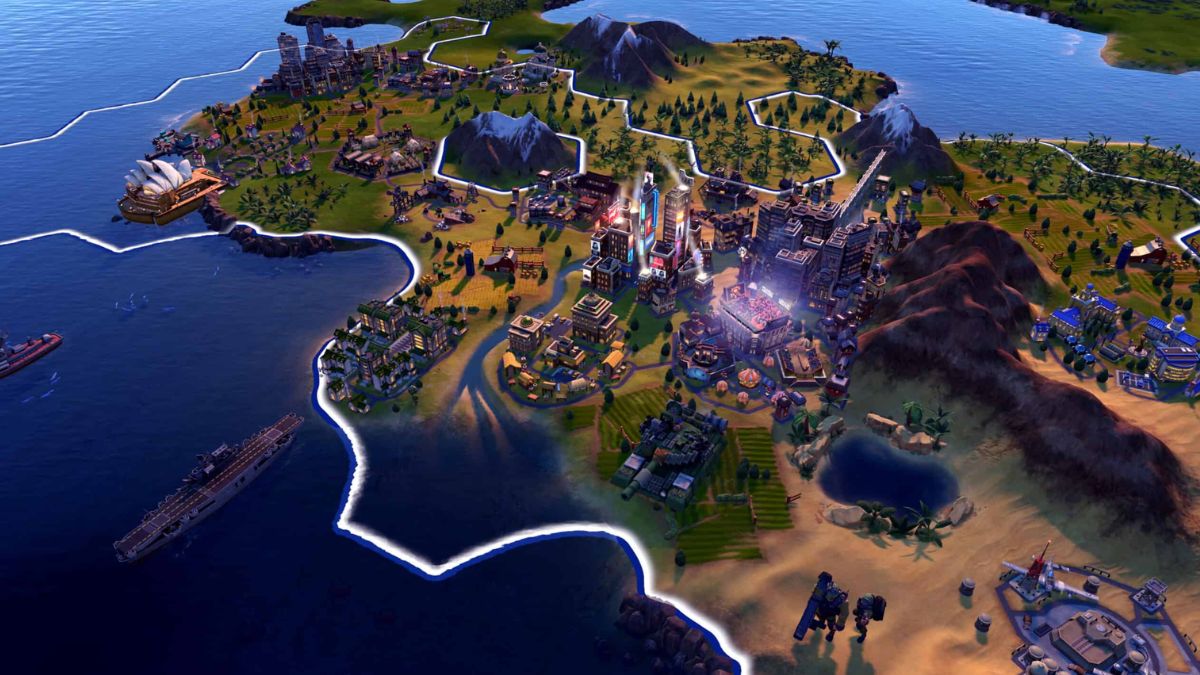
    Civilization 6 is a turn-based strategy game that challenges you to build and lead a civilization from the ancient era to the modern age. The game offers various modes and options to customize your gameplay, but sometimes you may want to have some extra fun or ease the difficulty.

    Civilization 6 Cheats
    Civilization 6 Cheats

    That’s why some players are looking for Civilization 6 cheats, which can allow you to access hidden features, modify the game, or get unlimited resources. In this article, we will show you how to enable the debug menu and use trainers in Civilization 6, and what you can do with them.

    How To Enable The Debug Menu In Civilization 6?

    The debug menu is a built-in feature in Civilization 6 that lets you access various commands and information. However, it is not enabled by default, and you need to edit a game file to activate it. Here are the steps to enable the debug menu in Civilization 6:

    • Go to the folder where the game is installed, and navigate to the following path: \\Documents\\My Games\\Sid Meier’s Civilization VI
    • Make a backup copy of the AppOptions.txt file, in case you want to revert the changes later.
    • Open the AppOptions.txt file with a text editor, such as Notepad.
    • Find the line that says “; Enable Debug menu”. Remove the semicolon at the beginning, and change the 0 to 1. The line should look like this: EnableDebugMenu
    • Save the file and close the text editor.
    • Launch the game as usual, and start or load a game.
    • Press the tilde key (~) on your keyboard to open the debug console. You can type commands in the console, or use the up and down arrows to access the debug menus.

    How To Use Trainers In Civilization 6?

    Trainers are third-party programs that can modify the game’s memory and data, and provide various cheats and options. There are many trainers available for Civilization 6, but one of the most popular and reliable ones is the WeMod trainer, which has over 20 cheats and features, such as unlimited gold, faith, movement, and more. Here are the steps to use the WeMod trainer in Civilization 6:

    • Download and install the WeMod app.
    • Launch the WeMod app and find Civilization 6 in the games list. You can also use the search function to find it faster.
    • Click on the Play button to launch the game with the trainer. You can also launch the game first, and then click on the Play button to attach the trainer to the game.
    • Once the game is running, you can use the hotkeys or the app interface to activate or deactivate the cheats. You can also customize the hotkeys and the cheat options in the app settings.

    You might also be interested in the following game Cheats:

    What Can You Do With The Debug Menu And Trainers In Civilization 6?

    The debug menu and trainers in Civilization 6 can provide you with various benefits and options, such as:

    • Reveal the entire map and explore all the tiles.
    • Get unlimited resources, such as gold, faith, culture, science, and more.
    • Change the game speed, difficulty, and rules.
    • Spawn units, buildings, wonders, and other objects.
    • Control the weather, time of day, and terrain.
    • Access information and reports about the game state and the AI.
    • And much more.

    However, you should also be aware of the risks and drawbacks of using the debug menu and trainers in Civilization 6, such as:

    • The debug menu and trainers may not work with the latest version or the DLCs of the game and may require updates or patches.
    • The debug menu and trainers may cause bugs, glitches, crashes, or errors in the game, and may affect the game’s performance and stability.
    • The debug menu and trainers may disable the achievements, leaderboards, and multiplayer features of the game, and may prevent you from saving or loading the game.
    • The debug menu and trainers may ruin the fun and challenge of the game and may make the game too easy or boring.
    • The debug menu and trainers may violate the terms of service and the code of conduct of the game and may result in bans, penalties, or legal actions.

    Therefore, you should use the debug menu and trainers in Civilization 6 at your discretion and responsibility, and only for personal and non-commercial purposes.

    You should also backup your game files and save files before using them, and disable them when you are done. You should also respect the game developers and the game community, and not use the debug menu and trainers to cheat, exploit, or harm others.

    We appreciate your interest in our website! Make Gameempress.com your go-to site for gaming information.
  • Alone In The Dark Release Date Confirmed: Check Out Here The Exact Day, Time, Features, And PC Requirement

    Alone In The Dark Release Date Confirmed: Check Out Here The Exact Day, Time, Features, And PC Requirement

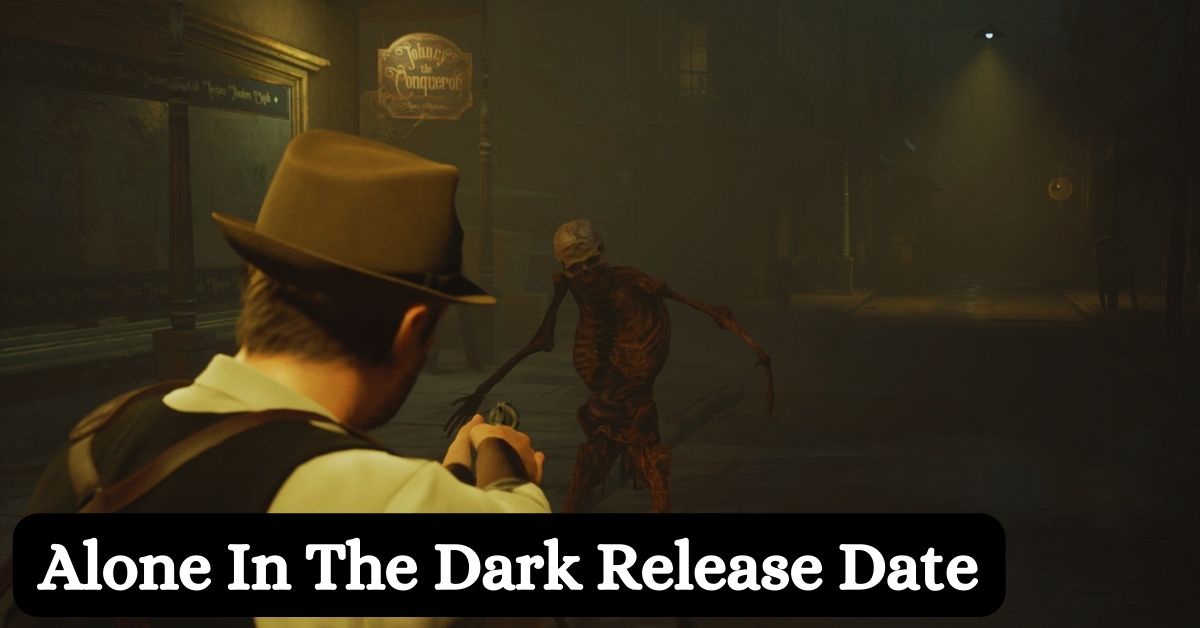
    Alone In The Dark is a reimagining of the original game that helped shape the survival horror genre before Resident Evil and Silent Hill. The game is set in the 1920s in a bayou mansion in the Deep South, where the player can choose to play as either Edward Carnby or Emily Hartwood, two characters with different backgrounds and abilities.

    The game is inspired by the cosmic horror stories of H.P. Lovecraft and features a dark and atmospheric setting, creepy monsters, and challenging puzzles. The game also boasts a stellar voice cast, including David Harbour (Stranger Things, Black Widow) and Jodie Comer (Killing Eve, Free Guy) as the main protagonists.

    Alone In The Dark Release Date

    Alone In The Dark, the remake of the classic survival horror game from the 90s is finally coming to PS5, Xbox Series X/S, and PC on March 20, 2024. The game was originally scheduled to launch on October 25, 2023, but was delayed twice due to the developers’ desire to avoid crunch and polish the game further.

    What Are The Features Of Alone In The Dark?

    Alone In The Dark is a third-person survival horror game that aims to bring back the essence of the original game with a modern twist. The game features:

    • A dynamic lighting system that affects the gameplay and the mood of the game. The player can use various light sources, such as lanterns, matches, and flashlights, to illuminate the environment and fend off the darkness. However, some light sources can also attract unwanted attention from enemies or reveal hidden secrets.
    • A realistic inventory system that limits the amount of items the player can carry and forces them to make strategic choices. The player can also combine items to create useful tools or weapons, such as Molotov cocktails, dynamite, or makeshift spears.
    • A branching narrative that changes depending on the player’s actions and choices. The game has multiple endings and secrets to discover, as well as different perspectives and experiences for each character.
    • A soundtrack composed by doom jazz band Bohren & der Club of Gore, which creates a unique and immersive atmosphere for the game. The music adapts to the situation and the environment, enhancing the tension and the horror of the game.

     Alone In The Dark PC Requirements

    The PC requirements for Alone In The Dark have not been officially announced yet, but based on the game’s graphics and performance, we can estimate the minimum and recommended specifications for the game. Here are the possible PC requirements for Alone In The Dark:

    Minimum

    •  OS: Windows 10 64-bit
    • Processor: Intel Core i5-4460 or AMD FX-6300
    • Memory: 8 GB RAM
    • Graphics: NVIDIA GeForce GTX 960 or AMD Radeon R9 280
    • DirectX: Version 11
    • Storage: 50 GB available space

    Recommended

    • OS: Windows 10 64-bit
    • Processor: Intel Core i7-7700 or AMD Ryzen 5 3600
    • Memory: 16 GB RAM
    • Graphics: NVIDIA GeForce RTX 2060 or AMD Radeon RX 5700
    • DirectX: Version 12
    • Storage: 50 GB available space

    How To Play Alone In The Dark Before The Release Date?

    If you can’t wait to play Alone In The Dark, you can try the standalone prologue to the game called Alone In The Dark Grace, which is available now for free on PS5, Xbox Series X/S, and PC.

    The prologue is a short but intense introduction to the game, where you play Grace Saunders, a young girl who is trapped in a mansion with a mysterious entity. The prologue also features some exclusive content and secrets that are not in the main game.

    You might also be interested in the following gaming news:

    Where to Preorder Alone In The Dark?

    You can preorder Alone In The Dark from various retailers and platforms, such as Amazon, GameStop, Best Buy, Steam, and the Epic Games Store. The game costs $59.99 for the standard edition and $79.99 for the deluxe edition, which includes the game’s soundtrack, a digital art book, and some in-game items.

    Alone In The Dark is one of the most anticipated horror games of 2024, and promises to deliver a terrifying and thrilling experience for fans of the genre. Don’t miss the chance to play this modern remake of a classic game, and mark your calendars for March 20, 2024.

    We appreciate your interest in our website! Make Gameempress.com your go-to site for gaming information.

  • GTA 5 Graphics Mod: How To Enhance The Visuals Of The Game?

    GTA 5 Graphics Mod: How To Enhance The Visuals Of The Game?

    GTA 5 is one of the most popular and successful games of all time, with millions of players and fans around the world. The game offers a vast and immersive open world, a rich and diverse story, and a variety of gameplay modes and options.

    However, the game was released in 2013, and its graphics may not look as impressive or realistic as some of the newer games on the market. Fortunately, there is a way to improve the visuals of the game and make it look more stunning and lifelike: using a graphics mod.

    GTA 5 Graphics Mod

    A graphics mod is a modification or an add-on that changes the graphics of the game, such as the lighting, the shadows, the textures, the colours, the effects, and more. A graphics mod can enhance the graphics of the game by making them more detailed, realistic, vibrant, or stylized, depending on the preference of the user.

    How Old is Franklin in GTA 5
    Image Source Rockstar Games

    A graphics mod can also improve the performance and stability of the game, by optimizing the graphics settings and reducing the lag or the glitches.

    There are many graphics mods available for GTA 5, each with its features, advantages, and disadvantages. Some of the most popular and well-known graphics mods are:

    • NaturalVision Evolved: This is a comprehensive and realistic graphics mod that aims to make the game look as close to real life as possible. It features realistic lighting, weather, reflections, shadows, textures, and more. It also adds new content and features, such as new vehicles, weapons, locations, and missions. It is one of the most advanced and demanding graphics mods and requires a powerful PC to run smoothly.
    • Redux: This is a complete overhaul of the graphics of the game, that makes the game look more vibrant, colourful, and dynamic. It features enhanced lighting, weather, effects, textures, and more. It also adds new content and features, such as new physics, animations, sounds, and gameplay mechanics. It is one of the most popular and controversial graphics mods, as it has been accused of stealing assets from other mods and games.
    • VisualV: This is a simple and realistic graphics mod that aims to improve the graphics of the game without changing the original style and atmosphere. It features improved lighting, weather, effects, textures, and more. It also improves the performance and stability of the game, by fixing some bugs and issues. It is one of the most compatible and easy-to-install graphics mods and works well with other mods and scripts.

    How to Install a Graphics Mod for GTA 5?

    Installing a graphics mod for GTA 5 is not very difficult, but it requires some steps and precautions. Here are the general steps to install a graphics mod for GTA 5:

    • Backup your game files: Before installing any mod, it is recommended to backup your game files, in case something goes wrong or you want to revert to the original version. You can backup your game files by copying the entire GTA 5 folder to another location on your PC.
    • Download and install a mod manager: A mod manager is a tool that helps you install, manage, and uninstall mods for GTA 5. It also helps you avoid conflicts and errors between different mods. Some of the most popular and reliable mod managers are OpenIV, Script Hook V, and GTA 5 Mod Manager. You can download and install a mod manager from its official website or a trusted modding site, such as GTA5-Mods.com or Nexus Mods.
    • Download and install a graphics mod: A graphics mod is usually a zip or a rar file that contains the mod files and instructions. You can download a graphics mod from its official website or a trusted modding site, such as GTA5-Mods.com or Nexus Mods. You can install a graphics mod by following the instructions provided by the mod author, which may vary depending on the mod. Some mods may require you to use a mod manager, while others may require you to manually copy and paste the mod files to the GTA 5 folder.
    • Launch the game and enjoy the graphics mod: After installing a graphics mod, you can launch the game and enjoy the improved visuals of the game. You can also adjust the graphics settings and options in the game menu or the mod menu if the mod has one. You can also uninstall or disable a graphics mod by using a mod manager or by deleting the mod files from the GTA 5 folder.

    You might also be interested in the following gaming mods:

    Conclusion

    To sum up, a graphics mod is a modification or an add-on that changes the graphics of the game, such as the lighting, the shadows, the textures, the colours, the effects, and more. A graphics mod can enhance the graphics of the game by making them more detailed, realistic, vibrant, or stylized, depending on the preference of the user.

    A graphics mod can also improve the performance and stability of the game, by optimizing the graphics settings and reducing the lag or the glitches.

    There are many graphics mods available for GTA 5, each with its features, advantages, and disadvantages. Some of the most popular and well-known graphics mods are NaturalVision Evolved, Redux, and VisualV.

    Installing a graphics mod for GTA 5 is not very difficult, but it requires some steps and precautions, such as backing up your game files, downloading and installing a mod manager, and downloading and installing a graphics mod. After installing a graphics mod, you can launch the game and enjoy the improved visuals of the game.

    A graphics mod can make GTA 5 look more amazing and immersive and can enhance the gaming experience and enjoyment. However, a graphics mod may also have some drawbacks, such as compatibility issues, performance issues, or legal issues.

    Therefore, it is advisable to use a graphics mod at your own risk and discretion and to respect the rights and wishes of the original game developers and mod authors.

    We appreciate your interest in our website! Make Gameempress.com your go-to site for gaming information.

  • Risk Of Rain 2 Gameplay: How To Survive And Thrive In The Rogue-Like Shooter?

    Risk Of Rain 2 Gameplay: How To Survive And Thrive In The Rogue-Like Shooter?

    Risk of Rain 2 is a rogue-like shooter game that challenges players to survive and escape from a hostile planet full of alien creatures and environmental hazards. The game was developed by Hopoo Games and was released in 2020 for PC, PlayStation 4, Xbox One, and Nintendo Switch.

    The game has received critical acclaim and has a loyal fan base that enjoys the fast-paced and chaotic gameplay, the colourful and varied graphics, and the diverse and customizable content. In this article, we will explain the basics of the risk of Rain 2 gameplay, and give some tips and tricks on how to survive and thrive in the game.

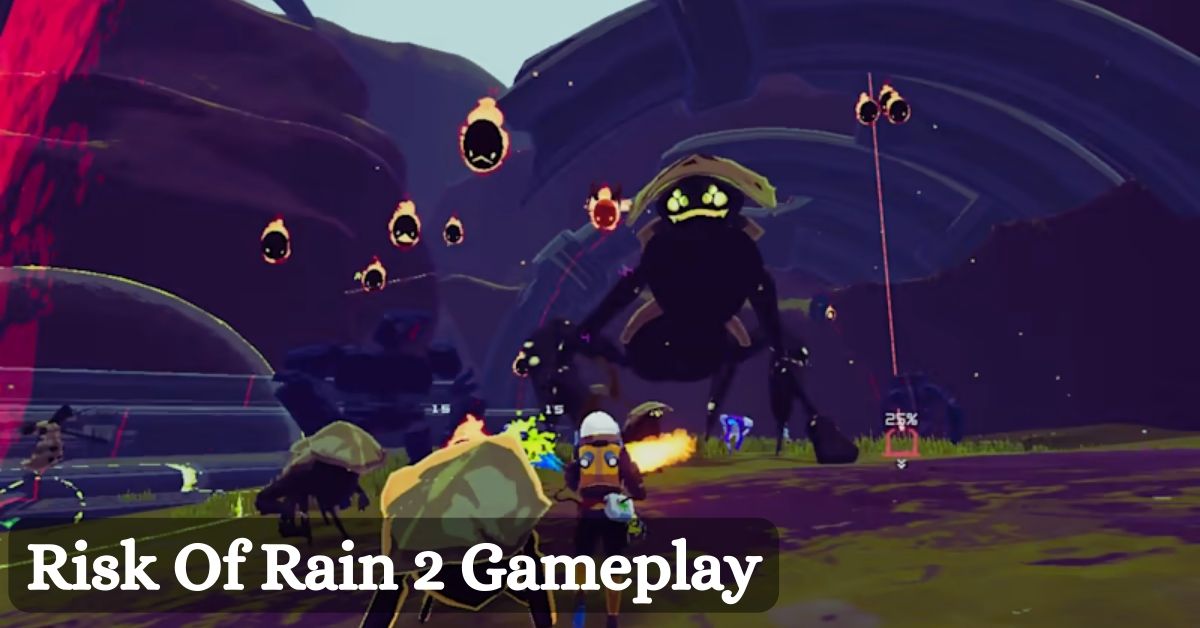
    Risk Of Rain 2 Gameplay

    Risk Of Rain 2 Gameplay
    Risk Of Rain 2 Gameplay

    Basics: Characters, Items, and Stages

    The Risk of Rain 2 gameplay is based on three main elements: characters, items, and stages. These elements are randomly generated and different in each run, making the game unpredictable and replayable.

    • Characters: The game features 12 playable characters, each with their unique abilities, stats, and playstyles. The characters are Commando, Huntress, MUL-T, Engineer, Artificer, Mercenary, Rex, Loader, Acrid, Captain, Bandit, and Heretic. The characters have four abilities: a primary attack, a secondary attack, a utility skill, and a special skill. The characters also have different health, damage, speed, and armour values. The characters can be unlocked by completing various challenges and achievements in the game.
    • Items: The game features over 100 items, which can be found in chests, shops, shrines, or dropped by enemies. The items can grant various benefits and effects to the characters, such as increasing their health, damage, speed, armour, or crit chance, or giving them special abilities, such as healing, teleporting, or summoning allies. The items are divided into four rarities: common, uncommon, rare, and legendary. The items can also stack, meaning that the more of the same item the character has, the stronger the effect will be. The items can also be traded, upgraded, or sacrificed at various terminals and altars in the game.
    • Stages: The game features 10 stages, each with its theme, layout, enemies, and bosses. The stages are Distant Roost, Titanic Plains, Abandoned Aqueduct, Rallypoint Delta, Scorched Acres, Siren’s Call, Abyssal Depths, Sky Meadow, Commencement, and Bulwark’s Ambry. The stages are randomly selected and ordered in each run, making the game varied and challenging. The stages also have different difficulty levels, which increase over time, making the enemies stronger and more numerous. The stages also have different secrets and events, which can reward the player with items, money, or lore.

    Tips and Tricks: How to Survive and Thrive in the Game?

    The risk of Rain 2 gameplay is not easy and requires skill, strategy, and luck to succeed. Here are some tips and tricks on how to survive and thrive in the game:

    • Choose the right character for your playstyle. Each character has their strengths and weaknesses and suits different situations and preferences. For example, if you like to deal high damage from a distance, you might want to choose the Commando or the Artificer. If you like to get up close and personal, you might want to choose the Mercenary or the Loader. If you like to support your team with turrets and shields, you might want to choose the Engineer or the Captain. Experiment with different characters and find the one that suits you best.
    • Collect as many items as possible. Items are essential for boosting your character’s power and survivability and can make a huge difference in the game. Try to explore the stages and find as many chests, shops, shrines, and drops as possible, and collect as many items as you can afford. However, be careful not to waste too much time, as the difficulty will increase over time, and you might miss the chance to advance to the next stage. Balance your time between looting and progressing, and prioritize the items that match your character and your needs.
    • Learn the enemies and the bosses. The game features over 50 enemies and 10 bosses, each with their attacks, behaviours, and weaknesses. Learning the enemies and the bosses can help you avoid their attacks, exploit their vulnerabilities, and defeat them more easily. For example, you might want to avoid the Stone Golem’s laser beam, dodge the Wandering Vagrant’s explosion, or target the Imp Overlord’s back. Study the enemies and the bosses, and adapt your strategy accordingly.
    • Work together with your team. The game can be played solo or in co-op with up to four players. Playing in co-op can make the game more fun and easier, as you can share items, money, and health, and help each other in combat. However, playing in co-op also means that you have to coordinate with your team, and avoid friendly fire, stealing, or griefing. Communicate with your team, and use your abilities and items to complement each other. For example, you might want to heal your team with the Rex’s utility skill, shield your team with the Engineer’s special skill, or buff your team with the Captain’s secondary skill.
    • Have fun and experiment. The game is designed to be unpredictable and replayable and encourages the player to try different things and discover new possibilities. The game has a lot of content and secrets to explore, such as hidden realms, alternate bosses, easter eggs, and lore. The game also has a lot of modifiers and challenges to spice up the gameplay, such as artefacts, prismatic trials, and elite aspects. The game also has a lot of achievements and unlocks to reward the player, such as new characters, items, skins, and modes. Don’t be afraid to fail, learn, and improve, and enjoy the game.

    Conclusion

    To sum up, the risk of Rain 2 gameplay is fast-paced and chaotic and requires the player to survive and escape from a hostile planet full of alien creatures and environmental hazards. The game is based on three main elements: characters, items, and stages, which are randomly generated and different in each run.

    The game also has a lot of tips and tricks on how to survive and thrive in the game, such as choosing the right character, collecting as many items, learning about the enemies and the bosses, working together with the team, and having fun and experimenting. The game is a rogue-like shooter game that is fun and challenging and offers a lot of variety and replayability.

    Given this, we recommend visiting our Final Fantasy 7 Remake Gameplay page for the most up-to-date information on the game’s editions and modes. Stay up to date with GameEmpress.com for the most recent gaming news and guides.

  • Lethal Company Update 45 Patch Notes: What’s New In The Horror Game?

    Lethal Company Update 45 Patch Notes: What’s New In The Horror Game?

    Lethal Company is a horror game that challenges players to survive and escape from a hostile moon infested with deadly creatures. The game is developed by Zeekerss, a solo developer who has been updating the game regularly since its early access release in 2018.

    The latest update, version 45, was released on December 9, 2023, and brought several new features, improvements, and fixes to the game.

    Lethal Company Update 45 Patch Notes

    Lethal Company PS5 Release Date
    Lethal Company PS5 Release Date

    New Monsters: Baboon Hawks and Gloom Spawns

    One of the main additions in the update 45 patch notes is the introduction of two new monsters: Baboon Hawks and Gloom Spawns. These monsters are more dangerous and unpredictable than the previous ones and require different strategies to deal with.

    • Baboon Hawks: These are flying creatures that resemble giant bats with baboon-like faces. They can swoop down and attack players from the air, or perch on high places and spit acid at them. They are fast and agile and can dodge bullets and melee attacks. They can also grab players and carry them away, or drop them from great heights. To fight them, players need to use weapons with good accuracy and range, such as the sniper rifle or the crossbow. They also need to be aware of their surroundings and avoid open areas where they can be easily spotted and attacked.
    • Gloom Spawns: These are parasitic creatures that infect and mutate other monsters, making them stronger and more aggressive. They can also infect players, causing them to lose health and stamina over time, and eventually turn into monsters themselves. They can be identified by their glowing red eyes and veins, and their distorted appearance. To fight them, players need to use weapons that can deal fire damage, such as the flamethrower or the Molotov cocktail. They also need to avoid getting too close to them, as they can bite and scratch them, or explode and release spores that can infect them.

    New Items: Inverse Teleporter and Radar Booster

    Another major addition in the update 45 patch notes is the addition of two new items: the Inverse Teleporter and the Radar Booster. These items can help players explore the moon and find useful resources and secrets.

    • Inverse Teleporter: This is a device that can teleport players to a random location on the moon. It can be used to escape from dangerous situations, or to discover new areas and secrets. However, it also has some drawbacks, such as consuming a lot of energy, having a cooldown time, and being unpredictable. Players may end up in a worse situation than before, or in a place they have already visited. To use it, players need to equip it and press the use button. They can also cancel the teleportation by pressing the use button again before the countdown ends.
    • Radar Booster: This is a device that can enhance the radar screen on the player’s wrist. It can reveal more information and details about the moon, such as the locations of monsters, items, shrines, and other points of interest. It can also show the direction and distance of the nearest exit point, which can help players find their way out. However, it also has some drawbacks, such as consuming a lot of energy, having a limited range, and being noisy. Players may attract more attention from monsters, or miss some hidden secrets. To use it, players need to equip it and press the use button. They can also toggle it on and off by pressing the use button again.

    New Mode: Superstar Showdown

    A new mode that is added in the update 45 patch notes is the Superstar Showdown mode. This is a competitive mode that pits players against each other in a battle royale style. The mode can be played solo or in teams and supports up to 16 players. The mode has the following features and rules:

    • The mode takes place on a smaller and more compact map, with a shrinking safe zone that forces players to move and fight.
    • The mode has a random and dynamic loot system, with different weapons, items, and perks that can be found and used.
    • The mode has a ranking and scoring system, with different rewards and penalties for kills, deaths, and placements.
    • The mode has a spectator and replay system, with different camera angles and options that can be used to watch and analyze the matches.

    The Superstar Showdown mode can be accessed from the main menu, and can be customized with different settings and options, such as the map, the team size, the time limit, and the difficulty.

    Other Improvements and Fixes

    The update 45 patch notes also include several other improvements and fixes that improve the game’s performance, stability, and quality. Some of the notable ones are:

    • Improved the game’s graphics, lighting, shadows, textures, and animations, with support for 4K resolution, 60 frames per second, ray tracing, and HDR.
    • Improved the game’s sound effects, music, and voice acting, with support for 3D audio and surround sound.
    • Improved the game’s controls, user interface, and menus, with support for the DualSense controller, the adaptive triggers, and the haptic feedback.
    • Improved the game’s online and multiplayer features, with support for crossplay, cross-save, and cross-buy.
    • Fixed various bugs, glitches, and errors that affected the game’s gameplay, balance, and logic.

    You might also be interested in the following gaming news:

    Conclusion

    To sum up, the update 45 patch notes bring a lot of enhancements and additions to Lethal Company, the horror game that challenges players to survive and escape from a hostile moon. The update adds two new monsters, two new items, and a new mode, as well as improves the game’s graphics, sound, controls, and online features.

    The update also fixes various bugs and issues that affected the game’s performance and quality. The update is available for download on Steam and is free for all players who own the game. The update is a testament to the game’s ongoing development and support, and a treat for the game’s fans and newcomers alike.

    We appreciate your interest in our website! Make Gameempress.com your go-to site for gaming information.