Category: Game Guides

In-depth game guides from Game Empress, with walkthroughs, tier lists, location maps, and step-by-step strategies to help you master the games you love.

  • Is Chivalry 2 Crossplay? The Complete Guide To Gaming Across Devices

    Is Chivalry 2 Crossplay? The Complete Guide To Gaming Across Devices

    The addition of crossplay in online games in recent years has been a fantastic feature. It has bridged the gap between players and lets everyone on any platform connect with their pals online. It has prevented groups from being cut off from one another when one person is playing on Xbox, and another is playing on PlayStation.

    With the debut of Chivalry 2 on Xbox Game Pass, everyone’s attention is focused on the presence of crossplay. Unfortunately, while there is some crossplay in the game, it is not as straightforward as you might expect. Here’s everything you need to know about Chivalry 2 crossplay.

    Is Chivalry 2 Crossplay?

    The quick answer is yes, although, as previously stated, it is not as easy as other games. While developer Torn Banner has integrated crossplay to lessen match wait times, you cannot presently join up with your pals on different platforms and hop online.

    Chivalry 2 does, however, offer cross-generation multiplayer across the Xbox environment but not the PlayStation. Torn Banner has acknowledged that players are yearning for a means to party up and use crossplay and has promised a future implementation, as well as cross-generation parties on PlayStation.

    A roadmap is accessible on the official Chivalry 2 Trello Board, although no dates for cross-platform parties or cross-generation compatibility on PlayStation have been confirmed as of this writing.

    While this is disappointing, there is still a solution for anyone who wishes to enjoy crossplay on Chivalry 2.

    You might also like to read about these other informative gaming guides:

    How To Play Chivalry 2 Crossplay?

    One of the Chivalry 2 post-launch updates added the option to access the server browser on consoles. This means you can work with the other players in your group to locate a match for you all to join.

    It’s easy to use and allows you to search for the desired game mode, region, and number of places on the server. It’s not the most optimal method to party, but it’s a suitable workaround until a native solution is created.

    If you’re still having trouble understanding how to utilize the server browser, here’s a step-by-step guide:

    • Start Chivalry 2.
    • Press the Play button.
    • Choose Standalone Servers.
    • Select the server you want to join from the browser screen and share the name and map with your friends.
    • You may also use the filters to hide whole servers and those that are password-protected.
    • Furthermore, by selecting Advanced Filters, you can manually search for the server you’re looking for.

    As previously stated, it is not the best option to match up with friends on platforms, but once in a server, you can quickly transfer sides and will remain in the same game at the end of each round.

    Stay connected with GameEmpress.com to get the latest news and guides about the gaming world.
  • GPO Second Sea Map: Explore The Second Sea Like A Pro

    GPO Second Sea Map: Explore The Second Sea Like A Pro

    Hello, fellow gamers! Are you looking for a map of Grand Piece Online (GPO)? Or do you want to know all about it? You’ve come to the correct place. This detailed guide will provide ample information on all of the revised GPO Maps that were recently released in August 2023. So you won’t feel left out and will be up to speed on the latest map updates. Let’s get started right away!

    Grand Piece Online

    GPO, commonly known as Grand Piece Online, is a Roblox online game. This game’s theme is based on the popular anime One Piece. In the game, you can explore countries surrounded by large bodies of water, comparable to the places where Luffy and his pals traverse as pirates in the anime.

    There are many islands to explore in the game, and new ones have been introduced in recent upgrades to make it more enjoyable for gamers. While traveling the islands, you may also play amusing mini-games.

    With their distinct locations and enjoyable gameplay, these games will never tire you. The best aspect is that there are no age restrictions, so both children and adults may enjoy it.

    Grand Piece Online Maps

    Grand Piece Online indeed offers a vast number of islands to explore, where you can play the role of a character in a fantasy world. This realm is separated into two sections: the First and Second Seas. The First Sea is also referred to as the Sea of Phoeyu, and the Second Sea is referred to as the New World.

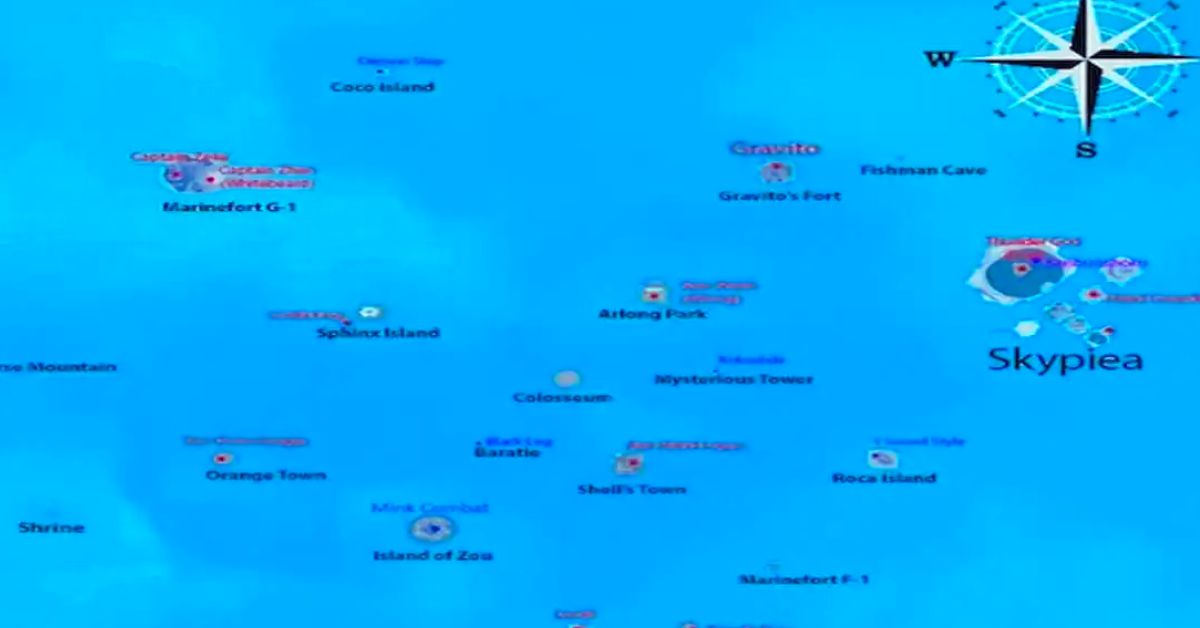
    GPO Second Sea Map
    GPO Second Sea Map

    Each of these sections has its unique islands to explore, some with simple tasks and others with more difficult ones. While exploring these islands, you can locate a variety of goods.

    Don’t worry if you’re not satisfied with this much information! We’ve got your back. We will put all of the information on the islands, maps, and items you may buy while exploring the islands below. Check it out because it will provide in-depth knowledge before you go on your journey with our new guide!

    GPO First Sea Map Locations

    The First Sea Map is a navigation tool in the Grand Piece Online game. It’s a virtual map that shows the locations of several islands and features in the game’s first sea, formerly known as the Sea of Phoeyu.

    The map is separated into regions, each with its own set of unique islands and features. Here are some of the most beautiful places in the First Sea:

    • Town of Beginnings: A starting spot for new players, accessible by a variety of methods.
    • Marine Fort F-1: An island’s concealed military base.- Sandora: A level 10 or higher player can access this island.
    • Shell’s Town: A town on an island that can only be reached in specific ways.
    • Island of Zou: This island is only accessible to players who are level 30 or higher.
    • Baratie: Restaurant ship only accessible by “black leg.”
    • Orange Town: A town on an island that no one can reach.
    • Star Clown Buggy Cape: No one has access to this cape.
    • Mysterious Cliff: Rokushiki may access this cliff.
    • Roca Island: This island is only accessible to players with a level of 80 or higher.

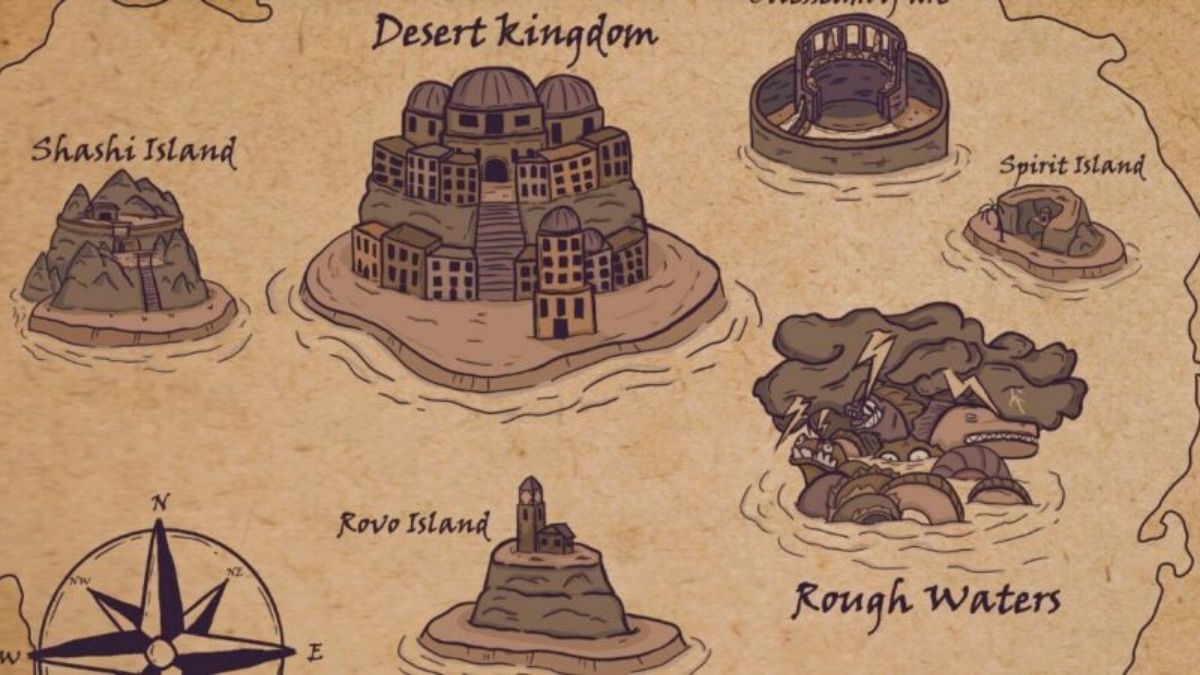
    GPO Second Sea Map

    The Second Sea is an essential element of the Grand Piece Online game, which is only available to advanced players. You must be Level 325 and have obtained a special World Scroll from the Shrine near Marine Base G-1 in order to visit this location.

    From Sphinx Island, head west to Reverse Mountain. To enter the Second Sea, give the scroll to a monkey. You’ll be transported to Rovo Island, where your thrilling adventure will begin.

    The Second Sea is divided into several sections containing islands, including:

    • Sphinx Island is situated in the heart of the Second Sea.
    • Rovo Island: Point of entry into the Second Sea.
    • Desert Kingdom: A location on an island.
    • Visit Sashi Island at Level 400 or higher.
    • Reverse Mountain: An island’s mountain range.
    • Kraken’s Lair: Fight Kraken in this location.
    • Pharaoh Akshan’s Tomb: Fight against Pharaoh Akshan here.
    • Sea Serpent’s Nest: Fight with the Sea Serpent.
    • Crab King Cho’s Den: Fight against Crab King Cho.

    This is everything you need to know about the GPO Second Sea Map. You can also read our guides on Escape From Tarkov Woods Map and Fortnite Leak Reveals Chapter 1 Map . Stay up to date with GameEmpress for the most recent gaming news and guides.

  • Alan Wake 2 System Requirements (2023): Benchmark Your PC To See If You’re Ready

    Alan Wake 2 System Requirements (2023): Benchmark Your PC To See If You’re Ready

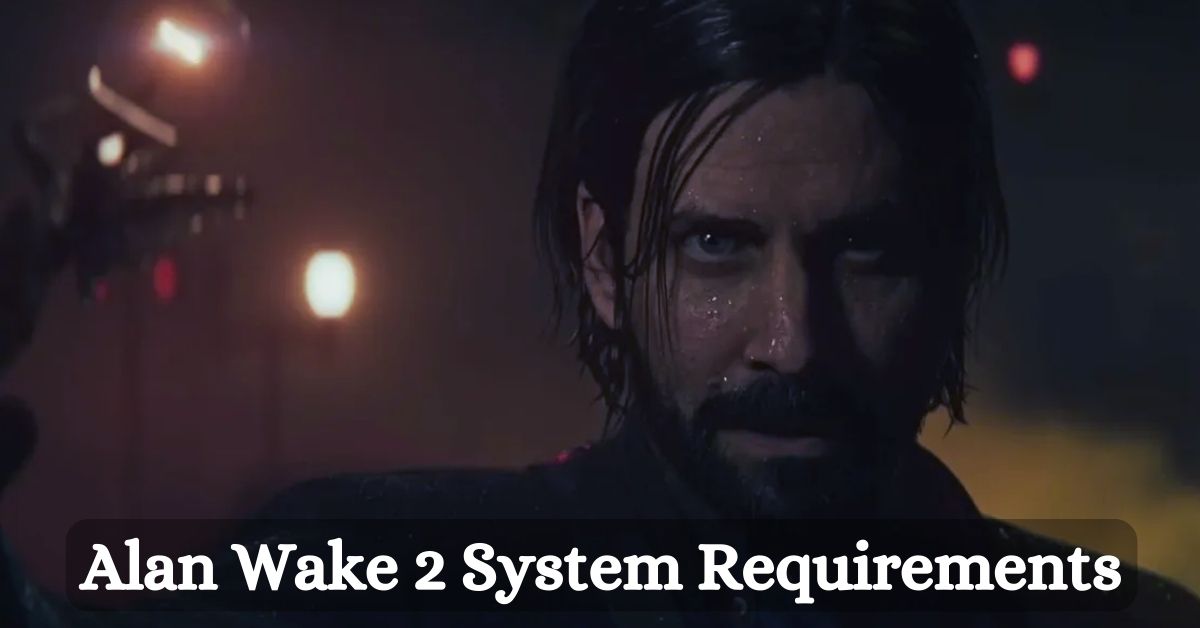
    Alan Wake II will be available on the Epic Games Store on October 27, 2023, for the PlayStation 5, Xbox Series X/S, and PC. Understandably, video game graphics technology has advanced since Alan Wake’s initial debut on the lowly Xbox 360 in 2010.

    However, if you want to play Remedy Entertainment’s eagerly anticipated return to Mr. Wake’s awful reality on PC, you’ll face an equally unfortunate reality: You’ll need a powerful setup.

    But there is some good news: if you haven’t upgraded your PC in a while, Alan Wake II provides an excellent opportunity to reassess what’s on your computer and what might be worth investing in.

    Alan Wake 2 System Requirements

    Alan Wake II may be at the top of the graphic demands right now in 2023, but specs like this will become the new standard (if they aren’t already) for AAA gaming in the 2020s.

    Minimum System Requirements

    • Video Card: GeForce RTX 2060 or Radeon RDX with 6 GB VRAM
    • Processor: Intel i5-7600K or AMD equivalent
    • Memory: 16 GB RAM
    • OS: Windows 10/11 64-bit
    • Hard Drive Space: 90GB SSD

    So the machine you installed in 2017 and haven’t actually upgraded isn’t going to cut it at the bottom of the options.

    Granted, an i5 7600K isn’t an awful CPU requirement (it’s what I had on my previous system), but you’ll need at least an RTX 2060 equivalent card, and that’s for low graphics settings.

    And you’re still expected to have supersampling via DLSS—or FSR2…which, while better than FSR1, looks too melty, in my opinion.

    Furthermore, the RAM and storage requirements of 90GB on an SSD (you should not, under any circumstances, be playing modern video games on your computer with an old-school spinny HDD) may indicate that the rig that’s gotten you through the last few years of gaming without many upgrades may not be up to Remedy’s return to Alan Wake.

    The good news is that the 16 GB of RAM and storage requirements remain consistent.

    Recommended System Requirements

    • Video Card: GeForce RTX 2060 or Radeon RDX with 8 GB VRAM
    • Processor: AMD Ryzen 7 3700X, or Intel equivalent
    • Memory: 16 GB RAM or higher
    • OS: Windows 10/11 64-bit
    • Hard Drive Space: 90GB SSD

    So, if you want to be above low graphical settings, you’ll need a beefier CPU/GPU combination. RAM will remain at 16GB, which is the absolute minimum that any good gaming computer should have today (but maybe consider 32GB? You deserve it…), and Remedy still expects you to employ DLSS in this case.

    Older Generations of Graphics Cards Are Being Abandoned in the Rain

    As if those PC prerequisites weren’t enough, it appears that players still using the dependable Nvidia GTX 10-series or AMD RX 5000-series GPUs will be unable to play Alan Wake 2.

    In a now-deleted post, user @newincpp, a Remedy Games developer, stated that these card families do not show on the studio’s official specs table because they do not enable mesh shading.

    Mesh shaders were introduced with the release of DirectX 12 Ultimate in 2020, with the goal of replacing existing vertex and geometry shaders and streamlining rendering for developers.

    This implies that many older cards are incompatible with Mesh shaders because the process relies on a computer GPU to function. So yet, no developer has abandoned prior development procedures in the name of universal compatibility. Remedy, on the other hand, is going all in on the next generation.

    This is everything you need to know about Alan Wake 2 System Requirements. Additionally, you can check our guide on Mines Of Moria System Requirements and Genshin Impact System Requirements. Stay connected with GameEmpress.com to get the latest news and guides about the gaming world.
  • HOI4 Cheats 2023: The Ultimate Guide

    HOI4 Cheats 2023: The Ultimate Guide

    Is it time to get some Hearts of Iron IV hacks? Grand strategy games offer a fantastic strategic sandbox to play in, but they can also be challenging. If you’re aiming for a specific long-term goal, you’ll often need everything to go perfectly as planned, or your entire run will be spoiled.

    Of course, there are other reasons to play, and there is a very vibrant Hearts of Iron 4 mods scene that will allow you to enjoy the game in new and exciting ways. However, if you want to put the vanilla game through its paces, you may require some assistance in other areas. Hearts of Iron IV, like most games, contains a command console that allows you to shortcut your way to various results by using console commands.

    If you want to read similar instructions for Victoria 2, EU4, and Crusader Kings 3, please do so. We can’t take whole credit – there’s a good resource in the form of the official Paradox wiki, as well as this handy Steam guide that we’ve utilized to help compile the relevant information. We haven’t mentioned all available commands, but we have the most interesting ones for gameplay.

    HOI4 Cheats

    HOI4 Cheats
    HOI4 Cheats

    One thing to keep in mind about the console commands listed below is that many of them require the nation ID tag. For example, ‘ENG’ stands for Great Britain. There’s an easy approach to find the nation tags you’re looking for. Bring up the command terminal (typically TAB, but it depends on your keyboard), type tdebug, and then hover over the nation you want to see the tag for.

    You may also use this method to find state and province IDs, although you may need to switch map modes to get the correct information.

    • gain_xp [amount] – The selected leader or general will receive the amount specified. XP
    • cp [amount] – Use this command to boost your Command Power (up to 100%).
    • st [amount] – Increase stability (up to 100%). By employing a negative number, you can eliminate stability.
    • ws [amount] – Increase war support (up to 100%). Use a negative value to remove support.
    • allowtraits – Removes restrictions on generic trait assignment using this command.
    • [amount] add_equipment [Name of the equipment] – Use this to add any number of items to your stockpiles (not naval). To use it, you must first conduct study about it.
    • [amount] add_latest_equipment – As with the preceding, it will only add the specified amount of items to the equipment shown on the logistics screen.
    • [Country] whitepeace [country tag] – This will immediately enforce a white peace between the two nation tags supplied.
    • teleport [province id] – Teleport selected ships or armies to the supplied province id in an instant.
    • Allows you to use any diplomatic action (for example, declaring war) without explanation.
    • instantconstruction – Activates or deactivates the construction cheat, which causes all construction to occur. instantaneously
    • [slot id / ‘all’] research – This can be used to investigate all equipment or just items in a particular slot.
    • research_on_icon_click – Use this to perform an immediate search on any technology that you click on.
    • annex [country tag] – Begin annexing the supplied country tag, incorporating their area into your country.
    • winwars – Get the highest possible war score for each fight to which you are currently committed.
    • [amount] manpower – Add the specified quantity of manpower to your reserves.
    • [country tag] – This is used to change the country you’re playing as. A nation tag will be required.
    • observe – This is more of a fun approach to watching the gameplay itself than a cheat.
    • [country tag] set owner [state id] – Assign or transfer ownership of a state to a specific country.
    • [country tag] setcontroller [province id] – Set/change a state’s controller to a certain country.
    • xp [amount] – Accumulate the stated amount of experience across all pools (Army, Navy, and Air).
    • pp [amount] – Acquire the stated level of political power.
    • [Ideology of Civil War] [country tag] – Start a civil war within a country with the selected ideology: “fascism,” “democratism,” “neutrality,” or “communism.”
    • add_party_popularity [ideological group] [amount] – Increases the popularity of the specified party by the stated amount, with the same possibilities as above.
    • set_ruling_party [ideology group] – Makes the provided ideology group the ruling party: ‘f’ for fascist, ‘d’ for democracy, ‘n’ for neutrality, and ‘c’ for communist.
    • focus.nochecks – Allows you to bypass the requirement for focus.
    • focus.ignoreprerequisites – This function allows you to ignore focus prerequisites.
    • decision.nochecks – Enables you to disregard decision requirements.
    • nuke [amount] – Adds the number of nukes specified to your country’s arsenal.
    • yesman – Causes country AI to accept any diplomatic offers automatically.
    • deleteallunits [country tag] – Removes all armies and fleets associated with the supplied nation tag.
    • fronts – Turns on or off the visibility of foreign fronts.
    • traderoutes – Turns on and off the visibility of trade routes.
    • Toggles the visibility of the tactics debug tooltip using debug_tactics.
    • Nomapicons – Turns off the visibility of map icons.
    • Nopausetext – Enables or disables the pause menu.
    • morehumans [amount] – Increases the number of people. To subtract, use a negative number.
    • add_autonomy [country identifier] [amount] – Increases or decreases the autonomy level of the chosen country.
    • Adds the supplied country tag to your interest using add_interest [country tag].
    • Removes the supplied nation tag from your interest with remove_interest [country tag].
    • fow – Turns on/off fog of war. You may also enter a provincial ID to toggle fow in a single location.
    • savegame – Compels you to save your game.
    • insert_core [state id] [country tag] – Adds the specified state to the specified country as a ‘core’.
    • error – This command prints errors from the log file.
    • [unit id] should be moved. [province id] – Transfers the specified unit to the specified province.
    • Weather – Turn on/off the weather.
    • tag_color [rgb] – Change the color of your current country’s tag.
    • Instant_wargoal – Allows you to utilize any war goal without having to justify it.
    • airealism – This is a joke command that is supposed to get the AI to start smack-talking players. Still, it isn’t conducive because the chat window isn’t available in single-player, and the command console isn’t available in multiplayer.

    This is everything you need to know about the HOI4 Cheats. You can also read our guides on GTA V Cheats and Gunblood Cheat Codes. Stay up to date with GameEmpress for the most recent gaming news and guides.

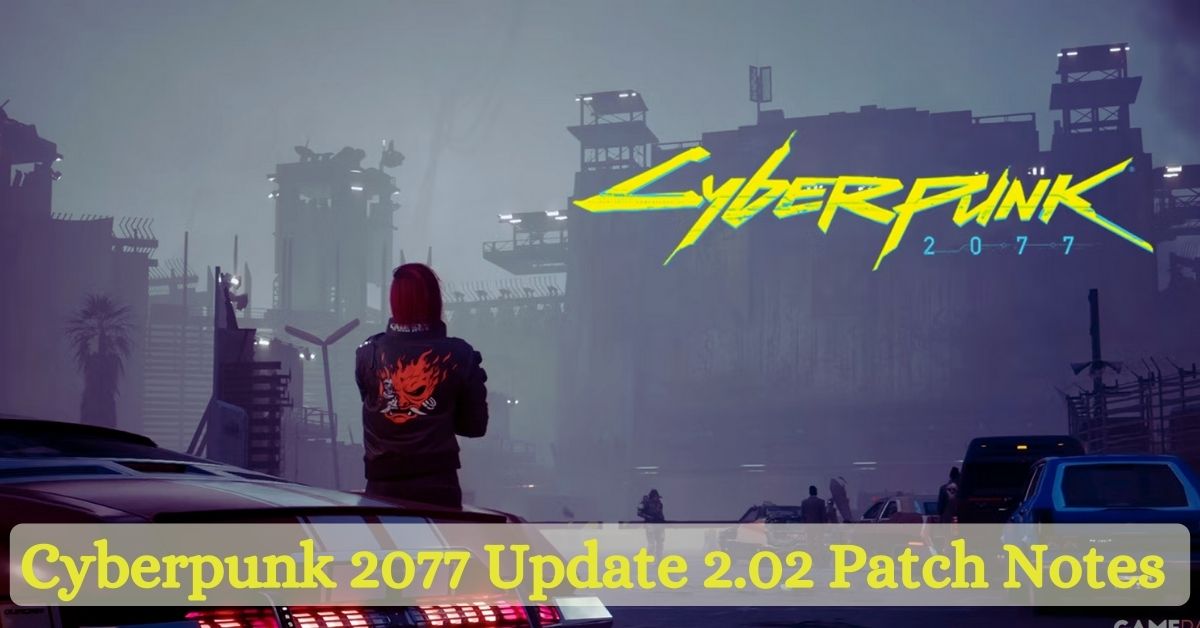
  • Cyberpunk 2077 Update 2.02 Patch Notes (2023): See What All the Fuss Is About

    Cyberpunk 2077 Update 2.02 Patch Notes (2023): See What All the Fuss Is About

    CD Projekt RED has released Cyberpunk 2077 update 2.02, which includes numerous bug fixes and general enhancements to the base game and Phantom Liberty. Following a terrible debut in 2020 and the months that followed, the studio has found a lot of recent success with the Open World title.

    The highly anticipated title bombed at launch due to a slew of technical and performance issues that affected all versions of Cyberpunk 2077 but particularly hindered the older PS4 and Xbox One systems. CDPR, on the other hand, stuck behind the title and continued to make updates for it, which helped to turn the game’s fortunes around.

    While Cyberpunk 2077 is now in a lot better place than it was previously, one of the most significant improvements occurred lately, ahead of the release of the Phantom Liberty update. Update 2.0 changed a large section of Cyberpunk 2077, including the police systems, the addition of automobile combat, and the overhaul of the ability trees.

    Again, fan reaction has been mostly good, and the studio has continued to provide minor updates to improve the experience. Indeed, CDPR gave fans a sneak peek at the latest update last week, showcasing a number of significant enhancements that will be included in this week’s official patch.

    In keeping with recent trends, Cyberpunk 2077 Update 2.02 continues to address the game’s outstanding flaws and difficulties. The patch notes are divided into two sections: one for Phantom Liberty-specific fixes and improvements, such as rebalancing Vehicle Contract time limitations, and another for quest-specific enhancements and modifications.

    The Run This Town quest, in particular, has gotten a number of advancement-blocking adjustments, which should assist individuals who have encountered difficulties when determining the fate of one NPC.

    Furthermore, the core Cyberpunk 2077 experience has received numerous enhancements and updates, including rebalanced stats for some weapons in response to recent player feedback. CDPR also validated several optimizations, speed enhancements, and crash fixes but provided no specifics on what was changed.

    While CDPR has done a lot to resurrect Cyberpunk 2077 essentially, support for the now-popular open-world title is fast coming to an end as the studio shifts its focus to newer projects such as The Witcher 4.

    Last month, CD Projekt RED revealed that support for Cyberpunk 2077 would be discontinued following the release of Phantom Liberty and a few minor updates after that. With the release of 2.01 and 2.02, it’s unclear how many updated Cyberpunk 2077 are remaining until CDPR goes on.

    Cyberpunk 2077 Update 2.02 Patch Notes

    Phantom Liberty Specific

    • The period limits for Vehicle Contracts have been rebalanced.
    • Fixes for animations, lighting, scenery, VFX, and other issues.
    • They fixed collision issues that could have caused players to become stuck in specific locations.
    • Quests that were simulated as finished will now be visible in the Journal when beginning a new game and moving ahead to Phantom Liberty.
    • The Quadra Sport R-7 “Vigilante” was not available for purchase on the Autofixer website under certain circumstances.
    • They fixed a bug in which barricades were placed in front of the Dogtown gates, prohibiting admission.
    • If you missed Sasquatch’s Hammer after the boss fight, it will now appear in the vendor’s stock at the stadium’s black market.
    • On saves where the option to skip ahead to Phantom Liberty was selected, Dex’s body will now spawn in the landfill.
    • On saves where the option to skip ahead to Phantom Liberty was selected, it will now be possible to pick up Jackie’s firearms at the altar in El Coyote Cojo.
    • On Xbox Series X|S, a placeholder pop-up would appear instead of an error notice regarding Phantom Liberty’s installation.
    • Addicted To Chaos – Fixed an issue where looting the stash before receiving the message with the code made it difficult to complete the mission.
    • Black Steel in the Hour of Chaos – Fixed an issue where, under certain conditions, the quest may remain active even after failing it by failing to follow Songbird’s traces.
    • Firestarter – After looting the stadium security data shard from Hansen’s body, it will no longer be possible to deconstruct it, preventing quest progression.
    • Firestarter – After siding with Songbird, you will be able to obtain the Bald Eagle weapon.
    • Gig: Roads to Redemption – Fixed an issue in Firestarter where the door leading to the stadium’s weapons factory may be accidentally unlocked, interfering with gig progression and perhaps locking the player behind the door.
    • Hi Ho Silver Lining – Fixed a bug in which the objective “Leave Heavy Hearts” was not recognized as completed after leaving Heavy Hearts.
    • I’ve Seen That Face Before – Corrected a bug in which the “Go to the vantage point” objective was not marked complete after reaching the vantage point.
    • Moving Heat – Fixed an issue where you couldn’t get inside the automobile because it didn’t spawn.
    • Moving Heat – Corrected a bug in which the quest might be stuck on the “Leave with the car” goal even after getting in the car and leaving the region.
    • Run This Town – Corrected an issue in which the Black Sapphire became inaccessible due to closed shutters if the player sparked fighting in the lobby at the end of You Know My Name.
    • Run This Town – Fixed an issue where meeting Mr. Hands in Heavy Hearts was impossible due to the elevator being broken.
    • Run This Town – Resolved an issue in which the character menu and rapid travel were still restricted after erasing Aguilar’s imprint.
    • Run This Town – Fixed an issue in which the Journal falsely said that the player needed to complete Gig: Spy in the Jungle to continue the quest when, in fact, Gig: Heaviest of Hearts was necessary.
    • Somewhat Damaged – Fixed a problem where Cerberus didn’t appear until the corridor chase scenario if the player discharged a weapon near terminal Sierra.
    • Somewhat Damaged – Removed the attribute check from locked doors in the Observation Room and changed the objective to emphasize that hiding from Cerberus is essential to progress.
    • Spider and the Fly – Fixed a bug that caused the boss fight with the Chimera to fail.
    • The Damned – Fixed a bug in which the mission goal vanished after the meeting in The Moth, preventing advancement.
    • The Killing Moon – Fixed an issue where driving to the spaceport could trigger the police system.
    • Changes Made – Resolved an issue where the screen would go black after calling the nurse.
    • Tomorrow Never Knows – Fixed a bug that made it challenging to ask Misty about the tarot cards after completing Heroes.
    • New Person, Same Old Mistakes – On 2.01, the door to Bill’s hot dog stand was still closed for some players.

    You might be interested in the following gaming news as well:

    Quests and Open World

    • Fixed a bug in which the Quadra Type-66 “Wingate” was not visible in the Call Vehicle menu after purchase.
    • Johnny will no longer appear after obtaining the Trauma Drama prize before completing Act 1.
    • When the Killing in the Name quest is running, V’s computer will now have access to the Trauma Team website.
    • Arroyo – Fixed an issue where beating Buck while wearing a Microgenerator cyberwar could prevent the objective from being completed.
    • We Have Your Wife Gig – Fixed an issue where the gig would not begin after nearing the quest area.
    • Life During Wartime – Fixed a bug in which Panam might not get on the motorcycle and ride to the petrol station if V did.
    • After entering the Delamain AV, Path of Glory – V will no longer flatline.
    • The Beast in Me – Fixed an issue where shooting from the vehicle was not possible during the race.

    Gameplay

    • Based on user feedback, we rebalanced the stats of various weapons.
    • The Malorian Arms 3516 has been improved. Recoil is now easier to manage, even with low stamina levels, and damage has been boosted.
    • After making the item, crafting specs for Iconic weapons will now vanish.
    • Monowire’s tooltip now includes stats that were previously missing.
    • We fixed a bug that allowed garbage objects to be duplicated.
    • When shooting through glass, bullets now deal the right amount of damage.
    • Fixed an issue in which it was possible to get Tier 5 Skill Shards quickly early in the game. Their pricing has been modified as well.
    • Disabled the Bait quick hack on enemies who are standing on the edge of a zone they are not supposed to exit.
    • Fixed an issue in which the Data Recycler perk recovered the base RAM cost without accounting for RAM reduction perks, resulting in the recovery of more RAM than was actually consumed.
    • Fixed a bug in which crowd NPCs could clip past vehicles while walking.
    • They fixed a bug that caused elevators in certain quests to spawn on the wrong floor if a save/load was made after they began moving.
    • The appearance of V’s hands in first-person perspective may no longer alter correctly after adding or deleting arm cyberware.
    • Giving money to people experiencing homelessness will no longer reduce your NCPD Wanted Level.
    • After updating the game to version 2.01, cyberware could be lowered to Tier 1.
      She fixed passive skill advancement.

    PC Specific

    • Selecting the default graphics settings should now select the appropriate Quick Preset based on your hardware and the most recent system recommendations.
    • Introduced a detection technique for mismatched or corrupted scripts caused by outdated mods or file corruption during update/installation. Instead of crashing, it will now display a descriptive error notice and close the game.

    Console Specific

    • The internal buffer size of sav.dat has been increased to 15MiB without raising the total maximum save size.
    • Refactored the saving procedure such that we don’t overwrite a save until we know the data is legitimate – this helps prevent save corruption if there isn’t enough space for saving.

    Miscellaneous

    • Various optimizations, performance enhancements, and crash fixes have been implemented.
    • Fixed a bug in which some accomplishments or trophies might be unlocked after loading a pre-2.0 save on 2.01 despite not satisfying the requirements. Please keep in mind that this fix will not reset any previously acquired achievements.
    • When having your car scanned or connecting your link, a “Warning – Detected” message could be displayed instead of “Completed” under certain conditions.
    • In Playing for Time, we fixed an issue with glowing trash that might occasionally be seen when crawling out of the landfill.
    • Johnny now has an adequately oriented glitch effect.
    • I fixed a bug in which NPCs seemed stretched out when hit by explosives or the Savage Sling ability.
    • It has fixed an issue where map tooltips and interaction prompts for renting flats displayed double the accurate pricing.
    • Cross-progression was prevented from uploading saves larger than the console’s maximum save size limit to avoid crashes and difficulties when importing such files.
    • I remastered the narration in German, Simplified Chinese, and Japanese to increase audio quality.

    This is everything you need to know about Cyberpunk 2077 Update 2.02 Patch Notes. Additionally, you can check our guide on Mortal Kombat Patch Notes. Stay connected with GameEmpress.com to get the latest news and guides about the gaming world.
  • Idle RPG Guide: Delving Into the World of Idle RPGs!

    Idle RPG Guide: Delving Into the World of Idle RPGs!

    Another name for idle RPGs is gradual RPGs. They are a type of role-playing game where players can make progress without doing anything in the game. Actually, this is because the game will do things like kill monsters and finish tasks on its own, even when the player isn’t playing.

    A lot of people like idle RPGs because they are simple to play and fun to enjoy while doing other things. And people who are busy or don’t have a lot of time to play games should probably choose them.

    How to Play Idle RPGs

    Most of the time, when people start an idle RPG, they make a character and pick a job. Players can start traveling the world and doing tasks once they have made their character.

    People who play the game will gain skills and level up as they go. They will also be able to improve the gear and skills their character has. Idle RPGs usually have a lot of other features as well, like groups, pets, and PvP.

    Tips for Playing Idle RPGs

    Here are some tips on how to play idle RPGs:

    Discover a game you enjoy: There are lots of idle RPGs to choose from, so it’s important to discover one that you enjoy playing. When picking a game, think about the following:

    • Choose a setting: Would you like a fantasy, sci-fi, or other setting?
    • gameplay: You can choose between simple and complicated games based on how you want to play them.
    • features: Which things are important to you? What kind of game do you want? One with groups, pets, PvP, or something else?

    Set realistic goals: Don’t try to finish the game in one night. Make goals that you can actually reach, like finishing a certain amount of tasks or getting to a certain level.

    Take advantage of idle bonuses: Use idle bonuses. In idle RPGs, players who leave the game going in the background usually get extras. Use these boosts to move through the game more quickly.

    Upgrade your characters and equipment: Improving your characters and gear will make them better and help you move forward in the game.

    Join a guild: Being a part of a guild can help you get more resources and move through the game faster.

    Idle RPG Guide
    Idle RPG Guide

    Check out these other articles related to Gaming Guides:

    Some Popular Idle RPGs Games

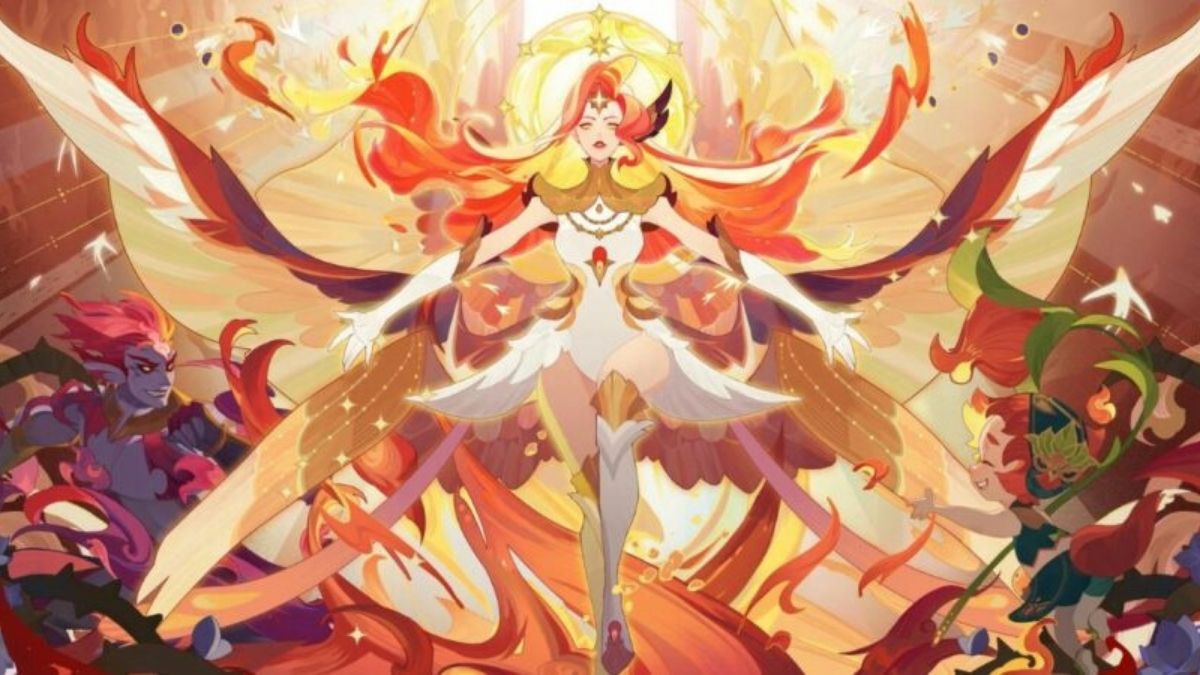
    • AFK Arena: Fans of this idle RPG love how pretty the pictures are and how many heroes you can collect. There are different game types where players can fight enemies and put together their own team of heroes.
    • Idle Heroes: This idle RPG is known for having easy but fun gameplay. To fight enemies and finish tasks, players collect heroes and improve them.
    • Tap Titans 2: This idle RPG is known for having easy-to-understand controls and a method for never-ending progress. People tap on the screen to fight monsters and move forward in the game.
    • Egg, Inc.: This idle RPG is famous for having a unique way to play. As players get more chickens and improve them, the chickens lay eggs that can be sold for money.
    • AdVenture Capitalist: People know this lazy RPG for its funny take on capitalism. To make the most money and become the richest person in the world, players build and run businesses.
    • Cookie Clicker:  This idle RPG is easy to get hooked on, though. People get cookies when they click on a cookie. After that, players can use their cookies to improve their baking tools and hire cooks to help them make even more cookies.

    Conclusion: Time-strapped or casual gamers love idle RPGs because of their slow pace and lucrative growth. Players may watch characters fight enemies and get prizes without intervening. The wide variety of idle games like AFK Arena, Idle Heroes, and Cookie Clicker offers something for any gamer looking to unwind and participate in a busy life.

    Your support means a lot to us! Make sure to return to Game Empress for fresh and insightful articles.

  • How to Resolve Tekken 8 Beta Error?

    How to Resolve Tekken 8 Beta Error?

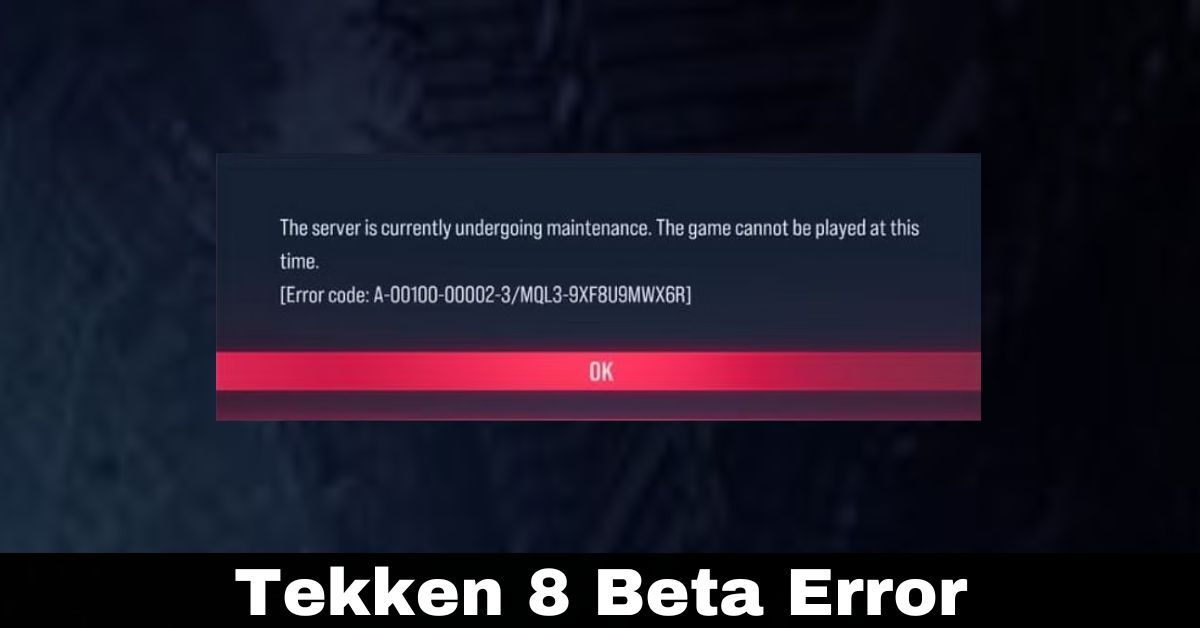
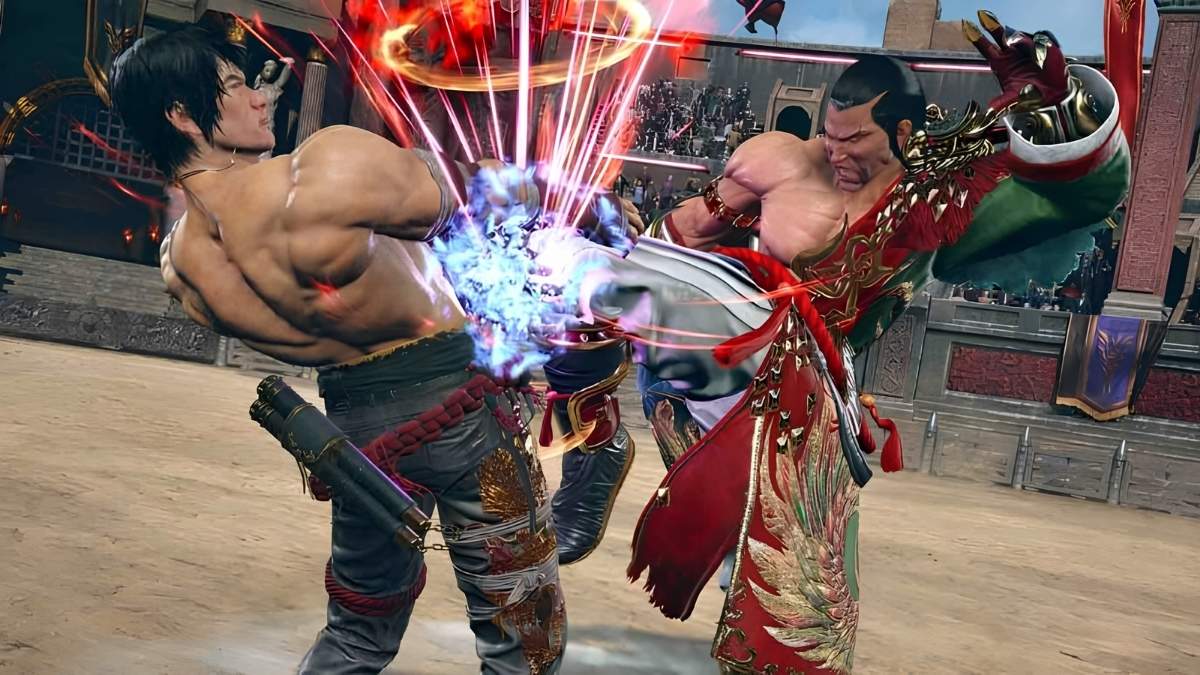
    Tekken 8, the next entry from Bandai Namco, will be released globally on January 26, 2024, after a final beta test. While most fighting game fans are ecstatic to get their hands on the early playtime, many did not get the smooth experience they expected after receiving the problem number A-00100-00002-3.

    Players are unable to enter the game due to the problem, and the error message indicates that the server is undergoing maintenance. It usually happens when the server is offline or when the internet connection is weak.

    Temporary remedies to the A-00100-00002-3 issue might be considered by players. We have listed some fundamental things you should do to repair the identified problem in the current Tekken 8 beta in this article.

    How to fix the A-00100-00002-3 error code in Tekken 8

    Even though the A-00100-00002-3 problem number has been talked about in the Tekken 8 test, there is still no lasting fix. That being said, try short-term ways to get into the game systems.

    1) Restart the game.

    If that doesn’t work, try restarting the game a few times. The error A-00100-00002-3 is just one of many server problems that it has been tried and tested on.

    Most of the time, a quick restart is all it takes to get back online with the computers. Don’t forget that the method won’t work if the coders are maintaining the server at the same time. There are, however, not many signs that that is the reason.

    Because this is only a partial fix, you could get the mistake again at any time.

    2) Check Your Internet Connection

    As was said, the problem A-00100-00002-3 could be caused by a bad internet link. So, to fix the problem, we suggest that you check your connection.

    If you’re having trouble connecting, you might want to restart your computer to get back online. Also, if you can connect to more than one network, try moving to a different one.

    If all else fails, call your internet service provider and explain the issue. They will work to fix any problems on their end so that you can possibly play the test.

    Tekken 8 Beta Error

    You might also wanna check out these other simple and easy gaming guides:

    3) Wait Till Official Patch Arrive

    In the past, Bandai Namco has fixed bugs that their beta users found. After that, they send out a quick patch to fix any bugs or other problems that were happening on their systems.

    Do not use any of the above ways until the hot changes have been applied. Only then should you enter the closed test. To fix the A-00100-00002-3 problem code, keep an eye out for new patches and download them as soon as they come out. From October 20 to October 23, 2023, you can play the Tekken 8 test.

    Fighting game fans are excited about Bandai Namco’s January 26, 2024 release of Tekken 8. Players are optimistic despite fault A-00100-00002-3 during the last beta test, which slowed gaming. Game restart, internet connection check, and awaiting official updates are temporary solutions in this tutorial. These workarounds provide temporary respite, but the gaming community wants Bandai Namco to solve it permanently to properly enjoy Tekken 8. The limited test period from October 20 to 23, 2023, suggests the game’s potential when the problem is fixed.

    We appreciate your interest in our content! Remember to save Game Empress in your bookmarks for future updates.

  • Last Wish Loot Table: Treasures of the Dreaming City!

    Last Wish Loot Table: Treasures of the Dreaming City!

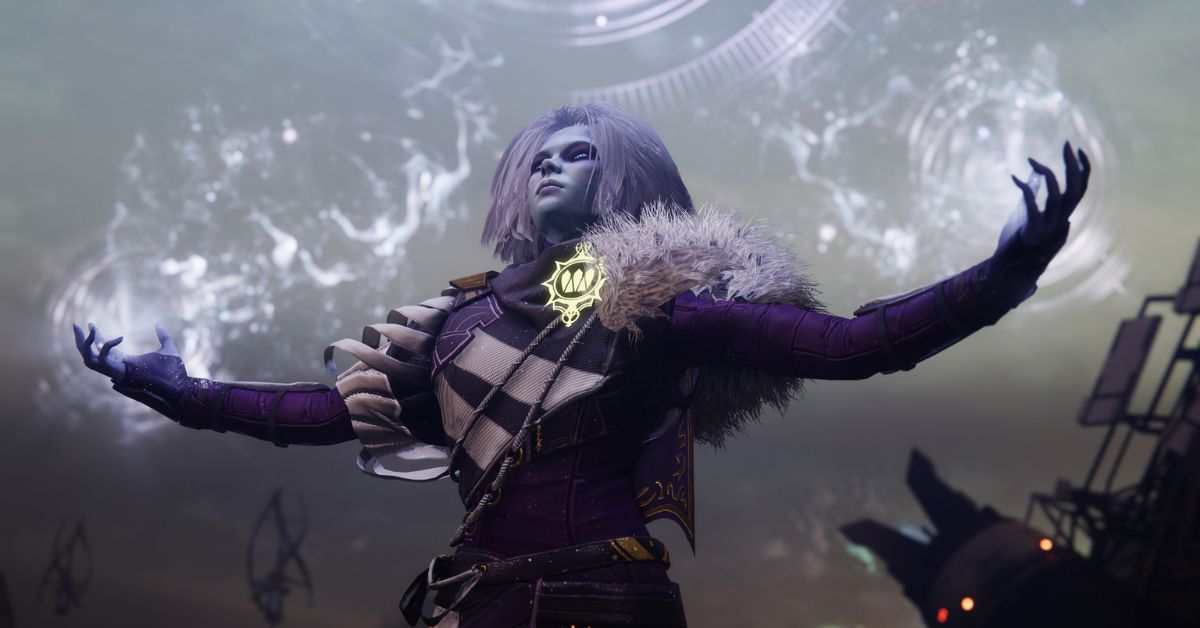
    In Destiny 2, the Last Wish Raid is not only the hardest level of content, but it’s also a prize chest full of valuable guns, armor, and other things that Guardians can find. This raid takes place in the middle of the Dreaming City and has loot that is just as interesting as the story behind it.

    Here is an in-depth look at the loot table for the Last Wish Raid, along with some advice on how to get ready for this tough task.

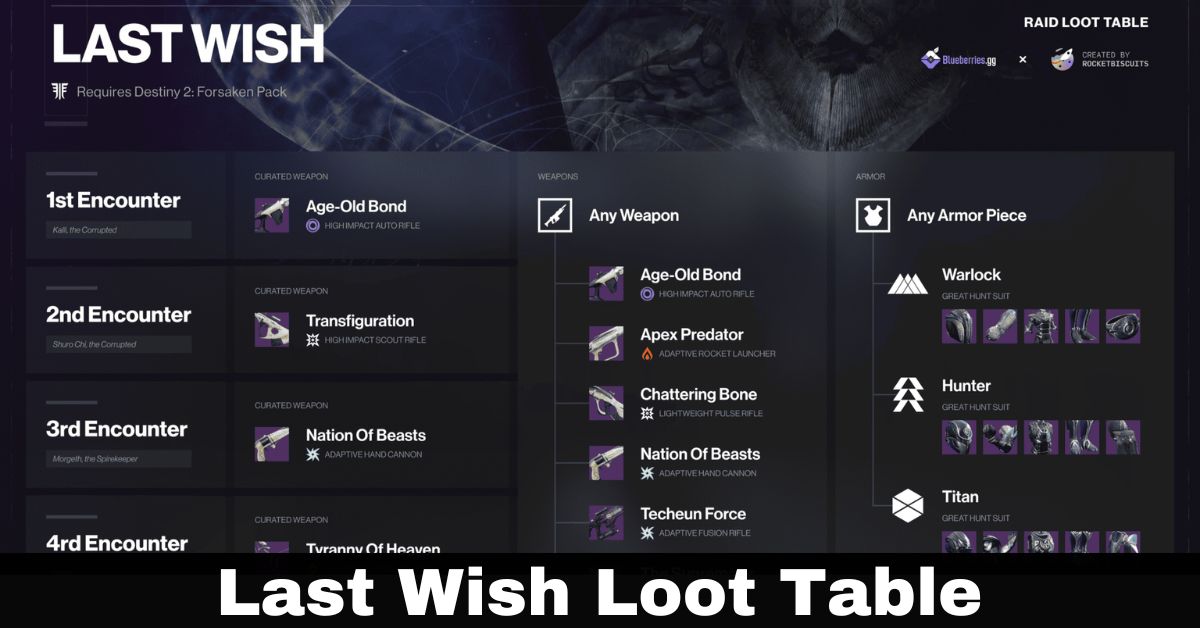
    Last Wish Loot Table

    The Forsaken update for Destiny 2 includes the Last Wish Raid, which is known for being one of the hardest raids in the game. In this raid, the loot table is full of rare and legendary weapons, armor sets, and other things that are both beautiful to look at and very effective in battle. You can get the loot from different fights in the raid, and each one gives you a chance at a different item.

    Last Wish Loot Table

    Required Level For Last Wish Loot Table

    It’s important to be at the right level before going into the raid. This raid, “Last Wish,” needs you to be at least 550 light level, and it goes up to 580. If you are greatly below level 40 (50LL), you will see skulls above enemy heads, which will make the fights much harder.

    A Look At The Loot Table

    There are a lot of different guns and armor on the loot table for the Last Wish Raid. Players will get even more loot when they finish the Last Wish’s Challenges. Here is a broad outline of what to expect:

    Weapons: The raid has a lot of different weapons, and each one looks and works differently to fit the mysterious mood of the Dreaming City.

    Armor: You can get a unique set of armor for each class from this raid. It gives you good stats and other benefits as well.
    Other things: The Last Wish Raid gives you more than just guns and gear. You can also get other useful things.

    Loot Table in Detail

    For a better idea of what each fight in the Last Wish raid has to give, a full loot table can be helpful. Every stage, from the first fight to the last, gives you a chance to get something new. Players can target certain battles to get the things they want because the loot table is set up in a certain way.

    You might also like to learn about these other gaming guides:

    How to Get the Loot?

    The main way to get the desired loot is to take part in the Last Wish raid and complete its tasks. When players fight each enemy, they have a chance to get something different from the loot table. Also, doing the Last Wish’s Challenges is a good idea because they give you extra prizes.

    Guardians who are brave should check out the Last Wish Raid because it is full of treasures. With so many rare and legendary things to find, each run through the raid is a new adventure and a chance to get valuable loot. If you properly prepare and know the loot table, you can greatly improve your hunting experience, turning the Last Wish Raid into a unique journey in Destiny 2.

    Your support means a lot to us! Make sure to return to Game Empress for fresh and insightful articles.

  • Destiny 2 Patch Notes: The Biggest Changes Coming To The Game In 2023

    Destiny 2 Patch Notes: The Biggest Changes Coming To The Game In 2023

    Are you looking for the most recent Destiny 2 Patch Notes? If the response is affirmative, we’ll assume it’s because Bungie has recently released a new Destiny 2 update or hotfix. If you’re new to Destiny or even most live service games, keep a watch on the game’s patch notes for any subtle changes that the developer may make from one update to the next.

    While these updates will invariably feature quality-of-life enhancements and bug fixes for in-game issues, they may also include a few balancing adjustments that might have a significant impact on overall gameplay.

    Bungie may decide to boost or nerf some of your favorite weapons or class skills at any time, and it’s better to be aware of this so you can adjust properly.

    We’ll keep this page as our regular updated home for the latest Destiny 2 Updates, Patch Notes, and hotfixes, whether it’s a small tweak or a larger update that releases with a new season or expansion. Continue reading to learn everything you need to know.

    Destiny 2 Patch Notes

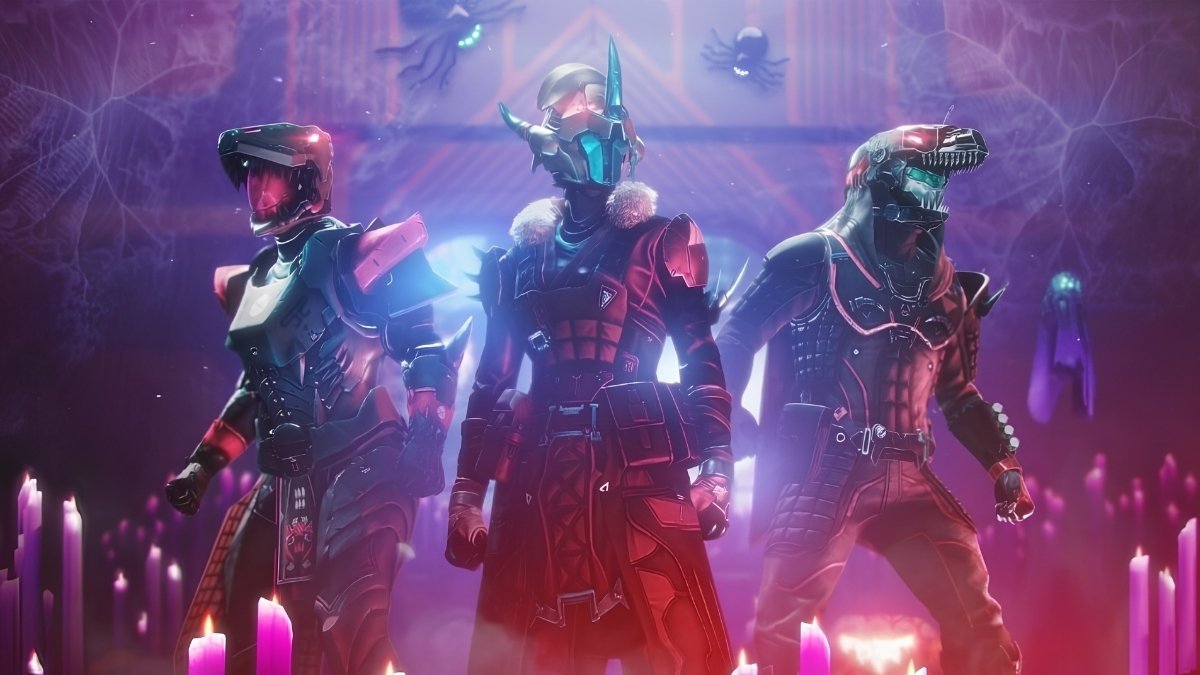
    Destiny 2 Festival of the Lost Rewards
    Image Source Bungie

    Bungie has published Destiny 2 update 1.100 for patch version 7.2.5.1 on last-gen and current-gen systems, bringing various adjustments to the game’s activities, events, and more. The official D2 new update patch notes for October 24 are available below.

    Activities

    Ritual Loop

    • The proc rate calculation of the number of active cards for Deck of Whispers Liminal Card (Arc) was incorrect. This has been fixed.
    • The Deck of Whispers Liminal Card (Arc) and Lacuna Card (Void) no longer trigger effects for other players.

    The Imbaru Engine mission

    • Fixed a bug in which dialog did not play after completing a navigation puzzle.
    • The previously described navigation puzzle can be redone to hear dialogue that was missed during the initial playthrough.

    Gameplay And Investment

    Events

    • Fixed a bug in which the ship Nyxpterón, obtained through the Bookworm III event challenge, was not available in Collections once obtained.
    • Fixed an issue where Lightfall campaign checkpoints could be used to quickly and frequently collect significantly more Spectral Pages than intended.
    • The Event Challenge Heads Will Roll could only be completed by defeating Headless Ones in Legend Haunted Sectors.
    • The Festival of the Lost Event Card pop-up has been updated to reflect that the event provides a title rather than a Seal.

    General

    • On specific platforms, revised animation causes flickering on the Deck of Whispers in the H.E.L.M.

    This is everything you need to know about Destiny 2 Patch Notes. You can also read our Overwatch Patch Notes and Mortal Kombat Patch Notes. Stay tuned to GameEmpress.com for the most recent gaming news and guides.

  • MTG Jurassic Park New Card List 2023: The Best Cards For Commander

    MTG Jurassic Park New Card List 2023: The Best Cards For Commander

    A collection of cards commemorating Jurassic World’s 30th anniversary will be included in Magic: The Gathering’s newest set, the Mesoamerican-themed Lost Caverns Of Ixalan, which will be released on November 17.

    The set-within-a-set will include 26 cards themed around the whole Jurassic Park franchise, including known faces and iconic scenes from each film.

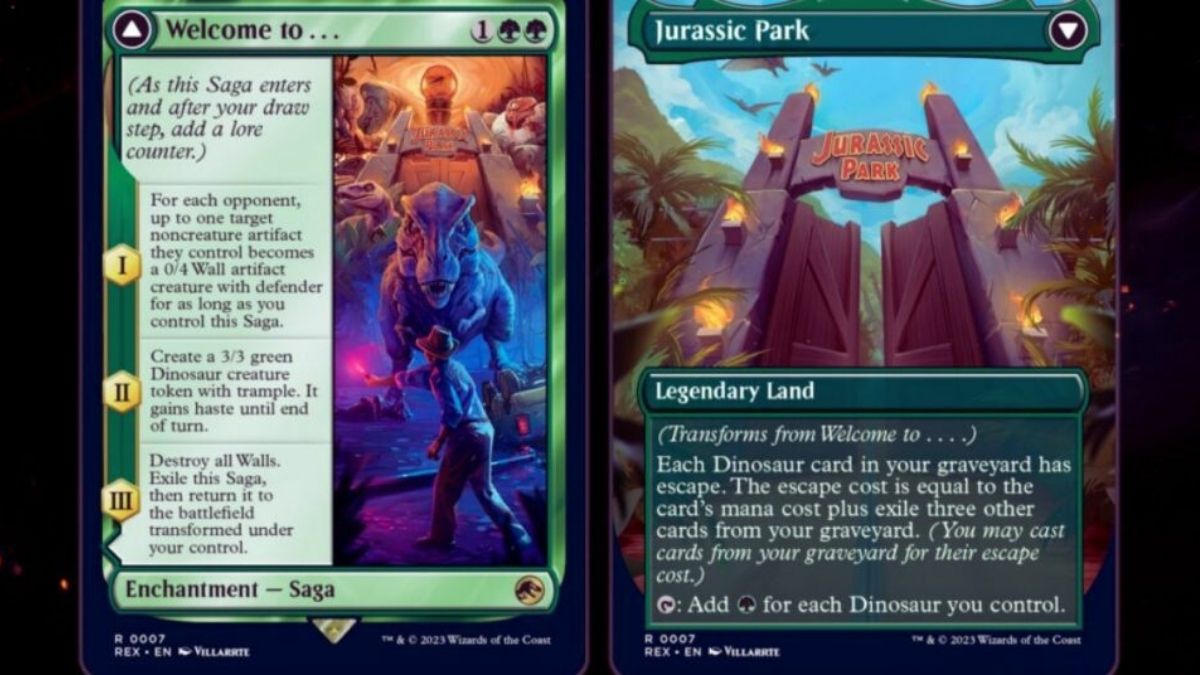
    We’ve obtained four exclusive previews from this collection, two of which are double-sided, including a critical scene from the first film, a swarm of small dinos, and two of the five basic locations.

    MTG Jurassic Park New Card List

    Each Jurassic Park-themed terrain in this collection is double-sided, with one side depicting the time before the dinosaurs escaped and the other depicting the aftermath.

    MTG Jurassic Park New Card List
    MTG Jurassic Park New Card List

    The Forest concentrates on the velociraptor pen before and after they break free from their cage–apparently while helping themselves to a snack–while the Plains focuses on the vast Brachiosaurus before and after their encounter with the carnivores.

    Don’t Move is our first brand-new card.

    Don’t Move

    • Casting costs three generic mana and two white mana.
    • Destroy all creatures that have been tapped. Whenever an animal becomes tapped, destroy it until your next turn.

    If a friend in your Commander pod enjoys populating the board with creatures and attacking frequently, this card can put a stop to them almost instantly, as it clears every creature that struck you the previous turn.

    The lingering effect not only prevents other creatures from attacking until your next turn, giving you time to make other moves, but when combined with Hylda’s Crown Of Winter or other tap effect cards, it can chip away at your opponent’s creatures even when they don’t attack.

    The last unique card we’ll show you today is Compy Swarm:

    Compy Swarm

    • 2 strength/2 toughness Casting a dinosaur requires one general mana, one black mana, and one green mana.
    • If a creature dies this turn, produce a tapped token that is a duplicate of Compy Swarm at the start of your end phase.

    Any creature that can replicate itself through normal gameplay is difficult, but when the task is as simple as “make a creature go away,” this can quickly become a problem. Compy Swarm does have two apparent drawbacks–the token only generates at your end step rather than every end step, and the token is tapped when it appears–. Still, if left unchecked for a few turns, the number of tokens can swell to unmanageable proportions.

    Wizards of the Coast also released a small reveal trailer for many new Lost Caverns of Ixalan cards earlier today. The video demonstrated new mechanics, four commanders from the Commander decks, and additional Jurassic World cards.

    The video also revealed a recent restricted Secret Lair drop centered on Dr. Ian Malcolm, which will include various reprints of previous Magic cards with varied art depicting the chaos theory buff.

    This is all there is to know about MTG Jurassic Park New Card List. You can also read our Heroes of the Storm PTR Patch Notes guide. Stay up to date with GameEmpress for the most recent gaming news and guides.

  • Mines Of Moria System Requirements: Can Your PC Handle The Middle-Earth?

    Mines Of Moria System Requirements: Can Your PC Handle The Middle-Earth?

    In “The Lord of the Rings: Return to Moria,” the Dwarves go on an epic journey to retake their ancient home in the enchanted world of Middle Earth. But how powerful should your gaming equipment be for this quest? Not to worry, we’re about to reveal the system requirements for The Lord of the Rings: Return to Moria.

    These LOTR Return to Moria system requirements establish a wonderfully low bar, ensuring that even those with modest setups may immerse themselves in the magic. We’ll go over the system requirements for this highly anticipated game in this article.

    Mines of Moria System Requirements

    Minimum System Requirements

    CPU: Intel Pentium® 4 1.8 GHz or equivalent
    RAM: 512 MB
    GPU: 64 MB NVIDIA® GeForce® 3 or ATI® Radeon® 8500
    DX: DirectX® 9.0c
    OS: Windows® XP
    STO: 11 GB available
    ODD: 2x DVD-ROM
    NET: 56kbps Modem

    Recommended System Requirements

    CPU: Intel Pentium® 4 2.8 GHz or equivalent
    RAM: 1 GB
    GPU: 128 MB NVIDIA® GeForce® FX 6800 or ATI® Radeon® X850
    DX: DirectX® 9.0c
    OS: Windows® XP / Vista
    STO: 15 GB available
    ODD: 2x DVD-ROM
    NET: Broadband DSL/Cable

    Understanding the system requirements for LOTR Return to Moria’ is critical when it comes to The Lord of the Rings: Return to Moria, one of the most anticipated survival crafting games set in the Fourth Age of Middle-earth.

    These specifications are your key to unlocking the full potential of your Middle-earth adventure, whether you’re a seasoned gamer or a newbie to the world of gaming.

    System Requirements Breakdown

    The LOTR Return to Moria system requirements serve as your entry point for a gripping trip through Middle-earth. You’ll need an Intel Core i5 6600K processor and 8GB of RAM to embark on this epic quest, establishing a firm foundation for your expedition.

    The graphics are driven by an Nvidia GeForce GTX 1060 or an AMD Radeon RX 480, resulting in spectacular visuals that bring Middle-earth to life. All of this fits neatly on a 20GB SSD, ensuring a smooth gaming experience with quick loading times.

    The suggested specifications provide an even more immersive encounter for anyone looking to upgrade their Middle-earth experience while meeting the system requirements for LOTR Return to Moria.

    Upgrade to an Intel Core i7 8700K processor and 16GB of RAM, as well as an Nvidia GeForce GTX 2060 or AMD Radeon RX 5700 XT graphics card. The 20GB SSD is still an essential part of the equation, providing a smooth and continuous voyage through the Mines of Moria.

    Prepare for Your Middle-earth Odyssey

    In The Lord of the Rings: Return to Moria, prepare for an epic voyage to Middle-earth. Join the Dwarves on their quest to recapture their country and discover the Mines of Moria’s treasures.

    Your hardware will be your faithful companion in this quest, guided by the fundamental system requirements for LOTR Return to Moria.

    Immerse yourself in Middle-earth’s universe, where danger and mystery lurk around every corner. Whether you’re a casual gamer or a die-hard fan, these system requirements for LOTR Return to Moria ensure a smooth and captivating adventure.

    So pack your gear, gather your allies, and embark on an adventure that will put your skills to the test in the depths of Khazad-dûm. Are you prepared to confront the Shadow and recover Moria for the Dwarves?

    This is everything you need to know about Mines Of Moria System Requirements. Additionally, you can check our guide on Escape From Tarkov System Requirements and Teardown System Requirements. Stay connected with GameEmpress.com to get the latest news and guides about the gaming world.

  • Unblocked Games 991: Dive Into Free Gaming World!

    Unblocked Games 991: Dive Into Free Gaming World!

    The draw of unblocked gaming platforms is definitely enticing in an era when digital exploits give a respite from the monotony. Unblocked Games 991 stands out among these platforms, bypassing network limits. It’s a haven for people looking to explore the gaming realm away from the strict network constraints of their schools or employment.

    This article tells the information about Unblocked Games 991, throwing light on its characteristics and the funny game environment it creates.

    Unblocked Games 991

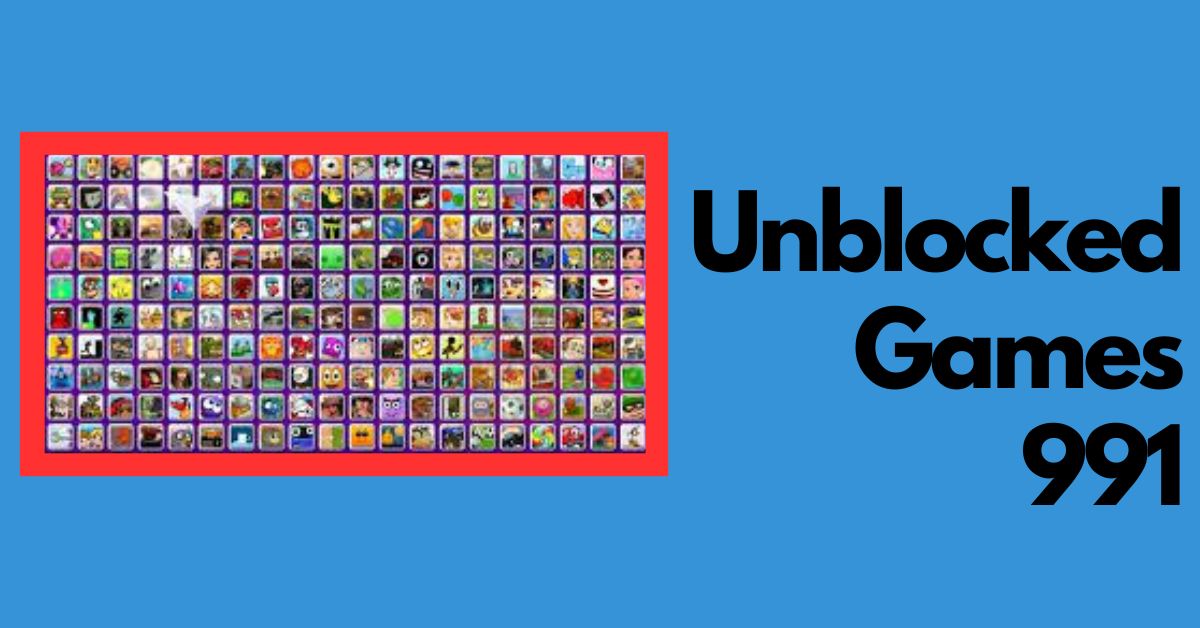
    In Unblocked Games 991 there isn’t just a tool it is a way to get to a world where gaming is free to grow. It gets around the network’s restrictions to give eager gamers access to a huge selection of games.

    Unblocked Games 991
    Unblocked Games 991

    There are a lot of different kinds of games on the app, like action, adventure, puzzle, sports, and many more. This variety makes sure that every gamer, no matter what they like, can find their place.

    Unblocked Games 991 Advantages

    Accessibility: Accessibility is what makes Unblocked Games 991 great. It can get around network blockers, which makes it a reliable game partner at school, work, or anywhere else where network limits are an issue.

    User-Friendly Interface: With an easy-to-use design, it’s simple to find your way around the huge library of games. The software is well-organized and simple to use, so even people who are new to computers won’t have any problems.

    Free Gaming: Free games are great, right? Unblocked Games 991 is a great place to play games for free, so you can try out a lot of different games without spending any money.

    Popular Games on Unblocked Games 991

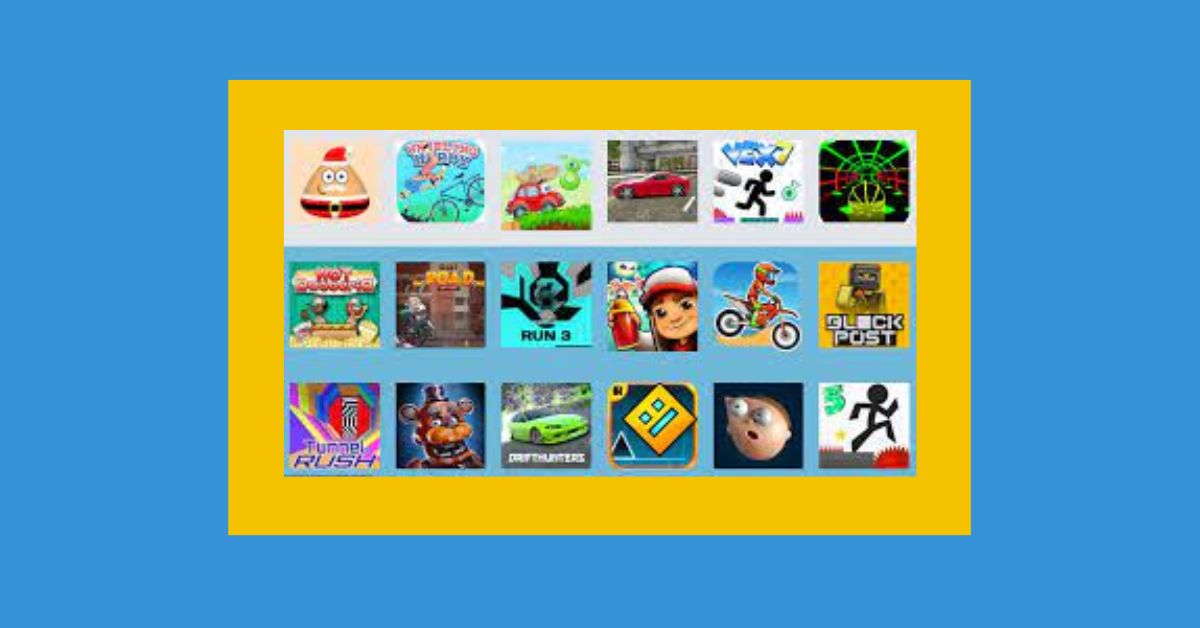
    There are a lot of famous games on Unblocked Games 991 that have loyal fans. Some of the fun games that can be played there are Super Smash Flash 2, Bloons Tower Defense 5, and Subway Surfers.

    Conclusion: Unblocked Games 991 is more than simply a gaming platform; it’s a digital haven for people looking to escape the monotony of everyday life and immerse themselves in the exhilarating world of gaming. Its extensive game catalog, simplicity of access, and free gaming model make it a popular gaming destination. Unblocked Games 991 delivers endless gaming fun whether at school, work, or home, making it a beloved platform among gaming groups.

    We appreciate your interest in our content! Remember to save Game Empress in your bookmarks for future updates.

  • Unblocked Games 99: Your Passport to Unrestricted Gaming Haven!

    Unblocked Games 99: Your Passport to Unrestricted Gaming Haven!

    In an age when digital gaming has become a way of life for many, the search for platforms that offer unrestricted access to games is on the rise. Among the multitude of platforms, Unblocked Games 99 stands out as a gaming sanctuary.

    This platform is intended to circumvent limitations, enabling players to enjoy their favorite games regardless of network constraints at schools or offices. This article goes into the complexities of Unblocked Games 99, investigating its features and why it has become a gaming destination.

    What is Unblocked Games 99?

    Unblocked Games 99 is a website that provides a large selection of unblocked games, or games that may be played even if your internet connection is filtered or banned. This is due to the fact that they are housed on servers that are not restricted by the majority of schools and businesses.

    Unblocked Games 99

    Unblocked Games 99 is a popular website for both students and workers since it enables people to play their favorite games even when they are not connected to their home networks. The website has a large selection of games to pick from, such as arcade games, puzzle games, racing games, and others.

    Unblocked Games 99 Benifit?

    Diverse Range of Games: Unblocked Games 99 has a lot of games from different types of themes, such as action, adventure, puzzle, and racing games. This wide range of options makes sure that every gamer can find something that suits their tastes.

    Accessibility: One of the best things about Unblocked Games 99 is that it can get around network limits. This makes it a great tool for places with strict network rules. The site is easy to get to, so players can jump into the world of games whenever they want.

    User-Friendly Interface: The app is designed with an easy-to-use layout that makes it easy to navigate. It is easy for gamers to find the games they love by browsing through the different groups. This makes the gaming experience better overall.

    Free Gaming Experience: All of Unblocked Games 99’s games are free, which is a trait that draws in a lot of gamers who want to play games without spending any money. Free gaming is a big draw because it lets people try out a huge selection of games without any problems.

    You might also like to read about these other gaming guides:

    Most Played Games on Unblocked Games 99

    Super Smash Flash 2, Bloons Tower Defense 5, Subway Surfers, and other games are some of the most played ones on Unblocked Games 99. These games give you an idea of the great gaming experience the app offers.

    Unblocked Games 99 is a growing platform that serves to many people’s gaming needs by offering a wide range of free games in a variety of genres. Its ability to circumvent network limitations, along with an easy-to-use interface, makes it a popular option among gamers looking for unfettered gaming enjoyment. Unblocked Games 99 is a dependable partner for every gaming lover eager to enjoy in unlimited gaming experiences, whether at school, work, or at home.

    Thank you for taking the time to read our article! We invite you to stay informed by visiting Game Empress regularly.

  • Unblocked Games 69: Where Gaming Knows No Boundaries!

    Unblocked Games 69: Where Gaming Knows No Boundaries!

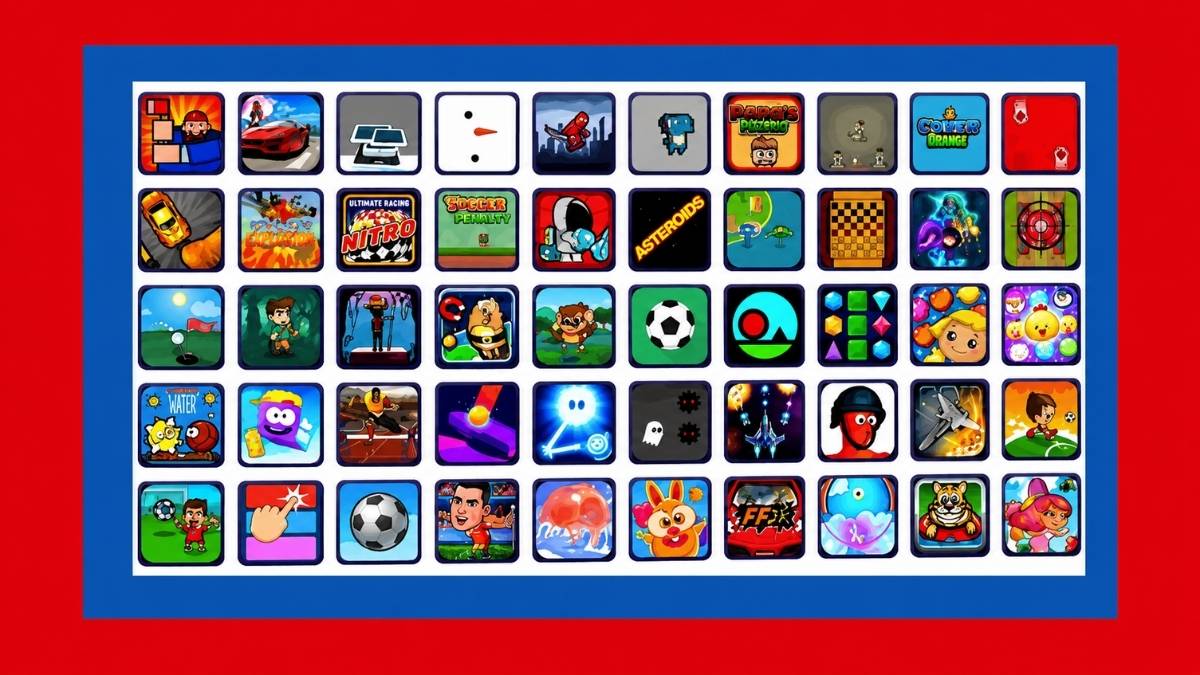
    Unblocked Games 69 is a popular online school unblocked game website. There are several action, strategy, and racing games accessible. When your supervisor is not looking, go to strange Unblocked Games 69 to have fun or waste time. Unblocked games are perfect when you have free time.

    As a result, you won’t have to be concerned about time or your parents reminding you that your homework is due or that it’s too late to play games. Unblocked Games 69 Weird offers a variety of enjoyable games for desktop, mobile, and tablet computers. Unblocked school games may be filtered by genre and gameplay mode, such as single-player or multiplayer.

    Unblocked Games 69 provides a plethora of free games for everyone. These games are playable on any device and come in a variety of styles, so there is something for everyone.

    What is the Use of Unblocked Games 69?

    Unblocked video games for school are a pleasant way to pass the time. It’s never been simpler to play video games at home, with friends, or in a waiting room. Thanks to the Internet and unblocked games, this is now simpler than ever. Puzzles, racing, sports, and shooting games are available for players of all ages.

    Unblocked Games 69
    Unblocked Games 69

    Minecraft and Tetris are two recent popular games. Addicting online games enables worldwide rivalry. These games may be played online or as applications on your smartphone. Unblocked Games 69, our preferred gaming site provides unblocked games wtf.

    Most Played Games on Unblocked Games 69

    These are some of the most-played games on Unblocked Games 69:

    • Super Smash Flash 2: Super Smash Flash 2 is a fighting game with characters from well-known video games like Pokémon, Super Mario Bros., and The Legend of Zelda.
    • Bloons Tower Defense 5: Bloons Tower Defense 5 is a tower defense game where you have to keep bombs from getting into your base.
    • Stick War: Stick War is a strategy game where you fight an enemy country by building an army.
    • Subway Surfers: In Subway Surfers, you have to get away from a police cop and his dog while running.
    • Moto X3M 6: Spooky Land is a driving game where you have to drive your motorbike over tricky obstacles.

    You might also like to read about these other unblocked games:

    Unblocked Games 69 Features

    Diverse Game Selection: Unblocked Games 69 has a huge selection of games from many different types, such as action, adventure, sports, and puzzles. This range makes sure that every gamer can find something they like.

    Accessibility: The tool is made to get around network limits, so it can be used in places like schools and offices where network rules are strict.

    User-Friendly Interface: The website has an interface that is easy to use, so players can quickly find and play their favorite games.

    Free Gaming: All of Unblocked Games 69’s games are free, which is a trait that draws in a lot of gamers who want to play games without spending money.

    The platform not only provides a diverse range of games, but it also assures that players have free access regardless of their location or network constraints. Its user-friendly layout, along with the free gaming option, makes it a favorite among many gamers.

    Conclusion: Game lovers may escape to Unblocked Games 69, which offers a wide range of free games for all interests. This platform provides ongoing gaming enjoyment despite school or work network constraints. The straightforward UI makes it easy to play action, strategy, or racing games when you want to relax. A refuge of various, free, and simply accessible games that fit into your leisure time makes gaming fun and easy.

    Thank you for reading! We hope you’ll bookmark Game Empress and come back for more great content.

  • Paralives Release Date: Could It Be 2023 After All?

    Paralives Release Date: Could It Be 2023 After All?

    An open-world single-player simulation game in the spirit of The Sims, but with a unique twist, is in the works.

    Paralives, an upcoming Indie game planned for release on Steam for PC and Mac, has gained a large following since its debut due to its distinctive art style and excellent developer transparency.

    Players will be able to build their characters and direct their lives in whatever way they see fit. Players will have a number of options for how they play Paralives, from getting people to hang out with others, having different jobs, and building homes from a desired image.

    The Paramaker function, in which players design their characters, is one of the game’s most fascinating elements. Potential characters will be able to customize their heights and tattoos, in addition to standard physical characteristics such as skin color, facial features, and hair.

    Paralives Release Date

    Paralives Release Date
    Paralives Release Date

    According to the official website of Paralives, the game is still in its early stages of development. It will not announce a tentative release date to avoid upsetting fans in the event of delays.

    The game was announced in June 2019, which means it has been in development for about four years. Developer Alex Massé and his crew have been hard at work on the game, with frequent updates being posted to Twitter.

    The makers of Paralives intend to release a beta version at some point in the future.

    Paralives Price Prediction

    The price of the independent game Paralives has yet to be announced. However, according to the website’s FAQs, it will not be a free-to-play title. The game will receive free content updates; however, it appears that there will be an initial payment.

    If we use The Sims 4 as a comparison, we may estimate Paralives to be roughly the exact pricing. However, because it is an indie product, it may be cheaper than The Sims, enticing more people to buy it.

    Paralives Platforms

    The new life simulation will be released on Steam for PC and MAC, with no further platforms known at this time.

    The FAQs section of the official Paralives website also makes no mention of additional platform compatibility.

    In addition, “Will Paralives be available on console?” is a question answered in the FAQs: “There are no plans for console versions at the moment.”

    This is everything you need to know about Paralives Release Date. Additionally, you can check our guide on Roblox PS5 Release Date and Valorant Mobile Release Date. Stay connected with GameEmpress.com to get the latest news and guides about the gaming world.
  • Unblocked Games 67: Your Gateway to Unrestricted Gaming Glory!

    Unblocked Games 67: Your Gateway to Unrestricted Gaming Glory!

    In this digital age, there are a huge number of online gaming sites, and each one tries to offer players a unique gaming experience. Unblocked Games 67 stands out as a great place for gamers, especially those who can’t play because of network problems at school or work.

    This site promises to have a lot of games for people with different tastes and interests. There are a lot of great things about Unblocked Games 67 that make it a top choice for online gamers. This piece goes into detail about those things.

    Unblocked Games 67

    The best thing about Unblocked Games 67 is that it’s not banned, so you can access it from any network, even the ones that have restrictions. This feature is helpful for students and workers who are in places with limited internet access but still want to play games for a short time.

    Unblocked Games 67

    Here are some of the best things about Unblocked Games 67:

    • Unblocked Games 67 is easy to get to; you can do it from anywhere, even places that don’t allow the internet, like schools, businesses, and other places.
    • No Need for Installation: Some games on the app don’t need to be downloaded or set up, which makes them easy to play.

    How to Play Games Unblocked Games 67

    Here are some tips to help you play free games:

    • Make certain you can connect to the internet well. To play most free games without any problems, you need to be connected to the internet well.
    • You should use a very strong tool if you can. It’s best to use a very strong gadget because some free games can be rough on it.
    • Close any apps that you don’t need. It can help unblocked games run faster and free up room on your device if you close apps you don’t need.
    • When you play open games, especially if you’re into them for a long time, it’s important to take breaks. Your eyes and body will not get tired or hurt if you take breaks.

    You might also be interested in these other posts about open games:

    Some Tips Unblocked Games 67

    Check your internet connection. Because most unblocked games are played online, a stable internet connection is required. If possible, utilize a strong gadget. Some free games might be taxing on your device, so choose one that is really strong.

    Close any applications that you are not using. Exiting applications you don’t need may clear up space on your device and make unblocked games run quickly. Take breaks: This is particularly significant if you’ve been playing open games for a long period. Taking pauses helps protect your eyes and body from becoming fatigued or injured.

    Unblocked Games 67 stands out among digital gaming sites, giving a safe sanctuary for gamers who suffer network limits. Its unconstrained nature, large game library, and user-friendly UI provide a seamless gaming experience. The platform avoids installation issues, provides a varied variety of popular games across genres, and provides useful gaming recommendations, making it a trusted friend for gamers seeking unrestricted entertainment, especially in network-limited settings such as schools or workplaces.

    We’re always adding new stuff, so bookmark Game Empress to keep up to speed on the newest news and information.