Category: Game Guides

In-depth game guides from Game Empress, with walkthroughs, tier lists, location maps, and step-by-step strategies to help you master the games you love.

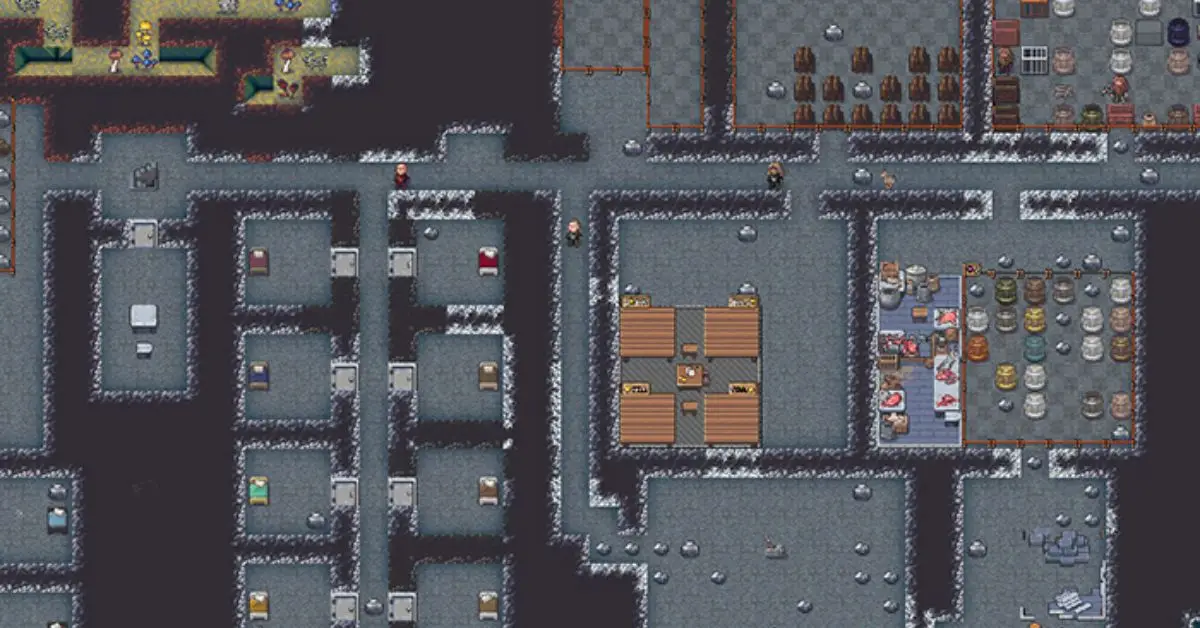
  • Dwarf Fortress Stepladder Guide: How to Build and Use

    Dwarf Fortress Stepladder Guide: How to Build and Use

    Dwarf Fortress is a cool video game made by Bay 12 Games. It’s about building stuff and managing things, and it’s been in the making since 2002. The first version came out in 2006 and got noticed because it was created by just two people who relied on donations.

    One interesting tool in the game is the Stepladder. In this article, we’ll check out what the Stepladder is, how you can use it, and what it does in the game.

    What is Stepladder in Dwarf Fortress?

    A Stepladder is a tool in Dwarf Fortress for picking fruit from trees. If a tree with fruit is in a designated area, a dwarf will bring and put a Stepladder under it automatically. Stepladders can be put anywhere and help dwarves reach fruit up to two levels above the ground.

    How Do You Use the Stepladder in Dwarf Fortress?

    To use a Stepladder in Dwarf Fortress, follow these simple steps:

    1. Make sure there’s a fruit tree in an area where plants are gathered.

    2. Put the Stepladder under the tree. If it’s in a plant gathering area, a dwarf will automatically grab it and place it there.

    3. Wait for the dwarf to climb the Stepladder and collect the fruit.

    You can store Stepladders in furniture stockpiles that allow “other large tools.” Manage them from the tools section of the stocks screen. In Adventurer Mode, you can construct Stepladders from Carpentry and use them by standing on the same tile, then using the hold key to climb up and down.

    Stepladder Construction
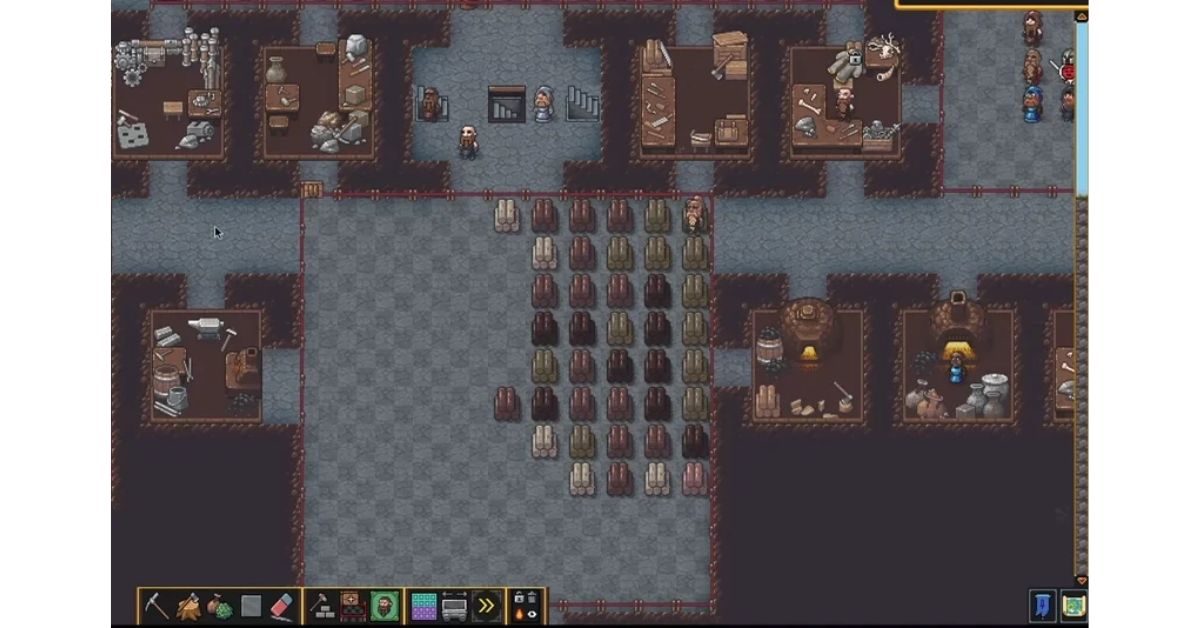
    Dwarf Fortress Stepladder
    Image Source Bay 12 Games

    A carpenter can make stepladders from wood in a workshop, or a metal crafter can make them from metal in a forge. Making a metal stepladder requires two metal bars or six adamantine wafers. If you melt down an adamantine stepladder, you’ll get 1.8 wafers, which is a 30% efficiency.

    How to Get Rid of Unwanted Constructions in Dwarf Fortress?

    Dwarves who can remove things will get rid of any constructions you tell them to. To tell them to remove something, go to the designations menu and choose “Remove Construction.

    This is everything you need to know about Dwarf Fortress Stepladder.  Check out our other guides on the Top 20 Hardest PC Games to play when you have a moment. Stay connected with GameEmpress.com to get the latest news and guides about the gaming world.

  • Best FSS Hurricane Loadout for Close-Range Gunfights in MW2 Season 5

    Best FSS Hurricane Loadout for Close-Range Gunfights in MW2 Season 5

    FSS Hurricane is a type of Sub Machine Gun (SMG) in Call of Duty: Modern Warfare 2. Like other SMGs, it’s best for close-range combat. Although not many players prefer it because it shoots a bit slowly, it makes up for that with a big magazine.

    It lets players move around quickly, giving them a smart advantage for playing aggressively. With this gun, players can keep up the attack by using its large magazine and quick movements.

    This weapon is great for handling lots of enemies at the same time. With the right setup, you can get good results. In this article, we’ll talk about the best class, attachments, and other things to make the weapon work really well.

    Modern Warfare 2 FSS Hurricane Class Setup:

    The FSS Hurricane is really good in close-range combat but not as good from far away, so it’s perfect as a backup weapon. It’s super easy to move around with, so you can get close to your enemies easily. Plus, it can shoot a lot before you need to reload. To make it work even better, you need to use the right perks, gear, and weapons alongside it.

    Category Equipment
    Primary Weapon SO-14
    Secondary Weapon FSS Hurricane
    Tactical Gear Stun Grenade
    Lethal Weapon Proximity Mine
    Base Perks Battle Hardened, Double Time
    Bonus Perk Fast Hands
    Ultimate Perk Quick Fix

    FSS Hurricane Loadout Modern Warfare 2
    Image Source Activision

    Modern Warfare 2 FSS Hurricane Loadout Attachments:

    The FSS Hurricane is perfect for gamers who love playing aggressively. Even though it fires a bit slower than other SMGs at 698 rpm, you can make it really effective with the right attachments. Boosting stability and aim-down-sight (ADS) speed is key. This way, you can land that first shot quickly and keep a tactical advantage in those fast-paced moments.

    To make this sub-machine gun work best in battles, you need to pick the right gear carefully. By doing this, you can adapt to different situations in fights and get good results.

    Attachment Recommendation
    Muzzle Spiral V3.5 Flash Hider
    Barrel FSS Cannonade 16″
    Rear Grip XTEN Grip
    Ammunition 5.7X28MM Overpressured +P
    Underbarrel Edge-47 Grip

    FSS Hurricane MW2 Season 5 Build

    Use the Spiral V3.5 Flash Hider muzzle and the FSS Cannonade 16″ barrel to make your gun more stable, hide muzzle flashes better, and shoot bullets farther and more accurately.

    Add the XTEN rear grip and the Edge-47 Grip under-barrel to aim better, aim faster, and control recoil. For stronger shots, use the 5.7X28MM Overpressured +P ammo to make your enemies flinch more.

    How to Get the FSS Hurricane in Modern Warfare 2?

    To get the strong M4 SMG in Modern Warfare 2, follow these steps:

    1. Level up your M4 to level 14.

    2. When you reach level 14, the FTAC Recon attachment becomes available.

    3. Take the FTAC Recon to level 17.

    4. This unlocks the FSS Hurricane SMG for you to use.

    Stay connected with GameEmpress.com to get the latest news and guides about the gaming world.

  • Remnant 2 Soul Sparks Location: How to Complete the Quest in N’Erud

    Remnant 2 Soul Sparks Location: How to Complete the Quest in N’Erud

    In Remnant 2’s main story, players travel through multiple worlds. Each world has its own unique stories, but they all connect to one important mission: putting an end to the Root forever. One of these worlds is N’erud, a bleak and futuristic wasteland that’s on the verge of being completely destroyed.

    On this planet’s story, there’s a ghostly voice that tells players to save a group called the Drzyr from being wiped out. The mission is to find a canister of Soul Sparks, which are like the last bits of their fading people. It might sound tough, but in Remnant 2, things are never really a walk in the park.

    Remnant 2 Soul Sparks Location: How to Find?

    To start the adventure, players should complete the initial dungeon after leaving the prison to unlock the second open area in N’erud. While the specific locations might change each time you play, the goal remains constant.

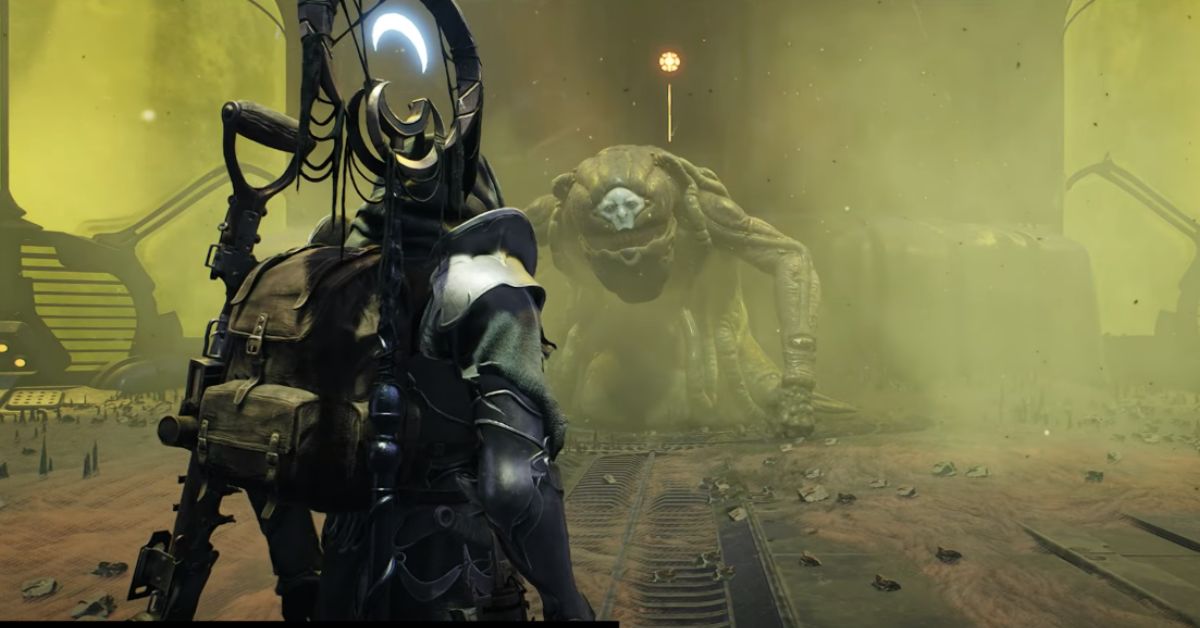
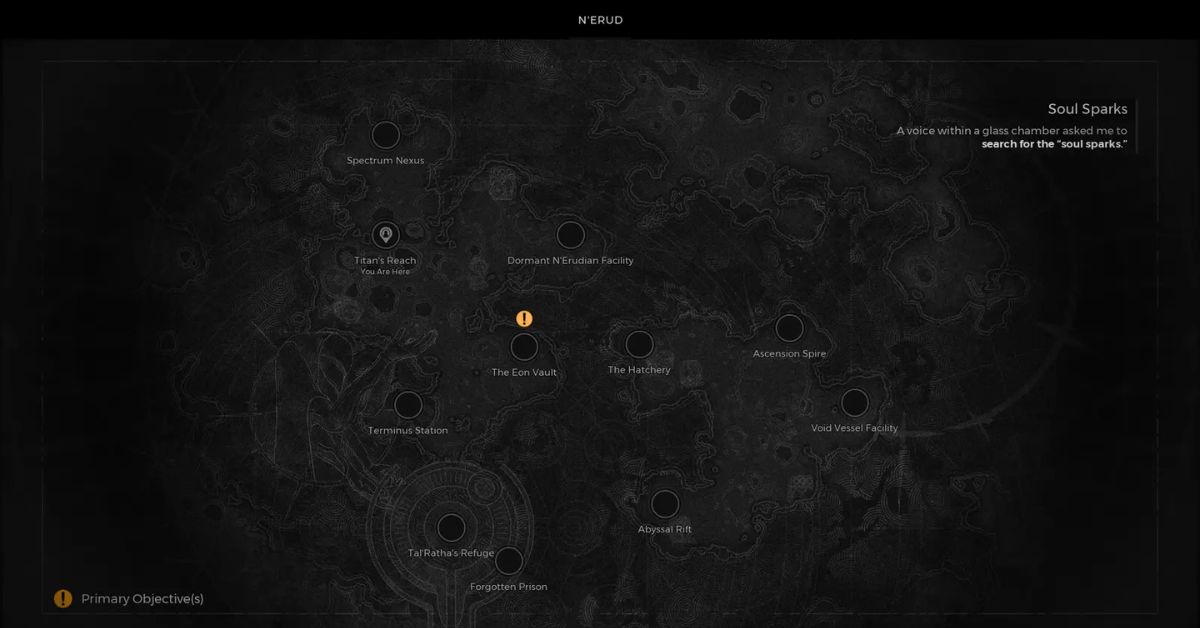
    The special Soul Sparks that the players are searching for are not in the dungeons of the second area. They’re actually hidden in an underground vault located somewhere in the toxic desert. These vaults look like pyramids, and you can find entrances that lead to underground facilities.

    Remnant 2 Soul Sparks Quest
    Image Source Gunfire Games

    Look for a special vault on the map with a door like the one in the prison. Go inside and get the Soul Spark canister from the main room. Be ready for a bunch of zombies to show up – defeat them because the exit door takes some time to open again.

    Finding the Soul Sparks on N’Erud is tough due to the harsh environment. The low visibility and sand dunes that all look the same make it challenging to locate the right underground bunker. Additionally, the map is tricky to read since there are no clear borders, making it even harder to identify areas covered by the fog of war.

    If you can’t find the right bunker, keep exploring the wasteland and check all the vaults you come across. Look around dungeon entrances or explore along the edge of the death fog to discover new parts of the map.

    Once you find the Soul Sparks, go back to the prison and give them to the mysterious speaker behind the glass. This will start an important cutscene.

    This is everything you need to know about finding the Soul Sparks in Remnant 2. Take a moment to explore our other guides, like the best weapons in Remnant 2 for beating bosses and lots of enemies. Stay connected with GameEmpress.com to get the latest news and guides about the gaming world.

  • Remnant 2: Should You Join Tal’Ratha’s Ark?

    Remnant 2: Should You Join Tal’Ratha’s Ark?

    In Remnant 2, you’ll come across important parts where you have to make big choices that change the game’s story and what happens to your character. One of these moments is deciding if you should join the ark. If you’re not sure what to choose, we’ve made a guide to help you decide if you should join Tal’Ratha’s Ark in Remnant 2.

    When you make decisions, there are good and bad outcomes. It’s important to weigh them carefully, but if you think it through, you can make a smart choice and avoid regret later on.

    Should You Join Tal’Ratha’s Ark in Remnant 2?

    When you go into N’Erud, there’s someone behind the glass who asks for Soul Sparks. Get those, and then find the way to the Forgotten Prison. There, you’ll meet the world boss, Tal’Ratha. But before the fight, the boss will chat with you about free will and destiny.

    Remnant 2 Join the Ark
    Image Source Gunfire Games

    In the talk, he gives you two options: either get eaten and be “immortal,” or say no and fight him. Neither choice is good or bad, so you need to decide which option has more benefits for you.

    Why Does Tal’Ratha Offer Immortality to Those Who Join the Ark?

    If your boss swallows you after being tempted by immortality, you’ll need to wake up and battle Tal’Ratha in its metaphysical form. Your aim is to defeat it and earn rewards. If you emerge victorious, you can obtain an Acidic Jawbone crafting material to make the Gas Giant melee weapon.

    Remnant 2 Join the Ark
    Image Source Gunfire Games

    What Happens if You Decline Tal’Ratha’s Offer to Join the Ark in Remnant 2?

    In this situation, if you say no to Tal’Ratha’s offer, you’ll still end up having to fight him. The place you’re in will become an arena for the battle between you and Tal’Ratha. But if you decide not to team up with the ark, you’ll receive Spiced Bile as a reward, and you can use it to craft the Nebula handgun.

    Remnant 2 Join the Ark
    Image Source Gunfire Games

    But no matter what, you’ve got to face Tal’Ratha. The choices basically give you different rewards. If you like fighting up close, go for the Tal’Ratha path. But if you prefer shooting from a distance, beat the boss in its regular form. After winning, head back to the Labyrinth and move on to the next level in the game.

    Now that you know the outcomes of joining or not joining the Ark of Tal’Ratha in Remnant 2, take a moment to explore our other guides, like the best weapons in Remnant 2 for beating bosses and lots of enemies. Stay connected with GameEmpress.com to get the latest news and guides about the gaming world.

  • Roblox Base Battles Codes: Where to Find and Redeem Codes

    Roblox Base Battles Codes: Where to Find and Redeem Codes

    Playing battles in Roblox is super fun, especially when you can fight it out with your friends. If you’re into Base Battles, our codes can give your in-game account a nice boost, whether you’re a Roblox pro or just getting started.

    Make sure to come back here for new codes – we’ll keep updating whenever there are fresh ones. Don’t wait any longer – check out the Base Battles action with our codes below.

    What are Base Battles Codes?

    The developers at Voldex Games share special codes that you can use to get tokens. These tokens help you unlock cool stuff like weapons and tanks for your game collection. While new codes don’t come out all the time, you can expect them on big occasions or when there’s a significant update.

    Base Battles Codes
    Screenshot By GameEmpress

    Base Battles Codes

    List of All Active Roblox Base Battles Codes

    • LABORDAY23 – 15k tokens
    • 350K – 75k tokens
    • OURBAD – 50k tokens
    • FREEMONEY – 10k tokens
    • 325K – 75k tokens
    • CINCO – 18,620 tokens
    • SPRINGBREAK – 25k tokens
    • WHOOPS – 25k tokens
    • PREZ – 50k tokens
    • 300K – 50k tokens
    • OVERTHEMOON – 15k tokens
    • Carvas454 – 50k tokens
    • Rainster – Rainster limited weapon skin
    • DESTROYER – 25k tokens
    • 250K – free tokens

    List of All Expired Roblox Base Battles Codes

    • RAINSTERGIVEAWAY
    • SUMMER
    • 200K
    • POCKETTACTICS
    • 150KLIKES
    • 100KLIKES
    • TURKEY
    • FIGHTER
    • MYSTIC
    • ARCTIC
    • DEVKING
    • BETA

    How to Redeem Base Battles Codes?

    To use codes in Base Battles and get rewards quickly, do these simple steps:

    1. Open up Base Battles in Roblox.

    2. Type the secret code in the box at the bottom.

    3. Press redeem.

    4. Boom! Enjoy your tokens!

    If the code doesn’t work, make sure you typed it in right. You can copy and paste it from our list to be sure. If it still doesn’t work, it means the code is old, and you’ll have to wait for new ones.

    Where to Find More Base Battles Codes?

    Follow the official Base Battles Twitter account (@BaseBattlesRB) for the latest codes and updates. You can also join the game’s Discord for community news and exclusive codes. Don’t forget, we always share the codes here for you.

    Stay connected with GameEmpress.com to get the latest news and updates about the gaming world.

  • Roblox PS4 Release Date, Price, Features, Gameplay and More

    Roblox PS4 Release Date, Price, Features, Gameplay and More

    Good news! After years of requests, the Roblox team has heard you, and now Roblox is officially coming to PS4. Get ready because it’s launching really soon! Roblox is coming to PlayStation, so now people who play games on PlayStation can join the fun.

    Roblox is super popular, with more than 66 million people playing every day. The PS4 version of the game is awesome because it has the complete version and lets you play online with people on any gaming platform.

    Roblox PS4 Release Date

    The Roblox game is coming to PS4 on October 10, 2023.

    They announced it during a livestream in September. Even though it’s not a full release for PS5, you can still play it on both PS4 and PS5 because of their compatibility.

    Launching on PS4 means more players can enjoy the game on this console. The PS4 version works similarly to the Xbox One version, letting you play on creations from the Roblox Experiences Multiverse. There are lots of user-created things to explore, and the community keeps making new stuff.

    You can create your own experiences on PC or Mac using Roblox Studio tools and then transfer them to PS4, just like you can on Xbox.

    Roblox PS4 Release Date
    Image Source Roblox Corporation

    Roblox PS4 Price

    Roblox is free to download on PS4, meaning you can enjoy the game without spending any money on PlayStation. Everything in Roblox, like the many experiences created by players, is available for free.

    If you want to enhance your in-game experience, you can buy Robux to get upgrades and premium avatar accessories. There’s also an optional Premium membership that offers a Robux stipend and a trading feature. You can cancel the Premium membership anytime. For more details on costs and benefits, check the official website.

    Roblox PS4 Gameplay

    We haven’t seen how Roblox will look and play on PS4 and PS5 yet. We’ll share a glimpse before the official release. You can then check what to expect when exploring games and using Roblox codes on PS5 and PS4.

    But keep in mind, since this is designed specifically for PS4, you won’t get all the fancy features of a PS5 game, like the special controller feedback. However, you can still enjoy it on your PS5—it’s just made with the capabilities of a PS4 in mind.

    Is Roblox on Switch?

    Roblox hasn’t said anything about teaming up with Nintendo for a Switch version. It might have to do with how Nintendo deals with microtransactions since they have their own Eshop.

    Stay connected with GameEmpress.com to get the latest news and updates about the gaming world.

  • Is Enlisted Crossplay and Cross-Progression?

    Is Enlisted Crossplay and Cross-Progression?

    Enlisted is a free video game where teams of players work together, shooting and strategizing together. It’s about World War II, with battles happening all over the place. It’s available on PC, Xbox One, Xbox Series X|S, PlayStation 4, and PlayStation 5. But it’s not available on the Nintendo Switch.

    It allows players to act as infantry squad leaders, tank crew, or aircraft pilots. The game’s weaponry, soldier’s uniform, appearance, and vehicle capabilities are in line with historical facts.

    Is Enlisted Crossplay?

    Yes, Enlisted is a cross-platform. You can play with friends on different devices like PC, PlayStation, and Xbox. At first, even though the game creators promised cross-platform support, players couldn’t team up with their friends on different platforms. But now, this problem has been fixed.

    Is Enlisted Crossplay
    Image Source Darkflow Software

    Is Enlisted Cross-Progression?

    Enlisted does not support cross-progression. This means that players will not be able to continue their game if they plan to change platforms from one to another. Their progress will not be accessible on other platforms.

    Enlisted  Gameplay

    In this game, you can try different modes. One of them is the squad mode, where you can lead a team of AI teammates and team up with other players who are also leading their own AI teams.

    The game offers a variety of weapons and loadout options, allowing you to customize your squad as you prefer. You can even take control of your squad members during the game, adding an exciting twist because an enemy you defeat might return as a different character to seek revenge.

    Additionally, both players and AI soldiers can revive themselves if they’re shot down, so you need to be certain they’re truly defeated when you shoot them.

    You can also play with others in a PVP mode. You can customize and upgrade factions using earned points. If you want a fresh shooting game, give Enlisted a try for some entertainment.

    Stay connected with GameEmpress.com to get the latest news and updates about the gaming world.

  • The Fastest Bikes and Cars to Buy in GTA 5 Online

    The Fastest Bikes and Cars to Buy in GTA 5 Online

    In GTA Online, there are many bikes and cars to choose from, but you might prefer using the fastest ones. The game has been around for almost ten years, and during that time, Rockstar Games has kept adding new content, including races and vehicles, to keep players entertained.

    In Los Santos, you have lots of ways to get around. You can pick a stylish ride like the Cheval Taipan, go for classic cool with the Coquette Classic, or choose something super unique like the Truffade Z-Type.

    Basically, in Los Santos, people like having lots of cool choices for getting around. Some go for the sleek Cheval Taipan, others pick the classic Coquette Classic, and some go for the unique Truffade Z-Type.

    Most players in the game want to go really fast, whether they’re escaping cops or winning races. Speeding through Los Santos is super fun. If you’re curious about the fastest bikes and cars in GTA 5 Online in 2023, we’ve got all the info you need.

    The Fastest Bike in GTA 5 Online

    Fastest Bike in GTA 5
    Image Source Rockstar Games

    The fastest bike in GTA 5 Online is the Western Reever. It can zoom at a top speed of 163 mph/262.32 kph and comes with a price tag of $1,900,000. Even though it might seem pricey, it’s a great deal because it’s faster than the pricier alternatives.

    In GTA Online, fast bikes can be quite pricey, and some cost more than $3 million. So, choosing the right one becomes crucial to make sure you’re not spending your money recklessly.

    The third fastest bike in GTA Online is the Pesaggi Oppressor, with a speed of 140 mph. The Nagasaki BF400 also shows up, hitting an impressive 137 mph. Check out the table below for the full list of the top 10 speediest bikes.

    Top 10 Fastest Bikes in GTA Online

    Rank Bike Top Speed Price
    1 Western Reever 163 mph $1,900,000
    2 Western Deathbike (Arena) 150 mph $1,269,000
    3 Pegassi Oppressor 140 mph $3,524,500
    4 Maibatsu Manchez Scout 137.75 mph $225,000
    5 Maibatsu Manchez Scout (Delivery Bike) 137 mph $225,000
    6 Nagasaki BF400 137 mph $95,000
    7 Pegassi Bati 801 135 mph $15,000
    8 Pegassi Bati 801RR 135 mph $15,000
    9 Shitzu Hakuchou 134 mph $82,000
    10 Western Powersurge 130 mph $160,500

    Even if you upgrade other vehicles to their maximum speed, these bikes won’t be easily beaten in a straight-line race. Visit the Southern San Andreas Super Autos and Legendary Motorsports stores to grab these impressive bikes.

    The Fastest Cars in GTA 5 Online

    Fastest Bike in GTA 5
    Image Source Rockstar Games

    The speed champ on GTA 5 Online streets is the BF Weevil Custom, priced at $980,000 and hitting a top speed of 137.5 mph/221.28 kph. While Formula 1-style cars like the Ocelot R88 and Progen PR4 ace Open Wheel races for the fastest lap times, they don’t top the speed charts on regular roads.

    The BF Weevil Custom takes the lead with a speed of 137.5 mph. Following close behind are the Ocelot Pariah at 136 mph, the Grotti at 135.30 mph, and the Pfister 811 at 132.5 mph. The Grotti Itali GTO Stinger TT secures the fifth spot with a speed of 132.00 mph. You can now find the new Grotti Itali GTVO Stinger TT car in GTA Online.

    Top 10 Fastest Cars in GTA Online

    Rank Car Top Speed Price
    1 BF Weevil Custom 137.5 mph $980,000
    2 Ocelot Pariah 136 mph $1,420,000
    3 Grotti Itali RSX 135.30 mph $3,465,000
    4 Pfister 811 132.5 mph $1,135,000
    5 Grotti Itali GTO Stinger TT 132.00 mph $2,380,000
    6 Principle Deveste Eight 131.75 mph $1,795,000
    7 Lampadati Corsita 131.31 mph $1,795,000
    8 Overflod Entity MT 131.25 mph $2,355,000
    9 Pegassi Torero XO 131 mph $2,890,000
    10 Bravado Banshee 900R 131 mph $565,000

    We’ve got all the info on the fastest cars and bikes in GTA 5 Online in 2023. You can see our guide about Rockstar Games removing 188 cars from GTA Online. Stay connected with GameEmpress.com to get the latest news and updates about the gaming world.

  • Is Black Ops 3 Cross Platform?

    Is Black Ops 3 Cross Platform?

    If you really like playing the shooter game made by Treyarch, you might be asking: Can I play Black Ops 3 with friends on other systems? Games that work across different platforms have become a big thing, letting players on various devices compete together.

    Let’s check if Black Ops 3 lets you play with friends on different systems. Modern Warfare made it possible on PS4, Xbox, and PC, so we’re wondering if the older Call of Duty games, like Black Ops 3, also joined the crossplay party.

    Does Black Ops 3 Cross Platform?

    Unfortunately, Black Ops 3  does not support cross-platform play. This means that players on PC/Steam cannot compete with PlayStation or Xbox players.

    Is Black Ops 3 Cross Platform
    Screenshot By GameEmpress

    Why Black Ops 3 Isn’t Cross-Platform?

    Making games work together on different devices, known as cross-play, is quite challenging for developers and console companies. They need to make sure that game servers run smoothly on various platforms and that players using different controllers can compete fairly.

    Also, there are business agreements between game creators and console companies, like exclusive content deals, which might make it difficult to cross-play in some cases.

    When Black Ops 3 came out in 2015, PlayStation and Xbox didn’t work together for multiplayer games. They had separate networks. Recently, with games like Fortnite, major game companies have started supporting cross-play, letting players on different devices play together.

    Is Black Ops 3 Have Cross-Progression?

    Unfortunately, it is not possible to transfer your game progression data from one platform to another in “Black Ops 3”. Your progression data, including achievements and unlocked items, is tied to the specific console’s network account, making it impossible to transfer across different platforms.

    How to Enable Cross-Play in Black Ops 3?

    Right now, Black Ops 3 doesn’t let players from different platforms play together. If things change in the future, and Activision decides to make it happen, I’ll make sure you know how to get in on the action.

    Steps to Enable Cross-Play in the Future:

    1. Create a COD Account:

    • If you don’t have one yet, make an account on the official Call of Duty website. This helps keep your progress saved, no matter where you play.

    2. Add Friends from Different Platforms:

    • Add your friends using their unique IDs from their profiles, whether they play on PS5, Xbox Series X/S, PC, etc.

    3. Select ‘Enable Cross Play’:

    • Look for this option in the settings menu, usually represented by a cogwheel icon on the main screen.

    4. Select Game Mode and Start Playing:

    • Once enabled, your lobby will include all your added friends, and you’re ready for some action!

    Stay connected with GameEmpress.com to get the latest news and updates about the gaming world.

  • How to Get to the Rold Route in Elden Ring?

    How to Get to the Rold Route in Elden Ring?

    In Elden Ring, as players spend hours exploring the interconnected world map of The Lands Between, they’ll encounter dangerous creatures and exciting characters.

    Venturing off the main paths can lead to discovering new weapons with special abilities or powerful magic skills for those who prefer a magical character. Exploration is a significant part of the action RPG experience, especially when uncovering hidden routes like the Rold Route to access new areas.

    However, it can be a bit challenging to locate these hidden gems during your journey. If you’re having trouble finding the Rold Route, here’s a simple guide to help you.

    How to Reach the Rold Route in Elden Ring?

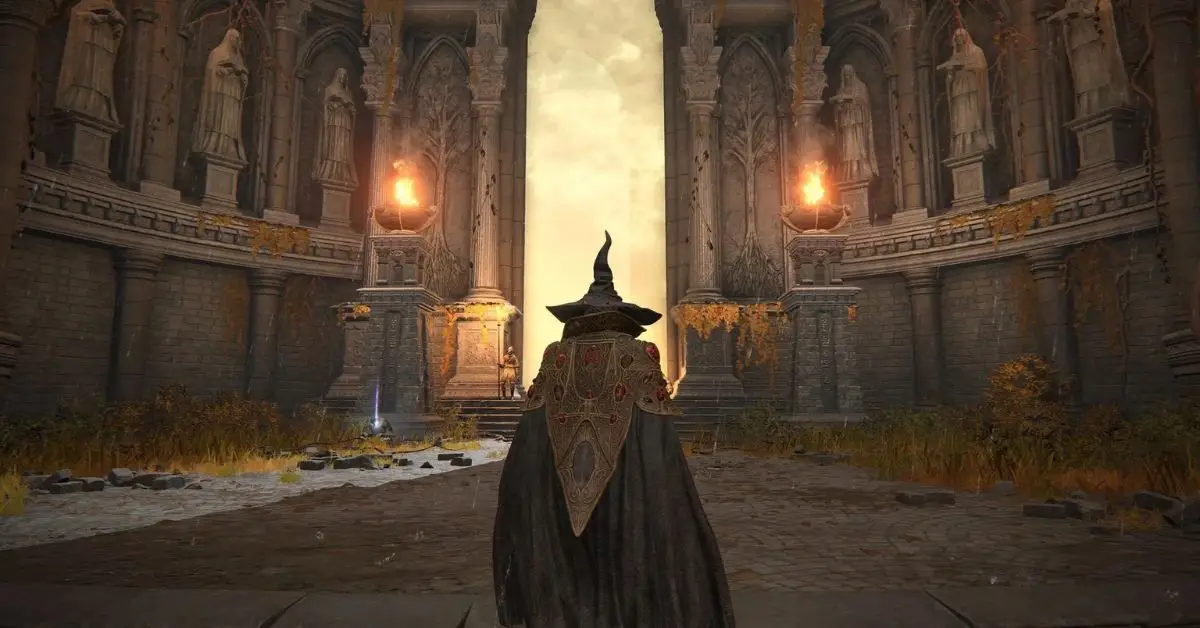
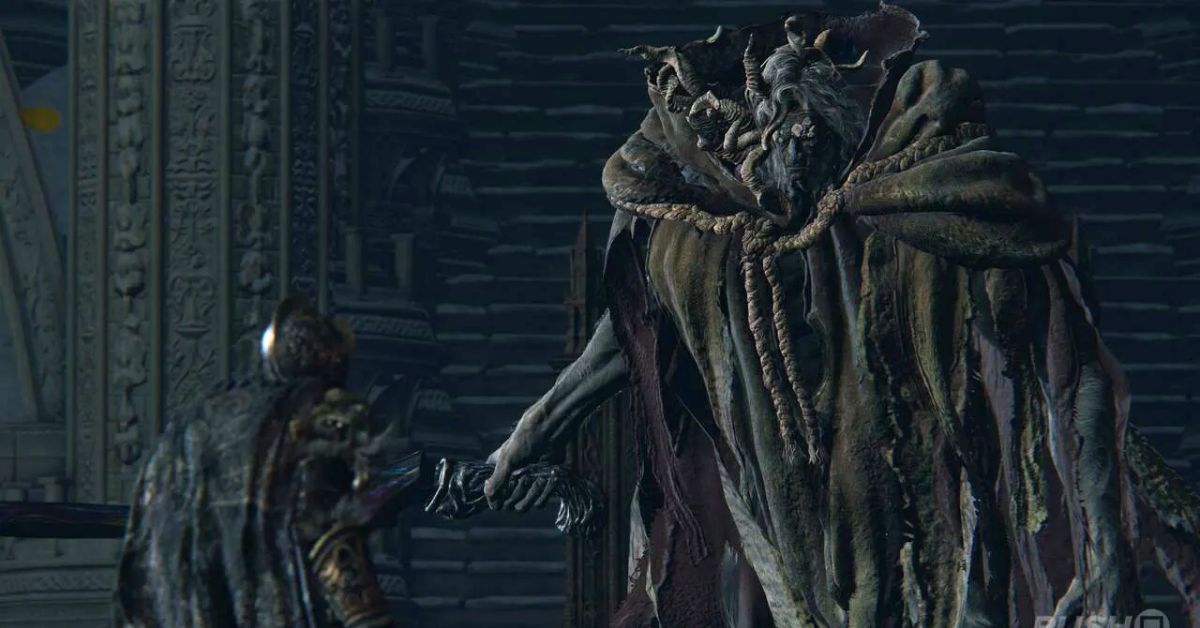
    If you remember where the Rold Route starts, you can easily find it in different playthroughs. To reach the Rold Route in Elden Ring, you need to beat Morgott, the Omen King. Find him in the Leyndall capital city after facing another boss called Golden Spectre of Godfrey, the First Elden Lord.

    How to Get to the Rold Route
    Image Source FromSoftware

    Before you fight Morgott, it’s a good idea to use the Avenue Balcony spot in Leyndall. This will help a lot when you want to go to the Rold Route after beating the boss.

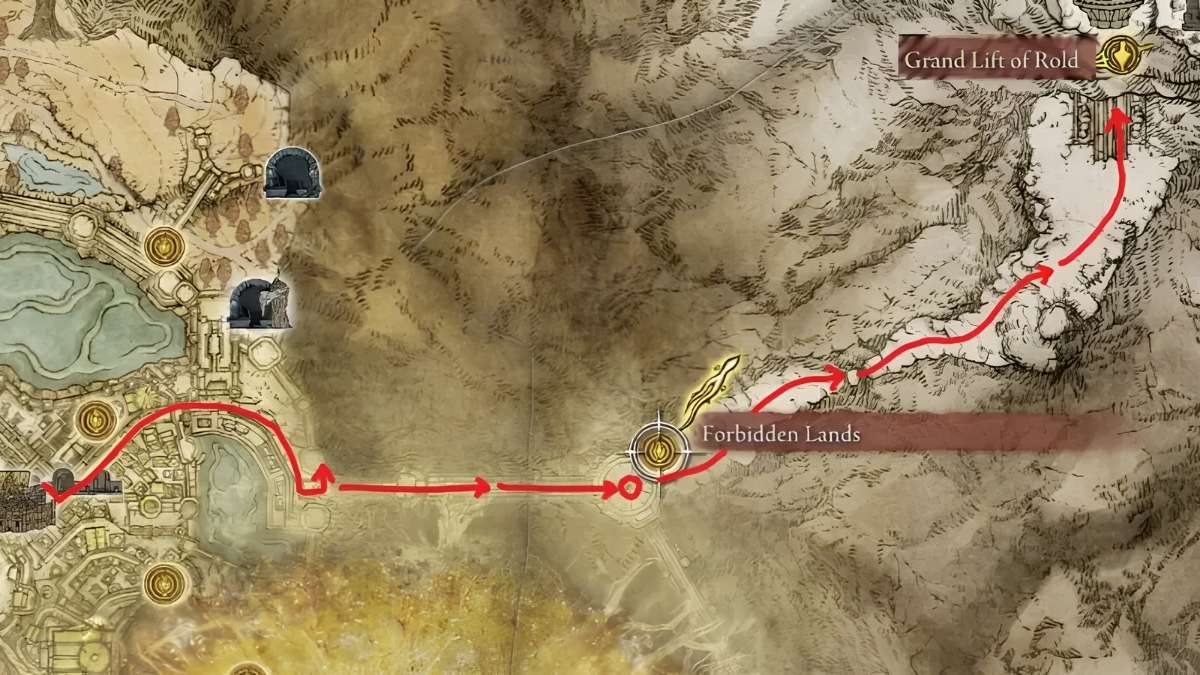
    Once Morgott is defeated, keep following the main quest. Try to enter the Erdtree to have an event with Melina. She’ll give you Rold’s medallion for the Grand Lift. When you open the world map with the medallion, you’ll see a bright red marker indicating where the Rold Route is.

    How to Get to the Rold Route
    Image Source FromSoftware

    But there’s a little problem with just the marker. So, head back to the Avenue Balcony spot and go up the main street of Leyndall, then turn left. Keep walking down the main road, past some strange enemies, and go through big doors to go up some stairs.

    Once you’re at the top, turn left again to find an elevator you need to take. This elevator will bring you to the Grand Lift of Rold, where you can use the Rold medallion to reach the Mountaintop of Giants.

    Elden Ring: Sprinting Tips for the Rold Route

    Running quickly down the Rold Route is a good idea if you don’t want to fight much. If you’re playing on PlayStation, press and hold the Circle button; for Xbox, it’s the B key. On PC, use the Space Bar.

    Tapping the sprint button will make your character step back or roll, depending on where you’re moving. Just keep an eye on the stamina bar to make sure you don’t run out and get stuck in a tough spot without a way to dodge attacks. If you want to find the snowy area in Elden Ring, here’s how you can do it.

    Stay connected with GameEmpress.com to get the latest news and guides about the gaming world.
  • Is My Hero Ultra Rumble Crossplay?

    Is My Hero Ultra Rumble Crossplay?

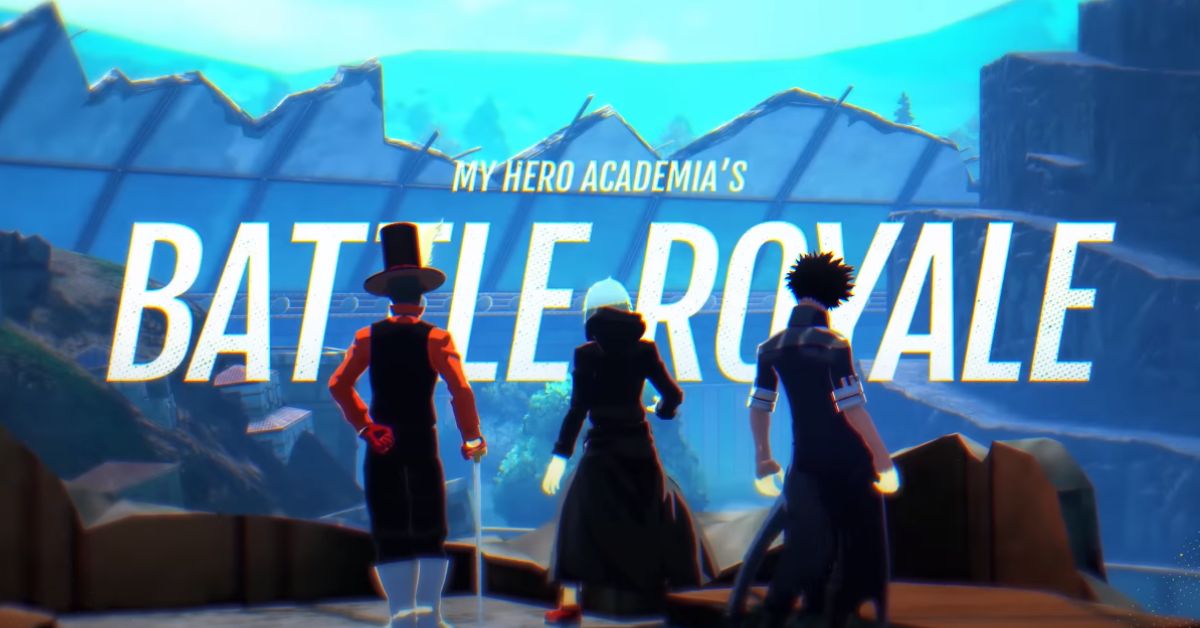
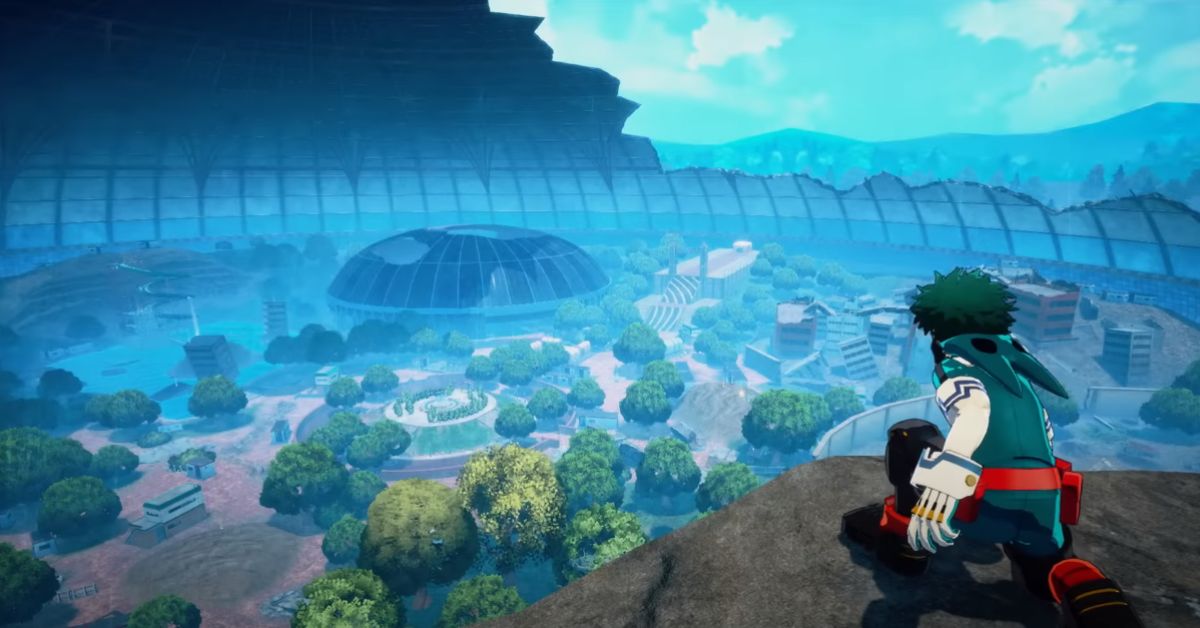
    My Hero Ultra Rumble is a free-to-play Battle Royale game based on the popular anime series “My Hero Academia.” It is now available on PC, Nintendo Switch, PlayStation 4, and Xbox One, giving MHA fans the opportunity to engage in battle royale-style fights.

    If you’re planning to play the game with friends on various platforms, you might be wondering if the game supports crossplay. This guide will provide information on the My Hero Ultra Rumble crossplay features.

    Is My Hero Ultra Rumble Crossplay?

    In “My Hero Ultra Rumble,” you can only battle against 24 players at once, and if there aren’t enough real players, bots fill in. However, the downside is that players in a single match can’t be on different platforms.

    If you were hoping to play with friends on other platforms, unfortunately, “My Hero Ultra Rumble” does not currently support crossplay. Regardless of whether you’re on PC or on any other platform, you’re stuck with that specific platform’s player base.

    My Hero Ultra Rumble Crossplay
    Image Source Bandai Namco

    “My Hero Ultra Rumble” has launched with 18 characters to choose from, including popular ones like Deku and All Might. The matches are short, which sets it apart from some other battle royales, and you won’t spend much time searching for opponents. The game is free to play, although there’s a gacha system in place.

    Will My Hero Ultra Rumble Have Crossplay in the Future?

    Unfortunately, the game might not have crossplay right now, but there’s a chance it could in the future, especially if it gets released on Android and iOS. My Hero Ultra Rumble seems like a great fit for playing on mobile devices. However, Bandai Namco, the publisher, hasn’t said anything about crossplay possibilities yet.

    If you’re curious about Bandai Namco’s other project, Tekken 8, you can find more information in our guideStay connected with GameEmpress.com to get the latest news and updates about the gaming world.
  • Genshin Impact System Requirements: How to Download on PC?

    Genshin Impact System Requirements: How to Download on PC?

    Genshin Impact is an action RPG game made by miHoYo. It came out in 2020 for Android, iOS, PlayStation 4, and Windows and in 2021 for PlayStation 5. What makes it special is that people on mobile, PC, and consoles can all play together.

    What makes Genshin Impact special is that you can play it with your friends no matter what device they’re using. If you want to play it on your PC, here’s how to download and play it, along with the minimum system requirements you’ll need.

    Genshin Impact System Requirements

    Minimum System Requirement

    Component Minimum Requirement
    CPU Intel Core i5 equivalent or higher
    RAM 8 GB
    Video Card NVIDIA GeForce GT 1030 and higher
    Dedicated Video RAM 2048 MB
    Pixel Shader 5.1
    Vertex Shader 5.1
    Operating System Windows 7 SP1 64-bit, Windows 8.1 64-bit, or Windows 10 64-bit
    Free Disk Space 30 GB

    Recommended System Requirement

    Component Recommended Requirement
    CPU Intel Core i7 equivalent or higher
    RAM 16 GB
    Video Card NVIDIA GeForce GTX 1060 6 GB and higher
    Dedicated Video RAM 6 GB
    Pixel Shader 5.1
    Vertex Shader 5.1
    Operating System Windows 7 SP1 64-bit, Windows 8.1 64-bit, or Windows 10 64-bit
    Free Disk Space 30 GB

    How to Download Genshin Impact on PC?

    To download Genshin Impact on your PC, you have a few options. You can visit the official Genshin Impact website and click on the “Download Now” button to get started.

    Alternatively, you can head over to the Epic Games Store and search for Genshin Impact to download it. Once you have downloaded the game, you can follow the installation instructions provided by the official website. Want to know how to play Genshin Impact on a Chromebook? You’ll find the answer here.

    Genshin Impact System Requirements
    Image Source HoYoverse

    Genshin Impact Android System Requirements

    Component Recommended Supported
    CPU Qualcomm Snapdragon 845, Kirin 810 and above Any Arm v8a 64-bit device
    RAM 4 GB and above 3 GB and above
    Recommended System Android 8.1 and above Android 7.0 or above
    Storage At least 8 GB of space At least 8 GB of space

    Genshin Impact iOS System Requirements

    Supported/Recommended Devices:

    • iPhone 8 Plus and above
    • iPhone SE (2nd generation)
    • iPad Air (3rd generation)
    • iPad mini (5th generation)
    • iPad Pro (2nd generation) 12.9 inches
    • iPad Pro (2nd generation) 10.5 inches
    • iPad Pro (3rd generation) 11 inches
    • iPad Pro (3rd generation) 12.9 inches
    • iPad Pro (4th generation) 11 inches
    • iPad Pro (4th generation) 12.9 inches

    Supported System:

    • iOS 9.0 and above

    Storage Requirement:

    • Reserve 8 GB of space

    This is all you need to know about Genshin Impact’s system requirements. If you want to know when Genshin Impact will be available on the Nintendo Switch, check out our guide.

  • BattleBit Remastered Mouse Sensitivity Converter: Tips and Tricks

    BattleBit Remastered Mouse Sensitivity Converter: Tips and Tricks

    BattleBit Remastered is a big multiplayer online first-person shooter game where many players play together. It’s full of action and needs a good plan to win. Even though the game just came out on Steam on June 15th, lots of people like it. It has a high rating of 9 out of 10, and more than 53,000 people are playing it right now.

    When a new game like BattleBit Remastered comes out, lots of players want to be the best at it, especially in shooting games. To do this, they often need to change how sensitive their mouse is to make playing the game easier.

    Choosing the right mouse sensitivity is super important in BattleBit Remastered, just like in any other FPS game. Before you dive into the action, make sure to tweak your mouse settings. In this article, we’ll show you how to use a sensitivity converter specifically for BattleBit Remastered.

    How to Convert Mouse Sensitivity from Any FPS Game to BattleBit Remastered?

    BattleBit Remastered is here to stay, and the key to enjoying it to the fullest is getting your gear and settings right. In this Roblox-style game, you’ll dive into a warzone where everything can be blown to bits. With over 100 friends to back you up, it’s crucial to have the right setup to experience all the action in its full glory.

    Mouse-sensitivity.com is a helpful tool for BattleBit Remastered players. Pick a base FPS game like CS: GO or Valorant for your conversion. Then, follow these easy steps:

    1. Go to mouse-sensitivity.com.

    2. Click on the Calculator Tab.

    3. Scroll down until you find the ‘Calculator Settings’ table.

    4. Choose ‘simple mode’ for the conversion.

    5. Scroll further and locate the ‘Input’ table.

    6. Select your base game; for instance, we’ll use CS: GO.

    7. Input your CS: GO sensitivity and DPI settings.

    8. Adjust the resolution to match your current settings.

    9. Choose BattleBit Remastered for the ‘convert to’ option.

    10. The website will automatically calculate and display the converted sensitivity in the ‘Calculations’ table.

    11. For more detailed options, check the ‘Game Info.’ table.

    A Reddit user named Sotumney said, Pretty much every time I boot up a new game I convert my sensitivity on MouseSensitivity. It just converts the input game to the output game with minimal error. BattleBit is on it as well!”

    Comment
    by from discussion
    inBattleBitRemastered

    Now that you’ve changed your mouse sensitivity using Mouse-sensitivity.com for BattleBit Remastered jump into the game and plug in the new number in the settings.

    Keep in mind each FPS game has its own vibe, so that they might need different sensitivity levels. Try out different settings until you discover the one that feels just right for you.

    Stay connected with GameEmpress.com to get the latest guides and updates about the gaming world.
  • The Top 7 Boxing Games You Can Play on PS5

    The Top 7 Boxing Games You Can Play on PS5

    Boxing games are making a comeback on game consoles, and important game creators have revealed that they’re working on some exciting projects in collaboration with major partners.

    However, it’s disappointing to note that currently, there aren’t as many boxing games available for the PS5 as fans would like. No need to stress! If you want to become a boxing champ on your PlayStation 5, you’ve got choices.

    Even though many new PS5 boxing games are in the works, there are still some great boxing games you can enjoy on your new-gen console thanks to backward compatibility.

    1. EA Sports UFC 4

    This is an MMA game, which means it’s not just about boxing. It offers a lot more variety in fighting styles. If you want a realistic fighting game that combines different martial arts and gives you a true-to-life experience of every punch and kick, EA Sports UFC 4 is hard to beat.

    Boxing Games PS5
    Screenshot By GameEmpress

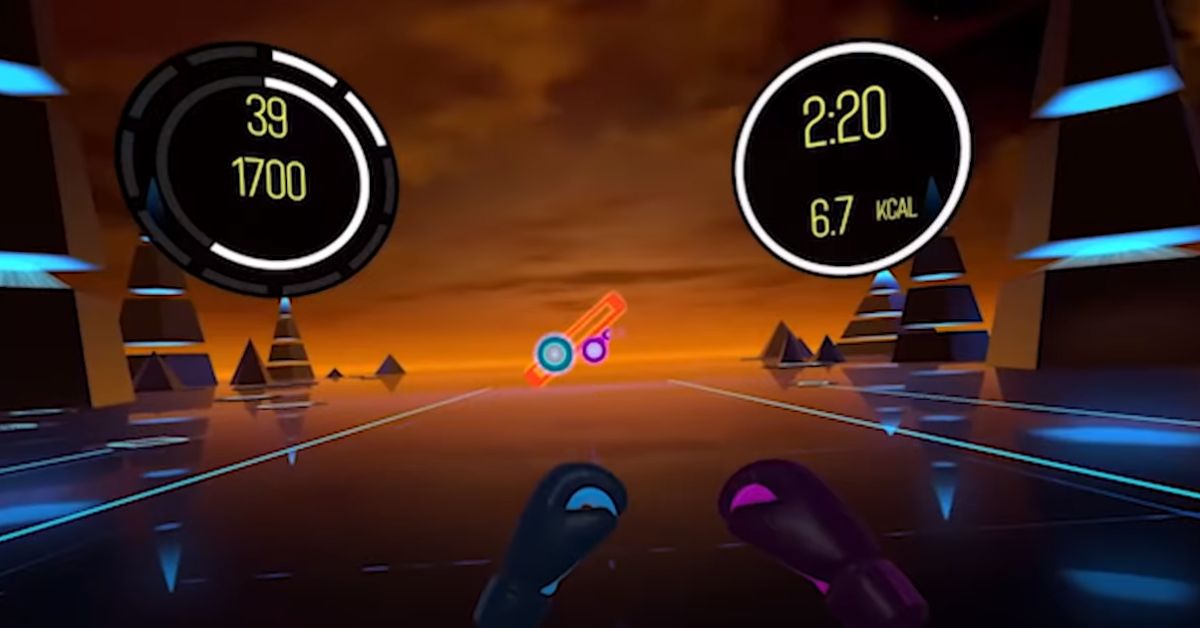
    2. BoxVR

    BoxVR is one of the two VR games in this list, and it’s designed for fitness enthusiasts. You can play it on the PS5 using the PlayStation VR headset.

    In the game, you’ll be punching and moving to over 20 hours of workouts created by fitness instructors. They’ll motivate you to set new records and shed those calories!

    Boxing Games PS5
    Screenshot By GameEmpress

    3. Olympic Games Tokyo 2020

    SEGA’s Tokyo Olympics video game may bend the rules a bit, but it’s a real gem when it comes to mini-games. One standout feature is the boxing mini-game. It’s fast-paced, easy to learn, and a blast for everyone.

    Finding good boxing mini-games is rare nowadays, but this one in the Tokyo Olympics game is a knockout. And the best part? It’s not alone! You get a whole bunch of other fun mini-games like climbing, swimming, and athletics to enjoy alongside it.

    Boxing Games PS5
    Screenshot By GameEmpress

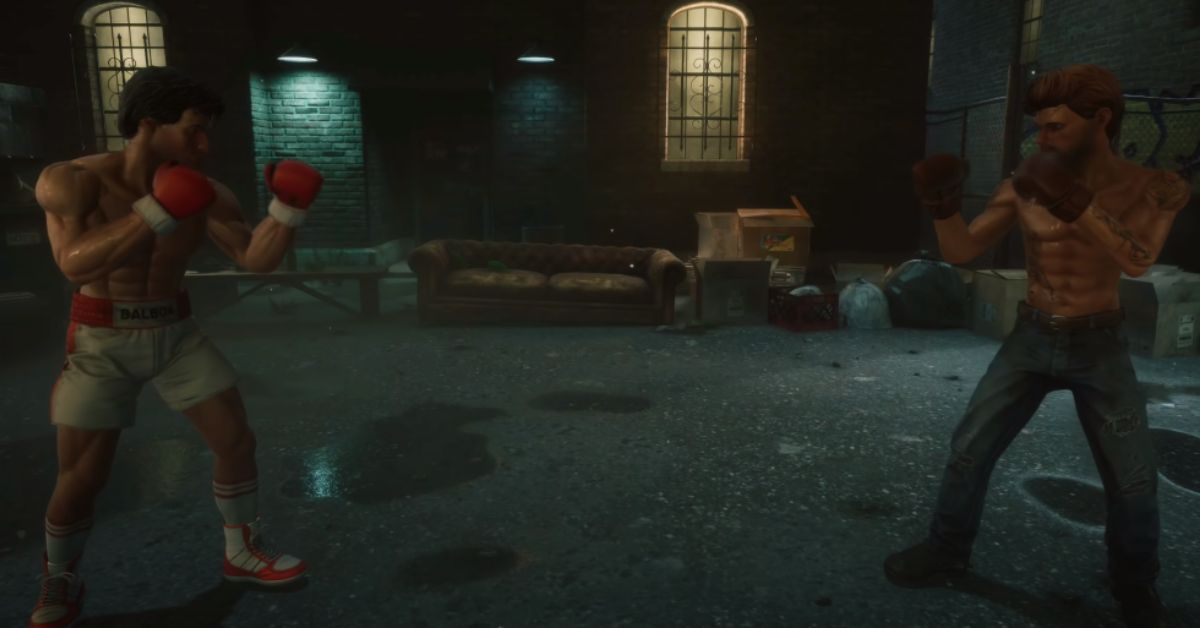
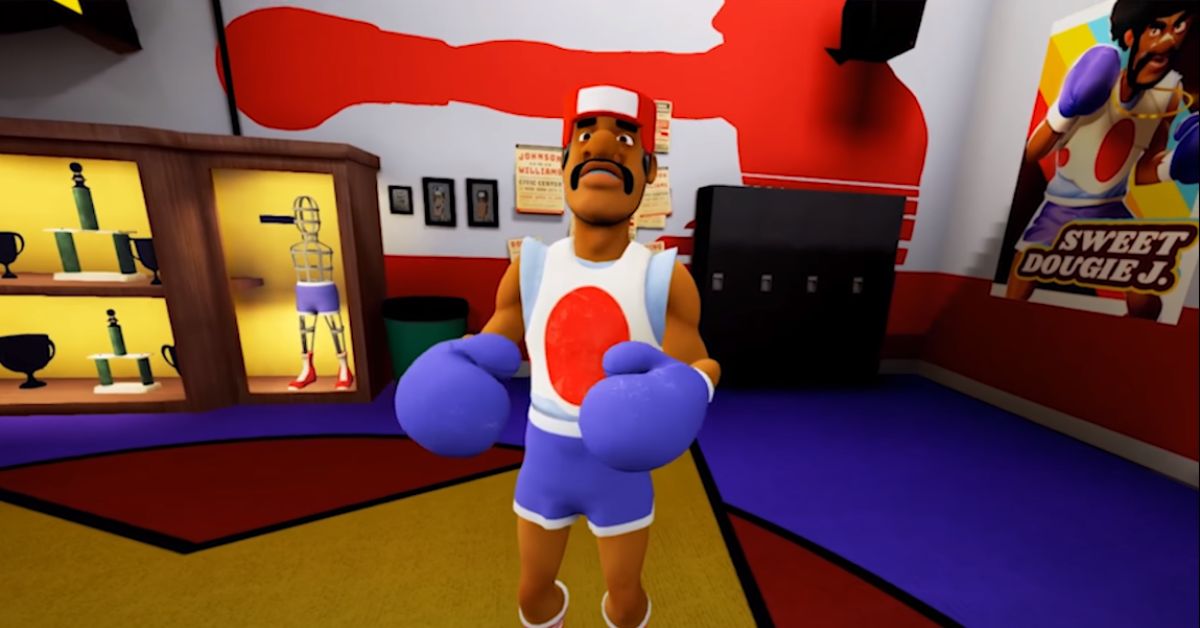
    4. Big Rumble Boxing: Creed Champions

    This boxing game has a fun arcade-style vibe compared to some others on this list. But if you’re a Rocky movie fan, it’s perfect for you! With 20 famous characters from the films, including Apollo Creed and Ivan Drago, Big Rumble Boxing delivers an authentic and enjoyable boxing experience. It was originally designed for the PS4, but it still looks and plays great on the PS5.

    Boxing Games PS5
    Screenshot By GameEmpress

    5. Creed: Rise to Glory

    This is like a Rocky-themed boxing video game, but with a twist – it’s in virtual reality (VR). In this game, you step into the shoes of Adonis Creed and get to fight tough opponents in both a story-based career mode and online matches.

    The training modes in this game are awesome. They help you become a better fighter, and guess who’s there to guide you? Rocky Balboa himself! And when you play in VR, it’s like a real workout. The good news is that it’s also one of the top games for the new PSVR 2 headset, available on the latest PlayStation virtual reality system.

    Boxing Games PS5
    Screenshot By GameEmpress

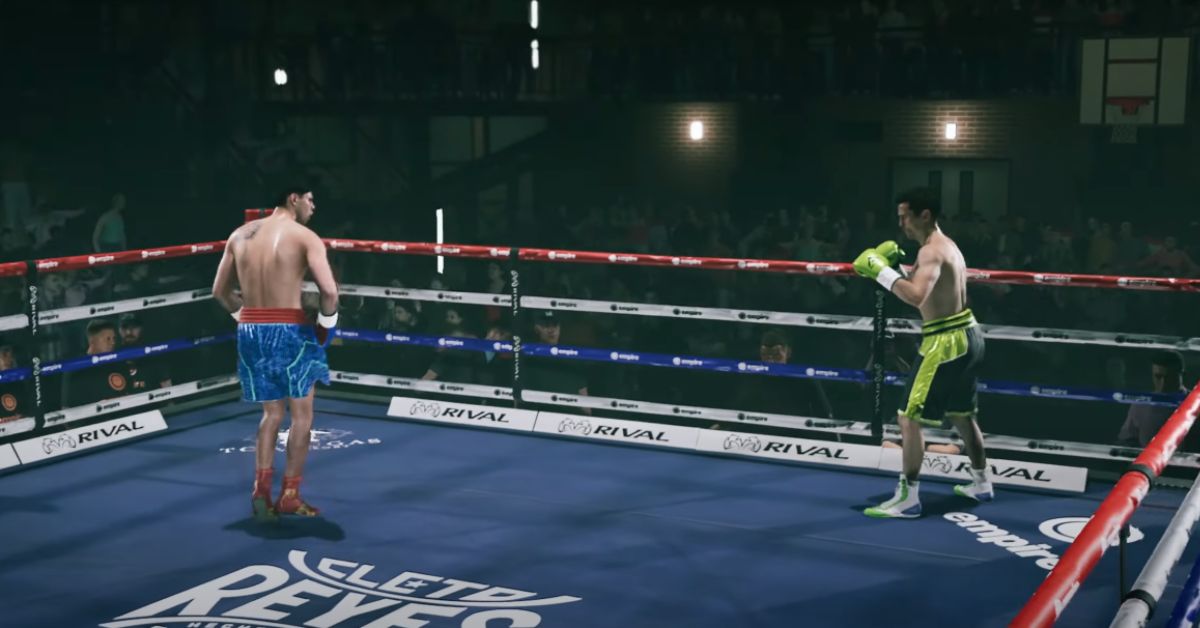
    6. Undisputed

    Undisputed, formerly known as Esports Boxing Club, isn’t available on PS5 yet, but its launch on Steam has been promising. Featuring boxing legends like Muhammad Ali and Tyson Fury, it’s expected to outperform other games when it arrives on PS5.

    With its traits, stances, and counters, it’s a boxing game designed for the current generation and is highly anticipated on the upcoming PS5 lineup.

    Boxing Games PS5
    Screenshot By GameEmpress

    7. Knockout League

    If you’re thinking about playing Knockout League, keep in mind that you’ll need a PSVR headset. It’s not the right boxing game for everyone, but if you’ve got the time, money, and space for VR, you absolutely should get it. It’s like VR Punch-Out, with crazy characters and even crazier moves – like The Magician’s rabbit!

    Knockout League isn’t all about being super accurate, especially when you’re fighting a giant octopus who loves tea. But what it does really well is track your movements precisely, and it’ll definitely make you break a sweat.

    If you want to combine working out with throwing punches, why not put on your VR headset and play Knockout League? It adds some weight to your workout and can help you shed a few pounds while having a blast!

    Boxing Games PS5
    Screenshot By GameEmpress

    Stay connected with GameEmpress.com to get the latest news and updates about the gaming world.

  • Wild Hearts Tamakazura Guide, Location, and Features

    Wild Hearts Tamakazura Guide, Location, and Features

    Tamakazura is one of the most important NPCs in Wild Hearts. He plays a crucial role in helping players increase their character’s HP by offering healing baths. In this guide, you’ll find information about Tamakazura’s location and the features he provides to players.

    Tamakazura’s Location: How to Find

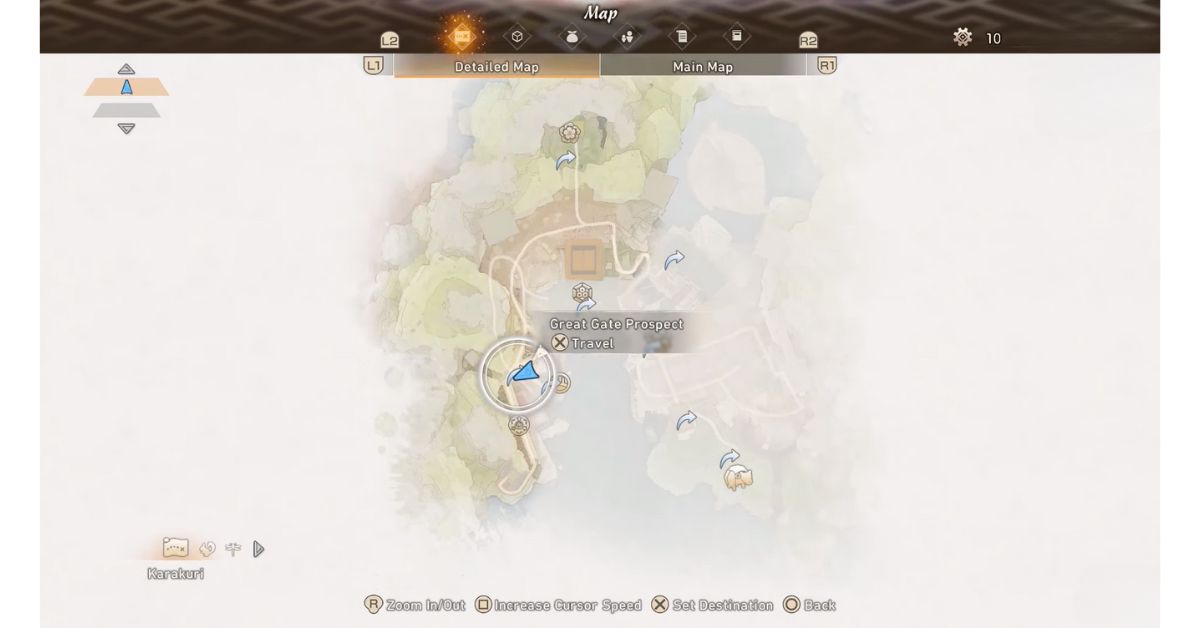
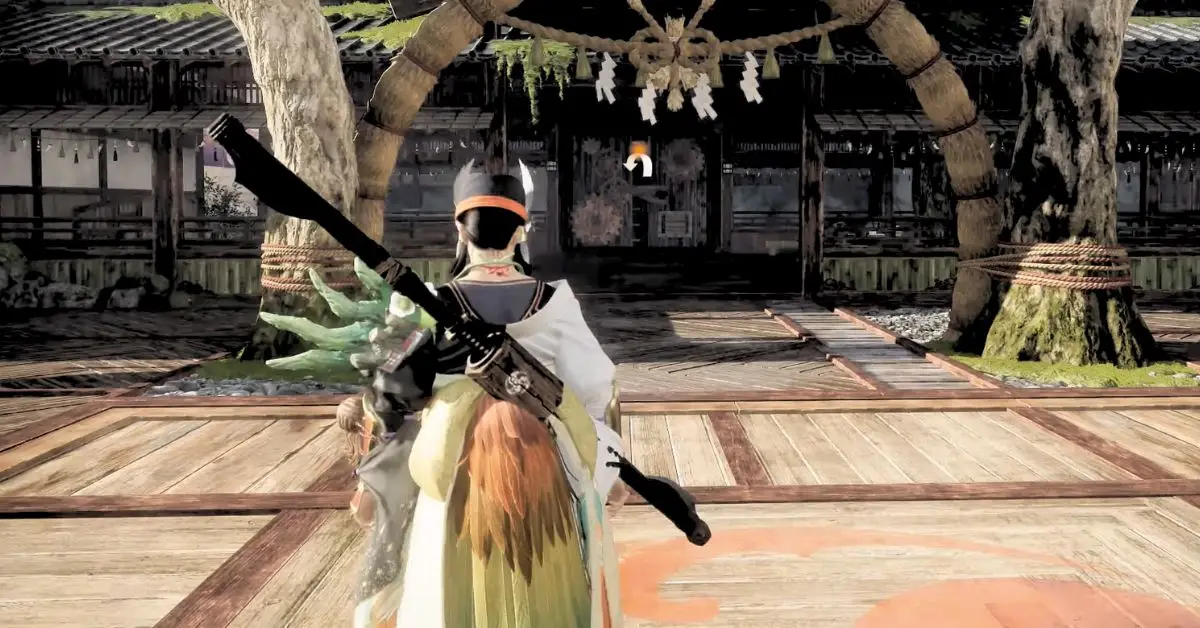
    You can find Tamakazura in Minato. First, go to Minato’s entry point and change your location. Then, open your Detailed Map and fast-travel to the Great Gate Prospect. When you arrive, go to your right, and you’ll see Tamakazura at the Restorative Baths. Look at the image below for reference:

    Image Source EA

    How to Rebuild Tamakazura’s Bathhouse?

    Tamakazura takes care of the Bathhouse, a place where players can create healing baths to increase their maximum health. But when you first get to Minato, the Bathhouse is in bad shape. You can’t repair it until Chapter 1 is over.

    Image Source EA

    To rebuild Tamakazura’s Bathhouse, you must defeat your first Lavaback kemono, activate the Dragon Pit in the back of Spirit Isle, and defeat the Earthbreaker kemono in the final setpiece hunt.

    Once you’ve hunted down the Earthbreaker, you can return to the Baths’ former location to find it in perfect operating condition under Tamakazura’s ownership.

    If you’d like more information about Wild Hearts or other related topics, feel free to check out our guide on Wild Hearts Gamepass. Stay connected with GameEmpress.com to get the latest news and updates about the gaming world.

  • Will Party Animals Come to PS4 and PS5?

    Will Party Animals Come to PS4 and PS5?

    Party Animals is an awesome multiplayer game with cute animals like dogs, cats, bunnies, and otters. These adorable critters might look innocent, but they’re actually fierce fighters!
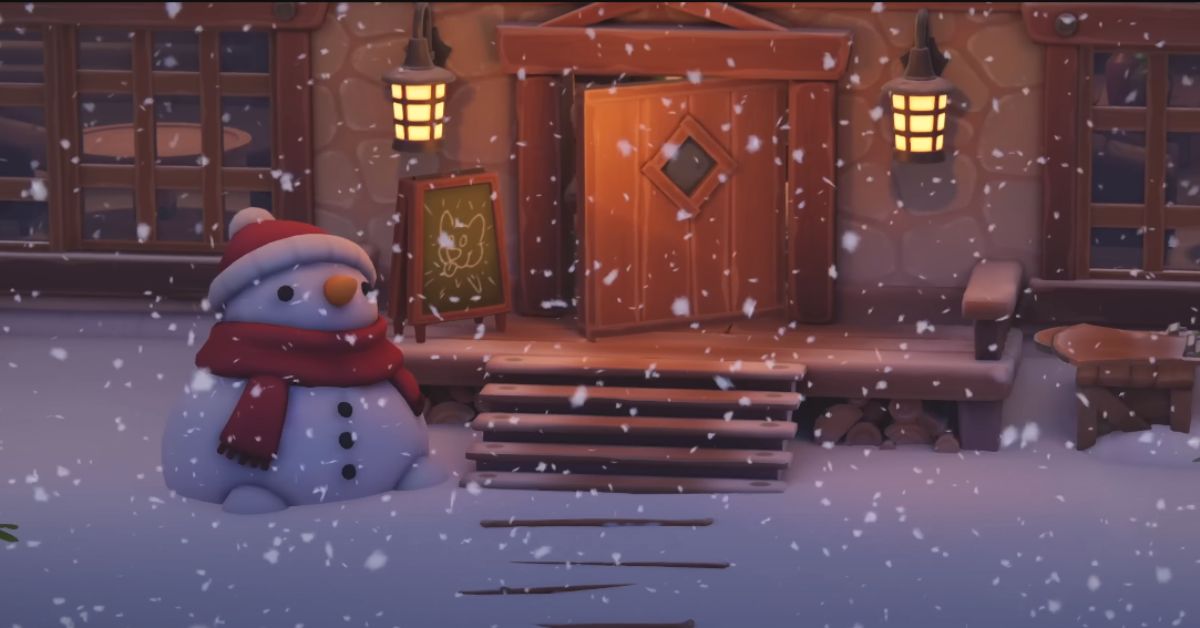
    Lots of people have loved the game during demos and playtests. Now, the big question is: Will Party Animals be coming to PS4 and PS5? That way, PlayStation players can join the fun and play with Xbox and PC gamers!

    With its awesome music selection, Party Animals made a big splash at Xbox’s E3 2021 event. Now, after a quiet spell, the team has revealed the game’s release date, and it still looks as fantastic as it did two years ago. A lot of people are crossing their fingers, hoping it’ll be one of the top co-op games on PS5 and maybe even on PS4.

    Will Party Animals Come to PS4 and PS5?

    Party Animals probably won’t be available on PS5 or PS4 for now because it has an exclusivity deal with Xbox. The game came out on Xbox and PC in September 2023.

    However, there’s a chance it might come to PlayStation consoles in the future. Like any exclusive contract, the terms will eventually expire, which could allow the game to become available on PlayStation consoles.

    Is Party Animals Available on PS4
    Image Source Recreate Games

    But right now, we don’t know for sure when or if that will happen. In the meantime, you can check out our list of the best co-op games to play with friends while you wait for the Party Animals release date.

    Is Party Animal on Switch?

    Right now, While Party Animals isn’t on Nintendo Switch, it’s good to know that the developers want to bring the game to more platforms in the future.

    Party Animal Gameplay

    We haven’t seen much actual gameplay for Party Animals yet. Most of what we know comes from trailers, and there was a Steam demo in 2020, but the game has changed a lot since then. Recreate Studios basically started over and built the game from scratch.

    From what we’ve glimpsed on the official Party Animals website, these cute little creatures can pick up stuff and weapons, do wrestling moves like in WWE, and interact with the surroundings. Some maps have moving trains, icy areas, and black holes that players can use to beat their opponents.

    We also know there will be different weapons to play with. We’ve seen the crossbow, but it seems we’ll also get to use things like tennis racquets, boomerangs, and nunchucks.

    Stay connected with GameEmpress.com to get the latest news and updates about the gaming world.