In-depth game guides from Game Empress, with walkthroughs, tier lists, location maps, and step-by-step strategies to help you master the games you love.
The big event everyone was waiting for, the Honkai Star Rail 1.3 livestream, is now available worldwide. They’ve given out three special codes that players can use to get cool stuff in the game, like Stellar Jades and other helpful things.
These things will make it easier for players to advance in the game. But players must use the right method to enter the codes and get all these awesome rewards for free. This article has all the current codes from the version 1.3 Special Program and the step-by-step instructions for using them.
Honkai Star Rail 1.3 Livestream Codes
Official Twitter account Honkai: Star Rail tweet about the release of “Celestial Eyes Above Mortal Ruins” Special Program:
Hi, Trailblazers!
The Honkai: Star Rail Version 1.3 “Celestial Eyes Above Mortal Ruins” Special Program will be released officially on August 18 at 19:30 (UTC+8).
Follow our official channels to keep up with the latest news about Version 1.3!
YouTube: https://t.co/6LYgkxp2yT…
Here are some special codes for the Honkai Star Rail 1.3 livestream event. When you enter these codes, you’ll get cool stuff:
1. Code: LANPVGET8HFT
Reward: 100 Stellar Jades and 50,000 Credits.
2. Code: BA7NCHFA9HWX
Reward: 100 Stellar Jade and 5 Traveler’s Guides.
3. Code: ASN6CHXBRHW3
Reward: 100 Stellar Jade and 4 Refined Aether.
You have earned 300 Stellar Jades as a reward. You can use these in the upcoming game update to summon Imbibior Lunae or Fu Xuan. But make sure to use them before August 19, 2023, at 12 PM (UTC+8) because they will become useless afterward. You have around 12 hours to use the codes, so do it quickly to get the cool stuff before it’s too late.
How to Redeem Honkai Star Rail 1.3 Livestream Codes?
The 300 Stellar Jade codes are the most important parts of the Honkai Star Rail 1.3 Special Program. Since there aren’t a lot of resources available in the game, these codes are special. You can make them work by using one of two ways: either through the game’s menu or on the official website.
Image source HoYoverse
The first way needs you to use the game’s menu. Follow these steps:
1. Open the Honkai Star Rail game on your device.
2. Log in to your account.
3. Press the Pause button to open the menu when your character appears.
4. Tap the “…” button in the top right corner next to your account name.
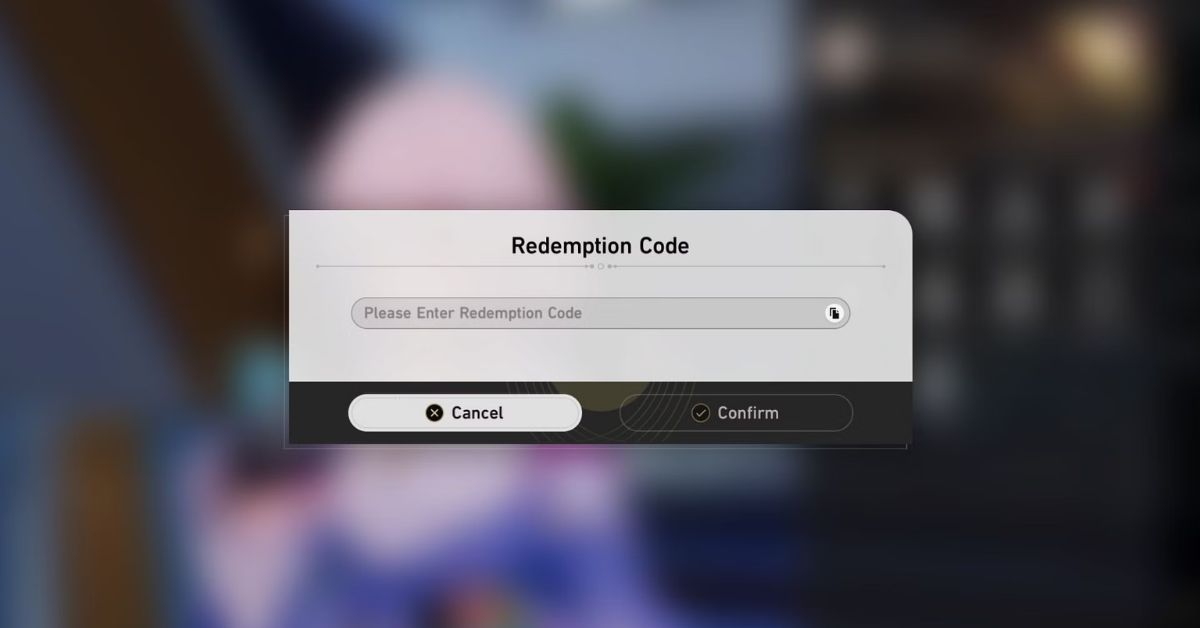
5. Choose “Redemption Code” to open a small window.
6. Type in the livestream codes individually in the empty area.
7. Click “Confirm” when you’re done. This finishes the process.
Image source HoYoverse
If you can’t open the app, using the official website to redeem your code is easy. Just follow these steps:
2. Log in to your HoYoverse account and choose the right server location.
3. Copy and paste the special codes they’ve given you.
4. Finally, click on “Redeem” to finish the process.
Once you use the livestream codes, your reward will be sent to your in-game mailbox. To find it, click on the mailbox icon on the Pause menu. Then, click “Claim All” to get all the rewards from the redeem codes, including 300 Stellar Jades and other stuff.
Right now, the main character you play in Genshin Impact is called the Traveler. This character can use Anemo, Geo, or Electro powers, and each type needs to be built uniquely.
This guide will help you understand how to maximize each type of Traveler’s abilities. When you begin playing Genshin Impact, the main character, known as the Traveler, will have wind powers first because the starting place, Mondstadt, is associated with the air element.
The second region you can explore is Liyue, where the element is earth, so the Traveler will also have earth powers there. You can change the Traveler’s powers when you go to the Statues of the Seven in the game.
To do this, go to one of the Statues with the power you want and choose “Resonate with [Element].” As for which power is better, Anemo or Geo, the game is made so that both are equally strong. But most players seem to like using the Anemo power because its abilities are more helpful.
Genshin Impact Anemo Traveler Build
The Traveler’s wind powers are handy in fights, especially when creating the Swirl Reaction. Luckily, Swirl happens with any element except for the earth element. This means the Traveler can team up with different party members easily.
That’s why it’s a good idea for players to use the Traveler as an Anemo Support. This helps them do Anemo Damage and make the Swirl Reaction happen often. The Traveler doesn’t need things like ATK or Critical stats. They need Elemental Mastery and Energy Recharge.
Genshin Impact Traveler Build Guide
The Best Artifacts for Anemo Traveler
The best equipment for Artifacts is perfect for players who don’t want to spend money. You can get this set by completing a special challenge in Mondstadt called the Valley of Remembrance. Wearing two pieces of the Viridescent Venerer set makes your Anemo abilities do 15% more damage.
If you wear all four pieces of the set, your Swirl abilities will do 60% more damage, and they will also make enemies take 40% more damage from the element combined with Swirl for 10 seconds. Swirl hurts multiple enemies at once, and the more enemies you hit with the Anemo Traveler’s abilities, the more damage you do.
Elemental Mastery and Energy Recharge are the best stats to aim for on your Sands, Goblet, and Circlet artifacts. Try to get a lot of Energy Recharge on the smaller stats of these artifacts. Another option is to focus on Attack power, Anemo damage, and Critical chance, which most players usually go for.
Best Weapons for Anemo Traveler
The top free weapons for the Anemo Traveler are Iron Sting and Festering Desire. You can make Iron Sting by crafting, and Festering Desire was given out in Version 1.2.
If you don’t have Festering Desire, Sacrificial Sword is a good alternative. It lets the Traveler use Palm Vortex two times and boosts their Energy Recharge by a lot (61.3%), so the Traveler’s special move charges up more quickly.
Regarding the best super-strong weapon, players should go for the Freedom-Sworn. This weapon makes the Anemo Traveler’s special powers even better by giving them more control over elements.
It also makes them an even better team player by boosting the attack power of the whole team and making their regular attacks stronger. If not that one, you can also consider the Primordial Jade Cutter and Mistsplitter Reforged as good choices.
Here, you can see our guide that explains how to use Elemental Sight in Genshin Impact. It tells you how to use it on a computer with a mouse, on a controller, or on a mobile phone.
Geo Traveler can work well as a support attacker using the right setup. They can change the battle’s appearance by placing Geo structures like the Starfell Sword down. If you team them up with a character like Zhongli in Genshin Impact, they will keep causing much area damage with Geo powers.
While the Anemo (wind) character benefits from Elemental Mastery for more damage, giving the Geo Traveler the usual attack, Geo power, and critical-focused setup is best.
Genshin Impact Traveler Build Guide
The Best Artifacts for Geo Traveler
As a Geo Traveler who won’t be in the field much, it’s a good idea to use a gear set that makes the next character even better. The best sets for this are 4 pieces of Noblesse Oblige or 4 pieces of Archaic Petra.
Noblesse Oblige is better because it gives a straightforward 20% increase in attack power whenever the Traveler uses their special move. However, using Archaic Petra is a bit harder, but it’s worth it if players can do its special move regularly.
Archaic Petra’s special move happens when the Traveler collects a special Elemental Shard that matches the Element they want. This makes the whole team’s attacks stronger by 35% for that Element.
You can make the Geo Traveler character deal strong damage without getting any benefits from their equipment. You can use either two pieces of the Archaic Petra set and two pieces of an artifact that increases Attack by 18%, or you can use two pieces of the Noblesse Oblige set, and two pieces of the Archaic Petra set.
Best Weapons for Geo Traveler
Like the special wind weapon, if you’re using the Geo character, the best free sword is Festering Desire. This is because most of their strong attacks come from their special move.
There are other good options, too, like the Harbinger of Dawn sword you can find, a sword you can make in Inazuma called Amenoma Kageuchi, and the Black Sword and Blackcliff Longsword. These are good because they make your attacks more likely to do extra strong damage.
If you like Gacha and enjoy playing Genshin Impact, the best weapons for Geo Traveler, a character in the game, are Mistsplitter Reforged and Primordial Jade Cutter.
These weapons are great because they increase the chances of landing critical hits and make your attacks stronger. The Summit Shaper weapon is another good option, although not as strong as the first two.
Genshin Impact Electro Traveler Build
The Electro Traveler is a really good battery in the game Genshin Impact. But the Electro Traveler can do more than just that. They can also help as a secondary attacker and keep applying the Electro element using a special move.
To make sure the Traveler can use their special move more often, players should make them have lots of Energy Recharge. This will make the main character even stronger and able to help out a lot with energy for the team.
Genshin Impact Traveler Build Guide
The Best Artifacts for Electro Traveler
Because players want the Electro Traveler character to recharge energy faster, it’s a good idea to equip them with 4 Emblems of Severed Fate. These emblems work better as the character’s energy recharge gets higher.
Players can use Energy Recharge Sands, Electro Damage Goblet, and Critical Circlet to maximize the Electro Traveler’s support skills. The 4-Noblesse Oblige is a good option for the Electro Traveler in Genshin Impact. Many players usually use Noblesse gear for their support and secondary damage-dealing characters.
Best Weapons for Electro Traveler
The Traveler can use the Favonius Sword to make their energy charge faster, like a battery getting charged. Or, if players want to use the Traveler’s special abilities a lot, they can choose the Sacrificial Sword to keep their powerful moves always ready to use.
In the game Genshin Impact, there’s a big and exciting world called Teyvat. It’s full of things to discover and tough things to do, like hidden tasks. One of these tasks is called “The Fountain Flows Again.”
It’s like a special adventure where players explore a magical place called the Court of Fontaine. We’ll help you understand how to finish this task and get cool stuff from it.
The Fountain Flows Again
The exciting journey starts when you arrive at the beautiful Court of Fontaine. To begin the quest, go to the Marcotte Station point on the map and move towards the broken fountain in the east.
You’ll see an arrow above the fountain, showing you where to go. When you touch it, your mission to fix the fountain will begin.
Genshin Impact The Fountain Flows Again
Meeting Edel
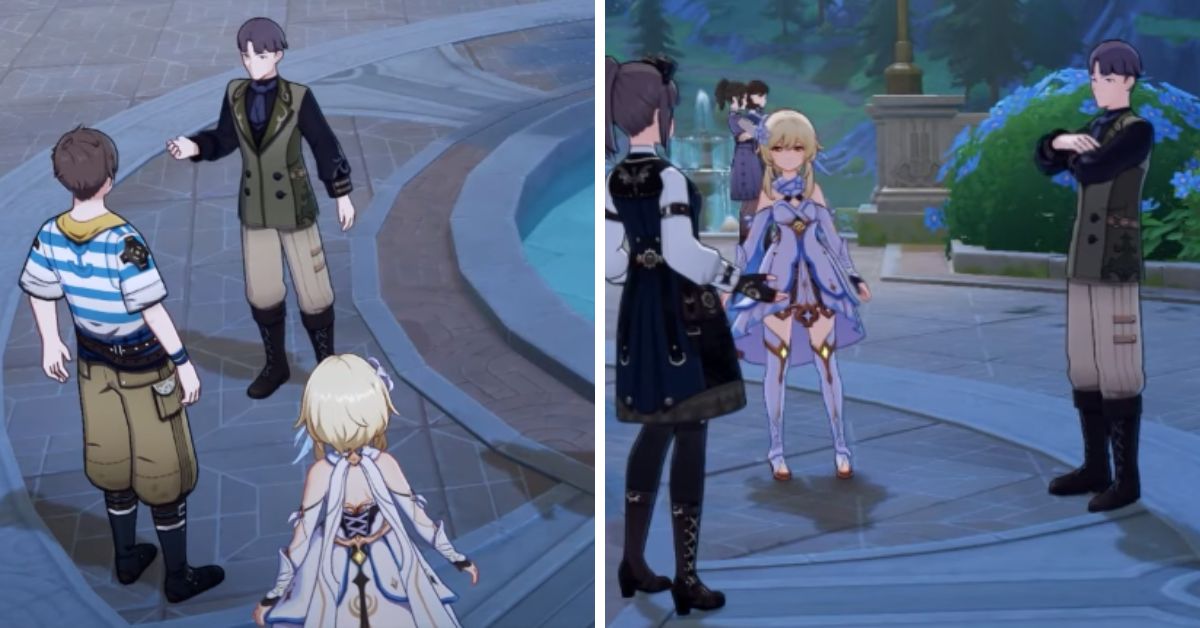
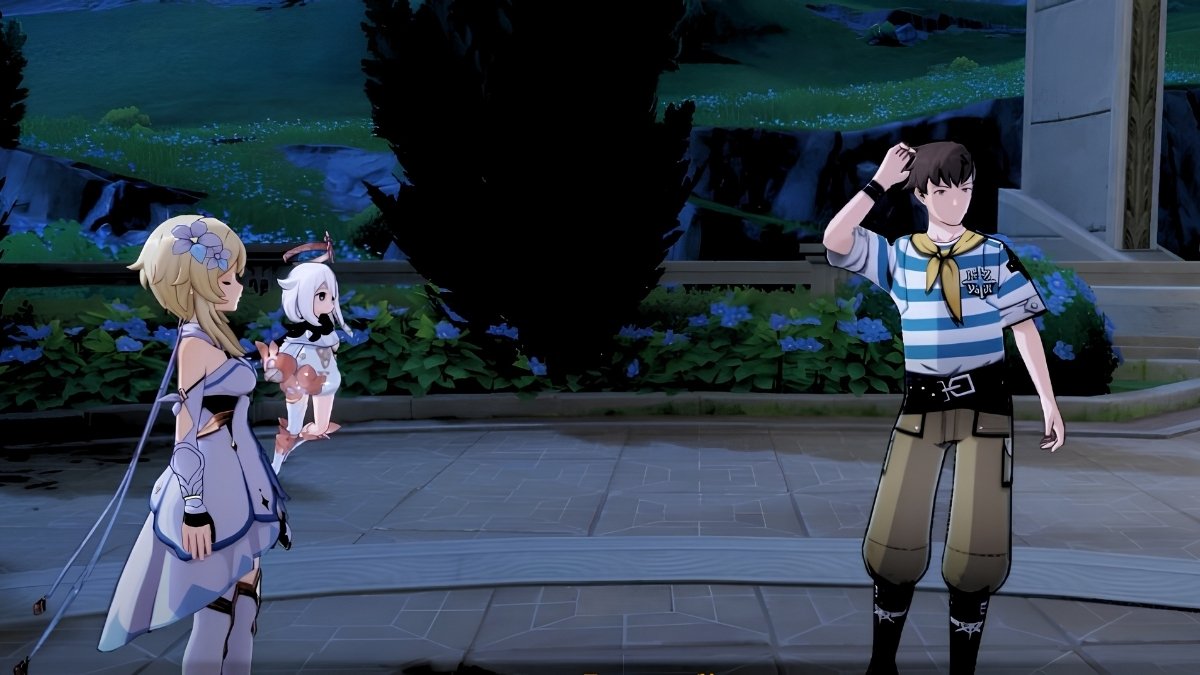
As the story goes on, you’ll meet a character named Edel. Edel needs help fixing a broken fountain. You’ll journey to the southeast from where Remaudiere is to find Edel. Talk to Edel and find out why the fountain isn’t working. This small action makes the story move forward.
Meeting Estelle
Next, in your adventure, you’ll go with Edel to meet Estelle. Estelle is good at making fake things and is in the Court of Fontaine. When you talk to Estelle, she will tell you what to do next.
You need to find three pieces of iron to fix the fountain. If you already have the iron pieces, talking to Estelle will help you move forward faster.
Check out our guide here to learn more about the “A Certain Notice” quest in Genshin Impact.
You can fix the broken fountain now that you have the Iron Chunks. You’ll be automatically taken to the fountain’s location. Once you’re there with the materials, you can start fixing it.
This will make the fountain work again and bring back the peaceful water. This is the last thing you need to do for your mission. It will also make the area around the fountain look better and successfully finish the “The Fountain Flows Again” quest.
Rewards for Completing the Quest
To thank you for all your hard work, finishing the “The Fountain Flows Again” task will give you some great rewards. You’ll get three Hero’s Wit, which helps strengthen your characters, and 21,500 Mora.
Here, you can take a look at our guide that explains the rewards you’ll receive after finishing the “Were It So Easy” quest chain.
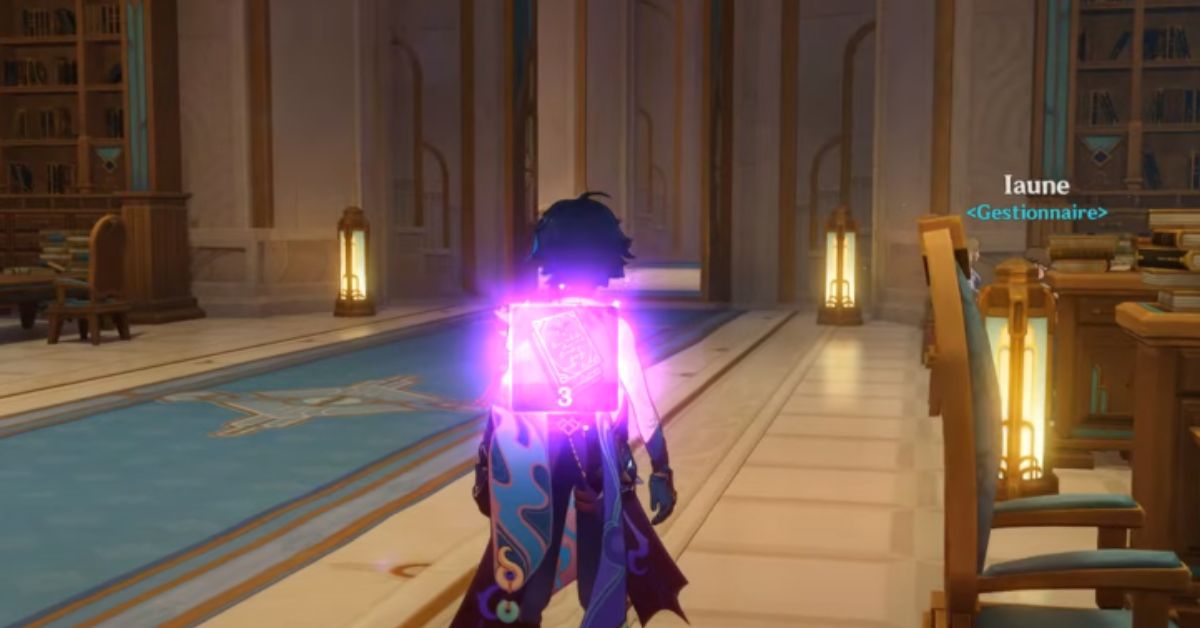
When you go to Palais Mermonia in Genshin Impact, you’ll meet a tired guy named Iaune. He’s worried because someone used a hidden camera in Maison Gestion, and he’s unsure how to tell the other Gestionnaires about it.
In this three-part quest, you mostly watch what happens. Your choices don’t change the story, and there are no games to play during the task in Genshin Impact. You also don’t get Primogems like in most quests, but you’ll earn an achievement when you finish the third part.
The quests called “A Certain Notice,” “A Certain Trifle,” and “A Certain Stamp” in Genshin Impact are really important if you want to finish all the missions in the Reputation quests.
The good news is that even though there are three parts to these quests, you can do them all in one location if you start the first quest in the right place.
How to Start the “A Certain Notice” Quest in Genshin Impact
Genshin Impact A Certain Notice
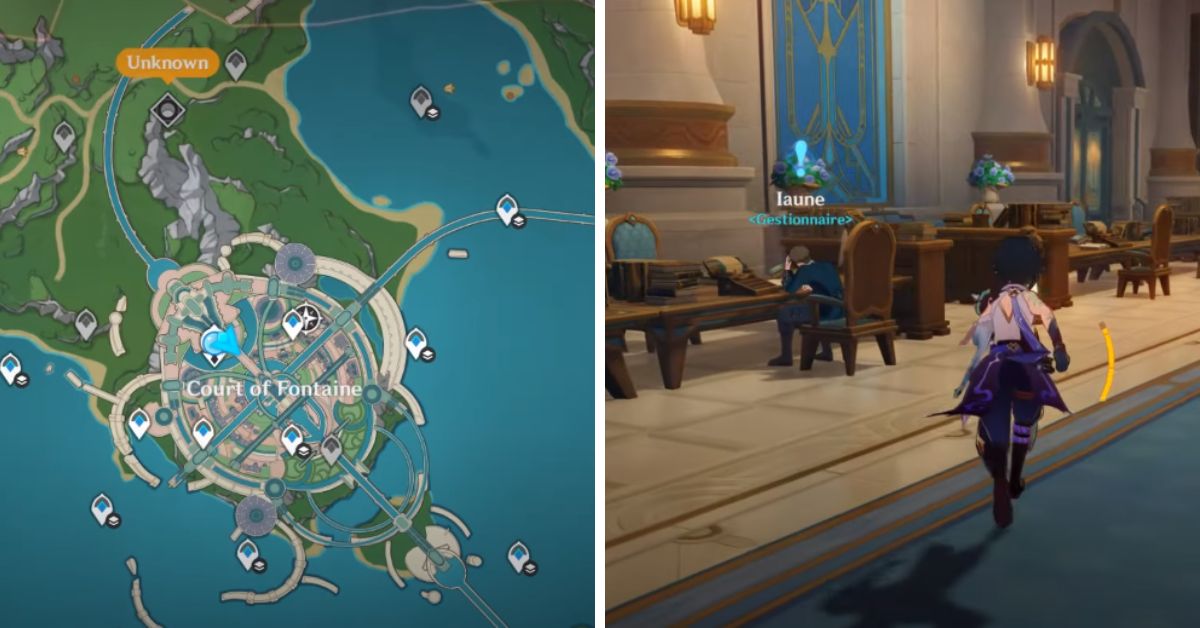
To start the “A Certain Notice” quest in Genshin Impact, go to Palais Mermonia. It’s close to a big statue called the Statue of the Seven in the Court of Fontaine. Once you’re there, go inside the building and see someone named Iaune sitting in a chair, looking tired. Talk to him, and that’s how you can begin the quest.
A Certain Trifle: The Quest
You’ll begin the A Certain Trifle quest after you finish the A Certain Notice task. In this quest, you aim to find a new top for Iaune’s typewriter.
A Certain Stamp: The Quest
Genshin Impact A Certain Notice
Once the big problem with the keycap is over, Iaune has to get his papers stamped, which is also quite hard. Once the adventure is finished, players will get the A Sudden Squall achievement in the Genshin Impact game. This achievement will give them five Primogems as a reward.
What You Get for Completing the Quest Chain
Some things called “A Certain Notice,” “A Certain Trifle,” and “A Certain Stamp” won’t give you any Primogems, but they will give you these other things instead:
Hero’s Wit x3
Mora x21,500
So, players will receive nine Hero’s Wits and a good amount of 64,500 Mora in total. And if you also count the achievement, you’ll get five Primogems on top of everything else.
In Genshin Impact, when you complete quests, you get items and earn Reputation EXP. Each quest gives you 20 points of this EXP; if you do three, you’ll have 60 points. These points are useful if you want to unlock Fontaine’s Bounty and Request using quests instead of exploring the game world.
Even if you explore all the areas in version 4.0 of the game, you won’t have enough points to level up your Reputation significantly because there are still unreleased areas that count towards your exploration progress. So, the easiest way to increase your Reputation level to two is by completing quests in the game.
Honkai Star Rail 1.2 will finish in about two weeks. People who play the game are already excited about what the creators, HoYoverse, will bring in the next update called 1.3.
This new version of the game is expected to have new things to do, and there have been some hints and talk that interest players. But there’s a question on fans’ minds: Will Honkai Star Rail Version 1.3 Be Released on the Playstation 5?
This article discusses whether the RPG’s 1.3 version will appear on the PlayStation 5 and the Xbox Series X/S consoles.
Will Honkai Star Rail Version 1.3 Be Released on the Playstation 5?
During the Summer Game Fest 2023 event, HoYoverse announced that Honkai Star Rail will be coming to the PlayStation 5 in the last part of 2023. But the 1.3 version of the game won’t be released for the console.
So, even though fans can’t play the new version of the game on the PlayStation 5 right away, they’ll be able to enjoy it on the console in a few months.
Will Honkai Star Rail 1.3 Be Released on the PlayStation 5
Honkai Star Rail is doing well and could become even more popular later. Although you can only play the game on a couple of systems for now, more people will probably start playing when it comes out on the PlayStation 5.
In a special livestream, they’ll show us the new characters that will be added to the game and the pictures that represent them.
Will Honkai Star Rail Version 1.3 Be Released on the Xbox Series X/S consoles?
No, the new update of Honkai Star Rail (version 1.3) won’t be available on Xbox Series X/S. Unlike the PlayStation 5, there’s been no news from HoYoverse about the game coming to Xbox. Right now, it seems likely the game won’t be on Xbox for a while.
The RPG game from HoYoverse is currently on PC and mobile. If it does come to Xbox, more people will become game fans.
In the game Genshin Impact Fontaine, there are creatures called Melusine. They’re like the Aranara creatures in Sumeru. To earn special rewards like Primogems and Reputation points, players need to complete certain tasks called World Quests involving these Melusine creatures.
But, even though lots of these quests are shown with a blue exclamation mark, some missions are hidden. You can only start them by talking to the right person.
For example, in Genshin Impact, the “Were It So Easy” quest has no clear sign but gives good rewards like Primogems and Strange Part. So, it’s really important to find out how to finish it.
Genshin Impact Were It So Easy Quest
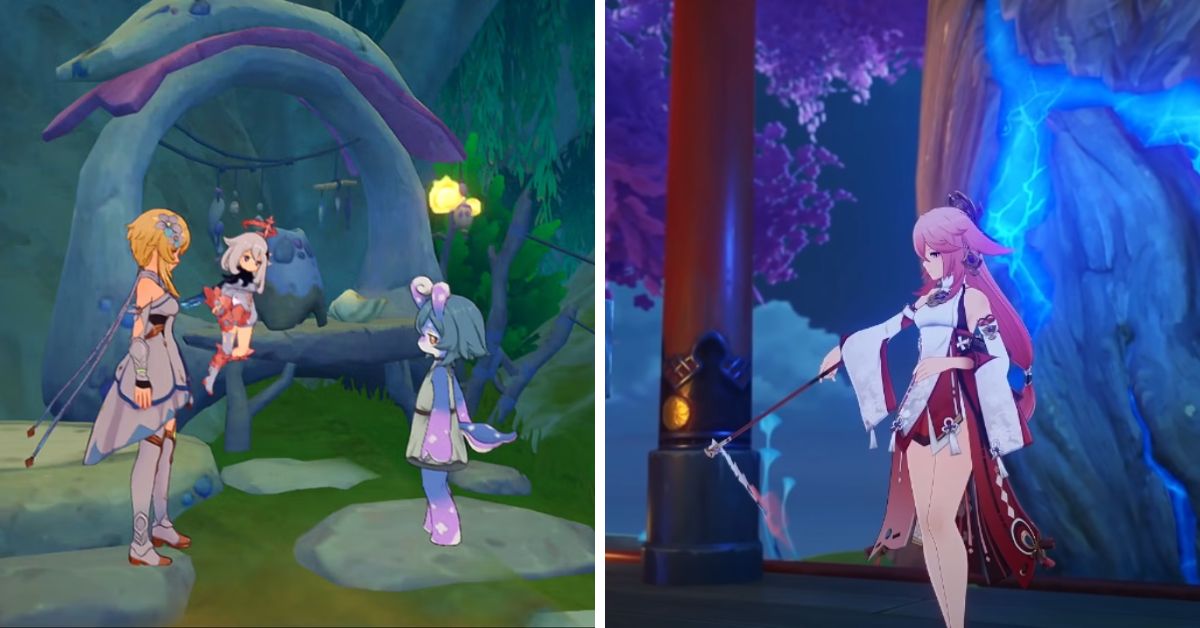
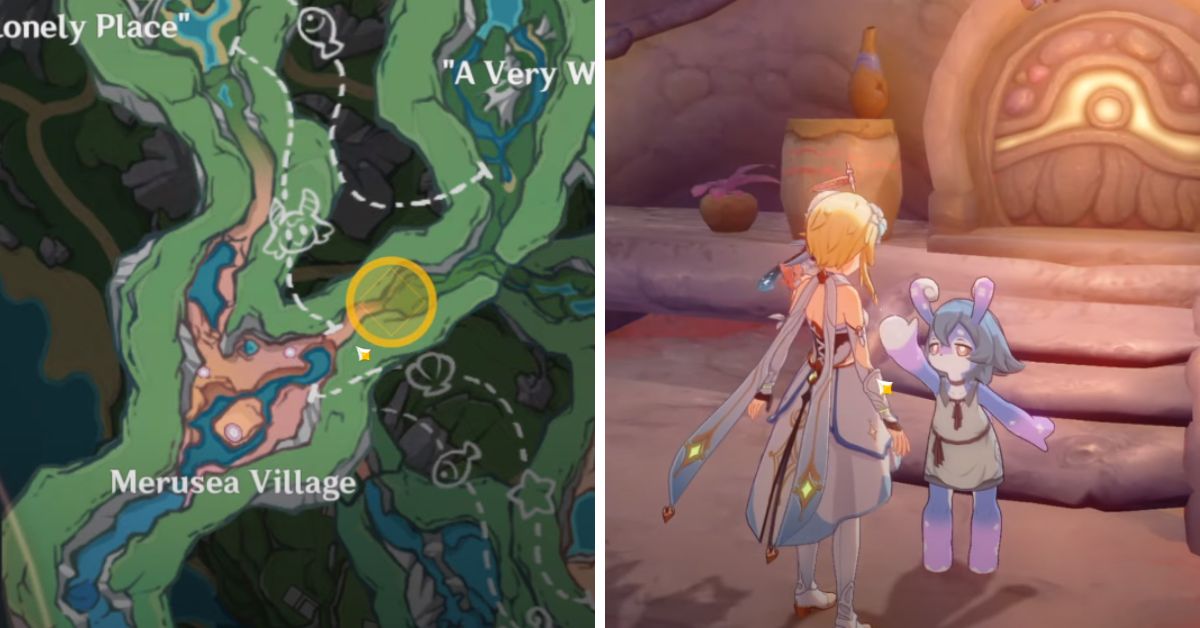
“Were It So Easy” is a secret quest in Genshin Impact. First, you must talk to Cosanzeana when you enter Merusea Village. She’ll introduce you to Melusine, who’s upset because her garden isn’t growing anything.
As the main character, you suggest that you might have a way to help the flowers grow. Then, you get to choose from four different ideas to try out.
1. Windwheel Asters
2. Silk Flowers
3. Naku Weeds
4. Sumeru Roses
The decisions you make won’t affect the quest’s outcome, but the flower you choose will be shown at the entrance of Merusea Village. So, it’s a good idea to pick the flower you enjoy.
Once you’ve given the flower to Cosanzeana and she’s planted it, you need to water it using Hydro on the plants. Even though it might feel like the task is finished, this mission has another part.
Genshin Impact Were It So Easy
Go to another place using teleportation and then return to Merusea Village (the actual village, not just the entrance). After that, talk to the Melusine standing in front of a house.
This time, you’ll notice a blue exclamation mark above Cosanzeana’s head, so you won’t have trouble spotting it. Then, walk with Cosanzeana to the flower garden to find out what problem she’s been having.
Want to know how to find Vivianne of the Lake and Ninianne of the Lake in Genshin Impact? Check out our guide!
Beat the main attacker, Breacher Primus, and look around the area for any other hidden enemies. Once you’ve eliminated all the invaders, Consanzeana will finally feel safe, and you’ll have finished the Were It So Easy quest.
Players will also receive two rewards since there are two different tasks in this secret mission. In the first part, people will earn:
Primogems x20
Mora x11,000
Strange Part x1
After you finish the adventure, the Melusine gives you these cool things:
Primogems x20
Tidalga x8
Mora x26,500
In the game Melusines, there’s a special currency called Strange Part that’s important. You can use this currency two times. First, you need Strange Parts to rescue a character named Seymour in the Mamere’s A Brush of Seafoam and Crimson quest in the game Genshin Impact.
After that, you can use the remaining Strange Parts to buy things from a character called Xana, a merchant in Melusines.
In the game Genshin Impact, Rainbow Rose is a special item found in Fontaine that you need to make certain characters stronger by leveling them up.
In the 4.0 update of Genshin Impact, a new area called Fontaine was introduced. This allowed players to meet Lyney, a magician who uses fire magic. Lyney has a unique set of abilities that includes strong attacks and even involves cute cats wearing hats.
Even though much of the area is covered by water, you’ll be happy to hear that you won’t find any Rainbow Roses underwater. These pretty flowers grow on land, so they’re easier to collect.
We have all the information you need about where to locate Rainbow Roses and how you can use them. So, let’s avoid wasting time and get right to it instead of waiting to smell the flowers.
What Rainbow Roses Are Used for?
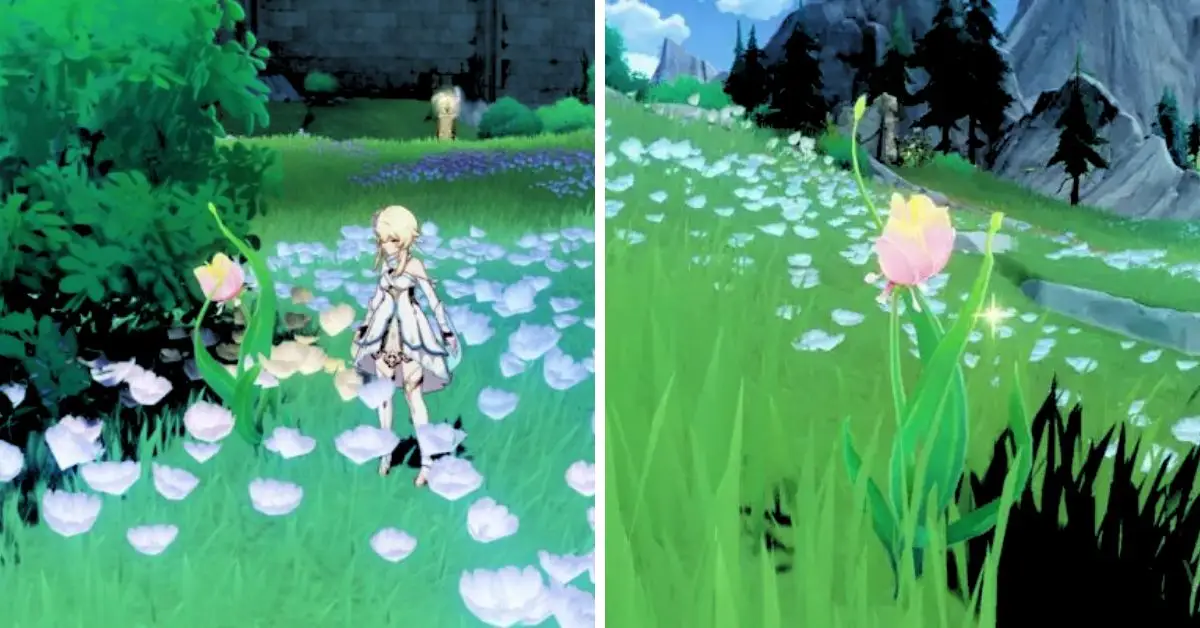
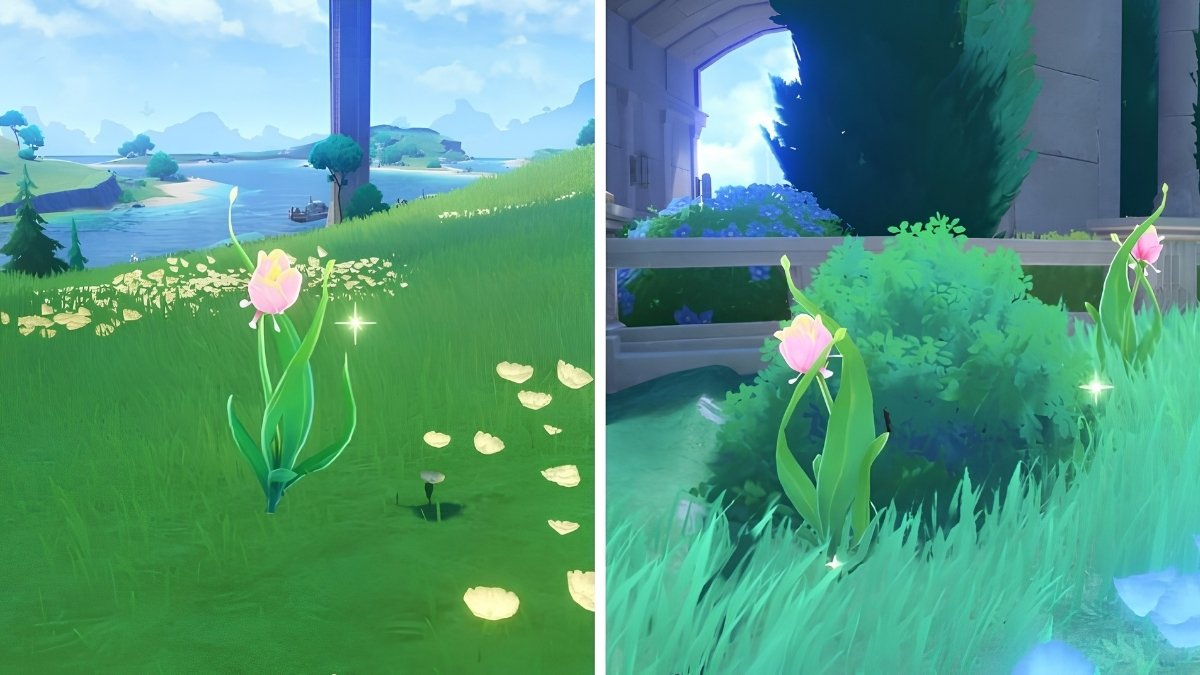
Rainbow Roses are special things you can discover in the beautiful landscapes of Fontaine, a place ruled by the Hydro Archon. These roses are often found close to each other and can be seen all around that area.
Genshin Impact Rainbow Rose Locations
You can collect up to 73 of them at once, but after you pick them, you must wait two days for more to grow back. You must gather all the Rainbow Roses twice and get a few more after a few days. You need 168 Rainbow Roses for each character to bring to Level 90.
Right now, the only person who wants Rainbow Roses is Lyney, a new magician who makes things explode. But in the future, we think more people will want these special roses.
Where to Find Rainbow Roses in Fontaine?
Rainbow Roses are flowers that can be seen in Fontaine. These flowers were added to the game in the Genshin Impact 4.0 update. If you begin your journey in Fontaine from the very bottom, it’s a good idea first to explore the southern part of the region.
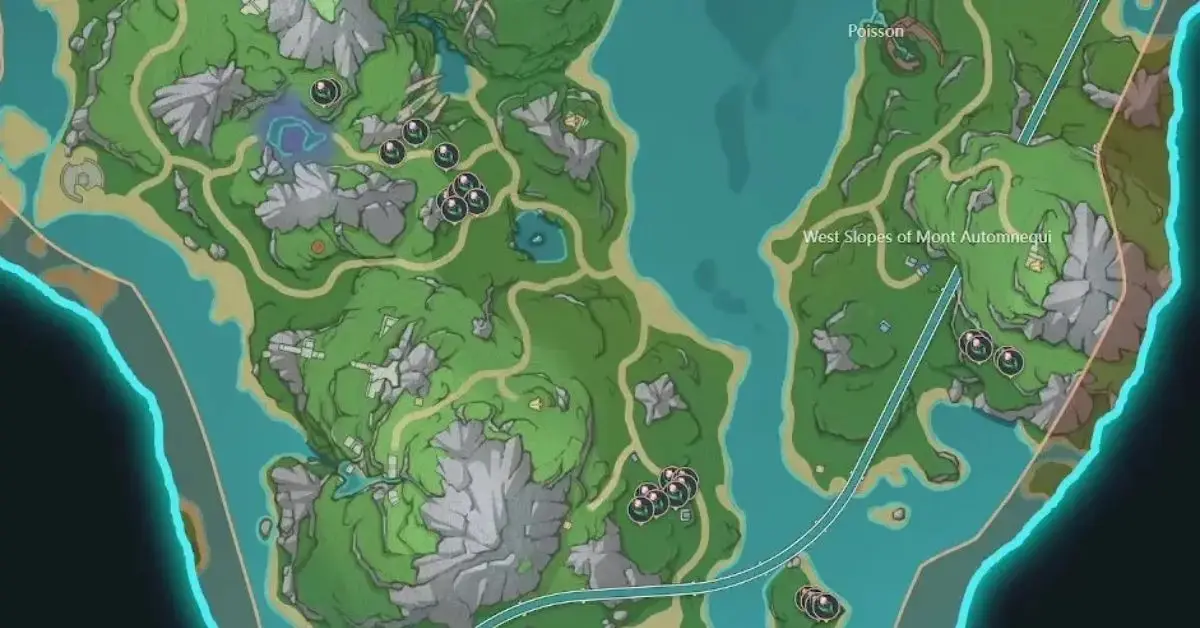
You can discover Rainbow Roses clusters on an island south of the West Slopes of Mont Automneque. Some of these flowers are also on the southern side of the mountain.
You can also spot these flowers in the southern area of Elynas. They can also be found around the middle of this landmass.
Image Source: HoYoVerse
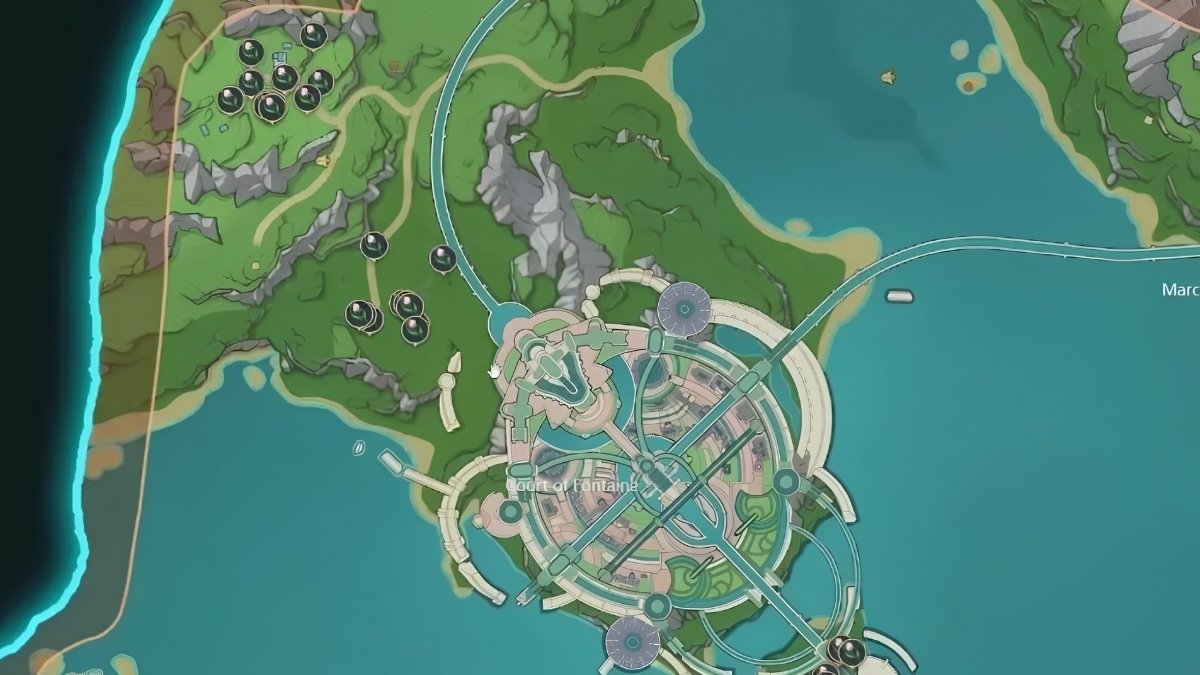
Next, we’re going to the middle of the map. It’s a bit to the southeast of the Court of Fontaine. Over there, you’ll see a few things, and they’re surrounded by some dog Mekas.
Afterward, go northwest from the Court of Fontaine to find more on the open flat land. There are even more if you keep going northwest into a little village-like place.
Image Source: HoYoVerse
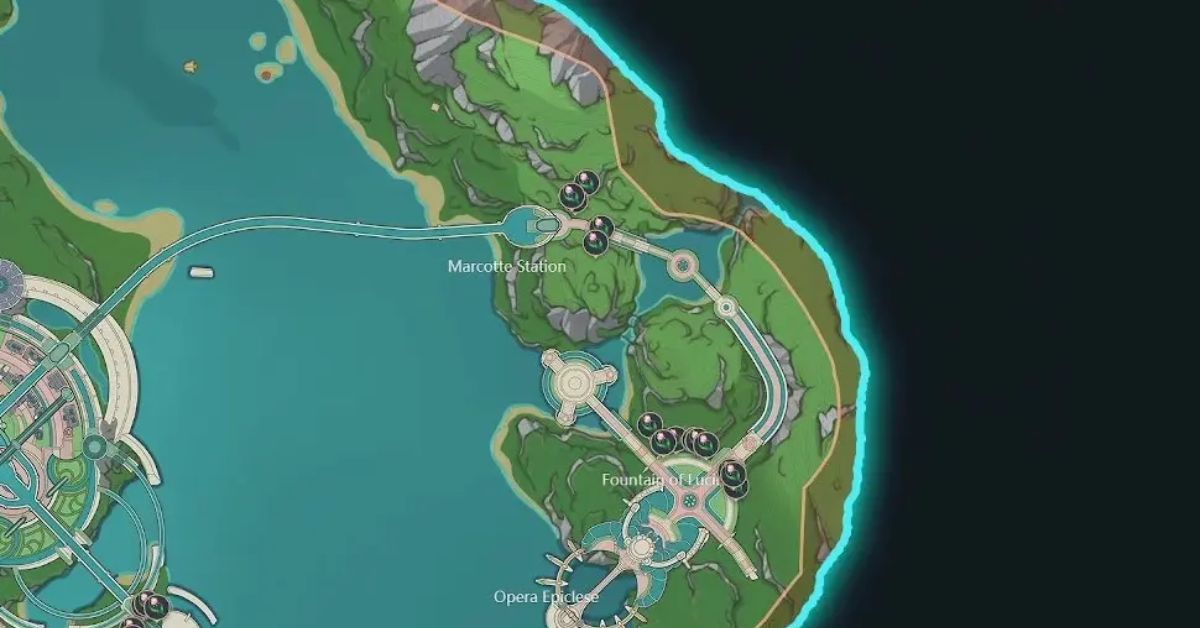
We’re heading to the farthest eastern place, where we’ll find Marcotte Station and the Fountain of Lucine. You’ll see Rainbow Roses near both of these locations.
The Fountain of Lucine is interesting because there’s a teleport point nearby, which is helpful if you want to easily visit these places without much effort.
Image Source: HoYoVerse
It’s important to mention that if you tried to get Lyney and succeeded in getting his attention, one of his special abilities will show the local foods of Fontaine on the mini-map. This will help you find these items while you search for them. It’s also handy for finding Lumidouce Bells.
If you’ve made friends with the Water Droplets in Genshin Impact’s Veluriyam Mirage, you might feel worried when you meet the Hydro Phantasm of Fontaine. Just like the Hydro Eidolon, both of them are made of water.
But the Hydro Phantasm differs from the friendly Droplets – it’s mean and will try to hurt you. In Fontaine, there are special tough enemies called Hydro Phantasms.
They are important for upgrading weapons but not for leveling up characters. These enemies are considered very powerful. Two famous stories about defeating them can earn you special achievements.
This same idea applies when you explore underwater areas and defeat bosses like Fading Veteran and Sword of the Gorge – you also get achievements.
In the case of the Hydro Phantasms, the legends are called Vivianne of the Lake and Ninianne of the Lake. You can find these legendary enemies in specific places above the ground, and defeating them can earn you rewards.
Genshin Impact Vivianne of the Lake and Ninianne of the Lake
How to Find Vivianne of the Lake in Genshin Impact?
You can find Vivianne of the Lake in Genshin Impact to the north of Court of Fontaine, near the edge of the area. Vivianne is a special Hydro Phantasm with a purple ritual circle around her. She looks like she has a strong, glowing presence.
Before you meet the local legend, it’s a good idea to gather a strong team. Bringing along a powerful character like Zhongli from Genshin Impact would be even better.
Don’t think this enemy, Vivianne of the Lake, is weak. She can attack very hard and defeat low-health characters in just two or fewer hits.
Vivianne is a Hydro Phantasm, which means she has water powers. Don’t use water attacks if you’re fighting her (Hydro). Instead, use fire (Pyro) or plant (Dendro) powers to make stronger attacks. Ice (Cryo) won’t work well because she can’t be frozen.
After you beat the boss in Genshin Impact and complete the Vivianne of the Lake challenge, you won’t find a chest like you would after defeating underwater bosses like Ocean Circuit Judge and Iron Viscount.
You can look at our guide, which provides information about Philanemo Mushrooms in Genshin Impact and where you can find them.
Where to Find Ninianne of the Lake in Genshin Impact?
In the game Genshin Impact, you can find Ninianne of the Lake. She’s located north of the Beryl Region, or Elynas, by the sandy shores. Like Vivianne, Ninianne has a purple ritual circle, giving off a strange aura.
Like Vivianne, Ninianne of the Lake is also very strong and has a lot of health. She can deal heavy damage, so players need to put together a good team before trying to fight her.
If you defeat this tough enemy in Genshin Impact, you’ll earn the Ninianne of the Lake achievement. But remember, there won’t be any treasure chest as a reward for winning this battle.
Genshin Impact and Discord are teaming up! They’re giving away awesome stuff, like a free trial of Discord Nitro for a month. Even if you already use Discord Nitro, this event has something special for you too. Learn all the details right here.
Genshin Impact x Discord
Hey everyone, exciting news! The official Discord account tweeted about a partnership between Genshin Impact and Discord:
Discord Nitro x Genshin Impact
From now to 9/26, get a free month of Discord Nitro by taking part in our collaborative event celebrating the unveiling of Genshin Impact’s latest Fontaine area.
Existing Nitro subscribers can claim an exclusive Genshin Impact Bundle to help you… pic.twitter.com/V3rEfsU6zy
If you want to join the event, you must create an Hoyolab account. Hoyolab is the official website where people from Hoyoverse talk. The event has begun and will continue until September 29th, 8:59 am PT.
There are four topics to discuss, each with its character. You can pick one and share your thoughts in the comments. By doing this, you’ll be entered into two giveaways automatically! Your comments don’t have to be long, but follow the community’s rules. Here are the four topics:
Character
Topic
Lyney
Lyney’s magic can do amazing things that change the world. What’s the best magic trick you’ve seen?
Yelan
Yelan doesn’t like coffee or alcohol. She prefers tea. Any drinks you think she’d like?
Zhongli
Zhongli likes sharing stories with Travelers. Do you have any interesting stories for him?
Childe
When looking at the night sky, Tartaglia (Childe) thinks about his family. What’s your hometown like?
Share your thoughts, and you could win in a lucky draw! There are 400 chances for people to win 60 Primogems each. Plus, you’ll get a special “Character Topic Event-Exclusive Avatar Frame” for your Hoyolab account, guaranteed for 30 days.
Remember, this event happens over 3 days, starting on September 26. The results will be announced on September 29. Ensure your UID is saved on your account, or you might be disqualified.
If you follow all the steps above, you’ll also be automatically entered into the Nitro giveaway. If everything goes smoothly, you’ll receive a link for a free one-month Nitro trial within 72 hours.
This link will come through your HoYoLAB messages but only from the official Genshin Impact account. Be cautious of scammers!
Genshin Impact x Discord
To join in, there are a few things you need to do. First, you must have reached AR 10 in the game. Don’t worry, you only need to do this once.
Ensure your game account is linked by adding your UID in “My Information → Information Management → Game Information Management → Genshin Impact”. You also need a Discord account with a way to pay (but you won’t have to pay anything!).
Here’s another thing: if you’ve used Discord Nitro in the past 12 months, you can’t join. Also, people from Mainland China, Russia, Ukraine, and Iran can’t join either. The event ends on September 26 at 8:59 am PT, and the free trial link stops working on October 9 at 8:59 am PT.
Hey! We have a guide if you’re using a PS5 and want to know how to use voice chat on Discord and join calls. It explains all the steps in an easy-to-understand way. Check it out!
Got Nitro already? No problem! We have a treat for you as well. If you’re a Nitro user, we have a special code. But hurry, there are only 2 million of these codes available.
You can grab yours before September 26th at 8:59 am PT. Remember, you can only get one code per account. Unfortunately, folks in Mainland China, Russia, Ukraine, and Iran can’t join in on this event.
How to Get Your Rewards
To get your cool stuff, follow these easy steps:
1. It doesn’t matter if you’re trying Nitro for the first time. Go to Settings, then click on Gift Inventory.
2. Open your web browser and go to genshin.hoyoverse.com/en/gift
3. Type in your special code and give it a few minutes.
4. Your reward will show up in your game mailbox.
You’ll get some incredible things: 60 Primogems (those are like special gems), 10 Hero’s Wit (for boosting your heroes), 100,000 Mora (which is like game money), 5 Eminent Share Bundles, and 5 Adventurers’ Breakfast Sandwiches (yum!).
The code started working yesterday, August 15, at 9:00 am PT, and you can use it until October 10, 8:59 am PT. It doesn’t matter which game server you’re on, but you must be at Adventure Rank 10 to use the code.
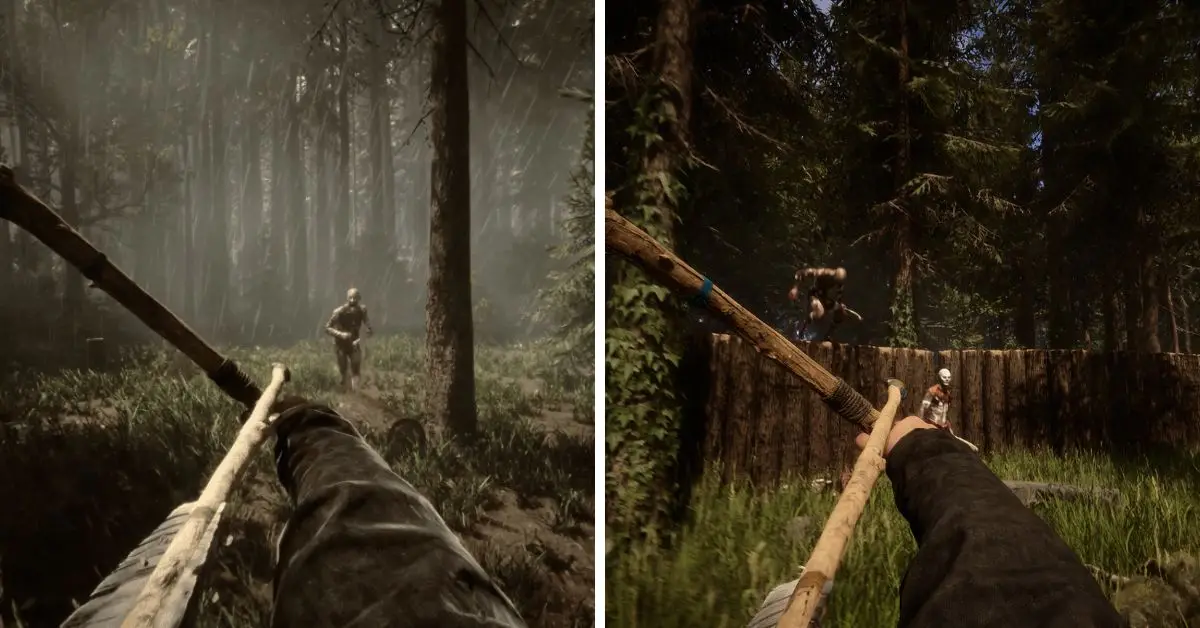
Hey there, PC gamers! Are you having trouble with your game Sons of the Forest crashing while you’re playing? No worries, you’re not alone in dealing with this issue.
The good news is that there are ways to fix this issue and make your gaming experience stable again. In this article, we’ll explain why the crashes happen and give you simple steps to stop them from ruining your game.
Whether you play the game a lot or are just starting and exploring the spooky landscapes, learning about and solving these crashes can improve your gaming time. Let’s explore why Sons of the Forest crashes happen and how to fix them for good.
Why Does Sons of the Forest Keep Crashing?
Often, when the game Sons of the Forest crashes, it’s usually because of these things:
1. Graphics Card Issue: If something is wrong with your computer’s graphics card, physically or due to its software, it can crash the game. This happens with other games too.
2. Broken Game Files: If the game’s files get messed up, Sons of the Forest might not start properly, or it could crash while starting.
3. System Requirements: If your computer isn’t powerful enough to handle this spooky survival game, you might run into problems like crashing.
4. Other Programs: Sometimes, other programs running on your computer can cause the game to stop working unexpectedly.
Why Does Sons of the Forest Keep Crashing
How to Fix Sons of the Forest Crashing?
If you’re having trouble with the Sons of the Forest game crashing, try these steps to fix it. But first, check these things:
1. Make sure your computer can run Sons of the Forest.
2. Your computer’s power supply should be strong enough for the game.
3. If you’re using a laptop, switch to high-performance mode.
4. Install DirectX and Microsoft Visual C++ packages.
Once you’ve done that, try these methods to solve the crashing problem:
Update your graphics card driver
Run Sons of the Forest as an administrator
Kill problematic background tasks
Clear shader cache
Verify the integrity of the game file
Update Sons of the Forest to the latest version
1. Update your graphics card driver
Sometimes, when your games keep crashing, it might help to update your graphics driver. This is like giving your computer’s picture-making part a special update so it works better with the games you want to play.
1. Click on the Start Menu, type “Device Manager,” then press Enter.
2. Look for “Display adapters” and click on it to open it up.
3. Find your graphics driver, right-click on it, and choose “Update driver.”
4. Click “Search automatically for drivers.”
5. Wait for the process to finish, and you’re done! Your graphics driver should be up to date.
This could help stop your games from crashing so much and make them work smoother.
2. Run Sons of the Forest as an administrator
1. Find where the game is installed on your computer.
2. Click on the game’s starting button and choose “Properties.”
3. Pick the “Compatibility” tab.
4. Check the box “Run this program as an administrator.”
5. Press “Apply” and then “OK.”
6. Start the game again.
Sometimes, giving the game extra powers can help. Follow the steps above to fix the crashing problem for “Sons of the Forest” before trying other things.
3. Kill problematic background tasks
1. press CTRL, SHIFT, and ESC keys together to open the Task Manager.
2. Check that you’re on the “Processes” tab in the Task Manager.
3. Find the program you want to stop, then click “End Task” for that program.
4. Do the same for anything else that’s not needed or causing problems.
5. Now, start your game and see if things are better.
4. Clear shader cache
1. Hold down the Windows key and then press the letter ‘I’ on your keyboard. This will open the settings for your computer.
2. Click on the “System” option and select “Storage” from the list.
3. Look for “Temporary files” and click on it.
4. Find the “DirectX Shader Cache” option and put a checkmark on it.
5. Make sure to remove the checkmarks from all the other options.
6. Finally, click the “Remove files” button to clean up those temporary files from your computer.
5. Verify the integrity of the game file
Sure, I can help you with that! Here are the steps in simpler terms:
1. Start up Steam, like how you open a computer program.
2. Find the “Sons of the Forest” game in your Steam library. To do this, right-click on the game’s name and choose “Properties” from the pop-up menu.
3. In the window that shows up, look for a tab called “Local Files.” It’s like a special section for the game on your computer.
4. In that tab, you’ll see a button that says, “Verify integrity of game files.” Click on that button.
5. Now, wait for a little bit. Steam will check the game’s files to ensure they’re all good. If anything’s wrong, Steam will fix it automatically.
6. Update Sons of the Forest to the latest version
1. Open up the settings for Sons of the Forest, just like you did before.
2. Click on the Updates tab.
3. Choose “Set High Priority” in the Automatic Update section. This will ensure that the game updates first before your other games.
Hey there! If there’s a new update for the game you’re playing on Steam, it will be downloaded and installed automatically. This is super important.
If your game keeps crashing because of a specific version of the game called “Sons of the Forest,” don’t worry! Just update the game, and that should fix the crashing issue.
And if the game isn’t working right, you can try a couple more things. You might want to uninstall the game and then install it again. Also, ensure your Windows operating system is updated to the latest version. That might help solve the problem too.
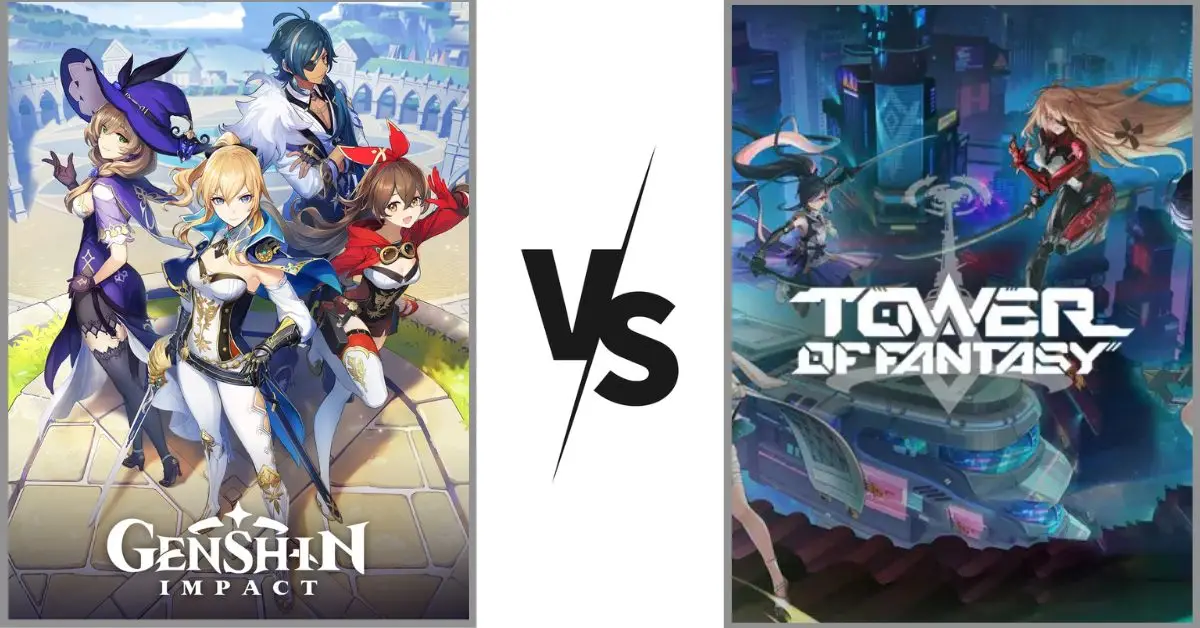
Tower of Fantasy and Genshin Impact are similar, especially in appearance and work. This makes people unsure about which one to play. Some people believed Tower of Fantasy would outshine Genshin Impact, but it’s just another option with its unique features.
If you’re trying to choose between Tower of Fantasy and Genshin Impact, here’s a useful guide to help you decide!
Genshin Impact Vs Tower of Fantasy: Gacha Mechanics
Do you know what’s hard to forget about both Genshin Impact and Tower of Fantasy? They’re gacha games. In these games, there’s a special currency you use to take a chance at getting better stuff and characters. It’s a big part of the game. They also have something called a “pity system.”
The pity system is about how many times you need to spend that special currency to finally get the special thing you want from the banner you’re hoping for. A banner usually has a new or rare item/character that players desire.
In the game Genshin Impact, you need to do 180 draws to reach a point where you can get a special character from the banner. These characters are really good and rare, and you’re sure to get one every 90 times you draw.
But sometimes, you might not get the exact character you want immediately. There’s a 50/50 chance for that. If you don’t get the one you want, you’ll get it the next time you try. The number of times you’ve drawn resets each time you get one of these special characters.
Genshin Impact Vs Tower of Fantasy
In Tower of Fantasy, you’ll get a powerful five-star weapon (like a character) after drawing 80 times. You’ll still get one even if you got a five-star weapon before those 80 draws. However, to be sure you’ll get a particular featured weapon, you must do 160 draws.
These two game systems are not the same, but one isn’t necessarily better than the other. It all depends on how you like to play. If you don’t want to spend much money, Tower of Fantasy will give you more expensive weapons without costing you as much.
On the other hand, if you’re okay with spending a little money and want certain characters, Genshin Impact might be a better choice. In that game, you’re guaranteed to get those characters, and there’s a chance they might show up early.
Genshin Impact Vs Tower of Fantasy: Characters and Weapons
The way characters and weapons work in both games might seem different initially, but they’re quite similar. The main distinction is how things are named. In Genshin Impact, you gather characters to form a team. These characters come in two levels of rarity: four-star and five-star.
They can also wield different types of weapons like bows or short swords. As you explore the game world, you control the characters in your team and use their special elemental powers to interact with the environment.
In Tower of Fantasy, the characters act like weapons your in-game character can use. You can even make your character look like any of these “weapons” when exploring the game world.
You can switch between three weapons using the same character (or your custom character, if you prefer). There’s no definite right or wrong choice here – it’s completely up to you and what you like.
One good thing is that in Tower of Fantasy, you don’t need to equip as many things to your characters compared to Genshin Impact, which makes it a bit easier to become stronger. However, in Genshin Impact, there are many ways to become stronger without relying on luck to get better items (like artifacts).
Genshin Impact and Tower of Fantasy Differ in Multiplayer
Genshin Impact doesn’t put a lot of emphasis on playing with others. Even though you can visit other players’ worlds and do some things together, there are many limitations to what you can do together. Occasionally, there are some events where you can play together, but these don’t happen very often.
On the other hand, Tower of Fantasy is all about playing with others. You can fight against other players (PvP), team up to battle against computer-controlled enemies (PvE), and even explore the game world with your friends. The main contrast between these two games is that you can enjoy playing with your pals in Tower of Fantasy.
Genshin Impact Vs Tower of Fantasy: Story Difference
Both Tower of Fantasy and Genshin Impact have exciting stories. Deciding which is better is tough, but each has a slightly different vibe that could appeal to other players.
Tower of Fantasy is set in a futuristic world that can be a bit gloomy at times, and it takes its story pretty seriously. While there are some funny parts, it generally leans towards the darker side.
Conversely, Genshin Impact leans more towards fantasy, with a touch of futuristic stuff in certain places. The game deals with serious stuff, but it comes across as more comfy and enjoyable rather than focusing too much on the serious stuff.
The Similarities Between Genshin Impact and Tower of Fantasy
Tower of Fantasy and Genshin Impact has a lot of things that are alike. I can’t name all of them, but here are a few that players might care about:
Stories
Combat
Gacha Mechanics
The Differences Between Genshin Impact and Tower of Fantasy
Genshin Impact and Tower of Fantasy are alike but have some essential differences that might help you decide which to play. Here are the main things to consider:
Tower of Fantasy offers more ways to personalize your character and weapons
Tower of Fantasy has more features for playing with other players
After lots of sneak peeks and introductions of characters from Fontaine, fans of Genshin Impact are excited. They’re barely getting a chance to relax because someone known for sharing accurate information has revealed that the Battle Pass weapons are getting a big makeover.
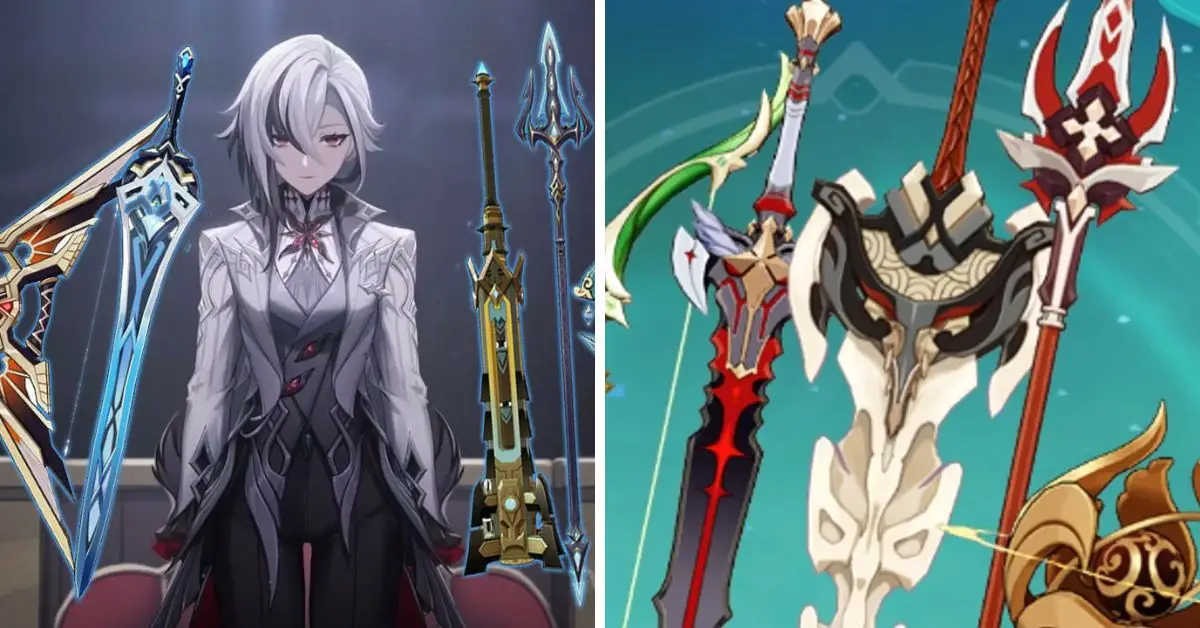
We got confirmation about these new Battle Pass weapons during the latest Genshin Impact Fontaine 4.0 Livestream! These upcoming weapons have unique designs and each one has its special abilities.
So, without waiting any longer, let’s dive into all the information we have about the new BP Bounty!
New Battle Pass Weapons in Genshin Impact
Once players reach Adventurer Rank 20 in Genshin Impact, they can get the Battle Pass. They’ll get the BP Bounty reward if they buy the Gnostic Hymn and get to Level 30.
Before Version 4.0 of the game, this reward would let players choose from five different weapons. But now, the reward will have even more options. There will be ten types of weapons to choose from in the BP Bounty.
Genshin Impact New Battle Pass Weapons
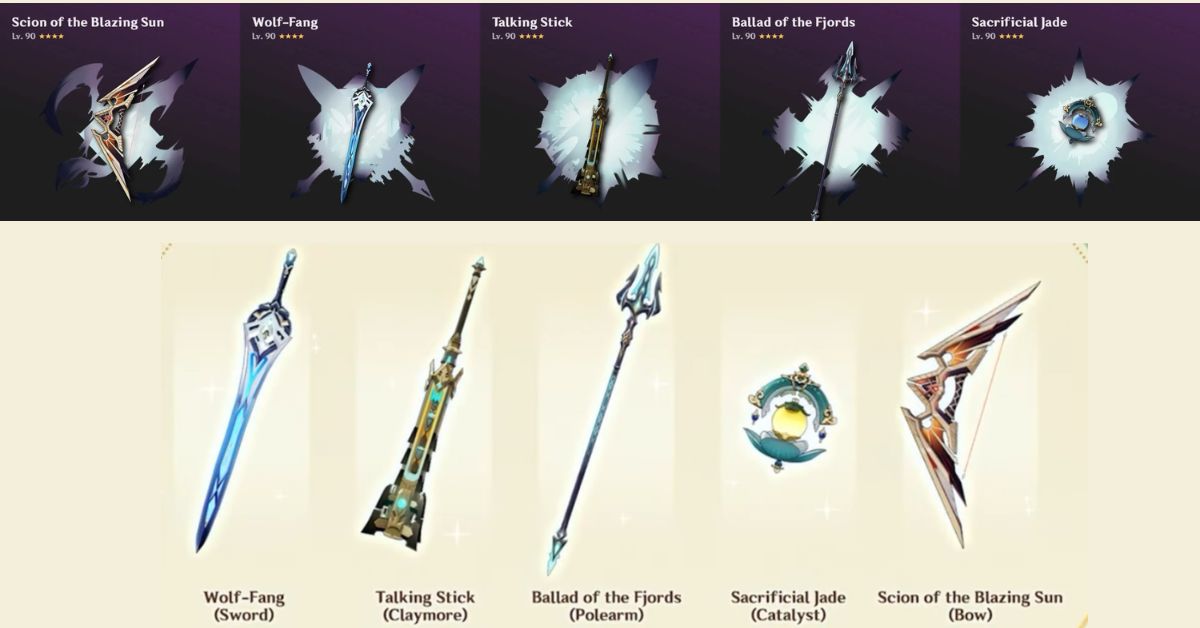
As per a person named @merlin_impact on Twitter who shares inside information, the upcoming Battle Bass weapons and their abilities when they’re upgraded to level 90 and refined once will be like this:
1. Bow – Scion of the Blazing Sun
Stats:
Attack Power: 565
Critical Hit Rate: 18.4%
Special Ability:
When you use a Charged Attack and hit an enemy, a special arrow called Sunfire Arrow will come down and deal damage equal to 60% of your attack power.
If the Sunfire Arrow hits the enemy, that enemy will take 28% more damage from your Charged Attacks.
You can use the Sunfire Arrow ability once every 12 seconds.
2. Sword Name: Wolf-Fang
Stats:
Attack Power: 510
Critical Hit Chance: 27.6%
Special Ability:
Increases the damage of Elemental Skill and Elemental Burst attacks by 16%.
When you use an Elemental Skill and hit an enemy, your chance of landing a critical hit increases significantly.
When you use an Elemental Burst and hit an enemy, your chance of landing a critical hit increases significantly.
These effects last 10 seconds each; you can have up to four at once.
These effects can happen every 0.1 seconds.
3. Claymore – Talking Stick
Stats
Attack Power: 565
Critical Hit Chance: 18.4%
Special Ability:
When you get hit by a fiery attack (Pyro), your attack power increases by 16% for 10 seconds. You can do this every 12 seconds.
When you get hit by freezing (Cryo), watery (Hydro), or electrifying (Electro) attacks, your elemental damage power goes up by 12% for 10 seconds. You can do this every 12 seconds too.
4. Polearm – Ballad of the Fjords
Stats:
Attack Power: 510
Critical Hit Rate: 27.6%
Special Ability:
If you have three or more different Elemental characters in your group, your ability to control and use, Elements will get a boost of 120 points.
5. Catalyst – Sacrificial Jade
Stats
Attack Power: 454
Chance of Critical Hits: 36.8%
Special Ability:
When you’re not using this weapon for more than six seconds, your maximum health will increase by 20%, and your ability to control elements (Elemental Mastery) will improve by 80 points. But these benefits will disappear after using the weapon for six seconds again.
BP Bounty Weapons
These BP Bounty weapons are like good deals for players who don’t have super-powerful weapons. Like right now, many folks use the Serpent Spine sword, which isn’t the absolute best, but it’s still really liked by folks who use big blades like Eula, Arataki Itto, or Diluc.
People who like the game are guessing that the next set of Battle Pass weapons will work well for these characters:
Weapon Type
Battle Pass Weapon
Speculated Characters
Bow
Scion of the Blazing Sun
Ganyu, Tighnari, Lyney, or any CA-based Bow DPS
Sword
Wolf-Fang
Ayaka, Keqing, Alhaitham, Albedo
Claymore
Talking Stick
Most units do not benefit from this passive
Polearm
Ballad of the Fjords
Xiangling, Cyno Quickbloom, Raiden National
Catalyst
Sacrificial Jade
Nahida, Klee, Lisa, or any EM-favoured catalyst DPS/support
When Will the New Battle Pass Weapons Be Released?
Leaked info says new weapons might emerge in the next Genshin Impact update, Version 4.0. This update is supposed to come out on August 16, 2023. If you want these weapons, you might need to buy the Gnostic Hymn from the Battle Pass.
But remember, leaked stuff can change, so don’t take it as definite. The people who leaked this have been right before, so there might be some truth. We’ll update you with more leaks and official news to ensure you know what’s happening!
Stay connected with GameEmpress.com to get the latest news and updates about the gaming world!
The new Minecraft 1.20 update is a huge one that the game’s community has been waiting for. Even though it didn’t have a specific theme or name at first, it now includes more than twelve new things to do in the game.
The people who make Minecraft, called Mojang, learned from their past mistakes, like with the last Minecraft 1.19 Wild Update, where they promised a lot but didn’t deliver as much.
This time, they’ve done a great job! So, let’s learn about all the cool new stuff in the Minecraft 1.20 Trails and Tales update, like new features, places to explore, and creatures to meet.
In this article, you can find information about the cool stuff in the next Minecraft 1.20 update, like new things they’ve said they’ll add and when it will all be ready for you to play with.
Why is the Minecraft 1.20 Update Called “Trails and Tales”?
The Minecraft game got a big update called 1.19. It added lots of new stuff like places, things, and a really tough enemy called the Warden. But many players weren’t too excited about it.
So, the game makers learned from that and gave the following update without an official name and with lots of cool-changing things. Now, Mojang has stopped all the guessing and told us the actual name of the next update, which is 1.20.
1.20 Minecraft Update
It will be called the Trails, and Tales update in 2023. This update will have things like digging up old stuff, two new animals – camels and sniffers, a new place, a way to make your armor and shields look different, and more. You can read about all the new things below.
What are New Mobs in Minecraft 1.20?
Currently, Mojang has three games in the Minecraft series: Minecraft, Minecraft Dungeons, and Minecraft Legends. Even though these games aren’t strictly connected, the people who make them often move creatures from one game to another.
But this time, instead of bringing over a creature from Legends or Dungeons, they’re introducing a new creature to the desert area in regular Minecraft.
Camels Are Coming to Minecraft
Minecraft is adding camels to the game. They will only appear in desert areas. Camels are one of the biggest creatures in the game. When you ride a camel at night, enemies won’t be able to reach you.
If you tame a camel, two players can ride it together. Using a guide, you can learn how to ride a camel in Minecraft 1.20. But remember, camels are slower than horses in tricky landscapes.
However, they can move quickly across flat areas by dashing. They can also jump over gaps using this dash move. You can make baby camels in the game by feeding cactus to camels in desert areas. This means you can make a lot of camels if you want.
Sniffer, the Winner of Minecraft Mob Vote 2022
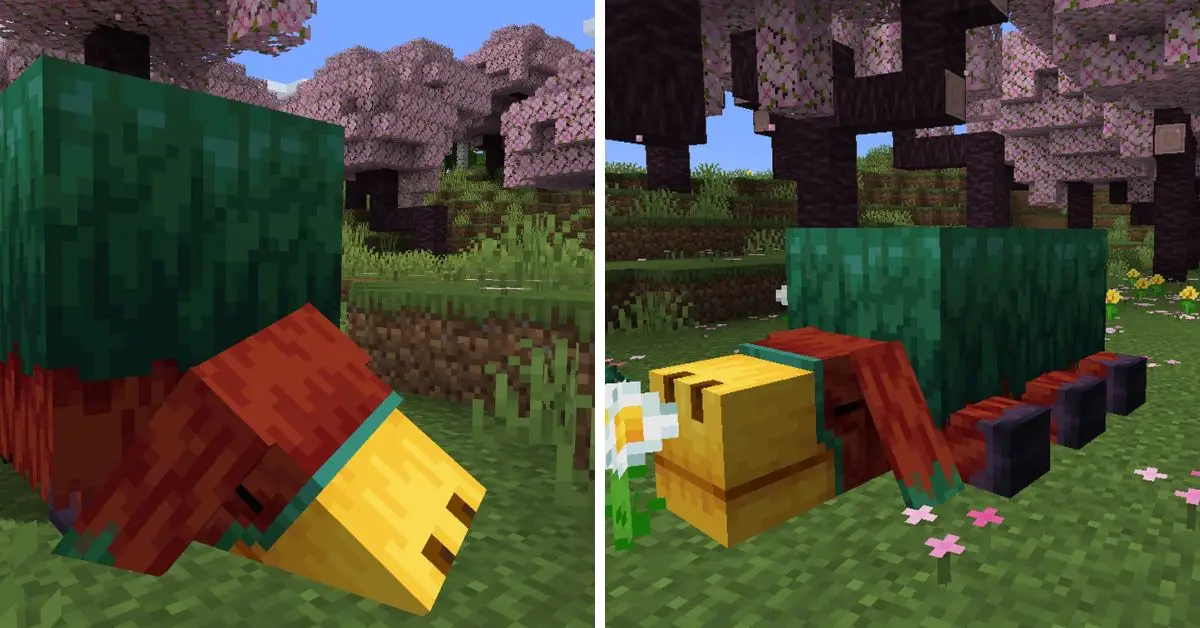
Sniffer won the Minecraft Mob Vote 2022 with more than half the votes. It will be added to the game in the next update. There’s also a baby version of Sniffer that can be hatched from Sniffer eggs.
This lets players breed more creatures in the game. The main job of Sniffer is to find seeds for new and unique plants in the game world. People are excited to see how players will use Sniffer to create new kinds of farms in Minecraft.
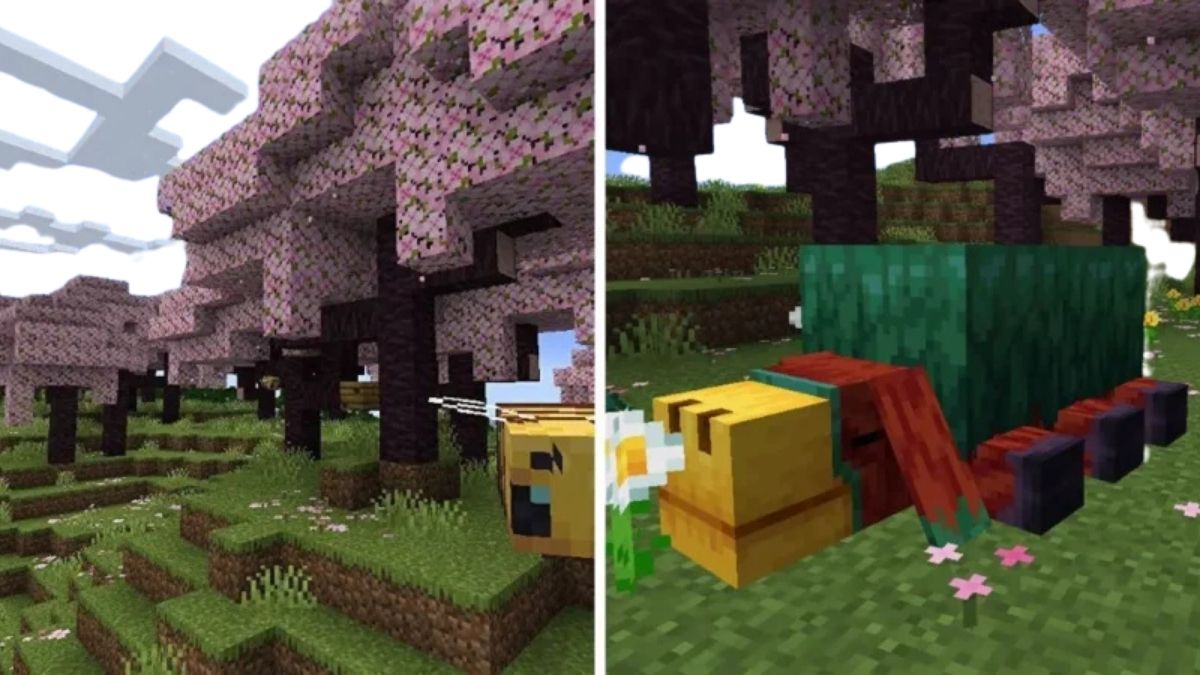
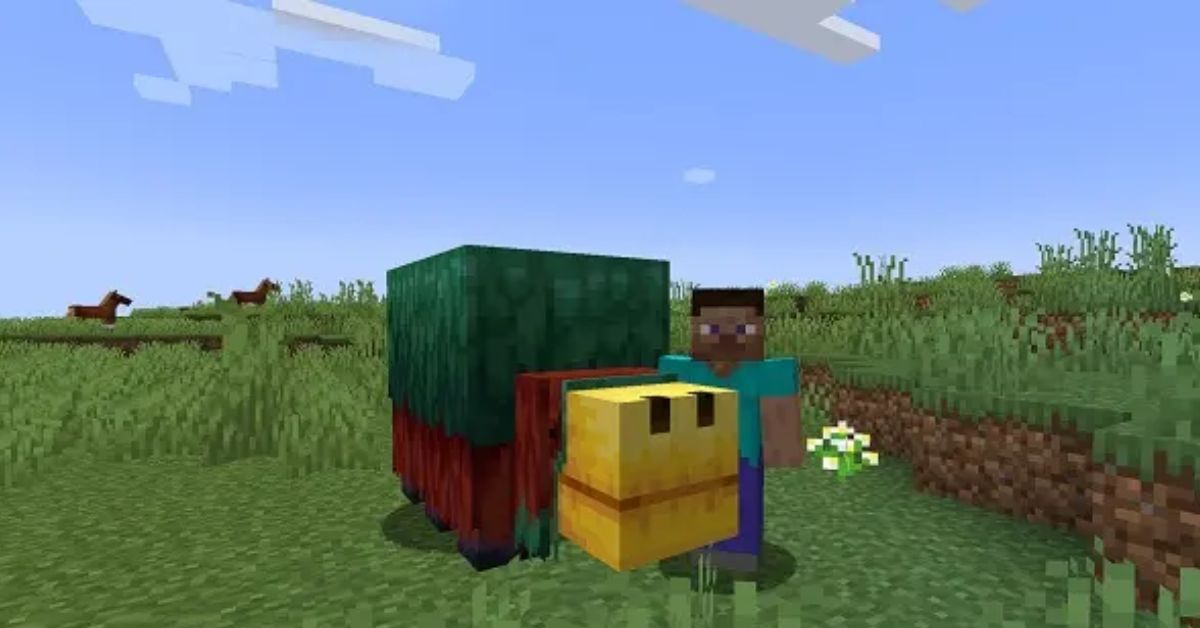
In late January, Minecraft’s official social media accounts showed us the first pictures of Sniffer in the game (photo above). People are excited about it. Sniffer is bigger than the player and has many details, surprising many players.
Even though it’s big, you can’t ride it like other creatures in the game. But in Minecraft 1.20, a new command lets you ride other creatures, so you might also find a way to use it with Sniffer.
Putting aside how it looks, the Sniffer can lie down on the ground, like the new camel character, when it wants to rest. Otherwise, it moves around without a specific pattern.
It moves slowly, and its nostrils move a bit while it searches for newly added seeds like Torchflower and Pitcher Plant. Seeing this new character in action confirms that the community made a good choice in voting for new characters.
If you find this cute and fluffy character interesting, read our detailed Sniffers in Minecraft 1.20 guide. We also have directions on how to find Sniffer eggs and how to make the adult characters breed.
What are New Biomes in Minecraft 1.20?
Over time, Minecraft has shown us previews of different new and improved environments, but they never actually appeared in the game for players to enjoy.
Even though we were expecting updates to the desert, savanna, or badlands areas, the latest version of Minecraft, called 1.20, has surprised us by introducing a brand-new biome full of cherry blossom trees. You can learn more about this new environment here:
The Cherry Blossom Biome
Mojang surprised players on Valentine’s Day by announcing a new addition to Minecraft 1.20: a particular “pink” area called the Cherry Blossom biome. This is like a pretty forest in the game, filled with trees that have pink leaves and pink flowers.
While no new creatures only appear here, you’ll mainly see rabbits and bees if you explore this area based on early pictures. Because this new biome brings cherry blossom trees to the game, there’s also a new set of light pink blocks and items made from cherry wood.
You can also find cherry blossom tree saplings and logs in this biome. It’s important to note that the cherry blossom biome differs from other forest areas – the trees are closely packed together and have unique branches. This makes it gorgeous and a great spot for creating secret bases.
Minecraft 1.20 Update: Features
In the Minecraft Live event in 2022, they talked about the upcoming Minecraft 1.20 update. This update will add lots of new things to the game. While many cool things were planned, they only told us about a few.
Unlike before, they want to ensure they can do what they promise. They will share more about the update’s features in the next few months. But for now, let’s look at what we know will be in the Minecraft 1.20 update.
1. Archaeology Features
After a long wait, Minecraft is finally adding a cool new archaeology feature to the game. You can explore your Minecraft world to find special sand and gravel blocks.
When you clean these blocks, you’ll discover broken pieces of pottery (Minecraft now calls pottery sherds). If you gather these pieces, you can put them together to make old, fancy pots in the game.
But you can’t cook these pots yet. Maybe in the future! Each pot you make will have a different design that relates to something in Minecraft. Also, this archaeology update comes with a new tool called a “brush” that helps you clean the blocks.
There are 20 different pot designs, and they all look excellent. At first, there were only four designs, but the game has added more since then. Also, Minecraft Live 2020 showed some archaeology excavation sites that were not in the game.
But now, in the game, you can discover strange sand and gravel blocks in places like Desert Temples, Ocean Ruins, and a new area. There’s a new thing called the archaeology system that brings a new structure called Trail Ruins.
To explore it fully, you have to dig around it. Then, you need to find special blocks and clean them off. You can check out our guide to learn how to find these Trail Ruins in Minecraft 1.20.
2. Armor Trims and Customization
In the new Minecraft 1.20 update, you can make your armor look cool! Before, the armor looked the same, but now you can change it. Each part of your armor can have different patterns and colors. There are many choices, so you can make your armor look unique.
You can do this by using something called “armor trim.” You can find it in different places in the Minecraft world. When you have the trim, combine it with your armor and pick a color for a unique table. The new designs you create are just for looks.
For example, using gold trim won’t make your armor friendly to Piglins (a type of creature in the game). But having cool-looking armor will be great, especially on servers where players battle each other.
3. Bamboo Wood and Rafts
Minecraft 1.20 is adding a new kind of bamboo wood to the game. This wood comes with planks and blocks. The game creators wanted to make the different kinds of wood in the game more realistic.
What’s cool is that this bamboo wood has special blocks only it has. You can use these blocks to make fancy bamboo patterns. No other kind of wood in Minecraft has this type of block, so it’s really special. And guess what? You can also use bamboo wood to make rafts in Minecraft. These rafts are like boats, but they look more open.
4. Banner Shields
In the new Minecraft update 1.20, something many players wanted has been included. Now, in the Bedrock Edition of the game, you can put decorative banners onto shields.
This feature that players requested was first seen in Minecraft Preview 1.20.0.20 in April. To do this, you need to make a colorful banner using a special tool, and then you can combine the banner with a shield using a crafting table.
This makes your shield look more unique and adds personality to your character in the game, along with the armor decorations you can already use.
5. Hang & Edit Signs
Solving the problem of not knowing where to hang your signs, now you can hang signs on any block. You can put them on the sides and even underneath blocks instead of only on the ground.
Plus, you can make cool decorations by putting signs under other signs, making something like a wind chime. We’ve made a tutorial to teach you how to use hanging signs in Minecraft.
Also, in the upcoming Minecraft 1.20 update, you can change the text on signs without destroying them. This means you won’t have to break the sign and make a new one to change the words. You can also write different things on both sides of the movement.
6. Chiseled Bookshelf
Finally, bookshelves have a purpose in Minecraft. Once you create the special chiseled bookshelf, you can keep regular and magical books in it. You can put any text in any slot on this bookshelf, but they all look the same.
However, this doesn’t mean each slot works the same way. Each slot in the bookshelf sends a signal like a Redstone, but the signs are different strengths.
If you understand how this works, you can use the chiseled bookshelf to create hidden doors (like they showed in Minecraft Live 2022) and do many other cool things.
7. Creative Inventory Reshuffling
In the new version of Minecraft 1.20’s creative mode, the way items are organized in your inventory is better and easier to understand. It’s divided into different sections:
Building Blocks: These are regular blocks used to build structures.
Colored Blocks: These blocks, like beds and candles, come in different colors.
Natural Blocks: You find These blocks naturally in the game world.
Functional Blocks: These blocks have specific purposes, like helping with jobs or providing light.
Redstone Blocks: These blocks are used in circuits that do special things in the game.
Tools & Utilities: You can use these items for various tasks in the game.
Combat: This section includes weapons, armor, and other items you use to fight in the game.
Food & Drinks: Here, you’ll find things you can eat or drink in the game, including potions.
Ingredients: You often use these items when crafting and brewing.
Spawn Eggs: These eggs let you create different creatures in the game.
Operator Utilities: These blocks can change the game’s work, like adding light or creating barriers. They help control the game world.
8. New and Better Mob Heads
In Minecraft, items called mob heads drop when a unique creeper kills certain creatures. These mob heads have been around for a while, but until now, they were mainly used as masks or decorations.
In the latest Minecraft update, 1.20, there’s a new, more exciting way to use these mob heads. You can attach them to Note blocks, and they will produce sounds related to the creature whose head you used. For instance, using a skeleton head will make a sound like an arrow being shot.
Additionally, the update also adds something new: Piglin heads. You must go to the Nether and defeat a Piglin using that particular creeper to get one of these. Using a Piglin head on a Note block will make sounds like a Piglin and even move its ears when you send a Redstone signal.
9. Calibrated Sculk Sensors
In the latest Minecraft update called Snapshot 23w12a, a new group of blocks called the Sculk family has been introduced. This update also includes something called Trail Ruins, which adds to the new archaeology system in the game. This lets players do excavation activities.
One of the new blocks coming in Minecraft version 1.20 is called the Calibrated Sculk Sensor. This block works with Redstone, a material used to create complex machines in the game.
The Calibrated Sculk Sensor can sort out vibrations based on how fast they shake. You can’t find Calibrated Sculk Sensors naturally while playing the game. Instead, it would be best if you made them by combining Sculk sensors with Amethyst shards.
10. Netherite is Harder to Use
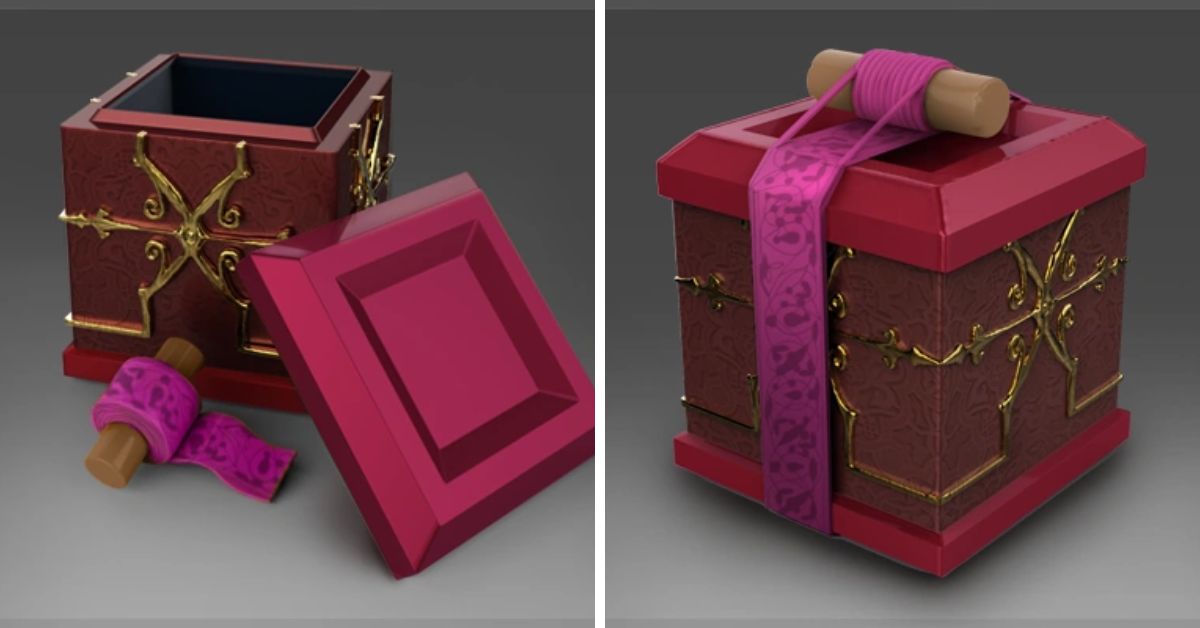
In the new Minecraft 1.20 update, getting Netherite items will be more challenging. This is because they’ve added something called the Upgrade Smithing Template. You must use this template to make Netherite armor or swords on the Smithing Table.
So, besides making Netherite ingots, you must also find these upgrade templates in Bastion Remnants. But remember, they’re not easy to find, and you need one for each item you want to upgrade.
11. Fill in Biome Command
In the latest Minecraft Snapshot 22w46a, a new command is called “/fillbiome.” This command lets you change the type of environment in a specific area of your Minecraft world.
To use it, you need to choose two points that mark the area you want to change, and then you can select any biome to replace the current one. Think of it like using a special command in Minecraft.
Instead of just placing blocks, you can now change the type of environment, like forests or deserts. This new command lets you move these environments from one part of the game world to another. However, these changes won’t cause special effects, like the dangerous exploding beds in the Nether dimension.
12. Fixed Mob Spawning in Nether Portal
In the next Minecraft update, they’re making a big change to Nether farms. These farms will work less effectively because fewer scary creatures appear around the Nether portal.
You know, those bad guys in the game? Well, they need it to be sort of dark to show up. In the update, they’re making it darker around the Nether portal so that Endermen, Skeletons, and Wither Skeletons will show up less often.
Before this update, the light was a bit brighter, like 11, which is the same as the light by the Nether portal. Because of the update, these bad guys can’t appear just next to the Nether portal anymore. If you were using the old way to make a farm, you’d need to find a way to encourage these bad guys to go into the portal on their own.
13. Redstone Changes
In the Minecraft 1.20 update, some new things are happening with Redstone:
Jukeboxes can now send a signal based on the music disc they’re playing. This signal can be detected using something called a comparator.
The signals that Redstone makes when things vibrate have changed how they work.
When you get in or out of certain things like minecarts, boats, or animals you can ride, it will also set off a special sculk sensor.
14. New Default Character Looks
For a long time, players could only choose between two classic character looks, Steve and Alex. But in the Minecraft 1.20 update, players will have some new default characters. These new characters are Noor, Sunny, Ari, Zuri, Makena, Kai, and Efe.
Minecraft 1.20: Release Date & Platforms
At a special event called Minecraft Live 2022 in October, the people who made the game talked about a big update called Minecraft 1.20. They said it wouldn’t be ready until 2023. And guess what? They were right! They spent a lot of time testing and adding new things to the game.
After waiting a while, the Minecraft 1.20 Trails and Tales update was finally released on June 7th. This is the same day last year’s update, Minecraft 1.19, came out. That update brought new places and a tough enemy called the Warden to the game.
The company that owns Minecraft, Microsoft’s Mojang, has now released the new Minecraft 1.20 update on several devices:
Xbox
PlayStation
Nintendo Switch
iPhones and iPads (iOS)
Android phones and tablets
Computers with Windows
Some types of computers with macOS
Some types of computers with Linux (only for the Java edition)
Some types of computers called Chromebooks (only for the Bedrock edition)
Every year, Spotify Wrapped takes all the information about what songs people listened to on the app and shows them to the users. It’s like a summary of their music choices for the past year. This concept has become popular and is now used in other groups.
In this situation, a person on Reddit with the username Mythicize made a program that’s a bit like another one. This program uses different databases to display stats and details about how players played Dota 2 in 2019.
Mythicize created this program because they saw how much fun people had with Spotify’s yearly event. They used a big collection of statistics from Dotabuff and made something that organized that information into a simple one-page summary.
It’s not as detailed as Spotify’s version, but it does show accurate information about essential stats and their numbers. It mostly looks at the main numbers, like the number of times someone defeated opponents, helped teammates, and got beaten in a video game throughout the year.
It also displays the favorite characters each player uses the most and the best teammates they play with. Mythicize explained this using the profile of a famous player and Dota legend, Henrik “AdmiralBulldog” Ahnberg from the Alliance team.
Dota Wrapped
Using it is easy – all you must do is have a public Dota profile on Steam. Then, you can log in and see your totals. If your account isn’t public, you can make it public by going to the options menu in the Dota 2 game. In the Advanced Options under Social, you can show your match data publicly, which will make it work.
You can also use your Dotabuff page ID to see your stats without logging in. But since this program isn’t very big, you might face problems with your image not appearing. Mythicize suggests that if you see a 502 error or other issues, you should refresh the page and enter your information again.
This is just an instance of the Dota community creating something unrelated to the game, but it’s cool because it lets you display your stats from 2019. Unless you have a really bad win rate and want to ignore it, you can delete the image.
You can find some new guides about the Dota 2 New Frontiers Update, which has exceeded expectations, and about the arrival of the new Dota 2 hero, Muerta, in the latest game update.
In the big world of Genshin Impact, you can go on exciting adventures using miHoYo’s official servers. But apart from the regular game world, there’s also another world called private servers.
We don’t support or suggest players use private servers, but it’s essential to know they’re out there and people are getting more interested in them. This article will explain all about Genshin Impact’s private servers. It will tell you what they are, how they work, and why some gamers like them more and more.
What is Genshin Impact Private Servers?
Genshin Impact is a famous video game that many people love. It’s a big world where you can do many things and it looks nice. Some players want to play the game on their special servers instead of the main ones.
When game fans make their servers that aren’t part of the official game, those are called Genshin Impact private servers. These servers often use the original game stuff to let you play similarly, but they might also have extra stuff and advantages.
What is Genshin Impact Private Servers
Private servers are like separate playgrounds for a game, away from the main one that everyone uses. For Genshin Impact, people can make their special accounts and play on these private servers to change the game or add new stuff.
But, it’s good to know that the company that made the game, miHoYo, doesn’t like or approve of these private servers. And sometimes, playing on them could break the rules of how you’re supposed to use the game.
In the past few months, private game servers have become more popular. This is mainly because they let players access special content that’s not easily available. These servers give players access to the game’s characters, weapons, and other cool things.
They also team up with community modders who create different looks and tricks players can use on these servers. Additionally, private servers are a good place for players to try other game-playing methods.
It’s like a playground where they can test different characters and tactics without worrying about competition from official servers. Players can try out other characters and weapons together, which helps them understand how the game works better.
This makes players happy because they don’t have to deal with random draws, gathering items, or collecting in-game currency as much anymore.
What Are the Risks of Using a Special Version of Genshin Impact?
Using a special version of Genshin Impact can be fun but has problems too. One big problem is that it’s not very safe. When you use these special servers, your private information might get into the hands of people you don’t know, which could be risky.
Another big problem could be running into serious bugs that ruin the game. Private servers run by fans and not the official creators might not get fixed as often as the main servers.
Not many players have been banned for this, but the game might start catching people who use outside programs to mess with the game in the future. If that happens, the game account could get banned.
Ubisoft, the video game publisher behind popular franchises such as Assassin’s Creed, Far Cry, and Watch Dogs, has a policy of deleting inactive accounts that have not been used for a long time.
However, the company has clarified that this policy does not affect accounts that have purchased PC games and that users can quickly restore their versions if they receive a warning email. You need to know here about Ubisoft’s account deletion policy and how to avoid losing your game library.
According to Ubisoft’s terms of use, the company reserves the right to delete accounts that have been inactive for more than six months. The company says this measure complies with the GDPR requirements, the European data protection law limiting data retention period.
The company also says that this measure acts as a protection for its players against fraud. However, Ubisoft also says that account deletion follows a rigorous process and that it takes into consideration four criteria before deleting an account:
The gaming activity of the report since its creation
The account’s libraries: accounts that include purchased PC games are not eligible for deletion
The duration of inactivity of the account, meaning the last login to Ubisoft’s ecosystem (including from Ubisoft games on Steam and other platforms) — In practice, as of today, Ubisoft has never deleted accounts that have been inactive for less than four years
The existence of an active subscription tied to the account
How Does Ubisoft Notify Users About Account Deletion?
Ubisoft says that before deleting an account permanently, it sends three emails to the user over 30 days, offering to restore their account. The first email is sent when the account has been inactive for six months, according to the terms of use.
The second email is sent 15 days later, and the third one is sent 15 days after. The emails contain a link to cancel the account closure. In addition, if the user tries to log in during the 30-day window, they will automatically receive a warning and a link to reactivate their account.
Ubisoft Support shared a post on Twitter:
Hey there. We just wanted to chime in that you can avoid the account closure by logging into your account within the 30 days (since receiving the email pictured) and selecting the Cancel Account Closure link contained in the email. We certainly do not want you to lose access to…
The easiest way to avoid losing access to your Ubisoft games is to log in to your account regularly, at least once every six months. This will prevent your account from being flagged inactive and eligible for deletion.
You can also log in to your Ubisoft games on other platforms, such as Steam or Epic Games Store, as this will also count as activity on your Ubisoft account. If you receive an email from Ubisoft warning you about your account deletion, you should click the link to cancel the closure as soon as possible.
You can also contact Ubisoft’s customer support if you have difficulties logging in or restoring your account. Ubisoft says it does not want its users to lose access to their games or accounts and only deletes inactive accounts for legal and security reasons.
However, users should be aware of Ubisoft’s policy and take steps to protect their game library from being deleted.
Stay connected with GameEmpress.com to get the latest news and updates about the gaming world!