In-depth game guides from Game Empress, with walkthroughs, tier lists, location maps, and step-by-step strategies to help you master the games you love.
Undoubtedly, The Sims 4 gives you a realistic, lifelike experience that feels like the real world. You can control Sims and get really into the virtual world. But some players want an even more real feeling, and that’s where the first-person mode comes in.
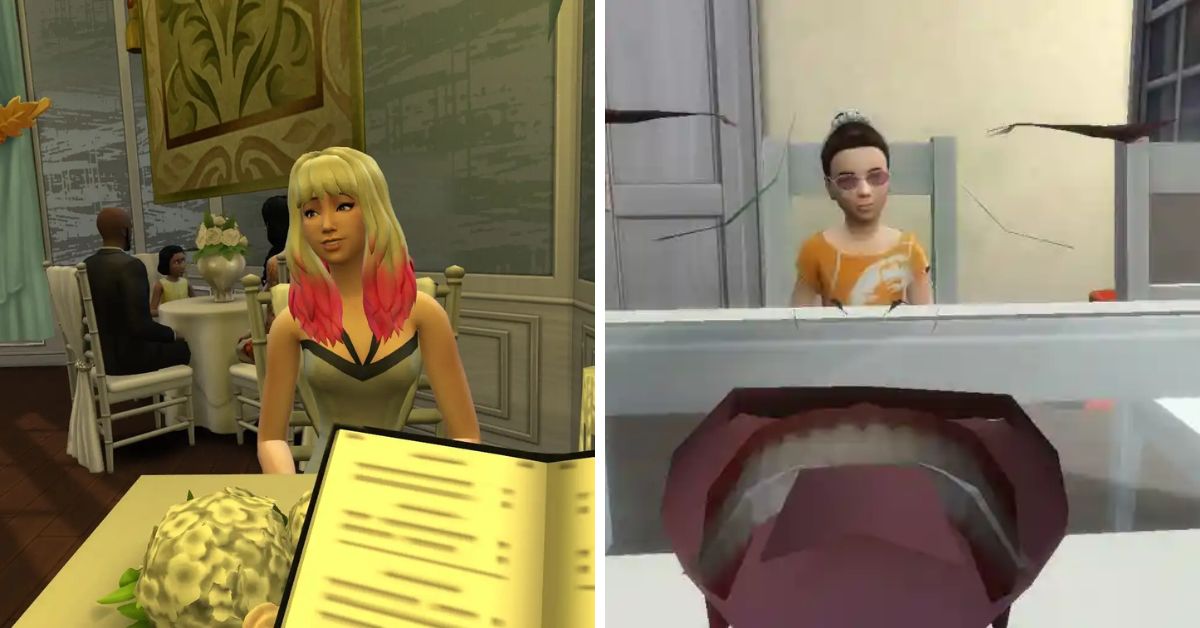
In The Sims 4, there’s a cool way to see things like your Sim does. It’s called first-person mode. This lets you look around as if you’re your Sim, playing games, watching TV, and reading books from their eyes.
How To Go First Person in Sims 4?
Switching to first-person is easy, but the steps differ depending on your device. Here’s how you can go into the first-person mode in The Sims 4 on various platforms:
Mac & Windows: Shift + Tab
PS4: Press and hold the R3 controller button.
Xbox One: Press and hold the RS controller button.
The Sims 4 First Person Mode
How to Get Out of First-person Mode in Sims 4?
Switching from a first-person to a third-person view in The Sims 4 is just as easy. You can use the same combination of keys to return to the third-person mode.
What Are the Shortcut Commands for First-Person Mode in Sims 4?
Shortcut Command
Action
Right Mouse Button
Guide the Sim to navigate around obstacles like doors.
Left Control Button (Ctrl) + Mouse Movement
Bring Sim’s viewpoint back to the center.
Spacebar
Seamlessly switch the perspective and observe different Sims within the household.
Shift + Tab (Simultaneously)
Exit first person and restore the standard (Third Person View) in the game.
How Do You Make Your Sims Character Move?
Moving your character’s point of view in the game is easy to understand. To make your Sims character move, right-click anywhere you want them to go. Then, choose the “Move here” option that appears. You can also interact with things by right-clicking them, like looking from behind the surface.
Like Genshin Impact? Have you ever wondered if you can play with friends on different devices or keep your progress? This guide is here to help.
We’ll show you how to play together and continue your game, whether on PlayStation, Xbox, PC, Switch, or mobile. Keep reading to see if Genshin Impact lets you play on different devices!
We have helpful information about Hoyoverse’s latest strategy game. Our guides cover everything you should know, like a list that ranks the best characters in the game, secret codes to unlock unique stuff, and tips on how to make your characters strong, such as Sushang and Blade in Honkai Star Rail.
What is Cross-Platform Gaming?
We have a helpful guide explaining what cross-platform means, but let’s understand the main idea for now. Crossplay means you can play a game with people using different devices. So, you can still play the same game together, whether using a computer, game console, or even a mobile phone.
This is cool because you get the same fun no matter your device. But not all game makers have added this feature, even though many players like it. We’ll check if Genshin Impact has this feature too!
Is Genshin Impact Cross Platform?
Absolutely! You can play Genshin Impact with your friends using an Xbox, PlayStation, Nintendo Switch, PC, or even a mobile phone with iOS or Android. The only thing to remember is that you and your friends need to be on the exact server location to play together.
Is Genshin Impact Cross Platform
This means Genshin Impact lets people play together on different devices much better than Warframe. So, don’t worry about your device – you can still have a great time playing Genshin Impact together!
Is Genshin Impact Crossplay Enabled by Default?
We’ve figured out whether Genshin Impact can be played between different devices. Now, let’s see how you can use this cool feature. Like other games that let people play together on different devices, Genshin Impact makes it simple.
When you start playing, the game automatically allows you to play with friends on different devices. The important thing to remember is that you have to reach a certain level in the game (Adventure Rank 16) to play with others.
You can easily reach this level by just playing the game normally. Once you’ve reached that level, you can play with your friends. First, you must find your UID, like your game ID, at the bottom of the screen.
Then, go to the Friends section in the game. Click on “Add Friend” and type in your friend’s UID. After that, you can invite each other to play together and take on challenges in the game world. Playing Genshin Impact with friends on different devices has never been easier!
Is Cross-Progression Available in Genshin Impact?
Absolutely! It works like this: You can play Genshin Impact on different devices like a console, computer, and phone. Your game progress and characters will move between these devices automatically.
Log into your miHoYo account, and your game info will update smoothly. This cross-platform progress is more advanced than in games like Dead by Daylight. It’s another great thing about loving Genshin Impact!
There’s a game called Genshin Impact, which is free to play and looks like an anime. It was first shown at a big gaming event in 2019. It took about four years to make the game, and it was finally released for computers, phones, and PlayStation 4 in September 2020.
Since it came out, many people on all platforms have liked this high-quality anime game. However, even after many years, many players are still unhappy because the game is unavailable on Xbox.
Let’s look at all the updates so far and then consider whether Genshin Impact might be available on Xbox in the future.
Is Genshin Impact Available on Xbox?
No, there isn’t a version of Genshin Impact for Xbox yet. The company that makes the game, miHoYo (now called HoYoverse), is working on creating a version for the Nintendo Switch first. Only after that, might they start working on a version for Xbox.
When miHoYo first made Genshin Impact, it was hard for them. People criticized the game without good reason. Some said it copied another game called “Breath of the Wild,” and others didn’t like how it looked like an anime.
The game was released for free on September 28, 2020. But it wasn’t available on Nintendo Switch or Xbox, which made people think it might come to those consoles soon.
People were right about the Nintendo version coming soon, but it’s still not out. They said Genshin Impact would come to the Switch in October 2020, but it’s taking a long time to finish, even after two years.
It’s strange for a game to take so long to be ready for a new console. The company miHoYo is good at making games, so it’s surprising. People are starting to think the company isn’t good at making games for different consoles.
Genshin Impact is one of the top three games that makes the most money on mobile phones. It has earned over $3 billion for miHoYo, so they aren’t rushing to put the game on other gaming systems.
Why Isn’t Genshin Impact on Xbox?
I don’t have a definite answer for why miHoYo hasn’t put Genshin Impact on Xbox yet. Some people say it’s because Xbox isn’t very popular in Asia, where many Genshin Impact players are.
Why Isn’t Genshin Impact on Xbox
This might be the main reason why it’s not on Xbox. Considering how long it’s taken for the game to be made available on Nintendo consoles, it’s not very likely that it will come to Xbox.
But if it does happen, it might also be released for Xbox One. People with Xbox Series X|S are excited to play Genshin Impact with better graphics, but they might have to wait longer to explore Chinju Forest in the game.
Why Did Microsoft Want to Bring Genshin Impact to Xbox?
According to a news story from Reuters, something interesting came to light. It turns out that when the game Genshin Impact was still being made, Microsoft got in touch with its creator, miHoYo.
Microsoft had an idea and wanted to give money to Chinese game makers to bring their games to computers and gaming consoles. One of the games that Microsoft was interested in was Genshin Impact.
Someone who didn’t want to be named told Reuters that Microsoft tried to make a deal happen, but nothing good came out of the talks. On the other hand, Sony, a competing company, was able to figure things out. That’s why the game became exclusive to Sony’s gaming console.
The source explained that Microsoft and miHoYo haven’t talked to each other since their discussions fell apart. In my honest opinion, based on what’s been said, it seems very unlikely that a Genshin Impact version for Xbox will happen.
The Switch version of the game was talked about long ago, but it still hasn’t come out for the Switch yet. On the other hand, there hasn’t been any news about the game coming to Xbox.
But even if it did, I don’t think it would be available before 2026. For Microsoft to do well in China and the gaming world, they should create their own new game.
It doesn’t seem like miHoYO wants to bring their gacha game to Xbox. So, the best thing for Xbox to do to make players happy is to bring in some new games to compete with.
When Will Genshin Impact Be Released on Xbox?
Hoping Genshin Impact will come out in 2023 is like wishing for something that might not happen. It’s more likely that the game will be available on Xbox around early 2026, at the soonest.
I know it’s not very exciting to think about waiting until 2026 for the game on Xbox. The company behind the game, miHoYo, has had much time to bring it to Xbox, but they haven’t done it yet. It also doesn’t make sense for the Xbox version to come out before the Switch version, which seems far off.
The best situation would be announcing the Xbox version in late 2023 or early 2024. But considering how long it took them to develop the Switch version, waiting until 2026 seems likely, and even then, there’s no definite date.
If you really love Genshin Impact, you might want to take a look at our guide on “How to Play Genshin Impact on Steam Deck.” It’s a simple and quick guide to help you get started.
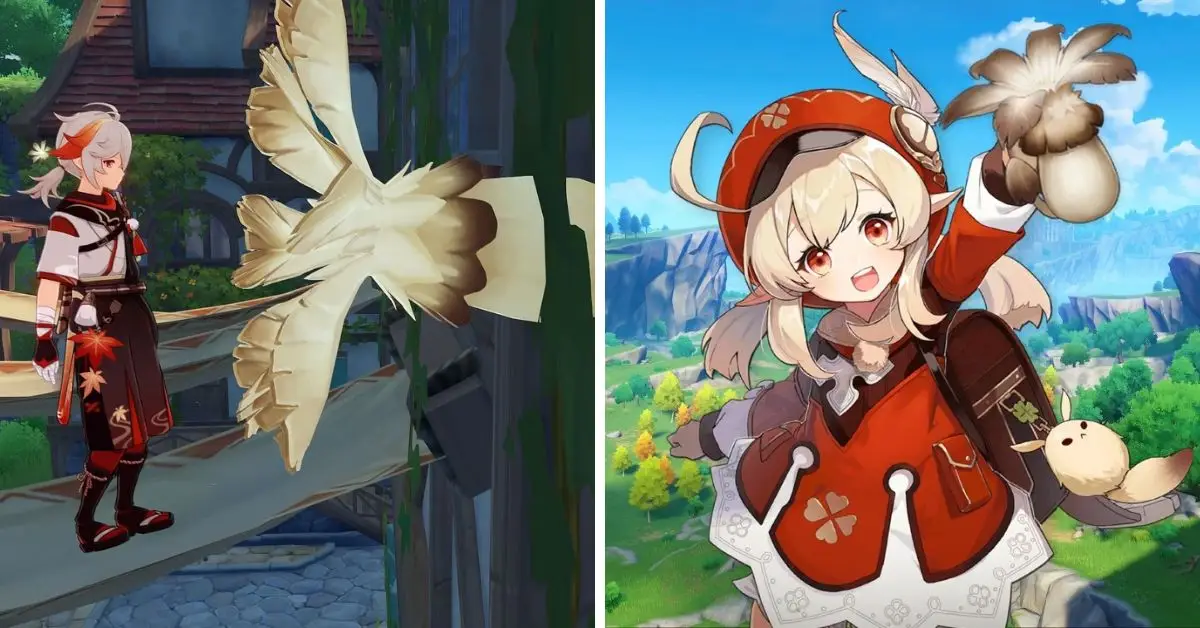
Philanemo Mushrooms are a particular type of mushroom in Genshin Impact, and you can only find them in the Mondstadt area. To get these mushrooms, you can pick them up in the wild or buy them from stores owned by Babak and Chloris.
These stores restock every three days. Here, I’ll show you a simple route to gather these special mushrooms if you want to level up your characters. Only three characters, Mona, Barbara, and Klee, need Philanemo Mushrooms to become stronger in Genshin Impact.
But players have a unique option: combine 30 mushrooms with ten Golden Raven Insignias, 50 Crystal Chunks, and 50,000 Mora to make an Anemo Treasure Compass.
That tool helps players locate chests in Mondstadt. Knowing where to find these treasures is helpful, no matter what you try to do in the game. In the next part of this guide, we’ll check out a map where you can interact and see everything.
Where to Find Philanemo Mushrooms in Mondstadt?
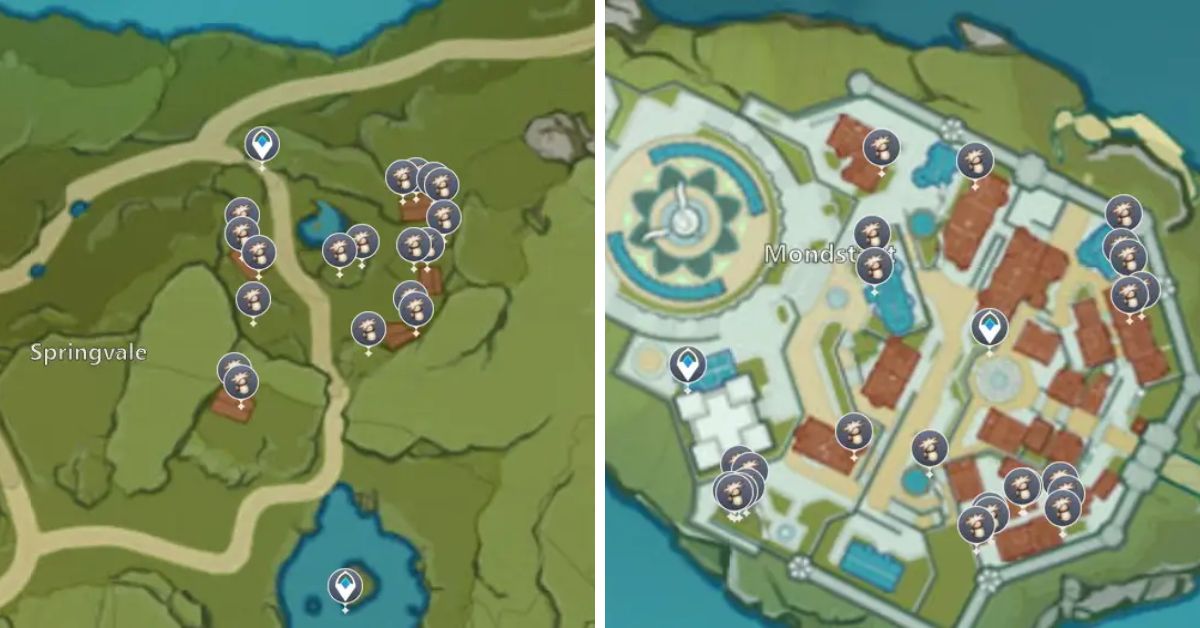
There are three main places in Mondstadt where you can find all 53 Philanemo Mushroom spots in Genshin Impact. These places are:
Mondstadt City
Springvale
Dawn Winery
These mushrooms usually grow on buildings’ walls and roofs. You can use the interactive map to zoom in and out. But the path to collect these unique materials is quite simple to follow.
Philanemo Mushroom Genshin Impact
Mushroom Farming Route
There are different ways to collect Philanemo Mushrooms in the Mondstadt City area of the game Genshin Impact. One way is to start at a Teleport Waypoint and jump from building to building, like in the picture above.
You can also use a Teleport Waypoint in Springvale to move around the town. The picture shows a path using the northern Teleport Waypoint, but the one near the lake in the south works too.
To get to the Dawn Winery route, you can go through the Valley of Remembrance Domain or use the nearby Statue of the Seven. Whichever way you choose, go west to find the mushrooms on the buildings.
Remember, these special mushrooms come back every 48 hours. If your characters need 168 to get stronger, you’ll have to go through these paths a few times to collect enough Philanemo Mushrooms.
Where to Buy Philanemo Mushrooms in Genshin Impact?
In the game Genshin Impact, two characters sell Philanemo Mushrooms. One is Babak, and you can see a picture of him above. He’s in a place called Port Ormos. On the world map, you can find him in the ‘s’ of Port Ormos.
Each Philanemo Mushroom costs 1,000 Mora (the game’s currency), and Babak’s shop only has five. The other character who sells these mushrooms also has the same price and number.
Babak stays in one place in Port Ormos, while the other character, Chloris, moves around northeast of Windrise. You can find her near a road in the north, as shown in the picture.
Remember that both Babak and Chloris restock their mushrooms every three days. So, you can buy 10 Philanemo Mushrooms in one cycle by visiting Babak and Chloris.
If you want to know which things are the coolest and the most powerful in Honkai Star Rail, watch our tier list. And don’t forget to use our special codes to get rewards for the upcoming Honkai Star Rail banner. This will help you get unique items.
As you play Honkai Star Rail, you’ll face tougher challenges as you go on. To help with these challenges, it’s essential to have powerful Relics. These Relics can be attached to your character to strengthen them, like increasing their damage or giving them special boosts.
But sometimes, the game might not give you the exact Relics you want. That’s where Honkai Star Rail Relic Scorer comes in – it’s a tool that helps you see how good your Relics are. Let’s find out how to use it!
How Does the Relic Scorer Help You Create the Best Builds?
In Honkai Star Rail, finding special items with the right abilities for each character can be challenging. Collecting these items by exploring the Caverns of Corrosion can use up much of your energy and time, but you might still not get what you want.
Honkai: Star Rail Relic Scorer
Figuring out how these items will improve as you use them is hard. Even if an item looks good, you might find an even better one later. That’s why websites like Mobilemeta made tools like the Honkai Star Rail Relic Scorer to help you with this.
How Does the Honkai Star Rail Relic Scorer Calculate Its Ratings?
To use this tool, enter your UID number into the Relic Scorer website. You can find your UID at the bottom left of the screen while playing Honkai Star Rail. This tool only looks at the characters in your profile set as Support or Starfaring Companions.
It uses the information already public in your profile, so your account and personal info are safe. If you want to check different characters, go to your profile settings, make the changes, wait a bit, and then refresh the page.
The Honkai Star Rail Relic Scorer compares all the data it has. Then, it gives your character’s build a rating, which shows how good it is on a worldwide leaderboard. It also rates each relic separately, rating them D to SSS ratings.
Remember, this tool isn’t a strict guide for creating a build, but it’s a helpful starting point if you’re playing more seriously. Using the Honkai Star Rail Relic Scorer is a great way to understand how Relics work.
It can give you an idea of what you can achieve with artifacts and your characters, helping you succeed. So, go ahead and give it a try to make your roster better!
Stay connected with GameEmpress.com to get the latest news and updates about the gaming world!
Honkai Star Rail is a game where you have to pay attention to different numbers that affect your gameplay. These numbers are important because they decide how well you do in battles.
For example, you must ensure your character’s stats are good because much of the game depends on chances and likelihoods. One of these important numbers is called Effect Hit Rate.
Many players tend to forget about it because they care more about how strong their character’s attacks are, how often they land critical hits, how much damage those critical hits do, and how quickly their energy refills. But Effect Hit Rate is just as crucial; this guide will help you understand it better.
What is Effect Hit Rate in Honkai: Star Rail?
Effect Hit Rate is like a special power that makes it more likely for an attack to cause a particular problem, like freezing or hurting the enemy. In the game, characters and enemies can cause problems like freezing, shocking, or making the enemy bleed.
Effect Hit Rate Honkai: Star Rail
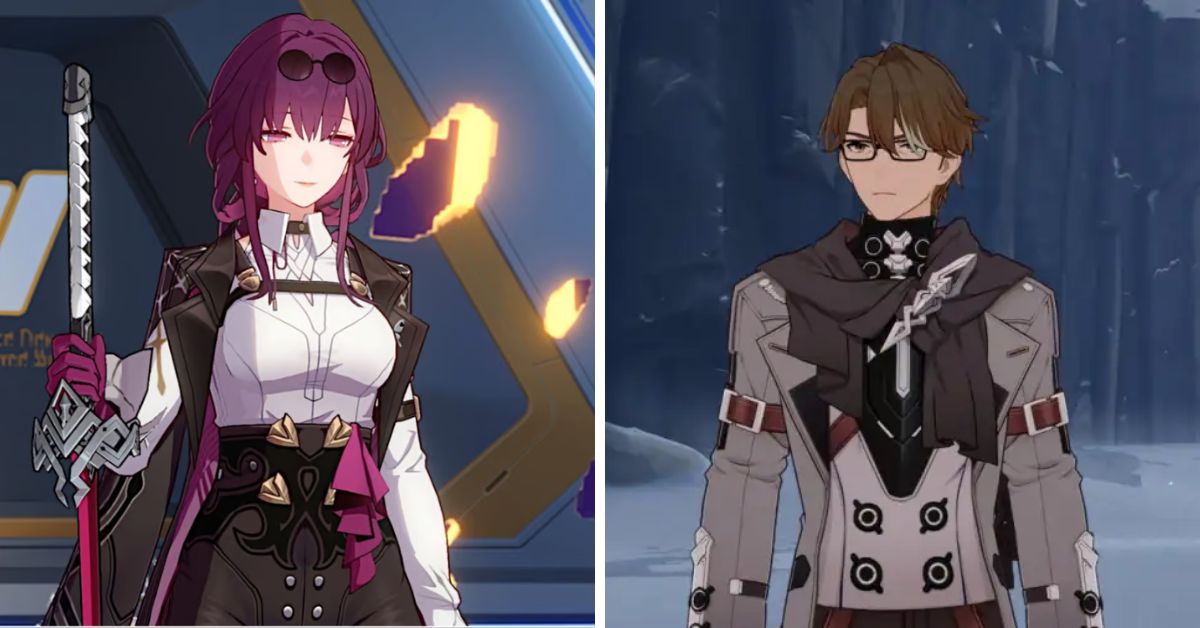
These problems make the enemy lose health over time. So, for characters who use these special attacks, it’s essential to have a high Effect Hit Rate to ensure the attacks work on the enemy. This group has characters with names like Silver Wolf, Kafka, Pela, Welt, Sampo, and more.
What Are Some Good Ways to Increase Effect Hit Rate?
Here are some ways to make sure you hit your target more often in the game Honkai Star Rail:
Relics: You can find unique items called Relics and Ornaments that boost your chance of hitting your target.
Pela: She’s a character who can help your team hit more effectively by 10%.
Pan-Galactic Commercial Enterprise: This set of unique items can increase your chance of hitting by 10%.
Eyes of Prey: These special Light Cones can boost your hitting accuracy by 20% to 40%.
In the Name of the World: These Light Cones can make your hits more accurate, improving your
Moment of Victory: With these Light Cones, your chance to hit increases by 24% to 40%.
Void: These Light Cones can improve your hitting accuracy by 20% to 30% for three turns.
If you’re wondering who are the best characters to use your unique gems in Honkai Star Rail, look at our Honkai Star Rail tier list and banner guides. These will help you decide where to spend your in-game currency wisely.
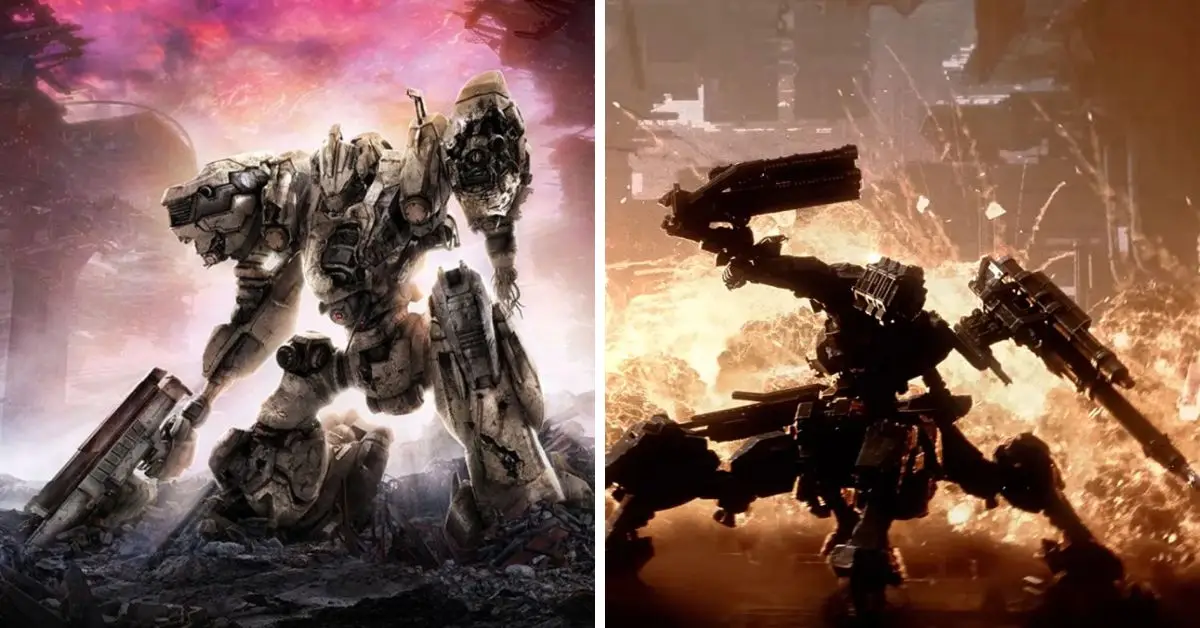
Fans who love the Armored Core games are excited to know how the multiplayer part of the new game will work. We’ve been searching for information and gathered what we know.
Not only the old fans are interested, but also new players who got into FromSoftware’s games after Elden Ring became a big hit. They are looking forward to playing Armored Core 6 Fires of Rubicon.
However, there’s not much information about Armored Core 6’s multiplayer options as we wait for the game’s release on August 25, 2023. But don’t worry, we have gathered everything we’ve learned about multiplayer in Armored Core 6 Fires of Rubicon.
Is Armored Core 6 Multiplayer?
Yes, the Armored Core games have always had multiplayer options, allowing players to play together. This will also be the case with Armored Core 6. Multiplayer has been a big part of these games, as they focus on customizing your mecha and playing with others.
Is Armored Core 6 Multiplayer
The Creative Director and Game Designer from FromSoftware, Hidetaka Miyazaki, said in an interview with IGN that Armored Core 6 will have multiplayer.
Does Armored Core 6 Have Co-op?
Everything we know says that in Armored Core 6, you won’t be able to play the story mode with friends. Masaru Yamamura confirmed this in an interview with IGN.
“The main focus in AC6 – on the story mode at least – is having that story develop and play out,” Yamamura relayed. “We’ve concentrated on single-player for the story mode.”
Armored Core 6 Versus Mode
Versus mode has been a big part of the Armored Core games since the first one. Even though we don’t know much about the new version yet, the director, Miyazaki, has said that Armored Core is all about making your robot, and that’s also true for the new multiplayer of this game. One of the designers, Masaru Yamamura, explained it more.
“You’ll be able to customize your mech and take that fully customized mech into battle with others,” Yamamura revealed. “We wanted to take the assembly aspect, assembling and customizing your own mech — your AC — and then being able to exact a high level of control over the assembled mech.”
Someone on the Armored Core subreddit shared a picture of the game’s box from Japan, and after translating it, we found out that the game will let up to 6 players join. Fans are guessing there might be modes where teams of 3 robots fight each other, but nobody knows.
The box of the Japanese version also says that three people can watch players compete against each other in PVP (player versus player) mode. This could be useful for learning strategies and using the same equipment as experienced players.
Stay connected with GameEmpress.com to get the latest news and updates about the gaming world!
In most games, oceans and seas are usually just used for traveling from one place to another. Sometimes, players can fish or find treasures underwater, and their game characters can stay underwater for a while by holding their breath or using special tubes to breathe.
Making a big part of the game underwater for a long time is often too difficult for game makers. But in the new version of the game called Genshin Impact’s 4.0 Update, there’s a solution to this.
A huge waterfall surrounds the new area in the game, making it essential to do things underwater to complete missions. This update is called the Fontaine update.
HoYoverse is constantly changing how its main action RPG game works. They add new characters, features, and abilities regularly. The latest update is the Fontaine region.
How Underwater Gameplay Works in Genshin Impact
It’s like a new chapter in the game’s story after the Sumeru part. In a livestream event for Genshin Impact 3.8, players saw the main character exploring underwater areas in the game world.
This made players curious about how the game makers would use this idea. People who find out secret information early (leakers) have shared details about the new diving feature in the Fontaine update.
New Underwater Combat Mechanics in Fontaine
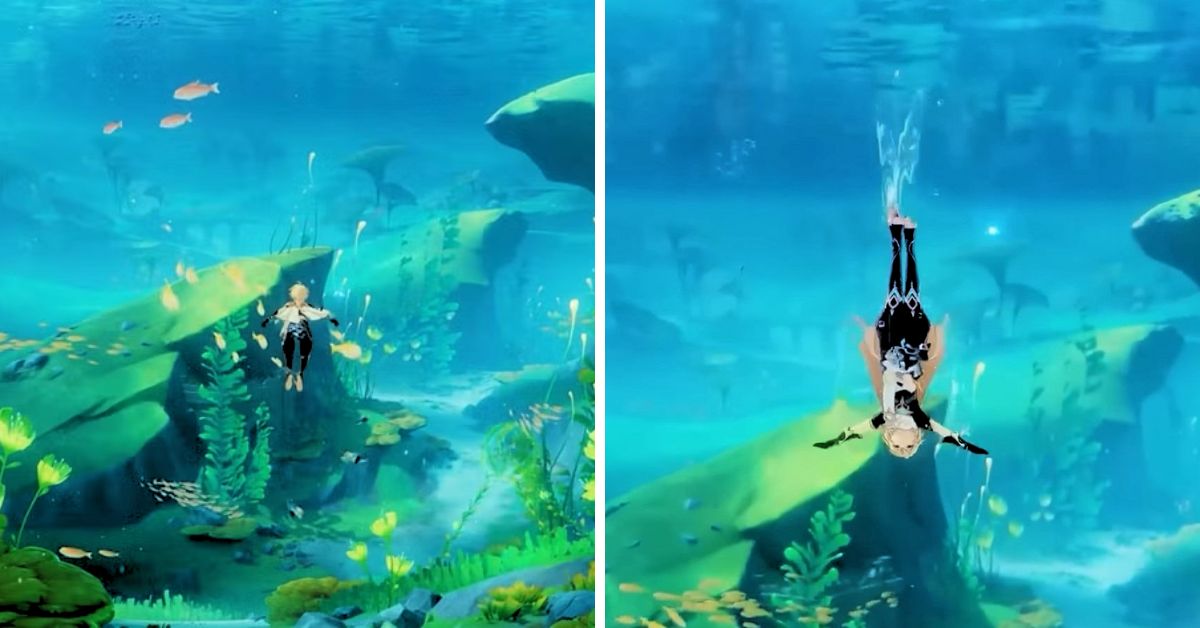
Swimming in the game is somewhat similar to swimming in other RPGs, but there’s a slight change in how the character moves. In the match, Genshin Impact, the main character, can swim without running out of energy and drowning.
Before, players could only swim briefly before getting tired and drowning, like in most games. But with the new 4.0 Update, a new blue bar shows how much energy the character has for diving and swimming faster.
Even if this bar runs out, the character won’t die. Players can stay still in the water to fill up the bar again. Getting better at swimming underwater isn’t just about staying in one place.
You can refill your energy for swimming by picking up special orbs to keep swimming for a long time without stopping. You can also swim faster without using up all your energy by using bubbles in the water.
These changes in how swimming works mean you don’t have to come up to the surface for air often, so you can thoroughly explore the new watery area in the game. But this new swimming ability only works in one specific area called Fontaine.
You can’t use it to swim for a long time in other parts of the game world. Also, not all aspects of the water in the Fontaine area can be explored. You can swim there with any character you have in your team, but they can only use one special move when fighting underwater. Their usual moves don’t work.
However, you can use the powers of underwater creatures to help you, like using their abilities to defend against traps and collect hidden treasures in the water.
Going underwater in a video game is interesting, but sometimes players can’t explore it fully. In Genshin Impact’s 4.0 Update, they’ve started fixing this problem. They made diving better, so now players can explore the sea more and have exciting fights there.
Diving is only possible in certain parts of the game’s map, but there might be more. This new feature adds something fun and different to Genshin Impact.
Stay connected with GameEmpress.com to get the latest news and updates about the gaming world!
The Honkai Star Rail Ascension Planner, developed by Star Rail Station, is a remarkable community tool. It facilitates proactive resource pre-farming for characters, a precious aspect with impending releases like Blade and Kafka.
With this tool, you can have their essential materials, such as trace elements, light cones, experience books, ascension resources, and relics, primed for immediate use, ensuring you can swiftly elevate them on the first day.
To become acquainted with this tool, refer to the following brief guide on effectively employing the Honkai Star Rail Ascension Planner.
What is Honkai: Star Rail Ascension Planner?
It’s a tool that allows players to create, monitor, and enhance their character’s level and abilities. As the name implies, this tool assists you in making and carrying out a plan to improve your gameplay by effectively managing your in-game resources using this planning tool.
Furthermore, this tool aids in selecting the materials necessary to enhance your character’s level, weapons, and gear. This enables players to understand the resources required to reach their desired level.
The Ascensional Planner also updates players’ current materials and resources and those they still need to advance. This information is crucial for players as they define their precise objectives and measure their progress over time.
Honkai: Star Rail Ascension Planner
How to Find the Resources and Material for Upgrading a Character’s Abilities?
You can discover these tools and materials to enhance your character’s skills by exploring the game world, taking on challenges, completing quests, and advancing through the storyline.
While specific resources come from completing missions and events, a handful can be bought from the in-game store or earned through daily tasks that reward your character.
As your character enhances their abilities, their statistics will greatly improve, significantly boosting strength, recovery, and overall performance. Additionally, they will acquire distinctive skills for their special attacks.
Accessing the Ascension Planner:
Go to the Star Rail Station Ascension Planner section to access the Ascension Planner.
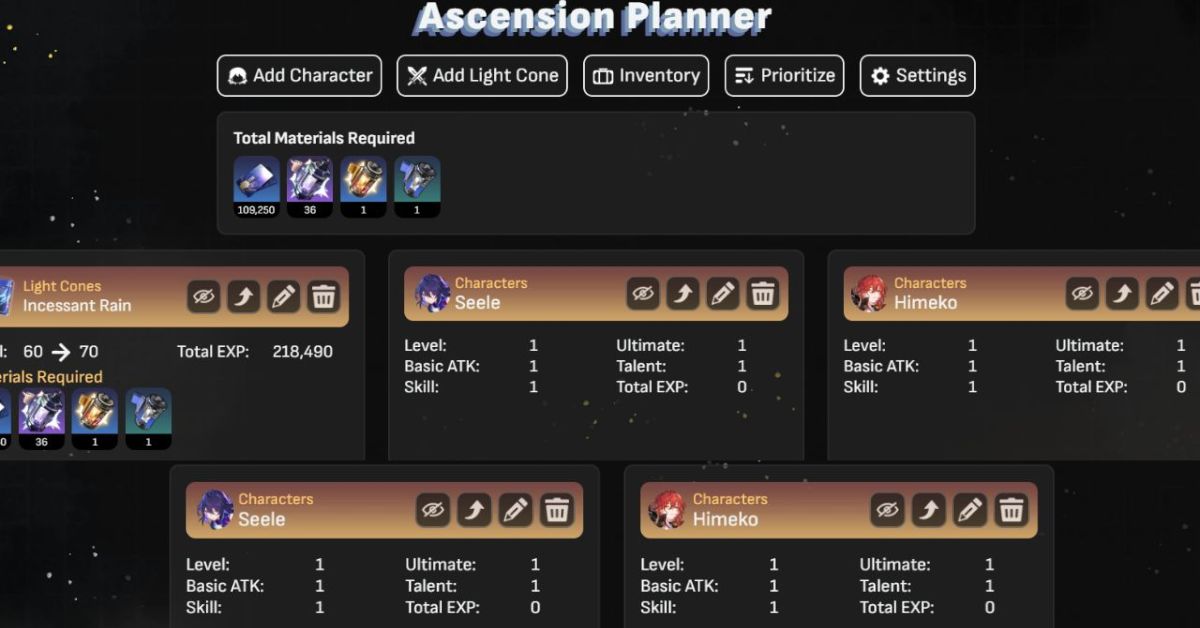
Next, click on the “Inventory” icon in the main menu. This will allow you to see and enter all your current materials. Doing so will lead you to a checklist displaying characters, weapons, and other equipment necessary for boosting your character’s capabilities.
You can opt to “Add Characters” from a list of over 20 characters. Each character’s attributes, weapons, and equipment items eligible for upgrades will be presented.
Once selected, a list detailing the materials and resources required to enhance your chosen item to the next level will appear on the screen.
The planner will exhibit the resources you already have available for each incremental upgrade.
If you encounter issues with the Honkai Star Rail Ascension Planner not displaying correctly, you can try refreshing the page or exploring alternative tools online.”
How to Use Honkai Star Rail Ascension Planner?
Learn how to effectively utilize the Honkai Star Rail Ascension Planner tool for gathering resources to enhance your beloved in-game characters:
Integrate a chosen Light Cone and establish a target level.
Access the “Inventory” section.
Manually input your existing collection of materials.
After completing your tasks, you’ll discover the precise amount of materials and credits you need to collect to achieve your leveling objectives. If required, you can save this information as an Excel sheet by clicking the Settings button, enabling you to refer to it later.
The tool also includes information about light cones, relics, consumables, and other relevant details for quick reference. Additionally, a Warp Tracker feature is available, helping you monitor your progress and plan your future wishes for upcoming banners.
Lastly, an Achievements section lets you view all available in-game achievements, aiding you in pursuing and completing any outstanding goals.
This covers everything you should know when using the Honkai Star Rail Ascension planner. To find more information, take a look at our blade build.
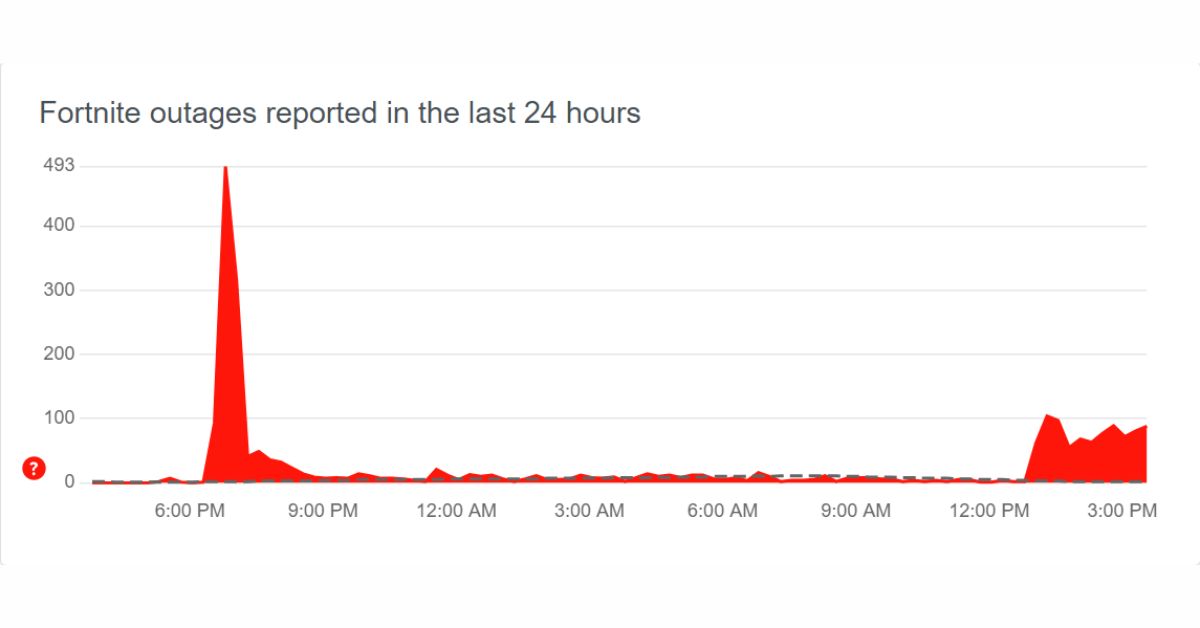
The downtime for Fortnite’s v25.30 update will commence today at 4 am Eastern Time, August 8, 2023. This update is likely the final significance for Chapter 4, Season 3.
Although minor hotfixes might still be released as necessary, the update won’t face delays or rescheduling, despite recent server-related problems. Like before, the servers will go offline 30 minutes before the update.
Matchmaking will be deactivated by 3:30 am Eastern Time. Players in-game after 3 am should think about logging off to prevent potential progress loss, particularly in the Save the World mode.
How Long is the Expected Fortnite Downtime Duration?
Fortnite Status shares a tweet:
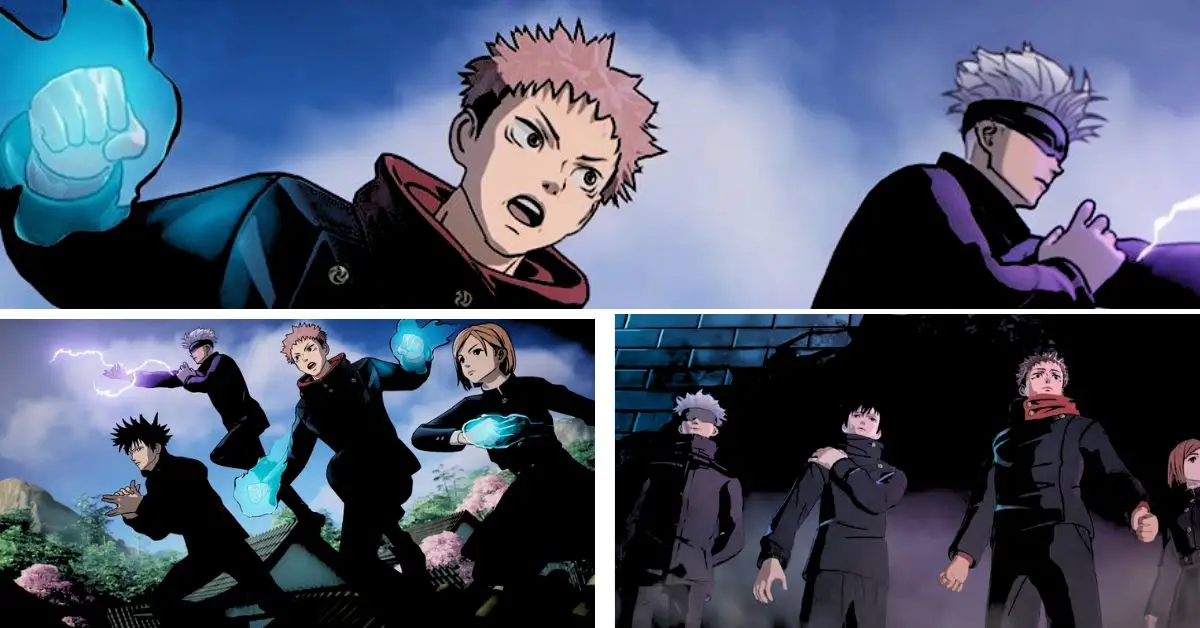
To break the curse, use the curse… Jujutsu Kaisen is coming to take over the Battle Royale Island.
Downtime for v25.30 starts at 04:00 AM ET (08:00 UTC). Matchmaking will be disabled 30 minutes before downtime. pic.twitter.com/UIxllA5Vg8
Since this marks the final major update for Chapter 4, Season 3, the expected downtime and maintenance might extend beyond the usual duration. Because this particular game build must remain stable until the season concludes, Epic Games aims to ensure all elements function correctly.
The servers are anticipated to be operational again by 7 am Eastern Time at the latest. Epic Games will provide an official notification once the update wraps up. Although the servers could be accessible before the announcement, holding off on entering a match is recommended, given potential stability concerns.
When Will Fortnite Servers Be Back Up
What Are the Fixes That Will Be Included in the V25.30 Update?
The main attraction in Fortnite’s v25.30 update is the exciting partnership with Jujutsu Kaisen. This collaboration introduces four unique Outfits and a variety of other cosmetic items inspired by the series.
Beyond cosmetics, there’s anticipation among leakers and data miners that Epic Games might incorporate fresh Mythic weapons/items as part of this crossover.
Additionally, rumors are circulating about a potential introduction of a Mini Battle Pass, akin to the previous Most Wanted Mini Battle Pass seen in Chapter Season 1. Furthermore, players might also expect engaging activities linked to the Creative mode.
iFireMonkey shares a tweet that WWE x Fortnite Collaboration Via Barbie:
The significant new collaboration is on the horizon for WWE fans within the upcoming Fortnite update v25.30. The game will introduce Bianca Belair and Becky Lynch as playable characters, complete with their unique outfits, accompanying back bling, pickaxes, and a special Victory Royale emote.
This complete bundle will be priced at 2,400 V-Bucks. Shifting our attention to other outfit additions, the FNCS Renegade and Galaxy Crossfade outfits are also slated to join the game’s roster after the Fortnite update v25.30.
However, there’s no specific schedule for when these outfits will hit the in-game store and be available for purchase. In addition to these updates, players can anticipate the inclusion of more quests and audio logs connected to the Innovator Slone storyline, all tied in with the weekly challenges for added engagement.
Stay connected with GameEmpress.com to get the latest news and updates about Fortnite!
The conclusion of Fortnite Chapter 4 Season 3 is nearing, and Chapter 4 Season 4 is set to commence on August 25. Nevertheless, the developers have guaranteed a continuous stream of new content, including introducing Futurama skins through the 25.20 patch.
Following this, the upcoming Fortnite 25.30 update will present another captivating collaboration with a renowned anime, ensuring players remain engaged and content until the arrival of the forthcoming season.
Below are the preliminary patch notes for the upcoming Fortnite 25.30 update. This includes potential release timing and anticipated inclusions.
Fortnite 25.30 Release Date
The upcoming Fortnite update, version 25.30, is scheduled for release on Tuesday, August 8, 2023, across all platforms. As per the usual pattern, Fortnite updates usually come out on Tuesdays every two weeks, and Epic Games will likely follow the same schedule this time as well.
Official Fortnite Twitter account shares a tweet:
To break the curse, use the curse… Jujutsu Kaisen is coming to take over the Battle Royale Island starting August 8 🔥 pic.twitter.com/VAFMavfG8L
The downtime is expected to commence at approximately 1 AM PDT / 4 AM ET / 9 AM BST. It will persist for one to two hours, making the game servers inaccessible.
Fortnite 25.30 Patch Release Date
Fortnite Update 25.30 Patch Notes
Fortnite 25.30 Brings Jujutsu Kaisen Crossover
Last week, Fortnite made an exciting announcement through a video, revealing a forthcoming collaboration with the popular anime series Jujutsu Kaisen.
Fans can expect this crossover to become a part of the game on August 8, 2023, coinciding with the anticipated release of update 25.30 on the same day.
As part of this crossover, there’s speculation about introducing cosmetic outfits in the Item Shop based on Jujutsu Kaisen characters like Gojo, Megumi, Yuji, and Nobara.
Alongside these outfits, players might also get access to accessories such as a Back Bling and Pickaxe, as hinted by various leaks. Additionally, there’s talk of a potential mini-pass event similar to the Star Wars: Find the Force event. This event could offer players free cosmetic items and even a mythic item in the game’s loot pool.
Introduction of New Augments With Each Fortnite Update
The tweet is from the official account of Fortnite Assist that the 25.30 patches might bring in two brand-new Augments:
Each time Fortnite releases a new content update, a fresh batch of Augments is introduced. The Futurama update brought in two additional Augments, which boosted the performance of pistols and scoped weapons for players.
However, not long after, the game’s developers disabled two previously available Augments – Primal Companion and Wildwasp Weaponry – in all game modes.
Despite various leaks suggesting that the upcoming 25.30 patch might introduce a pair of new Augments, players remain hopeful that the disabled ones will eventually return and become part of the lineup of Reality Augments once again.
Season of Weapon Surprises
Fortnite Content Creator iFireMonkey tweeted, “Under two days remain until Bender’s Shiny Metal Raygun is thrown into the Fortnite vault, use it before it’s gone!”
Under two days remain until Bender’s Shiny Metal Raygun is thrown into the Fortnite vault, use it before it’s gone! pic.twitter.com/s4aRHfeP8J
In patch 25.30, the Shiny Metal Raygun used by Bender will no longer be available in the game, as players will no longer have the opportunity to use it. However, rumors are circulating on social media that a Backpack Minigun might take its place.
Throughout Chapter 4, Season 3, Epic Games has consistently introduced new weapons to Fortnite with each update. Given the growing popularity of the Mammoth Pistol that was added in the last update, it is probable that the speculated new weapon will eventually make its way into the game.
WWE Collaboration Tease in 25.30 Update
Per the well-known data miner HYPEX, the forthcoming 25.30 update will likely include a hint about an upcoming Fortnite collaboration with WWE, set to launch soon.
WHAT TO EXPECT TOMORROW (Or Wednesday) ‼️
– New Cosmetics & possibly the leaked “Backpack Minigun”
– Fortnite x Jujutsu Kaisen Collab, with possibly Mythics & Mini Pass
– Fortnite x WWE – 2 Female skins
– More info on Season 4 & its build-up
– Bender’s Raygun Vaulted & More.. pic.twitter.com/RtChXxoe9M
Additionally, there are speculations that the update will introduce files related to the forthcoming season and the starter pack that players can acquire once Chapter 4 Season 4 is presented.
Fortnite 25.30 Update Bug Fixes
General Improvements
• Xbox Series X|S Bluescreen Issue with Quick Resume
– Some players encounter a blue screen when trying to resume Fortnite using Quick Resume on Xbox Series X|S.
• Invisible Characters in the Lobby
– Several players have reported their characters being invisible in the Fortnite lobby.
• Footstep Sound Absence in UEFN/Creative Games
– Footstep sounds are currently not audible during UEFN or Creative game sessions.
• Blue Screen Upon Logging In
– Some players encounter a blue screen when attempting to log in or start up Fortnite.
Locker Enhancements
• Princess Lexa’s Floating Skirt Issue
– Princess Lexa’s skirt is remaining suspended and protruding after gliding.
• Missing Tail on Meow Skulls
– Equipping any Back Bling on Meow Skulls causes the tail to disappear.
Battle Royale Fixes
• Reduced Render Distance Since v25.20 Release
– Players have observed a diminished render distance since the v25.20 release.
– We’ve temporarily implemented a hotfix to address this problem, but a permanent solution will be included in an upcoming game update.
• Scoring Issue in Fortnite Tournaments for “Capture the Rift Loot Island POI”
– Some reports indicate that scoring for “capturing the Rift Loot Island POI” may not always be recorded accurately in Fortnite tournaments. Work is ongoing to rectify this.
Mobile and Cloud Resolutions
• Persistent Submachine Gun Muzzle Flash VFX
– After firing an SMG once, the visual effects of the muzzle flash remain active, which is being looked into.
Stay connected with GameEmpress.com to get the latest news and updates about the gaming world!
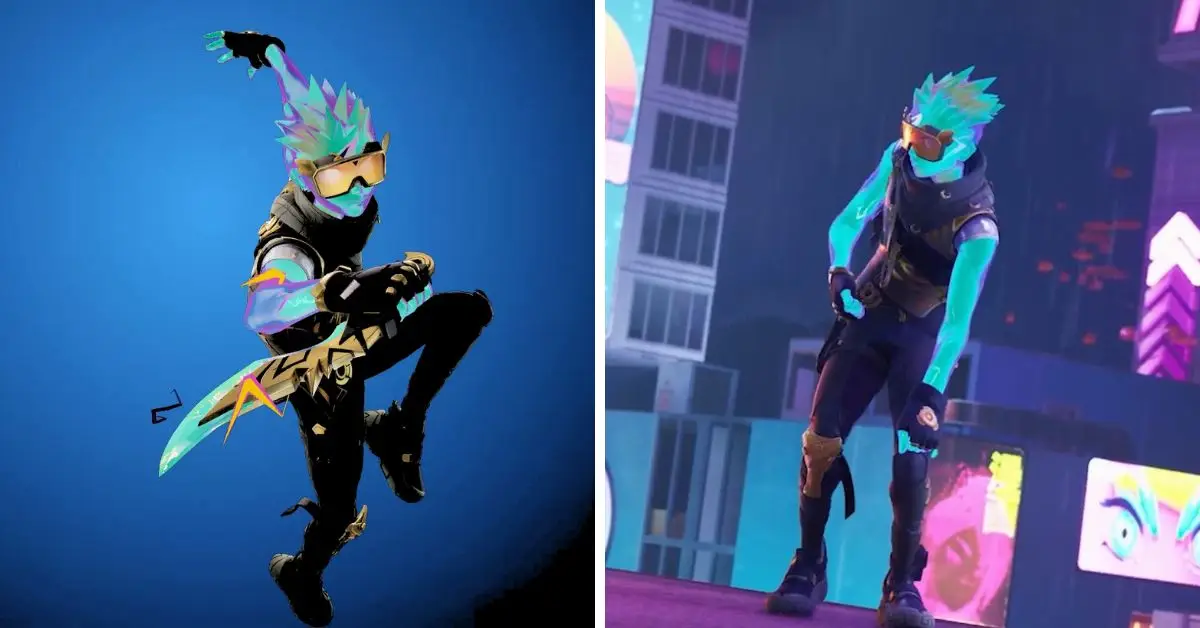
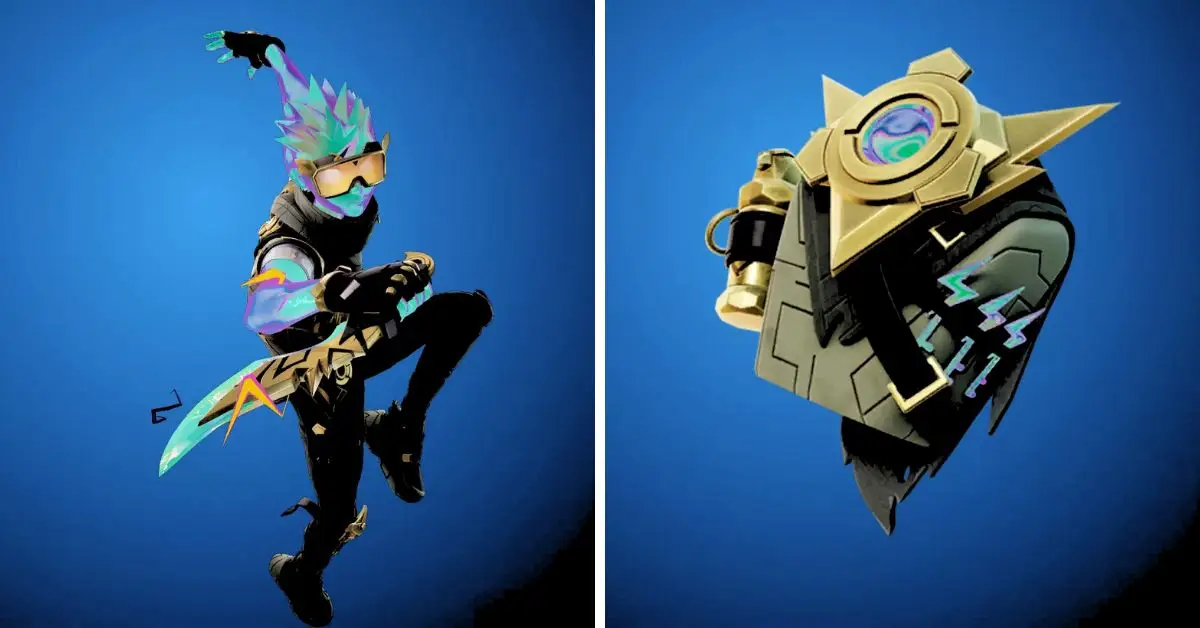
Jittershock is an epic outfit in the popular video game Fortnite: Battle Royale. It was first introduced in Chapter 4, Season 3, but it was unavailable until recently. Jittershock is part of the Spark of Adventure set, including the Jittervault back bling and the Jolt Carver harvesting tool.
Jittershock Features
Jittershock is a male character with a futuristic and electrifying appearance. He wears a blue and yellow suit with metal plates, wires, and glowing lights. He also has a pair of goggles with static shades and a gold tooth. His suit has a built-in emote that allows him to generate sparks from his hands.
Jittershock is Now Available to Buy
How Much Does Jittershock Cost in the Fortnite Item Shop?
Jittershock is available to buy in the Fortnite Item Shop for 1,500 V-Bucks. The Spark of Adventure set can be purchased as a bundle for 2,000 V-Bucks, which saves 500 V-Bucks compared to buying the items separately. The bundle also includes a bonus loading screen featuring Jittershock and his items.
The tweet is from the official Fortnite account, and it announces the release of Jittershock in the Item Shop:
How Has the Fortnite Community Responded to Jittershock?
Jittershock has received positive feedback from Fortnite players and streamers. Some of them have complimented his design, emote, and value. Others have contrasted him with other outfits in the game, such as Electro Shuffle and Sparkplug. Jittershock has been called “shockingly amazing” and “a taste for gold.
The Everwinter City Museum Ledger of Curiosities is the second occasion within the well-liked Honkai: Star Rail game. Much like the recently concluded Starhunt game event, this event is split into two segments, occurring in both Herta’s Space Station and the Simulated Universe.
In the second event, “Exhibit Collection: Oil Painting Part 2,” participants will be tasked with a substantial expedition to procure specific items. This event centers on players taking on the responsibility of reclaiming all stolen artifacts from the Museum.
After the incidents on Jarilo-VI, the History, and Culture Museum in Honkai: Star Rail, a source of pride for Belobog, has been reopened to the general public. Throughout the event, Honkai: Star Rail players will oversee the gallery and uncover the locations of the absent items.
As a component of their mission to locate these lost items, players must revisit the artist Rebini, who can be situated in the heart of the Great Mine. Players swiftly learn that Rebini will assist in indulging in a serving of Stone Grilled Olm. Here’s the method for obtaining it.
Where Do Players Find Stone Grilled Olm?
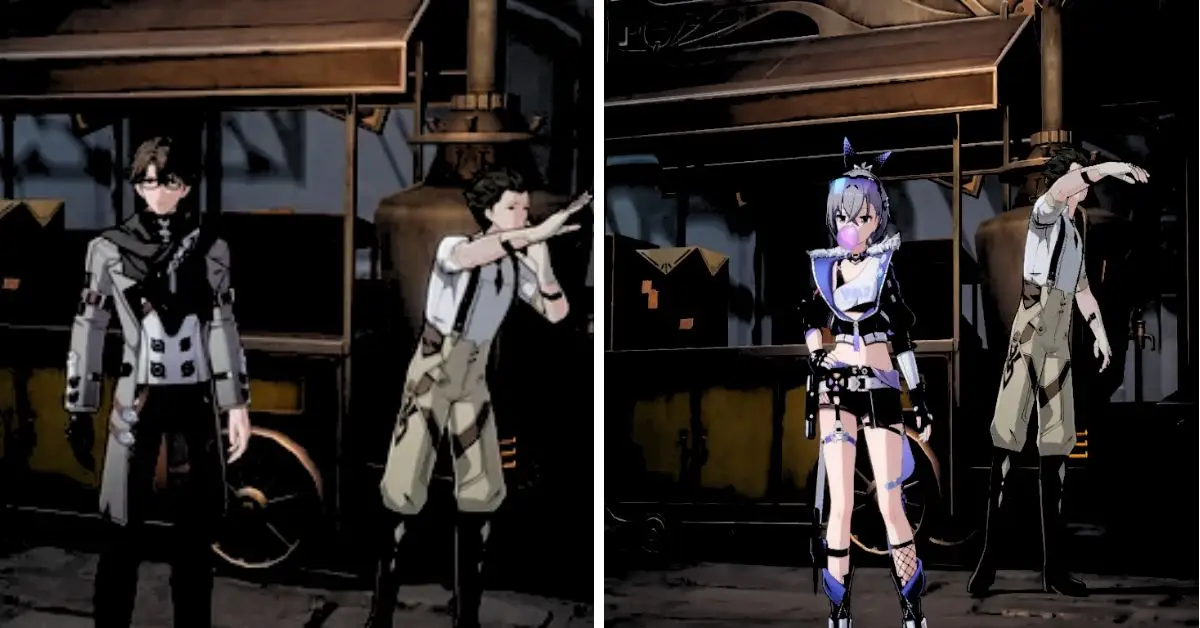
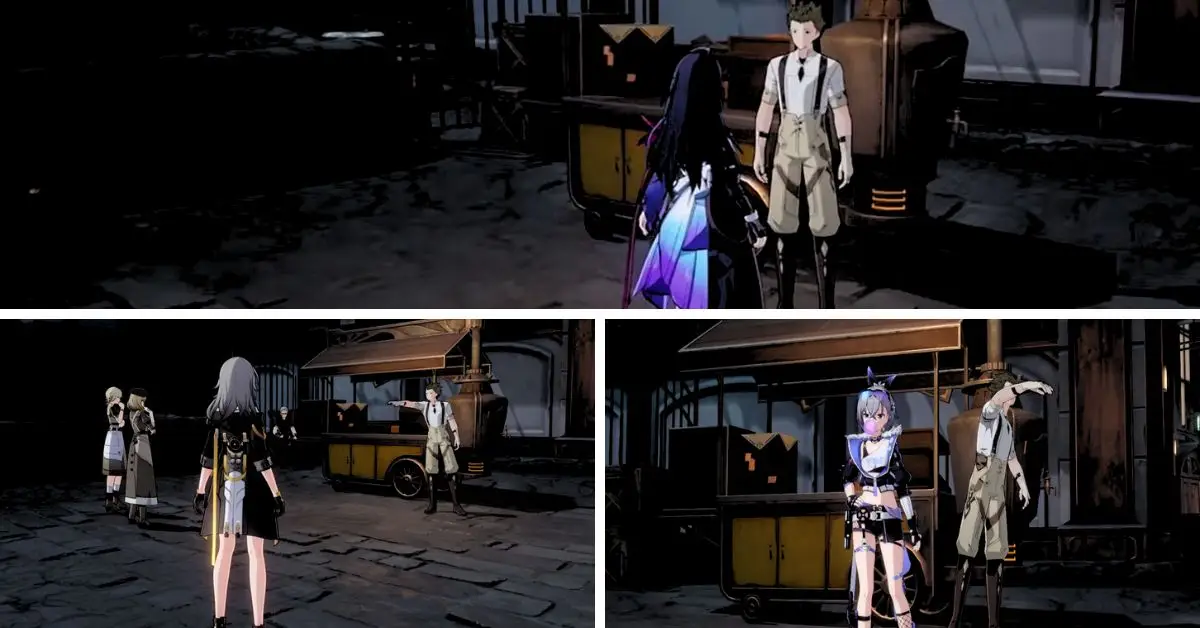
To acquire the Stone-Grilled Olm dish, gamers must head to a food stall in Boulder Town on Jarilo-VI. To locate it, move to the southeastern part of the map where the food stall area is situated.
Honkai: Star Rail Stone Grilled Olm
Upon reaching the food stall, players will engage with a character named Turner. After arriving at Turner’s shop, initiate a conversation with him. Eventually, the choice “I wish to make a purchase” will become available.
Opting for this selection grants players access to the menu in Honkai: Star Rail. From there, they can choose the Stone Grilled Olm dish and confirm the purchase.
What is the Price of the Stone Grilled Olm?
Turner anticipates that players must invest 3600 Credits to acquire the Stone Grilled Olm within Honkai: Star Rail. Once the purchase is completed, Honkai: Star Rail players can revisit Rebini and proceed with the remaining objectives of the mission.
This culinary adventure introduces an element of excitement and uniqueness to the gameplay, prompting players to explore and overcome new challenges in their pursuit of the food item, ultimately uncovering various rewards.
Beyond Rebini’s personal culinary preference, the significance of the Stone-Grilled Olm extends further. The Stone-Grilled Olm proves exceptionally beneficial to Honkai: Star Rail players.
It serves a dual purpose: allowing characters to be revived during battles and providing an immediate 30% enhancement to their maximum HP for healing. This double-edged utility of the Stone-Grilled Olm elevates its value significantly, offering substantial advantages to players throughout their quests.
Stay connected with GameEmpress.com to get the latest news and updates about the gaming world!
Elemental Sight stands as a crucial game mechanism within Genshin Impact, holding the power to aid you in map exploration during quests. By detecting footprints and elemental traces, locating seelies, deciphering information about foes and their elemental affiliations, and undertaking various other tasks, Elemental Sight proves itself indispensable.
For newcomers to the game, frequent utilization of Elemental Sight is to be expected. To assist in this regard, our guide offers a comprehensive explanation of how to effectively employ Elemental Sight within Genshin Impact, whether you’re using a mouse, a controller, or a touchscreen mobile device.
What is Elemental Sight in Genshin Impact?
Genshin Impact is an extensive Action Role-Playing Game (ARPG) featuring diverse maps, characters, and interactive objects that facilitate exploration and progression.
Among its exploration tools is the Elemental Sight, a gameplay mechanic rooted in Genshin’s lore, accessible only to those possessing a vision. Interestingly, the protagonist, Aether/Lumine, can wield elemental powers without relying on a vision.
How to Use Elemental Sight in Genshin Impact
This exceptional trait allows them to employ Elemental Sight effortlessly. As previously mentioned, Elemental Sight can detect traces of elemental energies within the game, serving various purposes such as questing and other gameplay mechanics.
How to Use Elemental Sight Using a Mouse or Trackpad?
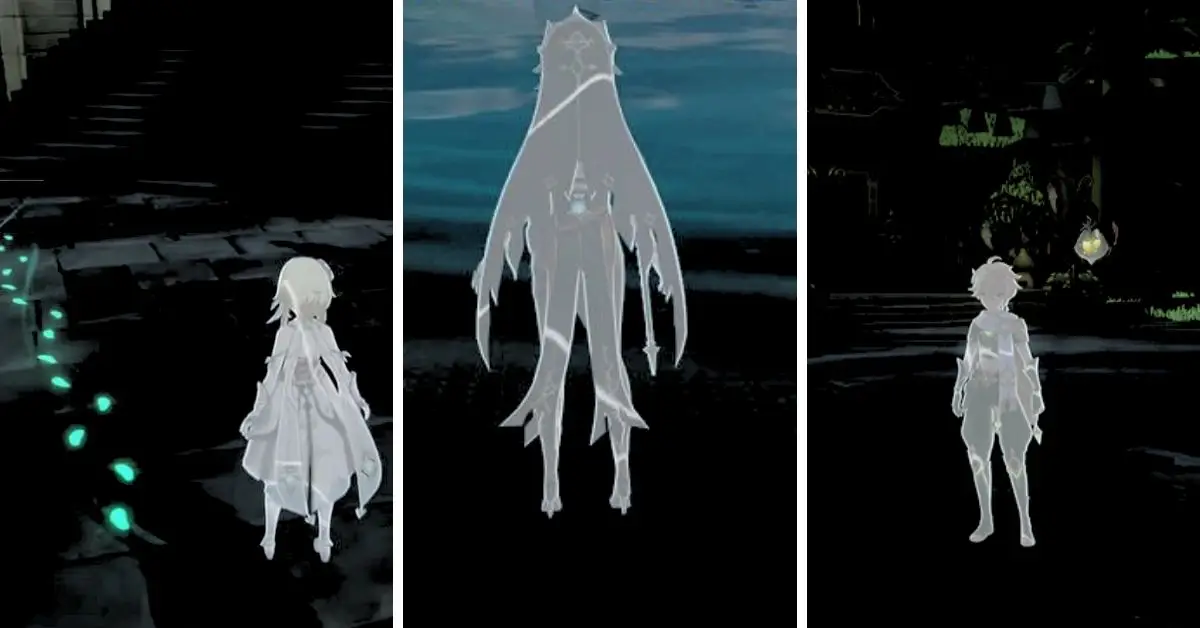
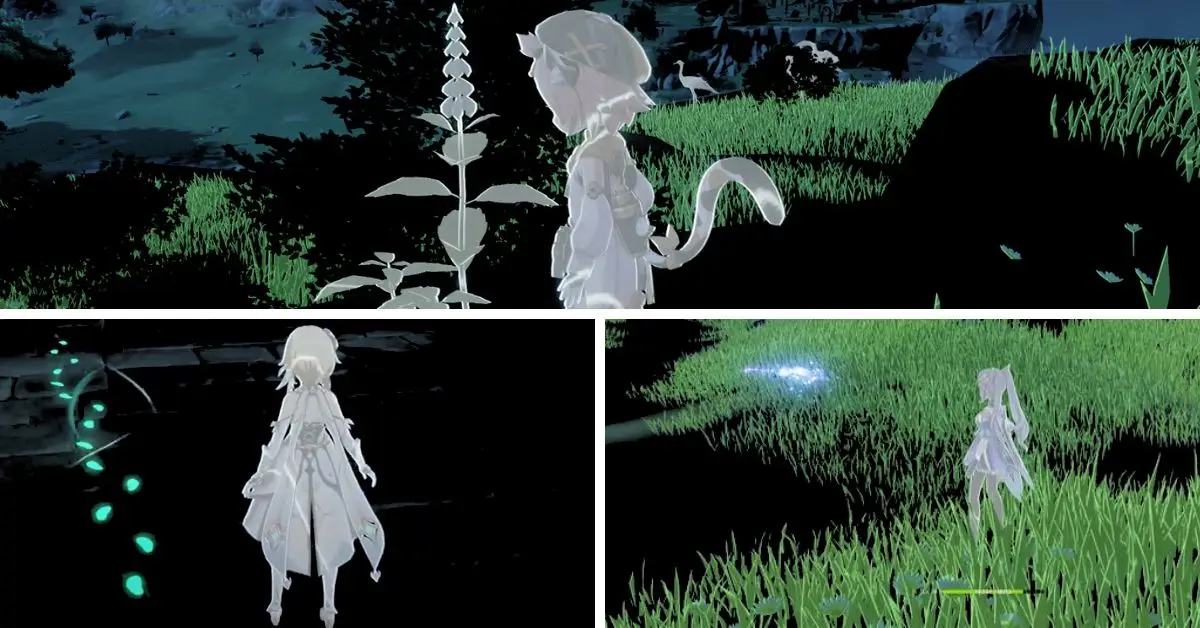
To use Elemental Sight in Genshin Impact using a mouse or trackpad, press and hold the middle mouse button until a distinct sound is heard, and your surroundings and your character take on a grayish hue with an excellent visual effect.
It’s important to note that Elemental Sight is limited to 3 seconds while moving. However, you can utilize it continuously while stationary without any restrictions. For those playing on a laptop with a trackpad, using a mouse is recommended to enhance your Genshin Impact experience.
If you are playing on a computer or your mouse’s middle click button is not functional, an alternative method involves pressing the left Alt key until the cursor becomes visible. Then, click the Elemental Sight icon in the screen’s upper left corner adjacent to the mini-map.
How to Use Elemental Sight on PlayStation Using a Controller?
If you’re gaming on PlayStation with a controller, to trigger Elemental Sight, you need to press and hold the LB button and simultaneously press the left button on your D-pad.
This activation process remains consistent across all types of controllers. It’s worth noting that Genshin Impact made its debut on the PS5 in April 2022. Regrettably, the button configuration cannot be changed or personalized.
However, if your controller permits macro setups through software, you can create a macro that combines holding the LB button and pressing the left D-pad button. This macro can then be assigned to an available button on your controller.
How to Use Elemental Sight in Genshin Impact on Android or iOS Devices?
Tap the eye icon next to the mini-map to utilize Elemental Sight in Genshin Impact on Android or iOS devices. Similar to the PC and PlayStation versions, the Android and iOS editions of the game also impose a three-second duration for Elemental Sight. At the same time, the character is in motion and can be used indefinitely while the surface is stationary.
Stay connected with GameEmpress.com to get the latest news and updates about the gaming world!
Honkai: Star Rail has achieved remarkable success as a video game launch in 2023, garnering praise from numerous players within the RPG community. The game features various characters, each endowed with unique powers.
As you engage in battles, you’ll swiftly recognize the significance of various factors, and one pivotal aspect is the Element. Elements in Honkai: Star Rail define a character’s damage type, adding a crucial layer to gameplay strategy.
Here, we present a comprehensive guide to understanding elements within the context of Honkai: Star Rail.
Honkai: Star Rail Elements and the Effects
In Honkai: Star Rail, each character possesses elemental damage capabilities for their attacks. Utilizing characters with specific elemental attributes can strategically apply detrimental effects to adversaries.
Honkai: Star Rail Elements
It’s important to note the presence of the Weakness Break system. This system triggers when an enemy’s vulnerability is exploited, rendering them open to attacks and status alterations, resulting in heightened damage.
Consider the following scenario within a battle:
By leveraging a character’s elemental affinity against an enemy’s elemental weaknesses (which might include one or multiple defects),
You gradually diminish the enemy’s Toughness bar (visible as a white bar above their Health Points).
Once this Toughness bar is fully depleted, it initiates a Weakness Break, significantly increasing the enemy’s susceptibility. This delays their subsequent attack and triggers supplementary effects dependent on the specific elemental attribute that caused the depletion of their Toughness bar.
Honkai: Star Rail consists of seven distinct elements: Physical, Fire, Ice, Lightning, Wind, Quantum, and Imaginary. Each element has different characteristics and is linked with specific traits and characters. These elements are outlined below:
Element
Description
Weakness Break Effect
Characters
Physical
Deals physical damage; induces bleeding effect for damage over time.
The bleeding effect inflicts physical damage over time.
If you have a passion for Roblox and dream of living the pirate life, exploring the world, hunting for treasure, and taking on challenges, our A One Piece Game codes guide is here to assist you. Like any pirate, cash is essential; luckily, the Roblox A One Piece Game codes provide just that.
A One Piece Game codes consist of a whimsical mix of letters and numbers, which grant players in-game rewards courtesy of the developer. Additional regulations often become accessible as players achieve specific milestones, so bookmark this page to inform yourself about the latest freebies.
A One Piece Game Codes
How Can Players Redeem A One Piece Game Codes?
Redeeming A One Piece Game codes is a straightforward process. Just follow these steps:
A One Piece Game is a Roblox game inspired by the One Piece anime and manga series. The game allows you to create your character, explore the world, fight enemies, collect Devil Fruits, and join crews.
The game also features many elements from the One Piece story, such as locations, characters, factions, and events. One Piece is a Japanese anime and manga series that follows the adventures of Monkey D. Luffy, a young pirate who dreams of becoming the King of the Pirates.
He forms a crew called the Straw Hat Pirates and sets sail on a grand voyage to find the legendary treasure One Piece, hidden in the vast ocean known as the Grand Line. Along the way, he meets many friends and foes and encounters various challenges and dangers.
The game tries to capture the essence of One Piece by letting you experience the pirate life in a fun and immersive way. You can choose your path, whether you want to be a pirate or a marine, and interact with other players or NPCs.
You can customize your character with different races, titles, weapons, and outfits. The game also has codes you can redeem for free rewards, such as Beli, Gems, Spins, and Resets.
If you love to play this game, you may be a fan of the One Piece anime. If that’s the case, we have exciting news for you! Your favorite “Luffy Gear 5” is ready to be unveiled. If you’re eager to see it and want more information, check out this article from Anime News.