Category: Game Guides

In-depth game guides from Game Empress, with walkthroughs, tier lists, location maps, and step-by-step strategies to help you master the games you love.

  • How to Activate God Mode in GTA Online 2023?

    How to Activate God Mode in GTA Online 2023?

    Experienced GTA Online players know that obtaining God Mode is a simple feat using unauthorized mods or exploiting in-game glitches. You’ve likely encountered one of these cheaters causing trouble during your extensive gameplay.

    However, in early 2023, the GTA Online community stumbled upon not just one but two distinct God Mode glitches. Let’s examine the techniques to achieve these God Mode glitches in GTA Online during 2023.

    GTA Online 2023 Taxi Work God Mode Glitch

    God Mode glitches have been present for quite some time. Still, regrettably, for legitimate players, the Taxi Work Update introduced a new, effortless method with no prerequisites, making it accessible even to newcomers who joined the game yesterday.
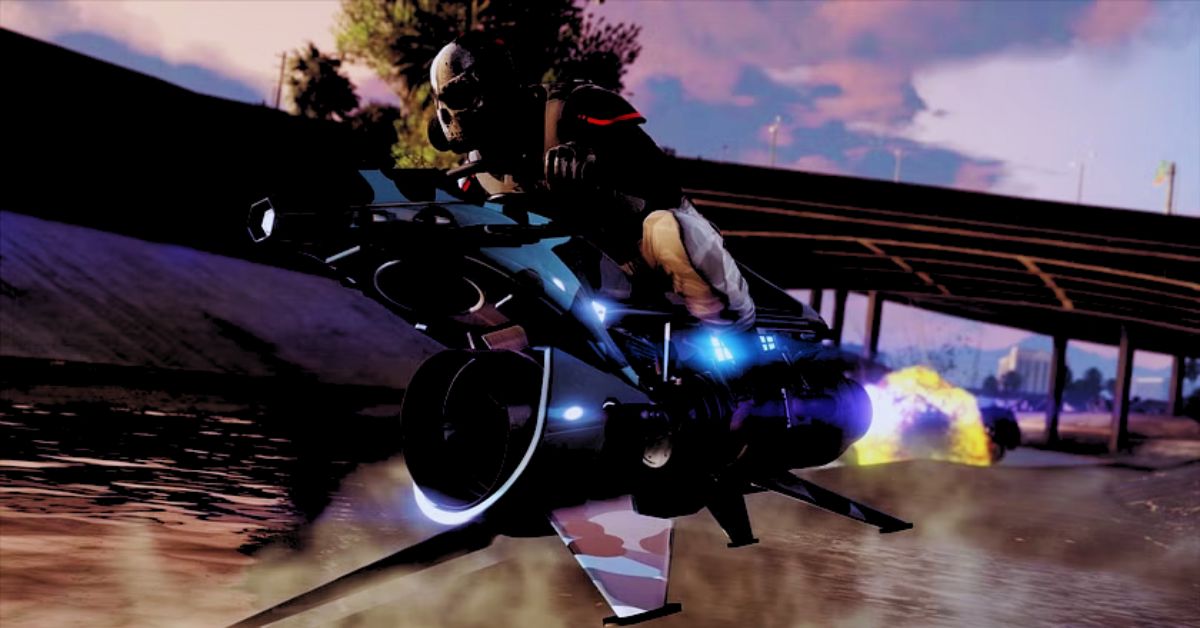
    God Mode GTA Online
    God Mode GTA Online

    Let’s delve into how you can execute the GTA Online Taxi Work God Mode glitch:

    1. Proceed to the Taxi Work Job at Downtown Cab Co.’s.
    2. Make your way to the white mission marker on foot.
    3. Press and hold the Exit Vehicle button (Triangle/Y/F key) when accepting the Job.
    4. If your character happens to spawn beneath the map, it indicates that the God Mode glitch has been successful.
    5. The God Mode glitch will become active once your character respawns normally.

    Solo Session God Mode Glitch

    The second method, which appears to be primarily harmless as it seems to only function in Solo Sessions, was discovered by a YouTuber named Zert Mania in January 2023. Unlike the previous method, this one is much more complex.

    To initiate the glitch, you must be in a Solo or Invite Only Session and head to the Maze Bank Arena. Look for the ticket booth where you can purchase a Spectator Box ticket, and then follow these steps:

    1. Open the Interaction Menu.
    2. Navigate to the Map Blip Options.
    3. Change the Arena War Series option to Show.

    Next, call any Contact on your cellphone who can give you a Job while at the Arena. Additionally, it’s advised to set your preferred weapon using the Weapon Wheel beforehand, as the God Mode glitch may restrict access to it. As a commenter on Zert Mania’s video suggested, an alternative method to switch weapons is to enter a car and repeatedly press Square until you get the desired weapon.

    Once these steps are completed:

    1. Open the Pause Menu.
    2. Go to the Online tab.
    3. Select the Options menu.
    4. Set the Matchmaking settings to Closed.
    5. Purchase an Arena Spectator Box ticket from the booth.

    Now, depending on your platform:

    • PlayStation 5 players should search and join the Session of a user named “ANAWACK1P5.”
    • PlayStation 4 players should join the Session of “ANAWACK21P4.”
    • Xbox and PC players must join a Friend in a Private Session instead.

    Two confirmation screens will appear during the attempt to join the specified Session. Swiftly accept the prompts by quickly double-pressing the confirmation button. Subsequently, you will be taken to the cloud and asked to return to GTA Online.

    Upon pressing Continue, you will return to the previous Solo Session without HUDs. However, the process is not yet complete, and as mentioned before, it remains pretty convoluted.

    At this moment, attempt to enter any parked car you come across. However, as your character opens the car door, abort the process by walking away instead. Next, access the Job from Open Jobs on your phone without starting it.

    Return to the car and press the Exit Vehicle and Job Launch buttons simultaneously. As the car engine starts, deliberately subject yourself to actions that would typically cause damage to your health.

    If you manage to survive these actions unscathed, congratulations! You have successfully triggered the God Mode glitch. As mentioned, it’s important to note that using God Mode constitutes cheating.

    Nevertheless, this glitch only works in Solo Session and has a drawback of the removed HUD. So, players who prefer a legitimate approach (and have some time) might consider using this method when running specific Jobs.

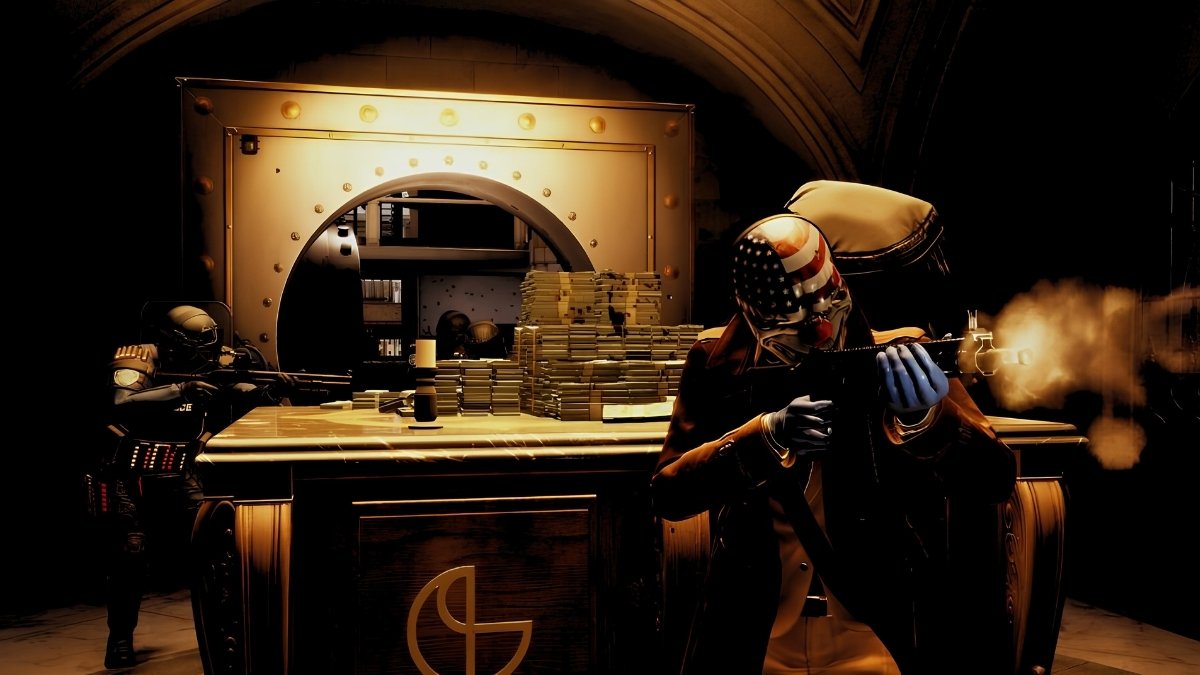
  • Payday 3 System Requirements: Check Your PC’s Compatibility!

    Payday 3 System Requirements: Check Your PC’s Compatibility!

    Payday 3, a highly anticipated first-person shooter game, is being developed by Overkill Software and Starbreeze Studios and is set to be published by Deep Silver.

    Serving as the sequel to Payday 2, the game marks the third exciting instalment in the renowned Payday series of video games. Here, we present the minimum and recommended system requirements for Payday 3.

    Payday 3 System Requirements

    Here are the PAYDAY 3 System Requirements:

    Aspect Minimum Requirements Recommended Requirements
    CPU Intel Core i5-9400F Intel Core i7-9700K
    RAM 16 GB 16 GB
    VIDEO CARD Nvidia GeForce GTX 1650 (4 GB) Nvidia GeForce GTX 1080 (8GB)
    DEDICATED VIDEO RAM 4096 MB 8192 MB
    PIXEL SHADER 5.1 5.1
    VERTEX SHADER 5.1 5.1
    OS Windows 10 Windows 10

    How to Check Your PC Specs?

    If you are not sure what kind of hardware your PC has, you can follow these steps to check:

    • Press Windows + R to open the Run dialog box.
    • Type dxdiag and press Enter to open the DirectX Diagnostic Tool.
    • Click the System tab to see your OS, processor and memory information.
    • Click on the Display tab to see your graphics card and driver information.
    Payday 3 System Requirements
    Payday 3 System Requirements

    Payday 3 Release Date

    Payday 3 is set to be released on Thursday, September 21, 2023, for PS5, Xbox Series X|S, and PC. This release date was officially announced during the Xbox Games Showcase 2023, and it will be available on Game Pass from the very day of its launch.

    The release date for Payday 3 has been officially confirmed on the game’s Twitter account:

    Payday 3 Gameplay

    The trailer for Payday 3 is truly remarkable, featuring a complete focus on the game’s impressive enhancements, showcasing improved gunplay, movement mechanics, and a range of new weapons.

    Notably, the game appears much faster-paced with the addition of sliding mechanics. You can witness these exciting features in action within the trailer.

    Despite having invested hundreds of hours into Payday 2, you’ll find that Payday 3 takes things up a notch in almost every aspect. Alongside introducing new maps and scenarios tailored for your enhanced arsenal, there’s much to anticipate and enjoy.

  • Will GTA 6 Be Available on PS4? Exploring the Chances

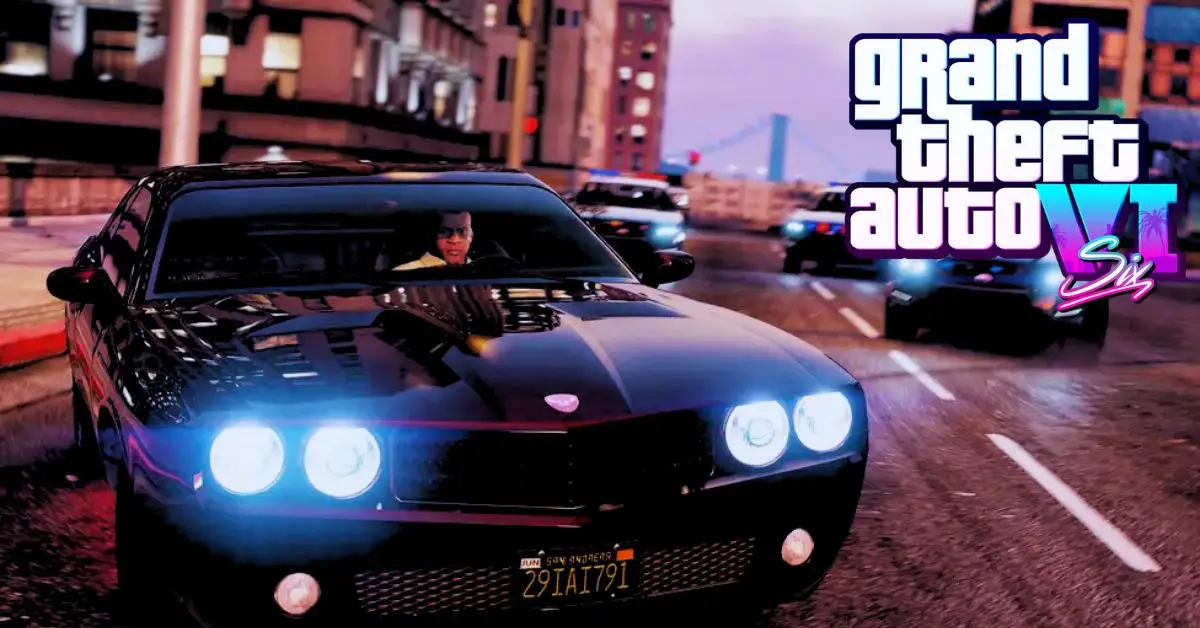
    Will GTA 6 Be Available on PS4? Exploring the Chances

    Grand Theft Auto (GTA) is one of the world’s most popular and successful video game franchises. The latest instalment, GTA 5, was released in 2013 and has sold over 150 million copies worldwide.

    Fans have eagerly awaited the next game in the series, GTA 6, which Rockstar Games has not officially announced yet. However, there have been many rumours and leaks about GTA 6, such as its possible setting, protagonists, features and release date.

    One of the biggest questions that fans have is whether GTA 6 will be available on PS4, the previous generation console launched in 2013 along with GTA 5.

    Will GTA 6 Be on PS4?

    Unfortunately, the chances of Rockstar releasing GTA 6 on the PS4 are slim. Since the PlayStation 4 and GTA 5 were launched in 2013, Rockstar has opted to develop GTA 6 for the next-generation consoles.

    Will GTA 6 Be Available on PS4
    Will GTA 6 Be Available on PS4

    Although the PS4 is unlikely to receive the upcoming GTA 6, the Playstation 5 will undoubtedly be capable of playing the game’s content, being a next-gen console. Even in the unlikely event that PlayStation releases another console, the PS5 will still offer sufficient compatibility.

    It has been officially confirmed that Rockstar Games is currently working on GTA 6, and its expected release is estimated to be between 2023-2024. Thus, assuming that the game will only be available on next-gen systems is reasonable.

    Here you can check some latest news and information about GTA 6:

    How Will PS4 Fans Be Affected by This Situation?

    Unfortunately, PS4 enthusiasts must continue with the beloved GTA 5 until they can obtain a more advanced console or PC. While PC releases games later than consoles typically, it at least ensures that you’ll have access to the next generation and can enjoy all your favourite games.

    GTA fans have cherished their experience on PlayStation 4 since 2013, which makes the news of GTA 6’s release disheartening for PS4 players. Nonetheless, there’s still a wealth of content to explore and enjoy in GTA 5 before the new instalment arrives.

    The recent launch of updated Xbox and Playstation consoles offers an opportunity to prepare and upgrade for all forthcoming game releases.

  • GTA 6 Co-op Mode: What Makes Fans Believe It’s Coming?

    GTA 6 Co-op Mode: What Makes Fans Believe It’s Coming?

    Gamers rarely associate Grand Theft Auto with co-op, apart from instances like Grand Theft Auto Online, which deviates from the conventional co-op format.

    However, recent speculation surrounding GTA 6 suggests the possibility of a traditional co-op feature within the primary campaign. Despite this intriguing prospect, some fans express concerns about how this development might impact the beloved series.

    Why Do People Belief That Gta 6 Will Feature a Co-op Mode?

    GTA 6 has been flooded with countless leaks and rumours as fans eagerly anticipate its release. Many of these leaks and rumours lack credibility. They should be taken with a grain of salt—however, a particular area of interest centres around the playable protagonists in the game’s campaign mode.

    Most of the leaked information regarding GTA 6’s storyline revolves around two playable protagonists. These characters are likened to modern-day Bonnie and Clyde, starting from the bottom of the criminal underworld and engaging in bank robberies and various illegal activities.

    GTA 6 Co-op Mode
    GTA 6 Co-op Mode

    This suggests that players may have the opportunity to control at least two characters during the game, fueling speculation about potential co-op features in the campaign.

    It’s worth noting that GTA has previously experimented with co-op storytelling in San Andreas. However, in that instance, the second player’s actions had minimal impact on the overall storyline, as the primary protagonist predominantly shaped the narrative.

    This concerns some gamers who hope for a more meaningful co-op experience in GTA 6, where both playable characters’ actions significantly influence the story’s outcome.

    While there is a possibility that this aspect could go awry, players are optimistic that the game developers will address these concerns and deliver an engaging co-op experience.

    What Other Fears Do Gamers Have Concerning the Co-op Feature in GTA 6?

    With the limited information available regarding GTA 6, there are widespread concerns among gamers eagerly anticipating a co-op campaign. The prevailing leaks suggest a scenario akin to the Bonnie and Clyde theory, although it’s essential to acknowledge that leaks may not be entirely accurate or subject to change.

    Another worry among gamers is the potential resemblance to Rockstar’s previous title, Bully, where co-op gameplay was confined to mini-games, lacking the exact immersive experience.

    A more significant fear revolves around the absence of any multiplayer aspect in GTA 6, as there hasn’t been any indication of a GTA Online equivalent. However, this doesn’t necessarily mean it won’t include multiplayer features, but it may not live up to the expectations of a traditional co-op storyline that many players fervently desire.

    What are your thoughts on these leaks and rumours? Would you prefer GTA 6 to offer a co-op feature, allowing you and a friend to ascend the ranks of the crime world together? Alternatively, do you lean more towards a solo experience with the option to switch between characters, similar to GTA 5? Please share your opinions in the comments section below!

  • Remnant 2 Early Access Release Date & Time: How to Unlock?

    Remnant 2 Early Access Release Date & Time: How to Unlock?

    It’s been four years since the launch of Remnant: From the Ashes, and now, the highly anticipated sequel, Remnant 2, is almost here. Fans are eagerly awaiting this next-gen technology-driven third-person shooter.

    Gunfire Games, the developer behind Remnant 2, is set to deliver an immersive experience with slick, single-player, chaotic co-op fun. As players become survivors of humanity, they will face off against deadly creatures and god-like bosses in terrifying new worlds.

    Remnant 2 can potentially become one of the best co-op games, earning its spot in our recommendations. For those eager to gain an edge over the competition, there’s a chance to do so through early access.

    Let’s look at everything you need to know about how to get early access to Remnant 2, including the release date and when you can start playing.

    How to Get Remnant 2 Early Access on PC?

    The early access to Remnant 2 is open to all who acquire the Remnant 2 Ultimate Edition, granting them access to the game on Friday, July 21, 2023 – three days ahead of its official release date on July 25, 2023.

    Remnant 2 – Europe confirms the release date of Remnant 2 via tweet:

    You can choose from three distinct versions of Remnant 2, each with its respective pricing:

    1. Remnant 2 – $49.99 / £41.99
    2. Remnant 2 Deluxe Edition – $59.99 / £50.49
    3. Remnant 2 Ultimate Edition – $69.99 / £58.99
    Remnant 2 Early Access
    Remnant 2 Early Access

    What is the Starting Time for Remnant 2 Early Access?

    Publisher Gearbox has provided the schedule for Remnant 2 early access on PC, allowing players to join the game on July 21 or 22, depending on their respective time zones. Below are the specific start times:

    • July 21 at 4:00 PM PDT
    • July 21 at 7:00 PM EDT
    • July 21 at 12:00 AM BST (midnight on July 21)
    • July 22 at 1:00 AM CEST (midnight on July 22)
    • July 22 at 9:00 AM AEDT”

    Read more: Diablo IV Early Access is Live With the Ultimate Edition: Let’s Venture into the Hell

    What Do You Get in Remnant 2 Ultimate Edition?

    The Remnant 2 Ultimate Edition offers many exciting benefits to anyone purchasing. Upon acquiring it, players will receive the base game and four additional bonuses.

    One of the most notable perks is the exclusive three-day early access, allowing players to start enjoying the game on either July 21 or July 22, depending on their time zone.

    Furthermore, players will gain early access to three Remnant armor sets: the Elder armor set, Radiant armor set, and Void armor set. These powerful sets will be available from the outset, giving players an edge in their adventures.

    In addition to the armor sets, the Ultimate Edition comes with a Survival Pack containing various in-game resources. Among these resources are two Mudtooth Elixirs, providing an experience bonus, five Bloodroots, three Ammo Boxes, 1,000 Scrap, and ten Iron.

    These items will aid players in their journey through the game’s challenges. Lastly, the Ultimate Edition includes the Remnant 2 DLC bundle, consisting of three separate downloadable pieces.

    These exciting expansions will be released within a year of the game’s launch, offering new content and adventures for players to explore.

    To summarize, the Remnant 2 Ultimate Edition encompasses the following features:

    • Remnant 2 Base Game
    • Three Days Early Access
    • Early Unlock of Three Remnant: From The Ashes Armor Sets
    • Survival Pack
    • Remnant 2 DLC Bundle

    Read more: Diablo 4 Release Time Unveiled for Early Access and Standard Editions

    How to Get Remnant 2 Early Access on the Console?

    Are you excited to play Remnant 2 on your console? Worry not! You can now access the early version of Remnant 2 on both PS5 and Xbox Series X/S, just like on PC. All you have to do is grab the Remnant 2 Ultimate Edition, and voilà! You’ll gain early access three days before the official launch. Get ready to enjoy the game ahead of everyone else!

  • How to Earn Silver Leaves and Upgrade Your Armor in Destiny 2?

    How to Earn Silver Leaves and Upgrade Your Armor in Destiny 2?

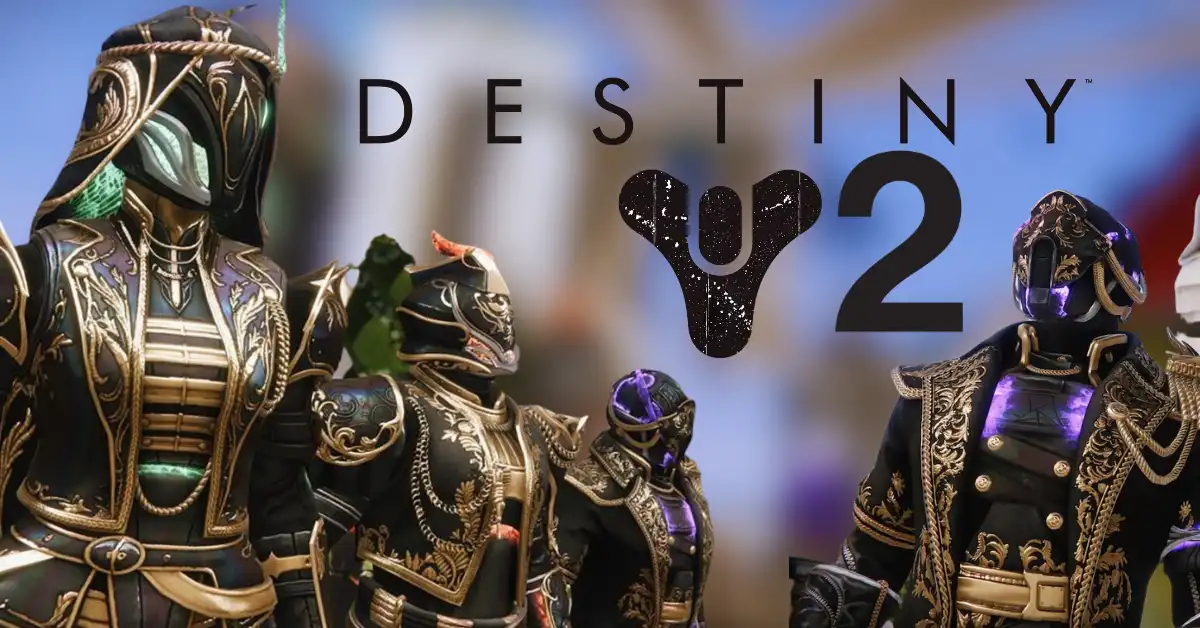
    Silver Leaves are a new currency introduced in Destiny 2 2023 during the Solstice event. They are used to create Silver Ash, which can kindle your Sunlit armor and unlock unique glows that change depending on your subclass. This article will explain how to earn Silver Leaves, upgrade your armor, and some tips and tricks to make the most of the Solstice event.

    What Are Silver Leaves and How to Get Them?

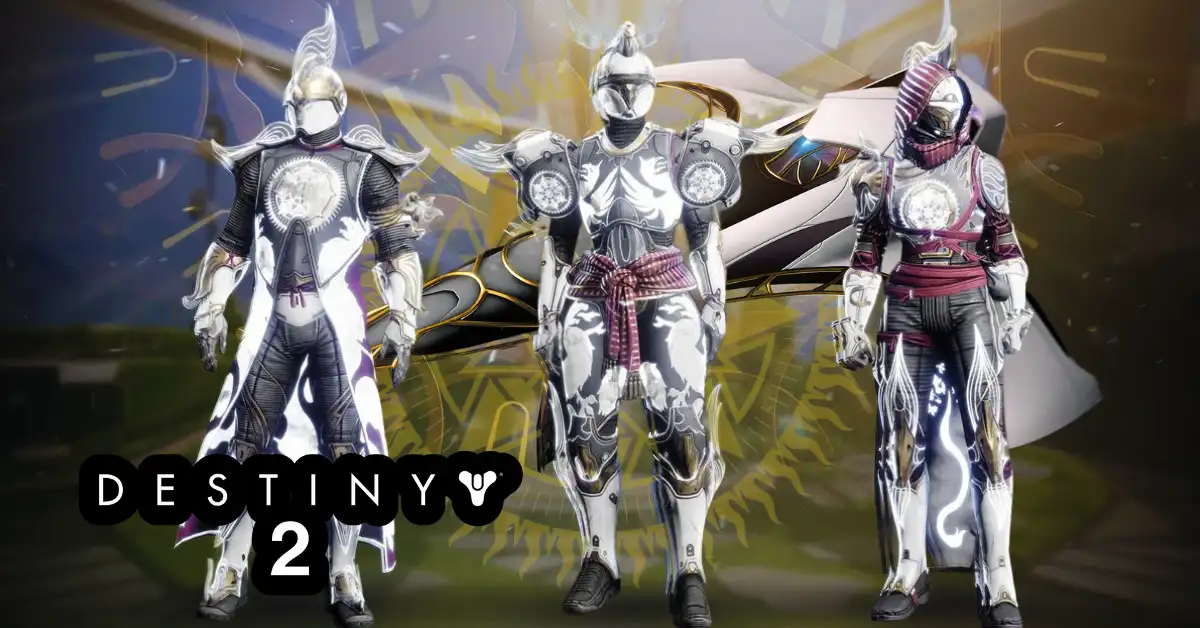
    Silver Leaves are a type of Solstice Ember that can be earned by completing any activity in Destiny 2 while wearing Sunlit armor. You get This armor from Eva Levante in the Tower when you start the Solstice event. You can also get Silver Leaves by completing some of the quests that Eva gives you during the event.

    The amount of Silver Leaves you get depends on your activity and the number of Sunlit armor pieces you have equipped. For example, completing a core playlist activity such as Crucible, Gambit or Vanguard Ops will give you five Silver Leaves, while completing a Public Event will give you three or four.

    You will also get more Silver Leaves if you wear the full Sunlit set than only one piece. Some of the best activities to farm Silver Leaves are:

    • Core playlist activities: These are consistent and rewarding, especially Crucible which is the fastest and gives you Silver Leaves regardless of how long the match takes or whether you win or lose.
    • Bonfire Bash: This is the new activity in the European Aerial Zone (EAZ) where you have to ignite and build a massive bonfire by killing enemies and collecting their Kindling. You can also earn Silver Ash by doing this activity, which we will explain later.
    • Seasonal activities: These include Salvage, Terminal Overload on Neptune, Override, and Expunge. These are fun and easy to complete and also give you seasonal rewards such as Decrypted Data and Umbral Engrams.

    What Are Silver Ash and How to Use Them?

    Silver Ash is another type of Solstice Ember that can be used to kindle your Sunlit armor. You can get Silver Ash by converting your Silver Leaves at the end of a Bonfire Bash activity in the EAZ. The conversion rate is not 1-to-1, so you will need about 20 Silver Leaves to get 40 Silver Ash, which is needed to kindle one piece of armor.

    To kindle your armor, go to your character menu and inspect your Sunlit armor. You can apply your Silver Ash to upgrade your armor stat roll potential in the Solstice Embers mod slot.

    You can choose from six stat focuses Mobility, Resilience, Recovery, Discipline, Intellect or Strength. You can also choose a random stat distribution if you prefer. The changes are permanent and shared across all Sunlit pieces for that armor slot, but only for your current class.

    Understanding the Importance of Silver Ash in Bonfire Bash:

    How to Upgrade Your Armor and Make It Glow?

    The Sunlit armor has three tiers of upgrades: Candescent, Luminous, and Magnificent. To upgrade your armor from Candescent to Luminous, you must complete a set of objectives for each piece involving activities such as Strikes, Gambit, Crucible, Nightfalls, Raids, and Dungeons.

    You can check the objectives by hovering over the armor piece in your inventory. To upgrade your armor from Luminous to Magnificent, you must complete another set of more challenging objectives requiring higher Power levels.

    These include completing Grandmaster Nightfalls, Master Empire Hunts, Master Lost Sectors, and Trials of Osiris matches. Once you have upgraded your armor to Magnificent, you can unlock a unique glow for each piece by completing one final objective that involves using different subclasses in different activities, such as Arc abilities in Strikes or Solar abilities in Crucible.

    The glows will change color depending on your subclass: blue for Arc, orange for Solar, and purple for Void. You can also buy universal ornaments from Eververse that will make your armor glow white regardless of your subclass.

    If you want to check out more articles related to Destiny 2. So you can check the link below:

    Tips and Tricks for the Solstice Event

    Here are some tips and tricks to help you enjoy the Solstice event and earn more rewards:

    • Team up with other players: The Solstice event encourages teamwork and cooperation among Guardians. You can earn more Kindling by playing with other players wearing Sunlit armor and completing some of the armor objectives faster by working together. You can use the Destiny 2 Companion app or the Bungie.net website to find other players looking for a fire team.
    • Use the Solstice buffs: During the Solstice event, you can get various fans to enhance your abilities and performance in different activities. You can get these buffs by visiting Eva Levante in the Tower and picking up a Solstice Package, which will give you a random buff for one hour. Some fans include increased Super energy, ability damage, weapon damage, and loot drops.
    • Complete the Solstice Event Card challenges: The Solstice Event Card is a set of 15 challenges you can complete during the event to earn extra rewards, such as Bright Dust, Emblems, Shaders, and a Sparrow. You can access the Event Card from your Quests tab or Eva Levante. Some challenges include earning Silver Leaves, completing Bonfire Bash activities, upgrading your armor, and using different subclasses.
    • Earn the Flamekeeper seal and title: The Flamekeeper seal and title are new additions to the Solstice event that you can earn by completing a series of triumphs related to the event. Some of the triumphs include completing all the Solstice Event Card challenges, upgrading all three sets of Sunlit armor for each class, unlocking all the glows for each set of armor, and completing 50 Bonfire Bash activities. You can track your progress from your Triumphs tab or Eva Levante.

    Conclusion

    The Solstice 2023 event is a great opportunity to celebrate your achievements in Destiny 2, upgrade your armor, unlock new glows, and earn more rewards. You can earn Silver Leaves by doing any activity while wearing Sunlit armor, and then use them to create Silver Ash in Bonfire Bash activities. You can then use Silver Ash to kindle your armor and focus on your preferred stats.

    You can also upgrade your armor to Luminous and Magnificent tiers by completing various objectives, and unlocking unique glows using different subclasses. You can also get various buffs, complete challenges and earn a new seal and title during the event.

  • Destiny 2 Solstice Event 2023: New Challenges, Rewards, and Activities Await Guardians!

    Destiny 2 Solstice Event 2023: New Challenges, Rewards, and Activities Await Guardians!

    Destiny 2’s Solstice event is back for 2023, bringing a new set of challenges, rewards, and activities for Guardians to enjoy. The event runs from July 18 to August 8 and is free for all players. Here’s everything you need to know about the Solstice event and how to upgrade your Sunlit armor.

    How to Start the Solstice Event?

    Head to the Tower and talk to Eva Levante to start the Solstice event. She’ll give you a full set of Candescent armor (rare/blue) and a Celebrating Solstice quest. This quest will introduce you to the basics of the event, such as the Bonfire Bash activity, the Silver Leaves and Silver Ash currencies, and the Kindling system.

    The Celebrating Solstice quest steps are as follows:

    • Equip a full set of Candescent armor
    • Speak with Eva Levante and collect the Silver Leaves
    • Complete a Bonfire Bash activity in EAZ and collect 20 Silver Ash
    • Speak with Eva Levante
    • Open the Solstice Event Card and claim Event Challenges
    • Add Kindling to a piece of Candescent armor

    How to Upgrade Your Sunlight Armor?

    The main goal of the Solstice event is to upgrade your Sunlit armor, which is the legendary/purple version of the Candescent armor. It would be best if you collected Silver Leaves, Silver Ash, and Kindling to do this.

    Silver Leaves are used to purchase bounties from Eva Levante, which reward Silver Ash upon completion. Silver Ash is used to stoke the flames in the Bonfire Bash activity, increasing your score and rewarding more loot. Kindling is used to add glows and stats to your Sunlit armor pieces.

    You can earn Kindling by completing Event Challenges, specific tasks related to the Solstice event. There are 19 Event Challenges, 18 rewarding either +1 or +2 Kindling. You’ll need six Kindling to fully upgrade an individual piece of armor (except for the class item, which has no upgrades).

    You’ll need 24 Kindling to upgrade all four pieces of armor fully. The best part is that once you upgrade a piece of armor on one character, it will be upgraded for all characters on your account. You can reroll your Sunlit armor stats anytime by spending more Silver Ash.

    Destiny 2 shared a post on Twitter:

    How to Play Bonfire Bash Activity?

    The Bonfire Bash activity is a three-player matchmade activity that takes place on the EAZ (European Aerial Zone), a variant of the EDZ with more verticality. The activity has two phases: Ignition and Bosses.

    In the Ignition phase, you must defeat enemies and collect their Ignition Carries, orbs that drop from them. You’ll then need to deposit these orbs at one of the bonfires around the map. Each bonfire has a different color and effect: red increases damage, blue increases mobility, and green increases ability regeneration.

    Depositing orbs also stoke the flames, which increases your score multiplier. In the Bosses phase, you’ll need to defeat three bosses that spawn randomly around the map.

    Each boss has a different element and mechanic: Solar bosses have shields that can only be broken by Solar weapons or abilities, Arc bosses have drones that protect them from damage, and Void bosses have crystals that heal them when destroyed. Defeating bosses also drop chests that contain loot.

    After defeating all three bosses, you’ll have a limited time to open as many chests as possible. You can find chests by following their icons on your HUD or using a Solstice Key Fragment, which reveals their locations. Opening chests rewards you with Solstice Packages, which contain various items such as gear, materials, or cosmetics.

    If you are interested to know about the information of other games. So you can check the previous link below:

    What Are the Rewards for the Solstice Event?

    The main rewards for the Solstice event are the Sunlit armor set and it glows, which can be customized with different colors and effects. The Sunlit armor set has high stats and can be rerolled with Silver Ash. The glows can be added with Kindling and change depending on your subclass element.

    Besides the armor set, there are also two exclusive weapons that you can earn from the Solstice event: the Firestorm shotgun and the Solaris hand cannon. Both weapons have unique perk combinations that make them viable for PvE and PvP.

    The Firestorm shotgun is a kinetic slug shotgun that can roll with perks such as Full Auto Trigger System, Frenzy, Vorpal Weapon, or One-Two Punch. The Solaris hand cannon is an energy explosive rounds hand cannon that can roll with perks such as Outlaw, Rampage, Dragonfly, or Multikill Clip.

  • Baldurs Gate 3 Moon Puzzle: How to Unlock the Door to the Underdark?

    Baldurs Gate 3 Moon Puzzle: How to Unlock the Door to the Underdark?

    Baldur’s Gate 3 is a role-playing game that lets you explore a vast, rich world filled with secrets, mysteries, and challenges. One of these challenges is the moon puzzle, a tricky riddle that blocks your way to the Underdark, a dark and dangerous realm beneath the surface.

    The moon puzzle is located in the Defiled Temple, a former shrine to Selune, the goddess of the moon, that goblins have overrun. You can find the temple in the Goblin Camp, one of the main locations in Act 1 of Baldur’s Gate 3.

    Solving the moon puzzle will allow you to access the Underdark, where you can find the Nightsong, a powerful artifact related to Shadowheart’s quest. The Underdark is also home to many other secrets and dangers, such as mind flayers, duergar, and beholders. This article will show you how to solve the moon puzzle in Baldur’s Gate 3 and what rewards you can get.

    How to Find the Moon Puzzle?

    The moon puzzle is hidden behind a door that has a strange symbol of eyes and stars above it. You can find this door in the Shattered Sanctum, the main building in the Goblin Camp.

    To reach the door, you have two options:

    • You can fight through the goblins and their allies, such as ogres, bugbears, and words. This will require a lot of combat skills and resources, but it will also give you a lot of loot and experience.
    • You can sneak or talk your way through the goblins and their allies, using stealth, deception, persuasion, or intimidation. This will require a lot of charisma and luck, but it will also save you a lot of trouble and time.

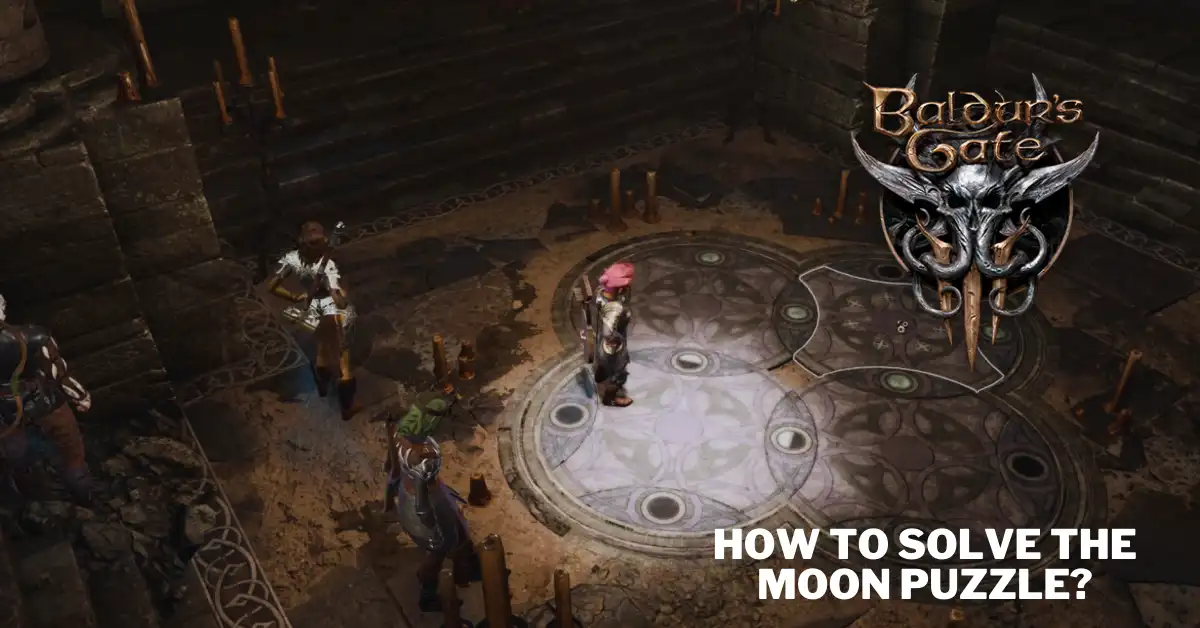
    Either way, you will eventually reach the door with the symbol above it. Behind this door is a small room with four circular plates on the floor. These plates have images of different phases of the moon on them: full moons, half-moons, and new moons. This is the moon puzzle that you need to solve.

    How to Solve the Moon Puzzle?

    Many role-playing game fans will guess correctly that positioning the circles so that the moon phases are in particular places is the key to solving this puzzle. To be precise, new moons must fall on the lit bottom circle, half moons to the left and right of that circle, and full moons on the top circle opposite the lit circle.

    Following this image of the completed puzzle is a list of the steps that can be taken with a new puzzle to arrive at the same result.

    • Rotate the top plate once
    • Rotate the left plate twice
    • Rotate the right plate twice
    • Rotate the bottom plate three times
    • Rotate the left plate twice
    • Rotate the right plate twice
    • Rotate the left plate once
    • Rotate the top plate once
    • Rotate the left plate three times
    • Rotate the right plate three times
    • Rotate the top plate once
    • Rotate the right plate once

    You can also watch this video for a visual guide:

    Getting to the Underdark requires solving a puzzle in the Defiled Temple. Because of its significance to the Find the Nightsong mission, players of BG3 should be prepared to face off against formidable foes here.

    If you want to check out more articles related to other games. So you can check the link below:

    A notebook in the Desecrated Temple is meant to lead BG3 players in the proper direction when solving the moon puzzle. You may find the journal in a drawer next to your bed, and its contents include the directives “match the stars” and “darkness belongs at the bottom.”

    The problem is complete except for the half moons on the left and right edges. Finally, gaining access to the Underdark is possible even if you never solve the moon riddle. A lockpick will reveal a lever on a neighboring wall that can unlock the door.

    Players can expose this lever by bringing their BG3 party close to the sealed passage, requiring a successful Perception check. Those unsuccessful in implementing this alternative strategy can fall back on the tried-and-true circular puzzle.

  • Can You Transfer FIFA Points to EA FC 24? – Latest Updates Revealed

    Can You Transfer FIFA Points to EA FC 24? – Latest Updates Revealed

    Is it possible to transfer FIFA Points to EA FC 24? This is a burning question for most avid Ultimate Team enthusiasts as we enter this new era of EA Sports soccer games.

    The transition from FIFA to EA FC has raised some uncertainties, and this question stands out as one of the primary concerns. We will provide all our information on this matter before the FC 24 release date, as nobody wants to see their purchased currency in any game go to waste.

    Even if EA Sports changes the name of FIFA Points to align with the new EA FC branding, many hope they can still be carried over to the new game. Here is the latest update.

    Can You Transfer FIFA Points to EA FC 24?

    Most players in Ultimate Team have used FIFA Points, the digital currency, to buy packs and other items to improve their team. The possibility of transferring these points to EA FC, considering the return of the Ultimate Team, is currently uncertain without any official confirmation.

    This uncertainty can be frustrating for dedicated FIFA 23 players. As the game’s life cycle is nearing its end, spending all their accumulated FIFA Points is less urgent.

    Transfer FIFA Points to EA FC 24
    Transfer FIFA Points to EA FC 24

    Consequently, many players may have surplus unspent Points simply sitting idle. Some players may also wish to purchase FIFA Points in FIFA 23 to have a substantial balance when transitioning to FC 24, assuming the points can be transferred.

    Those who are affected by this situation find themselves in a dilemma. They must decide whether to wait and spend all their currency on FC 24 packs, hoping to obtain rare cards like Icons or Heroes or to utilize their remaining FIFA Points in FIFA 23 for a final hurrah in the FIFA era.

    However, considering that the FIFA Point transfer feature has been present in previous FIFA games, it strongly indicates that it will also be available when transitioning from FIFA 23 to EA FC 24.

    It should be relatively straightforward if the FIFA Point transfer is available in EA FC and follows the same process as previous EA Sports games. Upon launching FC 24 and accessing Ultimate Team for the first time, players will likely receive a prompt asking if they wish to transfer their FIFA 23 currency to the new game.

    It’s important to note that unless EA Sports makes changes, transferring FIFA Points cannot be done through the FC 24 Web App or Companion App; it must be carried out within the game itself on the console or PC.

    There are a few essential points to consider regarding the transfer of FIFA Points. First, it is crucial to note that transferring FIFA Points requires using the same account you used in the previous game.

    Therefore, remember this requirement before starting a new account for EA FC. Additionally, in the past, FIFA Points were bound to the specific gaming platform you used. This means that if you switch from Xbox to PlayStation, transferring your FIFA Points will be challenging.

    Furthermore, it is crucial to understand that the transfer of FIFA Points is irreversible. Once you have migrated to EA FC, you cannot transfer them back to FIFA 23 Ultimate Team if you wish to return for any reason.

    When EA FC is launched, the Points naming convention will likely change to align with the new title. They may be referred to as EA Points or FC Points to make them more generic, or they might even adopt a catchy name to enhance their appeal.

    If there are any updates regarding the possibility of transferring FIFA Points to EA FC, this guide will be updated accordingly. This will give you the most up-to-date information before the next soccer season begins.

  • Is Battlebit Remastered on PlayStation and Xbox Consoles?

    Is Battlebit Remastered on PlayStation and Xbox Consoles?

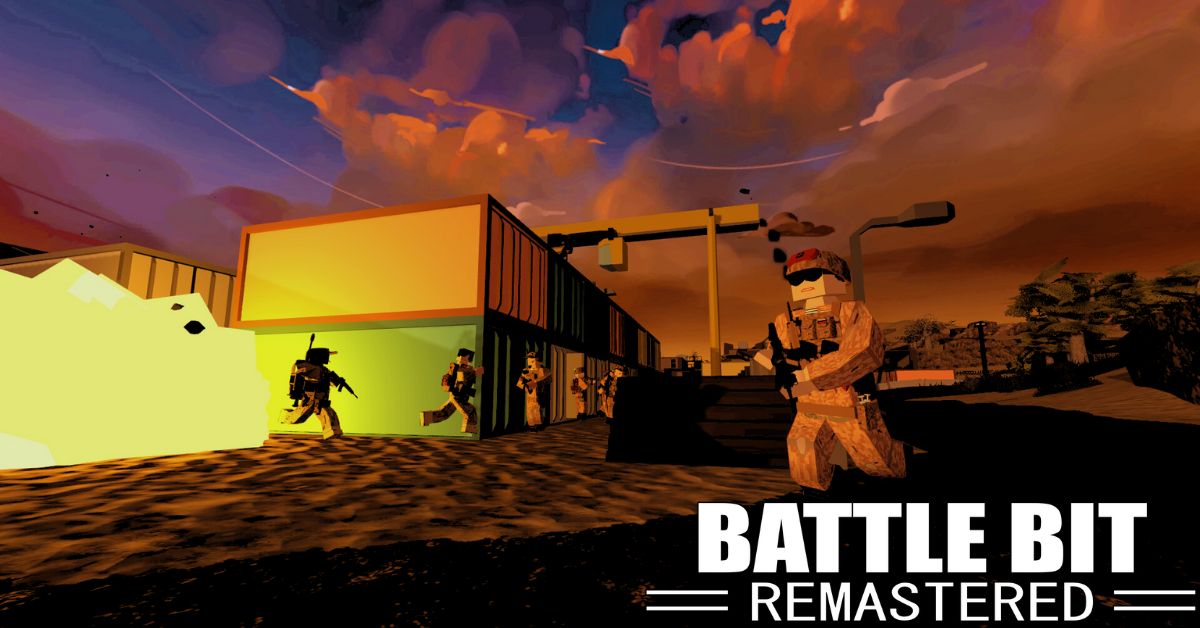
    BattleBit Remastered is a new first-person shooter game that has taken the PC gaming world by storm. The classic Battlefield series inspires the game, featuring large-scale battles with up to 256 players, destructible environments, and various classes and weapons.

    The game also has a unique voxel-based graphics style that gives it a retro charm. In this article, we delve into the current status of BattleBit Remastered and explore the possibilities of its future availability on consoles.

    Is Battlebit Remastered on PlayStation and Xbox Consoles?

    Console players eagerly anticipate the availability of BattleBit Remastered on the PlayStation 5 or Xbox Series X|S, given its sudden popularity on PC. Unfortunately, no official information regarding a PlayStation or Xbox port for BattleBit Remastered exists.

    Is Battlebit Remastered on PlayStation and Xbox Consoles
    Is Battlebit Remastered on PlayStation and Xbox Consoles

    While the developers haven’t announced any plans, they may consider bringing the game to consoles based on the community’s demands. BattleBit Remastered is the spiritual successor to the classic Battlefield style, featuring expansive battlefields, support for up to 256 players, and distinct character classes.

    An outstanding feature is the voxel-based graphics, allowing for highly detailed destruction throughout the game’s maps. Whether you’re looking to satisfy your first-person shooter cravings or checking if BattleBit Remastered is available on consoles, this information will interest you.

    When Will Battlebit Remastered Be Available on Playstation and Xbox Consoles?

    BattleBit Remastered shares similarities with Battlefield 2042, as both games incorporate features such as large-scale servers, a class system, class-specific weapons and abilities, and destructible terrain.

    One notable aspect of BattleBit Remastered is its utilization of 254-player servers, offering an immense multiplayer experience. The game stands out with its distinctive art style reminiscent of Roblox, characterized by a “low-poly aesthetic.”

    Many players in the community find the game’s gunplay to be exceptionally satisfying. With more than 45 customizable weapons, players can explore a wide range of unique playstyles through the class system.

    BattleBit Remastered is exclusively available on PC, leaving PlayStation, Xbox, and Nintendo gamers unable to partake in the massive chaotic battles unless they also possess a PC.

    The possibility of the game’s future release on consoles remains uncertain, as the developer has yet to confirm any plans. It is important to note that the development team behind BattleBit Remastered consists of only three individuals.

    Considering the recent early access launch on PC, the developers will undoubtedly be occupied for the foreseeable future. While the game’s tremendous success may prompt news of a PlayStation or Xbox version down the line, console users must exercise patience for now.

    BattleBit Remastered has been made available for early access on PC at present.

  • Is Genshin Impact Pay to Win? – Separating Fact from Fiction

    Is Genshin Impact Pay to Win? – Separating Fact from Fiction

    Is Genshin Impact a pay-to-win game? To evaluate this, it’s crucial to grasp the nature of Genshin Impact, which is a top-rated mobile game available for free (F2P).

    These types of games often receive criticism for incorporating pay-to-win elements. In Genshin Impact, players embark on a predominantly single-player adventure, exploring an expansive and open world.

    They can assemble a team of four distinct characters, each possessing unique abilities. While the game offers enjoyable gameplay and revolves mainly around storytelling, monetary pressure is evident due to the introduction of new characters and weapons.

    Acquiring all the characters without spending money is highly challenging. However, the question remains: Does Genshin Impact genuinely operate as a pay-to-win game?

    Is Genshin Impact Pay-To-Win?

    Genshin Impact is not pay-to-win, unlike many mobile games that employ pay-to-win mechanics in their player-vs-player (PVP) or end-game content. PVP content is typically considered a challenge for advanced players who have exhausted other single-player activities.

    Is Genshin Impact Pay to Win
    Is Genshin Impact Pay to Win

    In PVP content, you often face players potentially spending significant money, making competing difficult. However, Genshin Impact has no PVP content, so this concern doesn’t apply.

    Furthermore, in Genshin Impact, you can complete single-player game content with any group of characters, allowing you to play with your favorite characters and confidently enjoy the story, artifact grinding, and more.

    Read more: Is Genshin Impact on Xbox? Which Consoles Can You Play the Game?

    The main challenge in Genshin Impact is the Spiral Abyss, which any group of characters can technically complete. However, having powerful characters like Ganyu, Yanfei, and Hu Tao makes it more accessible.

    Nevertheless, completing the Spiral Abyss is optional and only rewards a small number of Primogems. Ultimately, it depends on how you prefer to experience the game.

    Is Spending Money on Genshin Impact a Worthwhile Decision?

    Determining the answer to this question is highly subjective. If you seek an action RPG with exceptional graphics, an engaging storyline, and satisfying gameplay, you could opt for games such as Diablo IV, Elden Ring, or Legend of Zelda: Tears of the Kingdom, which require a one-time payment.

    These options will likely leave you content and cost less than $100. Even if you find Genshin Impact particularly enticing, it is possible to enjoy the game without spending real money or by only making minimal purchases.

    With time, you will gradually accumulate enough Primogems to overcome challenging encounters. The key is to exercise patience and take advantage of opportunities to acquire extra Primogems when they become available.

    Read more: Genshin Impact Android Controller Support – Taking Control on the Go

    Additionally, overcoming the fear of missing out (FOMO) and resisting the urge to obtain every advertised five-star character from miHoYo is essential. We advise individuals with gambling issues to steer clear of Genshin Impact altogether.

    The game’s gacha system can tempt players to treat it like a slot machine. Similar to real slot machines, this temptation often leads to excessive spending that far exceeds the value of the rewards.

    Genshin Impact is accessible on multiple platforms, including Mobile, PC, PS4, and PS5.

  • Genshin Impact Android Controller Support – Taking Control on the Go

    Genshin Impact Android Controller Support – Taking Control on the Go

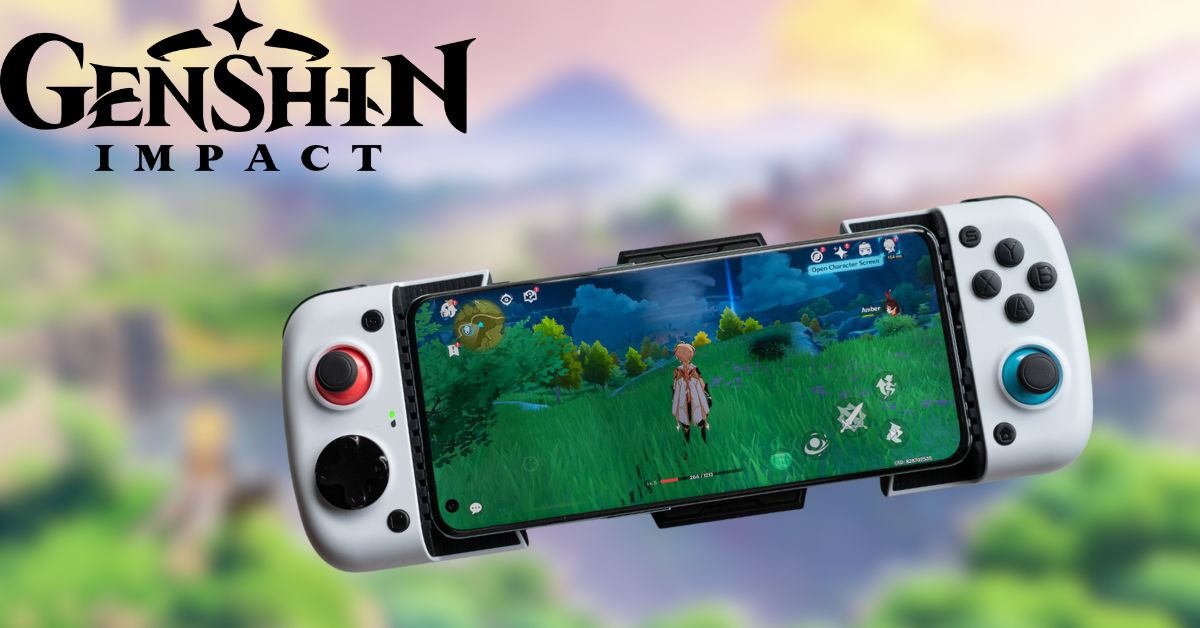
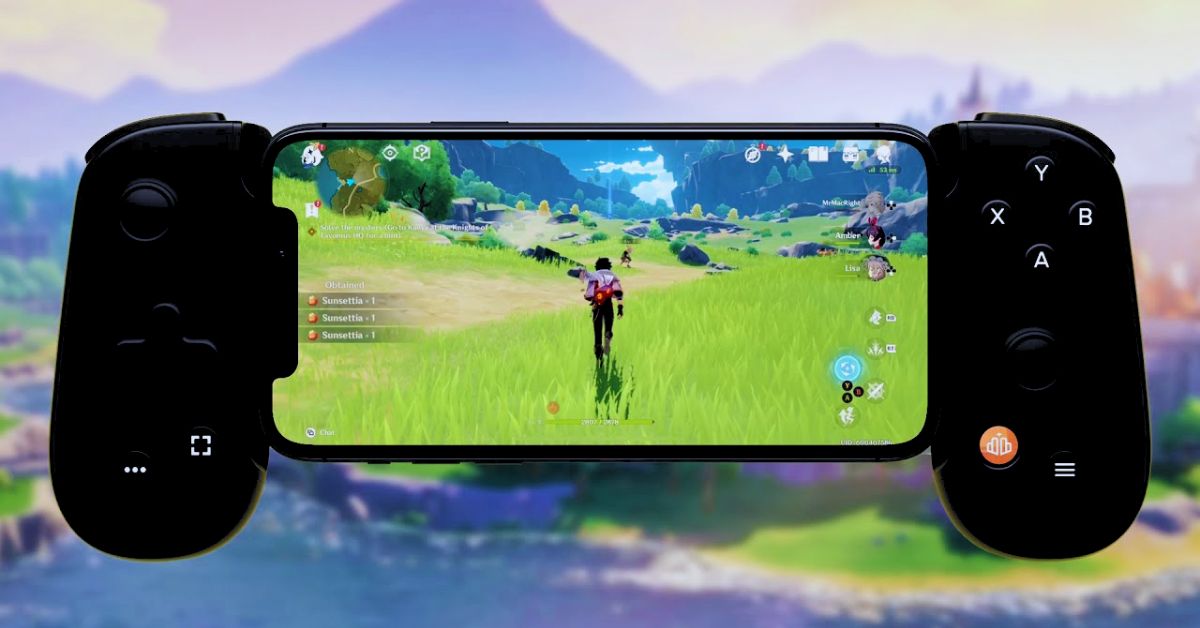
    Genshin Impact can be played using a controller on both PC and PlayStation. To achieve a similar experience on mobile devices, refer to this article to learn about Genshin Impact’s controller support for Android and iOS.

    Despite its demanding software and hardware requirements, Genshin Impact has amassed a large player base on Android and iOS devices. However, the game’s settings do not provide customization options for the heads-up display (HUD).

    With various mechanics such as wishes, boss fights, events, and open-world exploration, Genshin Impact offers a diverse gameplay experience. Unfortunately, the lack of control customization options can disappoint many players.

    Consequently, it is common for players to attempt to play the game using controllers. While playing Genshin Impact with a controller is possible on a PC or PlayStation, this article provides comprehensive information about controller support for Android and iOS devices.

    Does Genshin Impact Have Controller Support for Mobile Devices?

    External controllers are compatible with Genshin Impact on iOS devices, while they are not supported on Android devices. However, it is necessary to upgrade the iOS version to iOS 14 or a more recent release to use controllers on Apple devices.

    You can find more information about Genshin Impact’s controller support for Android devices in this Reddit thread:

    Genshin Android Controller Support.
    byu/lllAgelll inGenshin_Impact

    When using an Apple device with iOS 14 or a newer version, the following external controllers can be utilized to play Genshin Impact:

    •  Xbox Wireless Controller (Bluetooth)
    • PlayStation DualShock 4 Wireless controller
    • MiFi Bluetooth controllers
    • Razer Kishi Xbox Elite
    • Wireless Controller Series 2.

    To ensure a controller is used when playing the game, it is essential to navigate to Settings > Control Type and select “Controller” each time you wish to play with a controller.

    When Did Android Devices Receive Controller Support for Genshin Impact?

    Despite iOS devices gaining controller support for Genshin Impact in patch 1.3, Android devices still lack controller compatibility. The developers have remained silent for an extended period, leaving us without any official updates concerning controller support on Android devices.

    Genshin Impact Android Controller Support
    Genshin Impact Android Controller Support

    How to Play Genshin Impact on Android With a Controller?

    To activate a controller, follow these instructions:

    • Create a mapping tool like Mantis Gamepad Pro or Razer’s Virtual Controller.
    • If you haven’t done so already, watch the opening cutscene and complete Paimon’s tutorial.
    • Locate the Paimon menu at the top-left corner of the gameplay screen beside the mini-map, and tap on it.
    • Open the Settings menu by tapping the gear icon, then select Controls.
    • If your controller utilizes Bluetooth, enable its pairing mode.
    • Tap on Control Type and choose Controller from the drop-down menu.
    • Later, you can revisit the Controls menu to fine-tune the camera sensitivity or consider inverting the Y-axis for aircraft-style controls, but avoid reversing the X-axis.
  • Is Genshin Impact on Xbox? Which Consoles Can You Play the Game?

    Is Genshin Impact on Xbox? Which Consoles Can You Play the Game?

    For those eagerly anticipating the arrival of Genshin Impact on Xbox and who have been preparing their Anemo Sword with great enthusiasm, we regret to inform you that we have disappointing news.

    Genshin Impact has been accessible on nearly every other gaming platform, such as PlayStation 4, PlayStation 5, PC, Android, and iOS. Unfortunately, the vibrant Xbox community has been left out in the cold, feeling stranded at Dragonspine without a Warming Bottle.

    This leads us to question: Is Genshin Impact playable on Xbox? And is there any hope for its future availability on the Xbox platform?

    Is Genshin Impact Playable on Xbox?

    People are left questioning why this widely acclaimed action RPG isn’t available on Xbox, as its absence prevents it from reaching a broader audience. The fact that Xbox gamers are excluded from experiencing this viral action RPG raises speculation about the barriers preventing its wider distribution.

    Is Genshin Impact on Xbox
    Is Genshin Impact on Xbox

    Is There Any Release Date for Genshin Impact on Xbox?

    According to online rumors, there are claims that Microsoft might have decided not to include Genshin Impact on Xbox. While the game has achieved great success on other platforms, the consoles are being overlooked, leading to doubts about any remaining hope for Xbox players.

    Read more: Is Diablo 4 on Xbox Game Pass? How to Fix Error Code 315306?

    The captivating realms of Mondstadt and Liyue entice gamers with their lush, imaginative universe filled with thrilling adventures, exploration, and engaging combat. Consequently, the absence of Genshin Impact on Xbox remains a perplexing and disappointing enigma.

    Is It Doubtful Whether Genshin Impact Will Be Available on Xbox?

    Why does fate play with our emotions, denying Xbox enthusiasts the delicious satisfaction of an expansive, gacha-driven open-world delight? Yet, here we are, uncertain if this unfortunate situation will be resolved shortly.

    Nonetheless, the longing for a day when Windblume Festival celebrations unite players across all platforms continues to intensify among the gaming community.

    Read more: Is Street Fighter 6 on Xbox Game Pass? Find Out Here

    Until such a moment becomes a reality, Xbox users find themselves tightly gripping their controllers, gazing wistfully at the forbidden realm of Teyvat, enduring frustration, and yearning for a miracle to bridge the divide once and for all.

    Stay strong, loyal Xbox players — your time may still arrive. Meanwhile, rumors suggest that Dendro will revolutionize everything; let’s hope it brings about more than changes in elemental reactions.

    Genshin Impact is available on PC, PS4, PS5, Android, and iOS devices.

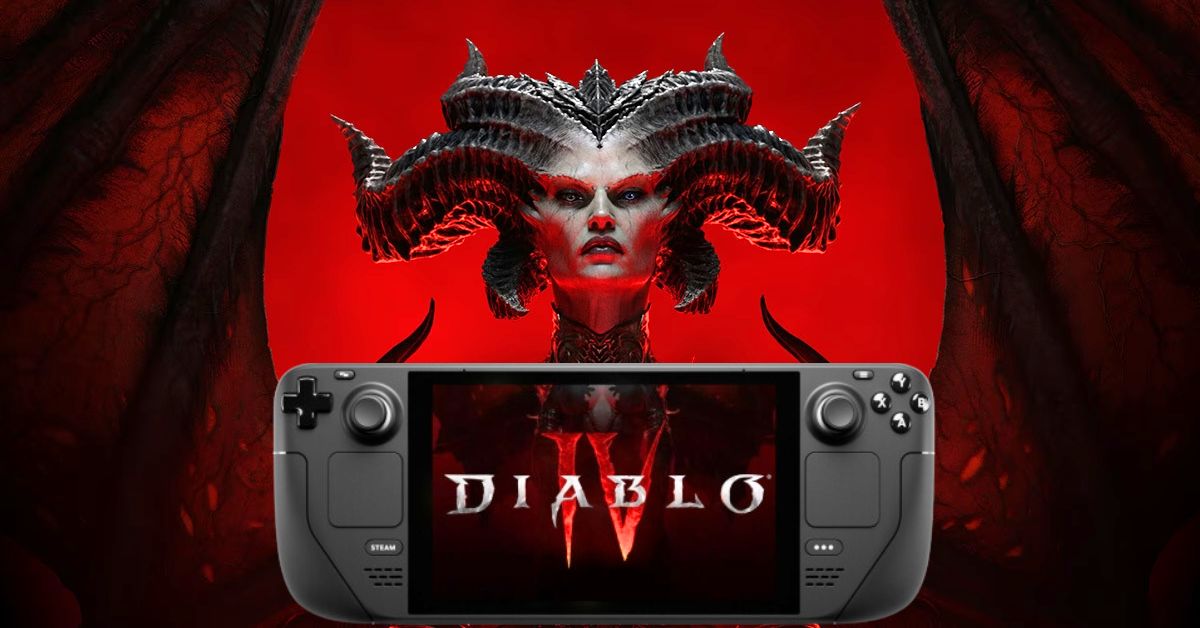
  • How to Play Diablo 4 on Steam Deck? – Seamless Gaming on the Move

    How to Play Diablo 4 on Steam Deck? – Seamless Gaming on the Move

    Is it possible to play Diablo 4 on the Steam Deck? Absolutely! This is fantastic news for gamers who want to enjoy one of the year’s biggest games while on the move.

    If you were concerned about the complexity of getting Diablo 4 to run on the Steam Deck, given that some workarounds can confuse specific players, there’s no need to worry.

    Installing Diablo 4 on the Steam Deck is relatively straightforward when bypassing the handheld’s usual platform setup. However, suppose you encounter difficulties with the initial method, which we consider the simplest but have heard may not work for everyone.

    In that case, we also provide an alternative approach that may be more challenging. Here’s everything you need to know to play Diablo 4 on the Steam Deck.

    How to Play Diablo 4 on Steam Deck?

    Playing Diablo 4 on the Steam Deck requires owning the game on a PC. Still, fortunately, the process of sideloading other platforms like the Epic Games Store onto the Steam Deck can be challenging, especially for less experienced PC gamers. Even those with some familiarity may encounter difficulties. However, the transition from Diablo 4 to the Steam Deck is relatively seamless.

    How to Play Diablo 4 on Steam Deck
    How to Play Diablo 4 on Steam Deck

    Easy Method:

    Here’s a straightforward method to follow:

    1. Access Desktop Mode on your Steam Deck by pressing the Steam button, then choose Power and switch to Desktop Mode.
    2. In the Discover tab, search for and install an application called Lutris.
    3. Once installed, open Lutris and click the “+” button.
    4. Search for Battle.net, the platform for Blizzard’s first-party games, and install it.
    5. Launch the Battle.net launcher, log in to your Battle.net account, download Diablo 4, and start playing.

    Adding Shortcut to Steam Deck View:

    If you want to access the game directly from the classic Steam Deck view, follow these additional steps:

    1. Select “Games” from the top bar in Desktop Mode.
    2. Click on “Add non-Steam Game to My Library.”
    3. Choose Lutris from the list.

    This will enable you to access Lutris and Battle.net from your games library.

    Must check: Dying Light 2 PC Update Brings Steam Deck Compatibility and Bug Fixes

    Alternative Method:

    If you encounter difficulties with the above method, you can try an alternative, slightly longer process. Here’s what to do:

    1. Access Desktop Mode on your Steam Deck by pressing the Steam button, then choose Power and switch to Desktop Mode.
    2. Make sure you have a web browser installed on your Steam Deck. If not, install a browser like Chrome or Firefox from the Discover menu.
    3. Open the web browser and search for Battle.net. Download the game launcher to your Steam Deck.
    4. Open the file explorer (Dolphin) next to the Discover tab.
    5. Right-click (or use the appropriate action) on Battle.net-Setup.exe in the file explorer and select “Add to Steam.”
    6. If Steam prompts to “add a non-Steam game,” select “Browse” and choose the Battle.net installer.
    7. Open Steam while still in Desktop Mode. You should find Battle.net on the Library page. Click on it, then click the gear icon and select Properties.
    8. Under Compatibility, choose “Force using a specific Steam Play compatibility tool” and select Proton Experimental.
    9. Now, open the installer from the Library menu.
    10. Install Battle.net as you would on a regular PC, selecting the preferred file location.
    11. Open Battle.net, log in, download Diablo 4 and start playing.

    Once everything is in place, you’ll have the opportunity to experience Diablo 4 in a mobile-like fashion. However, your choice is whether the user interface is easily readable on a smaller screen.

    Must check: Is Genshin Impact on Steam Deck? How to Play the Epic RPG?

    Nevertheless, the prospect of playing Diablo 4 on the Steam Deck is delightful, almost like a glimpse into the future, wouldn’t you agree? Please note that Diablo 4 will require 90 GB of storage on your PC or Steam Deck.

    If you wish to increase your Steam Deck’s storage capacity, you can do so with a spacious microSD card at a more affordable price than the game itself.

    Diablo 4 is available on PC, PS4, PS5, Xbox One, and Xbox Series X/S.

  • Garena Free Fire Max Redeem Codes for Revolt Weapon Loot Crate, Diamonds Voucher, and More!

    Garena Free Fire Max Redeem Codes for Revolt Weapon Loot Crate, Diamonds Voucher, and More!

    Garena Free Fire Max offers to redeem codes that players can utilize to obtain various in-game items such as weapons, diamonds, skins, and more. These codes consist of 12 digits, including a combination of capital letters and numbers.

    For those who may not be familiar, Garena Free Fire Max is an enhanced version of Garena Free Fire. It was introduced in 2021 and gained popularity following the ban on the original game by the Indian government.

    The game developers consistently update these codes daily. Additionally, players can visit a dedicated microsite to redeem the available codes. Players can win prizes like the Rebel Academy Weapon Loot Crate, Revolt Weapon Loot Crate, Diamonds Voucher, and Fire Head Hunting Parachute by redeeming these codes.

    Garena Free Fire Max Redeem Codes
    Garena Free Fire Max Redeem Codes

    It’s important to note that these codes are only available for a limited time frame, typically up to 12 hours, and are limited to the first 500 users. Therefore, acting quickly and redeeming the codes before they are no longer available is advisable.

    Below, you will find the comprehensive compilation of currently active codes as of July 10, 2023:

    Active Codes
    J3ZKQ57Z2P2P
    GCNVA2PDRGRZ
    MCPW3D28VZD6
    ZZZ76NT3PDSH
    EYH2W3XK8UPG
    UVX9PYZV54AC
    BR43FMAPYEZZ
    8F3QZKNTLWBZ
    WEYVGQC3CT8Q
    HNC95435FAGJ
    NPYFATT3HGSQ
    4ST1ZTBE2RP9
    B3G7A22TWDR7X
    6KWMFJVMQQYG
    FF7MUY4ME6SC
    FFCMCPSGC9XZ
    X99TK56XDJ4X
    MCPW2D1U3XA3
    FFCMCPSEN5MX
    MCPW2D2WKWF2

    You may also like:

    How to Redeem Garena Free Fire Max Codes?

    1. Open the official Rewards Redemption site for the game on Google Chrome.
    2.  Log in to your account using your Facebook, Twitter, Google, or VK ID.
    3. Copy the codes mentioned earlier and paste them into the text box.
    4.  Click on “Confirm” to proceed. You will receive the rewards in your in-game mailbox. Any gold or diamonds will be added to your account automatically.
    5. Once the codes are redeemed, you can go to the game vault, where a wall with game-related items will appear. You can also use the gold and diamonds you earned by saving the codes to get things like rebel academy weapon loot crates, revolt weapon loot, diamond vouchers, fire head hunting parachutes, and more.

    Garena Free Fire is available on Android and iOS devices.

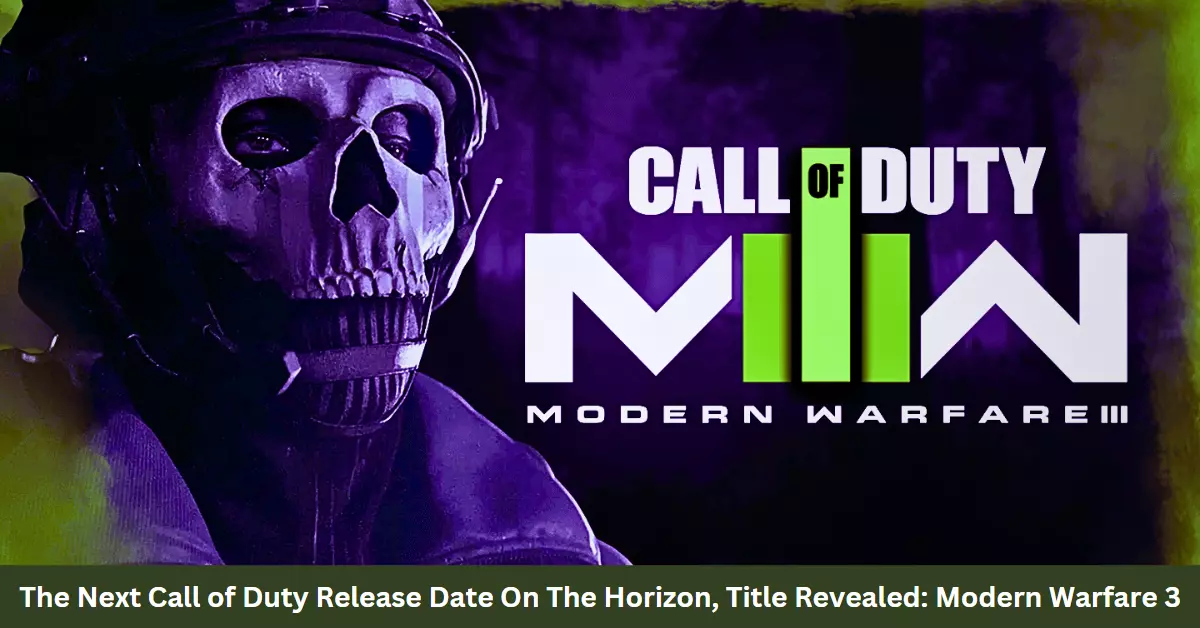
  • The Next Call of Duty Release Date On The Horizon, Title Revealed: Modern Warfare 3

    The Next Call of Duty Release Date On The Horizon, Title Revealed: Modern Warfare 3

    Call of Duty is one of the renowned franchises in the video game industry. With each passing day, the anticipation for the next Call of Duty Release Date of the franchise increases. Since its launch in 2003, the franchise has been a go-to for fans of first-person shooters.

    Speculations On The Next Call of Duty Release Date

    Call of Duty 2023 has not yet been officially named or announced. However, a leak has provided a hot candidate for a tentative release date. Tom Henderson has revealed that the upcoming Call of Duty game, titled Call Of Duty Modern Warfare 3, will be available on November 10th, 2023.

    Next Call of Duty Release Date

    What Will Be In The Modern Warfare 3?

    Modern Warfare 3 is a direct sequel to the 2019 game Modern Warfare and will pick up where the story left off. Players will once again take on the role of Captain Price and his team as they battle against the forces of Al-Qatala.

    On Which Platforms Modern Warfare 3 Will Be Available?

    It looks like Call of Duty 2023, also known as Modern Warfare 3, will be coming out again, and it looks like it’ll be coming out on both last-gen and new-gen consoles, so you’ll be able to pick it up on PS4 and PS5, as well as Xbox One and X|S, and PC too.

    You Might Also Consider The Following Articles:

    Modes Of Modern Warfare 3

    In addition to the campaign, Modern Warfare 3 will feature a multiplayer mode with various maps and game modes. There will also be a Zombies mode, a popular cooperative mode where players must work together to survive against hordes of zombies.

    The release of Modern Warfare 3 will be a significant event in the gaming world. The Call of Duty franchise is one of the most popular in the world, and Modern Warfare 3 is expected to be one of the year’s best-selling games.

    Early Access Of Modern Warfare 3

    In addition to the November 10 release date, Activision has also announced that there will be a PS4/PS5 beta weekend for Modern Warfare 3. The beta will take place from October 6-10, 2023.

    The beta will allow players to try out the game’s multiplayer mode and get a taste of what’s to come. It will also be a chance for Infinity Ward to get feedback from players and make any necessary adjustments before the game’s full release.

    Important Dates of Modern Warfare 3 

    • Beta weekend 1 (PS4/PS5) – October 6, 2023 – October 10, 2023
    • Beta weekend 2 (PS4/PS5/Xbox One/Xbox Series X|S/PC) – October 12, 2023 – October 16, 2023
    • Campaign Early Access (PS4/PS5/Xbox One/Xbox Series X|S/PC) – November 2, 2023
    • Full Release (PS4/PS5/Xbox One/Xbox Series X|S/PC) – November 10, 2023
    • Season 1 Launch / New Warzone Map – December 5, 2023

    Also, Read The Following Articles:

    In Conclusion:

    The release of Modern Warfare 3 is just around the corner, and fans of the Call of Duty franchise are eagerly awaiting its arrival. The game will surely be a significant event in the gaming world, and it will be interesting to see how it compares to previous installments in the series.

    Call of Duty 2023: Modern Warfare 3 is shaping up to be a great game. With a stellar campaign, addictive multiplayer, and a returning Zombies mode, there’s something for everyone in this latest installment in the Call of Duty franchise.