Category: Game Guides

In-depth game guides from Game Empress, with walkthroughs, tier lists, location maps, and step-by-step strategies to help you master the games you love.

  • Is Thunderstore Mod Manager Safe? A Guide to Modding Games with Thunderstore

    Is Thunderstore Mod Manager Safe? A Guide to Modding Games with Thunderstore

    Thunderstore is a website that hosts mods for various games, such as Risk of Rain 2, Dyson Sphere Program, Valheim, and more. Mods are user-created modifications that add new features, content, or changes to the original game.

    Modding can enhance the gaming experience, as well as provide more replay value, customization, and creativity. However, modding also comes with some risks, such as compatibility issues, bugs, crashes, or malware.

    Therefore, it is important to know how to mod safely and responsibly, and what tools to use. One of the tools that many modders use is Thunderstore Mod Manager, a software that helps install, update, and manage mods from Thunderstore.

    But is Thunderstore Mod Manager safe to use? And how does it work? Here is a guide to answer these questions, and more.

    Thunderstore Mod Manager

    Is Thunderstore Mod Manager Safe
    Is Thunderstore Mod Manager Safe

    Thunderstore Mod Manager, or TMM for short, is a software that allows users to easily download, install, update, and manage mods from Thunderstore. TMM was developed by ebkr, a modder and developer who also created r2modman, a similar mod manager for Risk of Rain 2.

    TMM is compatible with several games that are supported by Thunderstore, such as Dyson Sphere Program, Valheim, GTFO, and more. TMM has several features and functions, such as:

    • Downloading mods directly from Thunderstore, without the need to visit the website or extract the files manually.
    • Installing mods automatically, by placing them in the correct folders and creating backups of the original files.
    • Updating mods automatically, by checking for new versions and downloading them from Thunderstore.
    • Managing mods easily, by enabling, disabling, deleting, or sorting them with a simple interface.
    • Creating mod profiles, which are sets of mods that can be switched between, without affecting the other profiles.
    • Launching the game directly from TMM, with the selected mod profile active.

    Is Thunderstore Mod Manager Safe to Use?

    TMM is generally safe to use, as it is a legitimate and reputable software that has been tested and verified by many users and modders. TMM does not contain any viruses, malware, or spyware, and it does not harm or modify the game files, except for installing the mods.

    TMM also does not collect or share any personal or sensitive information from the users, and it respects the privacy and security of the users and modders. However, TMM is not completely risk-free, as it still depends on the quality and compatibility of the mods that are downloaded and installed from Thunderstore.

    Some mods may be outdated, incompatible, buggy, or malicious, and they may cause problems or damage to the game or the computer. Therefore, it is important to use TMM with caution and discretion, and follow some best practices, such as:

    • Only download and install mods from trusted and verified sources, such as Thunderstore or other official modding platforms.
    • Only download and install mods that are compatible with the game version and the other mods that are installed.
    • Only download and install mods that have positive reviews, ratings, and feedback from other users and modders.
    • Always read the mod description, instructions, and requirements before downloading and installing the mod.
    • Always backup the game files and the saved files before downloading and installing the mod.
    • Always scan the mod files with an antivirus or anti-malware software before installing the mod.
    • Always uninstall or disable the mod if it causes any problems or issues with the game or the computer.

    How to Use Thunderstore Mod Manager?

    Using TMM is relatively easy, as it has a simple and user-friendly interface. Here are the basic steps to use TMM, and mod the games with Thunderstore:

    • Download and install TMM from the official website Thunderstore Mod Manager, or the Thunderstore page.
    • Run TMM and select the game that you want to mod from the list of supported games. If the game is not detected automatically, you can browse and select the game folder manually.
    • Click on the “Online” tab to browse and search for mods from Thunderstore. You can filter the mods by category, name, author, rating, or date.
    • Click on the “Download” button to download the mod that you want to install. The mod will be added to the “Downloads” tab, where you can see the progress and status of the download.
    • Click on the “Install” button to install the mod that you have downloaded. The mod will be added to the “Installed” tab, where you can see the details and information of the mod.
    • Click on the “Enable” button to enable the mod that you have installed. The mod will be added to the “Enabled” tab, where you can see the order and priority of the mod.
    • Repeat the steps 4 to 6 for any other mods that you want to download, install, and enable.
    • Click on the “Create Profile” button to create a mod profile, which is a set of mods that can be switched between. You can name the profile, and select the mods that you want to include in the profile.
    • Click on the “Activate Profile” button to activate the mod profile that you have created. The profile will be added to the “Active Profile” tab, where you can see the name and the mods of the profile.
    • Click on the “Launch Game” button to launch the game with the active mod profile.
    • The game will start with the mods that are enabled in the profile.
    • Enjoy the game with the mods that you have installed and enabled.

    Conclusion

    Thunderstore Mod Manager is a software that helps users download, install, update, and manage mods from Thunderstore. TMM is safe to use, as it is a legitimate and reputable software that does not contain any viruses, malware, or spyware.

    However, TMM is not completely risk-free, as it still depends on the quality and compatibility of the mods that are downloaded and installed from Thunderstore. Therefore, it is important to use TMM with caution and discretion and follow some best practices, such as only downloading and installing mods from trusted and verified sources and backing up the game files and the saved files before modding.

    TMM is easy to use, as it has a simple and user-friendly interface, and it allows users to create and switch between mod profiles, and launch the game directly from TMM. TMM is a useful and convenient tool for modding games with Thunderstore, and it can enhance the gaming experience, as well as provide more replay value, customization, and creativity.

    If you like, you can read our guides on Lethal Company Performance Mod and Max Payne RTX Remix Remaster Mod. Stay connected to GameEmpress.com for the most recent gaming news and guides.
  • Fallout 76 Resource Map: How To Find And Harvest Resources In The Wasteland?

    Fallout 76 Resource Map: How To Find And Harvest Resources In The Wasteland?

    Fallout 76 is a multiplayer online role-playing game that takes place in a post-apocalyptic world, where the player can explore, build, and survive. One of the most important aspects of the game is finding and harvesting resources, which can be used for crafting, upgrading, repairing, and trading.

    Resources can be found in various forms, such as junk, plants, animals, minerals, and deposits. However, not all resources are easy to find, and some are more rare and valuable than others.

    Therefore, having a resource map can be very helpful, as it can show the locations and types of resources available in the game world. Here is a guide on how to use and benefit from the Fallout 76 resource map, and what resources are worth looking for.

    Fallout 76 Resource Map

    Fallout 76 Resource Map
    Fallout 76 Resource Map

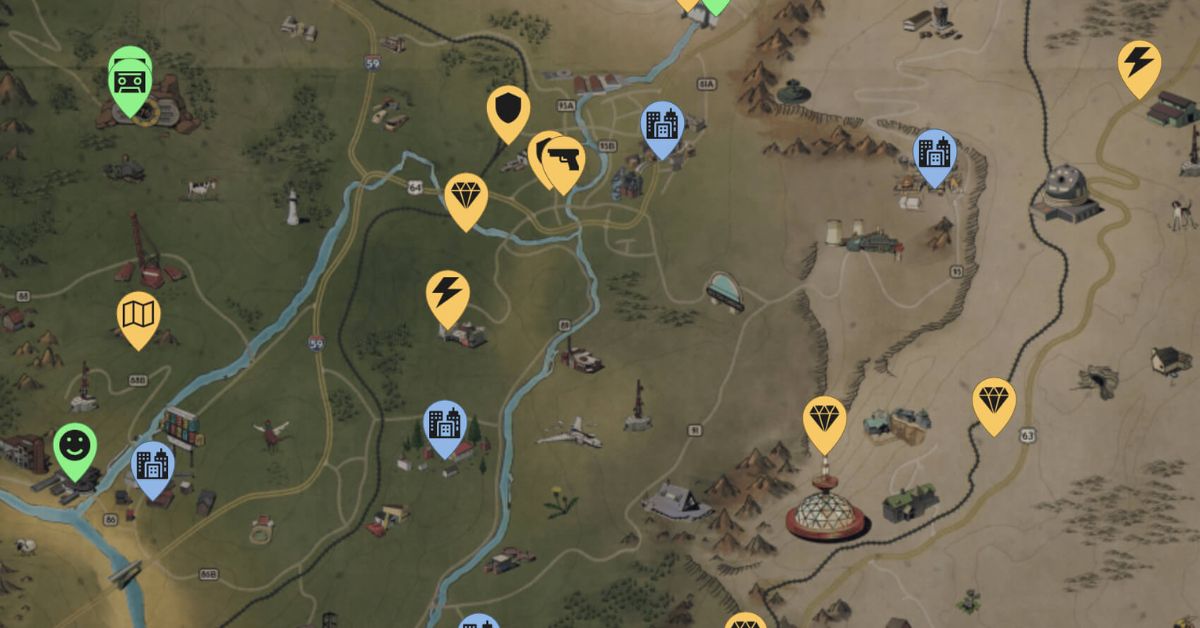
    The Fallout 76 resource map is a fan-made interactive map that shows the locations and types of resources in the game world. The map can be accessed by visiting the website Fallout 76 Map, which is created and maintained by a group of Fallout fans and enthusiasts. The map has several features and functions, such as:

    • Showing the entire game world, divided into six regions: The Forest, The Ash Heap, The Toxic Valley, The Savage Divide, The Mire, and Cranberry Bog.
    • Showing the locations of various points of interest, such as locations, workshops, events, quests, vendors, and stash boxes.
    • Showing the locations and types of resources, such as junk, plants, animals, minerals, and deposits. The resources are color-coded and labeled and can be filtered by category and rarity.
    • Showing the locations and types of collectibles, such as bobbleheads, magazines, holotypes, overseer’s caches, and treasure maps. The collectibles are also color-coded and labeled, and can be filtered by category and name.
    • Showing the locations and types of enemies, such as creatures, robots, mutants, and humans. The enemies are also color-coded and labeled, and can be filtered by category and level.
    • Showing the locations and types of items, such as weapons, armor, power armor, fusion cores, nuka cola, and keys. The items are also color-coded and labeled, and can be filtered by category and name.
    • Showing the locations and types of plans, mods, and recipes, which can be used for crafting and upgrading items. The plans, mods, and recipes are also color-coded and labeled, and can be filtered by category and name.
    • Showing the distance and direction of the player’s current location, as well as the option to mark and measure the distance of any point on the map.
    • Showing the weather and time of day of the game world, as well as the option to change the map’s brightness and contrast.
    • Showing the legend and the settings of the map, as well as the option to share, download, or print the map.

    Fallout 76 Resource Map: How to Find and Harvest Resources?

    The Fallout 76 resource map can be very useful for finding and harvesting resources, as it can help the player plan their exploration and scavenging routes, as well as locate the most valuable and rare resources. Here are some tips and tricks for using the Fallout 76 resource map, and what resources are worth looking for:

    • To access the Fallout 76 resource map, visit the website Fallout 76 Map, and use the menu on the top left corner to select the desired features and functions.
    • To find and harvest resources, use the filter on the bottom left corner to select the category and rarity of the resources, and look for the corresponding icons and labels on the map. For example, to find and harvest acid, select the category “Minerals” and the rarity “Rare”, and look for the yellow icons and labels that say “Acid”.
    • To find and harvest resources more efficiently, use the map to locate the areas that have a high concentration of resources, such as workshops, mines, or farms. These areas usually have resource extractors or collectors, which can automatically gather resources for the player, as long as they claim and defend the area from other players and enemies. Alternatively, the player can also build their resource extractors or collectors, if they have the required plans and materials.
    • To find and harvest rare and valuable resources, use the map to locate the areas that have unique or special resources, such as black titanium, ultracite, or nuclear material. These resources are usually found in dangerous or remote areas, such as fissure sites, blast zones, or vaults. These resources are often used for crafting high-level or legendary items, such as power armor, weapons, or mods.
    • To find and harvest resources that are not shown on the map, use the map to locate the areas that have potential sources of resources, such as junk piles, plants, animals, or containers. These sources can be looted or harvested by the player, and then scrapped or processed into resources, using a workbench or a chemistry station. Some sources may also have hidden or secret resources, such as keys, holotypes, or treasure maps, which can lead to more resources or items.

    This is everything you need to know about Fallout 76 Resource Map. Additionally, you can check our guide on Secret Of Mana Map and Icewind Dale Map. Stay connected with GameEmpress.com to get the latest news and guides about the gaming world.

  • Secret Of Mana Map: How To Explore The World Of Mana In The Classic RPG?

    Secret Of Mana Map: How To Explore The World Of Mana In The Classic RPG?

    Secret of Mana is a classic action role-playing game that was released for the Super Nintendo Entertainment System in 1993. The game follows the adventures of three heroes, Randi, Primm, and Popoi, who must restore the power of Mana, a mystical energy source that sustains the world.

    The game features a colorful and diverse world, with various locations, such as forests, deserts, mountains, caves, temples, and castles. The game also features a unique world map, which allows the player to travel between different areas, using different methods, such as walking, riding a cannon, or flying a dragon.

    Here is a guide on how to use and navigate the secret of mana map, and what secrets and surprises it holds.

    Secret of Mana Map

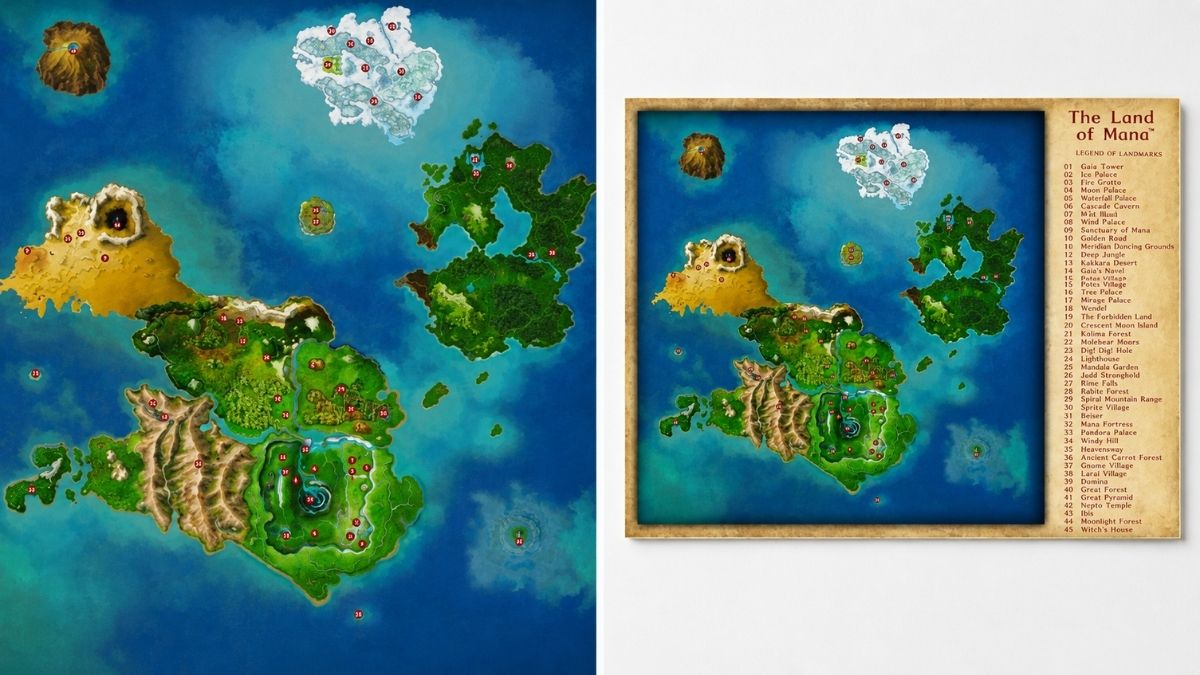
    The Secret of Mana map is a circular map that shows the entire world of Mana, divided into eight sections, each representing a different element and theme. The map can be accessed by pressing the X button on the controller, and it shows the current location of the player, as well as the locations of the eight Mana Palaces, which are important landmarks in the game.

    Secret Of Mana Map
    Secret Of Mana Map

    The map also shows the names of the areas, the enemies that can be encountered, and the items that can be found. The map can be zoomed in and out, and rotated, by using the L and R buttons on the controller.

    The secret of  mana map is not a static map, but a dynamic one, that changes according to the events and actions of the player. For example, some areas may be inaccessible or blocked at first, but they may open up later, after completing certain quests or obtaining certain items.

    Some areas may also change their appearance or layout, depending on the time of day, the season, or the weather. Some areas may also have hidden or secret passages, that can be discovered by using certain abilities or items, such as the whip or the axe.

    The Secret of Mana map is also not a complete map, but a partial one, that does not show everything that the world of Mana has to offer. There are some areas that are not shown on the map but can be found by exploring the world, such as the Lost Continent, the Pure Land, or the Mana Fortress.

    There are also some areas that are shown on the map but are not accessible by normal means, such as the Moon Palace, the Gold Tower, or the Underground City. These areas require special methods or items to reach, such as the Flammie Drum, the Sea Hare’s Tail, or the Midge Mallet.

    Secret of Mana Map: How to Travel and Explore?

    The secret of mana map is not only a tool for navigation, but also a tool for travel and exploration. The player can use different methods and modes of transportation to move around the world of Mana, each with its own advantages and disadvantages. Here are some of the main methods and modes of transportation, and how to use them:

    • Walking: This is the most basic and common method of travel, which allows the player to move around the world on foot, by using the directional pad on the controller. Walking is slow and tedious, but it is also the most reliable and flexible method, as it allows the player to access most areas, and interact with the environment and the NPCs. Walking also allows the player to encounter enemies and gain experience and items, as well as trigger events and cutscenes.
    • Cannon: This is a fast and fun method of travel, which allows the player to launch themselves from one area to another, by using a cannon. Cannons are operated by friendly NPCs, called Cannon Travel Centers, who charge a fee for their service. Cannons are convenient and cheap, but they are also limited and risky, as they only connect certain areas, and they may damage the player’s health or equipment. Cannons also do not allow the player to encounter enemies or trigger events, as they skip the areas in between.
    • Flammie: This is the most advanced and exciting method of travel, which allows the player to fly around the world on a dragon, called Flammie. Flammie can be summoned by using the Flammie Drum, an item that the player obtains later in the game. Flammie is fast and free, but he is also hard to control and maneuver, as he requires the use of both the directional pad and the buttons on the controller. Flammie can access almost any area, except for some that are protected by barriers or magic, and he can also encounter enemies or trigger events, depending on the altitude and the speed. Flammie also has a special ability, called Flammie Vision, which allows the player to see the world map in a 3D perspective, and select a destination to land.

    Secret of Mana Map: Tips and Tricks

    Here are some tips and tricks for using and enjoying the secret of mana map:

    • To save time and money, use the cannon or Flammie to travel between distant areas, and use walking to explore the nearby areas.
    • To discover new and hidden areas, use Flammie to fly around the world, and look for unusual or suspicious landmarks, such as islands, mountains, or caves.
    • To find the Mana Palaces, use Flammie Vision to see the world map in 3D, and look for the glowing dots that represent the palaces.
    • To avoid getting lost or confused, use the map to check your current location, and the names and details of the areas.
    • To enjoy the beauty and diversity of the world of Mana, use the L and R buttons to zoom in and out, rotate the map, and admire the different landscapes, colors, and themes.

    This is everything you need to know about the Secret Of Mana Map. Additionally, you can check our guide on Death King Blox Fruits: Location Guide and RDR2 Moose Location Guide. Stay connected with GameEmpress.com to get the latest news and guides about the gaming world.

  • Lethal Company Performance Mod: How To Boost Your FPS And Graphics Quality In The Open World Survival Game?

    Lethal Company Performance Mod: How To Boost Your FPS And Graphics Quality In The Open World Survival Game?

    Lethal Company is a game that combines creature collecting, survival, crafting, and shooting elements in an open world. The game has a unique and colorful art style, but it also has some performance issues and bugs that can affect your gameplay experience.

    If you are looking for ways to improve your FPS and graphics quality in Lethal Company, you might want to try using a performance mod. In this article, we will tell you everything you need to know about Lethal Company performance mod, including how to install and use it.

    Lethal Company Performance Mod

    Horror Game Lethal Company Breaks Steam Records
    Horror Game Lethal Company Breaks Steam Records

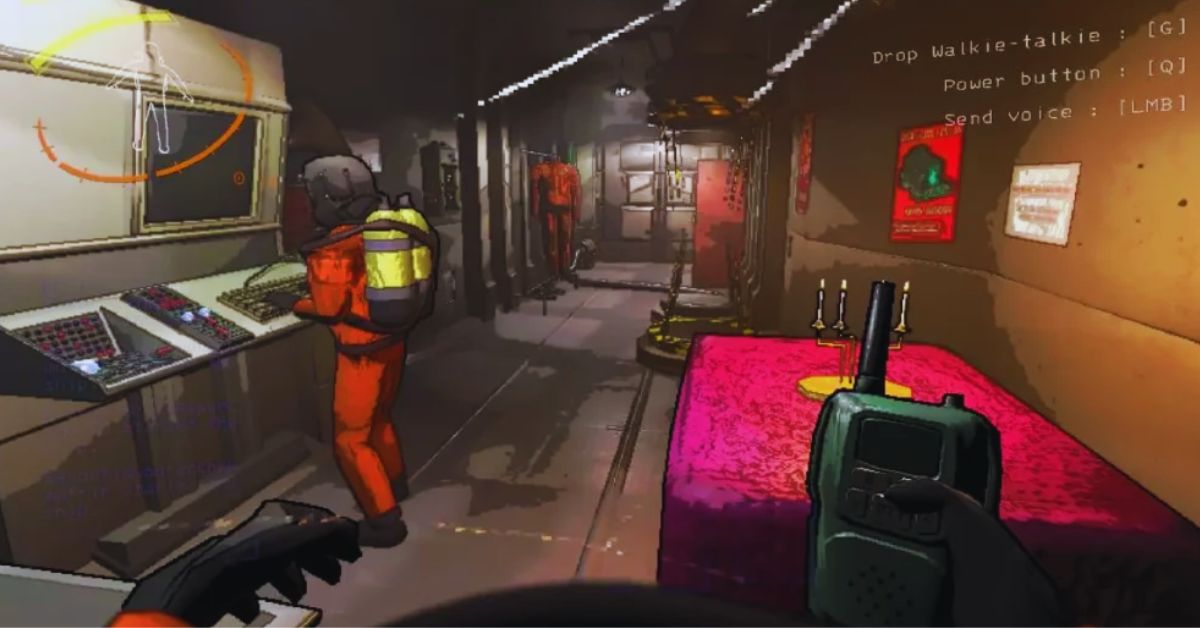
    Lethal Company performance mod is a mod that aims to optimize and enhance the game’s performance and graphics. The mod was created by user BλdλBoom, who posted it on the game’s Steam community page.

    The mod allows you to change various settings and options, such as resolution, anti-aliasing, post-processing, texture quality, fog quality, level of detail, shadow quality, and more. The mod also tries to disable some of the game’s features that can cause lag or glitches, such as fog, grass, and bushes.

    The mod can help you increase your FPS, reduce stuttering, and improve your visibility and immersion in the game.

    How to Install Lethal Company Performance Mod?

    To install the Lethal Company performance mod, you need to download the mod file from the link provided by the modder. The mod file is a text file named HDLethalCompany.cfg, which contains the codes and scripts that enable the mod. You need to place this file in the game’s config folder, which is located at steamapps\\common\\Lethal Company\\BepInEx\\config.

    If you don’t have the BepInEx folder, you need to install the BepInExPack mod first, which is a modding framework that allows you to use other mods in the game. You can download the BepInExPack mod from the Thunderstore website, or use the r2modmanager to do it for you. For instructions on how to install mods, you can read this Steam guide.

    Once you have the mod file in the config folder, you need to launch the game at least once to make sure the mod is working. You can then edit the mod file with a text editor, such as Notepad, to change the settings and options according to your preference and system specifications.

    Conclusion

    Lethal Company performance mod is a mod that can help you boost your FPS and graphics quality in the open-world survival game. The mod allows you to change various settings and options, such as resolution, anti-aliasing, post-processing, texture quality, fog quality, level of detail, shadow quality, and more.

    The mod also tries to disable some of the game’s features that can cause lag or glitches, such as fog, grass, and bushes.

    This is everything you need to know about Lethal Company Performance Mod. Additionally, you can check our guide on Sims 4 Car Mod and Hogwarts Legacy Mods. Stay connected with GameEmpress.com to get the latest news and guides about the gaming world.

  • Genshin Impact Redemption Code: Unlock Your Treasure Trove

    Genshin Impact Redemption Code: Unlock Your Treasure Trove

    Primogem is the key resource that Genshin Impact players will need to obtain new characters and weapons. The simplest way to obtain this currency is to pay money to purchase Genesis Crystals and convert them into Primogems. Still, the most cost-effective option is to stay active, follow every in-game event, and, of course, hunt more Primogems via web events or codes.

    Some redemption codes are provided at regular intervals. For example, three livestream codes are revealed every six weeks, and fresh redeem codes are added at the start of each edition. If players are curious about which Genshin Impact redeem codes are available, they may check out this post.

    Genshin Impact Redemption Code

    Genshin Impact Furina's Kit
    Genshin Impact Furina’s Kit

    Players can use the following Genshin Impact 4.4 livestream redeem codes:

    Redemption Code Rewards
    BBQ8AZHUH2CZ 100 Primogems & 10 Mystic Enhancement Ores
    MT88AYHCZ2UR 100 Primogems & 5 Hero’s Wits
    FA9QAGYDZJEV 100 Primogems & 50,000 Mora

    The following redemption codes are also available in January 2024:

    Redemption Code Rewards
    NA88ANTJL5SD 60 Primogems & 5 Adventurer’s Experience
    JB95D2V5XGJ5 20k Mora, 2 Hero’s Wit, 5 Adventurer’s Experience, 5 Charcoal-Baked Ajilenakh Cake, 5 Curry Shrimp
    GENSHINGIFT 50 Primogems & 3 Hero’s Wit

    Expired Codes

    Unfortunately, the codes listed below are no longer available due to their time limit:

    Redemption Code Rewards
    3BRLL59ZCZKD 100 Primogems + 10 Mystic Enhancement Ores
    WA845MQHUHKH 100 Primogems + 5 Hero’s Wits
    ZT8MLL8GCYKM 100 Primogems + 50,000 Mora
    NS92PG6DB52M 60 Primogems & 5 Adventurer’s Experience
    FB8PFFHT364M 100 Primogems + 10 Mystic Enhancement Ores
    JS96FEZS3P59 100 Primogems + 5 Hero’s Wits
    2T86EWGBJP6V 100 Primogems + 50,000 Mora
    MT8PCZYVG2T5 10k Mora, 10 Adventurer’s Experience, 5 Fine Enhancement Ore, 5 Stir-Fried Fish Noodles, 5 Jueyun Chili Chicken
    2S84JS839T8R 60 Primogems & 5 Adventurer’s Experience
    GDAHJC4YHS7H 10k Mora, 10 Adventurer’s Experience, 5 Fine Enhancement Ore, 5 Stir-Fried Fish Noodles, 5 Jueyun Chili Chicken
    WEQP3D5ZHRD9 10k Mora, 10 Adventurer’s Experience, 5 Fine Enhancement Ore, 5 Stir-Fried Fish Noodles, 5 Jueyun Chili Chicken
    EAFVKD4GZQBZ 10k Mora, 10 Adventurer’s Experience, 5 Fine Enhancement Ore, 5 Stir-Fried Fish Noodles, 5 Jueyun Chili Chicken
    RQWP3ULZZ8VD 10k Mora, 10 Adventurer’s Experience, 5 Fine Enhancement Ore, 5 Stir-Fried Fish Noodles, 5 Jueyun Chili Chicken
    TTQNCFMADSWH 30 Primogems
    AAQNVELTVSXV 20k Mora, 5 Mystic Enhancement Ore
    9A97KJNX2NZ9 30 Primogems
    VA97KJNF24UV 100 Primogems + 10 Mystic Enhancement Ores
    NTQP2KPEJMUH 100 Primogems + 5 Hero’s Wits
    9T96KJNE2LVM 100 Primogems + 50,000 Mora
    6T8NWE3HD7PD 60 Primogems & 5 Adventurer’s Experience
    RS99D5LVTM6V 100 Primogems + 10 Mystic Enhancement Ores
    UBRQC4MCT4PZ 100 Primogems + 5 Hero’s Wits
    8BQ9CMMVS5PM 100 Primogems + 50,000 Mora
    EA8RWDMBVRTR 60 Primogems & 5 Adventurer’s Experience
    NNDFKSKEX6TH 10k Mora, 10 Adventurer’s Experience, 5 Fine Enhancement Ore, 5 Stir-Fried Fish Noodle, 5 Jueyun Chili Chicken
    HJGDJA2FW7FH 10k Mora, 10 Adventurer’s Experience, 5 Fine Enhancement Ore, 5 Stir-Fried Fish Noodle, 5 Jueyun Chili Chicken

    Primogems In Genshin Impact

    Primogems can be used for a variety of purposes, but most players use them on wishing banners to obtain the characters or weapons they desire. Aside from this, the currency can be used to refresh Original Resin or purchase Battle Pass levels.

    Each Battle Pass level costs 150 Primogems and will remain at that price even if players purchase 50 levels at once. Meanwhile, Original Resin recharging becomes more expensive with time and is limited to six times daily.

    Daily Refill Primogem Cost
    1 50
    2-3 100
    4 150
    5-6 200

    Each refill will yield 60 Resin, for a total of 360 Resin for the cost of 800 Primogems.

    To obtain Primogems in Genshin Impact, the Daily Commission and Welkin subscriptions are the most reliable and cost-effective options.

    Other sources include Spiral Abyss, Genesis Crystals, the Battle Pass, events, Adventure Rank awards, accomplishments, and HoYoLAB check-ins.

    You might be interested in the following games: Codes: Hunger Games Simulator Codes and Combat Warriors Codes. We appreciate your interest in our website. Make Gameempress.com your go-to destination for gaming knowledge.

  • Is Palworld Cross Platform? Unraveling the Monster-Taming Multiplayer Mystery

    Is Palworld Cross Platform? Unraveling the Monster-Taming Multiplayer Mystery

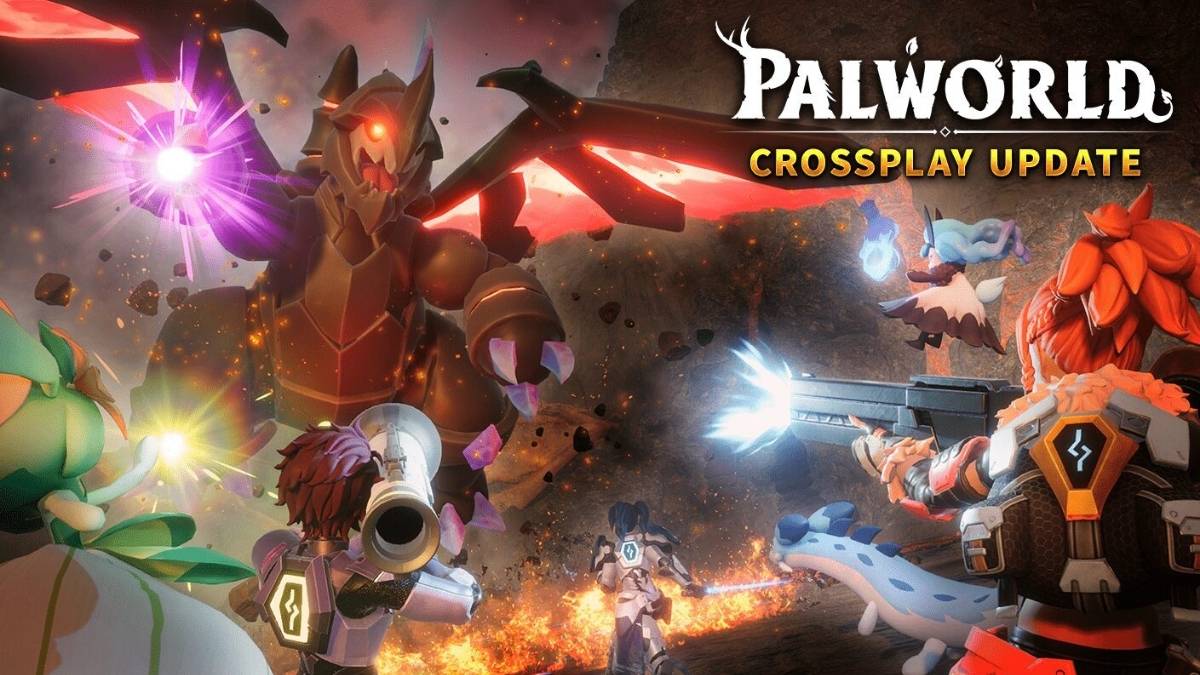
    Palworld is a new game that combines creature collecting, survival, crafting, and shooting elements in an open world. The game has been compared to Pokémon with guns and has attracted a lot of attention from fans of both genres.

    Palworld is currently available in early access on Steam and Xbox, but many players are wondering if the game supports cross-platform play. In this article, we will answer that question and explain everything you need to know about Palworld’s cross-platform features.

    Is Palworld Cross Platform?

    Is Palworld Cross Platform?
    Is Palworld Cross Platform?

    Unfortunately, the answer is no. Palworld does not support cross-platform play at the moment. This means that you can only play with other players who are using the same platform as you.

    For example, if you are playing Palworld on Steam, you can only play with other Steam players, and not with Xbox players. This also means that PC Game Pass players cannot play with Steam players until crossplay is added.

    However, there is some hope for the future. The developers of Palworld, Pocketpair, have stated that they are working on adding cross-platform play as soon as possible. In a Q&A session on their official Discord server, they said: “Does Palworld support crossplay between Xbox and Steam? Not at launch, but we are working to make this a possibility as soon as possible!”

    Therefore, Palworld may support cross-platform play in the future, but there is no official timeline or confirmation for that yet. We will update this article when we have more information about Palworld’s cross-platform features.

    What Platforms Is Palworld Available On?

    Palworld is currently available in early access on Steam and Xbox. You can buy the game for $19.99 on Steam, or play it with the Xbox Game Pass subscription. The game is also planned to be released on PlayStation 5, but there is no release date for that yet. There is also no mention of a Nintendo Switch version of Palworld.

    Conclusion

    Palworld is a game that mixes creature collecting, survival, crafting, and shooting elements in an open world. The game is currently available in early access on Steam and Xbox, but it does not support cross-platform play.

    However, the developers are working on adding cross-platform play as soon as possible, and they are also planning to add a modding system in the future. We will update this article when we have more information about Palworld’s cross-platform and modding features.

    You might also be interested in the following games, Crossplay: Evil West Crossplay and Nobody Saves The World Crossplay We appreciate your interest in our website! Make Gameempress.com your go-to site for gaming information.

  • Hunger Games Simulator Codes: How To Create And Use Custom Events And Scenarios?

    Hunger Games Simulator Codes: How To Create And Use Custom Events And Scenarios?

    Hunger Games Simulator is a web-based game that allows you to create and simulate your own Hunger Games scenarios with various characters, events, and outcomes. You can use the default settings or customize them to your liking.

    You can also use codes to access and share different custom events and scenarios created by other users. In this article, we will tell you everything you need to know about Hunger Games Simulator codes, including how to create and use them.

    How to Create Hunger Games Simulator Codes?

    To create Hunger Games Simulator codes, you need to use the Edit Cast and Edit Events options on the simulator’s website. You can upload your images and names for the tributes, or use the randomize or load options to choose from different categories, such as celebrities, cartoons, video games, etc.

    Hunger Games Simulator Codes
    Hunger Games Simulator Codes

    You can also edit the events that happen during the simulation, such as the bloodbath, the feast, the arena events, the night events, and the fatal events. You can add, delete, or modify the events, and change the probabilities, outcomes, and effects of each event. You can also use variables, such as Player, Killer, Weapon, Status, etc., to make the events more dynamic and realistic.

    Once you are done with editing the cast and the events, you can save your custom scenario by clicking on the Save button at the bottom of the page. You will get a code that you can copy and paste or a link that you can share with others.

    The code or the link will load your custom scenario when entered or clicked on the simulator’s website. You can also download your custom scenario as a text file, or upload a text file to load a custom scenario.

    How to Use Hunger Games Simulator Codes?

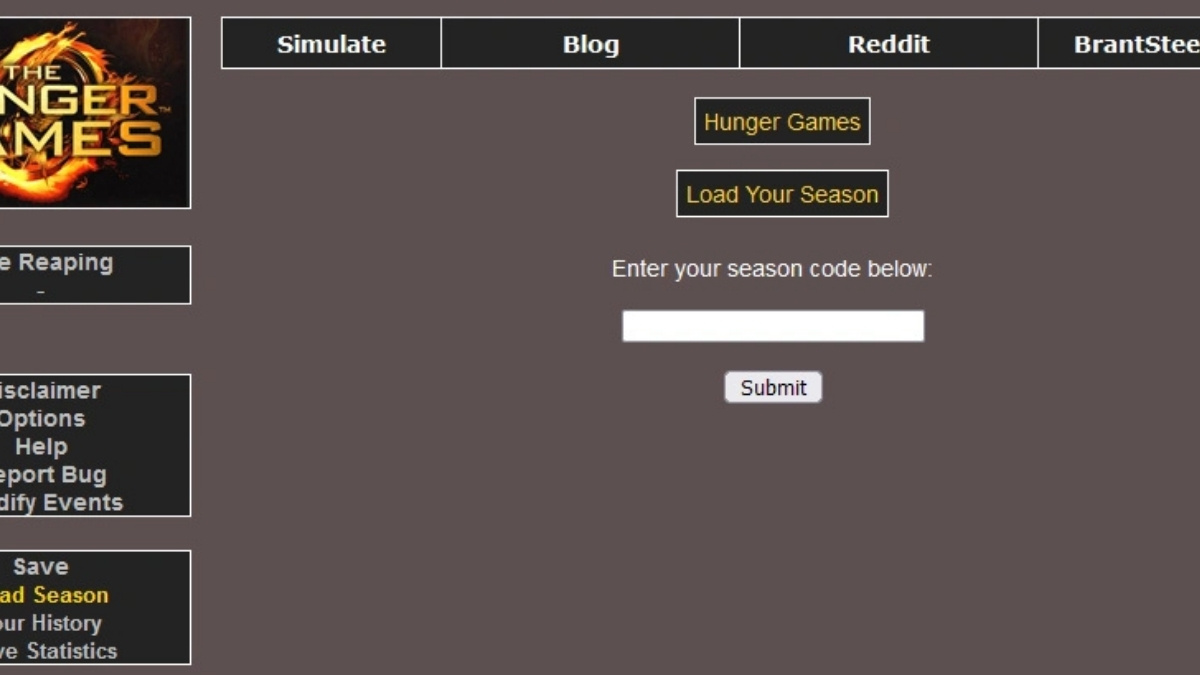
    To use Hunger Games Simulator codes, you need to enter or paste them on the simulator’s website. You can enter the code in the text box below the Load button, or click on the link that contains the code.

    The code or the link will load the custom scenario that was created by the code’s creator. You can then proceed to simulate the scenario by clicking on the Proceed button or edit the cast or the events by clicking on the Edit Cast or Edit Events buttons.

    You can also use the codes to access different custom events and scenarios created by other users. There are many sources where you can find and download codes for the Hunger Games Simulator, such as Reddit, Agma Schwa, BrantSteele, etc.

    You can also search for codes by using keywords, such as Hunger Games Simulator codes, Hunger Games Simulator custom events, Hunger Games Simulator scenarios, etc. You can also create and share your codes with other users, or request codes for specific themes or ideas.

    Hunger Games Simulator Codes

    Here are some examples of Hunger Games Simulator codes that you can use or modify to create your custom scenarios.

    • Thomas e Friends Champion-1
    • 212OlCx3
    • Trevor Handerson Massacre-2
    • NRBI2BIA
    • Mario’s Free-For-All
    • d3roXhbW
    • Jogos Voraze Do Meu Jeito-3
    • 1G8xkYtd
    • Super Mario Free-For-All-4
    • 2S0IZUEl
    • Moubians Battle Royale-5
    • 31wzyanR
    • Alunos Games-6
    • HNNu2bkI
    • Mzozoico Zoado A treta-7
    • lRiKchjL
    • Arena Of Banban-8
    • OeWl7ohE
    • Doors Endgame-9
    • 9RUbgEBa
    • Alpha-Bet Lore-10
    • mkG5CC4f
    • Pizza Tower Fall-out-11
    • WPXd73Ol
    • Mzozoico Zoado A treta 2Yaq11lzG
    • Creepy Hunger Pasta-12
    • yknPiMEq
    • Los Juegos Aleatorios-13
    • dOkPIwSX
    • Animais Fantásticos-14
    • yOuIDMHw
    • Pokemon Ultimate Battle-15
    • 7g5wqOzq
    • Cinemania-16
    • Z441LtTK
    • Kaiju Dominion-17
    • 2y5HWGEF
    • Histórias Brutais-18
    • CogI0fp6
    • Madness Bloodshed-19
    • uPB1NnXx
    • Godzilla Royale-20
    • 8qWrb9jU
    • Poppy Playtime Hunters-21
    • AllqPaAy
    • Kirby Games-22
    • daYREbPs
    • Minecraft Hungry Games-23
    • z2nwBIg1
    • Rainbow Friends Hunger Games-24
    • rlMFFHOm
    • Webserie hunger games-25
    • 4mmoUxaR
    • my singing monster insanity -26
    • BRmZpIlm
    • Hunger Games crash brutality-27
    • qim0ofRr
    • fnaf long nightmare-28
    • AKY8Za5j
    • Marvel ao ataque-29
    • znxI1raL
    • Game of thrones-30
    • 30i8U7c2
    • Helluva boss ascensão-31
    • FQso9GAq
    • Looney Tunes Briga Do Século-32
    • SE0KHxCx
    • Chikin nuggit: chaotic games-33
    • 7BxbkAe6

    Conclusion

    Hunger Games Simulator is a fun and creative game that lets you create and simulate your own Hunger Games scenarios with various characters, events, and outcomes.

    You can also use codes to access and share different custom events and scenarios created by other users. You can create and use Hunger Games Simulator codes by following the tips and tricks in this article. Have fun and may the odds be ever in your favor!

    You might also be interested in the following games, Cheats: Garena Free Fire Redeem Codes and Bee Swarm Simulator Codes. We appreciate your interest in our website! Make Gameempress.com your go-to site for gaming information.

  • MW3 Zombies New Warlord Dokkaebi Location Revealed: High-Rise Havoc!

    MW3 Zombies New Warlord Dokkaebi Location Revealed: High-Rise Havoc!

    Modern Warfare 3 Season 1 Reloaded is officially out, and it includes new content for the Zombies game mode, as well as significant modifications to objectives and locations, weapon balance tweaks, and much more.

    Among the new additions is the MW3 Zombies’ new Warlord, Dokkaebi, who can be found in her citadel.

    Given that many players are unaware of the location of the new Warlord, we have created a detailed tutorial on where to find Dokkaebi’s Fortress, as well as suggestions for defeating her.

    MW3 Zombies New Warlord Dokkaebi Location

    MW3 Zombies New Warlord Dokkaebi Location (1)
    MW3 Zombies New Warlord Dokkaebi Location (1)

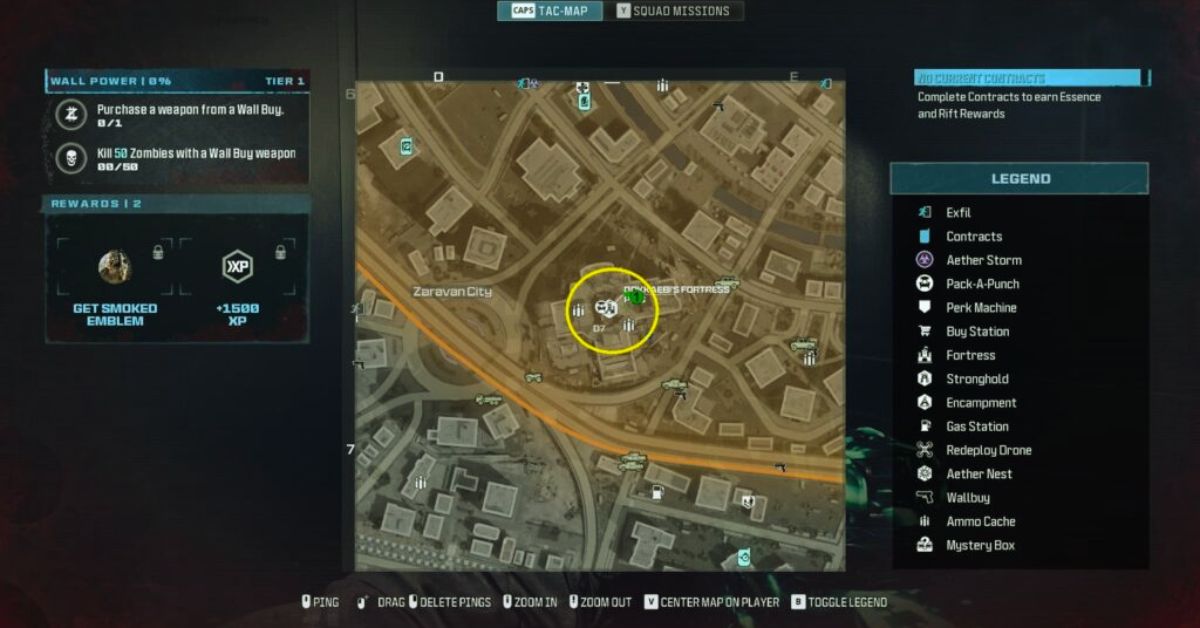
    In MW3 Zombies, the new Warlord, Dokkaebi, can be found at D7 in Zaravan City’s Tier 2 zone. To make things easier, we’ve published Dokkaebi’s actual location on the accompanying map.

    When you arrive at the indicated area, you will locate the skyscraper you may have previously used to “Pack A Punch”, as a weapon, or as a navigation point to fast reach different regions of the game.

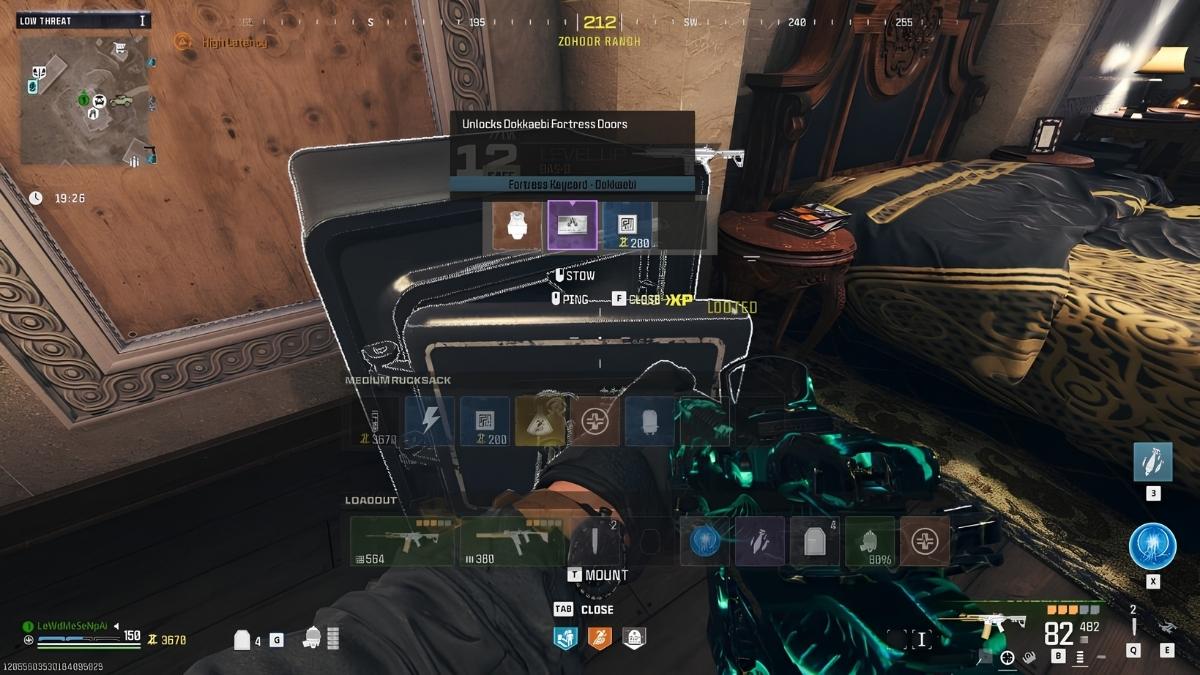
    Now, the rooftop of the same building serves as her Fortress, which you can access using the “Fortress Keycard – Dokkaebi.”

    The Fortress Keycard – Dokkaebi can be obtained from any standard Fortress in Urzikstan. The technique of obtaining the keycard is the same as with the “Fortress Keycard – Legacy.”

    MW3 Zombies New Warlord Dokkaebi Location
    MW3 Zombies New Warlord Dokkaebi Location

    First, get a Stronghold Keycard from a Buy Station, Merc Camp, Mercenary Convoy, or cache. Once you have the keycard, head to the nearest Mercenary Stronghold, clear it, and open the main safe inside.

    Previously, opening the safe inside Mercenary Strongholds would result in a Fortress Keycard – Legacy, however with the Season 1 Reloaded update, which went live on January 17th, the safe now has a 100% chance of spawning the Fortress Keycard – Dokkaebi.

    That being said, as previously stated, the Fortress Keycard – Dokkaebi can be used to open the fortress gates on the rooftop of the skyscraper at D7 in Zaravan City.

    How to Defeat Dokkaebi in MW3 Zombies?

    At first glance, the Warlord appears to be a one-of-a-kind boss capable of using various devices and technology to stay one step ahead in a fight. However, you will quickly find that she is nothing more than a gimmick boss that you can easily defeat if you know what you’re doing.

    Once entering Dokkaebi’s Fortress, you will find her surrounded by many elites. Take them out first, then begin shooting at Dokkaebi. After you cause some damage, she will utilize her drones to fly over the roof, while enemies, drones, and turrets attempt to attack you.

    For this portion of the battle, you must eliminate the drones surrounding the boss, while shooting her will be ineffective because she is invincible.

    After you’ve taken down all of the drones, she’ll return to the roof, susceptible to your attacks. After that, all you have to do is keep shooting at her until her HP reaches zero.

    For this battle, level up your Pack A Punch weapon to at least level 2. Aside from that, possessing an AR or LMG with a good range and a few weapon upgrades would help make the battle easier. The same goes for power-ups and other such items.

    This is everything you need to know about MW3 Zombies New Warlord Dokkaebi Location. Additionally, you can check our guide on Death King Blox Fruits: Location Guide and RDR2 Moose Location Guide. Stay connected with GameEmpress.com to get the latest news and guides about the gaming world.

  • Icewind Dale Map: A Guide To The Frozen North Of Faerun

    Icewind Dale Map: A Guide To The Frozen North Of Faerun

    Icewind Dale is a region in the Forgotten Realms, a fantasy world that is the setting of many Dungeons & Dragons games and novels. Icewind Dale is a harsh and remote land, located in the northernmost part of Faerun, beyond the Spine of the World mountains.

    Icewind Dale is known for its icy climate, its fierce monsters, and its brave and hardy inhabitants. In this article, we will show you the Icewind Dale map, and what are the main locations and features of the region.

    The Icewind Dale Map

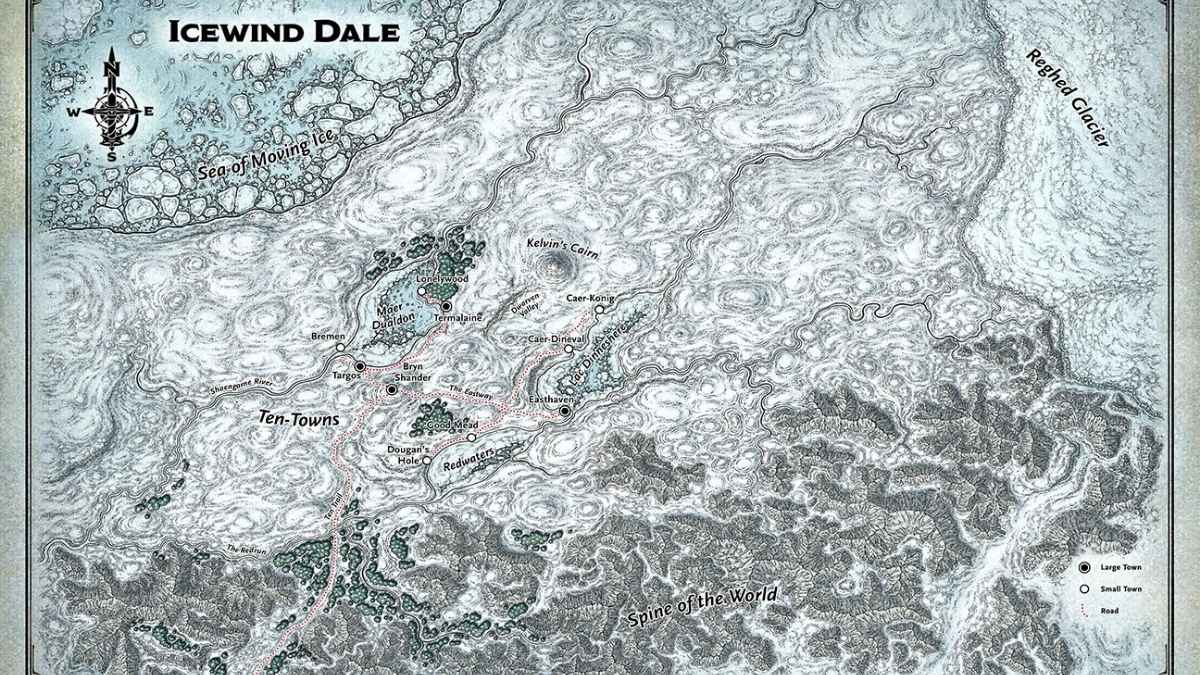
    The Icewind Dale map is a map that shows the geography and the settlements of the region. The map can be found in various sources, such as the Icewind Dale video games, the Icewind Dale trilogy of novels by R.A. Salvatore, or the Icewind Dale: Rime of the Frostmaiden adventure module by Wizards of the Coast. Here is an example of the Icewind Dale map, based on the Icewind Dale:

    Icewind Dale Map
    Icewind Dale Map

    The Icewind Dale map shows the following features:

    The Sea of Moving Ice: A vast and dangerous sea of icebergs and glaciers, that surrounds the northern coast of Icewind Dale. The sea is home to many creatures, such as whales, seals, polar bears, and white dragons. The sea also hides the island of Solstice, where the ancient and powerful artifact known as the Codicil of White is located.

    The Reghed Glacier: A massive and ancient glacier that covers the eastern part of Icewind Dale. The glacier is the source of many rivers and lakes, such as the River Reghed, the Lake of Tears, and the Frozenfar. The glacier also harbors many secrets and dangers, such as the Caves of Hunger, where the evil goddess Auril resides, and the Lost Spire of Netheril, where the remnants of a fallen empire lie.

    The Ten Towns: A confederation of ten small and isolated settlements, that are scattered around the three main lakes of Icewind Dale: Lac Dinneshere, Maer Dualdon, and Redwaters. The Ten Towns are the main civilization and culture of Icewind Dale, and they are known for their fishing, mining, and trading activities. The Ten Towns are also the main setting and the starting point of many adventures and stories in Icewind Dale. The Ten Towns are:

    • Bryn Shander: The largest and the most prosperous of the Ten Towns, and the unofficial capital of the region. Bryn Shander is located on a hill, overlooking the other towns and the tundra. Bryn Shander is known for its markets, its caravans, and its defenses.
    • Targos: The second largest and the most militaristic of the Ten Towns, and the rival of Bryn Shander. Targos is located on the southern shore of Maer Dualdon, and it has a strong naval and fishing presence. Targos is known for its warriors, its ships, and its aggression.
    • Termalaine: The third largest and the most peaceful of the Ten Towns, and the ally of Bryn Shander. Tourmaline is located on the northern shore of Maer Dualdon, and it has a rich and diverse population. Termalaine is known for its gem mines, its gardens, and its hospitality.
    • Bremen: The smallest and the most humble of the Ten Towns, and the friend of all. Bremen is located on the western shore of Maer Dualdon, and it has a simple and hardworking lifestyle. Bremen is known for its music, its festivals, and its kindness.
    • Lonelywood: The most isolated and the most mysterious of the Ten Towns, and the guardian of nature. Lonelywood is located on the northern shore of Lac Dinneshere, and it has a close connection with the forest and the animals. Lonelywood is known for its woodcraft, its hunters, and its secrets.
    • Dougan’s Hole: The most rustic and the most traditional of the Ten Towns, and the home of the old ways. Dougan’s Hole is located on the eastern shore of Lac Dinneshere, and it has a conservative and self-reliant attitude. Dougan’s Hole is known for its fishing, its farming, and its stubbornness.
    • Good Mead: The most festive and the most alcoholic of the Ten Towns, and the source of joy. Good Mead is located on the southern shore of Lac Dinneshere, and it has a lively and cheerful atmosphere. Good Mead is known for its mead, its taverns, and its fun.
    • Easthaven: The most adventurous and the most ambitious of the Ten Towns, and the hub of exploration. Easthaven is located on the eastern shore of Redwaters, and it has a daring and restless spirit. Easthaven is known for its expeditions, its art, and its innovation.
    • Caer-Dineval: The most aristocratic and the most snobbish of the Ten Towns, and the seat of nobility. Caer-Dineval is located on the western shore of Redwaters, and it has a proud and elitist culture. Caer-Dineval is known for its castle, its knights, and its arrogance.
    • Caer-Konig: The most remote and the most friendly of the Ten Towns, and the refuge of the outcasts. Caer-Konig is located on the northern shore of Redwaters, and it has a welcoming and tolerant community. Caer-Konig is known for its dogsleds, its inns, and its diversity.

    Conclusion

    Icewind Dale is a region in the Forgotten Realms, a fantasy world that is the setting of many Dungeons & Dragons games and novels. Icewind Dale is a harsh and remote land, located in the northernmost part of Faerun, beyond the Spine of the World mountains. Icewind Dale is known for its icy climate, its fierce monsters, and its brave and hardy inhabitants.

    The Icewind Dale map is a map that shows the geography and the settlements of the region, such as the Sea of Moving Ice, the Reghed Glacier, and the Ten Towns. The Icewind Dale map can help you explore and enjoy the frozen north of Faerun.

    This is everything you need to know about Icewind Dale Map. Additionally, you can check our guide on Death King Blox Fruits: Location Guide and RDR2 Moose Location Guide. Stay connected with GameEmpress.com to get the latest news and guides about the gaming world.

  • Pokemon Go Friend Finder: How To Find And Add Friends In The Game?

    Pokemon Go Friend Finder: How To Find And Add Friends In The Game?

    Pokemon Go is a game that encourages social interaction and cooperation among players, as they can team up to catch, battle, and trade Pokemon. However, finding and adding friends in the game can be challenging, especially if you don’t know anyone who plays the game in your area.

    That’s why many players are looking for Pokemon Go friend finder, which is a tool or a service that can help them find and add friends in the game. In this article, we will show you the best Pokemon Go friend finder, and how to use it.

    What is Pokemon Go Friend Finder?

    Pokemon Go Friend Finder
    Pokemon Go Friend Finder

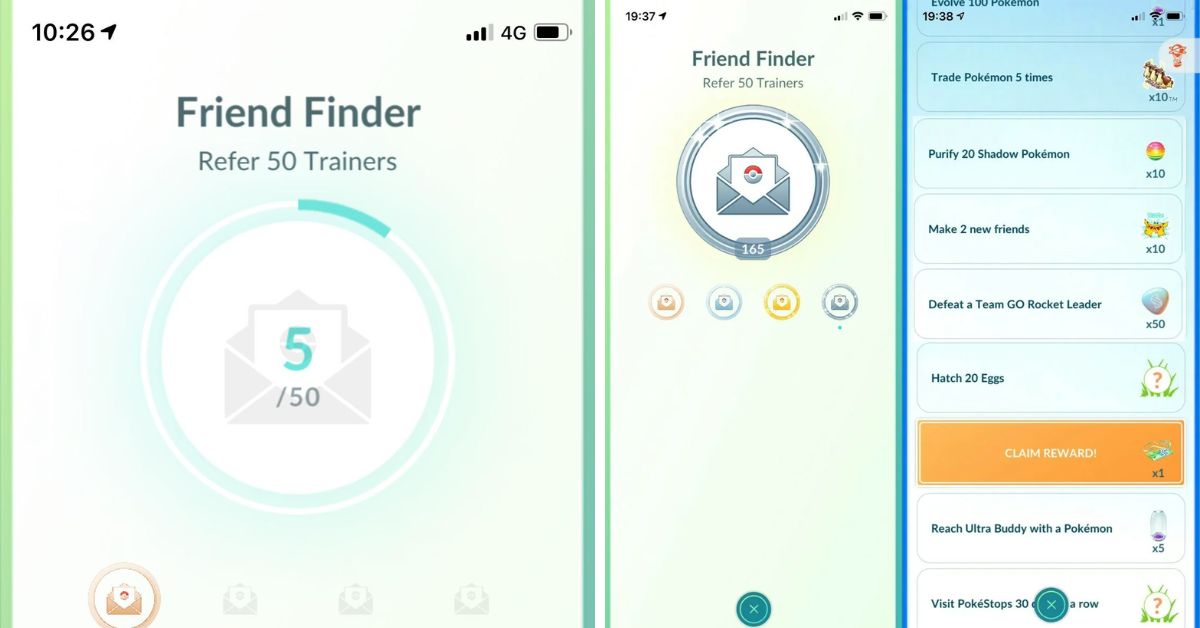
    Pokemon Go friend finder is a tool or a service that can help you find and add friends in Pokemon Go, by using your friend code or QR code. Your friend code or QR code is a unique identifier that can be shared with other players, so they can add you as a friend in the game. You can find your friend code or QR code in the game, by following these steps:

    • Tap on your avatar icon on the bottom left corner of the screen, to open your profile.
    • Tap on the Friends tab on the top right corner of the screen, to open your friends list.
    • Tap on the Add Friend button on the top right corner of the screen, to open your friend code or QR code.

    You can share your friend code or QR code with other players, by using the Share button on the bottom of the screen, or by taking a screenshot and sending it to them. You can also scan other players’ QR codes, by using the Scan QR Code button on the top of the screen.

    However, sharing your friend code or QR code with other players can be difficult, especially if you don’t have any contacts or social media platforms that play the game.

    That’s why Pokemon Go friend finder can be useful, as it can help you find and add friends in the game, without having to share your personal information or contact details.

    How to Use Pokemon Go Friend Finder?

    There are many Pokemon Go friend finder tools or services that you can use, but one of the best and most popular ones is Pokémon GO Friend Codes.

    This is a website that allows you to find and add friends in Pokemon Go, by using your friend code or QR code. You can also browse thousands of other players’ friend codes or QR codes, and add them as your friends in the game. Here are the steps to use Pokemon Go friend finder:

    • Visit the Pokémon GO Friend Codes website, and enter your friend code or scan your QR code, to submit your code to the website. You can also enter your name, country, and team, to make your profile more personalized and attractive.
    • Browse the website, and look for other players’ friend codes or QR codes that you want to add as your friends in the game. You can also use the filter option, to narrow down your search by name, country, or team.
    • Copy or scan the friend codes or QR codes that you want to add, and go back to the game. Tap on the Add Friend button, and paste or scan the codes, to send friend requests to the players. You can also receive friend requests from other players who have found your code on the website.
    • Accept the friend requests that you have received, and enjoy the benefits of having friends in the game. You can send and receive gifts, trade Pokemon, battle together, earn bonuses, and more.

    Tips and Tricks for Pokemon Go Friend Finder

    Here are some tips and tricks to help you make the most of Pokemon Go friend finder:

    • Update your code regularly, to make sure that it is valid and active. You can update your code by entering it again on the website, or by bumping it to the top of the list every 24 hours.
    • Be selective and careful when adding friends, as you can only have up to 200 friends in the game. You should also avoid adding fake or inactive codes, as they can waste your time and resources.
    • Be friendly and generous when interacting with your friends, as you can increase your friendship level and earn more rewards. You should also communicate with your friends, by using the chat, voice, or emoji features in the game.
    • Join or create clubs, which are groups of players who can share resources and items, and participate in club events and challenges. You can find or create clubs on the website, or by using other platforms, such as Discord or Reddit.

    Conclusion

    Pokemon Go friend finder is a tool or a service that can help you find and add friends in Pokemon Go, by using your friend code or QR code. One of the best and most popular Pokemon Go friend finder is Pokémon GO Friend Codes, which is a website that allows you to find and add friends in the game, without having to share your personal information or contact details.

    You can also use some tips and tricks to improve your game experience, such as updating your code, being selective and careful, being friendly and generous, and joining or creating clubs. Pokemon Go friend finder is what you need to enjoy the social and cooperative aspects of the game.

    If you are interested in knowing more articles related to Pokemon Go, you can check Dusk Form Lycanroc Pokemon Go and Buzzwole Weakness Pokemon Go. We appreciate your interest in our website! Make Gameempress.com your go-to site for gaming information.

  • Where To Catch Pikachu In Fire Red? A Guide To The Electric Mouse Pokemon

    Where To Catch Pikachu In Fire Red? A Guide To The Electric Mouse Pokemon

    Pikachu is one of the most iconic and popular Pokemon in the franchise, and it is also the mascot of the series. Pikachu is an Electric-type Pokemon that can evolve into Raichu with a Thunder Stone, or into Pichu with high friendship in later generations.

    Pikachu is known for its cute appearance, its powerful electric attacks, and its loyal bond with its trainer. In this article, we will show you where to catch Pikachu in Fire Red, and what are its stats, moves, and evolution.

    Where to Find Pikachu in Fire Red?

    Where To Catch Pikachu In Fire Red?
    Where To Catch Pikachu In Fire Red?

    There are two main locations where you can find Pikachu in Fire Red: Viridian Forest and the Power Plant. Here are the details of each location:

    Viridian Forest

    Viridian Forest is a large forest area that connects Pewter City and Viridian City. It is the first place where you can encounter wild Pikachu in the game, but it is also the most difficult one.

    Pikachu can be found in the grass, between levels 3-5, but it only has a 5% chance of appearing. So it could take a long time before you see one. However, if you have the patience and the luck, you can catch a low-level Pikachu early in the game, and train it to become stronger.

    To catch Pikachu in Viridian Forest, you will need some Poke Balls, some Potions, and some Paralyze Heals. You will also need a Pokemon that can weaken Pikachu without killing it, such as a Bug-type or a Normal-type.

    You can also use a Pokemon that can inflict status conditions, such as Sleep or Paralysis, to make it easier to catch. Once you find a Pikachu, lower its HP to the red zone, and throw a Poke Ball at it. You may need to use several Poke Balls before you succeed, so be prepared.

    Power Plant

    The Power Plant is an abandoned power station that is located on Route 10, near Rock Tunnel. It is the second and the best place where you can find Pikachu in the game, but it is also the most inaccessible one.

    You can only reach the Power Plant after you have obtained the Surf HM, which is given by the Safari Zone Warden after you find his Gold Teeth.

    You will also need the Cut HM, which is given by the S.S. Anne Captain after you defeat him in a battle. With these HMs, you can surf on the water and cut the trees that block the entrance to the Power Plant.

    The Power Plant is full of Electric-type Pokemon, such as Voltorb, Magnemite, and Electabuzz. But the most common one is Pikachu, which has a 25% chance of appearing. You can find Pikachu at levels 22, 24, and 26, which are much higher than in Viridian Forest.

    This means that you can catch a stronger Pikachu without much training, but it also means that you will need a stronger Pokemon to catch it.

    To catch Pikachu in the Power Plant, you will need some Great Balls or Ultra Balls, some Super Potions or Hyper Potions, and some Full Heals. You will also need a Pokemon that can resist Electric-type attacks, such as a Ground-type or a Rock-type.

    You can also use a Pokemon that can inflict status conditions, such as Sleep or Paralysis, to make it easier to catch. Once you find a Pikachu, lower its HP to the red zone, and throw a Great Ball or an Ultra Ball at it. You may need to use several balls before you succeed, so be prepared.

    What are the Stats, Moves, and Evolution of Pikachu in Fire Red?

    Where To Catch Pikachu In Fire Red (1)
    Where To Catch Pikachu In Fire Red (1)

    Pikachu is a Pokemon that has high Speed and Special Attack, but low HP, Defense, and Special Defense. This means that it can hit fast and hard with its electric attacks, but it can also be easily knocked out by physical attacks or other types of attacks.

    Pikachu’s best stat is its Speed, which allows it to outspeed most of its opponents and strike first. Pikachu’s worst stat is its Defense, which makes it vulnerable to strong physical attacks, especially from Rock-type or Ground-type Pokemon.

    Pikachu can learn a variety of moves, both by leveling up and by using TMs or HMs. Some of its best moves are:

    • Thunderbolt: A powerful Electric-type move that has a 10% chance of paralyzing the target. It can be learned by leveling up to level 26, or by using TM24, which can be bought at the Celadon Department Store for 5500 P.
    • Thunder: A very powerful Electric-type move that has a 30% chance of paralyzing the target, but also has a low accuracy of 70%. It can be learned by leveling up to level 41, or by using TM25, which can be found at the Power Plant.
    • Thunder Wave: A useful Electric-type move that paralyzes the target, making it slower and unable to attack sometimes. It can be learned by leveling up to level 8, or by using TM45, which can be bought at the Celadon Department Store for 1500 P.
    • Quick Attack: A decent Normal-type move that always goes first, regardless of the Speed stat. It can be learned by leveling up to level 11.
    • Slam: A strong Normal-type move that has a high power of 80, but also has a low accuracy of 75%. It can be learned by leveling up to level 20.
    • Iron Tail: A powerful Steel-type move that has a 30% chance of lowering the target’s Defense. It can be learned by using TM23, which can be obtained by defeating Lt. Surge at the Vermilion Gym.
    • Brick Break: A strong Fighting-type move that can break through barriers, such as Reflect or Light Screen. It can be learned by using TM31, which can be obtained by defeating Giovanni at the Viridian Gym.

    Pikachu can evolve into Raichu with a Thunder Stone, which can be bought at the Celadon Department Store for 2100 P. Raichu is a stronger and faster version of Pikachu, with higher stats in every category.

    However, Raichu cannot learn any new moves by leveling up, so you should only evolve Pikachu when it has learned all the moves that you want. Alternatively, you can keep Pikachu as it is, and use a Light Ball, which is a rare item that can be found by catching wild Pikachu. The Light Ball doubles Pikachu’s Special Attack, making it more powerful than Raichu.

    Conclusion

    Pikachu is a Pokemon that can be caught in Fire Red in two locations: the Viridian Forest and the Power Plant. Pikachu is an Electric-type Pokemon that can evolve into Raichu with a Thunder Stone, or into Pichu with high friendship in later generations.

    Pikachu is known for its cute appearance, its powerful electric attacks, and its loyal bond with its trainer. Pikachu’s best moveset are Thunderbolt, Thunder, Thunder Wave, Quick Attack, Slam, Iron Tail, and Brick Break. Pikachu’s best counters are Pokemon that can use Rock, Ground, or Grass-type moves, such as Golem, Rhydon, or Venusaur.

    If you are interested in knowing more articles related to Pokemon Go, you can check Dusk Form Lycanroc Pokemon Go and Buzzwole Weakness Pokemon Go. We appreciate your interest in our website! Make Gameempress.com your go-to site for gaming information.

  • How To Get Annihilape In Pokemon Go? A Guide To The Raging Battles Event

    How To Get Annihilape In Pokemon Go? A Guide To The Raging Battles Event

    Annihilape is a new Pokemon that was introduced in Pokemon Go as part of the Raging Battles event, which runs from January 19 to February 2, 2024. Annihilape is a dual Fighting/Ghost type Pokemon that evolves from Primeape and has a fierce and vengeful personality.

    Annihilate is also the final evolution of Mankey and has a unique ability called Rage, which boosts its attack and speed when it is hit by an enemy. In this article, we will show you how to get Annihilape in Pokemon Go, and what you need to know about the Raging Battles event.

    How To Get Annihilape In Pokemon Go?

    How To Get Annihilape In Pokemon Go
    How To Get Annihilape In Pokemon Go

    To get Annihilape in Pokemon Go, you need to evolve a Primeape that you have as your Buddy Pokemon. To do this, you need to follow these steps:

    • Catch a Mankey and evolve it into Primeape using 50 Mankey Candy. You can find Mankey in the wild, in raids, or field research tasks during the Raging Battles event.
    • Make Primeape your Buddy Pokemon by tapping on your avatar, then on the ME tab, then on your current Buddy Pokemon or Buddy History, then on Swap Buddy, and then on Primeape.
    • Defeat 30 Ghost or Psychic-type Pokemon in battles with Primeape as your Buddy Pokemon. You can battle Ghost or Psychic-type Pokemon in raids, gyms, trainer battles, Team GO Rocket battles, or Team Leader battles. You can also use the Nearby or Today tabs to find Ghost or Psychic type Pokemon in the wild.
    • Once you have defeated 30 Ghost or Psychic type Pokemon, you will see a notification that your Primeape is ready to evolve. Tap on it and confirm the evolution to get your Annihilape.

    What to Expect from the Raging Battles Event in Pokemon Go?

    The Raging Battles event is a special event that celebrates the arrival of Annihilape in Pokemon Go. The event features the following:

    • Increased spawns of Fighting, Ghost, and Psychic type Pokemon, such as Mankey, Machop, Gastly, Abra, and more.
    • New field research tasks that reward you with encounters with Fighting, Ghost, and Psychic type Pokemon, as well as items such as Rare Candy, Stardust, and Poke Balls.
    • New raid bosses that include Fighting, Ghost, and Psychic type Pokemon, such as Hitmonlee, Hitmonchan, Gengar, Alakazam, and more.
    • New Timed Research that rewards you with encounters with Fighting, Ghost, and Psychic type Pokemon, as well as items such as Rare Candy, Stardust, and Poke Balls.
    • New avatar items and stickers inspired by Fighting, Ghost, and Psychic type Pokemon, such as a Mankey hat, a Gengar backpack, and a Primeape sticker.

    Conclusion

    Annihilape is a new Pokemon that you can get in Pokemon Go by evolving a Primeape that you have as your Buddy Pokemon and defeating 30 Ghost or Psychic-type Pokemon in battles.

    Annihilape is a part of the Raging Battles event, which features increased spawns, raids, research, and rewards related to Fighting, Ghost, and Psychic type Pokemon. The Raging Battles event is a great opportunity to catch and evolve some powerful and rare Pokemon, as well as to enjoy some fun and challenging battles.

    If you are interested in knowing more articles related to Pokemon Go, you can check Mega Glalie Raid Guide and Vanillite Shiny In Pokemon Go. We appreciate your interest in our website! Make Gameempress.com your go-to site for gaming information.

  • FFXIV Manderville Weapons 6.55: Gear Up For Grandeur – Majestic Relics Await!

    FFXIV Manderville Weapons 6.55: Gear Up For Grandeur – Majestic Relics Await!

    The Manderville Relic Weapon quest chain has been divisive, with many players finding it difficult to tolerate the Inspector Extraordinaire’s antics.

    However, Relic Weapons must be earned by any FFXIV player worth their salt, and the Manderville Relic missions have finally concluded. Here are the final Majestic Manderville Relic Weapons for each job, as of Final Fantasy XIV patch 6.55!

    FFXIV Manderville Weapons 6.55

    ffxiv manderville weapons 6.55
    ffxiv manderville weapons 6.55

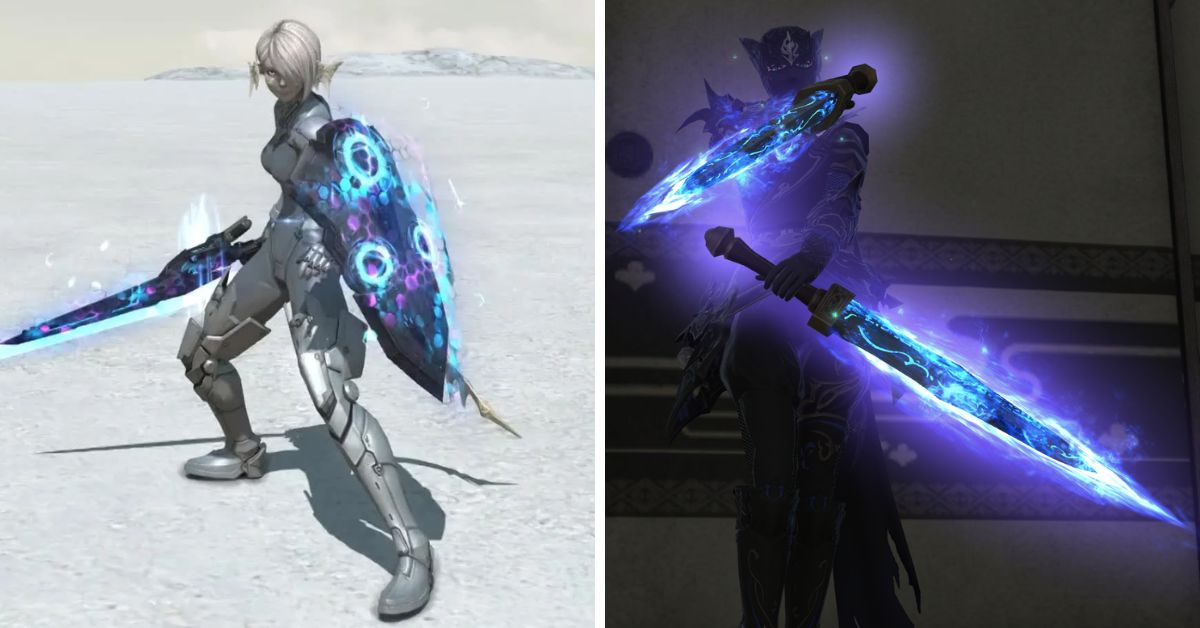
    After completing Hildebrand’s Endwalker adventure, return to Radz-at-Han and speak with Gerolt (X:12.0, Y:7.1) to begin the quest “Resonating with Perfection”.

    The final tier of Manderville Weapons is known as Mandervilious Weapons, and they emit a fluctuating Blue-Purple radiance.

    How to Begin the Main Story Quest in FFXIV Patch 6.55?

    To begin the MSQ in FFXIV Patch 6.55, locate Varshahn (X:4.4, Y:9.8) in Old Sharlayan and complete the “When One Door Closes…” quest.

    We already know that the Patch 6.55 MSQ quests introduce us to Wuk Lumat, courtesy of the Growing Light special site update released last week. She has gone to Old Sharlayan to seek wisdom from Eorzea’s most revered hero.

    Krile will also make her debut as a Pictomancer during Patch 6.55’s MSQ tasks, so we should have a better idea of the combat style we may expect when it becomes a playable job in Dawntrail.

    There is no need to be concerned about the region getting overcrowded with players hurrying to accomplish the story quests since the FFXIV development team has introduced many instances of the location to avoid this problem.

    You might also be interested in the following game, patch notes: FFXIV Patch 6.55 and League Of Legends 14.1 Patch Notes. We appreciate your interest in our website! Make Gameempress.com your go-to site for gaming information.

  • Cookie Clicker Cheats: How To Hack The Game And Get Unlimited Cookies?

    Cookie Clicker Cheats: How To Hack The Game And Get Unlimited Cookies?

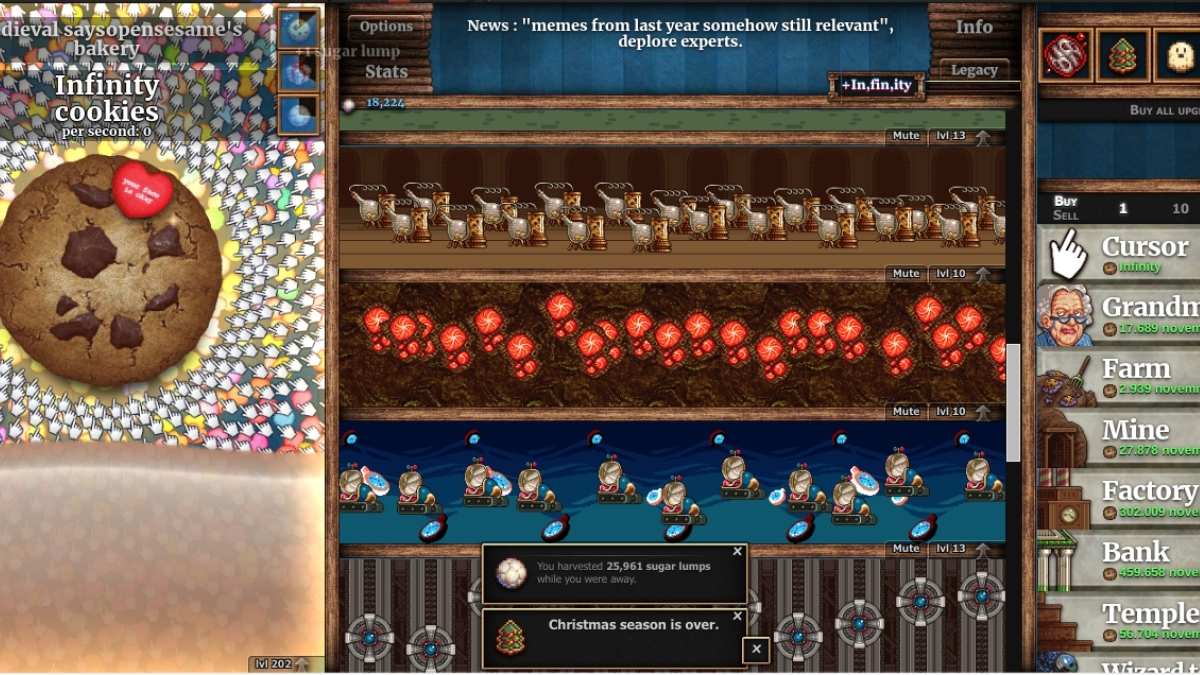
    Cookie Clicker is a popular browser game that involves clicking on a giant cookie to produce more cookies, which can then be used to buy upgrades and buildings that increase your cookie production.

    The game is simple but addictive, and many players enjoy the challenge of unlocking new achievements and reaching higher levels of cookie output.

    However, some players may not have the patience or the time to play the game fairly and may want to use cheats to get an advantage. In this article, we will show you how to hack the game and get unlimited cookies, as well as other useful cheats that can enhance your gaming experience.

    How to Enter Cookie Clicker Cheats?

    Cookie Clicker Cheats
    Cookie Clicker Cheats

    To enter Cookie Clicker cheats, you need to access the browser console, which is a tool that allows you to run commands and scripts on the web page. The way to open the console depends on the browser you are using, but here are some common methods:

    • Chrome: Press Ctrl + Shift + J on Windows, or Cmd + Option + J on Mac.
    • Firefox: Press Ctrl + Shift + K on Windows, or Cmd + Option + K on Mac.
    • Edge: Press F12, then click on the “Console” tab.
    • Safari: Press Cmd + Option + C, then click on the “Console” tab.

    Once you have opened the console, you will see a prompt where you can type in the cheat codes. The cheat codes are case-sensitive, so make sure you type them exactly as they are shown. To execute the code, press Enter. You should see the effect of the code on the game immediately.

    Cookie Clicker Cheats and Hacks

    Here is a table of some of the most useful and popular cheat codes and hacks for Cookie Clicker, along with a brief description of what they do:

    Cheat Code Description
    Game.cookies = number Sets your cookie count to the number you specify. Replace “number” with any value you want.
    Game.cookies = Infinity Gives you unlimited cookies.
    Game.cookiesPs = number Sets your cookies per second rate to the number you specify. Replace “number” with any value you want.
    Game.Earn(number) Adds the amount of cookies you specify to your cookie count. Replace “number” with any value you want.
    Game.RuinTheFun() Unlocks and applies all the upgrades and buildings in the game, and gives you a huge amount of cookies.
    Game.Unlock(“name”) Unlocks the upgrade or achievement with the name you specify. Replace “name” with the exact name of the item you want to unlock, in quotation marks.
    Game.Lock(“name”) Locks the upgrade or achievement with the name you specify. Replace “name” with the exact name of the item you want to lock, in quotation marks.
    Game.lumps = number Sets your sugar lumps count to the number you specify. Replace “number” with any value you want.
    Game.lumps = Infinity Gives you unlimited sugar lumps.
    Game.goldenCookie.spawn() Spawns a golden cookie on the screen.
    Game.goldenCookie.wrath = 0 Makes all golden cookies normal, with no wrath effects.
    Game.goldenCookie.wrath = 1 Makes all golden cookies wrathful, with negative effects.
    Game.reindeer.spawn() Spawns a reindeer on the screen.
    Game.season = “name” Changes the current season to the one you specify. Replace “name” with one of the following values: “christmas”, “halloween”, “easter”, “valentines”, or “fools”.
    Game.seasonPopup.spawn() Spawns a seasonal popup on the screen.
    Game.pledge Shows the current status of the Grandmapocalypse.
    Game.pledge = number Sets the duration of the Elder Pledge to the number you specify, in seconds. Replace “number” with any value you want.
    Game.researchT = number Sets the duration of the Elder Research to the number you specify, in seconds. Replace “number” with any value you want.
    Game.cps(number) Returns the amount of cookies you would earn in the number of seconds you specify. Replace “number” with any value you want.

    Cookie Clicker is a fun and addictive game that can be played for hours without getting bored. However, if you want to spice up your gaming experience, you can use the cheat codes and hacks listed above to get unlimited cookies, unlock all the upgrades and achievements, and manipulate the game mechanics.

    However, be warned that using cheats may ruin the fun and challenge of the game, and may also trigger the “Cheated cookies taste awful” achievement, which marks your save file as hacked.

    You might also be interested in the following games, Cheats: Bee Swarm Simulator Codes and Combat Warriors Codes. We appreciate your interest in our website! Make Gameempress your go-to site for gaming information.

  • Is War Thunder Crossplay? How To Play With Friends On Different Platforms?

    Is War Thunder Crossplay? How To Play With Friends On Different Platforms?

    War Thunder is a free-to-play MMO military game that focuses on aviation, armored vehicles, and naval craft from the early 20th century to modern combat units. Players can take part in major battles on land, in the air, or at sea.

    But is War Thunder crossplay? Can you play with your friends on different platforms, such as PC, PS4, Xbox One, or Nintendo Switch? In this article, we will answer this question and explain how to play War Thunder crossplay with your friends.

    Is War Thunder Crossplay?

    Is War Thunder Crossplay?
    Is War Thunder Crossplay?

    According to the official website, War Thunder does support crossplay between certain platforms. Here is a summary of the crossplay support for War Thunder:

    • PC players can play with each other across Steam, Epic Games Store, and GOG platforms. This means that if you have the game on Steam, you can play with your friends who have the game on Epic Games Store or GOG, and vice versa.
    • PS4 and PS5 players can play with each other across the same PlayStation Network. This means that if you have the game on PS4, you can play with your friends who have the game on PS5, and vice versa.
    • Xbox One and Xbox Series X/S players can play with each other across the same Xbox Live network. This means that if you have the game on Xbox One, you can play with your friends who have the game on Xbox Series X/S, and vice versa.
    • Nintendo Switch players can play with each other across the same Nintendo Switch Online service. This means that if you have the game on Nintendo Switch, you can play with your friends who have the game on Nintendo Switch as well.

    However, War Thunder does not support crossplay between different console platforms. This means that you cannot play with your friends who have the game on PS4, PS5, Xbox One, Xbox Series X/S, or Nintendo Switch if you have the game on a different console platform.

    Additionally, War Thunder does not support crossplay between PC and console platforms. This means that you cannot play with your friends who have the game on PC if you have the game on PS4, PS5, Xbox One, Xbox Series X/S, or Nintendo Switch, and vice versa.

    How to Enable Crossplay in War Thunder?

    To enable crossplay in War Thunder, you need to have an active online subscription for your platform, such as Steam, Epic Games Store, GOG, PlayStation Network, Xbox Live, or Nintendo Switch Online. You also need to have the latest version of the game installed on your platform.

    To enable crossplay in War Thunder, follow these steps:

    • Launch the game from your platform’s dashboard or home screen.
    • Select the Online mode from the main menu.
    • Choose the Create or Join option to create or join a game session.
    • If you want to play with your friends on the same platform, you can use the Invite option to invite them to your game session, or the Join option to join their game session. You can also use the Matchmaking option to find random players on the same platform.
    • If you want to play with your friends on a different platform, you need to use the Friend Code feature. This is a unique code that you can generate or enter to invite or join your friends’ game sessions across platforms.
    • To generate a Friend Code, select the Invite option from the game session menu, and choose the Generate Friend Code option. You will see a six-digit code that you can share with your friends on a different platform.
    • To enter a Friend Code, select the Join option from the game session menu, and choose the Enter Friend Code option. You will see a keypad where you can enter the six-digit code that your friends have shared with you.
    • Once you have entered or shared the Friend Code, you will be able to join or invite your friends to game sessions across platforms.
    • Enjoy the game with your crossplay friends.

    Conclusion

    War Thunder is a crossplay game, but only between certain platforms. You can play with your friends on PC, PS4, PS5, Xbox One, Xbox Series X/S, or Nintendo Switch, as long as you have the same platform or the same platform family.

    You cannot play with your friends on different console platforms or between PC and console platforms. You can enable crossplay in War Thunder by using the Friend Code feature, which allows you to invite or join your friends’ game sessions across platforms.

    You might also be interested in the following games, Crossplay: Evil West Crossplay and Nobody Saves The World Crossplay We appreciate your interest in our website! Make Gameempress.com your go-to site for gaming information.

  • Bannerlord PS5 Cheats: Unleash The Ultimate Gaming Experience

    Bannerlord PS5 Cheats: Unleash The Ultimate Gaming Experience

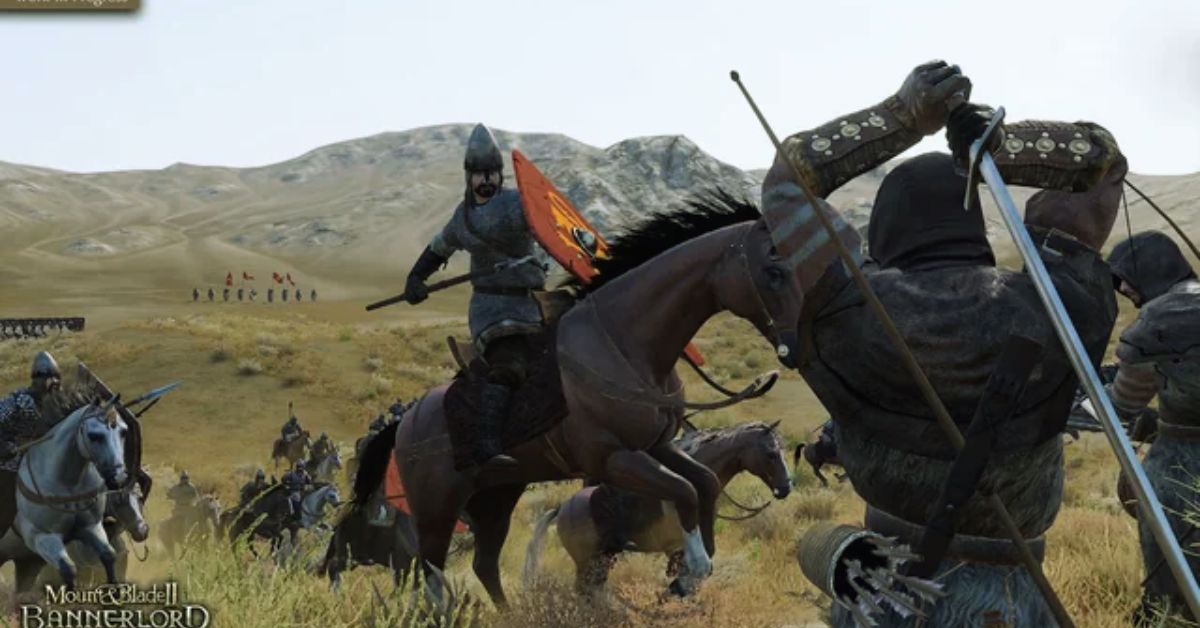
    Earning cash and XP in Mount And Blade II: Bannerlord can be time-consuming unless you uncover specific tricks that allow you to prioritize fun in all of your battles over a monotonous grind.

    You may even utilize these loopholes to rapidly win wars or make the game’s daunting landscape easier to navigate. Building your kingdom can be made much easier if you use specific tricks that grant you almost god rights.

    Anyone wishing to avoid the tedious process of establishing their nation from the ground up may want to employ cheats to gain more money in Mount and Blade 2 quickly.

    New characters will have the most difficulty progressing from a humble warriors to a wealthy lords, but even established campaigns can struggle at times. As you play, make sure to pick and choose which cheats will work best for you based on your conditions.

    Bannerlord PS5 Cheats

    Bannerlord PS5 Cheats
    Bannerlord PS5 Cheats

    Once you enable Mount and Blade 2 hack mode, you can continue with an existing character or create a new one. To test whether cheats are working, access your inventory on a previous save or your current character.

    If you can select any item in the game and add it to your supplies without any penalties, cheats are active.

    While no one with cheats is required to grab any item, it does indicate that your exploits are working properly following the adjustments in the config page.

    The majority of the new settings in Mount and Blade 2 are optional and are provided through multiple menus/interfaces. The following hotkey cheats have all been tested on an active character:

    Hotkey Cheat Effect
    CTRL + F4 While in combat, knocks out a single enemy.
    CTRL + ALT + F4 While in combat, knocks out the entire enemy army.
    CTRL + Left Click While on the map screen, teleports the party.
    CTRL + H Heals the player’s character to full.
    CTRL + Shift + H Heals the player’s horse to full in combat.
    CTRL + F2 Knocks out a single friendly soldier in combat.
    CTRL + F3 Knocks out the player in combat.
    CTRL + Shift + F3 Knocks out the player’s horse while riding.
    CTRL + F6 Knocks out one of the player’s troops.
    CTRL + SHIFT + F6 Knocks out all the player’s troops.

    With the cheat mode enabled, console commands in Mount and Blade 2 can be used to manipulate particular features of the game.

    Single-player cheats are easily discovered via a drop-down menu that you may scroll through using the “campaign” command. Enter “help” into the console to see a more comprehensive list of available cheats.

    Console Command Cheat Effect
    campaign.add_gold_to_hero [Amount] Add Gold
    campaign.add_focus_points_to_hero [Amount] Add Focus Points
    campaign.add_skill_xp_to_hero [Skill Name] [Amount] [Hero Name] Add Skill XP
    campaign.add_renown_to_clan [Amount] Add Renown
    campaign.add_influence [Amount] Add Influence
    campaign.give_troops_help List all troop IDs
    campaign.give_troops [Troop ID] [Amount] Add certain troops to party
    campaign.complete_active_quest Complete Current quest
    campaign.cancel_active_quest Cancel Active Quest
    campaign.conceive_child Conceive a child
    campaign.give_item_to_main_party [Item Name] [Amount] Give Specific Item
    campaign.set_all_skills_main_hero [Value] Set all Characters’ skills to specific value
    Console Command Cheat Effect
    campaign.set_skills_of_hero [Level] [Hero Name] Set all of a specific character’s skills to a specified level
    campaign.give_troops_xp [Amount] Add Skill XP To Troops
    campaign.add_companion Reset a companion’s stats to 0
    campaign.add_crafting_materials Grants 100 of each crafting material to all party members
    campaign.ai_siege_settlement [Hero Name] [Settlement Name] Force AI to attack a particular settlement
    campaign.start_world_war Start World War
    campaign.declare_war [Faction1] [Faction2] Factions Declare War on Each Other
    campaign.add_gold_to_all_heroes [Amount] Give Everyone Set Amount of Gold

    All of the preceding cheats have been tested on characters who were already part of an adventure or a previous save file in Mount and Blade 2.

    You should test these exploits on a new character to see if they have a detrimental impact on the performance of your game. The development team’s clarity with these codes makes it unlikely that any of these will fail unexpectedly.

    A backup save file is a wonderful approach to keep your adventure from being unduly disrupted by any changes. Returning to the configuration page and adjusting the Cheat Mode value to “0” will disable cheats and restore your game to its original state.

    All of the cheats in Mount and Blade II: Bannerlord may offer a new dimension of pleasure to your adventure, but they should not degrade your system.

    You might also be interested in the following games, Cheats: Bee Swarm Simulator Codes and Combat Warriors Codes. We appreciate your interest in our website! Make Gameempress.com your go-to site for gaming information.