Within Roblox Welcome to Bloxburg, where the house is a residential building where the player resides, much like in real life. Players can either build their own house from the ground up in a relaxing rather than laborious process, or they can just buy a house.
Welcome to Bloxburg by Coeptus is a Roblox life simulation and roleplaying game. The simulation comprises going through the daily routine of a virtual character in a home. The game’s concept is inspired by Maxis and Electronic Arts’ The Sims game series, particularly The Sims 3 and 4.
Bloxburg House Ideas
Bloxburg House Ideas
Let’s look at how to create one:
Begin with a plot
When players first start the game, they have the option of purchasing a new vacant plot or selling the default house they were given. While the house is being built, the excavator might be used to market it.
Whatever option players choose, they will need this open space for construction needs. This is also the moment to consider how the player wants the house to appear.
Entering the construction mode
If they purchase the vacant plot with Blockbux, they will want to join Build Mode right away. They should be in Build Mode if they sold their house.
Outside of the Build mode, players will be unable to build a house.
Walls and floors
After entering build mode, players can begin building their rooms. On the left side of the screen, click the Build button. Choose Walls from the list of alternatives that appears. Build the rooms and walls of the house according to the blueprints.
Once all of the rooms are linked, return to the Build menu and select Floors. Right-click on the empty regions of the room to fill them. With that, the guys have laid the groundwork for their home.
Exterior and Interior
Other features of the house can now be addressed. This covers items like as doors, roofs, windows, and exterior paint. Players can perform the required exterior work and use the most pleasing finish by using the Build menu and the Painting option.
The Decorate tab is where you may apply the finishing touches. Beds, rugs, draperies, and other furnishings can now be put! When you’re finished, click the red X in the lower right corner of the screen.
Players now own a home that they build entirely on their own.
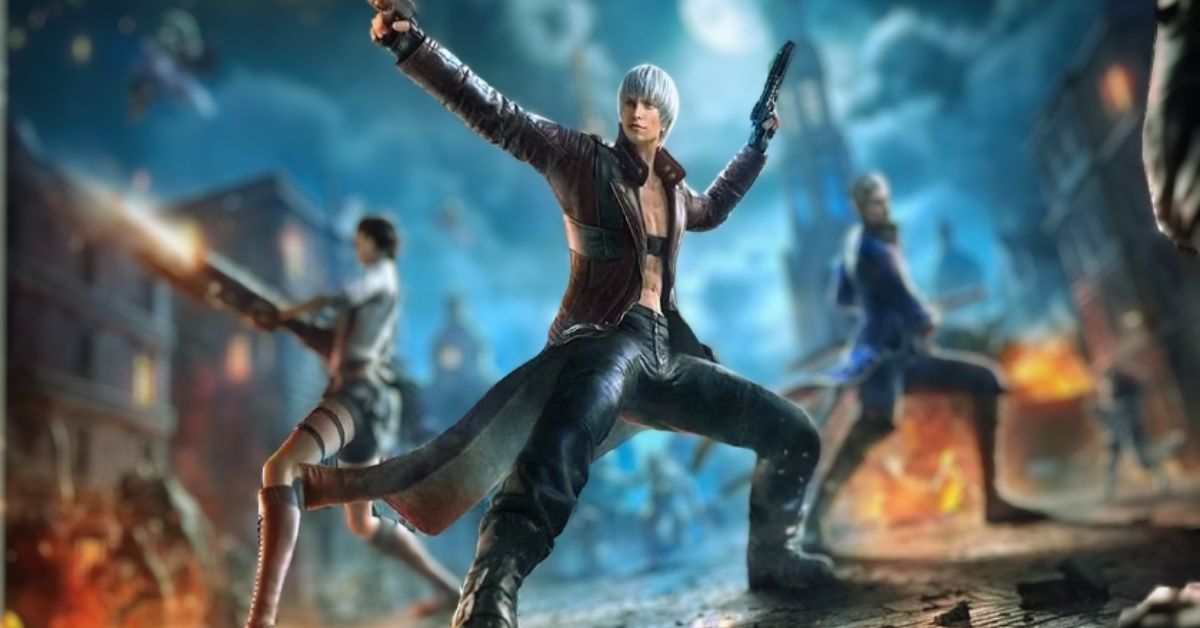
Peak of Combat in Devil May Cry The Bloody Palace challenge provides a lot of free gems. On January 10, 2024, NebulaJoy released a mobile version of the renowned PC franchise, along with other well-known challenge events. Through this challenge, the developer challenges the community to fight the approaching storm and the creeping breeze.
On January 12, 2024, an official X post announced the debut of the Devil May Cry Peak of Combat Bloody Palace challenge. It sparked speculation in the community regarding the likelihood of seeing additional famous PC challenges, such as Dante Must Die, in the mobile title.
Devil May Cry Peak Of Combat Bloody Palace Challenge Release Date
Hunt the demons while demonstrating your Hunter abilities. The Devil May Cry Peak of Combat Bloody Palace challenge started on January 12, 2024, and will end on January 16, 2024, at 10:59 (UTC +8).
[COMMUNITY EVENT]
Are you the Storm that is Approaching?
Maybe a Breeze that is Creeping?
NebulaJoy has devised a set of regulations for the challenge’s winners. Here are all the rules you should be aware of:
Slay Demons in the Bloody Palace.
Record your demon-slaying adventure.
Post it on X/YouTube/TikTok.
Paste the link below and get rewards on January 16, 2024.
Devil May Cry Peak of Combat Bloody Palace Challenge Rewards
According to the Google Form attached to the official X post, the Devil May Cry Peak of Combat challenge offers plenty of incredible rewards for Hunters. While new players in Devil May Cry must reroll for the best characters, lucky event winners may be able to receive them for free.
The following are the Bloody Palace challenge rewards:
Players can get 200 Gems as a participation reward.
The Devil May Cry team will then select the 10 best entries from all the submitted videos, and those Hunters will get an additional 10 Vault Breakers in addition to the top 10 Hunters.
An official live broadcast will be held at 11:00 am (UTC +8) on January 16, 2024, where they will showcase these top ten submissions, and each player can then vote to select the winner.
The champions will receive another 10 Vault Breakers for a UP character banner.
The game has also provided numerous benefits to gamers who pre-registered for the title.
Columbina, also known by her code name Damsellette, was introduced to the universe of Genshin Impact in the “A Winter Night’s Lazzo” teaser. She is the third Fatui Harbinger and is rumored to have god-like powers. Columbina was depicted in the teaser resting on Signora’s coffin, singing what is now known as the “Elogia Cinerosa.”
After experiencing five Harbingers in various sections of Teyvat, the Traveler will almost certainly face the most dangerous one yet in Natlan. Columbina’s release may be sooner than expected, according to suspected leaker Black Rose on X, as she has been speculated to arrive with or after Natlan’s release in Genshin Impact 5.0.
The Natlan region is projected to be received by Genshin Impact on August 28, 2024.
Genshin Impact Leak Reveals Columbina’s Release
Genshin Impact leak reveals Columbina’s release
As previously stated, the leak indicating Columbina’s release in Natlan comes from a user known as Black Rose. This leaker has some respect in the community because they also revealed the playable name of Cloud Retainer and precisely detailed her kit before the beta was released. Because the original post is not in English, not much can be gleaned from it.
The following Reddit post was created using machine translations of the original deleted post.
Readers should be aware that neither Columbina’s order of appearance nor her playable kit has been verified. According to official reports, she was wearing a white coat and had long black hair, with her eyes stitched shut.
Columbina spoke briefly in the teaser, where she had a fascinating interaction with Dottore, aside from her singing voice.
On Columbina, both playable Harbingers, Tartaglia and Wanderer, share the same sentiment. Both warn the Traveler about her and advise him to maintain his distance.
Columbina will be the fourth Harbinger to become playable in Genshin Impact, joining Tartaglia, Wanderer, and Arlecchino in one of the next releases, according to leaks about the release date.
We appreciate your interest in our website! Make Gameempress.com your go-to site for gaming information.
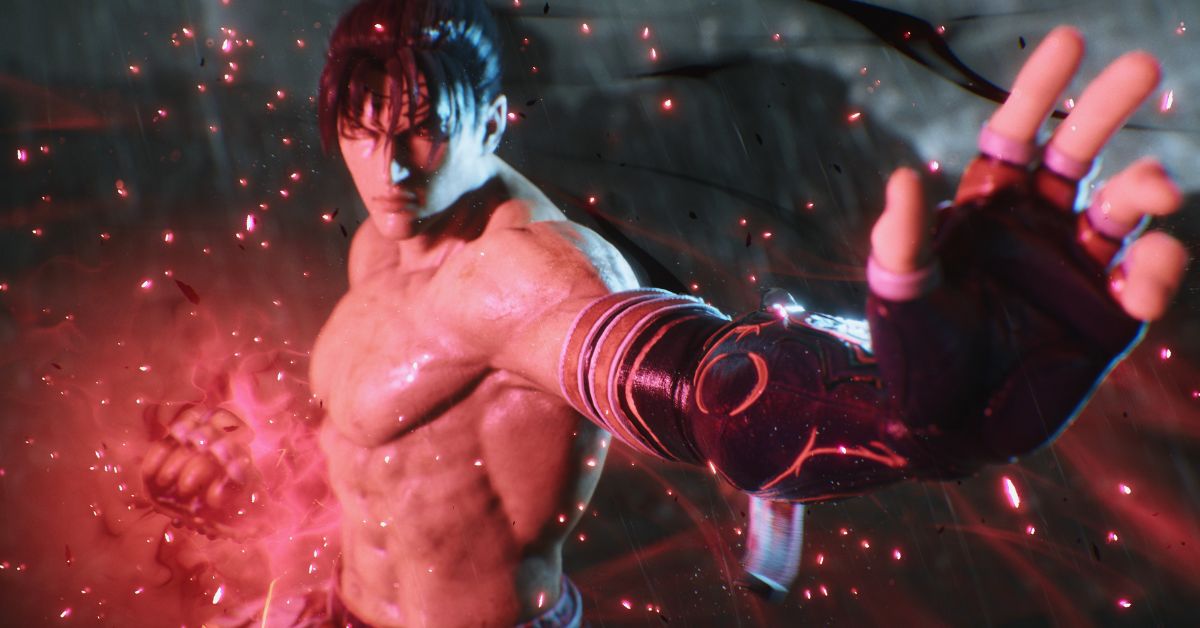
Bandai Namco has released new gameplay trailers for the returning characters Panda and Alisa Bosconovitch in Tekken 8. Panda and Alisa will both be playable characters on the Tekken 8 launch roster.
Fans have been given gameplay reveal trailers to highlight how some of these famous characters have changed from their former versions with only a few weeks till the fighting game’s launch and the base game’s roster disclosed.
Panda made her debut appearance in Tekken 3 as a palette swap for the series’ other bear fighter, Kuma. She has appeared in every Tekken game since her debut, finally earning her character slot in the roster with Tekken Tag Tournament 2.
Alisa, an android modeled after Dr. Bosconovitch’s late daughter, made her debut in Tekken 6. In non-canon material like as Project X Zone and Tekken: Blood Vengeance, both of these characters would become affiliated with Tekken regular Ling Xiaoyu, with Panda serving as her bodyguard and Alisa becoming her buddy.
Tekken 8 Reveals 2 More Characters
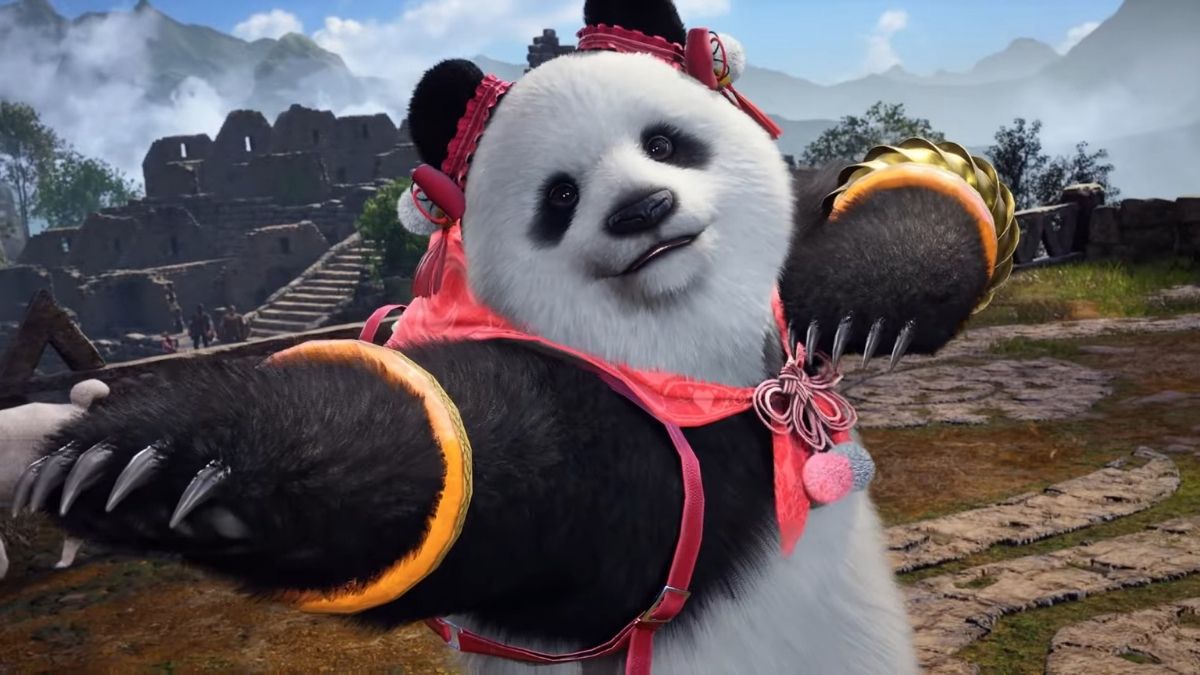
Tekken 8 Official Panda Reveal
These gameplay trailers highlight the fighting techniques of the two heroes. Panda is a moveset clone of Tekken’s Kuma, and the two share moves and gameplay approaches, with a major emphasis on striking from a greater distance due to their longer limbs.
Panda, like Kuma, can use moves related to his prior teacher, Heihachi Mishima, but she also combines moves from her best friend and ward, Ling Xiaoyu. Panda and Xiaoyu have a fun special pre-match start animation in which they hop around and wager that whoever wins the battle gets to choose what food to eat.
The other Tekken 8 trailer focuses on Alisa Bosconovitch, a robotic combatant with a variety of weapons at her disposal. Chainsaws, jetpack wings, and even her skull are among them. Her trailer depicts her fighting a Jack-8 replica and displaying many of her unique maneuvers including her weaponry.
Her Rage Art ending move was acclaimed by fans for being incredibly funny but powerful-looking, with Alisa booting her head into the opponent like a soccer ball and then exploding.
All Confirmed Tekken 8 Characters
Alisa Bosconovich
Asuka Kazama
Azucena Ortiz
Bryan Fury
Claudio Serafino
Devil Jin
Feng Wei
Hwoarang
Jack-8
Jin Kazama
Jun Kazama
Kazuya Mishima
King
Kuma
Lars Alexandersson
Lee Chaolan
Leo Kliesen
Leroy Smith
Lili
Ling Xiaoyu
Marshall Law
Nina Williams
Panda
Paul Phoenix
Raven
Reina
Sergei Dragunov
Shaheen
Steve Fox
Victor Chevalier
Yoshimitsu
Zafina
While Alisa’s reappearance was greeted as a welcome return and an improvement over her Tekken 7 version, Panda’s presence has been a bit more contentious, a carryover from her previous appearances.
Many consider Panda to be a waste of a character slot because she shares moves with Kuma, which was only strengthened after fans discovered that they both lacked variety when comparing their movements.
As a result, some believe the two still play similarly, despite the addition of several new movements. Having said that, some fans are nonetheless enthused about playing as Tekken 8’s resident bear fighters and android girl.
If you are interested in knowing more articles related to other games, you can check AC6 Patch 1.05 Leaks and BGMI 2.9 Update Leaks. We appreciate your interest in our website! Make Gameempress.com your go-to site for gaming information.
Season 3 of Diablo 4 is almost approaching, and here’s everything we know so far, including the release date, new Gauntlet, Helltide modifications, and more.
With Season 2 of Diablo 4 coming to a finish, players are eager to see what the theme, updates, and plot will be for Season 3. Blizzard has announced the official date for their upcoming dev livestream, which will answer all of our questions.
The developers have kept Season 3’s information under wraps, with only a few hints here and there about what we may expect. Here’s all we know about Diablo 4 Season 3 so far:
Diablo 4 Season 3 Release Date
Logging into Diablo 4 reveals the Season 3 start date: January 23, 2024. This is also the termination date for Season 2’s Battle Pass.
Your questions will be answered.
Tune in to the Developer Update stream at 9am PT on January 18th.
😈 New Season Details
🔥 New Gameplay Features
⚔️ QoL Updates
Blizzard has also set a developer update broadcast for January 18, 2024, at 9 a.m. PST.
Blizzard has vowed to keep us updated on Season 3’s gameplay enhancements, Battle Pass, and quality-of-life improvements. They will also provide more information about the new leaderboard system and The Gauntlet.
What Do We Know So Far About Diablo 4 Season 3?
While Season 3 of Diablo 4 has been shrouded in secrecy, there are some things we may anticipate for the upcoming season.
The new leaderboards and weekly challenge dungeon The Gauntlet are the first. The Gauntlet is a non-linear dungeon with a fixed seed; creatures, their placements, and affixes will always be the same.
Leaderboards from The Gauntlet are another element that players can look forward to in Season 3. These will be updated every week, revealing the top 1000 Gauntlet participants each time.
Naoki Yoshida, the producer of Final Fantasy 16, has stated that it may be time for a younger generation to take over the franchise and direct Final Fantasy 17.
In an interview with Sony’s Shuhei Yoshida at the Academy of Interactive Arts & Sciences, Naoki ‘Yoshi-P’ Yoshida stated that publisher Square Enix hasn’t made any decisions regarding the next mainline game’s director, but did indicate it won’t be him.
Naoki Yoshida on Final Fantasy 17
“For the moment, I’ll just say that nothing has been decided yet,” Yoshida said at the time. “Having said that, if I had to say anything about it… I’ve had the opportunity to work on two of these – Final Fantasy 14 and Final Fantasy 16 – so perhaps it’s time for someone new. Rather than having the same old people handle the next one.
Maybe it’s time for someone new instead of having the same old guys handle the next one.
“I think in some ways it would be good to look to the future and bring in a younger generation, with more youthful sensibilities, to make a new Final Fantasy with challenges that suit today’s world.”
Bringing in new people to overcome what has come before appears to be essential to Final Fantasy as well, as Yoshida stated that the series is “all about challenging what has been done before.” He went on to say: “While I’m certainly not looking to pick a fight with the older games, we all make Final Fantasy games thinking, ‘Mine will be the most fun.’”
Final Fantasy 16 was released in 2023 on PlayStation 5 and included the franchise’s signature huge swords, big monsters, and long hair in a dark and dramatic Western fantasy setting (that appeared to be inspired by Game of Thrones).
Square Enix is unlikely to discuss Final Fantasy 17 for years, but it is keeping busy on spin-offs like Final Fantasy 7: Rebirth, which will be released in February 2024. Meanwhile, additional story-based DLC for Final Fantasy 16 is in the works, as is a PC edition.
We appreciate your interest in our website! Make Gameempress.com your go-to site for gaming information.
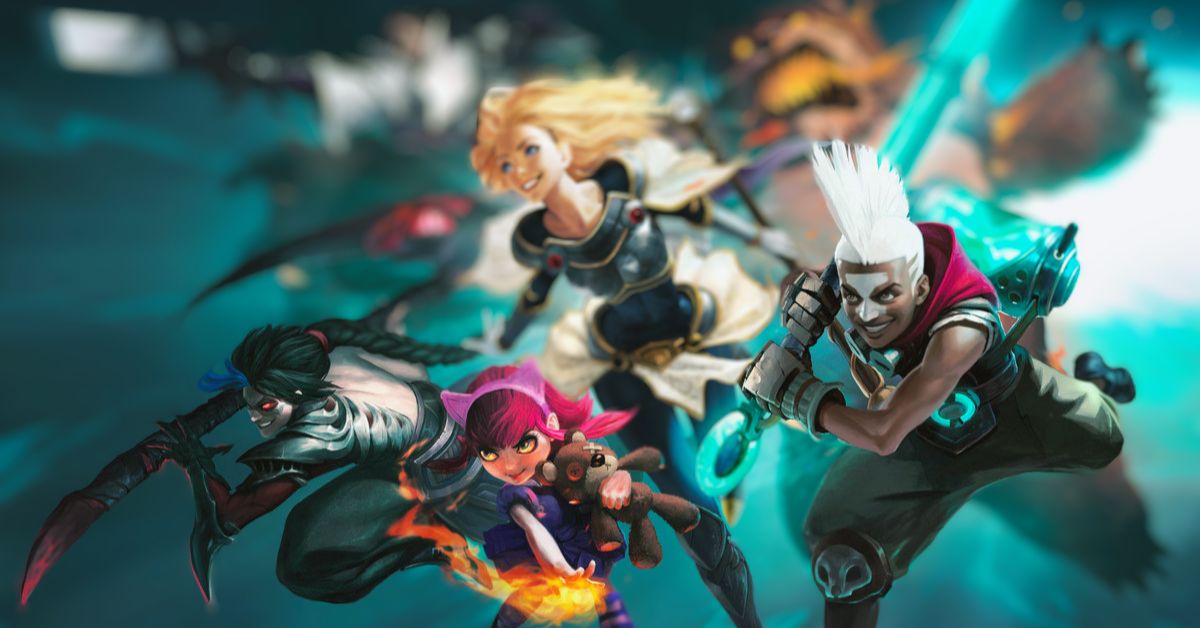
The League of Legends patch 14.1B is now available on all servers. Riot Games is implementing this hotfix to address some of the anomalies introduced in the Season 14 release. The patch is not particularly large. However, several champions and items have had their balances adjusted.
The significant buffs to Hwei, Ezreal, Lux, and Naafiri are among the patch’s highlights. On the opposite end of the spectrum, champions such as LeBlanc, Tarix, and Teemo have had their names added to the Nerf list, and their equipment has been considerably reduced.
League Of Legends 14.1 Patch Notes Released
Lux buffs:
– Base health increased from 560 to 580
– Base armor increased from 19 to 21
– Attack speed growth increased from 2% to 3%
– W AP ratio increased from 35% to 40% pic.twitter.com/nYjHZPOcU8
Starfield, Bethesda’s massive 1,000-planet-wide space RPG, will be released on September 6, 2023. After years of anticipation, the game has had a relatively rough first year. Having said that, Bethesda has promised new features, important bug fixes, and more in 2024, and it’s allowing Steam users to beta test those new features and upgrades, with the first update arriving on January 17, 2024.
Bethesda Claims More Than ‘100 Fixes And Enhancements’
Bethesda said in a post to X (previously Twitter) that the full set of improvements would be available to all players on all platforms around January 31.
Next week, on January 17, we’ll be putting our biggest @StarfieldGame update yet into Steam Beta with over 100 fixes and improvements, with a planned release date for all players two weeks later. Here’s some of what you can expect: pic.twitter.com/IPpVjuG5OQ
But if you’re in the Steam beta channel, here’s what you can expect on January 17:
Fixes to the “Eye of the Storm” quest that prevented the story from advancing
Temples in “Into the Unknown” should appear correctly
Additional widescreen support
Improved textures, lighting, and shadows
Fixes for planet ring shadows and other visual space phenomena
A fix to address asteroids getting stuck on ships
Ship hatches stubbornly inaccessible
While next week’s beta will not include any fresh new features, such as the “new ways of traveling” hinted at by Bethesda in previous weeks, improvements to quests that constantly get stuck are among the most welcome additions this time around.
Bethesda originally stated that upgrades would be released every six weeks beginning in February. City maps, additional ship customization, and building choices are among the things that are expected. Starfield will also get some story DLC in the form of “Shattered Space.” There isn’t much information available regarding this expansion, but it’s slated to arrive in the first half of 2024.
The Genshin Impact 4.4 Gaming gaming kit has leaked, providing more information about his Vision, weapon type, skills, and even Passive Talents and Constellation levels. Gaming was earlier rumored to be the “lion boy,” but has since been confirmed and publicly announced as Gaming by developer HoYoverse.
Gaming is from the Nation of Liyue and normally operates around the main city, Liyue Harbor, based on its name, design, and official description.
If the way HoYoverse normally reveals new characters is any indication, Gaming, like Xianyun in Genshin Impact, will be included in the next version of the game. Only a few pieces of information about him have been published thus far, and he has yet to debut as an NPC in the game.
Nonetheless, a series of leaks have shown the majority of his gaming kit, allowing gamers to better grasp what role Gaming will play in a team competition once he is officially introduced.
Genshin Impact 4.4 Gaming leaks
Genshin Impact 4.4 Banner Leak New Characters
Gaming will feature a Pyro Vision, as confirmed by HoYoverse in a post on the official Genshin Impact account on X. Though his weapon of choice was not confirmed, it was mentioned in a leak provided by Reddit member HomDGCat. According to the leaks, Gaming will fight with a claymore.
This isn’t stated explicitly, but it’s clear from the description of his other powers in the leak compilation. HoYoverse has not confirmed Gaming’s rarity, but he is expected to be a 4-star unit.
According to Reddit sources, Gaming’s Normal, Charged, and Plunging Attacks will be the same as other 4-star Claymore troops’ standard ones.
His Normal Attack allows players to use the character for up to four consecutive blows. Gaming will waste stamina with his Charged Attack in Genshin Impact 4.4 to whirl around and hit all adversaries within the radius of his claymore.
Gaming releases a powerful strike once he stops attacking, whether because of a player prompt or a lack of stamina. Gaming can move around slowly while spinning.
The alleged 4-star character will be able to begin an attack from midair, falling downwards and hitting anything in his path, thanks to Gaming’s falling Attack. Though his ordinary Plunging Attack will be the same as other characters, it is essential to his gameplay cycle. According to leaks about his other powers, Gaming is believed to be a Plunging DMG DPS character in Genshin Impact.
Stay up to date with GameEmpress.com for the most recent gaming news and guides.
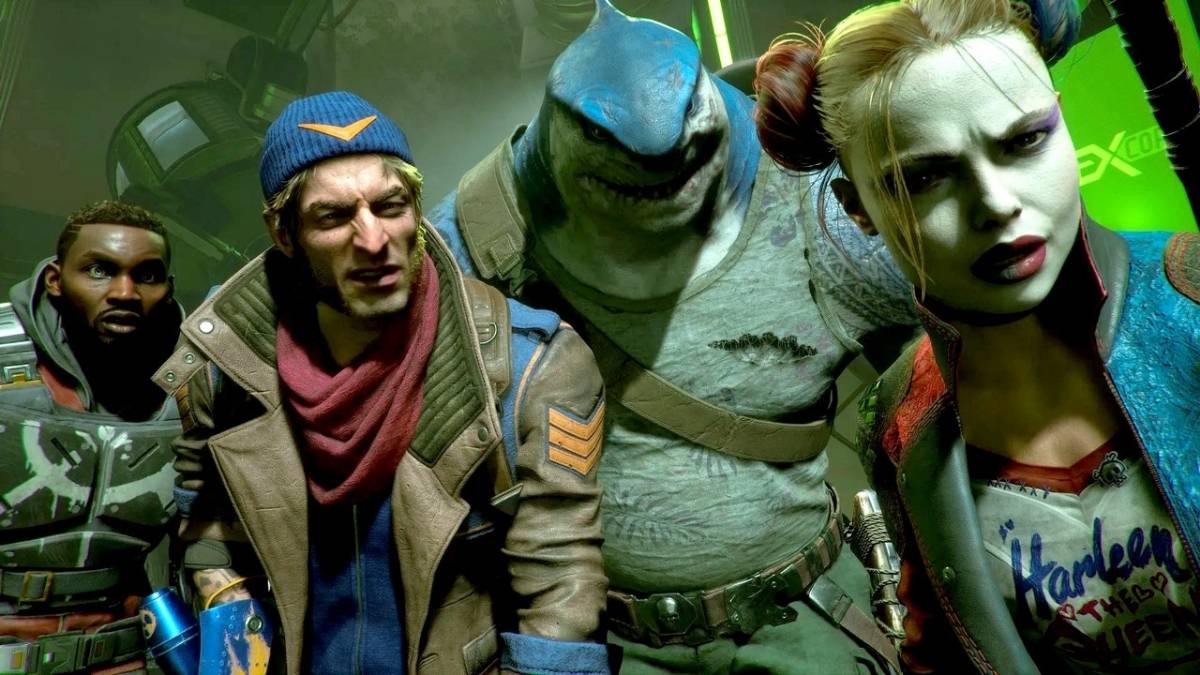
Rocksteady Studios teases extensive post-launch support for Suicide Squad: Kill the Justice League while delving further into the RPG gameplay.
Axel Rydby, the project’s Game Director, detailed the project’s capabilities and offerings in a post on the project’s Discord server. When a fan inquired about possible build combinations for Task Force X members like as Harley Quinn, Captain Boomerang, Deadshot, and King Shark, Rocksteady hinted “hundreds” of options.
Suicide Squad Kill the Justice League
“Well, first of all, when we designed the game, player choice and player freedom was one of our core design philosophies,” Rydby said. “We really want you to feel like you can make each character your own, and build it to suit your playstyle. But if you take the leap and really play into the gear, you can find truly crazy powerful combinations.”
Rydby went on to say that, while gamers will start with enough combinations to murder a superhero, post-launch content will help change things up even more.
“At launch, we’re looking at hundreds of possible combinations and permutations for builds across our four characters, and this is something we’re adding A LOT to in post launch. We’re not supposed to talk about that today though, but I’m really excited for you all to see the cool stuff we’ve got cooking.”
Rocksteady identifies a few “core parts” of builds that will allow players to tailor their playstyle, such as gear and eight loadout slots. Meanwhile, Afflictions can be applied to melee weapons and explosives to create effects based on other DC characters, such as Deep Freeze and Diablo Blaze.
Suicide Squad: Kill the Justice League players can also experiment with Talent Trees and traversal techniques to maximize their villain’s powers. Rocksteady appears to be convinced that fans will have lots of possibilities for building each character. The following is Rydby’s full explanation:
Though it appears that Rocksteady is unwilling to refer to Suicide Squad: Kill the Justice League as a live-service game, the company has announced that post-launch DLC would include seasonal updates, new playable characters, new plot content, cosmetic items, and more. The latest from the Batman: Arkham Asylum studio won’t be available for a few weeks, though a few select players did get their hands on it late last year. Rocksteady has lifted an NDA related to that experience, allowing players to freely express themselves.
Suicide Squad Game
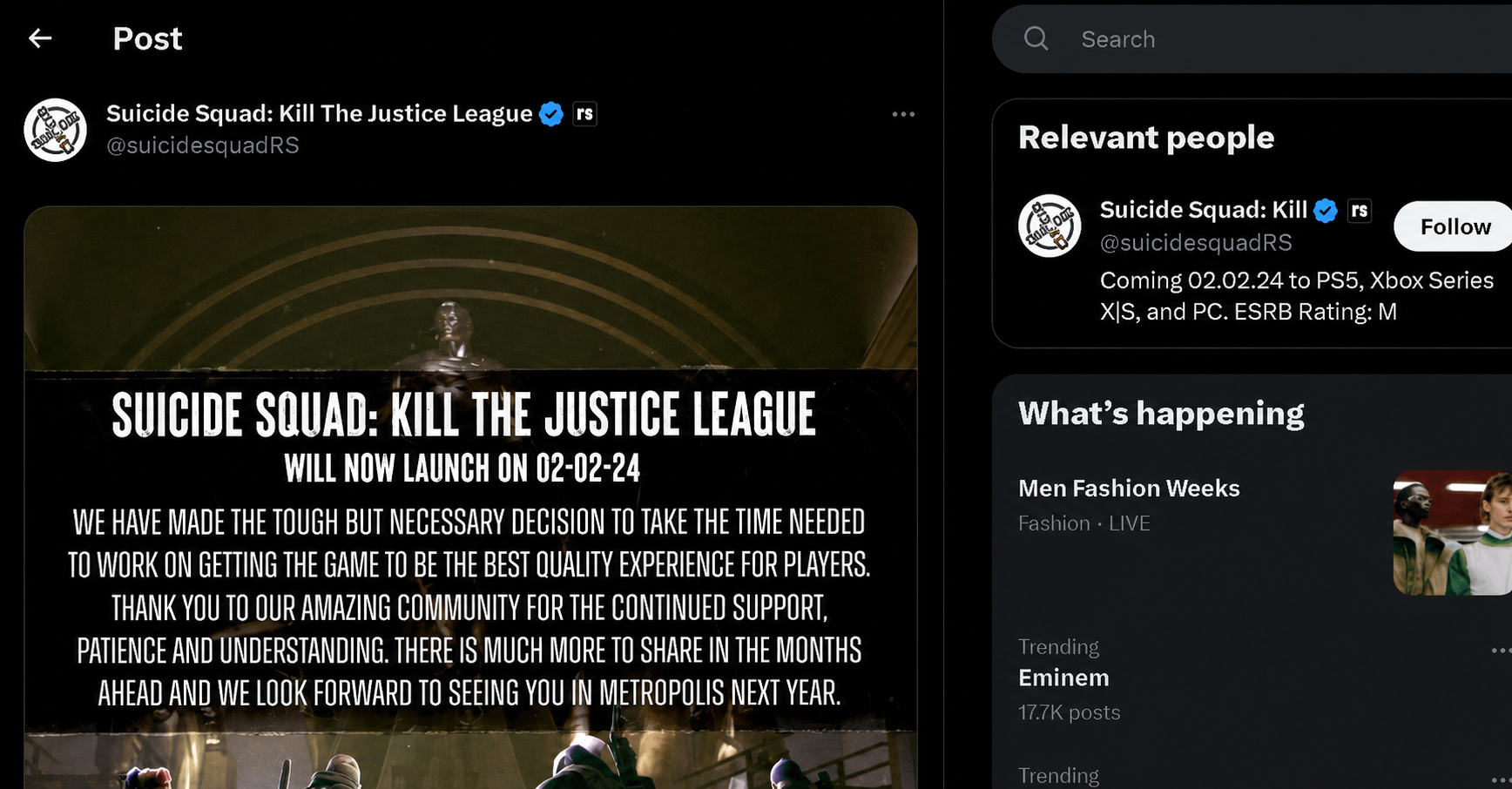
Suicide Squad: Kill the Justice League will be released on February 2 for PC, PlayStation 5, and Xbox Series X | S. We published our Suicide Squad: Kill the Justice League preview earlier this week, but we weren’t impressed with what it had to offer. “Not only is Rocksteady one of my favorite developers, but this genre is one I’ve spent far too much time in across Destiny, Anthem, and yes… even Marvel’s Avengers. But while there is a story here that makes me wonder where the heck all this is going, I left the preview event less optimistic than when I came in.”
Stay up to date with GameEmpress.com for the most recent gaming news and guides.
Fire Away! Iron Rave Ring is the newest Luck Royale-based event added to Garena’s battle royale title. It grants players access to several excellent clothing packages, including the Iron Blade Bundle, which is ideal for masculine characters. The event will last two weeks, providing the game’s community enough time to claim the offered goodies.
Individuals eager to get the products will, as always, have to spend gems on making the spins. As a result, people who have enough diamonds can surely use the in-game cash. The section below contains additional information regarding the Free Fire Iron Rave Ring event.
Free Fire Iron Rave Ring Event
On January 12, 2024, the game added the Free Fire Iron Rave Ring and the Ring-based event needs players to spin the wheel and draw out the rewards. Each spin will cost 20 diamonds, while a collection of 10+1 spins will cost 200 diamonds.
The Iron Blade Bundle is the prize pool’s major attraction, but three other very appealing outfits are available. The following is a complete list of rewards from the most recent Free Fire event:
Iron Blade Bundle
Tempered Will Bundle
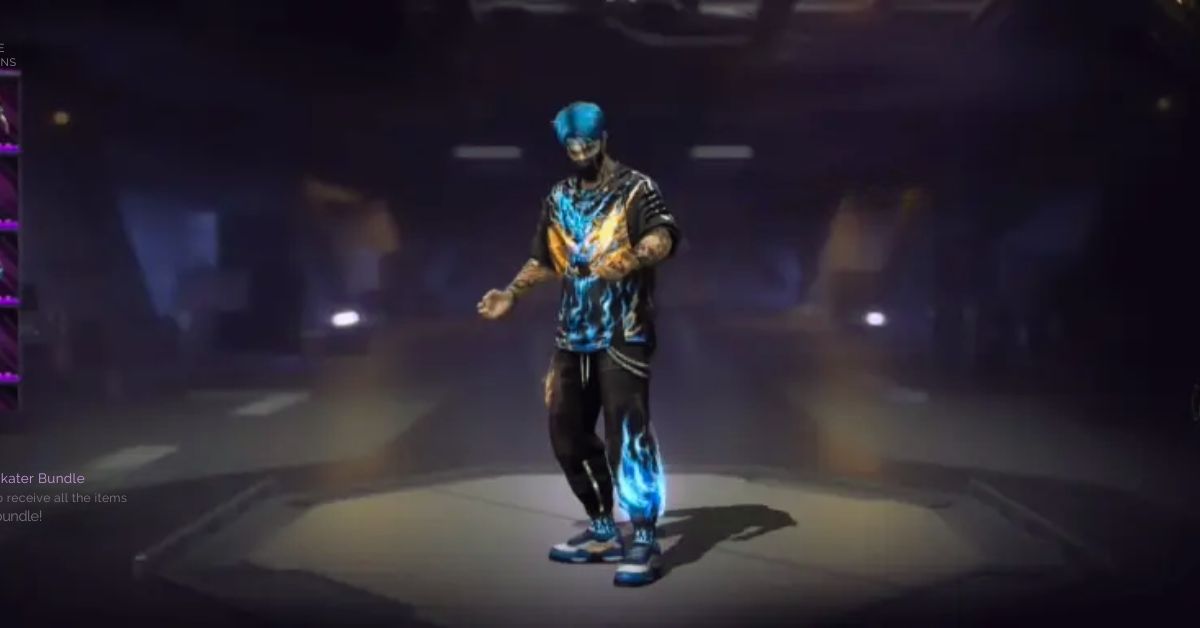
Rage Skater Bundle
Rave Skater Bundle
10x Yellow Fireworks Tokens
5x Yellow Fireworks Tokens
3x Yellow Fireworks Tokens
2x Yellow Fireworks Tokens
1x Yellow Fireworks Token
If the requested costume bundles are not received, the Yellow Fireworks Tokens can be used to redeem them and a few other incentives.
Free Fire Iron Rave Ring Event
The following are the details for the Free Fire Iron Rave Ring event’s exchange section:
350x Yellow Fireworks Tokens: Iron Blade Bundle
350x Yellow Fireworks Tokens: Tempered Will Bundle
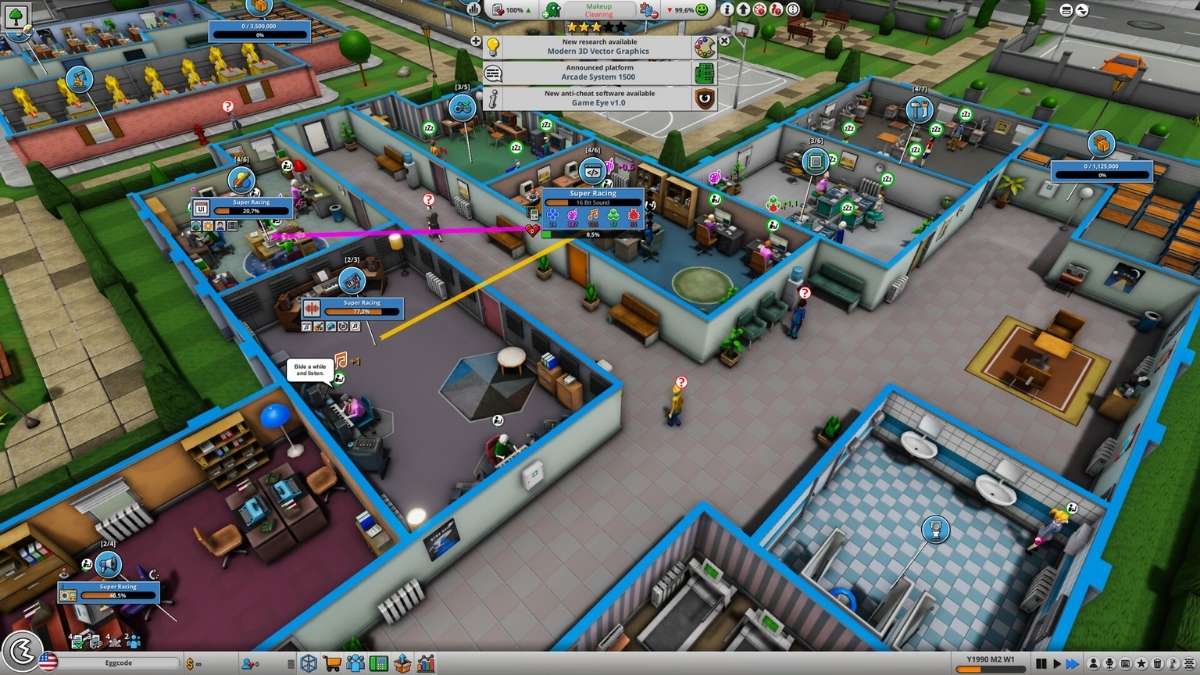
Mad Games Tycoon 2 is a game where you can create and run your own video game company, from the garage to the global market. The game is developed by Eggcode and is available for PC. The game features various aspects of the video game industry, such as developing games, hiring staff, researching technologies, managing finances, marketing products, and competing with rivals.
The game also allows you to customize your office, design your consoles, and create your genres and topics. However, running a successful video game company is not easy, and you need to have a good strategy, a creative vision, and a lot of luck. In this article, we will show you how to play Mad Games Tycoon 2 and provide some tips and tricks to help you achieve your goals.
How to Start Your Video Game Company?
Mad Games Tycoon 2 Guide
To start your video game company, you need to follow these steps:
First, you need to have the game installed on your PC and make sure that it is updated to the latest version. You also need to have a stable internet connection and a Steam account.
Next, you need to choose a difficulty level, from very easy to legendary. The difficulty level affects the starting conditions, the market situation, the competition, and the game events. You can also choose a custom difficulty level, where you can adjust the various parameters of the game, such as the money, the fans, the research points, and the game speed.
Then, you need to choose a name, a logo, and a color for your company. You can also choose a specialization, which gives you a bonus in a certain genre or topic. You can also choose a location, which affects the costs, the taxes, the market size, and the events of the game. You can also choose a starting year, from 1976 to 2023, which affects the available technologies, the trends, and the history of the game industry.
Finally, you need to start your game and begin your journey as a video game developer. You will start in a small garage, with a basic computer, a low budget, and a few fans. You will have to develop your first game, and try to make a profit, while improving your skills, expanding your team, and upgrading your equipment.
How to Develop Your Games?
Mad Games Tycoon 2 Guide (1)
To develop your games, you need to follow these steps:
First, you need to choose a genre, a sub-genre, a topic, and a target group for your game. These choices affect the popularity, quality, and sales of your game. You can also create your genres and topics, by combining existing ones, or by researching new ones. You can also choose a platform, a publisher, and a distribution method for your game. These choices affect the costs, the royalties, and the reach of your game. You can also create your platforms and publishers, by developing your consoles, or by founding your own publishing company.
Next, you need to choose a name, a cover, and a price for your game. You can also choose a game engine, a copy protection, and a rating for your game. These choices affect the performance, the piracy, and the age rating of your game. You can also create your game engines, by researching and developing new technologies, or by licensing existing ones.
Then, you need to assign your staff and allocate your resources, to the four main aspects of game development: design, graphics, sound, and technology. These aspects affect the quality, the innovation, and the features of your game. You can also choose the design focus, the design direction, and the game length for your game. These choices affect the gameplay, the style, and the duration of your game. You can also choose the game features, such as multiplayer, online, VR, or mod support, for your game. These choices affect the appeal, the complexity, and the requirements of your game.
Finally, you need to finish your game and release it to the market. You will receive feedback, reviews, and sales reports for your game. You will also have to deal with bugs, patches, updates, and expansions for your game. You will also have to monitor the market situation, the trends, the competition, and the events that affect your game. You will also have to manage your finances, your fans, your reputation, and your awards for your game.
How to Run Your Video Game Company?
To run your video game company, you need to follow these steps:
First, you need to hire, train, and fire your staff. Your staff are the backbone of your company, and they have different skills, personalities, and salaries. You need to find the right balance between the quality, the quantity, and the cost of your staff. You also need to assign them to different tasks, such as game development, research, marketing, or support. You also need to motivate them, by providing them with bonuses, vacations, or perks.
Next, you need to research, develop, and license new technologies, genres, topics, and features for your games. Research is the key to innovation, and it allows you to create better and more diverse games. You need to invest your research points, your money, and your time, to unlock new possibilities for your games. You also need to choose between developing your technologies or licensing them from other companies. You also need to protect your technologies, by patenting them, or by suing your competitors.
Then, you need to market, advertise, and distribute your games. Marketing is the key to success, and it allows you to reach more customers and generate more sales. You need to invest your money, your staff, and your resources, to promote your games. You can use different methods, such as trailers, demos, press releases, interviews, or events. You also need to choose between distributing your games yourself or using a publisher or a platform. You also need to deal with the public opinion, the critics, and the fans, of your games.
Finally, you need to expand, upgrade, and relocate your office. Your office is the home of your company, and it affects the productivity, the creativity, and the morale of your staff. You need to invest your money, your staff, and your time, to improve your office. You can use different items, such as furniture, equipment, decorations, or facilities. You also need to choose between staying in your current location or moving to a new one. You also need to deal with the costs, the taxes, the laws, and the events, of your location.
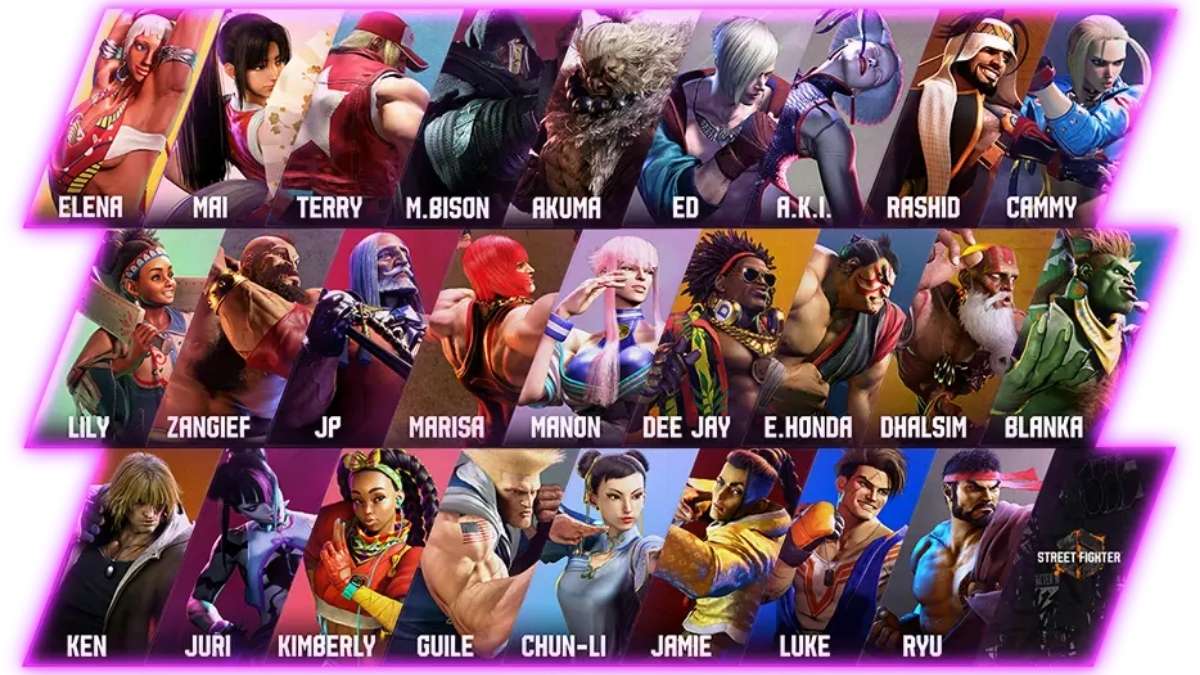
Street Fighter 6 is the latest installment of the iconic fighting game series that features 18 characters, each with their unique style, moves, and abilities. Whether you are a veteran or a newcomer to the series, choosing and mastering your fighter is one of the most important and fun aspects of the game.
But how do you know which character is right for you? And how do you learn their strengths, weaknesses, and strategies?
Character Types and Effective Ranges
Street Fighter 6 Character Guide
In Street Fighter 6, each character belongs to one of four types: standard, power, speed, or tricky. These types indicate the general characteristics and attributes of the character, such as their damage output, mobility, defense, and complexity. However, these types are not definitive, and each character can have some variations and exceptions within their type.
The character types are as follows:
Standard: These characters are well-balanced and versatile, with good damage, speed, and defense. They are easy to use and suitable for any situation. They are ideal for beginners and players who want to learn the fundamentals of the game. Examples: Ryu, Guile, Marisa.
Power: These characters are strong and heavy, with high damage, health, and stun. They are slow and bulky but can deal massive damage with a few hits. They are ideal for players who like to play aggressively and overwhelm their opponents. Examples: Ken, Zangief, E. Honda.
Speed: These characters are fast and agile, with low damage, health, and stun. They are quick and nimble but can be easily knocked down. They are ideal for players who like to play defensively and outsmart their opponents. Examples: Chun-Li, Blanka, Juri.
Tricky: These characters are unique and complex, with varied damage, speed, and defense. They have special abilities and mechanics that make them stand out from the rest. They are ideal for players who like to play creatively and unpredictably. Examples: Dhalsim, Lily, Luke.
In addition to the character types, each character also has an effective range, which indicates the optimal distance and position from which they can attack and defend. The effective range can vary depending on the character’s moveset, reach, and mobility. Generally, the effective ranges are as follows:
Close-range: These characters are most effective when they are close to their opponents, where they can use their powerful and fast attacks, throws, and combos. They are good at applying pressure and breaking the opponent’s defense. Examples: Ken, Zangief, Juri.
Mid-range: These characters are most effective when they are at a moderate distance from their opponents, where they can use their balanced and versatile attacks, pokes, and counters. They are good at controlling the space and the tempo of the match. Examples: Ryu, Guile, Chun-Li.
Long-range: These characters are most effective when they are far from their opponents, where they can use their long and ranged attacks, projectiles, and traps. They are good at keeping the opponent at bay and zoning them out. Examples: Dhalsim, Blanka, Lily.
Character Summary, Playstyle, and Tips
In this section, we will provide a summary of each character’s moveset, playstyle, and tips. For a more detailed and comprehensive character guide, you can click on the link at the end of each summary.
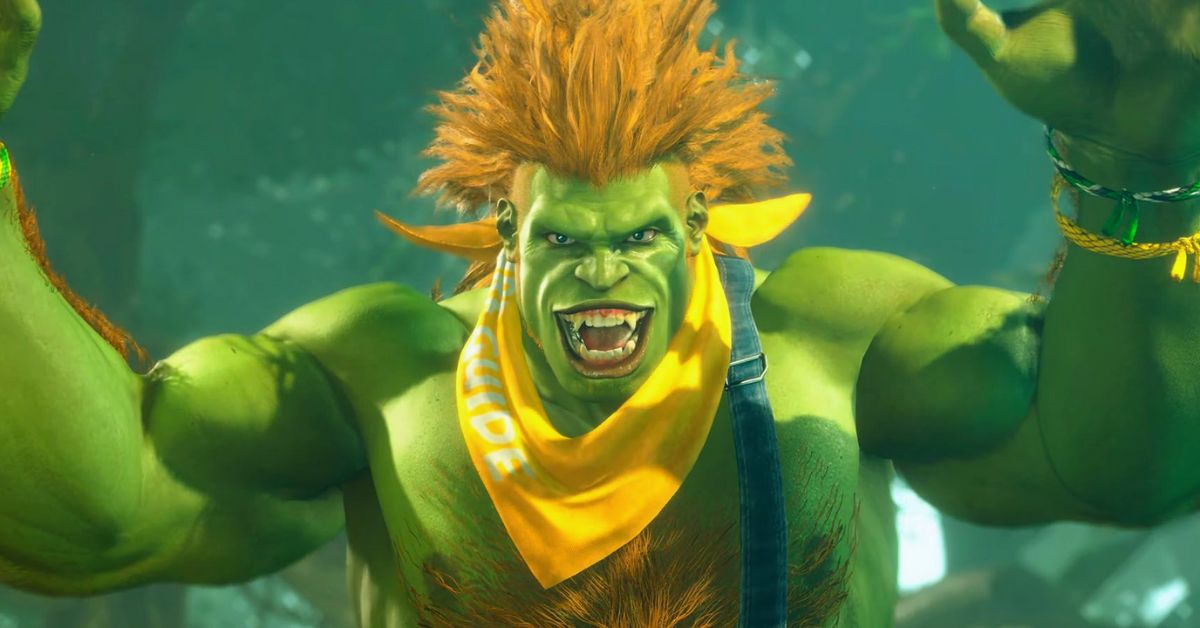
Blanka
Street Fighter 6 Character Guide (1)
Type: Speed
Effective Range: Long-range
Moveset: Blanka is a charge character, meaning that he needs to hold a direction for a certain amount of time before executing some of his special moves. His moves include:
Rolling Attack: Blanka curls into a ball and rolls forward, hitting the opponent multiple times. He can change the direction and the distance of the roll by using different buttons or holding them longer. He can also cancel the roll by pressing in the opposite direction.
Electric Thunder: Blanka unleashes a burst of electricity around him, hitting the opponent multiple times. He can activate this move by rapidly pressing any punch button. He can also move while using this move by holding a direction.
Vertical Roll: Blanka jumps into the air and performs a rolling attack, hitting the opponent above him. He can change the height and the angle of the jump by using different buttons or holding them longer.
Backstep Roll: Blanka hops backward and performs a rolling attack, hitting the opponent in front of him. He can change the distance and the speed of the hop by using different buttons or holding them longer.
Wild Hunt: Blanka leaps forward and grabs the opponent, then slams them to the ground. He can change the distance and the speed of the leap by using different buttons or holding them longer.
Lightning Beast: Blanka’s Super Art. Blanka performs a series of rolling attacks, hitting the opponent multiple times, then finishes with a powerful electric thunder.
Playstyle: Blanka is a fast and agile character who excels at long-range combat. He can use his rolling attacks to go through projectiles and surprise his opponents from different angles. He can also use his electric thunder to punish his opponents for getting too close or for trying to throw him. Blanka is good at keeping his opponents guessing and frustrated with his unpredictable and tricky moves.
Tips:
Blanka’s rolling attacks are not safe on block, meaning that he can be punished by the opponent if they block them. To avoid this, you should mix up your rolls with different directions, distances, and timings, and cancel them when necessary.
Blanka’s electric thunder is a good move to use when you are close to your opponent, as it can hit them multiple times and interrupt their attacks. However, it can also be interrupted by the opponent’s attacks, so you should use it wisely and not spam it.
Blanka’s vertical roll and backstep roll are good moves to use as anti-airs, meaning that they can hit the opponent when they are jumping. However, they can also be avoided or punished by the opponent if they are timed or spaced poorly, so you should use them carefully and not randomly.
Blanka’s wild hunt is a good move to use as a surprise attack, as it can catch the opponent off guard and deal a lot of damage. However, it can also be avoided or punished by the opponent if they are ready for it, so you should use it sparingly and not predictably.
Blanka’s lightning beast is a good move to use as a combo finisher, as it can deal a lot of damage and stun the opponent. However, it can also be blocked or dodged by the opponent if they are aware of it, so you should use it when you are sure that it will hit.
Blanka Guide – Move List and Best Tips
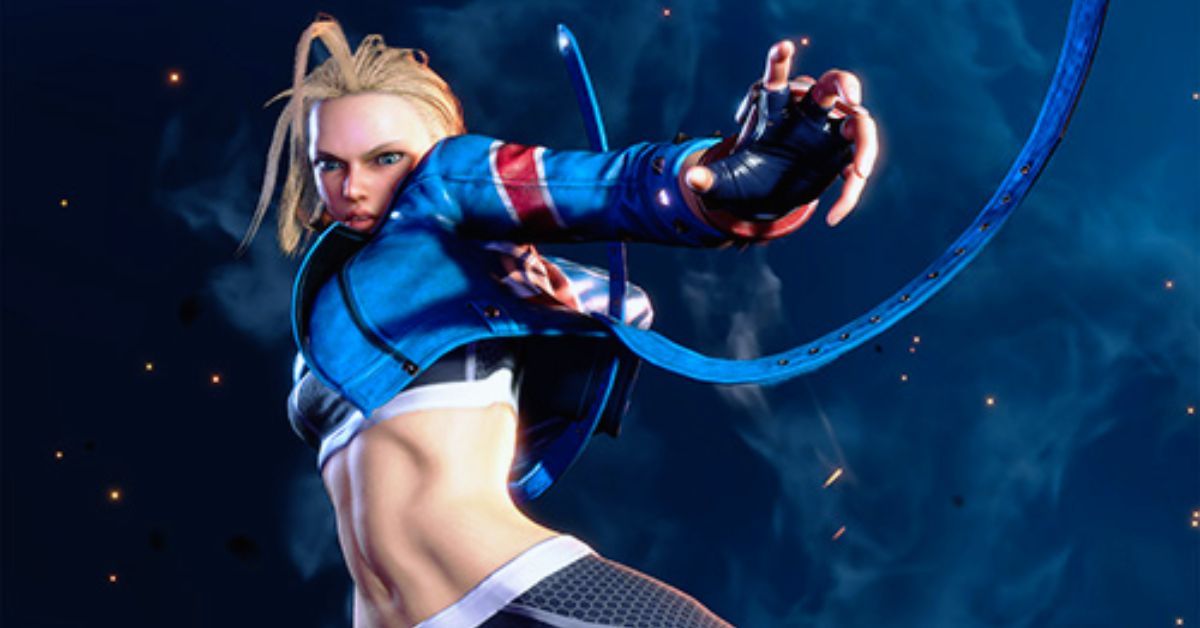
Cammy
Street Fighter 6 Character Guide (2)
Type: Speed
Effective Range: Mid-range
Moveset: Cammy is a motion character, meaning that she can execute her special moves by quickly moving the joystick or the directional pad in a certain pattern. Her moves include:
Spiral Arrow: Cammy slides forward and performs a spinning kick, hitting the opponent low. She can change the distance and the speed of the slide by using different buttons.
Cannon Spike: Cammy jumps into the air and performs a spinning kick, hitting the opponent above her. She can change the height and the angle of the jump by using different buttons.
Hooligan Combination: Cammy performs a forward flip, then can follow up with different attacks depending on the button pressed. She can perform a sliding kick, a diving punch, a grab, or a cancel. She can change the distance and the speed of the flip by using different buttons.
Cannon Strike: Cammy performs a diving kick, hitting the opponent in front of her. She can only use this move during a forward jump. She can change the angle and the timing of the kick by using different buttons or holding them longer.
Delta Drive: Cammy’s Super Art. Cammy performs a series of spiral arrows and cannon spikes, hitting the opponent multiple times, then finishes with a powerful cannon strike.
Playstyle: Cammy is a fast and agile character who excels at mid-range combat. She can use her spiral arrow and cannon strike to close the distance and pressure her opponents. She can also use her cannon spike and hooligan combination to counter her opponents’ attacks and mix up her offense. Cammy is good at applying constant and relentless pressure and breaking her opponents’ defense.
Tips:
Cammy’s spiral arrow is a good move to use to get close to your opponent, as it can hit them low and go under some projectiles. However, it is not safe on block, meaning that you can be punished by the opponent if they block it. To avoid this, you should use the light version of the move, which is the safest, and space it well, so that it hits the opponent with the tip of your foot.
Cammy’s cannon spike is a good move to use as an anti-air, meaning that it can hit the opponent when they are jumping. It is also a good move to use as a reversal, meaning that it can interrupt the opponent’s attacks and escape from their pressure. However, it is also very unsafe to block or whiff, meaning that you can be punished by the opponent if they avoid or block it. To avoid this, you should use it wisely and not spam it.
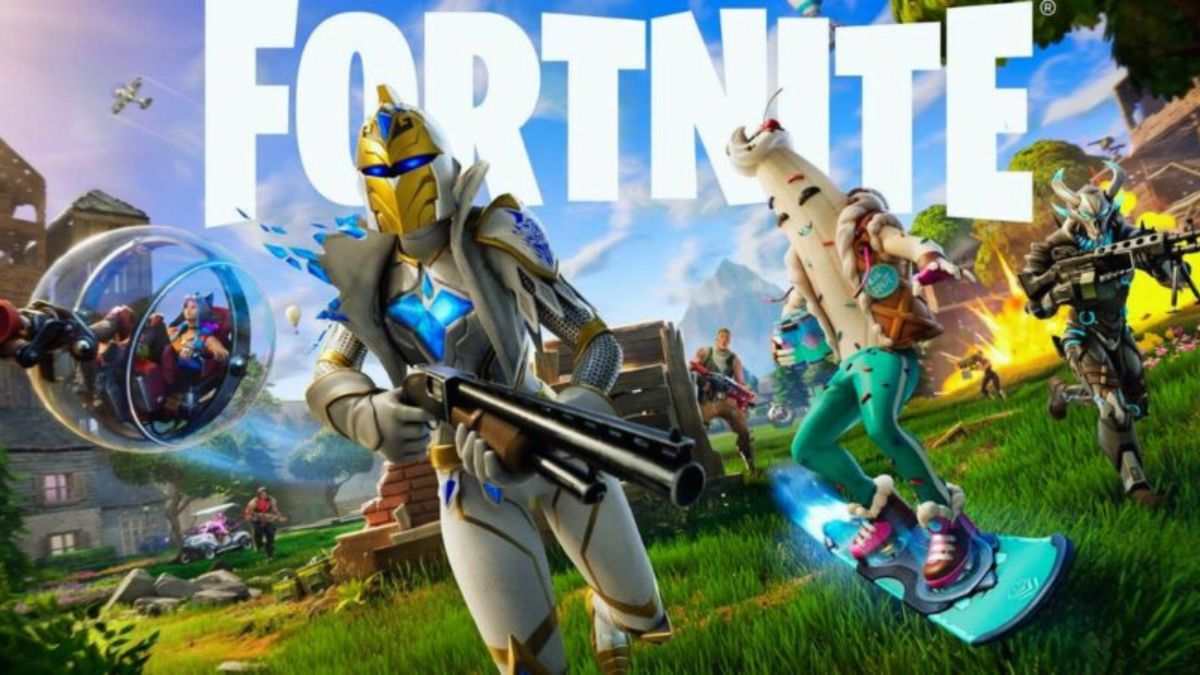
Fortnite is a battle royale game that pits up to 100 players against each other on a shrinking map, where they have to scavenge for weapons, items, and resources, and eliminate their opponents. The game is developed by Epic Games and is available for PC, PS4, PS5, Xbox One, Xbox Series X|S, Nintendo Switch, and mobile devices.
The game features various modes, such as solo, duo, squad, team rumble, creative, and arena, as well as various seasons, events, and updates, that change the gameplay and the appearance of the map. However, one of the most important aspects of the game is the loot, which is the term used to describe the weapons, items, and chests that are scattered around the map.
Loot can give you an edge over your enemies, as it can improve your combat, mobility, and survival skills. However, loot is also random and scarce, and you have to compete with other players to get it. Therefore, knowing where and how to find the best loot in the game is crucial for your success. In this article, we will show you how to use a Fortnite loot map, and provide some tips and tricks to find the best loot in the game.
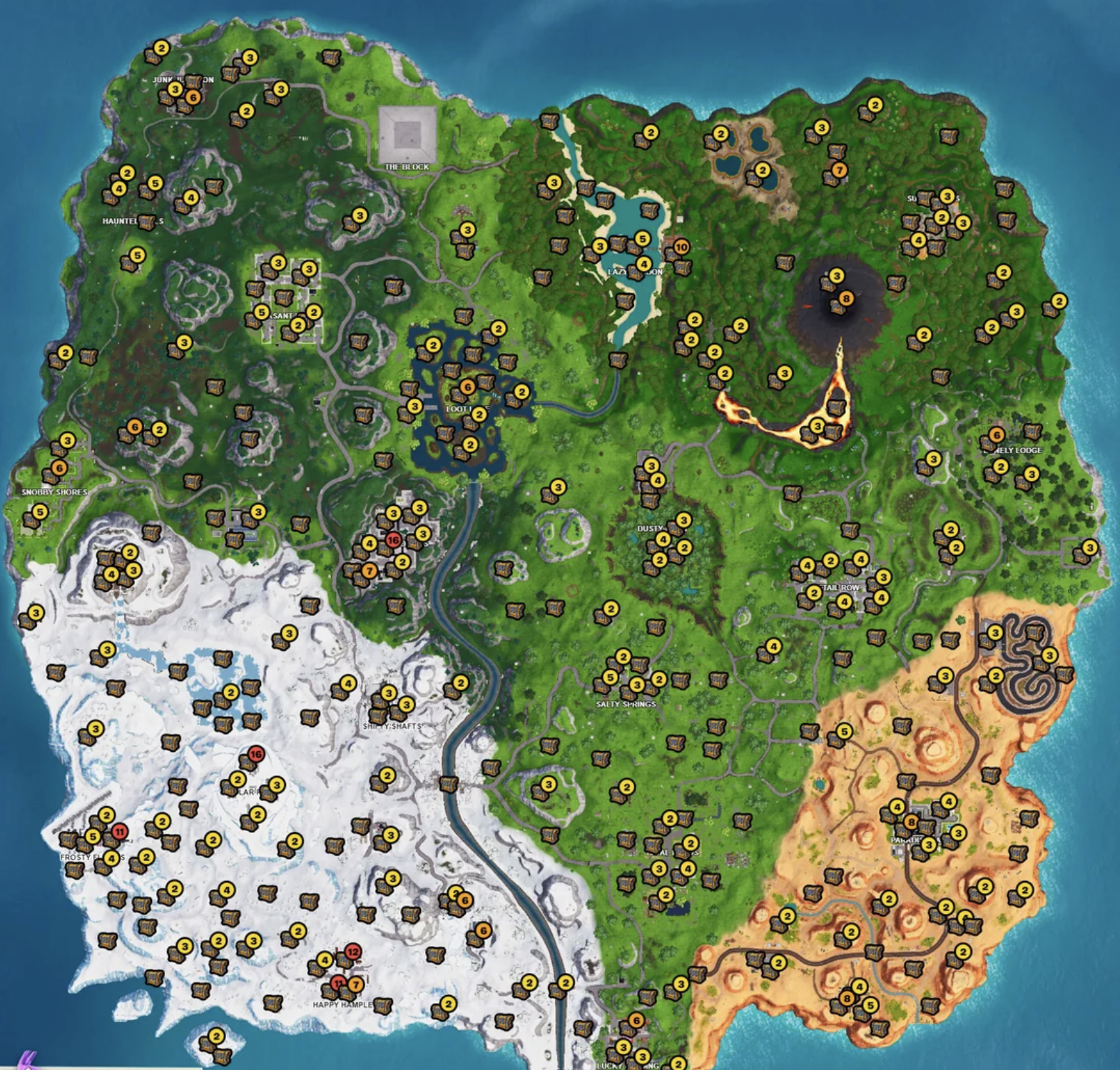
Fortnite Loot Map
Fortnite Loot Map (1)
A Fortnite loot map is a tool that helps you locate the loot in the game, by showing you the locations, types, and quantities of the weapons, items, and chests that are available on the map. A Fortnite loot map can be either an interactive map, a static map, or a video guide, that you can access online or offline, and that you can use before or during the game.
A Fortnite loot map can also show you other useful information, such as the spawn locations, the vehicles, the NPCs, the weekly challenges, and the secret items that are hidden on the map.
A Fortnite loot map can help you plan your landing spot, your loot route, and your strategy, as well as improve your awareness, your efficiency, and your performance in the game.
How to Use a Fortnite Loot Map?
To use a Fortnite loot map, you need to follow these steps:
First, you need to have the game installed on your platform of choice and make sure that it is updated to the latest version. You also need to have a stable internet connection and an online subscription service, such as Epic Games, PlayStation Plus, Xbox Live Gold, Nintendo Switch Online, or Apple ID, depending on your platform.
Next, you need to choose a Fortnite loot map that suits your needs and preferences. There are many Fortnite loot maps available online, such as Fortnite.GG, Map Genie, or IGN, offer different features, such as interactivity, customization, or accuracy. You can also use offline Fortnite loot maps, such as screenshots, images, or videos, that you can download or watch on your device. You can also create your Fortnite loot map, using the in-game replay mode, or the creative mode, that allows you to explore and record the map in detail.
Then, you need to study the Fortnite loot map and learn the locations, types, and quantities of the loot that are available on the map. You can also compare the different loot zones, and see which ones have the most loot, the best loot, or the least competition. You can also look for other useful information, such as the spawn locations, the vehicles, the NPCs, the weekly challenges, and the secret items that are hidden on the map. You can also mark your favorite loot spots, and save or share your Fortnite loot map with your friends or teammates.
Finally, you need to use the Fortnite loot map in the game and apply the knowledge and skills that you have gained from the map. You can use the Fortnite loot map before the game, to choose your landing spot, your loot route, and your strategy, based on the loot that you want to get. You can also use the Fortnite loot map during the game, to find the loot that you need, to avoid the loot that you don’t need, and to adapt to the changing situations and the shrinking map.
By following these steps, you can use a Fortnite loot map, and find the best loot in the game. However, you need to keep in mind that a Fortnite loot map is not a guarantee of success and that it may not be accurate or updated, as the game is constantly changing and evolving. Therefore, you need to use a Fortnite loot map as a guide, not as a rule, and you need to be flexible, creative, and skillful, to survive and win in the game.
What are the Benefits and Drawbacks of Using a Fortnite Loot Map?
Using a Fortnite loot map can have some benefits and drawbacks, such as:
Benefits
Using a Fortnite loot map can make the game more fun and easy, as you can find the loot that you want, and avoid the loot that you don’t want, without wasting time or resources.
Using a Fortnite loot map can also make the game more strategic and competitive, as you can plan your landing spot, your loot route, and your strategy, based on the loot that you have, and the loot that your enemies have.
Using a Fortnite loot map can also make the game more diverse and dynamic, as you can discover new loot spots, new loot types, and new loot combinations, that can change the gameplay and the outcome of the game.
Drawbacks
Using a Fortnite loot map can also make the game less immersive and challenging, as you lose the sense of exploration and discovery, and the thrill of the unknown, that the game creates.
Using a Fortnite loot map can also make the game less fair and balanced, as you gain an advantage over your enemies, who may not have access to the same information or resources, that you have.
Using a Fortnite loot map can also make the game less reliable and consistent, as the loot map may not be accurate or updated, and the loot may not be available or accessible, due to the random and scarce nature of the loot.
Conclusion
Fortnite is a battle royale game that pits up to 100 players against each other on a shrinking map, where they have to scavenge for weapons, items, and resources, and eliminate their opponents. The game features various modes, seasons, events, and updates, that change the gameplay and the appearance of the map.
However, one of the most important aspects of the game is the loot, which is the term used to describe the weapons, items, and chests that are scattered around the map. Loot can give you an edge over your enemies, as it can improve your combat, mobility, and survival skills.
However, loot is also random and scarce, and you have to compete with other players to get it. Therefore, knowing where and how to find the best loot in the game is crucial for your success.
Diablo Immortal is a mobile action RPG that is set in the world of Sanctuary, between the events of Diablo II and Diablo III. The game features six classes, each with their skills and abilities, as well as various items, quests, and dungeons to explore.
The game also features a new system called Familiars, which are magical creatures that can accompany you on your adventures and provide you with various benefits and bonuses.
In this guide, we will explain what Familiars are, how to obtain them, how to upgrade them, and how to use them in Diablo Immortal. We will also provide some tips and tricks on how to make the most of your Familiar companions.
What are Familiars in Diablo Immortal?
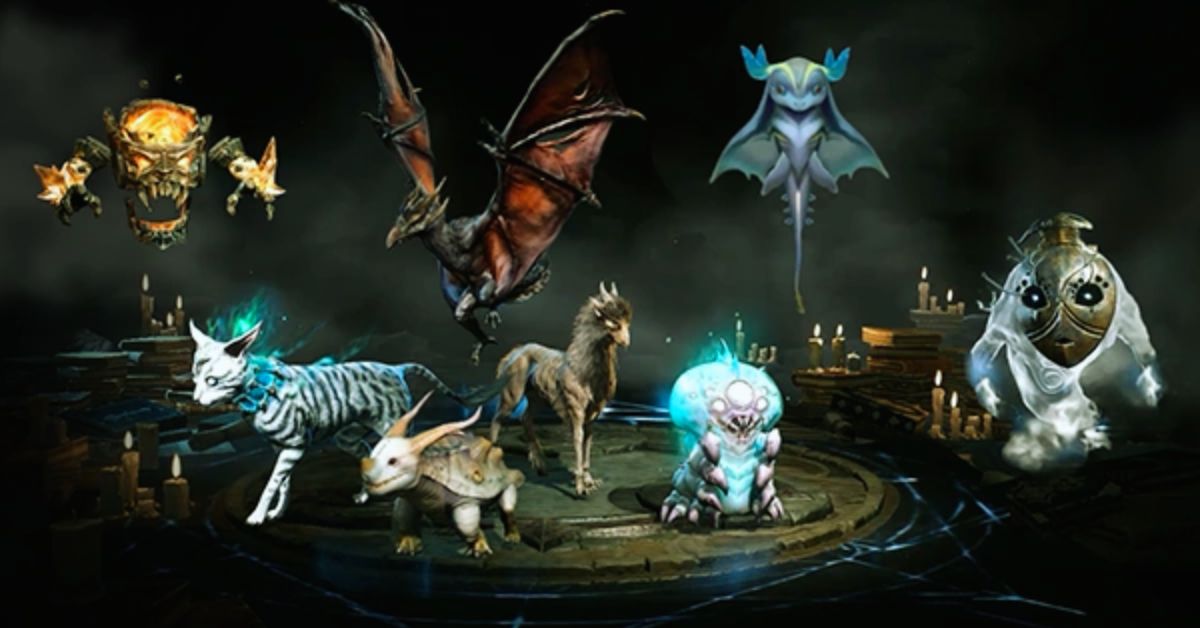
Diablo Immortal Familiar Guide
Familiars are mystical beings that can be summoned by the player to assist them in combat and exploration. Familiars have their appearance, personality, and abilities, and can be customized and enhanced to suit different playstyles and preferences. Familiars can perform three functions in the game:
Companion: A Familiar can act as your companion, following you around and fighting by your side. A companion Familiar can use its attacks and skills, as well as provide you with passive bonuses, such as increased damage, defense, or movement speed. You can only have one companion Familiar at a time, and you can switch between different Familiars at any time.
Bond: A Familiar can also act as your bond, granting you access to its special abilities and effects. A bond Familiar can use its active abilities, such as healing, buffing, or debuffing, as well as provide you with additional bonuses, such as increased critical chance, resource regeneration, or cooldown reduction. You can only have one bond Familiar at a time, and you can switch between different Familiars at any time.
Meld: A Familiar can also act as your meld, allowing you to fuse with it and transform it into a powerful hybrid form. A meld Familiar can use its ultimate ability, which is a devastating attack or effect that can change the tide of battle. A meld Familiar can also provide you with exclusive bonuses, such as increased attack speed, life steal, or elemental damage. You can only have one meld Familiar at a time, and you can only use the meld ability once per dungeon or zone.
How to Obtain Familiars in Diablo Immortal?
There are two ways to obtain Familiars in Diablo Immortal:
Spirit Essence: Spirit Essence is a currency that can be used to purchase Familiars from the Familiar Shop. Spirit Essence can be obtained by completing various activities in the game, such as dungeons, towers, events, and quests. Spirit Essence can also be exchanged for other currencies, such as gold or gems, or used to upgrade your Familiars. The Familiar Shop offers a random selection of Familiars every day, and you can refresh the shop for a fee. The Familiar Shop also offers a free Familiar every week, which you can claim by logging in every day.
Contracts: Contracts are items that can be used to summon Familiars from the Familiar Portal. Contracts can be obtained by completing various activities in the game, such as dungeons, towers, events, and quests. Contracts can also be purchased from the Familiar Shop, or traded with other players. The Familiar Portal offers a random selection of Familiars every day, and you can refresh the portal for a fee. The Familiar Portal also offers a guaranteed Familiar every month, which you can claim by using a certain number of contracts.
How to Upgrade Familiars in Diablo Immortal?
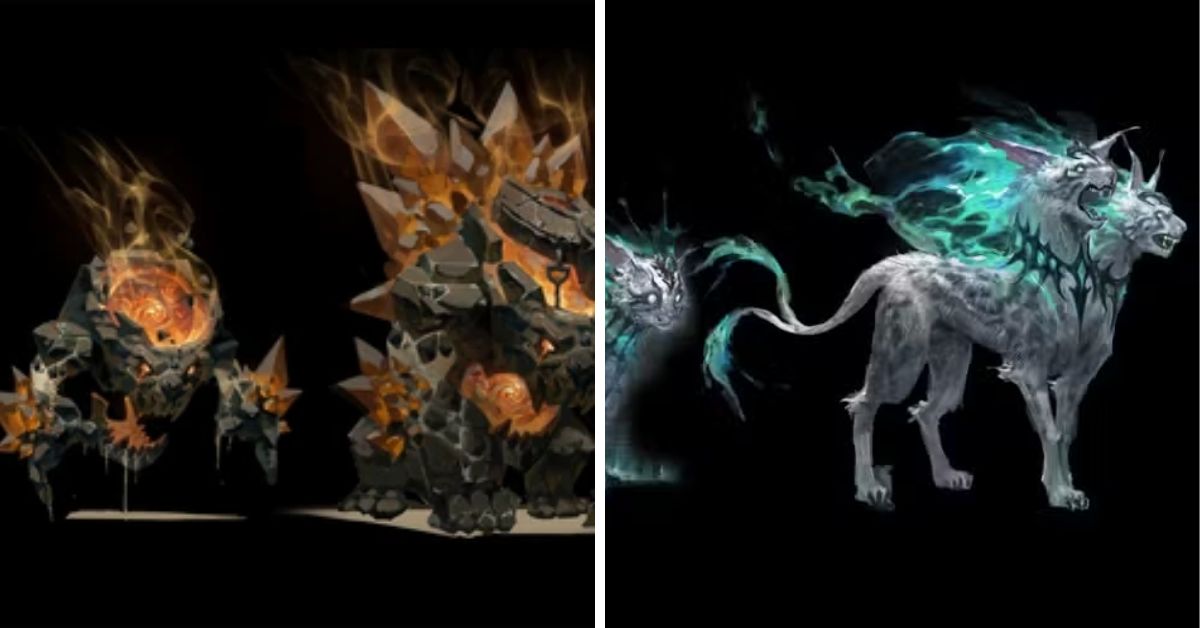
Diablo Immortal Familiar Guide (1)
There are three ways to upgrade Familiars in Diablo Immortal:
Level Up: You can level up your Familiars by using them in combat or by feeding them with Conversion Stones. Leveling up your Familiars will increase their stats and abilities, as well as unlock new features and options. The maximum level for Familiars is 50, and the level cap can be increased by using Aberrant Familiars, which are rare and powerful Familiars that can be obtained from the Familiar Portal or the Familiar Shop.
Convert: You can convert your Familiars by using them as materials to create new Familiars. Converting your Familiars will allow you to obtain different or better Familiars, as well as transfer some of their attributes and effects. The conversion process is random and unpredictable, and the result can vary depending on the quality and quantity of the Familiars used. The conversion process can also fail, resulting in the loss of the Familiars used.
Meld: You can meld your Familiars by using them as materials to enhance your existing Familiars. Melding your Familiars will allow you to increase the power and potential of your Familiars, as well as add new attributes and effects. The melding process is fixed and deterministic, and the result can be previewed before confirmation. The melding process can also be reversed, allowing you to recover the Familiars used.
How to Use Familiars in Diablo Immortal?
There are three ways to use Familiars in Diablo Immortal:
Companion: You can use your Familiar as your companion by selecting it from the Familiar Menu and tapping the Companion button. Your companion Familiar will appear next to you and follow you around. You can also interact with your companion Familiar by tapping on it, which will trigger a dialogue or an animation. Your companion Familiar will also fight with you and use its attacks and skills, as well as provide you with passive bonuses. You can switch your companion Familiar at any time by selecting a different Familiar from the Familiar Menu and tapping the Companion button.
Bond: You can use your Familiar as your bond by selecting it from the Familiar Menu and tapping the Bond button. Your bond Familiar will appear as an icon on your screen and grant you access to its active abilities and effects. You can use your bond Familiar’s abilities by tapping the icon, which will consume some of your Familiar Energy. Your bond Familiar will also provide you with additional bonuses, which will be displayed on your screen. You can switch your bond Familiar at any time by selecting a different Familiar from the Familiar Menu and tapping the Bond button.
Meld: You can use your Familiar as your meld by selecting it from the Familiar Menu and tapping the Meld button. Your meld Familiar will appear as an icon on your screen and allow you to transform into a hybrid form. You can use your meld Familiar’s ultimate ability by tapping the icon, which will consume all of your Familiar Energy. Your meld Familiar will also provide you with exclusive bonuses, which will be displayed on your screen. You can only use your meld Familiar once per dungeon or zone, and you can only switch your meld Familiar at the Familiar Menu.
Subnautica is a game that challenges you to survive and explore a vast alien ocean, where you can encounter diverse creatures, craft equipment, and uncover secrets. The game was developed and published by Unknown Worlds Entertainment, and it is available for PC, PS4, PS5, Xbox One, and Xbox Series X|S.
The game features a single-player mode, where you can follow a story-driven campaign, or a sandbox mode, where you can create your adventure. However, many players wonder if Subnautica also has a multiplayer mode, where they can play with their friends in the same world. In this article, we will answer this question and provide some details about the multiplayer feature in Subnautica.
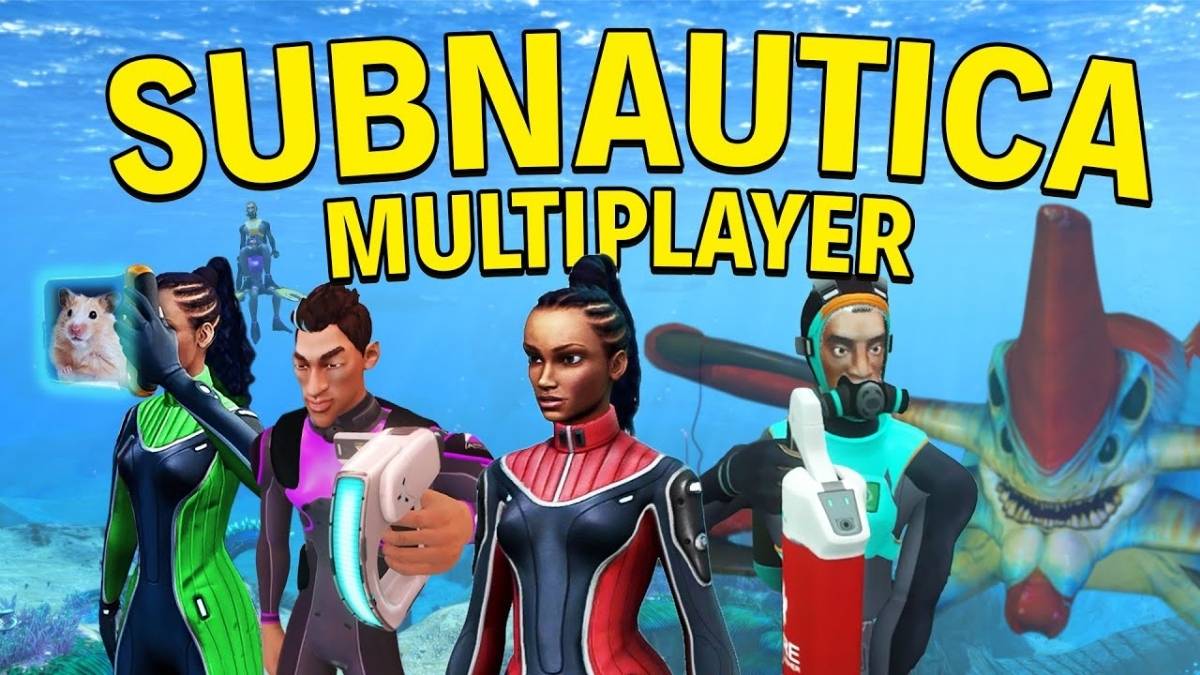
Is Subnautica Multiplayer?
Is Subnautica Multiplayer (1)
The short answer is no, Subnautica does not have an official multiplayer mode. The game is designed to be a solo experience, where you are the only human survivor of a crashed spaceship, and you have to face the dangers and mysteries of the ocean alone.
The developers of Subnautica stated that adding multiplayer to the game would require either rebuilding the engine from scratch or devoting an entire team to squeezing it into its current iteration.
They also said that multiplayer would change the tone and the balance of the game and that they wanted to focus on creating a rich and immersive single-player experience.
How to Play Subnautica with Friends?
However, the lack of an official multiplayer mode does not mean that you cannot play Subnautica with your friends at all. If you are on PC, you can use a fan-made mod called Nitrox, which enables co-op multiplayer in Subnautica.
Nitrox is a mod that allows you to host or join a server with up to 100 players, and play together in the same world. You can share resources, build bases, explore the ocean, and even fight the leviathans together. Nitrox is still in development, and it may have some bugs and compatibility issues, but it is a viable option if you want to enjoy Subnautica with your friends.
To play Subnautica with Nitrox, you need to follow these steps:
First, you need to have Subnautica installed on your PC and make sure that it is updated to the latest version. You also need to have a stable internet connection and a Steam account.
Next, you need to download Nitrox from its official website and extract the zip file to a folder of your choice. You may need to disable your antivirus software, as Nitrox may trigger some false alarms.
Then, you need to run the Nitrox Launcher as an administrator and select the Subnautica folder from your Steam library. You also need to downgrade your Subnautica version to the legacy version, by going to the Steam properties of the game and selecting the legacy option from the betas tab.
Finally, you need to either host or join a server with Nitrox. If you want to host a server, you need to click on the server tab and start the server. You also need to set up port forwarding on your router and give your IP address and port number to your friends. If you want to join a server, you need to click on the play game tab and enter the IP address and port number of the host. You also need to enter a username and a password, if the server is password-protected.
By following these steps, you can play Subnautica with Nitrox, and enjoy the game with your friends. However, you need to keep in mind that Nitrox is not an official mod, and it may not work with some features or updates of Subnautica. You also need to be careful with your save files, as Nitrox may overwrite or corrupt them.
What are the Pros and Cons of Playing Subnautica with Friends?
Playing Subnautica with your friends can have some pros and cons, such as:
Pros
Playing Subnautica with your friends can make the game more fun and social, as you can chat, cooperate, and compete with your friends in the same world.
Playing Subnautica with your friends can also make the game easier and safer, as you can share resources, help each other, and fight the enemies together.
Playing Subnautica with your friends can also make the game more diverse and dynamic, as you can create your scenarios, challenges, and stories with your friends.
Cons
Playing Subnautica with your friends can also make the game less immersive and scary, as you lose the sense of isolation and loneliness that the game creates.
Playing Subnautica with your friends can also make the game less balanced and stable, as the game is not designed for multiplayer, and it may have some bugs, glitches, or lag issues.
Playing Subnautica with your friends can also make the game less accessible and convenient, as you need to use a third-party mod, and set up a server and port forwarding, which may be complicated or risky.
Conclusion
Subnautica is a game that challenges you to survive and explore a vast alien ocean, where you can encounter diverse creatures, craft equipment, and uncover secrets. The game does not have an official multiplayer mode, as it is designed to be a solo experience, where you are the only human survivor of a crashed spaceship.
However, if you are on PC, you can use a fan-made mod called Nitrox, which enables co-op multiplayer in Subnautica. Nitrox is a mod that allows you to host or join a server with up to 100 players, and play together in the same world.