Blog

  • Devil May Cry Peak Of Combat Reroll Guide: How To Get The Best Characters And Weapons?

    Devil May Cry Peak Of Combat Reroll Guide: How To Get The Best Characters And Weapons?

    Devil May Cry Peak of Combat is a mobile action game that features the iconic characters and weapons from the Devil May Cry series. The game also features a gacha system, where you can summon different characters and weapons with different rarities and abilities. However, the gacha system is based on luck, and you may not get the characters and weapons that you want.

    That’s why some players choose to reroll, which is a process of creating a new account and summoning again until you get the desired results.

    How to Reroll on Android, iOS, and PC?

    Rerolling in Devil May Cry Peak of Combat is relatively easy and fast, as you can skip the tutorial and get enough currency to summon 10 times for free.
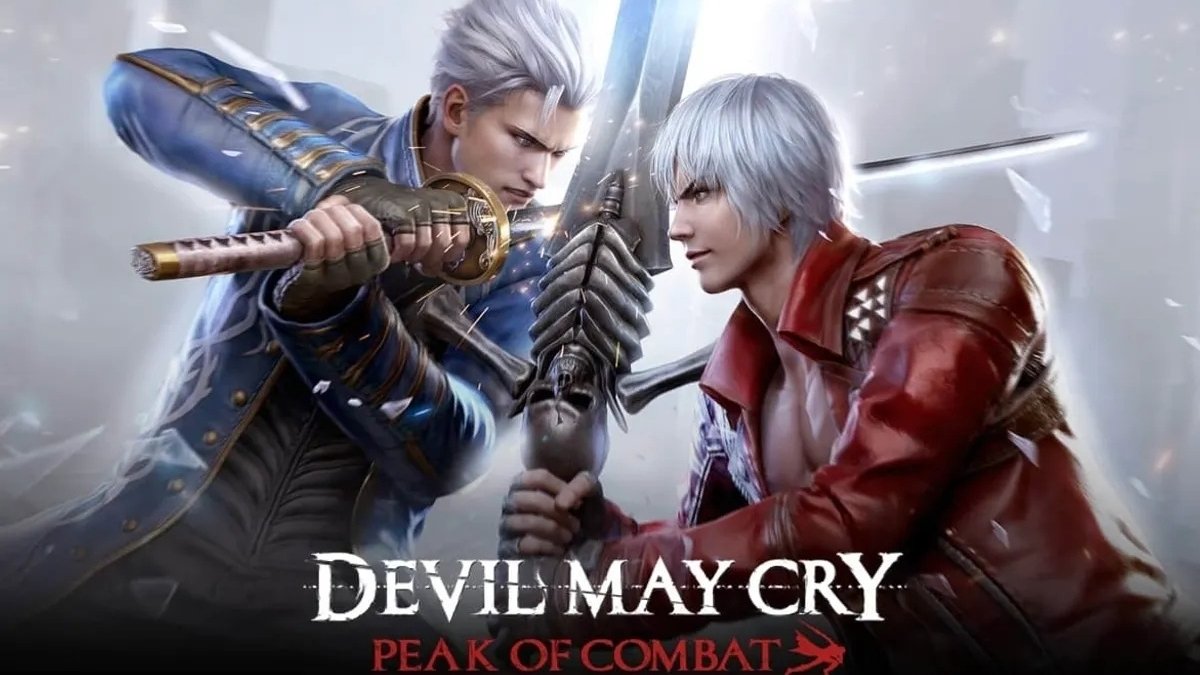
    Devil May Cry Peak Of Combat Reroll Guide
    Devil May Cry Peak Of Combat Reroll Guide

    However, the reroll process is slightly different depending on the platform that you are using. Here are the steps for rerolling on Android, iOS, and PC:

    Android

    • Launch the game and choose the Guest option to create a temporary account
    • Skip the tutorial and go to the gacha menu
    • Use the Vault system to summon a legendary item (see below for more details)
    • If you are not satisfied with the results, go to the settings menu and log out of the game
    • Go to your device settings and clear the game data
    • Launch the game again and repeat the process until you get what you want

    iOS

    • Launch the game and choose the Guest option to create a temporary account
    • Skip the tutorial and go to the gacha menu
    • Use the Vault system to summon a legendary item (see below for more details)
    • If you are not satisfied with the results, go to the settings menu and log out of the game
    • Go to your device settings and delete the game
    • Download the game again from the App Store and repeat the process until you get what you want

    PC

    • Launch the game on the official 64-bit emulator and choose the Guest option to create a temporary account
    • Skip the tutorial and go to the gacha menu
    • Use the Vault system to summon a legendary item (see below for more details)
    • If you are not satisfied with the results, go to the settings menu and log out of the game
    • Go to the emulator manager menu and create a clone of the game
    • Launch the clone and repeat the process until you get what you want
    • You can also delete the clones that you don’t need from the emulator manager menu

    How to Get the Best Characters and Weapons?

    The gacha system in Devil May Cry Peak of Combat has four rarity tiers: common, rare, epic, and legendary. The higher the rarity, the better the stats and abilities of the characters and weapons. However, the higher the rarity, the lower the chance of getting them. The gacha rates are as follows:

    • Common: 60%
    • Rare: 30%
    • Epic: 9%
    • Legendary: 1%

    The best characters and weapons in the game are the legendary ones, as they have the highest power and potential. However, getting them is very difficult and depends on luck. That’s why rerolling is a good option to increase your chances of getting them. Here are some of the best characters and weapons that you can aim for when rerolling:

    • Dante: The main protagonist of the series and a versatile character who can use various weapons and styles. His legendary weapon is Rebellion, a sword that can unleash powerful slashes and combos.
    • Nero: The son of Vergil and a fast and agile character who can use his Devil Breaker arm and his Red Queen sword. His legendary weapon is Blue Rose, a revolver that can fire explosive bullets and charge shots.
    • Vergil: The brother of Dante and a powerful and elegant character who can use his Yamato sword and his Devil Trigger form. His legendary weapon is Beowulf, a pair of gauntlets and greaves that can deliver devastating punches and kicks.
    • Lady: A human demon hunter and a ranged and explosive character who can use various firearms and grenades. Her legendary weapon is Kalina Ann, a rocket launcher that can fire multiple rockets and missiles.
    • Trish: A demoness and an ally of Dante who can use her Sparda sword and her lightning powers. Her legendary weapon is Luce & Ombra, a pair of pistols that can fire rapid and accurate shots.

    How to Use the Vault System?

    The Vault system is a unique feature in Devil May Cry Peak of Combat that allows you to summon a legendary item for free. The Vault system is available after you finish the tutorial and go to the gacha menu. The Vault system works as follows:

    • You can choose one of the four legendary items that are displayed on the screen
    • You can use the Vault Key to open the Vault and get the item that you chose
    • You can get one Vault Key for free every day
    • You can also get more Vault Keys by completing missions or buying them with real money

    The Vault system is a great way to get a legendary item without spending any currency or relying on luck. However, the Vault system has some limitations, such as:

    • You can only use the Vault system once per day
    • You can only choose one of the four legendary items that are randomly selected
    • You can only get the legendary items that are available in the Vault system, which may not include the ones that you want

    How to Transfer Your Reroll Account?

    After you get the characters and weapons that you want from rerolling, you may want to transfer your reroll account to your main account or to another device. To do that, you need to follow these steps:

    • Go to the settings menu and choose the Bind Account option
    • Choose the platform that you want to bind your account to, such as Facebook, Google, or Apple
    • Log in to your platform account and confirm the binding
    • Go to the device or platform that you want to transfer your account to and launch the game
    • Choose the Login option and log in with the same platform account that you bound your account to
    • Confirm the transfer and enjoy your reroll account

    Some tips and tricks for transferring your reroll account are:

    • You can only bind your account to one platform at a time, so make sure to choose the one that you prefer and trust
    • You can only transfer your account to the same server that you created your account on, so make sure to choose the server that suits your location and preference
    • You can only transfer your account once every 30 days, so make sure to transfer your account wisely and carefully

    Conclusion

    Devil May Cry Peak of Combat is a mobile action game that features the iconic characters and weapons from the Devil May Cry series. The game also features a gacha system, where you can summon different characters and weapons with different rarities and abilities.

    However, the gacha system is based on luck, and you may not get the characters and weapons that you want. That’s why some players choose to reroll, which is a process of creating a new account and summoning again until you get the desired results.

    This is all there is to know about Devil May Cry Peak Of Combat Reroll Guide. You can also read our Genshin The Catch Guide and MapleStory Afterlands Guide. Stay up to date with GameEmpress.com for the most recent gaming news and guides.


  • Red Dead Redemption 2 Free Download: Saddle Up For Your Wild West Adventure

    Red Dead Redemption 2 Free Download: Saddle Up For Your Wild West Adventure

    Red Dead Redemption 2’s Red Dead Online component maintains a consistent player base, and those gamers will be pleased to see that the first content update of 2024 has come.

    It’s no secret that the Red Dead Online community harbors some hatred toward the game. While it is enjoyable to play, fans would have preferred more post-launch single-player content, such as Undead Nightmare 2.

    Is Red Dead Redemption 2 Cross Platform
    Image Source Rockstar Games

    Red Dead Redemption 2 received Steam’s 2023 Best Post-Launch Support award last month, leaving many fans perplexed. Red Dead Online, on the other hand, continues to be popular. The updates may be understated, but they are often – and the first offering for 2024 has arrived.

    Players can sell wildlife samples to conservator Harriet Davenport for a 2x RDO$ and XP reward until February 5th. There’s also a Wild Animals Kill Challenge in which you must kill “big game for points.” The larger and rarer the beast, the greater your reward, which also results in double RDO$ and XP. If the prospect of slaughtering wildlife makes you uncomfortable, which is normal, you can also get 2x RDO$ and XP for capturing uncommon beasts during the Wildlife Photography Free Roam Event.

    Other promotions include 3x RDO$ on fish sales, as well as 2x RDO$ and additional XP through the Fishing Challenge Free Roam Event. There are several Naturalist prizes to be had. Those who check in between now and February 5th will receive the Free Honor Reset, a Weight Gain Tonic, and a Weight Loss Tonic.

    You will receive the West Hill Haven Treasure Map if you sell a sample. If you sell five items in one week, you will receive the Black and Silver Morning Tailcoat. A reward for five ‘Legendary Animal Pheromones’ will be given to aspiring photographers, and completing an Animal Sighting Mission will result in a 40% off Novice or Promising Naturalist Role item offer.

    That isn’t everything. If you hunt or sample a Legendary Animal between the 9th and 15th of January, you’ll receive five gold bars in exchange for a Vitalism Studies Pamphlet. From the 16th until the 22nd of January, an Established or Distinguished Naturalist Role item gets 40% off. From 23 to 29 January, the reward is a Black and Red Charro Jacket (Male) or a Red Hitched Skirt (Female), followed by a Beige Raccoon Hat from 30 January to 5 February.

    You may also get this month’s community-inspired outfit by visiting participating tailors via the Wheeler, Rawson & Co Catalogue. Overall, there’s plenty to keep you occupied.

    For additional information on other titles, see Red Dead Redemption 3 Confirmed & Red Dead Redemption 2 PS5 And Xbox Series X. Thank you for visiting our website! Gameempress.com is the place to go for gaming news.

  • GTA 5 Online Crow Location: Ultimate Guide To Finding Every Crow In Los Santos

    GTA 5 Online Crow Location: Ultimate Guide To Finding Every Crow In Los Santos

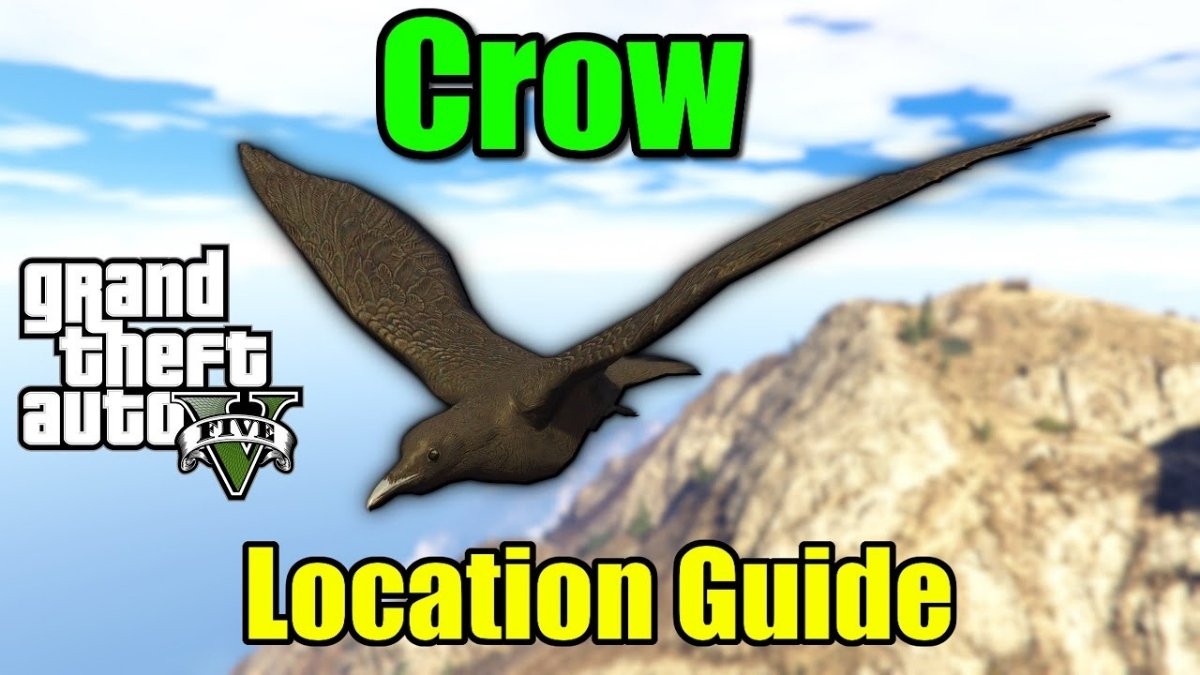
    With the January 2024, weekly update, a new Photography Challenge was added to GTA 5 Online. This event requires players to photograph specific animals and birds throughout Los Santos and Blaine County in exchange for cash and RP. The crow is one of the birds in this new challenge, and it may be found flying around in the desert.

    However, its precise location is not shown on the map, and because the desert is large, finding it may take some time. Nonetheless, this article will assist individuals taking part in this Photography Challenge by exposing the position of the crow in Grand Theft Auto 5 Online.

    GTA 5 Online Crow location

    GTA 5 Online Crow Location
    GTA 5 Online Crow Location

    In GTA Online, the Animals Photography Challenge, also known as the Wildlife Photography Challenge, allocates three critters to be photographed each day. You can find the crow in the Grand Senora Desert if you have been given it.

    In the graphic below, the red circle represents the search region for the crow’s location in Grand Theft Auto 5 Online:

    The bird can be seen flying in this area. When you spot a crow, use the Snapmatic app on your in-game smartphone to photograph it. Then, click the option to email the photo to the LS Tourist Board.

    This will get you $20,000 and 500 RP. In reality, the same sum will be awarded for each photograph of an animal or bird.

    Notably, the Animals Photography Challenge Chicken Hawk location in GTA Online is located in Blaine County’s Grand Senora Desert.

    Those interested in learning more about how this event might get established should go to the LS Tourist Board in Chiliad Mountain State Wilderness. Its location will be indicated on the map with a purple icon, as illustrated in the image below:

    When you arrive, step close to the board and push the button instructed in the top left corner of the screen to begin the challenge. However, it should be noted that Wildlife Photography Challenge map locations for animals and birds will not be highlighted on the map, and that this event is only available in the multiplayer versions of the PS5 and Xbox Series X/S.

    This new photography challenge includes not only wild animals but also pet dogs such as the Pug in GTA 5 Online. Furthermore, its benefits aren’t only monetary; after completing your first Wildlife Photography Challenge list for the day, you’ll be rewarded with The Zoophilist costume.

    Photographing one animal in this event also unlocks the Declasse Park Ranger in Warstock Cache and Carry. It costs somewhat less than three million dollars, but you can unlock its Trade Price by photographing ten animals.

    For additional information on other titles, see GTA Online Hen Location and GTA Online Adds Albany Cavalcade XL. Thank you for visiting our website! Gameempress.com is the place to go for gaming news.

  • Sony PlayStation 5 DualSense V2 Controller Leaks: Revolutionary Design And Features Revealed

    Sony PlayStation 5 DualSense V2 Controller Leaks: Revolutionary Design And Features Revealed

    The website of Best Buy Canada has revealed an undisclosed PS5 DualSense controller.

    ResetEra user ezidro3 discovered the ad for a CAD 89.99 “PlayStation 5 V2 DualSense Wireless Controller – White”. While the controller looks to be the same size as the current model, it has an “exceptional 12-hour battery life on a full charge,” which “supports long gaming sessions.”

    If true, this would be a major improvement over the current DualSense, which has a battery life of about six hours depending on the game played. A DualSense charging station is also reported to be included, providing “easy click-in charging.”

    The complete description from Best Buy is as follows: “Take control of the gaming action with the PlayStation 5 V2 DualSense wireless controller.” This game controller provides a genuinely immersive experience with dynamic triggers, a built-in microphone, and so much more. The trademark comfy design allows you to play for hours on end.”

    PS5 V2 DualSense Features

    Sony PlayStation 5 DualSense V2 Controller Leaks
    Sony PlayStation 5 DualSense V2 Controller Leaks
    • Compatible with the PlayStation 5
    • Wireless connectivity ensures you will never get tangled up in wires while gaming
    • Iconic comfortable design fits naturally in your hands
    • Haptic feedback replaces the traditional rumble motors for more realistic gameplay
    • Dynamic adaptive triggers let you experience different levels of force and tension as you interact with your game
    • Built-in microphone lets you engage with fellow gamers in online play
    • Headset jack lets you plug in your favorite headset, so you can tune in to your game audio easily
    • Dual Sense charging station (included) offers easy click-in charging
    • Exceptional 12-hour battery life, on a full charge, supports long gaming sessions

    PS5 V2 DualSense Specifications

    • Product Condition: Brand New
    • Controller Type: Wireless
    • Specialty Controller: Yes
    • Rumble Vibration: Yes
    • Headset Jack: Yes
    • Colour: White
    • Width: 6.6 cm
    • Height: 16 cm
    • Depth: 10.6 cm
    • Width (Inches): 2.6 in
    • Height (Inches): 6.3 in
    • Depth (Inches): 4.17 in
    • Weight: 280 g

    Check out Tekken 8 Official Panda Reveal and Overwatch 2’s Quick Play Mode Changes for more information on other games. Thank you for coming to our website! Gameempress.com should be your go-to source for gaming news.

  • Overwatch 2’s Quick Play Mode Changes: A Fresh Take On Classic Battles

    Overwatch 2’s Quick Play Mode Changes: A Fresh Take On Classic Battles

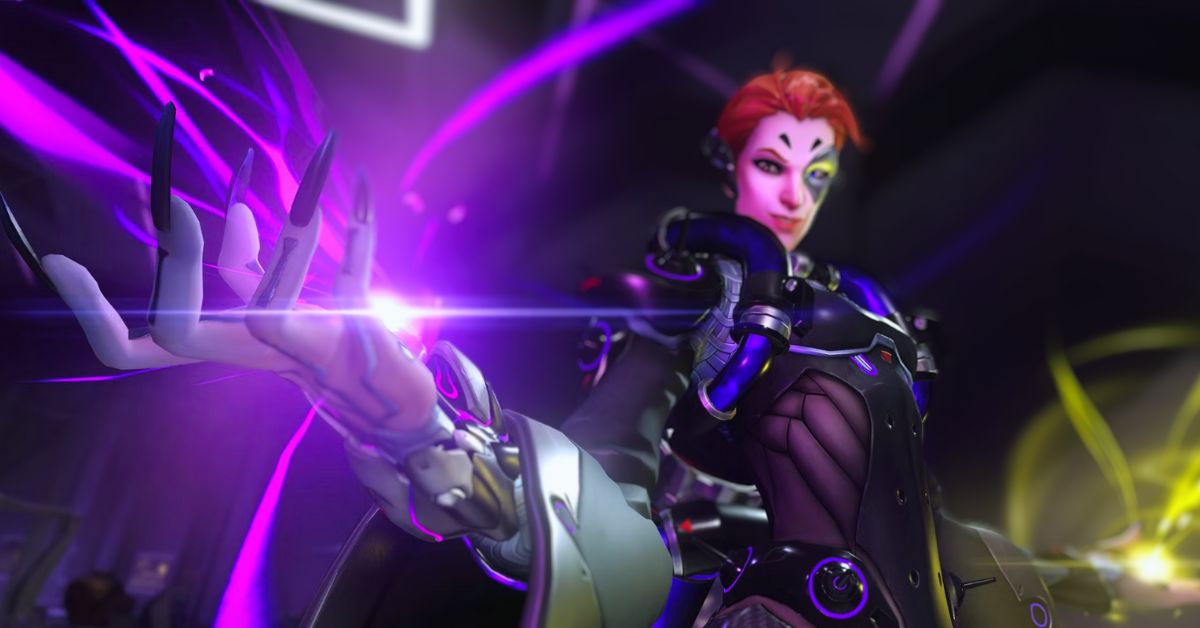
    Overwatch 2’s Quick Play game mode will be known as Quick Play: Hacked – Quicker Play from January 12 to January 14. While many die-hard Overwatch 2 fans prefer the game’s Competitive Play mode, Quick Play remains one of the most popular modes in the entire game.

    It allows players to experience the major game types of Overwatch 2 without the concern of losing their rating. Over the years, Blizzard has made significant improvements to Overwatch 2 Quick Play. Some of these modifications have been well received, while others have sparked debate.

    Blizzard’s latest Quick Play experiment will see the game mode substantially altered once more, however, the alterations will be temporary this time. Blizzard’s goal is to test potential improvements that could subsequently be introduced in Overwatch 2 Quick Play based on how the community reacts to them.

    From January 12 to January 14, Overwatch 2’s Quick Play: Hacked – Quicker Play experiment will take over the Quick Play game mode, rather than being available in Arcade or as an Experimental Play Card. Many more Overwatch 2 players will be able to participate this way.

    In terms of adjustments, respawn timings will be 75% faster, payloads will move 60% faster, taking objectives in Hybrid and Control will be 40% faster, and score progress will be 80% faster.

    In Flashpoint, taking objectives will be 20% faster, while scoring progress will be 40% faster. Match times for Escort, Hybrid, and Push are being cut to 70% of their original times, and time extensions are also being reduced.

    Overwatch 2’s Quick Play Mode Changes

    Overwatch 2's Quick Play Mode Changes (1)
    Overwatch 2’s Quick Play Mode Changes (1)
    • Respawning times are now 75% of their original time.
    • Payloads in Escort and Hybrid maps will move 60% faster.
    • Taking control of the Objective Point in Hybrid is 40% faster than normal.
    • Taking control of the objective point in Control is 40% faster than normal, and scoring the capture progress percentage is 80% faster.
    • Taking control of the objective point in Flashpoint is 20% faster than normal, and scoring the capture progress percentage is 40% faster.
    • When you play an Escort, Hybrid, or Push map, the initial match time has been reduced to 70% of the original time, and any time extensions are also reduced to 70% of the total time added.
    • These changes only apply to all players who play in Role Queue and Open Queue Quick Play modes during the duration of the event and will return to normal after January 14. Competitive Play and Arcade modes are not affected by these changes.

    While Overwatch 2 Quick Play is active, Quick Play: Hacked – Quicker Play will apply to both the open queue and role queue choices. Those who want to play standard Quick Play must first create an Overwatch 2 custom game. This may irritate some fans who were hoping to play regular Overwatch 2 Quick Play this weekend, but it will be interesting to see how the community reacts to the changes.

    Blizzard stated that Quicker Play is only the “first” version of Quick Play: Hacked, implying that there would be more. It’s unclear what future versions of these remixed Overwatch 2 Quick Play modes will bring, but they’ll almost certainly be tweaked according to how fans react to Quicker Play.

    If you’re looking for additional news about other games, check out Tekken 8 Official Panda Reveal and Call Of Duty Modern Warfare 3 Season 1 Reloaded Revealed. Thank you for visiting our website! Make Gameempress.com your go-to source for gaming news.

  • Tekken 8 Official Panda Reveal: Everything You Need To Know About The Pretty Protector

    Tekken 8 Official Panda Reveal: Everything You Need To Know About The Pretty Protector

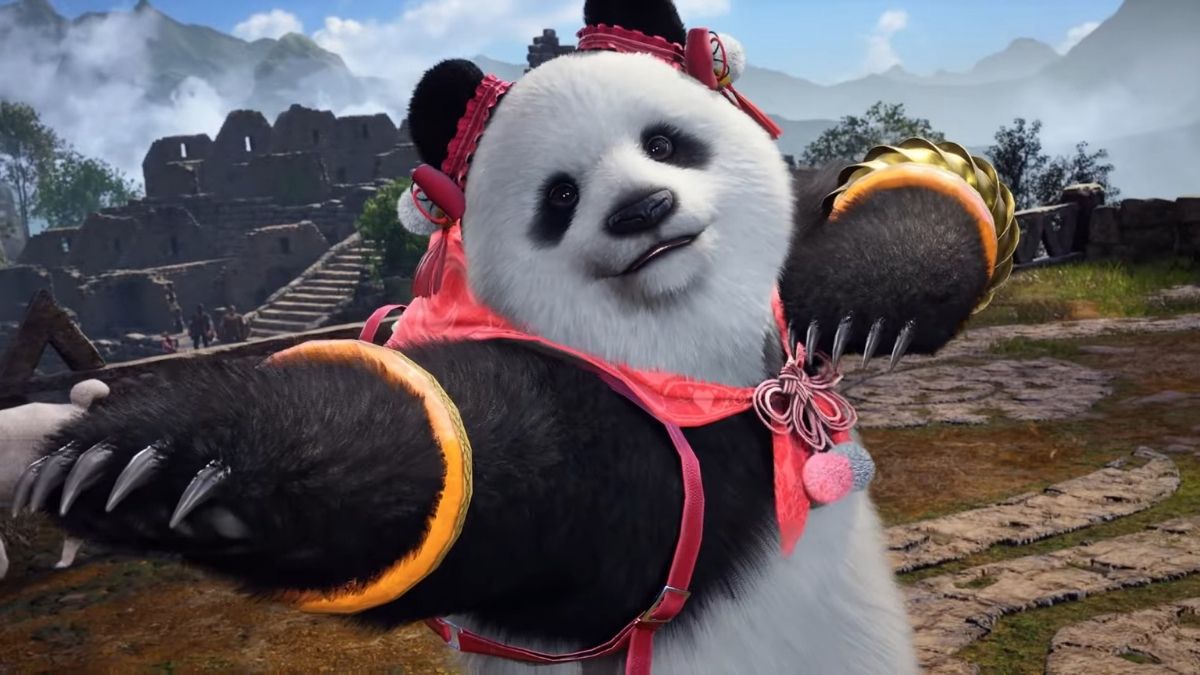
    Tekken 8 is the latest installment of the legendary fighting game franchise that features a roster of over 50 characters, each with a unique fighting style and personality. One of the returning characters in Tekken 8 is Panda, the loyal and adorable bodyguard of Ling Xiaoyu.

    Panda was officially revealed as a playable character in Tekken 8 during the Tokyo Game Show 2023, with a stunning gameplay trailer that showcased her skills and moves.

    Background and Story

    Tekken 8 Official Panda Reveal
    Tekken 8 Official Panda Reveal

    Panda is a giant panda who was trained by Heihachi Mishima to be the personal bodyguard of Ling Xiaoyu, his granddaughter. Panda has a strong bond with Xiaoyu and often accompanies her on her adventures and quests.

    Panda is also very intelligent and can understand human speech and emotions. Panda is not related to Kuma, another bear character in the Tekken series, but they have a friendly rivalry and often compete with each other.

    In Tekken 8, Panda joins Xiaoyu in her search for Jin Kazama, who has gone missing after the events of Tekken 7. Panda also helps Xiaoyu in her fight against the Mishima Zaibatsu, the G Corporation, and the mysterious organization known as the Black Lotus. Panda also encounters some old and new foes, such as Paul Phoenix, Marduk, and Leroy Smith.

    Gameplay and Mechanics

    Panda is a versatile and balanced character who can adapt to different situations and opponents. Panda has a mix of fast and powerful attacks, as well as some grapples and throws. Panda can also use her size and weight to her advantage, as she can crush and knock down her enemies with ease. Panda’s fighting style is based on Heihachi’s but with some modifications and variations.

    Some of Panda’s signature moves are:

    • Bear Claw: A two-hit swipe that can launch the opponent into the air
    • Bear Hug: A grab that can squeeze the opponent and deal damage over time
    • Bear Cannon: A charge attack that can break the opponent’s guard and stun them
    • Bear Roll: A rolling attack that can evade and counter the opponent’s attacks
    • Bear Stance: A stance that can transition into different attacks and movements

    Legendary Weapon and Outfit

    Panda’s legendary weapon in Tekken 8 is the Bamboo Stick, a bamboo pole that can extend and retract at will. The Bamboo Stick can enhance Panda’s range and speed, as well as her damage and combo potential. The Bamboo Stick can also be used as a tool and a weapon, as Panda can use it to fish, cook, and fight.

    Panda’s legendary outfit in Tekken 8 is the Pretty Protector, a pink and white outfit that consists of a ribbon, a collar, a vest, a skirt, and a pair of boots. The Pretty Protector can increase Panda’s cuteness and charm, as well as her defense and resistance. The Pretty Protector can also change its color and pattern depending on the Panda’s mood and situation.

    Special Intro and Outro

    Panda’s special intro in Tekken 8 is Snack Time, where Panda is seen eating some bamboo shoots and honey before throwing them away and getting ready to fight. Panda’s special intro can show her appetite and personality, as well as her strength and confidence.

    Panda’s special outro in Tekken 8 is the Victory Dance, where Panda is seen dancing and celebrating with Xiaoyu after winning the match. Panda’s special outro can show her friendship and happiness, as well as her skill and grace.

    Compatibility and Synergy with Other Characters

    Panda is compatible and synergizes well with other characters who share her traits and goals, such as:

    • Ling Xiaoyu: Panda’s best friend and partner, who can support and complement Panda’s gameplay and story
    • Heihachi Mishima: Panda’s master and trainer, who can teach and challenge Panda’s gameplay and story
    • Kuma: Panda’s rival and friend, who can compete and cooperate with Panda’s gameplay and story
    • Paul Phoenix: Panda’s nemesis and target, who can antagonize and motivate Panda’s gameplay and story

    Conclusion

    Panda is a returning character in Tekken 8 who was officially revealed as a playable character during the Tokyo Game Show 2023. Panda is a loyal and adorable bodyguard of Ling Xiaoyu, who joins her in her search for Jin Kazama and her fight against the Mishima Zaibatsu, the G Corporation, and the Black Lotus.

    Panda is a versatile and balanced character who can use her size, weight, and bamboo stick to crush and knock down her enemies. Panda also has a legendary outfit that can increase her cuteness and charm, as well as a special intro and outro that can show her appetite and personality. Panda is compatible and synergizes well with other characters who share her traits and goals, such as Xiaoyu, Heihachi, Kuma, and Paul.

    If you are interested in knowing more articles related to other games, you can check Counter Strike 2 Update For 4 January 2024 and PUBG Mobile Update 3.0 Release Date. We appreciate your interest in our website! Make Gameempress.com your go-to site for gaming information.

  • Call Of Duty Modern Warfare 3 Season 1 Reloaded Revealed: A Fresh Surge Of Combat Excitement!

    Call Of Duty Modern Warfare 3 Season 1 Reloaded Revealed: A Fresh Surge Of Combat Excitement!

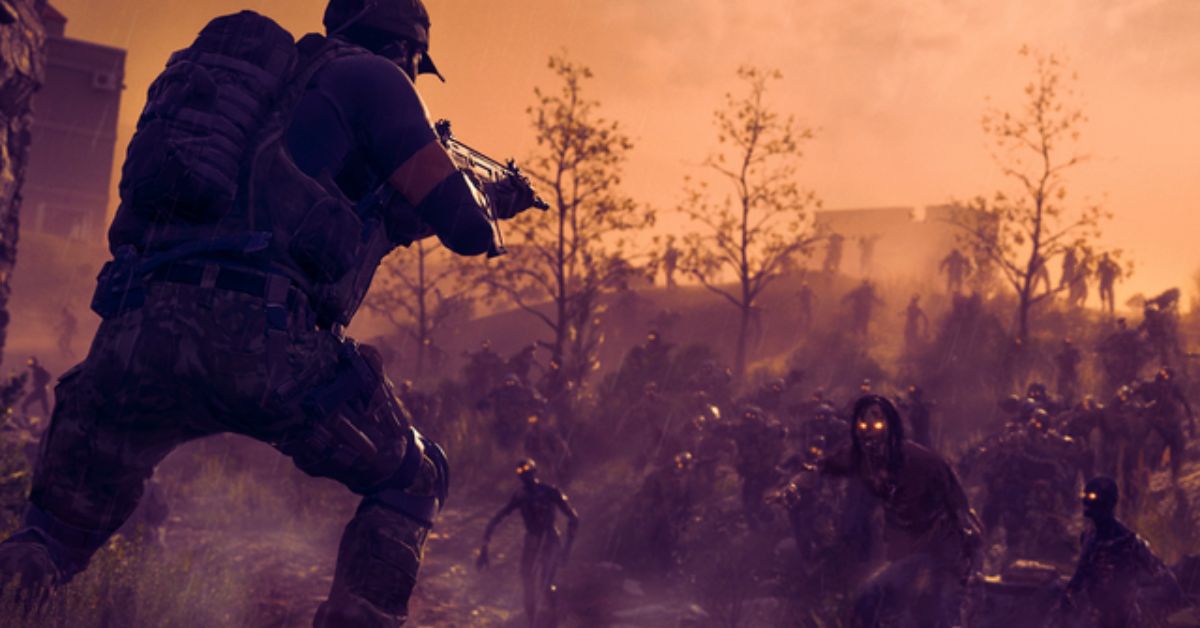
    Season 1 Reloaded of Call of Duty: Modern Warfare III will be available on Wednesday, January 17. The game will receive a slew of new firearms, a new map, new modes, and much more, as is traditional for CoD’s Reloaded edition. Here’s what you can expect when everything comes next week.

    Call of Duty Modern Warfare 3 Season 1 Reloaded Revealed

    Call of Duty: Modern Warfare III contains a wide range of weapons and terrain remakes from 2009’s Modern Warfare 2. Season 1 Reloaded adds two new weaponry and one new map to the fray.

    A new submachine gun (SMG), the HRM-9, and a new light machine gun (LMG), the TAQ Evolvere, are on the way. The HRM-9 has a 30-round magazine with a carry reserve of 90 rounds, whilst the LMG has a 100-round magazine with a reserve of 200 rounds.

    In terms of where you’ll be firing these new weapons, “Rio,” a new 6v6 map, contains a mall in the center that provides some higher ground over the surrounding sections.

    Season 1 Reloaded includes some new modes as well. Gunfight, in which everyone receives the same randomized gun loadout, is receiving a team-based option. Meanwhile, in “Headquarters,” teams compete to secure and hold crucial areas to collect points. Finally, “Infected” should be known to Halo enthusiasts. One player begins as an “infected,” with the ability to spread the infection by murdering other players and converting them to the other side while the other players struggle to survive the round.

    Last but not least, ranked multiplayer is now available. It’s time to put on your sweatpants.

    New Tasks and Warlords Have Been Added to Warzone and Zombies

    If you like DMZ (RIP), you might want to give Warzone Season 1 Reloaded a try. While Warzone remains the battle royale mode you either love or despise, it is getting a Weapons Case goal that you must take and control for the length of the game. You’ll also be able to leave Warzone matches early, a la DMZ, and other extraction shooters.

    Season 1 Reloaded also brings the “Champion’s Quest” to Warzone. According to the official site, the quest is a “multi-part challenge,” and you’ll need to start by winning 30 games in total or five matches in a row to progress.

    Finally, Dokkaebi, the South Korean electronics specialist (who is not the Dokkaebi known and loved by Rainbow Six Siege fans), will join Zombies as a warlord hiding out in Zaravan City. If possible, bring a sledgehammer.

    If you are interested in knowing more articles related to other games, you can check Counter Strike 2 Update For 4 January 2024 and PUBG Mobile Update 3.0 Release Date. We appreciate your interest in our website! Make Gameempress.com your go-to site for gaming information.

  • Bonelab Multiplayer Mod: How To Install And Play With Friends?

    Bonelab Multiplayer Mod: How To Install And Play With Friends?

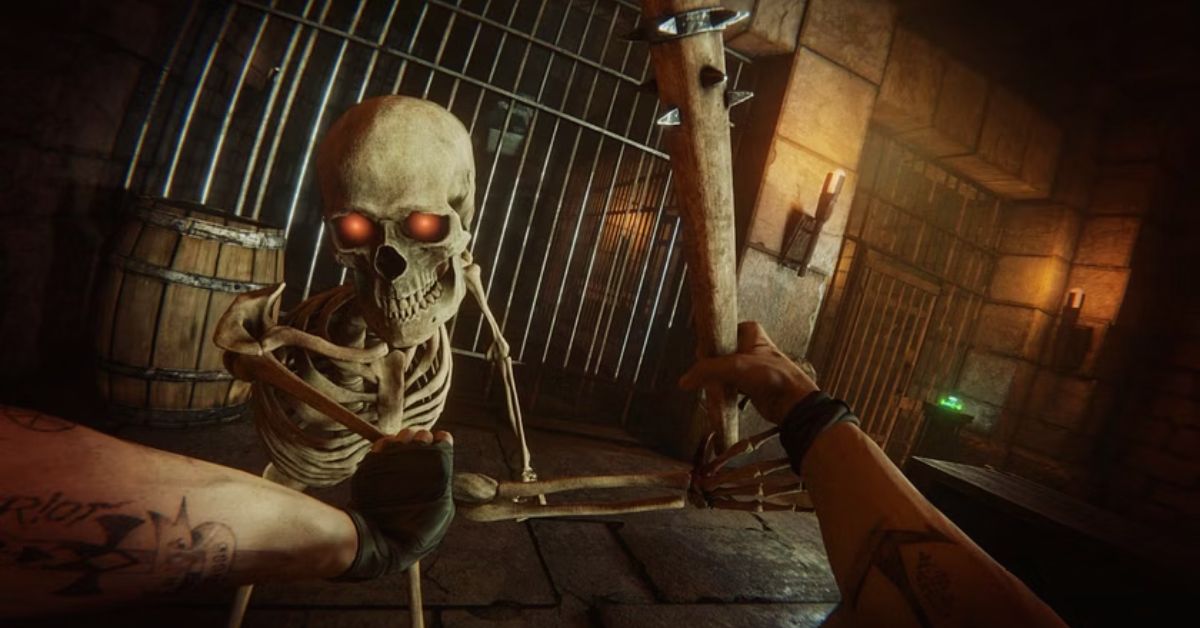
    Bonelab is a VR game that lets you create and experiment with physics-based simulations of bones, muscles, and organs. The game is a lot of fun and can be played solo or with up to four players locally. But what if you want to play with your friends online? Is there a way to do that? The answer is yes, thanks to the Bonelab multiplayer mod.

    The Bonelab multiplayer mod is a fan-made mod that adds online multiplayer functionality to the game. The mod allows you to join or create your servers, and play with other players from around the world. The mod also adds some new features and improvements to the game, such as voice chat, custom maps, and bug fixes.

    In this article, we will provide a detailed guide on how to install and play the Bonelab multiplayer mod, as well as some tips and tricks to enhance your experience. We will also provide some information on the mod’s development and future updates.

    How to Install the Bonelab Multiplayer Mod?

    Bonelab Multiplayer Mod
    Bonelab Multiplayer Mod

    The Bonelab multiplayer mod is compatible with the PC version of the game, which can be purchased from Steam or the Oculus Store. The mod is not compatible with the Quest version of the game, which is a standalone version that does not support mods.

    To install the Bonelab multiplayer mod, you need to follow these steps:

    • Download the latest version of the mod from the GitHub page. The mod is a zip file that contains several files and folders.
    • Extract the zip file to a location of your choice. You should see a folder called “BONELAB-Fusion”.
    • Locate the folder where you installed Bonelab. This is usually in the Steam or Oculus library folders, under “steamapps/common/Bonelab” or “Software/keen-games-bonelab”.
    • Copy the contents of the “BONELAB-Fusion” folder to the Bonelab folder. You should overwrite any existing files and folders.
    • Launch Bonelab from Steam or Oculus. You should see a new menu option called “Multiplayer” on the main menu.

    How to Play the Bonelab Multiplayer Mod?

    To play the Bonelab multiplayer mod, you need to have an internet connection and a microphone. You also need to have a basic knowledge of the game’s controls and mechanics, which can be learned from the tutorial or the help menu.

    To play the Bonelab multiplayer mod, you need to follow these steps:

    • Launch Bonelab from Steam or Oculus. You should see a new menu option called “Multiplayer” on the main menu.
    • Choose whether you want to join or create a server. A server is a virtual room where you can play with other players online.
    • If you want to join a server, select “Join Server” and choose the server you want to join from the list of available servers. You can also filter the list by name, region, or mode. You can also join a server by entering its IP address or by using the invite link from the server owner.
    • If you want to create a server, select “Create Server” and choose the settings you want, such as the name, the region, the mode, the password, and the max players.
    • You can also choose the map you want to play on or create your custom map using the map editor. You can also invite other players to join your server by using the invite button on the pause menu.
    • Once you are on a server, you can play with other players in various modes, such as free play, sandbox, challenge, or custom. You can also use the voice chat or the text chat to communicate with other players. You can also access the server settings, the player list, and the mod settings from the pause menu.

    Tips and Tricks for the Bonelab Multiplayer Mod

    The Bonelab multiplayer mod is a fun and creative way to play the game with your friends online. However, there are some tips and tricks that can help you enhance your experience and avoid some common issues. Here are some of them:

    • Make sure you have a stable internet connection and a good game performance. The mod can be laggy or buggy if your connection or your PC is not optimal. You can adjust the graphics settings, the network settings, and the mod settings from the pause menu to improve your performance.
    • Make sure you have a compatible version of the mod and the game. The mod is updated regularly to fix bugs and add new features, so you should always download the latest version from the GitHub page. You should also update your game to the latest version from Steam or Oculus. If you have a mismatched version of the mod or the game, you may encounter errors or crashes.
    • Make sure you have a respectful and friendly attitude. The mod is a community-driven project that relies on the cooperation and the feedback of the players. You should respect the rules and the preferences of the server owners and the other players. You should also report any bugs or issues to the mod developers on the GitHub page or the Discord server.
    • Have fun and be creative. The mod is a sandbox game that allows you to create and experiment with physics-based simulations of bones, muscles, and organs. You can also play with various modes, maps, and items that the mod offers. You can also create your custom maps and share them with other players. The mod is a playground for your imagination and curiosity, so enjoy it and have fun.

    The Development and the Future of the Bonelab Multiplayer Mod

    The Bonelab multiplayer mod is a fan-made mod that was created by a group of modders led by Lakatrazz, who is also the creator of the Portal Knights multiplayer mod. The mod was inspired by the Bonelab VR game, which was developed by Keen Games, the same studio behind Portal Knights. The mod was started in 2020 and has been updated and improved ever since.

    The mod is still in development, and the modders are working hard to fix bugs and add new features. Some of the planned features for the future include:

    • A lobby system, where players can browse and join servers more easily
    • A friend system, where players can add and invite their friends to play with them
    • A chat system, where players can send messages and emojis to other players
    • A spectator mode, where players can watch other players play without joining the server
    • A tutorial mode, where players can learn how to use the mod and the game
    • A mod manager, where players can download and install other mods for the game
    • A workshop, where players can upload and download custom maps and items for the game

    The mod is a free and non-profit project that is supported by donations and the feedback of the players. If you want to support the mod, you can do so by:

    • Donating to the mod developers on the GitHub page or the Patreon page
    • Giving feedback and reporting bugs on the GitHub page or the Discord server
    • Sharing and promoting the mod on social media and other platforms
    • Creating and sharing custom maps and items for the game
    • Playing and enjoying the mod with your friends

    Conclusion

    Bonelab multiplayer mod is a fan-made mod that adds online multiplayer functionality to the Bonelab VR game. The mod allows you to join or create your servers, and play with other players from around the world. The mod also adds some new features and improvements to the game, such as voice chat, custom maps, and bug fixes.

    The mod is compatible with the PC version of the game, which can be purchased from Steam or the Oculus Store. The mod is not compatible with the Quest version of the game, which is a standalone version that does not support mods.

    This is everything you need to know about Bonelab Multiplayer Mod. Additionally, you can check our guide on Badass Company Mod and Hogwarts Legacy Mods. Stay connected with GameEmpress.com to get the latest news and guides about the gaming world.

  • RS3 Thieving Guide: How To Train And Level Up Your Thieving Skill?

    RS3 Thieving Guide: How To Train And Level Up Your Thieving Skill?

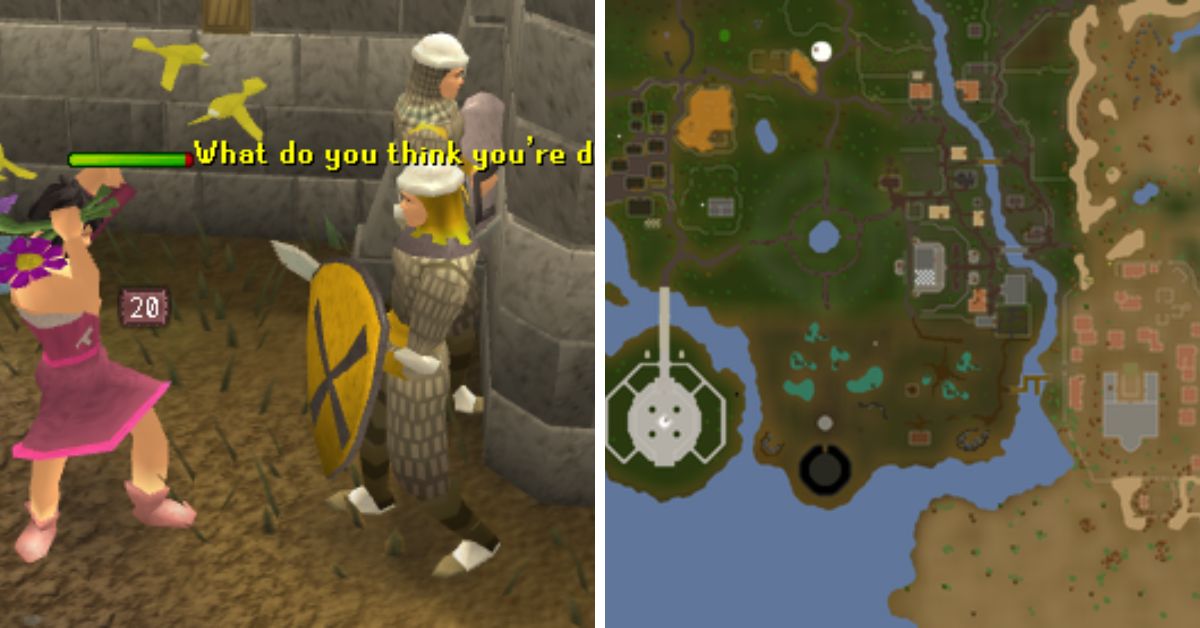
    Thieving is a support skill in RuneScape 3 that allows you to steal items and coins from various NPCs and objects. Thieving can also help you access restricted areas, unlock doors, and disarm traps. Thieving is a useful skill for making money, completing quests, and enhancing your gameplay experience.

    The Best Methods and Locations for Thieving Training

    RS3 Thieving Guide
    RS3 Thieving Guide

    There are many ways to train your thieving skill, but some methods are faster, easier, or more profitable than others. The best methods and locations for thieving training depend on your thieving level, your available resources, and your personal preference. Here are some of the most recommended methods and locations for thieving training, along with their level requirements, experience rates, and additional benefits.

    • Levels 1-5: Pompous Merchants in Lumbridge. This is the easiest and fastest way to start your thieving training. You can pickpocket the pompous merchants near the Lumbridge castle for 8 XP and 3 coins each. You can also get some low-level equipment and food from them. You can expect to get around 8,000 XP per hour from this method.
    • Levels 5-15: Bakery Stalls in Ardougne. This is a simple and convenient way to train your thieving skills at low levels. You can steal from the bakery stalls in the Ardougne market for 16 XP and some cakes each. You can also use the cakes as food to heal yourself. You can expect to get around 10,000 XP per hour from this method.
    • Levels 15-62: Thieves’ Guild Doors in Lumbridge. This is a fast and consistent way to train your thieving skill at mid-level. You can pick the locks of the doors in the Thieves’ Guild for 100 XP each. You can also complete some mini-quests and tasks in the guild for extra XP and rewards. You can expect to get around 60,000 XP per hour from this method.
    • Levels 62-99+: Safecracking in Various Locations. This is the fastest and most profitable way to train your thieving skills at high levels. You can crack the safes in various locations around the world for 70-2000 XP and some loot each. You can also exchange the loot for more XP and rewards at the Thieves’ Guild. You can expect to get around 300,000-800,000 XP and 1-3 million coins per hour from this method.

    The Useful Items and Boosts for Thieving Training

    There are some items and boosts that can help you improve your thieving training, such as:

    • Magpie, Abyssal Lurker, or Crystal Skillchompa Summoning Familiars. These familiars can give you a temporary boost to your thieving level and increase your chance of success when thieving.
    • Torstol Incense Sticks. These items can give you a permanent boost to your base XP gain when thieving.
    • Black Ibis Outfit or Camouflage Outfit. These outfits can give you a bonus to your thieving XP and increase your chance of success when thieving. You can also combine the two outfits to get the Master Camouflage Outfit, which has even more benefits.
    • Trahaearn Exoskeleton Set. This set can give you a bonus to your thieving XP and prevent you from being stunned when thieving. You can also combine it with the Master Camouflage Outfit to get the best of both sets.
    • Crystal Mask Spell or Light Form Prayer. These abilities can give you a bonus to your chance of success when thieving and reduce the chance of being stunned when thieving.

    The Quests and Achievements for Thieving Training

    Some quests and achievements can give you thieving XP and unlock new thieving methods and locations, such as:

    • Buyers and Cellars. This quest can give you 5,000 thieving XP and access to the Thieves’ Guild, where you can train your thieving skill and complete more quests and tasks for more XP and rewards.
    • The Feud. This quest can give you 15,000 thieving XP and access to the blackjacking method, where you can knock out and pickpocket bandits and graphites for XP and coins.
    • A Guild of Our Own. This mini-quest can give you 40,000 thieving XP and access to the safecracking method, where you can crack safes for XP and loot.
    • Safecracker. This achievement can give you 50,000 thieving XP and access to more safes to crack, as well as more rewards to exchange for XP and loot.

    The Tips and Tricks for Thieving Training

    There are some tips and tricks that can help you optimize your thieving training, such as:

    • Use the highest level familiar, outfit, and boost that you can afford and access to maximize your thieving XP and success rate.
    • Use the Freedom ability to break free from stuns and continue thieving without interruption.
    • Use the Ardougne Cloak 3 or 4 to get a bonus to your thieving success rate in Ardougne and a teleport to the Ardougne Monastery, where you can recharge your prayer points.
    • Use the Thieving Cape or the Max Cape to get a bonus to your thieving success rate everywhere and a teleport to the Thieves’ Guild, where you can exchange your loot and access more thieving methods and locations.
    • Use the Lodestone Network or the Fairy Ring Network to travel quickly and easily between different thieving locations.

    Conclusion

    Thieving is a support skill that allows you to steal items and coins from various NPCs and objects. Thieving can also help you access restricted areas, unlock doors, and disarm traps. Thieving is a useful skill for making money, completing quests, and enhancing your gameplay experience.

    To train and level up your thieving skill, you can use the best methods and locations for thieving training, the useful items and boosts for thieving training, the quests and achievements for thieving training, and the tips and tricks for thieving training.

    This is everything you need to know about RS3 Thieving Guide. Additionally, you can check our guide on MapleStory Inner Ability Guide and Harvest Moon 64 Guide. Stay connected with GameEmpress.com to get the latest news and guides about the gaming world.

  • Fortnite Vault Glitch: How Players Are Exploiting This New Discovery?

    Fortnite Vault Glitch: How Players Are Exploiting This New Discovery?

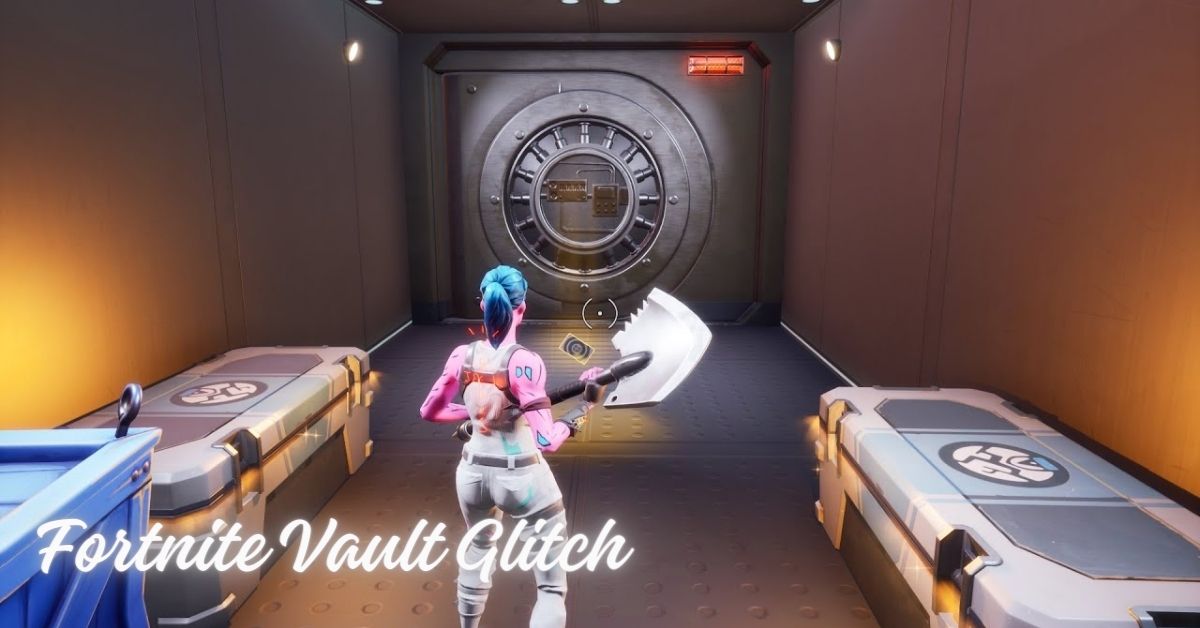
    A recent Fortnite Vault bug, demonstrated by u/Alderiuz in a new Reddit video, has stunned members of the game’s community, as a well-thought-out plan took an unexpected turn. The video shows a replay of a Squads match in Lavish Lair, with u/Alderiuz and their squad putting on a show.

    Without the needed Oscar medallion, two players managed to penetrate and glitch their way into the Lavish Lair vault. The duo was properly positioned and patiently waited to ambush unwary players who would open the vault with the medallion. The couple had no idea their well-planned ambush would be met with a brilliant counterattack.

    Fortnite Vault glitch

    As u/Alderiuz and its team members prepared to unlock the vault with the Oscar medallion, they demonstrated how they were one step ahead of the infiltrators by employing the Fortnite Vault bug.

    Vault glitchers thought we wouldn’t expect them, ended up getting what they deserved. (Emoting felt necessary)
    byu/Alderiuz inFortNiteBR

    Anticipating the duo’s coming threat inside the vault, the team took a few steps back after the scan and hurled Cluster Clingers into the vault.

    The Cluster Clingers managed to catch one intruder by surprise, setting the stage for a stunning role reversal. While one of the enemies was knocked out by the surprise Cluster Clingers, u/Alderiuz’s squad rushed the vault.

    The remaining foe was similarly killed as the coordinated assault progressed, demonstrating that despite exploiting the Fortnite Vault glitch, the duo was still caught off guard by enemies who were ahead of the curve.

    The vault had been secured, and the triumph had been sealed. Members of the squad celebrated their win with the classic Default Dance emote while also insulting the infiltrators for added flair.

    The Community Responds to U/aideriuz’s Encounter With Infiltrators

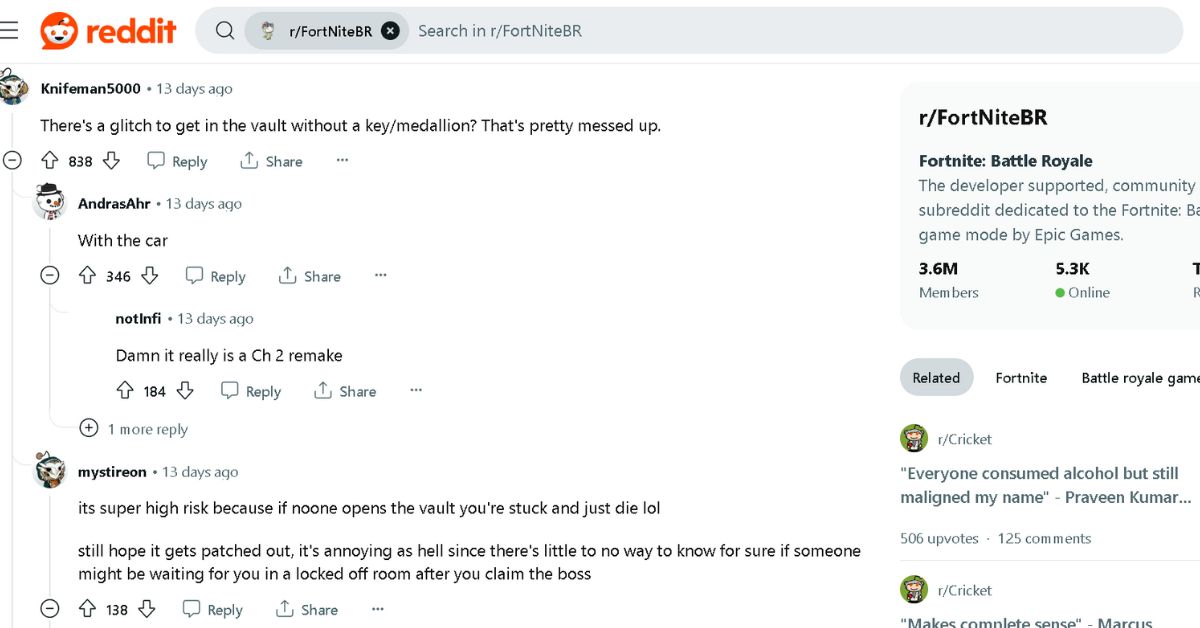
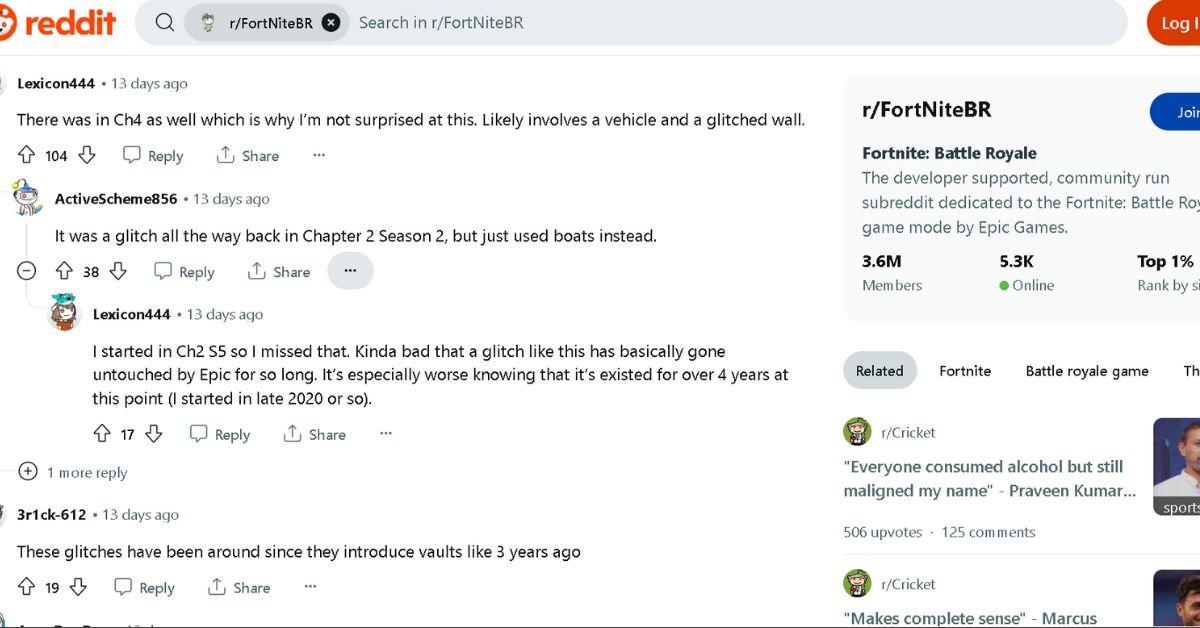
    The Fortnite Vault issue elicited a range of reactions from the gaming community. While some were irritated by the presence of exploits that allow players to access vaults without a medallion, others couldn’t help but admire the player’s squad’s strategic and innovative usage of Cluster Clingers and the joyful Default Dance emote.

    Here are some of the most significant community reactions:

    Fortnite Vault glitch
    Fortnite Vault glitch
    Fortnite Vault glitch (1)
    Fortnite Vault glitch (1)

    The Fortnite Vault issue and u/Alderiuz’s squad event demonstrate how unexpected the game can be, especially when it comes to flaws.

    What began as an unjust and stealthy infiltration evolved into an exciting spectacle that not only brought justice to the infiltrators but also demonstrated the Fortnite community’s quick thinking and adaptability.

    We appreciate your interest in our website! Make Gameempress.com your go-to site for gaming information.

  • GTA Online Adds Albany Cavalcade XL: The Ultimate SUV For High-Octane Adventures!

    GTA Online Adds Albany Cavalcade XL: The Ultimate SUV For High-Octane Adventures!

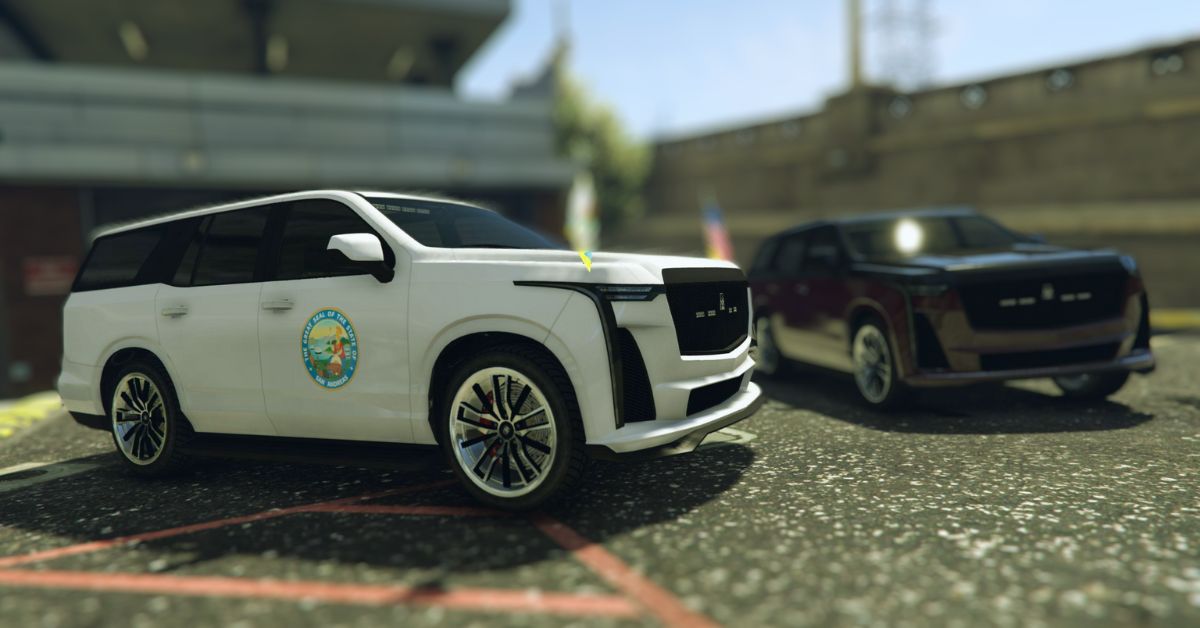
    The second weekly event of 2024 has begun in GTA Online, with Rockstar Games finally releasing the long-awaited Albany Cavalcade XL as part of the Chop Shop DLC drip-feed vehicle. The four-door luxury SUV, based on the 2023 Cadillac Escalade-V, is currently available for $1,665,000 from the Southern San Andreas Super Autos in-game website.

    The Chop Shop DLC automobiles, unlike the Los Santos Drug Wars drip-feed vehicles, are not time-limited, and the Albany Cavalcade XL is no exception.

    GTA Online Adds Albany Cavalcade XL

    GTA Online Adds Albany Cavalcade XL
    GTA Online Adds Albany Cavalcade XL

    The Albany Cavalcade XL is included in the current GTA Online weekly update, and Rockstar Games has made sure that everyone has a chance to purchase the luxury SUV. Players can try out the new vehicle at any moment because it will be available in the game at all times.

    Aside from the 2023 Cadillac Escalade-V, the Albany Cavalcade XL appears to have received influence for various parts from the following real-life vehicles:

    • 4th generation Cadillac Escalade – Tail lights and main bumper intake
    • Cadillac CT4 and Cadillac Escalade IQ – Headlights
    • 5th generation Chevrolet Tahoe and 2022–2023 Lincoln Navigator – Rear bumper
    • 4th generation Ford Expedition – A chrome trim strip on the boot

    This is how Rockstar Games describes it in GTA Online:

    “Wasn’t the Cavalcade already XL, you ask? Couldn’t you already fit more than enough strippers in the back? Do you really need to straddle two disabled parking spots? Well think about it this way. Less isn’t more. More isn’t more. Even more is more. That’s the Albany way.”

    The Albany Cavalcade XL isn’t the fastest automobile in GTA Online in terms of performance. It is propelled by an eight-gear engine with a top speed of 75.81 mph (122.00 km/h), according to the in-game files. The SUV’s real performance, however, may differ.

    The Albany Cavalcade XL’s explosive resistance details after equipping 100% armor are as follows:

    • Tank Cannon – 1
    • Heavy Sniper Mk II – 2
    • MOC Cannon/Grenades/RPGs – 1
    • Oppressor Missiles – 1

    The Albany Cavalcade XL is also worth $999,000, or 60% of its original price of $1,665,000. Even though it is a personal GTA Online vehicle, it cannot be utilized in ordinary races.

    You might also be interested in the following article on GTA: GTA 5 On Android and GTA 5 Leaked Source Code Exposed. We appreciate your interest in our website! Make Gameempress.com your go-to site for gaming information.

  • The Finals Patch 1.4.1: How The Latest Update Transforms Your Gaming Strategy?

    The Finals Patch 1.4.1: How The Latest Update Transforms Your Gaming Strategy?

    Embark Studios, the creator of Finals, has released the popular shooter’s first update of 2024, which involves significant changes to the way Aim Assist works.

    Aim assist is one of the game’s biggest subjects, which Embark Studios claimed it has paid particular attention to as it tried to tone down the mechanic.

    “Today we have a small patch that addresses community feedback on aim assist, fair play, and bug fixes,” the developer explained. “These changes are the result of an in-depth review of how aim assist works — something we’ve only been able to validate with a player base as large as ours (thanks so much for playing our game, yolks!).”

    The Finals Patch 1.4.1

    Aim Assistance

    • Zoom Snapping Angular Velocity now has a max cap, preventing unintended rapid 90-degree turns.
    • Camera Magnetism will be reduced to 35% from 50%, making player aim less sticky and lowering controller accuracy.
    • Zoom Snapping Time will be reduced to 0.25s from 0.3s.
    • Zoom Snapping will be removed from the SR-84 Sniper Rifle, Revolver, LH1, and all Shotguns, as it buffs them more than other weapons.
    • Aim assist will ignore invisible players, fixing a bug with the existing system.
    • Clients running key re-mapping programs on PC will not have access to aim assist.

    Embark Studios has stated that another major update with a major security repair and additional content is in the pipeline for next week.

    Former Battlefield creators created The Finals, a free-to-play competitive first-person shooter. It debuted on Steam with a massive concurrent player count, and it’s still going strong, wowing fans with its astounding destruction tech.

    You might also be interested in the following game, patch notes: NBA 2K24 Season 4 Patch Notes and Unofficial Fallout 4 Patch. We appreciate your interest in our website! Make Gameempress.com your go-to site for gaming information.

  • GTA Online Hen Location Revealed: Uncover The Secret Spots For Ultimate Rewards!

    GTA Online Hen Location Revealed: Uncover The Secret Spots For Ultimate Rewards!

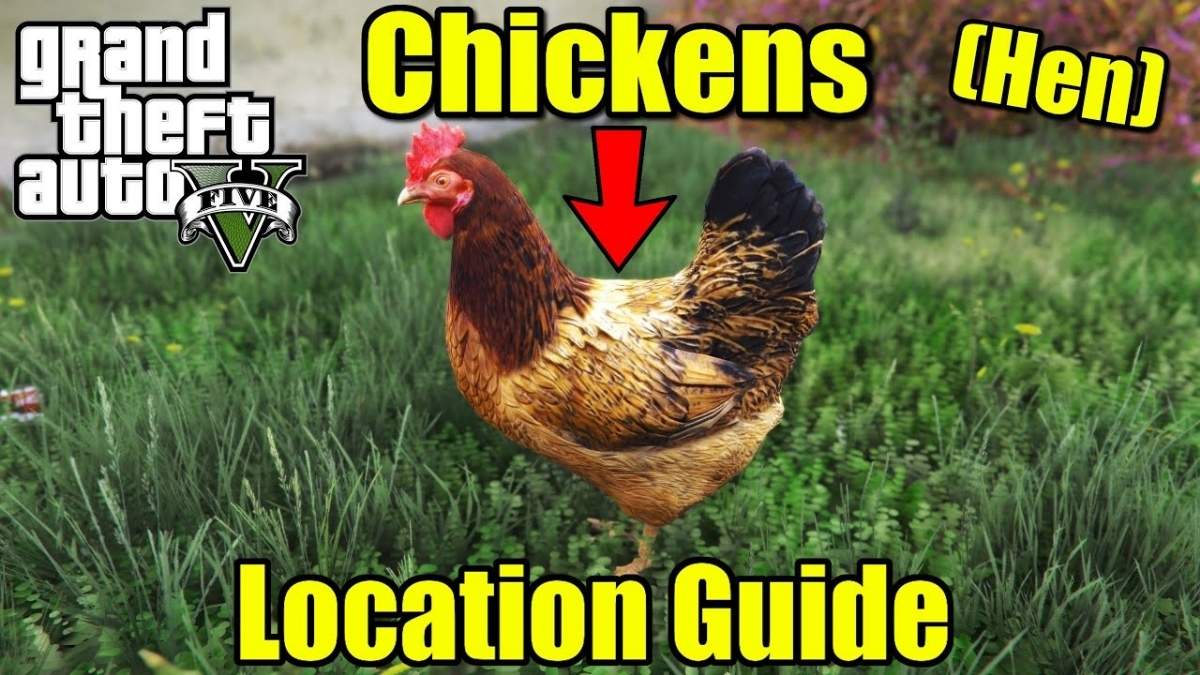
    The Wildlife Photography Challenge keeps GTA Online players busy as they search for various creatures in San Andreas. It is a daily event in which you must locate specific creatures, photograph them, and then submit the photos to the LS Tourist Board contact on your in-game phone. The hen is one of the animals that can be photographed. However, finding such a little bird in the wild is difficult.

    This guide will show you where to find chickens in Grand Theft Auto Online for the Wildlife Photography Challenge.

    GTA Online Hen location

    Hens are often seen in suburban or rural locations because they are tamed animals. In contrast to the most popular animal spawn places in Grand Theft Auto Online, hens often spawn in Rancho, Harmony, Sandy Shores, Grapeseed, and Paleto Bay. They should be found at the following map locations:

    GTA Online Hen Location Revealed
    GTA Online Hen Location Revealed

    Because hens are domesticated animals, you should look for them throughout the day to find them faster. You can, however, look for them at night, as there are no known restrictions on their spawn at the present.

    Grand Theft Auto 5 Online’s map is teeming with both wild and tamed animals. However, both this function and the picture contest are only available to PlayStation 5 and Xbox Series X|S users.

    How to Take Part in GTA Online’s Wildlife Photography Challenge?

    The Wildlife Photography Challenge assigns you three species to capture in a single day at random. To learn about the assigned creatures, go to the LS Tourist Board in Chiliad Mountain State Wilderness. Each animal you photograph earns you $20,000 and 500 RP. It is one of the quickest methods to gain money in GTA Online.

    You’ll also receive $40,000 and 5,000 RP for photographing all three of the day’s animals. The Declasse Park Ranger on the Warstock Cache & Carry website is unlocked by clicking and sending the first photograph.

    The Zoophilist Outfit is unlocked by completing the daily challenge. Furthermore, once you’ve snapped 10 animals as part of the challenge, you’ll be able to unlock the Park Ranger’s trade price.

    You might also be interested in the following article on GTA: GTA 5 On Android and GTA 5 Leaked Source Code Exposed. We appreciate your interest in our website! Make Gameempress.com your go-to site for gaming information.

  • Indiana Jones Game Coming To Xbox: Unleash The Adventurer Within!

    Indiana Jones Game Coming To Xbox: Unleash The Adventurer Within!

    Gameempress has learned that ZeniMax Media’s new Indiana Jones game will be launched in 2024.

    Indiana Jones was first teased by ZeniMax Media in January 2021, but an official release was thought to be years away.

    MachineGames had previously created Wolfenstein: The New Order and Wolfenstein 2: New Colossus.

    Documents made public as a result of Microsoft’s acquisition of Activision. Blizzard King claimed that Bethesda had wanted to release the Indiana Jones game by the end of FY22, but that did not happen owing to the implications of COVID-19.

    It remains to be seen whether MachineGames and Xbox can stick to the 2024 release date, but I for one am excited to see what they show off on the game come January 18.

    The development Direct will include nearly ten minutes of “game and developer insights,” as well as story information and the first official gameplay trailer.

    If you are interested in knowing more articles related to other games, you can check Counter Strike 2 Update For 4 January 2024 and PUBG Mobile Update 3.0 Release Date. We appreciate your interest in our website! Make Gameempress.com your go-to site for gaming information.

  • Nintendo Shares Hit Record High Due To Switch 2

    Nintendo Shares Hit Record High Due To Switch 2

    Nintendo’s stock reached an all-time high Wednesday, as the Nikkei 225 index rose.

    According to Nikkei Asia, spotted by VGC, the platform holder’s share price suddenly jumped to $7,902 ($54), a 5% increase from the previous day.

    For the first time since November 2007, one year into the Wii’s lifecycle, Nintendo’s market capitalization surpassed $10 trillion ($69 billion).

    Nintendo Shares Hit Record High Due To Switch 2
    Nintendo Shares Hit Record High Due To Switch 2

    The increase in shares has been ascribed to excitement for Switch 2 – or whatever the company’s next console will be called – which is largely expected to hit stores before the end of the year.

    It was also ascribed to speculation of additional prospective Saudi Arabian investment, with the country’s Public Investment Fund recently raising its stake in Koei Tecmo.

    Saudi Arabia’s PIF has increased its interest in Nintendo throughout the years, now holding 8.26% of the company’s shares, making it one of the platform’s major shareholders.

    Other causes include Nintendo’s continuous success in the IP industry, with Nintendo-themed facilities in Universal Studios theme parks throughout the world, and The Super Mario Bros Movie finishing 2023 as the year’s second highest-grossing picture, trailing only Barbie.

    A sequel is in the works, and Nintendo announced a live-action Legend of Zelda film in November.

    The Nikkei Stock Average rose by 2.01% on Wednesday, the highest level since February 1990, thanks to Nintendo’s gain.

    Switch 2 was a popular topic in our yearly collection of analyst predictions for the coming year, with Kantan Games’ Dr Serkan Toto predicting the console will be “an iteration rather than a revolution” in comparison to the original Switch. He also speculated that it could cost $400, with $70 games.

    If you are interested in knowing more articles related to other games, you can check Sony Reveals New PS5 Slim colors At CES 2024 and Valorant Episode 8 Act 1 Update. We appreciate your interest in our website! Make Gameempress.com your go-to site for gaming information.

  • Is Elder Scrolls Online Cross Platform in 2024?

    Is Elder Scrolls Online Cross Platform in 2024?

    Elder Scrolls Online is a massively multiplayer online role-playing game (MMORPG) that allows players to explore the vast world of Tamriel with their friends or solo. The game is available on various platforms, such as PC, Mac, PS4, PS5, Xbox One, Xbox Series X/S, and Stadia. But is Elder Scrolls Online cross platform?

    Can players from different platforms play together online? In this article, we will answer these questions and provide more information about Elder Scrolls Online cross platform features.

    Is Elder Scrolls Online Cross Platform?

    The Elder Scrolls VI PC Requirements
    The Elder Scrolls VI PC Requirements

    Unfortunately, Elder Scrolls Online is not cross platform compatible. This means that players who have purchased the game on different platforms, such as PC, PS4, or Xbox, cannot play together online. Additionally, PC gamers are also unable to join forces with console gamers in this game.

    However, Elder Scrolls Online does support cross-generation play, which means that players who have purchased the game on the same platform family, but on different generations, can play together online.

    For example, PS4 players and PS5 players can play together, and Xbox One players and Xbox Series X/S players can play together. Stadia players can also play with PC and Mac players, as they share the same server.

    The cross-generation play feature was introduced in 2020 when the new generation of consoles was released. Elder Scrolls Online also received a graphical and performance upgrade for the PS5 and Xbox Series X/S versions, which made the game look and run better than ever before.

    The cross-generation play feature is available for all players, regardless of whether they have purchased the base game or any of the expansions or DLCs. However, players need to have an active subscription to PlayStation Plus or Xbox Live Gold to access the online features of the game.

    Why is Elder Scrolls Online Not Cross Platform?

    The reason why Elder Scrolls Online is not cross-platform is not officially confirmed by the developers, ZeniMax Online Studios. However, based on some interviews and statements, we can speculate that some technical and logistical difficulties prevent the game from being cross-platform.

    One of the possible reasons is that Elder Scrolls Online uses different servers for different platforms, which makes it hard to synchronize and integrate them. For example, PC players use the North American and European servers, while PS4 and Xbox players use the PlayStation and Xbox servers. Each server has its own database, patch cycle, and maintenance schedule, which can cause discrepancies and conflicts between them.

    Another possible reason is that Elder Scrolls Online has different gameplay and balance issues between different platforms, which makes it hard to ensure a fair and consistent experience for all players.

    For example, PC players have access to mods and add-ons, which can enhance their gameplay and interface, while console players do not. PC players also have different input methods, such as keyboard and mouse, which can give them an advantage over console players who use controllers.

    A third possible reason is that Elder Scrolls Online has different contractual and legal obligations between different platforms, which makes it hard to negotiate and cooperate with them.

    For example, Sony and Microsoft may have different policies and requirements for allowing crossplay on their platforms, such as fees, permissions, and exclusivities. These factors can affect the profitability and feasibility of implementing cross-play for the game.

    Will Elder Scrolls Online Ever Be Cross Platform?

    The possibility of Elder Scrolls Online becoming cross-platform in the future is not completely ruled out by the developers, but it is also not very likely. The developers have stated that they are aware of the demand and the benefits of crossplay, but they also have to consider the challenges and the limitations of it.

    In a 2019 interview with Game Informer, the game director of Elder Scrolls Online, Matt Firor, said that crossplay is “one of those things that’s always on the list, but it’s never at the top of the list”. He also said that crossplay is “not impossible, but it’s not something that we’re actively working on”.

    In a 2020 interview with Eurogamer, Firor reiterated that crossplay is “something we talk about all the time”, but he also admitted that “it’s a lot of work”. He also said that crossplay is “not something that’s going to happen soon”.

    In a 2021 interview with IGN, Firor said that crossplay is “something we’re always looking at”, but he also said that “it’s not something that’s on the roadmap right now”. He also said that crossplay is “something that we would love to do someday, but it’s not something that we’re actively working on”.

    Based on these statements, we can conclude that crossplay is not a priority or a reality for Elder Scrolls Online at the moment, but it is also not a complete impossibility. The developers may consider adding crossplay in the future if the technical and logistical barriers are overcome, and if the demand and the interest are high enough.

    Conclusion

    Elder Scrolls Online is a popular and immersive MMORPG that allows players to explore the world of Tamriel with their friends or solo. The game is available on various platforms, such as PC, Mac, PS4, PS5, Xbox One, Xbox Series X/S, and Stadia.

    However, the game is not cross-platform compatible, which means that players from different platforms cannot play together online. The game does support cross-generation play, which means that players from the same platform family, but of different generations, can play together online.

    You might also be interested in the following games, Crossplay: Evil West Crossplay and Nobody Saves The World Crossplay We appreciate your interest in our website! Make Gameempress.com your go-to site for gaming information.