Blog

  • Is Call Of Duty Vanguard Crossplay? Squad Up Across Consoles And PC!

    Is Call Of Duty Vanguard Crossplay? Squad Up Across Consoles And PC!

    Call of Duty: Vanguard is the latest installment of the popular first-person shooter franchise that features a World War II campaign, a multiplayer mode, and a zombie mode.

    The game is available on various platforms, such as PC, PS4, PS5, Xbox One, Xbox Series X/S, and Stadia. But is Call of Duty: Vanguard crossplay? Can players from different platforms play together online? In this article, we will answer these questions and provide more information about Call of Duty: Vanguard crossplay features.

    Is Call of Duty Vanguard Crossplay?

    Call Of Duty Vanguard
    Call Of Duty Vanguard

    Yes, Call of Duty: Vanguard supports crossplay across all platforms. This means that players who have purchased the game on different platforms, such as PC, PS4, PS5, Xbox One, Xbox Series X/S, or Stadia, can play together online. Additionally, PC gamers are also able to join forces with console gamers in this game.

    The cross-play feature was introduced in 2019, with the release of Call of Duty: Modern Warfare, and has been continued with subsequent titles, such as Call of Duty: Black Ops Cold War and Call of Duty: Warzone. The cross-play feature allows players to enjoy a unified and seamless experience, regardless of their platform of choice.

    The cross-play feature is available for all players, regardless of whether they have purchased the base game or any of the expansions or DLCs. However, players need to have an active subscription to PlayStation Plus or Xbox Live Gold to access the online features of the game.

    How to Enable and Use Crossplay?

    To enable and use crossplay in Call of Duty: Vanguard, players need to follow these steps:

    • Create or link an Activision account. An Activision account is required to access the crossplay feature, as it allows players to connect and communicate with other players across different platforms. Players can create or link an Activision account by following the instructions on the screen when they launch the game for the first time, or by visiting the Activision website.
    • Enable crossplay in the game settings. Crossplay is enabled by default, but players can disable it if they prefer to play only with players on the same platform. To enable or disable crossplay, players need to go to the Options menu, then to the Account tab, then to the Crossplay option, and toggle it on or off.
    • Add friends from different platforms. To play with friends from different platforms, players need to add them as Activision friends, using their Activision ID, which is their username followed by a hashtag and a number (e.g., Player#1234). Players can find their own Activision ID in the Account tab of the Options menu, or the Social menu of the game. Players can add Activision friends by going to the Social menu, then to the Add Friends tab, then to the Activision option, and entering their Activision ID.
    • Join or invite friends to a party. To play with friends from different platforms, players need to join or invite them to a party, which is a group of up to 20 players who can play together online. Players can join or invite friends to a party by going to the Social menu, then to the Friends tab, then to the Activision option, and selecting their friends from the list. Players can also use the Quick Join option to join a friend’s party that is already in progress, or the Quick Invite option to invite a friend to their party.
    • Choose a game mode and start playing. To play with friends from different platforms, players need to choose a game mode that supports crossplay, such as multiplayer or zombies. Players can choose a game mode by going to the Play menu, then to the desired mode, and selecting it. Players can also customize their game settings, such as the map, the rules, and the difficulty, by going to the Custom Games option. Once the game mode is selected, the party leader can start the game by pressing the Start Match button.

    What are the Benefits and Limitations of Crossplay?

    Crossplay in Call of Duty: Vanguard has many benefits and limitations, such as:

    Benefits

    • Players can play with their friends and family across different platforms, which can enhance their social and cooperative experience.
    • Players can access a larger and more diverse player base and matchmaking pool, which can improve their game quality and variety.
    • Players can enjoy a unified and seamless experience, regardless of their platform of choice, which can increase their game satisfaction and loyalty.

    Limitations

    • Players may encounter some gameplay and balance issues between different platforms, such as input lag, frame rate, aim assist, and cheating, which can affect their game fairness and performance.
    • Players may face some technical and legal issues between different platforms, such as network compatibility, voice chat, parental controls, and privacy, which can affect their game functionality and security.
    • Players may have some preferences and expectations between different platforms, such as graphics, controls, features, and updates, which can affect their game enjoyment and feedback.

    Conclusion

    Call of Duty: Vanguard is a thrilling and immersive first-person shooter game that features a World War II campaign, a multiplayer mode, and a zombie mode. The game is available on various platforms, such as PC, PS4, PS5, Xbox One, Xbox Series X/S, and Stadia.

    The game also supports crossplay across all platforms, which means that players from different platforms can play together online. The cross-play feature allows players to enjoy a unified and seamless experience, regardless of their platform of choice.

    You might also be interested in the following games, Crossplay:Ā Evil West CrossplayĀ andĀ Nobody Saves The World CrossplayĀ We appreciate your interest in our website! MakeĀ Gameempress.comĀ your go-to site for gaming information.

  • Genshin The Catch Guide: How To Get And Upgrade The Best F2P Polearm?

    Genshin The Catch Guide: How To Get And Upgrade The Best F2P Polearm?

    Genshin Impact is a popular open-world RPG that features a variety of characters, weapons, and items to collect and customize. One of the most sought-after weapons in the game is The Catch, a 4-star polearm that can boost the damage and critical rate of your elemental bursts.

    The Catch is widely considered to be the best free-to-play polearm in the game, as it can rival some of the 5-star polearms in terms of performance.

    How to Unlock Fishing and Get the Fishing Rod?

    Genshin Impact Leak Five-star Character Fontaine Cycle
    Image Source HoYoverse

    Fishing is a new feature that was added to Genshin Impact in version 2.1. Fishing allows you to catch various fish that can be used for exchanging items, crafting dishes, or feeding pets. To unlock fishing, you need to complete the following steps:

    • Reach Adventure Rank 30 or above
    • Complete the Archon Quest “Ritou Escape Plan”
    • Complete the World Quest “Exploding Population”

    After completing these steps, you will be able to access the fishing association in Mondstadt, Liyue, and Inazuma. There, you can talk to the fishing association NPCs and get the fishing rod, as well as some fishing baits and recipes. You can also exchange your fish for various items, including The Catch and its refinement materials.

    How to Get The Catch and Its Refinement Materials?

    The Catch is a 4-star polearm that can be obtained by exchanging fish at the Inazuma Fishing Association. The Catch has the following stats and effects:

    • Base Attack: 42
    • Secondary Stat: Energy Recharge
    • Weapon Effect: Shanty – Increases Elemental Burst DMG by 16% and Elemental Burst CRIT Rate by 6%.

    To get The Catch, you need to exchange the following fish:

    • 20 Rusty Koi
    • 20 Golden Koi
    • 6 Raimei Angelfish

    To refine The Catch, you need to exchange the following fish for Ako’s Sake Vessel, which is the refinement material for The Catch:

    • 10 Pufferfish
    • 10 Bitter Pufferfish
    • 3 Raimei Angelfish

    You can exchange up to 5 Ako’s Sake Vessels per month, which means you can refine The Catch up to level 5 within 5 months.

    How to Find the Best Fishing Spots and Catch the Required Fish?

    To catch the fish required for The Catch and its refinement materials, you need to find the best fishing spots and use the appropriate fishing baits. The fishing spots are marked by a fish icon on the map, and you can also use the fishing handbook to check the location and information of each fishing spot.

    The fishing baits are crafted from various ingredients, and you can also get more baits from the fishing association NPCs or some quests and events.

    The following table shows the best fishing spots and baits for each fish:

    Fish Fishing Spot Bait
    Rusty Koi Liyue Harbor, Stone Gate, Dihua Marsh, Qingce Village, Luhua Pool, Mt. Aozang, Guili Plains, Yaoguang Shoal, Guyun Stone Forest, Cuijue Slope, Jueyun Karst, Mingyun Village, Qingyun Peak, Tianqiu Valley Fake Fly Bait
    Golden Koi Liyue Harbor, Stone Gate, Dihua Marsh, Qingce Village, Luhua Pool, Mt. Aozang, Guili Plains, Yaoguang Shoal, Guyun Stone Forest, Cuijue Slope, Jueyun Karst, Mingyun Village, Qingyun Peak, Tianqiu Valley Fake Fly Bait
    Raimei Angelfish Tatarasuna, Kujou Encampment, Jakotsu Mine, Araumi, Musoujin Gorge, Yashiori Island, Kannazuka, Tsurumi Island False Worm Bait
    Pufferfish Stormbearer Mountains, Stormbearer Point, Starfell Lake, Dawn Winery, Springvale, Windrise, Wolvendom, Dragonspine, Mondstadt Fruit Paste Bait
    Bitter Pufferfish Stormbearer Mountains, Stormbearer Point, Starfell Lake, Dawn Winery, Springvale, Windrise, Wolvendom, Dragonspine, Mondstadt Fruit Paste Bait

    To catch the fish, you need to follow these steps:

    • Equip the fishing rod and the bait from the inventory menu
    • Approach a fishing spot and press the interact button to start fishing
    • Aim and cast the fishing rod by holding and releasing the attack button
    • Wait for the fish to bite and hook it by pressing the attack button
    • Reel in the fish by pressing the attack button repeatedly and adjusting the direction of the fishing rod
    • Catch the fish by pressing the interact button when the fish is close enough

    How to Refine and Ascend The Catch?

    To refine The Catch, you need to use Ako’s Sake Vessel, which can be obtained by exchanging fish at the Inazuma Fishing Association. Each refinement level will increase the weapon effect of The Catch by 4% for both Elemental Burst DMG and Elemental Burst CRIT Rate. The maximum refinement level is 5, which will increase the weapon effect of The Catch to 36% for both Elemental Burst DMG and Elemental Burst CRIT Rate.

    To ascend The Catch, you need to use the following materials:

    Ascension Level Mora Materials
    1 5,000 3 Grain of Aerosiderite, 3 Fragile Bone Shard, 2 Damaged Mask
    2 15,000 3 Piece of Aerosiderite, 12 Fragile Bone Shard, 8 Damaged Mask
    3 20,000 6 Piece of Aerosiderite, 6 Sturdy Bone Shard, 6 Stained Mask
    4 30,000 3 Bit of Aerosiderite, 12 Sturdy Bone Shard, 9 Stained Mask
    5 35,000 6 Bit of Aerosiderite, 9 Fossilized Bone Shard, 6 Ominous Mask
    6 45,000 4 Chunk of Aerosiderite, 18 Fossilized Bone Shard, 12 Ominous Mask

    The maximum ascension level is 6, which will increase the base attack of The Catch to 510 and the energy recharge to 45.9%.

    How to Use The Catch and Which Characters Are Best Suited for It?

    The Catch is a polearm that can boost the damage and critical rate of your elemental bursts, which makes it ideal for characters who rely on their elemental bursts for damage or support. The Catch also has a high energy recharge, which can help you charge your elemental bursts faster and more frequently. The Catch is especially good for characters who have high elemental burst costs, such as Raiden Shogun, Zhongli, Xiangling, and Rosaria.

    The following table shows some of the best characters for The Catch and their recommended builds:

    Character Role Artifact Set Main Stats Sub Stats
    Raiden Shogun DPS/Support Emblem of Severed Fate x4 ATK%, Electro DMG%, CRIT Rate% or CRIT DMG% CRIT Rate%, CRIT DMG%, ATK%, Energy Recharge
    Zhongli Support Archaic Petra x2, Noblesse Oblige x2 HP%, Geo DMG%, CRIT Rate% or CRIT DMG% CRIT Rate%, CRIT DMG%, HP%, Energy Recharge
    Xiangling Support Emblem of Severed Fate x4 ATK%, Pyro DMG%, CRIT Rate% or CRIT DMG% CRIT Rate%, CRIT DMG%, ATK%, Energy Recharge
    Rosaria DPS/Support Blizzard Strayer x4 ATK%, CRIT Rate% or CRIT DMG%, CRIT DMG% CRIT Rate%, CRIT DMG%, ATK%, Energy Recharge

    Conclusion

    The Catch is a 4-star polearm that can be obtained by exchanging fish at the Inazuma Fishing Association. The Catch can boost the damage and critical rate of your elemental bursts, as well as your energy recharge. The Catch is the best free-to-play polearm in the game and can be used by many characters who rely on their elemental bursts.

    Stay connected withĀ GameEmpress.comĀ to get the latest news and guides about Genshin Impact.

  • Badass Company Mod: How To Turn Your Lethal Company Game Into A Crazy Co-Op Adventure?

    Badass Company Mod: How To Turn Your Lethal Company Game Into A Crazy Co-Op Adventure?

    Lethal Company is a co-op horror game that lets you and your friends explore abandoned moon bases and collect scrap while avoiding deadly monsters. The game is already a lot of fun and hilarious, but what if you want to make it even more crazy and chaotic? That’s where the Badass Company mod comes in.

    The Badass Company mod is a fan-made mod that adds a ton of new features and content to the game, such as new weapons, items, enemies, maps, modes, and more. The mod also allows you to play with up to 40 players online, and customize your characters with various accessories and outfits. The mod is designed to make the game more challenging, diverse, and entertaining, and to give you more freedom and creativity in your co-op adventure.

    In this article, we will provide a detailed guide on how to install and play the Badass Company mod, as well as some tips and tricks to enjoy the mod to the fullest.

    How to Install the Badass Company Mod?

    Badass Company Mod
    Badass Company Mod

    The Badass Company mod is compatible with the PC version of the game, which can be purchased from Steam or the Oculus Store. The mod is not compatible with the Quest version of the game, which is a standalone version that does not support mods.

    To install the Badass Company mod, you need to follow these steps:

    • Download the latest version of the mod from the GitHub page. The mod is a zip file that contains several files and folders.
    • Extract the zip file to a location of your choice. You should see a folder called “BadassCompany”.
    • Locate the folder where you installed Lethal Company. This is usually in the Steam or Oculus library folders, under “steamapps/common/Lethal Company” or “Software/keen-games-lethal-company”.
    • Copy the contents of the “BadassCompany” folder to the Lethal Company folder. You should overwrite any existing files and folders.
    • Launch Lethal Company from Steam or Oculus. You should see a new menu option called “Badass Company” on the main menu.

    How to Play the Badass Company Mod?

    The Badass Company mod is a mod that adds a lot of new features and content to the game and lets you play with up to 40 players online. The mod also has a manual scan feature that can scan and generate a report of all the broken mods in the game, and provide links to the updated or fixed versions of the mods. The mod also has a help and resources section that can provide links and guides for fixing common mod issues.

    To play the Badass Company mod, you need to follow these steps:

    • Launch Lethal Company from Steam or Oculus. You should see a new menu option called “Badass Company” on the main menu.
    • Choose whether you want to join or create a server. A server is a virtual room where you can play with other players online.
    • If you want to join a server, select “Join Server” and choose the server you want to join from the list of available servers. You can also filter the list by name, region, or mode. You can also join a server by entering its IP address or by using the invite link from the server owner.
    • If you want to create a server, select “Create Server” and choose the settings you want, such as the name, the region, the mode, the password, and the maximum players.
    • You can also choose the map you want to play on or create your custom map using the map editor. You can also invite other players to join your server by using the invite button on the pause menu.
    • Once you are on a server, you can play with other players in various modes, such as free play, sandbox, challenge, or custom. You can also use the voice chat or the text chat to communicate with other players. You can also access the server settings, the player list, and the mod settings from the pause menu.

    Tips and Tricks for the Badass Company Mod

    The Badass Company mod is a fun and creative way to play the game with your friends online, but it can also be challenging, chaotic, and buggy. Here are some tips and tricks that can help you enhance your experience and avoid some common issues:

    • Make sure you have a stable internet connection and a good game performance. The mod can be laggy or buggy if your connection or your PC is not optimal. You can adjust the graphics settings, the network settings, and the mod settings from the pause menu to improve your performance.
    • Make sure you have a compatible version of the mod and the game. The mod is updated regularly to fix bugs and add new features, so you should always download the latest version from the GitHub page. You should also update your game to the latest version from Steam or Oculus. If you have a mismatched version of the mod or the game, you may encounter errors or crashes.
    • Make sure you have a respectful and friendly attitude. The mod is a community-driven project that relies on the cooperation and the feedback of the players. You should respect the rules and the preferences of the server owners and the other players. You should also report any bugs or issues to the mod developers on the GitHub page or the Discord server.
    • Have fun and be creative. The mod is a sandbox game that allows you to create and experiment with physics-based simulations of bones, muscles, and organs. You can also play with various modes, maps, and items that the mod offers. You can also create your custom maps and share them with other players. The mod is a playground for your imagination and curiosity, so enjoy it and have fun.

    Conclusion

    Badass Company mod is a mod that adds a ton of new features and content to the Lethal Company game, such as new weapons, items, enemies, maps, modes, and more. The mod also allows you to play with up to 40 players online, and customize your characters with various accessories and outfits.

    The mod is compatible with the PC version of the game, which can be purchased from Steam or the Oculus Store. The mod is not compatible with the Quest version of the game, which is a standalone version that does not support mods.

    This is everything you need to know about Badass Company Mod. Additionally, you can check our guide on Sims 4 Car ModĀ andĀ Hogwarts Legacy Mods. Stay connected withĀ GameEmpress.comĀ to get the latest news and guides about the gaming world.

  • Therian Tornadus Pokemon Go: How To Catch The Legendary Flying Pokemon?

    Therian Tornadus Pokemon Go: How To Catch The Legendary Flying Pokemon?

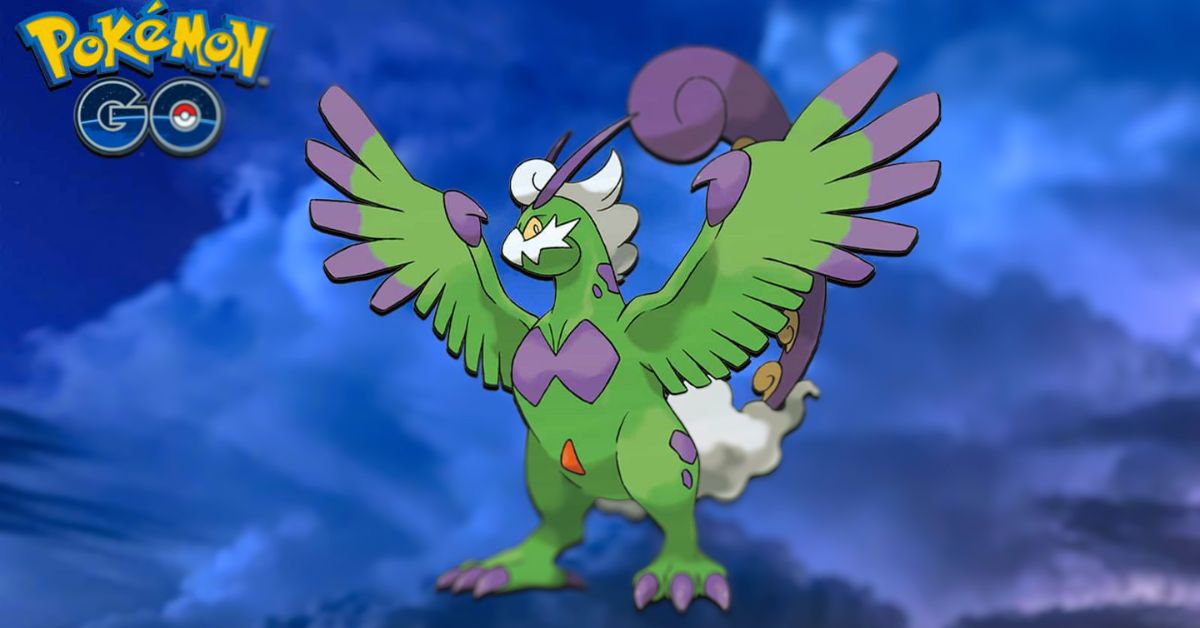
    Therian Tornadus is a legendary Flying-type Pokemon that is part of the Forces of Nature trio, along with Therian Thundurus and Therian Landorus. Therian Tornadus is the alternate form of Incarnate Tornadus, and has a different appearance and stats.

    Therian Tornadus is currently available in Pokemon Go as a Tier 5 raid boss, from January 10 to January 17, 2024. In this article, we will provide a detailed guide on how to catch Therian Tornadus in Pokemon Go, including its best counters, moveset, stats, and shiny form.

    Therian Tornadus Stats and Moveset

    Therian Tornadus Pokemon Go
    Therian Tornadus Pokemon Go

    Therian Tornadus has the following stats and moveset in Pokemon Go:

    • Max CP: 3,215
    • Attack: 238
    • Defense: 189
    • Stamina: 188
    • Type: Flying
    • Weakness: Rock, Electric, Ice
    • Resistance: Fighting, Bug, Grass, Ground
    • Fast Moves: Gust, Bite (Legacy)
    • Charged Moves: Hurricane, Heat Wave, Psychic, Focus Blast, Dark Pulse (Legacy), Grass Knot (Legacy)

    Therian Tornadus has a higher attack and a lower defense than its Incarnate form, making it more glassy but also more powerful. Its best moveset is Gust and Hurricane, which gives it the highest DPS and STAB (Same Type Attack Bonus). However, it can also use other moves to surprise its opponents, such as Heat Wave, Psychic, or Focus Blast.

    Therian Tornadus Counters and Strategy

    Therian Tornadus is a pure Flying-type Pokemon, which means it is weak to Rock, Electric, and Ice-type moves. It is also resistant to Fighting, Bug, Grass, and Ground-type moves. Therefore, the best counters for Therian Tornadus are Pokemon that can deal super effective damage with these types, while also resisting or avoiding its attacks.

    The following table shows the top 10 counters for Therian Tornadus, based on their DPS, TDO (Total Damage Output), and survivability³. The table also shows the recommended moveset, weather boost, and mega evolution for each counter.

    Pokemon Moveset Weather Boost Mega Evolution DPS TDO
    Rampardos Smack Down / Rock Slide Partly Cloudy No 28.9 372.6
    Zekrom Charge Beam / Wild Charge Rainy No 24.7 622.2
    Darmanitan (Galarian Zen) Ice Fang / Avalanche Snowy No 24.5 411.8
    Xurkitree Thunder Shock / Discharge Rainy No 24.4 518.4
    Thundurus (Therian) Thunder Shock / Thunderbolt Rainy No 23.9 507.8
    Mega Abomasnow Powder Snow / Weather Ball Snowy Yes 23.8 596.9
    Terrakion Smack Down / Rock Slide Partly Cloudy No 23.7 603.8
    Reshiram Fire Fang / Fusion Flare Sunny No 23.6 595.1
    Galarian Darmanitan Ice Fang / Ice Punch Snowy No 23.5 395.1
    Mega Manectric Charge Beam / Wild Charge Rainy Yes 23.4 470.9

    The strategy for catching Therian Tornadus is similar to any other Tier 5 raid boss. You will need a team of at least 3-4 trainers with high-level and well-equipped counters, or more if you are lower level or have less optimal counters. You should also coordinate with your team to use the best weather boost and mega evolution for your counters, as well as the best raid lobby code and remote raid pass for your location.

    You should also pay attention to the moveset of Therian Tornadus, as it can affect your choice of counters and your dodging strategy. For example, if Therian Tornadus has Hurricane, you should avoid using Flying-type counters, such as Mega Pidgeot or Rayquaza, as they will take super effective damage.

    If Therian Tornadus has Heat Wave, you should avoid using Ice-type counters, such as Galarian Darmanitan or Mamoswine, as they will also take super effective damage. If Therian Tornadus has Psychic, you should avoid using Fighting-type counters, such as Lucario or Conkeldurr, as they will take super effective damage as well.

    You should also dodge the charged moves of Therian Tornadus, especially if they are super effective against your counters, as they can deal a lot of damage and KO your Pokemon.

    Therian Tornadus Catch Rate and Shiny Form

    After defeating Therian Tornadus, you will have a chance to catch it with a limited number of Premier Balls. The catch rate of Therian Tornadus is 2%, which means you have a 2% chance of catching it with each throw, assuming no other factors. However, you can increase your catch rate by using various factors, such as:

    • Curveball: +1.7x
    • Nice Throw: +1x
    • Great Throw: +1.5x
    • Excellent Throw: +1.85x
    • Golden Razz Berry: +2.5x
    • Silver Pinap Berry: +1.8x
    • Bronze Flying Medal: +1.1x
    • Silver Flying Medal: +1.2x
    • Gold Flying Medal: +1.3x

    The maximum catch rate you can achieve with these factors is 15.65%, which means you have a 15.65% chance of catching Therian Tornadus with each throw if you use a Golden Razz Berry, a curveball, and an excellent throw, and have a gold flying medal. You can use this catch rate calculator to find out your exact catch rate with different factors.

    Therian Tornadus also has a shiny form, which has a different color scheme than its normal form. The shiny form of Therian Tornadus is green instead of purple and has yellow eyes instead of red.

    The shiny form of Therian Tornadus is very rare and has a 1 in 20 chance of appearing after defeating it in a raid. You can tell if Therian Tornadus is shiny by looking at its color and the sparkles around it. You can also use this shiny checklist to keep track of your shiny encounters.

    Conclusion

    Therian Tornadus is a legendary Flying-type Pokemon that is part of the Forces of Nature trio, along with Therian Thundurus and Therian Landorus. Therian Tornadus is currently available in Pokemon Go as a Tier 5 raid boss, from January 10 to January 17, 2024.

    To catch Therian Tornadus, you will need a team of high-level and well-equipped counters, such as Rampardos, Zekrom, Galarian Darmanitan, and Mega Abomasnow. You will also need to use the best weather boost, mega evolution, raid lobby code, remote raid pass, and dodging strategy for your location and situation.

    If you are interested in knowing more articles related to Pokemon Go, you can checkĀ Mega Glalie Raid GuideĀ andĀ Vanillite Shiny In Pokemon Go. We appreciate your interest in our website! MakeĀ Gameempress.comĀ your go-to site for gaming information.

  • Sony Reveals New PS5 Slim colors At CES 2024

    Sony Reveals New PS5 Slim colors At CES 2024

    The PlayStation 5 “slim” has only been out for a few months, but Sony is already planning to release new sideplates for the console. And the business is showcasing three of those new color options here at CES 2024: blue, silver, and red. When they go on sale shortly, the side covers will start at $54.99.

    These do not have the glossy/matte separation between the top and bottom plates like the standard white PS5 Slim. I prefer matte to glossy, so this pleases me. (Unfortunately, there’s no way to avoid dust on the PS5’s black center part.)

    Sony is playing it safe with the colors here, but they all looked great on the show floor. This red is unquestionably more “red” than the original PS5’s cosmic red accessories. I think I prefer the silver; it reminds me of the first PlayStation. Black side plates are also being developed.

    This is most likely due to the extremely strong exhibition floor lighting, however, when combined with the optional vertical stand, these colors do give off a nice reflection.

    The PS5 Slim is still available with a disc drive or as a digital-only model. However, the detachable architecture of this drive, which can be purchased and added to the digital model after the fact, has undoubtedly simplified Sony’s production process and helped to reduce costs. The business stated last month that PS5 sales had topped 50 million units.

    If you are interested in knowing more articles related to other games, you can checkĀ Counter Strike 2 Update For 4 January 2024Ā andĀ PUBG Mobile Update 3.0 Release Date. We appreciate your interest in our website! MakeĀ Gameempress.comĀ your go-to site for gaming information.

  • GTA 5 On Android: Grand Theft Mobile – Is It Really Happening?

    GTA 5 On Android: Grand Theft Mobile – Is It Really Happening?

    GTA 5 mobile fans have been waiting for years for an Android port of the game, but there is now a method to play the game straight on cell phones. On the r/EmulationOnAndroid topic, a Redditor named “Due_Teaching_6974” posted a video of a Poco F3 running Grand Theft Auto 5 at roughly 25-30 FPS. While this isn’t a great framerate, it’s a start, and the most important thing is that it’s very stable.

    The performance is dependent on the hardware, as the OP (Original Poster) demonstrated with a screenshot of another system running the game at roughly 40-50 FPS. So, here’s everything GTA 5 fans need to know about playing the game on mobile devices.

    GTA 5 Can Now Be Played on Android With a Consistent Framerate

    Gta 5 10th Anniversary Date
    Gta 5 10th Anniversary Date

    The video shows GTA 5 running on a Poco F3, which is powered by a Snapdragon 870 CPU. It’s unknown what in-game parameters were used to play the game, however the ped density appears to be minimal. While the FPS may appear low by modern standards, it should be noted that when Grand Theft Auto 5 was released in 2013, it ran at roughly 20-30 FPS on the PS3 and Xbox 360.

    GTA 5 is finally playable on our phones, on a SD870 no less, this is a moment in history
    byu/Due_Teaching_6974 inEmulationOnAndroid

    The video also contains slight stutters and a memory overload of 90% on 8 GB RAM. However, the fact that this legendary open-world game has finally been properly reproduced on mobile devices is a watershed event. The technique was made possible thanks to an emulator known as Mobox.

    To run Wine Esync on non-rooted devices, players will also require Termux. Termux is an open-source terminal emulator for Android that allows you to operate a Linux environment. All of the required files may be found on the official Mobox GitHub page (https://github.com/olegos2/mobox), which also explains how to get the emulator running.

    Although Rockstar has not officially released Grand Theft Auto 5 for mobile devices, some games from the 3D Universe and Grand Theft Auto Chinatown Wars are playable. Players should also keep in mind that the Mobox emulator allows them to run most PC games on Android, including Grand Theft Auto 4.

    Meanwhile, Rockstar has made the GTA Definitive Edition Trilogy available on mobile, exclusively to Netflix users. Surprisingly, this version of the remastered trilogy runs and looks better, thanks to the removal of various graphical defects. The GTA Definitive Edition Trilogy on mobile is likewise visually similar to the originals, particularly in terms of color palettes and skyboxes.

    You might also be interested in the following article on GTA: GTA 5 Leaked Source Code Exposed and Vapid Aleutian GTA 5. We appreciate your interest in our website! Make Gameempress.com your go-to site for gaming information.

  • Is Overcooked 2 Cross Platform? How To Play With Your Friends On Different Devices?

    Is Overcooked 2 Cross Platform? How To Play With Your Friends On Different Devices?

    Overcooked 2 is a co-op cooking game that challenges you and your friends to prepare and serve delicious dishes in various chaotic kitchens. The game is a lot of fun and can be played with up to four players online or locally. But what if you and your friends have different devices? Is Overcooked 2 cross platform? Here’s what you need to know.

    Is Overcooked 2 Cross Platform?

    Is Overcooked 2 Cross Platform?
    Is Overcooked 2 Cross Platform?

    The answer is yes, but it depends on which version of the game you have. Overcooked 2 has two main versions: the base game and the All You Can Eat edition. The base game is the original version of the game, which was released in 2018.

    The All You Can Eat edition is a remastered version of the game, which was released in 2020. It includes the base game, all the DLCs, and some new features, such as 4K resolution, 60 FPS, and accessibility options.

    The base game of Overcooked 2 only supports crossplay between PC platforms, such as Steam, Epic Games Store, and GOG. This means that if you have the base game on PC, you can play with other PC players, but not with console players.

    The console versions of the base game, such as Nintendo Switch, PlayStation 4, Xbox One, and Amazon Luna, do not support crossplay at all. This means that if you have the base game on a console, you can only play with other players who have the same console as you.

    The All You Can Eat edition of Overcooked 2, on the other hand, supports crossplay between all platforms, including PC and consoles. This means that if you have the All You Can Eat edition on any device, you can play with other players who have the All You Can Eat edition on any device. However, you cannot play with players who have the base game, even if they are on the same platform as you.

    How to play crossplay in Overcooked 2?

    If you want to play crossplay in Overcooked 2, you need to have the All You Can Eat edition of the game, and a valid online subscription, such as Nintendo Switch Online, PlayStation Plus, or Xbox Live Gold.

    You also need to have an internet connection and a communication system, such as voice chat or text chat, to coordinate with your teammates. You also need to have a basic knowledge of the game mechanics, such as the recipes, the controls, and the strategies to overcome the challenges.

    To play crossplay in Overcooked 2, you need to follow these steps:

    • Launch the game and select Online from the main menu.
    • Choose whether you want to host a game or join a game.
    • If you want to host a game, select Create Game and choose the settings you want, such as the game mode, the difficulty, the level, and the number of players. You can also create a password to make your game private or leave it open to the public.
    • If you want to join a game, select Join Game and choose the game you want to join from the list of available games. You can also filter the list by friends, favorites, or recent players.
    • Once you are in the game, you can invite or join other players by using the Invite to Game button on the pause menu. You can also use the voice chat or the text chat to communicate with other players.

    Conclusion

    Overcooked 2 is a cross-platform game, but only if you have the All You Can Eat edition of the game. This edition allows you to play with your friends on different devices, as long as you have an online subscription and an internet connection.

    The base game of Overcooked 2 only allows you to play with other PC players, or with other players who have the same console as you.

    The game is currently available for Windows 10 PCs, Xbox One and Series X/S, PlayStation 4 and 5, Nintendo Switch, iOS, and Android devices. The game is also available for pre-order soon, with exclusive bonuses for early buyers. The game is a lot of fun and can be played with up to four players online or locally.

    You might also be interested in the following games, Crossplay:Ā Evil West CrossplayĀ andĀ Nobody Saves The World CrossplayĀ We appreciate your interest in our website! MakeĀ Gameempress.comĀ your go-to site for gaming information.
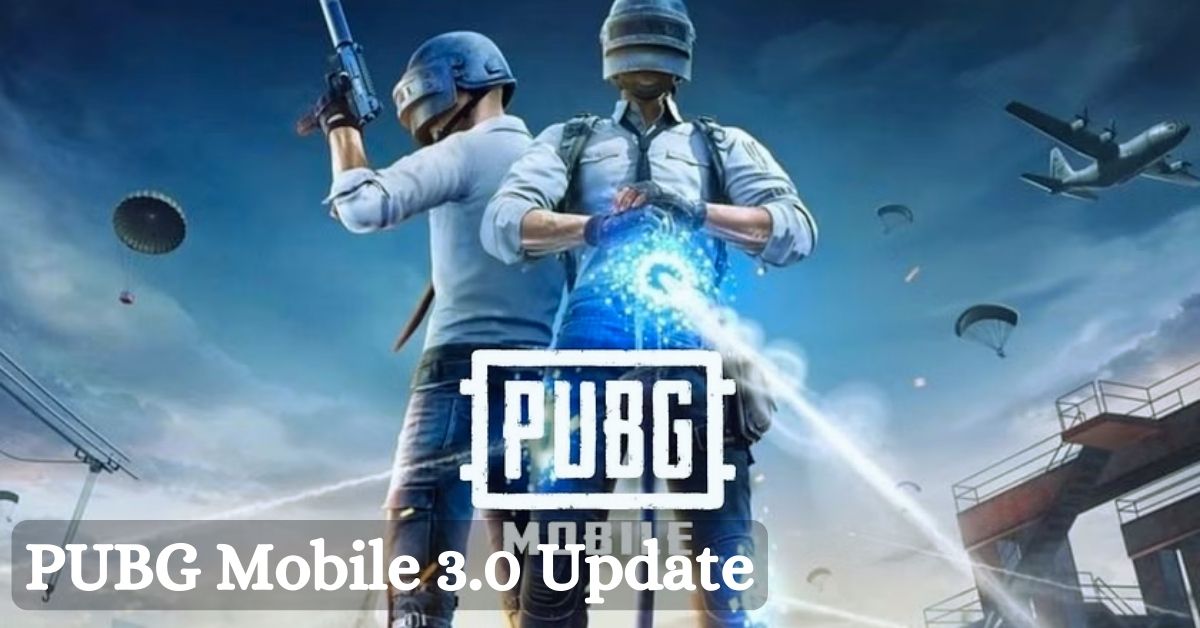
  • PUBG Mobile 3.0 Update Begins: Shadow Force Emerges, Battlefields Rewritten!

    PUBG Mobile 3.0 Update Begins: Shadow Force Emerges, Battlefields Rewritten!

    Krafton has finally approved the release of the PUBG Mobile 3.0 update. While the 2.9 update saw millions of players log in daily, the 3.0 edition is intended to build on the former’s success and attract even more players. It introduces numerous new features that will improve gamers’ BR gaming experience.

    The news of the 3.0 upgrade has understandably generated a lot of excitement among users who want to download the latest version on their Android and iOS devices.

    The Pubg Mobile 3.0 Update is Available in Multiple Sizes for Android and Ios Devices

    The PUBG Mobile 3.0 update has begun to roll out in various places around the world. However, depending on the user’s area and platform, the new update on their respective devices will arrive at a different time.


    View this post on Instagram


    A post shared by PUBG MOBILE (@pubgmobile)

    When players in every corner of the globe utilizing Android and iOS devices can expect to receive the update on their mobile devices:

    • AOS (Google Play): January 9, 10 am UTC
    • iOS (App Store): January 9, 10 am UTC
    • APK: January 9, 10 am UTC

    The 3.0 upgrade will require 837 MB of storage on Android devices (Play Store) and 2.35 GB for iOS devices (App Store). To install and enjoy the new game material without complications, gamers will need enough free space on their phones/tablets as well as a stable data connection.

    Players can get the most recent version immediately from the digital stores (Apple App Store and Google Play Store). Users who wish to install the PUBG Mobile 3.0 update APK on their Android smartphones, on the other hand, can go to the game’s official website and download an estimated 730 MB of data.

    What Are the Highlights of the PUBG Mobile 3.0 Update?

    The latest PUBG Mobile 3.0 update is the popular Battle Royale’s first significant version upgrade in 2024.


    View this post on Instagram


    A post shared by PUBG MOBILE (@pubgmobile)

    It has some magnificent features, such as:

    • Shadow Force-themed mode on Livik, Erangel, and Sanhok brings along new additions like a portable grappling hook, Proxy Scout, urban area reformation, new weapon (shadow blade), respawn battle, and more.
    • Metro Royale gameplay updates, including the addition of a new Artctic Base map and new mechanics
    • Classic mode improvements
    • Cycle 6 Season 16
    • Bolt Sniper Rifle updates
    • Vehicle improvements
    • Gameplay Device improvements
    • Animation improvements
    • Popularity Battle Event (Team and Solo)
    • All Talent Championship

    If you are interested in knowing more articles related to other games, you can checkĀ Counter Strike 2 Update For 4 January 2024Ā andĀ PUBG Mobile Update 3.0 Release Date. We appreciate your interest in our website! MakeĀ Gameempress.comĀ your go-to site for gaming information.
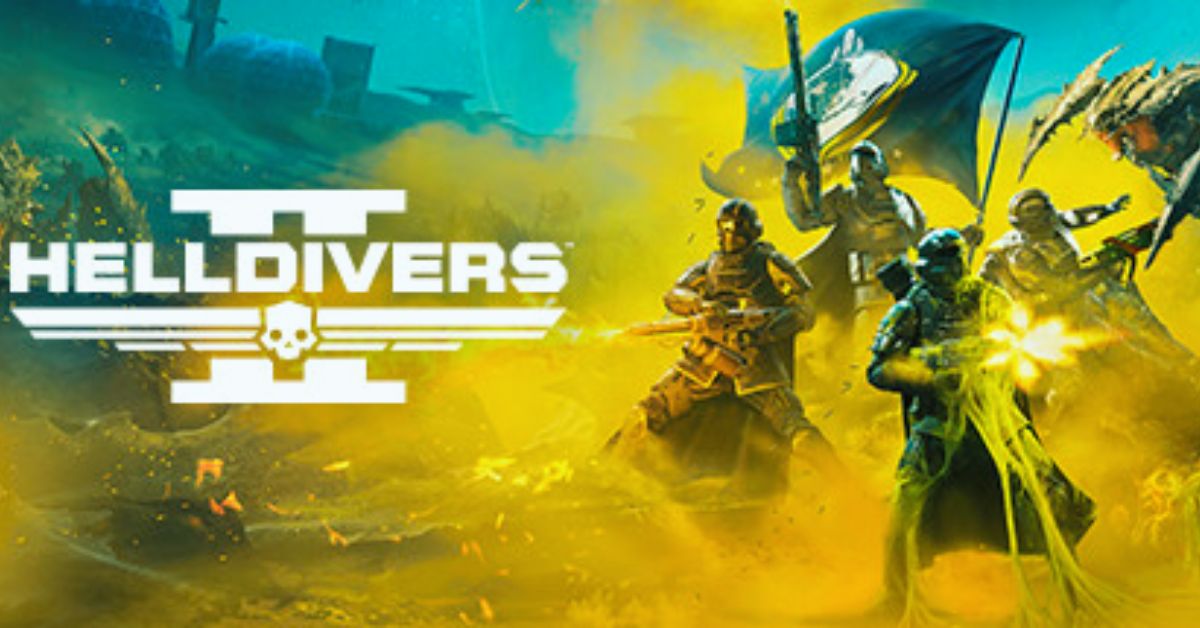
  • Is Helldivers 2 Crossplay? Exploring Multiplatform Gaming Possibilities

    Is Helldivers 2 Crossplay? Exploring Multiplatform Gaming Possibilities

    Helldivers 2 is the sequel to the acclaimed co-op shooter Helldivers, developed by Arrowhead Game Studios and published by Sony Interactive Entertainment. The game was announced during the PlayStation Showcase event in September 2023, and is set to launch later this year on PlayStation 5 and PC.

    Helldivers 2 promises to deliver more action, chaos, and democracy than ever before, as players join the elite Helldivers unit and fight against alien threats across the galaxy.

    But is Helldivers 2 crossplay? Can you play with your friends on different platforms? In this article, we will answer this question and explain everything you need to know about Helldivers 2 crossplay.

    Is Helldivers 2 Crossplay?

    helldivers 2 crossplay
    helldivers 2 crossplay

    According to the official website, Helldivers 2 does support crossplay between PlayStation 5 and PC platforms. This means that players on both systems will have the ability to connect and play together, regardless of their chosen platform.

    However, Helldivers 2 does not support crossplay with other consoles, such as PlayStation 4, Xbox Series X/S, or Nintendo Switch. This is because Helldivers 2 is a PlayStation-exclusive title, and Sony has not allowed crossplay with other console platforms for its exclusive games.

    Additionally, Helldivers 2 does not support crossplay with the original Helldivers game, which was released in 2015 on PlayStation 4, PlayStation 3, PlayStation Vita, and PC. This is because Helldivers 2 is a completely new game, with a different engine, graphics, gameplay, and features, and is not compatible with the previous game.

    How to Enable Crossplay in Helldivers 2?

    To enable crossplay in Helldivers 2, you need to have an active PlayStation Network account and a stable internet connection. You also need to have the latest version of the game installed on your platform.

    To enable crossplay in Helldivers 2, follow these steps:

    • Launch the game from your platform’s dashboard or home screen.
    • Select the Online mode from the main menu.
    • Choose the Create or Join option to create or join a game session.
    • If you want to play with your friends on a different platform, you need to use the
    • Friend Code feature. This is a unique code that you can generate or enter to invite or join your friends’ game sessions across platforms.
    • To generate a Friend Code, select the Invite option from the game session menu, and choose the Generate Friend Code option. You will see a six-digit code that you can share with your friends on a different platform.
    • To enter a Friend Code, select the Join option from the game session menu, and choose the Enter Friend Code option. You will see a keypad where you can enter the six-digit code that your friends have shared with you.
    • Once you have entered or shared the Friend Code, you will be able to join or invite your friends to game sessions across platforms.
    • Enjoy the game with your crossplay friends.

    Conclusion

    Helldivers 2 is a co-op shooter that supports crossplay between PlayStation 5 and PC platforms. This means that you can play with your friends on different platforms, as long as you have a PlayStation Network account and a Friend Code. Helldivers 2 does not support crossplay with other consoles or with the original Helldivers game. Helldivers 2 is set to launch later this year on PlayStation 5 and PC.

    You might also be interested in the following games, Crossplay:Ā Evil West CrossplayĀ andĀ Nobody Saves The World CrossplayĀ We appreciate your interest in our website! MakeĀ Gameempress.comĀ your go-to site for gaming information.
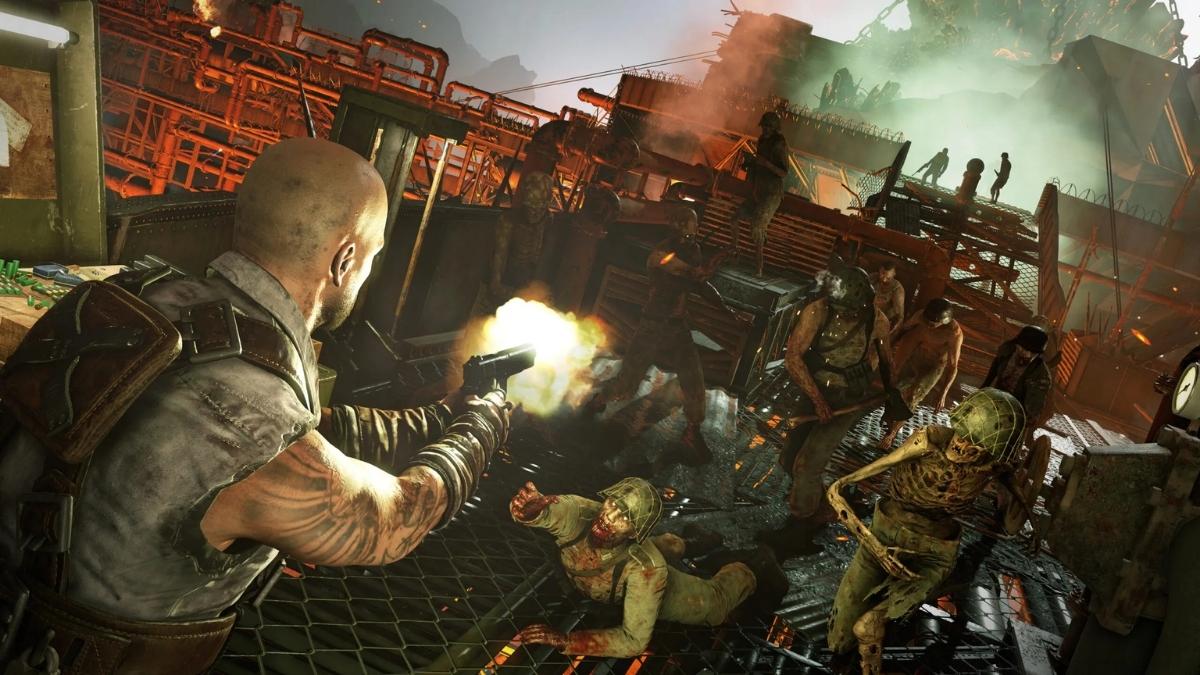
  • Is Zombie Army 4 Crossplay? How To Play With Your Friends On Different Devices?

    Is Zombie Army 4 Crossplay? How To Play With Your Friends On Different Devices?

    Zombie Army 4 is a co-op shooter game that pits you and your friends against hordes of undead Nazis in a post-apocalyptic Europe. The game is a lot of fun and can be played with up to four players online or locally. But can you play with your friends across different platforms? Is Zombie Army 4 crossplay? Here’s what you need to know.

    Is Zombie Army 4 Crossplay?

    Is Zombie Army 4 Crossplay?
    Is Zombie Army 4 Crossplay?

    Yes, Zombie Army 4 supports crossplay between all platforms, including PC, PlayStation 4, PlayStation 5, Xbox One, Xbox Series X/S, iOS, and Android devices.

    This means that you can play with your friends on any of these platforms, as long as you have an internet connection and a Ubisoft account. However, some limitations and requirements depend on which platform you are using.

    How to play crossplay on PC and consoles?

    If you are playing Zombie Army 4 on PC or consoles, the crossplay process is simple. All you need to do is:

    • Launch the game and sign in with your Ubisoft account. You can create a free account on the official website.
    • Choose whether you want to join or create a crew. A crew is a group of up to four players who can play together online.
    • If you want to join a crew, select Join Crew and choose the crew you want to join from the list of available crews. You can also filter the list by friends, favorites, or recent players.
    • If you want to create a crew, select Create Crew and choose the settings you want, such as the crew name, the crew tag, and the crew emblem. You can also invite other players to join your crew by using the Invite to Crew button on the pause menu.
    • Once you are in a crew, you can play with your crew members in various modes, such as free roam, races, events, and challenges. You can also use the voice chat or the text chat to communicate with your crew members.

    How to play crossplay on mobile devices?

    If you are playing Zombie Army 4 on iOS or Android devices, the crossplay process is slightly different and requires an extra step. This is because mobile devices are not directly connected to the Ubisoft network, so you need to use the Ubisoft Connect app to link your accounts and play with other players. Here’s what you need to do:

    • Launch the game and sign in with your Ubisoft account. You can create a free account on the official website.
    • Choose whether you want to join or create a crew. A crew is a group of up to four players who can play together online.
    • If you want to join a crew, select Join Crew and choose the crew you want to join from the list of available crews. You can also filter the list by friends, favorites, or recent players.
    • If you want to create a crew, select Create Crew and choose the settings you want, such as the crew name, the crew tag, and the crew emblem. You can also invite other players to join your crew by using the Invite to Crew button on the pause menu.
    • Once you are in a crew, you need to launch the Ubisoft Connect app on your mobile device and sign in with your Ubisoft account. You can download the app for free from the App Store or the Google Play Store.
    • In the app, you can join or invite other players to your crew by using the Ubisoft Connect party system. You can also use the voice chat or the text chat to communicate with your crew members.
    • Once you are in a Ubisoft Connect party, you can play with your crew members in various modes, such as free roam, races, events, and challenges.

    Conclusion

    Zombie Army 4 is a crossplay game, which means that you can play with your friends on different devices, as long as you have an internet connection and a Ubisoft account. The game supports crossplay between all platforms, including PC, PlayStation 4, PlayStation 5, Xbox One, Xbox Series X/S, iOS, and Android devices.

    However, you need to use the Ubisoft Connect app if you are playing on mobile devices. The game is currently available for purchase and can be played with up to four players online or locally.

    You might also be interested in the following games, Crossplay:Ā Evil West CrossplayĀ andĀ Nobody Saves The World CrossplayĀ We appreciate your interest in our website! MakeĀ Gameempress.comĀ your go-to site for gaming information.

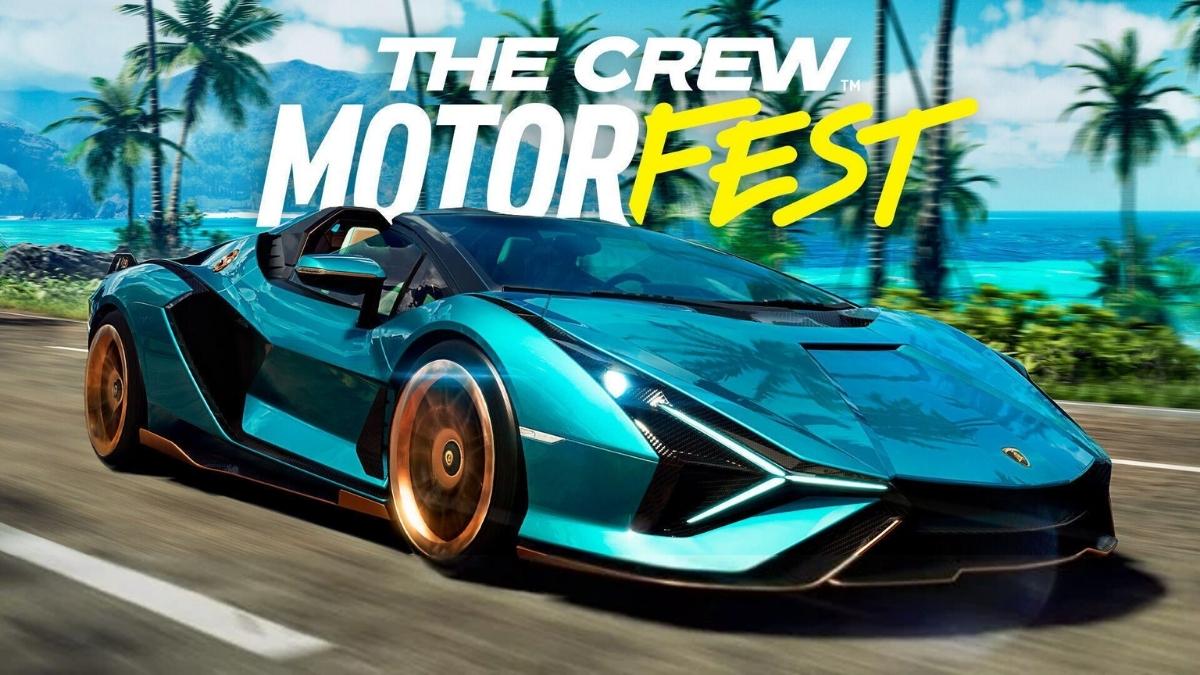
  • Is The Crew Motorfest Crossplay? How To Play With Your Friends On Different Devices?

    Is The Crew Motorfest Crossplay? How To Play With Your Friends On Different Devices?

    The Crew Motorfest is a racing game that lets you explore and customize a vast open world of Hawaii, with over 600 vehicles from various disciplines, such as cars, bikes, boats, and planes.

    The game also features online multiplayer modes, where you can join or create your crew, and compete or cooperate with other players. But can you play with your friends across different platforms? Is The Crew Motorfest crossplay? Here’s what you need to know.

    Is The Crew Motorfest Crossplay?

    Is The Crew Motorfest Crossplay?
    Is The Crew Motorfest Crossplay?

    Yes, The Crew Motorfest supports crossplay between all platforms, including PC, PlayStation 4, PlayStation 5, Xbox One, Xbox Series X/S, iOS, and Android devices.

    This means that you can play with your friends on any of these platforms, as long as you have an internet connection and a Ubisoft account. However, some limitations and requirements depend on which platform you are using.

    How to play crossplay on PC and consoles?

    If you are playing The Crew Motorfest on PC or consoles, the crossplay process is simple. All you need to do is:

    • Launch the game and sign in with your Ubisoft account. You can create a free account on the official website.
    • Choose whether you want to join or create a crew. A crew is a group of up to four players who can play together online.
    • If you want to join a crew, select Join Crew and choose the crew you want to join from the list of available crews. You can also filter the list by friends, favorites, or recent players.
    • If you want to create a crew, select Create Crew and choose the settings you want, such as the crew name, the crew tag, and the crew emblem. You can also invite other players to join your crew by using the Invite to Crew button on the pause menu.
    • Once you are in a crew, you can play with your crew members in various modes, such as free roam, races, events, and challenges. You can also use the voice chat or the text chat to communicate with your crew members.

    How to play crossplay on mobile devices?

    If you are playing The Crew Motorfest on iOS or Android devices, the crossplay process is slightly different and requires an extra step. This is because mobile devices are not directly connected to the Ubisoft network, so you need to use the Ubisoft Connect app to link your accounts and play with other players. Here’s what you need to do:

    • Launch the game and sign in with your Ubisoft account. You can create a free account on the official website.
    • Choose whether you want to join or create a crew. A crew is a group of up to four players who can play together online.
    • If you want to join a crew, select Join Crew and choose the crew you want to join from the list of available crews. You can also filter the list by friends, favorites, or recent players.
    • If you want to create a crew, select Create Crew and choose the settings you want, such as the crew name, the crew tag, and the crew emblem. You can also invite other players to join your crew by using the Invite to Crew button on the pause menu.
    • Once you are in a crew, you need to launch the Ubisoft Connect app on your mobile device and sign in with your Ubisoft account. You can download the app for free from the App Store or the Google Play Store².
    • In the app, you can join or invite other players to your crew by using the Ubisoft Connect party system. You can also use the voice chat or the text chat to communicate with your crew members.
    • Once you are in a Ubisoft Connect party, you can play with your crew members in various modes, such as free roam, races, events, and challenges.

    Conclusion

    The Crew Motorfest is a crossplay game, which means that you can play with your friends on different devices, as long as you have an internet connection and a Ubisoft account. The game supports crossplay between all platforms, including PC, PlayStation 4, PlayStation 5, Xbox One, Xbox Series X/S, iOS, and Android devices.

    However, you need to use the Ubisoft Connect app if you are playing on mobile devices. The game is currently available for pre-order and will be released on October 24, 2024. The game is a lot of fun and offers a lot of variety and customization for racing fans.

    You might also be interested in the following games, Crossplay:Ā Evil West CrossplayĀ andĀ Nobody Saves The World CrossplayĀ We appreciate your interest in our website! MakeĀ Gameempress.comĀ your go-to site for gaming information.

  • Where to Safely Buy WoW Boost and Get the Best Value

    Where to Safely Buy WoW Boost and Get the Best Value

    Hey there, fellow WoW player. Looking to boost your character to get to the endgame faster or achieve that coveted achievement? We get it. The grind can be real, and sometimes you just want to skip ahead to the good stuff. The question is, where can you buy WoW boost and feel confident your account and personal info will remain secure?

    We bring professional, trusted reviews so you can stop worrying and get back to enjoying your game time. Take your WoW experience to the next level and let us handle the hassle.

    What Is a WoW Boost?

    A WoW boost is when a professional player helps you advance your character or account in World of Warcraft. Instead of grinding for hours to level up or farm gold, you pay for a boosting service to speed up your progress. It allow you to skip tedious grinds and boring parts of the game so you can get to the fun stuff faster. If you have limited time to play, boosting is a great option. Some WoW content like raids, dungeons, or PvP modes have minimum level or gear requirements. Boosting can help you access that content right away. Whether you want to quickly level an alt, gear up for endgame content, or make gold for mounts and toys, boosting services can advance your character in a matter of hours or days instead of weeks. For many players, the journey to max level and chasing the best gear is the enjoyment of WoW.

    How Does It Work?

    When you buy a WoW boost, you’re hiring an expert player to pilot your account and complete objectives for you. The booster will log into your account and level your character, farm gold or complete other services you’ve paid for. Then they log out, and your advanced character is ready for you to enjoy!

    The key is finding a reputable boosting site that hires skilled, trustworthy boosters and has strong security to protect your account information. With the right site, you can get huge benefits from WoW boosting and take your gameplay to the next level.

    Why You Should Buy a WoW Boost?

    Buying a WoW boost is one of the best ways to speed up your progress in the game and unlock rewards faster. As a busy gamer, your time is precious. A boost allows you to skip the grind and get right to the good stuff.

    Save Time

    With limited hours to play each week, grinding for gear, gold, mounts or achievements can feel tedious and slow. A boost provides a shortcut so you can spend more of your gaming time on the activities you actually enjoy, like raiding, PVP or roleplaying.

    Get Rare Rewards

    Some of the most coveted rewards in WoW like rare mounts, transmogs, and achievements can be nearly impossible to obtain on your own. A boost puts these prestigious rewards well within your reach. Imagine riding into your next raid on the back of Invincible’s Reins or showing off your new Keystone Master achievement. Your guildmates will be so jealous!

    Stay Competitive

    As new expansions released, the gear treadmill starts over and it can be hard to keep up. A gear boost allows you to quickly gear up your main or alts so you’re ready to dive into the latest endgame content as soon as it’s released. You’ll be rocking a high ilvl in no time and dominating the damage meters.

    Support Your Favorite Streamers

    Many top WoW streamers and content creators offer boosting services as a way to connect with their communities. Buying a boost from your favorite streamer is a great way to support them and their work. You might even get to join them on stream!

    Things to Consider When Buying a WoW Boost

    When looking to buy a WoW boost, there are a few important things to keep in mind. The service you choose and who provides it can significantly impact your experience and satisfaction.

    1. Reputation and Reviews: Always check the reputation and reviews of any site before making a purchase.
    2. Pricing and Packages: Compare the prices and packages offered by different sites to find good value. More expensive does not always mean higher quality.
    3. Safety and Security: Your account security should be a top priority. Only buy from sites that guarantee your account will remain safe and secure.
    4. Customer Support: Great customer support can make or break your experience. Look for sites that offer 24/7 live chat support so you can get help right away if any issues arise.

    By keeping these factors in mind and doing your research, you can feel confident buying a WoW boost that is safe, high quality, and provides great value for your money.

    Boostcraft – The Best Value for WoW Boosts

    Boostcraft is the best place to buy World of Warcraft boosts and get serious value for your money. They were founded by dedicated WoW players who understand what really matters to gamers. Its main goal isn’t just profits – they genuinely want to improve the boosting industry and support the longevity of WoW. They recognize you have a life outside of gaming and just want to enjoy your playtime. So they handle the tedious parts of WoW so you can focus on what really matters to you.

    • Amazing Prices
    • 100% Safe and Secure
    • 24/7 Live Support
    • Top Quality Service

    For the best value and a superior experience buying WoW boosts, choose Boostcraft. Your satisfaction and enjoyment of the game are their top priorities. Let them take the grind out of leveling and gearing so you can get back to the fun parts of WoW!

    Conclusion

    Now that you know where to find the best deals and services for WoW boosting, you’re all set. No more wasting hours grinding when you could be raiding or pvping with your friends. No more falling behind the gear curve and struggling in higher-level content. With a quick boost, you’ll be ready to dive right into the action and start really enjoying the game. So go on, treat yourself. You deserve it after all the time you’ve invested. And when the next patch drops, you’ll be first in line and ready to conquer whatever new challenges await. The world of Azeroth is your oyster. Time to make the most of it!

  • Is Riders Republic Crossplay? Can You Play Riders Republic With Friends On Other Systems?

    Is Riders Republic Crossplay? Can You Play Riders Republic With Friends On Other Systems?

    Riders Republic is a multiplayer sports game that lets you explore and compete in a massive open world of iconic US national parks, with various activities such as biking, skiing, snowboarding, wingsuiting, and rocket wingsuiting. The game is a lot of fun and can be played with up to 50 players online or locally. But can you play with your friends across different platforms? Is Riders Republic crossplay? Here’s what you need to know.

    Is Riders Republic Crossplay?

    Is Riders Republic Crossplay
    Is Riders Republic Crossplay

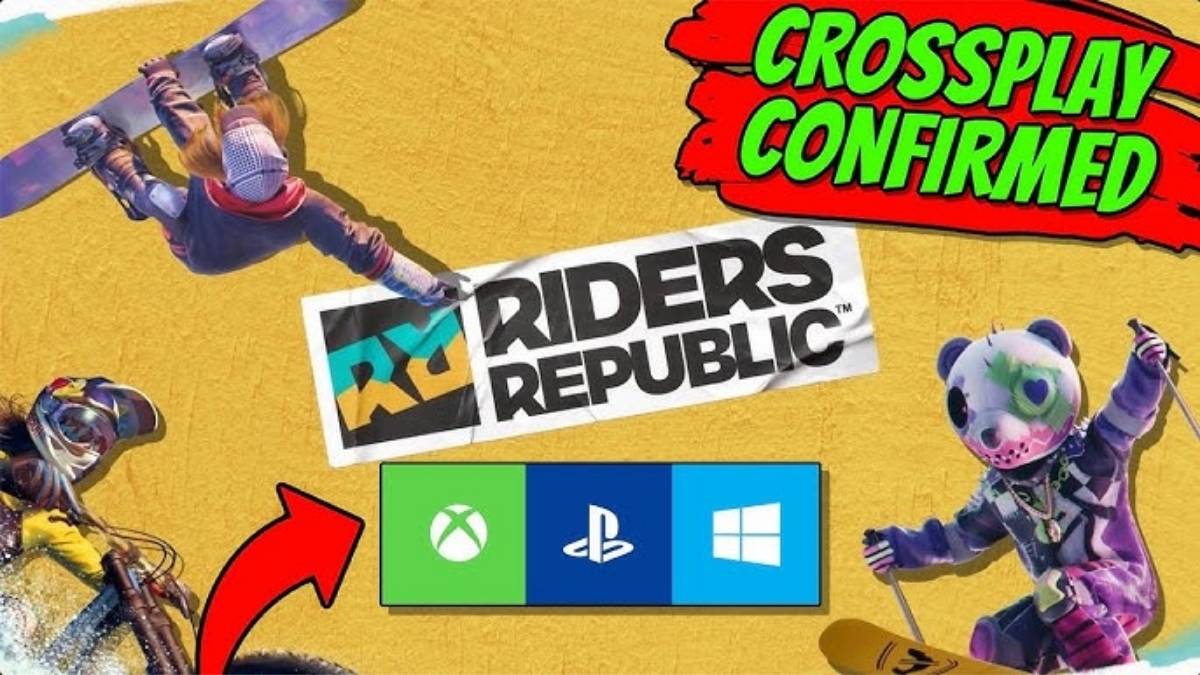
    Yes, Riders Republic supports crossplay between all platforms, including PC, PlayStation 4, PlayStation 5, Xbox One, Xbox Series X/S, Stadia, and Amazon Luna. This means that you can play with your friends on any of these platforms, as long as you have an internet connection and a Ubisoft account. However, some limitations and requirements are depending on which platform you are using.

    How to Play Crossplay on PC and Consoles?

    If you are playing Riders Republic on PC or consoles, the crossplay process is straightforward. All you need to do is:

    • Launch the game and sign in with your Ubisoft account. You can create a free account on the official website.
    • Choose whether you want to join or create a group. A group is a team of up to six players who can play together online.
    • If you want to join a group, select Join Group and choose the group you want to join from the list of available groups. You can also filter the list by friends, favorites, or recent players.
    • If you want to create a group, select Create Group and invite other players to join your group by using the Invite to Group button on the pause menu.
    • Once you are in a group, you can play with your group members in various modes, such as free roam, races, events, and challenges. You can also use the voice chat or the text chat to communicate with your group members.

    How to Play Crossplay on Mobile Devices?

    If you are playing Riders Republic on iOS or Android devices, the crossplay process is slightly different and requires an extra step. This is because mobile devices are not directly connected to the Ubisoft network, so you need to use the Ubisoft Connect app to link your accounts and play with other players. Here’s what you need to do:

    • Launch the game and sign in with your Ubisoft account. You can create a free account on the official website.
    • Choose whether you want to join or create a group. A group is a team of up to six players who can play together online.
    • If you want to join a group, select Join Group and choose the group you want to join from the list of available groups. You can also filter the list by friends, favorites, or recent players.
    • If you want to create a group, select Create Group and invite other players to join your group by using the Invite to Group button on the pause menu.
    • Once you are in a group, you need to launch the Ubisoft Connect app on your mobile device and sign in with your Ubisoft account. You can download the app for free from the App Store or the Google Play Store.
    • In the app, you can join or invite other players to your group by using the Ubisoft Connect party system. You can also use the voice chat or the text chat to communicate with your group members.
    • Once you are in a Ubisoft Connect party, you can play with your group members in various modes, such as free roam, races, events, and challenges.

    Conclusion

    Riders Republic is a crossplay game, which means that you can play with your friends on different devices, as long as you have an internet connection and a Ubisoft account. The game supports crossplay between all platforms, including PC, PlayStation 4, PlayStation 5, Xbox One, Xbox Series X/S, Stadia, and Amazon Luna.

    However, you need to use the Ubisoft Connect app if you are playing on mobile devices. The game is currently available for purchase and can be played with up to 50 players online or locally. The game is a lot of fun and offers a lot of variety and customization for sports fans.

    You might also be interested in the following games, Crossplay:Ā Evil West CrossplayĀ andĀ Nobody Saves The World CrossplayĀ We appreciate your interest in our website! MakeĀ Gameempress.comĀ your go-to site for gaming information.

  • Animal Crossing New Horizons Fish Guide: How To Catch, Sell, And Donate Fish?

    Animal Crossing New Horizons Fish Guide: How To Catch, Sell, And Donate Fish?

    Animal Crossing New Horizons is a life simulation game that lets you create your island paradise, interact with various villagers and visitors, and enjoy various activities, such as fishing, gardening, and crafting. The game was developed by Nintendo EPD and published by Nintendo, and it is available for Nintendo Switch.

    The game features a dynamic day and night cycle, a seasonal system, and a real-time clock, which affects the gameplay and the appearance of the island. One of the most popular and relaxing activities in the game is fishing, which allows you to catch various fish and use them for different purposes, such as selling, donating, or decorating.

    In this article, we will show you how to catch, sell, and donate fish in Animal Crossing New Horizons, and provide a full list of fish in the game, along with their locations, prices, and availability.

    How to Catch Fish in Animal Crossing New Horizons?

    Animal Crossing New Horizons Fish Guide
    Animal Crossing New Horizons Fish Guide

    To catch fish in Animal Crossing New Horizons, you need to follow these steps:

    • First, you need to have a fishing rod, which is a tool that you can use to fish. You can get a fishing rod from various sources, such as crafting, buying, or receiving as a gift. You can craft a fishing rod from materials, such as wood or iron nuggets, using a DIY recipe, which you can get from various sources, such as villagers, bottles, or balloons. You can buy a fishing rod from shops, such as Nook’s Cranny or the Nook Stop, using bells, which are the main currency in the game. You can also receive a fishing rod as a gift from villagers or visitors, such as Tom Nook or Wilbur.
    • Next, you need to find a fishing spot, which is a place where you can fish. You can fish in various bodies of water, such as rivers, ponds, lakes, or oceans, which are located on your island or on other islands that you can visit. You can also fish in special locations, such as the pier, the mouth of the river, or the clifftop, which has different types of fish. You can identify a fishing spot by looking for a fish shadow, which is a dark shape that moves in the water. The size and shape of the fish shadow indicate the type and rarity of the fish.
    • Then, you need to cast your fishing rod, which is the action of throwing your fishing line into the water. You can cast your fishing rod by pressing the A button on your controller while facing the water. You need to aim your fishing rod at the fish shadow and make sure that your fishing line lands in front of the fish shadow. If your fishing line lands too far or too close to the fish’s shadow, the fish will not notice it, and you will have to cast your fishing rod again.
    • Finally, you need to reel in your fishing rod, which is the action of pulling your fishing line out of the water. You can reel in your fishing rod by pressing the A button on your controller when the fish bites your fishing line. You will know that the fish bites your fishing line when you hear a splash sound and see a bubble pop on the water. You need to be quick and attentive and press the A button as soon as the fish bites your fishing line. If you press the A button too early or too late, the fish will escape, and you will have to cast your fishing rod again.

    By following these steps, you can catch fish in Animal Crossing New Horizons. You can catch as many fish as you want, as long as you have enough space in your inventory, which is the place where you store your items.

    You can also use bait, which is an item that you can use to attract fish and make them appear more frequently and randomly. You can craft bait from manila clams, which are items that you can dig up from the beach, using a DIY recipe, which you can get from Wilbur, who is a visitor who can take you to other islands.

    How to Sell Fish in Animal Crossing New Horizons?

    Animal Crossing New Horizons Fish Guide (1)
    Animal Crossing New Horizons Fish Guide (1)

    To sell fish in Animal Crossing New Horizons, you need to follow these steps:

    • First, you need to have fish, which are items that you can catch by fishing. You can catch fish from various bodies of water, such as rivers, ponds, lakes, or oceans, using a fishing rod, which is a tool that you can use to fish. You can also catch fish from special locations, such as the pier, the mouth of the river, or the clifftop, which has different types of fish. You can catch as many fish as you want, as long as you have enough space in your inventory, which is the place where you store your items.
    • Next, you need to find a buyer, which is a person or a place that can buy your fish. You can sell your fish to various buyers, such as shops, villagers, or visitors, which are located on your island or on other islands that you can visit. You can also sell your fish to special buyers, such as C.J., who is a visitor who can buy your fish for a higher price, and Flick, who is a visitor who can buy your bugs for a higher price. You can identify a buyer by looking for a sign, a dialogue, or a request, that indicates that they can buy your fish.
    • Then, you need to select your fish, which is the action of choosing the fish that you want to sell. You can select your fish from your inventory, which is the place where you store your items. You can access your inventory by pressing the X button on your controller, and then pressing the R button on your controller, to switch to the fish tab. You can select your fish by pressing the A button on your controller while hovering over the fish that you want to sell. You can select as many fish as you want, as long as the buyer can accept them.
    • Finally, you need to confirm your sale, which is the action of finalizing the transaction and receiving the payment. You can confirm your sale by pressing the A button on your controller while talking to the buyer. You will see a confirmation screen, where you can see the total price of your fish, and the option to sell or cancel. You can confirm your sale by pressing the A button on your controller, or cancel your sale by pressing the B button on your controller. You will receive the payment in bells, which are the main currency in the game, and the fish will be removed from your inventory.

    By following these steps, you can sell fish in Animal Crossing New Horizons. You can sell as many fish as you want, as long as you have enough fish in your inventory, and the buyer can accept them. You can also use the Nook’s Cranny drop-off box, which is a place where you can sell your items at any time, but for a lower price, and the payment will be delivered the next day.

    How to Donate Fish in Animal Crossing New Horizons?

    To donate fish in Animal Crossing New Horizons, you need to follow these steps:

    • First, you need to have fish, which are items that you can catch by fishing. You can catch fish from various bodies of water, such as rivers, ponds, lakes, or oceans, using a fishing rod, which is a tool that you can use to fish. You can also catch fish from special locations, such as the pier, the mouth of the river, or the clifftop, which has different types of fish. You can catch as many fish as you want, as long as you have enough space in your inventory, which is the place where you store your items.
    • Next, you need to find the museum, which is a place where you can donate your fish. The museum is a building that is located on your island, and it is run by Blathers, who is a visitor who can accept your donations. You can identify the museum by looking for a sign, a logo, or a building, that indicates that it is the museum. You can also access the museum by using the map, which is a feature that you can use to see the layout of your island. You can access the map by pressing the minus button on your controller, and then pressing the A button on your controller, to switch to the map tab.
    • Then, you need to talk to Blathers, who is a visitor who can accept your donations. Blathers is an owl who wears a green vest and a red bow tie, and he is the curator of the museum. You can talk to Blathers by pressing the A button on your controller while standing in front of him. You will see a dialogue screen, where you can choose from various options, such as donate, assess fossils, or tell me about this. You need to choose the donate option, which will allow you to donate your fish to the museum.
    • Finally, you need to select your fish, which is the action of choosing the fish that you want to donate. You can select your fish from your inventory, which is the place where you store your items. You can access your inventory by pressing the X button on your controller, and then pressing the R button on your controller, to switch to the fish tab. You can select your fish by pressing the A button on your controller while hovering over the fish that you want to donate. You can select as many fish as you want, as long as the museum does not have them yet.

    This is everything you need to know about Animal Crossing New Horizons Fish Guide. Additionally, you can check our guide on MapleStory Inner Ability GuideĀ andĀ Harvest Moon 64 Guide. Stay connected withĀ GameEmpress.comĀ to get the latest news and guides about the gaming world.

  • COD Mobile Season 1 Release Date: Gear Up For Soldier’s Tale!

    COD Mobile Season 1 Release Date: Gear Up For Soldier’s Tale!

    With CoD Mobile being one of the most popular FPS games on mobile, it’s no surprise that fans around the world are eagerly awaiting the start of the new Season, and because it’s the start of a new Series, a lot more is expected than the typical slate of new weapons and cosmetics.

    The creators have begun to tease what’s to come in Call of Duty Mobile Season 1 2024 on social media sites ahead of its release this week. So, here’s all you need to know about CODM Season 1 2024, including the release date.

    COD Mobile Season 1 2024 Release Date

    CoD Mobile Season 1 2024 will be released on January 10, 2024, at 4 p.m. PT / 7 p.m. ET / 11 p.m. GMT, or January 11, 2024, at 12:00 a.m. UTC / 5:30 a.m. IST.

    The next season, Soldier’s Tale, will mark the start of Series 5 and will include new weapons, skins, equipment, and more.

    COD Mobile Season 1 2024 New Weapons

    LW3-Tundra, a brand-new addition to the sniper roster, will be introduced in CoD Mobile Season 1 2024. The weapon may also be found in Call of Duty: Warzone.

    In addition, the new season will include five new Operator skins: Templar, Codename: Lazarus, Sophia, Fiona St. George, and Witch Doctor.

    If you are interested in knowing more articles related to other games, you can checkĀ COD Warzone Mobile Release DateĀ andĀ Little Nightmares 3 Release Date. We appreciate your interest in our website! MakeĀ Gameempress.comĀ your go-to site for gaming information.
  • Valorant Episode 8 Act 1 Update: Glitches Unleashed, Casual Transformed

    Valorant Episode 8 Act 1 Update: Glitches Unleashed, Casual Transformed

    As Valorant’s Episode 8 Act 1 approaches, players are looking forward to the new Battlepass, which will be released alongside other big changes. This season’s pass, like previous ones, will include a variety of goodies such as new skin lines, player cards, sprays, and pistol friends. The premium Battlepass will cost $10 and will include numerous intriguing goods, but the free edition will only include restricted skins.

    North American players are usually the first to receive updates, followed by Asian players, and finally EMEA players. Meanwhile, those playing on the Mumbai server won’t have to wait long for the Battepass to be released on their servers. This article contains all of the important information on the Battlepass’s release date.

    Valorant Episode 8 Act 1 Update

    The scheduled maintenance for Valorant’s Episode 8 Act 1 for the Mumbai (India) region will commence at 2:30 a.m. IST on January 10, 2024. Depending on the fixes and contents, the servers will be down for three to four hours.

    From 6 a.m. PT, players will be unable to queue for competitive mode because Riot Games will temporarily block it before releasing the significant patch 8.0 update, which includes Map pool rotations and Agent balancing.

    What Does the Valorant Episode 8 Act 1 Battlepass Include?

    The upcoming Valorant Episode 8 Act 1 Battlepass includes three skin collections: Fiber Optic, Tactiplay, and Guardrail. Classic (Fiber Optic), Frenzy (Guardrail), Ghost (Fiber Optic), Stinger (Tactiplay), and Marshal (Fiber Optic), Odin (Tactiplay) are among the weapon skins included in each.

    Aside from that, the creators want to offer a variety of in-game cosmetics, including 10 gunbuddies, 15 sprays, and 13 player cards. While some things are behind a $10 paywall, very few are free.

    Valorant Episode 8 Act 1 Changes

    In terms of Agent balancing in Episode 8 Act 1, Sentinels such as Killjoy, Cypher, and Deadlock will face significant alterations that may alter the current meta. Riot Games is also planning to release the Outlaw sniper weapon. Valorant will receive a new weapon for the first time since its introduction in 2020.

    Some internet users feel it will bring some exciting improvements to the current “half-shield” meta.

    Aside from these adjustments, the forthcoming Act will include a new skin package called Kuronami. This collection, which includes skins for Sheriff, Vandal, Spectre, Marshal, and Melee, will be available in the market for 9500 VP (Valorant Points).

    A fresh collection of maps will also be available with the release of this new episode. Icebox, Lotus, Ascent, Sunset, Breeze, and Bind are among the maps available in Episode 8 Act 1. Haven is expected to change and will be taken from the pool for an unspecified amount of time.

    If you are interested in knowing more articles related to other games, you can checkĀ Counter Strike 2 Update For 4 January 2024Ā andĀ PUBG Mobile Update 3.0 Release Date. We appreciate your interest in our website! MakeĀ Gameempress.comĀ your go-to site for gaming information.