Category: Game Guides

In-depth game guides from Game Empress, with walkthroughs, tier lists, location maps, and step-by-step strategies to help you master the games you love.

  • MapleStory Afterlands Guide: How To Get All Keys And Totems?

    MapleStory Afterlands Guide: How To Get All Keys And Totems?

    MapleStory Afterlands is a quest line that takes players to a mysterious world of four lands, each with its theme and challenges. The quest line is available for players level 75 and above and can be accessed through the light bulb notifier on the left side of the screen.

    The quest line rewards players with four permanent totems, each giving +20 to a single stat and 7 M/ATT, as well as a set bonus of 10 M/ATT for equipping three of the totems. The quest line also gives a decent experience for players below level 100.

    The quest line involves collecting 13 keys from various quests and NPCs and using them to unlock the doors in the Land of Beginnings. The keys are not tradable, but some of the items needed for the quests are, so players can transfer them from other characters or buy them from the Auction House. The quest line can be completed in about an hour if done correctly and without bugs.

    In this article, we will provide a detailed guide on how to complete the MapleStory Afterlands quest line, and how to get all the keys and totems. We will also provide some tips and tricks to avoid bugs and glitches and to speed up the process.

    Preparation
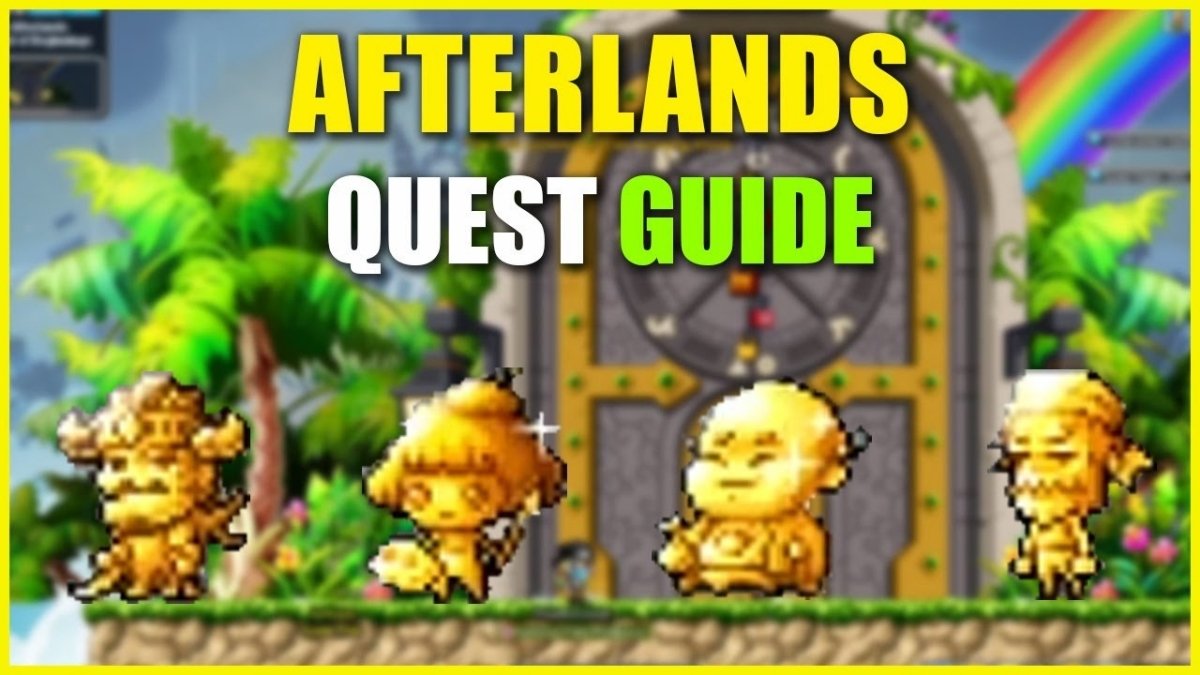
    MapleStory Afterlands Guide
    MapleStory Afterlands Guide

    Before starting the quest line, players should prepare the following things:

    • A level 75 or higher character with decent gear and potions
    • At least 16 slots of free space in the ETC inventory
    • A good internet connection and a stable game client
    • A list of the keys and their sources can be found at the end of this article

    Land of Beginnings

    The quest line starts with a quest called “A Call for Help”, which can be accepted from the light bulb notifier. Upon accepting the quest, players will be teleported to a map with a brush and a door. Players should attack the brush until the door is revealed, and then turn in the quest to enter the Land of Beginnings.

    The Land of Beginnings is the hub area of the quest line, where players can access the other lands and unlock the doors with the keys. The land has four doors, each leading to a different land: the Land of Warriors, the Land of Riches, the Land of Innocence, and the Land of Contemplation.

    The land also has a clock tower, which shows the time of day and the season. The time and the season affect some of the quests and NPCs in the other lands, so players should pay attention to them.

    The first thing players should do in the Land of Beginnings is to talk to the NPC named Beodog, who will give them the first key, the Warrior’s Key. This key can be used to unlock the door to the Land of Warriors, which is the first land players should visit.

    Land of Warriors

    The Land of Warriors is a land of combat and honor, where players can fight against various enemies and prove their strength. The land has four maps: the main area, the Balrog’s Lair, the Warrior’s Shrine, and the Warrior’s Resting Place. The land also has four NPCs: Beodog, the leader of the warriors; Horemheb, the keeper of the shrine; Amdusias, the guardian of the Balrog; and Thane, the fallen warrior.

    The Land of Warriors has four keys to collect: the Balrog’s Key, the Warrior’s Shrine Key, the Fallen Warrior’s Key, and the Sun Key. The quests and steps to get these keys are as follows:

    The Balrog’s Key

    This key is obtained by defeating the Balrog in the Balrog’s Lair. To access the Balrog’s Lair, players need to talk to Amdusias in the main area and complete a mini-game where they have to fight three rounds of warriors. After completing the mini-game, players can enter the Balrog’s Lair and fight the Balrog. The Balrog is a level 75 boss with high HP and damage, so players should be prepared with potions and buffs. The Balrog also has a charge attack that can knock back players, so players should avoid it or use skills that can resist knockback. After defeating the Balrog, players can loot the Balrog’s Key from its corpse, and turn in the quest to Amdusias.

    The Warrior’s Shrine Key

    This key is obtained by completing the Warrior’s Shrine quest, which can be accepted by Horemheb in the main area. The quest requires players to collect four items: a Warrior’s Sword, a Warrior’s Shield, a Warrior’s Helmet, and a Warrior’s Armor. These items can be obtained from the following sources:

    The Warrior’s Sword

    This item can be obtained by talking to Beodog in the main area, and choosing the option “I want to challenge you”. This will start a fight with Beodog, who is a level 75 enemy with high HP and damage. Beodog also has a stun attack that can immobilize players, so players should avoid it or use skills that can resist stun. After defeating Beodog, players can loot the Warrior’s Sword from his corpse, and turn in the quest to him.

    The Warrior’s Shield

    This item can be obtained by talking to Thane in the Warrior’s Resting Place, which can be accessed by going two maps to the right from the main area. Thane is a friendly NPC who will give the Warrior’s Shield to players who listen to his story. Players should choose the option “Tell me your story”, and then choose the option “I will listen”. This will start a dialogue with Thane, who will tell his story of how he became a fallen warrior. Players should pay attention to his story, as they will have to answer a question at the end. The question is “What did Thane do when he saw his comrades fall?”. The correct answer is “He ran away”. If players answer correctly, they will receive the Warrior’s Shield from Thane, and turn in the quest to him.

    The Warrior’s Helmet

     This item can be obtained by talking to Amdusias in the main area, and choosing the option “I want to learn from you”. This will start a dialogue with Amdusias, who will teach players about the Warrior’s Code. Players should pay attention to his dialogue, as they will have to answer a question at the end. The question is “What is the most important virtue of a warrior?”. The correct answer is “Courage”. If players answer correctly, they will receive the Warrior’s Helmet from Amdusias, and turn in the quest to him.

    The Warrior’s Armor

    This item can be obtained by talking to Horemheb in the main area, and choosing the option “I want to honor you”. This will start a dialogue with Horemheb, who will tell players about his role as the keeper of the shrine. Players should pay attention to his dialogue, as they will have to answer a question at the end. The question is “What is the name of the shrine?”. The correct answer is “The Shrine of the Warrior’s Soul”. If players answer correctly, they will receive the Warrior’s Armor from Horemheb, and turn in the quest to him.

    • After collecting all four items, players can return to Horemheb in the main area, and choose the option “I have the items”. This will allow players to enter the Warrior’s Shrine, which is a map with a statue of a warrior. Players should interact with the statue, and place the four items on it. This will trigger a cutscene, where the statue will come to life and give players the Warrior’s Shrine Key, and turn in the quest to Horemheb.
    • The Fallen Warrior’s Key: This key is obtained by completing the Fallen Warrior’s Quest, which can be accepted from Thane in the Warrior’s Resting Place. The quest requires players to collect 10 Warrior’s Souls, which are dropped by the warriors in the main area. After collecting 10 Warrior’s Souls, players can return to Thane in the Warrior’s Resting Place, and choose the option “I have the souls”. This will trigger a cutscene, where Thane will thank players for their kindness, give them the Fallen Warrior’s Key, and turn in the quest to him.
    • The Sun Key: This key is obtained by lowering the sun in the main area. To lower the sun, players need to talk to Beodog in the main area, and choose the option “I want to lower the sun”. This will start a dialogue with Beodog, who will explain that the sun is controlled by a lever in the clock tower in the Land of Beginnings. Players should go back to the Land of Beginnings, and enter the clock tower, which is a map with a lever and a clock. Players should interact with the lever, and pull it down. This will lower the sun in the Land of Warriors, and reveal a hidden door in the main area. Players should go back to the Land of Warriors, and enter the hidden door, which is a map with a chest. Players should interact with the chest, and loot the Sun Key from it.

    After collecting all four keys, players can go back to the Land of Beginnings, and use the keys to unlock the door to the Land of Riches, which is the second land players should visit.

    This is everything you need to know about MapleStory Afterlands Guide. Additionally, you can check our guide on MapleStory Inner Ability Guide and Harvest Moon 64 Guide. Stay connected with GameEmpress.com to get the latest news and guides about the gaming world.

  • Dusk Form Lycanroc Pokemon Go: How To Get, Evolve, And Use The Wolf Pokemon?

    Dusk Form Lycanroc Pokemon Go: How To Get, Evolve, And Use The Wolf Pokemon?

    Dusk Form Lycanroc is a rock-type Pokemon that debuted in Pokemon Go during the Lustrous Odyssey event in January 2024. Dusk Form Lycanroc is the third and newest form of Lycanroc, the Wolf Pokemon, that can evolve from Rockruff, the Puppy Pokemon. Dusk Form Lycanroc has a unique appearance and moveset, and it can be a powerful addition to your team.

    In this article, we will show you how to get, evolve, and use Dusk Form Lycanroc in Pokemon Go, and provide some tips and tricks to make the most of this rare Pokemon.

    How to Get Dusk Form Lycanroc in Pokemon Go?

    Dusk Form Lycanroc Pokemon Go
    Dusk Form Lycanroc Pokemon Go

    To get Dusk Form Lycanroc in Pokemon Go, you need to follow these steps:

    First, you need to get Rockruff, which is the pre-evolution of Lycanroc. Rockruff is a rock-type Pokemon that resembles a brown puppy with blue eyes and a fluffy tail. Rockruff can be obtained from various sources, such as:

    • Hatching from 2 km and 7 km eggs that were acquired during the Lustrous Odyssey event, which ran from January 6 to January 10, 2024.
    • Catching in the wild, especially in sunny or partly cloudy weather, or near rocky areas.
    • Completing field research tasks that reward Rockruff encounters, such as “Catch 5 Rock-type Pokemon” or “Use 5 Berries to help catch Pokemon”.

    Next, you need to evolve Rockruff into Dusk Form Lycanroc, which is the final evolution of Rockruff. Rockruff can evolve into three different forms of Lycanroc, depending on the time of the day and the ability of Rockruff.

    However, in Pokemon Go, the evolution of Rockruff is determined by the chance of the Rockruff being able to evolve into Dusk Form Lycanroc. This means that not all Rockruff can evolve into Dusk Form Lycanroc, and some can only evolve into Midday Form or Midnight Form Lycanroc. To evolve Rockruff into Dusk Form Lycanroc, you need to:

    Check if your Rockruff can evolve into Dusk Form Lycanroc, by tapping on it and looking at the evolution option. If you see a silhouette of Dusk Form Lycanroc, then your Rockruff can evolve into Dusk Form Lycanroc. If you see a silhouette of Midday Form or Midnight Form Lycanroc, then your Rockruff can only evolve into those forms.

    Collect 50 Rockruff candies, which are the items that you need to evolve Rockruff. You can get Rockruff candies by catching, hatching, transferring, or walking with Rockruff, or by using rare candies or pinap berries.

    Tap on the evolve button, and confirm your evolution. Your Rockruff will evolve into Dusk Form Lycanroc, and you will see its new appearance and stats.

    How to Use Dusk Form Lycanroc in Pokemon Go?

    To use Dusk Form Lycanroc in Pokemon Go, you need to know its strengths, weaknesses, moves, and best roles. Here are some of the key features of Dusk Form Lycanroc in Pokemon Go:

    • Dusk Form Lycanroc is a rock-type Pokemon, which means that it is strong against fire, ice, flying, and bug-type Pokemon, but weak against water, grass, fighting, ground, and steel-type Pokemon.
    • Dusk Form Lycanroc has a high attack stat, but a low defense and stamina stat, which means that it can deal a lot of damage, but also take a lot of damage.

    Dusk Form Lycanroc can learn the following moves in Pokemon Go:

    • Fast moves: Rock Throw (rock), Snarl (dark)
    • Charged moves: Stone Edge (rock), Crunch (dark), Fire Fang (fire), Play Rough (fairy)

    Dusk Form Lycanroc can perform well in various roles in Pokemon Go, such as:

    • Raid attacker: Dusk Form Lycanroc can be a good raid attacker, especially against raid bosses that are weak to rock-type moves, such as Articuno, Zapdos, Moltres, or Lugia. Dusk Form Lycanroc can deal a lot of damage with its high attack stat and its powerful rock-type moves, such as Rock Throw and Stone Edge. However, Dusk Form Lycanroc can also be fragile and may need to dodge or switch frequently to survive. Therefore, it is recommended to use Dusk Form Lycanroc as a glass cannon, or a backup attacker, rather than a main attacker.
    • Gym defender: Dusk Form Lycanroc can be a decent gym defender, especially against gym attackers who are weak to rock-type moves, such as Charizard, Dragonite, or Salamence. Dusk Form Lycanroc can deter or damage these attackers with its high attack stat and its diverse moveset, such as Snarl and Crunch. However, Dusk Form Lycanroc can also be easily countered by many common gym attackers, such as Machamp, Kyogre, or Roserade. Therefore, it is recommended to use Dusk Form Lycanroc as a filler, or a surprise defender, rather than a main defender.
    • PvP battler: Dusk Form Lycanroc can be a viable PvP battler, especially in the Great League or the Ultra League, where its low defense and stamina stats are less of a disadvantage. Dusk Form Lycanroc can surprise or KO many popular PvP Pokemon, such as Altaria, Togekiss, or Giratina, with its high attack stat and its unique moveset, such as Fire Fang and Play Rough. However, Dusk Form Lycanroc can also be vulnerable to many common PvP Pokemon, such as Swampert, Venusaur, or Registeel. Therefore, it is recommended to use Dusk Form Lycanroc as a niche pick, or a closer, rather than a lead or a switch.

    Conclusion

    Dusk Form Lycanroc is a rock-type Pokemon that debuted in Pokemon Go during the Lustrous Odyssey event in January 2024. Dusk Form Lycanroc is the third and newest form of Lycanroc, the Wolf Pokemon, that can evolve from Rockruff, the Puppy Pokemon. Dusk Form Lycanroc has a unique appearance and moveset, and it can be a powerful addition to your team.

    If you are interested in knowing more articles related to Pokemon Go, you can check Mega Glalie Raid Guide and Vanillite Shiny In Pokemon Go. We appreciate your interest in our website! Make Gameempress.com your go-to site for gaming information. Share this:

  • Age Of Empires Definitive Edition Cheats: How To Use Cheat Codes And What They Do?

    Age Of Empires Definitive Edition Cheats: How To Use Cheat Codes And What They Do?

    Age of Empires Definitive Edition is a remastered version of the classic real-time strategy game that lets you build and lead ancient civilizations from the Stone Age to the Iron Age. The game was developed by Forgotten Empires and published by Microsoft Studios, and it is available for PC. The game features improved graphics, sound, gameplay, and new content, such as campaigns, civilizations, and units.

    However, the game also retains one of the most fun and nostalgic features of the original game: cheat codes. Cheat codes are special commands that you can enter in the game to activate various effects, such as getting resources, creating units, or winning instantly. In this article, we will show you how to use cheat codes in Age of Empires Definitive Edition, and what they do.

    How to Use Cheat Codes in Age of Empires Definitive Edition?

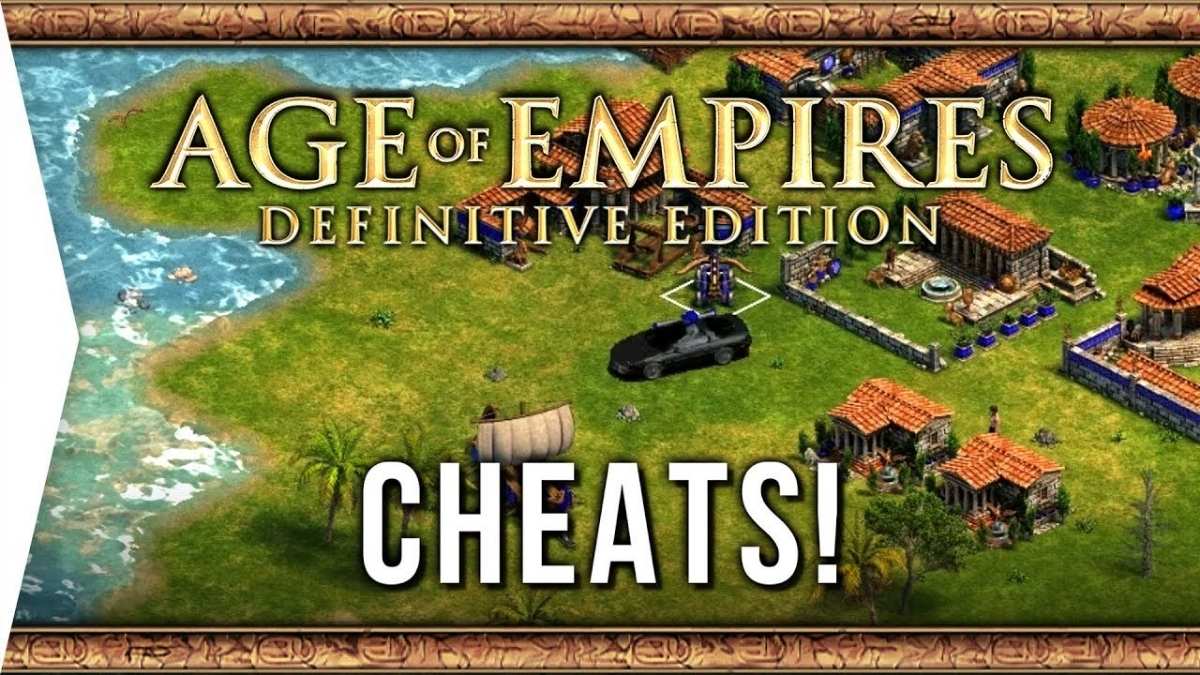
    Age Of Empires Definitive Edition Cheats
    Age Of Empires Definitive Edition Cheats

    To use cheat codes in Age of Empires Definitive Edition, you need to follow these steps:

    • First, you need to start a game, either in single-player or multiplayer mode. You can choose any game mode, such as campaign, random map, or custom scenario. However, it would help if you made sure that the “Allow Cheats” option is enabled in the game settings, otherwise the cheat codes will not work.
      Next, you need to press the Enter key on your keyboard, which will open the chat box. You can also click on the chat icon on the bottom-right corner of the screen to open the chat box.
    • Then, you need to type the cheat code that you want to use and press the Enter key again. You can also copy and paste the cheat code from another source, such as a website or a document. You need to type the cheat code exactly as it is written, without any spaces or punctuation marks. You can also use the arrow keys to scroll through the previously entered cheat codes and press the Enter key to use them again.
    • Finally, you will see a message on the screen that confirms that the cheat code has been activated, and you will see the effect of the cheat code in the game. You can use as many cheat codes as you want, and you can also deactivate them by entering them again.

    Age Of Empires Definitive Edition Cheats

    There are many cheat codes in Age of Empires Definitive Edition, and they can do various things, such as giving you resources, creating units, or changing the game settings. Here are some of the most popular and useful cheat codes in Age of Empires Definitive Edition, and what they do:

    • PEPPERONI PIZZA: Gives you 1,000 food.
    • COINAGE: Gives you 1,000 gold.
    • WOODSTOCK: Gives you 1,000 wood.
    • QUARRY: Gives you 1,000 stone.
    • REVEAL MAP: Reveals the entire map, but keeps the fog of war.
    • NO FOG: Removes the fog of war, but keeps the map hidden.
    • STEROIDS: Enables instant building, researching, and training for all players.
    • GAIA: Gives you control of all animals on the map, but you lose control of your units.
    • KILLX: Kills the player with the specified number (X), where X is between 1 and 8.
    • HOMERUN: Wins the game instantly.
    • RESIGN: Loses the game instantly.
    • BIGDADDY: Creates a black sports car with a rocket launcher that can destroy anything in one hit.
    • BIG BERTHA: Turns all catapults and stone throwers into big bertha, which have more range and damage.
    • PHOTON MAN: Creates a futuristic soldier with a laser gun that can shoot very fast.
    • E=MC2 TROOPER: Creates a futuristic soldier with a nuclear weapon that can deal massive damage in a large area.
    • POW: Creates a baby on a tricycle with a super weapon that can kill enemies in one hit.
    • STORMBILLY: Creates a robot that can shoot lightning bolts at enemies.
    • GRANTLINKSPENCE: Turns all animals into Animal Kings, which have more health and can fight back.
    • KING ARTHUR: Turns all birds into dragons, which can fly and breathe fire.
    • BLACK RIDER: Turns all horse archers into black riders, which explode when they die.
    • MEDUSA: Turns all villagers into medusas, which can turn enemies into stone and explode when they die.
    • FLYING DUTCHMAN: Turns all juggernauts into flying dutchmen, which can fly and shoot cannonballs.
    • HOYOHOYO: Gives all priests a speed boost and increases their hit points to 600.
    • ICBM: Increases the range of all ballistic units to 100.
    • JACK BE NIMBLE: Makes all catapults and stone throwers shoot random objects, such as cows, villagers, or rocks.
    • DARK RAIN: Turns all archers into stealth archers, which can turn into trees when they are not moving.
    • HARI KARI: Destroys all of your buildings and units.
    • DIEDIEDIE: Destroys all units on the map.
    • CONVERT THIS!: Creates a Saint Francis unit, which is a powerful priest that can convert enemies and heal allies.

    Conclusion

    Age of Empires Definitive Edition is a remastered version of the classic real-time strategy game that lets you build and lead ancient civilizations from the Stone Age to the Iron Age. The game features improved graphics, sound, gameplay, and new content, such as campaigns, civilizations, and units.

    However, the game also retains one of the most fun and nostalgic features of the original game: cheat codes. Cheat codes are special commands that you can enter in the game to activate various effects, such as getting resources, creating units, or winning instantly. To use cheat codes in Age of Empires Definitive Edition, you need to press the Enter key, type the cheat code, and press the Enter key again.

    You can use as many cheat codes as you want, and you can also deactivate them by entering them again. There are many cheat codes in Age of Empires Definitive Edition, and they can do various things, such as giving you resources, creating units, or changing the game settings. Some of the most popular and useful cheat codes in Age of Empires Definitive Edition are PEPPERONI PIZZA, BIGDADDY, PHOTON MAN, and REVEAL MAP.

    You might also be interested in the following game, Cheats: Spyro Reignited Trilogy Cheats and NBA Street Vol 2 Cheats. We appreciate your interest in our website! Make Gameempress.com your go-to site for gaming information.

  • Forza Horizon 5 Cheats: How To Get Money, XP, And Free Cars?

    Forza Horizon 5 Cheats: How To Get Money, XP, And Free Cars?

    Forza Horizon 5 is a racing game that lets you explore the diverse landscapes of Mexico, from deserts and jungles to cities and volcanoes. The game was developed by Playground Games and published by Xbox Game Studios, and it is available for Xbox One, Xbox Series X|S, and PC. The game features various modes, such as Horizon Story, Horizon Arcade, Horizon Tour, and Horizon Open, as well as a dynamic weather system, a custom event creator, and cross-play support.

    However, the game can also be challenging and time-consuming, especially if you want to unlock all the cars, upgrades, and rewards. That’s why some players may want to use cheats to make the game easier and more fun. In this article, we will show you how to use some of the working cheats in Forza Horizon 5, such as money glitch, XP glitch, and free car glitch.

    Money Glitch

    Forza Horizon 5 System Requirements
    Forza Horizon 5 System Requirements

    Money is the main currency in Forza Horizon 5, and you can use it to buy cars, houses, upgrades, and cosmetics. However, money can be hard to earn, especially in the early game, and some of the items can be very expensive.

    That’s why some players may want to use the money glitch, which is a cheat that allows you to get a lot of money quickly and easily. Here are the steps to use the money glitch in Forza Horizon 5:

    • First, you need to earn some Perk Points, which are points that you can use to unlock perks for your cars. You can earn Perk Points by performing skills, such as drifting, jumping, or smashing objects, or by completing events, such as races, stunts, or challenges.
    • Next, you need to buy a 2015 Porsche Cayman GTS, which is a car that costs 80,000 Credits and has a perk that gives you a Super Wheelspin. You can buy the car from the Autoshow, which is a menu where you can browse and purchase cars.
    • Then, you need to go to the Car Mastery menu, which is a menu where you can see and unlock perks for your cars. You need to unlock the perk that gives you a Super Wheelspin, which costs 11 Perk Points. A Super Wheelspin is a reward that gives you three random items, such as money, cars, or cosmetics.
    • Finally, you need to repeat the process of buying the car, unlocking the perk, and using the Super Wheelspin. You can sell the car for 64,000 Credits, which means you only lose 16,000 Credits per car. However, you can make up for the loss by getting money, cars, or cosmetics from the Super Wheelspin. You can also sell the cars or cosmetics that you don’t want for more money.

    By using this cheat, you can get a lot of money, cars, and cosmetics in a short time. However, this cheat may not work forever, as the developers may patch it or change the prices or perks of the cars. Therefore, you should use this cheat as soon as possible, before it gets fixed.

    XP Glitch

    XP is the main way to level up in Forza Horizon 5, and you can use it to unlock new events, features, and rewards. However, XP can be slow to earn, especially in the late game, and some of the rewards can be very rare or valuable.

    That’s why some players may want to use the XP glitch, which is a cheat that allows you to get a lot of XP easily and automatically. Here are the steps to use the XP glitch in Forza Horizon 5:

    First, you need to change your difficulty settings to the following:

    • Drivatar Difficulty: Unbeatable
    • Driving Assists Preset: Custom
    • Braking: Assisted
    • Steering: Auto-Steering
    • Traction Control: On
    • Stability Control: On
    • Shifting: Automatic
    • Driving Line: Full
    • Damage & Tyre Wear: Cosmetic
    • Rewind: On
    • Launch Control: Off

    These settings will make your car drive itself and avoid any damage or penalties.

    • Next, you need to go to the Event Lab menu, which is a menu where you can create or join custom events made by other players. You need to search for the most popular events and look for one that has the words “XP Glitch” or “XP Farm” in the title. These events are usually set in The Goliath, which is a long and circular track that gives a lot of XP.
    • Then, you need to start the event and use a rubber band or tape to hold down the right trigger on your controller. This will make your car accelerate and drive itself around the track. You can leave the game running in the background while you do something else, such as sleeping, working, or studying.
    • Finally, you need to come back to the game and finish the event. You will get a lot of XP and Wheelspins, which are rewards that give you random items, such as money, cars, or cosmetics. You can also repeat the process as many times as you want.

    By using this cheat, you can get a lot of XP, Wheelspins, and rewards in a long time. However, this cheat may not work forever, as the developers may patch it or change the events or the settings. Therefore, you should use this cheat as soon as possible, before it gets fixed.

    Free Car Glitch

    Cars are the main attraction in Forza Horizon 5, and you can collect, customize, and drive hundreds of different cars in the game. However, cars can be hard to get, especially the rare or exclusive ones, and some of them are not yet available for purchase.

    That’s why some players may want to use the free car glitch, which is a cheat that allows you to get any car for free, even the ones that are not yet released. Here are the steps to use the free car glitch in Forza Horizon 5:

    • First, you need to go to the Car Collection menu, which is a menu where you can see and buy all the cars in the game. You need to look for the cars that have a lock icon on them, which means they are not yet available for purchase. These cars are usually the first or the only ones on each manufacturer’s list, such as the DeLorean, the Corvette Forza Edition, or the Wrangler Unlimited.
    • Next, you need to press the Y button on your controller, which will bring up the Car Mastery menu for that car. You need to unlock any perk for that car, which will cost you some Perk Points. You can earn Perk Points by performing skills, such as drifting, jumping, or smashing objects, or by completing events, such as races, stunts, or challenges.
    • Then, you need to press the B button on your controller, which will bring you back to the Car Collection menu. You will see that the lock icon on the car has disappeared, and you can now buy the car for free. You can also sell the car for money if you want.
      Finally, you need to repeat the process for any other car that you want to get for free. You can get as many cars as you want, as long as you have enough Perk Points.

    By using this cheat, you can get any car for free, even the ones that are not yet released. However, this cheat may not work forever, as the developers may patch it or change the prices or perks of the cars. Therefore, you should use this cheat as soon as possible, before it gets fixed.

    Conclusion

    Forza Horizon 5 is a fun and exciting game that lets you explore the diverse landscapes of Mexico, from deserts and jungles to cities and volcanoes. The game has various modes, such as Horizon Story, Horizon Arcade, Horizon Tour, and Horizon Open, as well as a dynamic weather system, a custom event creator, and cross-play support.

    However, the game can also be challenging and time-consuming, especially if you want to unlock all the cars, upgrades, and rewards. That’s why some players may want to use cheats to make the game easier and more fun.

    This is everything you need to know about the Forza Horizon 5 Cheats. You can also read our guides on Moonlight Treasures Monopoly Go Cheats and Guitar Hero 2 Cheats. Stay up to date with GameEmpress.com for the most recent gaming news and guides.

  • Is Sniper Elite 5 Crossplay? How To Play With Friends On Different Platforms?

    Is Sniper Elite 5 Crossplay? How To Play With Friends On Different Platforms?

    Sniper Elite 5 is a stealth-action game that lets you play as a sniper in World War II, and take down your enemies with realistic ballistics, stealth tactics, and brutal kill cams. The game was developed by Rebellion and published by 505 Games, and it is available for PC, PS4, PS5, Xbox One, and Xbox Series X|S.

    The game features a single-player campaign, a co-op mode, and a multiplayer mode, where you can play with or against other players online. However, one of the most common questions about the game is whether it supports crossplay, which is the ability to play with or against players on different platforms. In this article, we will answer this question and provide some details about the crossplay feature in Sniper Elite 5.

    Is Sniper Elite 5 Crossplay?

    sniper elite 5 crossplay
    sniper elite 5 crossplay

    The short answer is yes, but only partially. Sniper Elite 5 does support crossplay between PC, Xbox One, and Xbox Series X|S, which means that players on these platforms can join the same online matches and play together.

    However, the game does not support crossplay between PS4, PS5, and any other platform, which means that PS4 and PS5 players can only play with other PS4 and PS5 players. This limitation is due to some technical and contractual issues that prevent the game from enabling crossplay on PS4 and PS5.

    How to Enable Crossplay in Sniper Elite 5?

    To enable crossplay in Sniper Elite 5, you need to follow these steps:

    • First, you need to have the game installed on your platform of choice, either PC, PS4, PS5, Xbox One, or Xbox Series X|S. You also need to have a stable internet connection and an online subscription service, such as Steam, PlayStation Plus, Xbox Live Gold, or Xbox Game Pass, depending on your platform.
    • Next, you need to launch the game and go to the main menu, where you can choose from various options, such as Campaign, Co-op, Multiplayer, or Options. You need to select the Multiplayer option, which will take you to the multiplayer menu, where you can join or create online matches.
    • Then, you need to choose whether you want to join or create an online match. If you want to join an online match, you can either browse the available matches or enter a match code that is provided by the host of the match. If you want to create an online match, you can either host a public match, which is open to anyone, or a private match, which is only accessible to those who have the match code. You can also customize the settings of the match, such as the mode, the map, the rules, and the number of players.
    • Finally, you need to start or join the online match, and enjoy playing with or against other players on different platforms. You can also chat with other players using voice chat or text chat, and invite your friends to join your match using the invite option.

    By following these steps, you can enable crossplay in Sniper Elite 5 and play with or against players on PC, Xbox One, and Xbox Series X|S. However, you cannot play with or against players on PS4 or PS5, as the game does not support crossplay on PS4 or PS5.

    What Are the Benefits and Drawbacks of Crossplay in Sniper Elite 5?

    Crossplay in Sniper Elite 5 has some benefits and drawbacks, such as:

    Benefits

    • Crossplay allows you to play with or against more players, as you are not limited by the platform you are using. This can make the game more fun and diverse, as you can meet and interact with different players from different platforms.
    • Crossplay also allows you to play with or against your friends, even if they are using a different platform than you. This can make the game more social and cooperative, as you can team up or compete with your friends across different platforms.
    • Crossplay can also increase the longevity and popularity of the game, as it can attract and retain more players from different platforms. This can improve the quality and quantity of the online matches, as well as the community and the support of the game.

    Drawbacks

    • Crossplay can also create some technical and compatibility issues, as different platforms may have different hardware and software specifications. This can affect the performance and stability of the game, as well as the fairness and balance of the matches.
    • Crossplay can also create some communication and coordination issues, as different platforms may have different input and output methods. This can affect the interaction and cooperation of the players, as well as the enjoyment and satisfaction of the matches.
    • Crossplay can also create some exclusivity and isolation issues, as some platforms may not support crossplay at all, or only support crossplay with certain platforms. This can affect the accessibility and availability of the game, as well as the inclusion and diversity of the players.

    Conclusion

    Sniper Elite 5 is a stealth-action game that lets you play as a sniper in World War II, and take down your enemies with realistic ballistics, stealth tactics, and brutal kill cams. The game supports crossplay between PC, Xbox One, and Xbox Series X|S, but not between PS4, PS5, and any other platform.

    Crossplay in Sniper Elite 5 has some benefits and drawbacks, such as increasing the fun and diversity of the game, but also creating some technical and compatibility issues.

    You might also be interested in the following games, Crossplay: Evil West Crossplay and Nobody Saves The World Crossplay We appreciate your interest in our website! Make Gameempress.com your go-to site for gaming information.

  • Is Golf With Friends Crossplay? Breaking Down Barriers In Gaming

    Is Golf With Friends Crossplay? Breaking Down Barriers In Gaming

    Golf With Friends is a fun and casual multiplayer game that lets you play mini-golf with up to 12 players online. The game was developed by Blacklight Interactive and published by Team17, and it is available for PC, PS4, Xbox One, and Nintendo Switch.

    The game features various courses, modes, and customizations, as well as a level editor that allows you to create your courses and share them with other players.

    However, one of the most frequently asked questions about the game is whether it supports crossplay, which is the ability to play with or against players on different platforms. In this article, we will answer this question and provide some details about the crossplay feature in Golf With Friends.

    Is Golf With Friends Crossplay?

    Is Golf With Friends Crossplay?
    Is Golf With Friends Crossplay?

    Yes, but only partially. Golf With Friends does support crossplay between PC, Xbox One, and Nintendo Switch, which means that players on these platforms can join the same online matches and play together.

    However, the game does not support crossplay between PS4 and any other platform, which means that PS4 players can only play with other PS4 players. This limitation is due to some technical and contractual issues that prevent the game from enabling crossplay on PS4.

    How to Enable Crossplay in Golf With Friends?

    To enable crossplay in Golf With Friends, you need to follow these steps:

    • First, you need to have the game installed on your platform of choice, either PC, PS4, Xbox One, or Nintendo Switch. You also need to have a stable internet connection and an online subscription service, such as Steam, PlayStation Plus, Xbox Live Gold, or Nintendo Switch Online, depending on your platform.
    • Next, you need to launch the game and go to the main menu, where you can choose from various options, such as Play, Online, Options, or Workshop. You need to select the Online option, which will take you to the online menu, where you can join or create online matches.
    • Then, you need to choose whether you want to join or create an online match. If you want to join an online match, you can either browse the available matches or enter a match code that is provided by the host of the match. If you want to create an online match, you can either host a public match, which is open to anyone, or a private match, which is only accessible to those who have the match code. You can also customize the settings of the match, such as the course, the mode, the rules, and the number of players.
    • Finally, you need to start or join the online match, and enjoy playing with or against other players on different platforms. You can also chat with other players using voice chat or text chat, and invite your friends to join your match using the invite option.

    By following these steps, you can enable crossplay in Golf With Friends and play with or against players on PC, Xbox One, and Nintendo Switch. However, you cannot play with or against players on PS4, as the game does not support crossplay on PS4.

    What Are the Benefits and Drawbacks of Crossplay in Golf With Friends?

    Crossplay in Golf With Friends has some benefits and drawbacks, such as:

    Benefits

    • Crossplay allows you to play with or against more players, as you are not limited by the platform you are using. This can make the game more fun and diverse, as you can meet and interact with different players from different platforms.
    • Crossplay also allows you to play with or against your friends, even if they are using a different platform than you. This can make the game more social and cooperative, as you can team up or compete with your friends across different platforms.
    • Crossplay can also increase the longevity and popularity of the game, as it can attract and retain more players from different platforms. This can improve the quality and quantity of the online matches, as well as the community and the support of the game.

    Drawbacks

    • Crossplay can also create some technical and compatibility issues, as different platforms may have different hardware and software specifications. This can affect the performance and stability of the game, as well as the fairness and balance of the matches.
    • Crossplay can also create some communication and coordination issues, as different platforms may have different input and output methods. This can affect the interaction and cooperation of the players, as well as the enjoyment and satisfaction of the matches.
    • Crossplay can also create some exclusivity and isolation issues, as some platforms may not support crossplay at all, or only support crossplay with certain platforms. This can affect the accessibility and availability of the game, as well as the inclusion and diversity of the players.

    Conclusion

    Golf With Friends is a fun and casual multiplayer game that lets you play mini-golf with up to 12 players online. The game supports crossplay between PC, Xbox One, and Nintendo Switch, but not between PS4 and any other platform. Crossplay in Golf With Friends has some benefits and drawbacks, such as increasing the fun and diversity of the game, but also creating some technical and compatibility issues.

    You might also be interested in the following games, Crossplay: Human Fall Flat Crossplay and Rec Room Crossplay We appreciate your interest in our website! Make Gameempress.com your go-to site for gaming information.

  • 10 Best Sci-Fi Game Deals at Epic Games Store: How Do You Claim Free Games?

    10 Best Sci-Fi Game Deals at Epic Games Store: How Do You Claim Free Games?

    The Epic Titles Store is now hosting a Holiday deal that includes a variety of science fiction titles. With a plethora of sub-genres, the large category of video games in the entertainment industry is equally diversified.

    Video games with a science fiction theme include role-playing and first-person shooter games, among other fascinating genres. If you want to use video games to explore sci-fi fantasy and an alternate future, here are ten titles you should pick up during the ongoing holiday sale at the Epic Games Store.

    10 Best Sci-Fi Game Deals at Epic Games Store

    Here are 10 of the best sci-fi game deals at Epic Games Store that you can grab before they expire.

    Mass Effect Legendary Edition ($5.99 at 90% off)

    In Bioware’s space RPG, Commander Shepard and his crew embark on incredible adventures aboard the SSV Normandy spacecraft. The Legendary Edition of Mass Effect includes a remastered version of the original trilogy, which is widely regarded as one of the best role-playing games ever created by EA.

    Ghostrunner 2 ($33.99 at 15% off)

    10 Best Sci-Fi Game Deals at Epic Games Store
    10 Best Sci-Fi Game Deals at Epic Games Store

    A few days ago, the first game was given out for free as part of the Holiday promotion on the Epic Games Store. Ghostrunner 2 improves on the cyber-ninja fantasy of its predecessor by revamping the gameplay of the already amazing and difficult platformer and including new elements like bike segments. The Epic Games Store is offering a 15% discount on Ghostrunner 2 and all of its goodies.

    Cyberpunk 2077: Ultimate Edition ($53.59 at 33% off)

    The Cyberpunk 2077 Ultimate Edition is finally out, as CD Projekt Red bundles the 2020 basic game, all upgrades up to and including version 2.1, and the Phantom Liberty expansion. If you’re a new player or simply searching for a different platform to access all the excellent modifications, I’ve already found a place where you can acquire Cyberpunk for a steep discount. It’s $20 less expensive than there.

    This is the end of Cyberpunk 2077’s voyage. CDPR is officially moving on to a sequel and a new Witcher trilogy, so if you’ve been waiting to dig into Night City, now is the moment. It’s an RPG game unlike any other, and I found it to have improved.

    While the game is available in sale, it is cheaper on PC through the CDPR-owned and run GOG. You can anticipate paying $55.10 / £43.59 with a 33% discount till Friday, December 8 at 7 am PT, 10 am ET, 11 am GMT, and Saturday, December 9 at 2 am AEDT.

    Star Wars Jedi: Survivor ($34.99 at 50% off)

    10 Best Sci-Fi Game Deals at Epic Games Store
    10 Best Sci-Fi Game Deals at Epic Games Store

    One of the best stories is found in Respawn Entertainment’s original Star Wars series, which is situated in the same universe as one of the most well-known science fiction properties in the world. You will take up the role of Kal Cestis, just like in The Fallen Order, and your quest to restore the Jedi Order will take you to numerous remote regions of the galaxy.

    RoboCop: Rogue City ($44.99 at 10% off)

    You assume the character of the well-known cyborg law enforcement officer from the film series in the sci-fi shooter RoboCop: Rogue City. You can utilize your arsenal of tools and weapons to fight crime and corruption in the city of Old Detroit as you follow a brand-new story that honors the film industry. RoboCop: Rogue City is an entertaining and realistic recreation of the RoboCop universe that will appeal to fans of the character and the genre.

    Dead Space (23.99 at 60% off)

    10 Best Sci-Fi Game Deals at Epic Games Store
    10 Best Sci-Fi Game Deals at Epic Games Store

    The sci-fi horror game Dead Space from EA, which came out in 2023, is presently available for purchase at the Epic Games Store. The movie is a recreation of the classic Dead Space, following the same story of engineer Isaac Clarke, who boards the USG Ishimura, a mining vessel, only to find himself alone against the unidentified monsters known as Necromorphs.

    System Shock ($25.99 at 35% off)

    The System Shock reboot is another sci-fi horror game that’s part of the Epic Games Store’s current holiday sale. In order to defeat the renegade AI SHODAN before it destroys the Earth, you will have to battle your way back through the well-known hallways of the Citadel Research Station.

    Marvel’s Guardians of the Galaxy ($14.99 at 75% off)

    10 Best Sci-Fi Game Deals at Epic Games Store
    10 Best Sci-Fi Game Deals at Epic Games Store

    It might seem like a dream to travel across space with a talking raccoon, a walking tree, and a host of other strange people—that is, unless you are Peter Quill, also known as the Starlord. Of the many amazing sci-fi games available in the current Epic Sale, Eidos-Montreal’s 2021 action game is one of the best. It tells a unique story about the motley crew of Star Wars.

    Bioshock: The Collection ($11.99 at 80% off)

    A beloved sci-fi first-person shooter horror franchise, Bioshock draws heavily on the steampunk subgenre. This series transports you to the horrific flying metropolis of Columbia or the dystopian underground city of Rupture, full of terrifying horrors, in contrast to most games that place you in space fighting aliens.

    Among the many science fiction games offered on Epic Games’ ongoing sale is the entire collection, which includes the remastered versions of the first two games and Infinite.

    The Callisto Protocol ($20.99 at 65% off)

    10 Best Sci-Fi Game Deals at Epic Games Store
    10 Best Sci-Fi Game Deals at Epic Games Store

    The Callisto Protocol is a game you should definitely play during the current Epic Game Store holiday sale if you’re a fan of the Dead Space series. You take on the role of pilot Jacob Lee, who is stuck and held captive on Callisto, a moon of Jupiter. You find yourself in the middle of an outbreak where prisoners are changing into mutants, and your only chance of escaping alive is to battle your way through them.

    These are some of the best sci-fi game deals at Epic Games Store that you can get right now. However, these are not the only ones, as the store has many more fantastic sci-fi games on sale. So, hurry up and grab your favorite ones before the sale ends on January 10, 2024:

    How Do You Claim Free Games on the Epic Games Store?

    It’s quite simple to claim the free game from the Epic Games Store holiday giveaway. Take these actions:

    • Just navigate to the application’s or the EGS website’s title page.
    • Above the GET button, there will be a notification indicating a -100% discount.
    • After selecting the Place Order option, click this button.

    You won’t be billed or asked for any payment-related information, so there’s no need to worry. As soon as the game is uploaded to your Epic Games Library, you can download and play it. You will receive a notification for this.

    Keep in mind that you have a 24-hour window in which to claim the free games from the Epic Games Store. When the next mystery game on the giveaway is revealed, they will return to their original price if you do not receive them in the allotted period.

    Explore the rarest gems of the Xbox 360 era in our article on the 10 Rarest Xbox 360 Games. Stay ahead of the gaming curve in 2024 with our curated list of 10 New Games to Play on Xbox Game Pass. We appreciate your interest in our website! Make Gameempress your go-to site for gaming information.

  • Top 7 Upcoming PS5 Games In 2024

    Top 7 Upcoming PS5 Games In 2024

    The PlayStation 5 library grows stronger with each passing year, and 2024 should be no exception. Although many of the games that have been announced for the platform, particularly exclusives, do not yet have release dates, there is still a great lineup of titles planned for the coming year.

    The list of fascinating PS5 games for 2024 covers a lot of ground, from open-world action extravaganzas to unique RPG experiences.

    7. Star Wars Outlaws – 2024

    Star Wars Outlaws
    Star Wars Outlaws

    Star Wars Outlaws appears to be the first big Star Wars game to be released following the end of EA’s license exclusivity, with Ubisoft’s Massive Entertainment in charge. If it’s anything like Avatar: Frontiers of Pandora, it may be a very spectacular glimpse into a galaxy far, far away that’s tempered a little by stale game design principles.

    The allure of a single-player open-world Star Wars adventure speaks for itself, and it’s no surprise that this is one of the most anticipated PS5 games for 2024.

    6. Rise Of The Ronin – March 22

    Rise Of The Ronin
    Rise Of The Ronin

    Rise of the Ronin is a new samurai adventure from Team Ninja, famed for games like Nioh and Ninja Gaiden’s hard action challenges. It’s currently scheduled to be a PlayStation 5 exclusive, making it a true standout among the system’s 2024 lineup.

    Exciting action animation, a wide range of weapons and gear, and an intriguing historical background all combine to produce what appears to be a winning package.

    5. Metaphor: ReFantazio – Fall 2024

    Metaphor ReFantazio - Fall
    Metaphor ReFantazio – Fall

    Fans of Shin Megami Tensei and Persona will enjoy Metaphor: ReFantazio, which was created by the same team that created Persona 3-5. Although it is not directly related to previous Atlus titles, it is a turn-based RPG that shares some features and expands on the game’s distinctive art style and presentation.

    Given how much of the JRPG scene is controlled by long-running series, it’s refreshing to see something that is, in some ways, a fresh start.

    4. Dragon’s Dogma 2 – March 22

    Dragon's Dogma 2
    Dragon’s Dogma 2

    The original Dragon’s Dogma is the type of game that frequently comes up in discussions of undervalued titles – popular and beloved, but not as widely played as the normal mega-hits.

    As a result, a release date for Dragon’s Dogma 2 is quite welcome, and it appears that it will build on the formula’s powerful fighting possibilities while also fulfilling ideas that could not be fully realized the first time around. Fans of the first game are excited, and it has the potential to be a true breakout smash.

    3. Tekken 8 – January 26

    Tekken 8 Demo Release Time
    Tekken 8 Demo Release Time

    The year 2023 was a good year for fighting games, with new entries in both the Street Fighter and Mortal Kombat series receiving better reviews than their immediate predecessors.

    With 32 characters and a promise of fierce action, Tekken 8 might maintain that run. It also appears to have the potential to bring the Mishima narrative to a close with a bang, and the events of the novel appear to be climactic nonetheless.

    2. Like A Dragon: Infinite Wealth – January 26

    Like A Dragon Infinite Wealth
    Like A Dragon Infinite Wealth

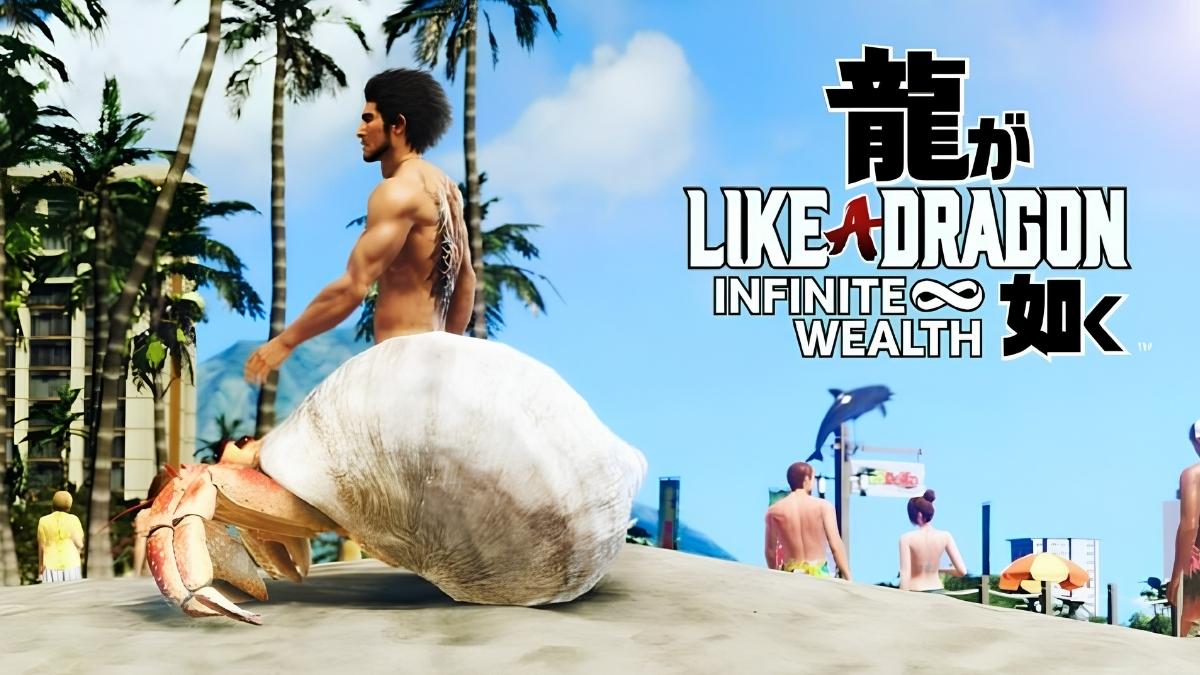
    Like A Dragon: Infinite Wealth does not appear to be an exception to the Yakuza/Like A Dragon series’ good reputation for delivering interesting and unique experiences.

    The franchise is known for complementing an engaging main narrative with a wide range of side activities, and this installment completely outdoes itself with an Animal Crossing-style affair included as one of many Like A Dragon: Infinite Wealth mini-games. It’s supposed to be the longest game in the series, so it may keep the PS5 entertained for the rest of 2024.

    1. Final Fantasy 7 Rebirth – February 29

    Final Fantasy 7 Rebirth PS5
    Final Fantasy 7 Rebirth PS5

    The exploits of Cloud Strife and Friends captivated the globe in 1997, and Final Fantasy 7 Remake shows that the story remains interesting today, even when viewed from a different perspective.

    Final Fantasy 7 Rebirth is riding all of the buzz that Final Fantasy 7 Remake garnered and generated, positioning it to be the next major hit in the historic RPG brand. With at least a three-month window of PlayStation exclusivity, no game can match the excitement for this PS5 title in 2024.

    Stay ahead of the gaming curve in 2024 with our curated list of 10 New Games to Play on Xbox Game Pass. We appreciate your interest in our website! Make Gameempress.com your go-to site for gaming information.

  • King Gleeok Location Map: How To Find And Defeat The Three-Headed Dragon In Zelda: Tears Of The Kingdom?

    King Gleeok Location Map: How To Find And Defeat The Three-Headed Dragon In Zelda: Tears Of The Kingdom?

    King Gleeok is a secret boss in Zelda: Tears of the Kingdom, a fan-made game that combines elements from Breath of the Wild and Skyward Sword. King Gleeok is a three-headed dragon that can breathe fire, ice, and lightning, and it guards some of the most valuable treasures in the game.

    However, finding and fighting King Gleeok is not easy, as it is hidden in four different locations in the Sky, Surface, and Depths realms. In this article, we will show you how to find and defeat King Gleeok, and what rewards you can get from it.

    What is King Gleeok?

    King Gleeok
    King Gleeok

    King Gleeok is a powerful and ancient creature that was created by Ganon as a weapon of mass destruction. It has three heads, each with a different elemental affinity: fire, ice, and lightning. It can also fly, swim, and burrow, making it a formidable foe in any terrain. King Gleeok is loyal to Ganon, and it will attack anyone who dares to enter its territory.

    King Gleeok is one of the toughest enemies in the game, and it requires a lot of preparation and strategy to defeat. It has a lot of health and defense, and it can deal massive damage with its elemental breath attacks.

    It can also summon smaller Gleeoks, such as Flame Gleeok, Ice Gleeok, and Thunder Gleeok, to assist it in battle. King Gleeok has three phases, each with a different pattern and weakness. To defeat King Gleeok, you will need to exploit its weaknesses and avoid its attacks.

    Where is King Gleeok?

    King Gleeok Location Map
    King Gleeok Location Map

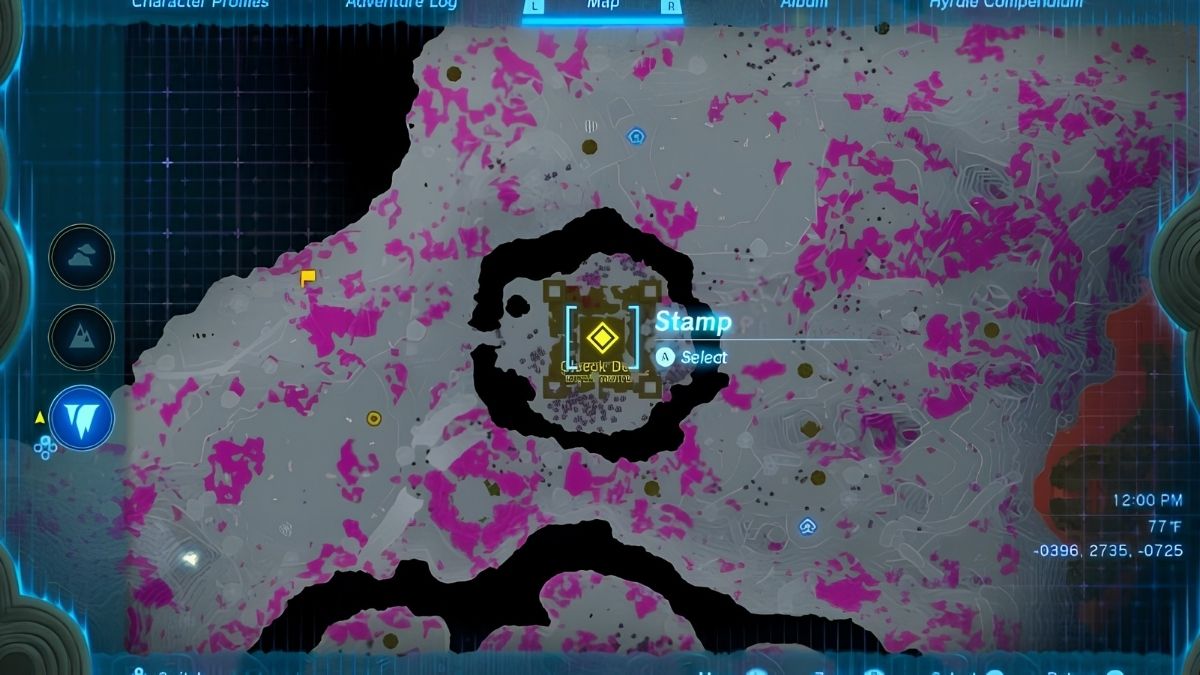
    King Gleeok can be found in four locations in the game: three in the Sky realm, and one in the Depths realm. Each location has a different environment and challenge, and you will need to use different methods to reach them. Here are the locations of King Gleeok in the game:

    • Hebra Sky: King Gleeok is on a large circular island west of the West Hebra Sky Archipelago. The island is very high and cold, and you will need to use the sails of the airships at The Wind Temple to reach it. You will also need to wear warm clothing or use food or elixirs to protect yourself from the cold.
    • Necluda Sky: King Gleeok is on a small circular island southeast of the Rabella Wetlands Skyview Tower. The island is very far and isolated, and you will need to use a lot of stamina and gliding to reach it. You will also need to watch out for the strong winds and storms that can blow you off course.
    • Gerudo Sky: King Gleeok is on a medium circular island west of the Gerudo Sky Map. The island is very hot and dry, and you will need to use a lot of stamina and gliding to reach it. You will also need to wear cool clothing or use food or elixirs to protect yourself from the heat.
    • Gleeok Den: King Gleeok is in a hidden cave underneath the Typhlo Ruins in the Depths realm. The cave is very dark and gloomy, and you will need to use a torch or a lantern to see it. You will also need to deal with the Gloom effect, which makes any damage you take permanent and unhealable unless you use food or elixirs made with Sundelions.

    How to Defeat King Gleeok?

    To defeat King Gleeok, you will need to have the following:

    • A lot of health and stamina, or food and elixirs to restore them.
    • A lot of arrows and bombs, or weapons and shields that can deal elemental damage or resist elemental damage.
    • A sage companion, such as Zelda, Impa, or Riju, who can use magic to damage or stun King Gleeok.
    • A good strategy and timing, as King Gleeok has three phases, each with a different pattern and weakness.

    Here are the general steps to defeat King Gleeok in each phase:

    • Phase 1: In this phase, King Gleeok will fly around the island and use its breath attacks to damage you. You will need to dodge or block its attacks and use your bow or bombs to hit its head. You can also use your sage companion’s magic to damage or stun it. You will need to hit each head three times to move on to the next phase.
    • Phase 2: In this phase, King Gleeok will land on the island and use its claws and tail to attack you. You will need to avoid or parry its attacks and use your weapons or shields to hit its head. You can also use your sage companion’s magic to damage or stun it. You will need to hit each head three times to move on to the next phase.
    • Phase 3: In this phase, King Gleeok will lose one of its heads, and become more aggressive and faster. It will use a combination of its breath, claw, and tail attacks, and it will also summon smaller Gleeoks to assist it. You will need to deal with the smaller Gleeoks first, and then focus on the remaining heads of King Gleeok. You can also use your sage companion’s magic to damage or stun it. You will need to hit each head three times to defeat it.

    What are the Rewards for Defeating King Gleeok?

    Defeating King Gleeok will give you a lot of rewards, such as:

    • A lot of rupees and materials, which you can use to buy or craft items and equipment.
    • A piece of the Twilight Armor Set, which is one of the best armor sets in the game. The piece you get depends on the location of King Gleeok. In Hebra Sky, you get the Cap of the Twilight. In Necluda Sky, you get the Tunic of the Twilight. In Gerudo Sky, you get the Trousers of the Twilight. In Gleeok Den, you get the Boots of the Twilight.
    • A piece of the Gleeok Scale, which is a rare and powerful material that can be used to upgrade your weapons and shields. The piece you get depends on the element of King Gleeok. In Hebra Sky, you get the Flame Gleeok Scale. In Necluda Sky, you get the Ice Gleeok Scale. In Gerudo Sky, you get the Thunder Gleeok Scale. In Gleeok Den, you get the Gloom Gleeok Scale.

    Conclusion

    King Gleeok is a secret boss in Zelda: Tears of the Kingdom, a fan-made game that combines elements from Breath of the Wild and Skyward Sword. King Gleeok is a three-headed dragon that can breathe fire, ice, and lightning, and it guards some of the most valuable treasures in the game.

    However, finding and fighting King Gleeok is not easy, as it is hidden in four different locations in the Sky, Surface, and Depths realms. To find and defeat King Gleeok, you will need to use the interactive map, the web search results, and the tips and strategies in this article.

    This is everything you need to know about King Gleeok Location Map. Additionally, you can check our guide on Death King Blox Fruits: Location Guide and RDR2 Moose Location Guide. Stay connected with GameEmpress.com to get the latest news and guides about the gaming world.

  • MapleStory Inner Ability Guide: How To Unlock, Upgrade, And Optimize Your Inner Ability?

    MapleStory Inner Ability Guide: How To Unlock, Upgrade, And Optimize Your Inner Ability?

    MapleStory is a 2D side-scrolling MMORPG that lets you create your character, explore various worlds, and fight against monsters and bosses. The game was developed by Wizet and Nexon, and it is available for PC. The game has many features and systems that enhance your character’s abilities and stats, such as skills, equipment, potential, and link skills.

    One of these features is the inner ability, which is a hidden stat that can boost your character’s performance and damage. In this article, we will explain what the inner ability is, how to unlock, upgrade, and optimize it, and what are the best inner abilities for each class.

    What is the Inner Ability?

    MapleStory Inner Ability Guide
    MapleStory Inner Ability Guide

    The inner ability is a special stat that is unique to each character on your account. It is displayed on your stat window, and it can provide various benefits, such as increased attack speed, critical rate, boss damage, or passive skills.

    The inner ability has three lines, each with a different value and rarity. The rarity of the inner ability determines the range and quality of the possible values, and it can be ranked from epic, unique, to legendary. The higher the rarity, the better the values.

    The inner ability can be changed and improved by using honor exp, which is a currency that can be obtained from various sources, such as quests, events, boss drops, or elite monsters. You can use honor exp to reset your inner ability, which will randomly change the values and rarity of your inner ability lines.

    You can also use miracle circulators, which are items that can be bought from the cash shop or obtained from events, to reset your inner ability with a higher chance of increasing the rarity and quality of your inner ability lines.

    The inner ability is an important feature that can significantly boost your character’s damage and utility, especially in the late game. However, it can also be very costly and time-consuming to optimize, as it relies on luck and RNG. Therefore, it is recommended to work on your inner ability after you have upgraded the other aspects of your character, such as skills, equipment, potential, and link skills.

    How to Unlock the Inner Ability?

    To unlock the inner ability, you need to reach level 50 on your character. Once you reach level 50, you will receive a light bulb notification on the left side of your screen. Click on it, and look for the quest called “The Eye Opener”. Accept the quest, and talk to the Maple Administrator NPC in any town. She will explain the inner ability system to you, and unlock your inner ability. You will also receive some honor exp and a miracle circulator as rewards.

    How to Upgrade the Inner Ability?

    To upgrade the inner ability, you need to use honor exp or miracle circulators to reset your inner ability. You can access the inner ability window by clicking on the stat window, and then clicking on the inner ability tab. Here, you can see your current inner ability lines, values, and rarity, as well as the amount of honor exp and miracle circulators you have.

    You can also lock or unlock your inner ability lines, which will prevent them from changing when you reset your inner ability. However, locking your inner ability lines will cost more honor exp or miracle circulators to reset your inner ability.

    To reset your inner ability, you can choose between two options: reset or circulate. Resetting your inner ability will use honor exp, and it will randomly change the values and rarity of your unlocked inner ability lines.

    Circulating your inner ability will use miracle circulators, and it will randomly change the values of your unlocked inner ability lines, but it will not lower the rarity of your inner ability lines. It will also have a higher chance of increasing the rarity and quality of your inner ability lines.

    The goal of upgrading your inner ability is to reach the legendary rarity, which has the best range and quality of possible values. However, reaching the legendary rarity can be very difficult and expensive, as it relies on luck and RNG. Therefore, it is recommended to use the following steps to upgrade your inner ability:

    • Use honor exp to reset your inner ability until you reach the unique rarity. Do not lock any lines, as it will cost more honor exp and reduce the chance of increasing the rarity.
    • Use miracle circulators to circulate your inner ability until you reach the legendary rarity. Do not lock any lines, as it will cost more miracle circulators and reduce the chance of increasing the rarity.
    • Use miracle circulators to circulate your inner ability until you get the best first line for your class. You can lock the first line, as it will not affect the chance of increasing the rarity of the other lines.
    • Use honor exp to reset your inner ability until you get the best second and third lines for your class. You can lock the first and second lines, as it will not affect the chance of increasing the rarity of the third line.

    How to Optimize the Inner Ability?

    To optimize the inner ability, you need to choose the best values for your inner ability lines, based on your class and your goals. The best values for your inner ability lines depend on various factors, such as your skills, equipment, potential, link skills, and playstyle.

    However, there are some general guidelines and recommendations that can help you optimize your inner ability. Here are some of the best values for your inner ability lines, based on the rarity and the class:

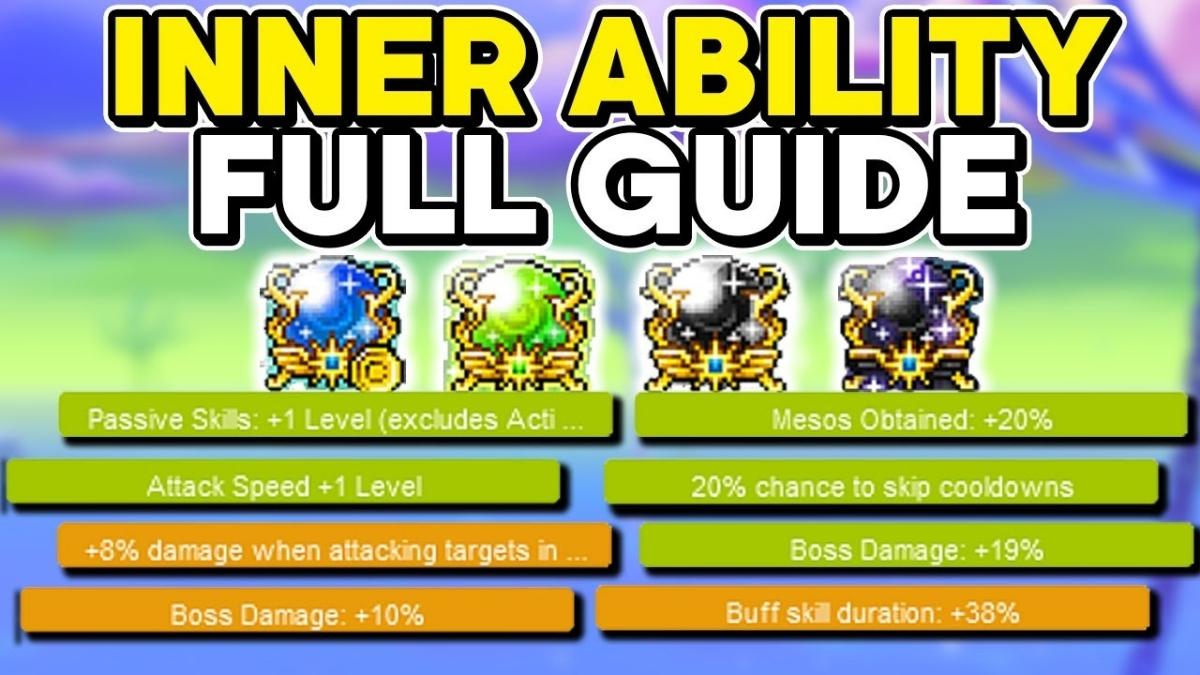
    Legendary First Line: The first line of your inner ability is the most important, as it has the highest range and quality of possible values. The best values for your first line are usually boss damage, attack speed, passive skills, or cooldown skip, depending on your class and your needs. Here are some of the best values for your first line, based on the class:

    • Warrior: Attack Speed +1, Boss Damage +20%, Passive Skill Level +1
    • Magician: Attack Speed +1, Boss Damage +20%, Passive Skill Level +1
    • Archer: Boss Damage +20%, Critical Rate +20%, Passive Skill Level +1
    • Thief: Attack Speed +1, Boss Damage +20%, Critical Rate +20%
    • Pirate: Attack Speed +1, Boss Damage +20%, Passive Skill Level +1

    Unique Second Line: The second line of your inner ability is the second most important, as it has the second highest range and quality of possible values. The best values for your second line are usually critical rate, buff duration, damage to debuffed, or attack/magic attack, depending on your class and your needs. Here are some of the best values for your second line, based on the class:

    • Warrior: Critical Rate +20%, Buff Duration +38%, Damage to Debuffed +8%
    • Magician: Critical Rate +20%, Buff Duration +38%, Damage to Debuffed +8%
    • Archer: Critical Rate +20%, Buff Duration +38%, Damage to Debuffed +8%
    • Thief: Critical Rate +20%, Buff Duration +38%, Damage to Debuffed +8%
    • Pirate: Critical Rate +20%, Buff Duration +38%, Damage to Debuffed +8%

    Epic Third Line: The third line of your inner ability is the least important, as it has the lowest range and quality of possible values. The best values for your third line are usually attack/magic attack, boss damage, or drop rate, depending on your class and your needs. Here are some of the best values for your third line, based on the class:

    • Warrior: Attack +21, Boss Damage +10%, Drop Rate +10%
    • Magician: Magic Attack +21, Boss Damage +10%, Drop Rate +10%
    • Archer: Attack +21, Boss Damage +10%, Drop Rate +10%
    • Thief: Attack +21, Boss Damage +10%, Drop Rate +10%
    • Pirate: Attack +21, Boss Damage +10%, Drop Rate +10%

    Conclusion

    The inner ability is a special stat that can boost your character’s performance and damage in MapleStory. The inner ability has three lines, each with a different value and rarity. The inner ability can be changed and improved by using honor exp or miracle circulators, which will randomly change the values and rarity of your inner ability lines.

    The inner ability is an important feature that can significantly boost your character’s damage and utility, especially in the late game. However, it can also be very costly and time-consuming to optimize, as it relies on luck and RNG.

    Therefore, it is recommended to work on your inner ability after you have upgraded the other aspects of your character, such as skills, equipment, potential, and link skills. To optimize your inner ability, you need to choose the best values for your inner ability lines, based on your class and your goals.

    This is everything you need to know about MapleStory Inner Ability Guide. Additionally, you can check our guide on Dragonflight Alchemy Guide and Diablo 4 Uber Lilith Guide. Stay connected with GameEmpress.com to get the latest news and guides about the gaming world.

  • Monster Hunter Rise Melding Guide: How To Craft And Reroll Talismans?

    Monster Hunter Rise Melding Guide: How To Craft And Reroll Talismans?

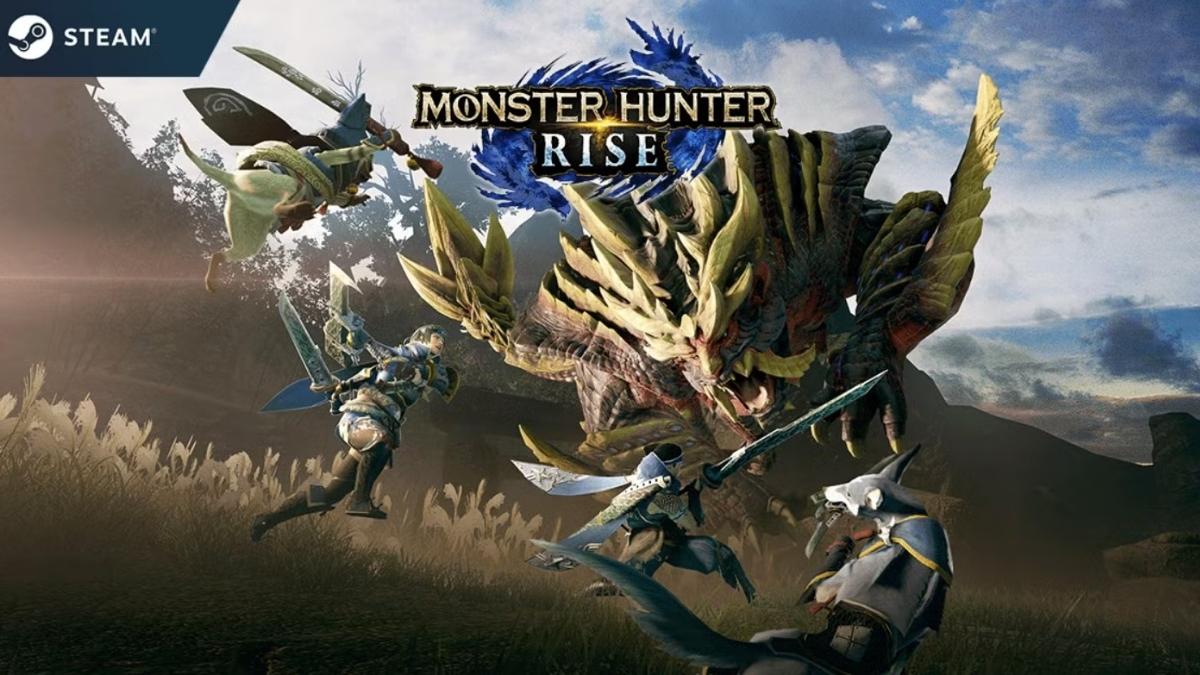
    Monster Hunter Rise is an action role-playing game that lets you hunt various monsters and craft weapons and armor from their materials. The game was developed and published by Capcom, and it is available for Nintendo Switch and PC.

    The game is praised for its gameplay, graphics, and online features, but it also has a complex system of crafting and upgrading equipment, especially Talismans. Talismans are accessories that can grant you various skills and abilities, but they are also random and hard to obtain.

    To help you with this, the game has a feature called the Melding Pot, which allows you to craft and reroll Talismans using materials and points. In this article, we will explain how the Melding Pot works, how to unlock and use it, and what the best methods and tips for crafting and rerolling Talismans.

    What is the Melding Pot?

    Monster Hunter Rise Melding Guide
    Monster Hunter Rise Melding Guide

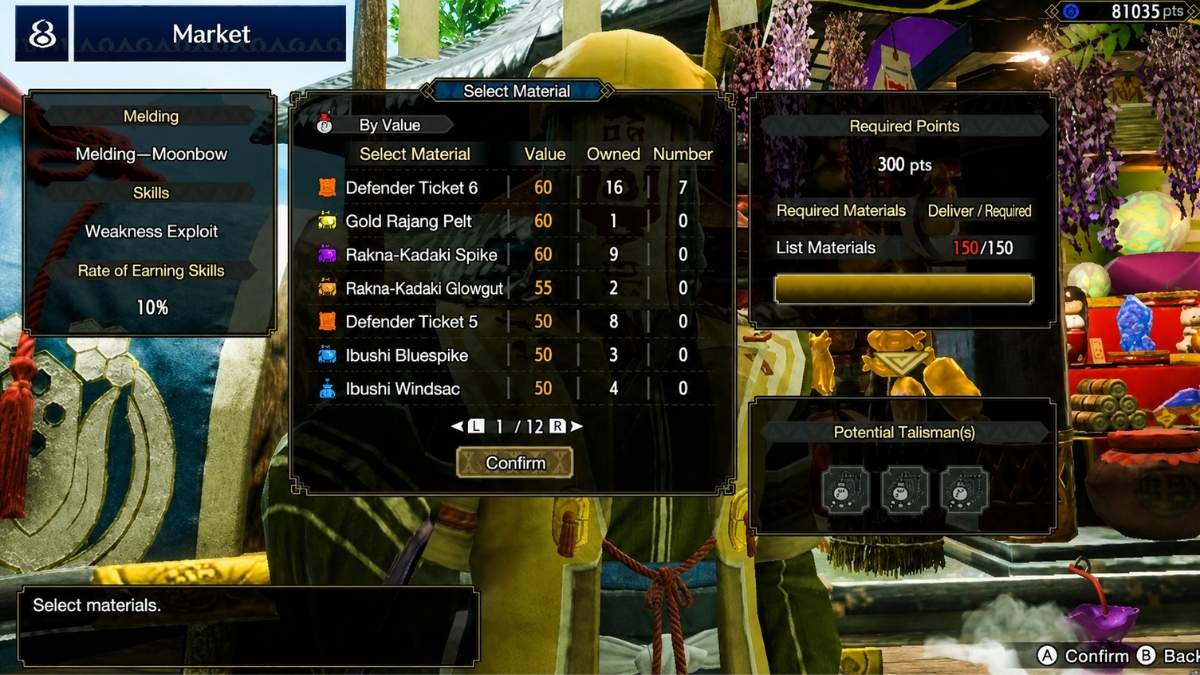
    The Melding Pot is a facility in the Buddy Plaza, where you can craft and reroll Talismans using materials and points. The Melding Pot is run by Kagero the Merchant, who will offer you various Melding Methods, each with different costs, requirements, and results. The Melding Pot can help you to create new Talismans or to improve the ones you already have, by changing their skills and slots.

    The Melding Pot has two main functions: Melding and Rerolling. Melding is the process of creating new Talismans from scratch, using materials and points. Rerolling is the process of changing the skills and slots of existing Talismans, using points and other Talismans. Both functions have different Melding Methods, which will determine the quality and quantity of the Talismans you can get.

    How to Unlock and Use the Melding Pot?

    To unlock the Melding Pot, you need to progress through the Village Quests and the Hub Quests and complete certain key quests. The Melding Pot will be unlocked after you reach ★5 in the Village Quests or ★3 in the Hub Quests, and complete the quest “Comeuppance”. After that, you can access the Melding Pot by talking to Kagero the Merchant in the Buddy Plaza.

    To use the Melding Pot, you need to choose a Melding Method, and then select the materials, points, and Talismans you want to use. The Melding Method will determine the type and number of Talismans you can get, as well as the cost and time of the process.

    The materials, points, and Talismans will determine the quality and rarity of the Talismans you can get, as well as the chance of getting certain skills and slots. After you confirm your selection, the Melding Pot will start the process, and you will have to wait for a certain number of quests to complete before you can claim your Talismans.

    You can also cancel the process at any time, but you will lose the materials, points, and Talismans you used. You can also use items called Melding Tickets, which can speed up the process or guarantee certain results.

    What are the Best Methods and Tips for Melding and Rerolling Talismans?

    Melding and rerolling Talismans can be a tedious and frustrating process, as the results are largely random and unpredictable. However, there are some methods and tips that can help you to optimize your chances of getting the Talismans you want or at least improve the ones you have. Here are some of the best methods and tips for melding and rerolling Talismans:

    • Choose the best Melding Method for your goal: The Melding Method you choose will affect the type and number of Talismans you can get, as well as the cost and time of the process. Depending on your goal, you may want to choose a different Melding Method. For example, if you want to create new Talismans, you may want to choose the Wisp of Mystery or the Moonbow Method, which can give you high-quality Talismans with random skills and slots. However, if you want to reroll existing Talismans, you may want to choose the Rebirth Method, which can change the skills and slots of your Talismans, while keeping their quality and rarity.
    • Use the best materials, points, and Talismans for your Melding Method: The materials, points, and Talismans you use will affect the quality and rarity of the Talismans you can get, as well as the chance of getting certain skills and slots. Depending on your Melding Method, you may want to use different materials, points, and Talismans. For example, if you use the Wisp of Mystery Method, you may want to use high-rarity materials and points, such as Dragonite Ore and Melding Pudding, which can increase the chance of getting high-rarity Talismans. However, if you use the Rebirth Method, you may want to use low-rarity Talismans, such as those with one skill and no slots, which can increase the chance of getting better skills and slots.
    • Use Melding Tickets to speed up the process or guarantee certain results: Melding Tickets are items that can speed up the process or guarantee certain results when using the Melding Pot. There are different types of Melding Tickets, such as Steel, Silver, Gold, and Platinum, which can have different effects and values. Depending on your Melding Method, you may want to use different Melding Tickets. For example, if you use the Wisp of Mystery Method, you may want to use Steel Melding Tickets, which can reduce the number of quests you need to complete before claiming your Talismans. However, if you use the Rebirth Method, you may want to use Platinum Melding Tickets, which can guarantee that your Talismans will have certain skills and slots.

    Conclusion

    The Melding Pot is a feature that allows you to craft and reroll Talismans in Monster Hunter Rise, using materials and points. The Melding Pot can help you to create new Talismans or to improve the ones you already have, by changing their skills and slots.

    The Melding Pot can be unlocked and accessed by talking to Kagero the Merchant in the Buddy Plaza, and it has various Melding Methods, each with different costs, requirements, and results.

    To use the Melding Pot, you need to choose a Melding Method, and then select the materials, points, and Talismans you want to use. The Melding Pot will then start the process, and you will have to wait for a certain number of quests to complete before you can claim your Talismans. You can also use Melding Tickets to speed up the process or guarantee certain results.

    If you are interested in knowing more articles related to other Game guides, you can check Mega Glalie Raid Guide and Dragonflight Alchemy Guide. We appreciate your interest in our website! Make Gameempress.com your go-to site for gaming information.

  • Madden 24 PS5: What’s New, How To Upgrade, And How To Play?

    Madden 24 PS5: What’s New, How To Upgrade, And How To Play?

    Madden 24 is the latest installment of the popular NFL simulation game series, developed by EA Sports and published by Electronic Arts. The game is available for PlayStation 4, PlayStation 5, Xbox One, Xbox Series X|S, and PC.

    The game features various modes, such as Franchise, Superstar, Ultimate Team, and The Yard, as well as new features and improvements, such as SAPIEN Technology, FieldSENSE, and Skill-Based Passing 2.0. In this article, we will explain what’s new in Madden 24 PS5, how to upgrade from PS4 to PS5, and how to play the game on PS5.

    What’s New in Madden 24 PS5?

    Madden NFL 24 Gameplay
    Madden NFL 24 Gameplay

    Madden 24 PS5 is a completely new game compared to the PS4 version, as it takes advantage of the PS5’s hardware and features, such as the SSD, the DualSense controller, and the 3D audio. The game also introduces new gameplay features and enhancements, such as:

    • SAPIEN Technology: SAPIEN Technology delivers a leap forward in NFL player realism, with more body definition and variation to athlete physiques, resulting in realistic player movement and behavior.
    • FieldSENSE: FieldSENSE provides an enhanced gameplay foundation, giving you greater control and delivering realism to all the ways you play. You can feel the impact of every tackle, pass, and catch with the haptic feedback of the DualSense controller, and hear the crowd and the commentary with the 3D audio.
    • AI Enhancements: Smarter AI enables smoother and more realistic player reactions to the plays you call, providing more confidence in your AI teammates to execute your game plan the way you intend.
    • Skill-Based Passing 2.0: Skill-Based Passing 2.0 introduces new passing mechanics and animations, such as diving catches, surgical accuracy, and defensive reactions, giving you more control and precision over your passing game.
      Hit Everything 2.0: Hit Everything 2.0 improves the tackling and fumbling system, making it more dependent on the ratings and situational awareness of your players, giving you more confidence in your defense to stop the run and force turnovers.
    • Superstar: The League: Superstar: The League is a new mode that lets you create your Superstar and compete in the NFL. You can customize your Superstar’s appearance, position, and body type, and complete objectives, such as the NFL Combine, to determine your Draft order. You can also level up your Superstar, unlock new skills and abilities, and build your legacy as you navigate all-new mini-games and live player grading.
    • Superstar Showdown: Superstar Showdown is a new mode that lets you show off your skills and style in 3v3 matches. You can play with and against your friends, or join random matches, and choose from different game modes, such as Elimination, King of the Hill, or Capture the Flag. You can also customize your Superstar’s gear, call your plays on the fly, and get real-time feedback on your performance.
    • Crossplay: Crossplay is a new feature that lets you play with and against players on different platforms, such as PS5, Xbox Series X|S, and PC. You can join crossplay matches through the online menu, or invite your friends through the in-game menu. You can also chat with other players using voice chat or text chat.

    How to Upgrade from PS4 to PS5?

    If you already own Madden 24 on PS4, you can upgrade to the PS5 version for free, using the Dual Entitlement feature. However, there are some conditions and limitations that apply, depending on the edition and the format of your PS4 game. Here are the steps to upgrade from PS4 to PS5, based on the edition and the format of your PS4 game:

    • Standard or Deluxe Edition (Digital): If you bought the Standard or Deluxe edition of Madden 24 digitally on PS4, you can download the PS5 version for free from the PlayStation Store. You will need to log in to the same PlayStation Network account that you used to buy the PS4 game and go to the Madden 24 page on the PlayStation Store. You will see an option to download the PS5 version for free. You will also be able to access your progress and content from the PS4 version on the PS5 version, as long as you use the same PlayStation Network account.
    • Standard or Deluxe Edition (Physical): If you bought the Standard or Deluxe edition of Madden 24 physically on PS4, you can upgrade to the PS5 version for free by using the PS4 disc. You will need to have a PS5 console with a disc drive and insert the PS4 disc into the PS5 console. You will see an option to upgrade to the PS5 version for free on the game hub. You will need to keep the PS4 disc inserted in the PS5 console to play the PS5 version. You will also be able to access your progress and content from the PS4 version on the PS5 version, as long as you use the same PlayStation Network account.
    • Michael Vick Edition (Digital or Physical): If you bought the Michael Vick edition of Madden 24 digitally or physically on PS4, you can upgrade to the PS5 version for free by using the code that came with the game. You will need to redeem the code on the PlayStation Store and download the PS5 version for free. You will also be able to access your progress and content from the PS4 version on the PS5 version, as long as you use the same PlayStation Network account.

    How to Play Madden 24 on PS5?

    To play Madden 24 on PS5, you need to have the PS5 version of the game, either by buying it from the PlayStation Store or by upgrading from the PS4 version. You also need to have a stable internet connection and a PlayStation Plus subscription to play online. Here are the steps to play Madden 24 on PS5:

    • First, launch the game on your PS5 console, and log in to your PlayStation Network account. You will see the main menu, where you can choose from various modes, such as Franchise, Superstar, Ultimate Team, and The Yard. You can also access the settings, the store, and the help menu from the main menu.
    • Next, choose the mode that you want to play, and follow the instructions on the screen. You can play solo, online, or with friends, depending on the mode. You can also customize your settings, such as the difficulty, the camera, and the controls, from the settings menu.
    • Then, start the game, and enjoy the new features and enhancements of Madden 24 PS5. You can feel the impact of every play with the haptic feedback of the DualSense controller, and hear the crowd and the commentary with the 3D audio. You can also use the adaptive triggers of the DualSense controller to adjust the pressure and intensity of your actions, such as throwing, sprinting, and tackling.
    • Finally, finish the game, and check your stats, rewards, and progress. You can also share your highlights, screenshots, and videos with other players, using the share button of the DualSense controller.

    Conclusion

    Madden 24 PS5 is a new and improved version of the NFL simulation game, that takes advantage of the PS5’s hardware and features. The game introduces new gameplay features and enhancements, such as SAPIEN Technology, FieldSENSE, and Skill-Based Passing 2.0, as well as new modes, such as Superstar: The League and Superstar Showdown.

    The game also supports crossplay, which lets you play with and against players on different platforms. If you already own Madden 24 on PS4, you can upgrade to the PS5 version for free, using the Dual Entitlement feature.

    However, there are some conditions and limitations that apply, depending on the edition and the format of your PS4 game. To play Madden 24 on PS5, you need to have the PS5 version of the game, a stable internet connection, and a PlayStation Plus subscription.

    If you are interested in knowing more articles related to other games, you can check The Day Before PS5 Release Date and Fallout London Release Date. We appreciate your interest in our website! Make Gameempress.com your go-to site for gaming information.

  • Top 10 Most Thematic Solo Games of 2023 That Will Blow Your Mind

    Top 10 Most Thematic Solo Games of 2023 That Will Blow Your Mind

    For those of us who like to play solitary, the current uptick in popularity has been a boon. These days, it’s hard to find a board game without a solo mode; if there isn’t one, you can find plenty of fan-made ones on BGG.

    However, that doesn’t mean you should play every game solo. Just having a solitary mode doesn’t cut it; it has to be compelling and well-designed. Theme games that immerse you in an intriguing universe to explore have recently become more appealing to me, while I still prioritize solid mechanics.

    Whether it’s through machinery, artwork, or an enthralling narrative, the theme can take many forms. Here, you’ll find games that were selected for their ability to immerse players in intriguing themes through gameplay. As a bonus, thematically relevant mechanics are prevalent in many of these games, giving the impression that you’re really getting into the spirit of things.

    One person usually plays the games listed below or is famous for their robust solo modes. Having a strong solo experience is still crucial for inclusion on this list, even though the topic is the most important consideration.

    Top 10 Most Thematic Solo Games of 2023

    10 Final Girl

    In the single game Final Girl, you play as a horror film heroine whose mission is to outwit and defeat a serial killer and his henchmen. With a wide variety of playable situations, characters, locales, and enemies to select from—each with its own set of rules and gameplay mechanics—the game becomes immersive and themed.

    The game’s theatrical score complements the game’s dice and card system, which work together to build suspense. For those who enjoy horror films and want to feel the rush of survival, Final Girl is the perfect game.

    09 Big Trouble in Little China

    Top 10 Most Thematic Solo Games of 2023

    Relive the unforgettable events of the cult classic film Big Trouble in Little China in this solo game. As truck driver Jack Burton, you embark on a spooky adventure in Chinatown. Play through Chinatown’s streets and alleys in the first act, battling gangs, monsters, and sorcerers; in the second act, find and infiltrate Lo Pan’s lair, the wicked genius responsible for the mayhem.

    Playing the game is like being in the movie—full of laughs, action, and references—and the circumstances you encounter are constantly changing thanks to the dice and card system. If you’re a fan of John Carpenter’s films and would like to have fun in his world, you should play Big Trouble in Little China.

    08 Anachrony

    A post-apocalyptic world on the verge of human extinction awaits you in the solitary game Anachrony. You must utilize time travel to gather resources, find laborers, and construct a new civilization as the head of one of the four remaining factions. With the ability to alter the past, transfer workers to different times, and handle paradoxes and anomalies, the game offers a wealth of mechanics and themes.

    The game also has a solo mode where you face off against an AI opponent who changes their strategy based on your moves. If you enjoy science fiction and strategy games and are looking for a challenging and satisfying solitary experience, then you should check out Anachrony.

    07 Batman: The Dark Knight Returns

    Top 10 Most Thematic Solo Games of 2023

    Playing as an elderly Batman who has returned to action in Frank Miller’s iconic story, you’ll be tasked with cleaning up the streets of Gotham City set in the dystopian ’80s. Throughout the four novels, you’ll have to fend off waves of mutants, police officers, rogues gallery mainstays like Two-Face and the Joker, and even Superman, the government’s law enforcer.

    The story is well-developed, as it is an accurate adaptation of the comic. Still, you may also shape the game’s consequences by selecting options that affect the strength of your companions, the weapons you can equip with your utility belt, and the way the city looks for all time. Gotham City needs you, Green Arrow, so have your hood, cape, and explosive batarangs ready.

    06 Trickerion: Legends of Illusion

    In Trickerion: Legends of Illusion, you immerse yourself in a magical Victorian era where you battle it out with other magicians for the title of most renowned and powerful illusionist. Using everyday objects like playing cards, dice, tokens, and a spinning wheel, you will design and execute your very own magic tricks.

    You and up to three other players can engage in intense competition in Trickerion: Legends of Illusion. You can play as an adversarial magician using a standard deck of playing cards and a predetermined set of rules in the game’s solo mode.

    You may expand the game with modules and add-ons that bring additional features and content, such as Dahlgaard’s Academy, Dark Alley, and Magician Powers. An enchanting, mysterious, and thematically rich world awaits you in Trickerion: Legends of Illusion—those who like worker placement games and magic will like the game’s intricate and strategic gameplay.

    05 The 7th Continent

    You will explore a hidden continent full of delights and perils in this choose-your-own-adventure game that will thrill the senses and chill the bone. As you explore the area in search of equipment and weapons to help you break a dreadful curse, there’s an incredible sense of mystery and discovery. In this amazing sandbox adventure, you will forage for food, make stuff, avoid obstacles, and engage in combat with dangerous animals.

    04 Star Trek: Super-Skill Pinball

    Top 10 Most Thematic Solo Games of 2023

    Star Trek: Super-Skill Pinball is a game with a Star Trek theme and flavor that simulates the fun and suspense of a pinball machine. One of the four Star Trek universe factions—the Federation, the Klingons, the Romulans, or the Borg—will be your side to play as. To replicate the pinball action, which includes launching the ball, hitting bumpers, activating features, and scoring points, you will utilize dice, cards, and tokens.

    In addition to being a solitary game, Star Trek: Super-Skill Pinball may be played cooperatively or competitively with up to three additional players. There are four tables in the game, and each has a unique design, topic, and set of rules. In addition, the game features a custom mode where you may design your own table and rules and a campaign mode where you can go through a number of objectives and difficulties.

    Star Trek: Super-Skill Pinball is a game that blends the theme and ambiance of a Star Trek game with the strategy and enjoyment of traditional pinball. This is a game for quick-witting, simple-to-play fans of Star Trek and pinball.

    03 Arkham Horror: The Card Game

    Drawn by the writings of H.P. Lovecraft, Arkham Horror: The Card Game immerses you in a terrifying and insane world. In this game, you’ll take on the role of an investigator working to solve puzzles and thwart evil powers that pose a threat to the globe. To build your deck, take actions, and end encounters, you’ll need to use cards, tokens, and dice.

    You can play cooperatively in Arkham Horror: The Card Game alone or with up to three other players. The campaign in the game follows a story arc through a number of scenarios that are narratively driven. Every scenario has a distinct goal, environment, and degree of difficulty. Because of how your decisions and deeds impact the plot and the resolution, the game also features a branching element.

    With a lot of theme and flavor, Arkham Horror: The Card Game transports you to a terrifying and suspenseful universe. This is a game for those who like to play card games alone and have a story to tell while they’re scared.

    02 Gloomhaven: Jaws of the Lion

    Top 10 Most Thematic Solo Games of 2023

    In the game Gloomhaven: Jaws of the Lion, you take control of a crew of mercenaries and go on a series of missions in a fantastical environment full of action and battle. You will take on the role of one of the four distinct characters, each of whom has special skills, gear, and objectives in life.

    To carry out tasks, end interactions, and advance the plot, you will utilize cards, tokens, and dice. You can play Gloomhaven: Jaws of the Lion, a cooperative game, by yourself or with up to three other people. A stand-alone sequel to the critically acclaimed Gloomhaven, the game has a more straightforward and efficient gaming system.

    Additionally, the game features a novel element that makes setup and storage faster and easier: the scenarios and map are printed on a spiral-bound book. A game full of variety, replayability, and surprises, Gloomhaven: Jaws of the Lion provides you with an extensive and magnificent experience. Fans of dungeon crawler games and Gloomhaven who appreciate challenging and strategic gameplay might enjoy this game.

    01 Baseball Highlights: 2045

    If this game is any guide, big league baseball in the future will be an exciting sport where robots and cyborgs play beside humans. This two-player game is excellent when played alone. Its basic “AI” can make home runs when all of your defense is exhausted or top-deck double plays while you have runners on base.

    Suppose you’re a fan of the Show. In that case, everything in Baseball Highlights makes perfect sense, and it truly immerses you in this universe where robots are controlled by cyborgs and placed on a strategically placed Uncle Charlie. So get off that pine and onto the deck, and try not to bump into that golden sombrero.

    Explore the rarest gems of the Xbox 360 era in our article on the 10 Rarest Xbox 360 Games. Stay ahead of the gaming curve in 2024 with our curated list of 10 New Games to Play on Xbox Game Pass. We appreciate your interest in our website! Make Game empress your go-to site for gaming information.

  • Is Sea Of Thieves Cross Platform? Unveiling The Truth About Your Favorite Pirate Adventure!

    Is Sea Of Thieves Cross Platform? Unveiling The Truth About Your Favorite Pirate Adventure!

    Sea of Thieves is a multiplayer pirate adventure game that lets you sail the seas, explore islands, fight enemies, and loot treasures with your friends. The game was developed by Rare and published by Microsoft, and it is available for Xbox One, Xbox Series X|S, Windows 10, and Steam.

    The game is known for its shared world, where you can encounter and interact with other players in the same game session. But one question that many players have is: is Sea of Thieves cross platform? In other words, can players on different devices play together in the same game? In this article, we will answer this question and explain how to play with friends on different devices.

    Is Sea of Thieves Cross Platform?

    Sea of Thieves PS5
    Sea of Thieves PS5

    Yes, Sea of Thieves is cross-platform, but only between certain devices. Sea of Thieves supports cross-play between Xbox One, Xbox Series X|S, Windows 10, and Steam. This means that players on these devices can play together in the same game session, chat with each other, form crews, and cooperate in the game’s activities.

    Sea of Thieves also supports cross-save between these devices, which means that players can use the same account and character on different devices, and their progress and items will be synced.

    Sea of Thieves PS4
    Sea of Thieves PS4

    However, Sea of Thieves does not support cross-platform features with mobile devices or other consoles, such as PlayStation or Nintendo Switch. This means that players on these devices cannot play with or transfer their data to other devices.

    The reason for this is that Sea of Thieves requires an Xbox Live account and a subscription to Xbox Game Pass or Xbox Live Gold to play, and these services are not available on other platforms. Therefore, Sea of Thieves has not been able to reach an agreement with these platforms to enable cross-platform features.

    How to Play Sea of Thieves with Friends on Different Devices?

    Sea of Thieves PS4
    Sea of Thieves PS4

    To play Sea of Thieves with friends on different devices, players need to have the following:

    • A copy of Sea of Thieves on their device of choice, either through Xbox Game Pass, Xbox Live Gold, or by purchasing the game separately.
    • A friend who has a copy of Sea of Thieves on a compatible device, either through Xbox Game Pass, Xbox Live Gold, or by purchasing the game separately.
    • A stable internet connection and an Xbox Live account for their device of choice.

    Once players have these requirements, they can follow these steps to play Sea of Thieves with friends on different devices:

    • First, players need to launch the game on their device of choice and select Play from the main menu.
    • Next, players need to choose either Adventure or Arena from the game mode menu. Adventure is the main mode of the game, where players can explore the open world, complete quests, and encounter other players. Arena is a competitive mode of the game, where players can join matches and fight against other players for loot and glory.
    • Then, players need to choose either Closed Crew or Open Crew from the crew type menu. Closed Crew allows players to invite their friends and play with them only, while Open Crew allows players to join a random crew and play with strangers.
    • After that, players need to choose either Sloop, Brigantine, or Galleon from the ship-type menu. Sloop is a small ship that can accommodate up to two players, Brigantine is a mediumship that can accommodate up to three players, and Galleon is a large ship that can accommodate up to four players. Players should choose a ship type that matches the number of players in their crew, or they will have a disadvantage in the game.
    • Finally, players need to invite or join their friends and start the game. The player who chooses Closed Crew can invite their friends through the Xbox app or the in-game menu, while the player who chooses Open Crew can join their friends through the Xbox app or the in-game menu. Once all players are in the same game session, they can choose their character and begin the game. They can also communicate with each other using voice chat or text chat.

    What are the Benefits of Cross Platform Features in Sea of Thieves?

    Sea Of Thieves
    Sea Of Thieves

    Cross platform features in Sea of Thieves can offer many benefits to players, such as:

    • More friends to play with: Cross-platform features allow players to play with friends who have different devices, expanding their gaming network and social circle. This can make the game more fun, enjoyable, and diverse, as players can share their experiences, opinions, and emotions.
    • More flexibility and convenience: Cross-platform features allow players to access the game on multiple devices, and switch between them as they please. This can make the game more flexible and convenient, as players can play the game anytime, anywhere, and on any device they like.
    • More content and updates: Cross platform features allow players to enjoy the same content and updates regardless of the device. This can make the game more consistent and fair, as players can experience the same story, features, and events, and not miss out on anything.

    Conclusion

    Sea of Thieves is a cross-platform game that supports cross-play and cross-save between Xbox One, Xbox Series X|S, Windows 10, and Steam. This allows players to play together in the same game session, chat with each other, form crews, and cooperate in the game’s activities.

    However, Sea of Thieves does not support cross-platform features with mobile devices or other consoles, such as PlayStation or Nintendo Switch. To play Sea of Thieves with friends on different devices, players need to have a copy of the game on their device of choice, either through Xbox Game Pass, Xbox Live Gold, or by purchasing the game separately.

    They also need to have a stable internet connection and an Xbox Live account for their device of choice. They can then invite or join their friends’ game session and start the game. Cross platform features in Sea of Thieves can offer many benefits to players, such as more friends to play with, more flexibility and convenience, and more content and updates.

    You might also be interested in the following games, Crossplay: A Way Out Crossplay and Gunfire Reborn Crossplay We appreciate your interest in our website! Make Gameempress.com your go-to site for gaming information.

  • Is A Way Out Crossplay? How To Play With Friends On Different Platforms?

    Is A Way Out Crossplay? How To Play With Friends On Different Platforms?

    A Way Out is a co-op adventure game that follows the story of Leo and Vincent, two prisoners who escape from jail and embark on a thrilling journey. The game was developed by Hazelight Studios and published by Electronic Arts, and it is available for PlayStation 4, Xbox One, and PC.

    The game is known for its innovative split-screen co-op, which allows two players to control each character and experience the game from different perspectives. But one question that many players have is: is A Way Out crossplay? In other words, can players on different platforms play together in the same game? In this article, we will answer this question and explain how to play with friends on different platforms.

    Is A Way Out Crossplay?

    Yes, A Way Out is crossplay, but only between certain platforms. A Way Out supports crossplay between PC and Xbox and between PC and PlayStation. This means that players on these platforms can play together in the same game, chat with each other, and cooperate in the game’s activities.

    However, A Way Out does not support crossplay between Xbox and PlayStation, or between any platform and mobile devices. This means that players on these platforms cannot play with each other in the same game.

    The reason for this partial crossplay support is that A Way Out uses the EA Play service, which allows crossplay between PC and consoles, but not between consoles. EA Play is a subscription service that gives players access to a library of EA games, including A Way Out.

    Players who have an EA Play subscription can play A Way Out for free, while players who do not have an EA Play subscription can buy the game separately. However, players who have an EA Play subscription can also invite a friend who does not have an EA Play subscription to play A Way Out for free, using the Friend Pass feature.

    How to Play A Way Out with Friends on Different Platforms?

    To play A Way Out with friends on different platforms, players need to have the following:

    • A copy of A Way Out on their platform of choice, either through EA Play or by purchasing the game separately.
    • A friend who has a copy of A Way Out on a compatible platform, either through EA Play or by purchasing the game separately.
    • A stable internet connection and an online account for their platform of choice, such as PlayStation Network, Xbox Live, or Origin.

    Once players have these requirements, they can follow these steps to play A Way Out with friends on different platforms:

    • First, players need to launch the game on their platform of choice and select Play Online from the main menu.
    • Next, players need to choose either Host or Join from the online menu. The player who chooses Host will create a game session and invite their friend, while the player who chooses Join will search for a game session and join their friend.
    • Then, players need to send or accept an invitation from their friend. The player who chooses Host can send an invitation to their friend through their platform’s messaging system, such as PlayStation Messages, Xbox Messages, or Origin Chat. The player who chooses Join can accept an invitation from their friend through the same system.
    • Finally, players need to confirm their connection and start the game. Once both players are in the same game session, they can choose their character and begin the game. They can also communicate with each other using voice chat or text chat.

    What are the Benefits of Crossplay in A Way Out?

    Crossplay in A Way Out can offer many benefits to players, such as:

    • More friends to play with: Crossplay allows players to play with friends who have different platforms, expanding their gaming network and social circle. This can make the game more fun, enjoyable, and diverse, as players can share their experiences, opinions, and emotions.
    • More flexibility and convenience: Crossplay allows players to play the game on their preferred platform, without worrying about compatibility issues or missing out on content. This can make the game more flexible and convenient, as players can play the game anytime, anywhere, and on any device they like.
    • More content and updates: Crossplay allows players to enjoy the same content and updates regardless of the platform. This can make the game more consistent and fair, as players can experience the same story, features, and events, and not miss out on anything.

    Conclusion

    A Way Out is a crossplay game that supports crossplay between PC and Xbox and between PC and PlayStation. This allows players to play together in the same game, chat with each other, and cooperate in the game’s activities.

    However, A Way Out does not support crossplay between Xbox and PlayStation, or between any platform and mobile devices. To play A Way Out with friends on different platforms, players need to have a copy of the game on their platform of choice, either through EA Play or by purchasing the game separately.

    They also need to have a stable internet connection and an online account for their platform of choice. They can then invite or join their friend’s game session and start the game. Crossplay in A Way Out can offer many benefits to players, such as more friends to play with, more flexibility and convenience, and more content and updates.

    You might also be interested in the following games, Crossplay: Evil West Crossplay and Nobody Saves The World Crossplay We appreciate your interest in our website! Make Gameempress.com your go-to site for gaming information.

  • Unofficial Fallout 4 Patch: A Comprehensive Bugfixing Mod For Fallout 4

    Unofficial Fallout 4 Patch: A Comprehensive Bugfixing Mod For Fallout 4

    Fallout 4 is a post-apocalyptic role-playing game that takes place in the wasteland of Boston and its surroundings. The game was developed by Bethesda Game Studios and published by Bethesda Softworks, and it is available for PlayStation 4, Xbox One, and PC.

    The game is praised for its open world, gameplay, and story, but it also has many bugs and glitches that can affect the performance and experience of the game. To fix these issues, a team of modders has created the Unofficial Fallout 4 Patch (UFO4P), a comprehensive bugfixing mod for Fallout 4. In this article, we will explain what the UFO4P is, how it works, and how to install it.

    Unofficial Fallout 4 Patch

    Fallout 4 Next-Gen Update
    Fallout 4 Next-Gen Update

    The Unofficial Fallout 4 Patch (UFO4P) is a mod that aims to fix every bug in Fallout 4 that is not officially resolved by the developers, using the Creation Kit and community-developed tools.

    The mod is created by the same team that made the Unofficial Skyrim Patch series, and it covers hundreds of gameplay, quest, NPC, object, item, text, and placement bugs. The mod does not make any unsafe changes, such as deletions of stock objects, and it is designed to be compatible with as many other mods as possible. The mod also has a Chinese translation.

    Fallout 4 Next-Gen Update Release Date
    Fallout 4 Next-Gen Update Release Date

    The UFO4P is updated regularly, and the complete changelog can be found on the AFK Mods forum. The mod also has a bugtracker, where players can report any bug they encounter in the game, and the modders will try to fix it in the next update. The bugtracker can be accessed on the AFK Mods website.

    How Does the Unofficial Fallout 4 Patch Work?

    Fallout 4 Banana Weapon Mod
    Fallout 4 Banana Weapon Mod

    The Unofficial Fallout 4 Patch works by modifying the game’s files, such as scripts, meshes, textures, and records, to fix the bugs and errors in the game. The mod does not add any new content or features to the game, but it improves the existing ones.

    The mod also does not conflict with the official patches and DLCs, but it requires them to work properly. The mod is compatible with most other mods, but it may not work well with mods that alter the same files or aspects of the game. Therefore, it is recommended to check the compatibility list and the load order of the mods before installing them.

    How to Install the Unofficial Fallout 4 Patch?

    Fallout 4 Mod Adds Mechanic
    Fallout 4 Mod Adds Mechanic

    To install the Unofficial Fallout 4 Patch, players need to have the following:

    • Fallout 4 version 1.10.163 or higher.
    • All official DLCs: Automatron, Wasteland Workshop, Far Harbor, Contraptions Workshop, Vault-Tec Workshop, and Nuka-World.
    • A mod manager, such as Nexus Mod Manager, Vortex, or Mod Organizer 2.

    Once players have these requirements, they can follow these steps to install the UFO4P:

    • First, players need to download the UFO4P from the Nexus Mods website or the Bethesda.net website, depending on their platform. The mod is available for PC, Xbox One, and PlayStation 4, but the PlayStation 4 version has some limitations due to Sony’s restrictions on modding.
    • Next, players need to install the UFO4P using their mod manager of choice, following the instructions on the mod’s page. The mod manager will handle the installation and activation of the mod, and it will also check for any updates or conflicts with other mods.
    • Then, players need to move the UFO4P to the top of their load order, using their mod manager or the in-game mod menu. The load order is the order in which the game loads the mods, and it affects the compatibility and stability of the mods. The UFO4P should be loaded before any other mod, except for the official DLCs and the Creation Club content.
    • Finally, players need to launch the game and enjoy the bug-free experience. The UFO4P does not have any in-game settings or options, and it works automatically once installed. However, players can check the mod’s page or the bugtracker for any updates, feedback, or issues.
    Conclusion

    The Unofficial Fallout 4 Patch is a comprehensive bugfixing mod for Fallout 4 that fixes hundreds of bugs and glitches in the game, using the Creation Kit and community-developed tools. The mod is created by the same team that made the Unofficial Skyrim Patch series, and it is updated regularly.

    The mod requires Fallout 4 version 1.10.163 or higher, all official DLCs, and a mod manager to install. The mod is compatible with most other mods, but it should be loaded before any other mod, except for the official DLCs and the Creation Club content.

    The mod also has a Chinese translation, a bugtracker, and a compatibility list. The mod can enhance the performance and experience of Fallout 4, and it is recommended for any player who wants to enjoy the game without any bugs or errors.

    You might also be interested in the following game, patch notes: Warcraft Rumble 3.0.0 Patch Notes and God Of War Ragnarok Valhalla 05.03 Patch Notes. We appreciate your interest in our website! Make Gameempress.com your go-to site for gaming information.