Category: Game Guides

In-depth game guides from Game Empress, with walkthroughs, tier lists, location maps, and step-by-step strategies to help you master the games you love.

  • Cyberpunk 2077 Multiplayer Mod: How To Play With Other Players In Night City?

    Cyberpunk 2077 Multiplayer Mod: How To Play With Other Players In Night City?

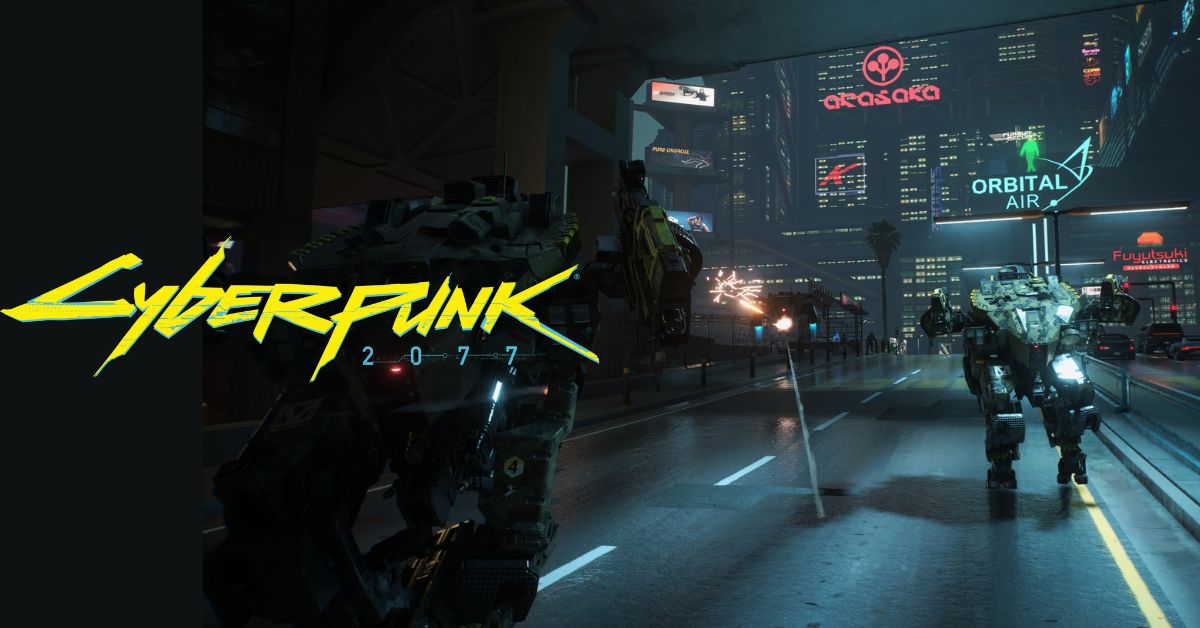
    Cyberpunk 2077 is a sci-fi role-playing game that takes place in the dystopian Night City, where players can create their characters, customize their cyberware, and explore the vast open world. The game is developed by CD Projekt Red and published by CD Projekt, and it is available for PlayStation 4, PlayStation 5, Xbox One, Xbox Series X|S, and PC.

    The game is praised for its story, graphics, and gameplay, but it also lacks an official multiplayer mode that would allow players to interact with other players in the same game world.

    However, some modders have been working on creating a multiplayer mod for Cyberpunk 2077, which would enable online co-op and PvP features in the game. In this article, we will explain what the Cyberpunk 2077 multiplayer mod is, how it works, and how to install it.

    Cyberpunk 2077 Multiplayer Mod
    Cyberpunk 2077 Update
    Cyberpunk 2077 Update

    The Cyberpunk 2077 multiplayer mod is a fan-made project that aims to add multiplayer functionality to Cyberpunk 2077, using the Cyber Engine Tweaks mod as a base. The mod is created by a team of modders called CyberScript, who have previously worked on a multiplayer mod for The Witcher 3.

    The mod intends to allow players to play with other players in the same game session, chat with each other, form parties, and participate in various activities, such as quests, combat, racing, and hacking. The mod also plans to add new features and content, such as new weapons, vehicles, outfits, and locations.
    Cyberpunk 2077 Mod Adds Grappling Hook and Web Shooter Features
    Cyberpunk 2077 Mod Adds Grappling Hook and Web Shooter Features

    The mod is still in development, and it is not yet available for download. However, the modders have released some screenshots and videos of their progress, which show some multiplayer gameplay and features. The modders have also stated that they are working on improving the stability, performance, and compatibility of the mod, as well as adding more content and options. The modders have also created a website and a Discord server for the mod, where they share updates, feedback, and support.

    How Does the Cyberpunk 2077 Multiplayer Mod Work?
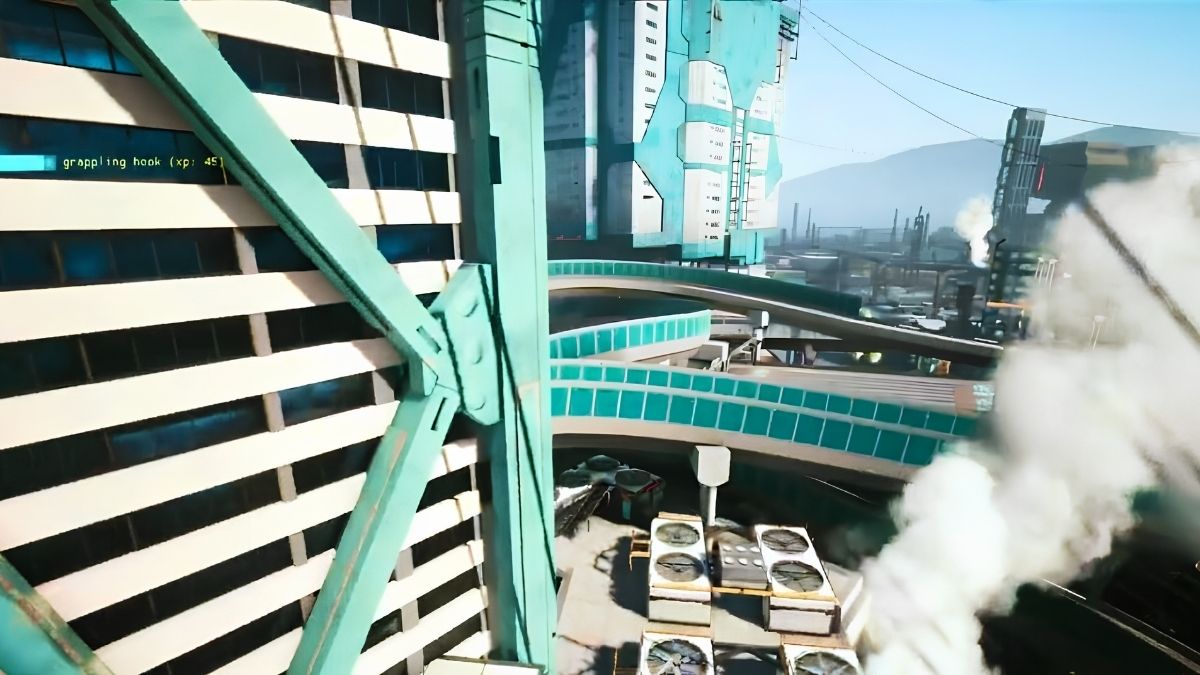
    Cyberpunk 2077 Mod Adds Grappling Hook and Web Shooter Features
    Cyberpunk 2077 Mod Adds Grappling Hook and Web Shooter Features

    The Cyberpunk 2077 multiplayer mod works by modifying the game’s files, such as scripts, meshes, textures, and records, to enable multiplayer features and functions in the game. The mod does not alter the original story or gameplay of the game, but it adds new elements and possibilities to the game.

    The mod also does not conflict with the official patches and DLCs, but it requires them to work properly. The mod is compatible with most other mods, but it may not work well with mods that alter the same files or aspects of the game. Therefore, it is recommended to check the compatibility list and the load order of the mods before installing them.

    How to Install the Cyberpunk 2077 Multiplayer Mod?
    Cyberpunk 2077 Project
    Cyberpunk 2077 Project

    To install the Cyberpunk 2077 multiplayer mod, players need to have the following:

    • Cyberpunk 2077 version 1.31 or higher.
    • All official DLCs: The Relic, The Ripperdoc, The Nomad, The Corpo, and The Street Kid.
    • The Cyber Engine Tweaks mod can be downloaded from the Nexus Mods website or the GitHub website.
    • A mod manager, such as Vortex, Nexus Mod Manager, or Mod Organizer 2.

    Once players have these requirements, they can follow these steps to install the Cyberpunk 2077 multiplayer mod:

    • First, players need to download the Cyberpunk 2077 multiplayer mod from the CyberScript website or the Nexus Mods website, once it is available. The mod is expected to be available for PC, Xbox One, and Xbox Series X|S, but not for PlayStation 4 or PlayStation 5, due to Sony’s restrictions on modding.
    • Next, players need to install the Cyberpunk 2077 multiplayer mod using their mod manager of choice, following the instructions on the mod’s page. The mod manager will handle the installation and activation of the mod, and it will also check for any updates or conflicts with other mods.
    • Then, players need to move the Cyberpunk 2077 multiplayer mod to the bottom of their load order, using their mod manager or the in-game mod menu. The load order is the order in which the game loads the mods, and it affects the compatibility and stability of the mods. The Cyberpunk 2077 multiplayer mod should be loaded after any other mod, except for the official DLCs and the Cyber Engine Tweaks mod.
    • Finally, players need to launch the game and enjoy the multiplayer experience. The Cyberpunk 2077 multiplayer mod will have an in-game menu, where players can access the multiplayer settings and options, such as joining or hosting a game session, inviting or joining friends, choosing a game mode, and customizing their character. The mod will also have an in-game chat, where players can communicate with other players using voice chat or text chat.

    Conclusion

    The Cyberpunk 2077 multiplayer mod is a fan-made project that aims to add multiplayer functionality to Cyberpunk 2077, using the Cyber Engine Tweaks mod as a base. The mod intends to allow players to play with other players in the same game session, chat with each other, form parties, and participate in various activities, such as quests, combat, racing, and hacking.

    The mod also plans to add new features and content, such as new weapons, vehicles, outfits, and locations. The mod is still in development, and it is not yet available for download. However, the modders have released some screenshots and videos of their progress, and they have also created a website and a Discord server for the mod, where they share updates, feedback, and support.

    The mod requires Cyberpunk 2077 version 1.31 or higher, all official DLCs, and the Cyber Engine Tweaks mod to install. The mod is compatible with most other mods, but it should be loaded after any other mod, except for the official DLCs and the Cyber Engine Tweaks mod. The mod can enhance the performance and experience of Cyberpunk 2077, and it is recommended for any player who wants to enjoy the game with other players.

    This is everything you need to know about Cyberpunk 2077 Multiplayer Mod. Additionally, you can check our guide on Sims 4 Car Mod and Hogwarts Legacy Mods. Stay connected with GameEmpress.com to get the latest news and guides about the gaming world.
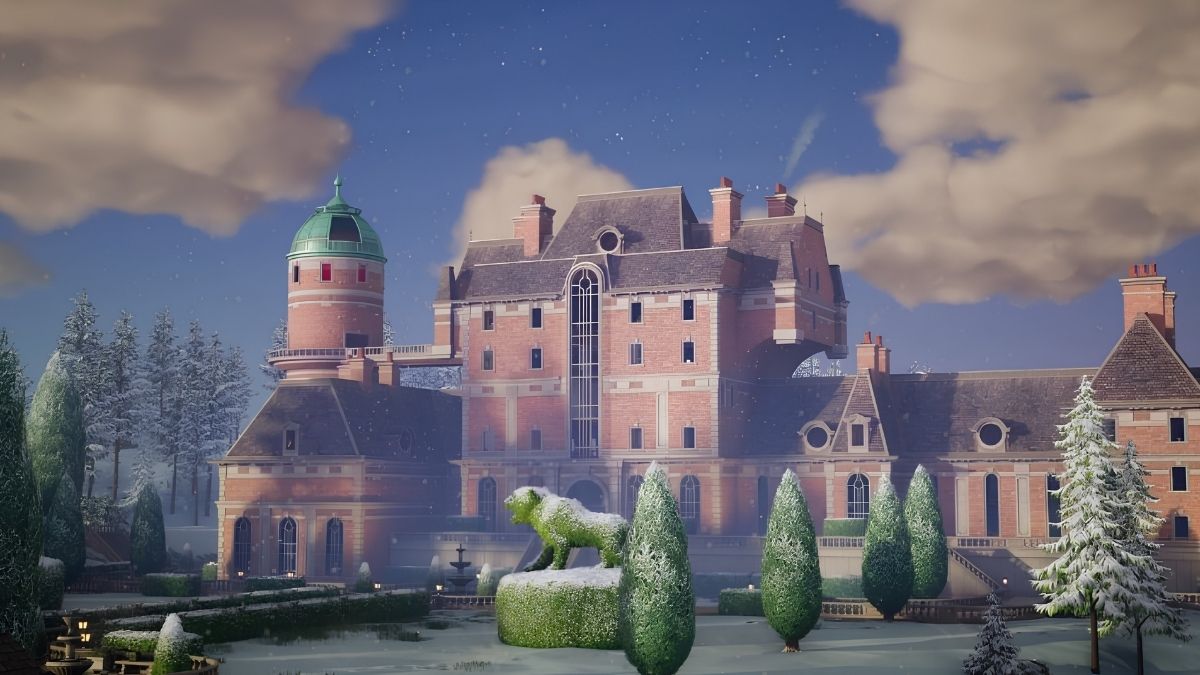
  • Lavish Lair Fortnite: How To Find The Secret Vault And Weapon Mod Bench?

    Lavish Lair Fortnite: How To Find The Secret Vault And Weapon Mod Bench?

    Lavish Lair is a new named location in Fortnite Chapter 5: Season 1, that was added to the island Helios. It is a snowy and mountainous area that hides a secret underground base owned by Oscar, one of the new bosses in the game. In this article, we will show you how to find the secret vault and weapon mod bench in Lavish Lair, and what rewards you can get from them.

    What is Lavish Lair?

    Lavish Lair Fortnite
    Lavish Lair Fortnite

    Lavish Lair is a named location in Fortnite that is located on the north side of the map, near Rebel’s Roost. It is a heavily guarded stronghold that belongs to Oscar, a mysterious and powerful character who is part of The Society, a secret organization that controls Helios.

    Oscar is armed with a legendary frenzy shotgun, and he is surrounded by legion grunts and sentry turrets. He also has a medallion that can open the secret vault in his base.

    Fortnite Chapter 4 Season 5 Skin Leaks
    Fortnite Chapter 4 Season 5 Skin Leaks

    The secret vault is a hidden room that contains a lot of loot, such as chests, ammo boxes, and a weapon mod bench. The weapon mod bench is a new feature in Fortnite that allows you to modify your weapons with different attachments, such as scopes, silencers, and magazines. The weapon mod bench can give you an edge in combat, as you can customize your weapons to suit your playstyle and preferences.

    How to Find the Secret Vault and Weapon Mod Bench?

    Lavish Lair Fortnite
    Lavish Lair Fortnite

    To find the secret vault and weapon mod bench in Lavish Lair, you will need to follow these steps:

    • First, you will need to land at Lavish Lair and look for the main entrance, which is marked by a sign that says “Lavish Lair”. The entrance is located on the south side of the area, near a frozen waterfall.
    • Next, you will need to enter the base and fight your way through the legion grunts and sentry turrets. You will also need to avoid the sentry cameras, which can alert Oscar and his henchmen to your presence.
    • Then, you will need to find Oscar and eliminate him. Oscar is usually found in the main hall, which is a large room with a fireplace and a staircase. Oscar is a tough opponent, so you will need to be careful and use cover. You can also try to aim at his head for extra damage or use explosives or fire to destroy his shield.
    • After you kill Oscar, you will need to loot his body and get his medallion. The medallion is a key that can open the secret vault. You will also get his legendary frenzy shotgun, which is a powerful weapon that can fire multiple shots in a short time.
    • Finally, you will need to go to the secret vault and use the medallion to open it. The secret vault is located behind a bookshelf in the main hall, near the fireplace. You will need to interact with the bookshelf to reveal the vault door, and then use the medallion to unlock it. Inside the vault, you will find a lot of loot, including a weapon mod bench. You can use the weapon mod bench to modify your weapons with different attachments, such as scopes, silencers, and magazines. You can also find some rare and epic weapons in the vault, such as snipers, assault rifles, and pistols.

    Conclusion

    Lavish Lair is a newly named location in Fortnite that offers a lot of loot and challenges. You can find a secret vault and a weapon mod bench in Lavish Lair, but you will need to defeat Oscar and get his medallion to access them.

    The secret vault and the weapon mod bench can give you an advantage in the game, as you can get a lot of loot and customize your weapons. However, you will also need to be careful and stealthy, as Lavish Lair is a dangerous and guarded area.

    If you are interested in knowing more articles related to Fortnite, you can check LEGO Fortnite Feature Guide and How to Get Free Fortnite Redeem Codes in December 2023? We appreciate your interest in our website! Make Gameempress.com your go-to site for gaming information.

  • Monopoly Go Cheats iOS: How To Get Free Dice Rolls And More

    Monopoly Go Cheats iOS: How To Get Free Dice Rolls And More

    Monopoly Go is a fun and addictive board game that lets you build your city, collect cards, and compete with other players. However, the game can also be challenging and frustrating, especially when you run out of dice rolls and shields.

    If you are looking for some Monopoly Go cheats for iOS that can help you get free dice rolls and other benefits, you have come to the right place. In this article, we will share some tips and tricks that can make your Monopoly Go experience more enjoyable and rewarding.

    What is Monopoly Go?

    cheat codes for monopoly go
    cheat codes for monopoly go

    Monopoly Go is a casual board game that is based on the classic Monopoly board game. The game is developed by Scopely Studios and is available for free on the Apple App Store. The game features simple and intuitive gameplay that anyone can enjoy. You can roll the dice and move your piece on the board, earn money and shields, attack other players’ boards, perform bank heists, and more.

    You can also use the money you earn to build and upgrade your city, collect cards, and explore different locations. The game also offers various events and tournaments that can give you extra rewards and challenges.

    Why Do You Need Monopoly Go Cheats for iOS?

    Monopoly Go Cheats iOS
    Monopoly Go Cheats iOS

    Monopoly Go is a fun game, but it can also be frustrating and difficult at times. The game has a limited number of dice rolls and shields that you can use per day. If you run out of them, you will have to wait for them to regenerate or buy them with real money.

    This can slow down your progress and make you vulnerable to other players’ attacks. Moreover, the game can be unpredictable and unfair, as you can lose money and shields due to random events or bad luck. Therefore, you might need some Monopoly Go cheats for iOS that can help you get free dice rolls and shields, as well as other advantages.

    How to Use Monopoly Go Cheats for iOS?

    Moonlight Treasures Monopoly Go Cheats
    Moonlight Treasures Monopoly Go Cheats

    There are several ways to use Monopoly Go cheats for iOS, but not all of them are safe and reliable. Some of the methods that you can try are:

    • Time Lapse Cheat: This is a common cheat that many players use to get free dice rolls and shields. The idea is to change the date and time settings on your device to trick the game into thinking that a new day has started. This way, you can get more dice rolls and shields without waiting or paying. However, this cheat is risky and unsupported by the game. It can cause your account to get banned or your data to get corrupted. It can also affect other apps and functions on your device. Therefore, we do not recommend using this cheat unless you are willing to take the risk.
    • Daily Links and IG Stories: This is a legitimate and safe way to get free dice rolls and shields. The game developer, Scopely, often gives away free dice rolls and shields on their official Instagram account via competitions and stories. You can follow their account and check their stories regularly to get the links. You can also check some fan pages and websites that post the daily links for Monopoly Go. All you have to do is click on the links and claim your rewards. However, this method is not very consistent and reliable, as the links can expire or run out quickly.
    • Consistent Play: This is another legitimate and safe way to get free dice rolls and shields. The game rewards you for playing consistently and logging in every day. You can get daily bonuses, streak bonuses, and loyalty bonuses that can give you more dice rolls and shields. You can also get free dice rolls and shields by completing daily challenges, participating in events and tournaments, and leveling up. However, this method requires a lot of time and effort, and it might not be enough to satisfy your needs.
    • Complete Albums: This is a more advanced and rewarding way to get free dice rolls and shields. The game has a feature called Albums, where you can collect cards and stickers that represent different cities and landmarks. You can get these cards and stickers by opening chests, spinning the wheel, or trading with other players. Once you complete an album, you can get a huge amount of dice rolls and shields, as well as other prizes. However, this method is very difficult and expensive, as the cards and stickers are rare and hard to get. You might have to spend a lot of money or trade with other players to complete an album.

    Conclusion

    Monopoly Go is a great game that can keep you entertained and engaged for hours. However, the game can also be challenging and frustrating, especially when you run out of dice rolls and shields. If you are looking for some Monopoly Go cheats for iOS that can help you get free dice rolls and shields, you can try some of the methods that we have shared in this article. However, be careful, as some of the methods are risky and unsupported by the game.

    This is everything you need to know about the Monopoly Go Cheats iOS. You can also read our guides on Moonlight Treasures Monopoly Go Cheats and Guitar Hero 2 Cheats. Stay up to date with GameEmpress.com for the most recent gaming news and guides.

  • Free Fire Advance Server: How Do You Register and Download the Server?

    Free Fire Advance Server: How Do You Register and Download the Server?

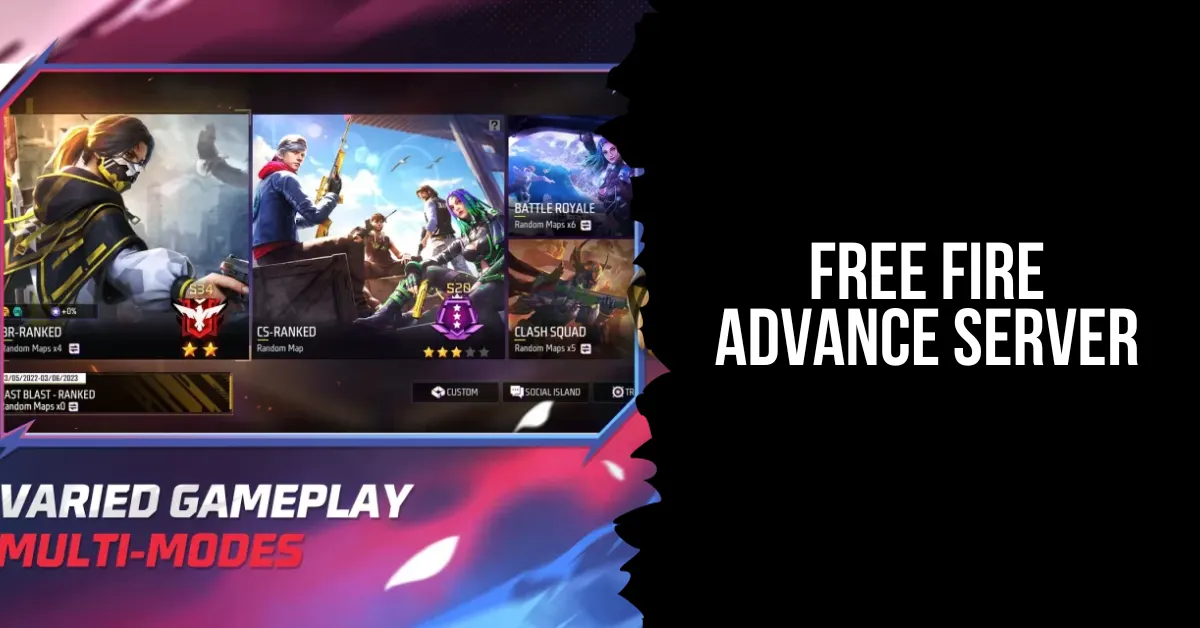
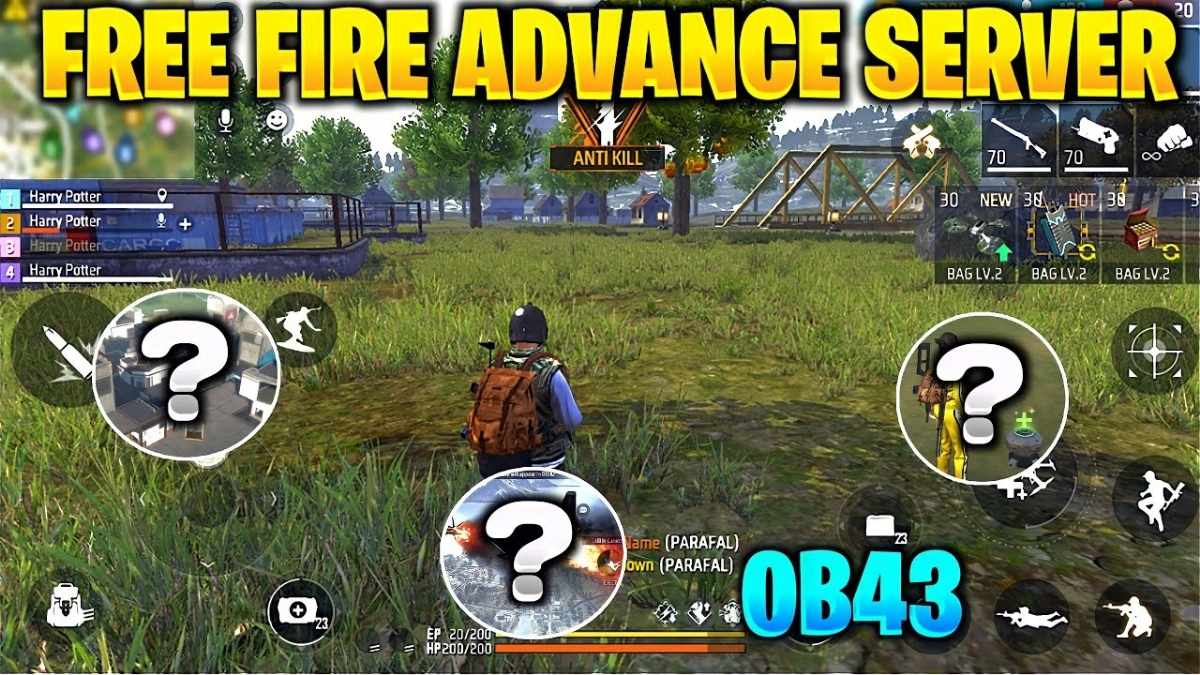
    For those interested in trying out the game’s unreleased material, Free Fire offers a tool called FF Advance Server. The Free Fire Advance server was created for beta testing if you want to get technical. Limited to a small group of players. You must register in order to play on this server.

    Developers often offer updates when a game has massive popularity, as is the case with Free Fire. The makers of FF download OB43 are now releasing beta updates, allowing their top players to register and test out the new features rather than testing the updates themselves. The point of doing this is to hear people out. For the same reason, the creators of FF Advance Server make it available for download.

    What is the Free Fire Advance Server Offers?

    • You can have conversations with top players and the game’s creators using it.
    • Issues with the game can be reported.
    • Let us know what you think of the updated material.
    • Suggestions for new features can also be made.
    • This is your chance to try out the updated features before they make it into the main version.
    • Not only does it aid the creators, but it also rewards you with 1000 diamonds at no cost when you report a defect.
    • You join the Free Fire community and become an integral part of it.

    How Do You Register and Download the Free Fire Advance Server?

    Free Fire Advance Server

    Register

    In order to gain access to the FF Advance Server, you must first go through the registration process.

    • Launch Free Fire Advance by visiting its official website at https://ff-advance.ff.garena.com/.
    • Select “Login with Facebook or Google” when you reach the website.
    • You need to go back to the place where you made your account and sign up there.
    • The next step is to go to the next page and fill out the registration form.
    • When you’ve finished filling out the form, click the “join now” button.
    • You should expect to get an email containing the code for the Advance Server Program if your account is chosen.
    • Start playing FF Advance Server right away by downloading the APK and entering the code that came in the mail.

    We have a lot of active codes for FF Advance Server activation, so don’t fret if you didn’t cut. These codes are available to you at no cost. They are revised on a frequent basis.

    Download

    It is standard practice to provide an activation code and a download link for the FF Advance Server APK file upon registering. For the easy option, all you have to do is download the APK file, install it, and then activate it using the provided code. The alternative is to get FF Advance Server by clicking this link.

    To access the page where you may download the FF Advance Server APK file, click on the Download button. Please browse our site for activation codes in case you’ve misplaced them. We will ensure that they are kept informed.

    What are the Pros and Cons of Joining the Free Fire Advance Server?

    free fire advance server

    Joining the Free Fire Advance Server has some advantages and disadvantages, which you should consider before applying. Here are some of them:

    Pros

    • Gain a substantial gameplay advantage over your opponents by accessing the latest and untested Free Fire capabilities on the FF Advance Server.
    • As a player of Garena, you can earn in-game currency from the FF Advance Server.
    • The method is simple and easy to follow, so downloading and installing it won’t be a problem.

    Cons

    • The Free Fire Advance Server is an invitation-only zone that is off-limits to everybody else.
    • In order to stay on the server, you have to give feedback; if you don’t, you can get kicked out.
    • Although it may seem strange, the Free Fire Advance Server does not allow you to invite others to join.
    • You run the risk of experiencing gaming interruptions due to bugs when using beta versions.

    What Does the Free Fire Advance Server Have in Store for the Upcoming OB Version?

    Free Fire Advance Server
    Free Fire Advance Server

    The FF Advance Server team is always working to improve and add new features in order to keep current with the latest OB version.

    • The stuttering and slowness that affected earlier versions are gone now.
    • Your gaming experience will be improved and made smoother by utilizing numerous optimized features.
    • Not only will the number of existing characters grow, but new, distinct characters will be added as well.
    • Free Fire’s sensitivity may be customized to your device, making headshots simpler to pull off.

    Why Should You Download Free Fire Advance Server?

    Please do not download Free Fire OB43 if you are a newbie. If you’re an expert, though, you absolutely need this. The reason behind this is that in the beta version, or just FF Advance Server, you get the opportunity to test out new features that won’t be available in the official version, and you can also become proficient at the features that are already there.

    Since player input is of utmost importance to the developers, only those who have mastered the FF Advance download or have been playing for some time will be able to provide extensive criticism of the new material.

    Explore the latest Garena Free Fire Max redeem codes for exciting rewards and bonuses. Stay updated with exclusive Garena Free Fire Max redeem codes for January and unlock special in-game items. We appreciate your interest in our website! Make Gameempress your go-to site for gaming information.

  • Shadow Of The Tomb Raider PC Requirement: How To Run The Game Smoothly?

    Shadow Of The Tomb Raider PC Requirement: How To Run The Game Smoothly?

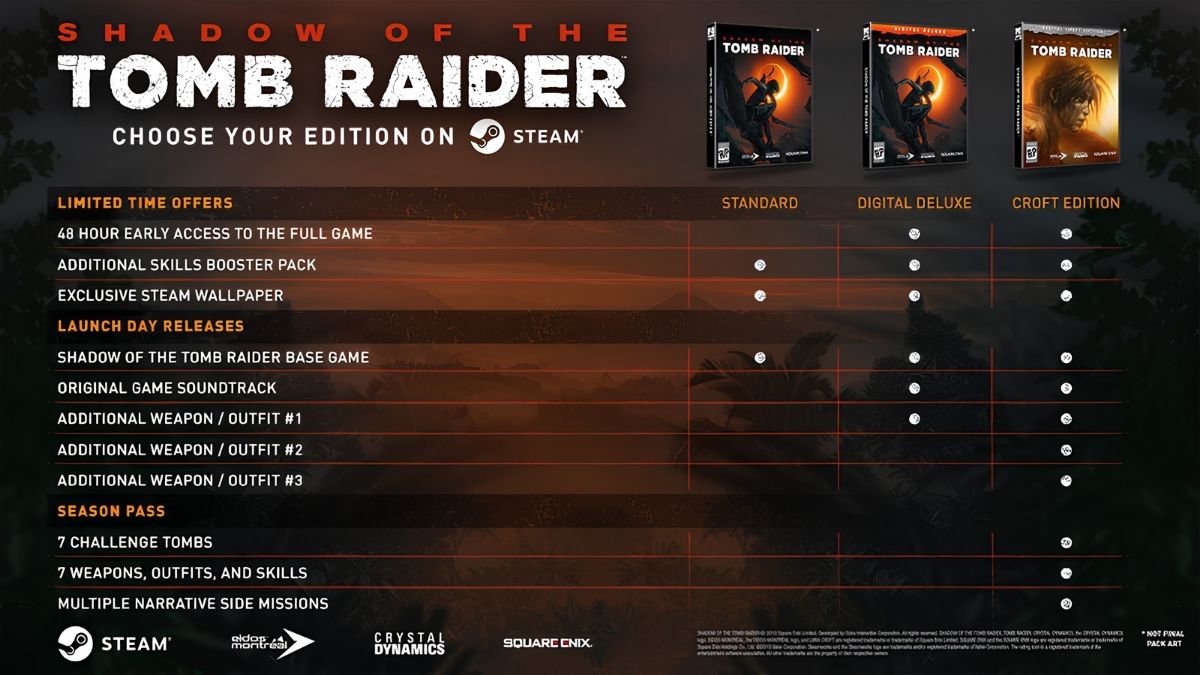
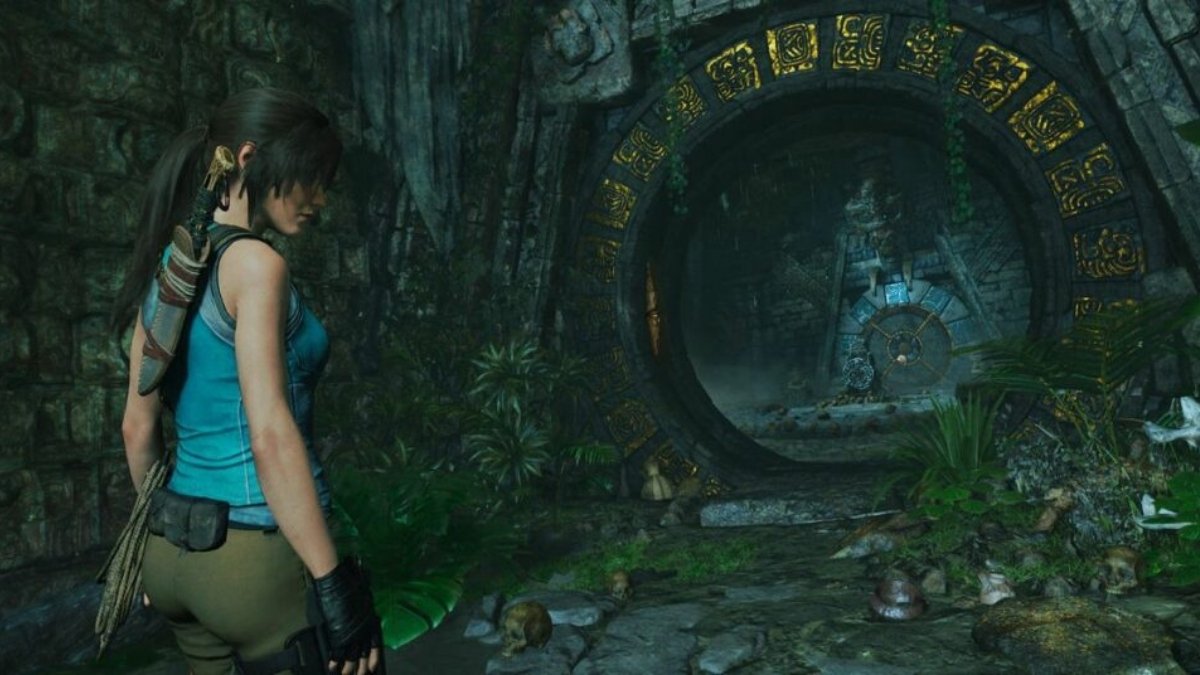
    Shadow Of The Tomb Raider is the third and final installment in the rebooted Tomb Raider trilogy, starring the iconic adventurer Lara Croft. The game features a stunning and immersive open world, a thrilling and emotional story, and a challenging and satisfying gameplay.

    However, to enjoy the game to the fullest, you need to have a PC that meets the minimum or recommended system requirements. In this article, we will explore what the Shadow Of The Tomb Raider PC requirement is, how to check your PC specs, and how to optimize your PC settings.

    Shadow Of The Tomb Raider PC Requirement

    Shadow Of The Tomb Raider PC Requirement
    Shadow Of The Tomb Raider PC Requirement

    The Shadow Of The Tomb Raider PC requirement is the minimum or recommended hardware and software specifications that your PC needs to have to run the game smoothly. The PC requirement varies depending on the resolution, frame rate, and graphic quality that you want to achieve.

    The PC requirement is based on the official information from the game’s developer, Eidos Montreal, and the game’s publisher, Square Enix.

    The minimum PC requirement is the lowest specification that your PC needs to have to run the game at 1080p resolution, 30 frames per second (fps), and low graphic preset. The minimum PC requirement is:

    • Operating System: Windows 7 64-bit
    • Processor: Intel i3-3220 or AMD equivalent
    • Memory: 8 GB RAM (Dual-channel mode)
    • Graphics: Nvidia GTX 660/GTX 1050 or AMD Radeon HD 7770
    • DirectX: Version 11
    • Storage: 40 GB available space (SSD recommended)
    Shadow Of The Tomb Raider PC Requirement (4)
    Shadow Of The Tomb Raider PC Requirement (4)

    The recommended PC requirement is the optimal specification that your PC needs to have to run the game at 1080p resolution, 30 fps, and high graphic preset. The recommended PC requirement is:

    • Operating System: Windows 10 64-bit
    • Processor: Intel Core i7 4770K, 3.40 GHz or AMD Ryzen 5 1600, 3.20 GHz
    • Memory: 8 GB RAM (Dual-channel mode)
    • Graphics: Nvidia GTX 1060 6GB or AMD Radeon RX 480, 8GB
    • DirectX: Version 12
    • Storage: 40 GB available space (SSD recommended)

    The high PC requirement is the higher specification that your PC needs to have to run the game at 1080p resolution, 60 fps, and high graphic preset. The high PC requirement is:

    • Operating System: Windows 10 64-bit
    • Processor: AMD Ryzen 7 1700 – 3.0 GHz or Intel i7-6700 – 3.4 GHz
    • Memory: 8 GB RAM (Dual-channel mode)
    • Graphics: AMD Vega 64 – 8 GB or NVIDIA GeForce GTX 1080 – 8 GB
    • DirectX: Version 12
    • Storage: 40 GB available space (SSD recommended)
    Shadow Of The Tomb Raider PC Requirement (5)
    Shadow Of The Tomb Raider PC Requirement (5)

    The enthusiast PC requirement is the highest specification that your PC needs to have to run the game at 1440p resolution, 60 fps, and very high graphic preset. The enthusiast PC requirement is:

    • Operating System: Windows 10 64-bit
    • Processor: AMD Ryzen 5 3600X – 3.8 GHz or Intel i7-8700K – 3.7 GHz
    • Memory: 16 GB RAM (Dual-channel mode)
    • Graphics: AMD RX 5700XT – 8 GB or NVIDIA GeForce RTX 2080 – 8 GB
    • DirectX: Version 12
    • Storage: 40 GB available space (SSD recommended)

    The ultra PC requirement is the ultimate specification that your PC needs to have to run the game at 2160p resolution, 60 fps, and ultra-high graphic preset. The ultra PC requirement is:

    • Operating System: Windows 10 64-bit
    • Processor: AMD Ryzen 7 3700X – 3.6 GHz or Intel i7-9700K – 3.6 GHz
    • Memory: 16 GB RAM (Dual-channel mode)
    • Graphics: AMD RX 5700XT – 8 GB or NVIDIA GeForce RTX 2080 – 8 GB
    • DirectX: Version 12
    • Storage: 40 GB available space (SSD recommended)

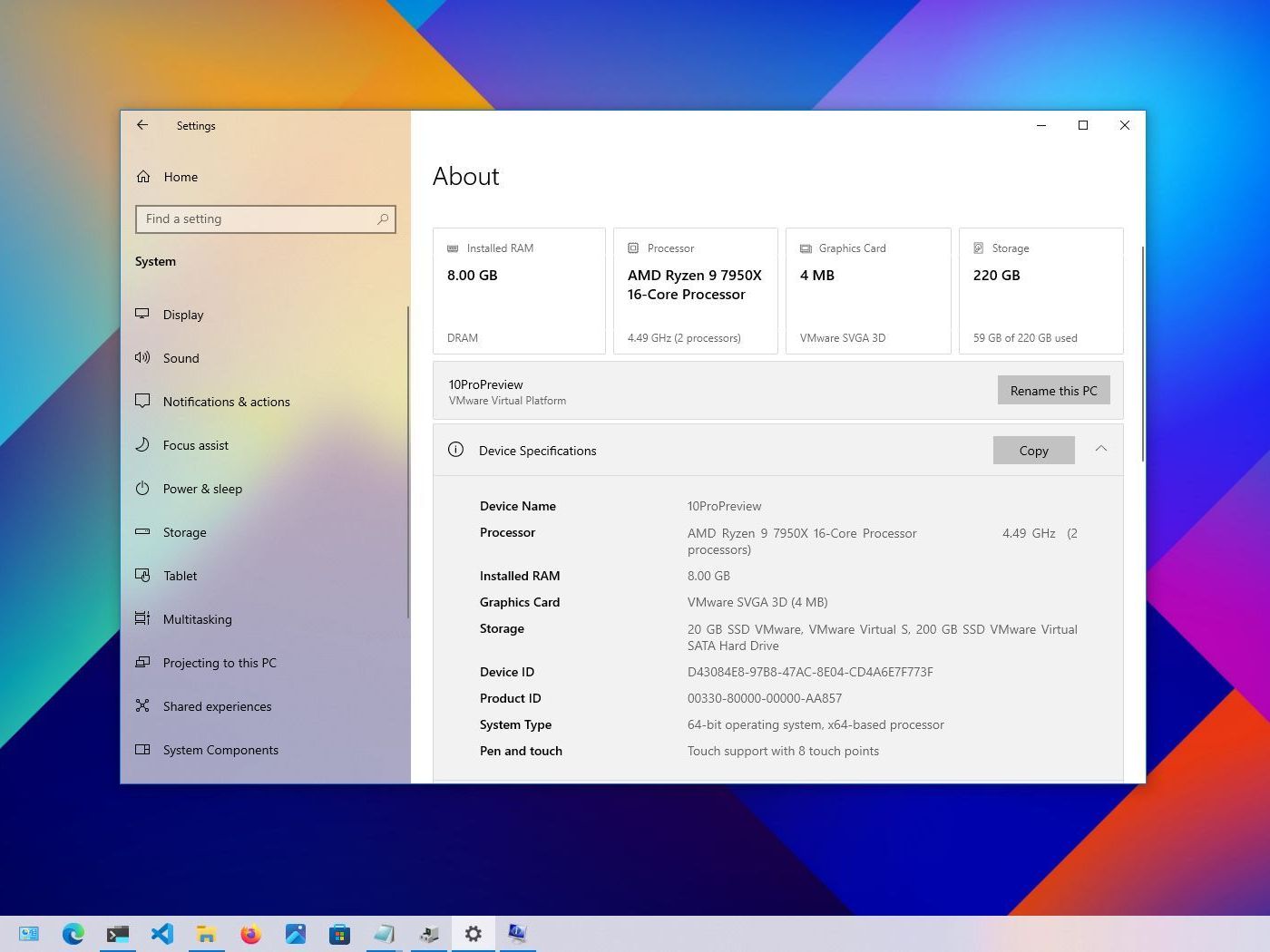
    How to Check Your PC Specs?

    Shadow Of The Tomb Raider PC Requirement (2)
    Shadow Of The Tomb Raider PC Requirement (2)

    To check your PC specs, you need to access the System Information or the Device Manager on your Windows 10. You can do this by following these steps:

    • Press the Windows key and type “System Information” or “Device Manager” in the search box. Alternatively, you can also press the Windows key and R to open the Run dialog box, and type “msinfo32” or “devmgmt.msc” in the text field.
    • Click on the System Information or the Device Manager app that appears in the search results. This will open a new window that shows the details of your PC hardware and software.
    • In the System Information window, you can find the information about your operating system, processor, memory, graphics, and storage under the System Summary section. You can also expand the Components section to see more details about each component.
    • In the Device Manager window, you can find the information about your processor, memory, graphics, and storage under the Processors, Memory, Display adapters, and Disk drives sections. You can also right-click on each device and select Properties to see more details about each device.

    How to Optimize Your PC Settings?

    Shadow Of The Tomb Raider PC Requirement (3)
    Shadow Of The Tomb Raider PC Requirement (3)

    To optimize your PC settings, you need to adjust the game settings and the system settings to match your PC specs and your personal preference. You can do this by following these steps:

    • Launch the game and go to the Options menu. Here, you can customize the game settings, such as the resolution, frame rate, graphic quality, and other features. You can also use the Benchmark tool to test the performance of your PC and the game.
    • Try to lower the game settings that have the most impact on the performance, such as the resolution, anti-aliasing, shadows, textures, and volumetric clouds. You can also turn off the features that are not essential, such as the motion blur, depth of field, and ambient occlusion.
    • Try to match the game settings to your PC requirement, or use the presets that are available in the game. You can also use the Auto-Detect feature to let the game choose the best settings for your PC.
    • Exit the game and go to the Windows Settings menu. Here, you can optimize the system settings, such as the power plan, the background apps, and the visual effects. You can also use the Game Mode feature to improve the gaming performance of your PC.
    • Try to choose the High Performance power plan, or create a custom power plan that suits your PC. You can also turn off the background apps that are not needed, such as the antivirus, the browser, and the updater. You can also turn off the visual effects that are not necessary, such as the animations, the transparency, and the shadows.
    • Try to enable the Game Mode feature, which will optimize your PC for gaming by prioritizing the game resources and minimizing the system interruptions. You can also use the Game Bar feature to access the game settings, the performance monitor, and the capture tools.

    Conclusion

    The Shadow Of The Tomb Raider PC requirement is the minimum or recommended specification that your PC needs to have to run the game smoothly. The PC requirement varies depending on the resolution, frame rate, and graphic quality that you want to achieve. The PC requirement is based on the official information from the game’s developer and publisher.

    This is everything you need to know about Shadow Of The Tomb Raider PC Requirement. Additionally, you can check our guide on Star Wars Squadrons PC Requirement and F1 23 PC Requirement. Stay connected with GameEmpress.com to get the latest news and guides about the gaming world.
  • Is FFXIV Cross Platform? Your Final Fantasy Squad Awaits!

    Is FFXIV Cross Platform? Your Final Fantasy Squad Awaits!

    Final Fantasy XIV (FFXIV) is a massively multiplayer online role-playing game (MMORPG) that has been captivating players with its rich story, diverse gameplay, and stunning graphics since 2010. The game is set in the fantasy world of Eorzea, where players can create their characters, explore vast lands, join forces with other players, and embark on epic quests.

    But one question that many players have is: is FFXIV cross-platform? In other words, can players on different platforms, such as PC, PlayStation, and Xbox, play together in the same game world? In this article, we will answer this question and explain everything you need to know about FFXIV’s cross-platform features.

    Is FFXIV Cross Platform?

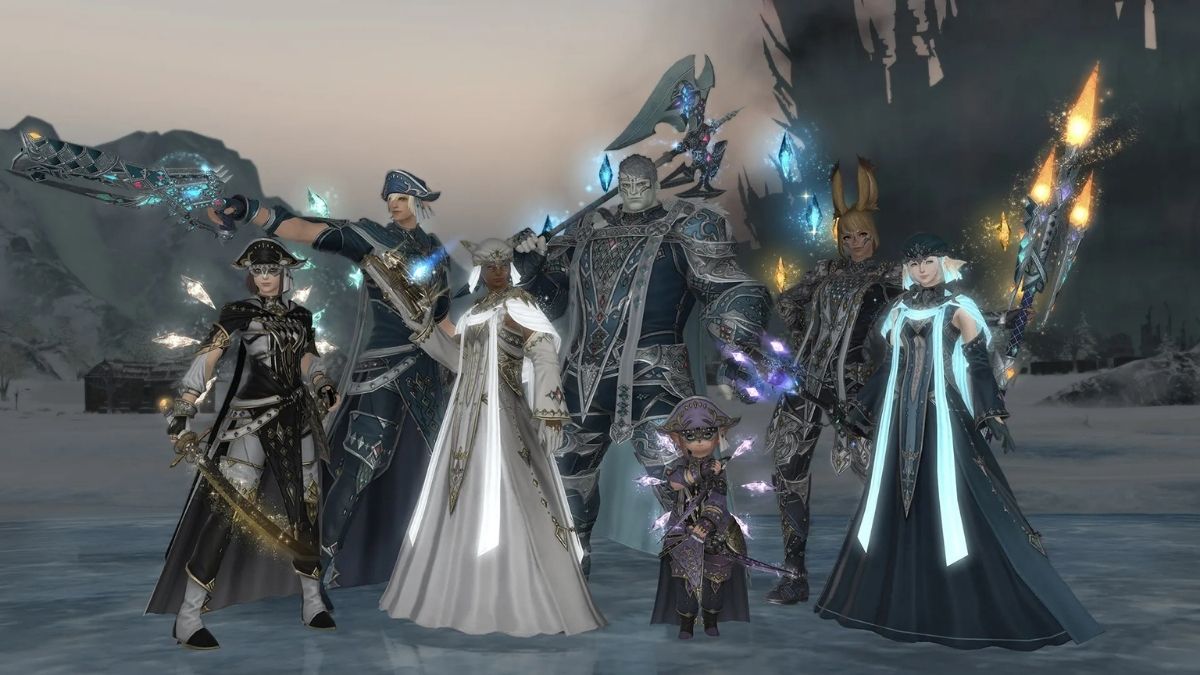
    Is FFXIV Cross Platform
    Is FFXIV Cross Platform

    Yes, FFXIV is cross-platform, but only between certain platforms. FFXIV currently supports cross-play between PC, Mac, PlayStation 4, and PlayStation 5. This means that players on these platforms can play together in the same game world, chat with each other, form parties, join guilds, and participate in events.

    FFXIV also supports cross-save between these platforms, which means that players can use the same account and character on different devices, and their progress and items will be synced.

    However, FFXIV does not support cross-platform features with Xbox or mobile devices. This means that players on these platforms cannot play with or transfer their data to other platforms.

    The reason for this is that FFXIV requires a subscription fee to play, and Microsoft and Apple have different policies and requirements for subscription-based games on their platforms. Therefore, FFXIV has not been able to reach an agreement with these companies to enable cross-platform features.

    How to Enable Cross-Platform Features in FFXIV?

    To enable cross-platform features in FFXIV, players need to have a Square Enix account and a valid subscription to the game. Players can create a Square Enix account for free on the official website, and then link it to their platform of choice.

    Players can also purchase a subscription to the game on the website or through their platform’s store. Once players have a Square Enix account and a subscription, they can access the game on any supported platform and enjoy the cross-platform features.

    What Are the Benefits of Cross-platform Features in FFXIV?

    Cross-platform features in FFXIV can offer many benefits to players, such as:

    • More players to interact with: Cross-platform features allow players to play with more people from different platforms, regions, and backgrounds. This can make the game more fun, social, and diverse, as players can make new friends, learn from each other, and cooperate in various activities.
    • More flexibility and convenience: Cross-platform features allow players to access the game on multiple devices, and switch between them as they please. This can make the game more flexible and convenient, as players can play the game anytime, anywhere, and on any device they prefer.
    • More content and updates: Cross-platform features allow players to enjoy the same content and updates regardless of the platform. This can make the game more consistent and fair, as players can experience the same story, features, and events, and not miss out on anything.

    Conclusion

    FFXIV is a cross-platform game that supports cross-play and cross-save between PC, Mac, PlayStation 4, and PlayStation 5. This allows players to play together in the same game world, chat with each other, form parties, join guilds, and participate in events. It also allows players to use the same account and character on different devices, and sync their progress and items.

    However, FFXIV does not support cross-platform features with Xbox or mobile devices, due to the subscription fee and the policies of these platforms. To enable cross-platform features in FFXIV, players need to have a Square Enix account and a valid subscription to the game. Cross-platform features in FFXIV can offer many benefits to players, such as more players to interact with, more flexibility and convenience, and more content and updates.

    You might also be interested in the following games, Crossplay: Borderlands 3 Crossplay and Nobody Saves The World Crossplay We appreciate your interest in our website! Make Gameempress.com your go-to site for gaming information.

  • Pigeon Simulator Survival PS5: How To Play The Hilarious Game On Sony’s Console?

    Pigeon Simulator Survival PS5: How To Play The Hilarious Game On Sony’s Console?

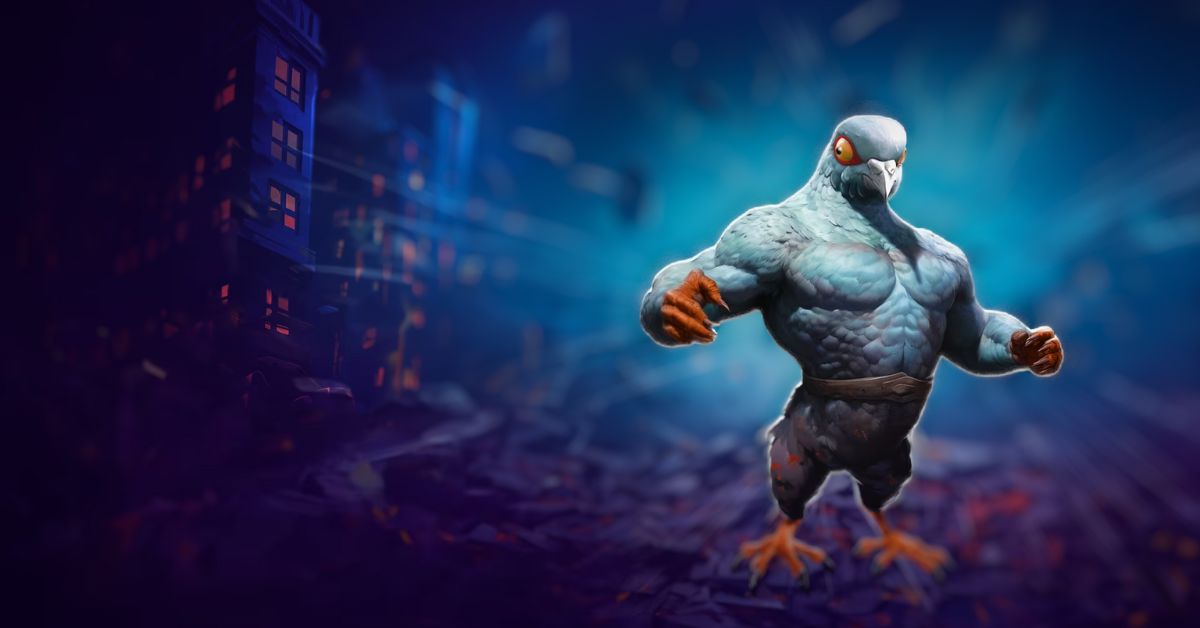
    Pigeon Simulator Survival is a game that lets you step into the feathery shoes of a daring pigeon in the heart of a bustling park. The game was developed by Midnight Works and released in 2024 for PC, PlayStation 4, Xbox One, and Nintendo Switch. The game features a whimsical and entertaining adventure that lets you explore, cause chaos, and unleash super pigeon powers.

    However, some gamers who own a PlayStation 5 may wonder if they can play Pigeon Simulator Survival on their device. Is it possible to enjoy the hilarious game on Sony’s console? What are the benefits and drawbacks of playing the game on PS5? In this article, we will answer these questions and provide some facts and updates about Pigeon Simulator Survival PS5.

    Is Pigeon Simulator Survival Available on PS5?

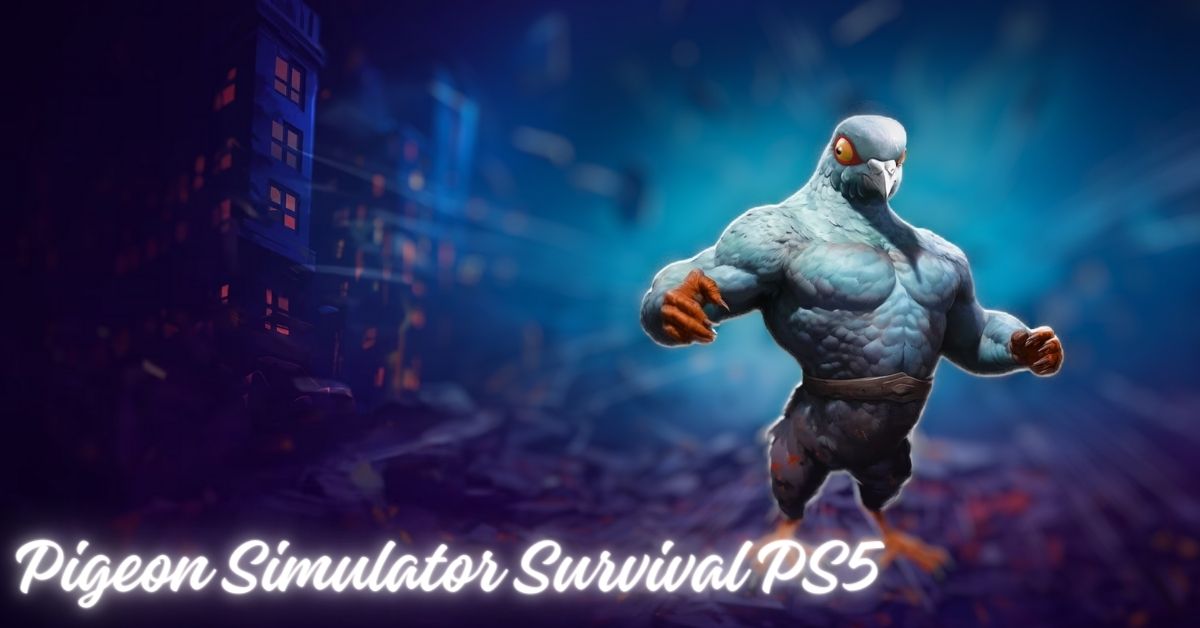
    Pigeon Simulator Survival PS5

    Yes, Pigeon Simulator Survival is available on PS5. The game is compatible with PS5 through backward compatibility, which means that you can play PS4 games on PS5 without any additional cost or hassle.

    You can either buy the game digitally from the PlayStation Store or use the physical disc if you have a PS5 with a disc drive.

    However, Pigeon Simulator Survival is not optimized for PS5, which means that it does not take advantage of the PS5’s features and capabilities, such as the DualSense controller, the 3D audio, or the faster loading times.

    The game runs on PS5 as it does on PS4, with the same graphics, performance, and resolution. The game also does not support cross-play or cross-save with other platforms, which means that you cannot play or transfer your progress with PC, Xbox, or Switch players.

    Therefore, PS5 owners can play Pigeon Simulator Survival on their devices, but they should not expect any significant improvements or enhancements from the PS4 version.

    How to Play Pigeon Simulator Survival on PS5?

    To play Pigeon Simulator Survival on PS5, you need to follow these steps:

    • If you have the digital version of the game, go to the PlayStation Store and search for Pigeon Simulator Survival. You can either buy the game for $19.99, or download it for free if you already own it on PS4. The game will be added to your game library, and you can install it on your PS5.
    • If you have the physical version of the game, insert the disc into the PS5’s disc drive. The game will be recognized by the console, and you can install it on your PS5. You will need to keep the disc in the drive to play the game.
    • Once the game is installed, you can launch it from your game library or the home screen. You can either start a new game or continue your previous game if you have a save file on the PS4 or the PS Plus cloud storage.
    • Enjoy the game with your PS5 controller. You can use the touchpad to access the phone camera, the L2 and R2 buttons to use the super pigeon powers, and the D-pad to switch between different views.

    Benefits and Drawbacks of Playing Pigeon Simulator Survival on PS5

    Playing Pigeon Simulator Survival on PS5 can have both benefits and drawbacks, depending on your preference and expectation. Some of the benefits of playing the game on PS5 are:

    • You can play the game on a bigger and better screen, with a higher resolution and a smoother frame rate, compared to playing the game on a PC or a Switch.
    • You can play the game with a comfortable and ergonomic controller, with vibration and motion feedback, compared to playing the game with a keyboard and mouse or a Joy-Con.
    • You can play the game with a stable and reliable online connection, with less lag and latency, compared to playing the game on a PC or a Switch.

    Some of the drawbacks of playing the game on PS5 are:

    • You cannot play the game with the PS5’s features and capabilities, such as the DualSense controller, the 3D audio, or the faster loading times, as the game is not optimized for PS5.
    • You cannot play the game with other players on different platforms, such as PC, Xbox, or Switch, as the game does not support cross-play or cross-save.
    • You cannot play the game with mods or customizations, such as new maps, skins, or modes, as the game does not support modding or user-generated content.

    Therefore, playing Pigeon Simulator Survival on PS5 can be a fun experience, but it can also be a disappointing and limited one, depending on what you are looking for in the game.

    Conclusion

    Pigeon Simulator Survival is a game that lets you step into the feathery shoes of a daring pigeon in the heart of a bustling park. The game is available on PS5 through backward compatibility, but it is not optimized for PS5.

    The game runs on PS5 as it does on PS4, with the same graphics, performance, and resolution. The game also does not support cross-play, cross-save, or modding. To play the game on PS5, you need to buy or download the game from the PlayStation Store or use the physical disc if you have the PS5 with a disc drive.

    You can then install and launch the game on your PS5, and enjoy the game with your PS5 controller. Playing the game on PS5 can have both benefits and drawbacks, depending on your preference and expectations.

    If you are interested in knowing more articles related to other games, you can check The Day Before PS5 Release Date and Fallout London Release Date. We appreciate your interest in our website! Make Gameempress.com your go-to site for gaming information.

  • Assassins Creed Valhalla PC Requirement: How To Run The Game Smoothly?

    Assassins Creed Valhalla PC Requirement: How To Run The Game Smoothly?

    Assassins Creed Valhalla is the latest installment in the popular action-adventure franchise, set in the Viking era. The game features a vast and immersive open world, a dynamic combat system, and a rich and engaging story.

    However, to enjoy the game to the fullest, you need to have a PC that meets the minimum or recommended system requirements. In this article, we will explore what the Assassins Creed Valhalla PC requirement is, how to check your PC specs, and how to optimize your PC settings.

    Assassins Creed Valhalla PC Requirement

    Assassins Creed Valhalla PC Requirement
    Assassins Creed Valhalla PC Requirement

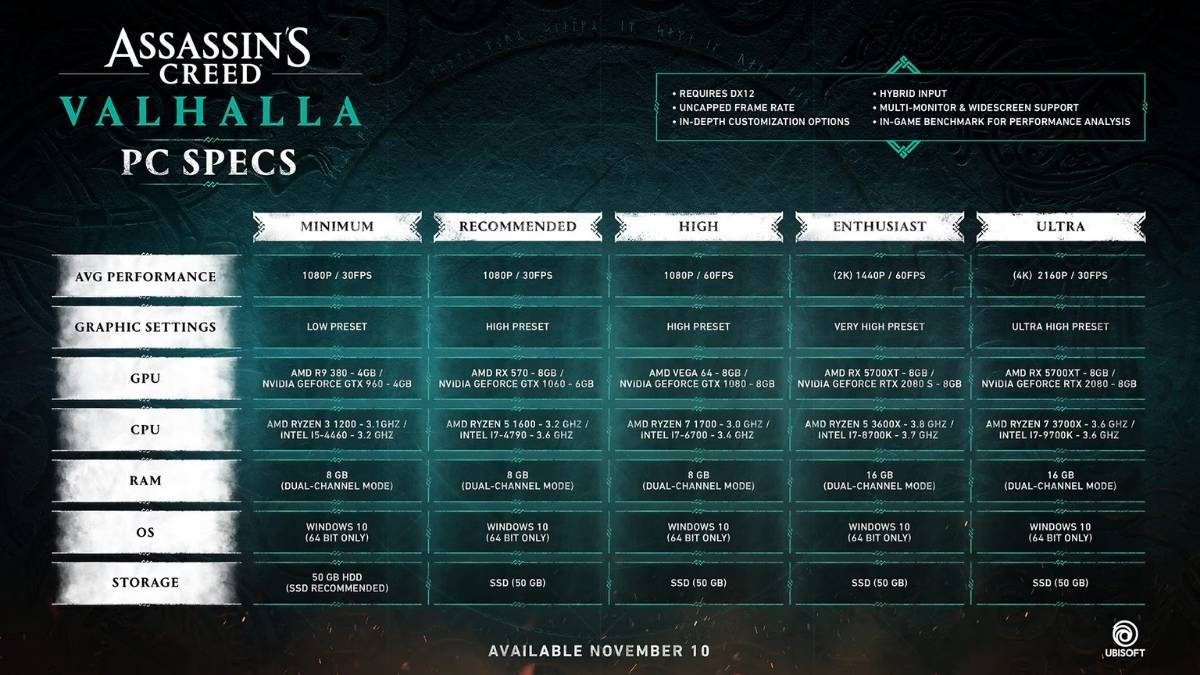
    The Assassins Creed Valhalla PC requirement is the minimum or recommended hardware and software specifications that your PC needs to have to run the game smoothly. The PC requirement varies depending on the resolution, frame rate, and graphic quality that you want to achieve. The PC requirement is based on the official information from Ubisoft, the developer and publisher of the game.

    The minimum PC requirement is the lowest specification that your PC needs to have to run the game at 1080p resolution, 30 frames per second (fps), and low graphic preset. The minimum PC requirement is:

    • Operating System: Windows 10 (64-bit only)
    • Processor: AMD Ryzen 3 1200 – 3.1 GHz or Intel i5-4460 – 3.2 GHz
    • Memory: 8 GB RAM (Dual-channel mode)
    • Graphics: AMD R9 380 – 4 GB or NVIDIA GeForce GTX 960 – 4 GB
    • DirectX: Version 12
    • Storage: 50 GB available space (SSD recommended)

    The recommended PC requirement is the optimal specification that your PC needs to have to run the game at 1080p resolution, 30 fps, and high graphic preset. The recommended PC requirement is:

    • Operating System: Windows 10 (64-bit only)
    • Processor: AMD Ryzen 5 1600 – 3.2 GHz or Intel i7-4790 – 3.6 GHz
    • Memory: 8 GB RAM (Dual-channel mode)
    • Graphics: AMD RX 570 – 8 GB or NVIDIA GeForce GTX 1060 – 6 GB
    • DirectX: Version 12
    • Storage: 50 GB available space (SSD recommended)

    The high PC requirement is the higher specification that your PC needs to have to run the game at 1080p resolution, 60 fps, and high graphic preset. The high PC requirement is:

    • Operating System: Windows 10 (64-bit only)
    • Processor: AMD Ryzen 7 1700 – 3.0 GHz or Intel i7-6700 – 3.4 GHz
    • Memory: 8 GB RAM (Dual-channel mode)
    • Graphics: AMD Vega 64 – 8 GB or NVIDIA GeForce GTX 1080 – 8 GB
    • DirectX: Version 12
    • Storage: 50 GB available space (SSD recommended)

    The enthusiast PC requirement is the highest specification that your PC needs to have to run the game at 1440p resolution, 60 fps, and very high graphic preset. The enthusiast PC requirement is:

    • Operating System: Windows 10 (64-bit only)
    • Processor: AMD Ryzen 5 3600X – 3.8 GHz or Intel i7-8700K – 3.7 GHz
    • Memory: 16 GB RAM (Dual-channel mode)
    • Graphics: AMD RX 5700XT – 8 GB or NVIDIA GeForce RTX 2080 – 8 GB
    • DirectX: Version 12
    • Storage: 50 GB available space (SSD recommended)

    The ultra PC requirement is the ultimate specification that your PC needs to have to run the game at 2160p resolution, 60 fps, and ultra-high graphic preset. The ultra PC requirement is:

    • Operating System: Windows 10 (64-bit only)
    • Processor: AMD Ryzen 7 3700X – 3.6 GHz or Intel i7-9700K – 3.6 GHz
    • Memory: 16 GB RAM (Dual-channel mode)
    • Graphics: AMD RX 5700XT – 8 GB or NVIDIA GeForce RTX 2080 – 8 GB
    • DirectX: Version 12
    • Storage: 50 GB available space (SSD recommended)

    How to Check Your PC Specs?

    To check your PC specs, you need to access the System Information or the Device Manager on your Windows 10. You can do this by following these steps:

    • Press the Windows key and type “System Information” or “Device Manager” in the search box. Alternatively, you can also press the Windows key and R to open the Run dialog box, and type “msinfo32” or “devmgmt.msc” in the text field.
    • Click on the System Information or the Device Manager app that appears in the search results. This will open a new window that shows the details of your PC hardware and software.
    • In the System Information window, you can find the information about your operating system, processor, memory, graphics, and storage under the System Summary section. You can also expand the Components section to see more details about each component.
    • In the Device Manager window, you can find the information about your processor, memory, graphics, and storage under the Processors, Memory, Display adapters, and Disk drives sections. You can also right-click on each device and select Properties to see more details about each device.

    How to Optimize Your PC Settings?

    To optimize your PC settings, you need to adjust the game settings and the system settings to match your PC specs and your personal preference. You can do this by following these steps:

    • Launch the game and go to the Options menu. Here, you can customize the game settings, such as the resolution, frame rate, graphic quality, and other features. You can also use the Benchmark tool to test the performance of your PC and the game.
    • Try to lower the game settings that have the most impact on the performance, such as the resolution, anti-aliasing, shadows, textures, and volumetric clouds. You can also turn off the features that are not essential, such as the motion blur, depth of field, and ambient occlusion.
    • Try to match the game settings to your PC requirement, or use the presets that are available in the game. You can also use the Auto-Detect feature to let the game choose the best settings for your PC.
    • Exit the game and go to the Windows Settings menu. Here, you can optimize the system settings, such as the power plan, the background apps, and the visual effects. You can also use the Game Mode feature to improve the gaming performance of your PC.
    • Try to choose the High-Performance power plan, or create a custom power plan that suits your PC. You can also turn off the background apps that are not needed, such as the antivirus, the browser, and the updater. You can also turn off the visual effects that are not necessary, such as the animations, the transparency, and the shadows.
    • Try to enable the Game Mode feature, which will optimize your PC for gaming by prioritizing the game resources and minimizing the system interruptions. You can also use the Game Bar feature to access the game settings, the performance monitor, and the capture tools.

    Conclusion

    The Assassins Creed Valhalla PC requirement is the minimum or recommended specification that your PC needs to have to run the game smoothly. The PC requirement varies depending on the resolution, frame rate, and graphic quality that you want to achieve. The PC requirement is based on the official information from Ubisoft, the developer, and publisher of the game.

    This is everything you need to know about Assassins Creed Valhalla PC Requirement. Additionally, you can check our guide on Just Cause 4 PC Requirement and Dirt 5 PC Requirement. Stay connected with GameEmpress.com to get the latest news and guides about the gaming world.
  • Just Cause 4 PC Requirement: How To Check And Optimize Your System For The Action Adventure Game?

    Just Cause 4 PC Requirement: How To Check And Optimize Your System For The Action Adventure Game?

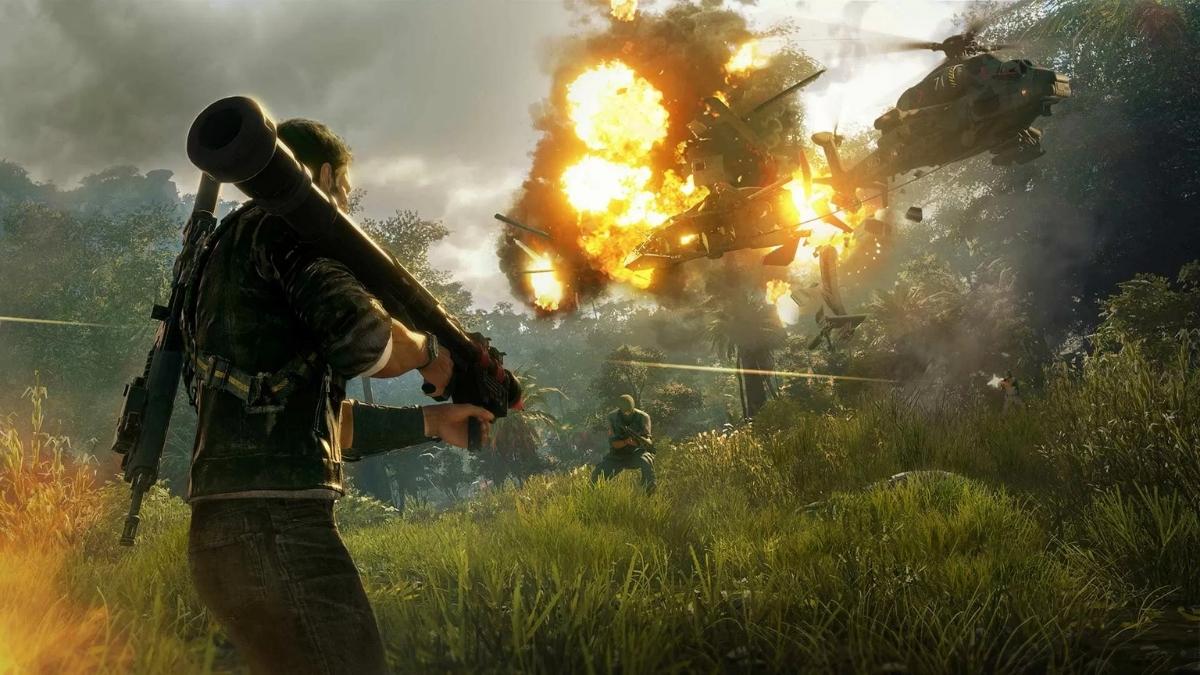
    Just Cause 4 is an action-adventure game that was released in 2018 for PC, PlayStation 4, Xbox One, and Stadia. The game is the fourth installment in the Just Cause series, and it follows the adventures of Rico Rodriguez, a rogue agent who travels to the fictional South American country of Solis to overthrow a dictator and uncover the truth about his past.

    The game features a vast open world, a dynamic weather system, a variety of vehicles and weapons, and a grappling hook and parachute that allow the player to perform stunts and cause chaos.

    But before you buy and play the game, you need to know if your PC can run it smoothly and enjoyably. You need to check the game’s minimum and recommended system requirements and compare them with your PC’s specifications. You also need to optimize your PC’s performance and settings for the game and use some tips and tricks to enhance your gaming experience. Here is what you need to know about the Just Cause 4 PC requirement.

    Just Cause 4 PC Requirement

    Just Cause 4 PC Requirement (2)
    Just Cause 4 PC Requirement (2)

    Minimum System Requirements

    These are the PC specifications advised by the developers to run Just Cause 4 at the lowest settings and resolution. These requirements are usually approximate, and they can still vary depending on your PC configuration and other factors. However, they can give you a general idea of the minimum hardware tier you need to play the game.

    • OS: Windows 7 SP1 with Platform Update for Windows 7 (64-bit versions only)
    • Processor (AMD): AMD FX 4300
    • Processor (Intel): Intel Core i3 2130
    • Memory: 8 GB
    • Graphics card (AMD): AMD RX 480 (DirectX12 Graphics Card)
    • Graphics card (NVIDIA): NVIDIA GTX 970
    • DirectX: Version 12
    • Network: Broadband Internet connection
    • Storage: 59 GB available space
    • Sound Card: DirectX Compatible

    Recommended System Requirements

    These are the PC specifications advised by the developers to run Just Cause 4 at the optimal settings and resolution. These requirements are also approximate, and they can differ depending on your PC configuration and other factors. However, they can give you a general idea of the recommended hardware tier you need to play the game.

    • OS: Windows 10 (64-bit versions only)
    • Processor (AMD): AMD Ryzen 5 1600
    • Processor (Intel): Intel Core i7 4770
    • Memory: 16 GB
    • Graphics card (AMD): AMD Vega 56
    • Graphics card (NVIDIA): NVIDIA GTX 1070
    • DirectX: Version 12
    • Network: Broadband Internet connection
    • Storage: 59 GB available space
    • Sound Card: DirectX Compatible

    How to Check Your PC Specifications?

    To check your PC specifications, you can use the following steps:

    • On your Windows 10 desktop, right-click on the Start button and select Settings.
    • In the Settings window, click on System.
    • In the System window, click on About on the left sidebar.
    • In the About window, you can see your PC’s basic information, such as the device name, processor, installed RAM, system type, and Windows version.
    • To check your graphics card information, you can use the following steps:
    • On your Windows 10 desktop, right-click on a space and select Display settings.
    • In the Display settings window, scroll down and click on Advanced Display settings.
    • In the Advanced display settings window, click on Display adapter properties for Display 1.
    • In the Display adapter properties window, you can see your graphics card information, such as the adapter type, chip type, DAC type, memory size, and driver version.

    How to Optimize Your PC Performance and Settings for Just Cause 4?

    To optimize your PC performance and settings for Just Cause 4, you can use the following tips and tricks:

    • Update your drivers: Make sure that your graphics card drivers are up to date, as they can improve the game’s performance and stability.
    • Adjust your graphics settings: You can tweak your graphics settings in the game’s options menu, to find the best balance between quality and performance. You can also use the presets, such as low, medium, high, or ultra, to quickly change the settings according to your preference. You can also enable or disable some of the advanced features, such as motion blur, depth of field, or chromatic aberration, to improve the game’s performance or appearance.
    • Use AMD FidelityFX Super Resolution 2.1: If you have an AMD or NVIDIA graphics card that supports this feature, you can use it to enhance the game’s image quality and performance. This feature is a technology that uses upscaling and sharpening techniques to render the game at a lower resolution, and then upscale it to a higher resolution, without losing much detail or quality. This way, you can play the game at a higher resolution and frame rate, without sacrificing much performance. You can enable this feature in the game’s options menu, and choose from four modes: ultra quality, quality, balanced, or performance.
    • Close unnecessary programs: Make sure that you close any unnecessary programs or applications that are running in the background, as they can consume your PC’s resources and affect the game’s performance. You can use the Task Manager to check and end any processes that are not needed for the game.
    • Check your internet connection: If you are playing the game online, you need to have a stable and fast internet connection, to avoid lag, stuttering, or disconnection. You can use a wired connection instead of a wireless one, to improve your connection speed and stability. You can also use a VPN service, to reduce your ping and latency, and to bypass any geo-restrictions or firewalls.

    Conclusion

    Just Cause 4 is a game that offers an exciting and explosive action-adventure experience, with a vast open world, a dynamic weather system, a variety of vehicles and weapons, and a grappling hook and parachute that allow the player to perform stunts and cause chaos. The game is available for PC, PlayStation 4, Xbox One, and Stadia. However, before you buy and play the game, you need to know if your PC can run it smoothly and enjoyably.

    This is everything you need to know about Just Cause 4 PC Requirement. Additionally, you can check our guide on Star Wars Squadrons PC Requirement and F1 23 PC Requirement. Stay connected with GameEmpress.com to get the latest news and guides about the gaming world.

  • Buckshot Roulette PS5: A Horrifying Twist On Russian Roulette

    Buckshot Roulette PS5: A Horrifying Twist On Russian Roulette

    Buckshot Roulette is a horror game that attempts to re-design the infamous game of Russian Roulette, replacing the traditional revolver with a proper 12-gauge shotgun. The game was developed by Mike Klubnika and is available for download on itch.io.

    However, many fans are wondering if the game will ever come to PS5, as it seems like a perfect fit for the console’s immersive features. In this article, we will explore what Buckshot Roulette is, how it works, and whether it will be released on PS5.

    What is Buckshot Roulette?

    Buckshot Roulette is a tabletop horror game that puts you in a dark room with a mysterious creature. The creature invites you to play a game of Russian Roulette with a shotgun, where you have to pull the trigger and hope that the chamber is empty. If you survive, you can choose to continue playing or quit. However, if you quit, you will have to face the consequences of the creature’s wrath.

    Buckshot Roulette PS5 (1)
    Buckshot Roulette PS5 (1)

    The game is inspired by the classic Russian Roulette scene from the movie The Deer Hunter but with a more gruesome and terrifying twist. The game features realistic graphics, sound effects, and animations that create a tense and immersive atmosphere. The game also has multiple endings, depending on your choices and luck.

    How to Play Buckshot Roulette?

    Buckshot Roulette is a simple game to play, but a hard game to win. The game has two modes: single-player and multiplayer. In single-player mode, you play against the creature, while in multiplayer mode, you can play with up to four friends online.

    The game has the following rules:

    • You start with a shotgun that has six chambers, one of which is loaded with a buckshot shell.
    • You can choose to spin the cylinder or not before pulling the trigger.
    • You can also choose to aim at yourself or the creature.
    • If you pull the trigger and the chamber is empty, you survive and get a point.
    • If you pull the trigger and the chamber is loaded, you die and lose the game.
    • If you aim at the creature and the chamber is loaded, you kill the creature and win the game.
    • If you aim at the creature and the chamber is empty, the creature gets angry and attacks you, resulting in a game over.
    • You can choose to quit the game at any time, but the creature will not let you go easily.

    The game is based on luck and strategy, as you have to decide whether to spin the cylinder, aim at yourself or the creature, and quit or continue playing. The game also has a psychological aspect, as the creature will try to intimidate, manipulate, and taunt you throughout the game.

    Will Buckshot Roulette Come to PS5?

    Buckshot Roulette is currently only available for PC, but many fans are hoping that the game will come to PS5 in the future.

    The game seems like a perfect match for the PS5’s features, such as the DualSense controller, the 3D audio, and the haptic feedback. These features could enhance the game’s realism and immersion, making it even more horrifying and thrilling.

    However, the developer has not confirmed or denied any plans to bring the game to PS5. The game is still in development, and the developer is working on adding more content and features, such as new creatures, weapons, and scenarios. The developer has also stated that the game is open to feedback and suggestions from the players.

    Therefore, the game may eventually come to PS5, but it is not guaranteed. The game might face some challenges, such as the rating, the certification, and the optimization of the console. The game might also need some changes, such as the controls, the interface, and the compatibility with the PS5’s features.

    Conclusion

    Buckshot Roulette is a horror game that re-imagines the game of Russian Roulette with a shotgun. The game is a tense and terrifying experience that tests your luck and nerve. The game is currently only available for PC, but many fans are hoping that it will come to PS5, as it could benefit from the console’s features.

    However, the game is still in development, and the developer has not announced any plans to bring the game to PS5. Therefore, if you want to play Buckshot Roulette, you will have to download it on your PC for now.

    If you are interested in knowing more articles related to other games, you can check The Day Before PS5 Release Date and Fallout London Release Date. We appreciate your interest in our website! Make Gameempress.com your go-to site for gaming information.

  • Garena Free Fire MAX Redeem Codes January: Level Up Your Game With Diamonds And More!

    Garena Free Fire MAX Redeem Codes January: Level Up Your Game With Diamonds And More!

    The much-anticipated redemption codes for 3 January 2024 are now available for Garena Free Fire MAX participants to claim. The codes may now be obtained from the official website, reward.ff.garena.com. These unique codes allow users to obtain a variety of in-game prizes, such as powerful weaponry, rich gems, and fashionable skins.

    You must go to the Rewards Redemption Site to utilize a redemption code. Simply input the redeem code on the website to obtain the relevant prizes.

    Garena will credit the redeem code prizes immediately to your in-game account, which you may retrieve via the mail section. However, you should be patient because things may take up to 24 hours to arrive.

    Garena Free Fire Max, a famous mobile battle royale game, was introduced as an update to the original Garena Free Fire in 2020. Garena Free Fire, like many other applications, is prohibited in India. Indian gamers, on the other hand, have the option of playing Garena Free Fire Max, which is an enhanced version of the conventional Free Fire with improved graphics and user experience.

    The game features improved graphics, controls, gameplay mechanics, larger maps, higher player counts, and new game styles. Furthermore, as they go through the game, players can customize their characters and weapons and win additional rewards.

    How to Use Garena Free Fire Max Redeem Codes?

    Garena Free Fire Redeem Code
    Garena Free Fire Redeem Code
    • The official website may be found at https://reward.ff.garena.com/en.
    • Gamers can then use their Facebook, Google, Twitter, or VK IDs to log in.
    • The gamers can then copy and paste the redeem codes into the text field before clicking the confirm button to proceed.
    • Following the confirmation, a dialogue box will appear for double-checking. Click the ‘OK’ button.
    • Once the codes have been properly redeemed, gamers can get their prize via the in-game mailbox.

    Garena Free Fire MAX Redeem Codes January

    The Garena Free Fire Max redeem codes for January 5, 2024, are as follows:

    • FOGFUYJN67UR6OBI
    • FYHJTY7UKJT678U4
    • FTGBHFTHYR566GRK
    • FYHDBGTDTYHGR5FH
    • F6GHTR6YHR6GRGYU
    • FV7CYTGDRTUNMJEK
    • FYHJMKRT76HYR56C
    • F6Y6FHRTJ67YHR57
    • FR45TEYHBTGFEDG3
    • FKY89OLKJFH56GRG
    • FUTYJT5I78OI5CF2
    • FUKTY7UJIE56RYHI
    • FBVFTYJHR67UY4IT
    • FVYHFT6HYJT67LYP
    • FDYHGBNE5RDTGE87
    • FRJNTR67UH675Y4E
    • FKJIT67UWEYHT4H4
    • FRYHGVTWFBUE45HS

    You might also be interested in the following game, Cheats: Spyro Reignited Trilogy Cheats and NBA Street Vol 2 Cheats. We appreciate your interest in our website! Make Gameempress.com your go-to site for gaming information.

  • How To Get New Characters In Genshin Impact? A Complete Guide

    How To Get New Characters In Genshin Impact? A Complete Guide

    Genshin Impact is a popular open-world RPG game that lets you explore a vast and beautiful world with various characters, each with their unique skills and personalities. However, if you want to enjoy the full potential of the game, you will need to unlock more characters and expand your roster. In this article, we will show you how to get new characters in Genshin Impact, by covering the following topics:

    The Wish System: The Main Way to Get New Characters

    Genshin Impact 3rd Anniversary Web Event
    Image Source HoYoverse

    The main way to get new characters in Genshin Impact is to use the Wish system, which is a gacha mechanic that allows you to summon characters and weapons with a certain probability.

    The Wish system uses two types of currency: Primogems and Fates. Primogems are the premium currency of the game, which can be obtained by completing quests, events, and achievements, or by purchasing them with real money. Fates are the items that are used to make a Wish, and they come in two varieties: Acquaint Fate and Intertwined Fate.

    Acquaint Fate is used for the standard banner, which features a permanent pool of characters and weapons. Intertwined Fate is used for the limited-time banners, which feature exclusive or rate-up characters and weapons.

    To use the Wish system, you need to go to the Paimon menu and select the Wish option. There, you will see the different banners that are available, and you can choose the one that you want to summon from. You can make a single Wish for 160 Primogems or 1 Fate, or a 10x Wish for 1600 Primogems or 10 Fates.

    The 10x Wish guarantees at least one 4-star or higher item, while the single Wish does not. However, the game also has a pity system, which ensures that you will get a 4-star or higher item every 10 Wishes, and a 5-star item every 90 Wishes. The pity system is separate for each banner, and it carries over to the next banner of the same type.

    The Wish system is based on luck, and there is no guarantee that you will get the character that you want. However, there are some ways to increase your chances, such as:

    • Saving your Primogems and Fates for the banners that feature the characters that you want, and avoiding the banners that do not.
    • Checking the details and the probability distribution of each banner, to see the rates and the pool of characters and weapons that are available.
    • Taking advantage of the events and the codes that give you free Primogems and Fates, to get more Wishes without spending money.

    The Starglitter Exchange: An Alternative Way to Get New Characters

    Another way to get new characters in Genshin Impact is to use the Starglitter Exchange, which is a shop that allows you to exchange Starglitter for characters, weapons, and other items.

    Star glitter is a rare currency that can be obtained by making Wishes, and the amount that you get depends on the rarity of the item that you get. For example, you will get 2 Starglitter for a 4-star character, and 10 Starglitter for a 5-star character.

    To use the Starglitter Exchange, you need to go to the Paimon menu and select the Shop option. There, you will see the Starglitter Exchange tab, and you can browse the available items. The Starglitter Exchange refreshes every month, and it usually features two 4-star characters, one 4-star weapon, and some dates and materials. The prices of the items vary, but the 4-star characters usually cost 34 Starglitter each, and the 4-star weapon costs 24 Starglitter.

    The Starglitter Exchange is a good way to get new characters that you may have missed or want to get a duplicate of, as it does not rely on luck. However, there are some drawbacks, such as:

    • The Starglitter Exchange is limited by the monthly refresh, and you may not find the character that you want in the current rotation.
    • The Starglitter Exchange is expensive, and you will need to make a lot of Wishes to get enough Starglitter to buy a character.
    • The Starglitter Exchange only offers 4-star characters and weapons, and you cannot get 5-star items from it.

    The Story, Quests, and Events: The Free Way to Get New Characters

    The last way to get new characters in Genshin Impact is to complete the story, quests, and events that are available in the game. Some characters are given to you for free as you progress through the game, and you do not need to spend any currency or make any Wishes to get them. These characters include:

    • Amber, Kaeya, and Lisa: These are the first three characters that you get in the game, as part of the prologue chapter in Mondstadt. They are all 4-star characters, and they have Pyro, Cryo, and Electro elements respectively.
    • Noelle: This is a 4-star character that you can get for free from the Beginner’s Wish banner, which is a special banner that is only available for the first 20 Wishes that you make in the game. Noelle has a Geo element, and she is a great tank and healer.
    • Xiangling: This is a 4-star character that you can get for free by clearing Floor 3, Chamber 3 of the Spiral Abyss, which is a challenging dungeon that tests your combat skills. Xiangling has a Pyro element, and she is a great damage dealer and support.
    • Barbara: This is a 4-star character that you can get for free by reaching Adventure Rank 20 before the version 1.1 update of the game, which was released on November 11, 2020. Barbara has a Hydro element, and she is a great healer and support.
    • Fischl: This is a 4-star character that you can get for free by completing the Unreconciled Stars event, which was a limited-time event that ran from November 16 to November 30, 2020. Fischl has an Electro element, and she is a great damage dealer and support.
    • Diona: This is a 4-star character that you can get for free by completing the Energy Amplifier Initiation event, which is a limited-time event that runs from April 30 to May 17, 2021. Diona has a Cryo element, and she is a great healer and support.

    The story, quests, and events are a great way to get new characters for free, as they do not require any currency or Wishes. However, there are some limitations, such as:

    • The story, quests, and events are limited by your Adventure Rank, which is the level of your account that determines your progress and access to the game’s content. You will need to increase your Adventure Rank by completing quests, exploring the world, and collecting rewards.
    • The story, quests, and events are limited by the game’s updates, which add new content and features to the game. You will need to update your game to the latest version to enjoy the new content and events.
    • The story, quests, and events only offer a few characters, and they are mostly 4-star characters. You cannot get 5-star characters or characters that are exclusive to the Wish system from them.

    Conclusion

    Getting new characters in Genshin Impact is one of the most exciting and rewarding aspects of the game, as it allows you to experience different gameplay styles, elements, and stories. There are three main ways to get new characters in Genshin Impact: the Wish system, the Starglitter Exchange, and the story, quests, and events.

    Stay connected with GameEmpress.com to get the latest news and guides about Genshin Impact.

  • How To Beat Ballistic Shield Fortnite? Tips And Tricks For Countering The New Item

    How To Beat Ballistic Shield Fortnite? Tips And Tricks For Countering The New Item

    Fortnite Chapter 5 introduced a new item called the Ballistic Shield, which is a handheld shield that covers most of the player’s body and comes with a pistol. The Ballistic Shield can be used for both offense and defense, and it can be very effective in close-range combat.

    However, it also has some drawbacks and weaknesses that can be exploited by smart and prepared players. In this article, we will show you how to beat Ballistic Shield Fortnite, by providing you with the best tips and tricks for countering the new item.

    What is the Ballistic Shield?

    How To Beat Ballistic Shield Fortnite
    How To Beat Ballistic Shield Fortnite

    The Ballistic Shield is a rare item that can be found in chests and floor loot in Fortnite. It is a purple and blue shield that has a distinctive symbol on it. When you equip the Ballistic Shield, you can use the right mouse button to cover yourself with the shield, and the left mouse button to shoot with the pistol.

    The shield can block most of the incoming damage, but it also reduces your movement speed and visibility. The pistol has unlimited ammo, but it also has low damage and accuracy. The Ballistic Shield also has a special ability called the Shield Slam, which allows you to charge at an enemy and knock them back. The Shield Slam can be activated by pressing the spacebar while holding the shield.

    The Ballistic Shield is a versatile item that can be used for different situations and playstyles. You can use it to push enemies, defend yourself, or distract them. However, you also need to be aware of its limitations and vulnerabilities, as it is not invincible or unstoppable.

    How to Counter the Ballistic Shield?

    The Ballistic Shield can be a formidable opponent, but it can also be countered by using the right strategies and weapons. Here are some of the best ways to counter the Ballistic Shield in Fortnite:

    • Use explosives: Explosives are one of the most effective weapons against the Ballistic Shield, as they can deal splash damage and bypass the shield. You can use grenades, rocket launchers, gas cans, or other explosive items to damage or kill the shield user. You can also use the Shield Breaker EMP, which is a new item that can disable the shield for a few seconds.
    • Use high fire rate weapons: High fire rate weapons, such as SMGs, miniguns, or LMGs, can also be useful against the Ballistic Shield, as they can deal continuous damage and break the shield. The Ballistic Shield has unlimited durability, but it also has a threshold that, when reached, will drop the shield and stun the user. You can use high-fire rate weapons to reach that threshold and expose the user to direct damage.
    • Use flying or jumping attacks: Flying or jumping attacks, such as using the Grapple Blade, the Jetpack, or the Launch Pad, can also be effective against the Ballistic Shield, as they can allow you to attack from above or behind. The Ballistic Shield only covers the front and the sides of the user, so you can use flying or jumping attacks to hit their weak spots, such as the head, the back, or the legs.
    • Use teamwork: Teamwork is also a key factor in countering the Ballistic Shield, as you can coordinate with your teammates to flank, distract, or overwhelm the shield user. You can also use communication tools, such as pings or voice chat, to alert your teammates of the shield user’s location, movements, and actions. You can also use items, such as the Chug Splash, the Bandage Bazooka, or the Medkit, to heal or revive your teammates if they get injured by the shield user.

    Conclusion

    The Ballistic Shield is a new and exciting item in Fortnite Chapter 5, that can be used for both offense and defense. However, it also has some drawbacks and weaknesses that can be exploited by smart and prepared players. You can counter the Ballistic Shield by using explosives, high fire rate weapons, flying or jumping attacks, or teamwork.

    If you are interested in knowing more articles related to Fortnite, you can check LEGO Fortnite Feature Guide and How to Get Free Fortnite Redeem Codes in December 2023? We appreciate your interest in our website! Make Gameempress.com your go-to site for gaming information.

  • Dirt 5 PC Requirement: How To Check And Optimize Your System For The Racing Game?

    Dirt 5 PC Requirement: How To Check And Optimize Your System For The Racing Game?

    Dirt 5 is a racing game that was released in 2020 for PC, PlayStation 4, Xbox One, and Stadia. The game is the eighth installment in the Dirt series, and it features various off-road racing disciplines, such as rally, rallycross, ice racing, and stadium supertrucks.

    The game also has a career mode, a multiplayer mode, and a custom track editor. The game was developed by Codemasters and published by Electronic Arts. But before you buy and play the game, you need to know if your PC can run it smoothly and enjoyably. You need to check the game’s minimum and recommended system requirements and compare them with your PC’s specifications.

    You also need to optimize your PC’s performance and settings for the game and use some tips and tricks to enhance your gaming experience. Here is what you need to know about the Dirt 5 PC requirement.

    Dirt 5 PC Requirement

    Dirt 5 PC Requirement
    Dirt 5 PC Requirement

    Dirt 5 PC Minimum System Requirements

    These are the PC specifications advised by the developers to run Dirt 5 at the lowest settings and resolution. These requirements are usually approximate, and they can still vary depending on your PC configuration and other factors. However, they can give you a general idea of the minimum hardware tier you need to play the game.

    • OS: 64-Bit Windows 10 (18362)
    • Processor (AMD): AMD FX 4300
    • Processor (Intel): Intel Core i3 2130
    • Memory: 8 GB
    • Graphics card (AMD): AMD RX 480 (DirectX12 Graphics Card)
    • Graphics card (NVIDIA): NVIDIA GTX 970
    • DirectX: Version 12
    • Network: Broadband Internet connection
    • Storage: 60 GB available space
    • Sound Card: DirectX Compatible

    Dirt 5 PC Recommended System Requirements

    These are the PC specifications advised by the developers to run Dirt 5 at optimal settings and resolution. These requirements are also approximate, and they can differ depending on your PC configuration and other factors. However, they can give you a general idea of the recommended hardware tier you need to play the game.

    • OS: 64-Bit Windows 10 (18362)
    • Processor (AMD): AMD Ryzen 5 2600X
    • Processor (Intel): Intel Core i5 9600K
    • Memory: 16 GB
    • Graphics card (AMD): AMD RX 590
    • Graphics card (NVIDIA): NVIDIA GTX 1660 Ti
    • DirectX: Version 12
    • Network: Broadband Internet connection
    • Storage: 60 GB available space
    • Sound Card: DirectX Compatible

    How to Check Your PC Specifications?

    To check your PC specifications, you can use the following steps:

    • On your Windows 10 desktop, right-click on the Start button and select Settings.
    • In the Settings window, click on System.
    • In the System window, click on About on the left sidebar.
    • In the About window, you can see your PC’s basic information, such as the device name, processor, installed RAM, system type, and Windows version.
    • To check your graphics card information, you can use the following steps:
    • On your Windows 10 desktop, right-click on a space and select Display settings.
    • In the Display settings window, scroll down and click on Advanced Display settings.
    • In the Advanced display settings window, click on Display adapter properties for Display 1.
    • In the Display adapter properties window, you can see your graphics card information, such as the adapter type, chip type, DAC type, memory size, and driver version.

    How to Optimize Your PC Performance and Settings for Dirt 5?

    To optimize your PC performance and settings for Dirt 5, you can use the following tips and tricks:

    • Update your drivers: Make sure that your graphics card drivers are up to date, as they can improve the game’s performance and stability.
    • Adjust your graphics settings: You can tweak your graphics settings in the game’s options menu, to find the best balance between quality and performance. You can also use the presets, such as low, medium, high, or ultra, to quickly change the settings according to your preference. You can also enable or disable some of the advanced features, such as ray tracing, anti-aliasing, or motion blur, to improve the game’s performance or appearance.
    • Use AMD FidelityFX Super Resolution 2.1: If you have an AMD or NVIDIA graphics card that supports this feature, you can use it to enhance the game’s image quality and performance. This feature is a technology that uses upscaling and sharpening techniques to render the game at a lower resolution, and then upscale it to a higher resolution, without losing much detail or quality. This way, you can play the game at a higher resolution and frame rate, without sacrificing much performance. You can enable this feature in the game’s options menu, and choose from four modes: ultra quality, quality, balanced, or performance.
    • Close unnecessary programs: Make sure that you close any unnecessary programs or applications that are running in the background, as they can consume your PC’s resources and affect the game’s performance. You can use the Task Manager to check and end any processes that are not needed for the game.
    • Check your internet connection: If you are playing the game online, you need to have a stable and fast internet connection, to avoid lag, stuttering, or disconnection. You can use a wired connection instead of a wireless one, to improve your connection speed and stability. You can also use a VPN service, to reduce your ping and latency, and to bypass any geo-restrictions or firewalls.

    Conclusion

    Dirt 5 is a game that offers a realistic and immersive racing experience, with stunning graphics, physics, and sound. The game features various off-road racing disciplines, such as rally, rallycross, ice racing, and stadium supertrucks. The game also has a career mode, a multiplayer mode, and a custom track editor. The game is available for PC, PlayStation 4, Xbox One, and Stadia.

    This is everything you need to know about Dirt 5 PC Requirement. Additionally, you can check our guide on Halo Reach PC Requirements and Hitman 3 PC Requirement. Stay connected with GameEmpress.com to get the latest news and guides about the gaming world.
  • F1 23 PC Requirement: What You Need To Know Before Buying The Game?

    F1 23 PC Requirement: What You Need To Know Before Buying The Game?

    F1 23 is a racing game that simulates the 2023 Formula One World Championship. The game was developed by Codemasters and published by Electronic Arts, and it is the fourteenth installment in the F1 series. The game features all the teams, drivers, and circuits from the 2023 season, as well as new gameplay modes, features, and improvements.

    The game is set to be released on June 16, 2023, for PC, PlayStation 4, PlayStation 5, Xbox One, Xbox Series X/S, and Stadia. But before you buy the game, you need to know if your PC can run it smoothly and enjoyably. Here is what you need to know about the F1 23 PC requirement.

    F1 23 PC Requirement

    F1 23 PC Requirement
    F1 23 PC Requirement

    These are the PC specifications advised by the developers to run F1 23 at the lowest settings and resolution. These requirements are usually approximate, and they can still vary depending on your PC configuration and other factors. However, they can give you a general idea of the minimum hardware tier you need to play the game.

    • OS: Windows 10 64-bit (Version 21H1 or higher)
    • Processor (AMD): AMD FX 4300 | For VR: AMD Ryzen 5 2600X
    • Processor (Intel): Intel Core i3-2130 | For VR: Intel Core i5-9600k
      Memory: 8 GB
    • Graphics card (AMD): AMD RX 470 | For Ray Tracing: Radeon RX 6700 XT | For VR: AMD RX 590 | Driver 23.2.1
    • Graphics card (NVIDIA): NVIDIA GTX 1050 Ti | For Ray Tracing: GeForce RTX 2060 | For VR: NVIDIA GTX 1660 Ti | Driver NVIDIA 522.25
    • DirectX: Version 12
    • Hard-drive space: 80 GB
    • Online Connection Requirements: Broadband
    • Sound Card: DirectX Compatible

    F1 23 PC Recommended System Requirements

    These are the PC specifications advised by the developers to run F1 23 at the optimal settings and resolution. These requirements are also approximate, and they can differ depending on your PC configuration and other factors. However, they can give you a general idea of the recommended hardware tier you need to play the game.

    • OS: Windows 10 64-bit (Version 21H1 or higher)
    • Processor (AMD): AMD Ryzen 5 2600X
    • Processor (Intel): Intel Core i5 9600K
    • Memory: 16 GB
    • Graphics card (AMD): AMD RX 590 | For Ray Tracing: Radeon RX 6800 | For VR: AMD RX 6700 XT | Driver 23.2.1
    • Graphics card (NVIDIA): NVIDIA GTX 1660 Ti | For Ray Tracing: GeForce RTX 3070 | For VR: NVIDIA RTX 2070 | Driver NVIDIA 528.49
    • DirectX: Version 12
    • Hard-drive space: 80 GB
    • Online Connection Requirements: Broadband
    • Sound Card: DirectX Compatible

    F1 23 PC Performance and Optimization

    F1 23 is a game that offers a realistic and immersive racing experience, with stunning graphics, physics, and sound. However, to enjoy the game fully, you need to have a PC that can handle the game’s high demands and requirements. Here are some tips and tricks to optimize your PC performance and settings for F1 23.

    • Update your drivers: Make sure that your graphics card drivers are up to date, as they can improve the game’s performance and stability. You can download the latest drivers from the official websites of AMD or NVIDIA, depending on your graphics card model.
    • Adjust your graphics settings: You can tweak your graphics settings in the game’s options menu, to find the best balance between quality and performance. You can also use the presets, such as low, medium, high, or ultra, to quickly change the settings according to your preference. You can also enable or disable some of the advanced features, such as ray tracing, anti-aliasing, or motion blur, to improve the game’s performance or appearance.
    • Use AMD FidelityFX Super Resolution 2.1: If you have an AMD or NVIDIA graphics card that supports this feature, you can use it to enhance the game’s image quality and performance. This feature is a technology that uses upscaling and sharpening techniques to render the game at a lower resolution, and then upscale it to a higher resolution, without losing much detail or quality. This way, you can play the game at a higher resolution and frame rate, without sacrificing much performance. You can enable this feature in the game’s options menu, and choose from four modes: ultra quality, quality, balanced, or performance.
    • Close unnecessary programs: Make sure that you close any unnecessary programs or applications that are running in the background, as they can consume your PC’s resources and affect the game’s performance. You can use the Task Manager to check and end any processes that are not needed for the game.
    • Check your internet connection: If you are playing the game online, you need to have a stable and fast internet connection, to avoid lag, stuttering, or disconnection. You can use a wired connection instead of a wireless one, to improve your connection speed and stability. You can also use a VPN service, to reduce your ping and latency, and to bypass any geo-restrictions or firewalls.

    Conclusion

    F1 23 is a game that will appeal to fans of racing and Formula One, as it offers a realistic and immersive simulation of the 2023 season. The game features all the teams, drivers, and circuits from the season, as well as new modes, features, and improvements. The game is set to release on June 16, 2023, for PC, PlayStation 4, PlayStation 5, Xbox One, Xbox Series X/S, and Stadia.

    This is everything you need to know about F1 23 PC Requirement. Additionally, you can check our guide on Halo Reach PC Requirements and Hitman 3 PC Requirement. Stay connected with GameEmpress.com to get the latest news and guides about the gaming world.
  • Xbox Game Pass Loses Four Games in January: Don’t Miss These Four Amazing Games

    Xbox Game Pass Loses Four Games in January: Don’t Miss These Four Amazing Games

    At least four titles will likely be lost on Monday, January 15, for the Xbox Game Pass membership program. The Leaving Soon portion of the Xbox Game Pass app may have revealed more than Microsoft has said regarding the service’s January 2024 plans.

    Xbox Game Pass constantly adds new games, but it also removes titles on a regular basis. New Xbox Game Pass games are introduced on an as-needed basis, while games that are no longer available are typically deleted on the 15th and final day of every month.

    Because of this, on January 15th, the Xbox Game Pass games that are now labeled as Leaving Soon will most likely be removed from the app. Garden Story, MotoGP 22, Persona 3 Portable, and Persona 4 Golden will likely be unavailable to Xbox Game Pass users after January 15.

    However, this date is subject to change. It is yet unknown when Rockstar’s highly praised open-world criminal game Grand Theft Auto 5 will be withdrawn from Xbox Game Pass; nevertheless, it is anticipated to leave soon, perhaps on the 15th like the other games or at some time prior to that.

    I know that most Xbox Game Pass games get removed on the 15th or last day of every month, but Rockstar games have always been an exception.

    Xbox Game Pass Loses Four Games in January

    Persona 3 Portable and Persona 4 Golden

    The highest-rated games among the four that will be removed from Xbox Game Pass on January 15 are Persona 3 Portable and Persona 4 Golden. But because the titles are so large, Xbox Game Pass users might not have enough time to finish them before they go on January 15.

    Given this, some people might want to check out the Persona games while they’re still available on Game Pass, and if they enjoy them, they can always purchase the full versions. While Xbox Game Pass is still in operation, titles are discounted by 20%, so users can at least get Persona 3 Portable and Persona 4 Golden for less money than they would otherwise pay.

    Having said that, Xbox Game Pass holders might choose to put Persona 3 Portable on wait in favor of Persona 4 Golden. While Persona 4 Golden won’t have a comparable alternative, Xbox Game Pass customers will still be able to play Persona 3 in some fashion thanks to the updated version of the game, Persona 3 Reload, which is scheduled to launch on February 2.

    MotoGP 22

    Xbox Game Pass Loses Four Games in January

    The most recent entry in the MotoGP motorcycle racing championship’s official video game series is MotoGP 22. All of the riders, teams, and tracks from the 2022 season are included, along with realistic graphics, physics, and sound effects.

    You can participate in a variety of settings, personalize your bike and rider, and take on online challenges from other players. Fans of racing games and motorsports should not miss MotoGP 22. You still have time to play it before it expires on Xbox Game Pass—unlocking all the achievements should take you about 30 hours.

    Garden Story

    In the enchanting and soothing adventure game Garden Story, you take on the role of Concord, a young grape that ends up taking care of a small island. In addition to restoring the health and peace of the island, you must battle, explore, and make friends with other fruits and veggies.

    The graphics in Garden Story are bright and pixelated, the music is calming, and the overall vibe is family-friendly. It’s the ideal game to relax and have fun with. You should be able to finish it before it disappears from Xbox Game Pass; it should take you about 20 hours to accomplish.

    If you want to check out more articles related to Xbox Game Pass. So you can check the following link: 10 New Games to Play on Xbox Game Pass in 2024, and Xbox Game Pass Games For November 2023. We appreciate your interest in our website! Make Gameempress your go-to site for gaming information.