Category: Game Guides

In-depth game guides from Game Empress, with walkthroughs, tier lists, location maps, and step-by-step strategies to help you master the games you love.

  • Warcraft Rumble Deadmines Guide: How To Beat The Dungeon With Any Leader?

    Warcraft Rumble Deadmines Guide: How To Beat The Dungeon With Any Leader?

    Warcraft Rumble is a mobile action strategy game that features collectable minis from the Warcraft universe. The game has a single-player campaign mode, where players can explore various dungeons and face different bosses.

    One of the dungeons is the Deadmines, a mine complex that is overrun by the Defias Brotherhood, a group of bandits and rebels. The Deadmines dungeon has four stages, each with a different boss and a different challenge.

    In this article, we will provide some tips and tricks on how to beat the Deadmines dungeon with any leader, and what rewards you can get from it.

    Warcraft Rumble Deadmines Guide
    Warcraft Rumble Heroic Guide
    Warcraft Rumble Heroic Guide

    Stage 1: Mr. Smite

    The first stage of the Deadmines dungeon is Mr. Smite, the first mate of the Defias ship. He is a melee fighter who can stun your minis with his hammer. He also has a special ability that allows him to switch weapons and gain different buffs. He can use a sword and shield, a two-handed mace, or a pair of daggers.

    To beat Mr Smite, you will need to focus on the lane with the gold mines and use minis that can deal area damage or summon other minis. Some examples are Harpies, Whelp Eggs, Shaman, and Huntress.

    You will also need to use spells that can clear the enemy minis or damage the boss, such as Blizzard, Fireball, or Reinforcements. Try to avoid using minis that rely on stealth, as Mr. Smite can detect them with his daggers.

    Stage 2: Cookie

    The second stage of the Deadmines dungeon is Cookie, the cook of the Defias ship. He is a ranged fighter who can throw food at your minis, dealing damage and applying different effects. He can throw meat, cheese, bread, or fruit.

    He also has a special ability that allows him to summon a giant cauldron that spews out hot soup, dealing massive damage to your minis.

    To beat Cookie, you will need to use minis that can heal or shield your minis, or remove the effects of the food. Some examples are Priest, Paladin, Druid, and Safe. You will also need to use spells that can damage the cauldron or the boss, such as Fireball, Lightning Bolt, or Reinforcements. Try to avoid using minis that are weak to fire, as Cookie can burn them with his soup.

    Stage 3: Sneed

    The third stage of the Deadmines dungeon is Sneed, the engineer of the Defias ship. He is a melee fighter who can use his shredder to slash your minis or launch rockets at them. He also has a special ability that allows him to repair his shredder, restoring his health and armour. He can also summon other shredders to assist him.

    To beat Sneed, you will need to use minis that can deal high damage or pierce armour. Some examples are Rifleman, Archer, Mage, and Assassin. You will also need to use spells that can interrupt his repair or damage his shredders, such as Frost Nova, Lightning Bolt, or Reinforcements. Try to avoid using minis that are slow or have low health, as Sneed can easily kill them with his shredder or rockets.

    Stage 4: VanCleef

    The final stage of the Deadmines dungeon is VanCleef, the leader of the Defias Brotherhood. He is a melee fighter who can use his sword to slash your minis or throw bombs at them.

    He also has a special ability that allows him to summon his allies, such as Mr. Smite, Cookie, Sneed, or other Defias minis. He can also use his ultimate ability, which is a powerful slash that deals massive damage to your minis.

    To beat VanCleef, you will need to use minis that can deal with multiple enemies or survive his ultimate. Some examples are Harpies, Whelp Eggs, Shaman, and Huntress.

    You will also need to use spells that can clear the enemy minis or damage the boss, such as Blizzard, Fireball, or Reinforcements. Try to avoid using minis that are weak to physical damage, as VanCleef can easily kill them with his sword or bombs.

    You might also be interested in the following game guide:

    Rewards

    By completing the Deadmines dungeon, you can get various rewards, such as gold, gems, chests, and minis. You can also get bonus rewards for completing the dungeon with different leaders, such as Rend Blackhand, Drakkisath, or Jaina Proudmoore.

    You can also get achievements for completing the dungeon with certain conditions, such as using only Horde minis, using only Alliance minis, or using only neutral minis. Completing the Deadmines dungeon will also unlock the next dungeon, the Blackrock Mountain, where you can face more challenges and bosses.

    We appreciate your interest in our website! Make Gameempress.com your go-to site for gaming information.

  • Fortnite Festival XP Glitch: How To Get Free XP In Chapter 4 Season OG?

    Fortnite Festival XP Glitch: How To Get Free XP In Chapter 4 Season OG?

    Fortnite Festival is a new feature in Fortnite Chapter 4 Season OG that allows players to celebrate the holidays with various activities and rewards.

    However, some players have discovered a way to exploit the festival and get free XP in the game. This article will explain what the Fortnite Festival XP glitch is, how to do it, and what are the risks and benefits of using it.

    What is the Fortnite Festival XP Glitch?

    The Fortnite Festival XP glitch is a bug that allows players to get unlimited XP by completing the same festival quest over and over again. The glitch works by using the Party Assist feature, which lets players share their quests with their party members.

    Fortnite Chapter 4 Season 5 Skin Leaks
    Fortnite Chapter 4 Season 5 Skin Leaks

    By doing this, players can complete the same quest multiple times and get XP each time, without actually doing the quest.

    How to Do the Fortnite Festival XP Glitch?

    To do the Fortnite Festival XP glitch, players will need to have at least one friend in their party and have the Party Assist feature enabled. They will also need to have at least one festival quest available, which can be obtained from the festival hub in the main menu.

    The steps to do the glitch are as follows:

    • Go to the festival hub and select a festival quest that is easy to complete, such as “Visit different Snowmando Outposts”.
    • Activate the Party Assist feature for the quest, and make sure your friend does the same.
    • Start a match and complete the quest. You and your friend will both get XP for completing the quest.
    • Leave the match and return to the festival hub. You will notice that the quest is still available, and you can activate the Party Assist feature again.
    • Repeat the process as many times as you want, and enjoy the free XP.

    You might also be interested in the following game guide:

    What Are the Risks and Benefits of Using the Fortnite Festival XP Glitch?

    The Fortnite Festival XP glitch is a tempting way to level up fast and unlock the exclusive Battle Pass rewards, such as the Darth Vader skin, the Carnage skin, and the gold styles for various skins. However, using the glitch also comes with some risks and drawbacks, such as:

    • The glitch may be patched by Epic Games at any time, and players who use it may face consequences, such as losing their XP, getting banned, or getting their accounts reset.
    • The glitch may ruin the fun and challenge of the game, as players will not have to work hard to earn their rewards, and may lose interest in the game.
    • The glitch may cause some issues with the game’s performance, such as lag, crashes, or glitches, as it may overload the game’s servers or systems.

    Therefore, players who want to use the Fortnite Festival XP glitch should do so at their own risk, and be aware of the possible outcomes. Alternatively, players can choose to play the game normally and enjoy the festival and its rewards without cheating.

    We appreciate your interest in our website! Make Gameempress.com your go-to site for gaming information.

  • Bannerlord Online Mod: A Multiplayer Sandbox Experience For Mount And Blade II

    Bannerlord Online Mod: A Multiplayer Sandbox Experience For Mount And Blade II

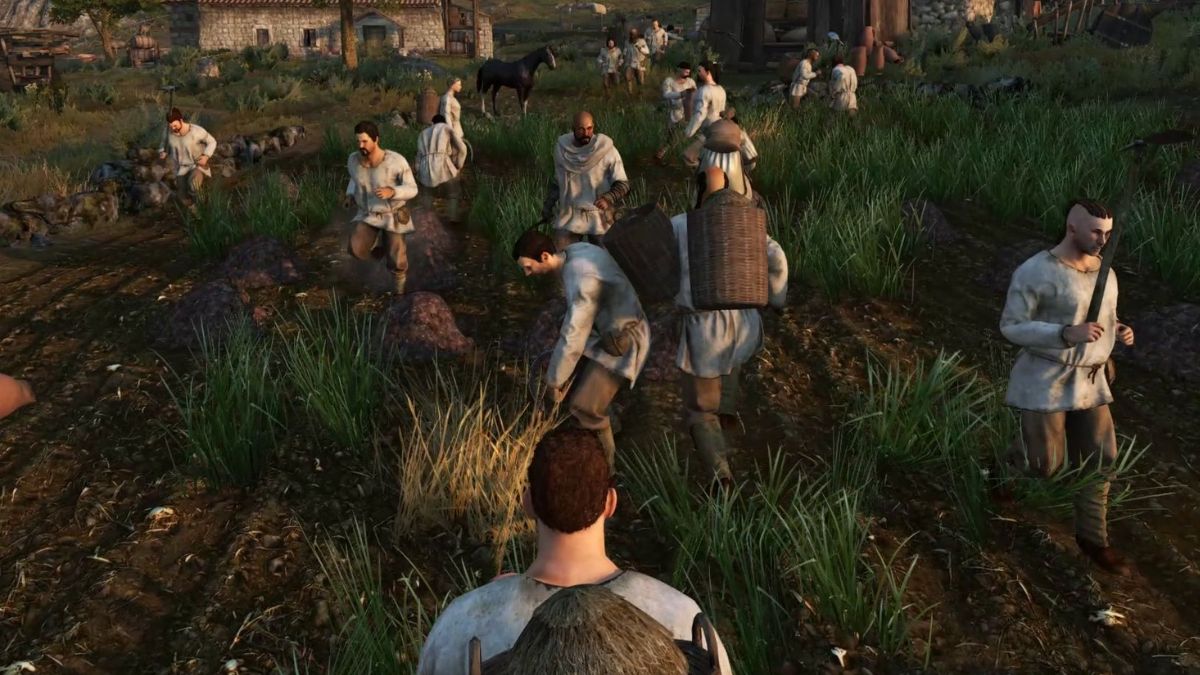
    Mount & Blade II: Bannerlord is a popular medieval action role-playing game that offers a rich single-player sandbox experience. But what if you want to share this experience with other players online? That’s where the Bannerlord Online mod comes in.

    This mod not only provides a multiplayer experience but also provides a complete sandbox experience that is as close to the original as possible. In this article, we will explore the features and benefits of the Bannerlord Online mod, and how you can install and play it.

    What is the Bannerlord Online Mod?

    The Bannerlord Online mod is a mod for Mount & Blade II: Bannerlord that adds online multiplayer functionality to the game. The mod is developed by a team of independent modders who are fans of the game and want to create a multiplayer experience that is faithful to the original game. The mod is available for download from ModDB or Nexus Mods.

    Bannerlord Online Mod
    Bannerlord Online Mod

    The Bannerlord Online mod aims to provide a completely cooperative experience on the global map, where every squad, battle, bandit hideout, and other event are fully synchronized.

    Time doesn’t stop during battles – you can move around the world, visit cities, trade, and fight in the arena while other players participate in battles. You can also join existing battles to turn the tide of battle.

    The mod also features player progression, where you start as an unknown character and gradually find allies and opponents in this world. However, each hero now has a real player behind it, not a scripted AI. The mod also introduces unique perks specially designed for multiplayer, as well as a redesigned experience bar for each skill.

    Another feature of the mod is the player-controlled economy, where the players themselves produce raw materials and deliver them to the workshops while working in the villages.

    Workshop owners produce food, weapons, and armor, and then deliver a finished product to the market. The finished product is in demand by military units and serves as an aid in military campaigns. You can also team up in caravans with other players for effective trading.

    Of course, the mod also supports the combat system of the original game, with support for 100×100 battles, and in the future, the limit will increase to 200×200. Almost all weapons that are in the original game are supported. You can fight in the arena in cities or engage in real, bloody battles.

    How to Install and Play the Bannerlord Online Mod?

    To install and play the Bannerlord Online mod, you will need to have Mount & Blade II: Bannerlord installed on your PC. You will also need to download the mod installer from ModDB or Nexus Mods and run it. The installer will automatically detect your game folder and install the mod files.

    To play the mod, you will need to launch the game from the mod launcher, which will be created on your desktop after the installation. You will also need to log in with your Bannerlord Online account.

    You can then choose a server to join, and create your character. You can also join a clan or create your own, and invite other players to join you. You can then explore the world of Calradia with other players, and enjoy the multiplayer sandbox experience.

    You might also be interested in the following gaming mods:

    Why Should You Play the Bannerlord Online Mod?

    If you are a fan of Mount & Blade II: Bannerlord, and you want to experience the game with other players online, then the Bannerlord Online mod is for you. The mod offers a faithful multiplayer experience that is as close to the original as possible, with many features and benefits, such as:

    • A complete cooperative experience on the global map, where every event is synchronized and you can join other players in battles.
    • A player progression system, where you can create your hero and develop your skills and perks.
    • A player-controlled economy, where you can produce and trade goods, and support your military campaigns.
    • A combat system that supports large-scale battles, with almost all weapons from the original game.
    • A friendly and active community, where you can join clans, chat with other players, and get support from the mod developers.

    The Bannerlord Online mod is a mod that enhances the game and adds a new dimension to it. It is a mod that is made by fans, for fans, and it is constantly updated and improved. If you want to try the mod, you can download it from ModDB or Nexus Mods.

    We appreciate your interest in our website! Make Gameempress.com your go-to site for gaming information.
  • GTA 4 Graphics Mod: How To Make The Game Look Better In 2023?

    GTA 4 Graphics Mod: How To Make The Game Look Better In 2023?

    GTA 4 is a classic open-world action-adventure game that was released in 2008 for PC, PlayStation 3, and Xbox 360. The game follows the story of Niko Bellic, an immigrant who arrives in Liberty City to pursue the American Dream but gets involved in the criminal underworld.

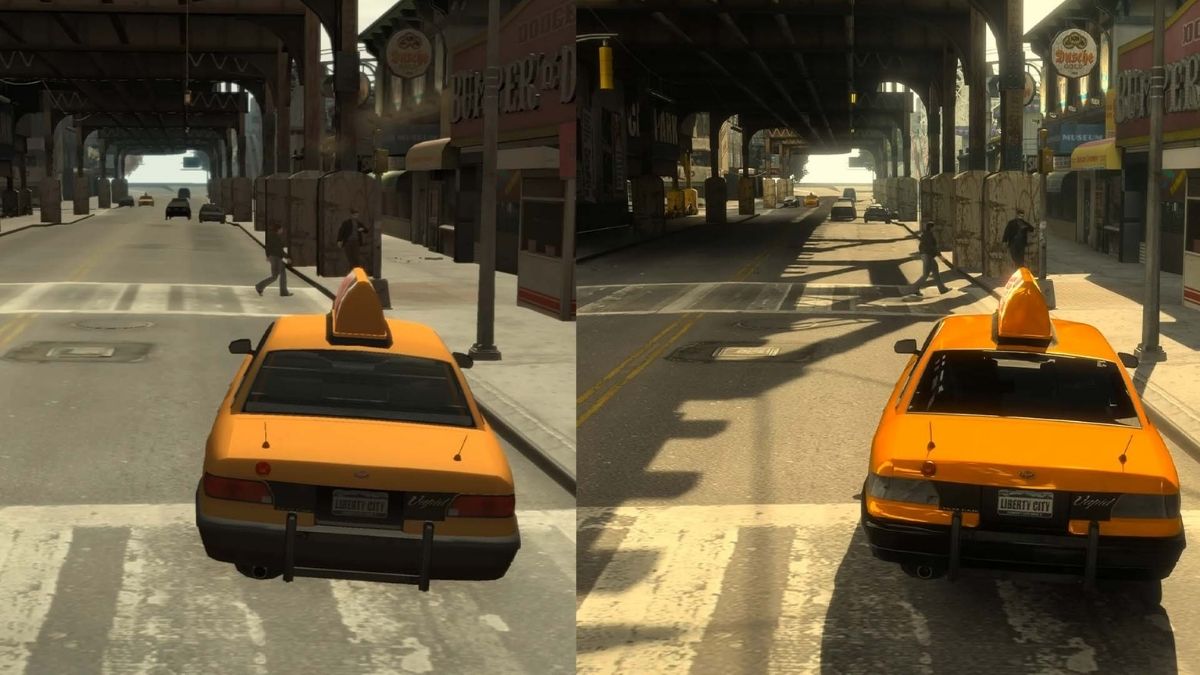
    The game offers a realistic and immersive depiction of the city, with detailed graphics, physics, and animations. However, the game is also over a decade old, and its graphics may not match the standards of the current generation of games. Fortunately, there is a way to make the game look better and more modern: using a graphics mod.

    GTA 4 Graphics Mod

    A graphics mod is a modification or an add-on that changes the graphics of the game, such as the lighting, the shadows, the textures, the colours, the effects, and more. A graphics mod can enhance the graphics of the game by making them more detailed, realistic, vibrant, or stylized, depending on the preference of the user.

    GTA 4 Mods
    GTA 4 Mods

    A graphics mod can also improve the performance and stability of the game, by optimizing the graphics settings and reducing the lag or the glitches.

    There are many graphics mods available for GTA 4, each with its features, advantages, and disadvantages. Some of the most popular and well-known graphics mods are:

    • NaturalVision Evolved: This is a comprehensive and realistic graphics mod that aims to make the game look as close to real life as possible. It features realistic lighting, weather, reflections, shadows, textures, and more. It also adds new content and features, such as new vehicles, weapons, locations, and missions. It is one of the most advanced and demanding graphics mods and requires a powerful PC to run smoothly.
    • Redux: This is a complete overhaul of the graphics of the game, that makes the game look more vibrant, colourful, and dynamic. It features enhanced lighting, weather, effects, textures, and more. It also adds new content and features, such as new physics, animations, sounds, and gameplay mechanics. It is one of the most popular and controversial graphics mods, as it has been accused of stealing assets from other mods and games.
    • VisualV: This is a simple and realistic graphics mod that aims to improve the graphics of the game without changing the original style and atmosphere. It features improved lighting, weather, effects, textures, and more. It also improves the performance and stability of the game, by fixing some bugs and issues. It is one of the most compatible and easy-to-install graphics mods and works well with other mods and scripts.

    How to Install a Graphics Mod for GTA 4?

    Installing a graphics mod for GTA 4 is not very difficult, but it requires some steps and precautions. Here are the general steps to install a graphics mod for GTA 4:

    • Backup your game files: Before installing any mod, it is recommended to backup your game files, in case something goes wrong or you want to revert to the original version. You can backup your game files by copying the entire GTA 4 folder to another location on your PC.
    • Download and install a mod manager: A mod manager is a tool that helps you install, manage, and uninstall mods for GTA 4. It also helps you avoid conflicts and errors between different mods. Some of the most popular and reliable mod managers are OpenIV, Script Hook V, and GTA 4 Mod Manager. You can download and install a mod manager from its official website or a trusted modding site, such as GTA4-Mods.com or Nexus Mods.
    • Download and install a graphics mod: A graphics mod is usually a zip or a rar file that contains the mod files and instructions. You can download a graphics mod from its official website or a trusted modding site, such as GTA4-Mods.com or Nexus Mods. You can install a graphics mod by following the instructions provided by the mod author, which may vary depending on the mod. Some mods may require you to use a mod manager, while others may require you to manually copy and paste the mod files to the GTA 4 folder.
    • Launch the game and enjoy the graphics mod: After installing a graphics mod, you can launch the game and enjoy the improved visuals of the game. You can also adjust the graphics settings and options in the game menu or the mod menu if the mod has one. You can also uninstall or disable a graphics mod by using a mod manager or by deleting the mod files from the GTA 4 folder.

    You might also be interested in the following gaming mods:

    Conclusion

    To sum up, a graphics mod is a modification or an add-on that changes the graphics of the game, such as the lighting, the shadows, the textures, the colours, the effects, and more. A graphics mod can enhance the graphics of the game by making them more detailed, realistic, vibrant, or stylized, depending on the preference of the user.

    A graphics mod can also improve the performance and stability of the game, by optimizing the graphics settings and reducing the lag or the glitches.

    There are many graphics mods available for GTA 4, each with its features, advantages, and disadvantages. Some of the most popular and well-known graphics mods are NaturalVision Evolved, Redux, and VisualV.

    Installing a graphics mod for GTA 4 is not very difficult, but it requires some steps and precautions, such as backing up your game files, downloading and installing a mod manager, and downloading and installing a graphics mod. After installing a graphics mod, you can launch the game and enjoy the improved visuals of the game.

    A graphics mod can make GTA 4 look more amazing and immersive and can enhance the gaming experience and enjoyment. However, a graphics mod may also have some drawbacks, such as compatibility issues, performance issues, or legal issues.

    Therefore, it is advisable to use a graphics mod at your own risk and discretion and to respect the rights and wishes of the original game developers and mod authors.

    We appreciate your interest in our website! Make Gameempress.com your go-to site for gaming information.

  • GTA 5 Graphics Mod: How To Enhance The Visuals Of The Game?

    GTA 5 Graphics Mod: How To Enhance The Visuals Of The Game?

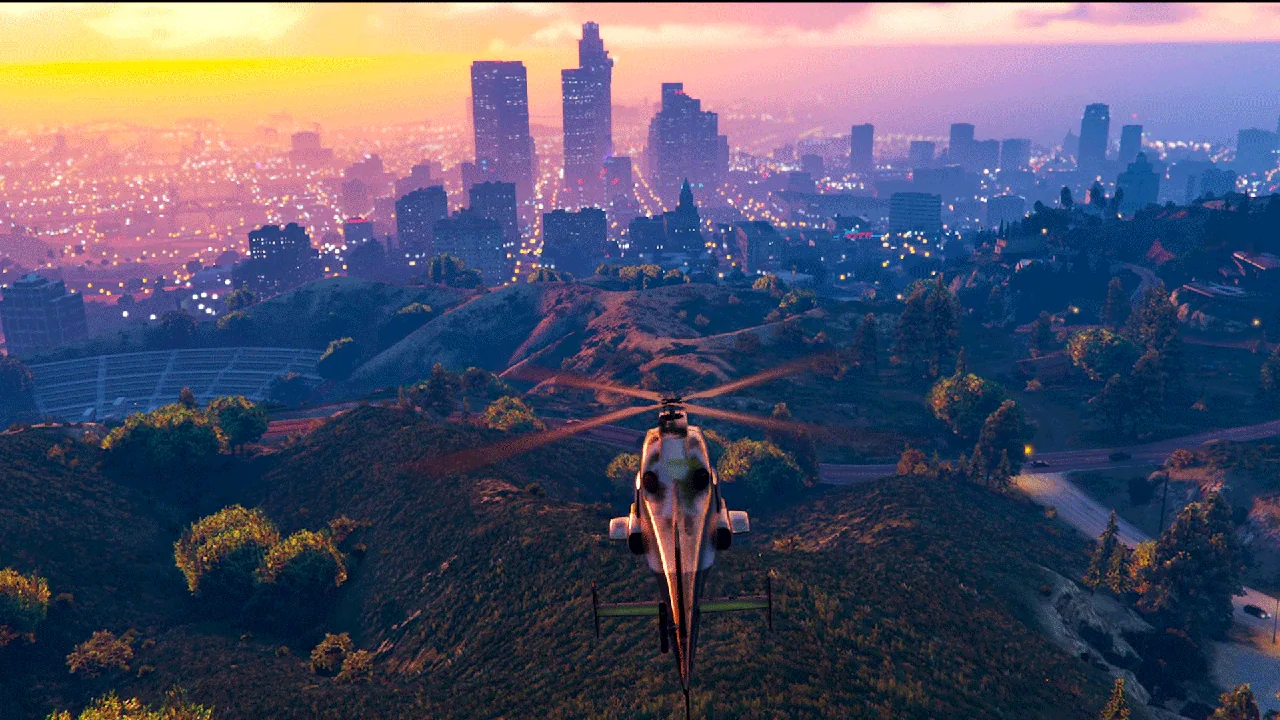
    GTA 5 is one of the most popular and successful games of all time, with millions of players and fans around the world. The game offers a vast and immersive open world, a rich and diverse story, and a variety of gameplay modes and options.

    However, the game was released in 2013, and its graphics may not look as impressive or realistic as some of the newer games on the market. Fortunately, there is a way to improve the visuals of the game and make it look more stunning and lifelike: using a graphics mod.

    GTA 5 Graphics Mod

    A graphics mod is a modification or an add-on that changes the graphics of the game, such as the lighting, the shadows, the textures, the colours, the effects, and more. A graphics mod can enhance the graphics of the game by making them more detailed, realistic, vibrant, or stylized, depending on the preference of the user.

    How Old is Franklin in GTA 5
    Image Source Rockstar Games

    A graphics mod can also improve the performance and stability of the game, by optimizing the graphics settings and reducing the lag or the glitches.

    There are many graphics mods available for GTA 5, each with its features, advantages, and disadvantages. Some of the most popular and well-known graphics mods are:

    • NaturalVision Evolved: This is a comprehensive and realistic graphics mod that aims to make the game look as close to real life as possible. It features realistic lighting, weather, reflections, shadows, textures, and more. It also adds new content and features, such as new vehicles, weapons, locations, and missions. It is one of the most advanced and demanding graphics mods and requires a powerful PC to run smoothly.
    • Redux: This is a complete overhaul of the graphics of the game, that makes the game look more vibrant, colourful, and dynamic. It features enhanced lighting, weather, effects, textures, and more. It also adds new content and features, such as new physics, animations, sounds, and gameplay mechanics. It is one of the most popular and controversial graphics mods, as it has been accused of stealing assets from other mods and games.
    • VisualV: This is a simple and realistic graphics mod that aims to improve the graphics of the game without changing the original style and atmosphere. It features improved lighting, weather, effects, textures, and more. It also improves the performance and stability of the game, by fixing some bugs and issues. It is one of the most compatible and easy-to-install graphics mods and works well with other mods and scripts.

    How to Install a Graphics Mod for GTA 5?

    Installing a graphics mod for GTA 5 is not very difficult, but it requires some steps and precautions. Here are the general steps to install a graphics mod for GTA 5:

    • Backup your game files: Before installing any mod, it is recommended to backup your game files, in case something goes wrong or you want to revert to the original version. You can backup your game files by copying the entire GTA 5 folder to another location on your PC.
    • Download and install a mod manager: A mod manager is a tool that helps you install, manage, and uninstall mods for GTA 5. It also helps you avoid conflicts and errors between different mods. Some of the most popular and reliable mod managers are OpenIV, Script Hook V, and GTA 5 Mod Manager. You can download and install a mod manager from its official website or a trusted modding site, such as GTA5-Mods.com or Nexus Mods.
    • Download and install a graphics mod: A graphics mod is usually a zip or a rar file that contains the mod files and instructions. You can download a graphics mod from its official website or a trusted modding site, such as GTA5-Mods.com or Nexus Mods. You can install a graphics mod by following the instructions provided by the mod author, which may vary depending on the mod. Some mods may require you to use a mod manager, while others may require you to manually copy and paste the mod files to the GTA 5 folder.
    • Launch the game and enjoy the graphics mod: After installing a graphics mod, you can launch the game and enjoy the improved visuals of the game. You can also adjust the graphics settings and options in the game menu or the mod menu if the mod has one. You can also uninstall or disable a graphics mod by using a mod manager or by deleting the mod files from the GTA 5 folder.

    You might also be interested in the following gaming mods:

    Conclusion

    To sum up, a graphics mod is a modification or an add-on that changes the graphics of the game, such as the lighting, the shadows, the textures, the colours, the effects, and more. A graphics mod can enhance the graphics of the game by making them more detailed, realistic, vibrant, or stylized, depending on the preference of the user.

    A graphics mod can also improve the performance and stability of the game, by optimizing the graphics settings and reducing the lag or the glitches.

    There are many graphics mods available for GTA 5, each with its features, advantages, and disadvantages. Some of the most popular and well-known graphics mods are NaturalVision Evolved, Redux, and VisualV.

    Installing a graphics mod for GTA 5 is not very difficult, but it requires some steps and precautions, such as backing up your game files, downloading and installing a mod manager, and downloading and installing a graphics mod. After installing a graphics mod, you can launch the game and enjoy the improved visuals of the game.

    A graphics mod can make GTA 5 look more amazing and immersive and can enhance the gaming experience and enjoyment. However, a graphics mod may also have some drawbacks, such as compatibility issues, performance issues, or legal issues.

    Therefore, it is advisable to use a graphics mod at your own risk and discretion and to respect the rights and wishes of the original game developers and mod authors.

    We appreciate your interest in our website! Make Gameempress.com your go-to site for gaming information.
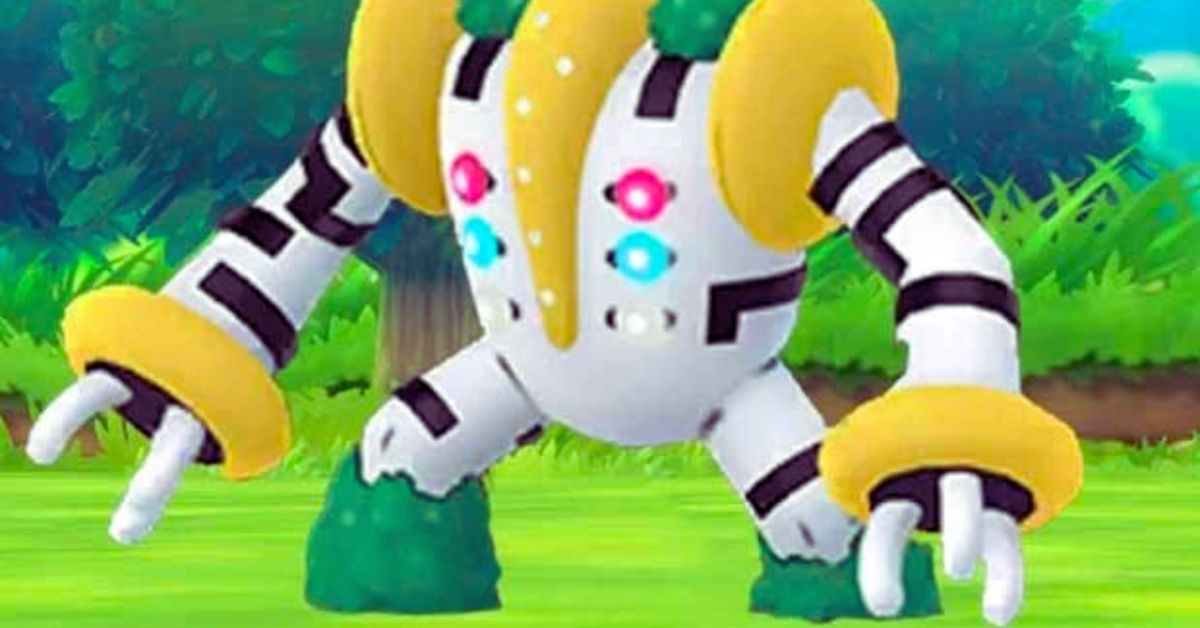
  • How To Beat Reshiram In Pokémon Go?

    How To Beat Reshiram In Pokémon Go?

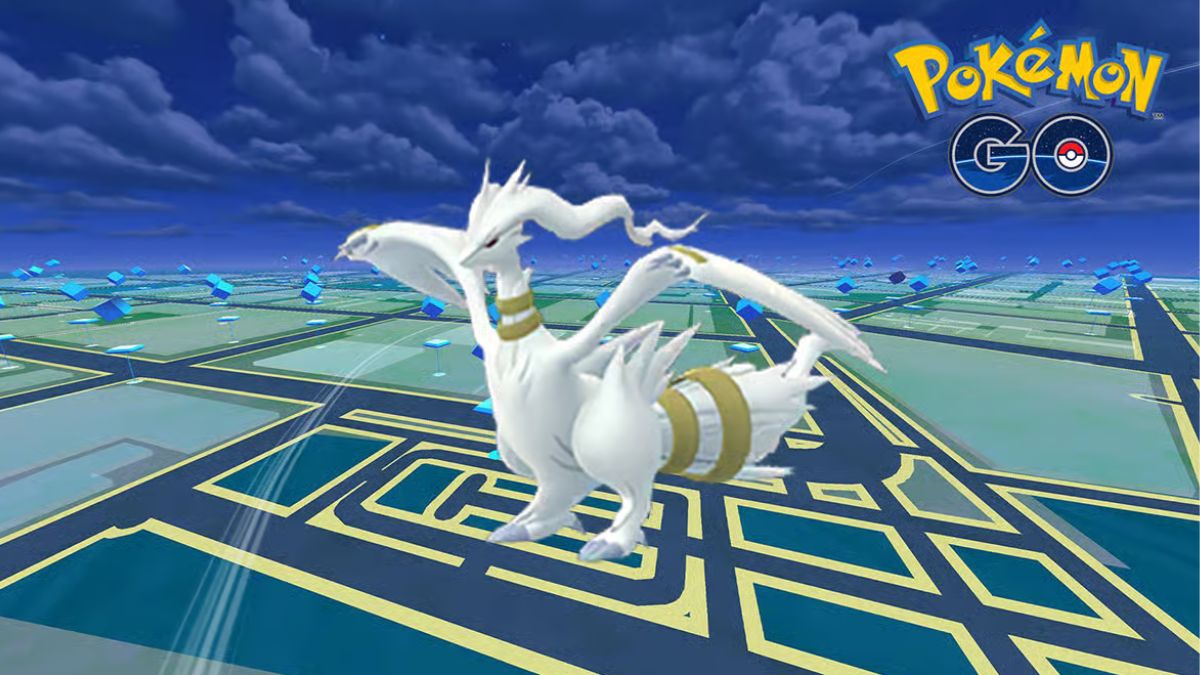
    Reshiram is a powerful Dragon and Fire-type Legendary Pokémon that can be encountered in Pokémon Go. It has a high CP of 53394 and can deal massive damage with its moves, such as Dragon Breath, Draco Meteor, and Outrage. To defeat it, you will need a strong team of Pokémon that can exploit its weaknesses and resist its attacks.

    Reshiram’s Weaknesses and Resistances

    Reshiram is weak to four types of attacks: Ground, Rock, Dragon, and Fairy. These types deal double damage to it when used by your Pokémon. It would help if you tried to use these types as much as possible in your team composition.

    How To Beat Reshiram
    How To Beat Reshiram

    Reshiram is also resistant to six types of attacks: Bug, Electric, Fire, Grass, Steel, and Water. These types deal half the damage to it when used by your Pokémon. You should avoid using these types unless you have no other option.

    Reshiram’s Best Counters

    There are many Pokémon that can counter Reshiram effectively in Pokémon Go. Here are some of the best ones:

    • Mega Rayquaza: This Dragon/Flying-type Legendary Pokémon has a fast move of Dragon Tail that deals Dragon damage and has a 30% chance to flinch the opponent for two turns. It also has a charge move of Outrage that deals Dragon damage and lowers the opponent’s Attack stat by one stage. This combination makes Mega Rayquaza one of the best counters for Reshiram.
    • Mega Groudon: This Ground-type Legendary Pokémon has a fast move of Mud Shot that deals Ground damage and has a 30% chance to poison the opponent for two turns. It also has a charge move of Precipice Blades that deals Ground damage and lowers the opponent’s Defense stat by one stage. This combination makes Mega Groudon another great counter for Reshiram.
    • Mega Salamence: This Dragon/Flying-type Legendary Pokémon has a fast move of Dragon Tail that deals Dragon damage and has a 30% chance to flinch the opponent for two turns. It also has a charge move of Outrage that deals Dragon damage and lowers the opponent’s Attack stat by one stage. This combination makes Mega Salamence another excellent counter for Reshiram.
    • Mega Diancie: This Rock/Diamond-type Legendary Pokémon has a fast move of Rock Throw that deals Rock damage and has a 30% chance to flinch the opponent for two turns. It also has a charge move of Rock Slide that deals Rock damage and lowers the opponent’s Defense stat by one stage. This combination makes Mega Diancie another powerful counter for Reshiram.
    • Mega Latios: This Psychic/Flying-type Legendary Pokémon has a fast move of Psychic that deals Psychic damage and lowers the opponent’s Special Attack stat by one stage. It also has a charge move of Outrage that deals Psychic damage and lowers the opponent’s Attack stat by one stage. This combination makes Mega Latios another effective counter for Reshiram.

    You might also be interested in the following game guide:

    How Many Players Do You Need?

    To defeat Reshiram in Pokémon Go, you will need at least three players who have high-level teams with good movesets. However, if you don’t have enough players or don’t have optimal teams, you can still beat it with five players who have decent teams with average movesets. The more players you have, the faster you will be able to defeat it.

    We appreciate your interest in our website! Make Gameempress.com your go-to site for gaming information.

  • How To Beat Mega Glalie In Pokémon Go?

    How To Beat Mega Glalie In Pokémon Go?

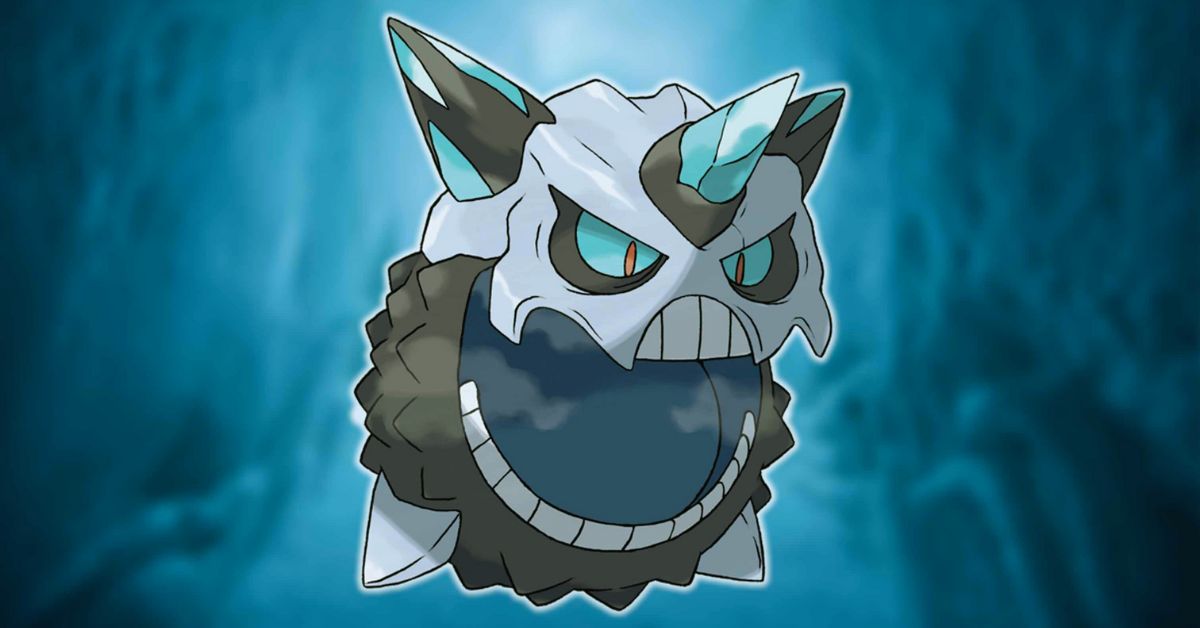
    Mega Glalie is a powerful Ice-type Mega Raid boss that can be encountered in Pokémon Go. It has a high CP of 749 and can deal massive damage with its moves, such as Ice Shard, Avalanche, and Blizzard. To defeat it, you will need a strong team of Pokémon that can exploit its weaknesses and resist its attacks.

    Mega Glalie’s Weaknesses and Resistances

    Mega Glalie is weak to four types of attacks: Fire, Fighting, Rock, and Steel. These types deal double damage to it when used by your Pokémon. It would help if you tried to use these types as much as possible in your team composition.

    How To Beat Mega Glalie
    How To Beat Mega Glalie

    Mega Glalie is also resistant to six types of attacks: Bug, Dark, Dragon, Electric, Fighting, Fire, Grass, and Water. These types deal half the damage to it when used by your Pokémon. You should avoid using these types unless you have no other option.

    Mega Glalie’s Best Counters

    There are many Pokémon that can counter Mega Glalie effectively in Pokémon Go. Here are some of the best ones:

    • Mega Blaziken: This Fire/Fighting-type Pokémon has a fast move of Fire Spin that deals Fire damage and has a 30% chance to burn the opponent for two turns. It also has a charge move of Fire Blast that deals Fire damage and lowers the opponent’s Special Defense stat by one stage. This combination makes Mega Blaziken one of the best counters for Mega Glalie.
    • Mega Charizard X: This Fire/Flying-type Legendary Pokémon has a fast move of Fire Spin that deals Fire damage and has a 30% chance to burn the opponent for two turns. It also has a charge move of Fire Blast that deals Fire damage and lowers the opponent’s Special Defense stat by one stage. This combination makes Mega Charizard X another great counter for Mega Glalie.
    • Mega Houndoom: This Dark/Fire-type Legendary Pokémon has a fast move of Fire Fang that deals Fire damage and has a 30% chance to burn the opponent for two turns. It also has a charge move of Flamethrower that deals Fire damage and lowers the opponent’s Special Defense stat by one stage. This combination makes Mega Houndoom another excellent counter for Mega Glalie.
    • Aerodactyl (Mega): This Rock/Dragon-type Legendary Pokémon has a fast move of Rock Throw that deals Rock damage and has a 30% chance to flinch the opponent for two turns. It also has a charge move of Rock Slide that deals Rock damage and lowers the opponent’s Defense stat by one stage. This combination makes Aerodactyl (Mega) another powerful counter for Mega Glalie.
    • Lopunny (Mega): This Normal/Fighting-type Legendary Pokémon has a fast move of Double Kick that deals Fighting damage and lowers the opponent’s Attack stat by one stage. It also has a charge move of Focus Blast that deals Fighting damage and lowers the opponent’s Special Defense stat by one stage. This combination makes Lopunny (Mega) another effective counter for Mega Glalie.

    You might also be interested in the following game guide:

    How Many Players Do You Need?

    To defeat Mega Glalie in Pokémon Go, you will need at least three players who have high-level teams with good movesets. However, if you don’t have enough players or don’t have optimal teams, you can still beat it with five players who have decent teams with average movesets. The more players you have, the faster you can defeat it.

    We appreciate your interest in our website! Make Gameempress.com your go-to site for gaming information.
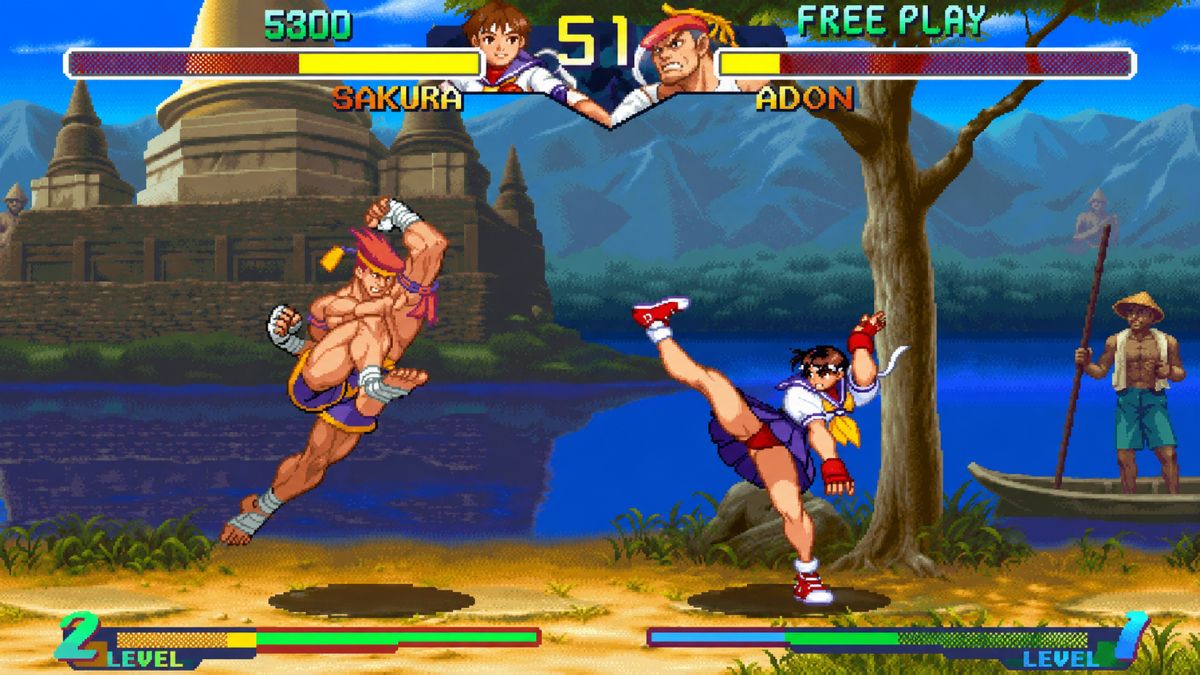
  • Street Fighter Nintendo Switch: How To Play The Classic Fighting Game On The Hybrid Console?

    Street Fighter Nintendo Switch: How To Play The Classic Fighting Game On The Hybrid Console?

    Street Fighter is one of the most iconic and influential fighting game franchises of all time, with a history that spans over three decades and multiple platforms. The series features a diverse roster of characters, each with their unique fighting style, moves, and story.

    Street Fighter Nintendo Switch

    The series is also known for its competitive and strategic gameplay, as well as its memorable music and sound effects. If you are a fan of Street Fighter and own a Nintendo Switch, you might be wondering how to play the classic fighting game on the hybrid console.

    Street Fighter Nintendo Switch
    Street Fighter Nintendo Switch

    Fortunately, there are several options available for you, depending on your preference and budget. In this article, we will review the different ways to play Street Fighter on Nintendo Switch, and what are the pros and cons of each option.

    Street Fighter 30th Anniversary Collection

    The Street Fighter 30th Anniversary Collection is a compilation of 12 Street Fighter games, which include the Street Fighter, Street Fighter II, Street Fighter Alpha, and Street Fighter III series. The collection was released in 2018 for Nintendo Switch, as well as other platforms, to celebrate the 30th anniversary of the franchise.

    The collection offers a comprehensive and nostalgic experience for Street Fighter fans, as it allows them to play the original arcade versions of the games, with the option to adjust the settings, such as the speed, difficulty, and region.

    The collection also features online multiplayer modes, such as ranked and casual matches, lobbies, and leaderboards, for four of the games: Street Fighter II: Hyper Fighting, Super Street Fighter II Turbo, Street Fighter Alpha 3, and Street Fighter III: 3rd Strike.

    The collection also includes a museum mode, where players can learn more about the history and development of the series, view concept art and character bios, listen to the soundtracks, and watch a timeline of the events. The collection also supports save states, rewind, and filters, to enhance the gameplay experience.

    The pros of this option are:

    • It offers a large and varied selection of Street Fighter games, from the original to the third generation, with different characters, mechanics, and modes.
    • It preserves the authentic arcade feel and quality of the games, with minimal changes and enhancements.
    • It provides online multiplayer options for some of the games, allowing players to compete and cooperate with other players around the world.
    • It includes a museum mode that showcases the rich and detailed history and lore of the series, as well as the behind-the-scenes information and trivia.

    The cons of this option are:

    • It does not include some of the newer and more popular Street Fighter games, such as Street Fighter IV and Street Fighter V, which have more advanced graphics, gameplay, and features.
    • It does not support cross-play with other platforms, meaning that Nintendo Switch players can only play online with other Nintendo Switch players.
    • It costs $39.99, which might be too expensive for some players who only want to play one or a few of the games in the collection.

    Ultra Street Fighter II: The Final Challengers

    Ultra Street Fighter II: The Final Challengers is an enhanced version of Super Street Fighter II Turbo, which was originally released in 1994. The game was released in 2017 exclusively for Nintendo Switch, as part of the 30th anniversary celebration of the franchise.

    The game offers a classic and modern experience for Street Fighter fans, as it allows them to play the game with the original or updated graphics, sound, and balance.

    The game also features two new characters, Evil Ryu and Violent Ken, as well as a new mode called “Way of the Hado”, where players can use motion controls to perform Ryu’s signature moves, such as the Hadoken and the Shoryuken.

    The game also supports online and local multiplayer modes, such as ranked and casual matches, lobbies, and leaderboards, as well as co-op and versus modes, where players can team up or fight against each other.

    The game also supports the use of the Joy-Con controllers, the Pro Controller, and the Arcade Stick, to suit different play styles and preferences.

    The pros of this option are:

    • It offers a refined and updated version of one of the most popular and influential Street Fighter games, with improved graphics, sound, and balance.
    • It introduces two new characters and a new mode, adding more variety and fun to the gameplay.
    • It supports online and local multiplayer options, allowing players to play with or against other players on the same or different consoles.
    • It costs $19.99, which is more affordable than the Street Fighter 30th Anniversary Collection.

    The cons of this option are:

    • It only offers one Street Fighter game, which might not be enough for some players who want to play more games in the series.
    • It does not support cross-play with other platforms, meaning that Nintendo Switch players can only play online with other Nintendo Switch players.
    • It has some issues and limitations, such as the lack of voice chat, the low online population, and the poor quality of the Way of the Hado mode.

    You might also be interested in the following game guide:

    Street Fighter V: Champion Edition

    Street Fighter V: Champion Edition is the latest and most complete version of Street Fighter V, which was originally released in 2016. The game was released in 2020 for PlayStation 4 and PC and is also playable on Nintendo Switch via cloud streaming technology.

    The game offers a modern and comprehensive experience for Street Fighter fans, as it includes all the content and updates of the previous versions of the game, such as 40 characters, 34 stages, over 200 costumes, and various modes, such as story, arcade, survival, training, and more.

    The game also features online multiplayer modes, such as ranked and casual matches, lobbies, and leaderboards, as well as cross-play with PlayStation 4 and PC players.

    The game also supports the use of the Joy-Con controllers, the Pro Controller, and the Arcade Stick, to suit different play styles and preferences. However, the game requires a stable and fast internet connection, as well as a Nintendo Switch Online membership, to play.

    The pros of this option are:

    • It offers the newest and most complete version of Street Fighter V, with the most advanced graphics, gameplay, and features.
    • It includes a large and diverse roster of characters, stages, costumes, and modes, offering a lot of content and replay value.
    • It supports online multiplayer options, allowing players to play with or against other players across platforms, thanks to the cross-play feature.
    • It costs $39.99, which is reasonable for the amount of content and quality of the game.

    The cons of this option are:

    • It requires a stable and fast internet connection, as well as a Nintendo Switch Online membership, to play, which might not be available or affordable for some players.
    • It does not support local multiplayer options, meaning that players cannot play with or against other players on the same console.

    We appreciate your interest in our website! Make Gameempress.com your go-to site for gaming information.
  • Zelda Tears Of The Kingdom Interactive Map: How To Use And Explore It?

    Zelda Tears Of The Kingdom Interactive Map: How To Use And Explore It?

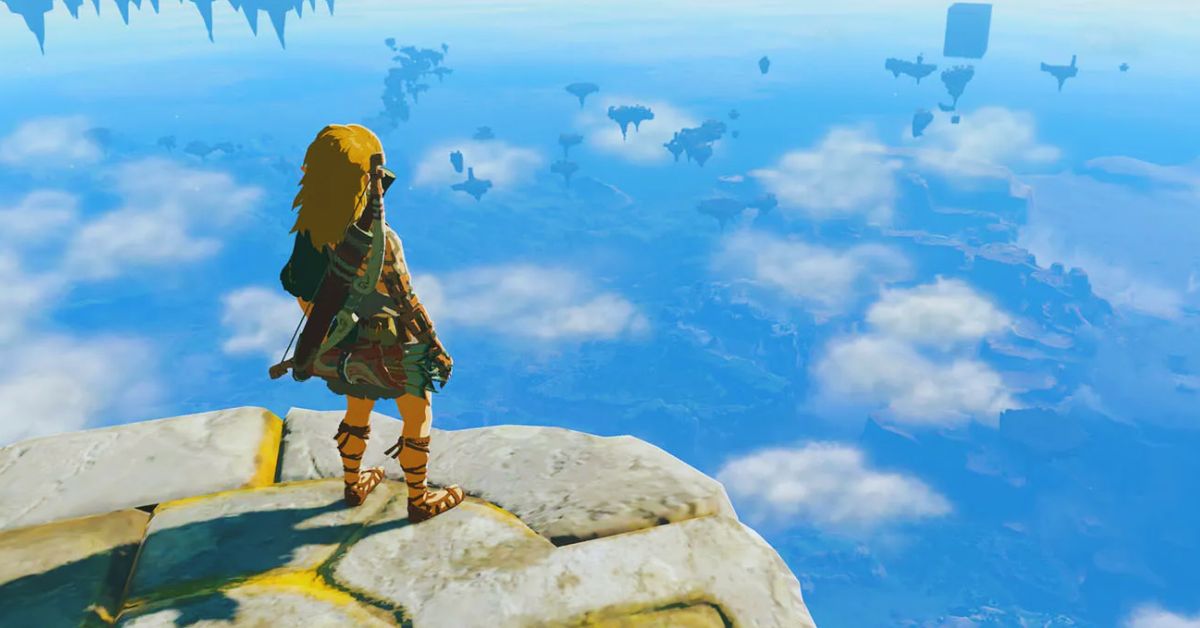
    Zelda Tears of the Kingdom is a fan-made game that is inspired by The Legend of Zelda: Breath of the Wild. The game features a large and detailed open world that is divided into three regions: the Surface, the Sky, and the Depths.

    The game also has a lot of content and secrets to discover, such as shrines, korok seeds, dragons, bosses, and more. To help players navigate and explore the game world, the game has an interactive map that can be accessed online or in-game.

    In this article, we will explain how to use and explore the Zelda Tears of the Kingdom interactive map, and what are the benefits and features of this map.

    Zelda Tears Of The Kingdom Interactive Map

    Zelda Tears Of The Kingdom Interactive Map
    Zelda Tears Of The Kingdom Interactive Map

    How to Access the Interactive Map?

    The interactive map of Zelda’s Tears of the Kingdom can be accessed in two ways: online or in-game.

    • Online: The online version of the interactive map can be found on various websites, such as Zelda Dungeon, Map Genie, and Gamertw. These websites offer interactive, searchable, and customizable maps of the game, with locations, descriptions, guides, and more. The online version of the interactive map can be used on any device, such as a PC, smartphone, or tablet, and can be accessed anytime, anywhere.
    • In-Game: The in-game version of the interactive map can be found on the Sheikah Slate, a device that the player character carries throughout the game. The Sheikah Slate can be activated by pressing the minus button on the controller, or the M key on the keyboard. The in-game version of the interactive map can be used to view the game world, mark locations, fast travel, and more. The in-game version of the interactive map can only be used when playing the game and requires the player to unlock the Skyview Towers, which are tall structures that reveal the map of each region.

    How To Use The Interactive Map?

    Zelda Tears Of The Kingdom Interactive Map
    Zelda Tears Of The Kingdom Interactive Map

    The interactive map of Zelda’s Tears of the Kingdom can be used for various purposes, such as:

    • Finding Locations: The interactive map shows all the locations in the game, such as villages, caves, wells, shrines, dungeons, and more. The interactive map also shows the names and icons of each location and allows the player to filter and search for specific locations. The interactive map also provides information and guides for each location, such as how to access, what to do, what to find, and more.
    • Finding collectables: The interactive map shows all the collectables in the game, such as korok seeds, treasure chests, sage’s will, old maps, armour, unique weapons, yoga schematics, and more. The interactive map also shows the locations and icons of each collectable and allows the player to filter and search for specific collectables. The interactive map also provides information and guides for each collectable, such as how to obtain it, what to use, what to upgrade, and more.
    • Finding Quests: The interactive map shows all the quests in the game, such as main quests, side adventures, shrine quests, side quests, and more. The interactive map also shows the locations and icons of each quest and allows the player to filter and search for specific quests. The interactive map also provides information and guides for each quest, such as how to start, what to do, what to reward, and more.
    • Finding Enemies And Bosses: The interactive map shows all the enemies and bosses in the game, such as flux constructs, inboxes, stone taluses, foxes, gleeks, lines, mouldings, gloom spawns, and more. The interactive map also shows the locations and icons of each enemy and boss and allows the player to filter and search for specific enemies and bosses. The interactive map also provides information and guides for each enemy and boss, such as how to fight, what to use, what to drop, and more.

    How To Explore The Interactive Map?

    The interactive map of Zelda’s Tears of the Kingdom can be explored in different ways, such as:

    • Zooming In And Out: The interactive map can be zoomed in and out by using the mouse wheel, the plus and minus buttons on the controller, or the plus and minus keys on the keyboard. Zooming in and out allows the player to see more or less details of the map, and to focus on specific areas or regions.
    • Panning And Rotating: The interactive map can be panned and rotated by using the mouse, the left stick on the controller, or the arrow keys on the keyboard. Panning and rotating allows the player to move and adjust the view of the map, and to see different angles and perspectives of the map.
    • Switching Between Regions: The interactive map can be switched between the three regions of the game: the Surface, the Sky, and the Depths. The interactive map can be switched by using the tabs on the top of the map, the L and R buttons on the controller, or the Q and E keys on the keyboard. Switching between regions allows the player to see the different parts and features of the game world, and to access different locations and content.
    • Switching Between Modes: The interactive map can be switched between two modes: normal and night. The interactive map can be switched by using the button on the bottom right of the map, the X button on the controller, or the N key on the keyboard. Switching between modes allows the player to see the different lighting and weather effects of the map, and to experience different gameplay and atmosphere.

    You might also be interested in the following game guide:

    Conclusion

    To summarize, Zelda Tears of the Kingdom’s interactive map is a valuable and entertaining tool that can assist players in navigating and exploring the game world, as well as finding areas, collectables, quests, monsters, and bosses.

    The interactive map may be accessible both online and in-game, and it can be utilized and explored in a variety of ways. The interactive map is a terrific method to improve the gameplay experience and have more fun with the game.

    We appreciate your interest in our website! Make Gameempress.com your go-to site for gaming information.
  • How To Crossplay Madden 24? Ultimate Guide For Seamless Multiplatform Gaming

    How To Crossplay Madden 24? Ultimate Guide For Seamless Multiplatform Gaming

    Madden 24 is the latest instalment of the popular football simulation game series by EA Sports. The game features improved graphics, gameplay, and modes, as well as a new feature that many fans have been waiting for crossplay.

    Crossplay allows players to play online with or against other players on different platforms, such as PC, PlayStation 5, and Xbox Series X|S. In this article, we will explain how to crossplay Madden 24 in 2023, and what are the benefits and limitations of this feature.

    How to Enable and Disable Crossplay in Madden 24?

    Madden NFL 24 Gameplay
    Madden NFL 24 Gameplay

    Enabling and disabling crossplay in Madden 24 is easy and can be done through the game’s settings menu. Here are the steps to follow:

    • On PC and PlayStation 5, open the Settings menu and go to the dedicated crossplay section. You can switch crossplay on and off from there at will.
    • On Xbox Series X|S, crossplay settings are controlled through the console system settings. To enable or disable crossplay, go to Settings > Devices & connections > Remote features > Xbox remote play. You can toggle crossplay on and off from there.

    Note that crossplay is enabled by default when you start the game for the first time on PC, PS5, or Xbox Series X|S. However, you can change this setting at any time.

    How To Play With Friends On Other Platforms In Madden 24?

    To play with your friends on other platforms, you need to use the EA Social interface in Madden 24. This is a new feature that allows you to search, add, and invite players across platforms using their EA ID or their platform identifier. Here are the steps to follow:

    • Open the EA Social interface in Madden 24 by pressing the right stick on your controller or the F1 key on your keyboard.
    • Navigate to the Player Search tab and search for a player using their EA ID or their platform identifier. A player’s platform identifier is either their Xbox Series X|S gamertag or PSN ID.
    • Send a friend request to the player you want to play with. Once they accept your request, they will appear on your friend’s list.
    • Invite the player to join your party or your game session. You can also join their party or game session if they invite you.

    Note that you can only play with your friends on other platforms in certain online multiplayer modes that support crossplay, such as Head-to-Head, Madden Ultimate Team, Superstar KO, and Superstar Showdown.

    What Are The Limitations Of Crossplay In Madden 24?

    While crossplay is a great feature that enhances the gaming experience, it also comes with some limitations that you should be aware of, such as:

    • Crossplay is only available for players on PC, PS5, and Xbox Series X|S. Players on PS4 and Xbox One cannot crossplay with players on other platforms.
    • Crossplay is only supported in certain online multiplayer modes, such as Head-to-Head, Madden Ultimate Team, Superstar KO, and Superstar Showdown. Other modes, such as Franchise, do not support crossplay.
    • Crossplay does not support cross-progression or cross-buy. This means that you cannot transfer your saved data, progress, or purchases between different platforms. You have to buy the game separately for each platform and start from scratch.
    • Crossplay may affect the matchmaking and the leaderboards. Players who opt into crossplay will be matched with players from all supported platforms and will see a global leaderboard that includes players from all platforms. Players who opt out of crossplay will only be matched with players on their platform and will see a platform-specific leaderboard.

    You might also like to know about if these other games are cross-platform or not:

    Conclusion

    To sum up, crossplay is a new feature that allows players to play online with or against other players on different platforms in Madden 24. To enable or disable crossplay, players can use the game’s settings menu or the console system settings.

    To play with friends on other platforms, players can use the EA Social interface to search, add, and invite players across platforms. Crossplay is only available for players on PC, PS5, and Xbox Series X|S, and only in certain online multiplayer modes.

    Crossplay does not support cross-progression or cross-buy and may affect the matchmaking and the leaderboards. Crossplay is a welcome addition to Madden 24 that improves the social, competitive, and cooperative aspects of the game.

    We appreciate your interest in our website! Make Gameempress.com your go-to site for gaming information.
  • Is Monster Hunter World Crossplay? Unleashing Multi-Platform Hunting Adventures!

    Is Monster Hunter World Crossplay? Unleashing Multi-Platform Hunting Adventures!

    Monster Hunter World is a popular action role-playing game that lets players hunt down various monsters in a vast open world. The game was released in 2018 for PlayStation 4, Xbox One, and PC, and has received several updates and expansions, including the Iceborne expansion in 2019.

    The game has a loyal fan base that enjoys the thrilling gameplay, stunning graphics, and diverse content. However, many players have one question in mind: Is Monster Hunter World crossplay in 2023? In other words, can players on different platforms play together online?

    Is Monster Hunter World Crossplay in 2023?

    Unfortunately, the answer is no. Monster Hunter World does not support crossplay in 2023, and there are no plans to add this feature in the future. This means that players on different platforms cannot play together online, and can only play with players on the same platform.

    Is Monster Hunter World Crossplay
    Is Monster Hunter World Crossplay

    For example, PlayStation 4 players can only play with other PlayStation 4 players, and PC players can only play with other PC players.

    There are several reasons why Monster Hunter World does not have crossplay, such as:

    • The game’s design and infrastructure do not allow for cross-platform integration, as the game uses different servers and networks for each platform. This makes it difficult to implement crossplay without compromising the game’s stability and performance.
    • The game’s development and update schedule are not synchronized across platforms, as the PC version often receives updates and patches later than the console versions. This creates discrepancies and inconsistencies in the game’s content and balance, which would affect the crossplay experience.
    • The game’s developer, Capcom, has not expressed any interest or intention to add crossplay to the game, as they are focused on other aspects and priorities of the game’s development and support.

    What Are The Alternatives To Crossplay?

    While Monster Hunter World does not have crossplay, there are some alternatives that players can use to enjoy the game with other players, such as:

    • Cross-save: This feature allows players to transfer their saved data and progress between different platforms, as long as they use the same account. For example, players can transfer their saved data from PlayStation 4 to PC, and vice versa, using their Steam account. This feature is available for Monster Hunter World, but only for the base game, not the Iceborne expansion.
    • Cross-buy: This feature allows players to purchase the game once and play it on multiple platforms, as long as they use the same account. For example, players can buy the game on PlayStation 4 and play it on PlayStation 5, or buy the game on Xbox One and play it on Xbox Series X/S, using their PlayStation Network or Xbox Live account. This feature is not available for Monster Hunter World, as players have to buy the game separately for each platform.
    • Cross-generation: This feature allows players to play together online across different generations of the same platform, as long as they use the same account. For example, players can play together online on PlayStation 4 and PlayStation 5, or Xbox One and Xbox Series X/S, using their PlayStation Network or Xbox Live account. This feature is available for Monster Hunter World, as the game is backwards compatible with the newer consoles.

    You might also like to know about if these other games are cross-platform or not:

    Conclusion

    To sum up, Monster Hunter World does not have crossplay in 2023, and it is unlikely that this feature will be added in the future. Players on different platforms cannot play together online, and can only play with players on the same platform.

    However, there are some alternatives that players can use to enjoy the game with other players, such as cross-save, cross-buy, and cross-generation. Monster Hunter World is still a great game that offers a lot of fun and excitement for players who love hunting monsters and exploring the world.

    We appreciate your interest in our website! Make Gameempress.com your go-to site for gaming information.
  • How To Beat Regigigas In Pokemon Go?

    How To Beat Regigigas In Pokemon Go?

    Regigigas is a legendary Normal-type Pokemon that can be encountered in EX Raids. It has a Max CP of 4,346 and an HP of 600. It is the final boss of Team Go Rocket’s villainous leader Giovanni, who will challenge you after you defeat his other Pokemon.

    Regigigas is a formidable opponent that can deal massive damage with its moves, so you need to be prepared and use the best counters to defeat it. In this article, we will show you how to beat Regigigas in Pokemon Go with some tips and tricks.

    What are the Phases of Giovanni’s Battle?

    Giovanni’s battle consists of three phases, each with a different Pokemon that he will use against you. The first phase always features Persian, a Normal-type Pokemon that is weak against Fighting-type attacks and resistant to Ghost-type attacks.

    How To Beat Regigigas
    How To Beat Regigigas

    The second phase can vary depending on the availability of Persian, but it will always include one of these three Pokemon: Nidoking, Kingler, or Garchomp. All three are Water-type Pokemon that are weak against Fire-type attacks and resistant to Electric-type attacks.

    The third phase is Shadow Regigigas, a legendary Normal-type Pokemon that is weak against Fighting-type attacks and resistant to Ghost-type attacks.

    What Are The Best Counters For Each Phase?

    To beat Regigigas effectively, you need to know which Pokemon are the best counters for each phase of Giovanni’s battle. Here are some suggestions:

    • For the first phase, Persian counters: Terrakion, Conkeldurr, Hariyama. These Pokemon can deal high damage with their Fighting-type moves and resist Persian’s Ghost-type moves.
    • For the second phase, Nidoking counters: Lucario, Pheromosa, Keldeo (Ordinary). These Pokemon can deal high damage with their Fighting-type moves and resist Nidoking’s Water-type moves.
    • For the second phase, Kingler counters: Urshifu (Single Strike), Keldeo (Resolute), and Pheromosa. These Pokemon can deal high damage with their Fighting-type moves and resist Kingler’s Water-type moves.
    • For the second phase, Garchomp counters: Garchomp, Lucario, Keldeo (Ordinary). These Pokemon can deal high damage with their Fire-type moves and resist Garchomp’s Water-type moves.
    • For the third phase, Regigigas counters: Terrakion, Conkeldurr, and Hariyama. These Pokemon can deal high damage with their Fighting-type moves and resist Regigigas’s Normal-type moves.

    How To Use Your Team Effectively?

    To beat Regigigas quickly and efficiently, you need to use your team effectively. Here are some tips:

    • Use your strongest DPS (damage per second) Pokemon as your main attackers. You want to focus your damage on Regigigas as much as possible.
    • Use your support Pokemon as your secondary attackers or shields. You want to help your main attackers by providing healing or status effects.
    • Use your utility Pokemon as your crowd control or escape tool. You want to control the battlefield by removing unwanted threats or escaping from danger.
    • Use your weather boost if possible. You want to take advantage of any weather effects that can boost your performance or hinder Regigigas’s performance.

    How to find Giovanni?

    To find Giovanni in his battle against Regigigas, you need to complete his Team Go Rocket Takeover event. This event will occur randomly throughout 2023 and will last for about two weeks each time. During this event, you will see a message on your screen that says “Team Go Rocket Takeover!” when it starts.

    To participate in this event, you need to have enough Team Go Rocket Badges in your inventory. You can earn these badges by completing various tasks related to Team Go Rocket activities throughout 2023.

    Once you have enough badges in your inventory, you will receive an invitation from Giovanni via mail or message chat. He will challenge you for a battle at one of these locations:

    • A random location within a 10 km radius of your home
    • A random location within a 10 km radius of any Gym
    • A random location within 10 km radius of any Raid Boss

    You need to accept his challenge within 24 hours or he will leave without fighting you.

    You might also be interested in the following game guide:

    How to Defeat Team Go Rocket Leaders?

    After you defeat Giovanni in his battle against Regigigas, he will become one of the Team Go Rocket Leaders that you need to defeat to progress through Team Go Rocket missions.

    Team Go Rocket Leaders are powerful trainers that have been corrupted by Team Go Rocket and have

    We appreciate your interest in our website! Make Gameempress.com your go-to site for gaming information.
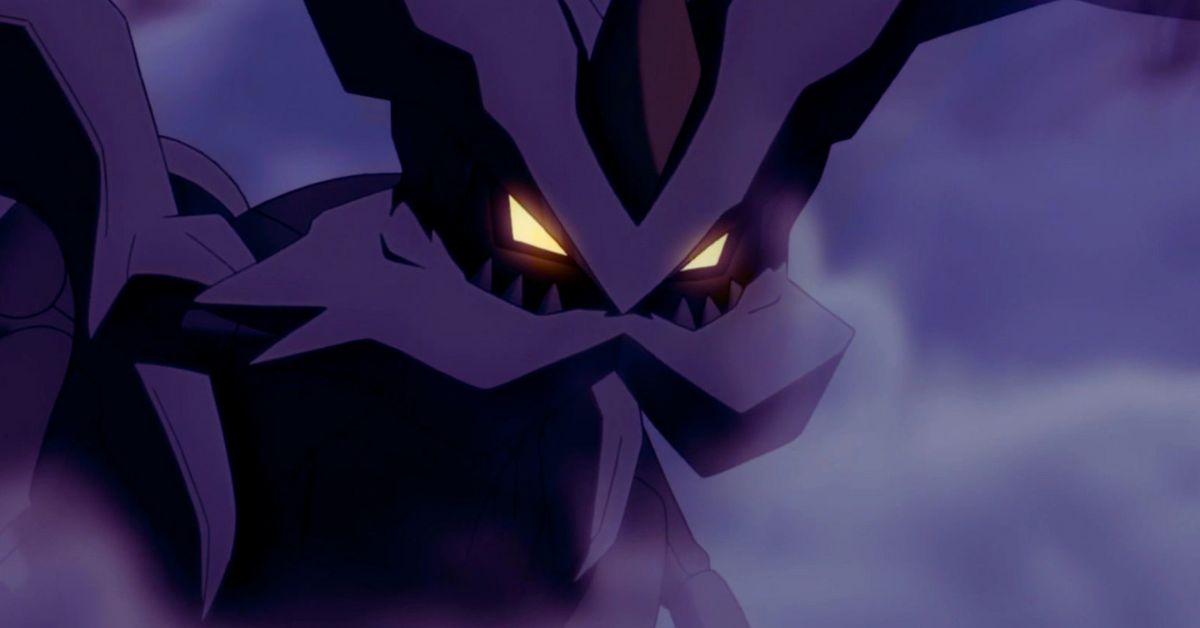
  • How To Beat Kyurem In Pokémon Go?

    How To Beat Kyurem In Pokémon Go?

    Kyurem is a powerful Ice and Dragon-type Legendary Pokémon that can be encountered in Pokémon Go. It has a high CP of 1791-2553 and can deal massive damage with its moves, such as Dragon Breath, Outrage, and Draco Meteor. To defeat it, you will need a strong team of Pokémon that can exploit its weaknesses and resist its attacks.

    Kyurem’s Weaknesses and Resistances

    Kyurem is weak to four types of attacks: Ground, Rock, Dragon, and Fairy. These types deal double damage to it when used by your Pokémon. It would help if you tried to use these types as much as possible in your team composition.

    How To Beat Kyurem
    How To Beat Kyurem

    Kyurem is also resistant to six types of attacks: Bug, Electric, Fire, Grass, Steel, and Water. These types deal half the damage to it when used by your Pokémon. You should avoid using these types unless you have no other option.

    Kyurem’s Best Counters

    There are many Pokémon that can counter Kyurem effectively in Pokémon Go. Here are some of the best ones:

    • Mega Rayquaza: This Dragon/Flying-type Legendary Pokémon has a fast move of Dragon Tail that deals Dragon damage and has a 30% chance to flinch the opponent for two turns. It also has a charge move of Outrage that deals Dragon damage and lowers the opponent’s Attack stat by one stage. This combination makes Mega Rayquaza one of the best counters for Kyurem.
    • Mega Groudon: This Ground-type Legendary Pokémon has a fast move of Mud Shot that deals Ground damage and has a 30% chance to poison the opponent for two turns. It also has a charge move of Precipice Blades that deals Ground damage and lowers the opponent’s Defense stat by one stage. This combination makes Mega Groudon another great counter for Kyurem.
    • Mega Salamence: This Dragon/Flying-type Legendary Pokémon has a fast move of Dragon Tail that deals Dragon damage and has a 30% chance to flinch the opponent for two turns. It also has a charge move of Outrage that deals Dragon damage and lowers the opponent’s Attack stat by one stage. This combination makes Mega Salamence another excellent counter for Kyurem.
    • Mega Diancie: This Rock/Diamond-type Legendary Pokémon has a fast move of Rock Throw that deals Rock damage and has a 30% chance to flinch the opponent for two turns. It also has a charge move of Rock Slide that deals Rock damage and lowers the opponent’s Defense stat by one stage. This combination makes Mega Diancie another powerful counter for Kyurem.
    • Mega Latios: This Psychic/Flying-type Legendary Pokémon has a fast move of Psychic that deals Psychic damage and lowers the opponent’s Special Attack stat by one stage. It also has a charge move of Outrage that deals Psychic damage and lowers the opponent’s Attack stat by one stage. This combination makes Mega Latios another effective counter for Kyurem.

    You might also be interested in the following game guide:

    How Many Players Do You Need?

    To defeat Kyurem in Pokémon Go, you will need at least three players who have high-level teams with good movesets. However, if you don’t have enough players or don’t have optimal teams, you can still beat it with five players who have decent teams with average movesets. The more players you have, the faster you can defeat it.

    We appreciate your interest in our website! Make Gameempress.com your go-to site for gaming information.

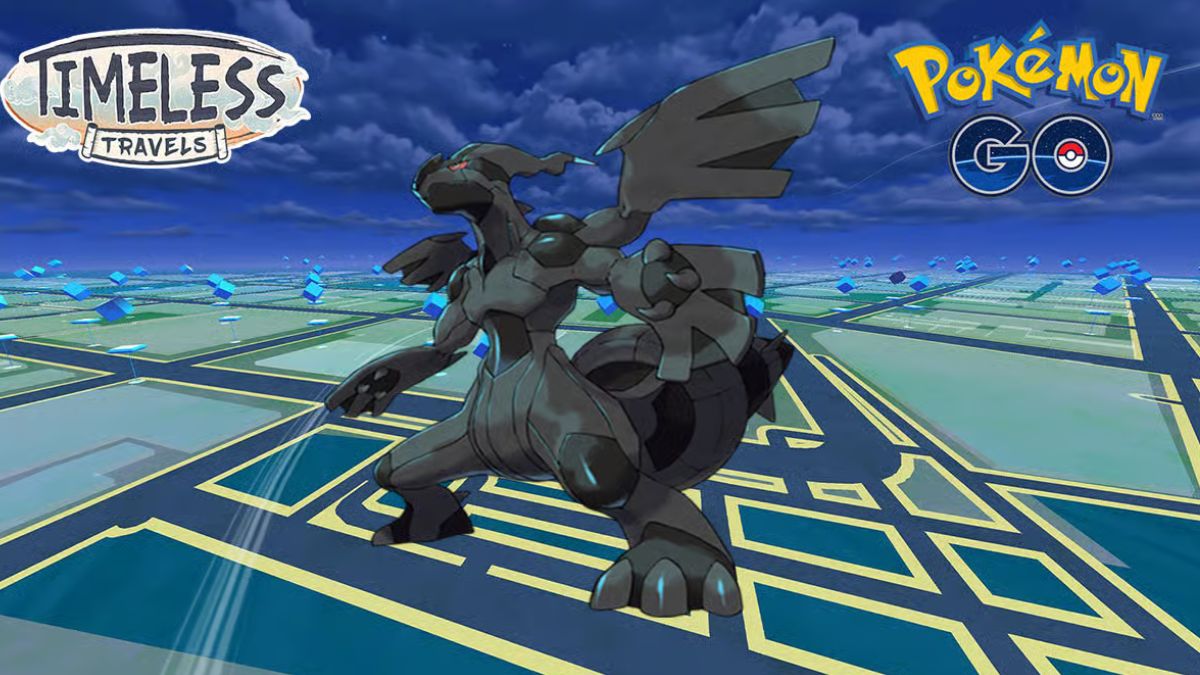
  • How To Beat Zekrom In Pokémon Go?

    How To Beat Zekrom In Pokémon Go?

    Zekrom is a powerful Dragon and Electric-type Legendary Pokémon that can be encountered in Pokémon Go. It has a high CP of 63310 and can deal massive damage with its moves, such as Dragon Breath, Outrage, and Draco Meteor. To defeat it, you will need a strong team of Pokémon that can exploit its weaknesses and resist its attacks.

    Zekrom’s Weaknesses and Resistances

    Zekrom is weak to four types of attacks: Ground, Ice, Dragon, and Fairy. These types deal double damage to it when used by your Pokémon. It would help if you tried to use these types as much as possible in your team composition.

    How To Beat Zekrom
    How To Beat Zekrom

    Zekrom is also resistant to six types of attacks: Bug, Electric, Fire, Grass, Steel, and Water. These types deal half the damage to it when used by your Pokémon. You should avoid using these types unless you have no other option.

    Zekrom’s Best Counters

    There are many Pokémon that can counter Zekrom effectively in Pokémon Go. Here are some of the best ones:

    • Mega Rayquaza: This Dragon/Flying-type Legendary Pokémon has a fast move of Dragon Tail that deals Dragon damage and has a 30% chance to flinch the opponent for two turns. It also has a charge move of Outrage that deals Dragon damage and lowers the opponent’s Attack stat by one stage. This combination makes Mega Rayquaza one of the best counters for Zekrom.
    • Mega Groudon: This Ground-type Legendary Pokémon has a fast move of Mud Shot that deals Ground damage and has a 30% chance to poison the opponent for two turns. It also has a charge move of Precipice Blades that deals Ground damage and lowers the opponent’s Defense stat by one stage. This combination makes Mega Groudon another great counter for Zekrom.
    • Mega Salamence: This Dragon/Flying-type Legendary Pokémon has a fast move of Dragon Tail that deals Dragon damage and has a 30% chance to flinch the opponent for two turns. It also has a charge move of Outrage that deals Dragon damage and lowers the opponent’s Attack stat by one stage. This combination makes Mega Salamence another excellent counter for Zekrom.
    • Mega Diancie: This Rock/Diamond-type Legendary Pokémon has a fast move of Rock Throw that deals Rock damage and has a 30% chance to flinch the opponent for two turns. It also has a charge move of Rock Slide that deals Rock damage and lowers the opponent’s Defense stat by one stage. This combination makes Mega Diancie another powerful counter for Zekrom.
    • Mega Latios: This Psychic/Flying-type Legendary Pokémon has a fast move of Psychic that deals Psychic damage and lowers the opponent’s Special Attack stat by one stage. It also has a charge move of Outrage that deals Psychic damage and lowers the opponent’s Attack stat by one stage. This combination makes Mega Latios another effective counter for Zekrom.

    You might also be interested in the following game guide:

    How Many Players Do You Need?

    To defeat Zekrom in Pokémon Go, you will need at least three players who have high-level teams with good movesets. However, if you don’t have enough players or don’t have optimal teams, you can still beat it with five players who have decent teams with average movesets. The more players you have, the faster you can defeat it.

    We appreciate your interest in our website! Make Gameempress.com your go-to site for gaming information.

  • How To Beat Mega Altaria In Pokémon Go?

    How To Beat Mega Altaria In Pokémon Go?

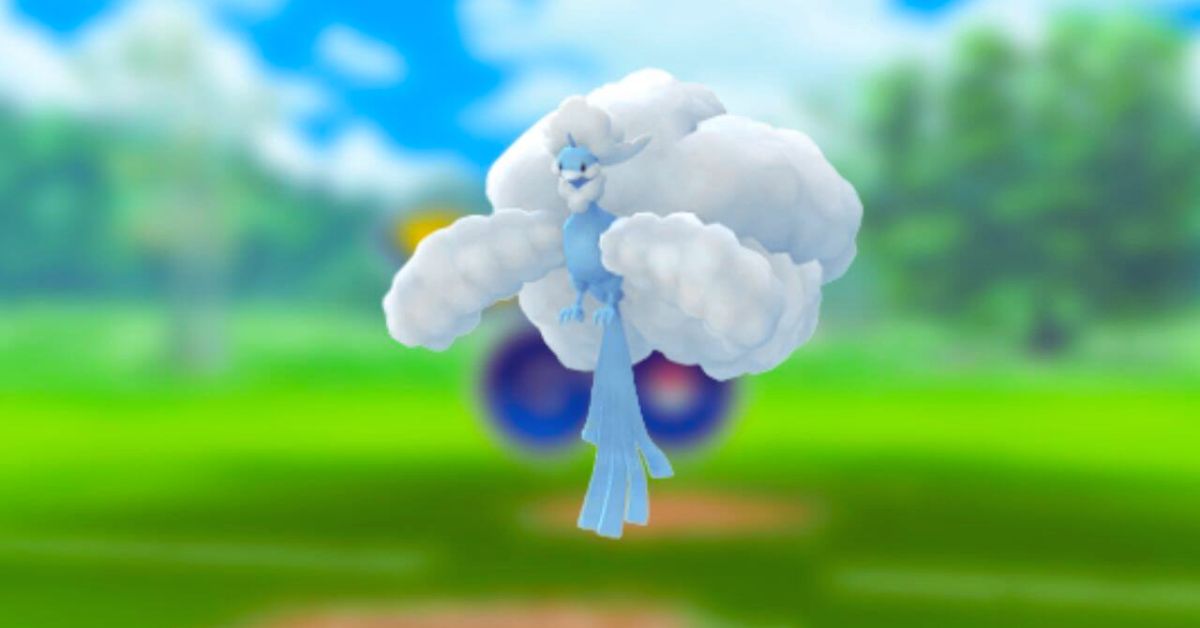
    How To Beat Mega Altaria? Mega Altaria is a powerful Dragon and Fairy-type Mega Raid boss that can be encountered in Pokémon Go. It has a high CP of 749 and can deal massive damage with its moves, such as Dazzling Gleam, Play Rough, and Dragon Pulse. To defeat it, you will need a strong team of Pokémon that can exploit its weaknesses and resist its attacks.

    Mega Altaria’s Weaknesses and Resistances

    Mega Altaria is weak to four types of attacks: Fairy, Ice, Steel, and Poison. These types deal double damage to it when used by your Pokémon. It would help if you tried to use these types as much as possible in your team composition.

    How To Beat Mega Altaria
    How To Beat Mega Altaria

    Mega Altaria is also resistant to six types of attacks: Bug, Dark, Dragon, Electric, Fighting, Fire, Grass, and Water. These types deal half the damage to it when used by your Pokémon. You should avoid using these types unless you have no other option.

    Mega Altaria’s Best Counters

    There are many Pokémon that can counter Mega Altaria effectively in Pokémon Go. Here are some of the best ones:

    • Mega Gardevoir: This Psychic/Fairy-type Pokémon has a fast move of Charm that lowers the opponent’s Attack stat by one stage. It also has a charge move of Dazzling Gleam that deals Fairy damage and has a 30% chance to lower the opponent’s Special Defense stat by one stage. This combination makes Mega Gardevoir one of the best counters for Mega Altaria.
    • Mega Gengar: This Ghost/Poison-type Pokémon has a fast move of Lick that deals Poison damage and has a 30% chance to poison the opponent for two turns. It also has a charge move of Sludge Bomb that deals Poison damage and has a 30% chance to poison the opponent for two turns. This combination makes Mega Gengar another great counter for Mega Altaria.
    • Metagross: This Steel/Psychic-type Pokémon has a fast move of Bullet Punch that deals Steel damage and has a 30% chance to paralyze the opponent for two turns. It also has a charge move of Meteor Mash that deals Steel damage and lowers the opponent’s Defense stat by one stage. This combination makes Metagross one of the most effective counters for Mega Altaria.
    • Zacian: This Fairy/Steel-type Legendary Pokémon has a fast move of Metal Claw that deals Steel damage and has a 30% chance to flinch the opponent for two turns. It also has a charge move of Play Rough that deals Fairy damage and lowers the opponent’s Attack stat by one stage. This combination makes Zacian another powerful counter for Mega Altaria.
    • Nihilego: This Poison/Dark-type Legendary Pokémon has a fast move of Poison Jab that deals Poison damage and lowers the opponent’s Special Attack stat by one stage. It also has a charge move of Sludge Bomb that deals Poison damage and lowers the opponent’s Special Defense stat by one stage. This combination makes Nihilego another excellent counter for Mega Altaria.

    How Many Players Do You Need?

    To defeat Mega Altaria in Pokémon Go, you will need at least three players who have high-level teams with good movesets. However, if you don’t have enough players or don’t have optimal teams, you can still beat it with five players who have decent teams with average movesets. The more players you have, the faster you can defeat it.

    You might also be interested in the following game guide:

    How To Use The Circle Lock Technique?

    The Circle Lock Technique is an advanced technique that allows you to guarantee Great or Excellent throws on your first throw against any target in any mode. To use this technique effectively against Mega Altaria, you will need:

    • A Golden Razz Berries
    • A partner who can throw first
    • A partner who can lock on
    • A partner who can circle lock

    The steps are as follows:

    • Your partner locks on to Mega Altaria.
    • Your partner throws first.
    • Your partner circles around your target until they are within range.
    • Your partner locks on again.
    • Your partner throws again.
    • Your partner circles again until they are within range.
    • Your partner locks on again.
    • Your partner throws again.
    • Your partner circles again until they are within range.
    • Your partner locks on again.
    • Your partner throws again.

    We appreciate your interest in our website! Make Gameempress.com your go-to site for gaming information.

  • How To Beat Mega Scizor? Tips And Tricks For Pokemon GO

    How To Beat Mega Scizor? Tips And Tricks For Pokemon GO

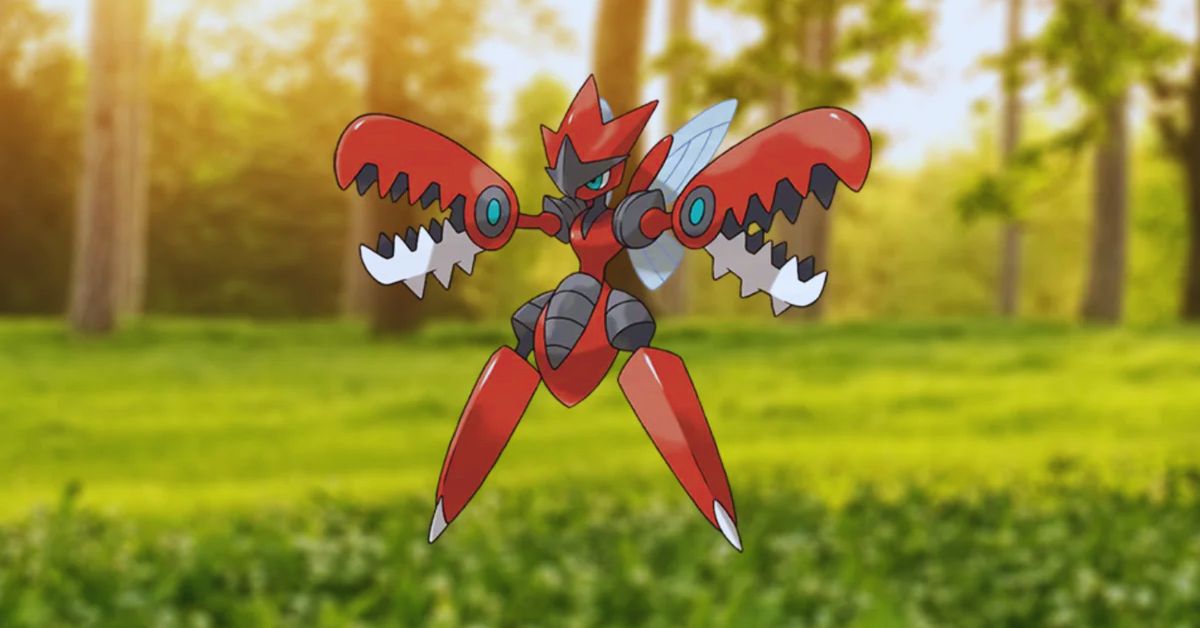
    Mega Scizor is a powerful Steel and Bug-type Pokemon that can be encountered in Pokemon GO raids. It has high stats, a strong physical attack, and a unique ability called Iron Head that doubles its critical hit ratio.

    However, it also has some weaknesses that can be exploited by the right team of Pokemon. In this article, we will give you some tips and tricks on how to beat Mega Scizor in Pokemon GO.

    What is Mega Scizor?

    How To Beat Mega Scizor
    How To Beat Mega Scizor

    Mega Scizor is a 4-star raid boss that can be found in the Great League or Ultra League. It has the following stats:

    • HP: 2,500
    • Attack: 1,200
    • Defence: 1,100
    • Special Attack: 800
    • Special Defense: 600

    It has the following moves:

    • Fast Attack: Fury Cutter (Steel)
    • Charged Attack: Iron Head (Steel)

    It has the following abilities:

    • Ability: Iron Head – When this Pokemon attacks with a critical hit, it doubles its critical hit ratio.
    • Weaknesses: Fire (x2), Ground (x2), Rock (x2)
    • Resistances: Normal (x3), Bug (x3), Steel (x3), Psychic (x3), Ice (x3), Dragon (x3), Fairy (x3), Poison (x3), Grass (x3)
    • Immunities: None

    How to Beat Mega Scizor?

    To beat Mega Scizor in Pokemon GO, you need to use a team of Pokemon that can deal super effective damage to it. You also need to avoid using any type of attack that it is resistant or immune to. Here are some of the best counters for Mega Scizor:

    Fire Types

    Fire types are one of the best ways to beat Mega Scizor, as they have a double weakness against it. This means that they deal four times more damage than normal when they hit it with their attacks. Some of the best fire types for this raid are:

    • Charizard: Charizard is a legendary fire-type dragon that can mega evolve into either Mega Charizard X or Y. It has high stats, a powerful fire blast move, and an ability called Blaze that boosts its fire-type moves when its HP is low.
    • Chandelure: Chandelure is an exclusive ghost/fire-type ghost that can evolve into either Mega Chandelure or Xerneas. It has high stats, a strong overheat move, and an ability called Intimidate that lowers the opponent’s attack when it enters battle.
    • Volcarona: Volcarona is an exclusive bug/fire type bug that can mega evolve into either Mega Volcarona or Xerneas. It has high stats, a devastating overheat move, and an ability called Prankster that increases its speed when it switches out.

    You might also be interested in the following game guide:

    Ground Types

    Ground types are another good option for beating Mega Scizor, as they have two double weaknesses against it. This means that they deal eight times more damage than normal when they hit it with their attacks. Some of the best ground types for this raid are:

    • Heatran: Heatran is an exclusive fire/ground type rock that can mega evolve into either Mega Heatran or Xerneas. It has high stats, a strong magma storm move, and an ability called Sand Stream that creates sandstorms when it enters battle.
    • Groudon: Groudon is an exclusive ground/steel type rock that can evolve into either Mega Groudon or Kyogre. It has high stats, a powerful ground punch move, and an ability called Earth Power that damages non-ground types when it enters battle.
    • Excadrill: Excadrill is an exclusive ground/steel type rock that can evolve into either Mega Excadrill or Kyogre. It has high stats, a strong drill run move, and an ability called Sand Rush that damages non-ground types when it enters battle.

    We appreciate your interest in our website! Make Gameempress.com your go-to site for gaming information.