Category: Game Guides

In-depth game guides from Game Empress, with walkthroughs, tier lists, location maps, and step-by-step strategies to help you master the games you love.

  • Sims 4 High School Years Cheats: How To Unlock New Features And Options?

    Sims 4 High School Years Cheats: How To Unlock New Features And Options?

    Sims 4 High School Years is a fan-made expansion pack that adds new content and gameplay to the popular life simulation game. The group focuses on the high school experience of teenage Sims as they attend classes, join clubs, go to prom, and deal with drama. The group also introduces new skills, traits, careers, sentiments, and more.

    If you want to spice up your game or explore the new features of the pack, you can use some cheats to unlock them. Cheats are codes that you can enter in the game’s console to modify certain aspects of the game, such as your Sim’s skills, traits, relationships, and more. Cheats can help you customize your game, create unique stories, or have fun.

    However, before you can use cheats, you need to enable them first. To do that, you need to open the cheat console by pressing Ctrl + Shift + C on your keyboard if you’re playing on PC or Cmd + Shift + C if you’re playing on Mac. For consoles, you need to press all four shoulder buttons at the same time. Then, you need to type testing cheats true and hit enter. This will enable the cheats and allow you to use them.

    In this article, we will show you some of the most valuable and exciting cheats for Sims 4 High School Years and how to use them. We will also provide some links to more detailed guides on the pack’s features and options.

    Sims 4 High School Years Cheats

    These cheats allow you to modify your Sim’s high school status, such as their grades, graduation, and clubs.

    Sims 4 High School Years Cheats
    Sims 4 High School Years Cheats

    To use these cheats, you need to type careers followed by a command, such as add_career, promote, or remove_career. For example, to add the Cheer Team club to your Sim, you need to type careers.add_career careers_Volunteer_HSTeam_CheerTeam.

    Here are some of the high school cheats and their commands:

    • High School Grade: careers. promote highschool
    • High School Dropout: traits.equip_trait trait_HSExit_Dropout
    • Earned GED: traits.equip_trait trait_HSExit_EarnedGED
    • Expelled: traits.equip_trait trait_HSExit_Expelled
    • Graduated Early: traits.equip_trait trait_HSExit_Graduate_Early
    • Graduated with Honors: traits.equip_trait trait_HSExit_Graduate_Honors
    • Graduated as Valedictorian: traits.equip_trait
    • trait_HSExit_Graduate_Valedictorian
    • Cheer Team: careers.add_career careers_Volunteer_HSTeam_CheerTeam
    • Chess Team: careers.add_career careers_Volunteer_HSTeam_ChessTeam
    • Computer Team: careers.add_career careers_Volunteer_HSTeam_ComputerTeam
    • Football Team: careers.add_career careers_Volunteer_HSTeam_FootballTeam

    Skill Cheats

    These cheats allow you to set your Sim’s skill level for the new skills introduced in the pack, such as Entrepreneur and Video Game Streamer.

    To use these cheats, you need to type stats.set_skill_level followed by the skill name and the desired level. For example, to set your Sim’s Entrepreneur skill to level 5, you need to type stats—set_skill_level adultminor_entrepreneur 5.

    Here are some of the skill cheats and their names:

    • Entrepreneur: adultminor_entrepreneur
    • Video Game Streamer: adultminor_streamer

    Trait Cheats

    These cheats allow you to add or remove the new traits introduced in the pack, such as Overachiever, Party Animal, and Socially Awkward. To use these cheats, you need to type features.equip_trait or traits.remove_trait followed by the trait name.

    For example, to add the Overachiever trait to your Sim, you need to type traits.equip_trait trait_HighSchool_Overachiever.

    Here are some of the trait cheats and their names:

    • Overachiever: trait_HighSchool_Overachiever
    • Party Animal: trait_HighSchool_PartyAnimal
    • Socially Awkward: trait_HighSchool_SociallyAwkward

    For more information on the new traits and their effects, you can check out this guide.

    Sentiment Cheats

    These cheats allow you to add or remove the new sentiments introduced in the pack, such as Crush, Bitter about Broken Prom Promise, and Close from Ditching Prom Together. Sentiments are emotional bonds that Sims form with each other based on their interactions and experiences.

    To use these cheats, you need to type sentiment_add_sentiment or sentiment_remove_sentiment followed by the sentiment name and the target Sim’s ID. For example, to add the Crush sentiment to your Sim for another Sim, you need to type sentiment_add_sentiment crush_lt_generic [target Sim ID].

    To find the target Sim’s ID, you need to type sims.get_sim_id_by_name followed by their first and last name. For example, to find the ID of Bella Goth, you need to order sims.get_sim_id_by_name Bella Goth.

    Here are some of the sentiment cheats and their names:

    • Crush: crush_lt_generic
    • Bitter about Broken Prom Promise: hurt_st_hsprom_brokenditchpromise
    • Close from Ditching Prom Together: close_st_hsprom_skippingpromtoether
    • Bonding Moment: close_st_throwfootballbondingmoment
    • Creeped Out: creepedout_st_generic
    • Guilty about Broken Prom Pact: guilty_st_hsprom_brokenditchpact
    • Good First Impression: goodfirstimpression_lt_generic
    • Impressed by Promposal: impressed_st_hsprom_promposal
    • I Know They’ve Got My Back: close_st_hsprom_gotmyback
    • Lasting Memories: close_st_hsprom_lastingmemories
    • Lame Adventures: lameadventures_st_generic
    • Two Peas in a Pod: close_st_hsprom_twopeasinapod
    • They Understand: close_st_hsprom_theyunderstand
    • Resentful About No Prom Invite: resentful_st_hsprom_noinvite

    Career Cheats

    These cheats allow you to add, remove, promote, or demote the new careers introduced in the pack, such as Simfluencer and Video Game Streamer. To use these cheats, you need to type careers followed by a command, such as add_career, remove_career, promote, or demote, and then the career name. For example, to add the Simfluencer career to your Sim, you need to type careers.add_career career_Teen_SimsfluencerSideHustle.

    Here are some of the career cheats and their names:

    • Simfluencer: career_Teen_SimsfluencerSideHustle
    • Video Game Streamer: career_Teen_StreamerSideHustle

    Conclusion

    These are some of the most valuable and exciting cheats for Sims 4 High School Years, but there are many more that you can discover and use. Cheats can help you enhance your game and create your own stories, but they can also cause glitches and errors, so use them at your own risk. If you want to turn off the cheats, you can type testing cheats falsely in the cheat console. Have fun and enjoy the high school years of your Sims!

    This is everything you need to know about the Sims 4 High School Years Cheats. You can also read our guides on HOI4 Cheats and Gunblood Cheat Codes. Stay up to date with GameEmpress.com for the most recent gaming news and guides.


  • Mega Kangaskhan Raid Guide: Tame The Mega Titan With These Expert Tips

    Mega Kangaskhan Raid Guide: Tame The Mega Titan With These Expert Tips

    Raids are one of Pokemon GO’s most popular features; the most difficult ones include Mythical, Legendary, Shadow, and the in-game Mega attacks. While there are many great raid bosses, Mega monsters are among the most powerful.

    There are numerous Mega raid bosses, although they rotate on a regular basis, with Mega Kangaskhan currently on the list.

    Participants in the Mega Kangaskhan can also get their hands on Shiny Kangaskhan and Shiny Mega Kangaskhan. Mega Kangaskhan is a Normal-type monster with a maximum Combat Power (CP) of 4353 in Pokemon GO.

    The Mega monster has a powerful and varied move pool that allows it to win different types of encounters. That being stated, this guide delves into Mega Kangaskhan’s flaws and the best counters to utilize against it.

    Mega Kangaskhan Raid Guide

    Pokemon You Can No Longer Find in Pokemon GO
    Pokemon You Can No Longer Find in Pokemon GO

    Weaknesses and Resistances of Mega Kangaskhan

    Mega Kangaskhan is a strong fighter with a balanced stat line of 246 ATK, 210 DEF, and 233 STA. In Pokemon GO, the creature only resists Ghost-type moves and is vulnerable to Fighting-type strikes.

    Players should also be cautious of its greatest moveset, which combines Mud-Slap (Ground) and Outrage (Dragon) for a total DPS of 13.27.

    In Pokemon GO, there is also a Same Type of Attack Bonus (STAB) ability that can be useful while fighting with the Mega raid boss. When the STAB effect is active, it can deliver additional damage to the opponent.

    The STAB effect can be triggered by players when a move and the monster using that move have the same attribute.

    You might also be interested in the following gaming news:

    Mega Kangaskhan Raid Counters

    When creating a raid fight roster in Pokemon GO, players should use powerful counters. Mega Kangaskhan’s weaknesses must be exploited in order to defeat the Mega raid boss.

    Choose monsters carefully that counter Mega Kangaskhan’s weakness; the counters should also have STAB potential moves. Here are some of the most effective Mega Kangaskhan raid counters.

    • Mega Blaziken: Counter + Focus Blast
    • Mega Gallade: Low Kick + Close Combat
    • Conkeldurr: Counter + Dynamic Punch
    • Lucario: Counter + Aura Sphere
    • Galarian Zapdos: Counter + Close Combat
    • Terakkion: Double Kick + Sacred Sword
    • Keldeo: Low Kick + Sacred Sword
    • Shadow Machamp: Counter + Dynamic Punch

    We appreciate your interest in our website! Make Gameempress your go-to site for gaming information.

  • Warlock Punch Pokemon: A Guide To The Ultimate Smash Bros. Move

    Warlock Punch Pokemon: A Guide To The Ultimate Smash Bros. Move

    If you are a fan of Super Smash Bros., you may have heard of the warlock punch, one of the most influential and devastating moves in the game. But what is the warlock punch, and how does it relate to Pokemon?

    In this article, we will explain everything you need to know about the warlock punch, its origin, its mechanics, and its connection to the Pokemon franchise.

    Warlock Punch Pokemon

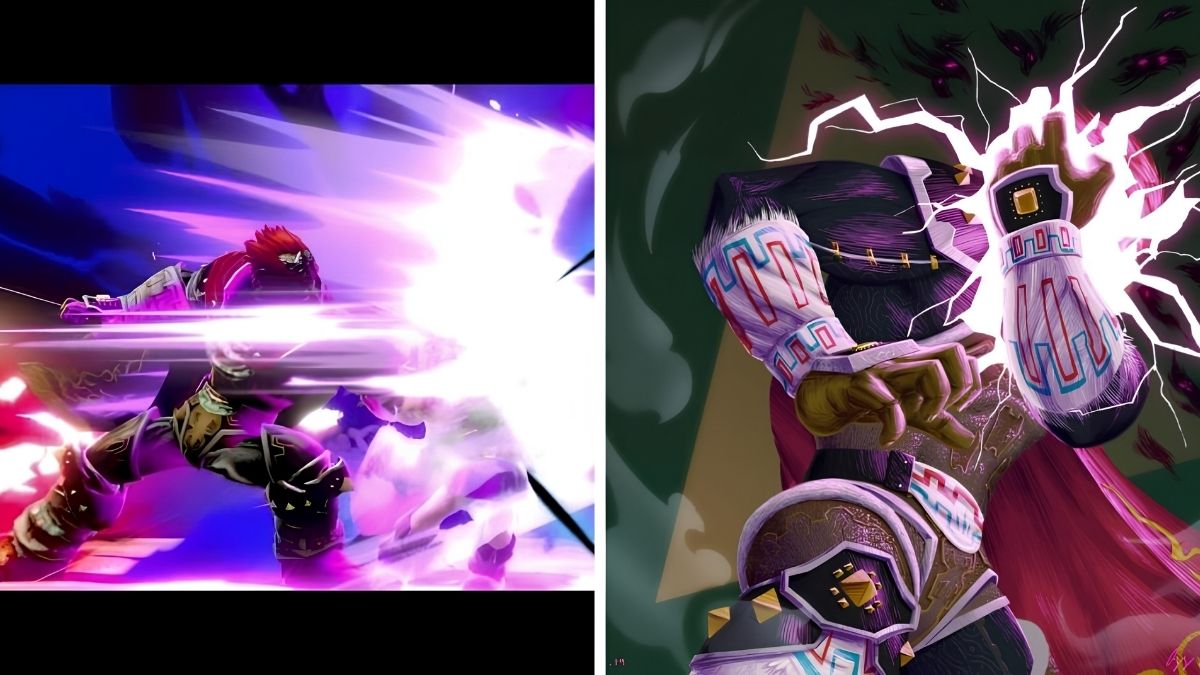
    The warlock punch is the neutral special move of Ganondorf, the main antagonist of The Legend of Zelda series and a playable character in Super Smash Bros. Melee, Brawl, 4, and Ultimate.

    Warlock Punch Pokemon
    Warlock Punch Pokemon

    The warlock punch is a slow but mighty punch that Ganondorf charges up with a dark aura around his fist. The move can deal massive damage and knockback to any opponent that gets hit by it and can even KO light characters at 0% if performed near the edge of the stage.

    The warlock punch is considered a “clone” move of Captain Falcon’s falcon punch, another iconic move in the Smash Bros. series. However, the warlock punch is slower, stronger, and has more range than the falcon punch.

    The warlock punch also has some unique features, such as the ability to reverse the direction of the force by tilting the control stick in the opposite direction Ganondorf faces while charging. This increases the damage and knockback of the move but also adds more startup lag.

    The warlock punch can also be performed in the air, where it becomes even more powerful and has a different animation.

    What is the Origin of the Warlock Punch?

    The warlock punch is not based on any specific move or ability that Ganondorf has in The Legend of Zelda games. However, it does reflect his overall theme of being a powerful and evil sorcerer who uses dark magic to fight.

    The name of the movie, Warlock Punch, also implies that Ganondorf is a warlock, which is a term for a male witch or a practitioner of black magic.

    The warlock punch may also be inspired by some of Ganondorf’s attacks in The Legend of Zelda: Ocarina of Time, where he is the final boss. In his first form, Ganondorf uses his fists to slam the ground and create shockwaves that damage Link.

    In his second form, Ganon, he uses his claws to swipe at Link and create fireballs that explode on impact. Both of these attacks are similar to the warlock punch in terms of being slow but powerful and having a fiery or dark effect.

    You might also be interested in the following gaming news:

    What is the Connection Between the Warlock Punch and Pokemon?

    The warlock punch does not have any direct connection to the Pokemon franchise, as Ganondorf and Pokemon are from different Nintendo series. However, there are some similarities and references that can be made between the warlock punch and some Pokemon moves or abilities.

    One possible connection is the move Focus Punch, which is a fighting-type move that requires the user to charge up for one turn before unleashing a powerful punch. The movement has a base power of 150, which is the same as the warlock punch in Super Smash Bros. Melee.

    The move also has a similar animation to the warlock punch, as the user glows with a white aura before striking. However, the movement has a significant drawback, as it will fail if the user is hit by any attack during the charge-up turn. This makes the action very risky and complicated to use, unlike the warlock punch, which can be executed regardless of whether it is hit or not.

    Another possible connection is the ability of Iron Fist, which is an ability that boosts the power of punching moves by 20%. The knowledge is exclusive to some fighting-type Pokemon, such as Hitmonchan, Machamp, and Conkeldurr.

    The ability could be seen as a way to emulate the warlock punch, as it makes the punching moves more powerful and effective. However, the ability does not affect the speed or range of the moves, nor does it add any special effects to them.

    A third possible connection is the move Meteor Mash, which is a steel-type move that involves the user slamming the opponent with a fist that is coated in metal. The movement has a base power of 90 and a 20% chance of raising the user’s attack stat.

    The move is the signature move of Metagross, a steel and psychic-type Pokemon that resembles a giant metal spider. The move could be seen as a variation of the warlock punch, as it involves a metal fist instead of a dark fist. However, the move is much faster and weaker than the warlock punch and does not have any reversal or aerial options.

    We appreciate your interest in our website! Make Gameempress your go-to source for gaming knowledge.

  • Is Uno Crossplay? The Insider Scoop On Playing Uno Across Different Systems!

    Is Uno Crossplay? The Insider Scoop On Playing Uno Across Different Systems!

    The gaming industry has seen an increase in cross-platform compatibility in recent years, allowing gamers to connect and enjoy their favorite games together regardless of the device they are using.

    As we approach 2023, Uno enthusiasts are waiting to see if the famous card game will eventually become cross-platform, allowing them to challenge and compete with friends and family members across many platforms.

    In this article, we will look at the current condition of Uno’s cross-platform compatibility in 2023, digging into numerous device and gaming console combinations. So, whether you’re a PC, smartphone, or console gamer, keep reading to find out if Uno has adopted the cross-platform trend and if you can play this popular card game with your loved ones regardless of platform.

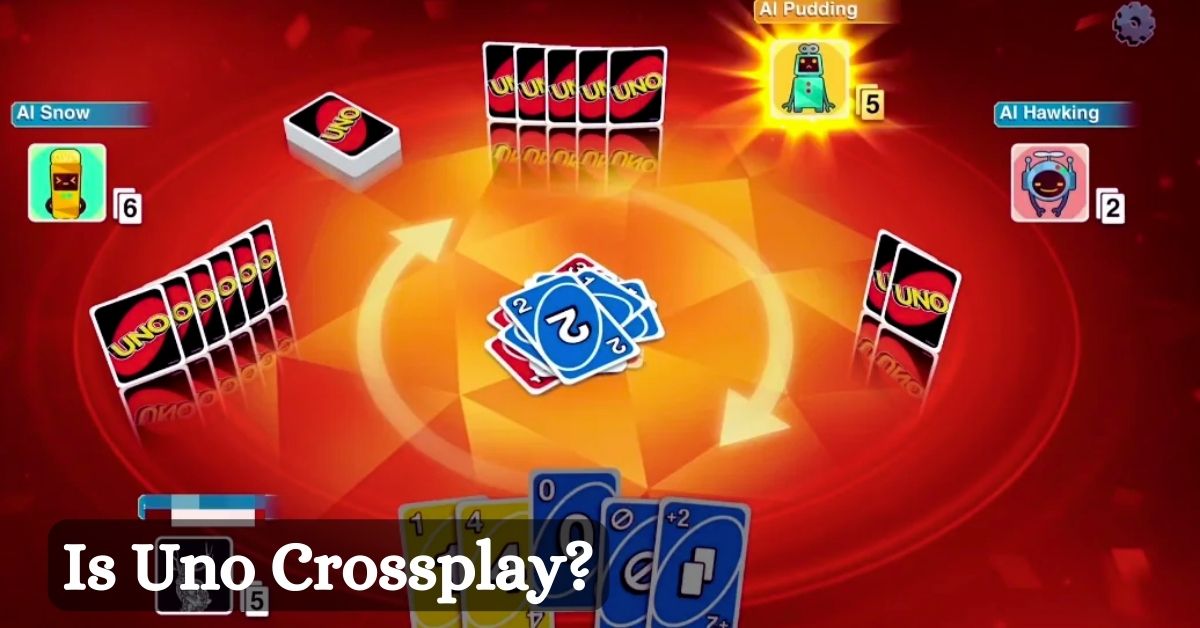
    Is UNO Crossplay?

    As we approach 2023, it is disheartening to inform you that Uno remains a platform-specific game, which means that players from various smartphones and consoles cannot enjoy a game together. Despite the rising popularity of cross-platform games, Uno’s developers have yet to incorporate this feature, limiting players to their respective platforms.

    UNO does not support crossplay. That is, if your friend has Uno on Xbox and you have Uno on PC, you cannot both log in and play the game at the same time. To play it, one of you must have Uno on the same device.

    Many enthusiasts who want to connect and play with friends on other platforms have been frustrated by Uno’s lack of cross-platform connectivity. This limitation not only limits the game’s potential reach but also stifles its growth in an era when cross-platform gaming is growing more popular.

    Many other games have already embraced this trend, allowing players to interact with friends and family members across multiple devices, emphasizing Uno’s lack in this space.

    To summarize, while Uno is a beloved classic card game, its lack of cross-platform compatibility in 2023 is a glaring deficiency that disconnects a sizable chunk of its playing base. Fans of Uno can only hope that the developers will take note of the growing demand for cross-platform gaming and add this much-needed feature to the game in the future.

    Until then, gamers will have to stick to their platforms or look into alternative card games that support cross-platform play.

    Is UNO Xbox and mobile compatible? Uno does not support cross-platform play between Xbox and smartphone. As a result, mobile gamers are unable to join a game where others are playing on Xbox. Furthermore, there is no crossplay between Xbox devices and mobile applications in the game.

    You might also like to know about if these other games are cross-platform or not:

    Will UNO Be Cross-platform?

    Uno has yet to become fully cross-platform as of 2023. Despite the fact that the game is available on multiple platforms, including PC, console, and mobile devices, users are still unable to play multiplayer games with friends using different devices.

    This restriction has been a significant disadvantage for the Uno community, as players are only able to challenge individuals who use the same platform.

    Despite the growing demand for and potential benefits of cross-platform gameplay, the Uno developers have not announced any intentions to incorporate it anytime soon.

    However, given the continuous expansion and success of cross-platform games, Uno may eventually embrace this trend and provide a smooth gaming experience for fans across multiple platforms.

    Until then, Uno fans will have to wait and hope for the day when they can finally play the game with their friends on any device.

    Stay connected with GameEmpress.com to get the latest news and updates about the gaming world.

  • Is Insurgency Sandstorm Crossplay? Unraveling The Multiplatform Mystery

    Is Insurgency Sandstorm Crossplay? Unraveling The Multiplatform Mystery

    Cross-platform gaming has grown in popularity in recent years, bridging the gap between players who use various consoles and smartphones. In this gaming environment, Insurgency Sandstorm, a first-person shooter developed by New World Interactive, has a sizable and devoted fan base.

    As we approach 2023, many gamers are asking about Insurgency Sandstorm’s cross-platform capabilities and whether they will be able to team up with pals from other platforms.

    In this post, we’ll look at the many cross-platform play options available in Insurgency Sandstorm and present a complete guide for individuals wishing to team up with friends across devices. Let’s take a look at Insurgency Sandstorm on PC and consoles to see if it actually connects gamers across platforms.

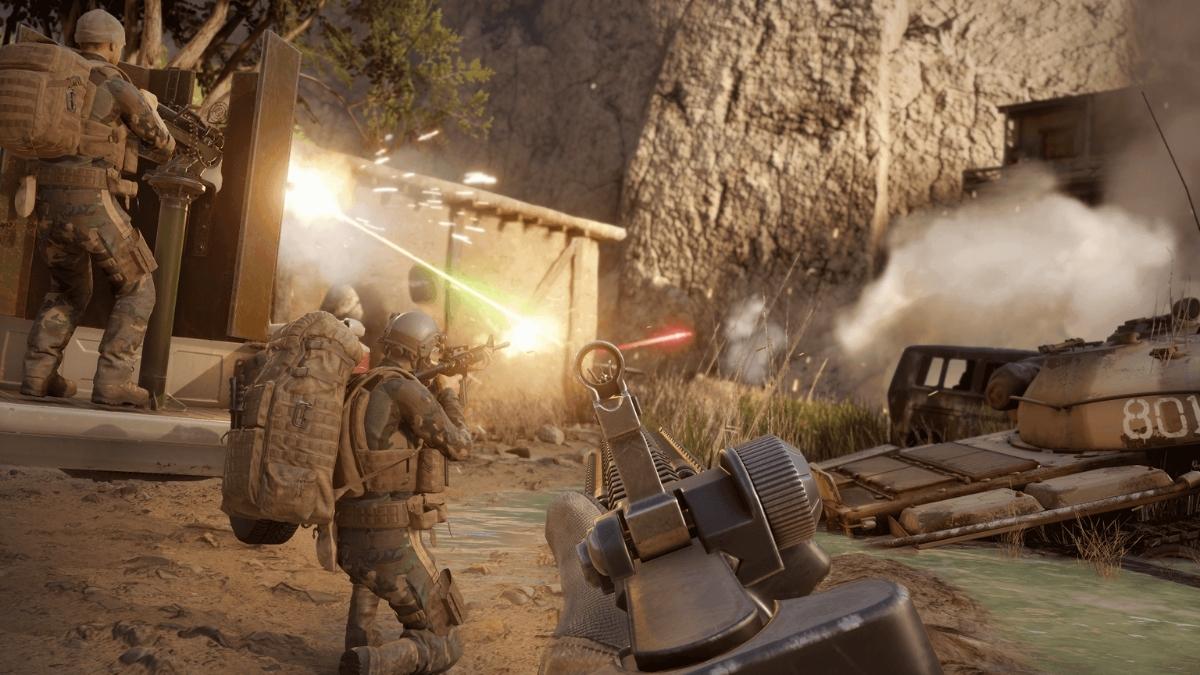
    Is Insurgency Sandstorm Crossplay?

    Insurgency Sandstorm does support cross-platform play in 2023. However, it’s important to note that not all systems are compatible. Crossplay is supported across Steam (PC), Xbox One, Xbox Series S/X, PS4, PS5, and Windows PC.

    Is Insurgency Sandstorm Crossplay
    Is Insurgency Sandstorm Crossplay

    Certain combinations of these platforms, however, are mutually exclusionary, which means that some devices may be unable to interact with others.

    Insurgency Sandstorm’s cross-platform capabilities allow users with compatible devices to join forces and engage in intense tactical battles. This feature will enable friends to play together on any platform, encouraging a more inclusive gaming experience.

    However, take in mind the restrictions of cross-platform play since not all systems can easily communicate with one another.

    In the sections that follow, we’ll go over the different cross-platform combinations that Insurgency Sandstorm supports. Players may make informed judgments about which platforms to invest in and how to maximize their pleasure in the game by recognizing these individual compatibilities.

    As the gaming industry evolves, popular titles like Insurgency Sandstorm’s cross-platform flexibility remain a crucial aspect in delivering a more unified and linked gaming community.

    You might also like to know about if these other games are cross-platform or not:

    Is Insurgency Sandstorm Support Cross-progression?

    Unfortunately, neither Insurgency Sandstorm nor Insurgency Sandstorm supports cross-progression. According to the developers, this is due to technical constraints that prevent them from implementing this functionality. They have, however, stated that they are looking into the prospect of implementing cross-progression in the future.

    As a result, if you want to play Insurgency Sandstorm, you’ll have to wait for more updates from the devs or stick to a single platform for the time being. Regardless of the platform, the game is still worth playing for its realistic and furious gameplay.

    Stay connected with GameEmpress.com to get the latest news and updates about the gaming world.

  • Can You Play As Venom In Spider Man 2? Unleashing The Symbiote’s Power In The Latest Marvel Game!

    Can You Play As Venom In Spider Man 2? Unleashing The Symbiote’s Power In The Latest Marvel Game!

    In case you’re wondering, Venom is playable in Marvel’s Spider-Man 2. Venom is one of Spider-Man’s most renowned villains. Therefore, there has been a lot of anticipation for his appearance in the Insomniac Games Spider-Man universe.

    Since he originally appeared in the game’s initial announcement video, fans have been buzzing about Venom, with many speculating on what type of role he might play in the game.

    Those who wish to discover how Venom is introduced in Spider-Man 2, who takes on the Venom identity in the game, and how his tale unfolds must play the game for themselves.

    However, some Spider-Man 2 fans may still be curious as to whether Venom would be playable in the game, as was widely anticipated before its release. Without going into specifics, Venom fans may be confident that Venom will be playable in Spider-Man 2.

    Throughout the game, the main playable characters are Peter Parker and Miles Morales. However, like with the original Spider-Man game, there are instances when players take control of others, even if only for a short time. The stealth sections of Mary Jane Watson, for example, are returning in Spider-Man 2.

    Can You Play as Venom in Spider Man 2?

    Yes, in Marvel’s Spider-Man 2, you may play as Venom. There is, however, one caveat. He was playing as the antagonist is confined to a single mission when Harry Osborne transforms into Venom. This mission features a full-fledged action sequence pitting Venom versus Kraven and his troops.

    Spider Man 2 Release Date
    Spider Man 2 Release Date

    However, unlike Peter and Miles, you cannot switch to him.

    The most excellent element of the section is that it has a genuine moveset rather than a recycled version of Spidey’s previous animations. So, while you do play as Venom, you don’t have much control over him.

    This quest also allows you to experience Venom’s fury, which is both powerful and massive!

    This is everything you need to know about Can You Play As Venom In Spider Man 2. Please take a moment to explore our other guides, like Sale of Hogwarts Legacy Art Book and Game Guide. Stay connected with GameEmpress to get the latest news and guides about the gaming world.

  • Rainbow Six Siege Game Guide: How To Play And Improve Your Skills?

    Rainbow Six Siege Game Guide: How To Play And Improve Your Skills?

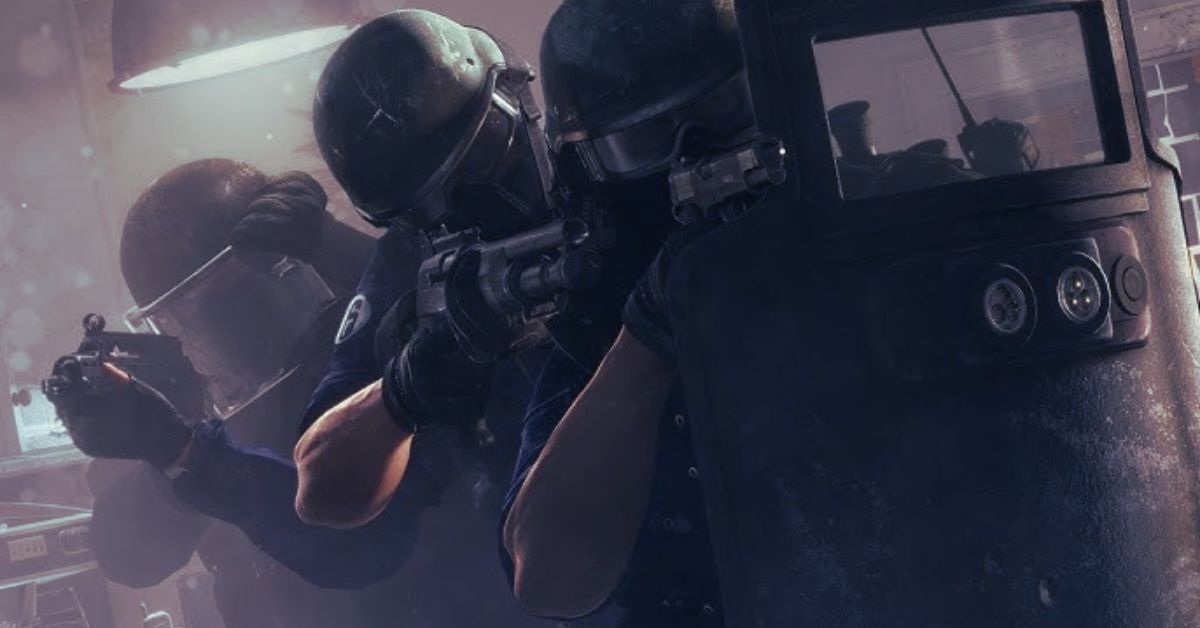
    Rainbow Six Siege is a tactical shooter game developed by Ubisoft, which pits two teams of five players against each other in various modes and scenarios, such as hostage rescue, bomb defusal, and secure area.

    The game features a variety of operators, which are characters with unique abilities and gadgets, such as breaching charges, drones, traps, and shields. The game also features a destructible environment, which allows players to create or destroy openings, covers, and lines of sight.

    The game requires teamwork, communication, strategy, and skill and has become one of the most popular and competitive games in the world. But how can you play and improve your skills in Rainbow Six Siege? In this article, we will tell you everything you need to know about the Rainbow Six Siege game guide based on the available information and sources.

    What Are the Basics and the Modes of Rainbow Six Siege?

    Rainbow Six Siege Trailer
    Rainbow Six Siege Trailer

    Rainbow Six Siege is a game that can be played on PC, PlayStation 4, PlayStation 5, Xbox One, and Xbox Series X/S. The game can be played online or offline, with or against other players or bots. The game has several modes, such as:

    • Quick Match: This is the casual mode of the game, where players can join or leave matches at any time and play on random maps and methods, such as hostage, bomb, or secure area. The games are best of three rounds, and the teams switch sides after each round. The operators are randomly selected, and there is no friendly fire or vote kick.
    • Unranked: This is the practice mode of the game, where players can play on the same rules and settings as the ranked mode but without affecting their rank or stats. The matches are best of four rounds, and the teams switch sides after two games. The players choose the operators, and there is a friendly fire and vote kick.
    • Ranked: This is the competitive mode of the game, where players can play on the same rules and settings as the unranked mode but without affecting their rank and stats. The matches are best of four rounds, and the teams switch sides after two games. The players choose the operators, and there is a friendly fire and vote kick. The players are matched based on their skill level and can earn or lose points depending on their performance and outcome. The players can also earn rewards and cosmetics based on their rank, which ranges from copper to champion.
    • Newcomer: This is the beginner mode of the game, where players who are below level 50 can play on simplified maps and methods, such as bombs or secure areas. The matches are best of three rounds, and the teams switch sides after each game. The operators are randomly selected, and there is no friendly fire or vote kick.
    • Training Grounds: This is the solo or co-op mode of the game, where players can play on various maps and methods, such as elimination, disarming bombs, or protecting hostages, against bots. The matches are best of one round, and the players can choose their operators and difficulty level. There is no friendly fire or vote kick.
    • Events: These are the unique and limited-time modes of the game, where players can play on unique and themed maps and methods, such as Halloween, Christmas, or Rainbow is Magic. The matches are best of three rounds, and the teams switch sides after each game. The operators are randomly selected, and there is no friendly fire or vote kick.

    You might also be interested in the following gaming news:

    What Are the Tips and Tricks to Play and Improve Your Skills in Rainbow Six Siege?

    Rainbow Six Siege is a game that requires teamwork, communication, strategy, and skill and can be challenging and rewarding for both beginners and veterans. Here are some tips and tricks to play and improve your skills in Rainbow Six Siege based on the available information and sources:

    • Choose your operators wisely: Rainbow Six Siege has over 60 operators, each with their abilities and gadgets, which can affect the outcome of the match. You should choose your operators based on your playstyle, role, and objective and coordinate with your team to create a balanced and effective composition. You should also learn the strengths and weaknesses of each operator and how to counter or synergize with them.
    • Use your gadgets and resources smartly: Rainbow Six Siege has various gadgets and resources, such as drones, cameras, reinforcements, barricades, and ammo, which can help you gain information, control, and advantage over your enemies. You should use your gadgets and resources smartly and not waste or misuse them. You should also be aware of your enemies’ gadgets and resources and how to destroy or avoid them.
    • Communicate and cooperate with your team: Rainbow Six Siege is a game that requires teamwork, communication, and cooperation, and can be difficult and frustrating if you play alone or with strangers. You should communicate and cooperate with your team and use voice chat, text chat, or ping system to share information, callouts, and plans. You should also listen and follow your team and support and help them when needed.
    • Learn the maps and the modes: Rainbow Six Siege has over 20 maps and four modes, each with its layout, design, and objective, which can affect the strategy and tactics of the match. You should learn the maps and the modes and know the locations, names, and features of each room, floor, and objective. You should also know the best spots, angles, and routes for attacking, defending, and roaming and how to use the destructible environment to your advantage or disadvantage.
    • Practice and improve your skills: Rainbow Six Siege is a game that requires skill and can be rewarding and satisfying if you play well or frustrating and disappointing if you play poorly. You should practice and improve your skills, such as aiming, shooting, moving, and positioning, and use the training grounds, the newcomer mode, or the custom games to hone your abilities and techniques. You should also watch and learn from other players, such as streamers, youtubers, or pros, and see how they play and improve. You should also review and analyze your performance and see what you did right or wrong and what you can do better.

    We appreciate your interest in our website! Make Gameempress your go-to site for gaming information.

  • Final Fantasy 7 Rebirth PC Requirements: Can Your PC Handle The Epic Sequel?

    Final Fantasy 7 Rebirth PC Requirements: Can Your PC Handle The Epic Sequel?

    Final Fantasy 7 Rebirth was showcased again at the PlayStation event in September 2023. It will be launched in February 2024. This is the second installment of a three-game series. This game will be much larger than the original.

    Players will explore locations such as the Gold Saucer, interact with familiar and new characters, and participate in mini-games alongside Cloud and his companions.

    It’s unclear whether the game will follow the original tale wholly or how much of it will be covered. Many people are making educated guesses about it. There’s something new and fascinating every time we see more of the game.

    It’s quickly becoming a game that many people are looking forward to playing on the PS5 next year. Here’s all we know thus far about Final Fantasy 7 Rebirth.

    Final Fantasy 7 Rebirth PC Requirements

    Final Fantasy 7 Rebirth PS5
    Final Fantasy 7 Rebirth PS5

    Minimum System Requirements

    • OS: Windows 10 64-bit
    • Processor: Intel Core i5-3330 3.0GHz / AMD FX-8350
    • Graphics: AMD Radeon RX 480 4GB or NVIDIA GeForce GTX 780
    • VRAM: 3GB
    • RAM: 8 GB
    • HDD: 100 GB
    • DirectX 12 Compatible Graphics Card

    Recommended System Requirements

    • OS: Windows 10 64-bit
    • Processor: Intel Core i7-3770 4-Core 3.4GHz / AMD Ryzen 3 3100 4-Core 3.6GHz
    • Graphics: AMD Radeon RX 5700 8GB or NVIDIA GeForce GTX 1080
    • VRAM: 8GB
    • RAM: 12 GB
    • HDD: 100 GB
    • DirectX 12 Compatible Graphics Card

    Final Fantasy 7 Rebirth Release Date and Platform

    • Developer: Square Enix Creative Business Unit I
    • Publisher: Square Enix
    • Programmer: Satoru Koyama
    • Series: Final Fantasy
    • Platform: PlayStation 5
    • Release: Early 2024
    • Genre: Action role-playing
    • Mode: Single-player

    Square Enix is presently working on Final Fantasy 7 Rebirth, a highly anticipated game. This new installment, which serves as a sequel to the 2020 release Final Fantasy 7 Remake, is part of a trilogy aimed at modernizing the iconic 1997 classic Final Fantasy 7.

    The game, like its predecessor, will combine real-time action with strategic and role-playing features. Set shortly after the events of the Remake, players will control Cloud Strife, a mercenary, as well as a cast of characters primarily comprised of AVALANCHE, an eco-terrorist organization.

    Their common objective is to go around the Planet and prevent the megacorporation Shinra from using the crucial life essence known as the Lifestream as an energy source. They are also trying to stop Sephiroth, a former elite soldier who wishes to merge with the Planet for greater power.

    Can My PC Run Final Fantasy 7 Rebirth?

    To completely immerse yourself in the universe of Final Fantasy 7 Rebirth, your hardware must match specific requirements. Your CPU should be able to compete with the performance of an Intel Core i5-3330 or an AMD Ryzen 5 1600X.

    Upgrade to an Intel Core i7-3770 or an AMD Ryzen 7 1800X for a more fluid and flawless gaming experience.

    When it comes to graphics, a GeForce GTX 780 or an AMD Radeon RX 470 will do for the most basic setup. However, if you want to play the game at its top settings with the best possible performance, you should consider upgrading to a GeForce GTX 1080 or an AMD Radeon RX 580 4GB.

    To ensure smooth gameplay, your system should have at least 8 GB of RAM, while the makers recommend a more comfortable 12 GB. Make sure you have at least 100 GB of free disk space to accommodate the game files without any problems.

    Final Fantasy 7 Rebirth has found a home in the gaming world and is compatible with PCs running 64-bit Windows 10 and above.

    By achieving these hardware requirements, you will be fully prepared to begin on a thrilling trip into the game’s captivating world of survival horror.

    This is everything you need to know about Final Fantasy 7 Rebirth PC Requirements. Additionally, you can check our guide on Headbangers Rhythm Royale System Requirements and Alan Wake 2 System Requirements. Stay connected with GameEmpress.com to get the latest news and guides about the gaming world.

  • Do You Need Xbox Live To Play Fortnite? The Truth About The Online Subscription

    Do You Need Xbox Live To Play Fortnite? The Truth About The Online Subscription

    Fortnite is one of the most popular and addictive games in the world, with millions of players across different platforms and devices. The game is free to download and play and offers a variety of modes and features, such as Battle Royale, Creative, Save the World, and more.

    However, if you are an Xbox user, you may wonder if you need Xbox Live to play Fortnite and what benefits or drawbacks it may have. In this article, we will explain what Xbox Live is, how it works with Fortnite, and whether you need it or not.

    What is Xbox Live, and How Does It Work?

    Xbox Live is an online service that allows Xbox users to play games online, access digital content, chat with friends, and enjoy other benefits. Xbox Live has two types of subscriptions: Xbox Live Silver and Xbox Live Gold. Xbox Live Silver is free and provides basic online features, such as downloading games and updates, browsing the Xbox Store, and creating a profile and a friends list.

    Xbox Live Gold is a paid subscription that provides additional online features, such as playing multiplayer games, joining parties and clubs, streaming games, and getting free games and discounts every month.

    How Does Xbox Live Work With Fortnite?

    Fortnite is a cross-platform game, which means that you can play with or against other players who use different platforms or devices, such as PC, PlayStation, Nintendo Switch, or mobile.

    Fortnite Chapter 4 Season 5 Skin Leaks
    Fortnite Chapter 4 Season 5 Skin Leaks

    However, to play Fortnite online, you need an internet connection and an online subscription, depending on your platform or device. For Xbox users, this means that you need Xbox Live to play Fortnite, but the type of subscription you need depends on the mode you want to play.

    If you want to play Fortnite Battle Royale or Fortnite Creative, which are the free-to-play modes of the game, you only need Xbox Live Silver, which is a free subscription. You can download and play these modes online without paying anything and enjoy cross-play and cross-progression features, which allow you to play with other players across different platforms and devices and switch between them without losing your progress and data.

    If you want to play Fortnite Save the World, which is the paid mode of the game, you need Xbox Live Gold, which is the paid subscription. You need to buy this mode separately from the Xbox Store and pay a monthly or yearly fee to access Xbox Live Gold. You can play this mode online with up to three other players and enjoy cross-progression features, which allow you to switch between different platforms and devices without losing your progress and data.

    You might also be interested in the following gaming news:

    Do You Need Xbox Live to Play Fortnite?

    In conclusion, the answer to the question “Do you need Xbox Live to play Fortnite?” is yes, but the type of subscription you need depends on the mode you want to play. If you want to play Fortnite Battle Royale or Fortnite Creative, which are the free-to-play modes of the game, you only need Xbox Live Silver, which is a free subscription.

    If you want to play Fortnite Save the World, which is the paid mode of the game, you need Xbox Live Gold, which is the paid subscription. However, it would be best if you also considered the benefits and drawbacks of each subscription, such as the online features, the free games and discounts, and the cost and value. It would be best if you chose the subscription that suits your personal preference, budget, and playstyle.

    We appreciate your interest in our website! Make Gameempress your go-to site for gaming information.

  • Best Keybinds For Fortnite PC: How To Optimize Your Controls And Gameplay?

    Best Keybinds For Fortnite PC: How To Optimize Your Controls And Gameplay?

    Fortnite is one of the most popular and competitive games in the world, with millions of players across different platforms and devices. However, if you want to have an edge over your opponents and improve your skills and performance, you need to have the best keybinds for Fortnite PC.

    Keybinds are the keys and buttons that you use to perform various actions and commands in the game, such as moving, shooting, building, editing, and more. Having the best keybinds for Fortnite PC can make a huge difference in your gameplay, as they can affect your speed, accuracy, comfort, and efficiency.

    But what are the best keybinds for Fortnite PC, and how can you find them? In this article, we will give you some tips and recommendations on how to optimize your keybinds for Fortnite PC, based on your personal preference, playstyle, and hardware.

    We will also show you some examples of keybinds used by some of the top Fortnite players in the world, such as Mongraal, Bugha, Tfue, and more.

    Why Are Keybinds Important in Fortnite?

    Keybinds are important in Fortnite because they allow you to perform various actions and commands in the game, such as moving, shooting, building, editing, and more.

    Fortnite Leak Chapter 1 Map Return
    Image Source Epic Games

    These actions and commands are essential for surviving and winning in Fortnite, as they enable you to maneuver, attack, defend, and adapt to different situations and scenarios. Having the best keybinds for Fortnite PC can give you several advantages, such as:

    • Speed: Having the best keybinds for Fortnite PC can increase your speed and reaction time, as you can perform actions and commands faster and more smoothly. This can help you gain an edge over your opponents, especially in close-range and high-intensity fights, where every second and movement counts.
    • Accuracy: Having the best keybinds for Fortnite PC can improve your accuracy and precision, as you can aim and shoot better and more consistently. This can help you deal more damage and eliminate your enemies more easily, especially in long-range and medium-range fights, where every shot and bullet matters.
    • Comfort: Having the best keybinds for Fortnite PC can enhance your comfort and ergonomics, as you can use keys and buttons that are easy and convenient to reach and press. This can help you avoid fatigue and strain, and play longer and better, especially in prolonged and intense sessions, where every game and match counts.
    • Efficiency: Having the best keybinds for Fortnite PC can boost your efficiency and productivity, as you can use keys and buttons that are optimal and effective for each action and command. This can help you avoid mistakes and errors, and play smarter and better, especially in complex and dynamic situations, where every decision and strategy counts.

    How to Find the Best Keybinds for Fortnite Pc?

    Finding the best keybinds for Fortnite PC is not a simple or straightforward task, as there is no one-size-fits-all or universal solution. The best keybinds for Fortnite PC depend on several factors, such as your personal preference, playstyle, and hardware.

    Therefore, you need to experiment and test different keybinds, and find the ones that suit you the best. Here are some tips and steps on how to find the best keybinds for Fortnite PC:

    Step 1: Identify your hardware and setup. The first step to finding the best keybinds for Fortnite PC is to identify your hardware and setup, such as your keyboard, mouse, monitor, and headset. These devices can affect your keybinds, as they have different features, specifications, and layouts. For example, some keyboards have more or fewer keys, some mice have more or fewer buttons, some monitors have higher or lower resolution, and some headsets have better or worse sound quality. You need to know your hardware and setup, and adjust your keybinds accordingly.

    Step 2: Choose your main keys and buttons. The second step to finding the best keybinds for Fortnite PC is to choose your main keys and buttons, which are the ones that you use the most and the most frequently in the game. These keys and buttons are usually the ones that control your movement, shooting, building, and editing, as these are the core mechanics of Fortnite. You need to choose your main keys and buttons, and assign them to the most comfortable and accessible keys and buttons on your keyboard and mouse. For example, some common main keys and buttons are:

    • Movement: W, A, S, D
    • Shooting: Left Mouse Button, Right Mouse Button
    • Building: Q, E, R, F, Mouse 4, Mouse 5
    • Editing: G, V, C, Mouse Wheel Up, Mouse Wheel Down

    Step 3: Choose your secondary keys and buttons. The third step to finding the best keybinds for Fortnite PC is to choose your secondary keys and buttons, which are the ones that you use less and less frequently in the game. These keys and buttons are usually the ones that control your inventory, weapons, traps, communication, and miscellaneous actions, as these are the secondary mechanics of Fortnite. You need to choose your secondary keys and buttons, and assign them to the less comfortable and accessible keys and buttons on your keyboard and mouse. For example, some common secondary keys and buttons are:

    • Inventory: I, Tab, M
    • Weapons: 1, 2, 3, 4, 5, 6
    • Traps: T, H, Y, U
    • Communication: X, Z, B, N
    • Miscellaneous: Space Bar, Left Shift, Left Ctrl, Left Alt

    Step 4: Test and practice your keybinds. The fourth and final step to finding the best keybinds for Fortnite PC is to test and practice your keybinds, and see how they work and feel in the game. You need to test and practice your keybinds, and evaluate their speed, accuracy, comfort, and efficiency.

    You can test and practice your keybinds in different modes and scenarios, such as Creative, Playground, Team Rumble, Solo, Duo, Squad, and Arena. You can also use various tools and resources, such as aim trainers, edit courses, and build battles, to improve your skills and performance. You need to test and practice your keybinds, and make adjustments and changes as needed, until you find the ones that suit you the best.

    What Are Some Examples of Keybinds Used by Top Fortnite Players?

    If you need some inspiration or guidance on finding the best keybinds for Fortnite PC, you can look at some examples of keybinds used by some of the top Fortnite players in the world, such as Mongraal, Bugha, Tfue, and more.

    These players have proven their skills and performance in various tournaments and competitions, and have gained a reputation as some of the best players in the game. However, you should not copy their keybinds blindly, as they may not work or fit for you.

    You should use their keybinds as a reference or a starting point, and modify them according to your personal preference, playstyle, and hardware. Here are some examples of keybinds used by top Fortnite players:

    Mongraal: Mongraal is a professional Fortnite player from the UK, who plays for FaZe Clan. He is known for his fast and aggressive playstyle, and his impressive building and editing skills. He uses his mouse buttons for building, and his keyboard keys for editing. His keybinds are:

    • Movement: W, A, S, D
    • Shooting: Left Mouse Button, Right Mouse Button
    • Building: Q (Wall), Mouse 4 (Floor), Mouse 5 (Stairs), E (Roof), T (Trap)
    • Editing: F (Edit), Left Mouse Button (Select), Right Mouse Button (Reset), G (Confirm)
    • Inventory: I (Inventory), 1 (Harvesting Tool), 2 (Weapon Slot 1), 3 (Weapon Slot 2), 4 (Weapon Slot 3), X (Weapon Slot 4), C (Weapon Slot 5)
    • Communication: V (Push to Talk), B (Emote)
    • Miscellaneous: Space Bar (Jump), Left Shift (Sprint), Left Ctrl (Crouch), Left Alt (Auto Run), Mouse Wheel Up (Use), Mouse Wheel Down (Slot Down)

    Bugha: Bugha is a professional Fortnite player from the USA, who plays for Sentinels. He is the winner of the Fortnite World Cup 2019 Solo Finals, and one of the most popular and successful players in the game. He uses his keyboard keys for building and editing, and his mouse wheel for resetting. His keybinds are:

    • Movement: W, A, S, D
    • Shooting: Left Mouse Button, Right Mouse Button
    • Building: Q (Wall), E (Floor), R (Stairs), F (Roof), T (Trap)
    • Editing: G (Edit), Left Mouse Button (Select), Mouse Wheel Down (Reset), Mouse Wheel Up (Confirm)
    • Inventory: Tab (Inventory), 1 (Harvesting Tool), 2 (Weapon Slot 1), 3 (Weapon Slot 2), 4 (Weapon Slot 3), 5 (Weapon Slot 4), 6 (Weapon Slot 5)
    • Communication: V (Push to Talk), B (Emote)
    • Miscellaneous: Space Bar (Jump), Left Shift (Sprint), Left.

    This is everything you need to know about Best Keybinds for Fortnite PC. Please take a moment to explore our other guides, like How To Play MW3 Multiplayer Early PC. Stay connected with GameEmpress to get the latest news and guides about the gaming world.

  • How To Play MW3 Multiplayer Early PC? Unlock Early Access And Dominate The Battlefield

    How To Play MW3 Multiplayer Early PC? Unlock Early Access And Dominate The Battlefield

    Call of Duty: Modern Warfare 3 now has local multiplayer. The multiplayer modes in Modern Warfare 3 were supposed to be released on November 10th, but users are getting access to the offline version more than a day early.

    Pre-loading for multiplayer and Zombies began this morning at 10 a.m. PT, but it appears that this has resulted in gamers being able to play the offline mode earlier than intended.

    Again, the latest entry in the Call of Duty franchise isn’t due out for a few days, but pre-order bonuses have allowed gamers to enjoy the campaign a week early through early access.

    Unfortunately, the campaign in Call of Duty: Modern Warfare 3 has disappointed many, owing in part to its unusually short four-hour runtime. Modern Warfare 3’s multiplayer modes, on the other hand, are likely to be where the game finds its legs.

    For those who have been anticipating the release of the game’s multiplayer component, it appears like at least a portion of it has arrived earlier than planned.

    How to Play MW3 Multiplayer Early PC?

    While some people have worked out how to play MW3 early offline, others are participating in real-world online matches, collecting milestones, unlocks, and other benefits.

    We’ll go over how to play offline first and then show you how some individuals have already gotten into MW3 servers.

    Method 1

    To play MW3 early offline, follow the methods outlined below:

    • Unplug your platform from the internet.
    • Start Modern Warfare 3
    • When prompted, choose to go offline.
    • Select local multiplayer.
    • Begin a game

    Method 2

    This one is a little difficult if you want to play online matches early on PC. This is a little of rule-bending to get in, and while no one has been banned and is unlikely to be banned, there is always a danger when discovering ways to circumvent the regulations.

    _ Evdogg posted this solution after being supplied by lachlanisdumb on X. It appears to only work for those who have the game on Steam rather than the Battle.net launcher.

    Some users who responded to the message had trouble getting it to function, but _Evdogg urged them to keep trying, and it would ultimately work.

    To play, follow the instructions below:

    • Call of Duty HQ is now available.
    • Navigate to the Modern Warfare 2 area.
    • Select Multiplayer.
    • Alt-tab out of the game, launch Task Manager (CTRL+ALT+DEL) and terminate the Call of Duty HQ process.
    • When Steam returns from a pause, immediately click Play.

    This should now launch with the MW3 logo and proceed directly to the multiplayer menu, bypassing the locked button.

    Method 3

    The other approach will necessitate knowing someone who has previously obtained multiplayer access in MW3.

    All you have to do is join the lobby of another player who is already in multiplayer. Once inside, enter the firing range and request that the party leader remove you from the group, putting you in your multiplayer lobby.

    This should enable you to continue playing MW3 multiplayer.

    This is everything you need to know about How To Play MW3 Multiplayer Early PC. Please take a moment to explore our other guides, like Granblue Fantasy Versus Rising Beta. Stay connected with GameEmpress.com to get the latest news and guides about the gaming world.

  • Granblue Fantasy Versus Rising Beta: How To Join And What To Expect?

    Granblue Fantasy Versus Rising Beta: How To Join And What To Expect?

    Granblue Fantasy Versus Rising (GBVSR) is the upcoming sequel to the hit fighting game Granblue Fantasy Versus (GBVS), based on the popular mobile RPG Granblue Fantasy. The game features a revamped combat system, new characters, modes, and stages, as well as cross-play and cross-save support across PlayStation 5, PlayStation 4, and Steam.

    The game is set to launch on December 14, 2023, but before that, players can get a taste of the action by joining the online beta test, which will take place in late July. In this article, we will tell you how to join the beta test and what to expect from it.

    How To Join Granblue Fantasy Versus Rising Beta?

    The online beta test for GBVSR will be divided into two phases: a pre-access beta and an open beta.  If you are selected, you will receive an email with a download code and instructions on how to access the beta test.

    Granblue Fantasy Versus Rising Beta
    Granblue Fantasy Versus Rising Beta

    To join the open beta, you do not need to apply or register. You need to download the beta client from the PlayStation Store or Steam and launch the game during the beta period.

    You will be able to play the game for free without needing a PlayStation Plus or Steam account.

    What to Expect from the Beta test?

    The beta test will allow you to experience some of the new features and content of GBVSR, such as:

    • Characters: You will be able to play 12 characters from the GBVS roster, as well as two new characters, Spear and Anxiety. Spear is a versatile and agile melee fighter who can deal piercing damage and inflict various debuffs. Anxiety is a mysterious new emotion that tries to protect the protagonist, Gran, from harm and stress, but her methods are not always helpful.
    • Modes: You will be able to play in various ways, such as Versus, Training, Party, and Online. Versus mode allows you to fight against the CPU or another player locally. Training mode allows you to practice your skills and combos. Party mode will enable you to play mini-games and party games with other players online. Online mode will allow you to fight against other players online, in ranked or casual matches or lobbies.
    • Stages: You will be able to fight in 10 steps from the GBVS game, as well as two new locations, Elysian Wilds and Glacial Tarn. Elysian Wilds is a lush and vibrant forest region where the Angry Earth faction resides. Glacial Tarn is a frozen and desolate region where the Elemental Lord awaits.
    • Features: You will be able to customize your character’s appearance, skills, and equipment and create your unique style and identity. You will also be able to use the cross-play and cross-save features, which allow you to play the game on any platform and device and switch between them without losing your progress and data.

    Granblue Fantasy Versus Rising is the sequel to the successful fighting game Granblue Fantasy Versus, which offers a seamless and immersive fighting game experience for beginners and veterans alike.

    The game will be released on December 14, 2023, but before that, players can join the online beta test, which will take place in late July. The beta test will allow players to try out some of the new features and content of the game, such as the new characters, modes, stages, and features.

    If you are a fan of the Granblue Fantasy franchise or a lover of fighting games, you should definitely join the beta test and enjoy the new and improved game.

    This is everything you need to know about Granblue Fantasy Versus Rising Beta. Please take a moment to explore our other guides, like Hogwarts Legacy Merlin Trials Solution. Stay connected with GameEmpress to get the latest news and guides about the gaming world.

  • Hogwarts Legacy Merlin Trials Solution: Easy-To-Follow Steps For Every Puzzle Type

    Hogwarts Legacy Merlin Trials Solution: Easy-To-Follow Steps For Every Puzzle Type

    Resolving the Hogwarts Legacy Merlin Trials provides more equipped space; therefore, finishing them is critical if you want to avoid the notification that they are complete. There are 85 total, which appears to be a lot, but there are only nine variations to contend with, with essential puzzle setups recurring across the game.

    The majority of Merlin Trials are a series of tiny problems requiring magic to complete, while there are also more practical versions. You’ll come across them as you explore the game, and you’ll need some Mallowsweet in your inventory to activate them.

    To assist you, I’ve included advice on how to complete every Merlin Trial in Hogwarts Legacy, resulting in an abundance of Hogwarts Legacy Gear Slots to keep everything.

    How to Get Hogwarts Legacy The Merlin Trials?

    You’ll be able to access Merlin Trials by interacting with a witch named Nora Treadwell. She can be heard shouting nearby after completing Natty’s quest, “The Girl from Uagadou,” at Hogsfield

    Hogwarts Legacy 2 Development
    Hogwarts Legacy 2 Development

    . Treadwell’s quest is explicitly titled “Trials of Merlin,” so it shouldn’t be challenging to overlook. After that, you’ll be able to finish the trials wherever you find them and begin earning more slots.

    Hogwarts Legacy Merlin Trials Solution

    To ultimately undertake Merlin Trials, you’ll need to obtain the Hogwarts Legacy broomsticks, as they cover the entire area and are frequently in places that are difficult to access on foot.

    If at all possible. You’ll be able to fly around casting Revelio to find them as you go once you have a broom or a Hogwarts Legacy mount, which unlocks later.

    You’ll also need Mallowsweet, a plant that can be purchased, grown, and found anywhere in the world because each trial is ‘activated’ by dusting Mallowsweet leaves on the markers you uncover.

    There are nine Merlin Trials versions in total. When you cast Revelio, the solution to each one is always near the marker and highlighted in blue, so you always know what you need to interact with, if not how. Many Merlin Trials require one of these spells to be cast in order to be completed:

    • Basic Cast (RT)
    • Depulso
    • Accio
    • Confringo and/or Incendio
    • Lumio
    • Reparo
    • Flipendo

    Here are all of the Hogwarts Legacy Merlin Trials and how to solve them:

    Large Stone Ball Merlin Trial

    It’s as simple as casting Depulso (the push spell) and rolling a giant stone ball into a basin in the ground. The balls are frequently relatively high up, with a clear path to the goal. However, the balls move slowly, and it is difficult to change direction, so you must use caution.

    Small Stone Balls Merlin Trial

    On the floor around the Merlin Trial, there will be three stone plates with four circular holes in them, as well as three piles of little stone balls. To pass this trial, you must use Accio to guide the balls to each stone plate.

    Braziers Merlin Trials

    You must light three braziers mounted on stone columns in this trial. They can be spread out, which is why utilizing Confringo will make it much easier to cross them off. They’ll also need to be lit in a specific order because they’ll begin sinking into the ground as soon as they’re lit. To finish them all in time, start with the tallest and work your way down.

    Moth Stones Merlin Trials

    One of the Merlin Trials includes bringing a bunch of moths to a trio of luminous statues, a riff on the guiding of the moth to the frame side quest.

    The statues will be easy to spot, but the moths will be a little more hidden and difficult to spot using Revelio. Call the moths to your wand with Lumio, then lead them to all three monuments.

    Broken Statues Merlins Trials

    When you begin the Merlin Trial, you’ll notice three statues scattered across the area that promptly explode into pieces. Use Reparo on all three, and you’ll be done in no time.

    Matching Puzzle Block Merlin Trials

    This is one of the more difficult Merlin Trials, and it consists of three stone columns constructed of two stone blocks with marks on them. You won’t be able to finish it unless you have Flipendo (which appears later in the game). Rotate the top stone block of each column with Flipendo until the symbols match.

    To vary the direction in which you’re flipping the block, you’ll need to go around the block. It’s odd, but thankfully, this Merlin Trial variety isn’t popular.

    Green Spotted Slabs Merling Trials

    This is one of the simpler Merlin Trials because all you have to do is use Confringo to destroy all the blocks that look like the image above. There is always at least one concealed one, so use Revelio to make them glow blue and crush them all.

    Balls on Sticks Merlin Trials

    Another of the simpler Merlin Trials features a sequence of nine stone balls atop stone columns. They’re found in groups of three surrounding the Merlin Trial sign, and finding them is frequently the most challenging part.

    Fortunately, they light with Revelio and can be found hidden behind walls and higher up than you might imagine. Once you’ve seen them all, all you have to do is hit them with a simple spell.

    Platform Challenge Merlin Trials

    Finally, a simple platforming challenge is arguably the rarest of the Merlin Trials. A succession of stone platforms form a line that serves as a simple obstacle course. Leap from one to the other without touching the ground until you’ve completed the course.

    This is everything you need to know about Hogwarts Legacy Merlin Trials Solution. Please take a moment to explore our other guides, like Virizion Pokemon GO. Stay connected with GameEmpress to get the latest news and guides about the gaming world.

  • Virizion Pokemon GO: How To Catch The Legendary Grass/Fighting Pokemon?

    Virizion Pokemon GO: How To Catch The Legendary Grass/Fighting Pokemon?

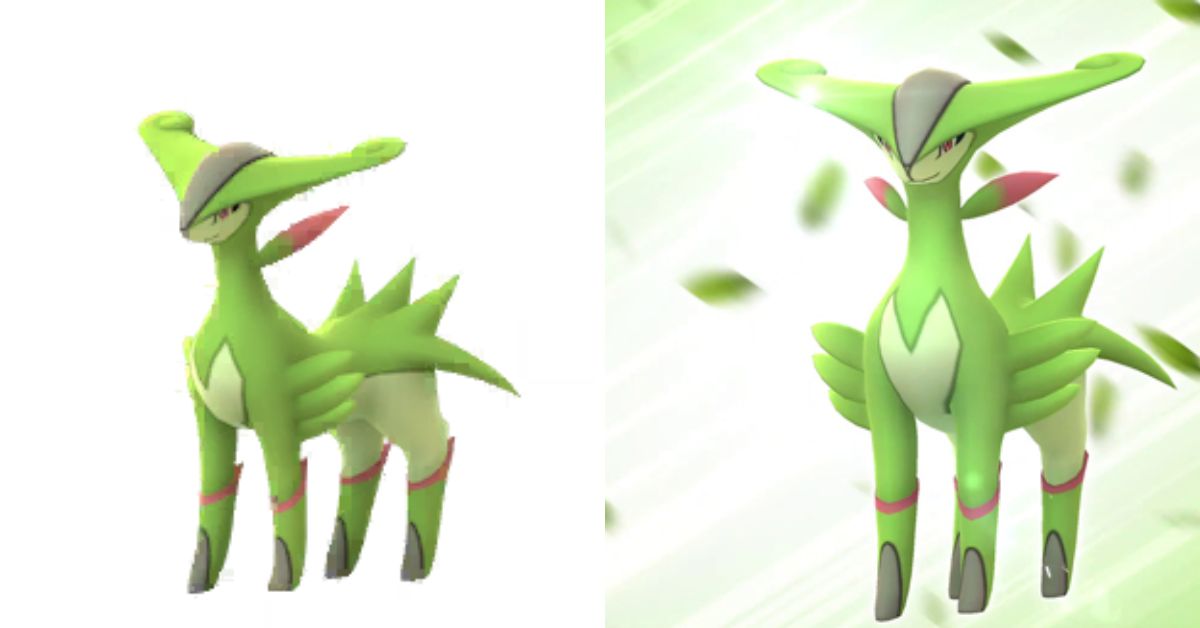
    Virizion is a legendary Grass/Fighting type Pokemon that belongs to the Swords of Justice trio, along with Cobalion and Terrakion. Virizion is known for its graceful and swift movements, as well as its ability to confound opponents with its attacks.

    In Pokemon GO, Virizion can be encountered as a tier 5 raid boss, and it can also be shiny. In this article, we will tell you how to catch Virizion in Pokemon GO, including its stats, moves, counters, and shiny odds.

    What Are the Stats and Moves of Virizion Pokemon Go?

    Virizion Pokemon GO
    Virizion Pokemon GO

    Virizion has the following stats and moves in Pokemon GO:

    • Max CP: 3417
    • Attack: 192
    • Defense: 229
    • Stamina: 209
    • Weaknesses: Flying, Poison, Fire, Psychic, Ice, Fairy
    • Resistances: Ground, Rock, Water, Grass, Electric, Dark
    • Fast moves: Quick Attack (Normal), Zen Headbutt (Psychic), Double Kick (Fighting)
    • Charged activities: Stone Edge (Rock), Leaf Blade (Grass), Close Combat (Fighting), Sacred Sword (Fighting)

    How to Beat Virizion Pokemon Go Raids?

    Virizion is a challenging raid boss that can deal a lot of damage with its Grass and Fighting-type moves. However, it also has many weaknesses that intelligent trainers can exploit. The best counters for Virizion are Flying, Psychic, Fire, Fairy, Ice, and Poison-type Pokemon, as they can deal super effective damage and resist some of its attacks. Here are some of the top counters for Virizion, along with their optimal move sets:

    • Moltres: Wing Attack (Flying) + Sky Attack (Flying)
    • Yveltal: Gust (Flying) + Hurricane (Flying)
    • Rayquaza: Air Slash (Flying) + Hurricane (Flying)
    • Staraptor: Wing Attack (Flying) + Brave Bird (Flying)
    • Honchkrow: Peck (Flying) + Sky Attack (Flying)
    • Tornadus (Therian): Gust (Flying) + Hurricane (Flying)
    • Mewtwo: Confusion (Psychic) + Psystrike (Psychic)
    • Alakazam: Confusion (Psychic) + Psychic (Psychic)
    • Espeon: Confusion (Psychic) + Psychic (Psychic)
    • Azelf: Confusion (Psychic) + Future Sight (Psychic)
    • Reshiram: Fire Fang (Fire) + Overheat (Fire)
    • Darmanitan (Galarian): Fire Fang (Fire) + Overheat (Fire)
    • Chandelure: Fire Spin (Fire) + Overheat (Fire)
    • Blaziken: Fire Spin (Fire) + Blast Burn (Fire)
    • Charizard: Fire Spin (Fire) + Blast Burn (Fire)
    • Togekiss: Charm (Fairy) + Dazzling Gleam (Fairy)
    • Gardevoir: Charm (Fairy) + Dazzling Gleam (Fairy)
    • Granbull: Charm (Fairy) + Play Rough (Fairy)
    • Mamoswine: Powder Snow (Ice) + Avalanche (Ice)
    • Weavile: Ice Shard (Ice) + Avalanche (Ice)
    • Galarian Darmanitan: Ice Fang (Ice) + Avalanche (Ice)
    • Glaceon: Frost Breath (Ice) + Avalanche (Ice)
    • Roserade: Poison Jab (Poison) + Sludge Bomb (Poison)
    • Gengar: Lick (Ghost) + Sludge Bomb (Poison)
    • Victreebel: Acid (Poison) + Sludge Bomb (Poison)

    How to Catch Virizion in Pokemon Go?

    After defeating Virizion in a raid, you will have a chance to catch it with a limited number of Premier Balls. The catch rate of Virizion is 2%, which means you have a 2% chance of seeing it with each throw, assuming no other factors. However, you can increase your catch rate by using the following tips:

    • Use Golden Razz Berries to boost your catch rate by 2.5 times.
    • Use Curveballs to boost your catch rate by 1.7 times.
    • Aim for Excellent or Great Throws to increase your catch rate by 1.85 or 1.5 times, respectively.
    • Use a Pokemon with the Gold Medal for Grass and Fighting types to increase your catch rate by 1.3 times.
    • Coordinate with your teammates to use the same type of Pokemon in the raid to get the Team Bonus and boost your catch rate by up to 1.1 times.
    • Be patient and wait for Virizion to attack or jump before throwing your ball to avoid wasting your throws.

    What Are the Shiny Odds of Virizion in Pokemon Go?

    Virizion can be shiny in Pokemon GO, which means it has a different color scheme than the standard version. Shiny Virizion has a pink body and greenhorns instead of a green body and pink horns. The shiny odds of Virizion are 1 in 20, which means you have a 5% chance of encountering a shiny Virizion after winning a raid. However, this is not a guarantee, and you may need to do multiple attacks to get a shiny Virizion.

    Virizion is a legendary Grass/Fighting type Pokemon that can be caught in Pokemon GO raids. Virizion is a powerful and graceful Pokemon, but it also has many weaknesses that can be exploited by using the right counters, strategies, and tips. By following this guide, you can beat and catch Virizion and add it to your collection. Good luck, and happy hunting!

    This is everything you need to know about Virizion Pokemon GO. Please take a moment to explore our other guides, like Mega Houndoom Counters. Stay connected with GameEmpress to get the latest news and guides about the gaming world.

  • Mega Houndoom Counters: How To Beat The Dark/Fire Mega Raid Boss In Pokémon GO?

    Mega Houndoom Counters: How To Beat The Dark/Fire Mega Raid Boss In Pokémon GO?

    Mega Houndoom is a Dark/Fire-type Pokémon that can be encountered as a mega raid boss in Pokémon GO. Mega Houndoom has a high attack stat and can deal a lot of damage with its dark and fire moves. However, it also has several weaknesses that smart trainers can exploit. In this article, we will show you how to beat Mega Houndoom with the best counters, strategies, and tips.

    What Are the Stats and Moves of Mega Houndoom?

    Mega Houndoom Counters
    Mega Houndoom Counters

    Mega Houndoom has the following stats and moves in Pokémon GO:

    • Max CP: 3842
    • Attack: 289
    • Defense: 194
    • Stamina: 181
    • Weaknesses: Fighting, Ground, Rock, Water
    • Resistances: Dark, Fire, Ghost, Grass, Ice, Psychic, Steel
    • Fast moves: Fire Fang (Fire), Snarl (Dark)
    • Charged moves: Crunch (Dark), Fire Blast (Fire), Flamethrower (Fire), Foul Play (Dark)

    Mega Houndoom Counters

    The best counters for Mega Houndoom are Rock, Water, Fighting, and Ground type Pokémon, as they can deal super effective damage and resist some of its attacks. Here are some of the top counters for Mega Houndoom, along with their optimal move sets:

    • Primal Groudon: Mud Shot (Ground) + Precipice Blades (Ground)
    • Primal Kyogre: Waterfall (Water) + Origin Pulse (Water)
    • Mega Swampert: Water Gun (Water) + Hydro Cannon (Water)
    • Terrakion: Double Kick (Fighting) + Sacred Sword (Fighting)
    • Mega Blaziken: Counter (Fighting) + Focus Blast (Fighting)
    • Mega Diancie: Rock Throw (Rock) + Rock Slide (Rock)
    • Mega Rayquaza: Dragon Tail (Dragon) + Dragon Ascent (Flying)
    • Mega Blastoise: Water Gun (Water) + Hydro Cannon (Water)
    • Mega Tyranitar: SmackDown (Rock) + Stone Edge (Rock)
    • Keldeo (Ordinary): Low Kick (Fighting) + Sacred Sword (Fighting)

    What Are Some Tips and Strategies for Mega Houndoom Raids?

    Here are some tips and techniques to help you easily defeat Mega Houndoom raids:

    • Use the weather to your advantage. Rainy, Cloudy, and Partly Cloudy weather boost your Water, Fighting, and Rock-type counters, respectively. Sunny and Foggy weather enable Mega Houndoom’s Fire and Dark-type moves, respectively, so avoid them if possible.
    • Use the mega boost to your advantage. Mega-evolving your Pokémon will give them and your teammates an attack boost, as well as an additional boost if their attack types match the mega-evolving Pokémon’s type(s). For example, Mega Swampert will boost all Water-type attacks, while Mega Blaziken will boost both Fighting and Fire-type attacks.
    • Dodge the charged moves if you can. Mega Houndoom’s charged moves can deal a lot of damage, significantly if they are boosted by the weather or the same type of attack bonus (STAB). Try to dodge them if you have enough time and energy, or use Pokémon with high defense or stamina to tank them.
    • Coordinate with your teammates if you can. Mega Houndoom raids can be done with 3-4 trainers with average teams or two trainers with optimal teams and weather. However, coordinating with your teammates can make the raid easier and faster, as you can use the same type of evolved Pokémon or use different styles to cover each other’s weaknesses.

    Mega Houndoom is a powerful mega raid boss that can challenge even the most experienced trainers. However, by using the right counters, strategies, and tips, you can defeat it and earn some rewards, such as Mega Houndoom energy, rare candies, golden razz berries, and a chance to catch a regular Houndoom. Good luck and happy raiding!

    This is everything you need to know about Mega Houndoom Counters. Please take a moment to explore our other guides, like Baldur’s Gate 3’s Treasure Hunters Present. Stay connected with GameEmpress to get the latest news and guides about the gaming world.

  • Halo 3 Armor: How To Customize Your Spartan And Elite?

    Halo 3 Armor: How To Customize Your Spartan And Elite?

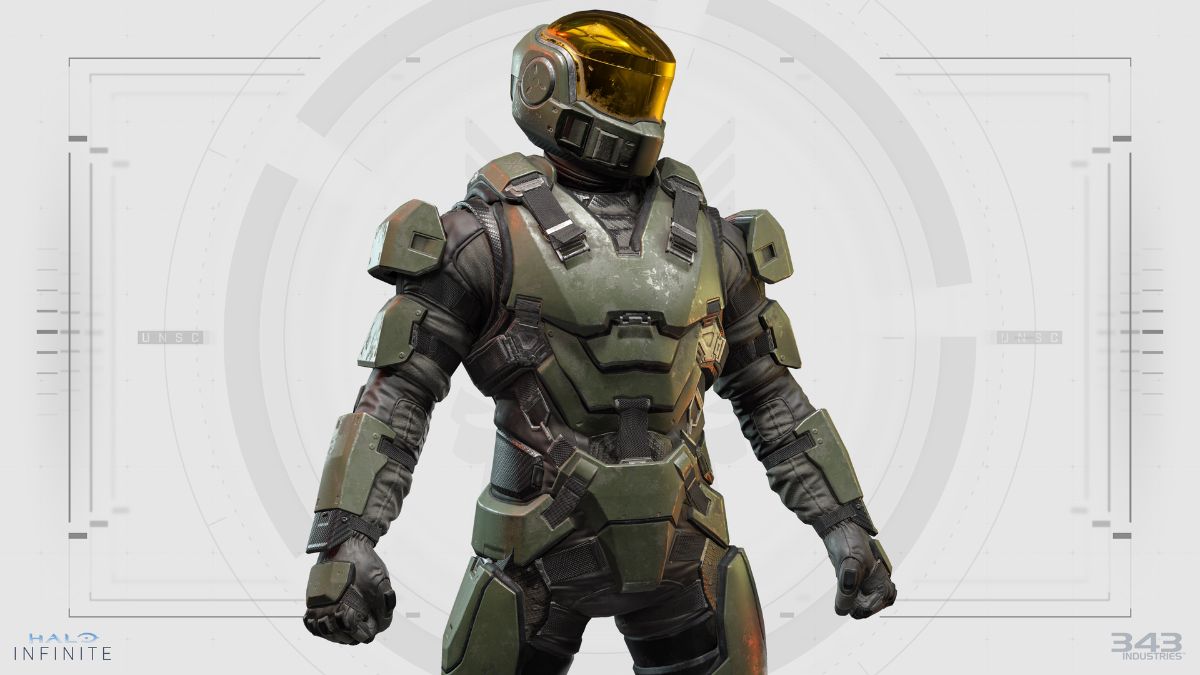
    Halo 3 is a first-person shooter game that features a variety of armor sets for both Spartan and Elite player characters. The armor sets can be customized with different pieces and colors, allowing players to create their unique look and style. In this article, we will explain how to unlock, select, and customize your armor in Halo 3, as well as provide some tips and tricks to make the most of your armor.

    How to Unlock Halo 3 Armor?

    Halo 3 Armor
    Halo 3 Armor

    Halo 3 has 17 armor sets, 12 for the Spartan and 5 for the Elite. Each armor set has three categories: Helmet, Chest, and Shoulder. Some armor sets also have additional classes, such as Forearms and Legs. To unlock armor pieces, you need to complete specific achievements, challenges, or tasks in the game.

    For example, to unlock the EVA helmet, you need to complete the campaign on Normal difficulty or higher. To open the Hayabusa chest, you need to collect six skulls in the campaign. To unlock the Recon armor, you need to complete all the Vidmaster challenges in Halo 3 and Halo 3: ODST.

    You can check your progress and see the unlock requirements for each armor piece in the Armory section of the main menu. You can also view the armor pieces you have opened on the Armor Watcher website, which shows your Halo 3, 4, and Reach spartans, emblems, and stats.

    How to Select and Customize Armor in Halo 3?

    To select and customize your armor in Halo 3, you need to go to the Appearance section of the main menu. There, you can choose between Spartan and Elite and then select the armor pieces you want to use for each category.

    You can also change the color of your armor by selecting the Primary, Secondary, and Detail options. You can choose from 30 different colors and mix and match them to create your color scheme.

    You can preview your armor in the Appearance section and see how it looks from different angles. You can also see how your armor looks in various lighting conditions by selecting the Map option. You can choose from 11 other maps and see how your armor blends in or stands out in each environment.

    Tips and Tricks for Armor Customization in Halo 3

    Here are some tips and tricks to help you with your armor customization in Halo 3:

    • Try to unlock as many armor pieces as possible so you have more options and variety to choose from. Some armor pieces are more accessible to open than others, so start with the ones that suit your playstyle and preferences.
    • Experiment with different combinations of armor pieces and colors, and see what works best for you. You can create different sets of armor for different modes, such as campaign, multiplayer, or custom games. You can also create different sets of armor for other roles, such as sniper, assault, or support.
    • Use the Armor Watcher website to share your armor with others and get feedback and inspiration. You can also see the armor of other players and compare your stats and achievements with them.
    • Have fun and be creative with your armor customization. Your armor is a way to express your personality and identity in the game, so make it your own and enjoy it.

    This is everything you need to know about Halo 3 Armor. Please take a moment to explore our other guides, like RDR2 Moose Location Guide. Stay connected with GameEmpress to get the latest news and guides about the gaming world.