Category: Game Guides

In-depth game guides from Game Empress, with walkthroughs, tier lists, location maps, and step-by-step strategies to help you master the games you love.

  • Uncharted 4 A Thiefs End PC Requirement: What You Need To Play The Action Adventure Game?

    Uncharted 4 A Thiefs End PC Requirement: What You Need To Play The Action Adventure Game?

    Uncharted 4 A Thief’s End is an action-adventure game that follows the adventures of Nathan Drake, a treasure hunter who travels around the world in search of ancient mysteries and secrets. The game is developed by Naughty Dog and was released in 2016 for PlayStation 4.

    However, in 2023, the game will also be available for PC, as part of the Uncharted: Legacy of Thieves Collection, which also includes Uncharted: The Lost Legacy, a standalone expansion that features Chloe Frazer and Nadine Ross as the main protagonists.

    But what do you need to play Uncharted 4 A Thief’s End on PC? How will the PC version differ from the PS4 version? In this article, we will tell you everything you need to know about Uncharted 4 A Thief’s End PC requirement, and how it will affect the game experience.

    Uncharted 4 A Thief’s End PC Requirement
    Uncharted 4 A Thiefs End PC Requirement
    Uncharted 4 A Thiefs End PC Requirement

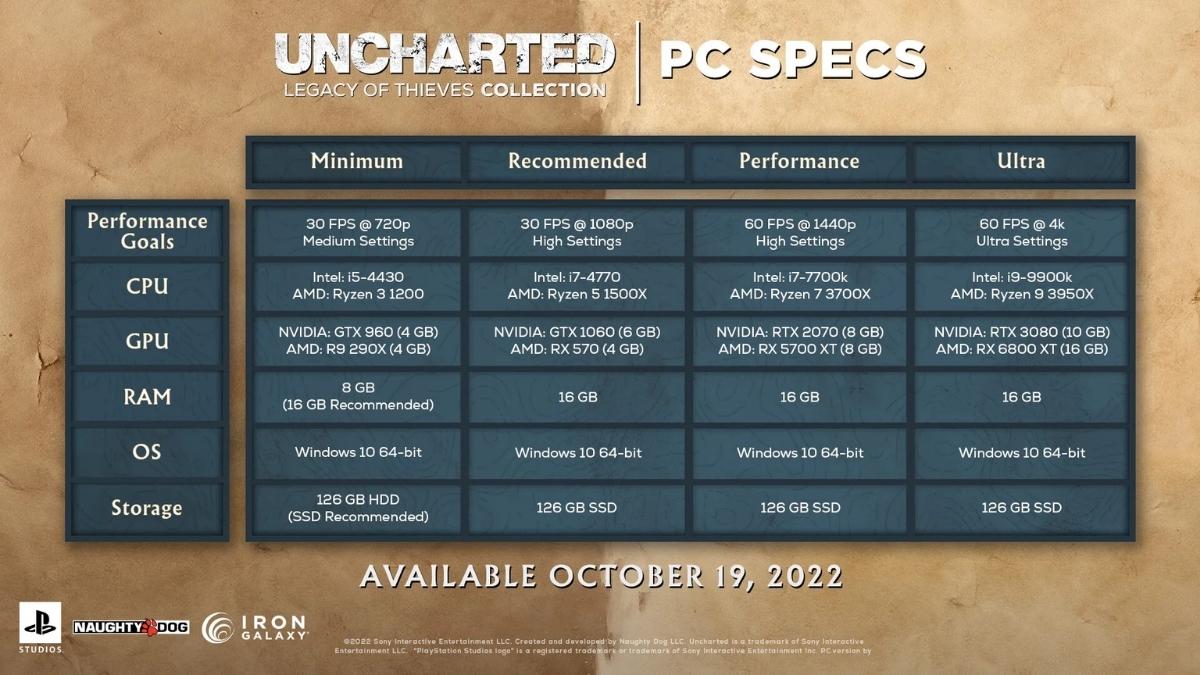
    According to the official website, these are the minimum and recommended PC requirements for Uncharted 4 A Thief’s End:

    Minimum Requirements

    • OS: Windows 10 64-bit
    • Processor: Intel Core i5-4330 or AMD Ryzen 3 1200
    • Memory: 8 GB RAM
    • Graphics: NVIDIA GeForce GTX 960 4GB or AMD Radeon R9 290X 4GB
    • DirectX: Version 12
    • Storage: 80 GB available space

    Recommended Requirements

    • OS: Windows 10 64-bit
    • Processor: Intel Core i7-4770 or AMD Ryzen 5 1500X
    • Memory: 16 GB RAM
    • Graphics: NVIDIA GeForce GTX 1060 6GB or AMD Radeon RX 570 4GB
    • DirectX: Version 12
    • Storage: 80 GB available space

    These requirements are based on the game running at 1080p resolution and 60 frames per second, with high graphics settings. However, the game will also support higher resolutions and frame rates, as well as ray tracing and other graphical enhancements, for those who have more powerful PCs.

    PC Features and Enhancements

    The PC version of Uncharted 4 A Thief’s End will not only have the same content and features as the PS4 version, but also some exclusive features and enhancements that will improve and optimize the game experience. Some of these features and enhancements are:

    • DualSense support: The game will support the DualSense controller, which is the PS5’s controller, through a wired connection to the PC. The DualSense controller features adaptive triggers and haptic feedback, which will make the game more immersive and realistic. For example, you will feel the weight and tension of your weapons, the impact and recoil of your shots, and the vibrations and sensations of the environment. The game will also use the controller’s speaker and microphone, which will allow you to hear the sounds of the game and communicate with other players.
    • 3D audio: The game will also support 3D audio, which is a technology that creates a realistic and immersive sound field. This means that you will be able to hear the sounds of the game from all directions, and pinpoint their location and distance. The game will also have a dynamic soundtrack, which will change according to the situation and the gameplay.
    • Ultra-wide and multi-monitor support: The game will also support ultra-wide and multi-monitor setups, which will allow you to play the game with a wider and more panoramic view. This will make the game more cinematic and spectacular, as you will be able to see more of the game’s stunning environments and set pieces.
    • Customizable graphics settings: The game will also have customizable graphics settings, which will allow you to adjust the game’s performance and quality according to your preference and PC specifications. You will be able to change the resolution, frame rate, anti-aliasing, texture quality, shadow quality, and more.

    Conclusion

    Uncharted 4 A Thief’s End PC requirement is the set of specifications that you need to play the game on PC. The game will have minimum and recommended requirements, based on the game running at 1080p and 60 fps, with high graphics settings. However, the game will also support higher resolutions and frame rates, as well as ray tracing and other graphical enhancements, for those who have more powerful PCs.

    The game will also have some exclusive features and enhancements for the PC version, such as DualSense support, 3D audio, ultra-wide and multi-monitor support, and customizable graphics settings. The game will be released in 2023, and will be available as part of the Uncharted: Legacy of Thieves Collection, which also includes Uncharted: The Lost Legacy. Uncharted 4 A Thief’s End PC requirement is what you need to enjoy the thrilling and epic adventure of Nathan Drake and his friends.

    This is everything you need to know about Uncharted 4 A Thiefs End PC Requirement. Additionally, you can check our guide on The Elder Scrolls VI PC Requirements and Valorant PC Requirements. Stay connected with GameEmpress.com to get the latest news and guides about the gaming world.
  • Sims 4 Satisfaction Points Cheat: How to Enable and Use Cheats?

    Sims 4 Satisfaction Points Cheat: How to Enable and Use Cheats?

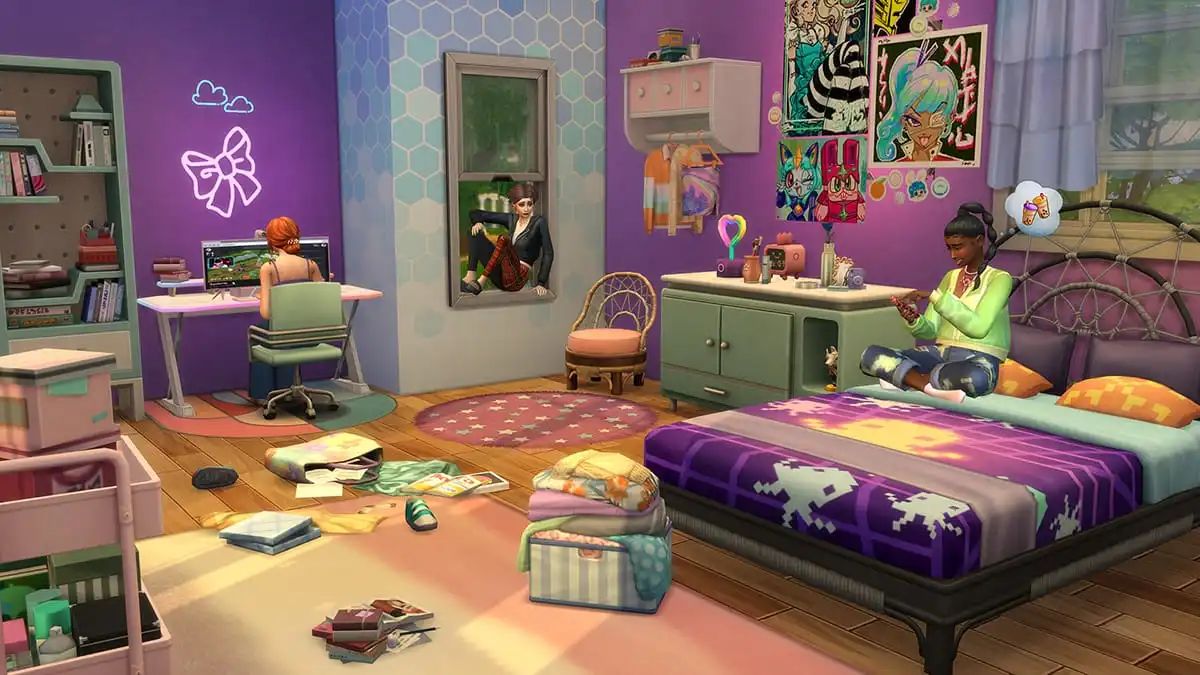
    Playing the entertaining life simulation game The Sims 4, players may design virtual individuals called Sims and manage every part of their lives from beginning to end. The ability to alter the Sims’ personality and way of living adds a lot of intrigue to the game.

    Although a little difficult to grasp, The Sims 4’s unique pleasure points system gives users the opportunity to win a number of prizes. In the game, players can gain these points by fulfilling whims, dreams, and vacations. It can take some time to accrue these points, of course.

    Fortunately, cheat codes allow players to swiftly accumulate a large number of satisfaction points, saving them from having to deal with all that hassle. Here’s how to use The Sims 4 cheats to get satisfaction points.

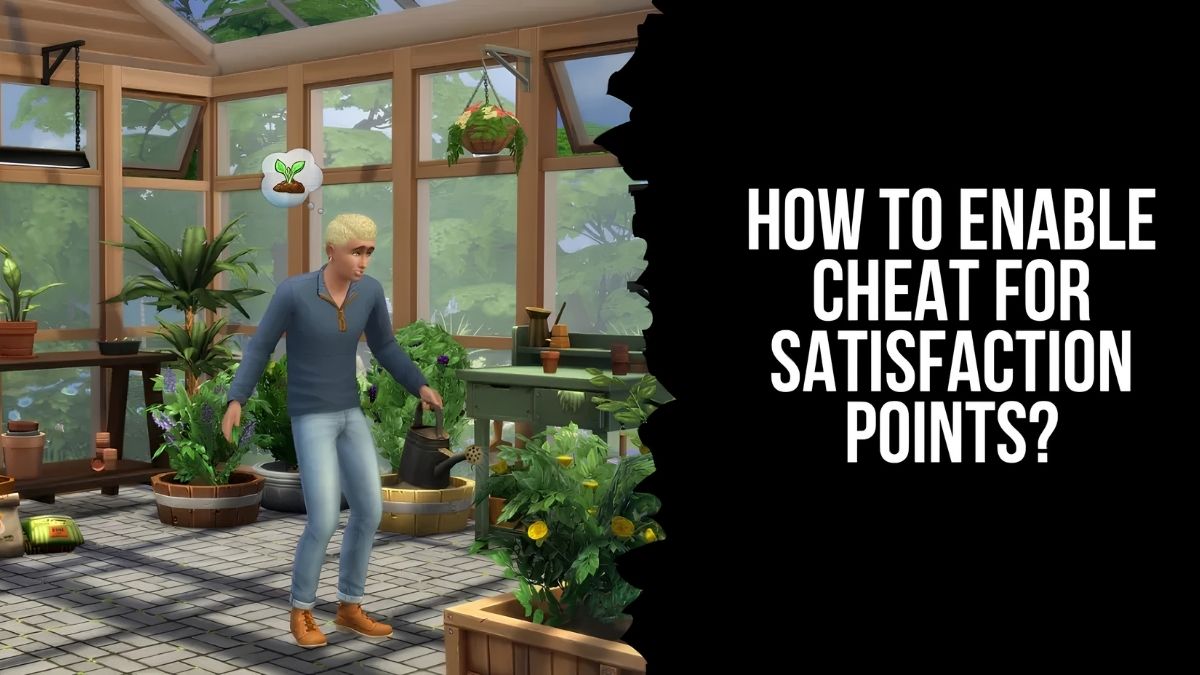
    How to Enable Cheat for Satisfaction Points?

    Players in The Sims 4 must first activate cheat codes before using them. Thankfully, it’s a really easy process that necessitates utilizing various key combinations for different platforms.

    • First, let’s get the cheat box open. To access the cheat box on a PC, press Ctrl + Shift + C.
    • Press Command + Shift + C on a Mac.
    • In terms of the console, you will see a box appear if you simultaneously press all four triggers.
    • In the cheat box, put “testingcheats true” and hit Enter. Satisfaction point cheats might start working as soon as they are enabled.

    The players should input “sims.give_satisfaction_points x“, replacing ‘x’ with the desired number of satisfaction points after they have enabled the cheats. To obtain 1000 satisfaction points, for instance, a player can enter the cheat code “sims.give_satisfaction_points 1000.”

    How to Use Satisfaction Points?

    sims 4 satisfaction points cheat

    Players can spend their pleasure points for a variety of objectives if they’ve accumulated the required number. Players will need to visit the rewards store in order to utilize them to redeem thrilling goodies. On the “aspiration” tab at the bottom of the page, look for a tiny gift box.

    Players will see a number of prizes they can purchase with these points after clicking on this box. Redeeming potions, characteristics, and other helpful in-game goods is what most players want to do. Because they may be used to change a Sim’s body, alter their emotions, and reverse their age, potions are especially useful.

    What Types of Rewards Are Available at the Satisfaction Points Store?

    Let’s now examine all the items available for purchase in the reward store. Potions and traits can be used to distinguish between these gifts; potions offer immediate benefits, while traits are applied to your Sim’s life.

    Potions

    Potion Description Price (In Satisfaction Points)
    Instant Fun Fills Fun Bar 100
    Instant Hygiene Fills Hygiene Bar 100
    Confident Potion Gives Sim the Confident mood 200
    Energized Potion Gives Sim the Energized mood 200
    Flirty Potion Gives Sim the Flirty mood 200
    Happy Potion Gives Sim the Happy mood 200
    Inspired Potion Gives Sim the Inspired mood 200
    Sleep Replacement Fills Energy Bar 400
    Moodlet Solver Removes all Negative Moodlets 500
    Insta-Large Your Sim will become bigger 750
    Insta-Lean Your Sim will become skinnier 750
    Potion of Youth Reset your Sims age to the beginning of the current Life Stage 1,500
    Re-Traiting Potion Reset all of your Sim’s current traits 5,000

    Traits

    The benefits of these trait-based rewards last longer than those of potions. For instance, once you buy “Always Welcome,” your Sim will have it till they pass away; you won’t need to buy it again.

    Trait Description Price (In Satisfaction Points)
    Always Welcome You can act at home while visiting other Sims, and they won’t mind 500
    Gym Rat Gain Fun and maintain Hygiene while exercising 500
    Observant Learn other Sim’s Traits by meeting them 500
    Speed Cleaner Clean 5 times faster 500
    Mentor At Level 10 of a Skill, your Sim can mentor others, causing them to gain skill quickly 1,000
    Morning Sim Build Skill quicker in the morning 1,000
    Night Owl Build Skill quicker at night 1,000
    Speed Reader Read 2 times faster than normal 1,000
    Free Services One-time services are free 1,500
    Marketable Crafted items sell for more 1,500
    Creative Visionary Your Sim has a higher change to main a masterwork (painting and writing) 2,000
    Entrepreneurial Your Sim is more likely to be promoted 2,000
    Frugal Household bills are reduced by 25% 2,000
    Independent Social Bar decreased by 50% slower 2,000
    Shameless Never experience embarrassment 2,000
    Steel Bladder Bladder Bar only decreases when drinking 2,000
    Beguiling Other Sims tend to become flirty around your Sim 2,500
    Antiseptic Hygiene Bar decreased 50% slower 3,000
    Carefree Never get tense 3,000
    Connections Start a career a few levels ahead 3,000
    Fertile Higher chance to have a baby, as well as twins and triplets 3,000
    Great Kisser Kissing increases Charisma 3,000
    Hardly Hungry Hunger Bar decreases 50% slower 4,000
    Professional Slacker Slacking at work won’t cause demotion or being fired 4,000
    Savant Gain skills 25% quicker 4,000
    Seldom Sleepy Energy Bar decreases 50% slower 4,000
    Super Green Thumb Plants in your garden have great vitality 4,000
    Needs No One Social Bar never decays 5,000
    Brave Your Sim will be hard to frighten, stay confident for longer, and isn’t afraid of the supernatural 8,000
    Forever Fresh Hygiene Bar never decays 8,000
    Forever Full Hunger Bar never decays 10,000
    Never Weary Energy Bar never decays 10,000

    What Types of Content Can DLC Add to the Sims 4?

    The Sims 4 can have a lot of content added by DLC, including a number of rewards store options. Each DLC-exclusive item is displayed below, arranged according to attributes and potions. Certain characteristics don’t completely mesh with the others.

    Potions

    Potion Description Price (In Satisfaction Points) DLC
    Quirk-B-Gone Removes Fame quirk 250 Get Famous
    Lifestyle-Go-Poof Potion Reconfigures life, setting the Sim on a ‘new path’ 300 Snowy Escape
    Potion of Curse Cleansing Removes curse 500 Realm of Magic

    Traits

    Trait Description Price (In Satisfaction Points) DLC
    Cold Acclimation Your Sim isn’t as affected by the cold 500 Seasons
    Great Storyteller Tell better stories! 500 Outdoor Retreat
    Heat Acclimation Your Sim isn’t as affected by the heat 500 Seasons
    Waterproof Your Sim does not get wet in the rain 500 Seasons
    Storm Caster Your Sim loves storms and is happy in this weather 1,000 Seasons
    Stoves and Grills Master Higher chance to create Impeccable Quality food on stoves/grills 1,500 Outdoor Retreat
    Iceproof Your Sim is never affected by cold and likes this temperature 2,000 Seasons
    Heatproof Your Sim is never affected by heat and likes this temperature 2,000 Seasons
    Incredibly Friendly Other Sims immediately like your Sim when meeting 2,000 Outdoor Retreat
    Paranormal Investigator License Unlock the Paranormal Investigator Freelance Career and the Summon Guidry Seanse 3,000 Paranormal Stuff

    Other Rewards

    Reward Description Price (In Satisfaction Points) DLC
    Mermadic Kelp Turn into a Mermaid 500 Island Living
    Sacred Candles Calm Sims and ward off Evil Spirits 500 Paranormal Stuff
    Money Tree Obtain a tree that grows money 5,000 Seasons

    This is everything you need to know about the Sims 4 Satisfaction Points Cheat. You can also read our guides on Moonlight Treasures Monopoly Go Cheats and Guitar Hero 2 Cheats. Stay up to date with GameEmpress for the most recent gaming news and guides.

  • Is Gunfire Reborn Crossplay? How To Play With Friends On Different Devices?

    Is Gunfire Reborn Crossplay? How To Play With Friends On Different Devices?

    Gunfire Reborn is a roguelite shooter game that combines RPG and FPS elements in a fast-paced and fun experience. The game is developed by Duoyi Interactive Entertainment and was released in 2020 for PC, Xbox, iOS, and Android devices.

    The game supports both single-player and co-op modes, with up to four players per session. But is Gunfire Reborn crossplay? Can you play with your friends on different devices? In this article, we will answer these questions and more.

    Is Gunfire Reborn Crossplay?

    Is Gunfire Reborn Crossplay
    Is Gunfire Reborn Crossplay

    Yes, Gunfire Reborn does support crossplay, but only between select platforms. The game allows crossplay between the following platforms:

    • PC (Steam)
    • Xbox One and Xbox Series X|S
    • iOS and Android devices

    This means that you can play with your friends on PC, Xbox, or mobile devices, regardless of the generation of your console or the operating system of your phone. However, you cannot play with your friends on other platforms, such as PlayStation or Nintendo Switch, as the game does not support crossplay with them.

    How to Play Gunfire Reborn with Crossplay?

    To play Gunfire Reborn with crossplay, you need to follow these steps:

    • Make sure you have the latest version of the game installed on your device.
    • Launch the game and go to the main menu.
    • Select the Online option and choose a mode and a map.
    • If you want to join a friend’s game, select the Friends option and choose their name from the list. You can also invite them to your game by pressing the Invite button.
    • If you want to join a random game, select the Quick Match option and wait for the game to find a suitable match for you.
    • Enjoy the game with your crossplay friends.

    Tips and Tricks for Gunfire Reborn

    Here are some tips and tricks to help you improve your skills and have more fun in Gunfire Reborn:

    • Experiment with different characters and skills. Each character has its strengths and weaknesses, such as damage, speed, health, and abilities. Find the ones that suit your playstyle and situation.
    • Use the weapons and items to your advantage. You can find and use various weapons and items in the game, such as guns, grenades, scrolls, and relics. Each weapon and item has its effects and attributes, such as fire rate, accuracy, reload speed, and rarity. Find the ones that suit your needs and preferences.
    • Be creative and cooperative. You can use your imagination and creativity to find different ways to kill the enemies and complete the levels. You can also work with your friends and cooperate to achieve your goals. You can also communicate with your teammates, share resources and items, and revive each other.
    • Explore and discover. You can explore the different levels and find hidden secrets and easter eggs. You can also discover new modes and features, such as custom levels, challenges, and updates, that are created by the developers or the community.

    Conclusion

    Gunfire Reborn is a game that supports crossplay between PC, Xbox, and mobile devices. This means that you can play with your friends on different devices, as long as they are not on PlayStation or Nintendo Switch. You can also enjoy the game’s features, such as roguelite shooter gameplay, character customization, and co-op mode. Gunfire Reborn is a game that offers a thrilling and fun experience.

    You might also be interested in the following games: Crossplay: DNF Duel Crossplay and EAFC 24 Crossplay. We appreciate your interest in our website! Make Gameempress.com your go-to site for gaming information.

  • Is DNF Duel Crossplay? Will It Get Crossplay Support Between PC and PlayStation?

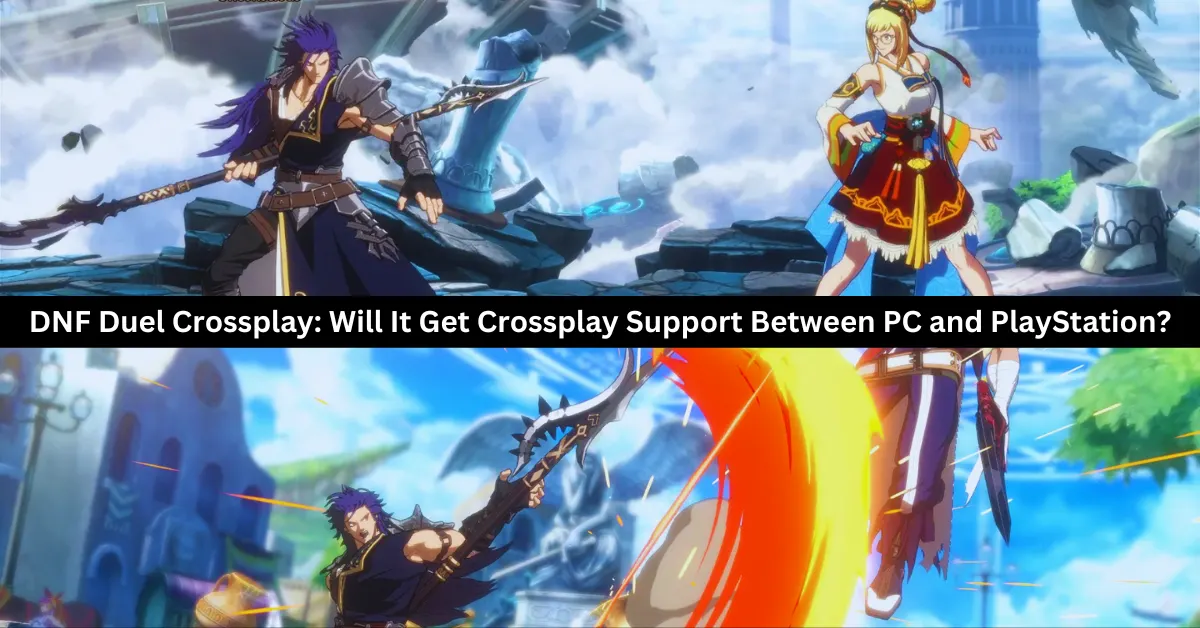
    Is DNF Duel Crossplay? Will It Get Crossplay Support Between PC and PlayStation?

    Finally available, the most recent Dungeon Fighter Online update is a 2.5D beat-em-up game created by Arc System Works that is already being enjoyed by fans of the original game. DNF Duel will have many of the same cherished characters from Dungeon Fighter Online, albeit with a fresh feel and appearance.

    It also comes as no surprise that there is a lot of discussion over the subject because this is one of the most played games ever. Will DNF Duel be compatible with cross-platform gaming? This is one of the most common queries we’ve been asked since the game’s release. Unfortunately, you won’t be overjoyed by the response.

    Is DNF Duel Crossplay?

    Regretfully, the DNF Duel development team has opted against allowing cross-platform play between PC and PlayStation. The development team responded to a number of the most frequently asked questions by the community in a DNF Duel Q&A, including this one.

    Players on the PS4 and PS5 can engage in cross-platform gameplay,” is the response provided on the website. Nevertheless, users on different platforms and Steam will not be able to play together. Although crossplay between the PS5 and PC is not planned, crossplay between the PS4 and PS5 is.

    Is DNF Duel Cross Platform?

    You’ve likely already realized that DNF Duel will be cross-platform. Currently, the game is going to be accessible on the PlayStation 4, PlayStation 5, and PC through Steam. Sadly, none of the Microsoft console platforms currently have the game available for Xbox players.

    What Platforms is DNF Duel Available on?

    dnf duel crossplay

    As of this writing, the only platforms on which DNF Duel is playable are PC, PlayStation 5, and PlayStation 4. It’s unknown if the game will be available on other platforms.

    Will DNF Duel Get Crossplay in the Future?

    There is no official word on whether DNF Duel will get crossplay support between PC and PlayStation in the future. However, there is some hope that it might happen eventually, as another Arc System Works game, Guilty Gear Strive, did receive crossplay after launch.

    Guilty Gear Strive initially launched without crossplay between PC and PlayStation, but the developers added it in a later update. They also added crossplay between PS4 and PS5, which was not available at launch either. This shows that Arc System Works is willing to implement cross-play for its games as long as it is feasible and in demand.

    Therefore, DNF Duel might follow the same path and get crossplay in a future update. However, this is not guaranteed, and it might depend on how popular the game is and how much the fans request it. For now, DNF Duel players will have to stick to their platforms when it comes to online battles.

    DNF Duel is a fun and exciting fighting game that fans of Dungeon Fighter Online and Arc System Works will enjoy. However, the game does not support crossplay between PC and PlayStation, which might be disappointing for some players.

    There is a chance that the game might get crossplay in the future, but there is no official confirmation or timeline for that. Until then, DNF Duel players will have to choose their platform wisely and hope for the best.

    You might also be interested in the following games: Crossplay: Human Fall Flat Crossplay and Rec Room Crossplay. We appreciate your interest in our website! Make Gameempress your go-to site for gaming information.

  • Is EAFC 24 Crossplay? How To Play With Friends On Different Platforms?

    Is EAFC 24 Crossplay? How To Play With Friends On Different Platforms?

    EAFC 24 is a soccer simulation game that was developed by EA Sports and was released in 2023 for various platforms, such as PC, PlayStation, Xbox, and Nintendo Switch. The game features a single-player mode, where you can create your custom player and compete in various leagues and tournaments, and a multiplayer mode, where you can play online with or against other players in various modes and events.

    But is EAFC 24 crossplay? Can you play with your friends on different platforms? In this article, we will answer these questions and more.

    Is EAFC 24 Crossplay?

    Is EAFC 24 Crossplay?
    Is EAFC 24 Crossplay?

    Yes, EAFC 24 does support cross-play, but only between select platforms. According to the official website, the game allows crossplay between the following platforms:

    • PC (Steam)
    • PlayStation 4 and 5
    • Xbox One and Series X|S
    • Nintendo Switch

    This means that you can play with your friends on PC, PlayStation, Xbox, or Switch, regardless of the generation of your console. However, you cannot play with your friends on other platforms, such as mobile devices, as the game does not support crossplay with them.

    How to Play EAFC 24 with Crossplay?

    To play EAFC 24 with crossplay, you need to follow these steps:

    • Make sure you have the latest version of the game installed on your platform.
    • Launch the game and go to the main menu.
    • Select the Online option and choose a mode and a map.
    • If you want to join a friend’s game, select the Friends option and choose their name from the list. You can also invite them to your game by pressing the Invite button.
    • If you want to join a random game, select the Quick Match option and wait for the game to find a suitable match for you.
    • Enjoy the game with your crossplay friends.

    Tips and Tricks for EAFC 24

    Here are some tips and tricks to help you improve your skills and have more fun in EAFC 24:

    • Experiment with different teams and players. Each team and player has its strengths and weaknesses, such as speed, shooting, passing, and defending. Find the ones that suit your playstyle and strategy.
    • Use the tactics and formations to your advantage. You can customize your team’s tactics and formations, such as attacking, defending, pressing, and counter-attacking. You can also change them during the game, depending on the situation.
    • Be creative and cooperative. You can use your imagination and creativity to create and score goals. You can also work with your friends and cooperate to achieve your objectives. You can also communicate with your teammates, share tips and feedback, and celebrate together.
    • Explore and discover. You can explore the different modes and events in the game, such as Career, Ultimate Team, Volta, and Pro Clubs. You can also discover new features and content, such as new players, stadiums, kits, and updates.

    Conclusion

    EAFC 24 is a game that supports crossplay between PC, PlayStation, Xbox, and Switch platforms. This means that you can play with your friends on different platforms, as long as they are not on mobile devices.

    You can also enjoy the game’s features, such as soccer simulation, team customization, and online multiplayer. EAFC 24 is a game that offers a realistic and immersive soccer experience.

    You might also be interested in the following games, Crossplay: Human Fall Flat Crossplay and Rec Room Crossplay We appreciate your interest in our website! Make Gameempress.com your go-to site for gaming information.

  • Metro Exodus PC Requirement: How To Run The Game Smoothly?

    Metro Exodus PC Requirement: How To Run The Game Smoothly?

    Metro Exodus is a post-apocalyptic first-person shooter that takes place in a vast and hostile open world. The game follows the journey of Artyom, a survivor of a nuclear war, who leads a group of Spartans across the ruins of Russia. The game features stunning graphics, immersive gameplay, and a gripping story.

    However, to enjoy the game to the fullest, you need to have a PC that meets the minimum or recommended system requirements. In this article, we will explore what the Metro Exodus PC requirement is, how to check your PC specs, and how to optimize your PC settings.

    Metro Exodus PC Requirement

    Metro Exodus PC Requirement
    Metro Exodus PC Requirement

    The Metro Exodus PC requirement is the minimum or recommended hardware and software specifications that your PC needs to have to run the game smoothly. The PC requirement varies depending on the resolution, frame rate, and graphic quality that you want to achieve. The PC requirement is based on the official information from the game’s developer, Eidos Montreal, and the game’s publisher, Square Enix.

    The minimum PC requirement is the lowest specification that your PC needs to have to run the game at 1080p resolution, 30 frames per second (fps), and low graphic preset. The minimum PC requirement is:

    • Operating System: Windows 7 64-bit
    • Processor: Intel Core i5-4440 or AMD equivalent
    • Memory: 8 GB RAM (Dual-channel mode)
    • Graphics: Nvidia GTX 660/GTX 1050 or AMD Radeon HD 7770
    • DirectX: Version 11
    • Storage: 59 GB available space (SSD recommended)

    The recommended PC requirement is the optimal specification that your PC needs to have to run the game at 1080p resolution, 60 fps, and high graphic preset. The recommended PC requirement is:

    • Operating System: Windows 10 64-bit
    • Processor: Intel Core i7-4770K, 3.40 GHz or AMD Ryzen 5 1600, 3.20 GHz
    • Memory: 8 GB RAM (Dual-channel mode)
    • Graphics: Nvidia GTX 1070/GTX 1660 Ti or AMD RX Vega 56
    • DirectX: Version 12
    • Storage: 59 GB available space (SSD recommended)

    The high PC requirement is the higher specification that your PC needs to have to run the game at 1440p resolution, 60 fps, and ultra graphic preset. The high PC requirement is:

    • Operating System: Windows 10 64-bit
    • Processor: Intel Core i9-9900K, 3.60 GHz or AMD Ryzen 7 3700X, 3.60 Ghz
    • Memory: 16 GB RAM (Dual-channel mode)
    • Graphics: Nvidia RTX 2070 Super / RTX 3060 Ti or AMD RX 5700 XT
    • DirectX: Version 12
    • Storage: 59 GB available space (SSD recommended)

    The ultra PC requirement is the ultimate specification that your PC needs to have to run the game at 4K resolution, 60 fps, and extreme graphic preset. The ultra PC requirement is:

    • Operating System: Windows 10 64-bit
    • Processor: Intel Core i9-9900K, 3.60 GHz or AMD Ryzen 7 3700X, 3.60 Ghz
    • Memory: 16 GB RAM (Dual-channel mode)
    • Graphics: Nvidia RTX 2080 Ti / RTX 3080 or AMD RX 6800 XT
    • DirectX: Version 12
    • Storage: 59 GB available space (SSD recommended)

    How to Check Your PC Specs?

    To check your PC specs, you need to access the System Information or the Device Manager on your Windows 10. You can do this by following these steps:

    • Press the Windows key and type “System Information” or “Device Manager” in the search box. Alternatively, you can also press the Windows key and R to open the Run dialog box, and type “msinfo32” or “devmgmt.msc” in the text field.
    • Click on the System Information or the Device Manager app that appears in the search results. This will open a new window that shows the details of your PC hardware and software.
    • In the System Information window, you can find the information about your operating system, processor, memory, graphics, and storage under the System Summary section. You can also expand the Components section to see more details about each component.
    • In the Device Manager window, you can find the information about your processor, memory, graphics, and storage under the Processors, Memory, Display adapters, and Disk drives sections. You can also right-click on each device and select Properties to see more details about each device.

    How to Optimize Your PC Settings?

    To optimize your PC settings, you need to adjust the game settings and the system settings to match your PC specs and your personal preference. You can do this by following these steps:

    • Launch the game and go to the Options menu. Here, you can customize the game settings, such as the resolution, frame rate, graphic quality, and other features. You can also use the Benchmark tool to test the performance of your PC and the game.
    • Try to lower the game settings that have the most impact on the performance, such as the resolution, anti-aliasing, shadows, textures, and volumetric clouds. You can also turn off the features that are not essential, such as the motion blur, depth of field, and ambient occlusion.
    • Try to match the game settings to your PC requirement, or use the presets that are available in the game. You can also use the Auto-Detect feature to let the game choose the best settings for your PC.
    • Exit the game and go to the Windows Settings menu. Here, you can optimize the system settings, such as the power plan, the background apps, and the visual effects. You can also use the Game Mode feature to improve the gaming performance of your PC.
    • Try to choose the High-Performance power plan, or create a custom power plan that suits your PC. You can also turn off the background apps that are not needed, such as the antivirus, the browser, and the updater. You can also turn off the visual effects that are not necessary, such as the animations, the transparency, and the shadows.
    • Try to enable the Game Mode feature, which will optimize your PC for gaming by prioritizing the game resources and minimizing the system interruptions. You can also use the Game Bar feature to access the game settings, the performance monitor, and the capture tools.

    Conclusion

    The Metro Exodus PC requirement is the minimum or recommended specification that your PC needs to have to run the game smoothly. The PC requirement varies depending on the resolution, frame rate, and graphic quality that you want to achieve. The PC requirement is based on the official information from the game’s developer and publisher. To check your PC specs, you need to access the System Information or the Device Manager on your Windows 10.

    This is everything you need to know about Metro Exodus PC Requirement. Additionally, you can check our guide on The Elder Scrolls VI PC Requirements and Valorant PC Requirements. Stay connected with GameEmpress.com to get the latest news and guides about the gaming world.
  • A Plague Tale Requiem PC Requirement: How To Play The Sequel To A Plague Tale Innocence On Your Computer?

    A Plague Tale Requiem PC Requirement: How To Play The Sequel To A Plague Tale Innocence On Your Computer?

    A Plague Tale Requiem is an action-adventure game that is the sequel to A Plague Tale Innocence, a critically acclaimed game that was released in 2019. The game is developed by Asobo Studio and published by Focus Entertainment and is expected to be released in 2022 for PC, PlayStation 5, Xbox Series X/S, and Nintendo Switch.

    The game continues the story of Amicia and Hugo, two siblings who survived the horrors of the plague and the Inquisition in 14th-century France. The game features a dark and immersive narrative, stealth-based gameplay, and a dynamic swarm of rats that can be used as a weapon or a threat.

    However, some players may want to play the game on their PC, either because they prefer the PC’s graphics, controls, and performance, or because they want to play the game before it is available on other platforms. Fortunately, there is a way to play A Plague Tale Requiem on PC, as long as they meet the minimum PC requirement and follow the instructions.

    A Plague Tale Requiem PC Requirement

    A Plague Tale Requiem PC Requirement
    A Plague Tale Requiem PC Requirement

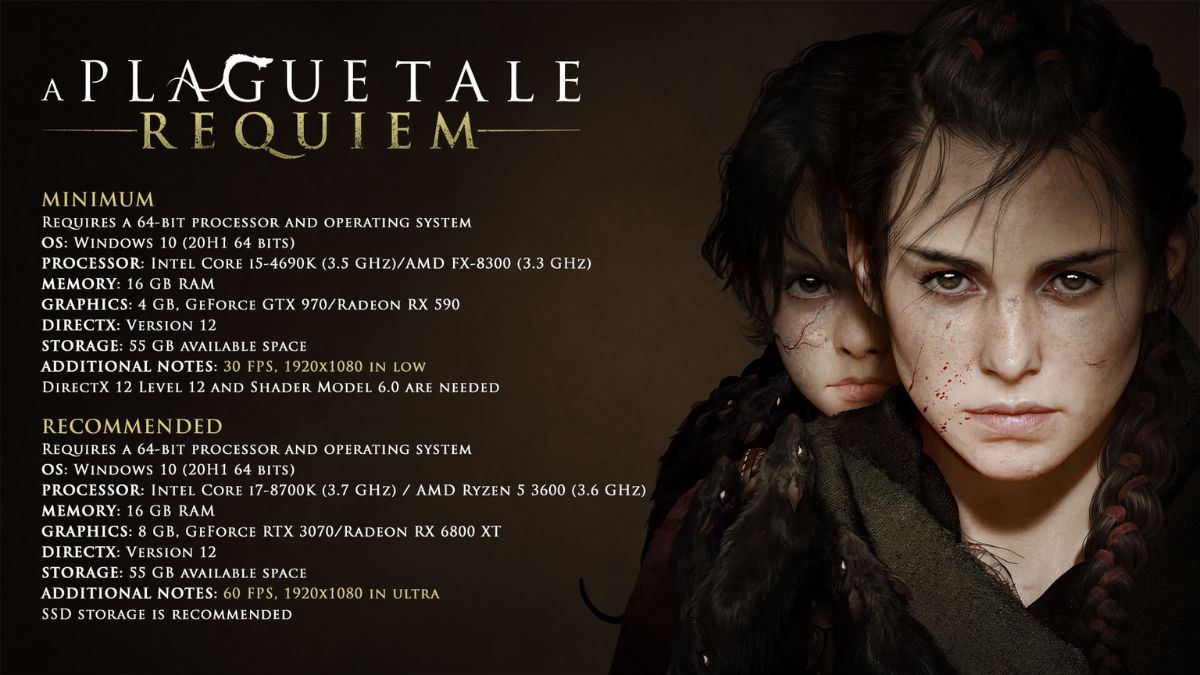
    To play A Plague Tale Requiem on PC, players need to have a PC that meets the minimum PC requirement for the game. According to the Steam page of the game, the minimum PC requirement for the game is:

    • Requires a 64-bit processor and operating system
    • OS: Windows 10 (20H1 64 bits)
    • Processor: Intel Core i5-4690K (3.5 GHz)/AMD FX-8300 (3.3 GHz)
    • Memory: 16 GB RAM
    • Graphics: 4 GB, GeForce GTX 970/Radeon RX 590
    • DirectX: Version 12
    • Storage: 55 GB available space
    • Additional Notes: 30 FPS, 1920×1080 in low. DirectX 12 Feature Level 12 and Shader Model 6.0 are needed.

    Note that these are the minimum PC requirement for the game, not for the optimal or recommended performance. The actual performance and quality of the game may vary depending on the PC’s specifications, settings, and compatibility. Some PCs may run the game faster or slower, or have graphical or audio glitches, or not run the game at all.

    Conclusion

    To sum up, A Plague Tale Requiem is an upcoming action-adventure game that is the sequel to A Plague Tale Innocence, a critically acclaimed game that was released in 2019. The game continues the story of Amicia and Hugo, two siblings who survived the horrors of the plague and the Inquisition in 14th-century France. The game features a dark and immersive narrative, stealth-based gameplay, and a dynamic swarm of rats that can be used as a weapon or a threat.

    This is everything you need to know about A Plague Tale Requiem PC Requirement. Additionally, you can check our guide on Heavenly Sword PC Requirements and The Ascent PC Requirements. Stay connected with GameEmpress.com to get the latest news and guides about the gaming world.

  • Is BF5 Crossplay? The Current State And Future Of Cross Platform Play In Battlefield 5

    Is BF5 Crossplay? The Current State And Future Of Cross Platform Play In Battlefield 5

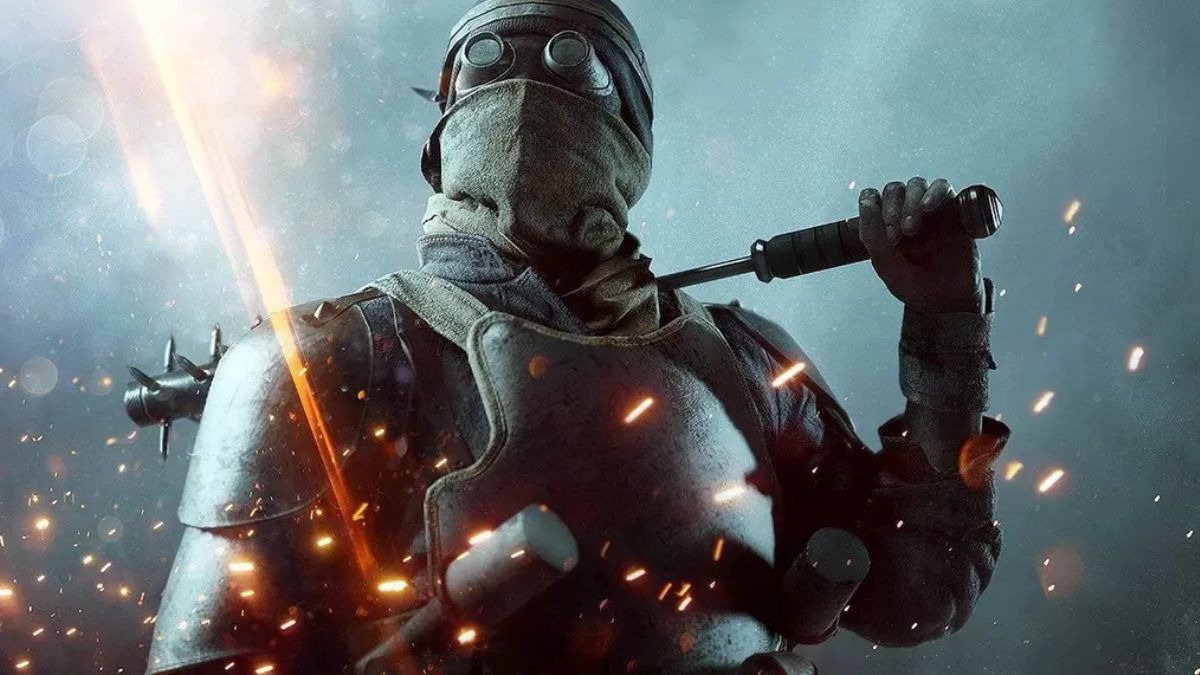
    BF5, or Battlefield 5, is a first-person shooter game that is part of the Battlefield series. The game was developed by DICE and published by EA and was released in 2018 for PC, PlayStation 4, and Xbox One.

    The game is set in World War II and features a single-player campaign, a multiplayer mode, and a battle royale mode. The game is known for its realistic and immersive gameplay, graphics, and sound, as well as its large-scale and dynamic battles.

    However, many players are wondering if BF5 supports crossplay, or cross-platform play, which is the ability to play with or against players on different platforms, such as PC, PS4, and Xbox One.

    Crossplay is a highly requested and popular feature among gamers, as it allows friends to play together regardless of their platform preference, and it also expands the player base and matchmaking options. So, what is the current state and future of crossplay in BF5? Let’s find out.

    Is BF5 Crossplay?

    Is BF5 Crossplay?
    Is BF5 Crossplay?

    The short answer is no, BF5 does not support crossplay. This means that players on PC, PS4, and Xbox One cannot play together, and are restricted to their platform-specific servers and communities. This is disappointing for many fans of the game, who would like to enjoy the game with their friends on other platforms or test their skills against a wider range of players.

    The lack of crossplay in BF5 can be attributed to various factors, such as technical difficulties, platform limitations, and developer priorities. Some of the possible reasons why BF5 does not have crossplay are:

    • Technical difficulties: Crossplay requires a lot of technical work and coordination between different platforms, developers, and publishers, which can be challenging and time-consuming. BF5 uses the Frostbite engine, which is designed to deliver high-quality graphics and physics, but it may not be compatible or optimized for crossplay. Moreover, crossplay may introduce new bugs and issues, such as latency, synchronization, or cheating, which can affect the gameplay experience and quality.
    • Platform limitations: Crossplay also depends on the policies and capabilities of the different platforms, which may not be supportive or compatible with crossplay. For example, Sony, the owner of PlayStation, has been known to be reluctant or restrictive when it comes to crossplay, as it may affect its market share and revenue. Additionally, the different platforms may have different hardware and software specifications, which can create discrepancies or disadvantages for some players. For instance, PC players may have an edge over console players due to higher frame rates, resolution, or mouse and keyboard controls.
    • Developer priorities: Crossplay also depends on the vision and goals of the developers and publishers, who may have other aspects of the game that they want to focus on or improve. For example, DICE and EA may have prioritized delivering a realistic and immersive gameplay experience, with stunning graphics, sound, and physics, rather than implementing crossplay. Furthermore, DICE and EA may have decided to allocate their resources and efforts to developing new content and features, such as new maps, modes, weapons, and vehicles, or fixing existing bugs and issues, rather than adding crossplay.

    Will BF5 Ever Have Crossplay?

    The long answer is maybe, BF5 may have crossplay in the future, but it is unlikely. This means that there is still a possibility that crossplay could be added to BF5 at some point, but it is not very probable or realistic. This is because crossplay is not a simple or easy feature to implement, and it may not be worth the effort or the risk for the developers and publishers.

    Some of the possible reasons why BF5 may not have crossplay in the future are:

    • Age and popularity: BF5 is already over two years old, and its popularity and player base may have declined or stagnated over time. This means that there may not be enough demand or incentive for the developers and publishers to add crossplay to the game, as it may not generate enough revenue or interest. Moreover, the developers and publishers may have shifted their attention and resources to newer or upcoming projects, such as Battlefield 2042, which is expected to release in 2021 and has already confirmed crossplay support.
    • Complexity and difficulty: Adding crossplay to BF5 may not be feasible or practical, as it may require a lot of technical work and coordination, which can be complex and difficult. The developers and publishers may have to overhaul or rewrite the game’s code and engine, which can be costly and risky. They may also have to negotiate and collaborate with the different platforms, which can be challenging and time-consuming. They may also have to deal with new bugs and issues, such as latency, synchronization, or cheating, which can affect the gameplay experience and quality.
    • Balance and fairness: Adding crossplay to BF5 may not be desirable or beneficial, as it may create balance and fairness issues, which can affect the gameplay experience and quality. The different platforms may have different hardware and software specifications, which can create discrepancies or disadvantages for some players. For example, PC players may have an edge over console players due to higher frame rates, resolution, or mouse and keyboard controls. Additionally, crossplay may introduce new problems, such as cheating, hacking, or trolling, which can ruin the fun and enjoyment of the game.

    Conclusion

    To sum up, BF5 does not have crossplay, and it may not have it in the future. This means that players on PC, PS4, and Xbox One cannot play together, and are restricted to their platform-specific servers and communities.

    This is disappointing for many fans of the game, who would like to enjoy the game with their friends on other platforms or test their skills against a wider range of players.

    You might also be interested in the following games, Crossplay: Human Fall Flat Crossplay and Rec Room Crossplay We appreciate your interest in our website! Make Gameempress.com your go-to site for gaming information.

  • Monster Hunter World PS5: What To Expect From The Next-Gen Version?

    Monster Hunter World PS5: What To Expect From The Next-Gen Version?

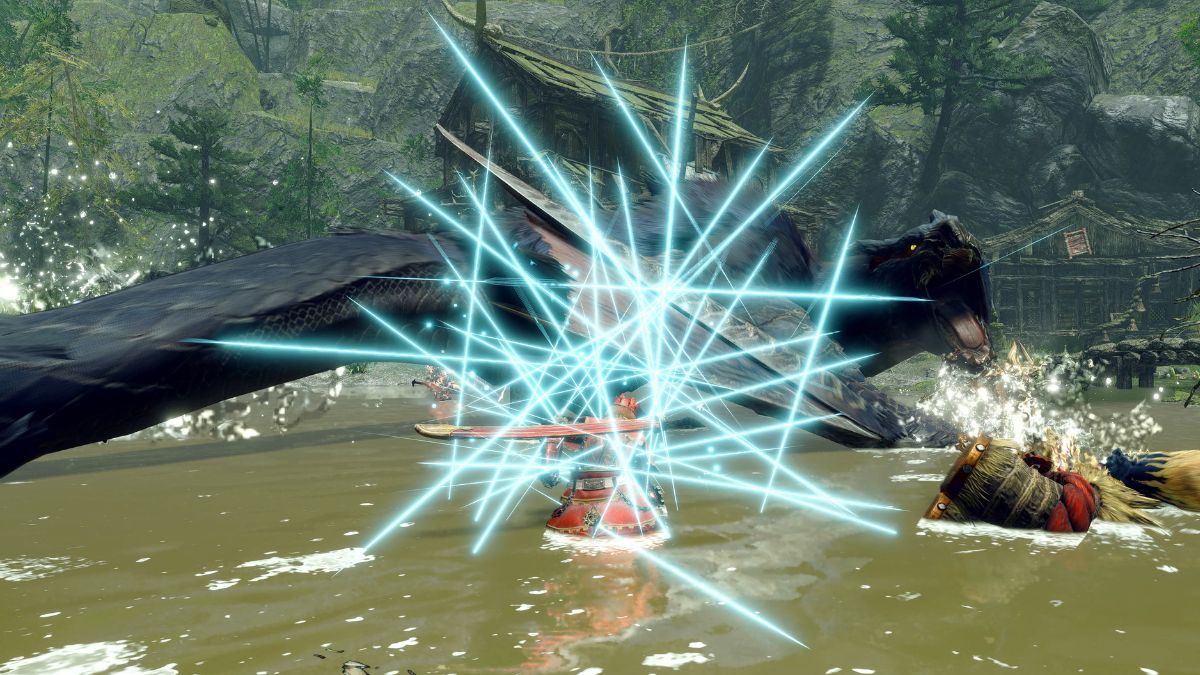
    Monster Hunter World is one of the most successful and popular games of the last decade, and it is set to receive a next-gen upgrade for PS5 and Xbox Series X|S in 2024. The game, which was originally released in 2018 for PS4 and Xbox One, and later for PC, is a massive open-world action RPG that lets you hunt and slay giant monsters in a variety of environments.

    The game also features a robust online multiplayer mode, where you can team up with other hunters to take on more challenging quests and events. But what can you expect from the PS5 version of Monster Hunter World? How will it improve and enhance the game experience? In this article, we will tell you everything you need to know about Monster Hunter World PS5, and how it will differ from the previous versions.

    Monster Hunter World PS5

    Monster Hunter World PS5
    Monster Hunter World PS5

    Improved Graphics and Performance

    One of the main benefits of the PS5 version of Monster Hunter World is the improved graphics and performance. The game will run at a native 4K resolution and 60 frames per second, making the game look sharper and smoother than ever before.

    The game will also feature ray tracing, which is a technology that simulates realistic lighting and shadows, creating more immersive and realistic visuals. The game will also have enhanced textures, models, and effects, making the game world more detailed and vibrant.

    The PS5 version of Monster Hunter World will also have faster loading times, thanks to the PS5’s SSD. This means that you will spend less time waiting and more time hunting, as the game will load the maps and quests almost instantly. The game will also have reduced pop-in and stuttering, making the game more seamless and fluid.

    New Features and Content

    Another benefit of the PS5 version of Monster Hunter World is the new features and content that will be added to the game.

    The game will include all the updates and expansions that were released for the previous versions, such as Iceborne, which added a new snowy region, new monsters, new weapons, and new mechanics. The game will also include some exclusive features and content for the PS5 version, such as:

    • DualSense support: The game will take advantage of the PS5’s DualSense controller, which features adaptive triggers and haptic feedback. This means that you will feel the weight and tension of your weapons, the impact and recoil of your attacks, and the vibrations and sensations of the environment. The game will also use the controller’s speaker and microphone, which will allow you to communicate with your Palico and other hunters, as well as hear the sounds of the monsters and the world.
    • 3D audio: The game will also use the PS5’s 3D audio, which is a technology that creates a realistic and immersive sound field. This means that you will be able to hear the sounds of the monsters and the environment from all directions and pinpoint their location and distance. The game will also have a dynamic soundtrack, which will change according to the situation and the monster’s behavior.
    • PS5 exclusive: play as Aloy: As part of a special collaboration, you will be able to play as Aloy, the protagonist of Horizon Zero Dawn, in Monster Hunter World PS5. You will be able to use her bow and spear, as well as her outfits and gadgets, to hunt the monsters. You will also be able to ride a machine, such as a Watcher or a Strider, as your mount. You will be able to access this content by completing special events and quests that will be available in the game.

    Conclusion

    Monster Hunter World PS5 is a next-gen upgrade of the original game, which will improve and enhance the game experience. The game will feature improved graphics and performance, running at 4K and 60 fps, with ray tracing and faster loading times.

    The game will also feature new features and content, such as DualSense support, 3D audio, and PS5 exclusive content. The game will be released in 2024, and will be available as a free upgrade for those who own the PS4 version of the game. Monster Hunter World PS5 is a game that will offer a thrilling and immersive hunting adventure.

    If you are interested in knowing more articles related to other games, you can check The Day Before PS5 Release Date and Fallout London Release Date. We appreciate your interest in our website! Make Gameempress.com your go-to site for gaming information.

  • Mega Glalie Raid Guide: How To Defeat The Ice Type Mega Boss In Pokemon Go?

    Mega Glalie Raid Guide: How To Defeat The Ice Type Mega Boss In Pokemon Go?

    Mega Glalie is a new Mega Evolution that was introduced in Pokemon Go as part of the Winter Holiday Part 1 event. Mega Glalie is a pure Ice-type Pokemon that can be encountered in Mega Raids, where you can team up with other players to challenge and catch it.

    Mega Glalie is a powerful Pokemon with high stats and a unique ability, Refrigerate, that turns its Normal-type moves into Ice-type moves. In this article, we will show you the best counters, movesets, and tips to defeat Mega Glalie in Pokemon Go.

    Best Counters for Mega Glalie

    Mega Glalie Raid Guide
    Mega Glalie Raid Guide

    According to Pokebattler, a website that simulates Pokemon battles, the best Pokemon to use against Mega Glalie are:

    • Blaziken (Mega): a Fire/Fighting-type Pokemon that can deal super effective damage with its Fire-type moves, such as Fire Spin and Blast Burn. It is also resistant to Ice-type moves, which gives it an edge over Mega Glalie.
    • Charizard (Mega Y): a Fire/Flying-type Pokemon that can also deal super effective damage with its Fire-type moves, such as Fire Spin and Blast Burn. It is also immune to Ground-type moves, which Mega Glalie may have as a hidden power.
    • Metagross (Shadow): a Steel/Psychic-type Pokemon that can also deal super effective damage with its Steel-type moves, such as Bullet Punch and Meteor Mash. It is also resistant to Ice-, Normal-, and Psychic-type moves, which Mega Glalie may have as its moveset.
    • Rampardos (Shadow): a Rock-type Pokemon that can also deal super effective damage with its Rock-type moves, such as SmackDown and Rock Slide. It is also immune to Electric-type moves, which Mega Glalie may have as a hidden power.
    • Blaziken (Shadow): a Fire/Fighting-type Pokemon that can also deal super effective damage with its Fire-type moves, such as Fire Spin and Blast Burn. It is also resistant to Ice-type moves, which Mega Glalie may have as its moveset.

    Other good options include Terrakion, Reshiram, Rhyperior (Shadow), Entei (Shadow), Keldeo, Charizard (Mega X), Rayquaza (Mega), Heatran, Houndoom (Mega), and Diancie (Mega), which are all Fire-, Fighting-, Rock-, or Steel-type Pokemon that can deal super effective damage to Mega Glalie.

    Best Movesets for Mega Glalie

    Mega Glalie can have different movesets, depending on its hidden power, which can be any type except Fairy. The most common movesets are:

    • Ice Shard and Avalanche: this is the default moveset for Mega Glalie, which deals Ice-type damage. It is super effective against Grass-, Ground-, Flying-, and Dragon-type Pokemon, which are some of the common Pokemon in the game. However, it is also not very effective against Fire-, Water-, Ice-, and Steel-type Pokemon, which are also common in the game.
    • Ice Shard and Shadow Ball: this is a rare moveset for Mega Glalie, which deals Ice- and Ghost-type damage. It is super effective against Psychic- and Ghost-type Pokemon, which are some of the best counters for Mega Glalie. However, it is also not very effective against Dark- and Normal-type Pokemon, which are also good counters for Mega Glalie.
    • Ice Shard and Gyro Ball: this is another rare moveset for Mega Glalie, which deals Ice- and Steel-type damage. It is super effective against Rock-, Ice-, and Fairy-type Pokemon, which are some of the common Pokemon in the game. However, it is also not very effective against Fire-, Water-, Electric-, and Steel-type Pokemon, which are also common in the game.

    Tips to Beat Mega Glalie

    Here are some tips to help you beat Mega Glalie in Pokemon Go:

    • Use Fire-, Fighting-, Rock-, or Steel-type Pokemon with high attack and defense stats, such as Blaziken, Charizard, Metagross, Rampardos, or Terrakion. They can deal super effective damage and resist or avoid Mega Glalie’s moves.
    • Avoid using Grass-, Ground-, Flying-, or Dragon-type Pokemon, such as Torterra, Garchomp, Togekiss, or Dragonite. They are weak to Ice-type moves, which Mega Glalie may have as its moveset.
    • Dodge Mega Glalie’s charge move, Avalanche, as much as possible. It is a very powerful move that can deal a lot of damage, but it also has a long animation and a warning sign, which gives you time to dodge it.
    • Use the weather to your advantage. Sunny weather boosts Fire-type moves, which can help you with your counters. Cloudy weather boosts Fighting-type moves, which can also help you with your counters. Snowy weather boosts Ice-type moves, which can help Mega Glalie with its moveset.
    • Coordinate with your raid team and use the best Pokemon and movesets for the battle. Mega Glalie is a tough opponent that requires at least four or five trainers with high-level Pokemon to defeat it.

    Conclusion

    Mega Glalie is a new Mega Evolution that can be encountered in Mega Raids in Pokemon Go. It is a pure Ice-type Pokemon that can deal a lot of damage with its Ice-type moves, as well as its hidden power.

    To beat Mega Glalie, you need to use Fire-, Fighting-, Rock-, or Steel-type Pokemon with high attack and defense stats, such as Blaziken, Charizard, Metagross, Rampardos, or Terrakion. You also need to dodge Mega Glalie’s charge move, Avalanche, as much as possible, and use the weather to your advantage. By following these tips, you can defeat Mega Glalie and catch it for your collection.

    If you are interested in knowing more articles related to Pokemon Go, you can check Defit Pokemon Go and Shiny Oddish Pokemon Go. We appreciate your interest in our website! Make Gameempress.com your go-to site for gaming information. Share this:

  • Is Ghost Of Tsushima Crossplay? How To Play With Friends On Different Consoles?

    Is Ghost Of Tsushima Crossplay? How To Play With Friends On Different Consoles?

    Ghost of Tsushima is an action-adventure game that is set in feudal Japan during the Mongol invasion. The game is developed by Sucker Punch Productions and was released in 2020 for PlayStation 4 and PlayStation 5.

    The game features a single-player mode, where you play as Jin Sakai, a samurai who fights to protect his island and people, and a multiplayer mode, called Legends, where you team up with other players to complete missions and challenges. But is Ghost of Tsushima crossplay? Can you play with your friends on different consoles? In this article, we will answer these questions and more.

    Is Ghost of Tsushima Crossplay?

    Is Ghost of Tsushima Crossplay?
    Is Ghost of Tsushima Crossplay?

    Yes, Ghost of Tsushima does support crossplay, but only between PlayStation 4 and PlayStation 5 consoles. According to the official website, the game allows crossplay between the two generations of PlayStation consoles, regardless of whether you own the original or the Director’s Cut version of the game.

    This means that you can play with your friends on PlayStation 4 or PlayStation 5, as long as you are on the same network and region. However, you cannot play with your friends on other platforms, such as Xbox or PC, as the game does not support crossplay with them. The game is also not available on other platforms, as it is a PlayStation-exclusive title.

    How to Play Ghost of Tsushima with Crossplay?

    To play Ghost of Tsushima with crossplay, you need to follow these steps:

    • Make sure you have the latest version of the game installed on your console.
    • Launch the game and go to the main menu.
    • Select the Legends option and choose a mode and a map.
    • If you want to join a friend’s game, select the Friends option and choose their name from the list. You can also invite them to your game by pressing the Invite button.
    • If you want to join a random game, select the Quick Play option and wait for the game to find a suitable match for you.
    • Enjoy the game with your crossplay friends.

    Tips and Tricks for Ghost of Tsushima

    Here are some tips and tricks to help you improve your skills and have more fun in Ghost of Tsushima:

    • Experiment with different classes and abilities. Each class has its strengths and weaknesses, such as damage, speed, stealth, and support. Find the ones that suit your playstyle and situation.
    • Use the environment to your advantage. You can hide behind cover, climb on rooftops, swing on ropes, and more. You can also interact with some objects, such as barrels, lanterns, and firecrackers, to create explosions or distractions.
    • Be creative and cooperative. You can use your imagination and creativity to find different ways to complete the objectives and overcome the enemies. You can also work with your friends and cooperate to achieve your goals. You can also communicate with your teammates, share items and resources, and revive each other.
    • Explore and discover. You can explore the different maps and find hidden secrets and easter eggs. You can also discover new modes and challenges, such as Survival, Nightmare, and Raid, which are created by the developers or the community.

    Conclusion

    Ghost of Tsushima is a game that supports crossplay between PlayStation 4 and PlayStation 5 consoles. This means that you can play with your friends on different PlayStation consoles, as long as you are on the same network and region.

    You can also enjoy the game’s features, such as action-adventure gameplay, historical setting, and multiplayer mode. Ghost of Tsushima is a game that offers a thrilling and immersive experience.

    You might also be interested in the following games, Crossplay: Human Fall Flat Crossplay and Rec Room Crossplay We appreciate your interest in our website! Make Gameempress.com your go-to site for gaming information.

  • Is Human Fall Flat Crossplay? How To Play With Friends On Different Devices?

    Is Human Fall Flat Crossplay? How To Play With Friends On Different Devices?

    Human Fall Flat is a physics-based puzzle game that lets you control a wobbly human who dreams of falling. The game was developed by No Brakes Games and was released in 2016 for various platforms, such as PC, PlayStation, Xbox, Nintendo Switch, Android, and iOS.

    The game supports both local and online multiplayer, with up to eight players per session. But is Human Fall Flat crossplay? Can you play with your friends on different devices? In this article, we will answer these questions and more.

    Is Human Fall Flat Crossplay?

    Is Human Fall Flat Crossplay?
    Is Human Fall Flat Crossplay?

    Yes, Human Fall Flat does support crossplay, but only between select platforms. According to the official website, the game allows crossplay between the following platforms:

    • PC (Steam)
    • Xbox One and Xbox Series X|S
    • PlayStation 4 and PlayStation 5
    • Nintendo Switch

    This means that you can play with your friends on PC, Xbox, PlayStation, or Switch, regardless of the generation of your console. However, you cannot play with your friends on Android or iOS, as the game does not support crossplay with mobile devices.

    How to Play Human Fall Flat with Crossplay?

    To play Human Fall Flat with crossplay, you need to follow these steps:

    • Make sure you have the latest version of the game installed on your device.
    • Launch the game and go to the main menu.
    • Select the Online option and choose a mode and a map.
    • If you want to join a friend’s game, select the Friends option and choose their name from the list. You can also invite them to your game by pressing the Invite button.
    • If you want to join a random game, select the Quick Play option and wait for the game to find a suitable match for you.
    • Enjoy the game with your crossplay friends.

    Tips and Tricks for Human Fall Flat

    Here are some tips and tricks to help you improve your skills and have more fun in Human Fall Flat:

    • Experiment with different controls and settings. You can customize your character’s appearance, voice, and gestures, as well as adjust the camera, sensitivity, and vibration options.
    • Use the environment to your advantage. You can interact with various objects, such as levers, buttons, ropes, and vehicles, to solve puzzles and overcome obstacles. You can also grab, push, pull, and throw anything you see, including your friends.
    • Be creative and cooperative. You can use your imagination and creativity to find different ways to complete the levels. You can also work with your friends and cooperate to achieve your goals. You can also mess with your friends and have fun.
    • Explore and discover. You can explore the different levels and find hidden secrets and easter eggs. You can also discover new levels and modes, such as Workshop, Custom, and Holiday levels, which are created by the community or the developers.

    Conclusion

    Human Fall Flat is a game that supports crossplay between PC, Xbox, PlayStation, and Switch platforms. This means that you can play with your friends on different devices, as long as they are not on Android or iOS.

    You can also enjoy the game’s features, such as physics-based puzzles, character customization, and online multiplayer. Human Fall Flat is a game that offers a hilarious and challenging experience.

    You might also be interested in the following games, Crossplay: BO3 Crossplay and NFS Heat Crossplay We appreciate your interest in our website! Make Gameempress.com your go-to site for gaming information.

  • Is Rec Room Crossplay? How To Play With Friends On Different Devices?

    Is Rec Room Crossplay? How To Play With Friends On Different Devices?

    Rec Room is a social VR game that lets you create and join various games and activities with other players online. The game was developed by Rec Room Inc. and was released in 2016 for PC, PS4, Xbox, iOS, Android, and VR platforms such as Oculus Quest.

    The game supports both VR and screen modes, allowing you to play with or without a VR headset. But is Rec Room crossplay? Can you play with your friends on different devices? In this article, we will answer these questions and more.

    Is Rec Room Crossplay?

    Is Rec Room Crossplay
    Is Rec Room Crossplay

    Yes, Rec Room does support crossplay, but only between select platforms. According to the official website, the game allows crossplay between the following platforms:

    • PC (Steam)
    • PS4 and PS5
    • Xbox One and Xbox Series X|S
    • iOS and Android devices
    • Oculus Quest and Quest 2

    This means that you can play with your friends on PC, PS4, Xbox, or mobile devices, regardless of the generation of your console or the operating system of your phone. However, you cannot play with your friends on other platforms, such as Nintendo Switch or Meta Quest, as the game does not support crossplay with them.

    How to Play Rec Room with Crossplay?

    To play Rec Room with crossplay, you need to follow these steps:

    • Make sure you have the latest version of the game installed on your device.
    • Launch the game and go to the main menu.
    • Select the Play option and choose a game or activity that you want to join or create.
    • If you want to join a friend’s game, select the Friends option and choose their name from the list. You can also invite them to your game by pressing the Invite button.
    • If you want to join a random game, select the Quick Play option and wait for the game to find a suitable match for you.
    • Enjoy the game with your crossplay friends.

    Tips and Tricks for Rec Room

    Here are some tips and tricks to help you improve your skills and have more fun in Rec Room:

    • Experiment with different games and activities. Rec Room offers a wide variety of games and activities, such as paintball, laser tag, dodgeball, escape rooms, quests, and more. You can also create your games and activities, using the in-game tools and assets. Find the ones that suit your interests and preferences.
    • Use voice chat and gestures to communicate. Rec Room supports voice chat and gestures, which allow you to talk and interact with other players. You can also use the text chat and emojis if you prefer. You can also mute or block players if they are being rude or annoying.
    • Customize your avatar and room. Rec Room allows you to customize your avatar and room, using the in-game currency and items. You can change your appearance, clothing, accessories, and more. You can also decorate your room, using the furniture, props, and gadgets. You can also visit other players’ rooms, and rate and comment on them.
    • Explore and discover. Rec Room is constantly updated with new features and content, created by the developers or the community. You can explore the different games and activities, and find hidden secrets and easter eggs. You can also join the events and challenges, and earn rewards and trophies.

    Conclusion

    Rec Room is a game that supports crossplay between PC, PS4, Xbox, and mobile devices. This means that you can play with your friends on different devices, as long as they are not on Nintendo Switch or Meta Quest. You can also enjoy the game’s features, such as social VR, game creation, and online multiplayer. Rec Room is a game that offers a fun and creative experience.

    You might also be interested in the following games, Crossplay: BO3 Crossplay and NFS Heat Crossplay We appreciate your interest in our website! Make Gameempress.com your go-to site for gaming information.

  • Sims 4 High School Years Cheat: How To Enhance Your Teen Sims Experience?

    Sims 4 High School Years Cheat: How To Enhance Your Teen Sims Experience?

    Sims 4 High School Years is a fan-made mod that adds a new high school system, new traits, new careers, and new features to the game. The mod was created by the Sims 4 High School Years Team and was released in 2022 for the PC version of Sims 4.

    The mod is based on the high school experience of real-life teenagers and allows you to customize your teen Sims’ education, activities, and social life. However, if you want to have more control over your teen Sims’ fate, you can also use some cheats that are compatible with the mod. In this article, we will show you the best cheats for Sims 4 High School Years, and how to use them.

    How to Enable Cheats for Sims 4 High School Years?

    Sims 4 High School Years Cheats
    Sims 4 High School Years Cheats

    To enable cheats for Sims 4 High School Years, you need to follow these steps:

    • Download and install the mod from the official website. Make sure you download the latest version of the mod, which is v1.9.2 as of December 2023.
    • Extract the mod files to your Sims 4 game folder, which is usually located in C:\Program Files (x86)\Origin Games\The Sims 4. You may need to use a program, such as WinRAR or 7-Zip, to extract the files.
    • Launch the Sims 4 game and go to the main menu. Press Ctrl + Shift + C on your keyboard to open the cheat console. Type testing cheats true and hit enter to enable the cheats. You can also type testing cheats on if you prefer.
    • Type any of the cheats listed below in the cheat console and hit enter to activate them. To close the cheat console, press Esc or Ctrl + Shift + C again.

    Sims 4 High School Years Cheat

    Here are some of the best cheats for Sims 4 High School Years, categorized by their functions:

    High School Cheats

    These cheats allow you to alter your teen Sims’ high school status, such as their grades, graduation, and clubs. To use these cheats, you need to type traits.equip_trait or traits.remove_trait followed by the trait name. For example, to add the Graduated Early trait to a Sim, you would type traits.equip_trait trait_HSExit_Graduate_Early in the cheat console.

    Trait Name Description
    trait_HSExit_Dropout Gives your Sim the High School Dropout trait, which lowers their career prospects and social skills.
    trait_HSExit_EarnedGED Gives your Sim the Earned GED trait, which allows them to pursue higher education or careers without graduating from high school.
    trait_HSExit_Expelled Gives your Sim the Expelled trait, which prevents them from attending any school or getting any job.
    trait_HSExit_Graduate_Early Gives your Sim the Graduated Early trait, which boosts their career prospects and intellectual skills.
    trait_HSExit_Graduate_Honors Gives your Sim the Graduated with Honors trait, which increases their chances of getting scholarships and prestigious jobs.
    trait_HSExit_Graduate_Valedictorian Gives your Sim the Graduated as Valedictorian trait, which grants them the highest honor and recognition in their school.
    trait_HighSchool_Active_Class1Student Gives your Sim the Class 1 Student trait, which makes them attend the first class of the day.
    trait_HighSchool_Active_HadOrientation Gives your Sim the Had Orientation trait, which makes them familiar with the high school system and rules.
    trait_HighSchool_Active_LearnedTPoseChallenge Gives your Sim the Learned T-Pose Challenge trait, which makes them able to perform the T-Pose Challenge with other Sims.

    Club and Activity Cheats

    These cheats allow you to join or leave various clubs and activities in high school, such as sports, chess, or computer teams. To use these cheats, you need to type careers.add_career or careers.remove_career followed by the career name.

    For example, to join the Cheer Team, you would type careers.add_career careers_Volunteer_HSTeam_CheerTeam in the cheat console.

    Career Name Description
    careers_Volunteer_HSTeam_CheerTeam Makes your Sim join the Cheer Team, which improves their fitness and charisma skills.
    careers_Volunteer_HSTeam_ChessTeam Makes your Sim join the Chess Team, which improves their logic and strategy skills.
    careers_Volunteer_HSTeam_ComputerTeam Makes your Sim join the Computer Team, which improves their programming and hacking skills.
    careers_Volunteer_HSTeam_FootballTeam Makes your Sim join the Football Team, which improves their athletic and teamwork skills.

    Career Cheats

    These cheats allow you to promote or demote your teen Sims in their part-time careers, such as Simfluencer or Streamer.

    To use these cheats, you need to type careers.promote or careers.demote followed by the career name. For example, to promote your Sim in the Simfluencer career, you would type careers.promote career_Teen_SimsfluencerSideHustle in the cheat console.

    Career Name Description
    career_Teen_SimsfluencerSideHustle Makes your Sim a Simfluencer, which allows them to earn money and fame by posting online content.
    career_Teen_StreamerSideHustle Makes your Sim a Streamer, which allows them to earn money and followers by playing video games online.

    Skill Cheats

    These cheats allow you to set your teen Sims’ skill levels, such as Entrepreneur or Video Gaming. To use these cheats, you need to type stats.set_skill_level followed by the skill name and the desired level. For example, to set your Sim’s Entrepreneur skill to level 5, you would type stats.set_skill_level adultminor_entrepreneur 5 in the cheat console.

    Skill Name Description
    adultminor_entrepreneur Makes your Sim an Entrepreneur, which allows them to start and run their own business.
    major_videogaming Makes your Sim a Video Gamer, which allows them to play and master various video games.

    Sentiment Cheats

    These cheats allow you to add or remove various sentiments to your teen Sims, such as Crush, Bitter, or Close. To use these cheats, you need to type sentiment_add or sentiment_remove followed by the sentiment name and the target Sim’s ID. For example, to add the Crush sentiment to your Sim for another Sim with the ID 123456789, you would type sentiment_add crush_lt_generic 123456789 in the cheat console.

    Sentiment Name Description
    crush_lt_generic Makes your Sim have a Crush on another Sim, which makes them feel attracted and nervous around them.
    hurt_st_hsprom_brokenditchpromise Makes your Sim feel Bitter about a Broken Prom Promise, which makes them feel angry and betrayed by another Sim.
    close_st_hsprom_skippingpromtoether Makes your Sim feel Close from Ditching Prom Together, which makes them feel happy and bonded with another Sim.
    close_st_throwfootballbondingmoment Makes your Sim feel a Bonding Moment, which makes them feel friendly and connected with another Sim.
    creepedout_lt_generic Makes your Sim feel Creeped Out, which makes them feel disgusted and uncomfortable around another Sim.
    guilty_st_hsprom_brokenprompact Makes your Sim feel Guilty about a Broken Prom Pact, which makes them feel remorseful and ashamed for breaking a promise with another Sim.
    goodfirstimpression_lt_generic Makes your Sim have a Good First Impression, which makes them feel impressed and curious about another Sim.
    impressed_st_hsprom_promposal Makes your Sim feel Impressed by a Promposal, which makes them feel flattered and excited by another Sim’s gesture.
    iknowtheyvegotmyback_lt_generic Makes your Sim feel I Know They’ve Got My Back, which makes them feel confident and supported by another Sim.
    lastingmemories_lt_generic Makes your Sim have Lasting Memories, which makes them feel nostalgic and sentimental about another Sim.
    lameadventures_lt_generic Makes your Sim have Lame Adventures, which makes them feel bored and disappointed by another Sim.
    twopeasinapod_lt_generic Makes your Sim feel Two Peas in a Pod, which makes them feel compatible and in sync with another Sim.
    theyunderstand_lt_generic Makes your Sim feel They Understand, which makes them feel understood and validated by another Sim.
    resentful_st_hsprom_noprominvite Makes your Sim feel Resentful about No Prom Invite, which makes them feel hurt and rejected by another Sim.

    Conclusion

    Sims 4 High School Years is a mod that adds a new high school system, new traits, new careers, and new features to the game. The mod is based on the high school experience of real-life teenagers and allows you to customize your teen Sims’ education, activities, and social life.

    This is everything you need to know about the Sims 4 High School Years Cheat. You can also read our guides on Moonlight Treasures Monopoly Go Cheats and Guitar Hero 2 Cheats. Stay up to date with GameEmpress.com for the most recent gaming news and guides.

  • Call Of Duty Modern Warfare 3 Zombies Guide: How To Survive The Undead Invasion?

    Call Of Duty Modern Warfare 3 Zombies Guide: How To Survive The Undead Invasion?

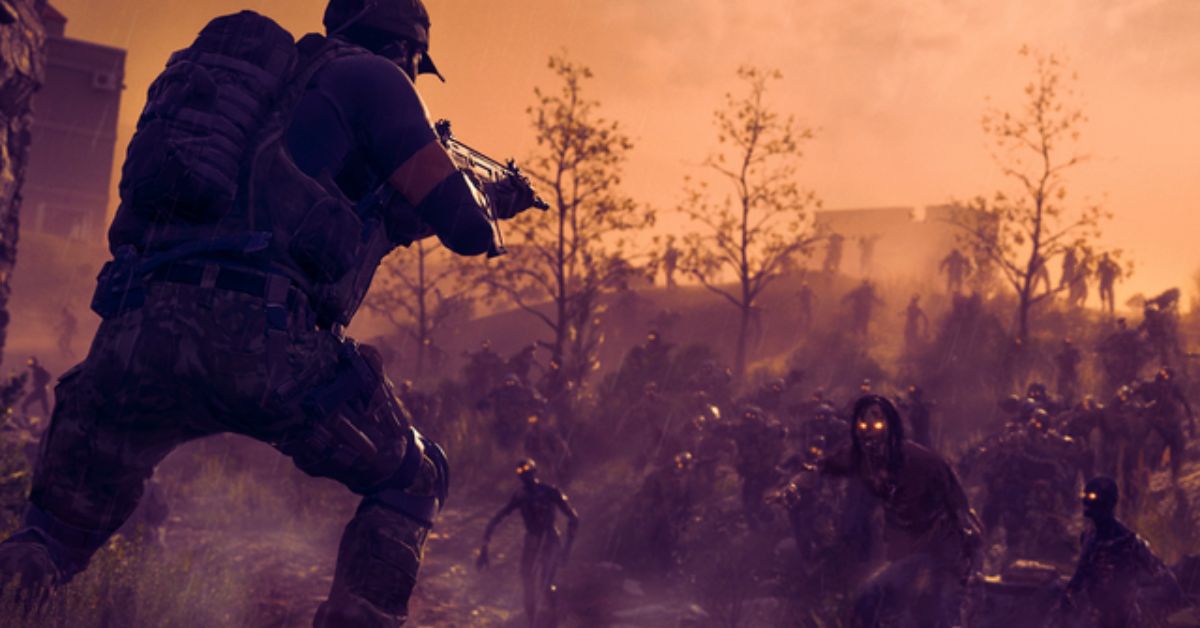
    Call of Duty Modern Warfare 3 (MW3) is a first-person shooter game that was released in 2011 for various platforms, such as PC, PlayStation, Xbox, and Wii. The game features a single-player campaign, a multiplayer mode, and a co-op mode, called Spec Ops. However, the game does not have a zombies mode, unlike some of the previous and later Call of Duty games. So, how can you play zombies in MW3?

    Is there a way to enjoy the thrill of fighting the undead in this game? In this article, we will show you how to play zombies in MW3, using a mod that adds a zombies mode to the game. We will also give you some tips and tricks on how to survive the zombies mode, as well as some information on the mod itself.

    Call Of Duty Modern Warfare 3 Zombies Guide Mod

    The MW3 Zombies Mod is a fan-made modification that adds a zombies mode to MW3. The mod was created by a group of modders, called the MW3 Zombies Team, and was released in 2013 for the PC version of MW3.

    Call Of Duty Modern Warfare 3 Zombies Guide
    Call Of Duty Modern Warfare 3 Zombies Guide

    The mod is based on the zombies mode from Call of Duty: Black Ops, and features similar gameplay, mechanics, and features. The mod also includes custom maps, weapons, perks, and easter eggs, that are inspired by the Black Ops zombies mode.

    The MW3 Zombies Mod is not an official part of MW3, and is not supported or endorsed by the developers or the publisher of the game. The mod is also not available on other platforms, such as PlayStation, Xbox, or Wii. The mod is only compatible with the PC version of MW3, and requires a specific version of the game to work properly. The mod is also not compatible with the online multiplayer mode of MW3, and can only be played offline or in LAN mode.

    How to Play the MW3 Zombies Mod?

    To play the MW3 Zombies Mod, you need to follow these steps:

    • Download the MW3 Zombies Mod from the official website. Make sure you download the latest version of the mod, which is v1.9.2 as of December 2023.
    • Extract the mod files to your MW3 game folder, which is usually located in C:\Program Files (x86)\Steam\steamapps\common\Call of Duty Modern Warfare 3. You may need to use a program, such as WinRAR or 7-Zip, to extract the files.
    • Launch the MW3 game and go to the main menu. Select the Spec Ops option and choose the Solo Play option. You will see a new option, called Zombies, which will take you to the zombies mode.
    • Choose a map and a difficulty level, and start the game. You will spawn in a map with a pistol and a knife, and you will have to fight waves of zombies that will try to kill you. You can buy new weapons, ammo, and perks from the walls or from the mystery box, using the points that you earn from killing zombies. You can also unlock new areas of the map, by opening doors or clearing debris, using the points that you have. You can also find and activate easter eggs, such as songs, radios, or hidden messages, by interacting with certain objects or performing certain actions.
    • Enjoy the game with the MW3 Zombies Mod.

    Tips and Tricks for the MW3 Zombies Mod

    Here are some tips and tricks to help you improve your skills and have more fun in the MW3 Zombies Mod:

    • Experiment with different weapons and perks. Each weapon and perk has its own advantages and disadvantages, such as damage, range, accuracy, and reload speed. Find the ones that suit your playstyle and situation.
    • Use the environment to your advantage. You can hide behind cover, climb on ladders, slide on rails, and more. You can also interact with some objects, such as traps, switches, and generators, to create explosions or distractions.
    • Be creative and cooperative. You can use your imagination and creativity to find different ways to kill the zombies and survive the waves. You can also work with your friends and cooperate to achieve your goals. You can also communicate with your teammates, share weapons and points, and revive each other.
    • Explore and discover. You can explore the different maps and find hidden secrets and easter eggs. You can also discover new modes and features, such as custom maps, weapons, perks, and challenges, that are created by the modders or the community.

    Conclusion

    The MW3 Zombies Mod is a fan-made modification that adds a zombies mode to MW3. The mod is based on the zombies mode from Call of Duty: Black Ops, and features similar gameplay, mechanics, and features. The mod also includes custom maps, weapons, perks, and easter eggs, that are inspired by the Black Ops zombies mode.

    The mod is not an official part of MW3, and is not supported or endorsed by the developers or the publisher of the game. The mod is also not available on other platforms, and can only be played on the PC version of MW3. The mod is also not compatible with the online multiplayer mode of MW3, and can only be played offline or in LAN mode.

    To play the mod, you need to download and install it to your MW3 game folder, and launch it from the Spec Ops option in the main menu. You can then enjoy the thrill of fighting the undead in MW3.

    This is everything you need to know about Call Of Duty Modern Warfare 3 Zombies Guide. Additionally, you can check our guide on Dragonflight Alchemy Guide and Diablo 4 Uber Lilith Guide. Stay connected with GameEmpress.com to get the latest news and guides about the gaming world.
  • How To Beat Regigigas In Pokemon Go? Best Counters, Movesets, And Tips

    How To Beat Regigigas In Pokemon Go? Best Counters, Movesets, And Tips

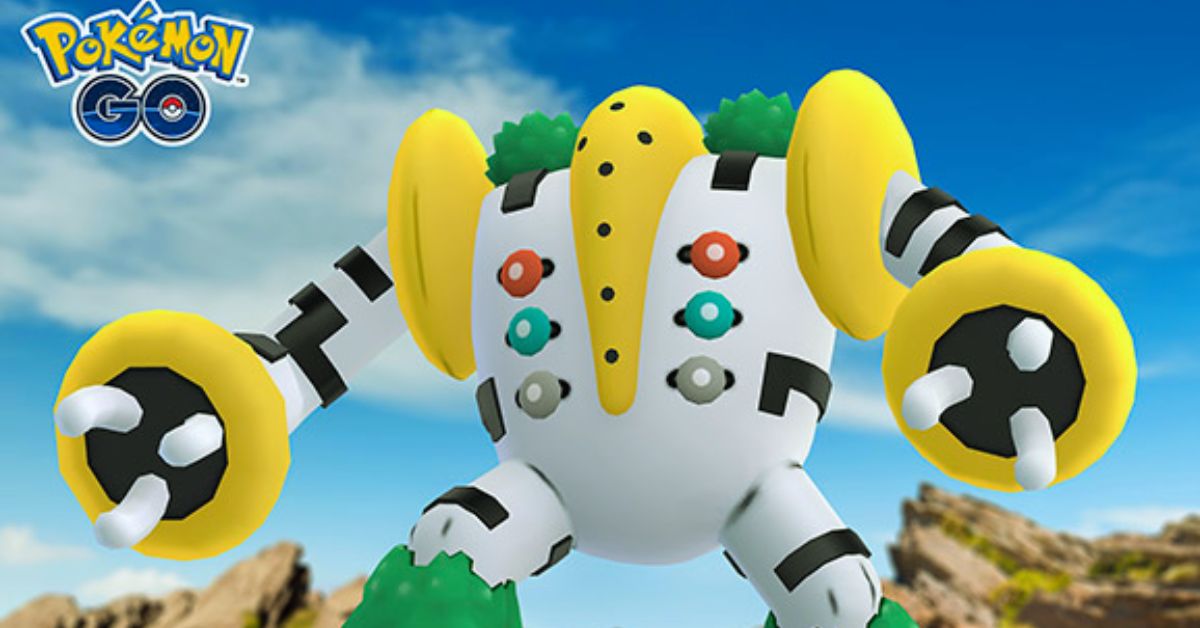
    Regigigas is a legendary Normal-type Pokemon that can be encountered in EX Raids in Pokemon Go. It is a powerful Pokemon with high stats and a unique ability, Slow Start, that reduces its attack and defense for the first five turns of the battle.

    Regigigas is also resistant to Ghost-type moves, but vulnerable to Fighting-type moves. In this article, we will show you the best counters, movesets, and tips to defeat Regigigas in Pokemon Go.

    Best Counters for Regigigas

    How To Beat Regigigas In Pokemon Go?
    How To Beat Regigigas In Pokemon Go?

    The best Pokemon to use against Regigigas are:

    • Terrakion: a legendary Rock/Fighting-type Pokemon that can deal super effective damage with its Fighting-type moves, such as Double Kick and Sacred Sword. It is also resistant to Normal-type moves, which gives it an edge over Regigigas.
    • Pheromosa: a mythical Bug/Fighting-type Pokemon that can also deal super effective damage with its Fighting-type moves, such as Low Kick and Focus Blast. It is also very fast and can outspeed Regigigas, especially when it has a Slow Start.
    • Lucario: a rare Steel/Fighting-type Pokemon that can also deal super effective damage with its Fighting-type moves, such as Counter and Aura Sphere. It is also resistant to Normal-type moves and can boost its attack with Power-Up Punch.
    • Urshifu (Single Strike): a legendary Dark/Fighting-type Pokemon that can also deal super effective damage with its Fighting-type moves, such as Counter and Dynamic Punch. It is also immune to Psychic-type moves, which Regigigas may have as a hidden power.
    • Keldeo (Ordinary): a mythical Water/Fighting-type Pokemon that can also deal super effective damage with its Fighting-type moves, such as Low Kick and Sacred Sword. It is also resistant to Fire-type moves, which Regigigas may have as a hidden power.

    Other good options include Conkeldurr, Machamp, Breloom, Hariyama, and Toxicroak, which are all Fighting-type Pokemon that can deal super-effective damage to Regigigas.

    Best Movesets for Regigigas

    Regigigas can have different move sets, depending on their hidden power, which can be any type except Fairy. The most common movements are:

    • Hidden Power (Normal) and Giga Impact: this is the default moveset for Regigigas, which deals Normal-type damage. It is not very effective against any type, but it can still deal a lot of damage due to Regigigas’s high attack stat. Giga Impact is also a very powerful move, but it has a long cooldown and can be dodged easily.
    • Hidden Power (Psychic) and Giga Impact: this is a rare moveset for Regigigas, which deals Psychic-type damage. It is super effective against Fighting- and Poison-type Pokemon, which are some of the best counters for Regigigas. However, it is also not very effective against Steel- and Dark-type Pokemon, which are also good counters for Regigigas.
    • Hidden Power (Fire) and Giga Impact: This is another rare moveset for Regigigas, which deals Fire-type damage. It is super effective against Steel-, Grass-, Ice-, and Bug-type Pokemon, which are some of the common Pokemon in the game. However, it is also not very effective against Water-, Rock-, and Fire-type Pokemon, which are also common in the game.

    Tips to Beat Regigigas

    Here are some tips to help you beat Regigigas in Pokemon Go:

    • Use Fighting-type Pokemon with high attack and defense stats, such as Terrakion, Pheromosa, Lucario, Urshifu, and Keldeo. They can deal super effective damage and resist or avoid Regigigas’s moves.
    • Avoid using Ghost-type Pokemon, such as Gengar, Mewtwo, and Giratina. They are immune to Normal-type moves, but they are also weak to Psychic- and Fire-type moves, which Regigigas may have as a hidden power.
    • Dodge Regigigas’s charge move, Giga Impact, as much as possible. It is a very powerful move that can deal a lot of damage, but it also has a long animation and a warning sign, which gives you time to dodge it.
    • Use the weather to your advantage. Sunny weather boosts Fire-type moves, which can help Regigigas with its hidden power. Cloudy weather boosts Fighting-type moves, which can help you with your counters. Rainy weather boosts Water-type moves, which can help Keldeo with its hidden power.
    • Coordinate with your raid team and use the best Pokemon and movesets for the battle. Regigigas is a tough opponent that requires at least three or four trainers with high-level Pokemon to defeat it.

    Conclusion

    Regigigas is a legendary Normal-type Pokemon that can be encountered in EX Raids in Pokemon Go. It is a powerful Pokemon with high stats and a unique ability, Slow Start, that reduces its attack and defense for the first five turns of the battle.

    To beat Regigigas, you need to use Fighting-type Pokemon with high attack and defense stats, such as Terrakion, Pheromosa, Lucario, Urshifu, and Keldeo. You also need to dodge Regigigas’s charge move, Giga Impact, as much as possible, and use the weather to your advantage. By following these tips, you can defeat Regigigas and catch it for your collection.

    If you are interested in knowing more articles related to Pokemon Go, you can check Defit Pokemon Go and Shiny Oddish Pokemon Go. We appreciate your interest in our website! Make Gameempress.com your go-to site for gaming information. Share this: