Category: Game Guides

In-depth game guides from Game Empress, with walkthroughs, tier lists, location maps, and step-by-step strategies to help you master the games you love.

  • Hell Let Loose Gameplay: How To Experience The Realism And Intensity Of WW2?

    Hell Let Loose Gameplay: How To Experience The Realism And Intensity Of WW2?

    Hell Let Loose is a realistic and immersive WW2 shooter that puts you in the role of a soldier on the front lines of the war. The game features large-scale battles of 100 players, with infantry, tanks, artillery, and a dynamic front line.

    The game also features a strategic layer, where you can communicate and coordinate with your team, capture and hold sectors, and manage resources and reinforcements.

    In this article, we will show you how to play Hell Let Loose, what are the main aspects and mechanics of the game, and how to enjoy the realism and intensity of WW2. We will also provide some tips and tricks on how to improve your skills and tactics in the game.

    How to Play Hell Let Loose?

    To play Hell Let Loose, you need to download and install the game on your PC. You can purchase the game from Steam for a price of $29.99. The game supports online multiplayer mode only, so you need to have a stable internet connection and a microphone to communicate with other players.
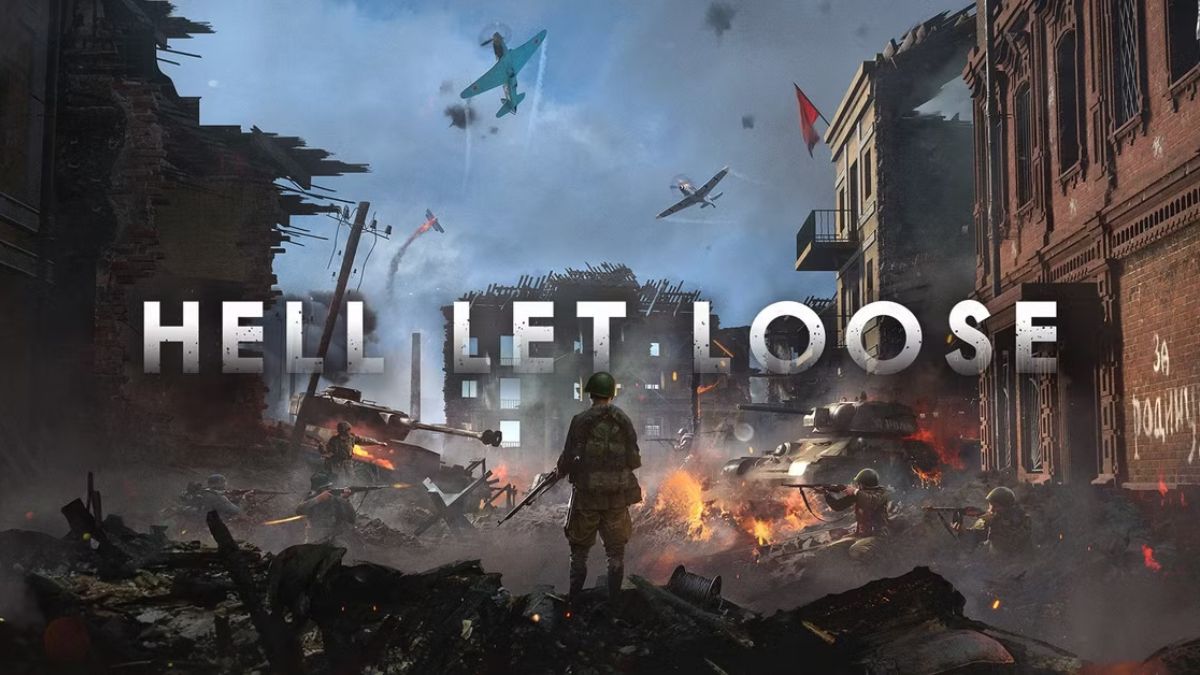
    Hell Let Loose Gameplay
    Hell Let Loose Gameplay

    To start the game, you need to create or join a server. You can choose from different servers based on the region, the game mode, the map, and the rules. You can also create your server and customize the settings. You can join a server as a spectator or as a player.

    As a player, you need to choose a faction, a role, and a unit. You can choose from two factions: the Allies or the Axis. You can choose from 14 roles, such as Officer, Medic, Engineer, Sniper, or Tank Commander. Each role has different weapons, equipment, and abilities. You can also choose from different units, such as Infantry, Recon, Armor, or Support. Each unit has a different function and objective in the game.

    Once you enter the game, you will spawn in a spawn point or a rally point. You will have a basic inventory, a map, a compass, and a radio. Your main objective is to work with your team and win the battle.

    You will have to deal with various challenges, such as enemy fire, friendly fire, suppression, bleeding, stamina, and morale. You will also have to follow the orders of your Officer, who can give you commands, mark targets, and request support.

    The game features a day and night cycle, as well as different weather conditions. The game also features realistic ballistics, damage, and sound effects. The game is open-ended and nonlinear, meaning that you can play the game however you want. You can follow the main objectives, or you can explore the map and engage in skirmishes. You can also interact with other players, either by cooperating or competing with them.

    What Are the Main Aspects and Mechanics of Hell Let Loose?

    Hell Let Loose is a complex and detailed game that has many aspects and mechanics that make the game unique and authentic. Here are some of the main aspects and mechanics of the game:

    • Map: The game features 10 maps, each based on a real WW2 location, such as Omaha Beach, Carentan, or Stalingrad. Each map is 4 km by 4 km in size and has different terrain, landmarks, and objectives. Each map also has different sectors, which are areas that can be captured and controlled by each faction. Each sector has a different value and effect on the game, such as providing resources, reinforcements, or support.
    • Resources: The game features three types of resources: manpower, munitions, and fuel. Each resource is generated by controlling certain sectors and can be used to perform various actions, such as deploying vehicles, building structures, or calling in artillery. Each resource is also shared by the whole team and can be managed by the Commander, who is the leader of the team.
    • Structures: The game features various structures that can be built by the Engineer role, such as barbed wire, sandbags, mines, or anti-tank guns. Each structure has a different function and cost and can be used to defend or attack a sector. Each structure can also be destroyed by enemy fire or explosives.
    • Vehicles: The game features various vehicles that can be deployed by the Commander or the Tank Commander role, such as trucks, jeeps, or tanks. Each vehicle has a different speed, armour, and firepower, and can be used to transport, support, or assault a sector. Each vehicle can also be damaged or destroyed by enemy fire or mines.
    • Communication: The game features a communication system that allows players to communicate with each other using voice chat or text chat. Each player has a radio, which can be used to talk to other players in the same unit, role, or faction. Each player can also use the map or the compass to mark enemies, objectives, or locations. Communication is essential for teamwork and coordination in the game.

    This is everything you need to know about the Hell Let Loose Gameplay. You can also read our games guide like Risk Of Rain 2 Gameplay and Final Fantasy 7 Remake Gameplay. Stay up to date with GameEmpress.com for the most recent gaming news and guides.
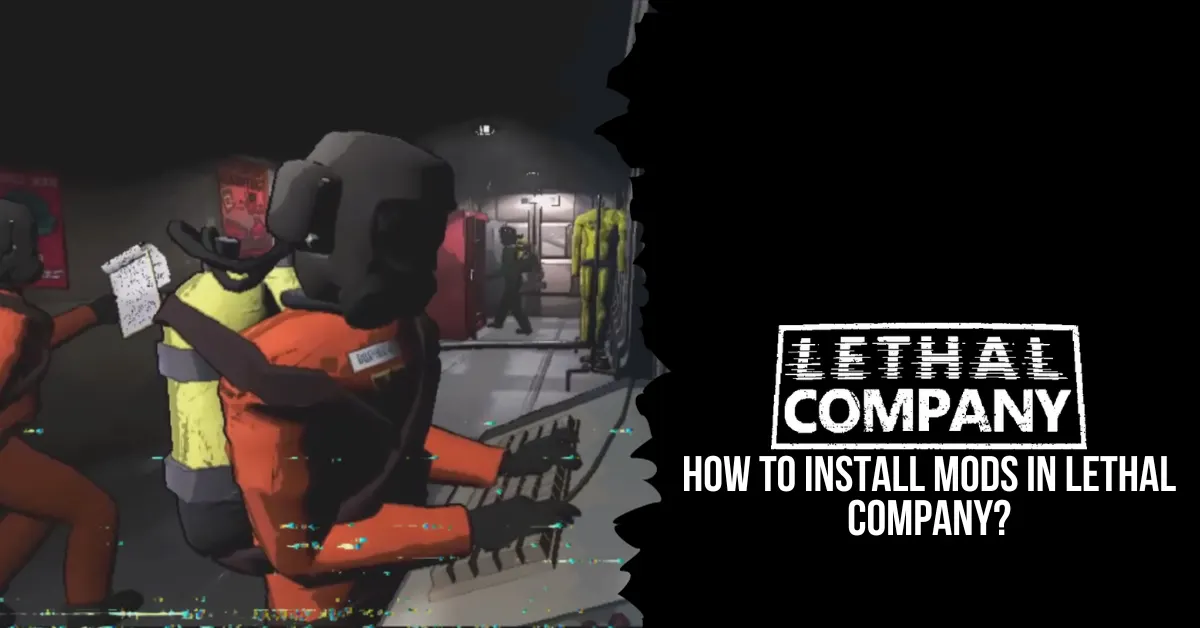
  • How to Install Mods in Lethal Company? A Simple and Easy Way to Customize Your Game

    How to Install Mods in Lethal Company? A Simple and Easy Way to Customize Your Game

    Installing different mods can significantly improve the gameplay experience for Lethal Company fans. Players can alter the game with their assistance by changing its difficulty, expanding the lobby, or even swapping out character models for all of the well-known Among Us crew members. This guide offers all the details you need to install mods in Lethal Company, along with a selection of the best ones.

    How to Install Mods in Lethal Company?

    Before installing mods, the first thing you should do is review your preferred technique. Remember that your desired technique must coincide with the lobby host’s; otherwise, your games will not work together. At present, there are two simple ways to install mods for Lethal Company: manually and using Thunderstore.io, a well-known mod manager.

    How to Install Mods Manually?

    how to install mods in lethal company

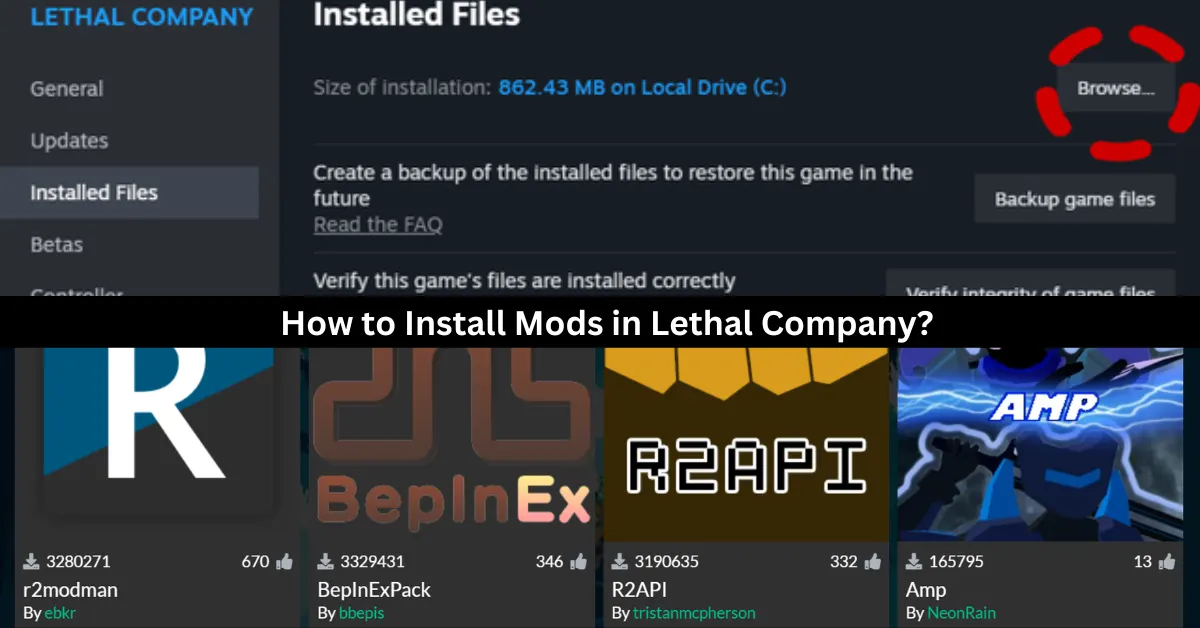
    To manually install mods, you must first download a file named BepInEx. After downloading, you must unzip the file and transfer it to the Lethal Company folder. Ensure that the file you download is from the appropriate Assets tab for your computer.

    If you’re not familiar with how to access specific folders on Steam, the simplest method to get to this screen is to right-click the game in your library and select Properties. When you get there, select the Installed Files tab and press the Browse button. This will take you straight to the folder that you require access to. Transfer the downloaded folder’s contents to this location.

    Everything you install as a mod starts with this. Depending on the modifications you’re considering, the remaining steps will change. You’ll probably obtain all of your modules from Thunderstore.io, the most well-liked mod download site.

    You may always check the mod page to see if the mod has any dependencies if you’re not sure which mods are needed to make your desired mods operate. To get each mod up and running, follow the same instructions!

    How to Install Mods using Thunderstore.io?

    To get a more efficient procedure, you must download the Thunderstore application. The “Get the Thunderstore App” link at the top of their website is where you may download it. Download both apps, as there’s a chance you’ll need to install the parent program Overwolf along with this.

    After downloading Thunderstore.io, installing the mod is quite easy. Click the search tab after performing a search for Lethal Company. You can proceed to create a profile for the game when it prompts you to do so.

    You are welcome to call it whatever you wish, as long as it serves your own goal. After logging in, choose your profile to view the available mods. All mods require BepInExPack, which you can get by simply clicking the get button after you’ve navigated to it.

    Since it’s pinned in the store, finding it should be simple. After completing that, you can begin installing any mods you like! Make careful to click the Associated button to verify dependencies before downloading any mods from the shop.

    This will list the mods that you must download in order to make your existing mod functional. You must click the Modded Play button in the upper right corner to start the game straight from the shop while utilizing this technique. This will start a modified version of your games.

    How Do You Know if Mods Are Installed or Not?

    To see if the mods were installed properly, open the game and look in the bottom left corner below the version number. There, you’ll see (MOD) if you installed the mods by hand and (MC) if you used the Thunderstore.io app. You can scavenge with your friends and make any changes you want. Make sure that your mods match those of the host.

    What Are the Best Lethal Company Mods?

    Players frequently struggle to decide which modification to select for Lethal Company because there are so many options available. The top 5 choices that will raise the stakes in the game are listed below.

    More Company and BiggerLobby Mods

    These two mods belong together because they essentially serve the same purpose and only differ in how many players can join the lobby. BiggerLobby features a far larger cap of 100 people, while MoreCompany only permits a maximum of 32 individuals in one lobby.

    WalkieUse

    Regardless of what they are holding, WalkieUse enables players to utilize the radio to converse with people by hitting the R button if it is in their inventory.

    FlashlightToggle

    Like the previous mod, FlashlightToggle lets players use the F button to switch the flashlight on and off no matter what they are holding. They may find it simpler to navigate in the dark as a result.

    FasterItemDropship

    The Item Dropship arrives and departs more quickly thanks to the FasterItemDropship mod. As a result, players won’t have to wait as long for the necessary supplies.

    AmogusModels

    The final mod on the list, AmogusModels, modifies ordinary game character models to become lovable and humorous Among Us astronauts.

    Genshin Impact and Sims 4 are two popular games that offer different genres and gameplay. But did you know that both of them have modding communities that create new content and features for the games? Learn more about Genshin Impact mods and Sims 4 mods in our blog posts. Stay connected with GameEmpress to get the newest news and updates about the gaming world!

  • BG3 Xbox Update: What’s New and Improved for Xbox Series X|S Players

    BG3 Xbox Update: What’s New and Improved for Xbox Series X|S Players

    The Larian Studios crew has managed to slip in a new update for Xbox players of Baldur’s Gate 3 just before Christmas! This one may be downloaded right now and weighs in at about 20 GB for Xbox Series X and Xbox Series S.

    This hotfix specifically addresses crashes, performance problems, and multiplayer difficulties. It also includes a few adjustments unique to Xbox. However, most of the patch notes appear to be applicable to both platforms.

    For those who are curious, Larian and Xbox Support have both stated they are investigating the erased save games problem on Xbox Series X|S. However, there is currently no indication of a solution.

    Larian advises turning on cross-save in the interim to safeguard your saves in case they are erased. However, some users have complained of crashes while using this feature, so we’ll see if the next update fixes the issue!

    The patch notes for Xbox Series X|S’s Baldur’s Gate 3 “Hotfix #15” update are as follows:

    1. Crashes and Blockers
    2. Performance and Code
    3. Multiplayer
    4. Flow and Gameplay
    5. Other Fixes

    Crashes and Blockers

    • After going to a new level, a possible crash during autosave was fixed.
    • Resolved a potential client-side multiplayer problem that happened when the host loaded a save game following a Game Over screen.
    • Resolved a crash that was caused by removed physics objects.
    • Resolved a crash that happened when you disarmed an NPC twice while they were in combat, forcing them to drop two distinct weapons (for example, because they were dual-wielding), rendering them incapacitated, ending the fight without killing them, and then removing the incapacitating condition.
    • Resolved the issue of a savegame that was initiated using a mod that is currently unavailable and not loading.
    • Resolved an Xbox crash that might have happened if the internet had dropped out when changing a lobby name.
    • Resolved a possible Xbox problem that was caused by the game’s check to see if you have the Deluxe Edition.
    • Fixed a potential problem that happened when switching to honor mode.
    • Resolved a potential crash that happened when switching levels.

    Baldur’s Gate 3 shared a tweet…

    Performance and Code

    • Resolved possible performance problems during the cinematic’s last scene with Shadowheart in the Shadowfell.
    • Resolved a problem where lava bubbles close to Grymforge’s Sentient Amulet were making savegames incredibly huge.
    • Resolved a memory problem on the controller while shutting containers.
    • Repaired the Low Model Quality option’s intermittent failure to function as intended.
    • Resolved a bug that might cause some special goods, such as the Silvanus Idol, to assume the incorrect state when decluttered and placed in a Traveler’s Chest.
    • Decreased memory use for skinning animations.

    Multiplayer

    • Repaired the issue where the Traveler’s Chests would occasionally vanish from the Multiplayer Settings when switching to or from Honour Mode.
    • Resolved a multiplayer bug where a split-screen client would take control of the host’s avatar if the host were in control of a companion and the client entered the game.
    • Resolved a multiplayer bug where a player would reconnect and not have their characters properly assigned back to them.
    • Resolved the issue where Player 2 could not prepare spells if Player 1 shifted their focus when playing split-screen.

    Flow and Gameplay

    • Fixed a bug that prohibited you from using the Long Rest button to travel to camp and speak with NPCs there.
    • Corrected a few incorrect behaviors that were probably introduced in Patch 4.
    • The mission to ‘Deal with the Devil’ now explains distinct events in the Epilogue.
    • Karlach—whether she’s an avatar or a companion—should now receive her moment in.
    • Repaired the issue where friends couldn’t jump when trailing the player character.
    • Fixed a bug that prohibited you from saving the game in Act I when the tutorial ended with just Lae’zel alive.
    • Repaired Gale’s discourse that suddenly ends when you ask him what he intended to demonstrate.
    • Fixed player factions occasionally turn against one another inappropriately.
    • Mended Produce or Eliminate Water-only Spelling At Level 2, create water.

    Other Fixes

    • On Mac, the Korean language pack is currently enabled.
    • A few weapon textures have been fixed.
    • Several instances of the Pinocchio problem—where characters’ noses (and cheeks) get extended in cinematics—have been fixed. Additionally, they have eyeball loss, resulting in fleshy pits in the sockets.
    • Tooltips for fixed equipment that are accessed through the inventory occasionally close on their own without the player’s interaction.
  • Is Far Cry 6 Multiplayer? How to Unlock and Play Co-Op Multiplayer?

    Is Far Cry 6 Multiplayer? How to Unlock and Play Co-Op Multiplayer?

    The most recent game in Ubisoft’s well-liked open-world shooter series is called Far Cry 6. You take on the role of Dani Rojas, a guerilla warrior who joins a revolution against the despotic ruler Antón Castillo, in the game, which is set in the fictional Caribbean island of Yara.

    What happens, though, if you wish to involve a friend in the action and adventure? Is Far Cry 6 Multiplayer? This is all the information you require for multiplayer in Far Cry 6.

    Is Far Cry 6 Multiplayer?

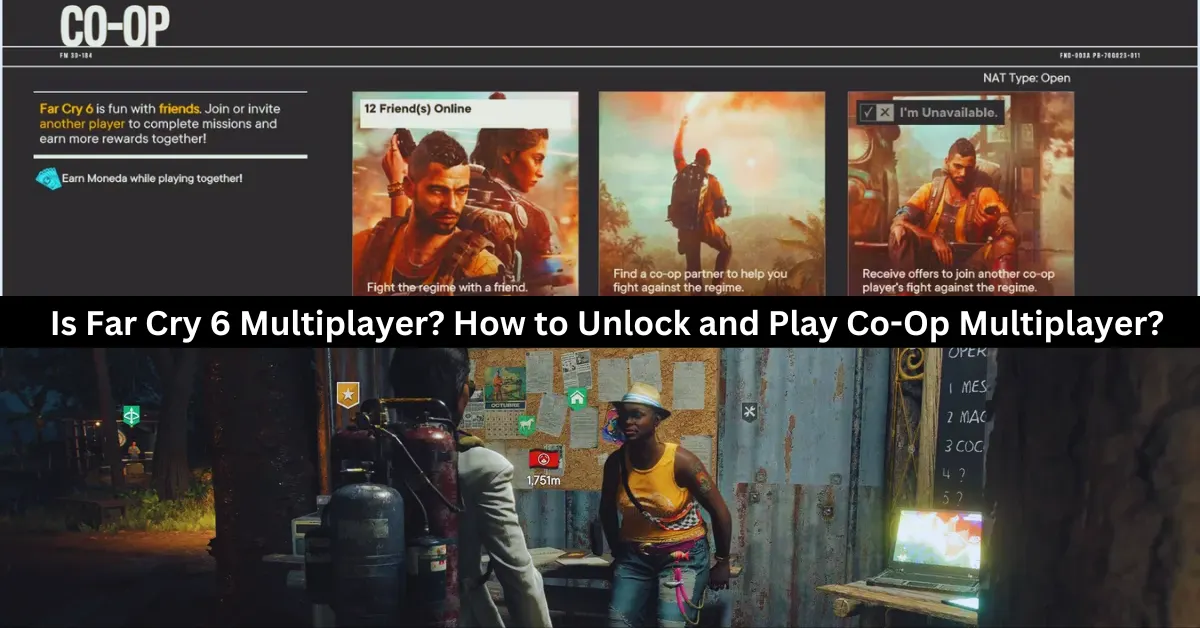
    Yes, Far Cry 6 is multiplayer, but only online co-op with two players. You can play the entire campaign with a friend or a random partner, as well as special operations missions that reward you with Moneda, a currency for the Black Market. However, you need to complete the fourth story mission, Du Or Die, to unlock multiplayer. There is no split-screen, four-player, or PvP mode in Far Cry 6.

    How to Unlock and Play Co-Op Multiplayer?

    is far cry 6 multiplayer

    At the beginning of the game, players cannot enter a cooperative session right away. Players of Far Cry 6 are supposed to progress through the game’s opening stages in order to finish the “Du or Die” task. That’s a wise decision on the part of Ubisoft, given both players ought to understand the game’s mechanics by then. Fortunately, it’s not a tough process, and it shouldn’t take more than two hours to finish.

    A message labeled “Overcoming the Regime” will appear in the right-hand corner after the Du or Die assignment is finished. This will show whether it is possible to join or invite other players to participate in the game. Via the icon, you can choose between three ways to play in cooperative mode:

    • Play With a Friend – to request that a friend or relative participate in the main campaign.
    • Search For a Partner – To assist with the main campaign, locate any random participant.
    • Be A Partner – Get invitations to battle alongside another player in their campaign.

    It should be emphasized that the host player’s progress will only be saved in their own game. The partner will still receive Moneda, though. To be used on the Black Market, Moneda is a unique kind of money that can only be obtained through cooperative play.

    What Are Special Operations Missions in Far Cry 6?

    In Far Cry 6, gamers can also work together to complete missions and gain prizes by participating in Special Operations missions. Dani needs to visit any of the primary Guerrilla Camps that may be unlocked throughout the game in order to access the Special Missions. These three camps are Patriots Peak in El Este, Camp Maximas in Valle de Oro, and Montero Farm in Madrugada.

    Dani Rojas needs to go up to Lola at one of the camps, have a conversation with her, and then choose the task they want to complete in order to access the Spec Ops missions. When completing these missions, there are three modes available, which are as follows:

    • Single Player – Playing Solo
    • Add Partner – Inviting a friend to play the game.
    • Quick Play – Play together online with a random player.

    As of this writing, Far Cry 6 does not allow local multiplayer and can only be played in two-player cooperative mode.

    How Many People Can Play Far Cry 6?

    As of this writing, Far Cry 6 is limited to online cooperative multiplayer for two players. Not anymore, not any less. There is no option to play with three or more players, no couch cooperative mode, and no option to play against friends instead of with them. Naturally, if we learn more or if the game’s restrictions alter in the future, we’ll be sure to update this page.

    Discover more about Far Cry 6’s cross-platform capabilities in our in-depth guide, Is Far Cry 6 Cross-Platform?, and then dive into the game’s quests with our comprehensive Far Cry 6 Quest Guide. Stay connected with GameEmpress to get the latest news and updates about the gaming world.

  • Is Monopoly Plus Cross Platform? How To Play With Friends On Different Devices?

    Is Monopoly Plus Cross Platform? How To Play With Friends On Different Devices?

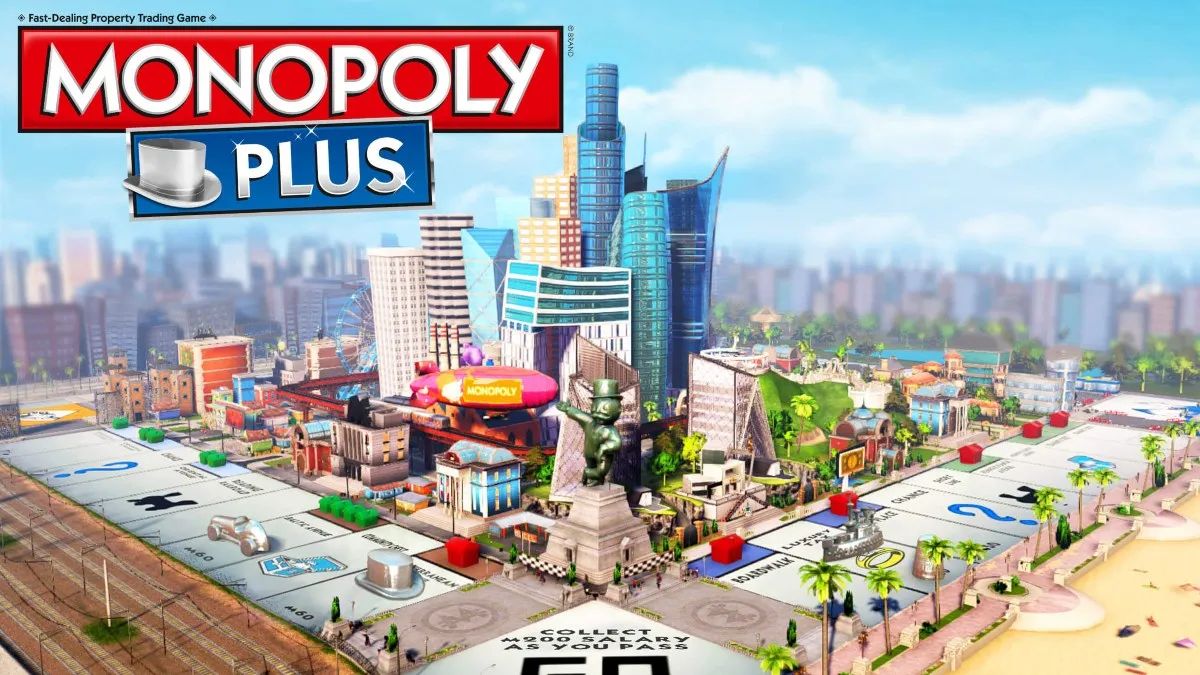
    Monopoly Plus is a digital version of the classic board game that allows players to enjoy the game of property trading and wealth accumulation on various platforms, such as PC, PlayStation, Xbox, and Stadia.

    The game features updated graphics, animations, and customization options, as well as online multiplayer mode, where players can join or create game lobbies and invite friends or strangers to play with them.

    But what if you want to play Monopoly Plus with your friends who have different devices than you? Is Monopoly Plus cross platform? And if so, how can you use this feature to play with your friends across different devices? In this article, we will answer these questions and more, and tell you everything you need to know about Monopoly Plus cross platform.

    Is Monopoly Plus Cross Platform?

    Is Monopoly Plus Cross Platform?
    Is Monopoly Plus Cross Platform?

    The good news is that Monopoly Plus is cross platform, but only between some devices and platforms. This means that players on some devices and platforms can play with other players on some devices and platforms, but not all. The cross platform feature of Monopoly Plus is as follows:

    • PC and Stadia: Monopoly Plus is cross platform between PC and Stadia. This means that players on PC can play with players on Stadia, and vice versa. To use this feature, players need to have the same version of the game, and use the Ubisoft Connect app to invite or join each other.
    • PlayStation 4 and PlayStation 5: Monopoly Plus is cross platform between PlayStation 4 and PlayStation 5. This means that players on PlayStation 4 can play with players on PlayStation 5, and vice versa. To use this feature, players need to have the same version of the game and use the PlayStation Network to invite or join each other.
    • Xbox One and Xbox Series X/S: Monopoly Plus is cross cross-platform between Xbox One and Xbox Series X/S. This means that players on Xbox One can play with players on Xbox Series X/S, and vice versa. To use this feature, players need to have the same version of the game and use the Xbox Live to invite or join each other.

    However, Monopoly Plus is not cross platform between PC and PlayStation, PC and Xbox, PlayStation and Xbox, or PlayStation and Stadia. This means that players on these devices and platforms cannot play with each other, and are restricted to playing with players on the same device and platform.

    You might also like to know about if these other games are cross-platform or not:

    How to Use Cross Platform in Monopoly Plus?

    To use cross platform in Monopoly Plus, you need to follow these steps:

    • Launch the game and select Online Mode from the main menu.
    • Select Play with Friends from the online menu and choose either Create Game or Join Game.
    • If you choose Create Game, you can set up your game lobby and customize the game settings, such as the board, the rules, the time limit, and the number of players.
    • You can also choose to make your game public or private and set a password if you want.
    • If you choose Join Game, you can browse the list of available game lobbies and join one that suits your preferences. You can also use the filters to narrow down your search, such as the platform, the board, the rules, and the region.
    • Once you are in a game lobby, you can invite or join your friends who have the same or compatible devices and platforms as you. You can use the Ubisoft Connect app, the PlayStation Network, or the Xbox Live to send or accept invitations, depending on your device and platform.
    • Once you and your friends are ready, you can start the game and enjoy playing Monopoly Plus with each other across different devices and platforms.

    We appreciate your interest in our website! Make Gameempress.com your go-to site for gaming information.

  • Valorant PC Requirements: How To Run The Competitive Shooter Game?

    Valorant PC Requirements: How To Run The Competitive Shooter Game?

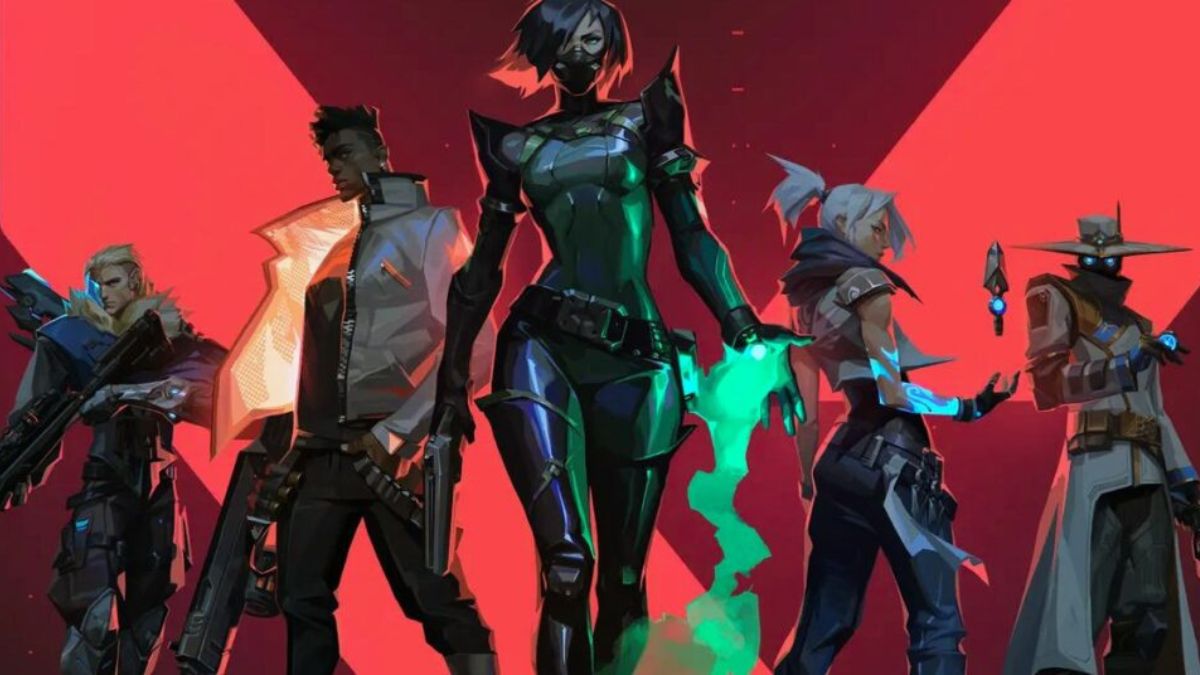
    Valorant is a competitive, free-to-play, first-person shooter game that was released in 2020 by Riot Games, the developers of League of Legends. The game is set in a near-future world, where agents with unique abilities and weapons compete in 5v5 matches. The game is available for Windows PCs, and it supports crossplay between different regions.

    The game is known for its fast-paced and tactical gameplay, as well as its high skill ceiling and low system requirements. The game is designed to run smoothly on most PCs, even on low-end or older machines.

    However, to enjoy the game’s full potential and performance, players need to meet the game’s recommended or optimal requirements, which are slightly higher than the minimum.

    In this article, we will provide you with the minimum, recommended, and optimal PC requirements for Valorant, as well as some tips and tricks to optimize your performance and FPS.

    Valorant PC Requirements

    Valorant PC Requirements
    Valorant PC Requirements

    Minimum PC Requirements

    According to the official website, the minimum PC requirements for Valorant are as follows:

    • OS: Windows 7/8/10 64-bit
    • Processor: Intel Core 2 Duo E8400 or AMD Athlon 200GE
    • Memory: 4 GB RAM
    • Graphics: Intel HD 4000 or AMD Radeon R5 200
    • DirectX: Version 11
    • Storage: 20 GB available space

    These are the minimum requirements to run the game at low settings and 720p resolution, with an average of 30 FPS. However, these requirements may not be enough to handle the game’s high level of action and precision, especially in competitive matches.

    Therefore, we recommend upgrading your PC to meet the recommended or optimal requirements, or at least the high-end requirements, which are slightly higher than the minimum.

    Recommended PC Requirements

    According to the official website, the recommended PC requirements for Valorant are as follows:

    • OS: Windows 10 64-bit
    • Processor: Intel Core i3-4150 or AMD Ryzen 3 1200
    • Memory: 4 GB RAM
    • Graphics: NVIDIA GeForce GT 730 or AMD Radeon R7 240
    • DirectX: Version 12
    • Storage: 20 GB available space

    These are the recommended requirements to run the game at medium settings and 1080p resolution, with an average of 60 FPS. These requirements will ensure a smooth and stable gameplay experience, with minimal lag, glitches, or crashes.

    However, these requirements may not be enough to achieve the highest possible FPS and the best possible graphics, especially if you have a high-end monitor or a competitive preference. Therefore, we suggest upgrading your PC to meet the optimal or high-end requirements, which are the highest possible requirements for the game.

    Optimal PC Requirements

    The optimal PC requirements for Valorant are not officially stated by the developers, but we have estimated them based on the game’s features and performance. The optimal PC requirements for Valorant are as follows:

    • OS: Windows 10 64-bit
    • Processor: Intel Core i5-9400F or AMD Ryzen 5 2600X
    • Memory: 8 GB RAM
    • Graphics: NVIDIA GeForce GTX 1050 Ti or AMD Radeon RX 580
    • DirectX: Version 12
    • Storage: 20 GB available space (SSD recommended)

    These are the optimal requirements to run the game at high settings and 1440p resolution, with an average of 120 FPS.

    These requirements will ensure the best possible gameplay experience, with stunning graphics, realistic physics, and immersive sound. However, these requirements are quite high and expensive, and they may not be necessary for most players unless they have a very powerful PC and a very demanding preference.

    Tips and Tricks to Optimize Your Performance and FPS

    If you want to optimize your performance and FPS in Valorant, you can try some of these tips and tricks:

    • Update your drivers and software. Make sure that your drivers and software are up to date, especially your graphics card driver, your Windows 10 update, and your DirectX version. This will help you avoid compatibility issues and improve your performance and stability.
    • Adjust your graphics settings. You can tweak your graphics settings in the game’s menu, to find the best balance between quality and performance. You can lower some of the settings that have a high impact on your FPS, such as shadows, textures, anti-aliasing, and post-processing. You can also use the FPS counter and the benchmark tool in the game, to test your FPS and find the optimal settings for your PC.
    • Change your resolution and FOV. You can change your resolution and FOV (field of view) in the game’s menu, to suit your preference and monitor. However, keep in mind that higher resolution and FOV will require more resources and lower your FPS, while lower resolution and FOV will reduce your quality and visibility. You can also use the fullscreen mode, rather than the windowed or borderless mode, to improve your performance and FPS.
    • Use an SSD instead of an HDD. If you have an SSD (solid state drive), you can install the game on it, rather than on an HDD (hard disk drive). This will help you reduce your loading times and improve your performance and stability. However, if you don’t have an SSD, you can still defragment your HDD and free up some space, to improve your performance and FPS.
    • Close unnecessary programs and background processes. You can close any unnecessary programs and background processes that are running on your PC, to free up some RAM and CPU usage. You can use the Task Manager or the System Configuration tool to check and close any programs and processes that are not essential for your game. This will help you improve your performance and FPS.

    This is everything you need to know about Valorant PC Requirements. Additionally, you can check our guide on The Finals PC Requirements and Warzone 2 PC Requirements. Stay connected with GameEmpress.com to get the latest news and guides about the gaming world.

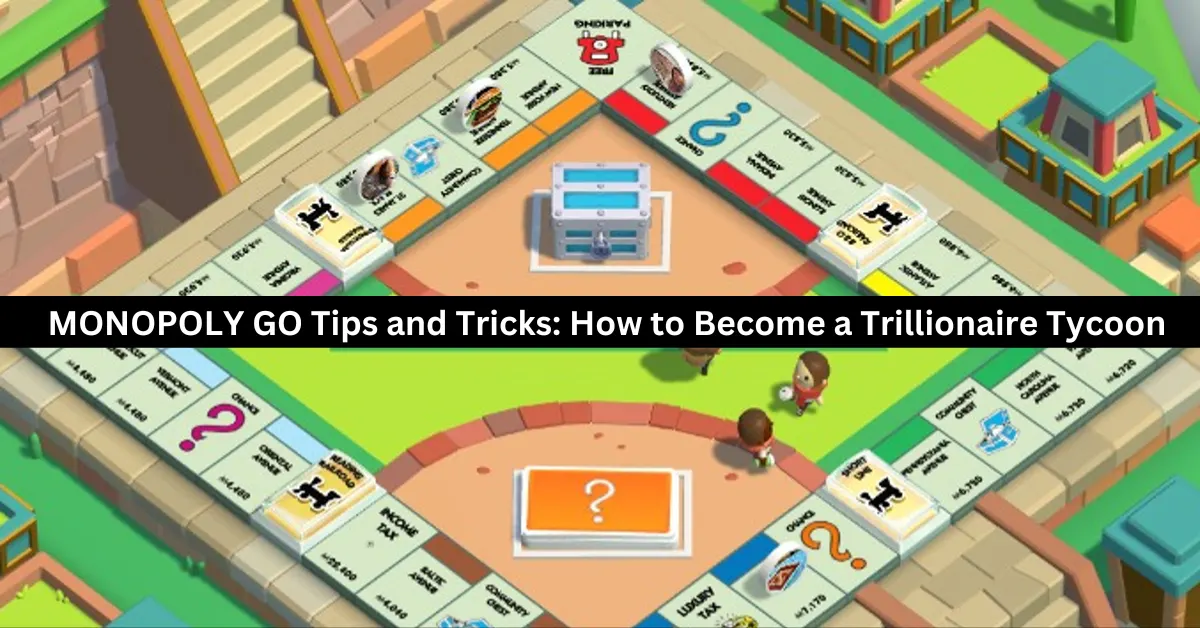
  • MONOPOLY GO Tips and Tricks: How to Become a Trillionaire Tycoon

    MONOPOLY GO Tips and Tricks: How to Become a Trillionaire Tycoon

    Millions of gamers worldwide have been enthralled by MONOPOLY GO by Scopely, which brings their favorite capitalistic board game to mobile devices across several platforms. The game’s live-service-focused gaming modes, which enable users to interact and play with friends worldwide, are among its greatest features.

    Savor the authentic capitalist experience as you construct numerous buildings, lease them, and progressively take over towns by rising to the top of the net worth rankings. Both the Google Play Store and the iOS App Store offer MONOPOLY GO for free download and installation.

    We’ll be giving you some really important pointers and strategies in this MONOPOLY GO essay that will help you stay out of debt and gradually raise your income.

    Additionally, by adding them to their games, players can witness a significant acceleration in terms of earning more money and free rolls. Since MONOPOLY GO is a live-service game, it should be played more like a marathon than a one-time event, unlike the actual board game. Let’s dive right into the advice!

    How to Become a Trillionaire Tycoon?

    monopoly go tips and tricks

    Make Sure to Use the Shields Faster

    You may not be aware of the significance of shields if you’re a novice player. These are important barriers that can shield your empire and profits from foreign players who land on a Shut Down location and see your buildings appear.

    Up to three shields can be kept in storage at once. They must be collected by landing on the shield tiles on the board; they do not regenerate on their own. There can be a maximum of two shields on the board. To gather and utilize them, land on them.

    When an attack occurs, shields automatically activate and cover all of your buildings. When under attack, using a shield will decrease the attacker’s earnings in half and lessen the damage taken by 50%.

    Auto-Rolls Must Be Used Carefully

    A fantastic system in place in MONOPOLY GO lets the player roll each die by hand or use the “Auto-Roll” feature by holding down the button for a certain amount of time. Players see the dice to roll independently and start various situations.

    In addition, users have the option to halt the auto-rolling feature directly at any moment. We would encourage players not to use this option constantly, even though it would seem ideal for beginners and time-saving efficiency.

    The auto-roll option should only be used sparingly to avoid going to jail. When you get close to the corner where the jail is, make sure to keep an eye on the board and decide to roll manually.

    Upgrade & Build Landmarks

    When it comes to generating greater revenue and long-term profits, buildings and landmarks will be crucial. The structures above and landmarks can also be upgraded by players using the money they have acquired. Several nearby landmarks in each city and area are up for grabs.

    The only prerequisite is that you must make a sizable initial commitment. However, the profits more than offset the cost of the venture. Gamers can also use shields to defend them, as was previously indicated.

    It will be considerably simpler to increase your overall net worth if your portfolio includes a number of structures and monuments. Gaining extra dice rolls and accessing new features are other benefits of having a higher net worth.

    Join in the Mini-Games

    Since mini-games are among the greatest ways to make money continuously, they will be quite vital. Given how informal the rest of the game is, try to finish them whenever you have any spare time. In the mini-games, players can additionally increase their total earnings by winning jackpots.

    The majority of the mini-games are really simple to play and provide you with a delicious streak of rewards just for taking part. The money won from the minigames can be used by players to upgrade and purchase additional buildings, among other significant investments.

    Understanding the Importance of Homes

    Homes that are listed on the board and rented out might bring in a sizable sum of money for players. Each time you set foot on these estates, a substantial amount of money will be demanded of you. The rental revenue and net value rise in proportion to the number of properties.

    For more gaming tips and tricks, read our guides on how to beat Mega Scizor and how to level up fast in Fortnite Chapter 5. We appreciate your interest in our website! Make Gameempress your go-to site for gaming information.

  • The Finals PC Requirements: How To Run The Free-To-Play Combat Game Show?

    The Finals is a free-to-play, first-person shooter game that combines elements of battle royale, destruction, and game show. The game was developed by Embark Studios and was released on December 7, 2023, during The Game Awards.

    The game is available for PC, PlayStation 4, and Xbox One, and it supports crossplay between PC and PlayStation players. The game features dynamic and destructible arenas based on real-world locations, where players can alter, exploit, and even demolish the environment to gain an advantage over their opponents.

    The game also features a variety of weapons, gadgets, skills, and perks, that allow players to customize their playstyle and strategy. The game is designed to be a spectacle, where players can gain fans, fame, and sponsors, by performing well and showing off their personality.

    However, to run the game smoothly and enjoy its full potential, players need to meet the game’s system requirements, which are not very low. In this article, we will provide you with the minimum and recommended PC requirements for The Finals, as well as some tips and tricks to optimize your performance and FPS.

    The Finals PC Requirements

    Is The Finals Crossplay
    Is The Finals Crossplay

    Minimum PC Requirements

    The minimum PC requirements for The Finals are as follows:

    • OS: Windows 10 64-bit (latest update)
    • Processor: Intel Core i5-6600K or AMD Ryzen 5 1500
    • Memory: 12 GB RAM
    • Graphics: NVIDIA GeForce GTX 970 or AMD Radeon RX 580
    • DirectX: Version 12
    • Storage: 15 GB available space

    These are the minimum requirements to run the game at low settings and 1080p resolution, with an average of 30 FPS. However, these requirements may not be enough to handle the game’s high level of destruction and action, especially during the Blood Moon Horde, which is a massive and relentless wave of zombies that will attack the players every 7 days.

    Therefore, we recommend upgrading your PC to meet the recommended requirements, or at least the optimal requirements, which are slightly higher than the minimum.

    Recommended PC Requirements

    The recommended PC requirements for The Finals are as follows:

    • OS: Windows 10 64-bit (latest update)
    • Processor: Intel Core i5-9600K or AMD Ryzen 5 3600
    • Memory: 16 GB RAM
    • Graphics: NVIDIA GeForce RTX 2070 or AMD Radeon RX 5700 XT
    • DirectX: Version 12
    • Storage: 15 GB available space

    These are the recommended requirements to run the game at high settings and 1440p resolution, with an average of 60 FPS. These requirements will ensure a smooth and stable gameplay experience, with minimal lag, glitches, or crashes. However, these requirements may not be enough to achieve the highest possible FPS and the best possible graphics, especially if you have a high-end monitor or a VR headset. Therefore, we suggest upgrading your PC to meet the ultimate requirements, which are the highest possible requirements for the game.

    Ultimate PC Requirements

    The ultimate PC requirements for The Finals are not officially stated by the developers, but we have estimated them based on the game’s features and performance. The ultimate PC requirements for The Finals are as follows:

    • OS: Windows 10 64-bit (latest update)
    • Processor: Intel Core i7-9700K or AMD Ryzen 7 3700X
    • Memory: 32 GB RAM
    • Graphics: NVIDIA GeForce RTX 3080 or AMD Radeon RX 6800 XT
    • DirectX: Version 12
    • Storage: 15 GB available space (SSD recommended)

    These are the ultimate requirements to run the game at ultra settings and 4K resolution, with an average of 120 FPS. These requirements will ensure the best possible gameplay experience, with stunning graphics, realistic physics, and immersive sound.

    However, these requirements are very high and expensive, and they may not be necessary for most players unless they have a very powerful PC and a very demanding preference.

    Tips and Tricks to Optimize Your Performance and FPS

    If you want to optimize your performance and FPS in The Finals, you can try some of these tips and tricks:

    • Update your drivers and software. Make sure that your drivers and software are up to date, especially your graphics card driver, your Windows 10 update, and your DirectX version. This will help you avoid compatibility issues and improve your performance and stability.
    • Adjust your graphics settings. You can tweak your graphics settings in the game’s menu, to find the best balance between quality and performance. You can lower some of the settings that have a high impact on your FPS, such as shadows, textures, anti-aliasing, and post-processing. You can also use the FPS counter and the benchmark tool in the game, to test your FPS and find the optimal settings for your PC.
    • Change your resolution and FOV. You can change your resolution and FOV (field of view) in the game’s menu, to suit your preference and monitor. However, keep in mind that higher resolution and FOV will require more resources and lower your FPS, while lower resolution and FOV will reduce your quality and visibility. You can also use the fullscreen mode, rather than the windowed or borderless mode, to improve your performance and FPS.
    • Use an SSD instead of an HDD. If you have an SSD (solid state drive), you can install the game on it, rather than on an HDD (hard disk drive). This will help you reduce your loading times and improve your performance and stability. However, if you don’t have an SSD, you can still defragment your HDD and free up some space, to improve your performance and FPS.
    • Close unnecessary programs and background processes. You can close any unnecessary programs and background processes that are running on your PC, to free up some RAM and CPU usage. You can use the Task Manager or the System Configuration tool to check and close any programs and processes that are not essential for your game. This will help you improve your performance and FPS.

    This is everything you need to know about The Finals PC Requirements. Additionally, you can check our guide on Warzone 2 PC Requirements and Age of Empires 4 PC Requirements. Stay connected with GameEmpress.com to get the latest news and guides about the gaming world.

  • Is Guilty Gear Strive Crossplay? The Ultimate Fighting Experience Across Devices

    Is Guilty Gear Strive Crossplay? The Ultimate Fighting Experience Across Devices

    Guilty Gear Strive is a fighting game that features characters, music, and gameplay from the Guilty Gear series. The game was released in June 2021 for PC, PlayStation 4, and PlayStation 5, and received positive reviews from critics and fans alike.

    The game is known for its stunning graphics, smooth animations, and responsive controls, as well as its rollback netcode, which ensures a lag-free online experience.

    But what if you want to play with your friends who have a different platform than you? Does Guilty Gear Strive support crossplay? And if so, how does it work? In this article, we will answer these questions and more, and tell you everything you need to know about Guilty Gear Strive crossplay.

    Is Guilty Gear Strive Crossplay?

    The good news is that Guilty Gear Strive does have crossplay, but only between PC, PS4, and PS5. This means that if you have any of these platforms, you can play with other players who have any of these platforms. However, if you have a different platform, such as Xbox or Switch, you cannot play with other players who have a different platform.

    Is Guilty Gear Strive Crossplay
    Is Guilty Gear Strive Crossplay

    The crossplay feature was not available at launch, but was added later as part of the Season 2 update, which was released in February 2023. The update also added a new character, a new stage, and various balance changes and improvements.

    How to Use Crossplay in Guilty Gear Strive?

    To use crossplay in Guilty Gear Strive, you need to follow these steps:

    • Launch the game and select Online Mode from the main menu.
    • Select Network from the online menu and choose either Ranked Match or Player Match.
    • In the match settings, make sure that the Crossplay option is set to On. This will allow you to play with players from different platforms.
    • Choose your preferred region, lobby, and room, and start searching for a match.
    • Once you find a match, you can see the platform of your opponent by looking at the icon next to their name. A PC icon means they are playing on PC, a PS4 icon means they are playing on PS4, and a PS5 icon means they are playing on PS5.
    • Enjoy the match and have fun!

    You might also like to know about if these other games are cross-platform or not:

    Tips and Tricks for Crossplay in Guilty Gear Strive

    Here are some tips and tricks to help you make the most of crossplay in Guilty Gear Strive:

    • Use a wired connection and a stable internet service to ensure a smooth and lag-free online experience. Avoid using Wi-Fi or mobile data, as they can cause latency and disconnections.
    • Use a headset and a microphone to communicate with your teammates and opponents. You can also use the in-game chat and emotes to send messages and express yourself.
    • Be respectful and friendly to other players, regardless of their platform or skill level.
    • Don’t trash talk, rage quit, or cheat, as they can ruin the game for everyone.
    • Have fun and learn from your matches. Don’t be discouraged by losses or frustrated by wins. Instead, try to improve your skills and strategies, and enjoy the game.

    We appreciate your interest in our website! Make Gameempress.com your go-to site for gaming information.

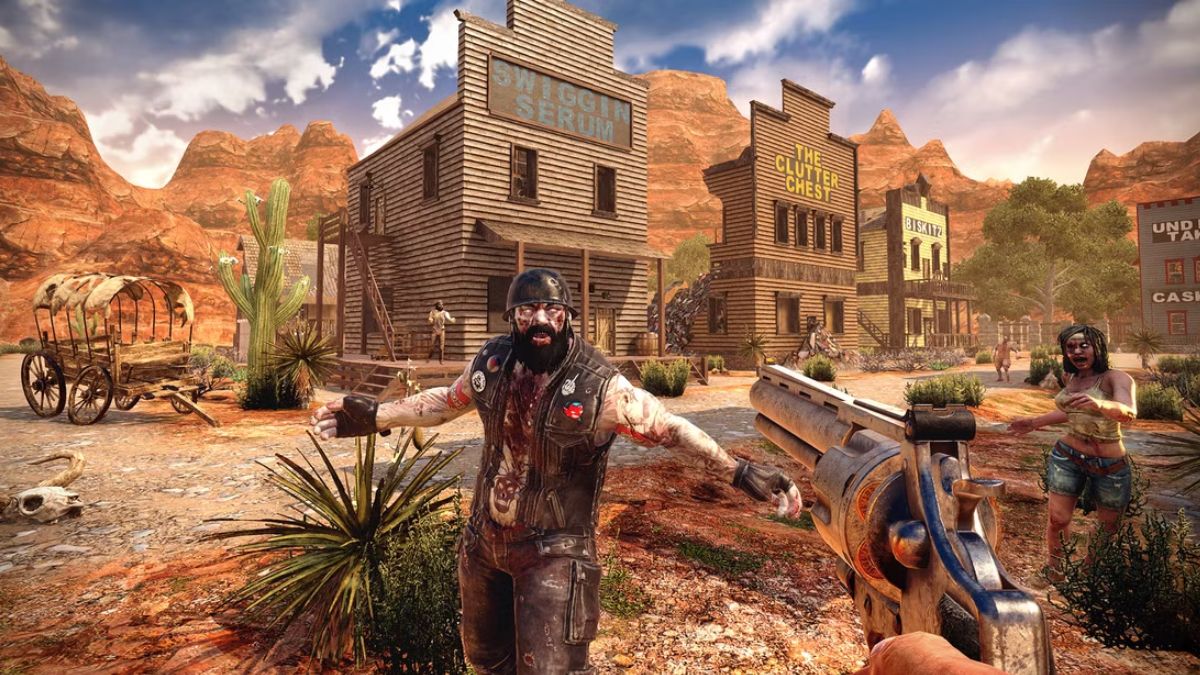
  • 7 Days To Die Gameplay: How To Survive The Zombie Apocalypse?

    7 Days To Die Gameplay: How To Survive The Zombie Apocalypse?

    7 Days to Die is a survival horror game that combines elements of first-person shooter, role-playing, tower defence, and sandbox games. The game is set in a post-apocalyptic world that has been overrun by zombies and other dangers. The game allows players to explore, scavenge, craft, build, and fight for their lives in a dynamic and open-ended environment.

    In this article, we will show you how to play 7 Days to Die, what are the main features and mechanics of the game, and how to survive the zombie apocalypse. We will also provide some tips and tricks on how to improve your skills and strategies in the game.

    How to Play 7 Days to Die?

    To play 7 Days to Die, you need to download and install the game on your PC, console, or mobile device. You can purchase the game from various platforms, such as Steam, PlayStation Store, Xbox Store, or Google Play Store.

    7 Days To Die Gameplay
    7 Days To Die Gameplay

    The game supports both single-player and multiplayer modes, as well as online and offline modes. You can play the game alone, with friends, or with other players from around the world.

    To start the game, you need to create a new game or join an existing game. You can choose from different game modes, such as Survival, Creative, or Horde. You can also customize various settings, such as the game world, the difficulty, the zombies, the loot, and the rules. You can also use mods or cheats to enhance or alter your gameplay experience.

    Once you enter the game, you will spawn in a random location in the game world. You will have a basic inventory, a map, a compass, and a journal. Your main objective is to survive as long as possible in a harsh and hostile environment.

    You will have to deal with various challenges, such as hunger, thirst, temperature, health, stamina, infection, and radiation. You will also have to face various threats, such as zombies, animals, bandits, and traps.

    To survive, you will have to explore the game world and scavenge for resources, such as food, water, weapons, tools, materials, and items. You will also have to craft various items, such as clothing, armour, medicine, ammo, and traps.

    You will also have to build various structures, such as shelters, bases, defences, and farms. You will also have to fight various enemies, such as zombies, animals, bandits, and bosses.

    The game features a day and night cycle, as well as a blood moon event. During the day, the zombies are slow and weak, and the environment is relatively safe. During the night, the zombies are fast and strong, and the environment is more dangerous.

    During the blood moon event, which occurs every 7 days, the zombies are more aggressive and numerous, and they will attack your base in waves. You will have to prepare for the Blood Moon event by fortifying your base, stocking up on supplies, and setting up traps.

    The game is open-ended and nonlinear, meaning that you can play the game however you want. You can follow the main storyline, which involves finding clues and completing quests.

    You can also follow the side quests, which involve helping or hindering other survivors. You can also ignore the quests and just explore the game world and do whatever you want. You can also interact with other players, either by cooperating or competing with them.

    What Are the Main Features and Mechanics of 7 Days to Die?

    7 Days to Die is a complex and immersive game that has many features and mechanics that make the game unique and realistic. Here are some of the main features and mechanics of the game:

    • Voxel-based: The game uses a voxel-based engine, which means that the game world is made of small cubes that can be manipulated and destroyed. This allows players to create and modify the game world as they wish, as well as to cause realistic physics and damage effects.
    • Procedural: The game uses a procedural generation system, which means that the game world is randomly and dynamically created based on certain parameters and seeds. This ensures that each game world is different and unique, as well as that the game world changes and evolves.
    • Crafting: The game features a crafting system, which allows players to create various items and objects from the resources they find or collect. The crafting system is based on recipes, which can be learned from books, schematics, or trial and error. The crafting system is also based on quality, which affects the durability and effectiveness of the crafted items.
    • Building: The game features a building system, which allows players to construct various structures and buildings from the materials they find or collect. The building system is based on blocks, which can be placed and stacked in various shapes and forms. The building system is also based on stability, which affects the strength and resistance of the structures.
    • Combat: The game features a combat system, which allows players to fight various enemies and threats using various weapons and tools. The combat system is based on damage, which affects the health and status of the enemies and the players. The combat system is also based on stealth, which affects the visibility and awareness of the enemies and the players.
    • Survival: The game features a survival system, which requires players to manage various aspects of their survival, such as hunger, thirst, temperature, health, stamina, infection, and radiation. The survival system is based on meters, which indicate the level and condition of the survival aspects. The survival system is also based on effects, which affect the performance and behaviour of the players.

    This is everything you need to know about the 7 Days To Die Gameplay. You can also read our games guide like Risk Of Rain 2 Gameplay and Final Fantasy 7 Remake Gameplay. Stay up to date with GameEmpress.com for the most recent gaming news and guides.
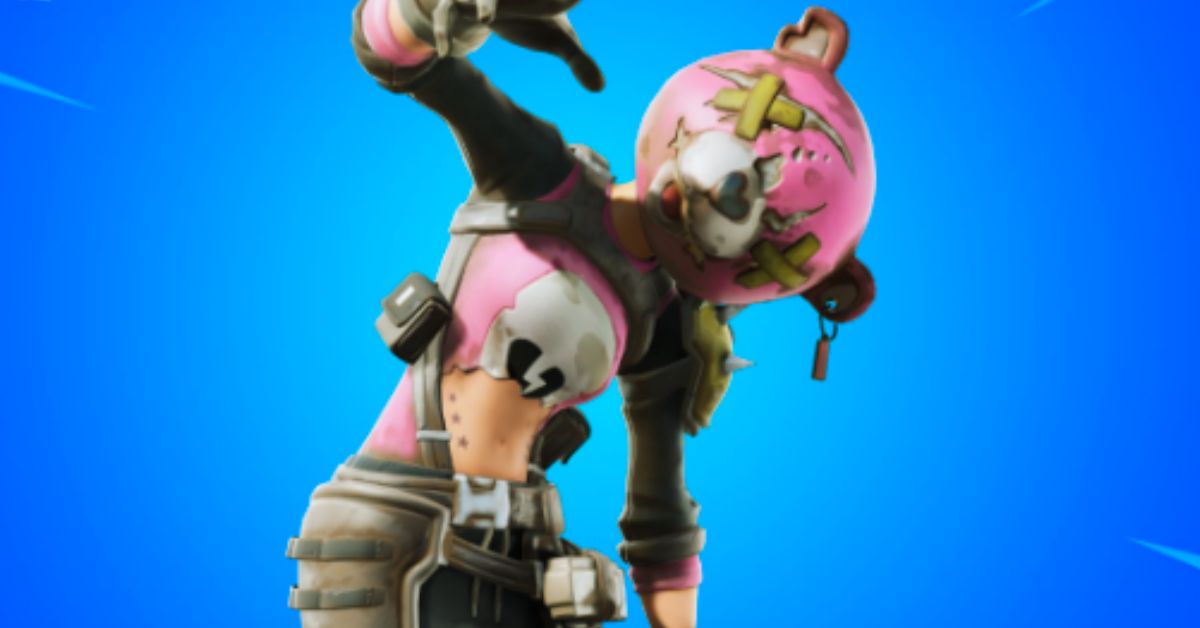
  • Ragsy Fortnite: How To Get And Use The Spooky Cuddle Team Leader Skin?

    Ragsy Fortnite: How To Get And Use The Spooky Cuddle Team Leader Skin?

    Ragsy is an Epic Outfit in Fortnite that can be purchased from the Item Shop for 1,500 V-Bucks. Ragsy is a variant of the popular Cuddle Team Leader skin but with a more apocalyptic and militaristic look. Ragsy was first released in Season X and is part of The Leftovers Set.

    In this article, we will show you how to get and use the Ragsy skin in Fortnite, and what are the features and benefits of using it.

    How to Get the Ragsy Skin in Fortnite?

    The Ragsy skin is not always available in the Item Shop, as it rotates in and out of the shop periodically. The skin usually appears in the shop around Halloween or other special occasions, such as Community Choice events. The skin costs 1,500 V-Bucks, which is equivalent to $15 in real money.

    To get the Ragsy skin in Fortnite, you need to follow these steps:

    • Launch Fortnite and go to the Item Shop menu.
    • Check if the Ragsy skin is available in the Featured or Daily section of the shop. You can also use the search bar to look for the skin by name.
    • If the skin is available, select it and click on the Purchase button. You will need to have enough V-Bucks in your account to buy the skin.
    • Confirm your purchase and enjoy your new skin.

    How to Use the Ragsy Skin in Fortnite?

    The Ragsy skin is a cosmetic item that you can use to change the appearance of your character in Fortnite. The skin does not affect your gameplay or performance, but it can make you stand out from the crowd and show off your style.

    To use the Ragsy skin in Fortnite, you need to follow these steps:

    • Launch Fortnite and go to the Locker menu.
    • Select the Outfit slot and scroll through your skins until you find the Ragsy skin. You can also use the filter or the search bar to look for the skin by name or rarity.
    • Select the Ragsy skin and click on the Equip button. You can also choose to apply back bling, a pickaxe, a glider, a contrail, a wrap, or an emote that matches the skin.
    • Start a match and enjoy your new look.

    Features and Benefits of the Ragsy Skin in Fortnite

    The Ragsy skin has some features and benefits that make it a unique and attractive skin in Fortnite, such as:

    • The skin has four selectable styles that you can unlock and switch between. The styles are Default, Jacket, Glow, and Glow Jacket. The Default style is the basic version of the skin, with a pink and black colour scheme. The Jacket style adds a leather jacket and a bandana to the skin, giving it a more rugged look. The Glow style makes the skin glow in the dark, with a neon green and black colour scheme. The Glow Jacket style combines the Jacket and the Glow styles, creating a striking contrast.
    • The skin comes with a back bling called Heartless, which is a heart-shaped backpack with spikes and chains. The back bling also has four selectable styles that match the skin’s styles. The back bling can be used with any other skin, and the skin can be used with any other back bling.
    • The skin is based on the Cuddle Team Leader skin, which is one of the most popular and iconic skins in Fortnite. The Cuddle Team Leader skin is a pink and white teddy bear costume that was first released in Season 2. The Ragsy skin is a darker and edgier version of the Cuddle Team Leader skin, with a more apocalyptic and militaristic theme. The Ragsy skin is a great way to show your love for the Cuddle Team Leader skin or to express your darker side.

    Conclusion

    The Ragsy Skin is an Epic Outfit in Fortnite that can be purchased from the Item Shop for 1,500 V-Bucks. The skin is a variant of the Cuddle Team Leader skin but with a more apocalyptic and militaristic look. The skin has four selectable styles and comes with a back bling called Heartless. The skin is a great way to stand out from the crowd and show off your style in Fortnite.

    This is everything you need to know about the Ragsy Fortnite. You can also read our games guide like Holotactics Guide and Warlock Metamorphosis Rune Guide. Stay up to date with GameEmpress.com for the most recent gaming news and guides.
  • Shiny Poliwrath Pokemon Go: How To Catch, Evolve, And Use The Water-Fighting Pokemon?

    Shiny Poliwrath Pokemon Go: How To Catch, Evolve, And Use The Water-Fighting Pokemon?

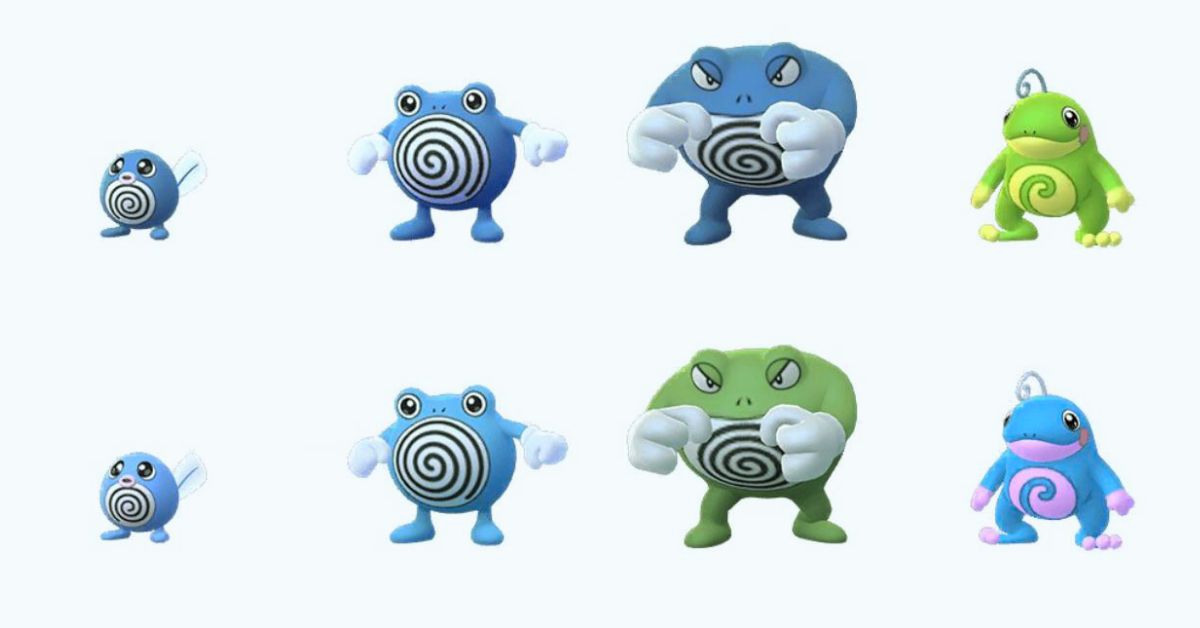
    Shiny Poliwrath is a rare variant of Poliwrath, a Water-Fighting type Pokemon that evolves from Poliwhirl. Shiny Poliwrath has a green body instead of a blue one, and it can be obtained in Pokemon Go by catching a shiny Poliwag and evolving it into Poliwrath.

    Shiny Poliwrath is a powerful Pokemon that can be used for various purposes in Pokemon Go, such as raids, battles, and gyms.

    In this article, we will show you how to catch, evolve, and use shiny Poliwrath in Pokemon Go. We will also provide some tips and tricks on how to make the most of this rare and versatile Pokemon.

    How to Catch Shiny Poliwrath in Pokemon Go?

    To catch a shiny Poliwrath in Pokemon Go, you need to catch a shiny Poliwag first. Shiny Poliwag is a very rare Pokemon that can be encountered in the wild, in raids, in eggs, or research tasks. The chance of finding a shiny Poliwag is about 1 in 450, so you need to be very lucky and persistent to catch one.

    Shiny Poliwrath Pokemon Go
    Shiny Poliwrath Pokemon Go

    There are some ways to increase your chances of finding a shiny Poliwag, such as:

    • Using incense, lures, or mystery boxes to attract more Poliwag spawns.
    • Participating in events that feature Poliwag, such as Water Festival or Spotlight Hour.
    • Completing research tasks that reward Poliwag encounters, such as “Catch 5 Water-type Pokemon” or “Catch 10 Pokemon”.
    • Hatching 2 km or 5 km eggs that may contain Poliwag.
    • Raiding tier 1 or 3 Poliwag or Poliwhirl raids.

    Once you catch a shiny Poliwag, you need to evolve it into a shiny Poliwhirl by using 25 Poliwag candies. Then, you need to evolve it into a shiny Poliwrath by using 100 Poliwag candies.

    Alternatively, you can use a King’s Rock and 100 Poliwag candies to evolve it into a shiny Politoed, which is another evolution of Poliwhirl. However, this article will focus on shiny Poliwrath, as it is more relevant to the keyword.

    How to Evolve Shiny Poliwrath in Pokemon Go?

    To evolve a shiny Poliwrath in Pokemon Go, you need to have a shiny Poliwhirl and 100 Poliwag candies. You can get Poliwag candies by catching, hatching, transferring, or feeding Poliwag or its evolutions. You can also use rare candies or walk with Poliwag as your buddy to get more candies.

    To evolve shiny Poliwhirl into shiny Poliwrath, you need to follow these steps:

    • Tap on the Pokeball icon at the bottom of the screen to open the menu.
    • Tap on the Pokemon icon to open your Pokemon storage.
    • Tap on the shiny Poliwhirl that you want to evolve.
    • Tap on the Evolve button at the bottom of the screen.
    • Confirm your choice by tapping on Yes.

    You will see a short animation of your shiny Poliwhirl evolving into a shiny Poliwrath. You can then check the stats, moves, and appearance of your shiny Poliwrath.

    You might also be interested in the following game guide:

    How to Use Shiny Poliwrath in Pokemon Go?

    Shiny Poliwrath is a useful Pokemon that can be used for various purposes in Pokemon Go, such as raids, battles, and gyms. Shiny Poliwrath has a high attack, defence, and stamina, making it a durable and strong Pokemon.

    Shiny Poliwrath also has a unique Water-Fighting typing, giving it an advantage over many types of Pokemon, such as Fire, Rock, Steel, Ice, Normal, and Dark. However, shiny Poliwrath also has some weaknesses, such as Flying, Grass, Electric, Psychic, and Fairy.

    To use shiny Poliwrath effectively, you need to consider its stats, moves, and abilities. Here are some tips and tricks on how to use shiny Poliwrath in Pokemon Go:

    • Choose the best moveset for shiny Poliwrath. The best moveset for shiny Poliwrath is Bubble and Dynamic Punch. Bubble is a fast Water-type move that deals good damage and charges energy quickly. Dynamic Punch is a powerful Fighting-type move that deals massive damage and has a chance to confuse the opponent. This moveset gives shiny Poliwrath a good balance of offence and defence, as well as coverage against many types of Pokemon.
    • Use shiny Poliwrath for raids and battles. Shiny Poliwrath is a great Pokemon for raids and battles, as it can deal high damage and take hits well. Shiny Poliwrath can be used to counter many raid bosses and gym defenders, such as Tyranitar, Rhydon, Regirock, Registeel, Blissey, and Snorlax. Shiny Poliwrath can also be used for PvP battles, especially in the Great League and the Ultra League, where it can compete with many popular Pokemon, such as Azumarill, Skarmory, Giratina, and Swampert.
    • Use shiny Poliwrath for gyms. Shiny Poliwrath is a good Pokemon for gyms, as it can defend and attack well. Shiny Poliwrath can be placed in gyms to deter attackers, as it can resist many common attacks and deal high damage with Dynamic Punch. Shiny Poliwrath can also be used to attack gyms, as it can break through many defenders and deal super effective damage with Bubble and Dynamic Punch.

    We appreciate your interest in our website! Make Gameempress.com your go-to site for gaming information.

  • Holotactics Guide: How To Master The Mini-Game In Star Wars Jedi: Survivor?

    Holotactics Guide: How To Master The Mini-Game In Star Wars Jedi: Survivor?

    Holotactics is a mini-game that you can play in Star Wars Jedi: Survivor, a new game mode that lets you explore the galaxy as a Jedi survivor. Holotactics is a strategic tabletop game that pits you against various opponents in simulated battles. You can use different units from the Star Wars universe, such as stormtroopers, droids, and creatures, to defeat your enemies and win rewards.

    In this holotactics guide, we will explain the basics of the game, how to unlock it, how to play it, and how to beat each opponent. We will also give you some tips and tricks on how to optimize your strategy and tactics for each match.

    What is Holotactics?

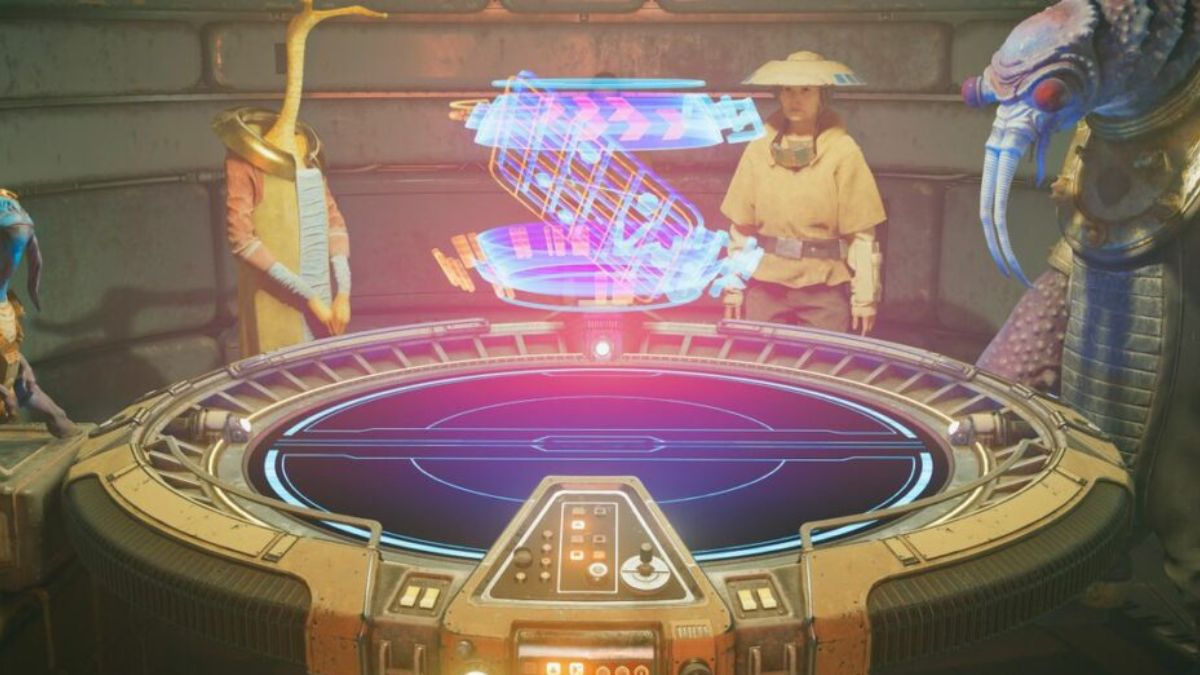
    Holotactics is a mini-game that you can access in the Pyloon Saloon, a hub area where you can interact with other characters, buy items, and accept quests. Holotactics is located in the spare room on the second floor, where you can find a holographic table and a mysterious traveller who will challenge you to a game.

    Holotactics Guide
    Holotactics Guide

    Holotactics is a turn-based game that involves placing units on a grid and watching them fight each other. You and your opponent will have 10 slots to place your units, 5 in the front row and 5 in the back row.

    You can choose from different types of units, such as melee, ranged, or special, each with its strengths and weaknesses. You can also use different factions, such as Imperials, Bedlam Raiders, or Fauna, each with their unique units and abilities.

    The game consists of three rounds, and each round has two phases: the preparation phase and the battle phase. In the preparation phase, you can spend your battle points to buy and place your units on the grid.

    You can also move or remove your units if you change your mind. In the battle phase, you can watch your units fight the enemy units automatically. The winner of each round is the one who has more units left on the grid. The winner of the game is the one who wins two out of three rounds.

    How to Unlock Holotactics?

    To unlock holotactics, you need to complete a quest called “Locate the Odd Pair”, which is part of the main story of Star Wars Jedi: Survivor. In this quest, you need to rescue Tulli Mu and Bhima Ook, two holotactics enthusiasts who were captured by the Mogu, a hostile alien race. You can find them in the Mogu Camp, a location on the planet of Dantooine.

    To rescue them, you need to fight your way through the Mogu Camp and reach the prison cell where they are held. You can use your lightsaber, force powers, and blaster to defeat the Mogu enemies. You can also use your BD-1 droid to hack terminals, open doors, and scan enemies. Once you reach the cell, you need to free Tulli and Bhima and escort them to safety.

    After you rescue them, they will join you in the Pyloon Saloon and set up the holotactics table in the spare room. You can then talk to them and start playing the game. You can also talk to the mysterious traveller, who will offer you more challenges and rewards.

    How to Play Holotactics?

    To play holotactics, you need to interact with the holotactics table in the spare room of the Pyloon Saloon. You can then choose an opponent to challenge from a list of eight characters. Each opponent has a different difficulty level, a different faction, and a different reward for beating them. You can also see their stats, such as their win rate, their best time, and their best score.

    Once you choose an opponent, you will enter the game screen, where you can see the grid, your units, your battle points, and your opponent’s units. You can also see the round number, the timer, and the start fight button. You can then start the preparation phase, where you can buy and place your units on the grid.

    You can use the left and right arrows to scroll through your available units, and the up and down arrows to select a slot to place them. You can also use the X button to remove a unit from a slot, and the O button to move a unit to a different slot. You can see the cost, the stats, and the description of each unit by hovering over them.

    When you are ready, you can press the start fight button to begin the battle phase. You can then watch your units fight the enemy units automatically. You can use the left and right arrows to move the camera and get a better view of the action.

    You can also use the triangle button to pause the game and the square button to speed up the game. You can see the health bars and the status effects of each unit by hovering over them.

    The battle phase will end when one side has no units left on the grid, or when the timer runs out. The winner of the round will be the one who has more units left, or more health points in case of a tie.

    The winner of the game will be the one who wins two out of three rounds. You can then claim your reward and choose another opponent, or exit the game and return to the Pyloon Saloon.

    How to Beat Each Opponent?

    To beat each opponent in holotactics, you need to use the right strategy and tactics for each match. You need to consider the faction, the units, and the abilities of your enemy, and choose the best units and placements for your side. You also need to adapt to the changing situations and use your battle points wisely. Here are some tips and tricks on how to beat each opponent:

    Turgle

    Turgle is the first and easiest opponent in holotactics. He uses the Imperial faction, which consists of stormtroopers, scouttroopers, and flametroopers. He has a simple strategy of placing melee units in the front row and ranged units in the back row. He has no special abilities or tricks.

    To beat Turgle, you can use any faction you want, as long as you have a balanced mix of melee and ranged units. You can also use some special units, such as the roller mine, the B1 droid, or the flame trooper, to deal extra damage and disrupt his formation.

    You can place your units in a similar way as him, or you can try to flank him from the sides or the back. You can also use your force powers, such as force push, force pull, or force lightning, to knock back or stun his units.

    Greez

    Greez is the second and slightly harder opponent in holotactics. He uses the Bedlam Raider faction, which consists of pirates, smugglers, and bounty hunters. He has a more aggressive strategy of placing melee units in the front row and special units in the back row.

    He has some special abilities, such as the jetpack, the thermal detonator, and the rocket launcher, that can deal high damage and cause explosions. To beat Greez, you can use any faction you want, as long as you have some units that can survive his attacks and counter his abilities.

    You can use some units that have high armour, high health, or high dodge, such as the stormtrooper, the Wampa, or the Rancor, to tank his damage and protect your other units. You can also use some units that have high damage, high range, or high speed, such as the sniper, the AT-ST, or the speeder bike, to deal damage and avoid explosions.

    You can also use your force powers, such as force heal, force barrier, or force choke, to heal yourself, shield yourself, or disable his units.

    You might also be interested in the following game guide:

    Tulakt

    Tulakt is the third and moderately hard opponent in holotactics. He uses the Fauna faction, which consists of animals, plants, and insects. He has a more defensive strategy of placing ranged units in the front row and melee units in the back row.

    He has some special abilities, such as the venom, the spore, and the web, that can poison, blind, or immobilize your units. To beat Tulakt, you can use any faction you want, as long as you have some units that can break through his defence and resist his abilities.

    You can use some units that have high attack, high penetration, or high critical, such as the flame trooper, the AT-AT, or the assassin droid, to deal damage and bypass his armour and health.

    You can also use some units that have high resistance, high regeneration, or high cleanse, such as the B2 droid, the bantha, or the ewok, to resist its effects and recover your health and status. You can also use your force powers, such as force blast, force wave, or force purge, to damage, knock back, or cleanse his units.

    We appreciate your interest in our website! Make Gameempress.com your go-to site for gaming information.

  • Pokemon Moon Black 2 Cheats: How to Enhance Your Gaming Experience

    Pokemon Moon Black 2 Cheats: How to Enhance Your Gaming Experience

    Pokemon Moon Black 2 has a lot to offer if you enjoy Pokemon Black 2. Consider this hack to follow the same plot as Black 2, but with Pokemon that are, at the very least, from Generation 7 or the Moon. To improve your Moon Black 2 gaming experience, we’re going to provide you with a list of functional Pokemon Moon Black 2 cheats.

    Pokemon Moon Black 2 has a lot to offer if you enjoy Pokemon Black 2. Consider this hack to follow the same plot as Black 2, but with Pokemon that are, at the very least, from Generation 7 or the Moon. To improve your Moon Black 2 gaming experience, we’re going to provide you with a list of functional Pokemon Moon Black 2 cheats.

    How to Use Cheats in Pokemon Moon Black 2

    To use cheats in Pokemon Moon Black 2, you will need a cheat device such as an Action Replay or a cheat menu in your emulator. Depending on the device or emulator you are using, the process of entering and activating cheats may vary. However, the general steps are as follows:

    • Find the cheat codes that you want to use from a reliable source, such as this website.
    • Copy or type the cheat codes into your cheat device or emulator, making sure to follow the format and instructions given by the source.
    • Enable or activate the cheats that you want to use, and disable or deactivate the ones that you don’t want to use.
    • Start or resume your game and enjoy the cheats.

    Some of the Best Cheats for Pokemon Moon Black 2

    There are a few things to know before you proceed to the Pokemon Moon Black 2 Cheats. The following is a list of these items:

    Walkthrough Walls

    When implemented, this code enables you to move through other people’s walls and obstacles. When you are walking, it is the ideal moment to enter the codes below.

    • 5219C8D0 FDD8F7C1
    • 1219C8D4 00001C04
    • 94000130 FDFF0000
    • 1219C8D4 00002400
    • D2000000 00000000

    Wild Pokemon Modifier

    This cheat allows you to encounter any Pokemon that you want in the wild by changing the number of Master Balls and Ultra Balls in your bag. This code can be used in the game in the following way:

    • Step 1: Type the code you want to use below the DS emulator.
    • Step 2: Check your bag to see if it has 649 Master balls and 100 Ultra balls.
    • Step 3: Find the Pokemon you want by its National Pokedex number.
    • Step 4: Use Master Ball until the number of balls left is the same as the National Pokedex number.
    • Step 5: The Ultra Ball tells you what level the Pokemon is; a 100 ultra ball means you will meet a level 100 Pokemon.
    • Step 6: Press L+R to find the Pokemon level you want.

    Here is a list of cheats:

    • 94000130 FFFB0000
    • B2000024 00000000
    • 00018D20 02890001
    • 00018D24 00640002
    • D0000000 00000000
    • 94000130 FEFF0000
    • B2000024 00000000
    • DA000000 00018D26
    • D7000000 00036B06
    • D3000000 00000000
    • B2000024 00000000
    • DA000000 00018D22
    • D7000000 00036B04
    • D3000000 00000000
    • B2000024 00000000
    • D9000000 00036B04
    • C0000000 0000002F
    • D6000000 00036B04
    • D2000000 00000000

    If you want to find different Pokemon at different levels, delete the code after use and do this process again, but this time, don’t waste any master balls or super balls.

    You might also be interested in the following game, Cheats:

    Invulnerability

    If you want your Pokemon never to take any damage, use the codes below.

    • E2003000 00000018
    • D0002800 4903BD70
    • 428E6809 2400D200
    • 00004770 02257504
    • 521A9B70 FF42F7F2
    • 021A9B74 FA44F659
    • D2000000 00000000

    Catch Pokemon From Enemy’s Trainer

    pokemon moon black 2 cheats

    Careful usage of these codes is required, as they frequently trigger game glitches.

    • 521af628 2f06d134
    • 121af628 0000e001
    • 121af662 00002001
    • 121af648 00002000
    • d2000000 00000000

    100% Catch Rate

    • 521AF850 7820D203
    • 121AF850 000046C0
    • D2000000 00000000

    Escape Wild Pokemon Encounters

    • 521a07e8 7d527d11
    • 521a17e8 bdf82000
    • 121a17e4 000046c0
    • d2000000 00000000
    • 521a17e8 bdf82000
    • 94000130 fefd0000
    • 121a17e4 0000e002
    • d2000000 00000000

    Encounter Wild, Shiny Pokemon

    Use the code and hold Select while moving. You will come across a really shiny Pokemon.

    • 5201C534 43084050
    • 0201C538 2000D108
    • E201C540 00000010
    • 2000900A F027900B
    • E00AFCF1 980B2100
    • 94000130 FFFB0000
    • 1201C538 000046C0
    • E201C540 00000010
    • 1C281C01 F000910A
    • 2801FC47 E008D1F5
    • D2000000 00000000

    Unlimited PP

    • 921BAE18 0000D301
    • 121BAE18 0000E003
    • D2000000 00000000

    Rematch With Trainers

    The code isn’t applicable to gym trainers or special battles. Additionally, consult with the trainer you want to rematch with before using the codes.

    • 52156014 1C301C04
    • 02156018 F7FF1C39
    • 94000130 FEFF0000
    • 02156018 E0002000
    • D2000000 00000000

    Maximum Money

    You need to use these Pokemon Moon Black 2 cheats because they are the best.

    • 94000130 fffb0000
    • 022266e4 0098967f
    • d2000000 00000000

    Free Premium Pokecart Items

    • 5200C9EC 1A51E000
    • 1200C9F0 000046C0
    • D2000000 00000000

    Collect Badges

    • 94000130 FFFB0000
    • 222266E8 000000FF
    • D2000000 00000000

    Maximum Item Slots

    Item Slot 1 Item Slot 2 Medicine Slot 1 Medicine Slot 2
    8221d9e6 00000000 8221d9ea 00000000 8221e1be 00000000 8221e1c2 00000000
    1221d9e6 000003e7 1221d9ea 000003e7 1221e1be 000003e7 1221e1c2 000003e7
    d2000000 00000000 d2000000 00000000 d2000000 00000000 d2000000 00000000

    Experience Multiplier

    x2 EXP x4 EXP x8 Exp
    521bd6f8 0c040400 521bd6f8 0c040400 521bd6f8 0c040400
    021bd6f8 43442402 021bd6f8 43442404 021bd6f8 43442408
    d2000000 00000000 d2000000 00000000 d2000000 00000000
    x10 EXP x100 EXP x200 EXP
    521bd6f8 0c040400 521bd6f8 0c040400 521bd6f8 0c040400
    021bd6f8 4344240a 021bd6f8 43442464 021bd6f8 434424c8
    d2000000 00000000 d2000000 00000000 d2000000 00000000

    Experience Share

    • 521aef84 42819903
    • 121aef88 000046c0
    • d2000000 00000000

    Unlock Healing Items

    The following code, when entered, together with the L/R key, will unlock healing items in Pokemon Moon Black 2 with this set of cheats.

    • 94000130 fcff0000
    • b2000024 00000000
    • e0019590 00000020
    • 03e70086 03e70235
    • 03e70236 03e70237
    • 03e70238 03e70239
    • 03e7023a 03e7024f
    • d5000000 03e70011
    • c0000000 00000025
    • d6000000 000194f8
    • d4000000 00000001
    • d2000000 00000000

    Unlock All Items

    Enter the code and hit the left or right key to unlock all the objects again.

    • 94000130 fcff0000
    • b2000024 00000000
    • e001915c 00000054
    • 03840074 03840075
    • 03840076 03840077
    • 0384023b 0384023c
    • 0384023d 0384023f
    • 03840240 03840241
    • 03840244 03840245
    • 03840246 03840247
    • 03840248 03840249
    • 0384024a 0384024b
    • 0384024c 0384024d
    • 0384024e 00000000
    • d5000000 03840001
    • c0000000 0000000f
    • d6000000 00018d20
    • d4000000 00000001
    • d2000000 00000000
    • 94000130 fcff0000
    • b2000024 00000000
    • d5000000 03840037
    • c0000000 00000039
    • d6000000 00018d60
    • d4000000 00000001
    • d2000000 00000000
    • 94000130 fcff0000
    • b2000024 00000000
    • d5000000 03840087
    • c0000000 0000000d
    • d6000000 00018e48
    • d4000000 00000001
    • d2000000 00000000
    • 94000130 fcff0000
    • b2000024 00000000
    • d5000000 038400d5
    • c0000000 00000072
    • d6000000 00018e80
    • d4000000 00000001
    • d2000000 00000000
    • 94000130 fcff0000
    • b2000024 00000000
    • d5000000 038401e5
    • c0000000 0000000f
    • d6000000 0001904c
    • d4000000 00000001
    • d2000000 00000000
    • 94000130 fcff0000
    • b2000024 00000000
    • d5000000 03840219
    • c0000000 0000001b
    • d6000000 0001908c
    • d4000000 00000001
    • d2000000 00000000
    • 94000130 fcff0000
    • b2000024 00000000
    • d5000000 03840250
    • c0000000 00000017
    • d6000000 000190fc
    • d4000000 00000001
    • d2000000 00000000

    Unlock All Healing Items

    The following Pokemon Moon Black 2 cheats work in the same way to unlock all the healing goods. Paste the code and hit the left/right key.

    • 94000130 fcff0000
    • b2000024 00000000
    • e0019590 00000020
    • 03e70086 03e70235
    • 03e70236 03e70237
    • 03e70238 03e70239
    • 03e7023a 03e7024f
    • d5000000 03e70011
    • c0000000 00000025
    • d6000000 000194f8
    • d4000000 00000001
    • d2000000 00000000

    Collect Berries

    • 94000130 fffb0000
    • b2000024 00000000
    • d5000000 03e70095
    • c0000000 0000003e
    • d6000000 000195b8
    • d4000000 00000001
    • d2000000 00000000

    Collect All Pokeballs

    • 94000130 FFF70000
    • B2000024 00000000
    • E0018D20 00000058
    • 03E7000A 03E70005
    • 03E70009 03E7000F
    • 03E7000C 03E70004
    • 03E70006 03E70008
    • 03E701F2 03E70001
    • 03E7000B 03E701EE
    • 03E701F0 03E701ED
    • 03E7000E 03E70003
    • 03E701F1 03E701EC
    • 03E7000D 03E70240
    • 03E70007 03E70010
    • D2000000 00000000

    Unlock All HM & TM

    Enter the code below and hit the left or right key.

    • 94000130 fcff0000
    • b2000024 00000000
    • e0019344 00000188
    • 00010148 00010149
    • 0001014a 0001014b
    • 0001014c 0001014d
    • 0001014e 0001014f
    • 00010150 00010151
    • 00010152 00010153
    • 00010154 00010155
    • 00010156 00010157
    • 00010158 00010159
    • 0001015a 0001015b
    • 0001015c 0001015f
    • 00010160 00010161
    • 00010162 00010163
    • 00010164 00010165
    • 00010166 00010167
    • 00010168 00010169
    • 0001016a 0001016b
    • 0001016c 0001016d
    • 0001016e 0001016f
    • 00010170 00010171
    • 00010172 00010173
    • 00010174 00010175
    • 00010176 00010177
    • 00010178 00010179
    • 0001017a 0001017b
    • 0001017c 0001017d
    • 0001017e 0001017f
    • 00010180 00010181
    • 00010182 00010183
    • 00010184 00010185
    • 00010186 00010187
    • 00010188 00010189
    • 0001018a 0001018b
    • 0001018c 0001018d
    • 0001018e 0001018f
    • 00010190 00010191
    • 00010192 00010193
    • 00010194 00010195
    • 00010196 00010197
    • 00010198 00010199
    • 0001019a 0001019b
    • 0001019c 0001019d
    • 0001019e 0001019f
    • 000101a0 000101a1
    • 000101a2 000101a3
    • 0001026a 0001026c
    • 000101a4 000101a5
    • 000101a6 000101a7
    • 000101a8 000101a9
    • 000194e8 00000000
    • d2000000 00000000

    These are some of the best cheats for Pokemon Moon Black 2, but there are many more that you can find and try. Cheats can make your gaming experience more fun and exciting, but they can also make the game too easy or boring.

    We appreciate your interest in our website! Make Gameempress your go-to site for gaming information.

  • NBA Street Vol 2 Cheats: The Ultimate Cheat Guide for PS2, Xbox, and GameCube

    NBA Street Vol 2 Cheats: The Ultimate Cheat Guide for PS2, Xbox, and GameCube

    A basketball video game called NBA Street Vol. 2 was released in 2003 for the PlayStation 2, Xbox, and GameCube. The game offers a variety of courts, modes, and challenges in addition to street-style basketball battles featuring NBA players and legends. The following cheats can be used to add some spice to your game and unlock some secret features and modes.

    How to Enter Cheats

    You must launch a pick-up game and input an ID before you can access the cheats. It would be best if you then held L1 (for the PS2), L (for the GameCube), or the left trigger (for the Xbox), then clicked a combination of buttons when the “Enter codes now” notice displays at the bottom of the screen. Make sure you use the correct cheat, as they vary depending on the console.

    NBA Street Vol 2 Cheats for PS2

    Here are some of the cheats you can use for PS2:

    Effect Code
    ’85 Micheal Jordan Hold L1 and press Square, Triangle, Square, Square
    ABA Ball Hold L1 and press Circle, Triangle, Triangle, Circle
    All Courts Opened Hold L1 & L2 and press Circle, Square, Circle, Square. If Done Correctly, You’ll hear a car horn.
    All Jerseys Hold L1, press Square, Triangle, Circle, Circle
    All NBA Legends Hold L1, press Square, Triangle, Triangle, Circle
    All quicks Hold L1 while pressing Triangle, Circle, Triangle, Square
    Ball Trail Hold L1 while pressing Triangle, triangle, triangle, square
    Big Head Cheat: Enter this code at the last stage of the user record screen. Hold L1 and press Circle+Square+Square+Circle
    Easy Shots Hold L1, press Triangle, Circle, Square, Triangle
    Explosive Rims Hold L1, press Circle, Circle, Circle, Triangle
    Harder Two Pointers Hold L1 and press Triangle, Square, Circle, Triangle
    Infinite Turbo Hold L1 and press Square, Square, Triangle, Triangle
    No display bars Hold L1 and press Square, Circle, Circle, Circle
    No HUD Hold L1 while pressing square, circlem circle, circle
    Small Players Hold L1 and press Triangle, Triangle, Circle, Square
    Sparkler Rims Hold L1 while pressing circle, circle, circle, triangle
    Street Kids Hold L1 and press Circle, Triangle, Triangle, Square
    Turbo Hold L1, press Square, Square, Triangle, Triangle
    Unlcoks Team Lunatics and All Street Legends L1+Square, Triangle, O, Triangle
    Unlock No Counters Hold L1 and Press Triangle, Triangle, Circle, Circle
    Unlocks Nelly and the St. Lunatics and All Street Legends L1+ Square, Triangle, O, Square
    WNBA Ball Hold L1, press Circle, Triangle, Triangle, Circle

    You might also be interested in the following game, Cheats:

    NBA Street Vol 2 Cheats for Xbox

    Here are some of the cheats you can use for Xbox:

    Effect Code
    ’85 Jordan Hold L and press B, B, Y, B
    ABA Ball Hold L and press B, Y, Y, B
    All Courts Hold L and press X, Y, Y, X
    All Jerseys Hold L and press B, Y, X, X
    All quicks Hold L and press Y, B, Y, X
    Ball Trails On Hold L and press Y, Y, Y, X
    Big Heads Hold L and press X, X, B, B
    Classic Jordan Hold L and press X, Y, X, X
    Do not display score/game-breaker bars Hold L and press X, B, B, B
    Easier Two-Pointers Hold L and press Y, B, X, Y
    Explosive rims Hold L and press B, B, B, Y
    Harder Two-Pointers Hold L and press Y, X, B, Y
    NBA Legends Hold L and press B, Y, Y, X
    No Counters Hold L and press Y, Y, B, B
    No display bars Hold L and press B, Y, X, X
    Small Players Hold L and press B, X, B, X
    St. Lunatics and All Street Legends Unlocked Hold L and press X, Y, B, Y
    Street Kids Hold L and press Y, Y, B, X
    Unlimited Turbo Hold L and press X, X, Y, Y
    WNBA Ball Hold L and press B, Y, Y, B

    NBA Street Vol 2 Cheats for GameCube

    Here are some of the cheats you can use for GameCube:

    Effect Code
    ABA basketball Hold L and press X, B, X, B
    All Courts Hold L and press B, Y, Y, B
    All Jerseys Hold L and press X, Y, B, B
    All NBA Legends Hold L and press X, Y, Y, B
    All Quicks Hold L and press Y, X, Y, B
    All Street Legends Hold L and press X, Y, B, Y
    Ball Trails Hold L and press Y, Y, Y, B
    Big Heads Mode Hold L and press X, B, B, X
    Classic Michael Jordan (can be used in Create Team) Hold L and press X, Y, X, X
    Easier Two-Pointers Hold L and press Y, X, B, Y
    Explosive Rims Hold L and press X, X, X, Y
    Fast Players Hold L and press Y, X, Y, B
    Harder Two-Pointers Hold L and press Y, B, X, Y
    Infinite Turbo Hold L and press B, B, Y, Y
    Little Players Hold L and press Y, Y, X, B
    No Counters Hold L and press Y, Y, X, X
    No Display Bars Hold L and press B, X, X, X
    WNBA Basketball Hold L and press X, Y, Y, X

    NBA Street Vol. 2 is a fun and exciting game that lets you play street basketball with NBA stars and legends. With these cheats, you can unlock more features and modes that will make your game more enjoyable and challenging. Try them out and see how they affect your gameplay. Have fun!

    We appreciate your interest in our website! Make Gameempress.com your go-to site for gaming information.

  • Twisted Metal 2 Cheats: How to Unlock Secret Characters and Levels

    Twisted Metal 2 Cheats: How to Unlock Secret Characters and Levels

    Are you trying to find all of the cheat codes and passwords for Twisted Metal 2? Initially launched in 1996, Sony’s vehicle combat sequel—known as Twisted Metal: World Tour in Europe and Twisted Metal EX in Japan—improved upon the premise of its predecessor with tighter gameplay and better graphics. We’ll be sharing all of the game’s passwords and cheat codes in this Twisted Metal 2 cheats guide.

    Twisted Metal 2 All Cheat Codes and Passwords

    Here is a list of all the cheat codes and passwords for Twisted Metal 2. The tutorial is broken up into two sections: level-select cheats and more generic gameplay tricks. While level choose codes are entered through the Password screen, the previous cheat codes are entered through button presses made during gameplay.

    You can still utilize the level chosen to obtain the Platinum if you’re playing the emulated PS5 and PS4 versions of the game but be aware that some cheat codes will prevent Trophies from appearing.

    To obtain the Platinum Trophy through cheating, you can utilize God Mode to reduce Dark Tooth’s health by around 50% during his second phase. To disable it and die once more, press the God Mode button one more. Now that you have finished Dark Tooth’s second phase, the trophy will become available.

    Secret Characters

    Twisted Metal 2 has two secret characters that you can unlock and play: Minion and Sweet Tooth. Minion is a powerful tank-like vehicle that has a flamethrower as its special weapon. Sweet Tooth is a clown-themed ice cream truck that can shoot homing missiles from its roof. To unlock these characters, you need to enter a specific code on the character selection screen. Here are the regulations for each character:

    • Minion: Type “GLORIOUSBIGBOY” on the character selection screen.
    • Sweet Tooth: Type “GLORIOUSICECREAM” on the character selection screen.

    Note that these codes only work for the PC version of the game. For the PlayStation version, you need to beat the game on hard difficulty with any character to unlock Minion and win the game on medium difficulty with any character to unlock Sweet Tooth.

    You might also be interested in the following game, Cheats:

    Secret Levels

    Twisted Metal 2 has four secret levels that you can access in the two-player mode. These levels are based on other Sony games, such as Jet Moto and Warhawk. To access these levels, you need to enter a specific code at the level selection screen. Here are the codes for each level:

    Level Cheat Code
    Cyburbia Down, Up, L1, R1
    Jet Moto Suicide Swamp Up, Down, Right, R1
    Rooftops Down, Left, R1, Down
    Warhawk Rooftops Left, Right, Down, R1

    Note that these codes only work for the PlayStation version of the game. For the PC version, you need to enable cheat mode by typing “dasbak” at the level selection screen and then typing one of the following codes to access the secret levels:

    Map Name Code Name
    Cyburbia CYBURBIA
    Jet Moto Suicide Swamp SUICIDE
    Rooftops ROOFTOP
    Warhawk Rooftops WARHAWK

    Cheat Codes

    Twisted Metal 2 Cheats

    Twisted Metal 2 has a lot of cheat codes that you can use during the game to get various effects, such as unlimited health, ammo, turbo, and weapons, as well as god mode, invisibility, shield, and more. To use these cheat codes, you need to enter them during the game, not at the pause menu. Here are some of the most useful cheat codes for the game:

    Cheat Name Button Combination Effect
    God Mode Hold L2 + R2 + L1 + R1 and press Up, Down, Left, Right, Right, Left, Down, Up, then release L1 + R1 Invincible to all damage and attacks
    Unlimited Health Hold L1 + R1 and press Up, Down, Left, Right, Right, Left, Down, Up, then release L1 + R1. Infinite health, but lose all weapons
    Unlimited Ammo Hold L2 + R2 and press Up, Down, Left, Right, Right, Left, Down, Up Unlimited ammo for all weapons
    Unlimited Turbo Hold L1 + L2 and press Up, Down, Left, Right, Right, Left, Down, Up Unlimited turbo boost for vehicle
    Unlimited Weapons Hold L1 + L2 + R1 + R2 and press Up, Down, Left, Right, Right, Left, Down, Up Unlimited weapons, but lose health
    Double Damage Machine Guns Hold R2 and press Up, Down, Left, Right, Right, Left, Down, Up Machine guns deal double damage
    Homing Napalms Hold L2 and press Up, Up, Down, Down, Left, Left, Left, Right, Right Napalm bombs home in on targets
    Invisibility Press Right, Down, Left, Up Invisible for a short time, but visible on radar
    Shield Press Up, Up, Right Temporary shield that protects from damage
    High Jump Press Up, Up, Left Jump high in the air

    Note that some of these cheat codes may not work for the PC version of the game or may have different button combinations. You can also use the “GLORIOUS” code to enable cheat mode on the PC version, and then type one of the following codes to get the same effects:

    Cheat Effect
    DIVINE God mode
    ALLUCANEAT Invulnerability
    DOUBLEDOWN Weapons are More Powerful
    HOLYSMOKES Unlimited Ammo
    SLAMFEST Ramming Does More Damage
    GIMMEMORE More Weapons
    2HOT Napalms are Homing
    CUSUCKA Super Powerful Machine Guns
    FRAMERATE View the framerate
    D, U, R, L, U, U, D, D Weapons for Health
    L, R, U Fire Freeze
    R, L, D Drop Mine
    R, L, U Fire Napalm
    U, U, R Activate Shield
    U, U, L Jump
    L, R, D, [Fire] Attack from the back
    R, D, L, U Cloak for a short time
    U, D, U, U, SPACE Minion’s Special

    Axel Level Passwords

    Location Symbol 1 Symbol 2 Symbol 3 Symbol 4 Symbol 5 Symbol 6
    Moscow Cross Triangle Cross Cross Blank Blank
    Paris Circle Triangle Square Blank Triangle Blank
    Amazonia Triangle Triangle Square Circle Circle Blank
    New York Blank Triangle Square Square Cross Blank
    Antarctica Cross Cross Triangle Square Triangle Circle
    Holland Circle Cross Circle Triangle Circle Circle
    Hong Kong Triangle Cross Circle Cross Cross Circle
    Dark Tooth Triangle Square Triangle Square Blank Square

    Grasshopper Level Passwords

    Location Symbol 1 Symbol 2 Symbol 3 Symbol 4 Symbol 5 Symbol 6
    Moscow Triangle Cross Circle Blank Blank Blank
    Paris Cross Triangle Circle Square Square Circle
    Amazonia Blank Cross Circle Circle Triangle Circle
    New York Circle Circle Square Circle Square Circle
    Antarctica Square Triangle Blank Blank Blank Square
    Holland Triangle Cross Blank Blank Blank Square
    Hong Kong Cross Triangle Triangle Blank Blank Triangle
    Dark Tooth Cross Blank Cross Square Square Blank

    Hammerhead Level Passwords

    Location Symbol 1 Symbol 2 Symbol 3 Symbol 4 Symbol 5 Symbol 6
    Moscow Blank Triangle Cross Cross Cross Blank
    Paris Blank Cross Triangle Square Cross Triangle
    Amazonia Triangle Blank Blank Blank Cross Circle
    New York Triangle Triangle Cross Triangle Cross Cross
    Antarctica Triangle Cross Triangle Circle Cross Square
    Holland Triangle Square Square Cross Square Blank
    Hong Kong Circle Triangle Circle Square Square Triangle
    Dark Tooth Circle Circle Circle Blank Triangle Cross

    Mr. Grimm Level Passwords

    Location Symbol 1 Symbol 2 Symbol 3 Symbol 4 Symbol 5 Symbol 6
    Moscow Triangle Triangle Cross Cross Circle Blank
    Paris Circle Cross Triangle Circle Triangle Cross
    Amazonia Cross Square Square Triangle Triangle Triangle
    New York Triangle Blank Blank Circle Cross Circle
    Antarctica Circle Triangle Cross Triangle Cross Blank
    Holland Cross Cross Triangle Blank Circle Cross
    Hong Kong Blank Cross Circle Triangle Square Square
    Dark Tooth Blank Square Triangle Circle Circle Triangle

    Mr. Slam Level Passwords

    Location Symbol 1 Symbol 2 Symbol 3 Symbol 4 Symbol 5 Symbol 6
    Moscow Cross Cross Triangle Square Cross Blank
    Paris Cross Blank Blank Circle Cross Square
    Amazonia Circle Triangle Square Blank Square Cross
    New York Triangle Cross Circle Square Blank Circle
    Antarctica Triangle Blank Triangle Circle Triangle Triangle
    Holland Blank Circle Blank Blank Circle Blank
    Hong Kong Square Blank Blank Triangle Blank Triangle
    Dark Tooth Square Blank Square Triangle Circle Cross

    Outlaw 2 Level Passwords

    Location Symbol 1 Symbol 2 Symbol 3 Symbol 4 Symbol 5 Symbol 6
    Moscow Blank Cross Circle Blank Triangle
    Paris Triangle Triangle Cross Circle Triangle Blank
    Amazonia Triangle Square Square Square Triangle Blank
    New York Circle Cross Triangle Triangle Triangle Blank
    Antarctica Cross Triangle Circle Cross Triangle Blank
    Holland Cross Square Square Blank Triangle Blank
    Hong Kong Blank Triangle Cross Square Cross Cross
    Dark Tooth Blank Circle Cross Blank Triangle Blank

    Road Kill Level Passwords

    Location Symbol 1 Symbol 2 Symbol 3 Symbol 4 Symbol 5 Symbol 6
    Moscow Circle Cross Triangle Square Square Blank
    Paris Triangle Blank Triangle Blank Blank Circle
    Amazonia Cross Cross Triangle Circle Square Triangle
    New York Circle Blank Blank Cross Blank Cross
    Antarctica Blank Triangle Square Cross Circle Blank
    Holland Cross Blank Blank Triangle Square Blank
    Hong Kong Triangle Square Square Triangle Circle Triangle
    Dark Tooth Triangle Circle Cross Triangle Square Cross

    Shadow Level Passwords

    Location Symbol 1 Symbol 2 Symbol 3 Symbol 4 Symbol 5 Symbol 6
    Moscow Square Blank Blank Triangle Triangle Blank
    Paris Cross Cross Circle Blank Triangle Cross
    Amazonia Cross Triangle Cross Square Circle Triangle
    New York Cross Blank Blank Cross Circle Square
    Antarctica Circle Cross Circle Circle Cross Circle
    Holland Circle Triangle Square Triangle Square Blank
    Hong Kong Circle Blank Triangle Blank Square Cross
    Dark Tooth Circle Triangle Blank Triangle Circle Blank

    Spectre Level Passwords

    Location Symbol 1 Symbol 2 Symbol 3 Symbol 4 Symbol 5 Symbol 6
    Moscow Circle Triangle Cross Cross Triangle Blank
    Paris Blank Triangle Square Circle Circle Cross
    Amazonia Circle Cross Triangle Square Triangle Cross
    New York Blank Cross Circle Cross Cross Triangle
    Antarctica Cross Blank Blank Blank Circle Triangle
    Holland Triangle Blank Square Cross Square Blank
    Hong Kong Cross Triangle Cross Triangle Circle Square
    Dark Tooth Cross Circle Circle Circle Blank Triangle

    Thumper Level Passwords

    Location Symbol 1 Symbol 2 Symbol 3 Symbol 4 Symbol 5 Symbol 6
    Moscow Circle Blank Blank Triangle Cross Blank
    Paris Cross Square Square Circle Circle Triangle
    Amazonia Triangle Cross Circle Blank Square Blank
    New York Cross Cross Triangle Triangle Cross Triangle
    Antarctica Triangle Triangle Square Blank Blank Blank
    Holland Cross Triangle Cross Blank Square Triangle
    Hong Kong Triangle Blank Blank Square Triangle Blank
    Dark Tooth Triangle Blank Square Square Cross Circle

    Twister Level Passwords

    Location Symbol 1 Symbol 2 Symbol 3 Symbol 4 Symbol 5 Symbol 6
    Moscow Cross Blank Blank Triangle Circle Blank
    Paris Triangle Cross Circle Circle Cross Triangle
    Amazonia Blank Triangle Square Cross Square Circle
    New York Cross Triangle Cross Circle Cross Blank
    Antarctica Circle Blank Blank Cross Square Triangle
    Holland Blank Cross Cross Blank Blank Circle
    Hong Kong Cross Cross Triangle Cross Square Blank
    Dark Tooth Cross Square Blank Square Triangle Circle

    Warthog Level Passwords

    Location Symbol 1 Symbol 2 Symbol 3 Symbol 4 Symbol 5 Symbol 6
    Moscow Triangle Blank Blank Triangle Square Blank
    Paris Triangle Square Square Square Cross Square
    Amazonia Circle Square Square Circle Cross Cross
    New York Cross Square Square Blank Cross Circle
    Antarctica Blank Cross Circle Triangle Blank Square
    Holland Triangle Cross Triangle Square Blank Cross
    Hong Kong Circle Cross Triangle Circle Blank Circle
    Dark Tooth Circle Square Blank Circle Circle Square

    How Do You Input Twisted Metal 2 Cheats Codes?

    The game’s main focus: Entering the button combinations listed on this page during a match can activate Twisted Metal 2 hacks, such as God Mode. If you enter them correctly, a sound and notification will play. Once One Player has been chosen from the main menu, the level choose codes must be input into the Password box.

    We appreciate your interest in our website! Make Gameempress your go-to site for gaming information.