Category: Game Guides

In-depth game guides from Game Empress, with walkthroughs, tier lists, location maps, and step-by-step strategies to help you master the games you love.

  • Defit Pokemon Go: A Guide to Hatching Eggs Without Moving

    Defit Pokemon Go: A Guide to Hatching Eggs Without Moving

    Pokemon Go is a popular augmented reality game that lets you catch, battle, and trade Pokemon in the real world. One of the features of the game is hatching eggs, which can give you rare and powerful Pokemon. However, to hatch eggs, you need to walk a certain distance, which can be time-consuming and exhausting.

    Is there a way to hatch eggs without moving? Yes, there is. It’s called Defit Pokemon Go. In this guide, we will explain what Defit Pokemon Go is, how it works, and how to use it safely and effectively.

    What is Defit Pokemon Go?

    Defit Pokemon Go is an app that syncs with Google Fit and Pokemon Go to simulate walking steps. It allows you to hatch eggs and earn buddy candy in Pokemon Go without physically moving.
    Defit Pokemon Go
    Defit Pokemon Go

    Defit Pokemon Go works by using the Adventure Sync feature in Pokemon Go, which tracks your physical activity using Google Fit. By inputting fake steps into Google Fit, Defit Pokemon Go tricks Pokemon Go into thinking that you are walking and thus rewards you with egg hatching and candy earning.

    How to Use Defit Pokemon Go?

    To use Defit Pokemon Go, you need to have an Android device, a Google account, and the Google Fit and Pokemon Go apps installed. Here are the steps to use Defit Pokemon Go:

    • Open the Google Play Store and search for Defit app. Install the app on your device.
    • Open the Google Fit app and log in with the same Google account that you use in Pokemon Go.
    • Open the Pokemon Go app and go to Settings. Enable Adventure Sync and grant the necessary permissions.
    • Open the Defit app and log in with the same Google account that you use in Pokemon Go and Google Fit.
    • In the Defit app, you can adjust the settings such as speed, duration, and interval of the simulated steps. You can also set a timer to start and stop the simulation automatically
    • Start the simulation by tapping the play button. You can minimize the app and do other things on your device while the simulation is running.
    • Open the Pokemon Go app and check your progress. You should see your eggs hatching and your buddy earning candy.

    Is Defit Pokemon Go Safe?

    Defit Pokemon Go is not an official app endorsed by Niantic, the developer of Pokemon Go. Therefore, using Defit Pokemon Go may violate the terms of service of Pokemon Go and result in a ban or suspension of your account. However, there are some ways to reduce the risk of getting banned by using Defit Pokemon Go:

    • Use a realistic speed and distance for the simulation. Do not set the speed too high or the distance too long, as that may raise suspicion from Niantic.
    • Do not use Defit Pokemon Go while playing Pokemon Go. Make sure to close the Pokemon Go app before starting the simulation, and open it only after the simulation is finished.
    • Do not use Defit Pokemon Go with other spoofing or hacking apps. Using multiple apps that alter the game data may increase the chance of detection by Niantic.
    • Do not use Defit Pokemon Go too frequently or too long. Use it only when you need to hatch eggs or earn candy, and limit the duration to a few hours per day.

    Conclusion

    Defit Pokemon Go is a useful app that can help you hatch eggs and earn buddy candy in Pokemon Go without moving. However, it is not an official app and may violate the terms of service of Pokemon Go. Therefore, you should use it at your own risk and follow the tips to avoid getting banned. Defit Pokemon Go is not a substitute for playing Pokemon Go the normal way, but rather a supplement to enhance your gaming experience.

    If you are interested in knowing more articles related to Pokemon Go, you can check Shiny Poliwrath Pokemon Go and Is Mega Altaria Good In Pokemon Go?. We appreciate your interest in our website! Make Gameempress.com your go-to site for gaming information. Share this:
  • Is Endless Dungeon Crossplay? Your Burning Questions Answered!

    Is Endless Dungeon Crossplay? Your Burning Questions Answered!

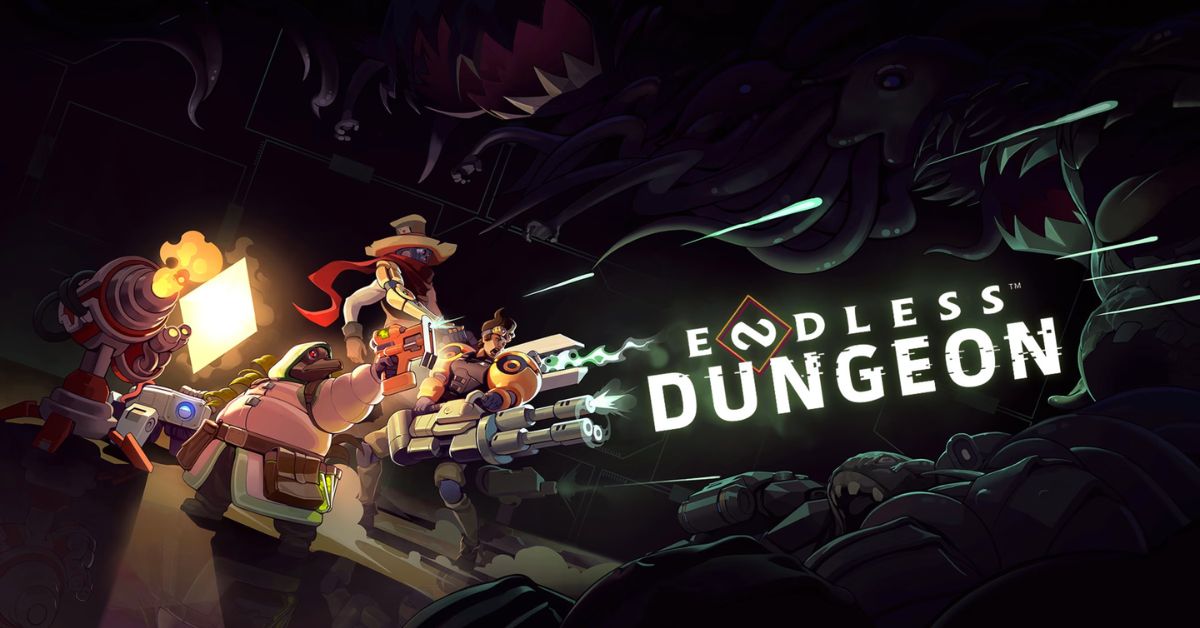
    Endless Dungeon is a co-op roguelite game that lets you and your friends explore a mysterious space station infested with alien creatures. The game is developed by Amplitude Studios, the creators of the Endless Space and Endless Legend series. The game is available on PC, Xbox One, Xbox Series X/S, and PS4, but can you play with your friends across different platforms? Is Endless Dungeon crossplay? Let’s find out in this guide.

    Is Endless Dungeon Crossplay?

    Is Endless Dungeon Crossplay
    Is Endless Dungeon Crossplay

    Unfortunately, the answer is no. Endless Dungeon does not support crossplay as of 2023. The game is available on PC, Xbox One, Xbox Series X/S, and PS4, but you can only play with other players who are using the same platform as you. This means that you cannot play with your friends who are using a different platform, even if you are using the same account or have the same game version.

    Why is Endless Dungeon Not Crossplay?

    The developers of Endless Dungeon, Amplitude Studios, have stated that they are interested in adding crossplay to the game, but they have not been able to do so due to technical and logistical challenges. Some of the reasons why Endless Dungeon is not crossplay are:

    • The game runs on different engines and versions on different platforms, which makes it difficult to ensure compatibility and stability across platforms.
    • The game has different input methods and performance levels on different platforms, which can affect the balance and fairness of the gameplay.
    • The game requires coordination and cooperation between different platform holders, such as Microsoft, Sony, and Valve, which can be complicated and time-consuming.

    Is There Any Hope for Endless Dungeon Crossplay in the Future?

    While Endless Dungeon is not crossplay as of 2023, there is still some hope that it might become crossplay in the future. Amplitude Studios has said that they are working on improving the game and adding new features and that they have not given up on the idea of crossplay. However, they have not announced any concrete plans or timelines for implementing cross-play, so it is not clear when or if it will happen.

    What Are the Alternatives to Endless Dungeon Crossplay?

    If you are looking for alternatives to Endless Dungeon crossplay, you have a few options:

    • You can buy the same platform as your friends and play with them on that platform. This might be costly and inconvenient, but it will guarantee that you can play with them.
    • You can use a third-party service or software that allows you to stream or mirror your game from one platform to another. This might be risky and unreliable, but it might work in some cases.
    • You can play other co-op games that support crossplay, such as Fortnite, Minecraft, or Call of Duty: Warzone. These games might not be the same genre or style as Endless Dungeon, but they might offer similar or better co-op experiences.

    Conclusion

    Endless Dungeon is a fun and challenging co-op game that lets you and your friends fight your way through a perilous space station. However, the game does not support crossplay, which means that you cannot play with your friends across different platforms.

    This is due to technical and logistical challenges that the developers have not been able to overcome. There is still some hope that the game might become crossplay in the future, but there is no guarantee or timeline for that. In the meantime, you can either buy the same platform as your friends, use a third-party service or software, or play other co-op games that support crossplay.

    You might also be interested in the following games, Crossplay: Is Don’t Starve Together Crossplay? and Is Dead Island 2 Crossplay? We appreciate your interest in our website! Make Gameempress.com your go-to site for gaming information.

  • Is Don’t Starve Together Crossplay? Starving for Answers!

    Is Don’t Starve Together Crossplay? Starving for Answers!

    Don’t Starve Together is a co-op survival game that challenges you and your friends to survive in a harsh and unforgiving world. The game is a standalone expansion of the original Don’t Starve, which was released in 2013.

    Don’t Starve Together adds new features, such as multiplayer modes, new characters, new biomes, and new enemies. The game is available on PC, Xbox One, and PS4, but can you play with your friends across different platforms? Is Don’t Starve Together crossplay? Let’s find out in this guide.

    Is Don’t Starve Together Crossplay?

    Unfortunately, the answer is no. Don’t Starve Together does not support crossplay as of 2023. The game is available on PC, Xbox One, and PS4, but you can only play with other players who are using the same platform as you. This means that you cannot play with your friends who are using a different platform, even if you are using the same account or have the same game version.

    Why is Don’t Starve Together Not Crossplay?

    The developers of Don’t Starve Together, Klei Entertainment, have stated that they are interested in adding crossplay to the game, but they have not been able to do so due to technical and logistical challenges. Some of the reasons why Don’t Starve Together is not crossplay are:

    • The game runs on different engines and versions on different platforms, which makes it difficult to ensure compatibility and stability across platforms.
    • The game has different input methods and performance levels on different platforms, which can affect the balance and fairness of the gameplay.
    • The game requires coordination and cooperation between different platform holders, such as Microsoft, Sony, and Valve, which can be complicated and time-consuming.

    Is There Any Hope for Don’t Starve Together Crossplay in the Future?

    While Don’t Starve Together is not crossplay as of 2023, there is still some hope that it might become crossplay in the future. Klei Entertainment has said that they are working on improving the game and adding new features and that they have not given up on the idea of cross-play. However, they have not announced any concrete plans or timelines for implementing cross-play, so it is not clear when or if it will happen.

    What Are the Alternatives to Don’t Starve Together Crossplay?

    If you are looking for alternatives to Don’t Starve Together crossplay, you have a few options:

    • You can buy the same platform as your friends and play with them on that platform. This might be costly and inconvenient, but it will guarantee that you can play with them.
    • You can use a third-party service or software that allows you to stream or mirror your game from one platform to another. This might be risky and unreliable, but it might work in some cases.
    • You can play other co-op games that support crossplay, such as Fortnite, Minecraft, or Call of Duty: Warzone. These games might not be the same genre or style as Don’t Starve Together, but they might offer similar or better co-op experiences.

    Conclusion

    Don’t Starve Together is a fun and challenging co-op game that lets you and your friends survive in a brutal and whimsical world. However, the game does not support crossplay, which means that you cannot play with your friends across different platforms.

    This is due to technical and logistical challenges that the developers have not been able to overcome. There is still some hope that the game might become crossplay in the future, but there is no guarantee or timeline for that. In the meantime, you can either buy the same platform as your friends, use a third-party service or software, or play other co-op games that support crossplay.

    You might also be interested in the following games, Crossplay: Is Vermintide 2 Crossplay? and Is Dead Island 2 Crossplay? We appreciate your interest in our website! Make Gameempress.com your go-to site for gaming information.

  • Is Vermintide 2 Crossplay? A Guide to Co-op Gaming on PC, Xbox, and PS4

    Is Vermintide 2 Crossplay? A Guide to Co-op Gaming on PC, Xbox, and PS4

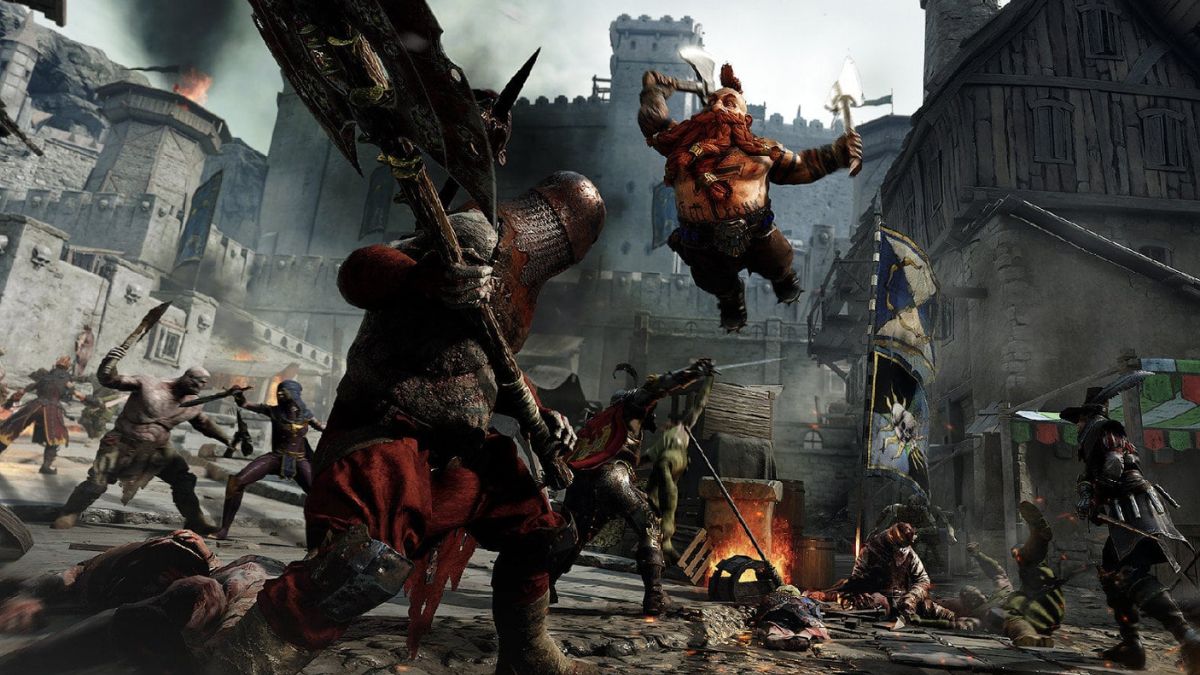
    Vermintide 2 is a co-op action game that lets you team up with up to three other players to fight against the hordes of enemies in the Warhammer fantasy world. The game offers a variety of characters, weapons, skills, and missions to keep you engaged and challenged. But, can you play with your friends across different platforms? Is Vermintide 2 crossplay? Let’s find out in this guide.

    Does Vermintide 2 Support Crossplay?

    Vermintide 2 Crossplay
    Vermintide 2 Crossplay

    Unfortunately, the answer is no. Vermintide 2 does not support crossplay as of 2023. The game is available on PC, Xbox One, Xbox Series X/S, and PS4, but you can only play with other players who are using the same platform as you. This means that you cannot play with your friends who are using a different platform, even if you are using the same account or have the same game version.

    Why is Vermintide 2 Not Crossplay?

    The developers of Vermintide 2, Fatshark, have stated that they are interested in adding crossplay to the game, but they have not been able to do so due to technical and logistical challenges. Some of the reasons why Vermintide 2 is not crossplay are:

    • The game runs on different engines and versions on different platforms, which makes it difficult to ensure compatibility and stability across platforms.
    • The game has different input methods and performance levels on different platforms, which can affect the balance and fairness of the gameplay.
    • The game requires coordination and cooperation between different platform holders, such as Microsoft, Sony, and Valve, which can be complicated and time-consuming.

    Is There Any Hope for Vermintide 2 Crossplay in the Future?

    While Vermintide 2 is not crossplay as of 2023, there is still some hope that it might become crossplay in the future. Fatshark has said that they are working on improving the game and adding new features and that they have not given up on the idea of crossplay. However, they have not announced any concrete plans or timelines for implementing crossplay, so it is not clear when or if it will happen.

    What Are the Alternatives to Vermintide 2 Crossplay?

    If you are looking for alternatives to Vermintide 2 crossplay, you have a few options:

    • You can buy the same platform as your friends and play with them on that platform. This might be costly and inconvenient, but it will guarantee that you can play with them.
    • You can use a third-party service or software that allows you to stream or mirror your game from one platform to another. This might be risky and unreliable, but it might work in some cases.
    • You can play other co-op games that support crossplay, such as Fortnite, Minecraft, or Call of Duty: Warzone. These games might not be the same genre or style as Vermintide 2, but they might offer similar or better co-op experiences.

    Conclusion

    Vermintide 2 is a fun and exciting co-op game that lets you fight against the enemies in the Warhammer fantasy world. However, the game does not support crossplay, which means that you cannot play with your friends across different platforms.

    This is due to technical and logistical challenges that the developers have not been able to overcome. There is still some hope that the game might become crossplay in the future, but there is no guarantee or timeline for that. In the meantime, you can either buy the same platform as your friends, use a third-party service or software, or play other co-op games that support crossplay.

    You might also be interested in the following games, Crossplay: Is Anthem Crossplay 2023? and Is Monopoly Plus Cross Platform? We appreciate your interest in our website! Make Gameempress.com your go-to site for gaming information.

  • Is Anthem Crossplay 2023? Soar With Friends Across Platforms

    Is Anthem Crossplay 2023? Soar With Friends Across Platforms

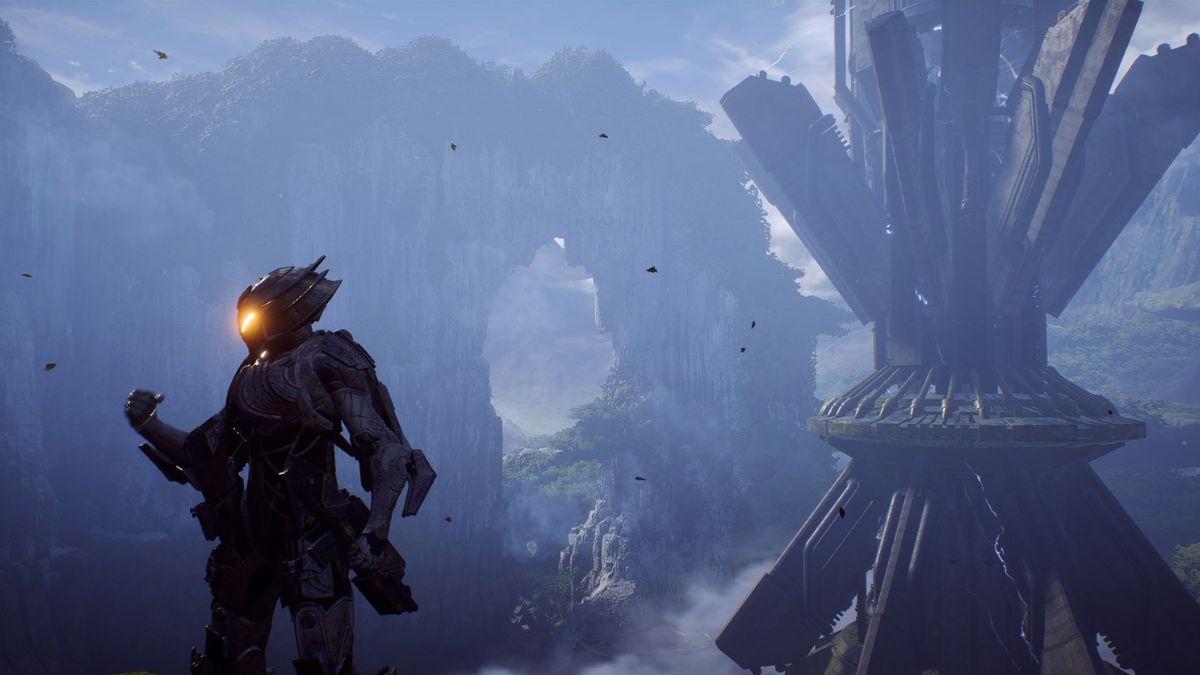
    Anthem is a multiplayer action role-playing game that was released in 2019 by BioWare and Electronic Arts. The game allows players to explore a vast open world and customize their exosuits called javelins. Anthem has four different classes of javelins, each with their abilities and playstyles.

    The game also features a cooperative mode, where players can team up with up to three other players to complete missions and challenges. But is Anthem crossplay in 2023? Can players from different platforms play together in Anthem? This article will answer these questions and more.

    Is Anthem Crossplay in 2023?

    Is Anthem Crossplay
    Is Anthem Crossplay

    Unfortunately, the answer is no. Anthem does not support crossplay in 2023. This means that players cannot play with their friends or other players from different platforms. For example, PC players cannot play with PlayStation or Xbox players, and vice versa. This can be a drawback for some players, as it limits their options and opportunities to enjoy the game with others.

    There are many reasons why Anthem does not have crossplay, such as:

    • Development and Publishing Costs: Developing and publishing a game on multiple platforms can be expensive and challenging for many studios. Crossplay requires more resources, time, and expertise to ensure compatibility and quality across different devices. Crossplay also requires compliance with different regulations and standards for each platform, which can add more complexity and difficulty to the development process.
    • Technical Limitations: Each platform has its own hardware and software specifications, which can affect the performance and functionality of a game. Crossplay requires optimization and synchronization of the game data and servers across different platforms, which can pose more technical issues and risks. Crossplay also requires balancing the game difficulty and fairness for each platform, as some platforms may have advantages or disadvantages over others.
    • Player Preferences: Different platforms may have different user interfaces, controllers, and features, which can affect the gameplay and enjoyment of a game. Crossplay requires catering to these preferences and providing options and customization for each platform. This can be hard and costly, as it may require more development and testing.

    Is Anthem Crossplay Possible in the Future?

    Well, the answer is maybe. We still do not know for sure, but there is some evidence that suggests that BioWare may be working on adding crossplay to Anthem in the future.

    A recent data mining of the game’s files revealed references to “crossplay”, which has led to speculation that BioWare is planning to introduce the feature in a future update. Of course, there is no guarantee that this will happen, but it is something to keep an eye on.

    Conclusion

    Anthem is a multiplayer action role-playing game that offers a rich and immersive experience of exploring a vast open world and customizing your exosuits. The game is available on PC, PlayStation, Xbox, and Nintendo Switch, making it a cross-platform game. However, the game does not support crossplay, meaning that players cannot play with their friends or other players from different platforms.

    This is due to various reasons, such as development and publishing costs, technical limitations, and player preferences. While this may be disappointing for some players, it also allows for a more optimized and customized experience for each platform. Anthem is still a great game that can provide hours of fun and challenge for players who love action RPGs.

    You might also be interested in the following games, Crossplay: Is Paladins Crossplay? and Is Warframe Crossplay? We appreciate your interest in our website! Make Gameempress.com your go-to site for gaming information.

  • How To Get A Wyrdeer In Pokemon GO? A Step By Step Guide For Trainers

    How To Get A Wyrdeer In Pokemon GO? A Step By Step Guide For Trainers

    Wyrdeer is a new Pokemon that was introduced in the Hisui region, which is the ancient version of Sinnoh. Wyrdeer is the evolved form of Stantler, and it is a Normal and Psychic type Pokemon.

    Wyrdeer is also one of the Noble Pokemon, which are revered by the people of Hisui for their wisdom and power. But how can you get a Wyrdeer in Pokemon Go in 2023? In this article, we will explain how to catch and evolve Wyrdeer, and whether you can find a shiny Wyrdeer in the game.

    How to Get a Wyrdeer in Pokemon Go?

    How To Get A Wyrdeer In Pokemon GO
    How To Get A Wyrdeer In Pokemon GO

    The main way to catch Wyrdeer in Pokemon Go is to participate in the Wyrdeer Raid Day, which is happening on December 23, 2023, from 2:00 p.m. to 5:00 p.m. local time. During this event, Wyrdeer will appear as a three-star raid boss, and you will have a chance to encounter it after defeating it.

    You can use Remote Raid Passes to join raids from anywhere, or you can visit nearby gyms and team up with other trainers. Wyrdeer is weak to Bug and Dark-type moves, so make sure to use those types of Pokemon to take it down quickly.

    Another possible way to get Wyrdeer in Pokemon Go is to evolve it from Stantler. However, this method has not been confirmed yet, and it may require a special item or condition to trigger the evolution.

    Stantler is a common Pokemon that can be found in the wild, especially during the Winter Wonderland 2023 event, which runs from December 1, 2023, to January 2, 2024. You can also hatch Stantler from 5 km eggs, or encounter it as a reward for completing certain field research tasks. If you want to prepare for the potential evolution, you should save up some Stantler candies, as you may need 50 or 100 of them to evolve Wyrdeer.

    How to Find a Shiny Wyrdeer in Pokemon Go?

    Shiny Wyrdeer is a rare variant of Wyrdeer that has green fur instead of brown. Shiny Wyrdeer is also debuting during the Wyrdeer Raid Day, and you will have a chance to encounter it after defeating a Wyrdeer raid boss.

    The shiny odds for Wyrdeer are estimated to be around 1 in 10, which means that you will need to do a lot of raids to find one. You can increase your chances of finding a shiny Wyrdeer by using the following tips:

    • Use optimal counters and storm through as many raids as you can.
    • Pick areas with multiple easy-to-access gyms.
    • Use Remote Raiding to minimize downtime and coordinate with a second raid party if possible.
    • You should be able to do 10 to 15 raids during the three-hour event.

    Alternatively, you can also try to find a shiny Stantler in the wild and hope that it can evolve into a shiny Wyrdeer. Shiny Stantler is also available during the Winter Wonderland 2023 event, and it has a red nose instead of black.

    The shiny odds for Stantler are estimated to be around 1 in 450, which means that you will need to encounter a lot of Stantler to find one. You can increase your chances of finding a shiny Stantler by using the following tips:

    • Use incense or lures to attract more Stantler spawns.
    • Check every Stantler you see, and run away if it is not shiny.
    • Use the quick catch trick to save time and catch more Stantler.
    • You can also trade Stantler with other trainers, as there is a small chance that it will become shiny after the trade.

    Conclusion

    Wyrdeer is a new Pokemon that is coming to Pokemon Go in 2023. It is the evolved form of Stantler, and it is a Normal and Psychic type Pokemon. You can catch Wyrdeer by participating in the Wyrdeer Raid Day, which is happening on December 23, 2023, from 2:00 p.m. to 5:00 p.m. local time.

    You can also try to evolve Wyrdeer from Stantler, but this method has not been confirmed yet. You can also find a shiny Wyrdeer or a shiny Stantler during the same event, but they are very rare and require a lot of luck and effort. Wyrdeer is a noble and powerful Pokemon that can be a great addition to your collection, so don’t miss this opportunity to get one.

    This is everything you need to know about the How To Get A Wyrdeer In Pokemon GO? You can also read our guides on Shiny Poliwrath Pokemon Go and Is Mega Altaria Good In Pokemon Go? Stay up to date with GameEmpress.com for the most recent gaming news and guides.

  • Is Dead Island 2 Crossplay Bridging The Gap Between PC, PlayStation, And Xbox?

    Is Dead Island 2 Crossplay Bridging The Gap Between PC, PlayStation, And Xbox?

    Dead Island 2 is a zombie survival game that was released in 2023 by Deep Silver and Dambuster Studios. It is the sequel to Dead Island and Dead Island: Riptide, and the third main installment in the Dead Island series.

    The game is set in Los Angeles, San Francisco, and an undisclosed third location in California, where players can explore the open world and fight against hordes of undead.

    Many gamers enjoy playing Dead Island 2 with their friends online, but they may wonder if the game supports crossplay. Crossplay, also known as cross-platform play, is a feature that allows players on different devices, such as PC, PS4, PS5, Xbox One, and Xbox Series X|S, to play together online.

    This feature can enhance the gaming experience by increasing the social aspect, expanding the player base, and allowing friends to team up regardless of their platform preference.

    Is Dead Island 2 Crossplay?

    Is Dead Island 2 Crossplay
    Is Dead Island 2 Crossplay

    So, is Dead Island 2 crossplay in 2023? The short answer is no. Dead Island 2 does not support crossplay as of 2023. This means that players on different platforms cannot play together online. However, the game does support cross-gen play, which means that players on the same platform family, such as PS4 and PS5, or Xbox One and Xbox Series X|S, can play together online.

    Why is Dead Island 2 Not Crossplay?

    There are various reasons why Dead Island 2 does not support crossplay, such as technical difficulties, platform-specific restrictions, and developer’s choices.

    • Technical difficulties: Crossplay requires a lot of coordination and compatibility between different platforms, servers, and game engines. Dead Island 2 uses Unreal Engine 4, which is a powerful and versatile engine, but it may also pose some challenges when trying to connect players across different platforms. Moreover, crossplay may introduce some performance issues, such as lag, glitches, and bugs, that can affect the gameplay quality and stability.
    • Platform-specific restrictions: Each platform has its own rules, regulations, and features that may limit or prevent crossplay. For example, Sony, the maker of PlayStation, has been historically hesitant to allow crossplay with other platforms, citing security and quality concerns. Although Sony has recently opened up to crossplay for some games, such as Fortnite and Call of Duty, it still requires developers to obtain approval and pay fees to enable crossplay on PlayStation. Additionally, some platforms may have exclusive content, such as DLCs, skins, or modes, that are not available on other platforms, which can create an imbalance or inconsistency in crossplay.
    • Developer’s choices: Dambuster Studios, the developer of Dead Island 2, has focused on delivering a fun and immersive gameplay experience, with dynamic graphics, sound, and story, rather than implementing crossplay. Dambuster Studios has also devoted its resources and attention to fixing bugs, adding new content, and improving the game’s performance, rather than working on crossplay. Furthermore, Dambuster Studios has stated that crossplay is not a priority for them and that they are happy with the current state of the game.

    What Are the Benefits and Drawbacks of Crossplay?

    Crossplay has both advantages and disadvantages for gamers and developers. Here are some of the pros and cons of crossplay:

    • Pros: Crossplay can enhance the gaming experience by allowing players to play with their friends regardless of their platform choice, which can increase the social aspect and fun factor of gaming. Crossplay can also expand the player base and the matchmaking pool, which can reduce the waiting time, improve the match quality, and foster a more diverse and vibrant gaming community. Crossplay can also boost the sales and popularity of games, as players are more likely to buy and play games that support crossplay.
    • Cons: Crossplay can also introduce some challenges and issues for gaming, such as compatibility, performance, and balance. Crossplay can create compatibility problems, such as lag, glitches, and bugs, that can affect the gameplay quality and stability. Crossplay can also create performance gaps, such as frame rate, resolution, and graphics, that can give some platforms an edge over others. Crossplay can also create balance issues, such as input methods, FOV sliders, and hackers, that can create an unfair advantage or disadvantage for some players. For example, PC players may have an advantage over console players due to their mouse and keyboard controls, wider FOV, and higher frame rate.

    What Are the Future Prospects of Crossplay in the Dead Island Series?

    While Dead Island 2 does not support crossplay, the future of the Dead Island series may be different. Deep Silver, the publisher of Dead Island 2, has expressed interest in crossplay and has said that they are open to the possibility of adding crossplay to Dead Island 2 in the future if there is enough demand and feasibility.

    Deep Silver has also said that they are working on other projects related to the Dead Island series, such as Dead Island: Epidemic, a free-to-play online zombie game that may support crossplay.

    The introduction of crossplay in Dead Island 2 or other Dead Island games is a sign that Deep Silver and Dambuster Studios are aware of the future of gaming and listening to the feedback of the gaming community. It is also a sign that the Dead Island series may continue to support cross-platform functionality in future installments, as the gaming industry and technology evolve.

    Conclusion

    Dead Island 2 is a fun and immersive zombie survival game that is set in California, where players can explore the open world and fight against hordes of undead. However, the game does not support crossplay, which means that players on different platforms cannot play together online.

    The lack of crossplay in Dead Island 2 is due to various reasons, such as technical difficulties, platform-specific restrictions, and developer choices. Crossplay has both benefits and drawbacks for gaming, such as enhancing the social and fun aspects and expanding the player base and community, but also creating compatibility, performance, and balance issues.

    While Dead Island 2 does not support crossplay, the future of the Dead Island series may be different, as Deep Silver and Dambuster Studios have expressed interest in crossplay and are working on other projects related to the Dead Island series, such as Dead Island: Epidemic, which may support crossplay.

    You might also be interested in the following games, Crossplay: Is Paladins Crossplay? and Is Granblue Fantasy Versus Rising Crossplay? We appreciate your interest in our website! Make Gameempress.com your go-to site for gaming information.

  • Is Sonic Frontiers Multiplayer? Here’s What the Developers Have to Say

    Is Sonic Frontiers Multiplayer? Here’s What the Developers Have to Say

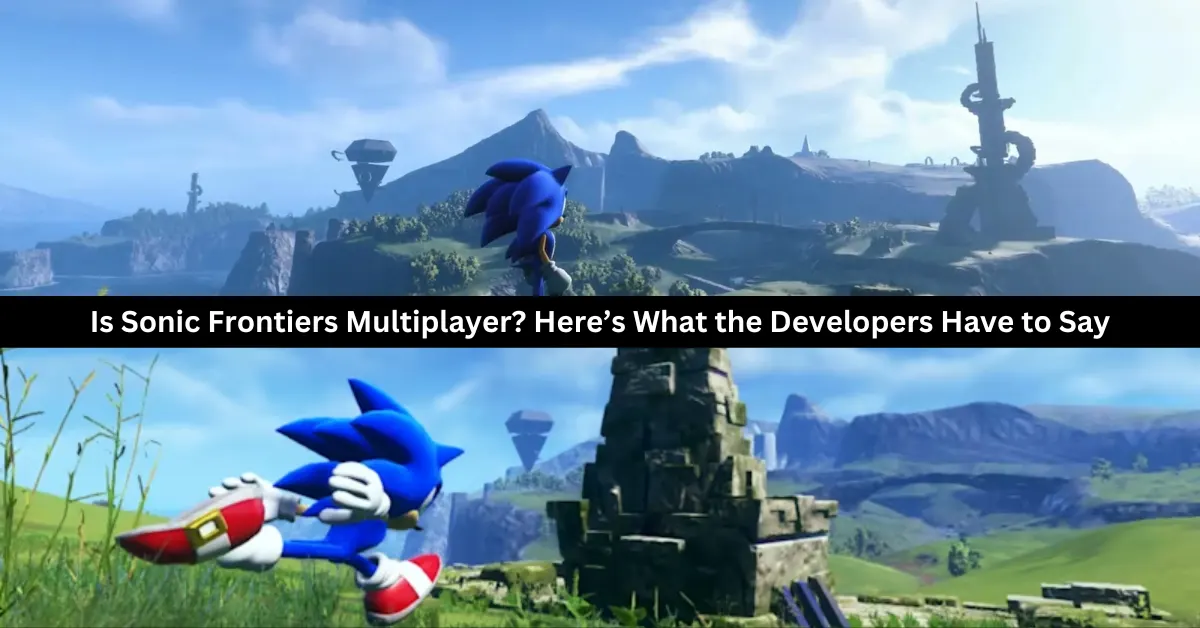
    Sonic Frontiers is the latest game in the Sonic the Hedgehog franchise, and it promises to be a groundbreaking experience for fans of the Blue Blur. The game features an open-world setting where Sonic can explore five massive islands, each with its challenges, secrets, and enemies. Sonic Frontiers also introduces new gameplay elements, such as puzzles, ancient powers, and a mysterious story.

    But what about multiplayer? Does Sonic Frontiers have any co-op or multiplayer features that allow players to enjoy the game with their friends or compete with others online? This article will answer all your questions about Sonic Frontiers multiplayer and whether you can expect to see it in the game.

    Is Sonic Frontiers Multiplayer?

    No, multiplayer is not available in Sonic Frontiers. The game is only meant to be played offline by one person. That also means that no Co-Op gameplay will be available anytime soon. There don’t appear to be any plans to release Sonic Frontiers multiplayer in the near future.

    Thus, regrettably, a Knuckles and Sonic pairing is not going to happen anytime soon. Furthermore, Sonic Frontiers does not allow split screens on any platform because it lacks multiplayer.

    Is Sonic Frontiers Co-op?

    Unfortunately, you won’t be able to take your friends on an exploration of Sonic Frontiers’ universe. Actually, there are no multiplayer elements in the game at all. The official Sonic Frontiers Steam page makes clear that Sonic Frontiers is an offline, single-player game.

    While most gamers may find it upsetting because there isn’t cooperative or multiplayer gaming, many others are content with this choice. Sonic Frontiers as a single-player offline game seems fantastic since the majority of online games have a ton of microtransactions and other features that are concealed behind a paywall.

    The world of Sonic Frontiers contains so many secret features strewn around the landscape that we are eager to explore. Fans of the series, both old and new, will enjoy this game. Sonic is going to be a fully open world for the first time, and it looks amazing! See the trailer.

    Why Isn’t There Multiplayer in Sonic Frontiers?

    is sonic frontiers multiplayer
    is sonic frontiers multiplayer

    Morio Kishimoto, the director of Sonic Frontiers, has hinted that a multiplayer mode was initially intended for the game. This is from a fan-posted Q&A on Twitter, where Kishimoto teases us with the next installment in the Sonic series.

    Regarding the absence of multiplayer in the most recent Sonic games, Kishimoto replies that the team is “always” considering the possibility. He does clarify, though, that it is “difficult” to implement, particularly as the developers are still figuring out how to make the upcoming Sonic games enjoyable for fans.

    Kishimoto continued to explain why they weren’t able to make multiplayer function this time after disclosing that the developers do think about incorporating it during production.

    Speaking of the beginning of Sonic’s third generation with Frontiers, “It is always in view. However, I think it will be difficult to move on to the next step unless you first complete the third generation Sonic game in single play,” adds Kishimoto. “As you know, the game itself still has a lot of issues, so we can’t leave it alone.”

    See the tweet below…

    It’s interesting to note that this claim doesn’t refute the possibility that Frontiers or another Sonic game will feature multiplayer features. It really seems like we’ll have to wait till Sega and Sonic Team are satisfied with the single-player options, which clearly seem to be given priority.

    It’s safe to assume that the Sonic Team is preparing ahead of time, given all the talk of “generations” and upcoming Sonic material. It’s no secret that Frontiers will receive some new content this year. Featuring the option to take on the roles of Amy, Knuckles, and Tail.

    Although Kishimoto hasn’t mentioned anything further, his remarks may be hinting at the possibility of a multiplayer mode in the future. For fans of the older games, Kishimoto’s confirmation in this Q&A was encouraging because it showed that the developers are still thinking about them.

    The director even suggested that gameplay from Sonic Adventure would impact the next Sonic games. As we previously reported, whether this indicates that Sonic Adventure 3 is a possibility or not is still to be seen.

    Will Sonic Frontiers Ever Have Multiplayer?

    While Sonic Frontiers does not have multiplayer at launch, there is a slim possibility that it could be added in a future update or DLC. The developers have not ruled out the idea of adding multiplayer features to the game, but they have also not confirmed any plans to do so.

    Iizuka said that the team is open to feedback from the fans and will consider their requests and suggestions for the game. However, he also warned that adding multiplayer would not be easy, as it would require a lot of work and testing to ensure that it does not affect the game’s performance or stability.

    Therefore, fans should not expect to see multiplayer in Sonic Frontiers anytime soon, if ever. The game is clearly designed to be a single-player experience, and the developers are likely to focus on improving and expanding that aspect of the game.

    If you were hoping to play Sonic Frontiers in co-op or online, then you are out of luck. The best you can do is share your adventure with your friends through screenshots, videos, or streaming.

    You might also be interested in the following games, Crossplay: Is Granblue Fantasy Versus Rising Crossplay? and Is Monopoly Plus Cross Platform? We appreciate your interest in our website! Make Game Empress your go-to site for gaming information.

  • Is Paladins Crossplay? A Guide To Playing With Friends On Different Platforms

    Is Paladins Crossplay? A Guide To Playing With Friends On Different Platforms

    Paladins is a free-to-play hero shooter game that lets you choose from a variety of characters, each with their unique abilities and playstyles. The game has various modes, such as team deathmatch, siege, and ranked, where you can compete with other players online.

    But what if you want to play with your friends who have different devices? Is Paladins crossplay? In this article, we will answer that question and explain how to enable and enjoy crossplay in Paladins.

    Is Paladins Crossplay?

    Crossplay is a feature that allows players to play Paladins together regardless of the platform they are using. This means that players on PC, PS4, Xbox One, Nintendo Switch, and even mobile devices can join the same matches and lobbies, and communicate with each other.

    Crossplay also enables cross-progression, which means that players can use the same Paladins account and access their progress, items, and customizations on any platform.

    Crossplay was introduced in Paladins in early 2019 and has been improved and expanded since then. The developers of Paladins, Hi-Rez Studios, have stated that they are committed to supporting crossplay and making the game accessible and fun for everyone.

    How to Enable Crossplay in Paladins?

    To enable crossplay in Paladins, you will need to follow these steps:

    • Make sure you have a Paladins account and link it to your platform account. For example, if you play on PS4, you need to link your Paladins account to your PlayStation Network account.
    • Launch Paladins and go to the Settings menu. Under the Gameplay tab, make sure that the Enable Crossplay option is checked. You can also choose your preferred input method, such as keyboard and mouse, controller, or touch screen, and your preferred region, such as North America, Europe, or Asia.
    • Go to the Play menu and select the mode that you want to play. You can choose from casual, ranked, custom, or training modes. You can also filter the matches by input method, such as keyboard and mouse only, controller only, or any input. Join or invite other players to your party, regardless of their platform. You can do this by using the social menu, where you can see your friends list, your recent players list, and your clan members list. You can also use the chat feature, where you can send messages and voice commands to other players.
    • Enjoy crossplay in Paladins. You can check the platform of other players by looking at the icon next to their name. For example, a PC player will have a monitor icon, while a PS4 player will have a PS logo.

    What Are the Benefits and Limitations of Crossplay in Paladins?

    Crossplay in Paladins has many benefits and limitations, such as:

    Benefits

    • You can play with your friends and family, regardless of the device they have. You can also make new friends and join a larger and more diverse community of players.
    • You can enjoy the game on any platform, without losing your progress or items. You can also switch between platforms, depending on your preference or convenience.
    • You can experience the game with more variety and options, as you can encounter different players, characters, and strategies. You can also learn from other players and improve your skills.

    Limitations

    • You may face some compatibility and performance issues, depending on your device and internet connection. You may also encounter some bugs or glitches, as crossplay is still in development and testing.
    • You may have some balance and fairness issues, as some platforms or input methods may have advantages or disadvantages over others. You may also have some communication and coordination issues, as some platforms or input methods may have different or limited chat features.
    • You may have some preference and privacy issues, as some players may not want to play with or against certain platforms or input methods. You may also have some account and security issues, as linking your accounts may expose your personal or financial information.

    You might also be interested in the following games, Crossplay: Is Granblue Fantasy Versus Rising Crossplay? and Is Monopoly Plus Cross Platform? We appreciate your interest in our website! Make Gameempress.com your go-to site for gaming information.

  • Cheat Codes for Monopoly Go: How to Play Better Without Cheat Codes?

    Cheat Codes for Monopoly Go: How to Play Better Without Cheat Codes?

    In the well-known smartphone game Monopoly Go, you may construct your city and engage in global competition. The game is modeled after the beloved board game Monopoly, but it has additional elements and twists to increase its replay value and enjoyment factor.

    The dice roll, which controls how many spaces you can travel on the board and what actions you can perform, is one of the key components of the game. Dice rolls can also be used to upgrade buildings, purchase properties, collect rent, launch attacks on other players’ cities, or defend them.

    Dice rolls are few and restocked periodically, so you must utilize them carefully and tactically. Some gamers, nevertheless, might choose to receive additional dice rolls without having to wait or pay actual money. For this reason, some players search for Monopoly Go cheat codes that would allow them to get free dice rolls and other in-game goodies.

    Are There Official Cheat Codes for Monopoly GO?

    You may play Monopoly GO as long as you have dice throws! Although your throw energy eventually returns, there are some excellent ways to increase it. For Monopoly GO, there are no cheat codes! However, you can strive to win more and make the most out of your spins by using some excellent techniques.

    Build

    You can increase your number of throws by constructing; when you reach a certain level, you’ll unlock a reward, which might be money or extra throws at the dice, depending on the level.

    You can level up and earn incentives, including dice rolls, by building. For bonus points, finish the sets. Additional incentives will be yours if you finish sets on specific occasions.

    Add Friends

    cheat codes for monopoly go

    When you invite friends to the game, you can get a bonus. You can get some good bonuses from playing this game with your pals, just like in other games like it. Bonuses tied to buddy activity will be yours as well; it’s a win-win situation!

    Collect Stickers

    It can take a long time to gather stickers and finish collections, but doing so is a fantastic method to increase your number of dice tosses. Sticker collecting has many benefits, particularly when you finish collections.

    While there are Facebook groups where stickers are exchanged, we are unable to vouch for their safety as we have heard many positive stories of scams occurring alongside sticker exchanges.

    Get More Tokens

    Gaining access to new Tokens has its benefits—whole sets of tokens that may be exchanged for incentives like more free rolls and in-game money. Unlock tokens are awarded when you accomplish specific level benchmarks. Thus, everything revolves around how crucial it is to continue leveling up to unlock new goodies and earn in-game currency.

    Play the Events and Tournaments

    Numerous events occur in the game; keep an eye out for them and investigate the prizes; frequently, there will be more free dice throws. Timing your dice used to coincide with events when you have a good chance of ranking highly and earning a ton of free dice is a terrific tip. Keep an eye out for event run times to determine if attending is worthwhile.

    Use the Multiplier

    One excellent time-saver is the multiplier. To use your throws more rapidly and receive more prizes, use the highest level. Multipliers never stop working; you can apply a 50x multiplier if you can stack more than 2,000 dice.

    With a high multiplier, you do rapidly run out of dice, but the bonuses also increase proportionately, so if you throw well, you could win a ton of money. Another thing to keep in mind regarding the multiplier is that you might want to adjust it when you are at different spots on the board.

    For instance, you could wish to raise your multiplier to its maximum if you are in a favorable position and have many opportunities to roll dice and land on a tile that you need to reach.

    However, you might want to reduce your multiplier for the subsequent throw if there aren’t many tiles that you could fall on that could aid in an event. This kind of use of your multiplier can significantly impact your event scoring.

    Work Out Your Probabilities

    This table of probability can be useful in determining when to utilize your maximum multiplier, even though it may seem a bit extreme if you have thousands of dice with the high roller enabled.

    You may tally up the odds depending on the throw required to land on a specific square using this table and knowing which squares you are happy to land on.

    For the next throw, you could wish to boost your multiplier if the overall likelihood is high enough for you.

    The percentage likelihood of rolling numbers 2 through 12 is shown in the following probabilities table. Based on it, you might choose to set a greater-than-usual multiplier for the subsequent roll if you have strong selections on a number of high-likelihood squares.

    Dice Throw Probability
    2 2.78%
    3 5.56%
    4 8.33%
    5 11.11%
    6 13.89%
    7 16.67%
    8 13.89%
    9 11.11%
    10 8.33%
    11 5.56%
    12 2.78%

    Look Out for High Roller

    Pay attention to the high roller option, which lets you increase your multiplier by a maximum of 200x. When you obtain this, and your chances of landing on an event-based prize tile or shield are high (50% or above), you might choose to use the high roller if you have it.

    You never know what the outcome will be; after all, it’s all just a dice roll. However, if you’re lucky enough to land on a tile with a 200x multiplier, you may easily become the event champion.

    How Do You Play Monopoly GO Better Without Cheat Codes?

    Instead of looking for cheat codes for Monopoly Go, we suggest you play the game better by following some tips and tricks that can help you improve your skills and strategy. Here are some of them:

    Plan your moves: Before you roll the dice, think about what you want to do and where you want to go. Do you want to buy a property, upgrade a building, collect rent, or attack another player? Choose the best option for your situation and goals.

    Use your shields wisely: Shields are items that can protect your city from attacks by other players. You can get shields by landing on certain spaces on the board or by buying them with coins. You can only have a maximum of three shields at a time, so use them wisely and strategically. Don’t waste them on low-value properties or when you have a lot of dice rolls left.

    Complete quests and events: Quests and events are tasks that you can complete to earn rewards such as coins, dice rolls, stickers, and more. You can find quests and events on the left side of the screen. Try to complete as many as you can to get more resources and items for your city.

    Collect stickers and partners: Stickers and partners are collectible items that can give you bonuses and perks in the game. You can get stickers by opening sticker packs that you can buy with coins or get as rewards. You can get partners by completing puzzles that you can find on the right side of the screen. Try to collect as many stickers and partners as you can to boost your performance and progress in the game.

    You might also be interested in the following game, Cheats: NBA Street Vol 2 Cheats and Pokemon Moon Black 2 Cheats. We appreciate your interest in our website! Make Game empress your go-to site for gaming information.

  • How to Get Free Fortnite Redeem Codes in December 2023?

    How to Get Free Fortnite Redeem Codes in December 2023?

    Prepare to step off the Battle Bus and enter a brand-new world of possibilities! With their new material, Epic Games is having a lot of success. To keep their player base engaged, they are now distributing Fortnite redeem codes on a regular basis. Even though these tickets don’t provide incentives to improve your gaming, who can say no to a gift?

    Look no further if you’re looking for a list of December 2023 Fortnite redeem codes! With the use of these codes, you may earn free rewards—such as V-Bucks, makeup, clothes, and other items—without having to spend any money! Every month, this post will be updated with new code drops and an updated list of expired codes.

    Latest Fortnite Redeem Codes

    This is a list of all the Fortnite codes that are presently live so you can use them to redeem freebies for your next game session. To get these exclusive incentives and free cosmetics, carefully enter these case-sensitive alpha-numerical codes. Additionally, they have a time limit, so use them right away to avoid their expiring!

    free fortnite redeem codes

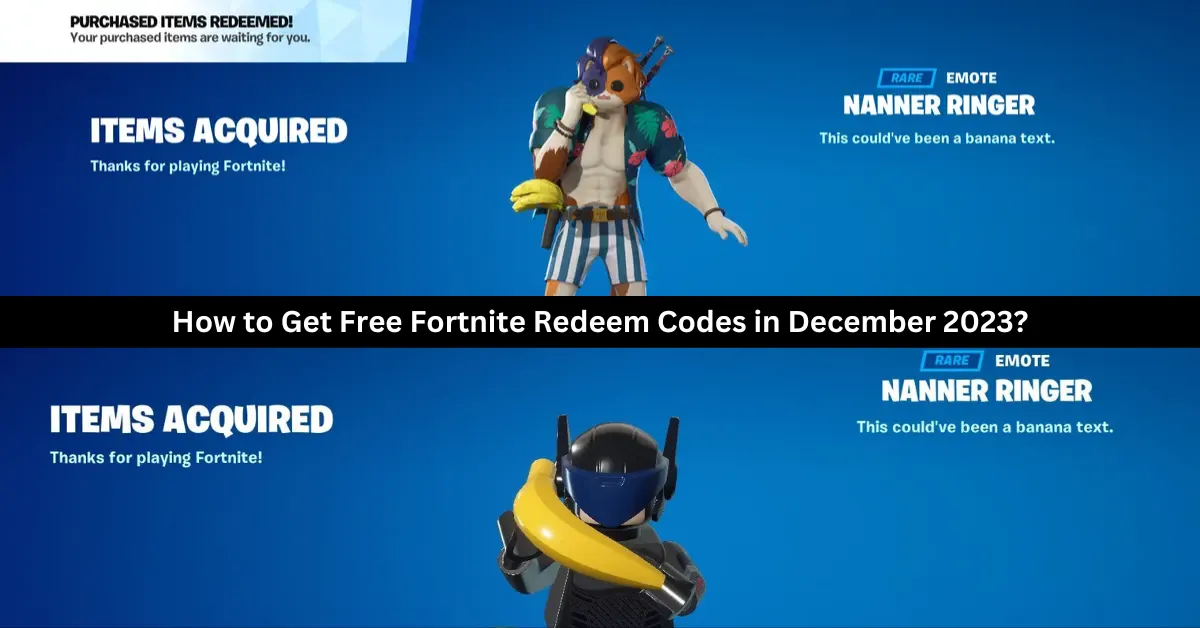
    Free “Nanner Ringer” Emote: Redeem code BANANNANANANA to get a goofy yellow banana character costume emote. This uncommon Outfit modification is only available for 25 million usage, so don’t wait to get it. It may be used in all Fortnite games.

    Chapter 4 Reward Codes: Every code opens a reward from Chapter 4 Legacy. Make sure you claim all six before they run out.

    • 9BS9-NSKB-JAT2-8WYA
    • LJG6-DGYB-RMTH-YMB5
    • D8PT-33YY-B3KP-HHBJ
    • 69JS-99GS-6344-STT8
    • WDCT-SD21-RKJ6-UACP
    • XTGL-9DKO-SD9D-CWML

    Recently Expired Fortnite Codes

    These are some recently expired, non-functional Fortnite codes. Try these codes once more if you have some free time to check whether you’re missing out on any freebies.

    • FAT6P-PPE2E-4WQKV-UXP95
    • 8Z35X-3ZWAB-BC57H-EQTQZ
    • SDKY-7LKM-UTGL-LHTU
    • SDKY-7LKM-ULMF-ZKOT
    • MK2T-UDBL-AKR9-XROM
    • MK2T-7LGP-UFA8-KXGU
    • NBP4S-SLUET-YWQHY-66C2Z
    • 3CT3L-5H6N6-2H35S-8TVX7
    • 3QVS2-A9R27-2QFGZ-PF7W7
    • 6AQFF-N3SMY-2E6XZ-ZD3A4
    • Z4A33-NLKR2-V9X34-G3682
    • P2XY4-QB7Z8-Y6GVZ-KZZBT
    • 7A8D4-XAVA4-GYL72-3Y2MK
    • Y2429-69CD3-WMYNS-Y64V2
    • PAX7N-79CGE-NMW6T-C9NZG
    • 7A8D4-XAVA4-GYL7Z-3Y2MK
    • FGNHR-LWLW5-698CN-DMZXL
    • 3QVS2-A9R27-2QFGZ-PF7W
    • YNQJ7-4EVUP-RJDMT-ENRK6
    • LPYDF-3C79V-TTFLG-YSBQP

    How to Redeem Fortnite Redeem Codes?

    In order to get your free makeup and other things, you must first understand how to redeem Fortnite tickets. To get started, follow the easy, step-by-step instructions below.

    • Go to the official Fortnite redemption page.
    • Enter the account from which you wish to receive rewards.
    • In the Access Code field, type the code.
    • Select “Activate.”

    A notification or message stating that the code was successfully redeemed ought to arrive. The next time you check in to play Fortnite on a PC, Xbox, PlayStation, or Nintendo Switch, your new content ought to be accessible.

    We have more Fortnite articles, so check out Ragsy Fortnite: How To Get And Use The Spooky Cuddle Team Leader Skin? and Solid Snake Fortnite Skin: The Ultimate Crossover For Metal Gear And Fortnite Fans! Stay up to date with GameEmpress for the most recent gaming news and guides.
  • Xbox Crossplay Settings: How Do You Disable Crossplay?

    Xbox Crossplay Settings: How Do You Disable Crossplay?

    Many players these days take advantage of cross-play features in their preferred online games. Fall Guys and Call of Duty: Modern Warfare 2 are two excellent first-person shooters and party games that make good use of this functionality, which is standard on most modern platforms.

    However, what if you’d prefer not to engage in system-based competition with others? Owners of the Xbox One and Xbox Series X|S are in luck, as Microsoft has enabled the option to disable cross-play permanently.

    In this manner, you can save the trouble of having to adjust the feature for every game you play.  So, how exactly does one disable crossplay on an Xbox, and what exactly is crossplay? We’ll have to see.

    What is Crossplay Gaming?

    Regardless of platform or console, crossplay enables gamers from disparate gaming platforms to join each other’s games and play online. In general, cross-platform gaming enables more players to participate in online games. For gamers, this means speedier matchmaking and a less constrained online social experience.

    The majority of games that support cross-platform gameplay will use personal information, such as your email address, to track your success in-game. Crossplay-enabled games let you advance in a game through any supported platform by utilizing these details across platforms, similar to an individual account.

    Likewise, you are able to play versus players on different platforms universally. This generates a massive player base for games like Fortnite, which are accessible on almost every platform you can imagine. Crossplay gaming does have a lot of advantages, but it also has a lot of disadvantages, and often the benefits seem unneeded.

    When utilizing a controller versus PC players that use a mouse, you might even be at a direct disadvantage if you’re playing a first-person shooter on a console and you join PC players. In some cases, especially if you’re using a system like the Xbox One or Xbox Series X|S, you might want to disable cross-play gaming.

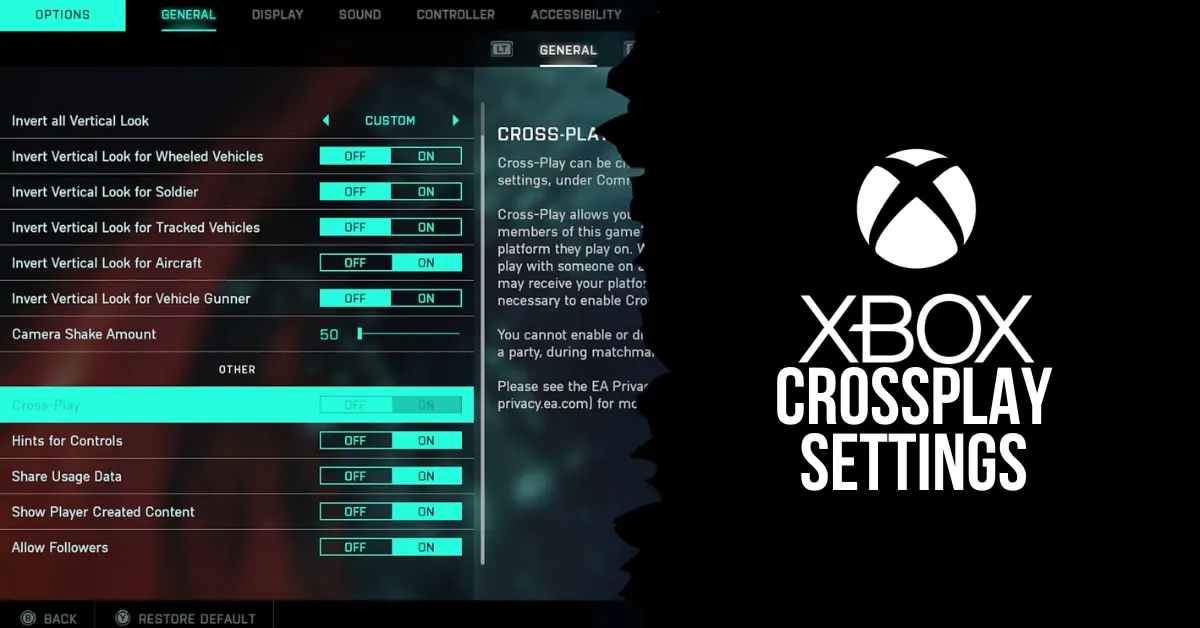
    How Do You Disable Crossplay on Xbox One and Xbox Series X|S?

    xbox crossplay settings

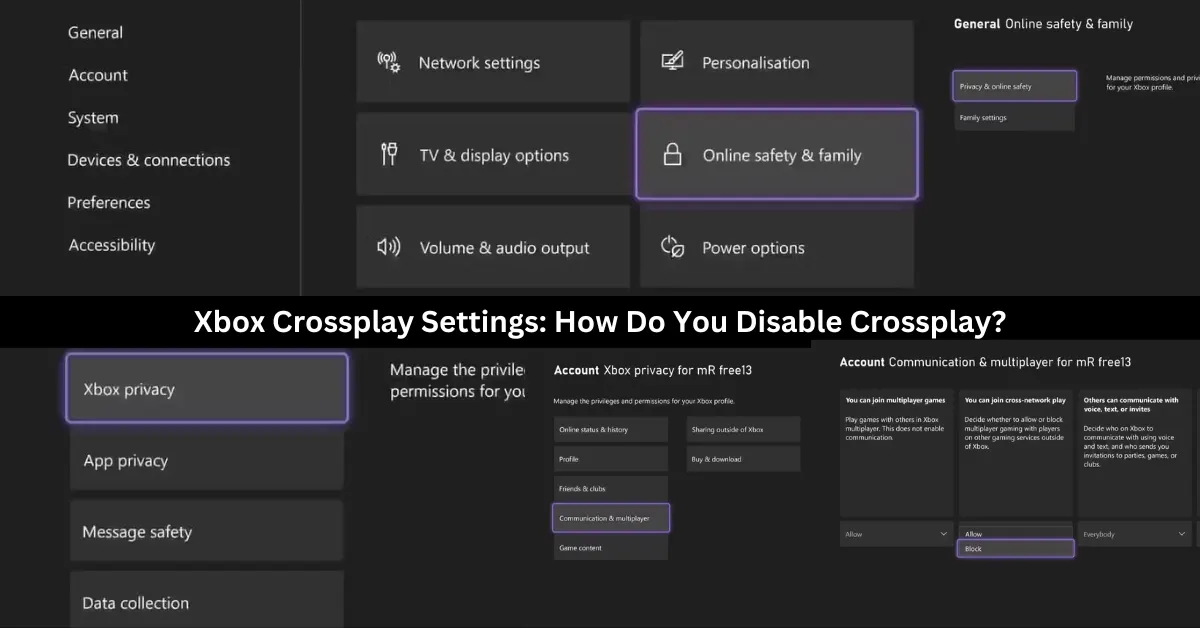
    To avoid any issues when playing games on other platforms on your Xbox, you can stop crossplay globally by following these steps:

    1. To access the guidance menu, press the Xbox button on your controller.
    2. After you locate the Profile & System settings, navigate right and choose Settings.
    3. Choose Online Safety & family from the settings under the General tab.
    4. Choose Privacy & online safety from this menu.
    5. From the options that are provided, choose Xbox privacy.
    6. After your privacy settings appear, choose View details & adjust.
    7. Select Communication & Multiplayer to view your console’s online preferences.
    8. Change the Allow to Block selection under the You can join cross-network play setting.

    Any game that tries to pair you up with online players from other platforms won’t be able to as the preference for cross-network play has been restricted, and crossplay will be permanently turned off on your Xbox.

    You can choose to welcome or refuse players from other platforms on Xbox so that you can embrace cross-platform play without any issues. Your Xbox still offers a ton of tools for interacting socially online with other platforms, even if you decide not to play games with them. This is true even if you decide to disable crossplay and all of its social perks.

    What Are the Benefits and Drawbacks of Crossplay?

    Crossplay has both advantages and disadvantages, depending on your preferences and the type of game you are playing. Here are some of the benefits and drawbacks of crossplay:

    Benefits

    After discussing some of the disadvantages of cross-play gaming, let’s examine some of its advantages that enhance your gaming experience.

    Cross-Play Gaming Reduces Matchmaking Times: The ability to play on various platforms greatly increases the number of players that can be active at any given time. This implies that compared to searching without cross-play, the time it takes to find a game when playing online should be significantly less.

    When cross-play is enabled, you are essentially permitting the majority of a game’s player base to play alongside you. However, if it’s disabled, the pool of players who can be matched only consists of those who use the same gaming platform. As a result, if cross-play gaming is allowed, it should significantly reduce your online loading times.

    Cross-Play Gaming Breaks Down Social Barricades: The ability to extend your social gaming experience outside of your platform is the most apparent advantage that cross-play gaming will offer. You can play with pals regardless of any platform limitations that might otherwise apply thanks to cross-play.

    This broadens the pool of people you may play games with and lessens the financial burden associated with the social side of gaming. You can play with your pals by using cross-play features regardless of whether you buy a new platform or an entire console. The social aspect of cross-play is by far its greatest advantage; it fosters a sense of community and accessibility in gaming.

    Drawbacks

    There are a few disadvantages to cross-play gaming, and not all is as it seems when it comes to playing with other players online from different gaming platforms. Let’s examine this.

    Cross-Play Gaming Is Unbalanced by Nature: There are inevitable repercussions and disadvantages when matching gamers online from different gaming platforms. Most severely, if you play a game with players on both PCs and consoles, you can encounter biases that work against you on a console or in your favor on a PC.

    Comparing playing with a keyboard and mouse vs a controller, there are clear advantages. You can react more quickly with a mouse, especially when aiming, and you can customize gameplay mechanics using a keyboard to fit your preferred playing style. As I just said, a controller has slower analog sticks and binding possibilities, making it more constrictive.

    When both PC and console players participate in a cross-play match, PC players have a clear advantage over console players if they use a mouse and keyboard. Your game may be skewed for or against you if you play with people from PCs or consoles.

    This can make an online game completely unbalanced, a problem already made worse by battle pass systems, which change how you play games in the modern gaming world.

    Cross-Play Creates a More Competitive Online Environment: An additional concern regarding the gameplay aspect of cross-play features is the increasing focus on competition in games, irrespective of whether they are casual or ranked. Your online experience has to be skill-based to account for the skill-level or setup biases of platforms like PC due to problems with online balancing with cross-play titles.

    If you want to play a non-competitive game, such as Call of Duty: Modern Warfare II, cross-play will still place you with gamers who share your skill level. You always run the risk of having players with clear platform biases disrupt your online experience if a cross-play game doesn’t use skill-based matchmaking.

    Consequently, in order to enable cross-play, one must almost always be grouped according to skill when looking for an online game, which fosters competition. Turn off cross-play on your game or console if you’re seeking for an online game where you don’t have to play against other players.

    You might also like to know about if these other games are cross-platform or not: Is Monopoly Plus Cross Platform? and Is Granblue Fantasy Relink Crossplay? We appreciate your interest in our website! Make Gameempress your go-to site for gaming information.

  • Hogwarts Legacy Mods: How To Enhance And Customize The Harry Potter RPG?

    Hogwarts Legacy Mods: How To Enhance And Customize The Harry Potter RPG?

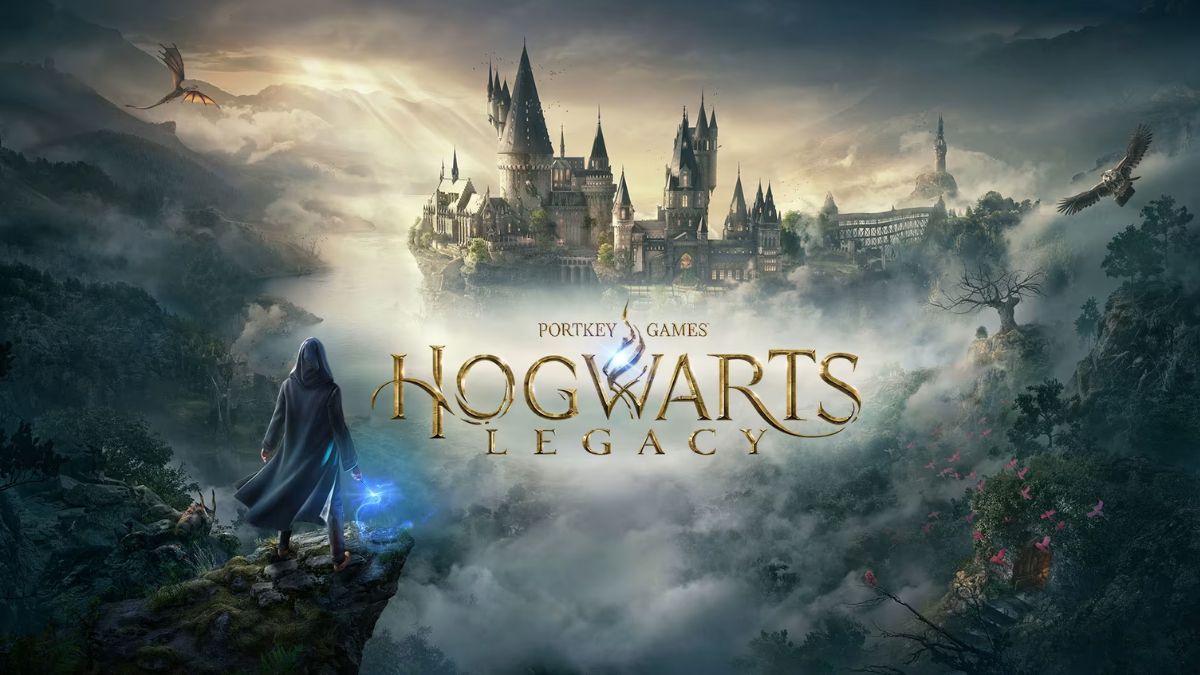
    Hogwarts Legacy is a role-playing game set in the Harry Potter universe, developed by Avalanche Software and Warner Bros. Games. The game will allow players to create their own witch or wizard character and explore the wizarding world in the late 1800s.

    The game will feature a vast open world, a branching story, a dynamic combat system, and a variety of magical creatures and spells. However, as with any game, some players may want to modify and improve the game with their ideas and preferences.

    That’s where mods come in. Mods are fan-made modifications that can change or add various aspects of the game, such as graphics, gameplay, content, and features. Mods can enhance the game experience and the immersion, and also fix some bugs and issues.

    How to Download and Install Mods for Hogwarts Legacy?

    Hogwarts Legacy Is Now Available On Nintendo Switch
    Hogwarts Legacy Is Now Available On Nintendo Switch

    To download and install mods for Hogwarts Legacy, you will need to follow these steps:

    • Make sure you have the original game installed on your PC. You can buy the game from Steam, Epic Games Store, or other platforms. The mods should work with any version of the game unless stated otherwise by the mod creators.
    • Download the mod. Make sure that the mod is compatible with your game version and any other mods that you have. The mod file size and format may vary depending on the mod, but usually, they are in zip or rar archives, or exe or dll files.
    • Extract the mod file from the archive, or run the exe file, and copy the mod files to the game folder. The game folder is usually located in the Program Files (x86)\\Steam\\steamapps\\common\\Hogwarts Legacy folder, or the Program Files\\Epic Games\\HogwartsLegacy folder, depending on the platform. You may need to overwrite some existing files or create some new folders, depending on the mod instructions.
    • Launch the game as usual, and enjoy the mod. You can check if the mod is working by looking for the mod changes or features in the game. You can also disable or uninstall the mod by deleting or renaming the mod files, or by using the mod manager tool.

    This is everything you need to know about Hogwarts Legacy Mods. Additionally, you can check our guide on GTA 4 Graphics Mod and Sims 4 Car Mod. Stay connected with GameEmpress.com to get the latest news and guides about the gaming world.

  • Dragon Ball Z Budokai Tenkaichi 4 Mod: How To Download And Play The Fan-Made Game?

    Dragon Ball Z Budokai Tenkaichi 4 Mod: How To Download And Play The Fan-Made Game?

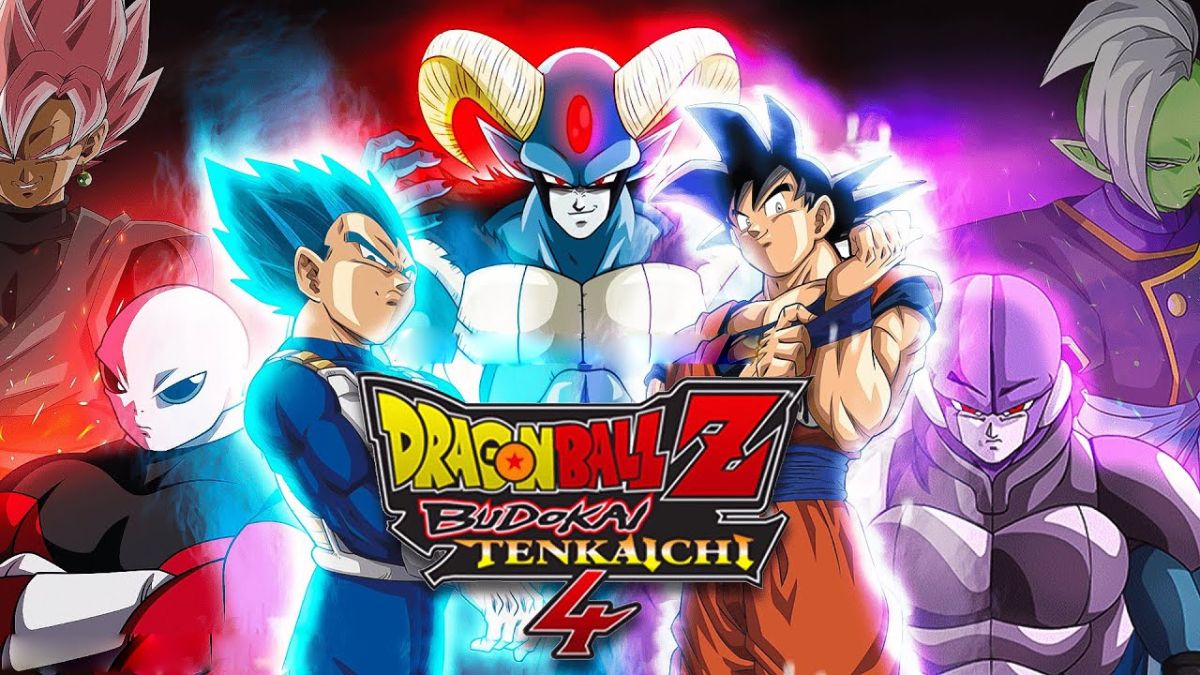
    Dragon Ball Z Budokai Tenkaichi 4 is a fan-made modification (mod) of the original Dragon Ball Z Budokai Tenkaichi 3 game, which was released in 2007 by Spike and Bandai Namco.

    The mod aims to update and improve the game with new content and features that have been introduced in the Dragon Ball franchise since then, such as new characters, stages, transformations, attacks, and modes. The mod is created and maintained by a team of fans called Team BT4, who have been working on it since 2014.

    The mod is available for PlayStation 2 and PC (via emulator), and has received positive feedback from the Dragon Ball community. In this article, we will show you how to download and play the Dragon Ball Z Budokai Tenkaichi 4 mod, and what are the benefits and drawbacks of using it.

    How to Download the Dragon Ball Z Budokai Tenkaichi 4 Mod?

    Dragon Ball Z Budokai Tenkaichi 4 Mod
    Dragon Ball Z Budokai Tenkaichi 4 Mod

    To download the Dragon Ball Z Budokai Tenkaichi 4 mod, you will need to follow these steps:

    • Make sure you have the original Dragon Ball Z Budokai Tenkaichi 3 game for PlayStation 2. You can buy the game from online stores, such as Amazon or eBay, or from local shops. You will also need a PlayStation 2 console or a PC with a compatible emulator, such as PCSX2.
    • Download the Dragon Ball Z Budokai Tenkaichi 4 mod from the official website of Team BT4. You can choose from different versions and languages of the mod, such as Spanish, English, or Portuguese. The mod file size is about 4 GB, and it is in ISO format.
    • Burn the mod file to a DVD or mount it to a virtual drive. You can use software, such as ImgBurn or Daemon Tools, to do this. You will need a DVD burner or a virtual drive program for this step.
    • Insert the DVD or the virtual drive into your PlayStation 2 console or your PC with the emulator. Launch the game as usual, and enjoy the Dragon Ball Z Budokai Tenkaichi 4 mod.

    This is everything you need to know about Dragon Ball Z Budokai Tenkaichi 4 Mod. Additionally, you can check our guide on GTA 4 Graphics Mod and Sims 4 Car Mod. Stay connected with GameEmpress.com to get the latest news and guides about the gaming world.

  • Vampire The Masquerade Bloodlines Unofficial Patch: How To Install And Enjoy The Mod?

    Vampire The Masquerade Bloodlines Unofficial Patch: How To Install And Enjoy The Mod?

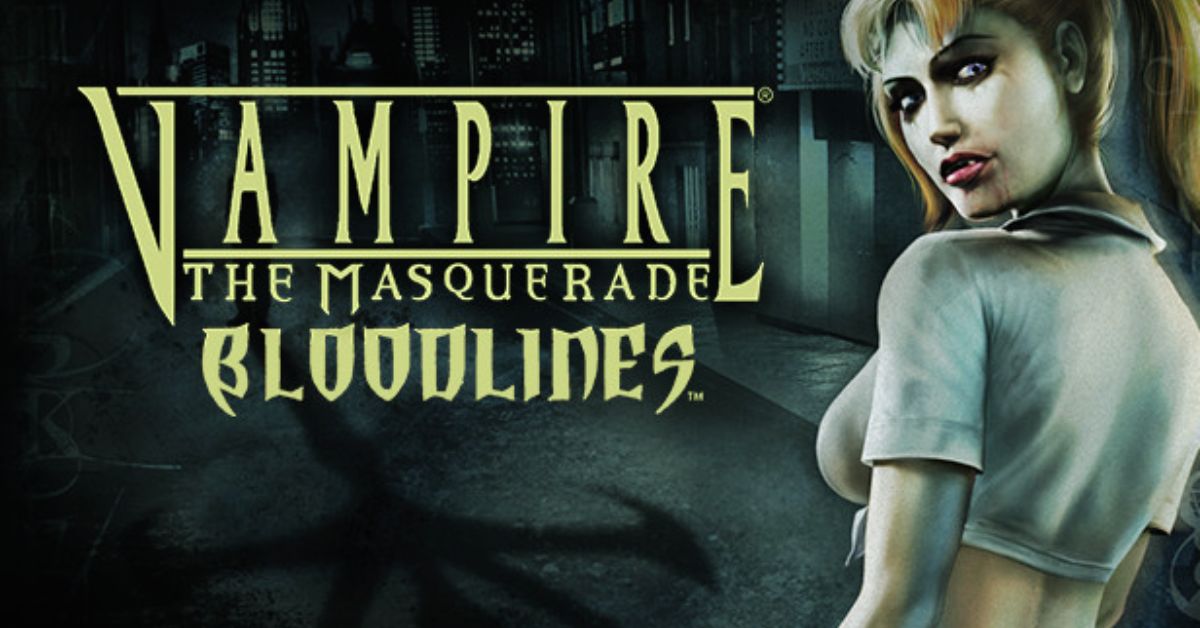
    Vampire: The Masquerade – Bloodlines is a cult classic role-playing game that was released in 2004 by Troika Games. The game is set in the World of Darkness, a dark and gritty universe where vampires, werewolves, and other supernatural beings exist.

    The game allows you to create your vampire character and choose from seven different clans, each with its abilities, weaknesses, and lore. The game also features a rich and immersive story, with multiple endings and choices that affect the outcome.

    However, the game was also plagued by bugs, glitches, and technical issues, as it was rushed to release and did not receive proper support from the publisher.

    The game was also incomplete, as it had a lot of cut content and features that were never implemented. Fortunately, there is a solution to these problems: the unofficial patch.

    The unofficial patch is a mod that fixes the bugs and errors of the game and also restores and adds the missing content and features. The unofficial patch is created and maintained by a fan named Wesp5, who has been working on it since 2004.

    The unofficial patch is a combination of the basic patch, which mostly fixes the bugs, and the plus patch, which also adds new content and features. The unofficial patch is updated regularly, and the latest version is 11.4, which was released in July 2021.

    In this article, we will show you how to download and install the unofficial patch, and what are the benefits and drawbacks of using it.

    How to Download and Install the Unofficial Patch?

    Vampire The Masquerade Bloodlines Unofficial Patch
    Vampire The Masquerade Bloodlines Unofficial Patch

    To download and install the unofficial patch, you will need to follow these steps:

    • Make sure you have the original game installed on your PC. You can buy the game from Steam, GOG, or other platforms. The unofficial patch works with any version of the game, including the retail and the digital versions.
    • Download the unofficial patch from ModDB, Nexus Mods, or other sources. The unofficial patch is a single file that contains both the basic and the plus patch. The file size is about 800 MB.
    • Extract the unofficial patch file from the zip or rar archive, and run the setup.exe file. Follow the instructions on the screen, and choose the installation folder of the game.
    • You can also choose whether you want to install the basic or the plus patch and whether you want to install the optional extras, such as player mods, developer tools, or music.
    • Launch the game as usual, and enjoy the unofficial patch. You can check the version of the patch in the main menu of the game, or in the readme file in the installation folder.

    What are the Benefits and Drawbacks of Using the Unofficial Patch?

    Using the unofficial patch has many benefits and drawbacks, such as:

    Benefits

    • You can fix the bugs and errors of the game, and improve the game performance and stability.
    • You can restore and add the missing content and features of the game, such as new quests, levels, weapons, items, characters, dialogue, graphics, models, sounds, and music.
    • You can enhance the gameplay experience and the variety, and discover new secrets and surprises.
    • You can customize the game to your preference, and use the optional extras, such as player mods, developer tools, or music.

    Drawbacks

    • You may encounter some compatibility and performance issues, and potentially cause new bugs, glitches, or errors.
    • You may have some update and patch delays, and potentially cause some content or feature discrepancies.
    • You may alter the game balance and difficulty, and affect the game design and vision.
    • You may lose the original and authentic feel of the game, and make the game too different or modern.

    You might also be interested in the following game, patch notes: Warcraft Rumble 3.0.0 Patch Notes and WoW 10.2 Patch Notes. We appreciate your interest in our website! Make Gameempress.com your go-to site for gaming information.

  • LEGO Fortnite Feature Guide: How To Play And Enjoy The New Mode?

    LEGO Fortnite Feature Guide: How To Play And Enjoy The New Mode?

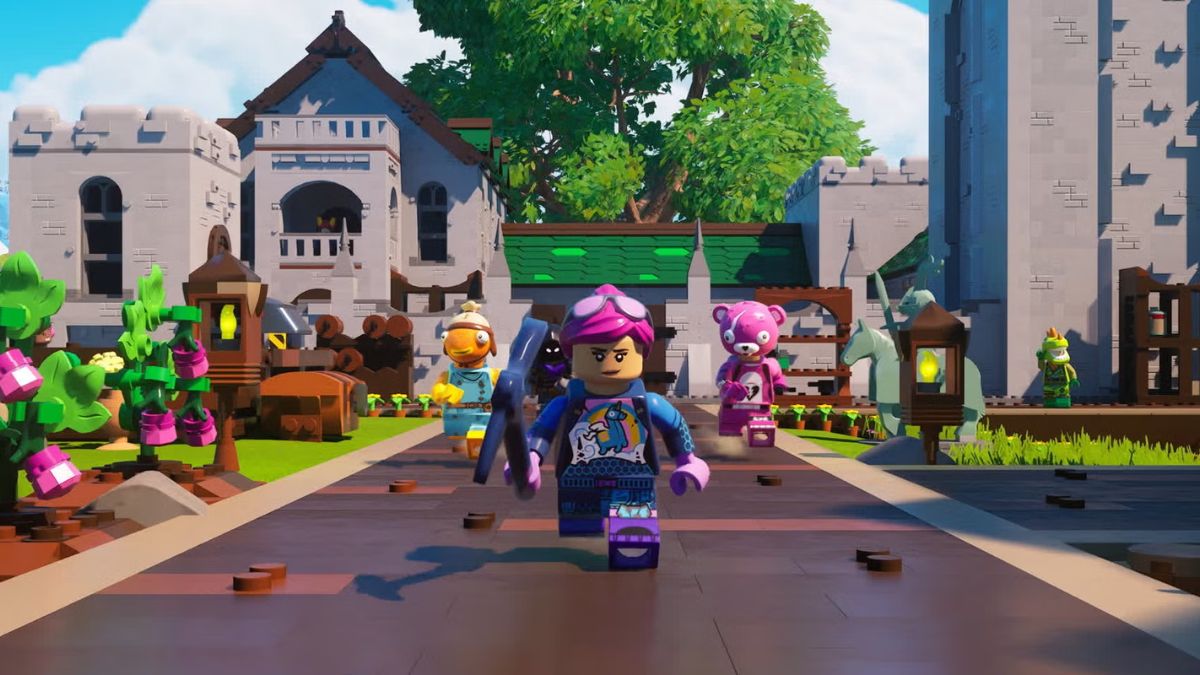
    LEGO Fortnite is a new mode that has been added to Fortnite, the popular battle royale game. LEGO Fortnite is a survival crafting game that lets you explore a LEGO-themed world, build villages, recruit NPCs, and discover secrets.

    LEGO Fortnite is a permanent mode that is free to play for all Fortnite players. In this article, we will provide a comprehensive guide on the features and tips of LEGO Fortnite, and how to get the most out of the new mode.

    How Do I Link My LEGO Account to My Epic Games Account?

    LEGO Fortnite Feature Guide
    LEGO Fortnite Feature Guide

    To play LEGO Fortnite, you will need to link your LEGO account to your Epic Games account. This will allow you to access your LEGO ID, which is a unique identifier that lets you share your creations and progress with other players. To link your LEGO account to your Epic Games account, you will need to follow these steps:

    • Launch Fortnite and select LEGO Fortnite from the game mode menu.
    • You will be prompted to create or log in to your LEGO account. If you already have a LEGO account, enter your email and password. If you don’t have a LEGO account, you can create one for free by entering your email, password, date of birth, and country.
    • Once you have logged in to your LEGO account, you will be asked to link it to your Epic Games account. Click on the Link button and confirm the action.
    • You will see a confirmation message that your LEGO account and your Epic Games account are linked. You can now play LEGO Fortnite with your LEGO ID.

    How to Get a Free Fortnite Outfit?

    As a bonus for playing LEGO Fortnite, you can get a free Fortnite outfit that is inspired by the LEGO theme. The outfit is called the Brickster, and it is a customizable skin that lets you change the colour and pattern of your bricks. To get the free Fortnite outfit, you will need to follow these steps:

    • Play LEGO Fortnite and complete the tutorial. You will learn the basics of the mode, such as how to craft, build, and explore.
    • After completing the tutorial, you will receive a reward chest that contains the Brickster outfit. You can open the chest and claim the outfit.
    • To equip the outfit, go to the Locker menu and select the Brickster from the Outfits tab. You can also customize the outfit by selecting the Edit Style option and choosing the colour and pattern of your bricks.

    LEGO Fortnite Settings for Pc, Ps5, Xbox, Switch

    LEGO Fortnite has some settings that you can adjust to optimize your gameplay experience and performance. You can access the settings menu by pressing the Esc key on PC, the Options button on PS5, the Menu button on Xbox, or the + button on Switch. The settings menu has four tabs: Game, Video, Audio, and Controls. Here are some of the settings that you can change:

    • Game: You can change the game mode, the difficulty, the language, the subtitles, the HUD, and the crossplay options.
    • Video: You can change the resolution, the frame rate, the brightness, the contrast, the shadows, the textures, and the anti-aliasing options.
    • Audio: You can change the master volume, the music volume, the sound effects volume, the voice chat volume, and the voice chat options.
    • Controls: You can change the controller layout, the sensitivity, the invert axis, the vibration, and the auto-run options.

    LEGO Fortnite Tips and Tricks

    LEGO Fortnite is a fun and creative mode that offers a lot of possibilities and challenges. Here are some tips and tricks that can help you play and enjoy the mode:

    • Explore the world and collect resources. You will need resources to craft tools, weapons, buildings, and more. You can find resources by harvesting plants, trees, rocks, and animals, or by looting chests and crates. You can also trade resources with NPCs or other players.
    • Build your village and recruit NPCs. You can build your village by placing foundations, walls, roofs, doors, windows, and decorations. You can also recruit NPCs to join your village by completing quests, giving gifts, or using persuasion. NPCs can help you with tasks, such as farming, mining, or defending.
    • Discover secrets and events. The world of LEGO Fortnite is full of secrets and events that can reward you with loot, XP, or fun. You can find secrets by exploring caves, ruins, or hidden areas, or by using tools, such as the Grappler or the Glider. You can also trigger events by interacting with objects, such as balloons, fireworks, or radios, or by meeting certain conditions, such as time of day, weather, or location.
    • Share your world with friends. You can share your world with friends by inviting them to join your session, or by publishing your world online. You can also join other players’ worlds by accepting their invitations, or by browsing the online worlds list. You can play cooperatively or competitively with other players, and chat with them using voice or text.

    You might also be interested in the following game, guide: Wow Classic Lockpicking Guides and Holotactics Guide. We appreciate your interest in our website! Make Gameempress.com your go-to site for gaming information.